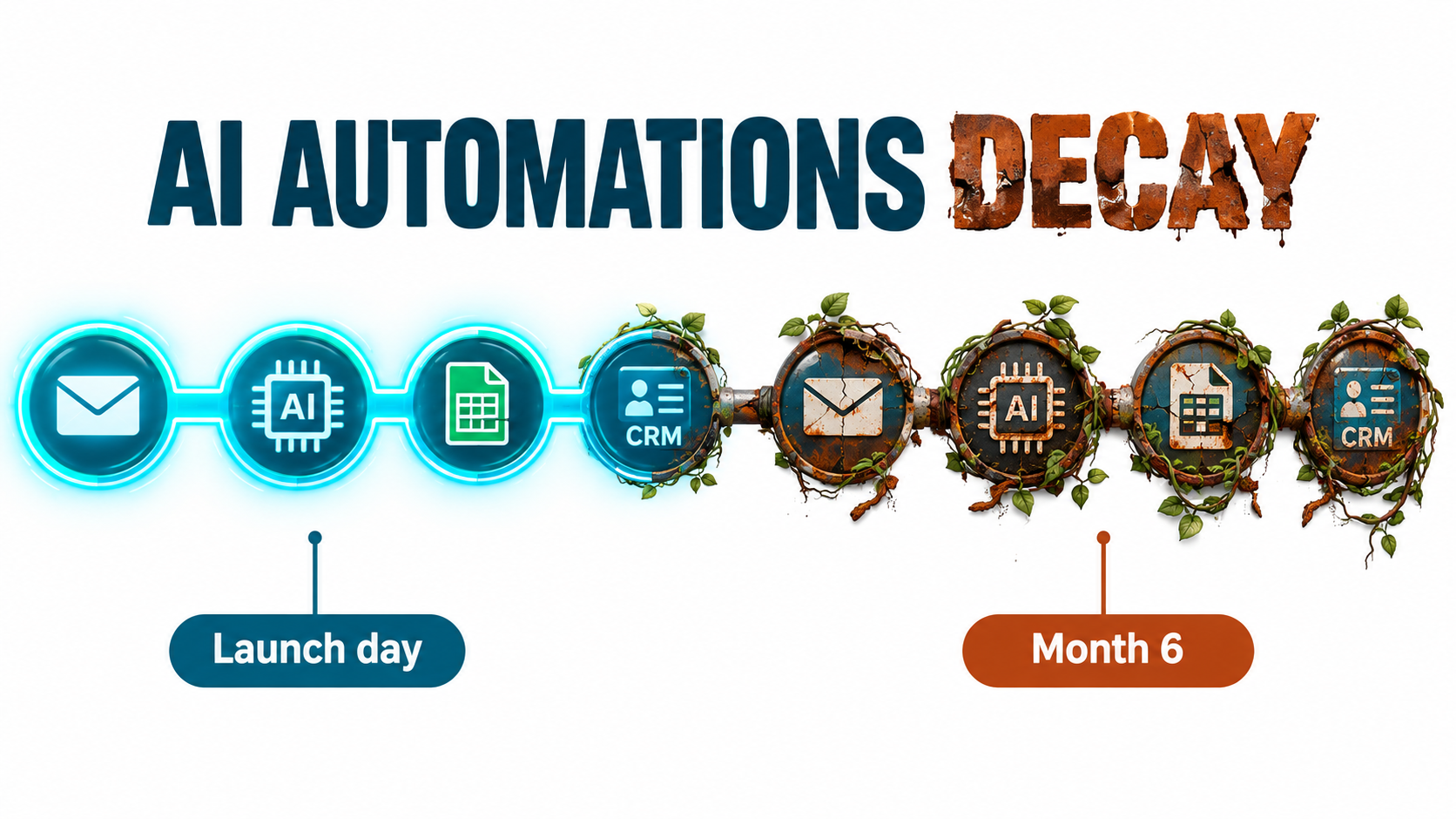
Most conversations about AI automations end at launch. The demo works, the workflow goes live, the team posts a screenshot of the hours saved, and everyone moves on to the next project. Six months later, someone in finance notices invoices being categorized in odd ways. A sales rep finds that lead summaries have quietly started skipping company size. A customer gets an answer from a support bot that contradicts the refund policy updated last quarter.
Nothing crashed. No alert fired. The automation just got a little worse each week until it stopped being trustworthy.
This is the part of AI automation that rarely makes the pitch deck: automations built on large language models decay, and they decay in ways that differ from traditional software. The model behind the API can change behavior. The vendor can retire the exact version you tested against. The documents, emails, and forms flowing into the workflow drift away from the examples you designed around. And because LLM outputs are fluent by default, failures tend to look like success.
Researchers flagged this pattern long before generative AI went mainstream. A 2015 NeurIPS paper from Google engineers, Hidden Technical Debt in Machine Learning Systems, warned that it is “dangerous to think of these quick wins as coming for free,” and that real-world ML systems commonly incur “massive ongoing maintenance costs.” That warning applies even more strongly to today’s no-code and low-code AI workflows, which are often built fast, by people outside engineering, with no test suite at all.
This article is about the second half of the automation lifecycle: why AI automations rot, what that rot actually costs, and the specific practices — golden test sets, version pinning, drift monitoring, clear ownership, and quarterly audits — that keep them working long after launch day.
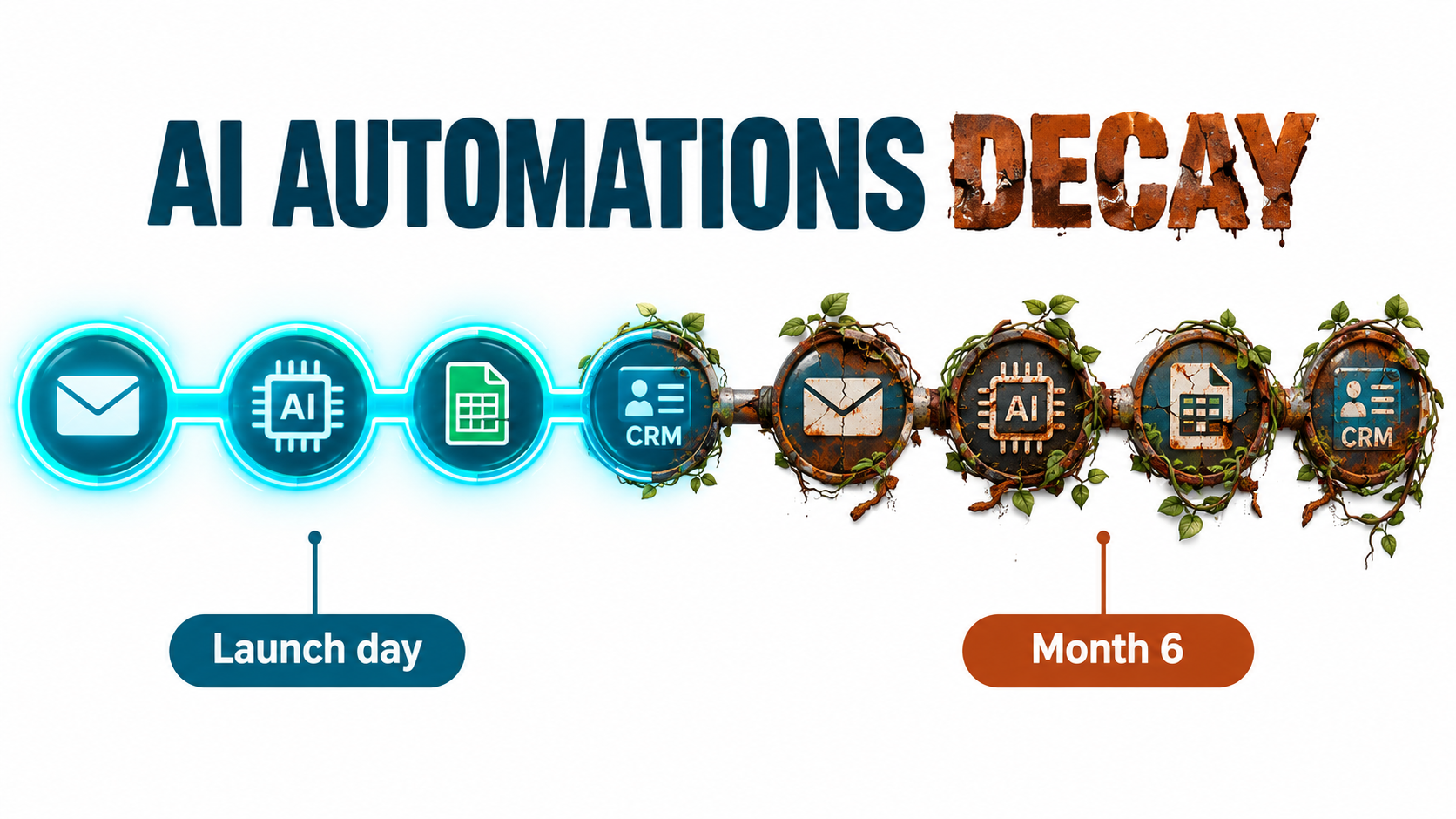
Why AI Automations Rot Differently Than Traditional Software
Traditional automation is deterministic. A rule that says “if the invoice total exceeds $10,000, route it to the controller” will do exactly that every time, until someone edits the rule. When it breaks, it usually breaks loudly: a field goes missing, an API returns an error, a step fails, and the run log turns red.
AI automations replace some of those rules with probabilistic judgment. Instead of “if total exceeds $10,000,” you have “read this invoice and decide whether it needs controller review.” That flexibility is the entire point. It lets one workflow handle messy PDFs, free-text emails, and edge cases that would require hundreds of hand-written rules.
But flexibility has a cost. The behavior of the automation now depends on three things that can change without anyone touching your workflow:
- The model itself — its weights, its safety tuning, its formatting habits, and the version your API call resolves to.
- The inputs — the real-world documents, messages, and data that flow through, which evolve as your business, customers, and vendors change.
- The context — the retrieval sources, knowledge bases, and policies the automation reads from, which grow, go stale, or contradict each other over time.
The “changes in the external world” problem
The Sculley et al. paper listed a set of ML-specific risk factors that read like a diagnosis of today’s AI workflows: boundary erosion, entanglement, hidden feedback loops, undeclared consumers, data dependencies, configuration issues, and “changes in the external world.” Each of these shows up in modern automations.
Undeclared consumers, for example, is what happens when the output of your lead-scoring automation gets pulled into a dashboard, then a commission report, then a forecasting model — none of which the original builder knew about. Change the prompt to fix one issue and you have silently changed numbers in three downstream systems.
Entanglement is what happens when a single prompt handles classification, extraction, and summarization at once. Tweak the instructions to improve the summary and the classification accuracy shifts too, because everything in an LLM prompt influences everything else.
Decay is the default, not the exception
The practical takeaway is a mindset shift. A traditional automation is something you build. An AI automation is something you operate. It has a launch date, but it also has an ongoing cost of ownership, a failure profile, and a shelf life. Teams that treat it as a one-time project are the ones who discover the decay months late, usually from a customer or an auditor.
The good news is that the failure modes are predictable. There are four main ones, and each has a known countermeasure.
Failure Mode #1: The Model Changed Under You
The most unsettling discovery for many teams is that “the same model” is not always the same. When your automation calls a model by an alias — a name that points to whatever the vendor currently considers the latest version — the behavior behind that name can shift.
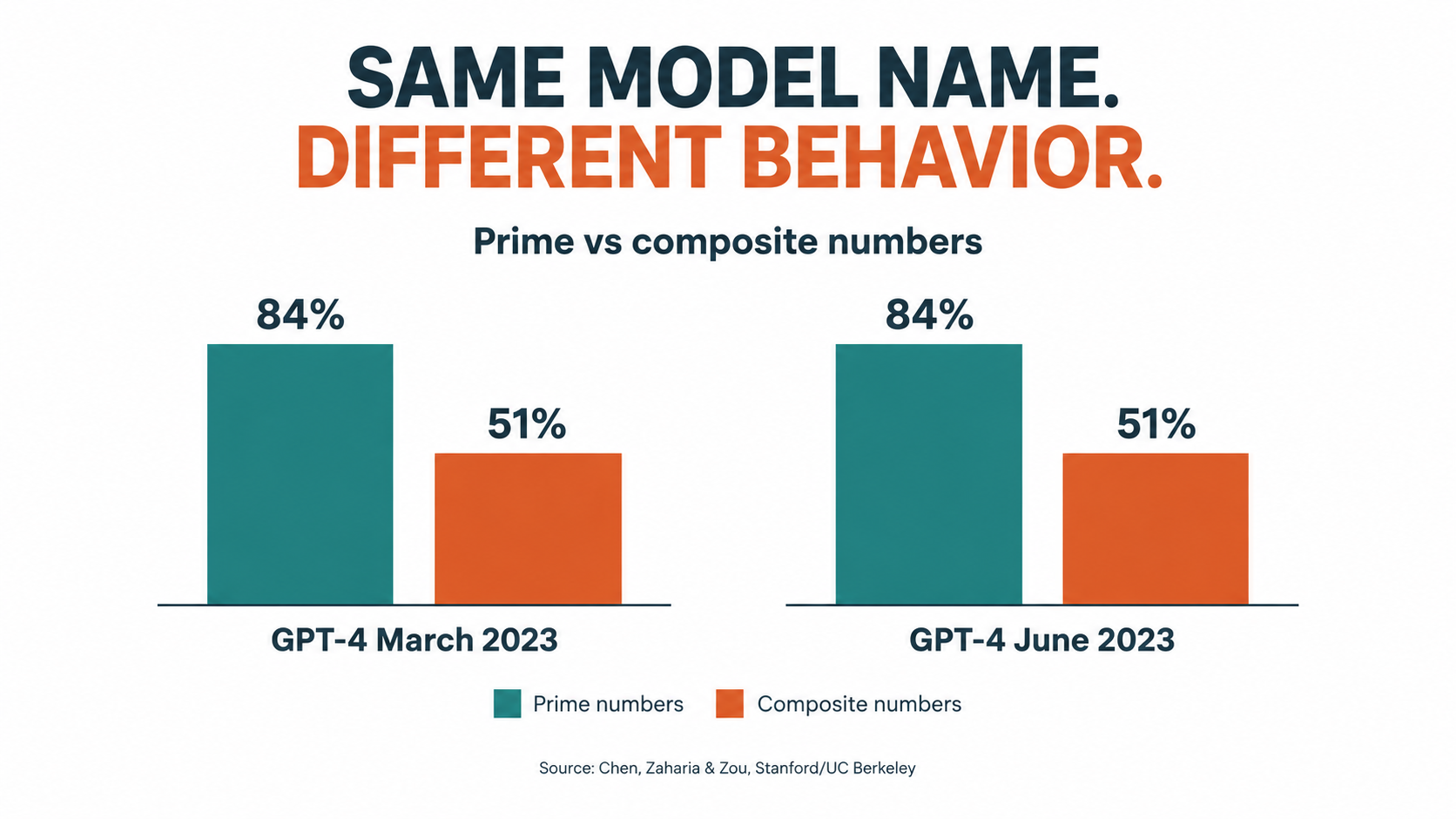
The clearest public evidence comes from a 2023 study by Lingjiao Chen, Matei Zaharia, and James Zou of Stanford and UC Berkeley, titled How is ChatGPT’s Behavior Changing Over Time? The researchers compared the March 2023 and June 2023 versions of GPT-3.5 and GPT-4 across tasks including math problems, sensitive questions, opinion surveys, multi-hop knowledge questions, code generation, medical licensing questions, and visual reasoning.
What the study found
The headline result was stark. GPT-4 in March 2023 identified prime versus composite numbers with 84% accuracy. The June 2023 version scored 51% on the same questions. The authors attributed this partly to a drop in the model’s responsiveness to chain-of-thought prompting — meaning a prompting technique that worked in March stopped working as well in June.
Other shifts were just as relevant to automation builders:
- Both GPT-4 and GPT-3.5 produced more formatting mistakes in code generation in June than in March.
- GPT-4 became less willing to answer sensitive questions and opinion survey questions.
- Performance moved in opposite directions for different models on the same task — GPT-3.5 got better at the prime number task while GPT-4 got worse.
- The researchers found evidence that GPT-4’s ability to follow user instructions decreased over the period, which they identified as a common factor behind many of the behavior changes.
Their conclusion was direct: the behavior of the “same” LLM service “can change substantially in a relatively short amount of time, highlighting the need for continuous monitoring.”
Why this matters for workflows specifically
For a person chatting with a model, a small change in behavior is a minor annoyance. For an automation, it can be a hard break. Consider how much modern AI workflows depend on instruction following and format compliance:
- A step that expects JSON with specific keys fails, or worse, gets parsed incorrectly, when the model starts wrapping output in markdown or renaming a field.
- A classification step that relies on a fixed list of labels starts inventing new labels.
- A refusal-prone model update causes a content moderation or compliance-review step to decline legitimate items.
The study is from 2023, and vendors have since become more disciplined about offering dated snapshots and documenting changes. But the underlying lesson holds in 2026: if you call a moving alias, you are accepting that the behavior can move. The fix — pinning versions and testing before switching — is covered later in this article.
Failure Mode #2: Forced Migrations and the Deprecation Calendar
Pinning your automation to a specific dated model snapshot protects you from silent behavior changes. It does not protect you forever, because vendors retire old models on a schedule.
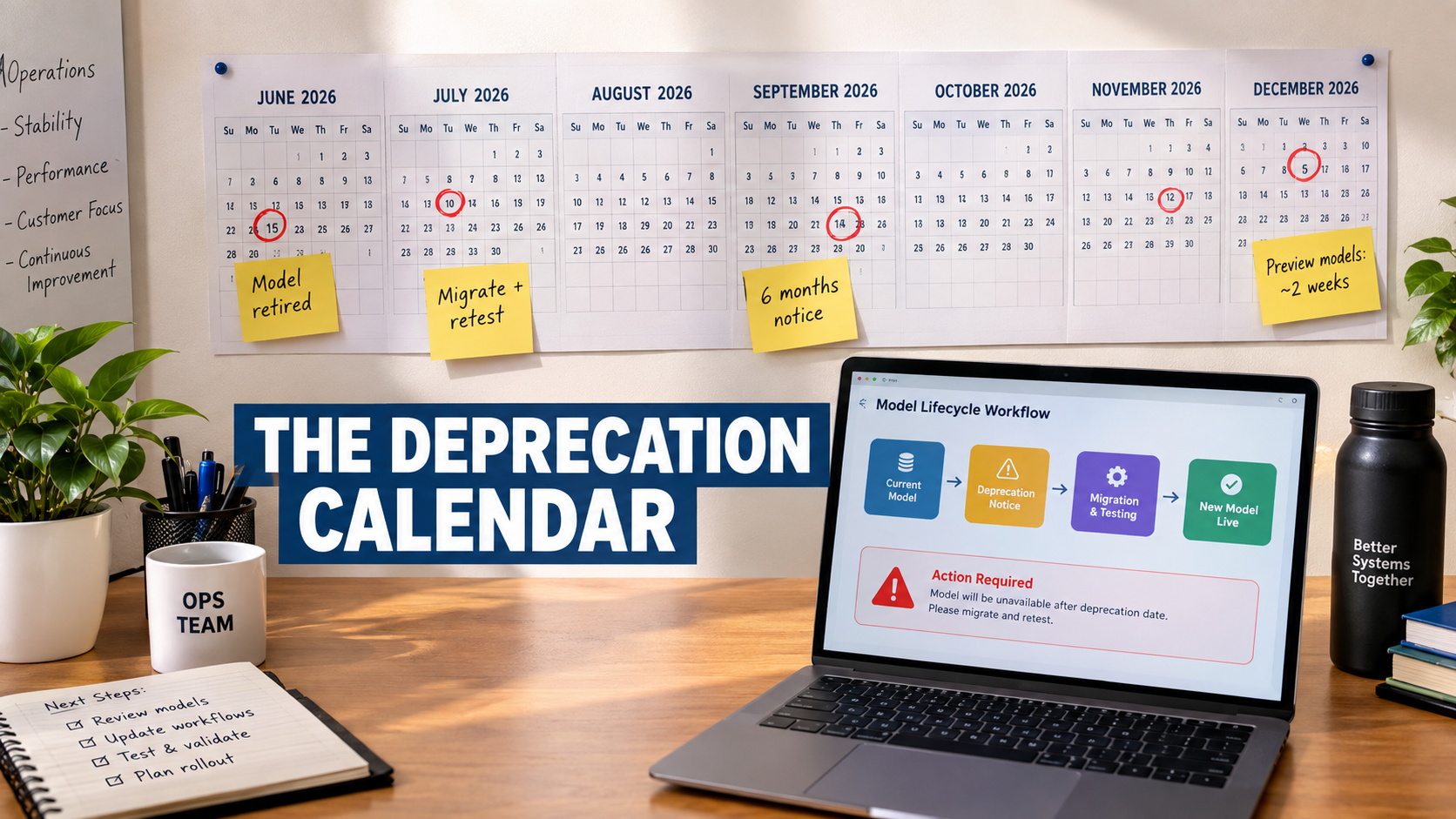
OpenAI’s public deprecations documentation is a useful reference point because it states its notice policy explicitly. According to that page, the minimum notice periods before retirement are:
- Generally available models: at least 6 months.
- Specialized variants (such as chat, Codex, or deep research variants): at least 3 months.
- Preview models: may be retired with much shorter notice, such as 2 weeks.
The documentation is blunt about previews: OpenAI states it does not recommend using preview models “for business-critical production workloads unless you can migrate on short notice.”
What a real deprecation cycle looks like
The calendar keeps moving. On June 11, 2026, OpenAI notified developers using older GPT-5 and o3 snapshots — including gpt-5-2025-08-07, gpt-5-mini-2025-08-07, and o3-2025-04-16 — that those snapshots would be removed from the API on December 11, 2026, with newer models listed as recommended replacements. Additional notices in July and August 2026 covered families of audio, realtime, and transcription models, with shutdown dates in early 2027.
In other words, a model released in August 2025 and pinned by careful teams for stability has a production lifespan measured in roughly a year and a half. Every automation built on it will need to be migrated, retested, and possibly re-prompted within that window.
The hidden cost of “just swap the model name”
On paper, a migration is a one-line change. In practice, the replacement model will behave differently. It may be more verbose, more cautious, better at reasoning but worse at terse extraction, or more literal about instructions your old prompt only half-specified.
Teams without a test set face an uncomfortable choice: switch and hope, or delay until the shutdown date forces the issue. Both options are bad. The first introduces untested behavior into production. The second compresses the migration into a panic window where dozens of automations need to move at once.
Practical steps
- Maintain an inventory of every automation and the exact model string it calls. If you cannot answer “which workflows use model X?” in under five minutes, you are not ready for the next deprecation notice.
- Subscribe someone specific to each vendor’s deprecation notices and changelog. Email notices go to account owners, who are often not the people maintaining workflows.
- Avoid preview models in anything customer-facing or financially material.
- Start migrations early. Treat the notice date, not the shutdown date, as the trigger.
Failure Mode #3: Upstream Drift — Your Inputs Changed, Not the Model
Even with a perfectly stable model, automations decay because the world feeding them changes. This is the “changes in the external world” risk from the Sculley paper, and it is the most common cause of slow degradation in business workflows.
Common forms of input drift
- Format drift: A key vendor redesigns its invoice template. A form adds a new field. A CRM admin renames a picklist value. Your extraction prompt was tuned on the old layout.
- Vocabulary drift: Customers start using new product names, slang, or abbreviations. A new product line launches and support tickets about it get misrouted because the classifier never saw those terms.
- Mix drift: The distribution of cases changes. An automation designed when 90% of incoming emails were English now sees a growing share in Spanish or Portuguese after expansion into a new market.
- Policy drift: The business changes a rule — refund windows, discount approval thresholds, compliance requirements — but the prompt or knowledge base still reflects the old rule.
The growing-context trap
A related problem affects retrieval-based automations. Knowledge bases tend to grow. Teams add more documents, longer policies, and more examples to the context window in an effort to make the automation smarter. Past a certain point, this can make it worse.
Research from Stanford and collaborators, published as Lost in the Middle: How Language Models Use Long Contexts (Liu et al., accepted in Transactions of the Association for Computational Linguistics, 2023), found that model performance “can degrade significantly when changing the position of relevant information.” Performance was often highest when the relevant information appeared at the beginning or end of the input, and degraded significantly when the model had to use information buried in the middle — even for models explicitly designed for long contexts.
Newer models have improved on long-context handling, but the operational lesson remains. An automation that worked well with a five-document knowledge base can quietly lose accuracy when that base grows to fifty, because the one policy that matters is now competing with dozens of loosely related ones.
Stale sources and contradictions
Knowledge bases also accumulate contradictions. The 2024 refund policy and the 2026 refund policy both live in the shared drive. The retrieval step pulls whichever chunk scores higher on similarity, which may well be the outdated one.
The remedy is mostly unglamorous content hygiene:
- Assign an owner to every knowledge source an automation reads from.
- Archive superseded documents rather than leaving them alongside current ones.
- Add effective dates to policy documents and instruct the automation to prefer the most recent.
- Periodically sample retrieval results to see what the automation is actually reading, not just what it outputs.
Failure Mode #4: Silent Wrongness — When Nothing Errors
The first three failure modes describe why automations degrade. This one describes why the degradation goes unnoticed for so long.
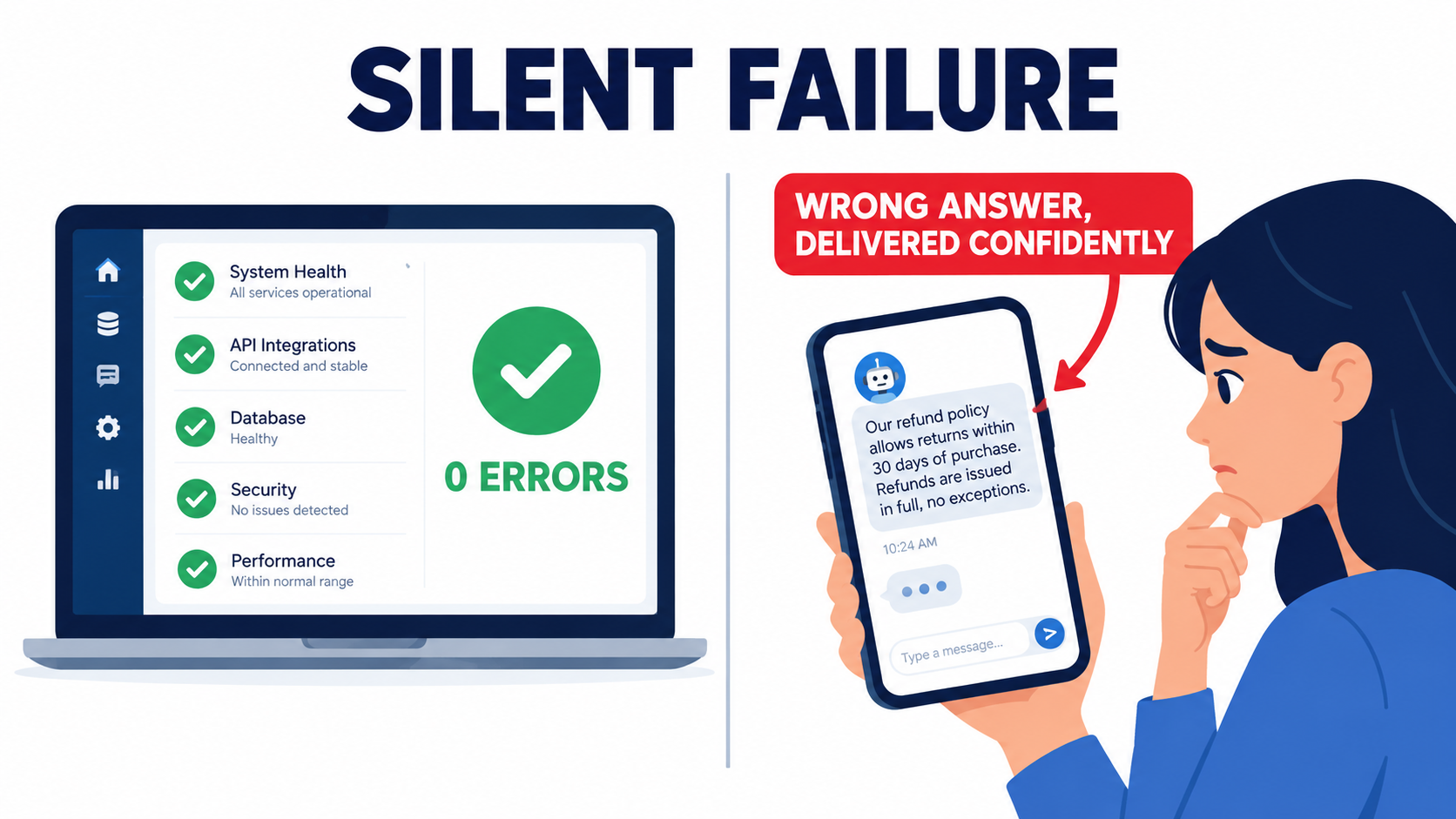
Traditional automation failures are noisy: a timeout, a missing field, a 500 error. AI automation failures are frequently quiet. The model returns a well-formed, confident, grammatically perfect answer that happens to be wrong. Every step in the workflow reports success. The run log is green.
The Air Canada case
The most cited example of silent wrongness reaching a courtroom is Moffatt v. Air Canada, decided by British Columbia’s Civil Resolution Tribunal in February 2024. As reported by CBC News, Jake Moffatt used the airline’s website chatbot after a grandmother died. The chatbot stated that a customer who had already travelled could submit a ticket for a reduced bereavement rate within 90 days of the ticket being issued.
That was not the airline’s actual policy, which was explained on a different page of the same website. Moffatt bought full-fare tickets based on the chatbot’s advice and was later refused the bereavement refund.
Air Canada argued that the chatbot was “a separate legal entity that is responsible for its own actions.” Tribunal member Christopher Rivers called this “a remarkable submission,” writing: “It should be obvious to Air Canada that it is responsible for all the information on its website. It makes no difference whether the information comes from a static page or a chatbot.” The tribunal found the airline “did not take reasonable care to ensure its chatbot was accurate” and ordered it to pay $812 to cover the fare difference.
Lessons for automation operators
The dollar amount was small. The precedent was not. Three lessons apply to any customer-facing or decision-making automation:
- You own the output. Delegating a task to an AI system does not delegate responsibility. Regulators, courts, and customers will treat the automation’s answer as your answer.
- Consistency with source-of-truth matters. The chatbot contradicted another page on the same site. Automations need checks that compare their answers against canonical policy, not just plausibility.
- “Reasonable care” implies a process. Showing that you test, monitor, and correct an automation is part of what reasonable care looks like in practice.
Why green dashboards lie
Most workflow platforms measure operational health: did the run complete, how long did it take, did any step throw an error. These are necessary but not sufficient. An automation can have a 100% completion rate and a declining accuracy rate at the same time.
Catching silent wrongness requires measuring output quality, not just execution. That means sampling outputs, comparing them against known-correct answers, and tracking proxy signals like human override rates. Those practices are covered in the sections below.
The Maintenance Tax, Itemized
If decay is the default, it needs a line in the budget. Most AI automation business cases calculate build cost and projected time savings, then stop. The ongoing cost of keeping the automation accurate is left out, which makes early ROI look better than it will turn out to be.
There is no reliable industry-wide figure for what share of AI automation cost goes to maintenance, and any vendor quoting a precise percentage should be asked for their methodology. What can be done is to itemize the categories so that each team can estimate its own number.
Recurring cost categories
- Model migration work: Retesting and re-prompting every time a pinned model is deprecated. Based on the notice periods above, budget for at least one migration per automation per year.
- Prompt and logic maintenance: Updating instructions when policies, products, or input formats change.
- Knowledge base upkeep: Curating, archiving, and dating the documents automations read from.
- Evaluation and test set upkeep: Adding new real-world cases to the golden set as edge cases appear.
- Human review time: The minutes spent checking, approving, or correcting automation outputs. This is often the largest cost and the one most frequently ignored.
- Monitoring and logging infrastructure: Storage for inputs and outputs, observability tooling, and alerting.
- Incident handling: Time spent investigating and cleaning up after a bad batch of outputs — reprocessing records, correcting CRM fields, contacting affected customers.
- Usage cost variance: Token and API costs that rise as volumes grow, inputs get longer, or a newer model is priced differently.
A simple way to estimate it
For each automation, ask the builder to estimate hours per month across the categories above, then multiply by a loaded hourly rate. Add infrastructure and API costs. Compare that monthly figure against the monthly value the automation delivers.
Many teams find that a handful of their automations deliver most of the value, while a long tail of small automations each cost a few hours a month to keep accurate and save only slightly more than that. Those long-tail automations are candidates for consolidation or retirement, which is discussed in the audit section.
The broader warning from analysts
The maintenance tax is part of why so many AI projects stall after launch. In June 2025, Gartner predicted that over 40% of agentic AI projects would be canceled by the end of 2027, citing escalating costs, unclear business value, and inadequate risk controls. Each of those three causes is, at least in part, a maintenance problem: costs escalate when upkeep is not budgeted, value becomes unclear when quality is not measured, and risk controls are inadequate when nobody owns ongoing monitoring.
Design for Decay: Architecture Choices That Age Well
The cheapest maintenance is the maintenance you design out before launch. A few architecture decisions make an enormous difference to how gracefully an automation ages.
Choose the simplest pattern that works
Anthropic’s engineering guide, Building Effective AI Agents, draws a useful line between workflows — “systems where LLMs and tools are orchestrated through predefined code paths” — and agents, where “LLMs dynamically direct their own processes and tool usage.” The guide reports that across dozens of teams, the most successful implementations “weren’t using complex frameworks or specialized libraries” but “simple, composable patterns,” and it recommends “finding the simplest solution possible, and only increasing complexity when needed.”
From a maintenance perspective, this advice is gold. Every degree of autonomy you add increases the number of paths the system can take, which increases the number of ways it can drift and the difficulty of testing it. A predefined workflow with one well-scoped LLM call per step is far easier to monitor and migrate than an open-ended agent that chooses its own tools.
Be wary of opaque abstraction layers
The same guide notes that frameworks “often create extra layers of abstraction that can obscure the underlying prompts and responses, making them harder to debug,” and that “incorrect assumptions about what’s under the hood are a common source of customer error.” For maintainers, the ability to see the exact prompt sent and the exact response received is non-negotiable. If your platform hides either, debugging drift becomes guesswork.
Six design rules that reduce decay
- Pin model versions. Call dated snapshots, not moving aliases, for production automations. Upgrade deliberately, after testing.
- One job per LLM call. Split classification, extraction, and drafting into separate steps. This reduces entanglement and makes failures easier to localize.
- Use structured outputs and validate them. Require a defined schema, and add a deterministic check that rejects outputs with missing fields, invalid labels, or out-of-range values.
- Add programmatic gates. Anthropic’s prompt-chaining pattern describes adding checks on intermediate steps to confirm the process is still on track. A gate might verify that an extracted invoice total matches the sum of line items, or that a chosen label exists in your taxonomy.
- Keep deterministic logic deterministic. If a decision can be made with a rule — a threshold, a lookup, a date comparison — do not ask a model to make it.
- Design a fallback path. When validation fails or confidence is low, route to a human queue rather than guessing. A well-designed fallback turns silent wrongness into visible exceptions.
Externalize what changes
Policies, thresholds, label lists, and examples should live in versioned configuration or a maintained knowledge source, not hard-coded inside a prompt that only one person understands. When the refund window changes, updating one config value is safer than editing a 2,000-word prompt and hoping nothing else shifts.
Golden Sets and Regression Evals: The Unit Tests of AI Automation
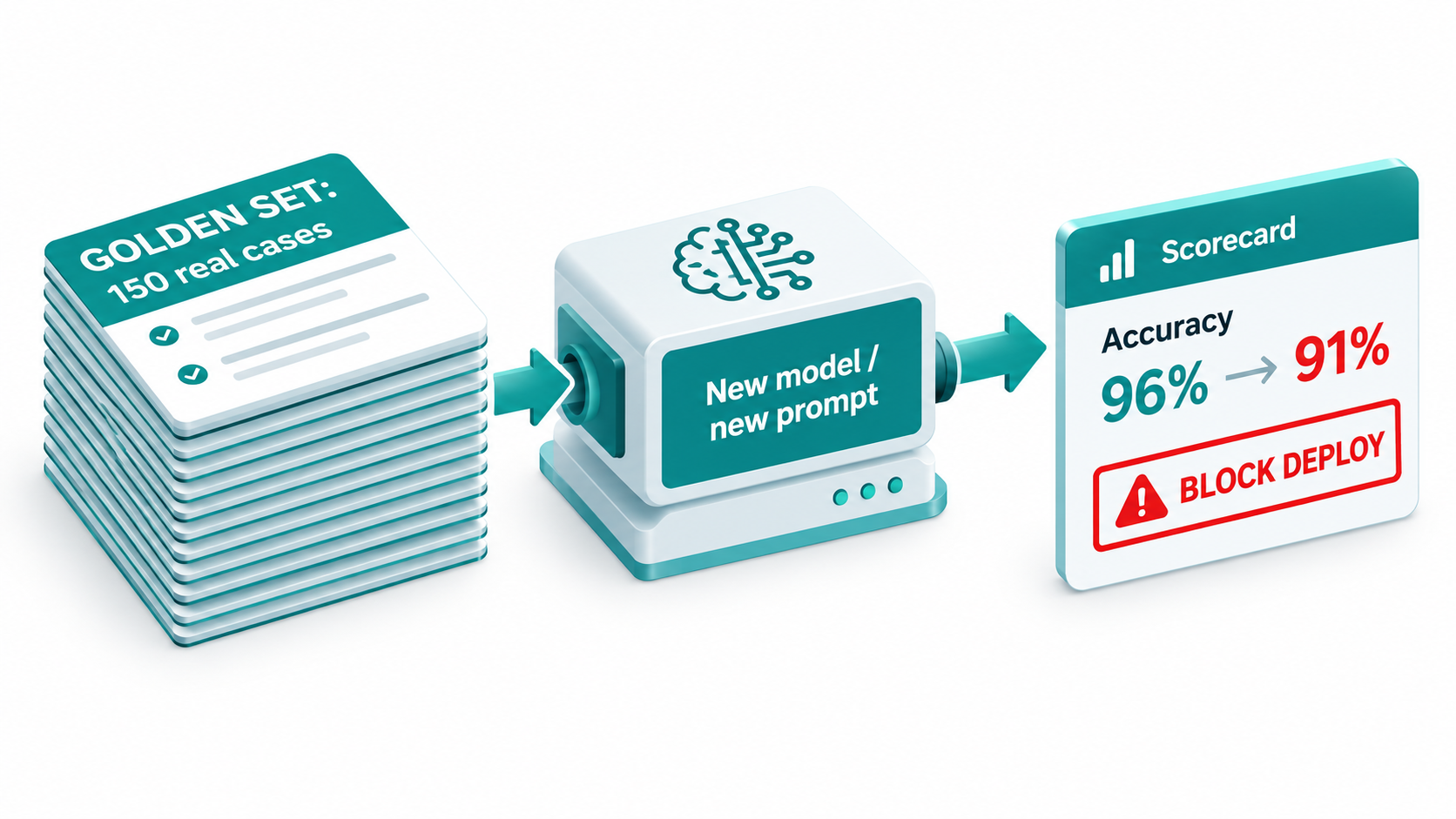
If there is a single practice that separates automations that age well from those that rot, it is the golden set: a curated collection of real inputs paired with known-correct outputs, run against the automation every time something changes.
In traditional software, unit tests catch regressions before they reach production. Golden sets play the same role for AI automations. They turn “the new model seems fine” into “the new model scored 96% on our 150 reference cases, versus 97% for the old one, and failed on these three specific inputs.”
How to build a golden set
- Pull real examples. Use actual historical inputs, not synthetic ones you made up. Real data contains the messiness that breaks automations.
- Cover the distribution. Include common cases in proportion, plus deliberate coverage of known edge cases: unusual formats, ambiguous requests, multilingual inputs, adversarial phrasing.
- Label the correct output. Have a subject-matter expert define what “right” looks like. For extraction and classification, this is a specific value or label. For drafting tasks, it may be a rubric.
- Start small and grow. Fifty well-chosen cases are far more useful than none. Add every production failure you discover to the set so it can never silently recur.
Scoring different kinds of tasks
- Classification and routing: exact-match accuracy, plus a confusion breakdown showing which categories get mixed up.
- Extraction: field-level accuracy. An invoice extraction that gets the vendor right but the total wrong is a serious failure, and should be scored as such.
- Generation (emails, summaries, replies): rubric-based scoring on criteria like factual consistency with source, inclusion of required elements, tone, and length. Some teams use a second model as a grader, but grader outputs should be spot-checked by humans regularly, since the grader can drift too.
When to run the evals
Run the golden set on every change that could alter behavior:
- Any prompt edit, however small.
- Any model version change, including vendor-recommended migrations.
- Any significant change to the knowledge base or retrieval configuration.
- On a schedule — weekly or monthly — even when nothing has changed on your side, to detect drift from upstream.
Set a threshold that blocks deployment if accuracy drops below an agreed level. The Chen, Zaharia, and Zou findings show why this matters: a prompting technique that works on one model version may underperform on the next, and the only way to know is to measure.
Monitoring What Matters: Signals That Catch Rot Early
Golden sets test the automation against known cases. Production monitoring watches what happens with the cases you have never seen. Together, they form the early-warning system that green run logs cannot provide.
Log everything you will need to debug
At minimum, store for each run: the input, the exact prompt sent, the model version, the retrieved context (if any), the raw output, the validated output, and any human action taken afterward. Without this, investigating a quality complaint means reconstructing events from memory. Make sure the logging approach respects your data retention and privacy obligations, especially for personal or regulated data.
Leading indicators of decay
These signals often move before anyone files a complaint:
- Human override rate: How often reviewers edit or reject the automation’s output. A rising override rate is one of the clearest signs of drift.
- Validation failure rate: How often outputs fail schema or gate checks. A sudden jump frequently follows a model update or upstream format change.
- Fallback rate: How often cases get routed to the human queue. Rising fallbacks mean the automation is less sure of itself — or the inputs have changed.
- Output distribution shift: Changes in the share of each category assigned. If “urgent” tickets jump from 8% to 25% overnight with no business reason, something has changed in the model or the inputs.
- Output length and format changes: Sudden shifts in average response length or structure often signal a model behavior change.
- Input distribution shift: New vocabulary, new languages, new document layouts, or longer inputs than usual.
- Cost and latency per run: Unexpected changes can indicate prompt bloat, retrieval pulling too much context, or a model change.
Sampling for quality
Automated signals are not enough on their own. Set up a routine where a person reviews a small random sample of outputs — say, twenty per week per automation — and scores them against the same rubric used for the golden set. This is the most reliable way to catch silent wrongness, because it examines outputs that passed every automated check.
Alerting without alert fatigue
Alert on meaningful thresholds, not every fluctuation. A practical approach is to compare each metric against its trailing four-week average and alert when it moves beyond a set band. Route alerts to the automation’s named owner, not a shared channel where everyone assumes someone else will look.
Ownership: Who Gets Paged When the Automation Drifts?
The most common root cause of automation rot is not technical. It is that nobody owns the automation after launch.
No-code and low-code platforms make it easy for anyone to build an AI workflow. That accessibility is valuable, but it produces a predictable pattern: an operations manager builds a clever automation, it becomes load-bearing for a team, the manager changes roles or leaves, and the automation keeps running with nobody watching. This is the “undeclared consumers” problem from the Sculley paper turned inside out — undeclared owners.
The automation register
The fix is a simple, maintained register of every AI automation in production. For each entry, record:
- Name and purpose: What it does, in one sentence.
- Business owner: The person accountable for whether outputs are correct.
- Technical maintainer: The person who can edit, test, and migrate it.
- Model and version: The exact model string called.
- Data touched: What systems it reads from and writes to, and whether personal or regulated data is involved.
- Downstream consumers: Which reports, systems, or teams rely on its outputs.
- Risk tier: How bad a wrong output would be.
- Last evaluated: The date of the most recent golden set run and its score.
Risk tiers set the maintenance cadence
Not every automation needs the same scrutiny. A practical three-tier model:
- Tier 1 — Customer-facing or financially material: Support replies, pricing, refunds, contract terms, payments. Requires golden set evals on every change, weekly quality sampling, human review on low-confidence cases, and a named on-call owner. The Air Canada case shows why.
- Tier 2 — Internal decisions with downstream impact: Lead scoring, ticket routing, invoice categorization. Requires evals on every change and monthly sampling.
- Tier 3 — Low-stakes internal helpers: Meeting note summaries, draft suggestions a human always edits. Requires an owner and evals on model migrations.
Ownership transfers
Add automation ownership to offboarding and role-change checklists. When someone leaves, every automation they own must be reassigned or retired. This single process change prevents a large share of orphaned workflows.
Kill, Fix, or Rebuild: Running a Quarterly Automation Audit
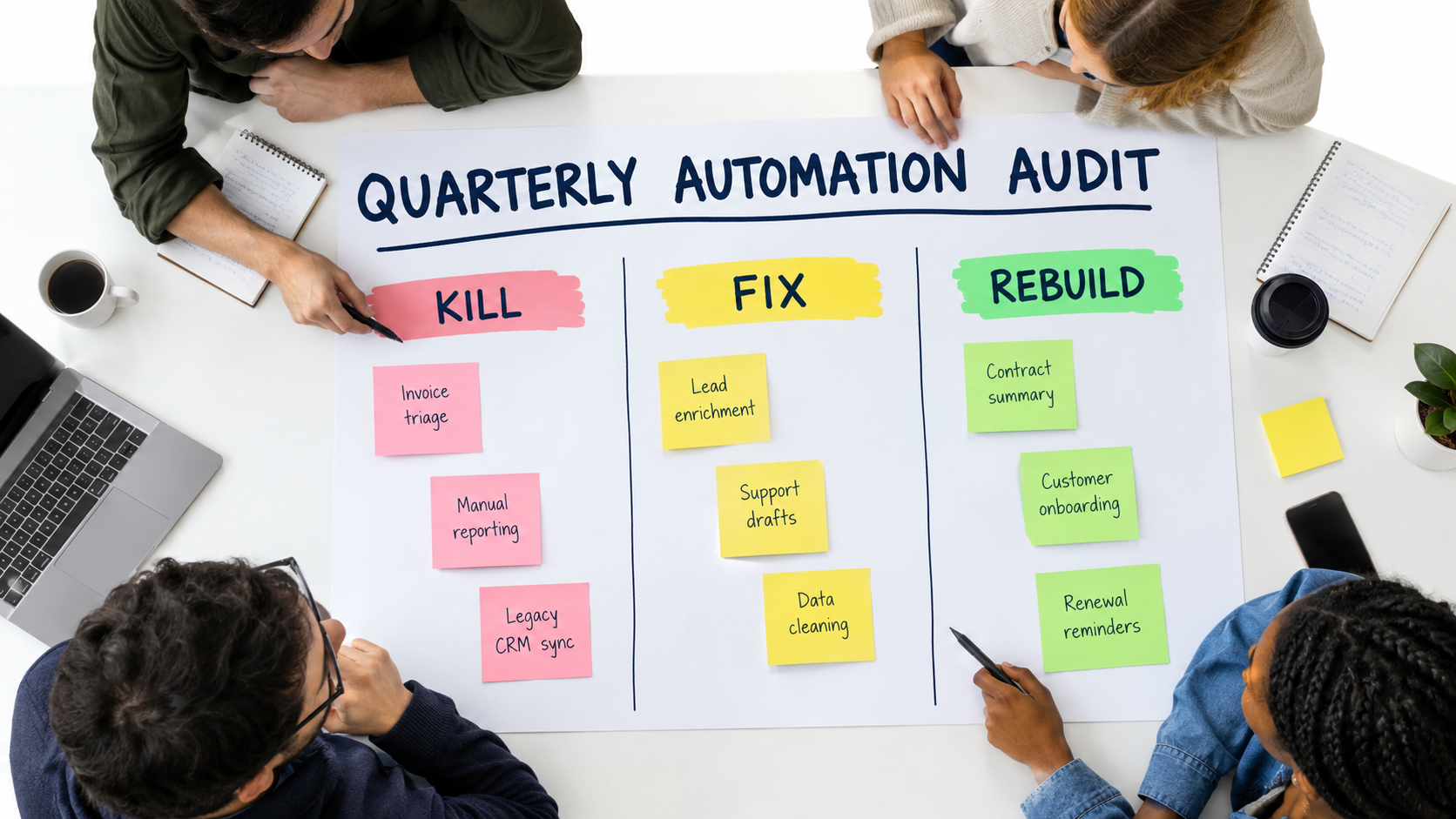
Even well-maintained automations should not run forever by default. Business processes change, better approaches emerge, and some automations simply stop earning their keep. A quarterly audit forces a deliberate decision about each one.
The audit questions
For each automation in the register, review:
- Is it still used? Check run volume. Automations with near-zero runs are clutter and attack surface.
- Is it still accurate? Review the latest golden set score, override rate, and sampled quality.
- Is it still worth it? Compare monthly value delivered against the maintenance tax estimate.
- Is it on a model with a deprecation notice? If yes, schedule the migration now.
- Does it still match the process? Has the underlying business process changed in ways the automation does not reflect?
- Is the owner still the right person?
Three possible outcomes
Kill. Retire automations that are unused, consistently inaccurate, or cost more to maintain than they save. Retiring is a success, not a failure — it reduces risk and frees maintenance capacity. Before shutting one down, check the downstream consumers list so nothing breaks unexpectedly.
Fix. Automations that deliver value but show drift get targeted repairs: prompt updates, knowledge base cleanup, new golden set cases, or a planned model migration.
Rebuild. Some automations have accumulated so many patches that they are fragile and hard to reason about. Others were built as complex agents when a simple workflow would do. These are candidates for a clean rebuild using the design rules above — often simpler than the original.
Connecting the audit to the business case
The audit also produces honest data for future decisions. After two or three quarters, you will know your actual maintenance cost per automation, your typical migration effort, and which kinds of tasks hold accuracy well versus which ones drift. That evidence makes the next automation business case far more realistic — and far less likely to land in the share of AI projects that analysts like Gartner expect to be canceled.
Conclusion: Treat AI Automations Like Living Systems
The pitch for AI automations is accurate as far as it goes. They can handle messy, unstructured work that rule-based automation never could, and they can save real time. What the pitch leaves out is that this flexibility comes with a new kind of operational responsibility.
The evidence is consistent across sources. Stanford and Berkeley researchers documented the same named model shifting from 84% to 51% accuracy on a task within three months. Vendors publish deprecation schedules that give pinned models a finite life. Long-context research shows that adding more information can reduce accuracy rather than improve it. And a Canadian tribunal made clear that a company cannot disown what its chatbot says. Sculley and colleagues saw the pattern coming in 2015: quick wins in machine learning do not come for free.
Actionable takeaways
- Build an automation register this month. List every AI automation, its owner, its model version, and its downstream consumers.
- Pin model versions for anything in production, and subscribe a named person to each vendor’s deprecation notices.
- Create a golden set of at least 50 real cases for each Tier 1 and Tier 2 automation, and run it on every prompt, model, or knowledge base change.
- Add validation gates and a human fallback path so uncertain or malformed outputs become visible exceptions instead of silent errors.
- Monitor quality, not just completion. Track override rates, validation failures, fallback rates, and output distributions, and sample outputs by hand every week.
- Budget the maintenance tax up front — migrations, prompt upkeep, knowledge base hygiene, review time — in every automation business case.
- Run a quarterly kill, fix, or rebuild audit and treat retirement as a healthy outcome.
- Choose the simplest architecture that works. Predefined workflows with narrow LLM steps age far better than open-ended agents.
The teams getting lasting value from AI automations in 2026 are not necessarily the ones with the most sophisticated builds. They are the ones that planned for decay from day one, measured quality continuously, and made sure someone was always responsible for keeping each automation honest.