Tag: AI Product Photography

  • Who Actually Wins When Amazon Lets AI Build Your Lifestyle Photos — A Category-by-Category Breakdown

    Who Actually Wins When Amazon Lets AI Build Your Lifestyle Photos — A Category-by-Category Breakdown

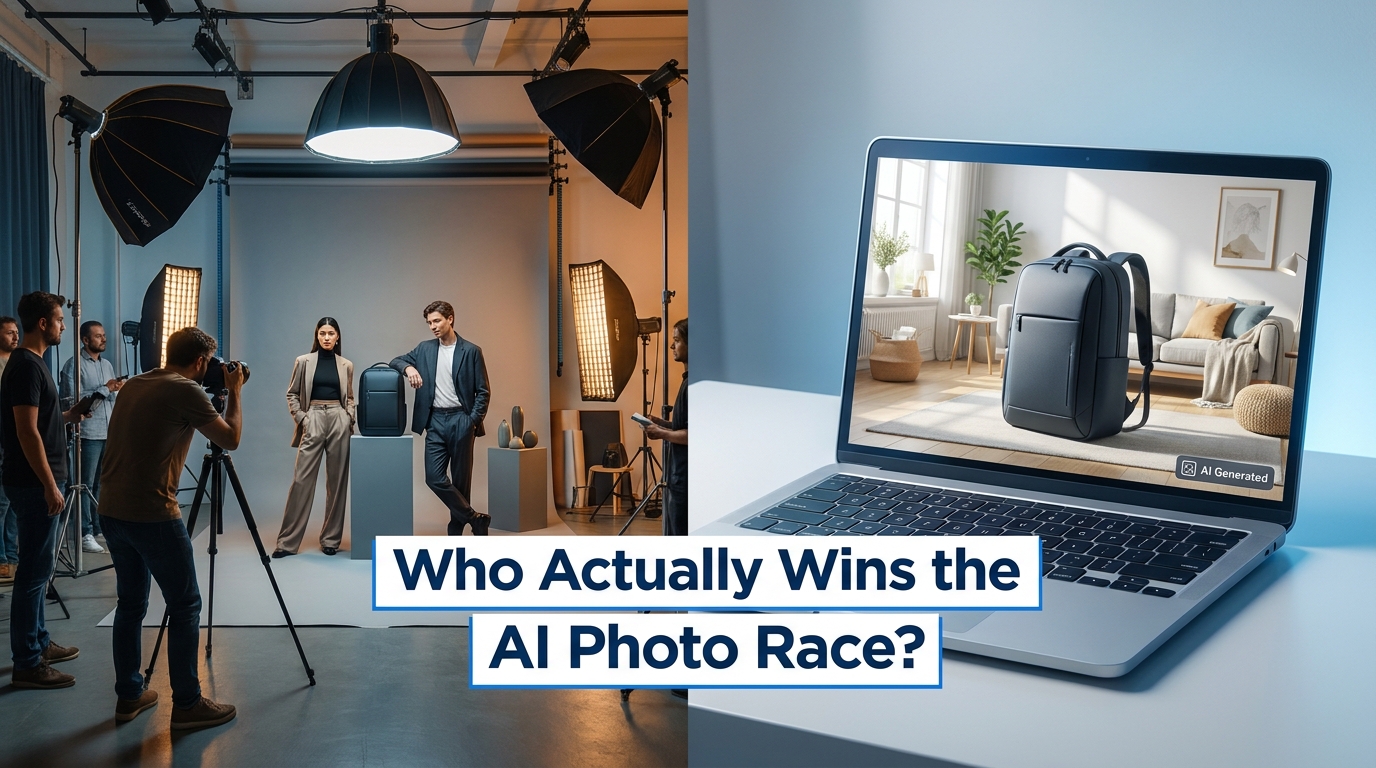
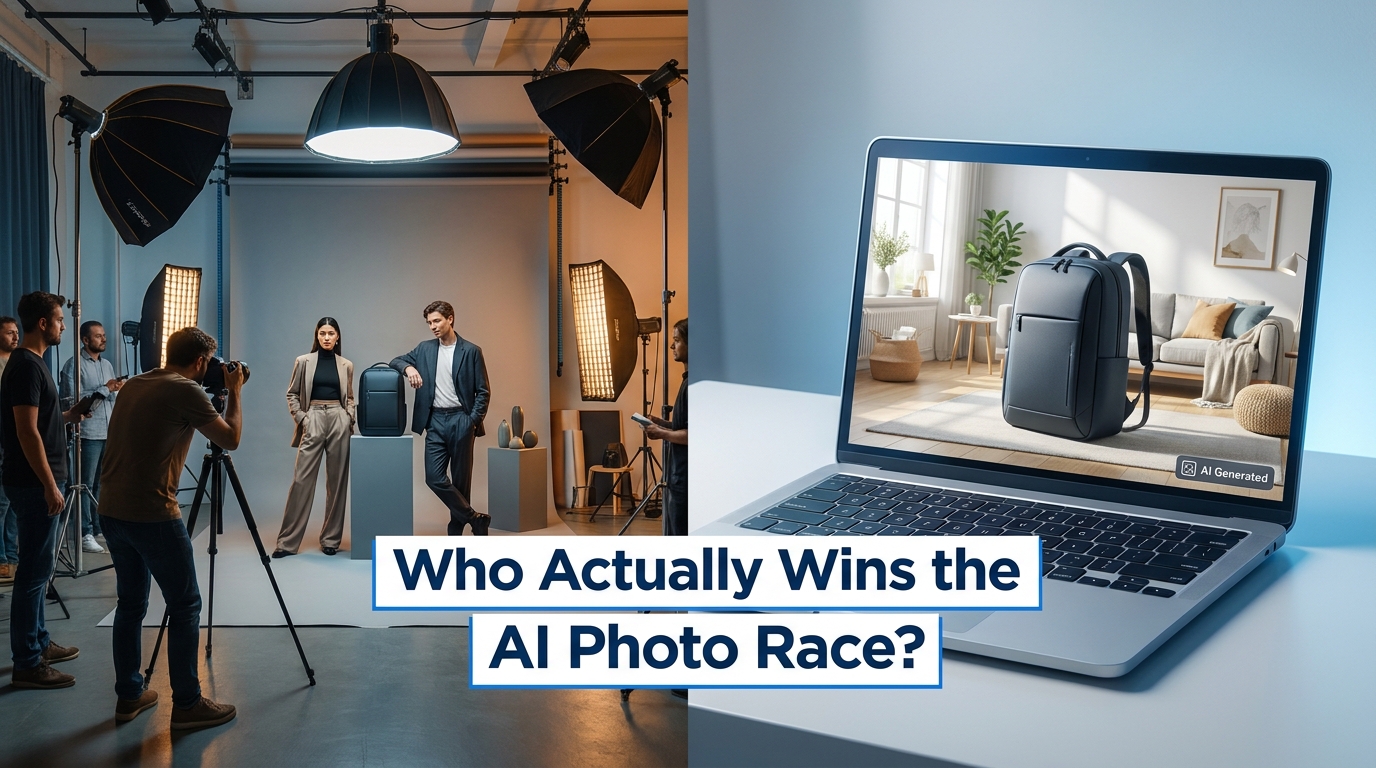
    Split scene comparing traditional photography studio versus AI-generated lifestyle images on a laptop, with overlay text: Who Actually Wins the AI Photo Race?

    For years, the gap between a $100,000 annual ad budget and a $10,000 one on Amazon was nowhere more visible than in the photography. Big brands ran full studio shoots with professional lighting, hired models, and location-scouted lifestyle settings. Smaller sellers took product shots on a folding table in their spare bedroom. That asymmetry showed up directly in click-through rates, conversion rates, and ultimately in ranking.

    Amazon’s 2026 policy adjustments around AI-generated imagery didn’t come with a dramatic announcement — no press release, no Seller Central banner reading “AI images now allowed.” The shift was more gradual: updated image guidelines, the expansion of AI tools inside the Amazon Ads console, the rollout of Titan Image Generator through Creative Studio, and a compliance framework that began to acknowledge AI-assisted production as a normal part of the creative workflow.

    But “allowed” and “advantageous” are two very different things. And the question nobody is asking clearly enough is: which sellers actually benefit from this, and which ones are walking into a trap?

    The answer depends heavily on your product category, your current image quality baseline, how you use AI (in ads versus listings), and whether your workflow can actually catch the failure modes that AI image generation introduces before they cost you suppression events or return rate spikes. This article breaks it down by category, by seller size, and by the specific use cases where AI lifestyle images help — versus where they quietly hurt.

    What Amazon’s 2026 Policy Actually Changed — and What Didn’t

    The clearest way to understand Amazon’s 2026 stance on AI-generated lifestyle images is to separate what was always the rule from what genuinely shifted.

    The Rule That Hasn’t Changed: Hero Images Are Sacrosanct

    The main image — slot one in your listing’s image gallery — remains subject to the strictest requirements Amazon enforces. It must show the actual physical product, photographed on a pure white background (RGB 255, 255, 255), with the product filling at least 85% of the frame. No lifestyle scenes, no props, no watermarks, no AI-generated backgrounds. This hasn’t changed in 2026, and there is no credible indication it’s about to.

    What this means in practice: AI cannot replace your hero image. Any tool that claims to generate a policy-compliant main image from scratch — without a real product photograph as the base — is selling you a suppression risk. The hero shot still requires a real camera pointed at a real product.

    What Has Genuinely Shifted

    Secondary images — slots two through nine in your gallery — and all ad creative formats are where the policy movement is meaningful. Amazon’s updated compliance framework in 2026 takes the position that the tool used to create an image is less important than whether the image accurately represents the product. AI-assisted background replacement, lighting correction, scene composition, and lifestyle context generation are all considered acceptable for secondary images and ad creatives, provided the product itself is not misrepresented.

    Specifically, AI edits that alter color, dimensions, included accessories, material texture, or functionality cross the line. A background swap that places your product in a living room scene is fine. A background swap that also quietly saturates your beige product into a more photogenic cream crosses into misrepresentation territory.

    The New Disclosure Layer

    Third-party compliance guides (and emerging Seller Central documentation) point to a 2026 framework requiring sellers to indicate when product content — including images — is substantially generated by AI rather than lightly edited. This is not a checkbox in the image uploader currently; it exists more as a policy position that could be enforced retroactively. The safest interpretation is that images where the product is real but the environment is AI-generated sit in a clearly permissible zone. Images where the product itself is AI-rendered without a real photograph underneath carry meaningful policy risk.

    The Cost Math: What Photography Actually Used to Cost
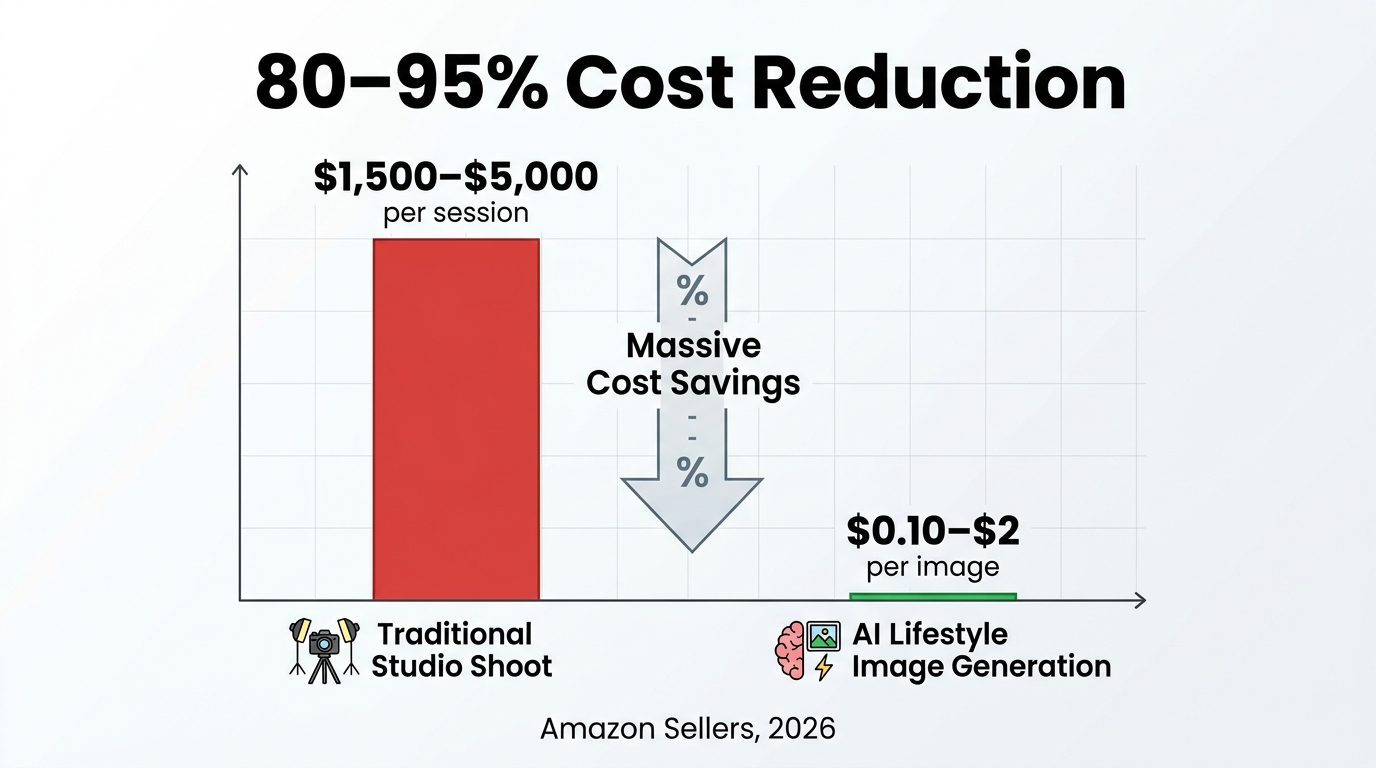
    Bar chart infographic showing traditional studio photography costs of $1,500–$5,000 versus AI image generation at $0.10–$2, with bold text: 80–95% Cost Reduction

    Before evaluating whether AI lifestyle images are worth adopting, it helps to understand what the old model actually cost — and why those costs were so gatekeeping for smaller sellers.

    The Traditional Studio Cost Stack

    A standard professional product photography session in 2024–2025 ran between $1,500 and $5,000 per session for a competent freelance or mid-tier studio setup. That’s before factoring in model fees ($200–$800 per hour for experienced commercial talent), location rental for lifestyle settings ($500–$2,000 per day), post-production retouching ($50–$150 per final image), and the logistical overhead of sample shipping, scheduling, and art direction.

    For a seller with a catalog of 50 SKUs and multiple variants each, a comprehensive lifestyle shoot could represent $15,000–$40,000 in production spend — a cost that large brands absorbed without flinching and small sellers couldn’t justify. The result was predictable: small sellers competed with functional pack shots while big brands dominated the visual shelf with aspirational imagery.

    What AI Changes the Math To

    AI product photography tools in 2026 — both Amazon’s native offerings and third-party platforms — bring that per-image cost down to approximately $0.10–$2.00 per generated image, depending on the tool and usage tier. Time compression is equally dramatic: what previously required a two-week production cycle (booking, shooting, retouching, delivery) now runs from product upload to final image in minutes to hours.

    Multiple industry analyses put the aggregate cost reduction at 80–95% versus traditional studio shoots. Amazon’s own internal data shows that advertisers using AI-generated images in Creative Studio were able to advertise up to five times more products than they previously could — a direct consequence of removing the per-SKU production bottleneck.

    The Important Caveat

    Cost reduction is not value creation. A cheaper image that triggers returns, earns negative reviews about “product not as shown,” or gets suppressed for policy violations costs far more than a well-executed studio shot. The real question isn’t whether AI is cheaper — it clearly is. It’s whether the quality output is good enough for your product category, your customer expectations, and your compliance obligations. That answer varies significantly by what you’re selling.

    Category Winners: Where AI Lifestyle Images Outperform
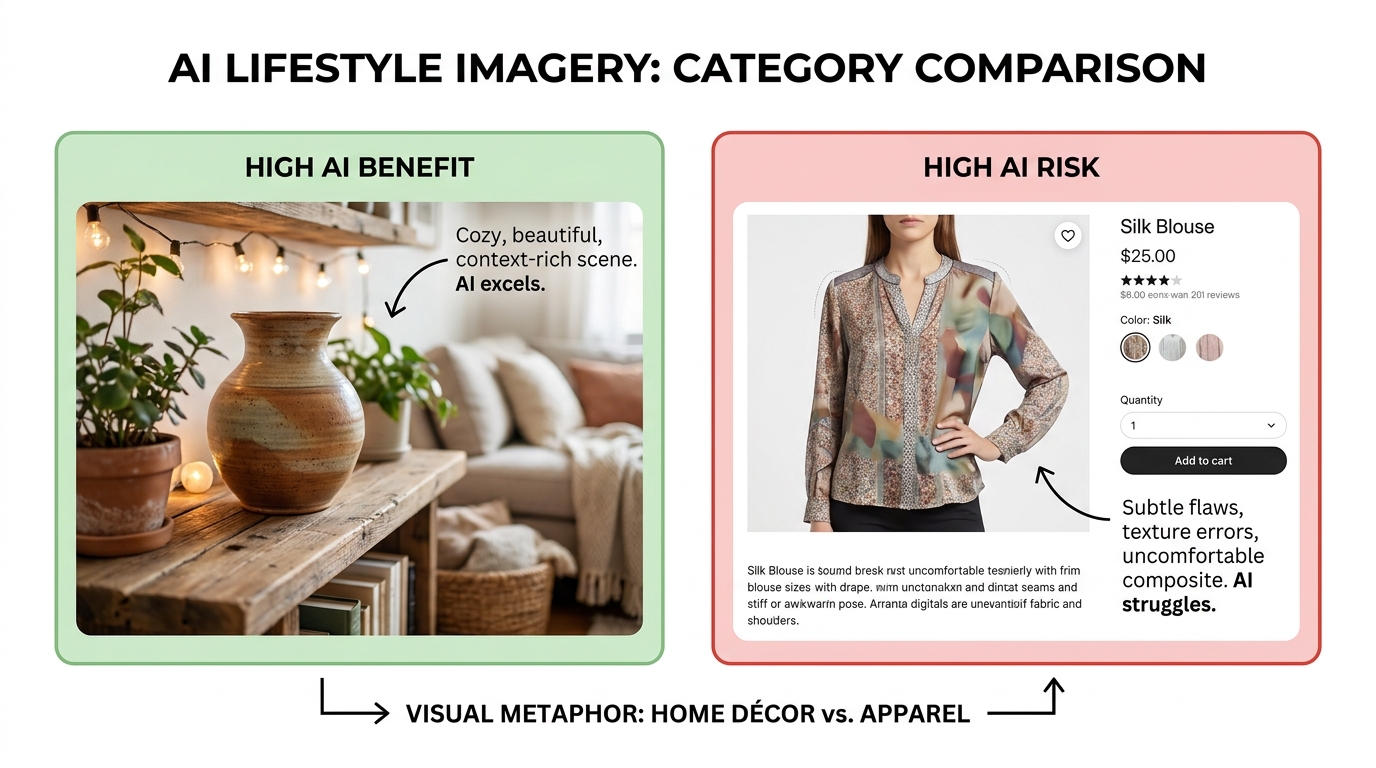
    Side-by-side comparison showing HIGH AI BENEFIT home décor lifestyle scene versus HIGH AI RISK apparel with distorted fabric texture and color artifacts

    Not every product category responds equally to AI-generated lifestyle imagery. The categories that benefit most share a common set of characteristics: the purchase decision is context-driven, color and texture accuracy at fine detail levels matters less than placement and setting, and the emotional resonance of the image (does this fit my life?) matters more than technical precision.

    Home Décor and Furniture

    This is the strongest category fit for AI lifestyle photography, and the reasons are structural. Shoppers buying a throw pillow, a wall sconce, a coffee table, or an area rug are primarily asking: “Does this fit in a room like mine?” They want to see scale, setting, and style compatibility. AI excels at generating convincing room scenes — cozy living rooms, minimal Scandinavian kitchens, warm bedroom vignettes — and placing a real product photograph composited into that environment.

    Because home décor products are often non-reflective solids (fabric, wood, ceramic, stone), the AI rendering of the product within the scene is generally accurate. Color consistency on solid-surface items holds reasonably well across AI tools. Industry reports place CTR lifts from lifestyle versus white-background-only images at 20–40% for this category, and that lift is achievable with AI-generated scenes at a fraction of traditional photography cost.

    Kitchen and Dining

    Kitchen gadgets, cookware, food storage, and dining accessories are strong performers with AI lifestyle imagery for similar reasons. Shoppers want to see the product in use — a cutting board on a well-lit counter, a spice rack mounted in an actual kitchen, a blender staged near fresh produce. The use-case clarity that lifestyle images provide in this category directly reduces the cognitive friction of the purchase decision.

    Because kitchen items are typically matte-finish plastics, ceramics, or stainless steel, AI rendering of textures and surfaces performs adequately. The bigger challenge is scale accuracy — a blender that appears to be the size of a coffee mug in an AI-generated scene can erode trust quickly — but most modern tools handle scale reasonably well when provided with accurate product dimensions.

    Pet Products

    Pet beds, feeders, toys, and grooming tools benefit enormously from lifestyle context. Shoppers want to see an animal using the product — and while generating convincing animals in AI scenes is more technically demanding than generating a room, the category tolerance for minor realism imperfections is generally higher. A dog bed staged in a cozy corner of a living room, with an AI-generated pet composited naturally, resonates far more than the same product on a white background.

    Sports, Fitness, and Outdoor Equipment

    Yoga mats, gym equipment, camping gear, and fitness accessories benefit from aspirational scene-setting. A yoga mat on a white background tells you nothing about whether it feels like a real yoga mat. The same mat in a sunlit studio with a clean hardwood floor and soft morning light — even AI-generated — helps the shopper imagine use. Because these products tend to be simple geometrically (flat mats, round balls, angular equipment), AI compositing is generally accurate.

    Category Risks: Where AI Lifestyle Images Underperform or Create Real Problems

    The categories where AI lifestyle photography introduces meaningful risk share a different set of characteristics: the purchase decision is heavily dependent on fine material detail, exact color accuracy, complex surface rendering, or the realistic simulation of how the human body interacts with the product.

    Apparel and Fashion: The Highest-Risk Category

    Apparel is where AI lifestyle photography most frequently creates problems. The issues are multiple and compound each other. First, fabric texture rendering in AI systems is often inaccurate — what should read as a crisp cotton weave gets rendered as something ambiguous, what should look like matte denim gets a subtle sheen that changes the perception of the product entirely. Second, color fidelity on apparel is where AI fails most often: reds oversaturate, navies flatten into black, beige and cream read as gray in poorly calibrated outputs.

    Third — and most problematically — AI-generated human models in apparel lifestyle scenes carry their own distortion risks. Hands are a known failure mode, proportions can shift subtly, and the physical interaction between clothing and a body (drape, weight, fit, movement) is extraordinarily difficult for AI to render authentically. Experienced apparel shoppers notice these artifacts quickly, and the cognitive dissonance they create can tank conversion rates rather than improve them.

    The downstream consequence is returns. A buyer who purchases a “navy” jacket and receives a dark charcoal-black one — because the AI slightly darkened the product in the lifestyle scene — generates a return, a negative review, and a seller metric that Amazon’s algorithm reads as signals of listing quality problems.

    Jewelry and Accessories

    Jewelry presents a compounding set of AI rendering challenges. Reflective metal surfaces, gemstone translucency, fine engraving detail, and delicate chain rendering are all areas where current AI models produce outputs that range from plausible to obviously artificial. A diamond ring under studio lighting has a specific relationship between facets, light, and shadow that AI hasn’t yet reliably reproduced at the detail level jewelry shoppers expect. For fine jewelry in particular, AI lifestyle scenes are a fast path to negative reviews about misrepresented appearance.

    Electronics and Tech Products

    Electronics present a different kind of risk: text rendering. Screens, displays, buttons, ports, and printed labels are all areas where AI-generated product imagery introduces errors — logos rendered incorrectly, screen displays showing impossible UIs, port layouts that don’t match the actual device. For electronics, lifestyle context matters, but product accuracy matters more, and AI currently cannot guarantee accurate small-detail rendering. Electronics sellers should use AI for environmental scene building — a laptop on a desk in a home office — while ensuring the product itself is a real, retouched photograph composited into the scene.

    Small Sellers vs. Big Brands: Is This Actually a Leveling Field?

    Small Amazon seller at laptop seeing AI-generated lifestyle images with a '5x more products advertised' callout, representing the potential leveling of the competitive playing field

    The most frequently repeated claim about AI lifestyle images is that they level the playing field between small sellers and large brands. Like most simple narratives about complex systems, this is partially true and partially misleading.

    Where the Field Genuinely Levels

    The most concrete leveling effect is in advertising reach. Amazon’s own internal data shows that sellers using AI image generation in Creative Studio advertised up to five times more products than before. This is a real and meaningful change: previously, small sellers with 40-SKU catalogs couldn’t afford lifestyle creative for every product and therefore restricted their advertising to their top 10 performers. AI generation removes the per-SKU production cost barrier, which means more of the catalog becomes advertisable.

    Similarly, A+ Content — which requires lifestyle imagery to be effective — was previously inaccessible at scale for small sellers. A small brand with 200 ASINs couldn’t fund A+ creative for all of them at $400–$800 per module in photography costs. AI brings that cost down to a level where even small sellers can maintain visual consistency across their full catalog.

    Jungle Scout’s 2025 seller survey (cited in multiple 2026 industry analyses) found that approximately 41% of third-party Amazon sellers have already integrated AI image generation into their standard creative workflow. For small sellers (annual revenue under $500,000), the adoption rate was directionally similar — suggesting this isn’t only a large-brand capability.

    Where the Playing Field Remains Tilted

    The advantages large brands retain are not in production cost — they’re in quality control infrastructure, creative direction expertise, and testing capacity. A large brand using AI lifestyle images has a creative director who reviews outputs before publishing, a legal team checking compliance, and an analytics function running A/B tests to validate that AI images are actually improving ROAS before scaling.

    A small seller using the same AI tool, with the same access, but without that surrounding infrastructure is more likely to publish images with subtle quality problems that they haven’t QA-checked, run into compliance issues they weren’t aware of, and measure success by “looks good to me” rather than by actual conversion lift data.

    The leveling is real, but it’s conditional. Small sellers who develop systematic workflows around AI image generation — with quality checkpoints, compliance review steps, and performance tracking — can close a meaningful portion of the visual gap with large brands. Small sellers who use AI image generation as a quick shortcut often discover that cheap content that doesn’t perform is worse than no content at all.

    Where AI Images Actually Fail: The Quality Problems Sellers Face
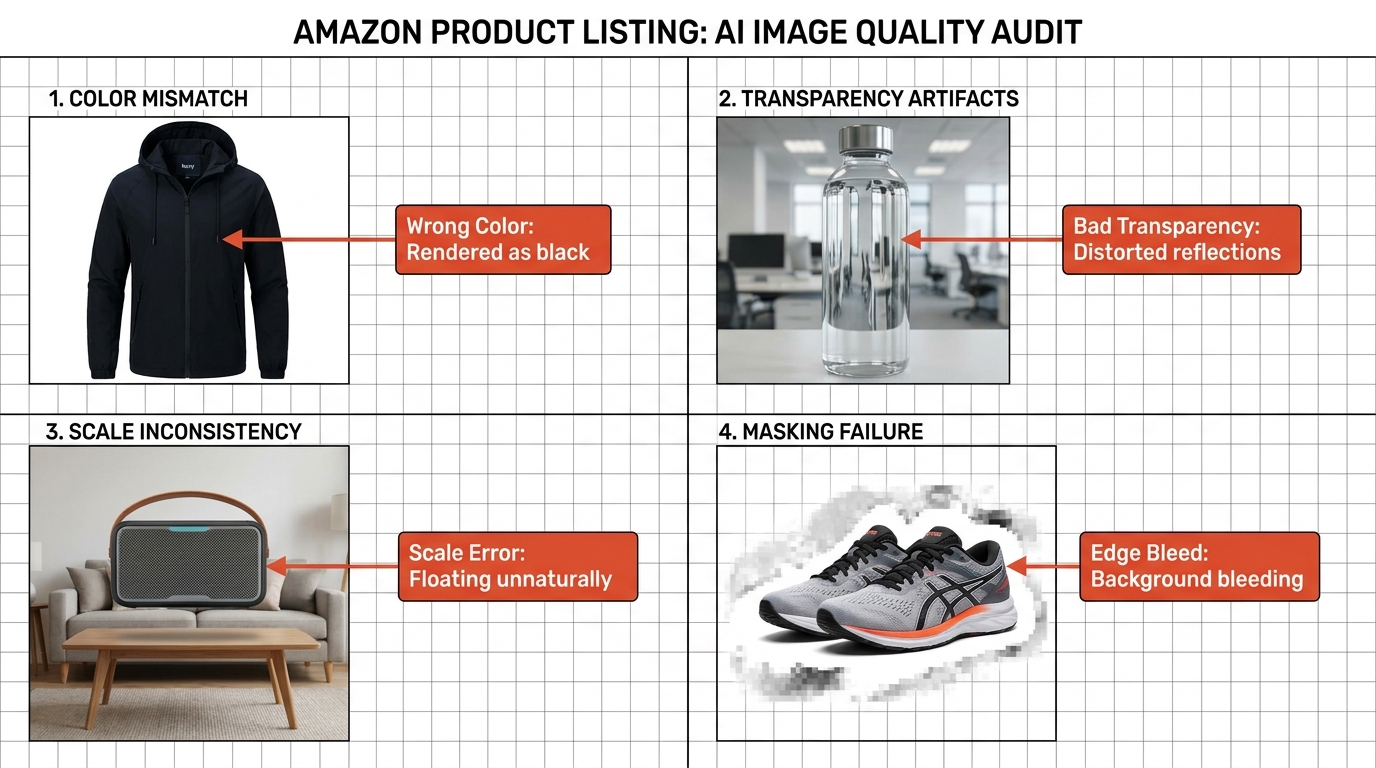
    Quality control audit grid showing four AI image failure modes: Wrong Color on navy jacket, Bad Transparency on glass bottle, Scale Error on floating product, and Edge Bleed around product edges

    The failure modes of AI image generation for Amazon sellers fall into predictable categories. Understanding them is the prerequisite for building a workflow that catches them before they go live on your listing.

    Color and Material Inaccuracy

    This is the most common and most consequential failure mode. AI image generation models are not calibrated against your specific product’s colorimetry — they’re producing their best statistical guess at what the product looks like based on the input image and the scene context they’re generating. The result is consistent drift in certain color ranges.

    Navy reliably skews darker. Warm whites and creams shift toward cool grays. Reds and oranges oversaturate. Matte black products often develop a slight sheen. For products where exact color is a purchase criterion — throw pillows, upholstered furniture, paint-complementary accessories, clothing — this drift directly causes returns and negative reviews. The fix is not just to review the AI output visually, but to compare it against a calibrated color reference of the physical product before publishing.

    Transparency and Reflectivity

    Glass, crystal, acrylic, and highly polished metal surfaces present rendering challenges that current AI models handle inconsistently. A glass candle holder that should show the ambient scene through its body often gets rendered with a flat opacity that makes it look plastic. A polished stainless surface that should show a soft environmental reflection instead gets rendered as flat gray. These artifacts are immediately visible to the trained eye and erode perceived product quality — which is the opposite of what lifestyle images are supposed to achieve.

    Edge Bleeding and Compositing Artifacts

    When AI tools composite a product image into a generated lifestyle scene, the boundary between the product and the generated environment is a frequent source of artifacts. Soft edges, fringe pixels, and background “bleeding” around the product create an obvious artificial appearance. More critically for Amazon: background color bleed on a hero-image edit can cause an image that appears white to have subtle gray tones at the pixel level, triggering automated suppression by Amazon’s image processing systems.

    Scale Inconsistency

    AI lifestyle scenes often get scale wrong in ways that are subtle but damaging. A small product staged to appear larger in context (inadvertent or not) creates purchase expectations the physical product can’t meet. A large product staged in a context that makes it appear smaller creates confusion about dimensions. Amazon’s primary image standards forbid props or design elements that create false impressions of product size — and an AI-generated lifestyle scene that accidentally creates that impression carries the same compliance risk as a manually designed image that does so intentionally.

    Amazon’s Automated Detection Systems

    Amazon’s image processing infrastructure runs automated checks on submitted images. These systems flag pure-white background violations on main images, detect watermarks, identify obvious compositing artifacts in certain contexts, and can suppress listings based on image quality signals. Sellers who assume that AI-generated images will sail through these checks without review are learning otherwise — Amazon’s detection capabilities are improving alongside AI generation capabilities, and the compliance gap between “looked good in Canva” and “passed Amazon’s automated review” is real.

    AI Images in Ads vs. Listings: Two Very Different Use Cases

    One of the most persistent misunderstandings about AI lifestyle images on Amazon is treating “listing images” and “ad creative images” as equivalent. They’re not — the policy environment is different, the performance mechanics are different, and the risk profile is different.

    AI Images in Amazon Ads: The Strongest Legitimate Use Case

    Amazon’s own performance data is most clearly validated in the ad context. Sponsored Brands campaigns using AI-generated lifestyle images delivered a 10.3% higher ROAS compared to campaigns without AI images, according to Amazon Ads’ internal beta testing data cited in multiple 2026 industry analyses. Mobile Sponsored Brands placements with contextual AI lifestyle images showed up to 40% higher click-through rates versus standard product images.

    Why does the ad context work so well? Partly because the competitive baseline is low — a huge proportion of Amazon ads use plain white-background product images, which means any meaningful lifestyle scene creates instant visual differentiation in search results. Partly because ad performance is testable: you can run a plain image and a lifestyle image against each other with statistical validity in a matter of days and know which one wins before committing to catalog-wide changes.

    Amazon’s Creative Studio makes this frictionless: select a product ASIN, click generate, and the system produces multiple lifestyle creative variants from the product detail page information. The output goes directly into the ad console without touching the listing images. This is the lowest-risk, most measurable way to deploy AI lifestyle images — and the data says it works.

    AI Images in Listing Secondary Slots: Higher Stakes, More Complexity

    Using AI-generated lifestyle images in the secondary image slots of your actual listing is a higher-stakes decision. These images influence organic conversion rate — which affects your A9/A10 ranking directly. A well-executed AI lifestyle image in a secondary slot can lift CVR by 20–40% for appropriate categories (per EvolveAMZ’s 2026 analysis). A poorly executed one — wrong colors, obvious compositing artifacts, scale problems — can depress CVR and generate negative reviews that persist long after you’ve replaced the image.

    The key operational discipline is to treat listing AI image deployment the way you’d treat any listing change: as a measured test, not a bulk rollout. Test on a subset of ASINs, monitor conversion rate and return rate over a defined window, and validate that the change is performing in the right direction before applying it across the catalog.

    A+ Content: The Underrated Sweet Spot

    A+ Content modules are arguably the best use case for AI lifestyle imagery in listing content. A+ sits below the fold, carries brand storytelling weight rather than primary purchase decision weight, and has traditionally been under-resourced by small sellers because of photography costs. AI-generated lifestyle imagery for A+ Content — brand story panels, use-case scenario images, feature callout backgrounds — is low compliance risk, high visual impact, and delivers brand-building value at a scale previously inaccessible to most sellers.

    Analyses of premium A+ Content implementation in 2026 suggest conversion lifts of 8–12% for listings that upgrade from no A+ to well-designed AI-assisted A+ versus traditional A+ at no measurable quality difference when the product category is appropriate.

    The Disclosure Question: What It Means for Your Operation

    The 2026 compliance framework’s emerging AI disclosure requirement is the piece of the policy shift that sellers are paying the least attention to — and that carries the most long-term risk to ignore.

    What “Substantially Generated by AI” Likely Means

    The operative phrase in Amazon’s evolving disclosure framework is “substantially generated by AI.” Industry compliance guides interpret this as covering images where the environment, scene, or context is AI-generated — even if the product itself is a real photograph composited into that scene. This would cover the majority of “background replacement + lifestyle scene generation” workflows.

    What it likely doesn’t cover: minor AI-assisted retouching, color correction, background cleanup, or upscaling of real photographs. These are more accurately described as AI-assisted editing of authentic images rather than AI-generated content. The practical boundary is whether a human photographer originally captured the scene context, or whether the scene was algorithmically generated.

    The Current Enforcement Gap

    As of mid-2026, enforcement of AI disclosure requirements is not systematic or consistent. Sellers cannot currently check a box labeled “AI-generated lifestyle scene” when uploading images in Seller Central — the infrastructure for formalized disclosure doesn’t yet exist in the interface. The risk sellers face is not current enforcement but retroactive enforcement: if Amazon moves to systematic disclosure requirements and audits existing inventory, listings that used AI-generated scenes without disclosure could face suppression or other penalties.

    The pragmatic response is to document your AI image generation workflow internally — which images were AI-generated, which tools were used, when they were published — so that if Amazon asks, you have a clear record and can respond promptly. This is basic compliance hygiene that costs nothing but time and protects against an enforcement scenario that is probable within the next 12–18 months.

    Trust and Consumer Perception

    Beyond formal compliance, there’s a softer risk that disclosure requirements are designed to address: consumer trust. Buyers who discover that a product looked different in “lifestyle” context than in person don’t typically think “that was AI-generated imagery.” They think “this seller misled me.” The review that results doesn’t distinguish between AI and human deception — it just reads “not as pictured” and damages your listing’s conversion rate for months.

    The practical implication is that the tolerance for AI lifestyle image inaccuracy is set not by Amazon’s policy team but by your return rate, your negative review velocity, and your conversion rate. Those metrics don’t care whether the image was algorithmically generated or studio-shot — they only measure whether the image set accurate expectations that the physical product met.

    Building a Hybrid Workflow That Actually Works
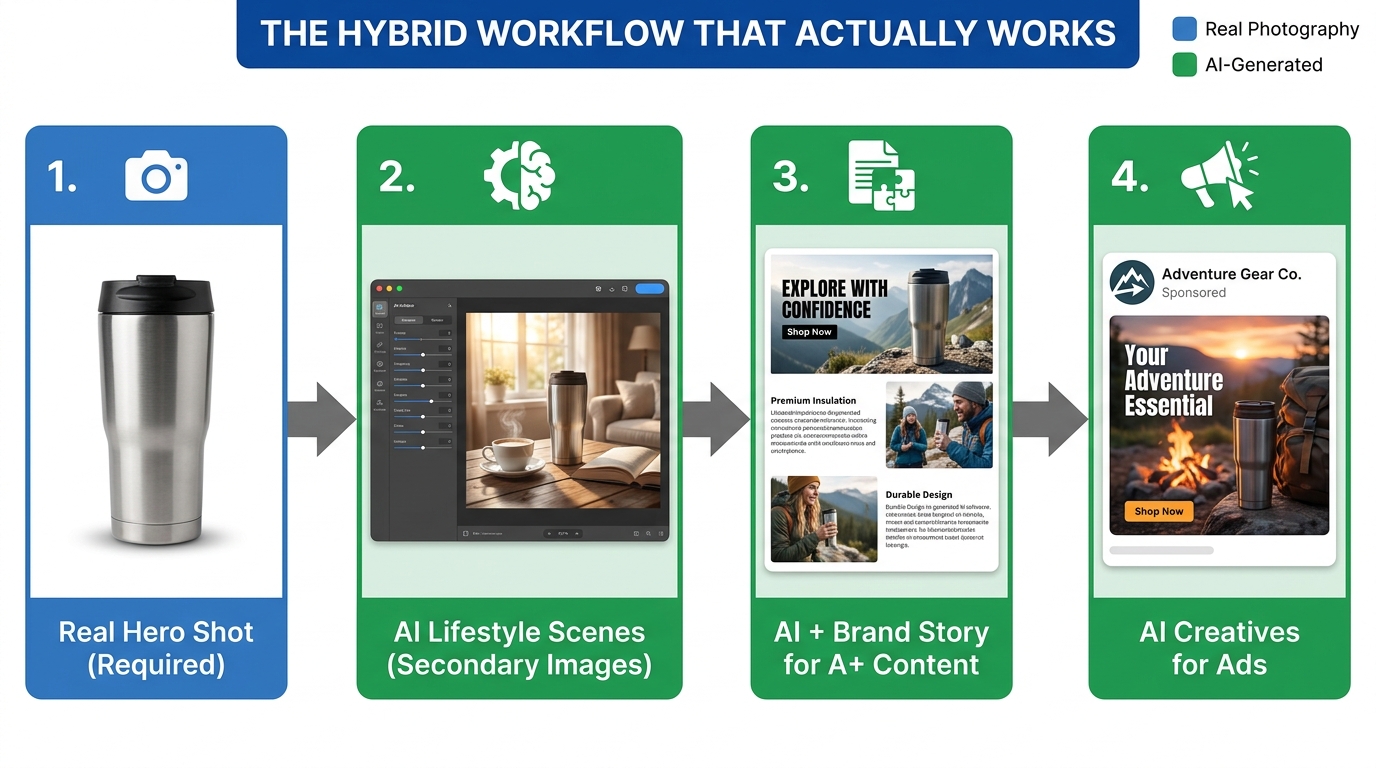
    Flowchart showing the four-step hybrid photography workflow: Real Hero Shot, AI Lifestyle Scenes for Secondary Images, AI plus Brand Story for A+ Content, and AI Creatives for Ads

    The sellers who are extracting genuine value from AI lifestyle photography in 2026 are not using it as an either/or replacement for traditional photography. They’re building structured hybrid workflows that assign each image type to the production method it’s best suited for.

    Step 1: Protect the Hero Shot

    Your main image is non-negotiable. Invest in a proper hero photograph: real product, white background, correct lighting, accurate color calibration. This image is your compliance anchor, your listing’s first impression, and the foundation that the rest of your image strategy builds on. If you’re on a tight budget, a well-lit white-background photo produced with a quality smartphone and basic photo editing is sufficient for compliance — it doesn’t need to be expensive, but it does need to be real.

    Step 2: Use AI for Secondary Lifestyle Scenes — With QA Gates

    Secondary images (slots 2–8) are where AI lifestyle generation delivers real value for appropriate categories. The workflow that works: upload a clean, color-accurate product photograph, generate multiple scene variants across different lifestyle contexts, conduct a structured quality review (color accuracy against reference, scale plausibility, edge quality, material accuracy), select the two or three strongest outputs, and publish as secondary images.

    The QA gate is not optional. Sellers who skip structured quality review and publish raw AI outputs are the ones generating returns and suppression events. Build a simple checklist — color match, scale plausibility, edge quality, material render quality — and run every AI output through it before it touches a live listing.

    Step 3: Scale A+ Content With AI Confidently

    For A+ Content, AI-generated imagery is the most justified use case with the lowest risk profile. Brand story panels, feature illustration backgrounds, lifestyle module imagery — these are areas where AI output quality is more than sufficient, compliance risk is lower, and the production economics are most favorable. Use A+ Content deployment as your AI scaling engine: it’s where you can move fast, produce at volume, and see real results without the return-rate risk that comes from secondary listing image misrepresentation.

    Step 4: Test AI Lifestyle Creatives in Ads First

    Before committing AI lifestyle imagery to listing secondary slots, validate performance in Sponsored Brands campaigns first. Create a parallel creative set: your existing images versus AI-generated lifestyle alternatives. Run them against each other with equal budget allocation for two to three weeks. If the AI creative produces measurably higher CTR and ROAS, that’s your validation signal that the imagery is resonating — and it’s now a lower-risk candidate for secondary listing slots on the same products.

    This test-first approach also builds internal data that helps you make category-by-category decisions rather than applying a blanket AI adoption policy across a diverse catalog where different product types will respond very differently.

    Tool Selection Considerations

    Amazon’s native Creative Studio is the default starting point for most sellers — it’s free, integrated into the ad console, and calibrated to Amazon’s own image standards. Its outputs are optimized for Sponsored Brands and Display formats specifically. For listing secondary images and A+ Content, third-party tools (including Pixelcut, Autophoto.ai, and similar platforms) often provide more fine-grained control over scene generation, but require more explicit compliance verification before use on live listings.

    The practical guidance: use Amazon’s native tools for ad creative, where their integrated workflow eliminates friction. Use third-party tools for listing content, where you need more control over output quality and scene parameters — and apply your QA checklist rigorously before publishing.

    The Competitive Reality: Who’s Getting Left Behind

    The arrival of AI lifestyle photography as a mainstream production method on Amazon creates a new form of competitive risk that is different from the old version. Previously, the seller who couldn’t afford professional lifestyle photography was visually disadvantaged against the brand that could. The solution was clear: find budget, hire photographers, close the visual gap.

    The 2026 version of this competitive dynamic is more nuanced. The sellers who get left behind aren’t necessarily those who lack resources — they’re those who misapply AI image generation in ways that create compliance, quality, or trust problems, or who simply fail to adopt it at all while competitors are using it to expand their advertising reach by a factor of five.

    The Inaction Risk

    Sellers who are waiting for AI lifestyle image tools to be “more proven” before adopting them are already two to three years behind where the tooling actually is. Amazon’s own data from Sponsored Brands campaigns is real and validated: lifestyle images improve CTR and ROAS measurably. The cost economics are not speculative — 80–95% cost reduction versus studio photography is documented across multiple independent analyses. Waiting for more certainty in this area is a decision to concede visual ground to competitors who are moving now.

    The Overcorrection Risk

    The opposite error — wholesale replacement of professional photography with AI generation across an entire catalog, including hero images and high-risk categories like apparel — introduces compliance, quality, and trust risks that can manifest as suppression events, return rate spikes, and negative review accumulation. The sellers who are winning with AI lifestyle photography are moving selectively: right categories, right image slots, right quality controls, right measurement framework.

    Neither extreme is correct. The seller who does nothing is leaving real performance gains on the table. The seller who does everything without discipline is manufacturing a different set of problems. The competitive advantage belongs to the seller who understands the specific mechanics well enough to deploy selectively.

    What This Means for Product Photographers

    It would be incomplete to discuss the impact of AI lifestyle photography on Amazon without acknowledging its implications for the professional photographers whose business model was built around serving Amazon sellers.

    The demand for hero image photography — real product, white background, color-accurate — is not going away. Amazon’s policy guarantees the hero shot remains a real-photography requirement, which means every serious Amazon seller still needs a skilled photographer for their primary images. The category of photographers most at risk is not the product photographer per se, but specifically the lifestyle and contextual photographer whose work was deployed in secondary images and ad creative.

    What the market for professional photography on Amazon is shifting toward is differentiation: the quality ceiling for lifestyle photography that AI cannot reach. Complex multi-product scenes with interactive elements, authentic human lifestyle moments that require real talent and real models, brand story photography that carries narrative depth and emotional authenticity — these are areas where professional photographers retain a clear advantage that AI tools cannot approximate.

    The volume play — generating 50 background-replacement lifestyle images for a commodity catalog — is increasingly where AI wins. The differentiation play — creating iconic, brand-defining imagery for a premium product launch — is still firmly in human territory. Photographers who understand where that line sits and position their services above it are navigating this transition more successfully than those still competing on production speed and cost in categories AI has already commoditized.

    Conclusion: Selective Adoption Beats Wholesale Replacement

    Amazon’s 2026 policy shift on AI-generated lifestyle photography didn’t rewrite the rules of visual commerce on the platform — it clarified them in ways that favor sellers who understand the nuances. The core principle is unchanged: images must accurately represent the product. The mechanism for producing those images has expanded dramatically.

    The sellers who win in this environment share a common characteristic: they’re making decisions about AI lifestyle photography based on their specific product category, their specific image slots, and their specific customer’s tolerance for approximation versus exactness. They’re not applying a blanket “use AI everywhere” or “avoid AI entirely” policy. They’re using AI in advertising creative — where the data supporting it is clear and the risk is low. They’re using AI in secondary slots for appropriate categories — home goods, kitchen, pet, fitness — with structured quality controls. They’re deploying AI in A+ Content across their catalog because the risk-reward ratio is unambiguous. And they’re maintaining real photography for hero images because that’s what Amazon’s policy requires and what trust demands.

    Actionable Takeaways

    • Audit your catalog by category first. Before generating a single AI lifestyle image, map your ASINs to their risk profile. High-confidence AI categories (home décor, kitchen, pet, fitness) versus high-risk categories (apparel, jewelry, electronics with complex surfaces). Apply AI selectively.
    • Start in ads, not listings. Use Amazon Creative Studio to test AI lifestyle creatives in Sponsored Brands campaigns before touching listing secondary images. Let ROAS and CTR data tell you whether the imagery is resonating before committing it to the listing.
    • Build a QA checklist for AI outputs. Color match, scale accuracy, edge quality, material render accuracy, and compliance check against Amazon’s secondary image rules. Every AI output should pass this checklist before publishing.
    • Document your AI generation workflow. Record which images were AI-generated, which tools were used, and when they were published. This is compliance insurance against enforcement scenarios that are plausible within the next 12–18 months.
    • Use A+ Content as your AI scaling engine. It’s the highest-value, lowest-risk deployment for AI lifestyle imagery. If you’re behind on A+ Content coverage, AI-generated scenes are the most efficient way to close that gap across your catalog.
    • Protect your hero shot. Never compromise on main image quality and compliance. A suppressed listing from a non-compliant hero image costs far more than any savings from skipping professional photography on that slot.

    AI lifestyle photography isn’t a shortcut — it’s a production capability that requires as much strategic thought as any other major change to your listing optimization process. The sellers who approach it that way are building a durable competitive advantage. Those who treat it as a cost-cutting shortcut are finding out why the shortcut doesn’t always lead where they expected.
  • Krea AI Lifestyle Backgrounds: The Creative Professional’s Complete Playbook for 2026

    Krea AI Lifestyle Backgrounds: The Creative Professional’s Complete Playbook for 2026

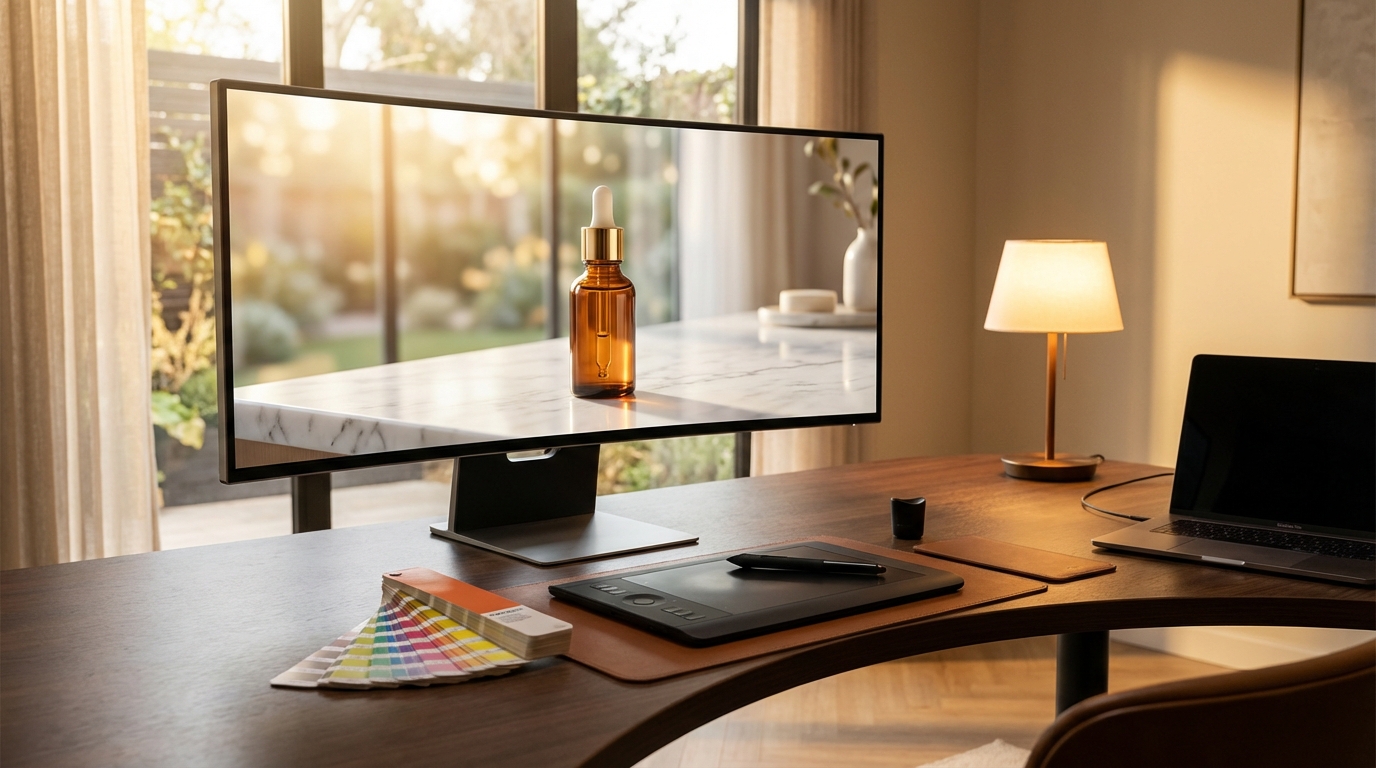
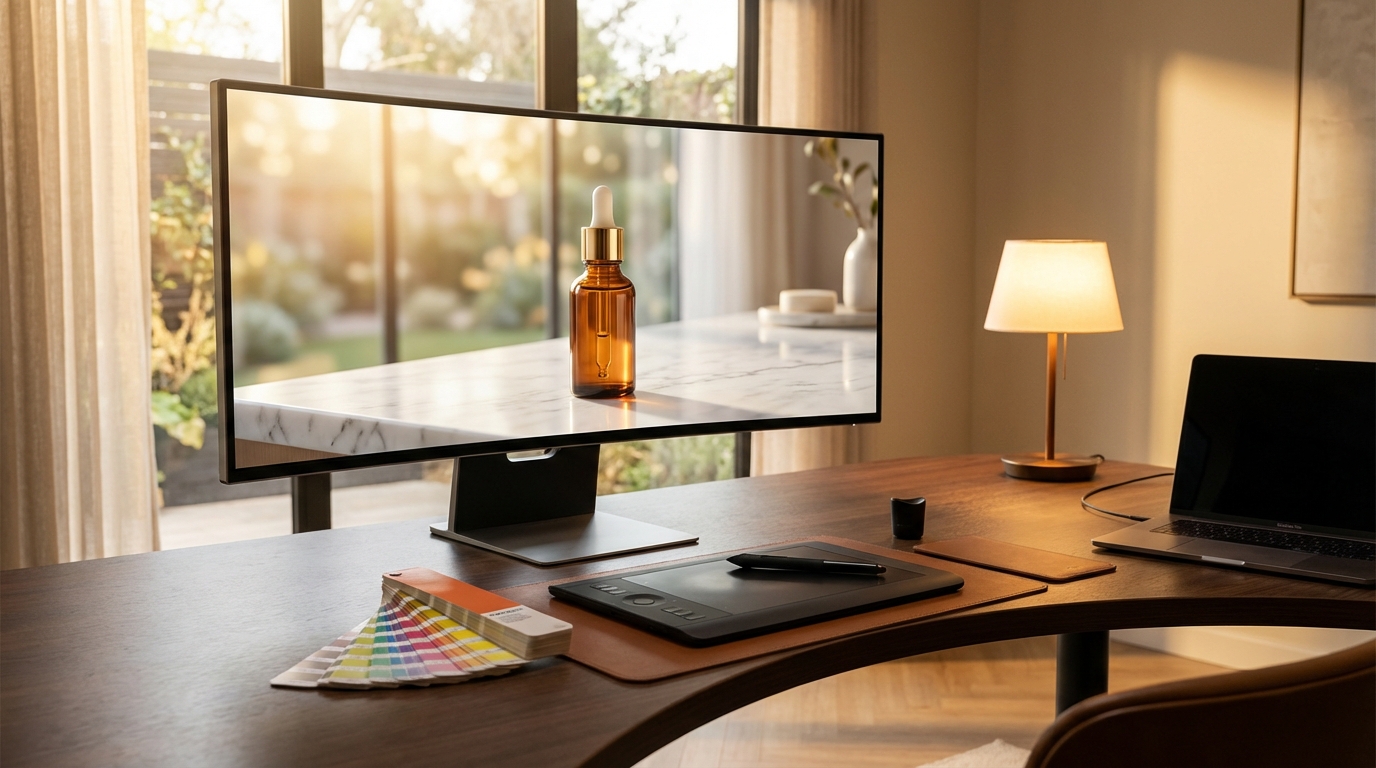
    Creative studio workspace with AI-generated lifestyle product photography on monitor

    There is a specific moment every brand designer or ecommerce operator knows well: you have a product. The product is real, well-made, and genuinely worth selling. But the photograph you have is a flat, overlit studio shot against a white background — the kind that disappears into any search results page and gives a customer zero emotional context for why they should want it in their life.

    That gap — between what a product is and what it feels like to own it — is exactly what lifestyle photography has always tried to close. A perfume bottle on a white backdrop is a commodity. That same bottle on a warm marble shelf, surrounded by botanical candles and morning light, is an experience. It sells a version of life the customer is reaching toward.

    Traditional lifestyle photography solves this well. It is also expensive, slow, and inflexible. A studio day, a location scout, a stylist, a photographer, post-production — you are looking at weeks of lead time and budgets that realistically start at several thousand dollars per shoot. For brands managing dozens of SKUs, or creative teams iterating on seasonal campaigns, those constraints accumulate fast.

    This is where AI-generated lifestyle backgrounds have genuinely changed the economics of visual production — and where Krea AI occupies an interesting position. It is not a dedicated ecommerce photography tool. It is a full creative suite, and that distinction matters enormously for understanding how and why it works the way it does. The lifestyle background capability within Krea is a product of layered, interconnected tools — real-time generation, scene transfer, LoRA finetuning, and generative editing — that together give creative professionals something more flexible than any purpose-built background swapper can offer.

    This guide is built for anyone who wants to move beyond the basics: designers, brand managers, ecommerce operators, and marketing teams who want to understand not just how to use Krea for lifestyle backgrounds, but how to build a repeatable visual production system around it.

    What Makes Krea AI Different From Dedicated Product Photography Tools

    Before going deep into the mechanics, it is worth understanding the landscape Krea AI occupies — because its approach to lifestyle backgrounds is categorically different from tools built specifically for ecommerce photography.

    Tools like Claid and Flair were engineered from the ground up for product photography. Their interfaces prioritize speed and automation: upload a product image, select a scene type, generate and export. That pipeline is efficient and the results are predictable. If you need high-volume catalog images where the primary goal is background replacement with realistic lighting, those tools are optimized for that exact task.

    Krea AI was built for creative professionals first. It is, as its homepage describes, “the world’s most powerful creative AI suite” — encompassing image generation, video generation, 3D object generation, real-time rendering, upscaling to 22K resolution, LoRA finetuning, generative editing, video upscaling, and frame interpolation. Lifestyle backgrounds are one output within a much larger creative infrastructure.

    The Generalist Advantage

    This generalist positioning creates both advantages and friction. The friction is real: Krea is not as plug-and-play as a dedicated ecommerce tool for a first-time user who just wants to swap a background quickly. The learning curve is steeper, and the interface assumes some familiarity with AI creative tools.

    The advantage, however, is substantial. Because Krea integrates so many capabilities under one subscription, a creative team can move from rough concept to polished campaign asset without switching platforms. You can sketch a background idea in the real-time canvas, refine it via scene transfer, upscale the result to 22K for print, animate the product for a social clip using motion transfer, and finetune a LoRA model to maintain brand consistency across every output — all within the same interface and subscription.

    That end-to-end workflow is something no dedicated product photography tool currently offers. And for creative directors managing campaign production rather than just catalog images, it represents a meaningful efficiency gain.

    The Model Access Argument

    Krea also provides access to over 64 AI models under a single subscription — including Flux, Krea 1 (their proprietary ultra-realistic flagship), Veo 3.1, Ideogram, Runway, Luma, and Gemini. This matters for lifestyle background work specifically because different models excel at different aesthetic outputs.

    Krea 1 is optimized for photorealism, skin textures, and material fidelity — valuable for lifestyle scenes where product surfaces, fabric textures, and environmental lighting need to read as genuinely photographic. Other models in the suite handle stylized or illustrative outputs better. Having all of them available means you can match the model to the creative brief rather than working around the limitations of a single-model tool.

    Product photography comparison showing white studio background versus AI-generated lifestyle background with warm bathroom setting

    Inside Krea’s Lifestyle Background Toolkit — What You’re Actually Working With

    Understanding Krea AI’s lifestyle background capability means understanding the individual tools it draws from. There is no single “lifestyle backgrounds” button. Instead, several features work together, and knowing which one to reach for in which situation is the core skill.

    The Product Shots Module

    Krea’s Product Shots tool is the most direct entry point for background work. It is designed specifically for creating product imagery with controlled backgrounds and lighting. The workflow follows a relatively structured path: upload your product photograph, use AI-assisted background removal to isolate the subject, then define the new background through prompts, presets, or uploaded reference images.

    What separates this from a basic background removal tool is the quality of the environmental integration. Krea generates not just a backdrop but a coherent scene — matching ambient light from the environment onto the product surface, creating contextually appropriate shadows and reflections, and compositing the product into the new setting in a way that maintains visual plausibility. A glass bottle placed on a marble countertop by the Product Shots module will catch the light appropriate to that surface and environment, not simply be dropped onto a marble texture as a separate layer.

    Positive and negative prompting controls within the tool let you specify what you want present (“warm morning light, fresh botanicals, linen background”) and what you want excluded (“text, logos, other products, people”). This gives you meaningful control over the output without requiring expertise in prompt engineering.

    Scene Transfer

    Scene Transfer works differently. Rather than generating a background from scratch, it transfers the mood, lighting, color palette, and texture from a reference image to your base photo. This is particularly powerful when you have a specific aesthetic — a campaign reference image, a brand mood board, a competitor’s visual you want to respond to — and want to apply that visual environment to your product.

    The process involves uploading your base product image alongside a reference image that carries the scene attributes you want. Krea’s algorithm extracts lighting direction, color temperature, shadow behavior, and environmental textures from the reference and applies them to your base. The product stays recognizable while the atmosphere transforms around it.

    For seasonal campaigns — where you might want the same product to feel like summer, autumn, and winter across different ad sets — Scene Transfer is more efficient than generating three distinct backgrounds from scratch. You provide three reference images and iterate rapidly.

    Generative Image Editing

    The generative editing suite allows for targeted modifications to existing product images using natural language instructions. Rather than regenerating an entire scene, you can paint over specific regions — the background, a surface area, the lighting source — and prompt replacements. This is valuable for iterating on a near-final image: swap the background texture, change the time of day implied by the lighting, or add environmental props without rebuilding the whole composition.

    This capability matters more than it might initially seem for lifestyle background work. Getting from a rough AI output to a campaign-ready asset usually involves iteration, and generative editing compresses the revision cycle significantly compared to regenerating from scratch or moving to Photoshop for manual retouching.

    The Upscaler

    Every lifestyle background output, no matter which tool generates it, should be passed through Krea’s Upscaler before final export. The system supports upscaling up to 22K resolution through seven different upscaling models, including Topaz Photo and Topaz Gigapixel. For ecommerce images that need to scale across Amazon listings, social ads, email headers, and print collateral, this step is not optional — it is what separates a web-quality output from a professionally usable asset.

    The Scene Transfer Workflow: Step-by-Step for Brand-Quality Results

    Theory only takes you so far. The following is a practical, detailed workflow for producing lifestyle backgrounds with Krea AI that hold up to brand-quality scrutiny — not just “AI-generated” rough drafts that require extensive cleanup.

    Step 1: Source and Prepare Your Product Image

    Start with the best product photograph you have. AI tools do not compensate for a poor source image — they amplify both quality and flaws. Ideally, use a product image with:

    • Clean, neutral lighting from a consistent direction (not flat studio overexposure)
    • A single product or tightly composed subject — loose multi-product arrangements become difficult for the AI to interpret correctly
    • Minimum 1024 pixels on the shortest side, preferably higher
    • A background that contrasts clearly with the product (even white works, as long as the product edges are distinguishable)

    Step 2: Build Your Reference Library Before You Touch the Tool

    This step is the most commonly skipped and the most impactful. Before opening Krea, spend fifteen minutes collecting four to six reference images that represent the lifestyle environment you want. These might come from competitor product photography, editorial magazine spreads, interior design publications, or previous brand campaign assets.

    The references serve two purposes: they give Scene Transfer concrete visual information to work with, and they force you to be deliberate about your aesthetic before you start generating. Ambiguity in input produces ambiguity in output. Arriving with clear visual references dramatically reduces iteration cycles.

    Step 3: Background Removal and Subject Isolation

    Upload your product image to the Product Shots tool. Krea’s background removal is AI-assisted — it auto-detects the product edges and generates a clean cutout. For complex products (translucent packaging, bottles with handles, products with fine structural details like jewelry chains), review the edge mask carefully and use the generative editing brush to correct any missed areas before proceeding.

    Step 4: Scene Definition via Prompt

    With the product isolated, define your scene through the prompt interface. Be specific and layered in your description. Rather than “bathroom background,” use something like: “soft morning light filtering through frosted glass, white marble countertop with faint veining, small ceramic dish with dried lavender sprigs in background, shallow depth of field, editorial photography style.” Each additional layer of specificity reduces the model’s decision-making latitude and gives you more predictable, controllable outputs.

    Simultaneously, use your negative prompts actively. Specify exclusions: “no text, no watermarks, no other products, no unrealistic shadows, no oversaturated colors.”

    Step 5: Reference Image Input for Scene Transfer

    Switch to Scene Transfer and input your reference image alongside the prompted background. The algorithm will synthesize between the prompt description and the visual reference, producing a scene that combines both. Use a reference with strong directional lighting if your brief requires dramatic shadows, or a softer reference for diffused ambient scenes.

    Generate three to five variations per scene concept. Because Krea operates at high inference speeds (generating a 1024px Flux image in approximately three seconds), iteration is fast enough to explore genuinely without the cost of patience that slower AI tools impose.

    Step 6: Refinement via Generative Editing

    Select the strongest output from your variations and bring it into the generative editing interface. Use the brush to mask specific areas for targeted refinement — tighten a shadow, add a surface prop, adjust background depth, or correct any edge artifacting. This step transforms a strong AI draft into a near-final image.

    Step 7: Export via Upscaler

    Pass the refined image through the Upscaler at 2x or 4x depending on your destination resolution requirements. Use the clarity and resemblance controls to balance between added detail and maintaining the original image’s character. Export as PNG for maximum quality.

    Brand consistency mood board showing the same candle product in six different lifestyle settings with cohesive visual treatment

    PDP vs. Lifestyle: Knowing When to Use Which Output

    One of the more practical decisions creative teams face when building an AI photography workflow is knowing when a lifestyle background actually serves the business goal — and when it does not. The distinction between PDP (Product Detail Page) images and lifestyle images is more than stylistic; they serve fundamentally different functions in the purchase journey.

    When Clean PDP Images Win

    A clean product image — typically against white, light gray, or a minimalist solid backdrop — serves the decision-making phase of a purchase. Shoppers who have already shortlisted a product category and are comparing specific options want to see the product clearly: its exact dimensions, texture, color accuracy, and structural details. A lifestyle scene can obscure this information by compressing depth, casting colored shadows, or drawing the eye to environmental props rather than the product itself.

    On Amazon’s primary image slot, platform rules require a pure white background image as the main listing image. On direct-to-consumer product pages, conversion data consistently shows that clean, high-resolution images with full product visibility perform well in the detail hero slot — the image that answers “exactly what am I looking at.”

    When Lifestyle Backgrounds Drive Results

    Lifestyle backgrounds perform strongest in three contexts: awareness-stage advertising, secondary product images, and social media content. These are the placements where the goal is not evaluation but emotional connection — helping a potential customer visualize the product in their life before they have decided they want it.

    Amazon’s own data on Sponsored Brands campaigns found that lifestyle images generated 10.3% higher return on ad spend compared to standard images. Mobile placements showed even stronger effects, with contextual lifestyle images driving up to 40% higher click-through rates. This is discovery-phase behavior: shoppers scrolling through search results respond to images that tell a story rather than images that document a product.

    For secondary carousel images on product pages — the images a shopper browses after deciding the main image warrants further attention — lifestyle scenes showing the product in use, in context, or alongside complementary items consistently outperform additional clean product shots. They answer the question “what would this look like in my home, at my desk, in my kitchen?” which is often the emotional final push that converts consideration into a purchase.

    Building a Balanced Asset Set

    The practical implication is that a complete product visual strategy needs both. Krea’s Product Shots tool handles clean PDP outputs with studio-style backgrounds efficiently. Lifestyle backgrounds — generated through Scene Transfer or prompted through the generative image tools — handle the secondary and advertising contexts. Building both output types into a single Krea workflow means you can produce a complete visual asset set for a product in a single working session rather than splitting between platforms.

    LoRA Finetuning: How Brands Lock In Visual Consistency at Scale

    For any creative team producing AI-generated imagery at volume — whether for a large catalog, a subscription content library, or multi-brand agency work — visual consistency is the hardest problem to solve. Individual prompts produce individual images, and even well-crafted prompts will generate slight variations in lighting treatment, color grading, shadow depth, and atmospheric mood across a session. Across multiple sessions, weeks, or team members, that variation accumulates into a visual identity that feels fragmented rather than cohesive.

    Krea’s LoRA finetuning module directly addresses this problem, and it is arguably the most powerful tool in the platform for serious brand work.

    What LoRA Finetuning Actually Does

    LoRA (Low-Rank Adaptation) is a fine-tuning technique that teaches the AI model to generate a specific visual style, subject, or aesthetic with high consistency. Rather than training a model from scratch — which would require massive compute and data resources — LoRA adjusts the weights of an existing model using a small set of input images, effectively encoding the patterns of those images into the model’s generation behavior.

    In practical terms: you upload 10 to 30 images that represent your brand’s visual identity, lighting preferences, product presentation style, or a specific product you need to depict consistently. Krea trains a LoRA model on those images. Going forward, any prompt you apply with that LoRA active will generate outputs that maintain the visual characteristics encoded from your training data — the same lighting treatment, the same color temperature, the same material rendering approach, the same compositional sensibility.

    The Brand Visual Identity Application

    For lifestyle background work specifically, LoRA finetuning is most valuable in two ways. First, it allows you to encode a brand’s specific aesthetic — the particular warmth of their photography, the way they handle shadows, the surface textures they prefer — and apply that aesthetic reliably across every generated background. A brand that shoots with natural light on aged wooden surfaces gets a LoRA that makes every AI-generated background feel like it was shot in the same space.

    Second, for brands with products that require highly accurate representation — where exact material textures, specific color values, or structural details must be preserved across images — a product-specific LoRA ensures the AI depiction of the product remains faithful. This is particularly valuable for fashion, jewelry, and cosmetics, where color accuracy and material rendering are closely scrutinized by customers.

    Team and Enterprise Applications

    Krea’s platform allows LoRA sharing within teams, meaning a brand visual director can train a LoRA model and distribute it to the entire creative team. Every member generating lifestyle backgrounds for that brand is working from the same visual foundation. This centralized consistency control is one of the primary reasons agencies and enterprise creative teams choose Krea over simpler background-replacement tools.

    Top-tier plans support up to 2,000 training images per LoRA, allowing for sophisticated models trained on extensive brand archives. The resulting models can maintain consistency not just across product photography but across the full range of marketing visual outputs — social content, email imagery, ad creative — wherever the brand needs cohesion.

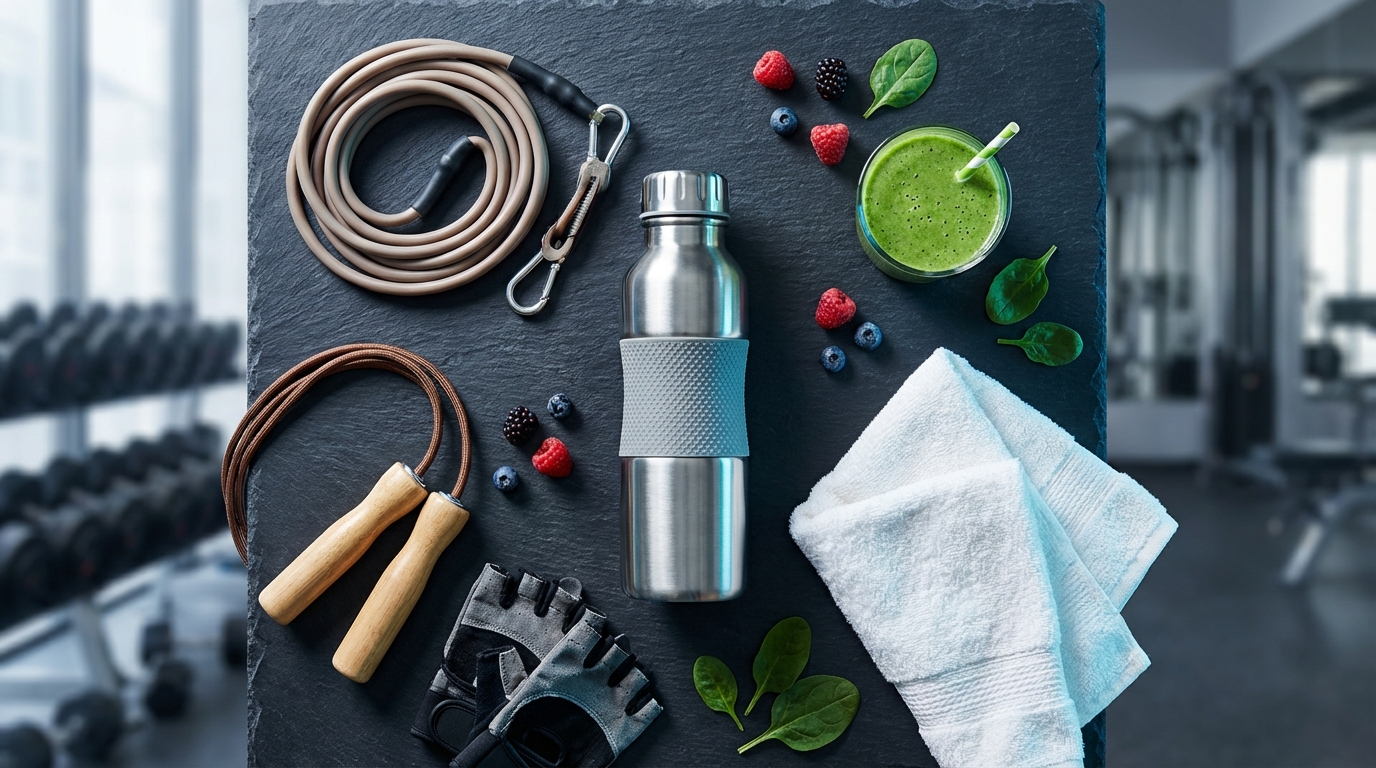
    AI-generated lifestyle product photography showing athletic water bottle in a gym setting with professional commercial photography lighting

    The Real-Time Canvas Advantage for Background Ideation

    One of Krea AI’s genuinely distinctive capabilities is the Realtime Canvas — a feature that sets it apart not just from dedicated product photography tools but from nearly every other AI creative platform currently available.

    The Realtime Canvas is a split-screen generation interface that renders photorealistic outputs in under 50 milliseconds as you draw, sketch, type, or paint. On the left side, you work with primitives: brushstrokes, color fills, geometric shapes, text prompts, uploaded images, webcam input, or screen capture. On the right, the AI renders a photorealistic interpretation in real time — updating with every stroke, every color change, every compositional adjustment. There is no generation button, no waiting, no submit-and-hope cycle. The output evolves continuously as you work.

    Why This Matters Specifically for Lifestyle Backgrounds

    Generating a lifestyle background without a clear compositional concept in mind tends to produce generic results. The challenge is that translating a loosely held visual idea into an effective text prompt is itself a skill — and not one that comes naturally to everyone, especially visual thinkers who work better with sketches and color than with language.

    The Realtime Canvas removes that translation step. Instead of trying to describe a background in text, you can sketch its composition directly. A rough rectangle of warm amber in the lower third with a blue-grey gradient above it might not look like much as a sketch — but in the canvas, it renders immediately as a warm wooden countertop beneath a soft blurred kitchen interior. Drag a circle of warm orange to the upper right, and the kitchen gains a window with afternoon light. Every compositional gesture has an immediate visual consequence, which makes the ideation process genuinely fast and exploratory.

    The Realtime Edit Feature

    Launched in January 2026, Realtime Edit extends the canvas concept to existing images. Rather than generating from scratch, you can load a near-final lifestyle background image into the Realtime Edit interface and use brushstrokes to modify it live — adjusting the lighting direction, changing a surface texture, adding or removing environmental props — all with the same sub-50ms feedback loop. This compresses the revision cycle for existing assets in a way that traditional editing or regeneration workflows cannot match.

    For creative teams doing client work with iterative feedback rounds, Realtime Edit is particularly valuable. A client reviewing a lifestyle background mock-up on a call can request changes — “move the light source to the left,” “make the background warmer,” “add more depth to the environment” — and a designer can make those adjustments live, with the client seeing the result in real time rather than waiting for a new render batch. That kind of immediate collaboration changes the dynamic of creative review sessions.

    Benchmarking the Results: Krea vs. Flair vs. Claid for Lifestyle Imagery

    Honest tool comparison requires acknowledging what each platform was built to do — because judging Krea, Flair, and Claid by the same criteria misrepresents all three.

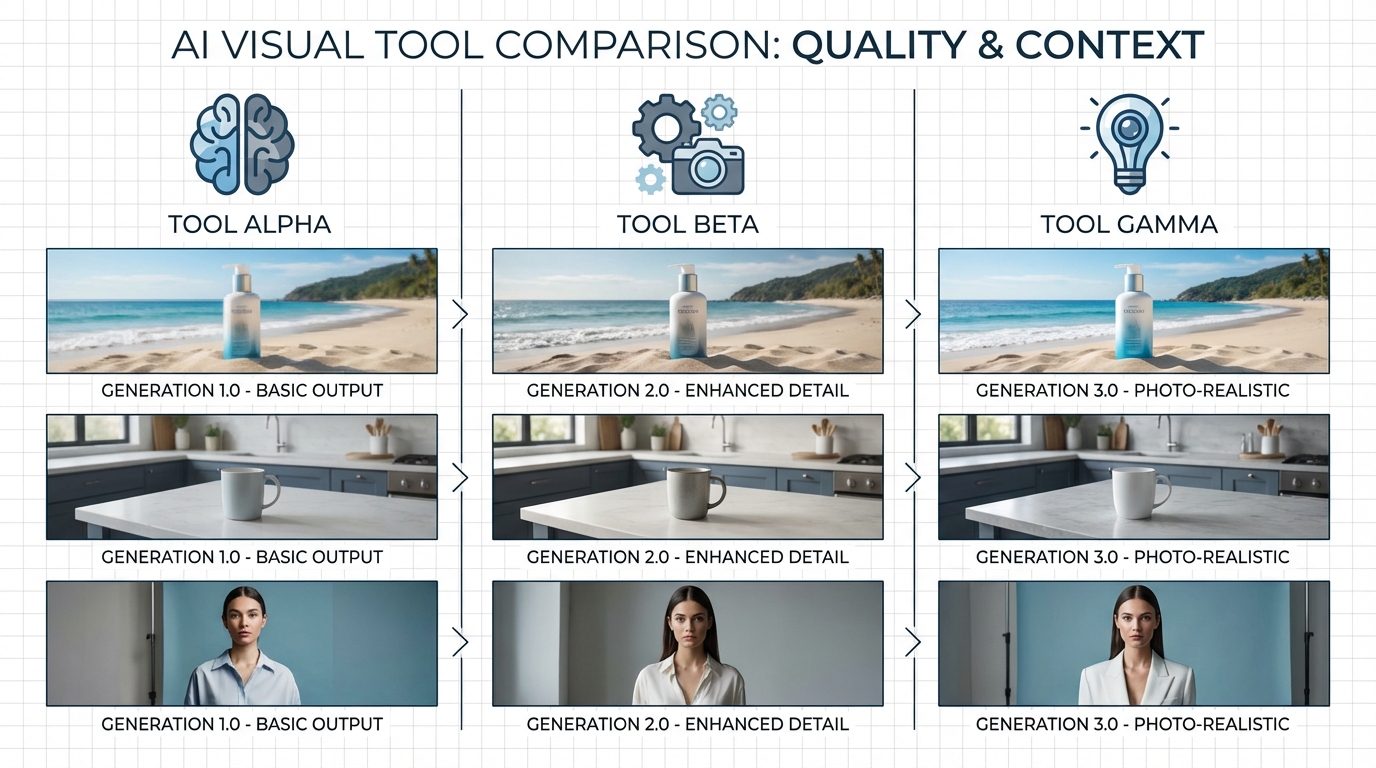
    Comparison infographic showing AI lifestyle background quality across three different tools with sample product images

    Claid: The Volume Processing Specialist

    Claid is built for high-volume ecommerce operations that need consistent, automated outputs at scale. Its architecture is API-first, meaning it integrates into existing production pipelines and batch-processes large product catalogs without requiring individual creative attention to each image. Claid maintains strong product accuracy in lifestyle scenes and supports AI fashion models for on-figure photography — capabilities with obvious value for apparel and accessories brands.

    Claid’s strength is throughput and automation. A brand with a 500-SKU catalog that needs each product photographed in three lifestyle contexts for four seasonal campaigns is looking at 6,000 images. Claid’s batch processing handles this at a speed and cost structure that manual Krea workflows cannot match. Its base plans start around $9 per month, making it accessible for smaller operations that primarily need background replacement at volume.

    Where Claid falls short is creative range. The platform is optimized for realistic, commercial-grade lifestyle scenes. It does not offer the compositional control, real-time ideation, video generation, 3D creation, or brand finetuning capabilities that creative directors need when working on campaigns rather than catalog production.

    Flair: The Design-Control Contender

    Flair positions itself between Claid’s automation and Krea’s creative depth. Its interface uses a drag-and-drop canvas model similar to Canva, allowing users to position products and props manually before the AI generates the surrounding scene. This semi-manual approach gives creative teams meaningful compositional control without requiring expertise in generative AI tools.

    Flair is particularly well-regarded for on-model and styled fashion photography, and it includes a brand kit system for maintaining some visual consistency across outputs. It is a solid choice for in-house brand teams that want more control than Claid but do not need Krea’s full creative suite.

    The limitation is that Flair, like Claid, is fundamentally a product photography tool. It does not extend into campaign ideation, video creation, LoRA brand training, or the full-spectrum creative production that larger brand teams and agencies require.

    Krea: Where It Leads and Where It Requires More Effort

    Krea’s advantage is integration and creative depth. For teams already doing AI-assisted creative work — ideation, content generation, video production, brand training — Krea’s lifestyle background tools are one capability within a unified platform rather than a separate subscription. The quality ceiling is high, the model selection is extensive, and the finetuning capability is more sophisticated than either Claid or Flair currently offers.

    The honest trade-off is that Krea requires more creative investment per image than a dedicated tool. You are not clicking a background-type button and getting a predictable output. You are working with a more open-ended system that rewards deliberate craft and penalizes ambiguity. For high-volume catalog production, that investment per image is not commercially viable. For campaign-quality creative assets, it is entirely appropriate.

    The clearest signal for which tool fits your operation: if your primary need is volume and automation, Claid. If you need creative depth, brand consistency, and multi-format output within a single production workflow, Krea.

    Conversion Data: What Lifestyle Backgrounds Actually Do for Sales

    The creative case for lifestyle backgrounds is intuitive. The business case requires data. Fortunately, the evidence is relatively clear and consistent across the platforms and studies that have measured it directly.

    The Amazon Advertising Data

    Amazon’s own advertising data on Sponsored Brands campaigns provides some of the clearest benchmarks available. Campaigns using AI-generated lifestyle images show 10.3% higher return on ad spend compared to those using standard product images. On mobile specifically — which now represents the majority of ecommerce browsing sessions — contextual lifestyle images generate up to 40% higher click-through rates.

    These numbers represent averages across diverse product categories and campaign structures. Individual brand performance varies, but the directional finding is consistent: contextual images outperform catalog images in awareness and discovery placements because they create engagement before a shopper has formed a purchase intent that would make a clean product shot equally compelling.

    Direct-to-Consumer Conversion Evidence

    A D2C brand case study cited in multiple 2025 AI photography analyses documented website conversion rates rising from 1.8% to 2.3% — a 28% relative increase — following an upgrade from studio product shots to AI-generated lifestyle imagery across their product pages. That magnitude of conversion improvement is commercially significant: for a brand doing $1 million in annual revenue, a 28% conversion lift represents meaningful additional revenue without any change to traffic, pricing, or product quality.

    Fashion and retail specifically show even stronger effects in some analyses, with lifestyle photography contributing to 35–80% conversion lifts in segments where product visualization is central to the purchase decision. Furniture, home goods, and apparel — categories where the question “what would this look like in my space or on my body” is actively holding back purchase decisions — benefit most dramatically from lifestyle context.

    The Cost-Per-Asset Math

    The conversion data becomes more commercially compelling when set against the cost comparison. A professional lifestyle photography day — inclusive of location, stylist, photographer, and post-production — realistically costs $3,000 to $8,000 and produces 20–40 usable final images. The cost per asset ranges from $75 to $400.

    With AI lifestyle backgrounds at Krea’s Pro subscription level ($35 per month), a working session of two to three hours can produce 40–60 campaign-quality assets, bringing the cost per asset into the $0.60 to $1.50 range. The quality ceiling does not match a top-tier professional shoot for every use case — but for social advertising, secondary product images, email content, and mid-tier display placements, the functional quality difference is negligible while the cost difference is enormous.

    The more consequential consideration is speed. A traditional shoot requires scheduling weeks in advance, weather contingencies for location work, and post-production timelines. An AI lifestyle background workflow can respond to a brief on Tuesday and deliver final assets by Thursday. For brands operating in fast-moving categories — seasonal goods, trend-responsive fashion, time-sensitive promotions — that speed advantage is worth as much as the cost saving.

    Common Mistakes Creatives Make with AI Background Tools

    Understanding what goes wrong with AI lifestyle background workflows is as valuable as knowing the best practices. Most failures are predictable and preventable.

    Mistake 1: Treating the First Output as Final

    AI tools, including Krea, produce first-pass outputs that almost always require iteration. The tendency, especially under time pressure, is to select the most acceptable of an initial generation batch and move forward. This produces results that look “AI-generated” — technically competent but lacking the deliberate compositional care that distinguishes a strong image from a merely adequate one.

    The brands getting the best results from AI lifestyle photography are treating the initial outputs as starting points: selecting the most promising, bringing it into generative editing for targeted refinement, adjusting specific elements rather than accepting the ensemble as-is. That additional iteration step — which might add 20–30 minutes to a session — is what produces the quality difference between AI imagery that looks like AI imagery and AI imagery that simply looks good.

    Mistake 2: Under-Using Reference Images

    Text prompts alone have a ceiling. A prompt describes what you want; a reference image shows the AI what you mean. The visual gap between “warm Scandinavian interior with natural materials and soft ambient light” as a text prompt versus that same description paired with a reference image from a design publication is substantial — particularly for atmospheric qualities like light quality and depth of field, which are difficult to specify with precision in language.

    Building a reference image library — organized by mood, season, environment type, and lighting style — is a one-time investment that pays dividends across every subsequent session. Teams that maintain a well-organized reference library produce consistently stronger outputs with less iteration than those relying on prompts alone.

    Mistake 3: Ignoring Edge Masking Quality

    The quality of the background removal and subject isolation step determines the credibility of every lifestyle composite. Even excellent background generation will look unconvincing if the product edge mask has rough artifacts, missing sections, or inaccurate transparency treatment. Translucent products — glass bottles, clear packaging — are particularly prone to poor masking that makes the composite immediately identifiable as artificial.

    Always review and refine the edge mask before generating the background. The generative editing brush in Krea allows targeted mask correction without regenerating the entire isolation step. Investing extra time on edge quality at the beginning of a session saves considerably more time correcting composite artifacts at the end.

    Mistake 4: Generating for One Placement Only

    A lifestyle background session is an opportunity to produce assets for multiple placements and formats simultaneously. Generating only landscape-format images for desktop web and then discovering you need square crops for social and vertical crops for Stories represents a significant workflow inefficiency. Before generating, define the format requirements across all planned placements — standard web, social square, Stories vertical, Amazon secondary images — and produce variations in each format within the same session. The additional time investment per session is minimal; the alternative is re-running the entire workflow for each format.

    Mistake 5: Skipping the Upscaling Step

    AI generation at standard resolutions produces images that look excellent on screen but compress poorly and print even worse. Skipping the upscaling step before final export is one of the most common shortcuts that degrades output quality at deployment. For any asset that will appear at large scale — billboard, large format print, high-resolution display advertising — the 22K upscaling capability in Krea is not optional. Even for standard digital use, running outputs through at least 2x upscaling improves sharpness and fine detail in ways that are visible and relevant to brand quality standards.

    Pricing, Plans, and How to Get Maximum Value

    Krea AI’s pricing structure in 2026 is tiered, with the entry point being a free plan that provides genuine access to core functionality — not merely a preview. Understanding the tiers helps you match your level of commitment to the output you actually need.

    The Free Plan

    The free tier provides 100 compute units daily with no payment required. For individuals experimenting with the platform or evaluating whether Krea fits their workflow, this is genuinely useful. You can run basic real-time image generations, explore the canvas, and test the product shots tools. However, advanced video models, 3D generation, high-volume upscaling, and certain model tiers are restricted on the free plan. Commercial use licensing requires a paid tier.

    Basic Plan: $9/Month

    The Basic plan at $9 per month provides 5,000 compute units monthly with a commercial license. This is the minimum viable tier for any professional using Krea for client work or commercial product photography. Five thousand monthly units supports moderate production volumes — adequate for a small brand managing their own marketing visuals, or a freelancer with a limited number of active clients.

    Pro Plan: $35/Month

    The Pro plan at $35 per month with 20,000 monthly units is the practical choice for serious creative professionals and in-house brand teams. It unlocks all video models — including Veo 3.1, Kling, and Runway — workflow automation through Nodes and Apps, full upscaling capability, and priority access to new model releases. For teams doing regular lifestyle background production alongside other creative work, this tier’s breadth-to-cost ratio is strong.

    Max Plan: $105/Month

    At 60,000 monthly compute units and unlimited feature access, the Max plan is designed for agencies, high-volume brands, and teams with substantial ongoing generation requirements. The compute ceiling is high enough to support daily production workflows across multiple projects simultaneously.

    Enterprise

    Enterprise pricing is custom and includes dedicated support, SLA guarantees, custom data handling agreements, and team management features. For brands where IP protection is a material concern — generating product imagery that must remain proprietary to the brand — the enterprise tier’s data handling commitments are an important consideration. The “Do not train” data safety option ensures proprietary creative assets are not used in model training, which is increasingly relevant for brands operating in competitive visual categories.

    Getting the Most from Your Plan

    Compute units vary in cost per task. Real-time canvas operations are unit-efficient because they involve rapid low-resolution iterations before committing to a final generation. Upscaling, video generation, and LoRA training consume units at higher rates. A practical workflow optimization is to use the real-time canvas aggressively for ideation and composition (low unit cost per iteration), commit to final generations only when the composition is well-developed, and batch upscaling jobs to avoid redundant processing of images that will be further edited before final export.

    Conclusion: What Krea AI’s Lifestyle Background Capability Actually Offers — And What It Demands

    Krea AI is a sophisticated creative platform that rewards investment. The lifestyle background capability is genuinely powerful — capable of producing commercial-quality assets at a cost and speed that traditional photography cannot match for most use cases. But it delivers that quality through a tool ecosystem that requires understanding, deliberate workflow design, and willingness to iterate rather than accept first outputs.

    The creative professional who approaches Krea with clear visual references, a well-defined brand aesthetic, a product-specific LoRA model, and a systematic production workflow will produce results that are difficult to distinguish from professional photography at scale. The user who uploads a product image, hits generate, and exports the first result will produce something that looks like AI imagery — which is a quality reflection of the effort, not a limitation of the tool.

    Key Actionable Takeaways

    • Build a reference library first. Curate 30–50 reference images organized by mood, season, and environment before you begin any production work. Visual inputs produce better outputs than text prompts alone.
    • Invest in a brand LoRA model. Even on the Basic plan, training a LoRA on your brand’s visual identity is the single highest-leverage action for producing consistent output at scale.
    • Use the Realtime Canvas for ideation, not just polish. Explore background compositions interactively before committing to a final generation. This dramatically reduces wasted compute on directions that will not work.
    • Always upscale before final export. The 22K upscaling capability is what separates Krea’s outputs from tools with lower resolution ceilings. Use it consistently.
    • Plan for all formats in a single session. Generate across the aspect ratios you need simultaneously rather than returning for additional sessions per format.
    • Know when a lifestyle background serves the goal and when it does not. PDP primary images need clean backgrounds. Advertising, social, and secondary product images benefit from lifestyle context. Use both — and know which is which.
    • Treat AI outputs as drafts, not finals. The generative editing tools within Krea are designed to refine first outputs. Using them is not a sign the initial generation failed — it is the intended workflow.

    The ecommerce photography market is projected to grow from $178 million in 2026 to $471.5 million over the coming years, driven precisely by the expanding need for visual content that traditional production cannot fill economically. AI lifestyle background tools are not a short-term workaround — they are becoming the structural backbone of visual content production at volume.

    Krea AI, approached as the creative infrastructure it is rather than as a simple background-swap utility, sits at the more capable end of that landscape. For the creative teams willing to build their workflow around it, the ceiling for what is achievable is high — and rising.