Tag: Amazon Compliance

  • How Amazon’s 2026 Image Rules Became a CTR Weapon (If You Know How to Use Them)

    How Amazon’s 2026 Image Rules Became a CTR Weapon (If You Know How to Use Them)

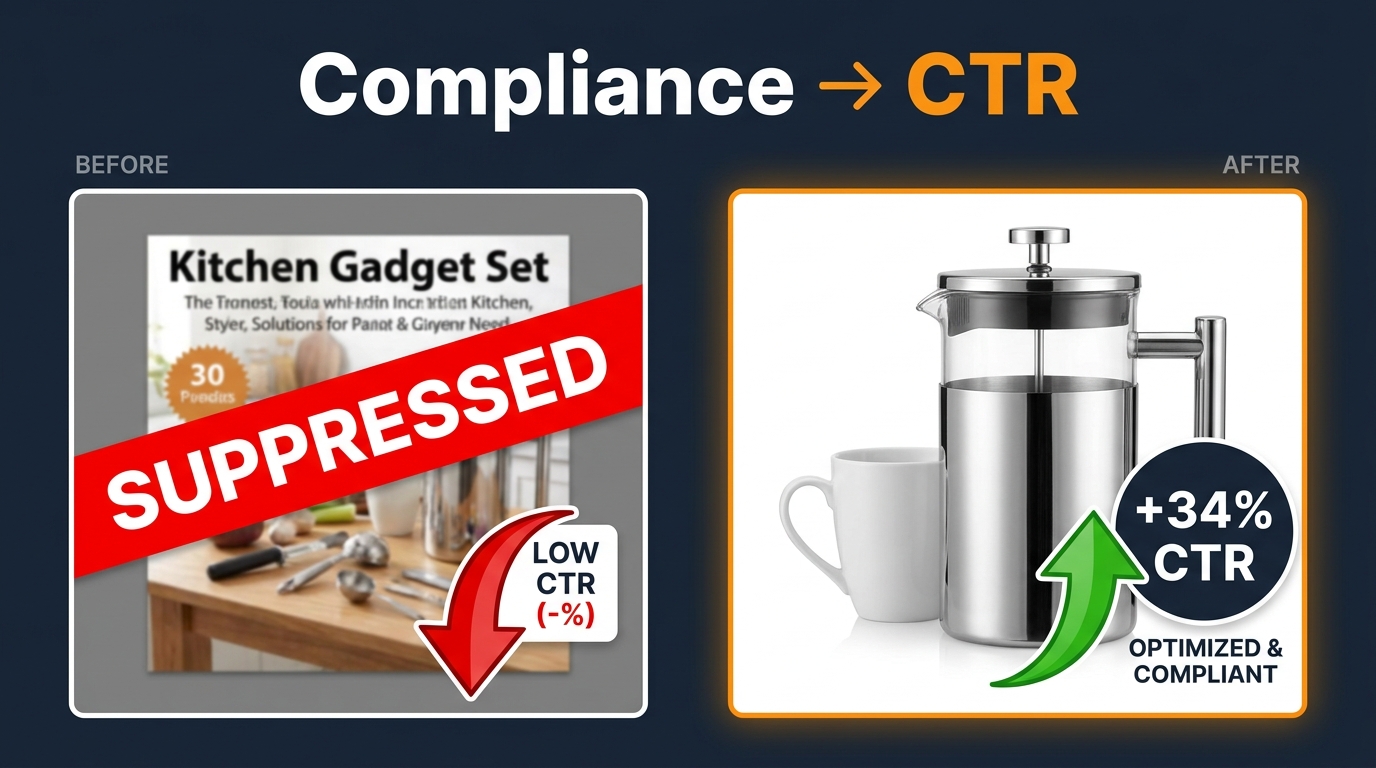
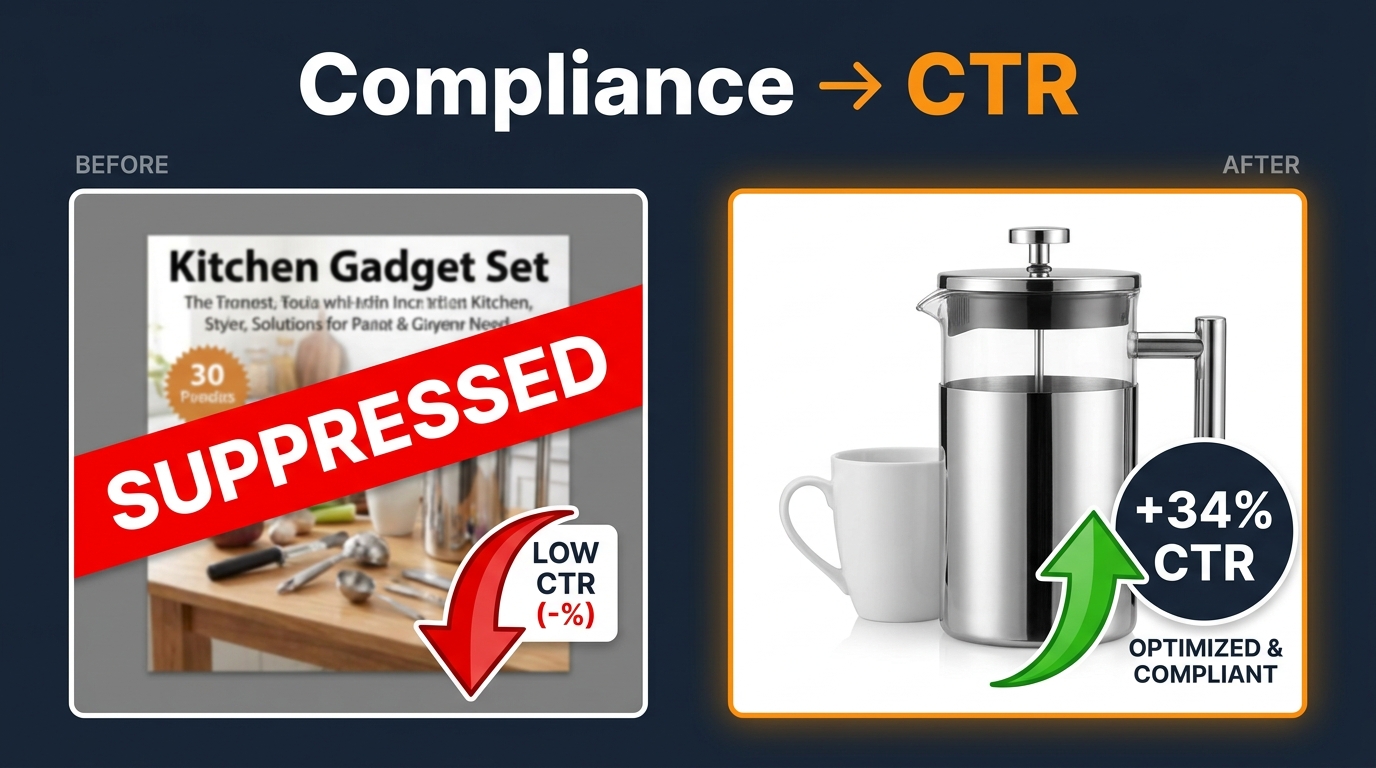
    Amazon image compliance versus CTR: split-screen showing suppressed listing versus optimized listing with +34% CTR result

    Most Amazon sellers treat image compliance the same way they treat tax filing: something you do so you don’t get in trouble, not something you do to get ahead. That framing is costing them real money.

    Here’s the thing: Amazon’s 2026 image rules aren’t just a legal fence around your listings. They’re a design spec. And sellers who read them as a design spec — rather than a constraint — are finding that the exact same rules that suppress non-compliant listings also create a clear advantage for sellers who execute them well.

    The median CTR across Amazon search results in Q1 2026 sits at just 0.42%. The top decile hits 1.08%. That’s a 2.5x gap between average and excellent — and in category after category, the biggest single driver of that gap isn’t price, isn’t title length, isn’t even review count. It’s the main image. One controlled test across 847 ASINs and 2.4 million impressions found that optimized main images delivered 34% higher CTR than baseline. A separate brand-level A/B test showed a +53% CTR lift when the main image was reworked to maximize both compliance and thumbnail clarity.

    This post isn’t about recapping what the rules say. It’s about showing you how to use the rules as a competitive weapon — starting with the exact moments where compliance and performance converge, and ending with a repeatable system for turning every image audit into a CTR audit at the same time.

    What Amazon’s Image Rules Actually Say in 2026 — The Full Technical Spec

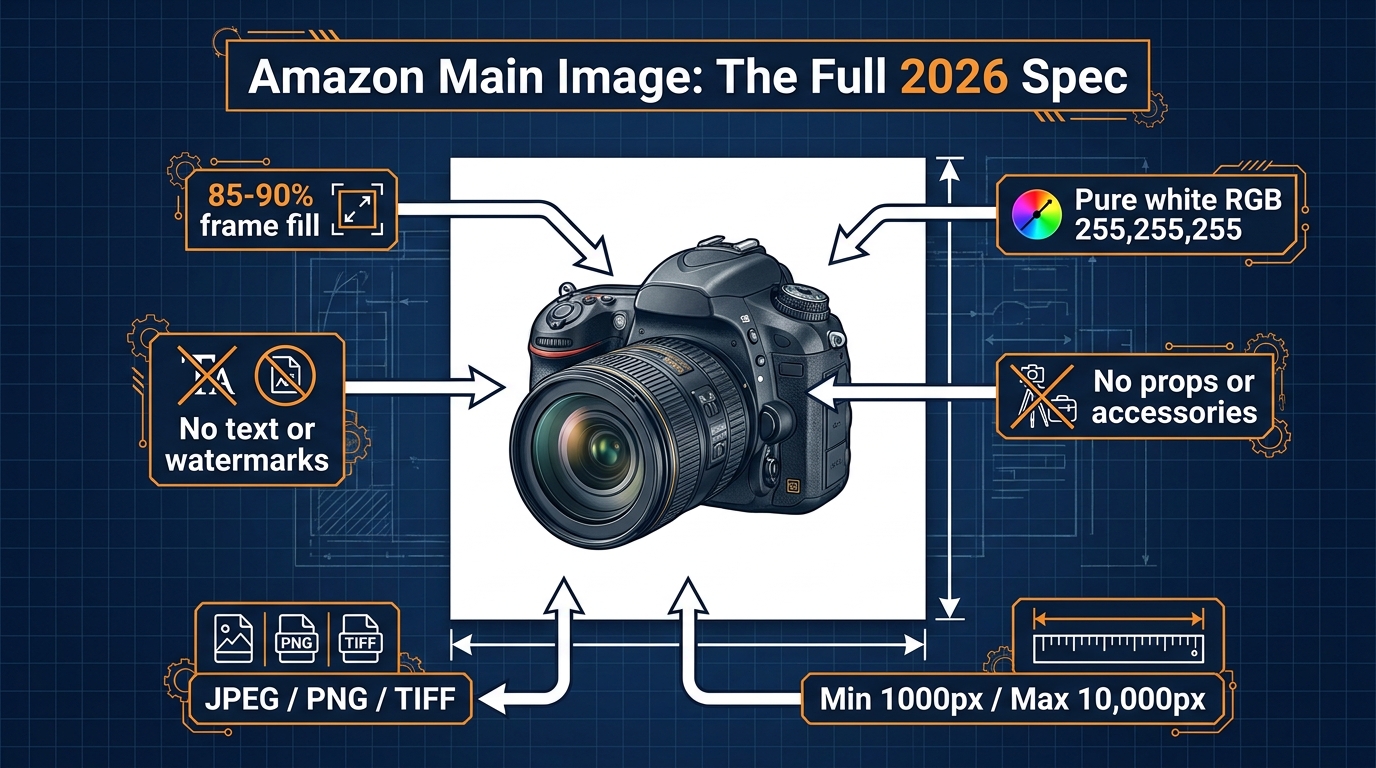
    Amazon main image 2026 technical specification diagram with labeled callout arrows showing all compliance requirements

    Before you can weaponize the rules, you need to understand them precisely — not in the vague way most sellers do (“white background, no text, right?”), but with enough detail to know where the actual gray zones are and where Amazon gives you more room than most sellers use.

    The Main Image Requirements

    Amazon’s official image policy for the main (hero) image in 2026 requires the following:

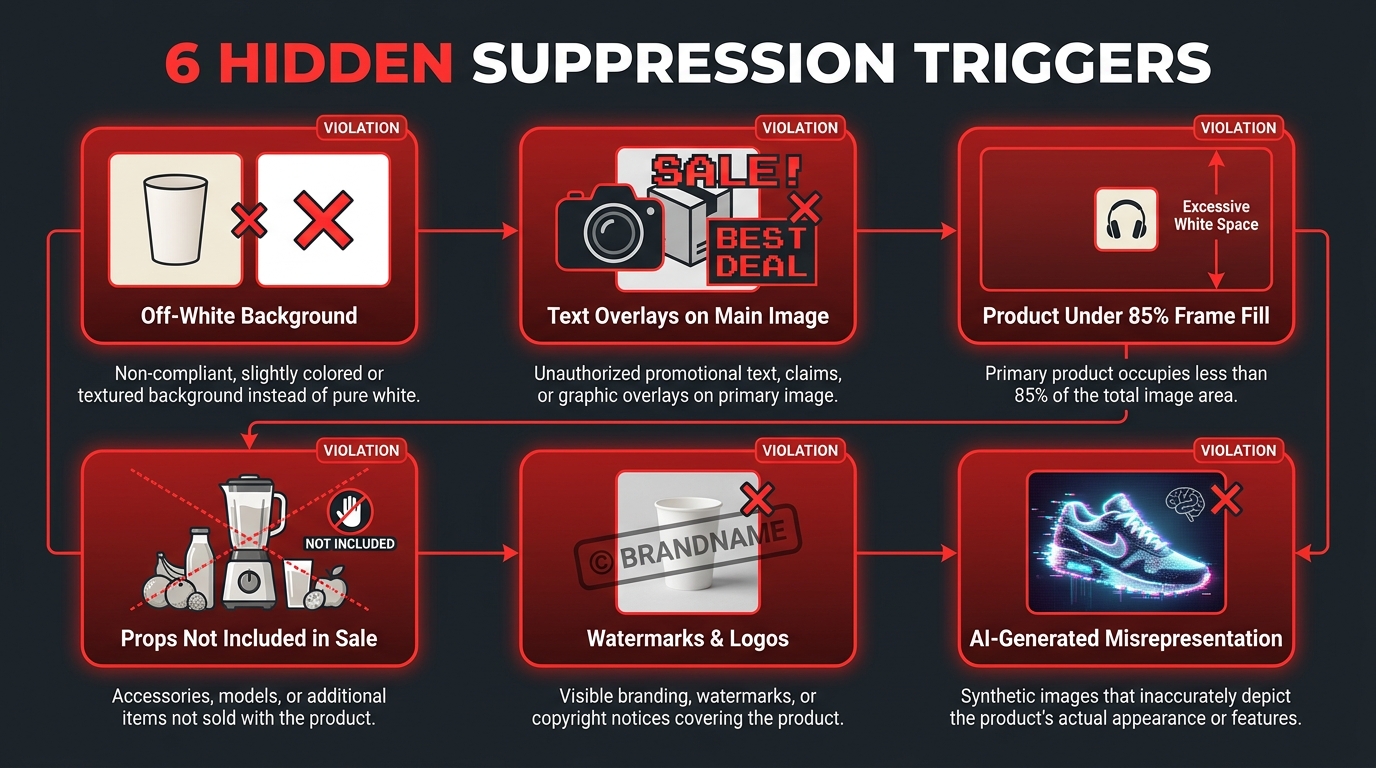
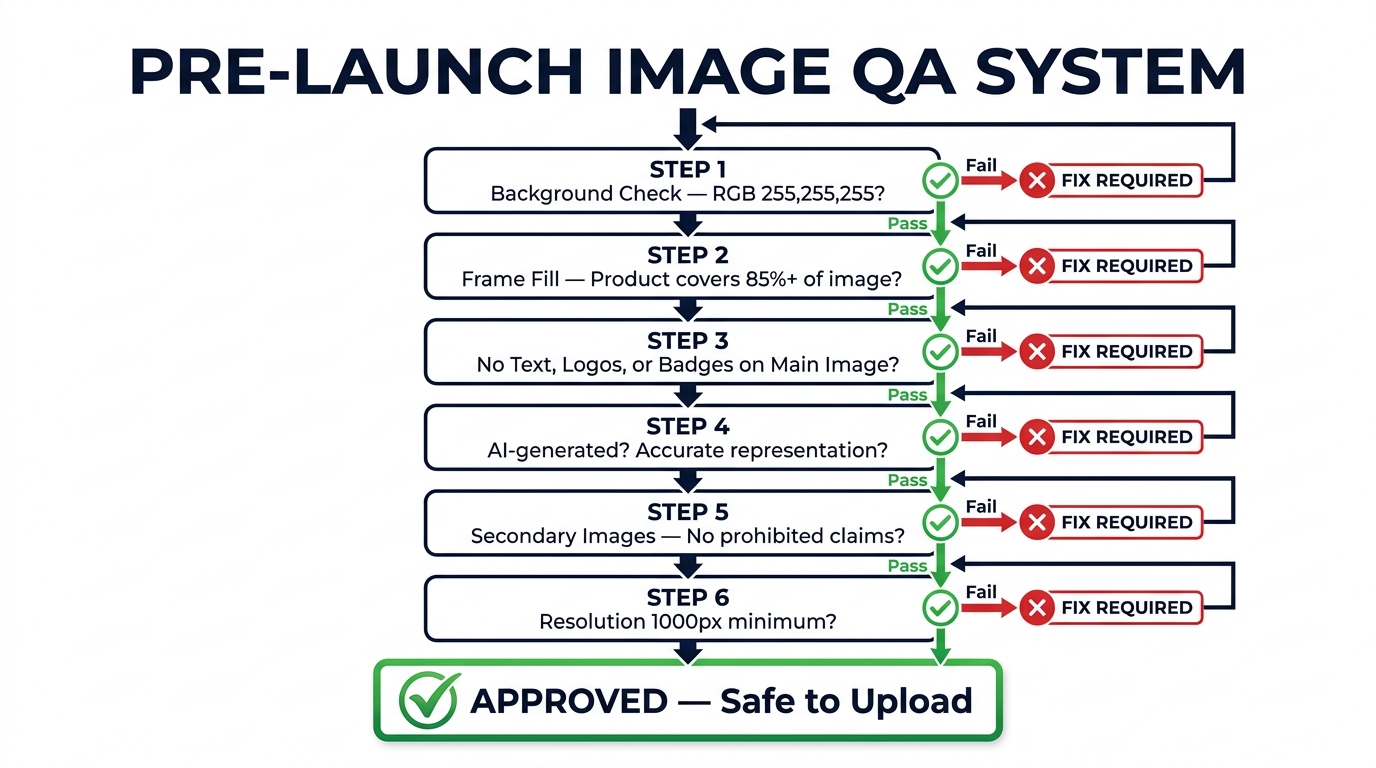
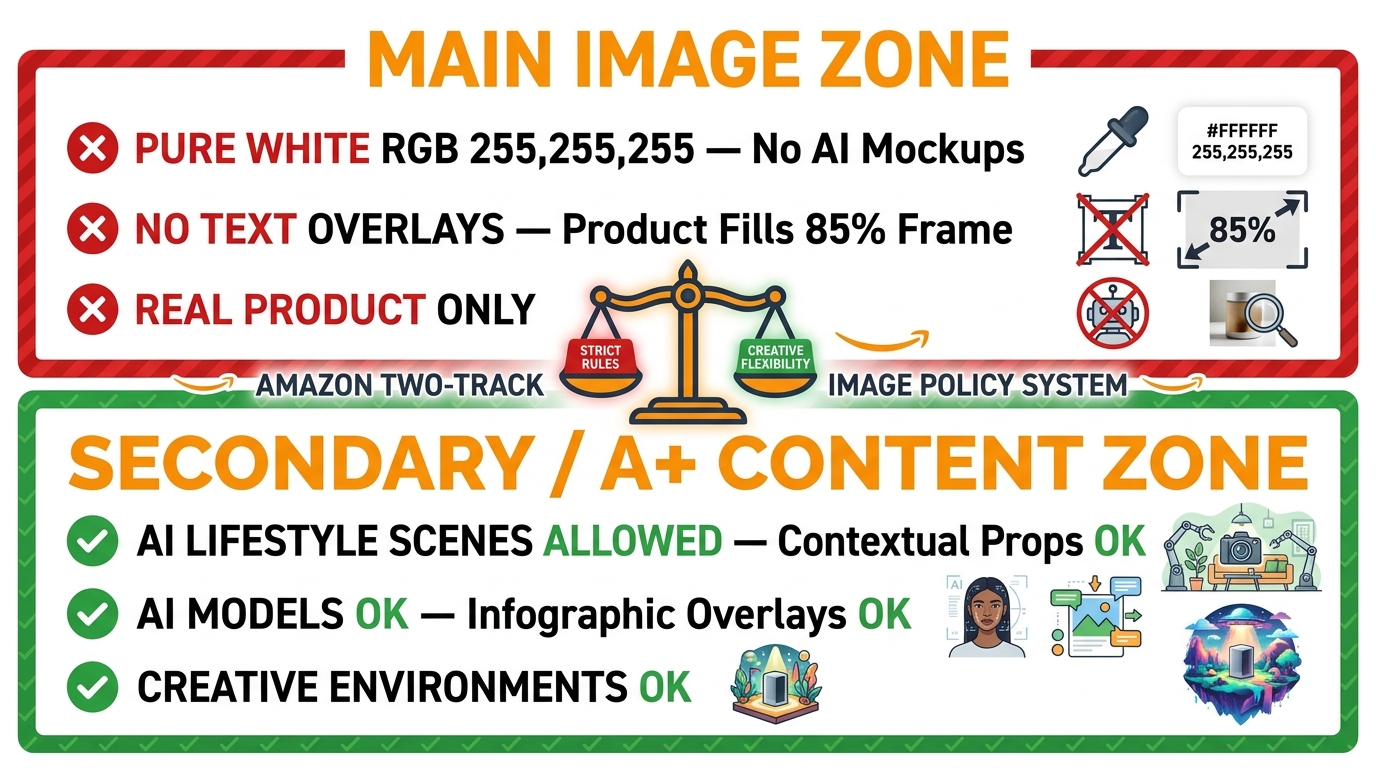
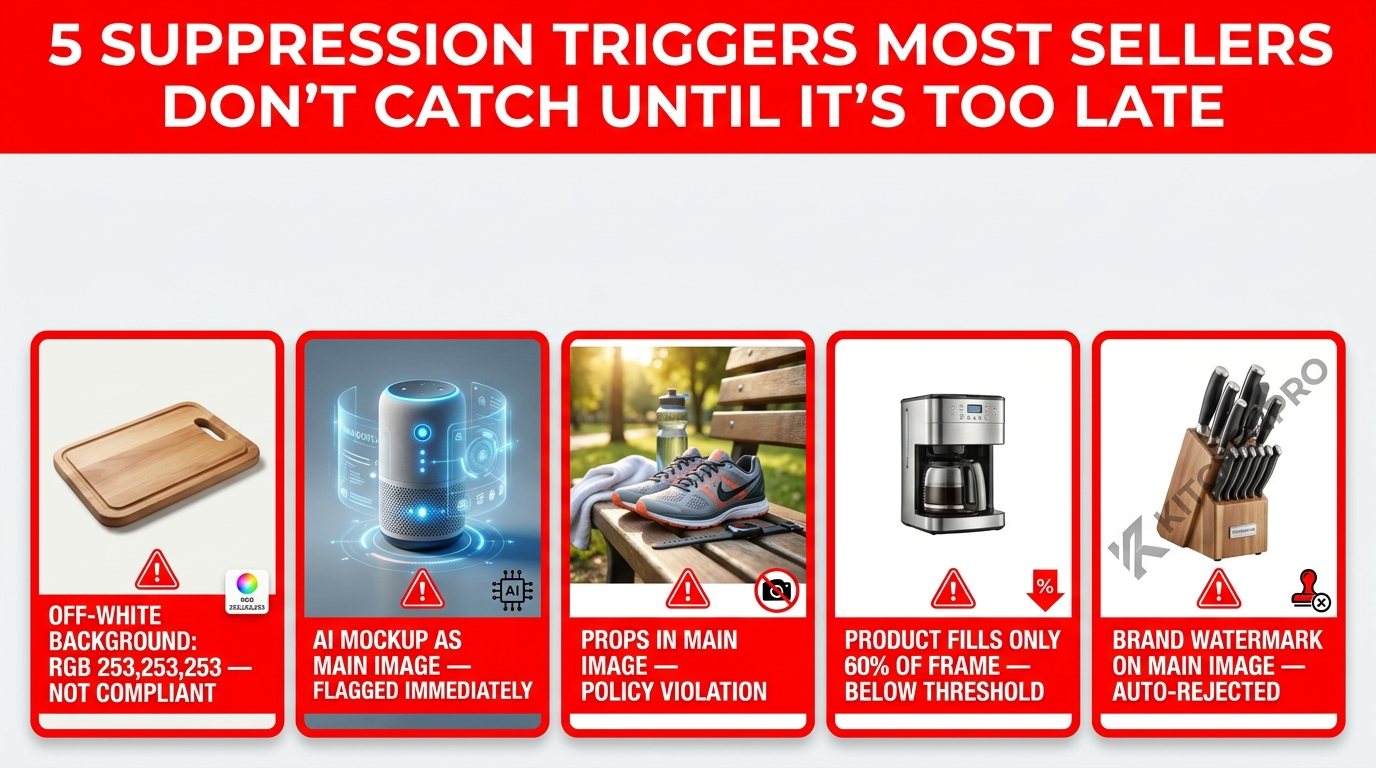
    • Pure white background: RGB value of 255, 255, 255 — not off-white, not light gray, not cream. Amazon’s automated systems now scan background pixel values, so near-white doesn’t pass the way it used to.
    • Single product, accurately represented: The item must match what you’re selling. No bundles in the main image unless the bundle is what’s being sold.
    • 85% frame fill: The product must occupy at least 85% of the image frame. This is both a compliance floor and, as we’ll show later, a CTR floor.
    • No text, logos, watermarks, or promotional graphics: No “Best Seller” badges, no brand logos, no “Buy 2 Get 1” callouts. None of it.
    • No props, accessories, or unrelated objects: Unless the prop is part of the product or sold with it.
    • No lifestyle imagery: No person using the product, no environmental context, no hands.
    • File format: JPEG (preferred), PNG, TIFF, or GIF. No animated GIFs for the main image.
    • Resolution: Minimum 500px on the longest side. Minimum 1,000px recommended for zoom activation. Amazon recommends 2,000px or above for best zoom quality.
    • Maximum file size: 10,000px on the longest side. Most platforms accept up to 10MB per image.

    Secondary Image Rules

    The rules for secondary images (slots 2 through 9) are significantly more relaxed. Lifestyle photography is allowed, infographics with text overlays are allowed, comparison charts are allowed, model shots are allowed. The main compliance requirements that still apply are:

    • Images must accurately represent the product and not be misleading.
    • Images must not contain obscene, offensive, or illegal content.
    • Images must not include links, URLs, or calls to visit external sites.
    • Images must meet the same resolution minimums (500px floor, 1,000px+ recommended).
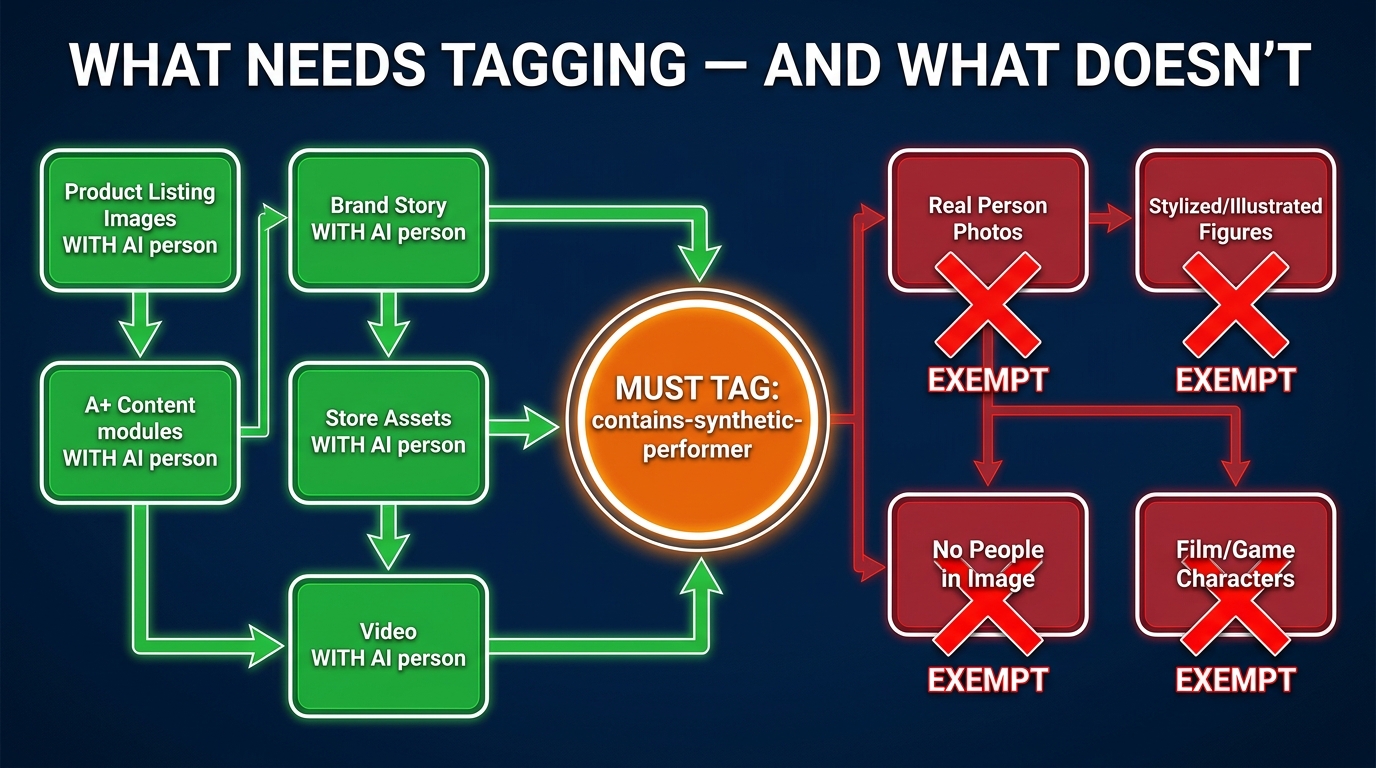
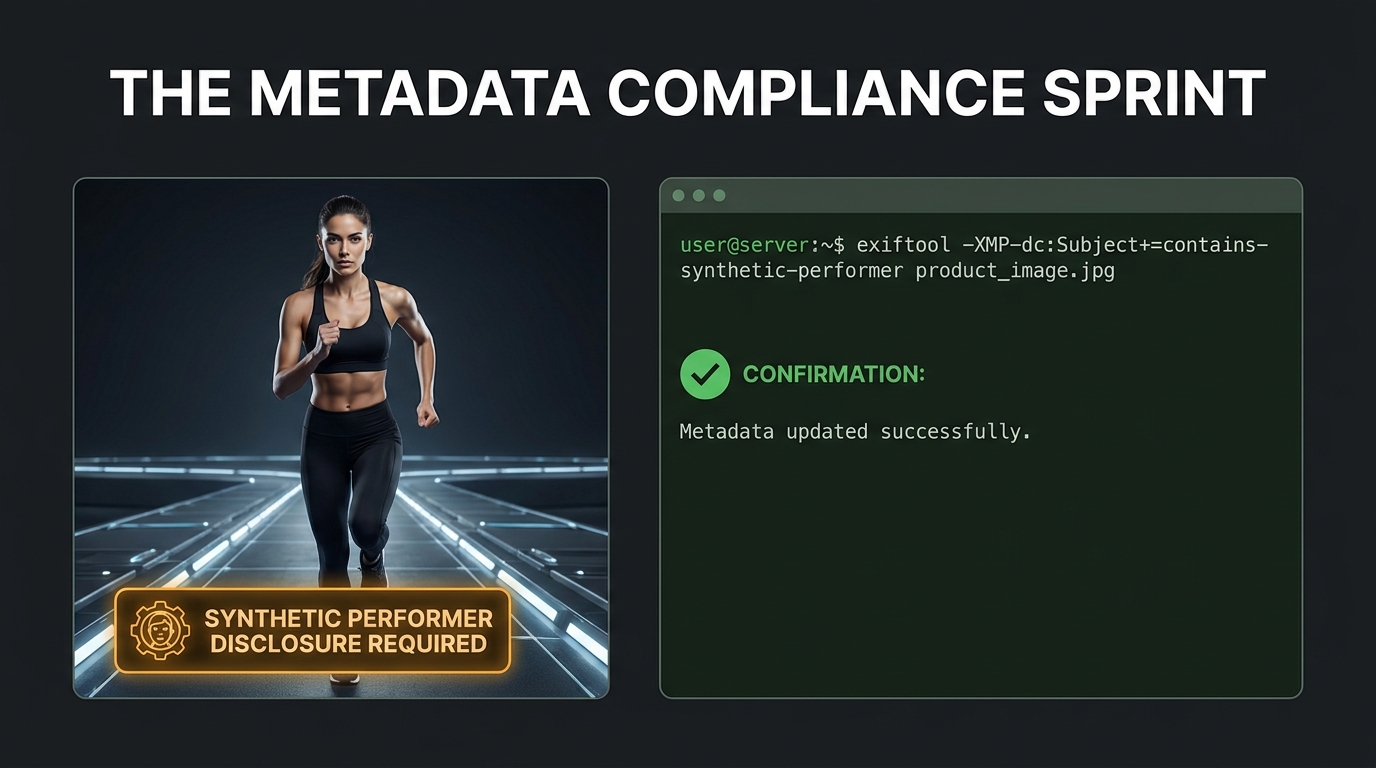
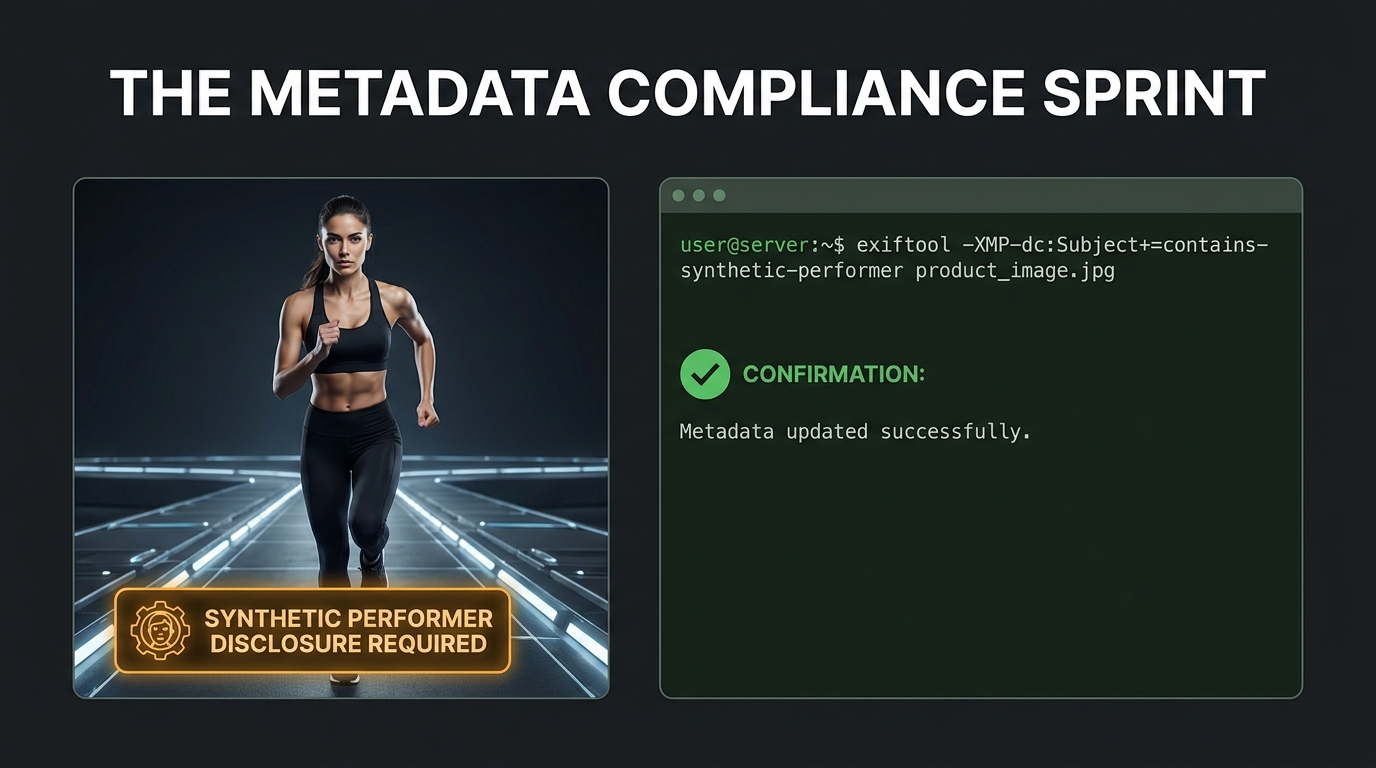
    • Photorealistic AI-generated people must carry the contains-synthetic-performer metadata tag (more on this below).

    Where Most Sellers Misread the Spec

    The most common misread: treating the 85% frame fill as a suggestion rather than a floor. Amazon’s enforcement on this has tightened noticeably in 2026, and many listings that historically escaped suppression with 65–70% frame fill are now being flagged. The second most common misread is on resolution — shooting at exactly 1,000px rather than 2,000px or above, which technically meets the floor but loses you zoom quality, which affects time-on-page and conversion downstream.

    The Enforcement Reality: What Gets Flagged, Suppressed, and When

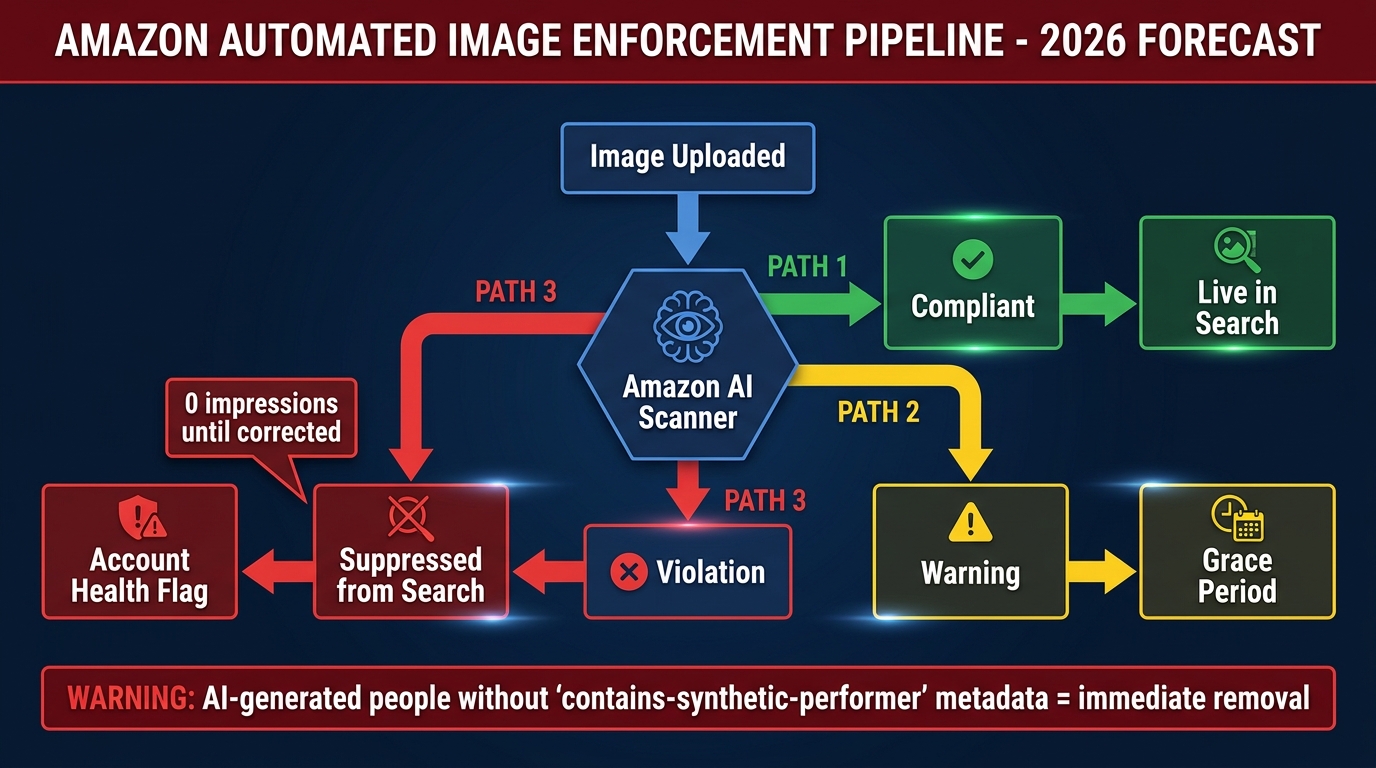
    Amazon image enforcement pipeline flowchart showing compliant versus suppressed listing paths and account health consequences

    Knowing the rules is one thing. Knowing how Amazon enforces them in practice is another — and the 2026 enforcement environment is significantly more automated and less forgiving than it was even 18 months ago.

    How Amazon’s Automated Scanner Works

    Amazon uses image recognition systems that scan uploaded images against the compliance spec at the point of upload and on an ongoing basis for existing listings. The system checks background purity (pixel-level RGB analysis), frame fill percentage, the presence of overlaid text or logos, and in some categories, product authenticity signals. What this means practically: an image that passed a year ago may now trigger a flag if the system’s sensitivity has been updated. Sellers have reported retroactive suppression on listings that had been live for months without issue.

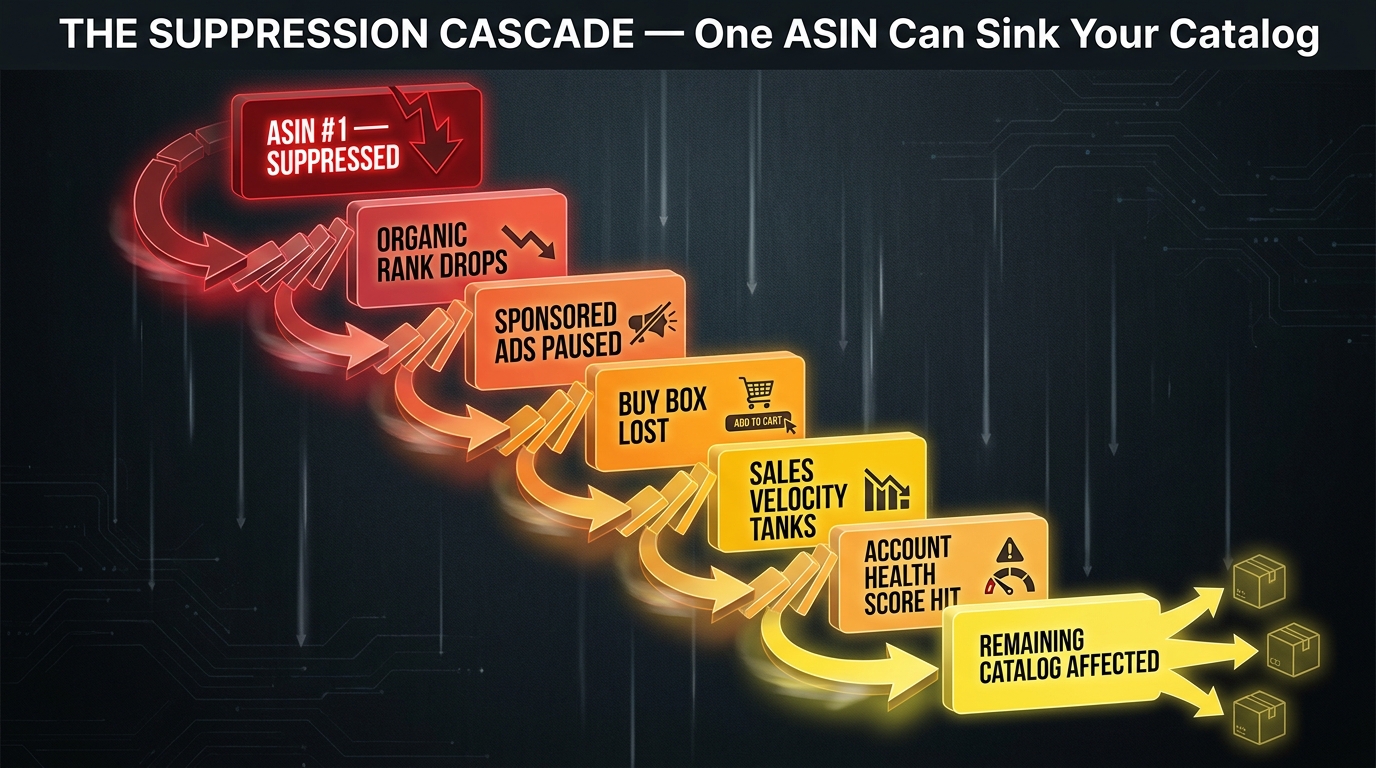
    The Suppression Cascade

    When Amazon flags a main image violation, the consequences escalate in stages:

    1. Image removal: The non-compliant image is removed, but the listing may remain live temporarily with a placeholder or another image.
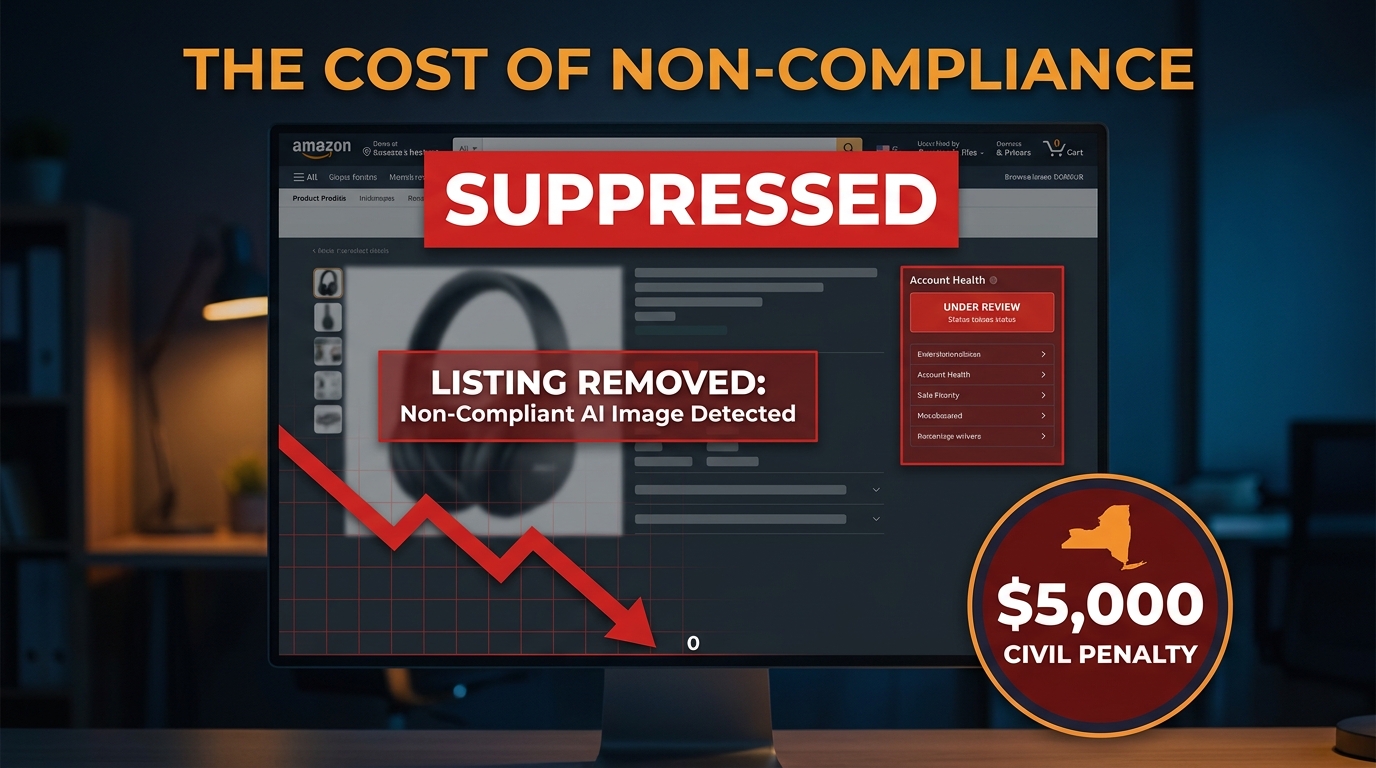
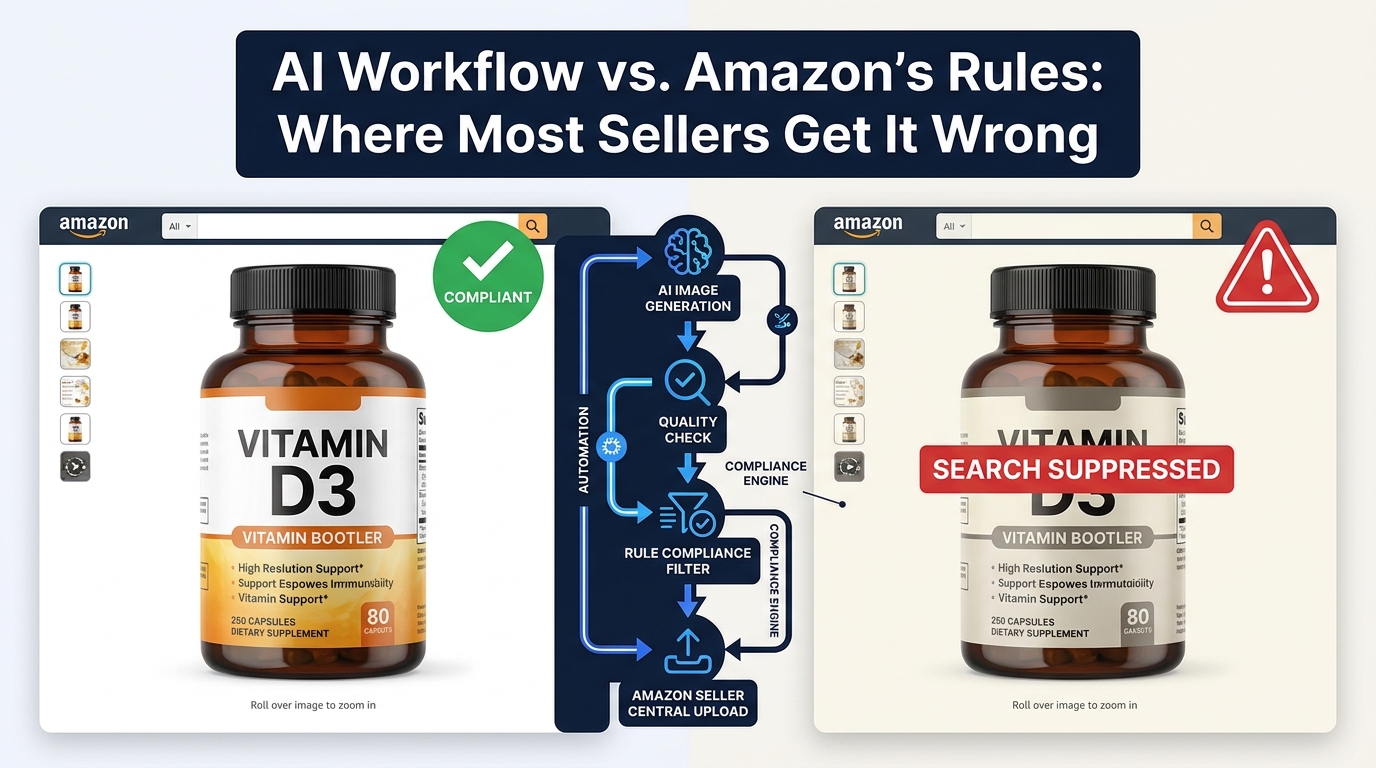
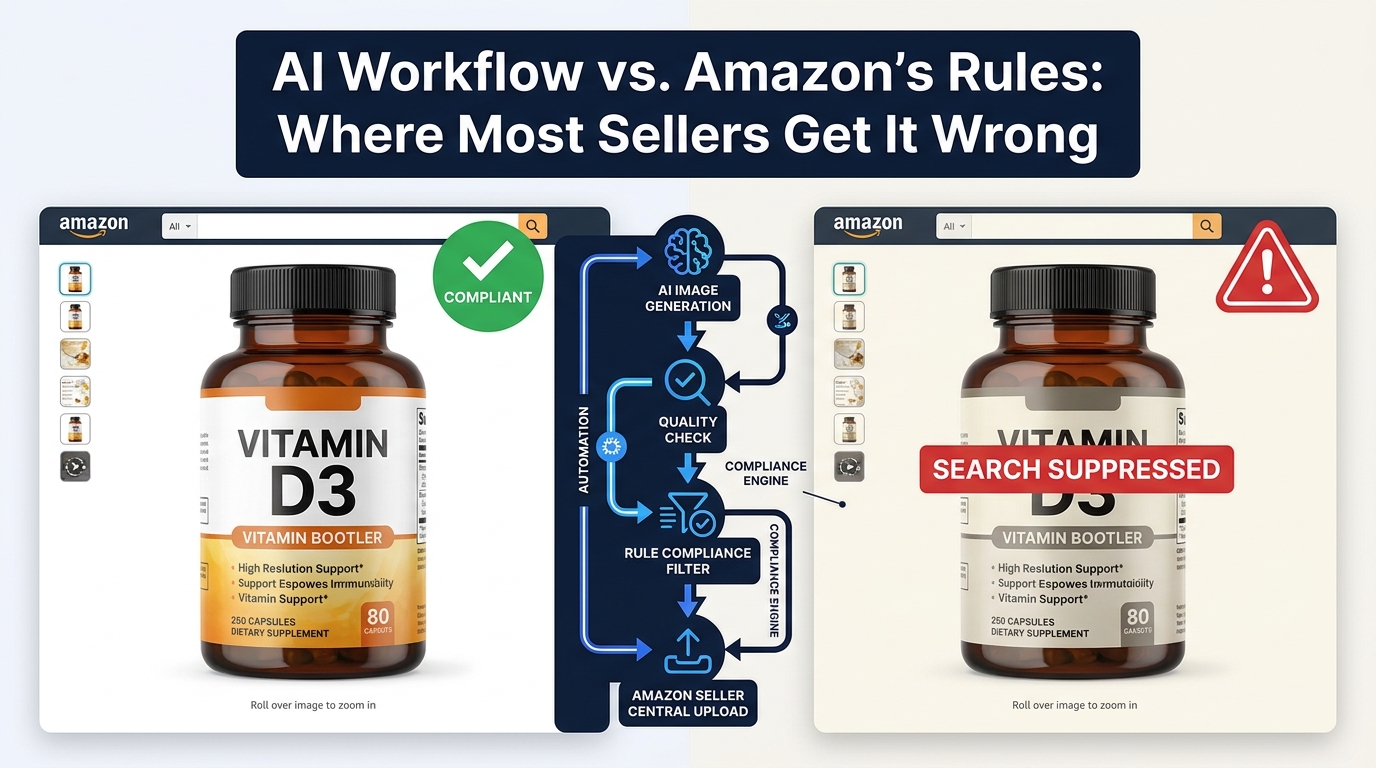
    2. Search suppression: If the main image is removed and no compliant replacement is immediately uploaded, the ASIN is suppressed from search results. No impressions. No traffic. No sales. This is the most acute business risk.
    3. Account health flag: Repeated violations or slow remediation generate policy violation flags in the Account Health dashboard, which can affect your Seller Performance score and, in serious cases, Buy Box eligibility.
    4. Escalation: In cases of repeated or high-severity violations, enforcement can escalate toward account-level review. This is rare for pure image violations, but the risk is real if suppression events are ignored or remediated slowly.

    The No-Grace-Period Reality

    The clearest shift in 2026 enforcement is that Amazon appears to be extending less grace period between violation detection and suppression than it historically did. Sellers who previously had days to correct a flagged image before losing search visibility are now reporting much shorter windows — sometimes hours. The operational implication is that image compliance needs to be a proactive process, not a reactive one. Waiting for a suppression notice before auditing your images is too slow.

    Key insight: Every hour your main image is suppressed, you’re running at zero impressions. For a mid-performing ASIN doing 200 daily units, even a 12-hour suppression event can represent meaningful lost revenue — and if you’re running PPC during the suppression, you’re spending ad budget on a listing shoppers can’t find organically.

    The July 2026 AI Disclosure Rule: What the “contains-synthetic-performer” Tag Actually Requires

    In July 2026, Amazon introduced a new compliance layer specifically targeting the wave of AI-generated imagery entering the marketplace. The rule is specific and technical, and many sellers using AI image tools are currently non-compliant without knowing it.

    What the Rule Requires

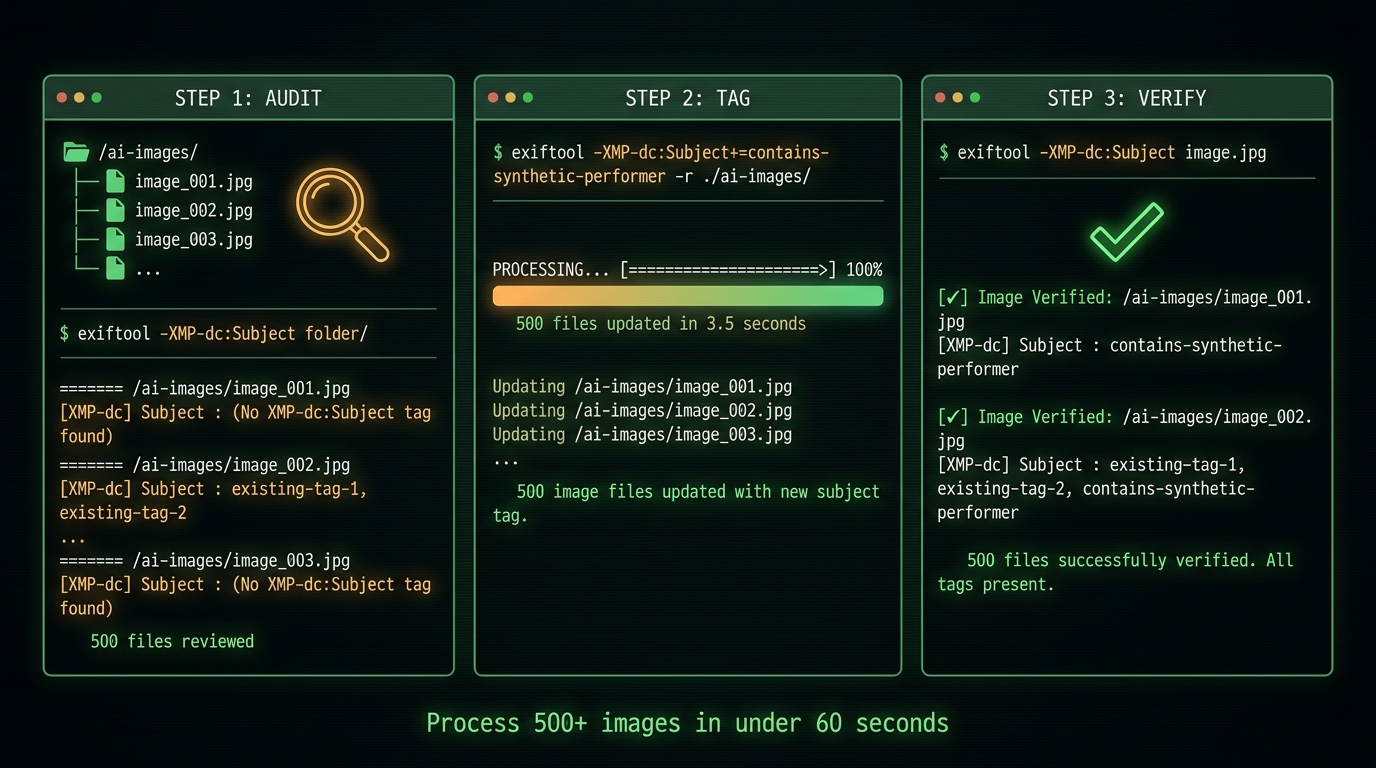
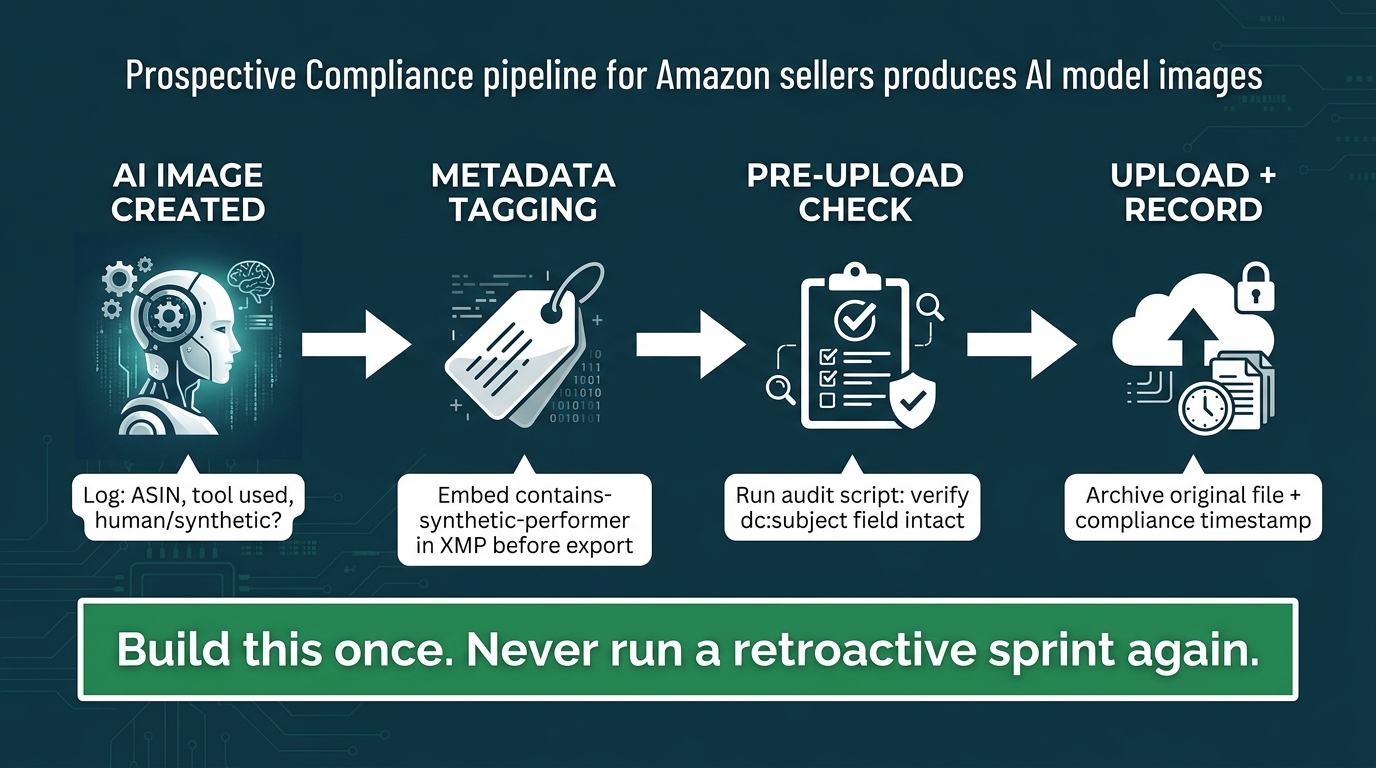
    If any listing image, product video, or A+ content contains a photorealistic AI-generated person, that file must include the metadata keyword contains-synthetic-performer — embedded at the file level using IPTC or XMP metadata — before upload to Amazon.

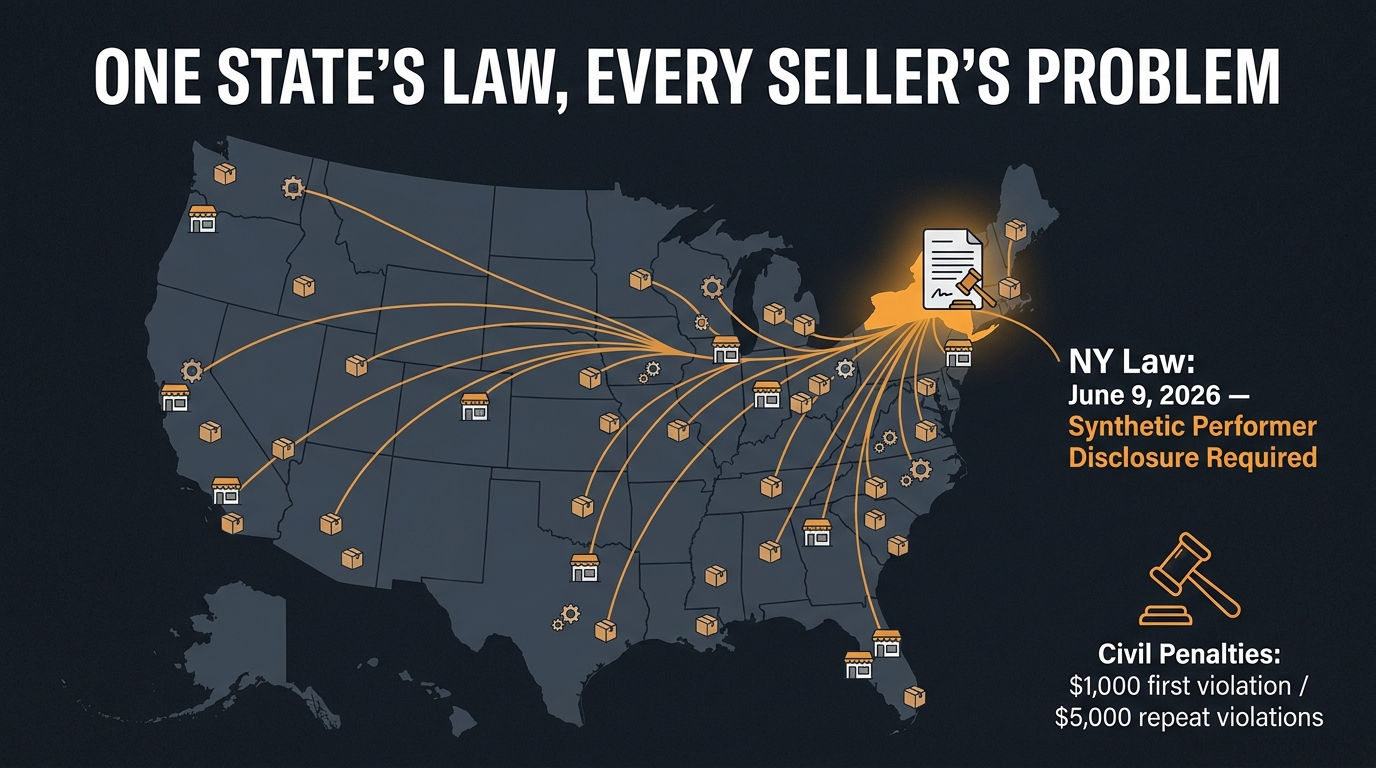
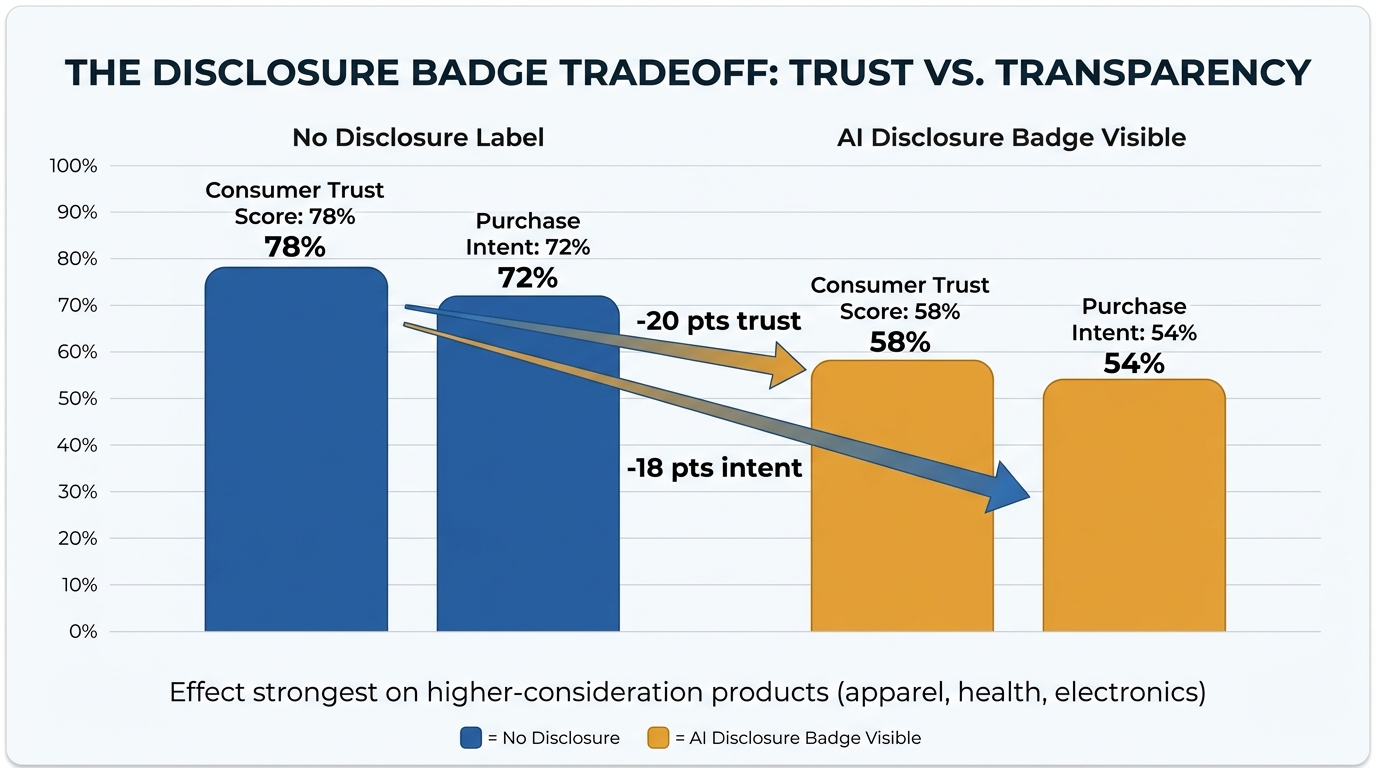
    The rule is tied to New York State’s synthetic performer disclosure requirements, but Amazon has applied it platform-wide. Amazon also indicates it may surface a shopper-facing indicator on listings with tagged synthetic performer content, though what that indicator looks like in practice is still evolving.

    What It Does and Doesn’t Apply To

    Amazon has been reasonably clear on scope:

    • Applies to: Photorealistic AI-generated people in product images, A+ content images, and product videos. This includes AI-generated models in lifestyle shots, AI-generated people in infographics, and AI-rendered human figures in video content.
    • Does not apply to: Real people (even if AI-edited or retouched), non-photorealistic AI illustrations or artwork, fictional characters from TV/film/games, and images with no human figures.

    The Practical Workflow Problem

    The operational challenge is that most AI image generation tools — Midjourney, DALL-E, Stable Diffusion, and their derivatives — do not automatically embed contains-synthetic-performer metadata in output files. Sellers using these tools to create lifestyle images with AI models need to add the tag manually using metadata editing software (Adobe Bridge, ExifTool, Lightroom’s metadata panel) before uploading to Seller Central.

    Non-compliance with this rule triggers the same enforcement cascade as other image violations: image removal, potential suppression, and account health flags. Given how widely AI image generation has been adopted by Amazon sellers in the past 18 months, this rule is already affecting a significant number of active listings whose sellers may not yet realize they’re exposed.

    The CTR Math: Why Compliant Isn’t the Same as Competitive

    Here’s the central argument of this entire post, stated plainly: Amazon’s image compliance rules create the floor. They don’t determine the ceiling.

    Two listings can both be 100% compliant — pure white background, correct frame fill, no text overlays, high resolution — and have wildly different CTR performance. The compliance spec tells you the minimum viable image. CTR performance is determined by how far above that minimum your image actually is.

    The CTR Gap Is Real and Measurable

    Amazon’s search environment in 2026 is more competitive than it has ever been. Category pages in popular niches routinely feature dozens of compliant listings, all technically meeting the spec. In that environment, compliance doesn’t differentiate you — it just keeps you in the game. What differentiates you is how your image performs at thumbnail size, how immediately recognizable your product is, how well it contrasts with adjacent listings, and how much visual confidence it projects.

    The data from Q1 2026 is instructive: median CTR across tracked Amazon search results is 0.42%. The top decile sits at 1.08%. A well-documented study across 2.4 million impressions and 847 ASINs showed that image optimization — specifically main image quality and frame composition — drove a 34% CTR improvement over baseline. Top-performing images in that study reached 8.7% CTR versus the 6.5% baseline for already-decent images. These aren’t anomalies. They’re consistent with what sellers see when they use Amazon’s own A/B testing tools to compare images systematically.

    The Competitive Angle Most Sellers Miss

    Most sellers look at competitor images to understand what’s typical in their category. The more useful frame is to look at competitor images and identify where they’re compliant but visually weak. An 85% frame fill listing where the product barely contrasts against the white background is compliant but exploitable. A competitor using the minimum 1,000px resolution (good enough for compliance, not great for zoom) is exploitable. A seller who hasn’t run a thumbnail test in 12 months is exploitable.

    Compliance sets a floor everyone has to clear. CTR optimization is about how high above that floor you can get — and how far above your competitors you go.

    Main Image Mechanics: Maximizing CTR Inside the Rules

    The main image is the single biggest CTR lever on Amazon. It’s the first thing a shopper sees in search results, it’s the dominant visual element on mobile (which accounts for the majority of Amazon browsing), and it determines whether a shopper pauses or scrolls past. Everything else — price, reviews, title, Prime badge — is secondary to whether the main image stops the scroll.

    Frame Fill: Push Beyond the Minimum

    Amazon requires 85% frame fill. The sellers with the highest-CTR main images typically run 88–92%. The difference matters because at thumbnail size — where most shoppers first see your product — a few percentage points of additional frame fill can meaningfully increase the visual impact of the product. The image has to work at roughly 150–200px on mobile. Anything that reduces product presence at that size is a CTR penalty.

    Push to the edges of the compliance space, not just the center of it.

    Angle Selection Is Undervalued

    Most sellers shoot the “standard” angle — whatever a professional product photographer considers the natural default. For some product types this is correct. For many others, it isn’t. The best angle for CTR is the one that makes the product:

    • Most immediately recognizable at thumbnail size
    • Most differentiated from competitor main images
    • Most visually dominant in the frame

    A kitchen knife shot straight on from the side is a stick. Shot at a slight angle showing the blade face, handle curve, and edge profile simultaneously, it’s an object. The compliance rules don’t specify angle — that’s entirely your creative space, and it’s where a lot of CTR is left on the table.

    Contrast Engineering

    White background means your product is going to be surrounded by white — both on the Amazon product page and next to every other white-background main image in the search results. Products that are also white, cream, or light-colored can visually disappear. This is a compliance-adjacent CTR problem that requires deliberate contrast engineering.

    Solutions within the rules include: shooting at an angle that emphasizes a darker edge or shadow, using careful lighting to create natural depth and shadow that separates the product from the background, shooting the product at an angle where its most visually interesting (and typically higher-contrast) feature faces the camera, or for products with multiple color variants, setting the default main image to the highest-contrast variant.

    Resolution and Zoom Quality

    The compliance minimum is 500px. The zoom activation threshold is 1,000px. But the practical standard for a competitive listing in 2026 is 2,000px or above. High-resolution images activate Amazon’s zoom feature, which allows shoppers to examine detail — and this zoom behavior is associated with significantly longer page engagement, which in turn supports conversion downstream. Meeting the compliance floor on resolution while leaving zoom quality on the table is a common performance gap.

    The Mobile Thumbnail Test (And Why Most Sellers Never Run It)

    Side-by-side mobile phone comparison showing low-CTR versus high-CTR Amazon product thumbnail performance on smartphone screens

    The single most underused image quality test in Amazon selling is also the simplest: pull up your listing on a smartphone, navigate to the search results page for your main keyword, and look at your product thumbnail in the context of the actual search results feed.

    Most sellers never do this. They review images in Seller Central on a desktop monitor, where everything looks large and detailed. But the context where the image actually has to work — and where the first impression is formed — is a 150px thumbnail on a mobile screen, surrounded by competitors’ thumbnails, competing for a shopper’s attention in 1–2 seconds.

    What the Test Reveals

    When you run the mobile thumbnail test, you’ll typically surface one or more of these common problems:

    • Pale products that blend into the white background: At thumbnail size, a light-colored product against white can look like an empty square. This is an immediate CTR killer and one of the most common problems for home goods, personal care, and supplement categories.
    • Text that’s too small to read: Even if you’re not running text on the main image (which you shouldn’t be for the hero slot), secondary images with text overlays that looked fine at full size can become illegible at thumbnail. This affects the secondary images visible in mobile carousels.
    • Confusing silhouettes: Some products are hard to identify at small sizes, especially if the standard angle doesn’t communicate the shape clearly. A phone case shot flat might look like a rectangle. Shot at an angle showing the camera cutout, corner chamfers, and button positions, it reads as a phone case instantly.
    • Visual noise: Props that are technically compliant (i.e., sold with the product) but visually cluttering at small sizes reduce the cognitive clarity of the thumbnail.

    Running the Test Systematically

    The most rigorous version of the mobile thumbnail test involves:

    1. Searching your primary keyword on a real mobile device (not a browser mobile preview)
    2. Taking a screenshot of the search results page
    3. Zooming in on your thumbnail alongside your top 5 competitors
    4. Asking someone unfamiliar with your product to identify what each thumbnail shows in 2 seconds
    5. Rating each thumbnail on immediate recognizability, contrast against white, and visual appeal

    This process is informal but powerful. It consistently surfaces problems that desktop review misses entirely. The best practice is to run this test before uploading any new main image, and to re-run it any time a competitor makes a significant image change in your category.

    Secondary Image Architecture: Turning a Gallery Into a Conversion Engine

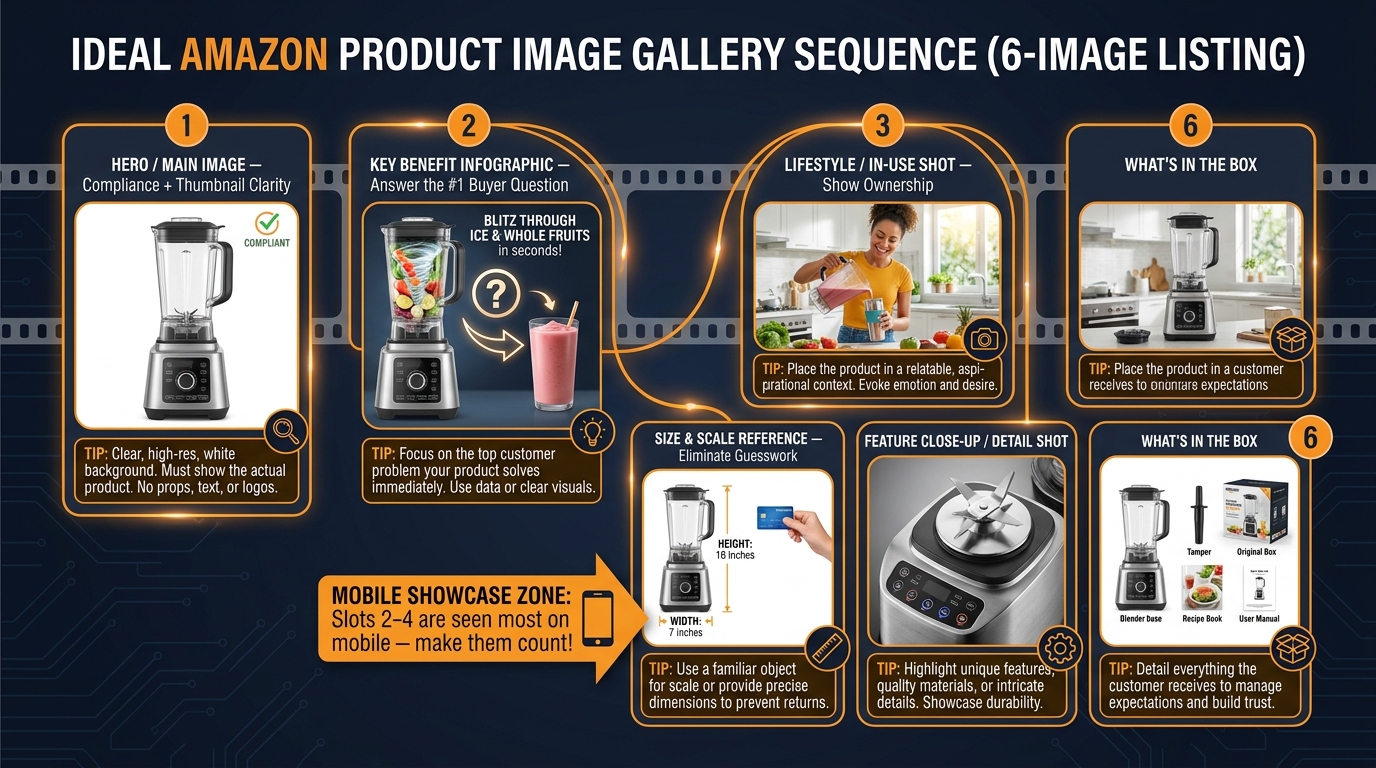
    Amazon secondary image gallery sequence diagram showing the ideal 6-slot image architecture for maximum conversion

    Once the main image wins the click, the secondary image gallery takes over the conversion job. These slots — up to eight additional images beyond the main image — are where compliance restrictions loosen significantly and where most sellers leave the biggest performance gap.

    The compliance rules for secondary images are minimal: accurate representation, no external URLs, resolution floors, and the new AI synthetic performer tagging requirement. Everything else is creative space. Yet most sellers fill their secondary galleries with generic manufacturer images, repeated angles, or poorly-optimized lifestyle shots that don’t connect with buyer psychology.

    The Gallery Architecture That Works in 2026

    High-converting secondary image stacks in 2026 follow a deliberate structure that treats each slot as answering a specific buyer question, in order of importance:

    Slot 2 — The Key Benefit Infographic: Lead with an image that answers the buyer’s primary question. What is this product? What does it do? What’s its single most important feature? Use a clean infographic with large, mobile-readable text. Research on secondary image performance consistently shows that slot 2 is one of the highest-engagement positions, especially on mobile where it appears immediately adjacent to the main image.

    Slot 3 — The Lifestyle/In-Use Shot: Show the product being used in context. The psychological mechanism here is ownership visualization — helping the shopper mentally place themselves with the product. Lifestyle shots that show a realistic scenario (not a styled magazine shoot) consistently outperform overly-produced imagery in conversion testing.

    Slot 4 — Size and Scale Reference: One of the most common reasons buyers abandon a listing is uncertainty about dimensions. A dedicated size/scale image — showing the product next to a recognizable reference object, or with precise dimensions annotated — directly addresses this objection before a shopper has to go looking for the information in the bullet points.

    Slot 5 — Feature Detail or Close-Up: A high-resolution detail shot that shows quality, materials, finishes, or a specific feature that matters to your buyer. This is where premium positioning gets made or lost visually — a close-up that shows craftsmanship or quality detail builds trust that text claims alone can’t match.

    Slot 6 — What’s in the Box: A clean, organized lay-flat or arranged shot showing exactly what comes with the product. This answers the “what am I actually getting?” question and reduces post-purchase disappointment (which drives returns and negative reviews).

    Slots 7–9 — Category-Specific Content: Use these slots for comparison charts (your product vs. competitors or alternatives), before/after imagery, customer use-case scenarios, or certification and testing proof points. The specific mix depends heavily on your category and the primary objections your buyer has.

    The Mobile-First Gallery Rule

    Research on Amazon mobile shopper behavior consistently shows that slots 2–4 receive the most secondary image engagement on mobile — because these are the images that appear in the initial carousel swipe without requiring the shopper to scroll or tap “view all images.” Design your most important content for these three slots. Don’t bury your scale reference in slot 7 or your key benefit infographic in slot 8.

    Text Overlay Standards for Secondary Images

    Text overlays on secondary images are allowed and effective — but they need to be mobile-readable. The practical standard: any text you add to a secondary image should be legible when the image is viewed at 300px wide on a phone screen. This typically means headline font sizes of 24px equivalent or above when the image is at full resolution, with high contrast (dark text on light backgrounds or white text on dark/colored panels). If the text is too small to read comfortably on a phone, it’s adding visual noise rather than information.

    A/B Testing With Manage Your Experiments: A Practical Framework

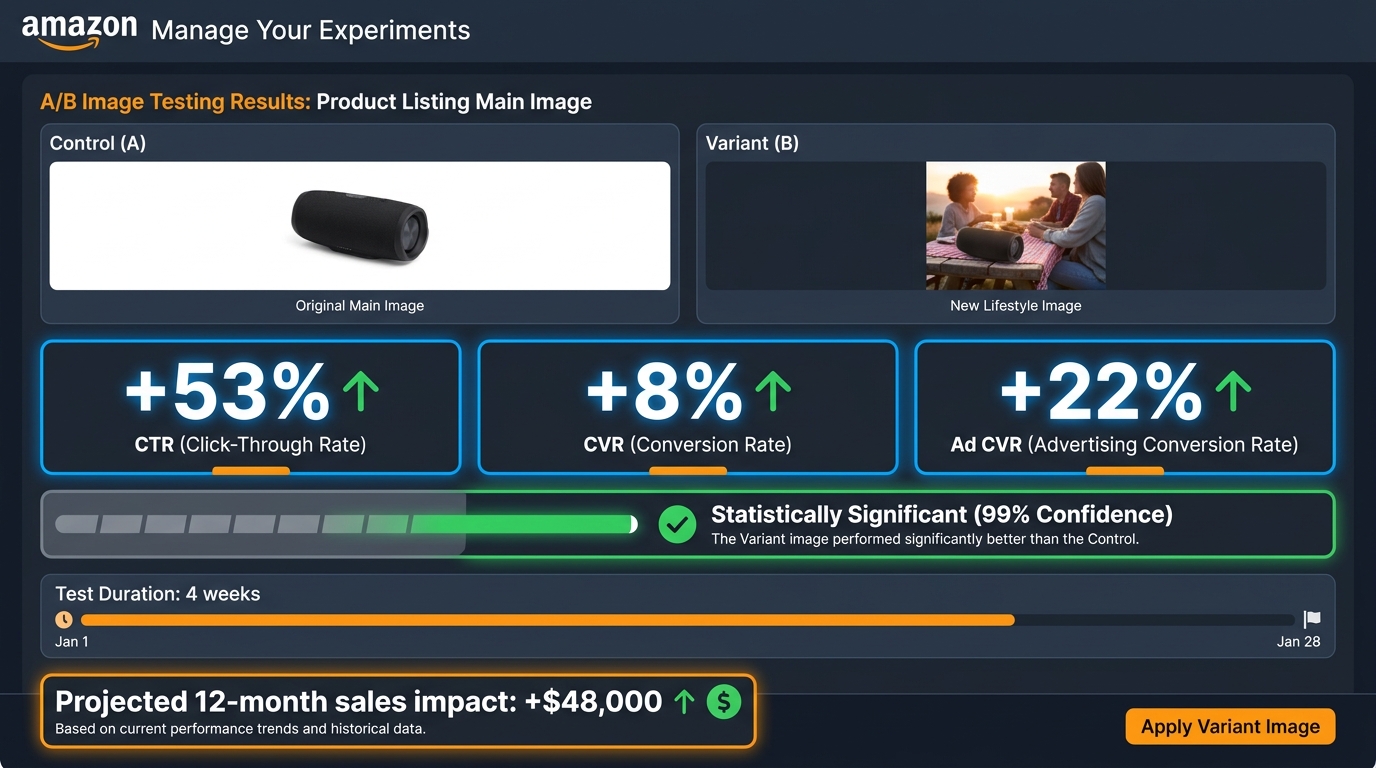
    Amazon Manage Your Experiments dashboard showing A/B image test results with +53% CTR, +8% CVR, and statistical significance indicators

    Opinions about images don’t matter. Test data does. Amazon’s native A/B testing tool — Manage Your Experiments — is available to Brand Registry sellers and allows you to split-test images, titles, A+ content, bullet points, and descriptions against real traffic on your own ASINs.

    For image optimization, this tool is one of the most underused performance levers on the platform. It’s not perfect — you need a certain traffic volume for results to reach statistical significance, and tests can take two to four weeks to generate reliable data — but it’s the only tool that gives you real Amazon shopper behavior data on your specific product in your specific category.

    How to Structure an Image Test

    Effective image A/B testing through Manage Your Experiments follows a clear structure:

    Test one variable at a time. The most common mistake is changing the main image entirely (angle, composition, and styling all at once) and then not knowing which change drove the result. Test one meaningful difference per experiment: angle vs. angle, tight crop vs. looser crop, with lifestyle context vs. without. Isolation is what turns test results into replicable learning.

    Define your success metric before you start. Amazon reports multiple metrics — conversion rate, units sold, units per unique visitor, and estimated annual sales impact. Know which metric you’re optimizing for before you interpret results. For a new ASIN with low visibility, CTR improvement may matter more. For a mature ASIN with good traffic, conversion rate improvement may be the priority.

    Let the test reach significance. Stopping early because one variant looks like it’s winning is one of the most common — and most expensive — testing mistakes. Amazon’s system reports statistical significance and a probability score. Don’t act on results below 95% confidence. For lower-traffic ASINs, this may require running the test for four to six weeks rather than two.

    Document and build a library. Every test result — win, lose, or inconclusive — is data. Build a record of what you tested, what the result was, and what hypothesis it confirmed or refuted. Over time, this library becomes a playbook for new product launches that starts from your category’s established best practices rather than from zero.

    What the Data Shows About Image Tests

    The published case study data on Amazon image A/B testing is encouraging. The Channel Key / Jason Markk case showed a +53% CTR improvement and +8% conversion rate improvement from a main image change — with the test also driving +22% improvement in advertising conversion rate. The Rewarx study across 847 ASINs found a 34% CTR improvement for optimized images versus baseline, with top performers reaching 8.7% CTR. These numbers represent real revenue impact: a 34% CTR improvement on an ASIN generating $10,000/month in revenue translates directly to additional sales, assuming conversion rate holds.

    The Psychology Behind High-CTR Images: What Buyers Are Actually Processing

    Understanding the mechanics of why certain images outperform others — not just the empirical fact that they do — helps you make better creative decisions without needing to test every possible variant.

    The Three-Second Visual Scan

    Behavioral research on online shopping consistently shows that shoppers form an initial impression of a listing in one to three seconds. In that window, they’re not reading titles or checking prices — they’re processing the main image. The image triggers a rapid, largely unconscious evaluation: Does this look like what I’m looking for? Does this look high-quality? Does this look like it’s worth clicking on?

    This is why clarity, contrast, and immediate recognizability matter so much at thumbnail size. The main image has to pass a subconscious “worth my attention” test before any conscious evaluation of price, title, or reviews can happen. Fail that test, and the shopper’s eye moves to the next listing in under a second.

    Trust Signals in the First Frame

    High-resolution, professionally lit product photography isn’t just aesthetically better — it’s a trust signal. Shoppers use image quality as a proxy for seller credibility. A blurry, poorly-lit, or badly-composed main image communicates something the shopper may not consciously articulate but strongly responds to: if the seller didn’t invest in presenting their product well, maybe the product isn’t worth investing in either.

    This effect is especially pronounced in categories where there are many low-quality or counterfeit products (electronics accessories, supplements, home goods). In those categories, professional image quality is one of the fastest trust differentiators available, because it’s visible before any review reading or seller research.

    Ownership Visualization and the Gallery Role

    Research in consumer psychology has established that “ownership visualization” — the mental simulation of owning and using a product — is a significant driver of purchase intent. Lifestyle images in the secondary gallery directly activate this psychological mechanism. When a shopper can vividly imagine using a product in a context that feels real and relevant to their own life, purchase intent increases substantially.

    This is why lifestyle images that feature realistic scenarios — a person their age, in a setting that resembles their home or life, doing something they actually do — outperform studio-styled lifestyle imagery with generic models in aspirational but irrelevant settings. The goal isn’t beautiful. The goal is recognizable.

    Common Compliance Mistakes That Are Quietly Killing Your Traffic

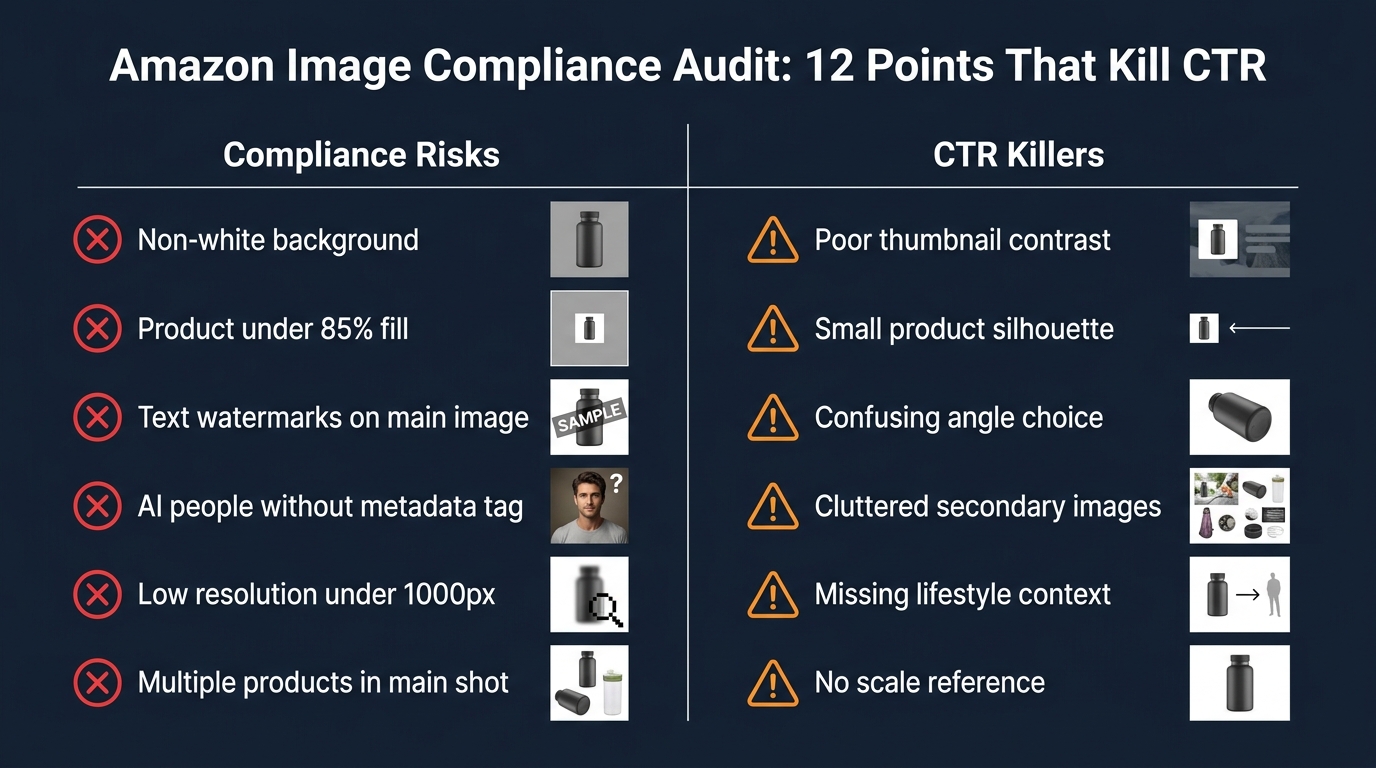
    Amazon image compliance audit checklist showing 12 compliance risks and CTR killers that suppress listings and reduce click-through rates

    Beyond the obvious violations (colored backgrounds, text watermarks on main images), there are a set of compliance mistakes that are common, subtle, and often go undetected until they cause a suppression event. Here are the ones generating the most enforcement activity in 2026:

    1. Near-White Backgrounds That Fail RGB Verification

    Stock photo platforms and many product photography services deliver images with backgrounds that look white on screen but are actually light gray (RGB 245, 245, 245), warm white (RGB 250, 248, 240), or slightly tinted. Amazon’s automated scanner checks background pixel values and flags non-255,255,255 backgrounds. The fix: any professional product photographer or photo editor can bring a background to true white. In post-production, this is a 30-second adjustment. Without it, it’s a suppression risk.

    2. Props That “Come With” the Product But Aren’t Disclosed

    Sellers sometimes include a prop in the main image — a charging cable, a carrying case, a remote control — without the prop being part of the sold product. Amazon’s policy is clear: the main image should only show what’s being sold. Including accessories or props that aren’t included in the purchase creates both a compliance risk and a customer trust issue (when the product arrives without the prop shown).

    3. AI-Generated Models Without Metadata Tags

    As noted above, any photorealistic AI-generated person in a listing image or A+ content needs the contains-synthetic-performer XMP metadata tag before upload. Many sellers using AI tools for lifestyle photography don’t realize this tag isn’t added automatically by their generation tool. This is currently one of the fastest-growing compliance failure points on the platform.

    4. Low-Resolution Files Submitted at the Minimum

    Submitting images at exactly 500px or 1,000px meets the compliance floor but creates downstream issues: no zoom capability at 500px, marginal zoom quality at 1,000px, and potential quality flags if Amazon’s systems evaluate image clarity below a threshold. The operational standard should be 2,000px minimum, with 3,000px preferred for main images in competitive categories.

    5. Old Images Not Re-Audited After Policy Updates

    Amazon’s enforcement interpretation tightens periodically — what was acceptable under previous enforcement thresholds may now trigger flags. Sellers who set images once and don’t re-audit regularly are accumulating compliance risk on their catalog over time. The July 2026 AI metadata requirement is a perfect example: it created compliance exposure on existing listings that were already live and previously fine.

    6. Category-Specific Rules Being Missed

    Beyond the universal image requirements, many categories have additional specific rules. Apparel must show items on a human model or hanger. Electronics may have specific image composition requirements. Food products have labeling-in-image requirements in some categories. Selling across multiple categories without researching category-specific image requirements is a frequent source of unexpected suppression events.

    Building a Repeatable Image Compliance + CTR System

    The highest-performing Amazon sellers in 2026 don’t treat image compliance and image performance as separate workstreams. They treat them as a single integrated system that runs on a regular cadence. Here’s what that system looks like in practice.

    The Quarterly Image Audit

    Every three months, every ASIN in your catalog should go through a structured image audit that checks:

    • Background RGB values (use a color picker tool or ask your editor to confirm)
    • Frame fill percentage (eyeball check against the 85%+ standard)
    • Resolution verification (file property check — confirm 2,000px+ on longest side)
    • Main image compliance against current Amazon policy (no text, no props, single product)
    • AI-generated content metadata check if any AI imagery is in use
    • Mobile thumbnail test against current top 5 competitors
    • Category-specific rule check for any policy updates

    This doesn’t have to be time-intensive. For most sellers, a structured checklist applied to each ASIN takes 15–20 minutes per listing. The cost of not doing it — a suppression event on a high-revenue ASIN — can easily run into thousands of dollars of lost revenue for every day the listing is dark.

    The Ongoing Testing Cadence

    For any ASIN generating more than 500 units per month, you should have an ongoing image testing program using Manage Your Experiments. The recommended cadence:

    • One active test per ASIN at all times for your top 20 ASINs
    • Main image tested first — it has the highest impact on CTR
    • Secondary image architecture tested second — particularly slot 2 infographic vs. lifestyle
    • Test results documented and reviewed quarterly to identify patterns across your catalog

    Pre-Launch Image Review for New ASINs

    New product launches should include a formal image review step before the listing goes live. By the time a listing is suppressed on launch day, you’ve already potentially wasted PPC spend, lost early sales velocity, and compromised the ASIN’s early performance window — which has downstream effects on organic ranking and review acquisition.

    The pre-launch checklist is the same as the quarterly audit checklist, but run before the listing is submitted rather than after a problem surfaces. This is a 20-minute investment that protects your entire launch budget.

    Connecting Compliance to Revenue Metrics

    The final element of a mature image system is connecting compliance events to revenue impact, so that image management is understood as a business priority rather than a back-office task. When a suppression event occurs, calculate the revenue impact: how many units per day does that ASIN typically sell, and how long was it suppressed? What was the cost to PPC campaigns during the suppression? Did the suppression affect the ASIN’s organic rank?

    When image management is measured in revenue terms — rather than just violation counts — it gets the investment and priority it deserves. A single avoided suppression event on a major ASIN can easily justify the cost of a full quarterly image audit across your entire catalog.

    The Bottom Line: Compliance Is Your Floor, CTR Is Your Ceiling

    Amazon’s 2026 image rules are stricter, more automated, and more consequential than they have been at any point in the platform’s history. The enforcement reality is that violations now carry less grace period and faster suppression cascades. The AI metadata requirement has introduced a new compliance surface that many sellers haven’t yet addressed. And the ongoing tightening of background purity and frame fill standards means that images that passed six months ago may be at risk today.

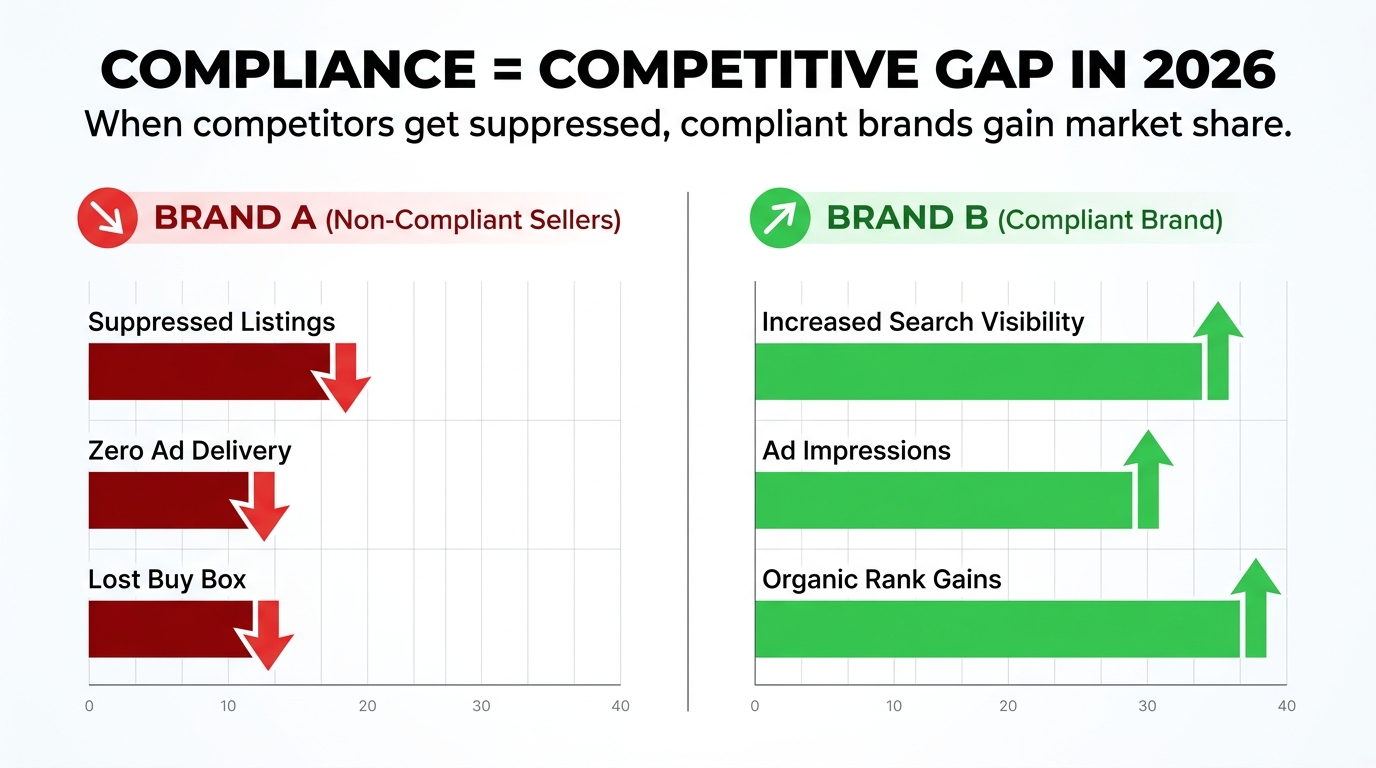
    But here’s the competitive opportunity embedded in all of that: tighter enforcement means more suppression events for non-compliant sellers, which means more organic visibility for sellers who are fully and consistently compliant. Every time a competitor gets suppressed, they effectively disappear from search results — and that traffic has to go somewhere.

    Compliance keeps you in the game. Image optimization is how you win it.

    The sellers pulling 1.08% CTR in a market where the median is 0.42% aren’t doing it with secret tools or proprietary data. They’re doing it by running the mobile thumbnail test. By pushing frame fill to 90% instead of 85%. By choosing the angle that reads immediately at 150px. By structuring their secondary galleries around buyer psychology instead of available assets. By A/B testing relentlessly and building on what works.

    Start with a compliance audit. Then run the mobile thumbnail test on your top five ASINs. Then set up your first Manage Your Experiments image test. None of these steps requires a big budget or a large team. All of them compound over time into a real, measurable performance advantage.

    Key takeaways:

    • Amazon’s 2026 enforcement is automated, fast, and less forgiving — suppression can happen within hours of a violation being detected.
    • The July 2026 AI synthetic performer rule requires IPTC/XMP metadata tagging on any photorealistic AI-generated person in your images before upload.
    • Compliant does not mean competitive — the CTR gap between median (0.42%) and top decile (1.08%) listings is driven by image quality and composition, not compliance status.
    • The mobile thumbnail test is the fastest, cheapest image audit you can run — and most sellers never do it.
    • Secondary image galleries should be architected around buyer psychology: answering questions in order of importance, with critical content in slots 2–4.
    • Manage Your Experiments is the only tool that gives you real A/B data on your images from actual Amazon shoppers. Use it on every eligible ASIN above 500 units/month.
    • Build a quarterly compliance + performance audit into your operations calendar and measure its impact in revenue terms.
  • When Amazon’s Compliance Bot Gets It Wrong: The Hidden Cost of False Positives in 2026 Image Enforcement

    When Amazon’s Compliance Bot Gets It Wrong: The Hidden Cost of False Positives in 2026 Image Enforcement

    Your listing is live. Sales are running. And then — without a warning email, without a phone call, without a human ever looking at your product photo — Amazon’s automated system decides your image is non-compliant. Your ASIN disappears from search. Your ad spend continues burning. Your organic rank starts eroding. You find out because sales stopped.

    This is the reality of Amazon image compliance enforcement in 2026, and the conversation around it has been dominated by one question: what are the rules? That question has been answered, repeatedly. There are comprehensive rule lists everywhere. But the rules are almost not the point anymore.

    The real story in 2026 is what happens when those rules are enforced by an AI system operating at a scale no human team could match — scanning over 300 million product images per month, suppressing 3.1 million listings in a single quarter, and generating a non-trivial rate of false positives that fall entirely on sellers to identify, dispute, and remediate. Meanwhile, new legal obligations around AI-generated imagery and synthetic performers have layered fresh complexity onto an already dense compliance landscape.

    This article isn’t a rule recap. It’s an operational analysis of what Amazon’s image compliance system actually looks like from the inside of the enforcement pipeline — how the detection works, where it breaks down, what suppression really costs, how to navigate the appeals process when you’re wrongly flagged, and what a genuine compliance operation looks like for sellers who are serious about protecting their catalog in 2026.

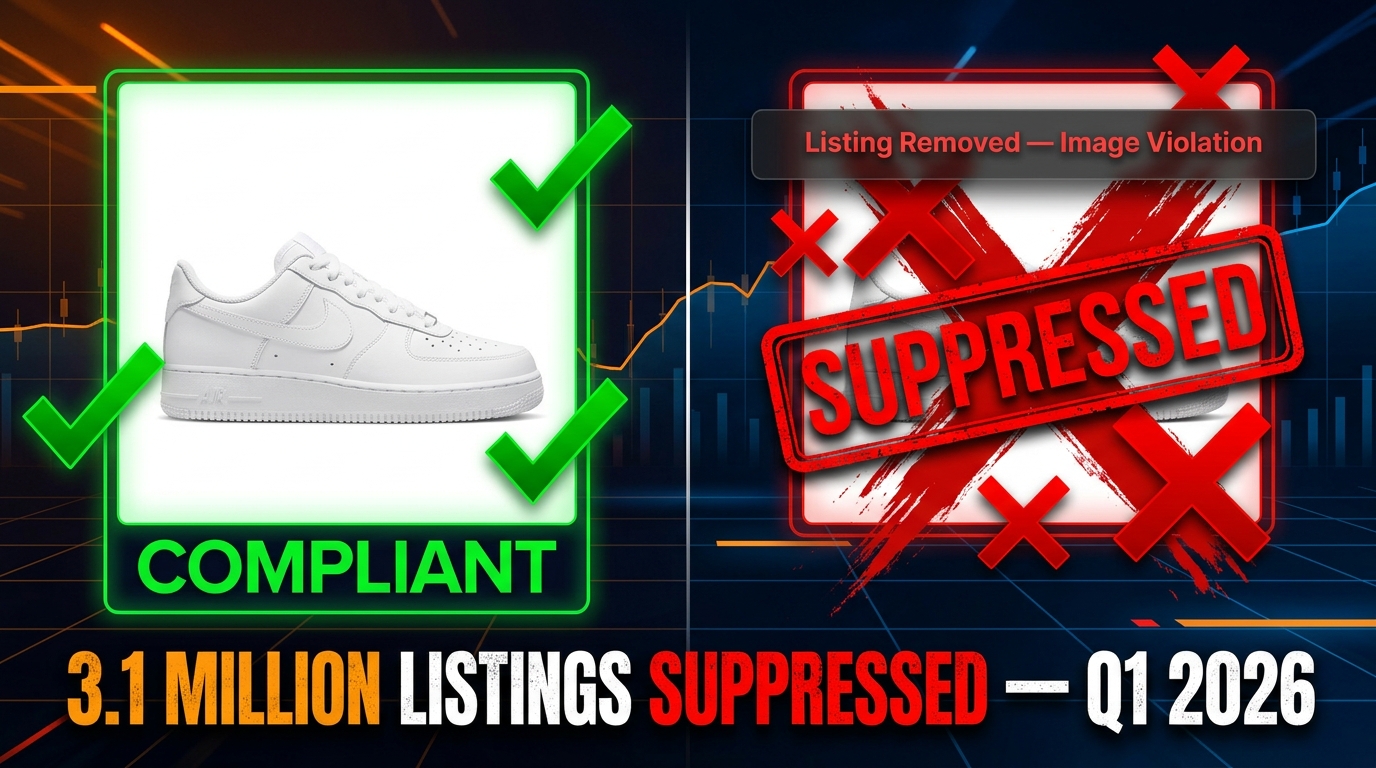
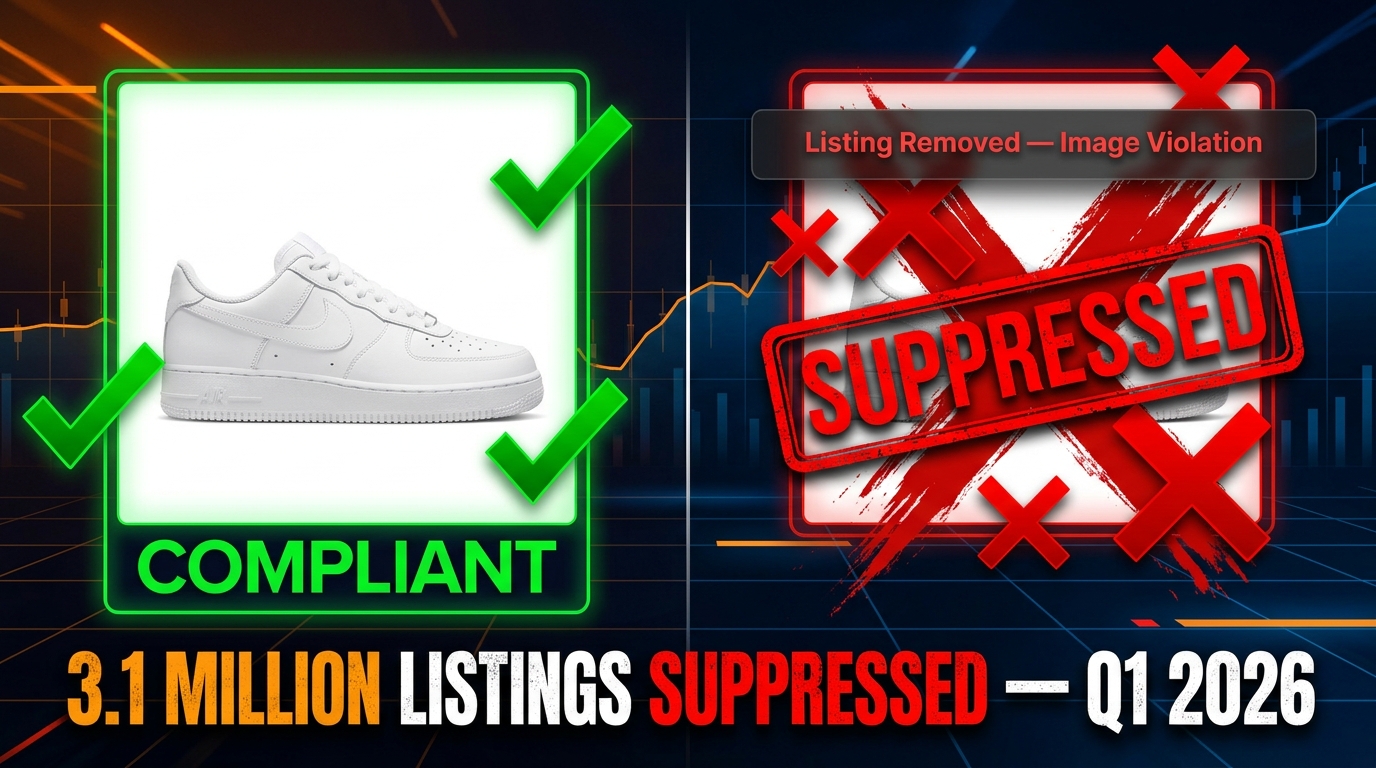
    Amazon image compliance enforcement 2026 — compliant vs suppressed listing split comparison with 3.1 million listings suppressed stat

    The Scale of the Problem: 3.1 Million Listings in One Quarter

    To understand why image compliance has moved from a background operational concern to a top-line business risk, you need to start with the numbers. According to Marketplace Pulse reporting cited across multiple 2026 industry analyses, Amazon removed more than 3.1 million listings in a single quarter for image policy violations. That is not a typo, and it is not a cumulative figure. That is one quarter.

    Put that in context. Amazon hosts hundreds of millions of active product listings. The enforcement action in a single quarter represents a meaningful percentage of active catalog, and every one of those suppressions represents a seller losing organic search visibility, potentially losing their rank position, and in some cases losing weeks or months of sales velocity data that feeds into the A10 algorithm’s ranking signals.

    What Changed to Produce This Scale

    The enforcement shift didn’t happen overnight. Amazon has been building toward automated, algorithmic image compliance for several years, but 2026 is when the infrastructure became genuinely capable of acting at catalog scale without meaningful human review in the loop.

    Several specific changes converged to produce the current environment:

    • Main image minimum resolution raised: The standard moved from 1,600×1,600 pixels to 2,000×2,000 pixels effective April 15, 2026. Listings that had technically passed before suddenly became non-compliant under the new threshold.
    • Product fill requirement tightened: The product must now occupy at least 85% of the image frame, a specification that is now being checked algorithmically rather than through spot audits.
    • Pixel-level background enforcement: Amazon’s systems now check that backgrounds are pure white at the pixel level — specifically RGB 255, 255, 255. An off-white that is barely distinguishable to the human eye can be flagged and trigger suppression.
    • Auto-suppression without warning: Previously, sellers might receive a notification to fix a non-compliant image within a grace period. In 2026, the default for many violation types is immediate suppression, with sellers discovering the issue only after the fact.

    Who Bears the Risk Asymmetrically

    The 3.1 million figure obscures an important distribution. Most of those suppressions are concentrated among smaller and mid-sized sellers who lack the dedicated compliance infrastructure to catch issues before Amazon’s system does. Large brand-registered sellers with professional catalog teams and automated pre-submission checks are largely insulated. The sellers most likely to be hurt are those with large catalogs and limited operations bandwidth — exactly the sellers who can least afford to have revenue interrupted without warning.

    The concentration of enforcement impact among smaller sellers is not a feature of the policy — it is a structural consequence of who has the resources to operate compliant catalog management systems at scale. A well-resourced brand can afford the tooling, the dedicated staff, and the pre-submission verification workflows that effectively insulate them from the automated system’s error rate. A growing seller running a lean operation is far more exposed to both genuine violations and false positives.

    How Amazon’s AI Actually Scans Your Images

    Most coverage of Amazon’s image compliance discusses the rules in isolation without explaining the mechanism by which they’re enforced. Understanding the technical architecture of Amazon’s detection system matters — both because it tells you what the system is actually looking for, and because it explains why false positives happen.

    Amazon AI image scanning pipeline 2026 — Rekognition detection modules, background check, synthetic person detector, resolution validator

    The Core Infrastructure: Amazon Rekognition and Custom Classifiers

    Amazon’s retail image compliance system is built primarily on Amazon Rekognition, the company’s commercial computer vision service, combined with proprietary compliance classifiers that sit on top of it. Rekognition itself handles the broad moderation tasks — detecting unsafe, explicit, or potentially misleading content. On top of that foundation, Amazon has developed specialized classifiers tuned specifically for marketplace compliance contexts.

    These custom classifiers handle tasks that Rekognition’s general model wasn’t designed for: identifying whether a product is filling the required percentage of frame, detecting non-white background pixels, flagging watermarks or overlaid text, and — increasingly — identifying images that appear to be AI-generated or digitally altered in ways that misrepresent the product.

    The Multi-Stage Review Pipeline

    When you upload an image to Amazon, it doesn’t flow directly to your live listing. It moves through a multi-stage review pipeline that operates roughly as follows:

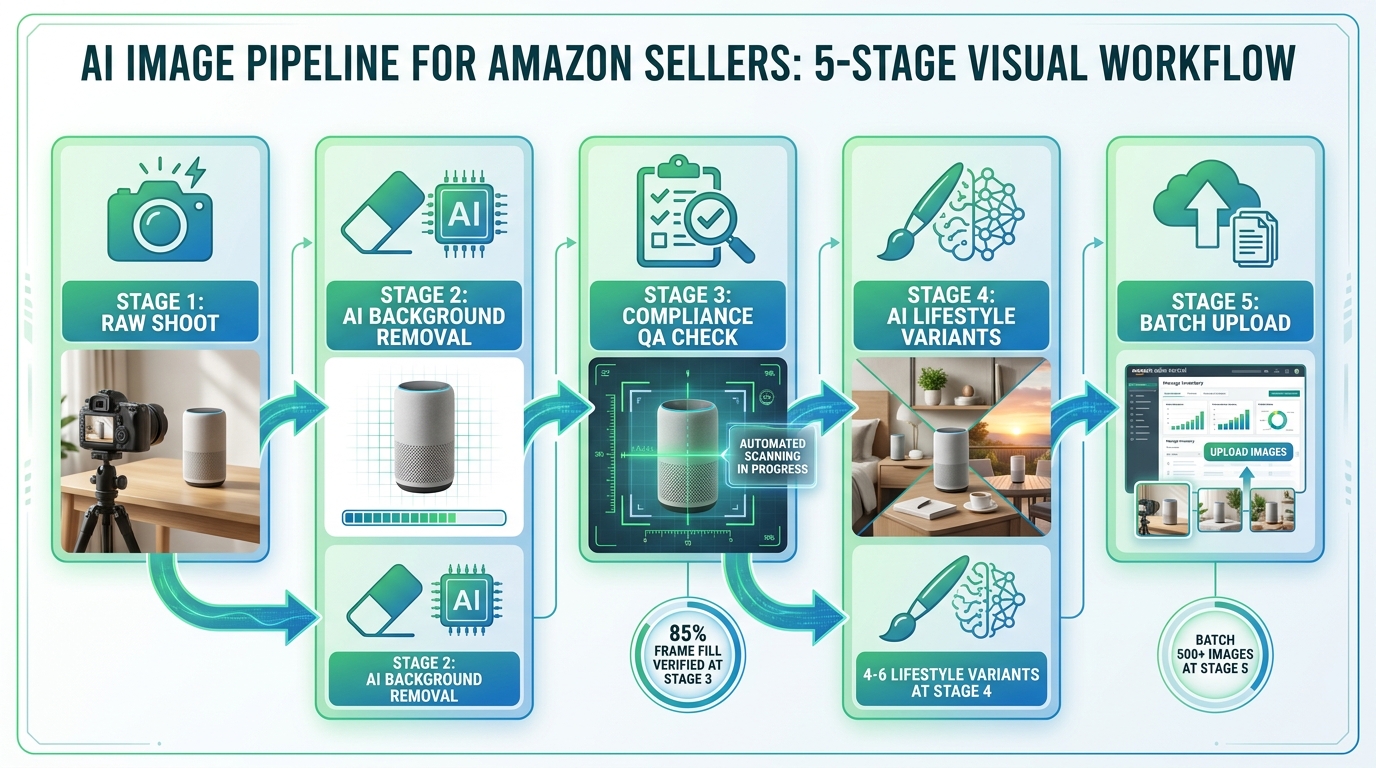
    1. Technical metadata check: File format, color space (sRGB required), and minimum resolution are verified immediately. Failures here stop the image before it reaches more expensive computer vision processing.
    2. Computer vision moderation pass: The image is run through Rekognition-style models to flag unsafe or prohibited content. This happens at scale, using batch processing infrastructure.
    3. Compliance classifier pass: Purpose-built models check for background compliance, product fill percentage, presence of text or logos, and whether the image appears to represent the actual product being sold.
    4. Hash similarity check: The image is compared against a database of previously flagged or removed images. Resubmitting a non-compliant image with minimal changes will typically be caught here.
    5. Synthetic image classifier: A relatively new addition to the pipeline, this checks whether images appear to be substantially AI-generated — a determination that matters under both Amazon’s internal policy and new legal requirements around synthetic performers.

    For most images, this entire pipeline runs automatically without any human involvement. Human review enters the picture primarily when sellers appeal a suppression, and even then, the initial appeal review is frequently handled by a combination of automated scoring and low-level review teams working from standardized decision frameworks.

    What the System Isn’t Good At

    The system described above is genuinely impressive in scale. Analyzing 300 million images per month would be impossible any other way. But it is important to understand the limitations of these systems, because those limitations translate directly into false positives that damage seller revenue.

    Computer vision models that identify pixel-level background deviations are sensitive enough to flag shadows, compression artifacts, and minor color profile inconsistencies that are invisible to the human eye and irrelevant to the customer experience. Models trained to detect AI-generated images are not perfect — they produce false positives on high-quality product photography that uses certain editing techniques. The compliance classifiers have to operate on simplified rules rather than contextual judgment, which means they will always produce a certain percentage of incorrect determinations.

    The system is also not static. Amazon regularly retrains its classifiers and adjusts enforcement thresholds. When this happens, images that have been live and compliant for months can be retroactively flagged under the new model — not because anything about the image changed, but because the detection standard was updated. Sellers have no advance notice of these retrains and no way to pre-emptively verify compliance against a model that doesn’t exist yet.

    The False Positive Problem Nobody Is Talking About Loudly Enough

    The 3.1 million listing suppressions in one quarter are reported as evidence of enforcement strength. But embedded within that figure is a subset of suppressions that should never have happened — listings suppressed for alleged violations that, on any reasonable human examination, were compliant.

    Amazon AI image compliance false positive problem — robot stamping compliant product image with violation detected, 62% of AI-generated photos flagged stat

    The Numbers Behind the False Positives

    Amazon has not published false positive rates for its image compliance system. The company doesn’t acknowledge the category in its public communications. But industry-level signals are telling. Analysis from 2026 marketplace specialists indicates that approximately 62% of fully AI-generated product photos submitted to Amazon’s catalog were flagged in automated review — a number that suggests a detection system calibrated toward over-sensitivity. That statistic applies specifically to AI-generated images, but the same underlying detection systems produce false positives across other violation categories as well.

    Sellers in specialized forums and agency reports have documented cases where:

    • Perfectly compliant product photography on pure white backgrounds was flagged because compression during upload introduced background artifacts below perceptible threshold.
    • Images that had been live and compliant for months were retroactively suppressed when Amazon’s models were retrained and applied to the existing catalog.
    • High-quality lifestyle images submitted for secondary image slots were flagged as main image violations despite being uploaded to different positions.
    • Products on white backgrounds with minimal product shadows were rejected for “non-white background” when the shadow constituted a small fraction of the image’s total pixel space.
    • Heavily edited conventional photography was detected as AI-generated — and therefore non-disclosed — by classifiers that couldn’t distinguish between aggressive photo retouching and generative AI output.

    The Structural Problem: No Accountability Loop

    What makes false positives especially damaging in Amazon’s enforcement system is the absence of a feedback mechanism that creates accountability. When Amazon’s system incorrectly suppresses a listing, there is no automatic review triggered. There is no internal metric at Amazon that tracks false positive rates and incentivizes the team to reduce them. The burden of identifying the suppression, investigating whether it’s legitimate, and pursuing an appeal falls entirely on the seller.

    During the time it takes a seller to notice the suppression, investigate the cause, prepare a response, and navigate the appeals process, revenue is lost. Rank position deteriorates. Ad campaigns targeting the suppressed ASIN continue spending with zero conversions. And in categories with seasonal peaks, a false positive at the wrong moment can cost a seller their window entirely.

    Why Amazon’s Incentives Don’t Point Toward Fixing This

    Amazon’s published rationale for aggressive image compliance enforcement is customer experience — ensuring that product photos accurately represent what’s being sold, meet quality standards, and don’t deceive buyers. That’s a legitimate goal. But it doesn’t create pressure to reduce false positives, because false positives don’t hurt customers. They only hurt sellers.

    From Amazon’s internal perspective, over-enforcement is less costly than under-enforcement. A false positive produces a complaint through the appeals channel; a missed violation potentially produces a customer complaint, a return, and a negative review. The asymmetric consequences of errors mean the system will, by design, err on the side of over-suppression. Sellers absorb the cost of that design choice without any mechanism to recover it from Amazon when the suppression was the system’s error rather than theirs.

    The Technical Spec Minefield: Where Most Sellers Actually Get Tripped Up

    Understanding the compliance landscape requires a clear-eyed look at the specific technical requirements that generate the most suppression events in 2026. These aren’t the obvious violations — nobody is intentionally submitting images with visible watermarks or explicit content. The volume comes from technically subtle requirements that are easy to get subtly wrong.

    The White Background Problem

    The requirement for a pure white background — specifically RGB 255, 255, 255 / HEX #FFFFFF — sounds simple. In practice, it is one of the most common sources of suppression in 2026. Here’s why:

    Professional product photographers typically shoot on white seamless paper or white surfaces that look white to the eye but photograph in the range of RGB 245–252 depending on lighting conditions. Post-production editing can bring these into full compliance, but imprecise editing, JPEG compression artifacts during upload, and color profile mismatches between sRGB and other profiles can all introduce sub-visible deviations that Amazon’s pixel-level checker flags.

    The specific failure modes sellers encounter include:

    • Compression artifacts: JPEG compression at any quality setting below 100% introduces color variation at edge boundaries. A product image that passes a background check before compression may fail it after upload processing.
    • Color profile mismatches: Images saved in Adobe RGB or ProPhoto RGB color spaces and converted to sRGB during upload can shift background values slightly. Amazon’s system checks the uploaded file as-is.
    • Ambient shadows: Even diffuse, soft shadows cast by a three-dimensional product onto a white background can produce pixel values in the 240–254 range, technically violating the pure white standard.
    • Edge processing artifacts: When products are clipped from a photography background and composited onto a white canvas, the anti-aliasing at the edge can create semi-transparent pixels that blend with off-white values.

    Resolution and Frame Fill

    The 2,000×2,000 pixel minimum is straightforward, but sellers running older photography workflows may not have been producing images at this resolution historically. The 85% frame fill requirement is more nuanced — it applies to the longest edge of the product in the image, meaning a product like a flat cable or a narrow pen that is oriented vertically needs to nearly fill the frame in that dimension.

    Sellers with large catalogs who produced compliant images under the previous 1,600×1,600 minimum now face the task of auditing and re-shooting entire product lines. Those who haven’t completed that transition have listings quietly sitting under the threshold, vulnerable to suppression under the new standard whenever Amazon’s system runs a compliance pass against those ASINs.

    What’s Prohibited in Secondary Images

    While main image compliance gets most of the attention, secondary images have their own set of requirements that sellers frequently miss. Infographic images, lifestyle shots, and feature call-outs used in secondary positions are permitted — but they must not contain false claims, must not show elements not included with the product, and must represent the specific variation being viewed, not a different color or size.

    In categories with variation listings, Amazon’s system is increasingly checking whether secondary images accurately correspond to the selected variation. A parent listing that shows lifestyle images featuring the blue version of a product when the customer has selected the red variation can be flagged for misrepresentation, even if each color ASIN technically exists in the catalog. This check is subtle enough that sellers with large variation catalogs may have numerous technically non-compliant image associations without realizing it.

    The AI-Generated Image Rulebook: New Legal Terrain in 2026

    The most significant new development in Amazon’s image compliance landscape in 2026 isn’t a change to the white background specification. It’s the emergence of legally-backed disclosure requirements for AI-generated images — particularly those depicting synthetic human beings.

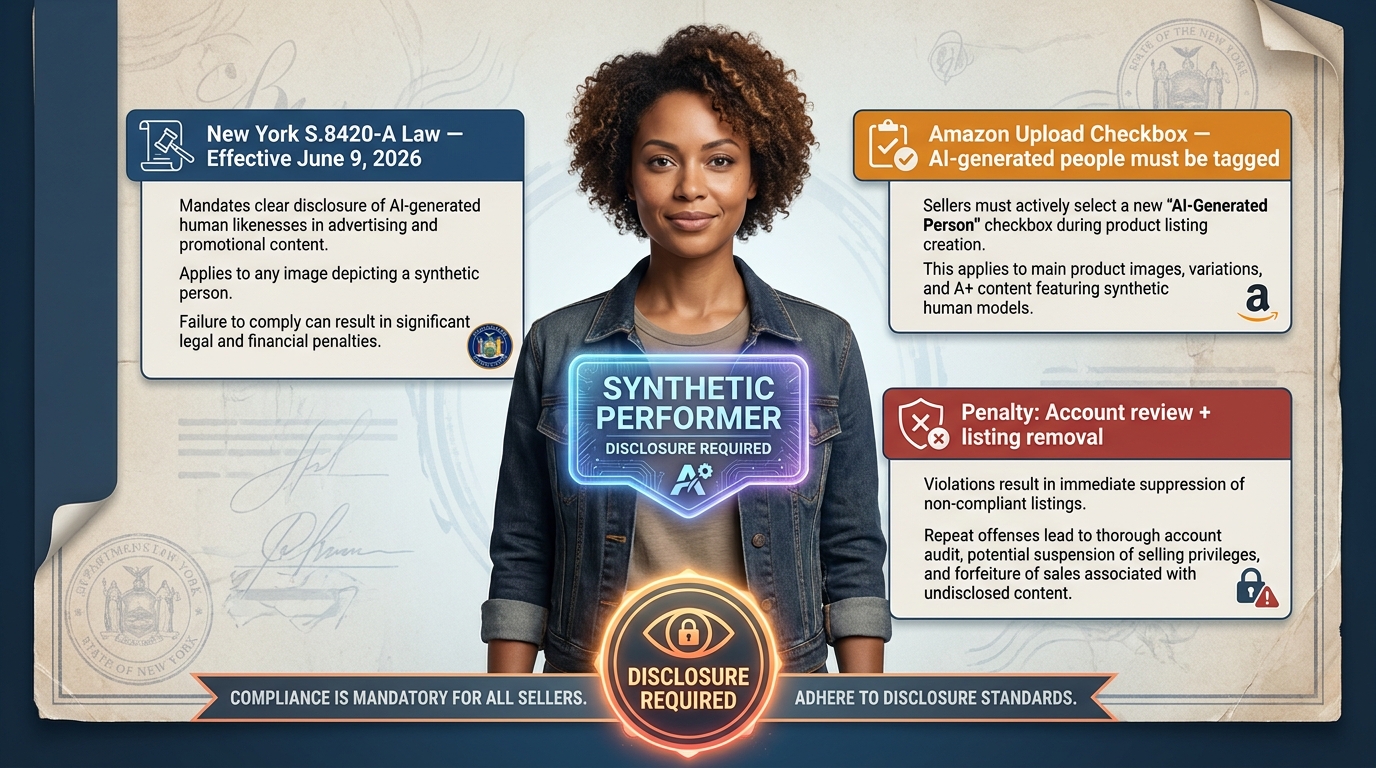
    Amazon AI-generated image disclosure requirements 2026 — synthetic performer disclosure badge, New York S.8420-A law, Amazon upload checkbox requirement

    The New York Synthetic Performer Law and Its Reach

    New York State Senate Bill S.8420-A — commonly referred to as the synthetic performer law — took effect June 9, 2026. The legislation requires that any commercial use of a digitally created or AI-generated likeness of a performer include explicit disclosure. While this law applies to New York specifically, Amazon’s response has been to implement a disclosure requirement across its entire marketplace rather than attempt to apply state-specific rules to a global platform.

    The practical implication: any seller or brand using AI-generated product imagery that includes photorealistic human models — a practice that had been growing rapidly as a cost-efficient alternative to model photography — is now required to tag those images during the upload process. Amazon has added a checkbox to the image submission workflow specifically for this declaration.

    What “Synthetic Performer” Means in Practice

    The definition matters because it affects a broader range of content than sellers initially realize. A synthetic performer under Amazon’s current policy interpretation includes:

    • Fully AI-generated human models wearing or using the product
    • Photorealistic human faces created by generative AI, even if only partially visible in the frame
    • AI-generated hands, arms, or other body parts used in product demonstration imagery where the human element is photorealistic and central to the image composition

    What it does not necessarily include — though this area remains interpretively gray — is highly stylized illustrations or clearly non-photorealistic representations of humans. The “photorealistic” threshold is doing a lot of work in the policy language, and Amazon’s automated classifiers aren’t perfectly calibrated on that boundary. Sellers operating in that gray zone should err on the side of disclosure rather than risk an enforcement action for non-disclosure.

    The Disclosure Requirement vs. The Detection Problem

    Here is where the situation becomes operationally complicated. Amazon requires disclosure for AI-generated images. Amazon also runs an automated AI image detection system to identify undisclosed AI-generated content. But the detector is imperfect — it produces false positives on human photography and false negatives on high-quality AI-generated imagery that successfully mimics photographic characteristics.

    And the penalties for failing to disclose are more severe than for failing to meet technical specifications. Non-compliant technical specifications typically result in listing suppression pending correction. Failure to disclose AI-generated synthetic performers can result in listing removal, Account Health violations, and in cases involving repeated or deliberately deceptive non-disclosure, account-level consequences. The stakes are asymmetric, and sellers using generative AI tools in their creative workflows need to have explicit disclosure protocols in their production process — not as an afterthought, but as a documented, mandatory step.

    What About Non-Human AI-Generated Elements?

    The current disclosure requirement specifically targets AI-generated people. AI-generated product backgrounds, AI-enhanced product imagery where the product itself is photographed conventionally, and AI-generated graphic design elements in secondary images are not currently subject to the same explicit disclosure mandate. However, Amazon’s compliance classifiers are increasingly sensitive to imagery that appears AI-generated broadly — and flagging rates are elevated for images with certain generative AI visual signatures, disclosure or not.

    The practical guidance for 2026 is to disclose anything involving photorealistic AI-generated humans, document your disclosure decisions as part of your production workflow, and remain aware that even non-human AI-generated content is under heightened automated scrutiny that may intensify as the regulatory landscape around synthetic media continues to evolve.

    Category-Specific Traps: Apparel, Electronics, and Regulated Products

    Amazon’s baseline image requirements apply universally, but each major category carries additional specifications and, importantly, different enforcement patterns. Three categories are responsible for a disproportionate share of compliance issues in 2026.

    Apparel: The Model Photography Complexity

    Apparel is the most complex category from an image compliance standpoint. The main image rules for apparel include category-specific exceptions: items must be shown on a human model for certain garment types, with the model standing upright (not seated), facing forward, against a pure white background. Flat-lay photography is permitted for some subcategories but not others, and the rules about which approach is acceptable have been a moving target.

    In 2026, the intersection of apparel image requirements and AI-generated model policies has created a particularly fraught environment. Brands that were using AI-generated models to reduce photography costs — a widespread practice given the significant expense of professional model photography — now face both the technical requirements for compliant apparel imagery and the disclosure requirements for synthetic performers. Many are simultaneously navigating suppression risk on both fronts while determining what compliant AI-model disclosure looks like at catalog scale.

    Additionally, variation images in apparel listings must accurately represent the specific color and style variation being displayed. A parent listing with 12 color variations requires 12 sets of compliant, variation-specific images. Sellers who have been using a single set of images across variations — or who have orphaned images from discontinued colors still attached to the listing — are particularly vulnerable to automated flagging under the current enforcement environment.

    Electronics: Technical Accuracy Requirements

    Electronics listings face a different set of traps. Amazon’s compliance systems increasingly check whether product images for electronics accurately represent what’s included in the box. Images showing accessories, cables, or companion products that are not included in the specific ASIN are flagged for misleading representation — an issue that has always existed in the policy but is now being enforced algorithmically rather than through complaint-based review.

    The challenge for electronics sellers is that product images frequently need to convey scale, connection type, or compatibility context — information that’s genuinely useful to buyers but which may require showing the product in a context that suggests inclusion of items not actually in the box. Navigating this requires careful attention to how secondary images are framed, using contextual imagery that communicates feature information without implying product scope that doesn’t match the specific ASIN’s contents.

    Regulated Products: The Packaging Compliance Layer

    Perhaps the most underappreciated compliance requirement in 2026 is the packaging image requirement for regulated product categories. Products in categories including dietary supplements, topical products, over-the-counter health items, and certain food products must now include images that show all sides of the packaging with visible safety warnings, ingredient lists, usage instructions, and regulatory compliance information.

    This requirement exists not just as a listing policy but as a verification mechanism — Amazon uses packaging images to confirm that the product as listed matches regulatory standards. Missing or obscured packaging information can trigger a compliance review that goes beyond image suppression into product authenticity and regulatory compliance territory. For sellers in these categories, the packaging image isn’t just a sales asset; it’s part of the compliance documentation record that Amazon can reference in any regulatory inquiry about the product.

    What Suppression Actually Costs: The Revenue Math

    The business case for investing in proactive image compliance rests on understanding what suppression actually costs. The numbers are sobering, and they scale in ways that many sellers don’t fully model until they’ve experienced a suppression event firsthand.

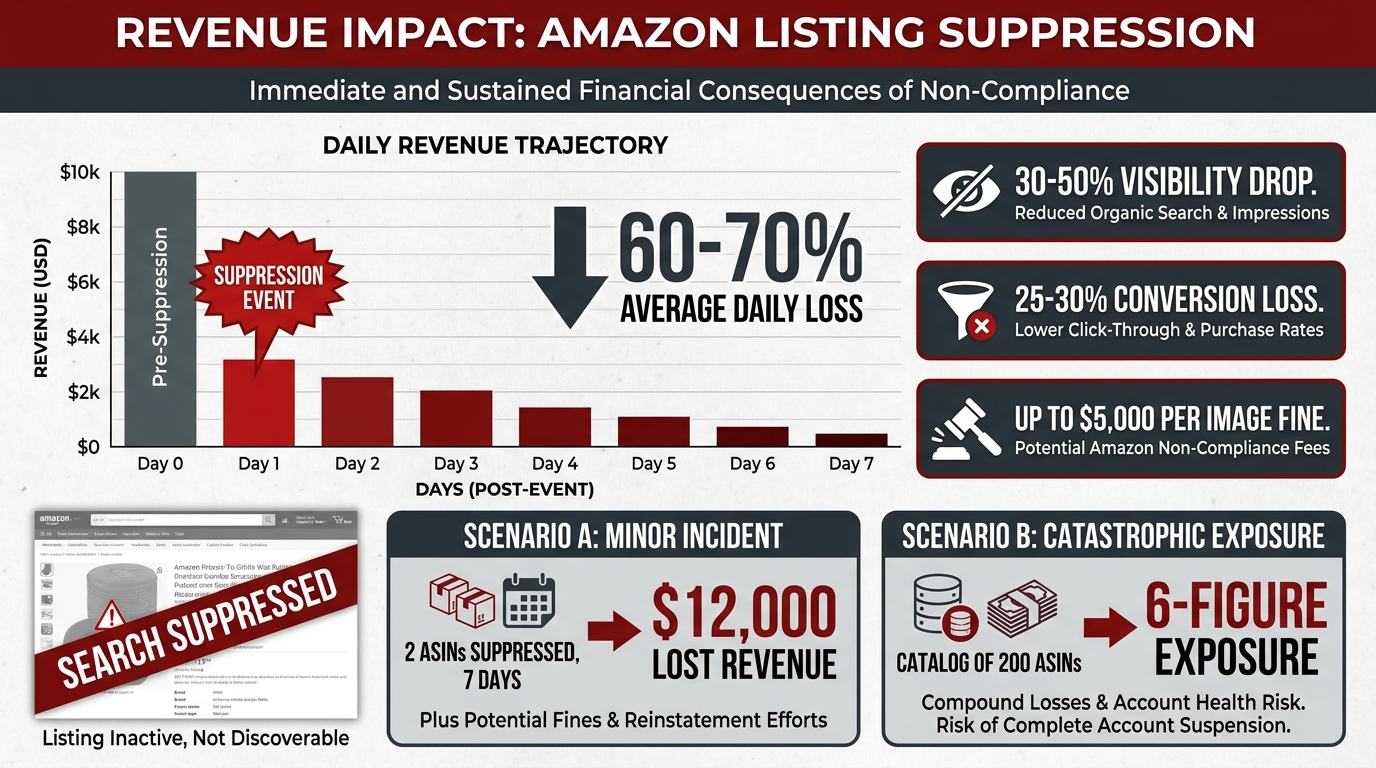
    Amazon listing suppression revenue impact 2026 — daily revenue chart dropping post-suppression, 30-50% visibility drop, 25-30% conversion loss, up to $5,000 per image fine

    Direct Revenue Loss During Suppression

    When an ASIN is suppressed, it disappears from organic search results. Customers searching for the product won’t find it through search — only through direct URL access, which accounts for a small fraction of product discovery on Amazon. Industry data from 2026 marketplace analyses suggests that suppressed listings experience visibility drops of 30–50% depending on the category and the product’s typical traffic mix between organic search, browse, and advertising.

    With 30–50% less visibility comes corresponding revenue loss. For a product generating $5,000 per month in organic revenue, a week-long suppression represents $875–$1,250 in direct lost sales. For high-velocity products generating $50,000 or more monthly, a seven-day suppression can cost $8,750–$12,500 in revenue alone. Documented industry cases show six-figure revenue impacts from suppression events affecting a small number of top-performing ASINs at peak season timing.

    The Conversion Rate Damage That Persists After Reinstatement

    Beyond the direct revenue loss during suppression, there is a secondary impact that persists after the listing is reinstated. Amazon’s A10 algorithm uses recent sales velocity as a ranking signal. A suppression event reduces sales velocity to zero (or near-zero) for the duration, which depresses the ranking signal for weeks after the listing is reinstated. The visibility loss compounds: you lose rank while suppressed, and rebuilding that rank after reinstatement requires sustained sales performance that is harder to achieve from a degraded position.

    Additionally, listings returning from suppression experience a temporary decline in conversion because any review and sales momentum that accumulated during the suppression period has less weight in the algorithm’s freshness calculations. The total effective revenue impact of a suppression event — accounting for both direct lost sales and the post-reinstatement rank recovery period — is typically 1.5–2x the direct revenue figure alone.

    The $5,000 Per-Image Fine Exposure

    For AI-generated image compliance specifically, the financial risk extends beyond revenue loss to actual fines. Amazon’s enforcement framework for AI-generated image violations — particularly non-disclosed synthetic performers — includes per-image financial penalties of up to $5,000. A seller with even a modest catalog who has been using AI-generated model imagery without proper disclosure could face fines that dwarf the production cost savings that motivated the AI approach in the first place.

    The practical risk depends on the severity and repetition of violations — a first-time, self-reported disclosure miss handled proactively through the appeals channel is unlikely to result in a maximum fine. A pattern of non-disclosure across a large catalog, or a case where non-disclosure appears intentional rather than inadvertent, is a different matter entirely. The financial exposure is real and worth taking seriously in the design of your creative production process.

    Ad Spend Waste During Suppression

    One cost that sellers frequently overlook in their suppression calculus is advertising spend. If you’re running Sponsored Products campaigns targeting a suppressed ASIN, those campaigns can continue running in some configurations even when the listing is suppressed from organic search. Ad impressions may decline along with organic visibility, but campaigns can remain active and continue consuming budget against an ASIN that cannot convert. Depending on your campaign structure and monitoring cadence, a suppression event you don’t catch for 48–72 hours can burn a meaningful portion of your advertising budget with zero return — adding to the total cost of the suppression event before you’ve even begun the remediation process.

    The Appeals Maze: Navigating the Account Health Flow in 2026

    When your listing is suppressed, the path to reinstatement runs through Amazon’s Account Health system. Understanding this process before you need it — rather than learning it under the pressure of an ongoing suppression event — dramatically improves outcomes and reduces the time your listing is out of commission.

    Where Suppressed Listings Show Up

    Image-related suppressions appear in Seller Central under two different locations, and which one you see first depends on the nature and severity of the violation:

    • Manage Inventory → Suppressed: The Suppressed tab in Manage Inventory shows listings that are not appearing in search due to policy violations, including image issues. This is often where sellers first discover a suppression, particularly for technical specification failures.
    • Performance → Account Health → Product Policy Compliance: More serious image violations — particularly those involving AI disclosure requirements, deceptive imagery, or repeat violations — appear in Account Health as formal policy issues requiring a structured Plan of Action rather than simple image correction.

    The distinction matters because the remediation path differs substantially. An image suppressed in Manage Inventory can often be resolved by uploading a corrected image and waiting for the system to re-scan. A formal Account Health policy violation requires a structured appeal with documentation, and failure to respond adequately can escalate the account health impact.

    The Plan of Action Structure That Actually Works

    For Account Health violations, sellers need to submit a Plan of Action (POA). The POA that succeeds in 2026 has three specific components that Amazon’s review system is calibrated to look for:

    1. Root cause acknowledgment: A specific, technical description of why the image was non-compliant — not a vague statement that you’re committed to compliance, but a precise statement of what was wrong. “The background had a shadow that measured RGB 242, 242, 242 rather than 255, 255, 255 due to studio lighting technique” is substantially more effective than “we failed to follow your guidelines.”
    2. Corrective action taken: Confirmation that the compliant image has already been uploaded, with specifics — file dimensions, background specification, how it was verified. Include a direct image URL if you can reference it from within the Seller Central environment.
    3. Preventive measures: A description of the process change you have made to prevent recurrence — whether that’s a pre-upload pixel-level background check, a new photography standard operating procedure, or a compliance review step added to your image production workflow. This section matters more than most sellers realize; Amazon’s reviewers are looking for evidence that you’ve changed your process, not just fixed this individual image.

    Timelines and Realistic Expectations

    Image suppression appeals that require only a technical correction and re-upload — where the issue is clearly a specification failure rather than a policy violation — typically resolve within 24–72 hours once the corrected image is submitted and rescanned. Account Health formal violations require human review and can take 7–14 days for a first response, with follow-up rounds potentially adding additional time to the resolution timeline.

    Amazon’s appeal system is not designed to fast-track cases where sellers believe they have been wrongly suppressed by a false positive. There is no escalation path that guarantees faster review for incorrect determinations. The practical implication: if you believe you’re experiencing a false positive, submit the appeal with your original image plus documentation that it meets the stated specifications (pixel-level background measurement, resolution confirmation, frame fill verification), then simultaneously prepare a corrected image that definitively meets spec. The fastest path to reinstatement is often to provide both — the appeal evidence and a definitively compliant alternative — rather than waiting for Amazon to reverse the false positive determination.

    When to Use the Brand Registry Advantage

    Sellers with Brand Registry status have access to additional escalation channels that general seller accounts do not. Brand Registry members can submit urgent image compliance issues through the Brand Registry support channel, which typically receives faster first response than the standard Account Health queue. If you’re experiencing a suppression on a high-revenue ASIN during a peak period, this channel — while not guaranteed to produce faster resolution — is worth using in parallel with the standard appeal process. Every hour of reinstatement time you can recover has direct revenue value at peak season.

    Building a Proactive Compliance Operation

    The sellers who minimize suppression risk in 2026 are not those who know the rules best — rule knowledge is table stakes. They are the sellers who have built operational systems that catch compliance issues before Amazon’s automated scanner does.

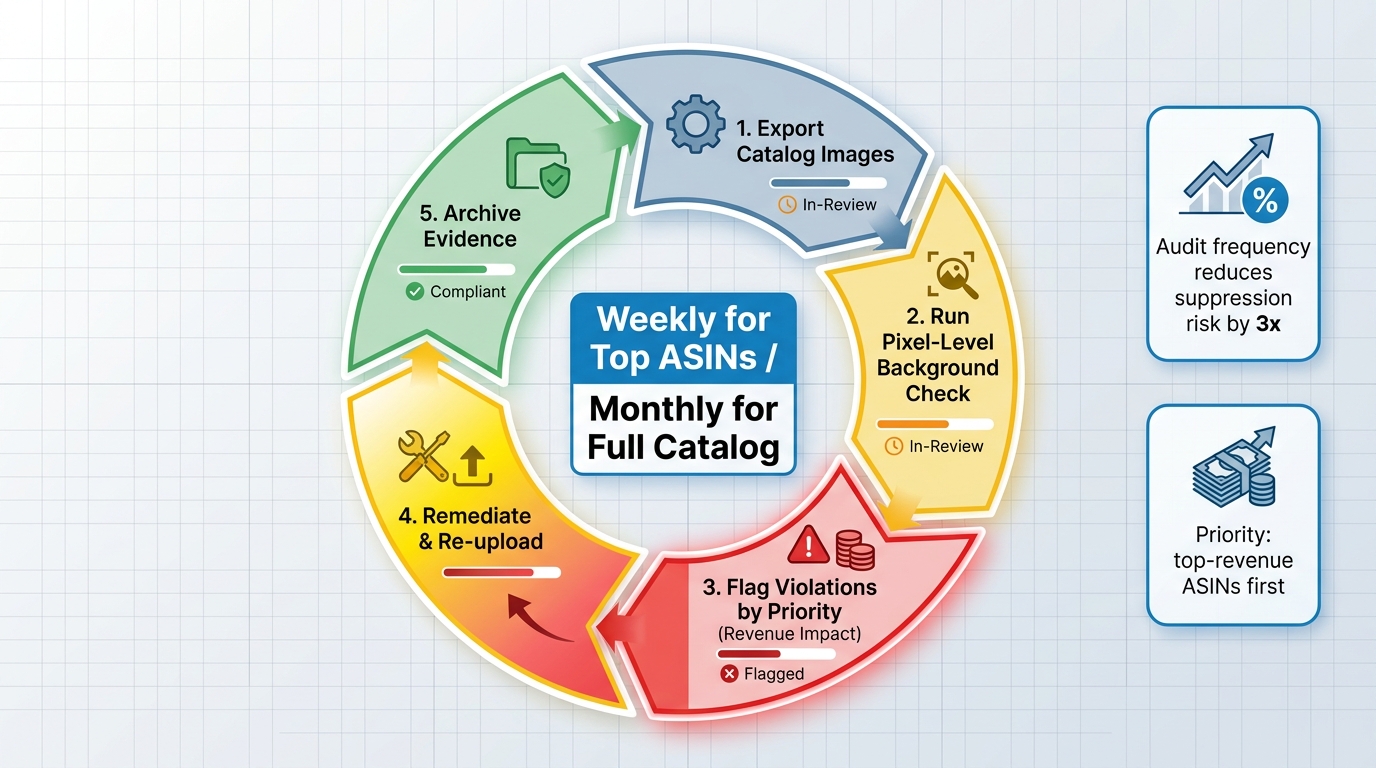
    Proactive Amazon image compliance audit workflow 2026 — five-step circular process from catalog export through remediation and evidence archiving

    Proactive Amazon image compliance audit workflow 2026 — five-step circular process from catalog export through remediation and evidence archiving

    The Audit Cadence That Matches Your Catalog Risk Profile

    Not every ASIN in your catalog carries equal risk or equal consequence from suppression. A compliance audit cadence should be calibrated to both the probability of violation and the revenue cost of suppression:

    • Weekly audit: Top 20% of ASINs by revenue. These are the listings where a suppression causes the most financial damage and where you want the shortest detection gap between a potential suppression and your response.
    • Monthly audit: Full catalog review for technical specification compliance — resolution, background pixel values, frame fill percentage. This catches images that may have been compliant under previous standards but are now vulnerable under updated enforcement thresholds.
    • Triggered audit: Any time Amazon announces a policy change or specification update, run an immediate targeted audit on the affected specification across the full catalog. The April 2026 resolution change, for example, should have triggered an immediate audit of all existing main images against the new 2,000×2,000 minimum. Many sellers who experienced suppression in that period had compliant images under the old standard and were caught by the transition.

    Pre-Upload Verification Tools

    Several third-party tools have emerged specifically to provide pre-submission Amazon image compliance checking. These tools simulate Amazon’s compliance checks — background pixel values, frame fill measurement, resolution, text/watermark detection — before you upload, allowing you to catch failures that would otherwise only surface after suppression has already occurred.

    The most effective implementations integrate these checks into the image production workflow itself, rather than as a final-step gate review. An image that fails a background check after a photographer has delivered it requires expensive and time-consuming rework. An image where the compliance check is part of the post-production specification — informing how the photographer lights, retouches, and exports — is far less likely to require remediation. The cost savings from preventing even a single suppression event on a high-revenue ASIN typically cover the cost of pre-upload verification tooling for the entire year.

    Documentation as Compliance Infrastructure

    In an environment where false positives occur and appeals require evidence, image documentation is a compliance asset. For every ASIN image you submit to Amazon, maintain an evidence record that includes:

    • The original image file (pre-compression, pre-upload processing)
    • Background pixel value measurements (screenshot of eyedropper reading from multiple background sample points)
    • Resolution confirmation from image metadata
    • Date of submission and submission status result
    • For AI-generated content: documentation of the generative tool used, the disclosure checkbox status at upload, and whether the image contains elements that qualify as synthetic performers

    This documentation takes perhaps two minutes per ASIN to create and maintain. In a false positive appeal scenario, it can mean the difference between reinstatement in 48 hours versus a multi-week appeals process. It is essentially an insurance premium with a near-certain payout whenever you need it.

    AI-Generated Content Governance

    If your creative workflow incorporates AI-generated imagery — whether for main images, secondary images, A+ content, or advertising materials — you need a formal governance process that tracks which images contain AI-generated elements and which specifically contain synthetic performers. This doesn’t need to be complex, but it needs to be systematic and auditable.

    A simple tracking system that logs ASIN, image type, AI generation status, presence of synthetic people, and disclosure submission confirmation is sufficient for most seller operations. Larger catalog operations may want this integrated with their product information management system or catalog database. The goal is to ensure that no AI-generated image containing photorealistic people reaches Amazon’s upload system without a documented disclosure decision attached to it — not because Amazon’s system will always catch it, but because the consequences of undisclosed synthetic performers are severe enough to warrant systematic rather than ad-hoc governance.

    The Asymmetry of Enforcement — and What Sellers Can Do About It

    It is worth naming directly what the current Amazon image compliance environment represents structurally: a significant asymmetry of power and accountability between Amazon’s enforcement system and the sellers it acts upon.

    Amazon Enforces; Sellers Respond

    Amazon’s automated system can suppress millions of listings in a quarter without human review, without prior warning, and without accountability for false positives. Sellers have no equivalent recourse. You cannot pre-audit your listing before Amazon’s system does. You cannot request a human review of your images before suppression. You cannot opt out of automated enforcement even if you have a strong historical compliance record.

    This is not an argument that image compliance standards are wrong — maintaining product image quality standards benefits the customer experience and the marketplace broadly. It is an observation that the current enforcement architecture imposes costs on sellers that include the error rate of the automated system, and that sellers have no mechanism to recover those costs from Amazon when the errors are on Amazon’s side. The design places all the risk of automated error on the seller population.

    Collective Pattern Recognition

    One practical response available to sellers is collective intelligence — tracking suppression patterns across the seller community to identify when Amazon’s enforcement algorithms appear to be misfiring systematically. Seller forums, agency networks, and marketplace analytics providers increasingly serve this function. When multiple sellers in the same category report simultaneous suppressions on images that appear compliant, it signals a potential algorithm update or classifier retrain that may be generating elevated false positive rates across a specific image type or category.

    Identifying these patterns quickly means sellers can escalate their appeals collectively — not as a formal organized action, but as a body of evidence that Amazon’s seller support teams can use to escalate internally. Amazon’s enforcement teams have responded to pattern-based reports in the past, particularly when a false positive appears to affect a broad category rather than individual listings.

    Build Compliance Margin Into Your Production Standards

    The sellers best positioned for the 2026 enforcement environment have built compliance costs explicitly into their production standards. Photography specifications that exceed Amazon’s minimums — targeting 2,500×2,500 images rather than 2,000×2,000, using background RGB values verified at 255,255,255 with multiple readings rather than approximate, retaining pre-submission pixel verification as a standard production step — cost more upfront but reduce suppression risk to near zero by providing buffer against the enforcement system’s sensitivity.

    The investment is a known, predictable cost. The alternative — running to minimum specification and absorbing occasional suppression events — is an unpredictable cost with a tail risk that, at the wrong moment, can exceed the entire compliance investment for a year. For high-velocity sellers generating meaningful monthly revenue from their catalog, this math strongly favors investing in compliance margin rather than operating at minimum specification and hoping the automated system’s error rate doesn’t catch you.

    Conclusion: Treating Compliance as a Catalog Asset

    Amazon’s image compliance enforcement in 2026 operates at a scale and speed that fundamentally changes what it means to manage a product catalog on the platform. The automated systems are genuinely powerful — and genuinely imperfect. They protect customers from misleading or low-quality product imagery while simultaneously suppressing compliant listings at a non-trivial error rate. The new legal requirements around AI-generated content have added a layer of complexity that will only grow as synthetic media regulation develops further.

    Understanding this environment clearly is the first step to operating within it safely. The sellers who are managing it well have made a fundamental mental shift: they no longer think of image compliance as a rules-following exercise. They think of it as catalog infrastructure — a permanent, managed operational discipline with defined specifications, verification records, documented audit histories, and governance processes for emerging content types.

    The specific actions that matter most in 2026:

    • Verify at the pixel level. Background compliance is not “looks white.” It is RGB 255,255,255, measured with tooling, verified with evidence, and maintained across the upload and compression process.
    • Update your resolution standard. 2,000×2,000 pixels is the new minimum effective April 2026. If your photography workflow isn’t producing at this resolution consistently, you’re accumulating suppression risk with every image in your catalog.
    • Build AI disclosure into your creative workflow. If your team uses generative AI tools to produce any imagery that includes photorealistic human elements, disclosure is not optional and not an afterthought. Make it a documented, mandatory step in your production process with a paper trail.
    • Audit proactively, not reactively. The sellers who discover compliance gaps before Amazon’s system acts on them have a fundamentally different risk profile than those who discover suppression events after revenue has already dropped.
    • Maintain evidence for every image. Pre-upload verification records reduce a potentially weeks-long false positive appeal to a 48-hour resolution. The documentation cost is trivial; the insurance value is substantial.
    • Know the appeals process before you need it. When suppression happens, the sellers who know exactly where to look, what to write, and what evidence to provide get reinstated faster than those learning the system under the financial pressure of an ongoing suppression.

    Amazon’s enforcement will continue to tighten. The automated systems will become more sensitive as the models are retrained and the specifications evolve. The penalty structures for AI-related violations will expand as legal frameworks around synthetic content develop across additional jurisdictions beyond New York. The sellers who build compliance into the DNA of their catalog operations now — rather than treating it as a periodic cleanup task — will be the ones still running strong when the next round of enforcement changes arrives.

  • 2026 Image Policy Traps: How to Suppression-Proof Your Entire Amazon Portfolio

    2026 Image Policy Traps: How to Suppression-Proof Your Entire Amazon Portfolio

    Amazon image policy traps 2026 — suppressed listings with red warning stamps and compliance checkmarks across a product catalog

    For most of Amazon’s history, image policy violations were a nuisance. You got a warning, you fixed the image, you moved on. The penalty was a temporary inconvenience — annoying, but contained.

    That dynamic has fundamentally changed in 2026. Amazon’s image enforcement is now faster, more automated, and more sweeping than anything sellers have dealt with before. What used to be a listing-level problem has become a portfolio-level risk — one that can suppress multiple ASINs simultaneously, pause ad delivery across your entire account, erode months of organic rank, and trigger account health flags, all from a batch of images that were perfectly acceptable eighteen months ago.

    The sellers who are getting hurt most aren’t the ones deliberately cutting corners. They’re brands that uploaded compliant imagery, forgot about it, and never realised that retroactive enforcement sweeps can catch old assets that no longer meet tightened standards. They’re growing accounts that used AI image tools without understanding the specific disclosure and accuracy rules Amazon now applies. They’re multi-ASIN operators who treated image compliance as a launch-day checkbox rather than an ongoing operational function.

    This post is not a recap of Amazon’s published image requirements. Those are widely documented elsewhere. Instead, this is a systematic look at the mechanisms by which compliant-seeming portfolios get caught, the cascade of consequences that follows, and the operational systems that actually keep a catalog clean under 2026’s enforcement regime — not just at launch, but over the long run.

    Why Image Policy Has Become a Portfolio-Level Risk, Not a Listing-Level Problem

    The shift isn’t in the written policy. Amazon’s core image requirements — pure white main image background at RGB 255,255,255, product filling approximately 85% of the frame, no text or graphic overlays on the main image, no watermarks or logos, accurate representation of the actual item being sold — haven’t dramatically changed in structure. What has changed is how those rules are applied and at what scale.

    Automated Enforcement at Catalog Scale

    Amazon’s image validation systems now operate more like continuous audit loops than one-time upload gatekeepers. In earlier years, an image might pass at upload because the automated check was relatively permissive, only to be flagged later if a human reviewer happened to look at the listing. In 2026, enforcement sweeps are faster, more frequent, and algorithmically driven — meaning an image that passed six months ago can be re-evaluated against updated detection thresholds and suppressed without a new upload or any action on the seller’s part.

    This retroactive enforcement is the trap most sellers don’t see coming. Your catalog isn’t static in Amazon’s eyes, even when you haven’t touched it. Periodic automated re-audits of existing listings mean that compliance isn’t a one-time achievement — it’s a continuous requirement that must be actively maintained.

    From Warning to Suppression Without Gradual Escalation

    The older enforcement model gave sellers a reasonable grace period. A non-compliant image might generate a fix-it notification, remain live during the remediation window, and only disappear from search if the seller ignored the warning repeatedly. The 2026 model, as reported consistently across third-party seller communities and agency analyses, is considerably less forgiving. Listings are being suppressed from search results much more quickly after an image violation is detected — in some cases without a prior warning notification arriving before the suppression takes effect.

    For a single-ASIN account, that’s painful. For a multi-hundred ASIN catalog, a batch enforcement event can create simultaneous suppression across a significant portion of the inventory — with ad campaigns burning impressions on ASINs that are no longer visible in organic search, and sales velocity crashing before the account owner even knows there’s a problem.

    Account Health Is Now Downstream of Image Compliance

    The previously clean separation between “image compliance” and “account health” is blurring. Repeated or severe image violations — particularly those that involve misrepresentation of the actual product — are increasingly feeding into account health scoring mechanisms. A high enough volume of suppressed listings, or violations that Amazon interprets as intentional misrepresentation rather than innocent non-compliance, can generate account-level flags that affect selling privileges well beyond the impacted ASINs.

    This is the portfolio-level risk that demands a portfolio-level response. Treating each ASIN’s image as its own isolated compliance problem is no longer an adequate operating model.

    The Six Hidden Suppression Triggers Amazon’s AI Catches That Sellers Don’t Expect

    Six hidden Amazon image suppression triggers in 2026 — infographic showing off-white background, text overlays, frame fill, props, watermarks, and AI misrepresentation violations

    Every seller knows the headline rules. What gets brands into trouble in 2026 isn’t ignorance of the obvious requirements — it’s the subtle violations that look compliant to the human eye but trip the automated detection systems Amazon has built.

    1. Off-White That Doesn’t Look Off-White

    The requirement is RGB 255,255,255. Not 254,254,254. Not 250,250,250. Not a creamy, soft white that looks perfectly clean on your monitor under warm studio lighting. Amazon’s automated detection can distinguish between true white and near-white backgrounds, and the threshold is being applied with increasing precision in 2026. Backgrounds that were accepted without issue at upload are being flagged during re-audit sweeps because the detection sensitivity has been raised.

    The practical source of this problem is often the photography workflow itself. Lightbox setups that use slightly warm-toned LED lighting, paper backdrop materials that have a natural texture or slight color cast, and editing workflows that stop at “looks white” rather than verifying the exact RGB values in post-production can all produce backgrounds that fail the threshold even though they appear compliant to the photographer’s eye.

    2. Shadows and Reflections as Background Violations

    A drop shadow beneath a product, a surface reflection on a glossy table, or a soft gradient created by the product’s own shape against the background — all of these introduce non-white pixels into the main image, and all of them are treated as background violations by Amazon’s image analysis. This is a widely reported trap that catches brands whose product photography is otherwise high quality. A beautiful, professionally lit image with a subtle shadow is still a suppression risk.

    3. Props and Context Objects “Not Included in Sale”

    Amazon’s policy is clear that the main image should show only the item being purchased. Lifestyle elements, complementary products, styling accessories, and contextual props that suggest scale or usage but aren’t included in the box are policy violations for the main image. The trap here is that many sellers use a “hero lifestyle” image as their main image — a decision that was sometimes tolerated historically but that 2026’s enforcement systems are now much more aggressive in flagging.

    Multi-piece sets and bundle products require particular care: the main image must accurately reflect exactly what’s in the box, and the grouping shown must exactly match the purchase. An image that shows a set of four items when the listing is for a set of three — even if it’s a photographic shorthand the seller never intended to be misleading — is a violation.

    4. Faint Watermarks and Edge Logos That Survived Cropping

    Brands that have used third-party image services, stock photography with embedded licensing marks, or photography vendors who added subtle branded watermarks as part of their standard delivery package can find that images contain low-opacity marks that are invisible to casual review but detectable by Amazon’s systems. Similarly, image files that were cropped from larger compositions may contain partial logos or graphic elements near the frame edge that weren’t visible in the pre-upload preview.

    5. Resolution Failures After Platform Compression

    Amazon recommends a minimum of 1,000 pixels on the longest side, with 2,000 pixels or more preferred to enable the zoom function. The trap occurs when sellers upload images that technically meet this threshold but whose effective resolution is degraded by compression artifacts, JPEG quality settings, or platform-side resizing. An image that uploaded at 1,050 pixels may display at a quality level that fails the zoom-enabled clarity standard — and Amazon’s systems can flag this during image quality audits.

    6. Inset Images, Callout Boxes, and Bundled Secondary Visuals in the Main Slot

    A surprisingly common violation involves main images that are actually composites — a primary product shot combined with a smaller inset image showing a detail, a bundled accessory, or a “what’s in the box” visual. From a seller’s perspective, this feels like useful communication. Amazon’s policy treats it as a graphics overlay violation, regardless of whether the inset contains any text. The automated detection for composite images — where the main frame contains a visually distinct embedded sub-image — has become sharper in 2026.

    The Cascade Effect — How One Suppressed ASIN Can Destabilize Your Entire Catalog

    Amazon suppression cascade diagram showing how one suppressed ASIN triggers organic rank drops, ad pauses, Buy Box loss, and account health deterioration

    Understanding suppression as a cascade rather than an isolated event is the conceptual shift that separates reactive sellers from genuinely protected portfolios. The cascade mechanics are worth understanding in detail because they explain why recovery is so much slower than the initial suppression.

    The Organic Rank Problem

    Amazon’s A10 algorithm uses sales velocity — among other signals — as a core input to organic ranking. A suppressed listing generates zero sales velocity, because it’s no longer appearing in search results for buyers to find and purchase. Depending on how long the suppression lasts before correction, the organic rank for that ASIN will decay. When the listing is restored after a compliant image is submitted, the organic rank doesn’t automatically reset to its previous level. It starts rebuilding from wherever it fell to — which means suppression recovery often involves not just fixing the image but re-earning rank that took months to establish.

    Ad Campaign Disruption

    Sponsored Products campaigns tied to a suppressed ASIN stop delivering impressions. This is straightforward and expected. What sellers often miss is the campaign learning disruption this causes. Advertising algorithms build performance models based on cumulative impression, click, and conversion data. A suppression-caused pause in delivery resets or degrades that accumulated learning, meaning the campaigns that restart after the listing is restored may underperform for days or weeks while the algorithm re-establishes its baseline.

    For accounts running Sponsored Brands or Sponsored Display campaigns that include the suppressed ASIN as part of a broader creative, the ripple extends further — those campaign types may see delivery disruptions or performance anomalies even for the ASINs that weren’t directly suppressed.

    Variation Parent and Child ASIN Interdependencies

    Many Amazon listings operate within variation families — a parent ASIN connected to multiple child ASINs representing different colors, sizes, or configurations. The suppression of a parent ASIN or a high-velocity child ASIN creates visibility and data problems for the entire variation family. Review aggregation, search ranking signals, and Buy Box mechanics at the variation level are all affected when a key node in the family goes dark.

    The reverse also applies: if a variation child is suppressed and its image issue is on the variation-specific image (the photo that shows the specific variant being sold), the brand may not notice as quickly because the parent listing appears to still be live. Meanwhile, customers clicking through to the suppressed variant see an incomplete listing experience, conversion suffers, and the data bleed affects the whole family’s performance signals.

    Inventory and Fulfillment Knock-Ons

    For FBA sellers, a suppressed listing that continues to hold inventory at Amazon fulfillment centers is still incurring storage fees while generating zero revenue. Extended suppression periods create a particularly damaging financial pressure: costs accumulate while the income that was supposed to offset them has stopped. For sellers operating near long-term storage fee thresholds, a suppression event can push inventory into penalty territory faster than expected.

    Category-Specific Traps That Generic Guides Never Cover

    Amazon’s image policy contains category-specific rules that layer on top of the universal requirements. These category rules are the compliance details that generic seller education typically glosses over — and that enforcement systems apply with precision.

    Apparel and Footwear: The Model and Mannequin Rules

    Amazon’s policy for most apparel categories requires that the main image show the garment on a human model or a “clean” invisible mannequin — not flat-lay photography, not folded product shots, and not display on a standard visible clothing form. This creates a compliance trap for brands that use flat-lay as their main image for aesthetic or cost reasons. The enforcement threshold for apparel main images has tightened considerably, and flat-lay images that appeared on detail pages for extended periods without issue have been swept in recent re-audit cycles.

    For footwear, the angle and orientation requirements add further specificity: shoes should generally be shown in a specific angled view that displays the upper, sole profile, and overall silhouette. Main images showing only the sole, only a side view, or only the toe box don’t meet the standard, even if the background and framing are technically perfect.

    Electronics and Technical Products: Accuracy of Included Accessories

    Electronics listings are particularly exposed to the “props not included in sale” violation because product photography in this category routinely includes cables, adapters, cases, and complementary devices for visual context and scale. If the main image shows a pair of headphones next to a smartphone for scale, but the smartphone is not included — that’s technically a violation. If the image shows a charging cable that’s included with one product variant but not another, and the same image is applied to both variants, that’s a misrepresentation violation on the variant that doesn’t include the cable.

    Grocery and Health Products: Label Legibility as Compliance

    For consumable products — supplements, food, beverages, personal care — Amazon’s content accuracy requirements intersect with image compliance in a specific way. The product label shown in the image must match the actual product label. Label updates that change ingredients, warnings, dosage instructions, or net weight create a window where the existing listing images show the old label while the actual product has the new label. This is an image accuracy violation even if the photography itself is otherwise perfectly compliant.

    Toys and Children’s Products: Safety Claim Restrictions

    Secondary images for toys and children’s products that include safety certifications, age-appropriateness badges, or compliance marks (ASTM, CPSC, CE, and similar) run into a specific content restriction: promotional badges and certification marks are prohibited in secondary images in ways that create ambiguity about what is and isn’t a compliance mark versus a promotional badge. The safe approach is to communicate safety certifications in the text content of the listing rather than embedding badges or certification logos in the images themselves.

    AI-Generated Images and the Compliance Grey Zone Sellers Are Walking Into

    Amazon does not ban AI-generated or AI-assisted product images. The policy is output-based, not tool-based — what matters is whether the final image accurately represents the actual product, meets technical specifications, and complies with content restrictions. This permissive-sounding policy is creating a false sense of safety among sellers who are using AI image generation extensively in 2026.

    The Accuracy Problem Is the Core Risk

    AI image generation tools produce images that look like the product being described, not necessarily like the actual product being sold. Generated images may alter proportions, modify colors, simplify details, add or remove design elements, or create a version of the product that is visually appealing but materially different from what the customer will receive. Amazon’s accuracy requirement — that images must truthfully represent the physical item being sold — applies with the same force to AI-generated images as to traditional photography.

    This creates a specific workflow risk: a seller who uses an AI tool to generate a “product image” for a listing that hasn’t been physically photographed, or who uses AI to produce imagery for product variants that differ only slightly from photographed versions, can end up with images that are technically accomplished but fundamentally misrepresent what’s in the box. The enforcement consequence is classification as a misrepresentation violation — a more serious category than a technical spec failure.

    AI Enhancement vs. AI Generation — A Distinction That Matters

    There’s a practical compliance difference between using AI tools to enhance a photograph of the real product (background removal, background replacement with pure white, color correction, upscaling) and using AI to generate a product image without a real photographic source. The former is generally lower risk as long as the enhancement doesn’t alter the product’s appearance in ways that misrepresent it. The latter is inherently higher risk because the output is a synthetic creation rather than a record of the actual product.

    For AI background removal and replacement specifically — a very common use case for achieving the pure white main image standard — sellers need to verify that the removal process didn’t clip the product edges, alter its apparent dimensions, or introduce artifacts that change the perceived product color or finish. These are easily introduced errors in AI-based background tools that human review of the output often misses.

    Disclosure Requirements and Evolving Expectations

    Amazon is moving toward requiring disclosure for AI-generated content in some contexts. The practical advice for 2026 is to treat AI-generated imagery with the same documentation discipline as traditional photography: keep records of what was generated, for which ASINs, using which prompts, and what accuracy verification was performed before upload. If enforcement questions arise, documented verification that the AI output accurately represents the physical product is the strongest defense available.

    Image Hijacking — The Suppression Risk You Didn’t Create But Still Own

    Image hijacking is one of the most underappreciated suppression threats in multi-seller marketplaces, and 2026’s enforcement environment has made it significantly more consequential. The mechanics are specific: in Amazon’s catalog architecture, a product detail page is shared infrastructure. Sellers listing on the same ASIN contribute to a shared content pool, and Amazon’s systems make judgments about which contributed content to display. This creates a vector for unauthorized content substitution.

    How Non-Brand Sellers Replace Your Main Image

    A third-party seller who attaches an offer to your ASIN can contribute content to that ASIN’s detail page — including images. If Amazon’s system evaluates their submitted image as higher quality, more compliant, or simply more recent than yours, it may display their image as the main image on your product detail page. This means a seller offering a counterfeit, grey-market, or materially different version of your product may effectively be showing their image — which may show a different product — as the main image for your ASIN.

    The catastrophic scenario is when the substituted image is non-compliant with Amazon’s policies. Your listing gets suppressed for a policy violation on an image you didn’t upload, didn’t approve, and may not even know exists on your product page. The suppression impact falls on your ASIN, your sales velocity, your organic rank, and potentially your account health.

    Brand Registry and Catalog Lock as Primary Defenses

    Amazon’s Brand Registry provides qualified brand owners with tools to assert control over the content displayed on their branded ASINs. The Catalog Lock feature — available to Brand Registry members — allows restriction of changes to key listing fields including the main image. When catalog lock is applied, only the brand-authenticated account can change the main image, regardless of what other sellers contributing to that ASIN submit.

    Applying catalog lock to high-revenue ASINs is not optional in 2026 — it’s a basic operational requirement. The risk of not doing so is an uncontrolled image substitution event that you may not discover until suppression has already occurred and rank has already started decaying.

    Monitoring for Unauthorized Image Changes

    Catalog lock prevents changes going forward but doesn’t retroactively notify you of changes that have already occurred. A monitoring workflow that checks the main image displayed on each high-value ASIN against a stored reference image on a regular cadence is the mechanism that catches hijacking events before they extend into suppression territory. This can be done manually for small catalogs, but for accounts with dozens or hundreds of ASINs, automated tools that screenshot product pages and compare against a reference library are operationally necessary.

    Building a Suppression-Proof Image QA System Before Launch

    Pre-launch image QA system flowchart for Amazon 2026 compliance — step-by-step checklist from background verification to upload approval

    Prevention is categorically cheaper than recovery in the Amazon suppression context. A listing that never gets suppressed doesn’t lose rank, doesn’t pause ad delivery, doesn’t trigger account health flags, and doesn’t require the operational scramble of emergency remediation. The investment in a pre-launch QA system pays back every time it prevents a suppression event.

    The Pre-Upload Technical Checklist

    A systematic pre-upload technical check should verify every image before it enters the Amazon catalog. For the main image specifically, this checklist should be non-negotiable:

    • Background verification: Open the image in a color-accurate editing environment and use the eyedropper tool to sample multiple background points. Confirm RGB values of 255,255,255 across the full background area. Pay particular attention to areas near the product edge, which are most likely to show gray fringing from background removal tools.
    • Frame fill measurement: Using a grid overlay or selection tool, verify that the product occupies at least 85% of the image canvas by area. For high-value listings, aiming for 90–95% coverage reduces the risk of failing stricter re-audit thresholds.
    • Element check: Verify absence of text, logos, badges, watermarks, inset images, and graphic overlays. Check at 100% zoom, not at thumbnail scale — violations that are invisible at thumbnail size are still policy violations.
    • Shadow and reflection audit: Zoom into the base of the product and check for ground shadow, cast shadow, or reflective surface elements. These are the most commonly overlooked non-white background elements.
    • Resolution confirmation: Check the actual pixel dimensions of the file, not the upload dialogue — confirm 2,000+ pixels on the longest side and appropriate file size for the format being used.
    • Accuracy verification: Compare the image against the physical product for color accuracy, included accessories, packaging match, and variant-specific details. For AI-enhanced images, this comparison must be done against the actual physical product, not the source image.

    Building a Category-Aware Review Layer

    Generic technical checks aren’t sufficient for category-specific compliance. For each product category you operate in, the QA system should include a category-specific module that checks against the additional requirements that apply to that category. For apparel, this means confirming model or invisible mannequin presentation for the main image. For electronics, this means verifying that every item shown in the image is included in the purchase. For consumables, this means confirming that the label shown matches the current product formulation and packaging.

    This layer of the QA system requires someone who actually knows the category-specific rules — which is itself an argument for centralized image compliance expertise within organizations managing multi-category catalogs, rather than relying on product managers or graphic designers to self-assess compliance.

    Version Control and Asset Management

    Every image that enters the Amazon catalog should have a documented record: the file, the date it was uploaded, the ASIN it was applied to, the slot it occupies (main vs. secondary slot number), who approved it, and any notes about the version history. This documentation serves two functions: it enables fast identification and replacement when an image fails a re-audit, and it enables quick detection of unauthorized image substitutions by comparing the currently displayed image against the documented approved version.

    When You’re Already Suppressed — A Recovery Playbook That Works in 2026

    Despite best prevention efforts, suppression events happen. The recovery process in 2026 has some specific characteristics that sellers need to understand to navigate it efficiently — because the wrong remediation approach can extend the suppression duration significantly.

    Triage by Revenue Impact First

    When a batch suppression event affects multiple ASINs simultaneously, the instinct is to work through a list systematically. The 2026 reality is that speed of recovery is more important for some ASINs than others, and limited internal resources need to be directed at the ASINs where suppression is causing the greatest revenue loss and rank decay. Sort the suppressed ASIN list by average monthly revenue or sales velocity and address the top items first.

    For the highest-revenue ASINs, consider whether you have a compliant backup image already prepared. This is the argument for maintaining a “compliance-ready” version of every main image as part of your asset management system — a pre-verified, technically perfect version that can be uploaded immediately during an emergency without requiring a photography or editing workflow to execute under time pressure.

    Understanding the Suppression Cause Before Fixing the Image

    Uploading a replacement image without first diagnosing why the original image was suppressed is a common and costly mistake. If the replacement has the same underlying issue — off-white background, subtle shadow, wrong frame fill — it will fail again, restarting the suppression clock and potentially triggering escalated enforcement attention. Seller Central’s listing quality dashboard and the suppression notification details (when available) should be reviewed to identify the specific violation category before any replacement image is prepared.

    The Right Way to Submit the Replacement

    Image replacement in 2026 works best when the corrected image is submitted through the most authoritative channel available. For Brand Registry sellers, this means using the Brand content submission tools rather than standard Seller Central image upload — brand-authenticated submissions are typically evaluated faster and carry higher confidence weighting in Amazon’s system. For sellers without Brand Registry, standard image upload through the listing edit interface is the only option, but ensuring the file metadata, filename format, and upload format all meet specifications reduces processing friction.

    Contacting Seller Support in parallel with a replacement upload is advisable for high-revenue ASINs where every day of suppression represents material revenue loss. A support case creates a documented record of the remediation effort and sometimes accelerates the system’s processing of the replacement image. Be specific in the support case about what change was made and why the new image is compliant — generic “please fix my listing” messages generate slower and less useful responses than precise technical explanations.

    Post-Recovery Monitoring

    Lifting a suppression doesn’t mean the underlying system risk is resolved. After a listing is restored, monitor it daily for the following two weeks to confirm that the replacement image is stable, that the listing’s search visibility has been restored, and that ad delivery has resumed and is rebuilding toward pre-suppression performance. Watch the variation family if applicable — sometimes restoring one ASIN reveals a secondary suppression on a sibling ASIN that wasn’t immediately visible.

    Continuous Monitoring — Tools, Cadences, and What to Actually Track

    Compliance is not a one-time achievement. Amazon’s enforcement environment in 2026 requires ongoing monitoring as a permanent operational function — not because the rules change constantly, but because retroactive enforcement sweeps, image hijacking attempts, and catalog drift (where product changes make formerly accurate images inaccurate) create ongoing risk that no initial audit can permanently eliminate.

    Daily Monitoring: Account Health and Suppression Alerts

    The Account Health dashboard in Seller Central is the primary real-time signal for policy violations and enforcement actions. Checking it daily — not weekly — is the baseline for any multi-ASIN operation. Suppression notifications, policy violation alerts, and image removal notices all surface here first. Many third-party tools integrate with Seller Central APIs to send automated alerts when account health metrics change, which reduces the response time from a daily manual check to near-real-time notification.

    Specific metrics to watch daily: account health score, listing quality score changes, new policy violations, and any notifications under the “Listing Issues” section of the inventory management view.

    Weekly Monitoring: Image Integrity Checks

    A weekly check of main images displayed on all active ASINs, compared against the approved reference image in your asset management system, catches hijacking-based substitutions before they have time to generate suppression events. For accounts with large catalogs, this is where automated screenshot comparison tools become necessary rather than optional — manual verification of hundreds of product pages weekly is not a sustainable operational workflow.

    Quarterly Audits: Full Catalog Compliance Review

    Every 90 days, conduct a full catalog compliance review against current Amazon image standards. The purpose of the quarterly cadence is to catch two types of drift: enforcement threshold drift (where Amazon’s automated detection becomes stricter, making previously-accepted images newly vulnerable) and product accuracy drift (where product updates, label changes, or packaging modifications have made existing images inaccurate).

    The quarterly audit should use the same comprehensive checklist as the pre-launch QA process, applied to every image in the active catalog. Prioritize the audit by revenue impact — high-revenue ASINs first — but complete the full catalog review within the quarter. Any images identified as potentially non-compliant during the quarterly audit should be scheduled for replacement before they become active suppression triggers.

    Tools Worth Using in 2026

    Several third-party tools have developed specific capabilities for image compliance monitoring and suppression detection in the Amazon context. Datahawk, SellerApp, and Jungle Scout all offer suppression monitoring features that alert sellers when listing status changes. For image accuracy and consistency verification across large catalogs, tools that can perform pixel-level comparison between reference images and current displayed images are increasingly available within broader catalog management platforms. Amazon’s own Listing Quality Dashboard — available to Brand Registry members — surfaces image-specific quality flags that can serve as early warning indicators before formal suppression occurs.

    The Opportunity Hidden in Compliance — How Strict Policy Creates Competitive Gaps

    Competitive advantage bar chart showing compliant brands gaining organic rank and ad impressions while non-compliant sellers face suppression in 2026

    There’s a strategic dimension to Amazon’s stricter image enforcement that most sellers, understandably focused on their own compliance risk, don’t fully consider. When enforcement creates suppression events at scale across a category, it disproportionately affects sellers who are least equipped to manage the operational demands of compliance — and that creates measurable opportunities for brands that maintain clean catalogs.

    Competitive Search Visibility When Rivals Go Dark

    When competing ASINs are suppressed from search results — whether for image violations or any other reason — the search result pages your customers are using don’t disappear. They just become less crowded. Organic rankings that were previously competitive become less contested, and brands with compliant, optimized listings move into visibility positions they couldn’t achieve organically against a full competitive field.

    This is not a minor effect. Category-level suppression events have been associated with measurable increases in organic rank and organic session traffic for remaining visible listings — particularly in competitive product categories where multiple sellers are battling for the same keyword positions. A brand that monitors competitor listing status and has ads pre-positioned to capture increased search traffic during competitor suppression events can generate meaningful incremental revenue from other sellers’ compliance failures.

    Ad Auction Dynamics During Suppression Events

    When competing ASINs are suppressed, their Sponsored Products campaigns stop delivering — because ads can’t drive traffic to suppressed listings. This removes their bidding pressure from the ad auction for shared keywords. For an advertiser with remaining live, compliant listings, the practical effect is lower cost-per-click for the keywords those competitors were previously contesting, at the same or higher impression volume. This is a direct ROAS improvement opportunity that requires no change to your own bidding strategy.

    The brands that capture this opportunity most effectively are those who monitor category-level suppression events as a standard part of their competitive intelligence, and who maintain adequate advertising budgets and bid structures to capitalize on the brief windows when competitor suppression creates more favorable auction conditions.

    Long-Term Brand Quality Signaling

    Amazon’s algorithm evaluates listing quality as an input to organic search ranking. Listings with consistently high image quality scores, stable compliance status, and strong click-through and conversion metrics are treated as higher-quality results and are rewarded with ranking advantages over time. The brands that build and maintain genuinely compliant, high-quality image assets aren’t just avoiding suppression — they’re accumulating a sustained ranking advantage that compounds over time relative to competitors who manage compliance reactively.

    This is the less-discussed dimension of image compliance investment: it’s not purely defensive. Done well, it’s an offensive capability that builds durable organic rank advantages and reduces the cost of maintaining visibility in competitive categories.

    Putting It Together: The 2026 Portfolio Protection Framework

    The operational reality that sellers need to internalize is that image compliance in 2026 is a permanent, ongoing cost of doing business on Amazon — not a one-time setup task. The brands that are building suppression-resilient catalogs are doing so through systems, not through one-off audits. Here’s the framework that holds up:

    Layer 1: Prevention (Pre-Launch QA)

    Every image that enters the catalog passes through a documented, category-aware technical checklist before upload. No exceptions for time pressure, budget constraints, or “this one looks fine.” The checklist covers RGB background verification, frame fill measurement, element audit, shadow check, resolution confirmation, and accuracy verification against the physical product. This layer eliminates preventable suppression events before they happen.

    Layer 2: Protection (Asset Control and Brand Registry)

    Catalog lock is applied to every high-revenue branded ASIN via Brand Registry. Approved images are stored in a version-controlled asset library with documented metadata. Brand Registry’s monitoring tools are configured to alert for unauthorized content changes. This layer eliminates the hijacking-based suppression category.

    Layer 3: Detection (Continuous Monitoring)

    Daily account health checks, weekly image integrity verification for high-value ASINs, and quarterly full-catalog compliance audits form a monitoring cadence that catches enforcement issues as early as possible. Automated alerts from Seller Central integrations reduce detection latency. This layer minimizes the duration of any suppression events that do occur despite prevention and protection efforts.

    Layer 4: Recovery (Rapid Remediation)

    Pre-prepared compliance-ready backup images for all high-revenue ASINs enable same-day replacement when suppression occurs. A documented escalation process — who does what, in what order, using which tools — means the response to a suppression event is a procedure rather than a crisis. This layer minimizes the organic rank and revenue loss from unavoidable suppression events.

    Together, these four layers create a portfolio-level system that doesn’t eliminate suppression risk entirely — Amazon’s enforcement environment is too dynamic for absolute guarantees — but that dramatically reduces both the frequency and the duration of suppression events, and positions compliant brands to capture competitive advantage when the market around them is affected by enforcement actions they’re protected against.

    Key Takeaways

    • Suppression is now retroactive and portfolio-wide. Images that passed upload checks months ago can be re-flagged during automated re-audit sweeps. Treating compliance as a launch-day task is no longer adequate.
    • The six most dangerous non-obvious triggers are off-white backgrounds that look white, product shadows, props not included in the sale, hidden watermarks, post-compression resolution failures, and composite/inset images in the main slot.
    • The cascade from a single suppressed ASIN can destroy organic rank, pause ad delivery, disrupt variation family performance, and generate account health flags — all from one non-compliant image.
    • Category-specific rules are where experienced sellers get surprised. Apparel, electronics, grocery, and children’s products all carry additional image requirements that generic compliance guides don’t fully address.
    • AI-generated images are allowed but not safe by default. The accuracy requirement applies equally to AI-generated imagery — synthetic images that don’t accurately represent the physical product are a misrepresentation violation, not just a technical one.
    • Image hijacking is a suppression risk you didn’t create but are responsible for recovering from. Catalog lock via Brand Registry is the operational control that prevents it.
    • Four-layer portfolio protection — prevention, protection, detection, and recovery — is the operational framework that makes suppression management systematic rather than reactive.
    • Compliance is competitive advantage. Every competitor suppression event is an organic rank and ad auction opportunity for brands that remain visible and compliant.
  • How to Build an AI Image Workflow That Amazon’s Enforcement System Won’t Touch

    How to Build an AI Image Workflow That Amazon’s Enforcement System Won’t Touch

    AI image workflow compliance vs Amazon enforcement: compliant listing versus search suppressed listing comparison

    AI image generation has moved from experimental novelty to standard practice across Amazon’s seller ecosystem. By 2026, the majority of active sellers are using some form of AI-assisted imagery — whether that’s a background removal tool, a lifestyle scene generator, an AI model compositor, or Amazon’s own native creative tools inside the Ads console. The capability has never been more accessible.

    The problem is that most sellers are building their AI image workflows backwards. They start with “what can this tool generate?” rather than “what does Amazon’s enforcement system actually scan for?” Those two questions lead to very different workflows — and the gap between them is where listings get suppressed, images get rejected, and, in serious cases, accounts face action.

    Amazon’s automated enforcement in 2026 is faster, more granular, and more technically precise than it was two years ago. Computer vision models scan listing images at upload and on an ongoing basis. They check background color values at the pixel level, measure product fill ratios within the frame, detect signs of synthetic rendering, and cross-reference what’s shown in an image against what the product detail page actually claims to sell. Enforcement that once took days now happens in minutes — sometimes faster than a seller can refresh Seller Central.

    This guide is not about whether you can use AI images on Amazon. You can. It’s about how to structure a workflow that uses AI at every appropriate stage, stays within the rules that Amazon’s system enforces, and builds in compliance as a technical property of the pipeline itself rather than a manual afterthought you hope doesn’t get missed.

    There is a meaningful difference between “we use AI for images” and “we have a workflow where every AI-generated or AI-assisted image is guaranteed to be compliant before it touches Seller Central.” This guide will help you close that gap.

    The Two-Track Rule: Why Amazon’s Policy Treats Main Images and Secondary Images Completely Differently

    Amazon two-track image policy infographic: strict main image rules versus permissive secondary and A+ content rules

    The single most important thing to understand about Amazon’s image rules — and the thing that most AI workflow guides gloss over — is that Amazon operates a fundamentally two-track policy. The rules governing your main (hero) image and the rules governing your secondary images and A+ content are not just different in degree. They are different in kind.

    Getting these two tracks confused is the root cause of most compliance failures in AI image workflows. A seller who understands exactly where each track begins and ends can use AI aggressively, efficiently, and without risk. A seller who treats both tracks as operating under the same rules will either under-use AI (leaving creative value on the table) or over-apply it to the main image (and trigger suppression).

    Track One: The Main Image — Maximum Constraint

    Amazon’s main product image rules in 2026 exist essentially unchanged from their core intent, but enforcement precision has tightened considerably. The requirements are non-negotiable:

    • Pure white background: The background must be RGB 255,255,255. Not 253,253,253. Not 250,250,250. Not “off-white.” The specific hex value is #FFFFFF, and Amazon’s computer vision system is capable of detecting deviations that would be imperceptible to the human eye at normal display sizes. A background that looks white on your monitor but reads as 252,252,252 at the pixel level will trigger a non-compliance flag.
    • Real product only: The item depicted must be the actual product being sold. Not a 3D render of the product. Not an AI-generated representation of what the product looks like. Not a mockup. The real, physical item as it actually exists. This is the main image rule that has the most direct implications for AI workflows — AI-generated or AI-rendered main images are not acceptable.
    • Product fill ratio: The product should occupy approximately 85% of the image frame. Too much white space and the image fails the threshold; too tightly cropped and important product details may be cut off. Most compliance failures here come from background removal tools that leave excessive white padding around a small product silhouette.
    • No text, graphics, or overlays: No watermarks, no brand logos, no “new” badges, no pricing callouts, no promotional text of any kind. This includes subtle watermarking that exists as part of a photographer’s or agency’s standard output.
    • No props or additional objects: The main image should show the product and nothing else. Contextual props, staging items, or environmental elements that would be acceptable in secondary images are not permitted on the main image.

    Where does AI fit into main images? Specifically and narrowly: AI tools are acceptable for editing and enhancing photographs of real products. AI background removal to achieve that pure white standard is not only acceptable but is now the dominant workflow for doing it efficiently. AI-powered edge cleanup, shadow correction, and color calibration are all legitimate main image workflows. What AI cannot do is replace the real product photograph with a synthetic representation.

    Track Two: Secondary Images and A+ Content — Significant Creative Freedom

    The secondary image slots (positions 2 through 9) and Amazon’s A+ Content module operate under substantially different rules — and this is where AI’s full creative capability can be deployed without constraint, provided the images remain accurate and non-misleading.

    For secondary images and A+ content, AI-generated and AI-assisted imagery is permitted for:

    • Lifestyle and contextual scenes: AI-generated environments, rooms, outdoor settings, and contextual scenes showing the product in use. The product itself should be real and accurately represented; the environment around it can be entirely AI-generated.
    • AI-generated models: Amazon permits the use of AI-generated models in lifestyle images, subject to standard content guidelines (accuracy in skin tone representation, appropriate dress standards, etc.).
    • Infographic overlays: Callout text, dimension annotations, feature labels, and benefit comparisons are all permitted in secondary images and A+ content — something that is explicitly prohibited in the main image.
    • Composite and comparison images: Before/after comparisons, size reference images, and multi-product views can all be AI-assisted without compliance risk in these secondary positions.
    • Mood and contextual backgrounds: Studio-quality environmental backgrounds, brand aesthetic scenes, and aspirational settings that communicate product use cases are fully permitted.

    The primary compliance constraint in the secondary track remains truth in advertising: whatever your secondary images show must not misrepresent what the buyer will receive. You cannot use AI to make the product look larger, more feature-rich, or higher quality than it actually is. But the creative latitude for storytelling, context, and visual brand communication is wide.

    Inside Amazon’s Automated Enforcement: What the Scanner Actually Checks

    Amazon automated image enforcement system diagram showing computer vision detection layers for background, fill ratio, AI artifacts, and product matching

    Amazon doesn’t publish technical documentation on its enforcement algorithms. What’s known about how automated image scanning works comes from a combination of official policy documentation, Seller Central error messages, and the observed patterns reported by sellers who have experienced suppression and successfully diagnosed the cause.

    Understanding what the scanner is checking — at least at the functional level — is essential for building a workflow that pre-empts failures before images are submitted.

    Background Color Detection

    This is the most precise and unforgiving check in Amazon’s main image scan. Amazon’s system evaluates the pixel values in the background region of the main image against the target value of RGB 255,255,255. The detection is not limited to sampling a few pixels — it evaluates the background area comprehensively.

    The practical implication: background removal tools that output a “visually white” result are not sufficient. You need a tool that explicitly outputs true pure white (RGB 255,255,255) in background regions and that handles edge pixels cleanly. Many background removal tools produce slight color fringing or semi-transparent edge pixels that composite over white in a way that looks correct on screen but reads as slightly non-white to a pixel-level scanner.

    The fix: after any AI background removal step, your pipeline should include a programmatic background color verification step that checks the actual pixel values in the background region — not just a visual review — before the image proceeds to upload.

    Product Fill Ratio Analysis

    Amazon’s scanner detects how much of the image frame the product actually occupies. This is a classic computer vision task: segment the product from the background, measure the bounding area of the product segmentation, and calculate the ratio against the total frame area.

    The most common failure mode here is a background removal workflow that produces a correctly white background but leaves excessive white space around a small product. A product that occupies only 50–60% of the frame may pass visual inspection but fail the automated fill ratio threshold.

    Some tools address this with automatic crop-and-frame functionality — after removing the background, they automatically reframe the product to ensure adequate fill. If your workflow doesn’t include this step, it’s a gap worth closing.

    AI Artifact and Synthetic Rendering Detection

    This is the enforcement layer that has evolved most significantly in 2026. Amazon now deploys computer vision models capable of distinguishing between photographs of real products and AI-generated or 3D-rendered representations.

    What does the scanner look for? The patterns that distinguish AI-generated imagery include: unnaturally smooth surface textures, inconsistent micro-shadow behavior, edge sharpness that doesn’t conform to optical physics, depth-of-field patterns that don’t match real lens characteristics, and repetitive texture artifacts that are characteristic of generative models.

    This does not mean that AI cannot touch main images at all — AI-powered photo editing that starts from a real photograph typically doesn’t produce these synthetic artifacts in a way that triggers flags. What triggers this check is using AI to generate the product image from scratch, or using AI to significantly reconstruct product surfaces in ways that produce synthetic-looking output.

    Product-Listing Correspondence Check

    Beyond the image itself, Amazon’s enforcement system cross-references what is visually depicted in listing images against the product’s title, category, and detail page claims. An image showing a product significantly different in color, size, or configuration from what the title and bullet points describe is a compliance risk.

    This check matters specifically for AI workflows because AI lifestyle generators can inadvertently introduce product modifications: changing a product’s color to better match a background scene, altering the apparent size, or including accessories that are not part of the actual product. Each of these is a potential match failure between the image and the listing data.

    Text and Watermark Detection

    OCR-based scanning detects text in main images — including promotional copy, watermarks, and even subtle branding that photographers embed in their deliverables. In AI workflows, this can surface unexpectedly if generation prompts inadvertently produce text-like patterns or if AI-enhanced images retain photographer metadata visible in the image itself.

    The Main Image Red Lines: Where AI Has Zero Margin for Error

    Given the enforcement architecture described above, the rules for AI usage in main image workflows are essentially these: AI can edit real photographs; AI cannot create main images.

    This is a crisp, workable distinction — but in practice it creates specific edge cases that sellers get wrong.

    The 3D Render Problem

    High-quality 3D product renders have been used as Amazon main images for years, with varying levels of enforcement. In 2026, enforcement against render-based main images has become significantly more consistent. Amazon’s AI-artifact detection is better calibrated to identify renders specifically — even photorealistic ones produced from premium 3D software.

    If your catalog has historically used 3D renders for main images, this is the year to replace them with real product photography. The compliance risk of continuing with renders has increased materially. The good news is that AI-assisted photography workflows have reduced the cost and time required to produce main image-quality real product photos — making the transition operationally achievable even for large catalogs.

    The AI Enhancement Overreach Problem

    AI photo enhancement tools exist on a spectrum from “subtle touch-up” to “full surface regeneration.” At the subtle end — exposure correction, color calibration, minor blemish removal, edge cleanup after background removal — AI enhancement is safe and appropriate. At the aggressive end — where the tool is reconstructing product surfaces, changing material textures, or using inpainting to “improve” how the product looks — you risk creating an image that Amazon’s scanner treats as synthetic and that also potentially misrepresents the product.

    The practical rule of thumb: if you would be comfortable showing the AI-enhanced main image to the customer alongside the actual product they’ll receive, and the difference is invisible, the enhancement is probably within acceptable bounds. If the enhancement makes the product look materially better or different from what the customer will receive, it’s both a compliance risk and a returns risk.

    The Background Replacement Subtlety

    Background replacement tools for main images — which remove whatever background exists in a raw product photo and replace it with pure white — are not just acceptable but are now standard practice. The compliance concern with these tools isn’t whether you use them; it’s whether the output actually meets the pure white standard.

    Many background replacement tools use a soft-edge algorithm that produces semi-transparent pixels at the product edge. When these semi-transparent edge pixels are composited over white in your design tool, they look fine. But when Amazon processes the uploaded file, what it may see are edge pixels with RGB values like 240,240,240 — technically not white, technically a background color violation. Your pipeline needs to account for this by forcing edge pixels to full opacity against the white background, or by using a background replacement tool that outputs hard-edged white directly.

    Where AI Has Full Creative License: Secondary Images, Lifestyle, and A+ Content

    If main image compliance is about constraint and precision, secondary image strategy is about creative ambition. This is where a well-designed AI workflow creates genuine competitive advantage — not by bending rules, but by producing, at scale and speed, the kind of rich visual content that drives conversion.

    AI Lifestyle Scene Generation

    The lifestyle secondary image — the product placed in a real-world context, shown in use, embedded in an aspirational environment — has consistently demonstrated higher conversion impact than white-background secondary images in most product categories. A consumer goods product shown in a kitchen setting. A fitness accessory shown in use during a workout. A home décor piece shown in a styled living room.

    These images have historically required professional photography budgets: studio time, location fees, model fees, prop sourcing, and post-production. For large catalogs with many SKUs, the economics frequently meant that only hero products received proper lifestyle photography.

    AI lifestyle generation changes that calculus. Tools like Amazon’s own Image Generator (available through the Amazon Ads console), along with third-party platforms purpose-built for product placement in AI-generated environments, can produce credible lifestyle images for every SKU in a catalog — not just the hero products. The product photograph used as a starting point needs to accurately represent the real item; the environment, styling, and context around it can be AI-generated.

    Infographic and Feature Call-Out Images

    Secondary image slots are frequently used for infographic-style images: text callouts identifying key product features, dimension annotations, comparison charts, and benefit-focused visual copy. AI workflows can automate the generation of these images at scale, particularly for catalogs with consistent product structures — the same callout template populated with different feature details for each SKU.

    This is an area where AI excels at scale but where human review remains important: the product claims made in infographic secondary images need to be accurate for each specific ASIN. An AI-generated infographic that claims a feature the product doesn’t have is a policy violation regardless of how visually polished it is.

    A+ Content Visual Modules

    Amazon’s A+ Content (formerly Enhanced Brand Content) allows brand-registered sellers to replace the standard product description with rich visual modules. These modules support full-width imagery, comparison charts, lifestyle photography, and mixed text-image layouts.

    A+ Content image requirements are more permissive than listing images — they function essentially as brand creative content rather than product-specific compliance photography. AI-generated imagery is well-suited for A+ Content production, particularly for creating consistent visual brand language across a catalog.

    The compliance constraints that apply to A+ Content relate mainly to content accuracy (no claims the product can’t support) and prohibited content categories (restricted categories like health claims have additional content rules). The image generation method itself — AI-generated or otherwise — is not a primary compliance concern at this level.

    Building Your Compliance-First AI Pipeline: The Five-Stage Architecture

    5-stage AI image pipeline for Amazon sellers: raw shoot, AI background removal, compliance QA, lifestyle variants, batch upload

    The specific tools in your AI image stack matter less than the architecture of the pipeline they sit within. A compliance-first pipeline treats Amazon’s technical requirements not as a checklist to run through at the end, but as constraints encoded into each stage of the process — making it structurally impossible for non-compliant images to reach Seller Central.

    Here’s the five-stage architecture that accomplishes this:

    Stage 1: Raw Shoot — Building the Correct Foundation

    Everything in the pipeline flows from the quality of the original product photograph. AI tools downstream can correct a lot, but they cannot generate compliance properties that the raw image fundamentally lacks. A raw product photo that is blurry, poorly lit, inaccurately colored, or shot at a resolution below 1,000px on the longest side cannot be reliably made compliant through AI processing alone.

    The practical standard for raw shoot inputs into an AI pipeline: minimum 2,000px on the longest side (4,000px is better), accurate product color rendering, clean product surface (dust, fingerprints, and packaging damage that you wouldn’t want in the final image should be addressed at the shoot, not in post), and if possible, shot against a controlled background (even a light gray sweep) to give background removal tools clean material to work with.

    The good news is that modern smartphone cameras at the flagship level produce raw material that meets these standards for most product categories. A dedicated product photography setup — a lightbox, two side lights, and a white or light gray background — combined with a recent flagship phone is sufficient for generating the raw inputs that the rest of this pipeline requires.

    Stage 2: AI Background Removal and White Canvas Creation

    This is the stage where AI earns its keep most clearly for main images. The goal of this stage is to output a product image isolated on an exactly-RGB-255,255,255 background, with clean edges, correct product fill ratio, and no edge pixel artifacts.

    The tools for this step — Removal.AI, PhotoRoom, Remove.bg, and several others built specifically for e-commerce workflows — have reached a level of quality where the output is routinely better than what manual Photoshop masking would produce for most product types. The key capability to require of whichever tool you choose: explicit control over background color output (not “white” but specifically RGB 255,255,255) and edge rendering options that produce clean, non-fringing product silhouettes.

    After background removal, your pipeline should auto-crop and reframe the product to achieve approximately 85% frame fill. Many of the dedicated e-commerce background tools handle this automatically. If yours doesn’t, a simple post-processing step that measures the product bounding box and crops to achieve the target ratio is worth building in.

    Stage 3: Automated Compliance QA Check

    This is the stage that most workflows skip — and it’s the most valuable addition to a compliance-first pipeline. Before any image moves forward, an automated QA step runs a set of checks that mirror what Amazon’s enforcement scanner looks for:

    • Background color verification: Sample pixels from multiple background regions and confirm RGB values are 255,255,255. Flag any deviation for human review.
    • Product fill ratio measurement: Calculate the percentage of frame area occupied by the product. Flag images below 80% for reframing.
    • Resolution check: Confirm the image is at least 1,000px on the longest side (1,600px minimum recommended, 2,000px+ preferred).
    • Text and logo detection: Run OCR and logo detection on the image. Flag any detected text or watermarks for review.
    • File format and naming verification: Confirm correct file format (JPEG is most reliable for Amazon), correct file naming convention (ASIN or other product identifier, no special characters).

    This QA step can be implemented with computer vision APIs (Amazon’s own Rekognition service from AWS is a logical choice given the context), open-source image processing libraries like OpenCV, or purpose-built compliance checking tools. The implementation complexity is not high; the value is significant. Images that fail any QA check are routed back for correction before they ever reach Seller Central, which means your suppression rate drops to near zero.

    Stage 4: AI Lifestyle and Secondary Image Generation

    With a verified, compliant main image in place, Stage 4 generates the secondary image set. This is where AI operates with the most latitude and produces the most creative value.

    The input for this stage is typically the product’s white-background cutout from Stage 2 (the product image without any background), which gets composited into AI-generated or AI-selected environments. The prompt or scene selection strategy at this stage should be guided by category-specific best practices: what lifestyle contexts have demonstrated conversion performance in your product category? What use cases does your customer base identify with?

    A well-designed Stage 4 produces a set of lifestyle variants for each SKU in a consistent visual style. The Amazon Ads Image Generator (accessed through the Creative Studio in the advertising console) is a natural tool for this step if you’re generating lifestyle images for ad creatives. For listing secondary images, third-party tools with product-in-scene compositing capabilities are currently more flexible.

    Stage 5: Batch Upload and Catalog Management

    The final stage manages the transfer of QA-verified images into Seller Central at scale. For catalogs with hundreds or thousands of SKUs, manual upload is not a viable workflow. Amazon’s Seller Central supports bulk image upload via feed files, and the SP-API enables programmatic image upload and management for sellers with sufficient technical resources or third-party catalog management tools.

    At this stage, the critical compliance consideration is ASIN matching — confirming that each image file is correctly associated with the right ASIN before upload. An error at this stage that puts the wrong product’s image on a live listing is both an immediate policy violation and a customer experience problem that can generate negative reviews and return requests before you catch it.

    Amazon’s Own AI Tools vs. Third-Party: Knowing Which Lane to Drive In

    Amazon native AI tools versus third-party AI tools comparison: compliance, integration, and disclosure requirements

    One of the most practical decisions in designing an AI image workflow for Amazon is where to use Amazon’s own tools versus third-party AI platforms. The answer isn’t “one or the other” — it’s understanding what each is optimized for and routing work accordingly.

    What Amazon’s Native Tools Are Built For

    Amazon has deployed AI image generation tools in two primary contexts: the Image Generator and Creative Studio (accessed through the Amazon Ads console, aimed at ad creative production) and AI-assisted listing tools within Seller Central (including the AI listing generator and various enhancement features).

    The native tools have specific advantages:

    Native compliance context: When Amazon’s own tool generates an image for use in its own ad system, it applies its own content rules within the generation process. Images produced by Amazon’s Creative Studio tools for Sponsored Brands and Sponsored Display ads are generated within a guardrailed context where the most obvious policy violations are difficult to produce accidentally.

    Ad system integration: For images destined for Sponsored Products, Sponsored Brands, or Sponsored Display campaigns, the Amazon Ads tools have direct integration into the campaign creation workflow. There’s no separate upload step, no format conversion, and no compliance review lag — images go directly into the ad unit.

    Performance data: Images created through Amazon’s ad creative tools are eligible for Amazon’s own performance reporting and A/B testing infrastructure. You can run creative tests against each other and get direct ROAS and CTR attribution, which third-party tools operating outside Amazon’s ad ecosystem cannot provide at the same level of granularity.

    The performance data from Amazon’s own tools is compelling: one documented case study (Dandy Blend’s Sponsored Brands campaign) recorded an 83% CTR lift when switching to AI-generated lifestyle creatives produced through Amazon’s image tools. Sponsored Brands ads using custom lifestyle images combined with Store spotlight formats have shown conversion rates 57.8% higher than those using standard product images alone, according to Amazon’s own campaign data.

    Where Third-Party Tools Are More Capable

    Amazon’s native tools are optimized for ad creative production within the Amazon Ads ecosystem. For listing image workflows — the main image, the secondary gallery, A+ Content modules — third-party tools currently offer more capability:

    Listing image production: Amazon’s native AI tools are not primarily designed to produce listing gallery images. Background removal, product-in-scene lifestyle compositing, and infographic generation for listing images is better handled by third-party tools built specifically for e-commerce product photography workflows.

    Batch processing at scale: Third-party tools generally offer better batch processing capabilities for large catalogs. If you’re processing 500 or 5,000 SKUs, you need workflow automation features — template-based generation, bulk export, catalog integration — that Amazon’s native tools don’t currently provide at the listing image level.

    Creative control and brand consistency: For brands with established visual identities, third-party tools generally offer more control over the visual output — specific color palettes, lighting styles, background environments, and brand aesthetic elements that must be consistent across a catalog.

    The Disclosure Question

    As Amazon’s policy has tightened around AI disclosure, the question of when and how to disclose that images were AI-generated or AI-assisted has become more relevant. Amazon’s Brand Registry tools and some upload workflows now include AI disclosure fields.

    The clearest guidance: images generated by Amazon’s own tools within its own systems don’t require separate seller-level disclosure. For third-party AI-generated images uploaded to listings, the disclosure requirements are evolving and may vary by program. Amazon’s KDP already requires explicit AI disclosure; standard marketplace listing policy on this point continues to develop.

    The conservative approach — and the one that minimizes compliance risk — is to disclose AI usage in image creation through whatever mechanism Amazon provides in your upload workflow, and to maintain documentation of which images were AI-generated versus photographed, in case Amazon’s disclosure requirements become more formal and auditable.

    Common Workflow Mistakes That Trigger Suppression (And How to Fix Each One)

    5 common Amazon image workflow mistakes that trigger listing suppression: off-white background, AI mockup main image, lifestyle props, low fill ratio, watermark

    Understanding compliance architecture in the abstract is useful. But the practical value comes from knowing the specific failure modes that actually cause suppression — the mistakes that real workflows make repeatedly, the ones that trigger the “Search Suppressed” status that costs revenue while you diagnose and fix them.

    Mistake 1: The Off-White Background That Passed Visual Review

    This is the most common suppression trigger in AI-assisted main image workflows. A background removal tool outputs what appears to be a white background. The seller approves it visually. It passes human review at every stage. Amazon’s automated scanner flags it as non-compliant.

    Why it happens: Many background removal tools output a background that reads as white on a standard display but registers as RGB 252–253 at the pixel level due to anti-aliasing and blending algorithms. Amazon’s scanner checks actual pixel values.

    The fix: Add a Stage 3 QA step that programmatically samples background pixels and confirms exact RGB 255,255,255 values. If background pixels deviate from pure white, route the image back for re-processing or use a “fill with pure white” post-processing step to force correct values.

    Mistake 2: Using an AI Mockup or 3D Render as the Main Image

    Sellers who invested in 3D product renders several years ago frequently continue to use them as main images because they look excellent and the original compliance risk was low. In 2026, Amazon’s synthetic image detection is reliably identifying high-quality renders as non-photographic, and suppression rates for render-based main images have increased significantly.

    The fix: Audit your catalog for SKUs where the main image is a 3D render or AI-generated representation rather than a photograph of the actual product. Prioritize replacement starting with your highest-revenue ASINs. A real product photography workflow does not need to be expensive — a well-lit tabletop setup with an AI background removal step in Stage 2 can produce compliant main images efficiently.

    Mistake 3: Lifestyle Scene Accidentally Assigned as the Main Image

    In batch upload workflows, especially when processing large catalogs quickly, image position assignments sometimes get swapped. A lifestyle secondary image — which is perfectly compliant in position 2 or 3 — gets uploaded as the main image and immediately fails the background, props, and context requirements for position 1.

    The fix: Build ASIN-image position mapping verification into your Stage 5 batch upload process. Each image file should be tagged with both its ASIN and its intended position number. A pre-upload check that confirms main images meet main image criteria (white background, no props) before submission catches this class of error.

    Mistake 4: Photographer or Agency Watermarks in Deliverables

    Some photography agencies and freelancers deliver images with subtle watermarks or copyright marks embedded — either visible in a corner or embedded in a way that becomes detectable by OCR scanning even if not immediately obvious to human reviewers.

    The fix: Add OCR and watermark detection to your Stage 3 QA checklist. Require photography vendors to deliver clean, watermark-free files as a contractual standard. Confirm with your agency that their deliverables do not include any embedded text or graphic marks before they enter your pipeline.

    Mistake 5: AI Lifestyle Images That Subtly Misrepresent the Product

    This mistake doesn’t always trigger automated suppression immediately — it may surface later as customer complaints, high return rates, or a policy flag during a listing audit. When AI lifestyle generators composite a product into a scene, they sometimes alter the product’s apparent color (to better match the scene’s lighting), apparent size (relative to scene elements), or apparent material texture (to better match the aesthetic of the environment).

    The fix: Include a human review step specifically for secondary lifestyle images that checks the product’s appearance in the composited scene against the actual product. Is the color accurate? Is the size relationship to scene elements plausible? Does the product surface look like what the buyer will receive? This review should be standard before any AI-generated lifestyle image enters the live listing.

    Testing and Pre-Screening: How to Validate Images Before They Hit Seller Central

    Beyond the pipeline QA steps described in Stage 3, there are several approaches to pre-screen images against Amazon’s enforcement criteria before they go live. The goal of pre-screening is to identify compliance risks before they translate into suppressed listings — catching problems in a controlled environment rather than discovering them when a live ASIN disappears from search.

    Amazon’s Image Upload Preview

    Seller Central’s image upload interface provides visual feedback on images as they’re being prepared for submission. While this feedback catches some obvious issues, it does not replicate the full depth of Amazon’s post-upload enforcement scanning. An image can pass Seller Central’s upload-time check and still be flagged by the compliance system within 24–48 hours. Do not treat upload success as compliance confirmation.

    Test ASIN Image Validation

    One approach used by sellers managing large catalog image updates is to upload the new image set to a low-volume test ASIN before rolling it out across the full catalog. This provides real-world exposure to Amazon’s enforcement system on a low-stakes ASIN and reveals whether the image style, generation method, or specific characteristics of the images trigger compliance flags under live conditions.

    The limitation: this approach is slow and cannot be parallelized across a large catalog at the same time. It’s most useful when validating a new workflow or a new generation style before deploying it at scale, rather than as a routine per-image validation method.

    AWS Rekognition-Based Pre-Screening

    Amazon’s own AWS Rekognition computer vision service provides image analysis capabilities that overlap with the kind of image quality checks Amazon runs on marketplace listings. Specifically, Rekognition can detect image quality issues, faces and objects in images, text in images via its DetectText API, and general image content moderation flags.

    Using Rekognition as a pre-screening step in your pipeline provides a degree of “would Amazon flag this?” signal before images reach Seller Central. It’s not a perfect proxy for Amazon’s marketplace-specific image scanner — they are different systems — but it’s a meaningful additional check that catches broad categories of issues using infrastructure from the same parent company.

    Visual Comparison Against Amazon’s Page Background

    A simple but effective pre-screen: render your main image on a canvas with Amazon’s exact background color (RGB 255,255,255) and examine it at multiple zoom levels. Any background color deviation becomes immediately visible when the image is composited against the identical background color it will sit against on the live product detail page. This catches visual background issues that might be missed when reviewing the image against a slightly different shade of white in your design tool.

    Scaling the Workflow: Batch Processing Without Losing Compliance Control

    The compliance architecture described in the previous sections is straightforward to implement for a small number of images. The challenge is maintaining that same compliance reliability when the workflow scales to hundreds or thousands of SKUs — where manual review at every stage is not operationally viable.

    Template-Based Generation for Consistency

    At scale, AI image generation should operate from templates rather than from unconstrained generation. A template specifies: the image dimensions and aspect ratio, the background specification for main images (pure white, enforced in the template settings), the product fill ratio target, the lifestyle scene style and category for secondary images, and the infographic layout and font system for callout images.

    Template-based generation ensures that the output of Stage 4 is consistent across thousands of SKUs — not just in visual style, but in the specific technical properties (dimensions, background color, file format) that determine compliance. When generation happens inside a template constraint system, the compliance QA in Stage 3 is validating against known, expected outputs rather than reviewing unconstrained generation results.

    Tiered Human Review at Scale

    Even in a highly automated pipeline, human review doesn’t disappear at scale — it shifts to exception handling. In a well-designed batch workflow, the automated QA system handles 100% of technical compliance checks and passes or fails each image automatically. Images that pass all automated checks proceed to upload without additional human review. Images that fail any automated check are routed to a human review queue for diagnosis and reprocessing. A sample of automatically-passed images — perhaps 5–10% of the batch, randomly selected — receives human spot-check review to validate that the automated checks are performing correctly and to catch any edge cases the automation is missing.

    This tiered model allows a large catalog to be processed at scale while maintaining a meaningful human quality gate — focused where it adds the most value rather than uniformly applied across every image.

    Version Control for Image Assets

    At catalog scale, image version control becomes critical. When Amazon flags a listing for image compliance issues, you need to be able to identify exactly which image version is live, when it was uploaded, what processing steps it went through, and what the QA results were for that specific file. Without version control, diagnosing and correcting a suppression issue in a large catalog becomes a manual investigation that wastes significant time.

    A simple implementation: maintain a log file or database entry for each image that records the ASIN, image position, file name, upload date, QA results for each check, generation method (photographed, AI-enhanced, AI-generated), and current live status. When suppression occurs, the log provides immediate diagnostic information without requiring manual review of your entire asset library.

    What Amazon’s Enforcement Is Moving Toward — And How to Build Ahead of It

    Amazon’s image enforcement capability in 2026 is more sophisticated than it was two years ago — and it will be more sophisticated two years from now than it is today. Building a workflow that is compliant with current rules is necessary but not sufficient; building a workflow that is architecturally positioned to remain compliant as rules and enforcement evolve is the more durable investment.

    Disclosure Requirements Are Going to Become More Formal

    Amazon’s KDP already requires explicit disclosure of AI-generated content. This model — where AI involvement in content creation must be formally declared — is likely to extend to marketplace product images as Amazon’s ability to detect AI-generated images improves and as regulatory pressure on AI disclosure in commercial contexts increases.

    Building documentation of your image generation methods now — which images are photographed, which are AI-enhanced, which are AI-generated in secondary positions — positions your catalog for this likely requirement without requiring a retroactive audit. Treat image provenance documentation as standard catalog hygiene, not as a future compliance task.

    Product-Image Correspondence Verification Will Tighten

    Amazon’s cross-referencing of image content against listing data is an area of active development. As the technology for extracting structured product attributes from images improves, Amazon will increasingly be able to verify not just “is this a compliant image?” but “is this image consistent with the product’s listed color, size, configuration, and category?”

    This has implications for AI-generated lifestyle images where the product appearance is altered even slightly in the compositing process. The practice of maintaining accurate product representation in all images — not just main images — is already a policy requirement; the enforcement mechanism for verifying it is becoming more automated and comprehensive.

    Real-Time Enforcement Is Becoming the Default

    Historical Amazon image enforcement operated on a lag: you could upload a non-compliant image and it might remain live for days or weeks before being flagged. In 2026, automated enforcement increasingly operates in near real-time, with some compliance checks running at upload. The direction of travel is toward instantaneous enforcement — where a non-compliant image is rejected or suppressed at the moment of submission rather than after it goes live.

    The practical implication: the value of pre-submission compliance QA in your pipeline increases as Amazon’s enforcement speed increases. The window for “upload it and see if it gets flagged” is closing. Compliance needs to be verified before submission, not discovered through the enforcement system after the fact.

    Conclusion: Build Compliance In, Not On Top

    The fundamental shift in thinking that leads to an AI image workflow that Amazon’s enforcement won’t touch is this: compliance is an architectural property, not a checklist item. Workflows that bolt compliance checking onto the end — “we’ll review for compliance before uploading” — are fragile. Workflows where compliance is structurally enforced at each stage are robust at any scale.

    The two-track policy framework is the conceptual foundation: main images are photographed reality, AI-enhanced within narrow limits; secondary images and A+ content are where AI’s full creative capability is legitimately deployed. Everything else flows from understanding those two tracks and building a pipeline that never confuses which track a given image is operating in.

    Your Compliance-First AI Image Workflow Checklist

    • Audit your current main images: Are any of them 3D renders, AI-generated representations, or AI-reconstructed photographs? Replace those first.
    • Implement programmatic background verification: Add a pixel-level RGB check for background color to your QA stage. Visual review of “looks white” is not sufficient.
    • Set product fill ratio targets: Confirm your background removal and cropping tools are outputting ~85% product fill. Add automated fill ratio measurement to your QA pipeline.
    • Build a text and watermark detection step: Run OCR on all main images before upload. Flag any detected text for review.
    • Deploy AI aggressively in secondary positions: Lifestyle scenes, infographics, comparison images, A+ Content modules — this is where AI creates genuine scale economics and conversion value. Stop rationing AI usage here.
    • Test AI lifestyle images for product accuracy: Before publishing, verify that the product’s color, size, and appearance in composited lifestyle images matches what the buyer will receive.
    • Document image provenance: Maintain a log of generation method for each image. This positions your catalog for formal AI disclosure requirements as they evolve.
    • Use Amazon’s native tools for ad creatives: For Sponsored Brands and Sponsored Display, Amazon’s Creative Studio tools offer native compliance guardrails and direct ad integration.
    • Build version control for your image assets: You need to know exactly what’s live on every ASIN to diagnose and remediate suppression issues quickly at scale.
    • Treat pre-submission QA as non-optional at scale: As Amazon moves toward real-time enforcement, the window for catching compliance issues after they go live is shrinking. Build it into the pipeline before submission, every time.

    Amazon’s rules around AI images are not obstacles to using AI effectively in your listing workflow. They are parameters that, once clearly understood, define exactly where AI creates value without risk and where it creates risk without additional value. Work within the parameters, and AI becomes one of the most operationally significant tools available to a serious Amazon catalog operation.