Tag: Amazon Images

  • What Your Amazon Images Are Really Costing You (And How to Fix It, Section by Section)

    What Your Amazon Images Are Really Costing You (And How to Fix It, Section by Section)

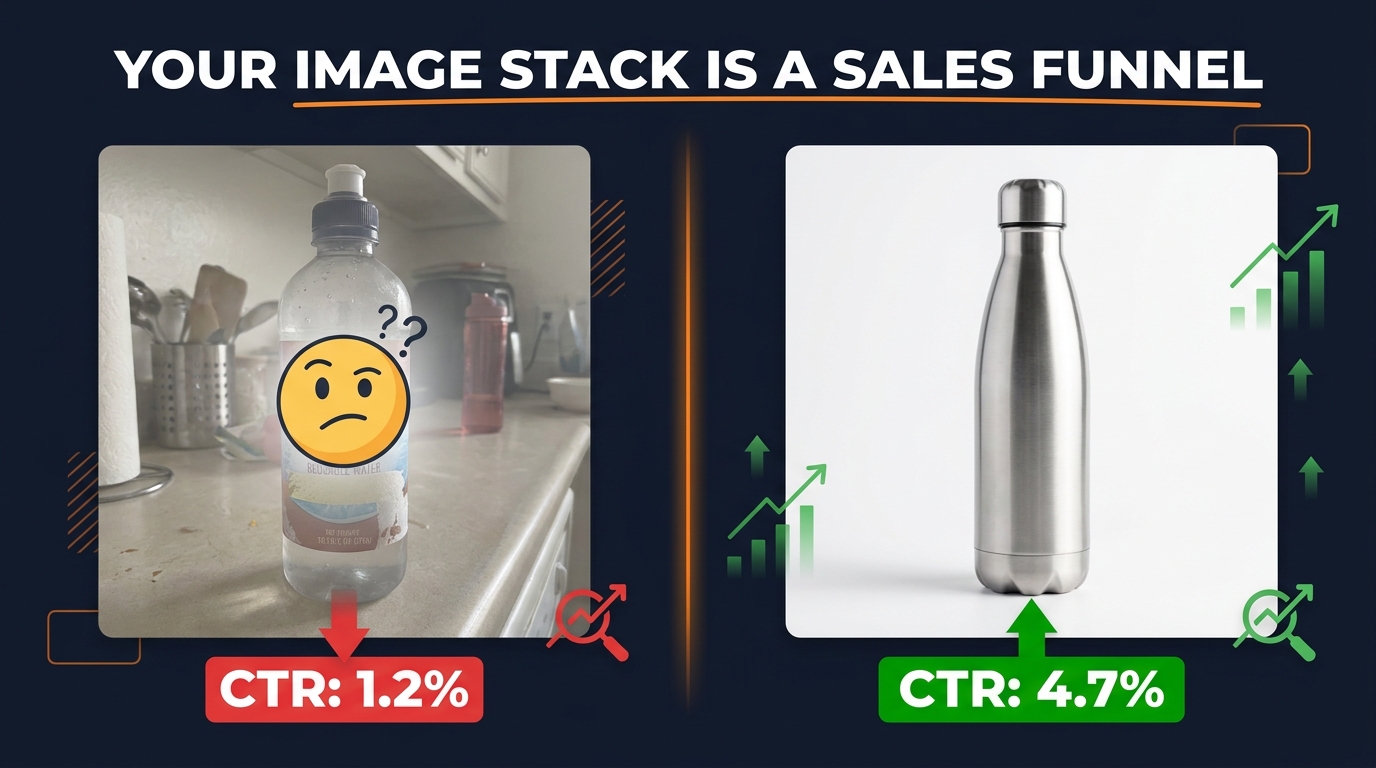
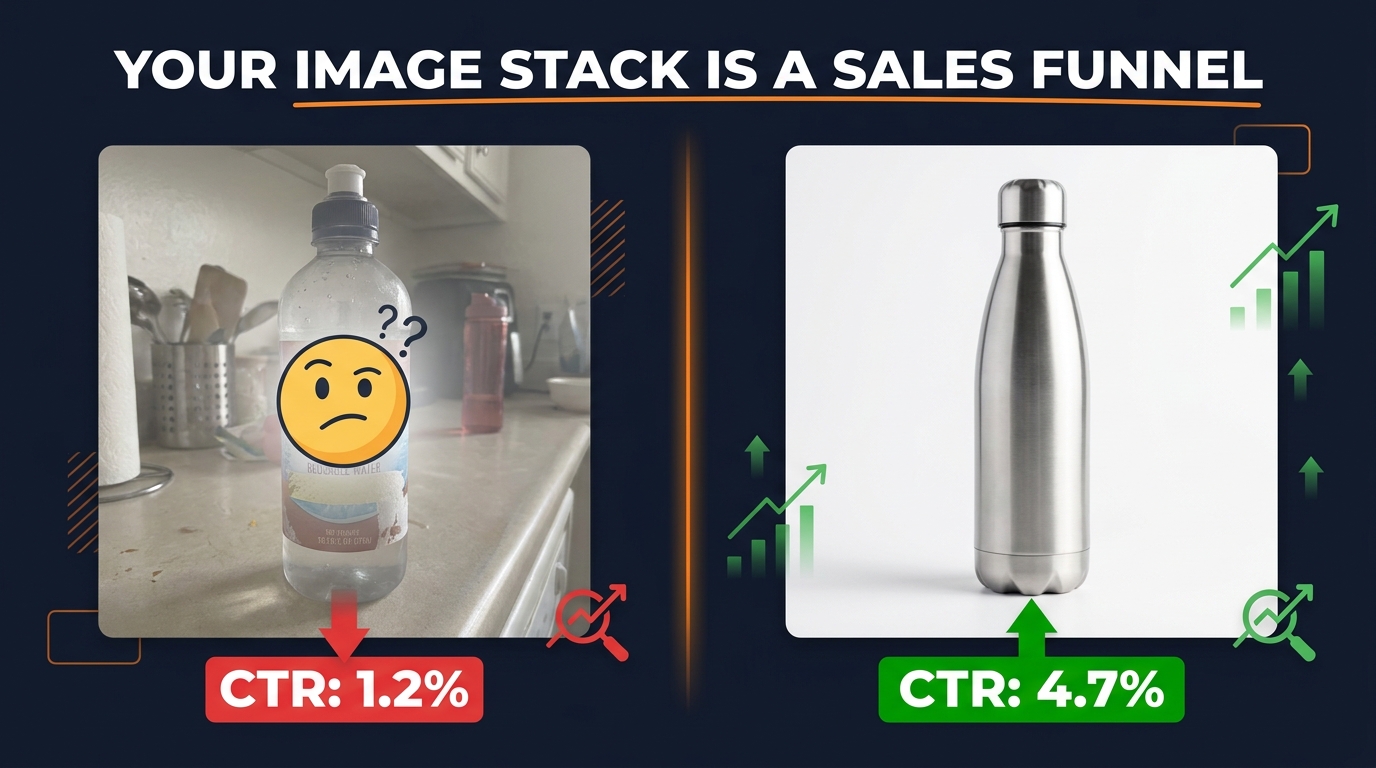
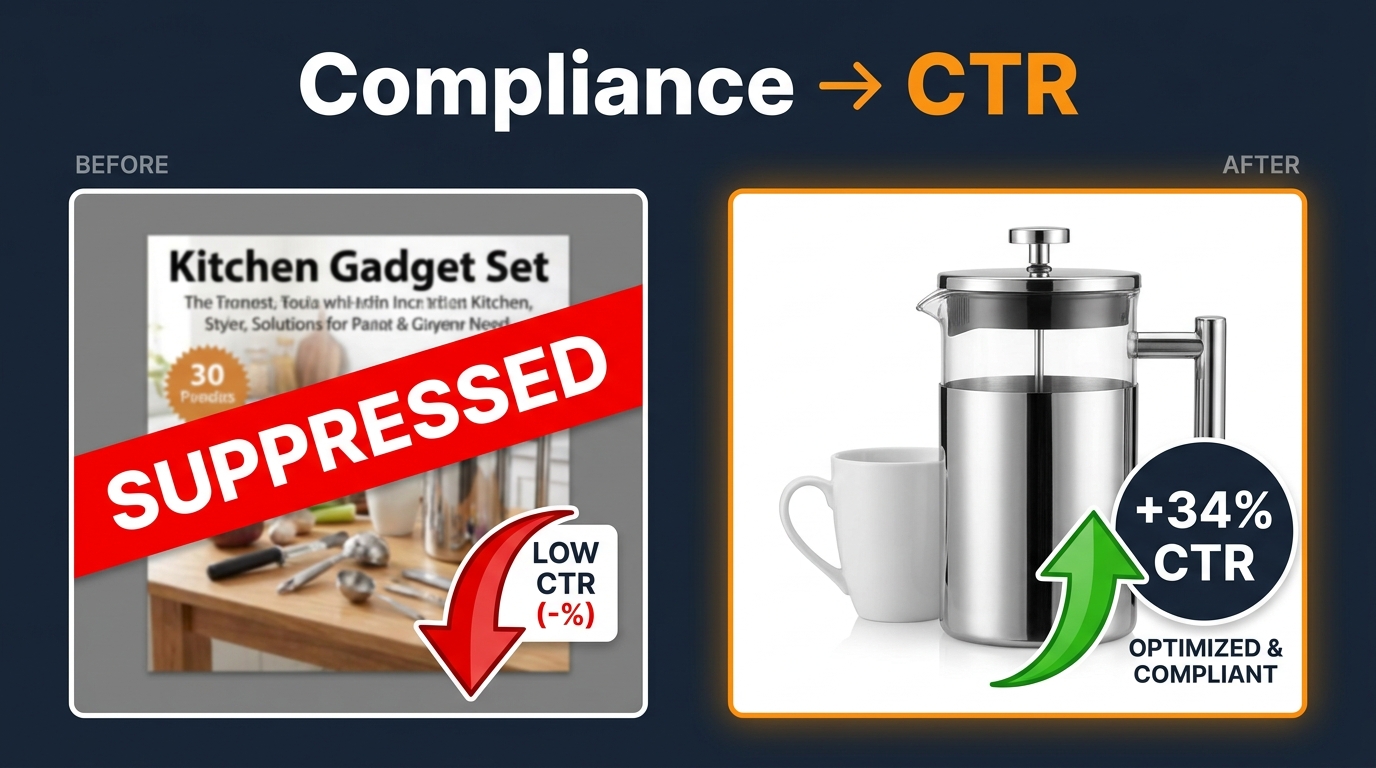
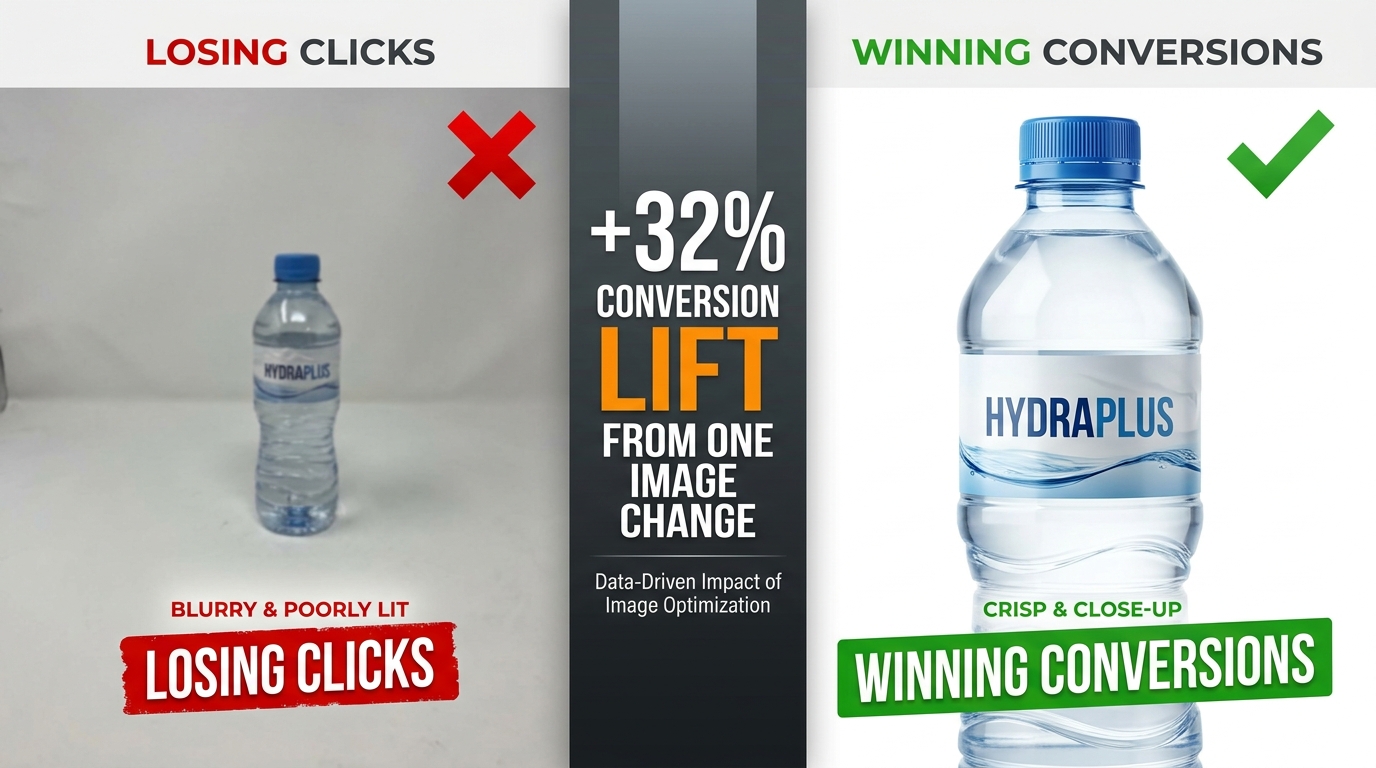
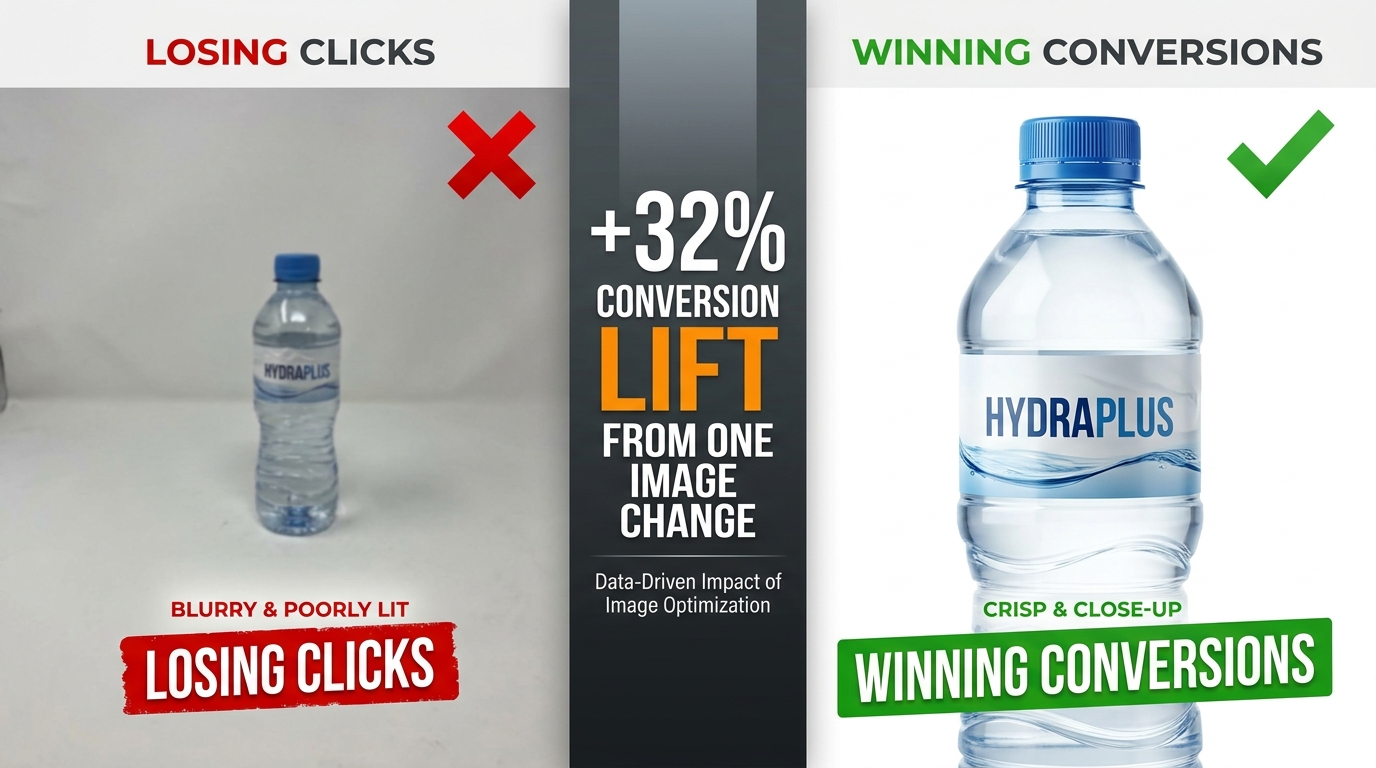
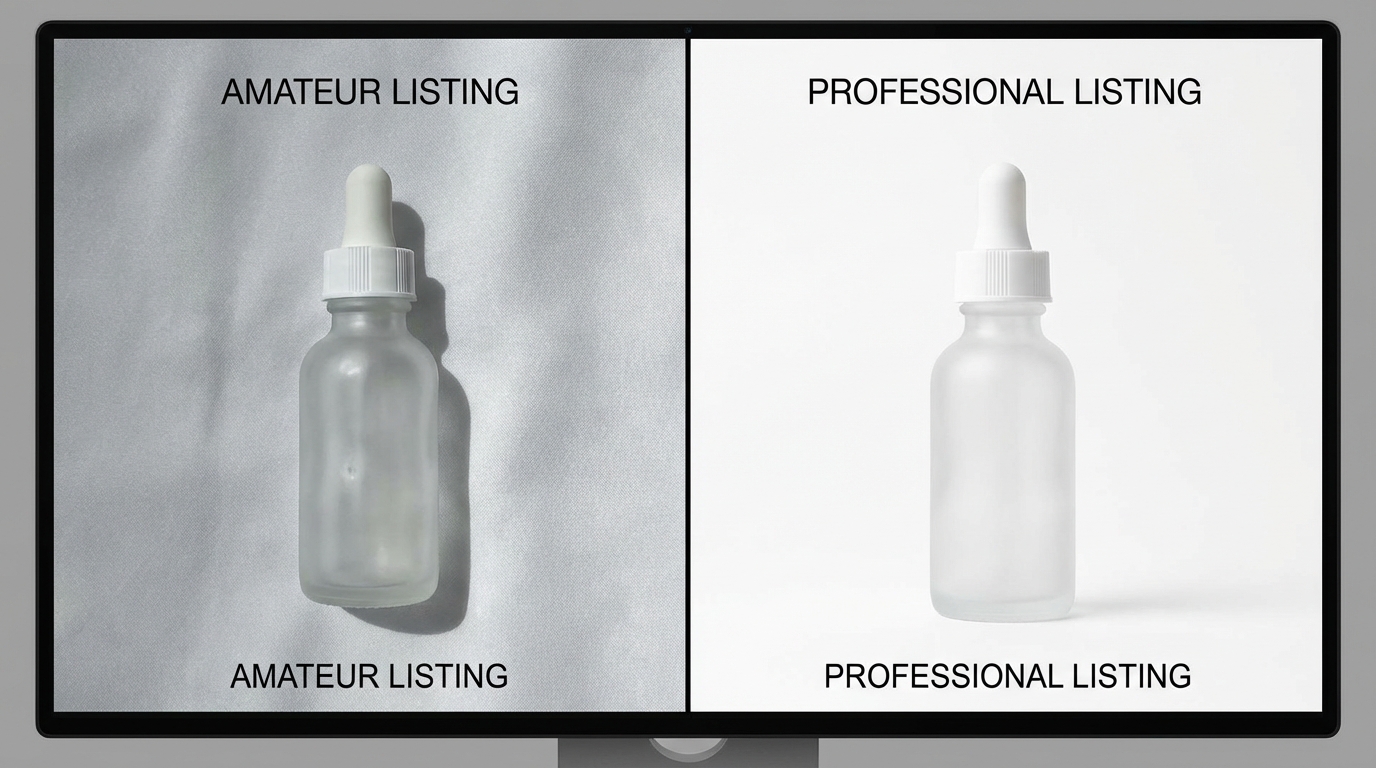
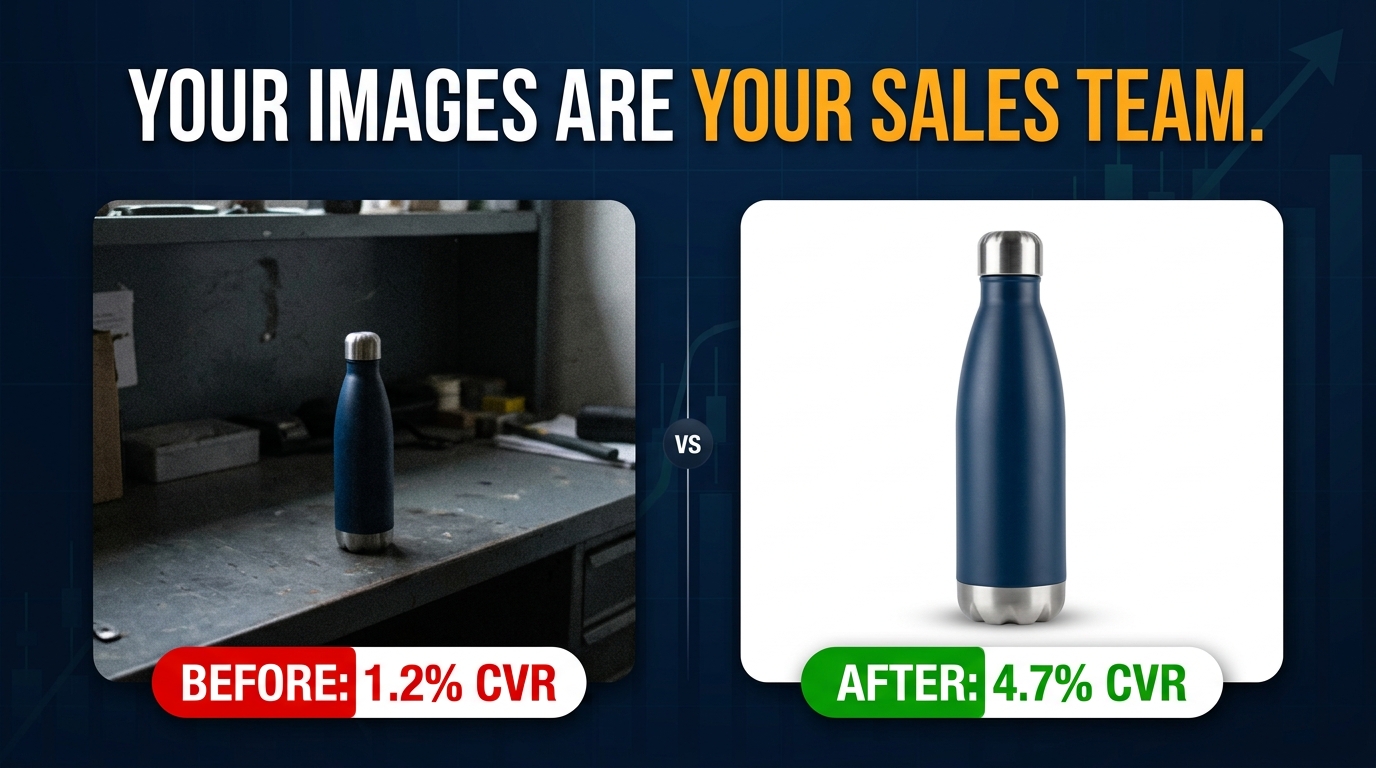
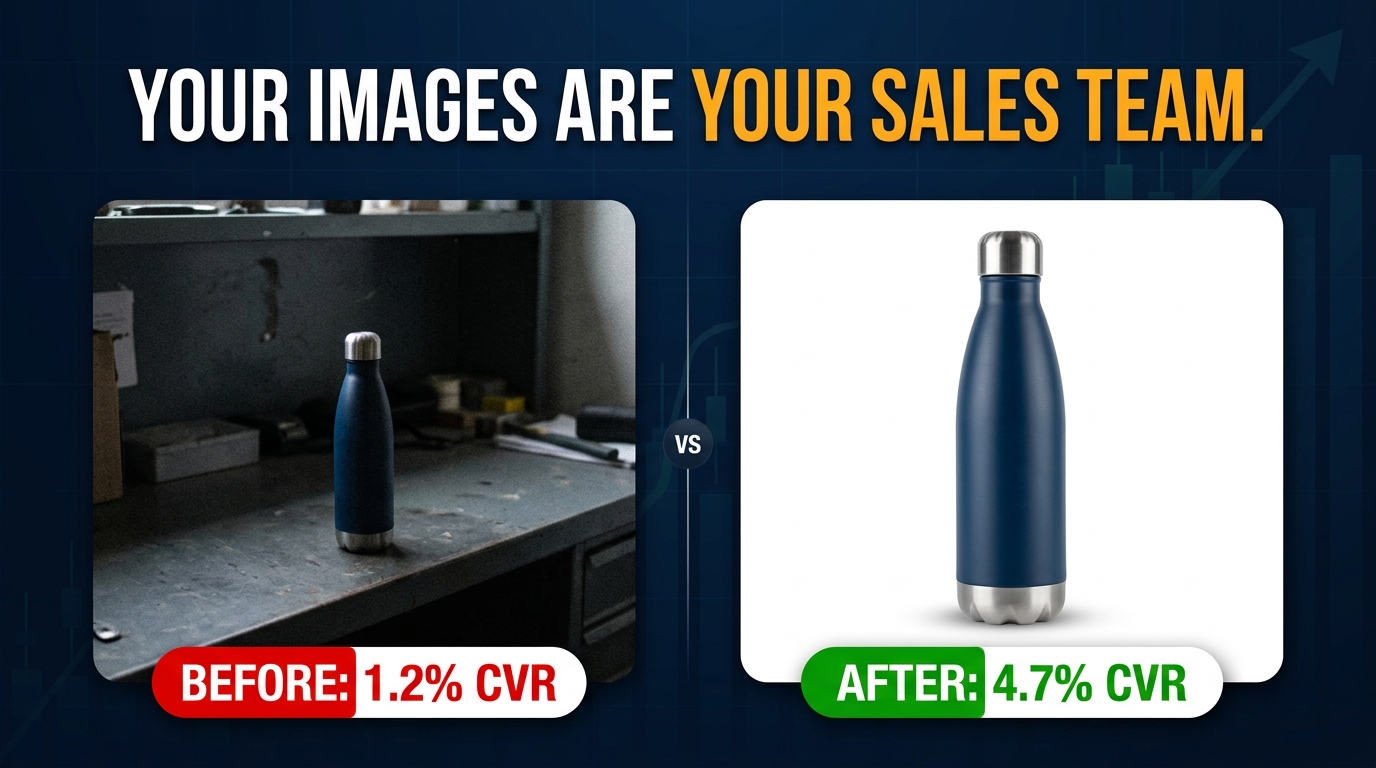
    Split-screen comparison: poor Amazon product image losing clicks vs. optimized image winning conversions with +32% conversion lift stat

    Most Amazon sellers focus their optimization energy in the wrong places. They obsess over keyword density in bullet points, fiddle with PPC bid adjustments, and chase backend search terms — while the single most powerful lever for clicks and conversions sits right at the top of every listing, doing damage no one is measuring.

    Their images.

    Here’s the uncomfortable reality: a shopper who lands on your listing will form a visual impression in roughly 50 milliseconds. Before they’ve read your title, before they’ve scrolled to your bullet points, before they’ve checked your reviews — they’ve already decided whether this product looks worth their time. That snap judgment is made entirely by your images.

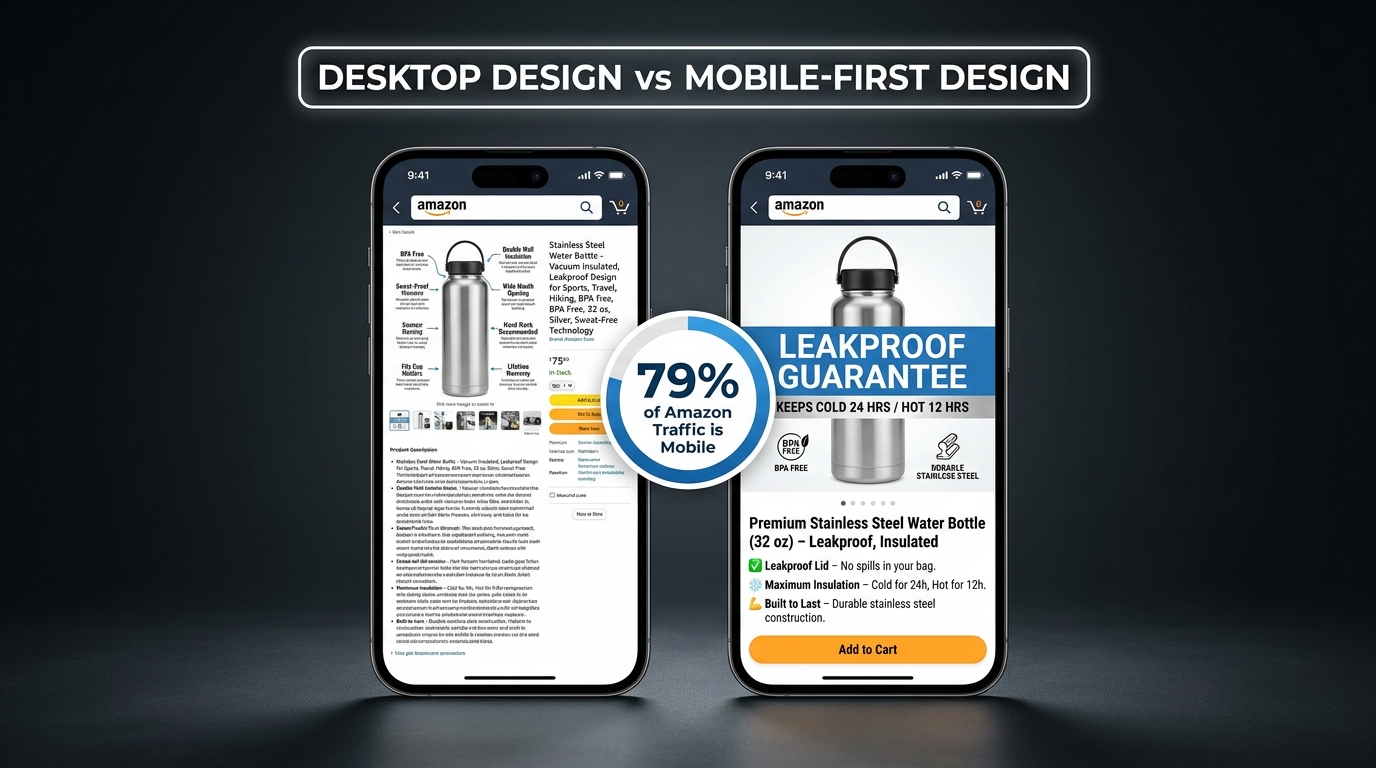
    And yet most Amazon listings are built with images that were assembled quickly, tested never, and optimized for desktop in a world where more than 70% of Amazon traffic is now mobile. The result is a silent, invisible tax on every impression your listing receives — lower click-through rates, higher bounce rates, more abandoned carts, and ultimately, margin that quietly bleeds out without a clear culprit on your dashboard.

    This isn’t another post about making sure your main image has a white background. You know that already. This is a detailed, section-by-section breakdown of what truly high-performing Amazon image stacks look like in 2026 — covering the science of sequencing, the specific mistakes that cost sellers real money, what Amazon’s Rufus AI is now extracting from your images, and how to build a testing loop that turns your image gallery into a compounding asset.

    Let’s start at the beginning — with why images aren’t just a creative decision, but an economic one.

    The Visual First Impression: Why Images Decide the Sale Before Buyers Read a Word

    Amazon selling is, at its core, a conversion rate business. Traffic matters — but what you do with that traffic is what separates profitable listings from expensive ones. And the evidence is increasingly clear that images are the single biggest driver of whether a visitor converts or walks.

    JungleScout research ranks product images as the second most critical purchase factor for Amazon buyers, sitting just behind price. That’s ahead of reviews, shipping speed, and brand reputation. When you factor in that images directly influence price perception — a professional image makes a product look premium, justifying higher prices — the argument for treating image optimization as a top-tier business activity becomes overwhelming.

    The 50-Millisecond Window

    Research on visual processing consistently shows that human brains form first impressions of visual content in approximately 50 milliseconds. For Amazon shoppers, that 50-millisecond window happens in the search results grid, where your hero image thumbnail competes against every other product on the page.

    In that instant, a shopper’s brain is running a rapid-fire filter: Does this look professional? Does this look like what I’m searching for? Does this look worth clicking? If the answer to any of those questions is “not sure,” they scroll past. There’s no second chance in the search results — your hero image gets one shot.

    Professional, high-quality images have been shown to produce conversion rates 2-3x higher than amateur or low-quality shots, according to Statista data. That’s not a marginal gain. A listing converting at 6% instead of 3% on the same traffic doubles revenue without a dollar more in ad spend.

    Images as Your Silent Sales Team

    The 65-70% of purchase decisions that are driven by images aren’t just about aesthetics. Images answer the questions a buyer would otherwise have to dig through text to find: What does this actually look like? How big is it? How do I use it? What’s in the box? Will it fit my life?

    Every image slot in your gallery is an opportunity to answer one of those questions before doubt can take root and send the shopper elsewhere. The sellers who treat their image stack like a sales team — each image with a specific job, answering a specific objection, advancing a specific conversation — are the ones whose conversion rates hold up even in crowded categories.

    The sellers who upload seven vaguely similar product photos and call it done are running a listing that’s working against them every single day.

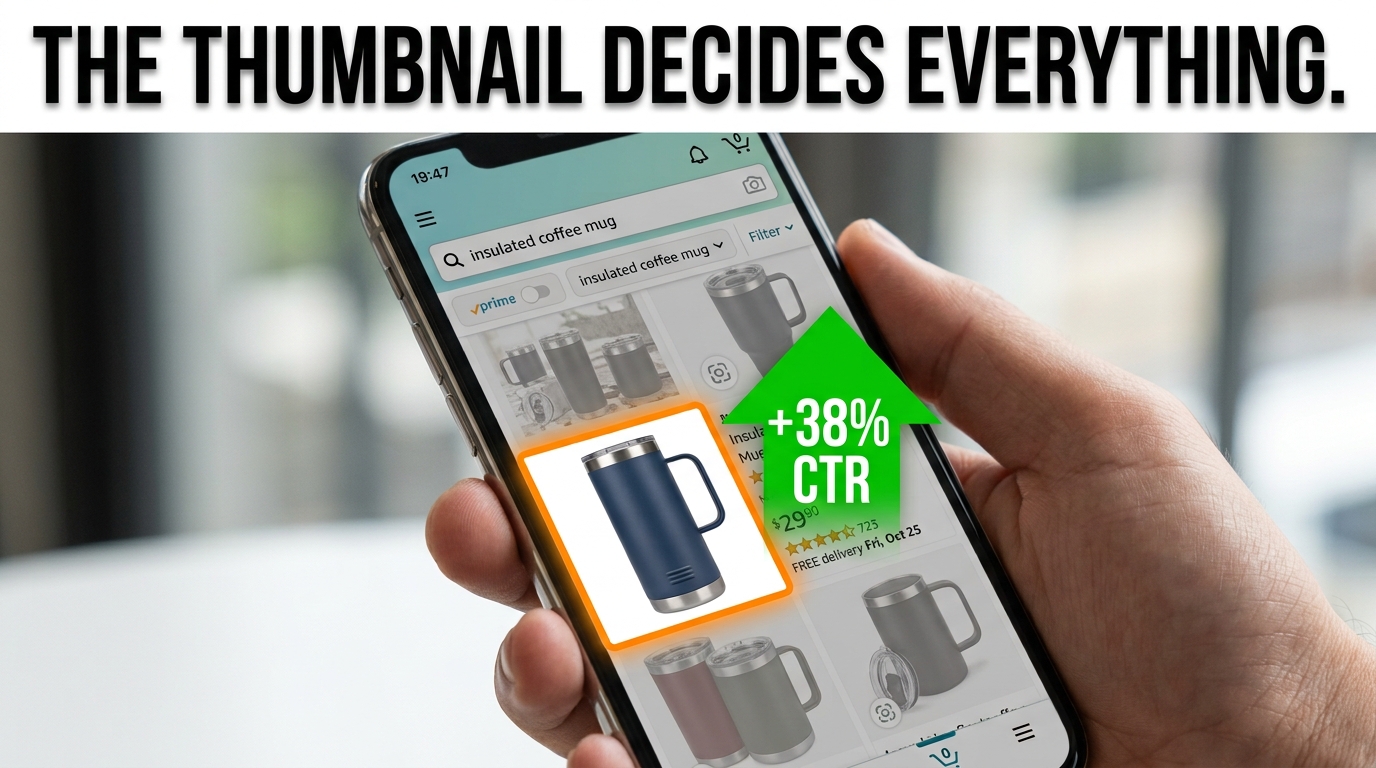
    The Hero Image: Engineering a Thumbnail That Commands the Click

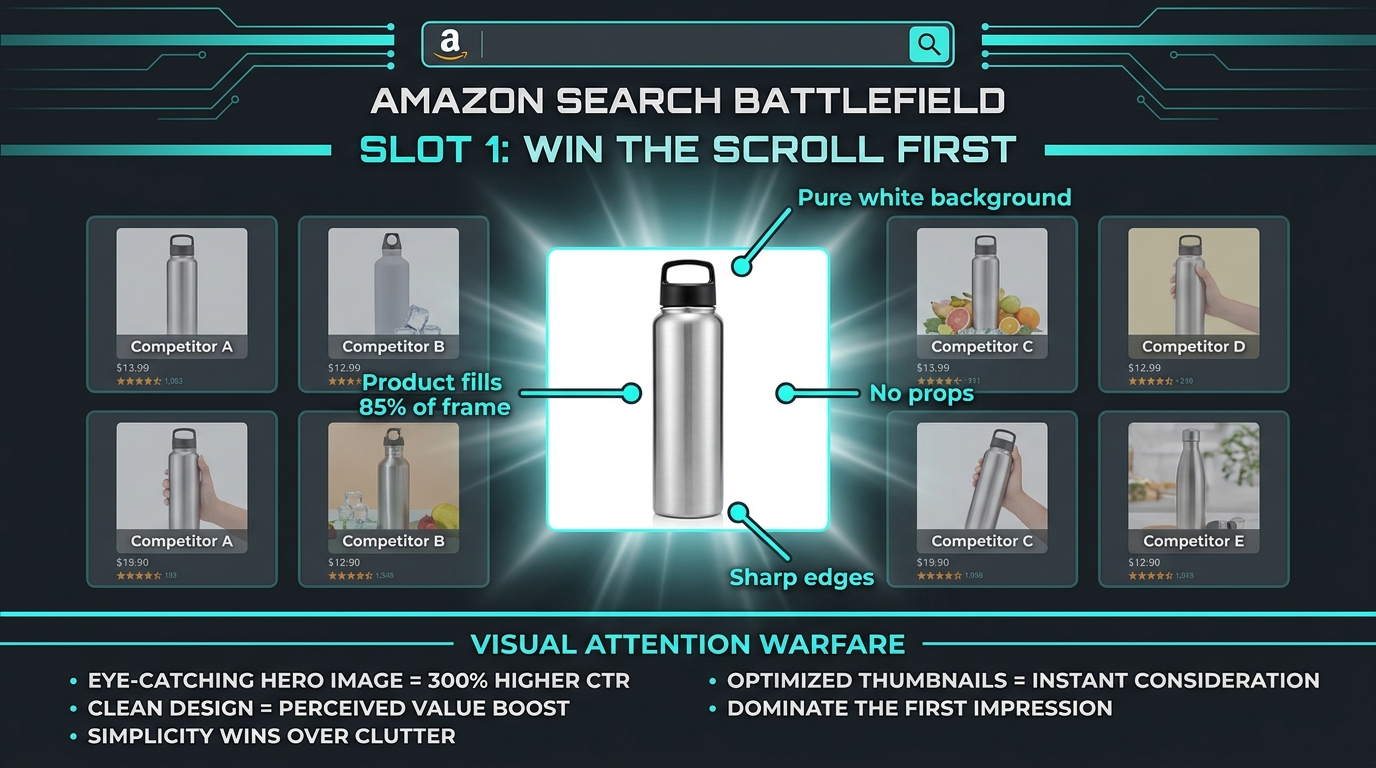
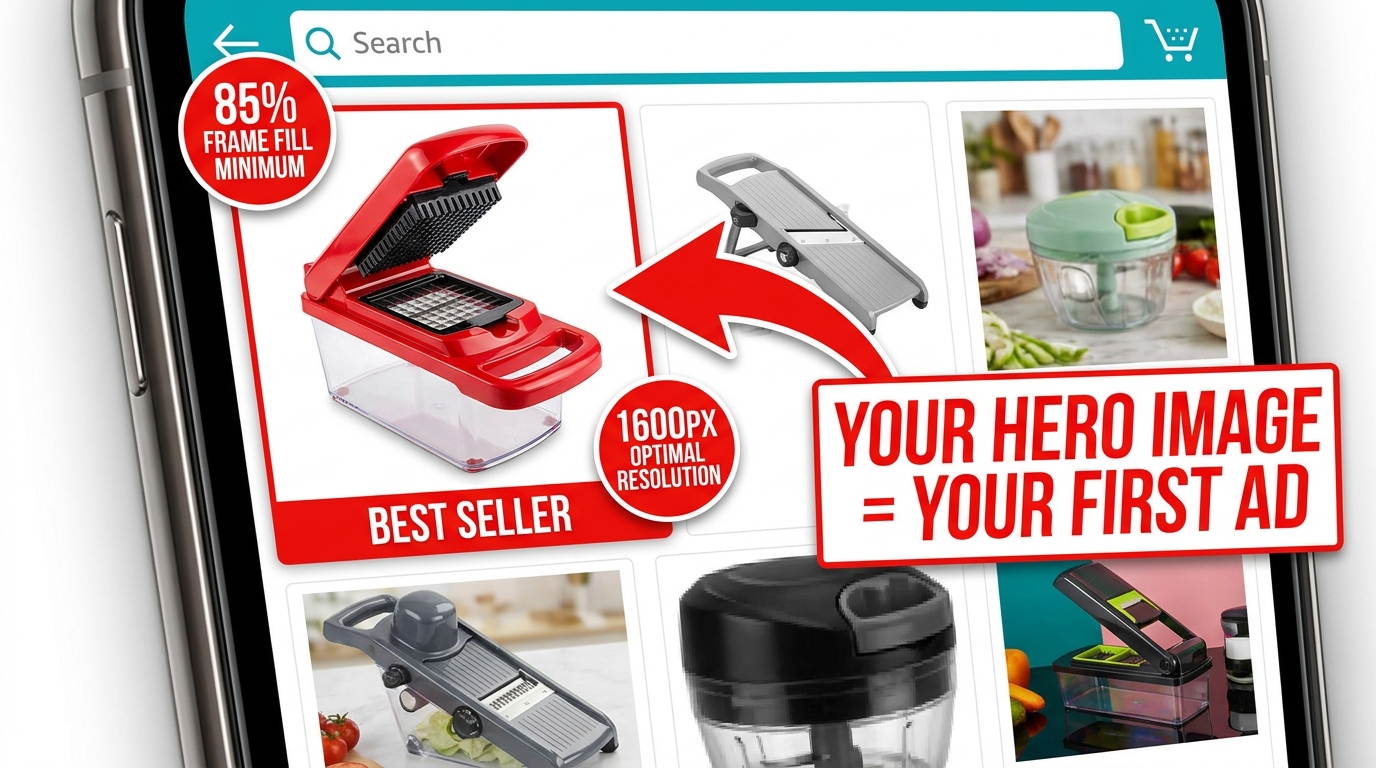
    Amazon mobile search grid showing one optimized product thumbnail standing out with 85% frame fill vs. competitors with dead space

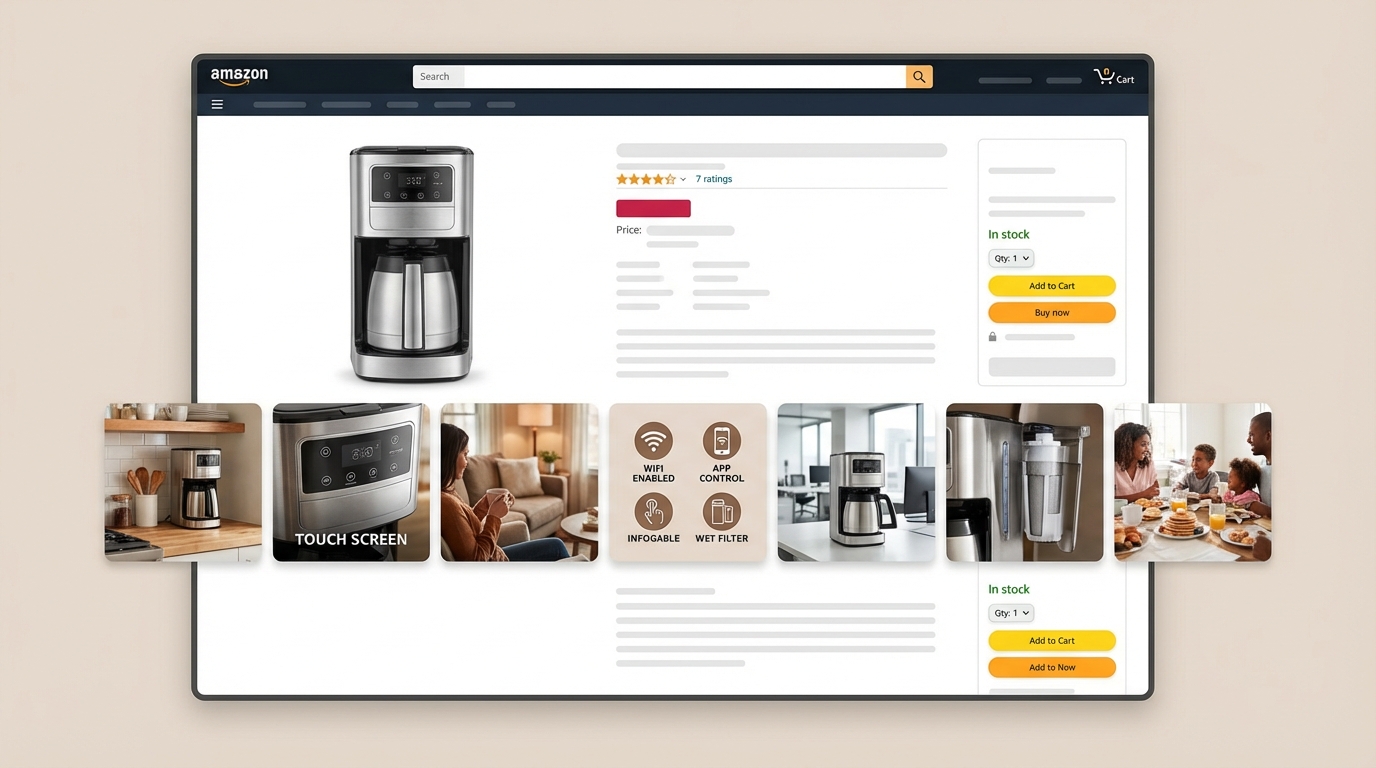
    Your hero image — the main product shot shown in search results — is functionally an advertisement. It’s the creative that runs every time someone searches a keyword you rank for, and its job is a single, specific one: get the click. Not sell the product. Not explain the features. Get. The. Click.

    Everything else in your listing exists downstream of that click. The bullet points, the A+ content, the reviews, the video — none of it matters if the hero image doesn’t earn the visit. That’s why the hero deserves a level of attention and investment that most sellers reserve for their PPC campaigns.

    Amazon’s Non-Negotiable Technical Requirements

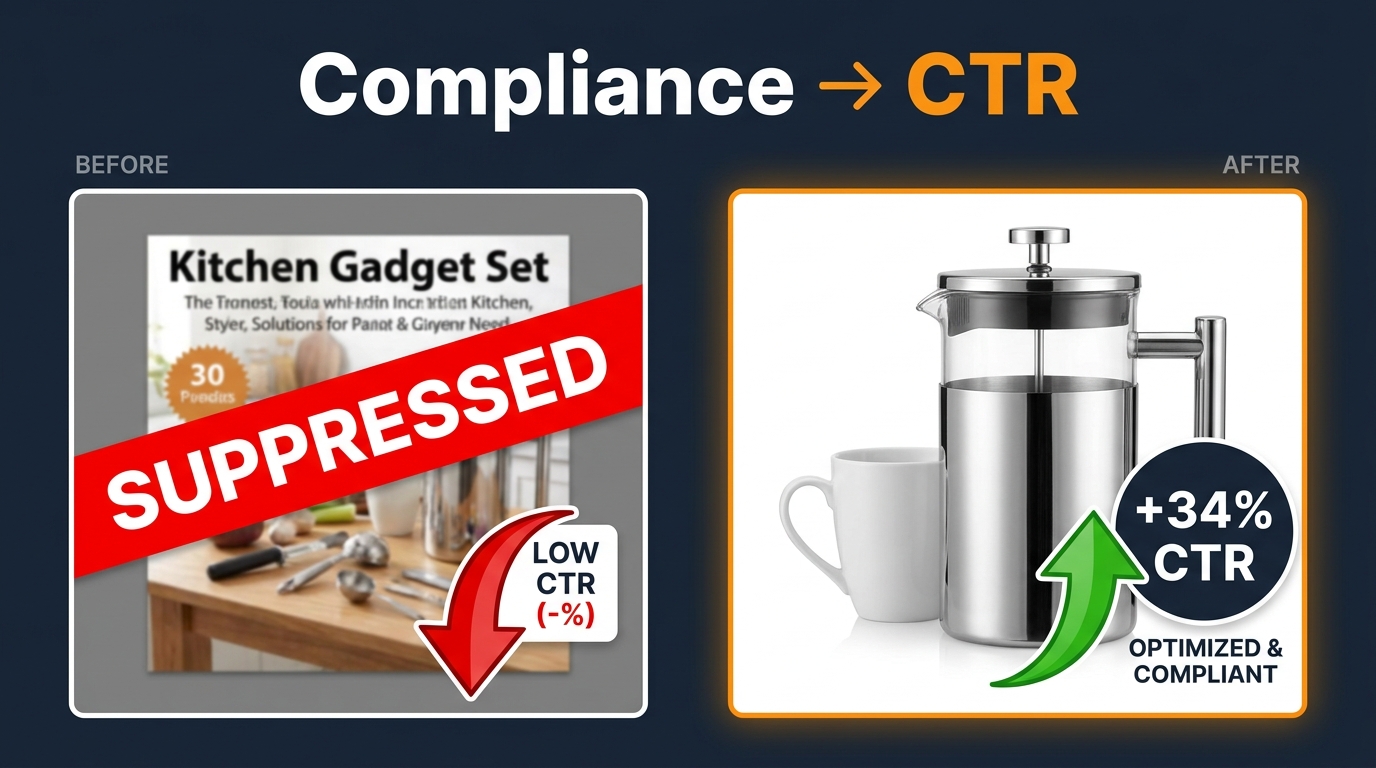
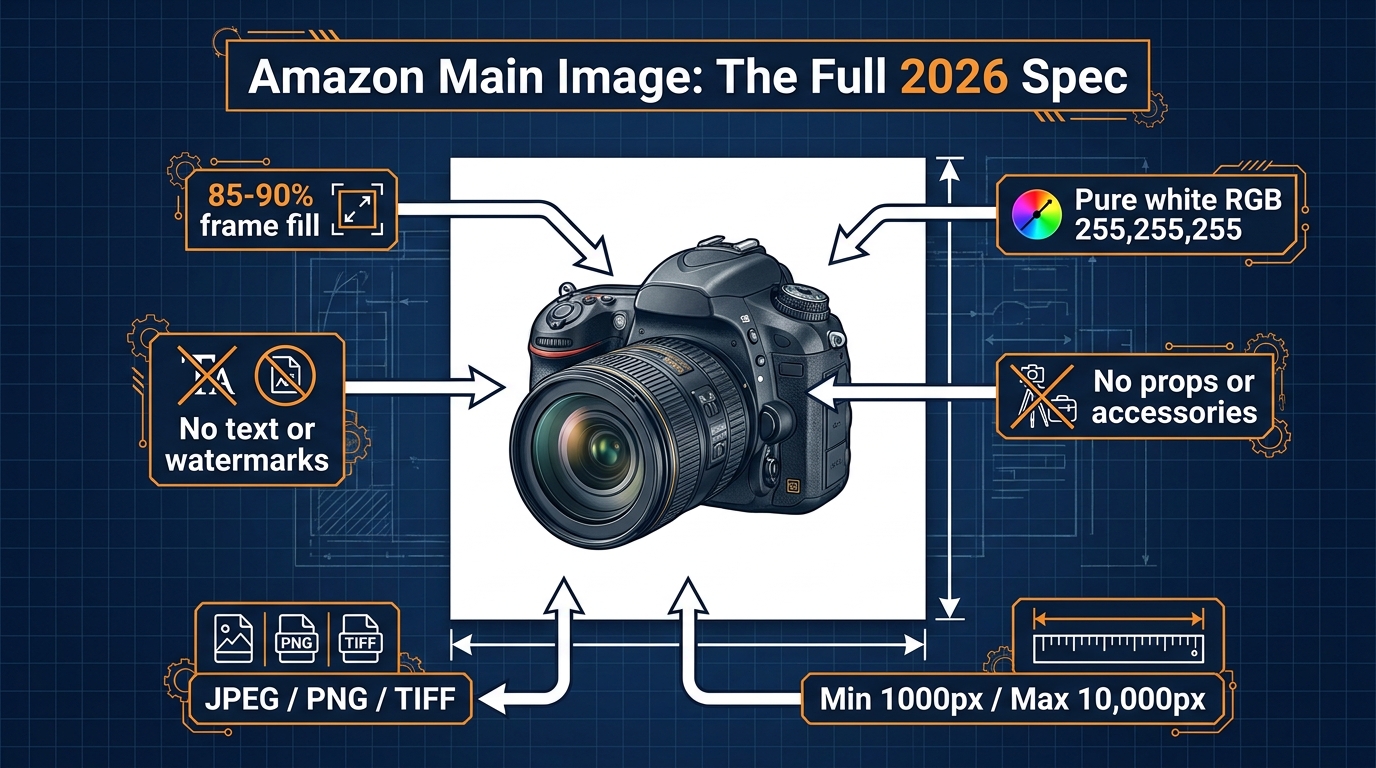
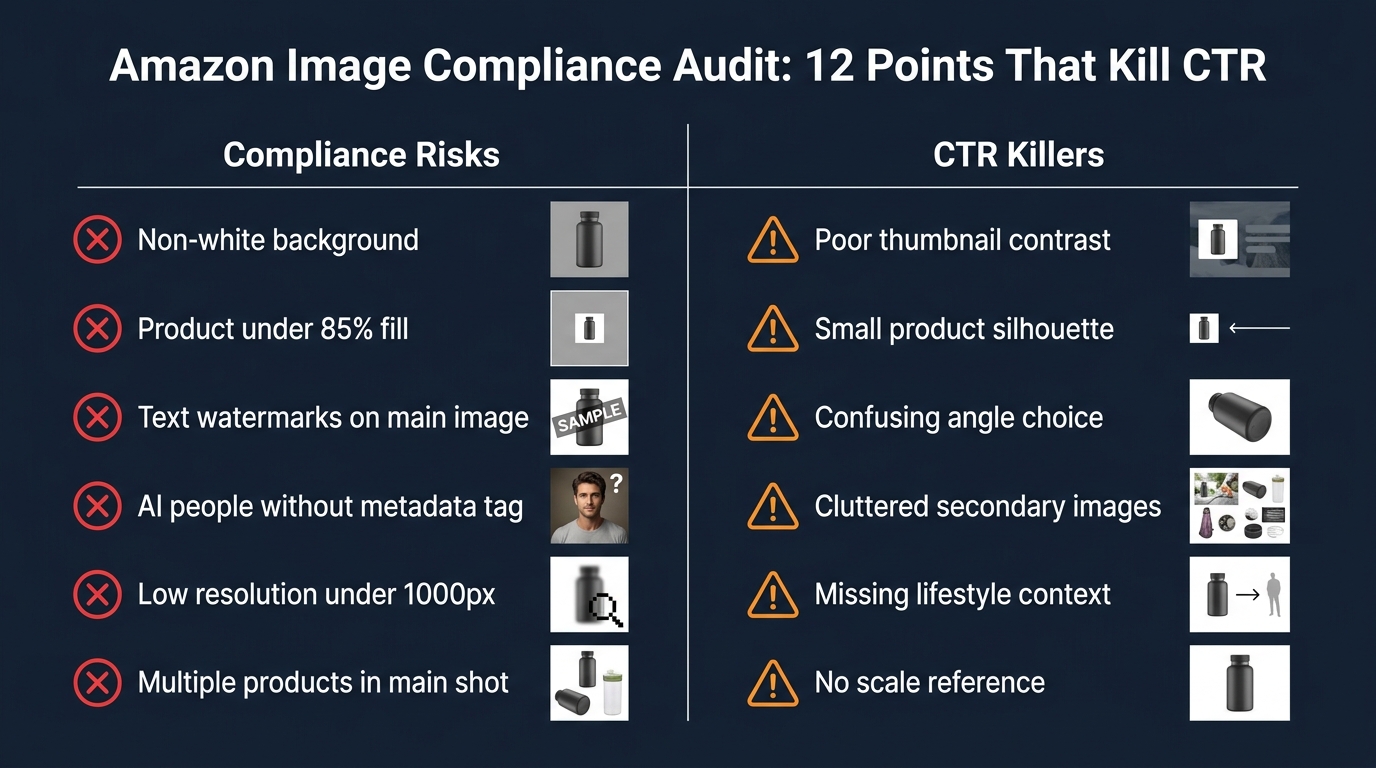
    Amazon’s requirements for the main image are strict, and violating them risks listing suppression. The rules are worth internalizing, not just bookmarking:

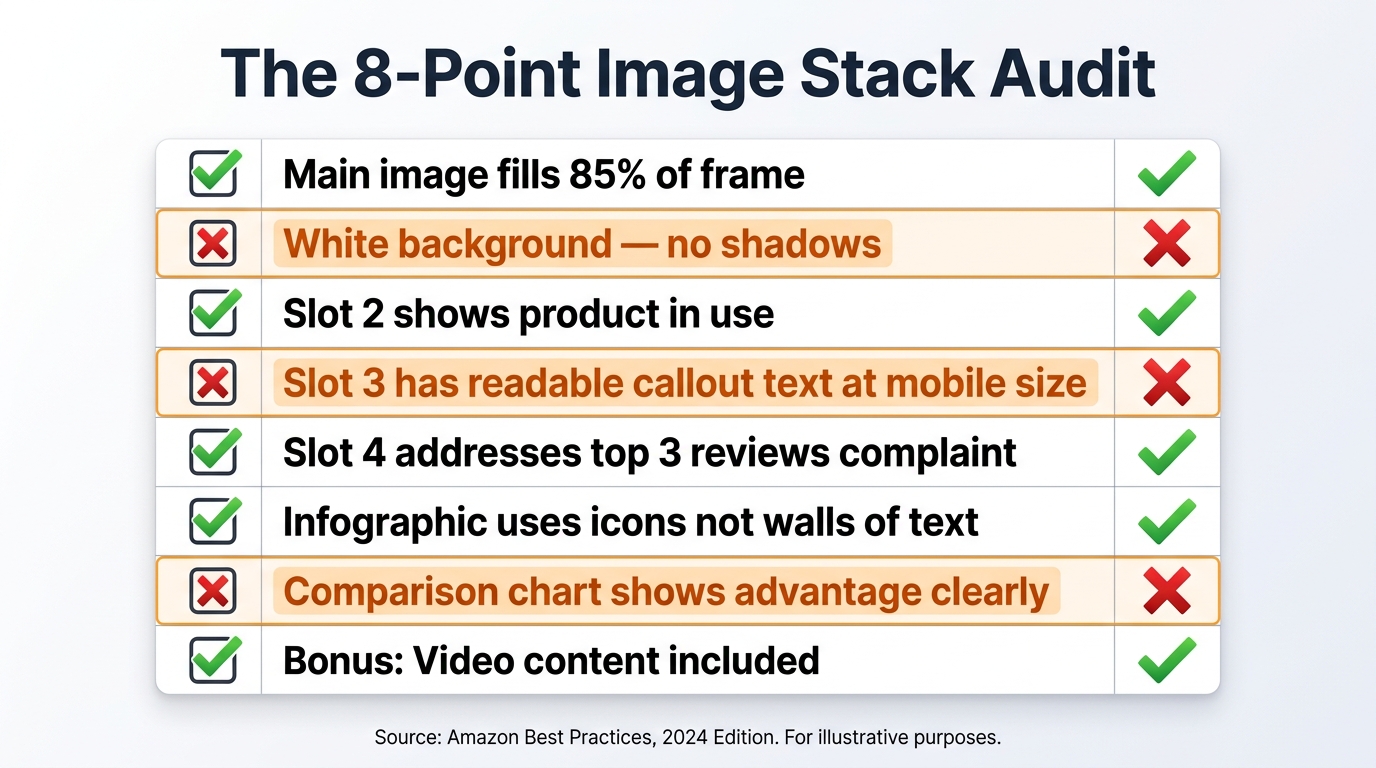
    • Pure white background: RGB 255, 255, 255 — not off-white, not light gray, not cream. Pure white.
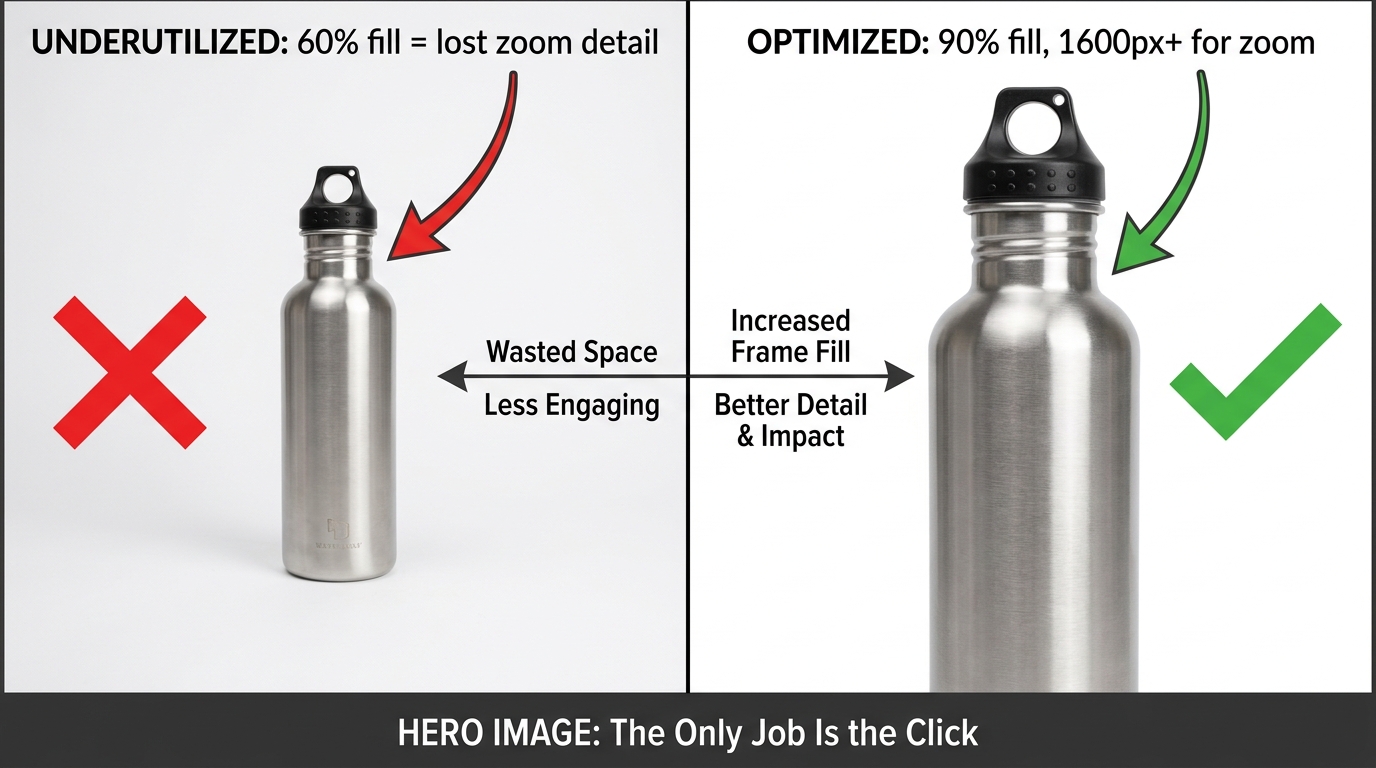
    • Product fills at least 85% of the frame. This is a minimum. 90-95% is better.
    • No text, logos, graphics, watermarks, or borders overlaid on the product or background.
    • Minimum 1,000px on the longest side for the site; 1,600px to enable zoom (which improves conversion); up to 10,000px maximum.
    • Product must be shown outside packaging in most categories. No props or excluded accessories.
    • No multiple views of the same product in the main image.

    Amazon’s optimal specification is 1,600px or larger specifically because zoom functionality — the ability to hover and enlarge the image — has been shown to measurably improve sales. Don’t meet the minimum. Aim for 2,000px or higher for maximum quality at all display sizes.

    What “Commanding the Click” Actually Looks Like

    Within Amazon’s rules, there’s still significant room to differentiate. The best hero images share a few characteristics that go beyond technical compliance:

    Angle matters more than you think. The front-facing, flat product shot is the default — and for most categories, it’s what works. But the best angle is the one that makes your product’s most compelling feature immediately visible in a 200×200 pixel thumbnail. For a travel mug, that might be the lip-seal lid. For a knife, the blade profile. Test angles if you’re unsure.

    Contrast against the white background. White backgrounds make all products equal at a technical level — but visually, a product with natural contrast (dark colors, distinct edges, strong silhouette) pops far better than a light-colored product that blends into the white. If your product is white or light-colored, consider how professional lighting and shadow can create separation.

    Perceived quality through photography. The difference between a $200 professional product shoot and a phone photo isn’t just resolution — it’s lighting, shadows, reflections, and depth that signal to a buyer’s brain whether this is a premium product or a cheap knockoff. Professional photography for your hero image isn’t a nice-to-have. In most categories with competitive imagery, it’s table stakes.

    Dead Pixel Real Estate: The Hidden CTR Killer Most Sellers Ignore

    “Dead pixel real estate” is the term used among image optimization practitioners for the empty, unused space around a product in a hero image. It’s the blank white space that surrounds a product when the shot is taken from too far away, or when the original photography dimensions weren’t optimized for Amazon’s thumbnail format.

    In full desktop view, dead pixel space looks acceptable. But in Amazon’s search result grid — particularly on mobile — thumbnails are small and the competition for visual attention is fierce. Every pixel of empty white space is a pixel your product isn’t using. At thumbnail scale, a product that fills 65% of the frame looks noticeably smaller and less substantial than a competitor’s product filling 90%.

    Why This Matters at the Search Results Level

    At any given time on Amazon, your product thumbnail is displayed alongside 15-48 other thumbnails on a search results page. The cognitive load of choosing what to click is real — and shoppers make those micro-decisions based almost entirely on visual prominence and perceived quality.

    A product with significant dead pixel space around it reads as smaller, cheaper, and less important than its neighbors. It doesn’t matter if the product is actually premium — the thumbnail is the first impression, and perception is reality in the 50-millisecond window of a search results scroll.

    Optimizing for zero dead pixel space means cropping your image so the product fills 90-95% of the frame. If your original photography didn’t achieve this, it can often be corrected in post-production without a reshoot. The fix is frequently cheap. The cost of not fixing it compounds daily.

    The “Dead Pixel” Opportunity in Secondary Images

    The dead pixel concept also applies inversely to secondary images — where blank space can be deliberately used as “real estate” for value propositions. In infographic slots, sellers have used the white space around a product to place specification callouts, measurement indicators, and benefit bullets that technically don’t “overlay” the product itself.

    This approach threads the needle between Amazon’s rules (which prohibit text overlays on the main image) and the desire to communicate quickly in the secondary slots. It’s one of the more nuanced tactics available and, when executed cleanly, can make secondary images significantly more informative at a glance.

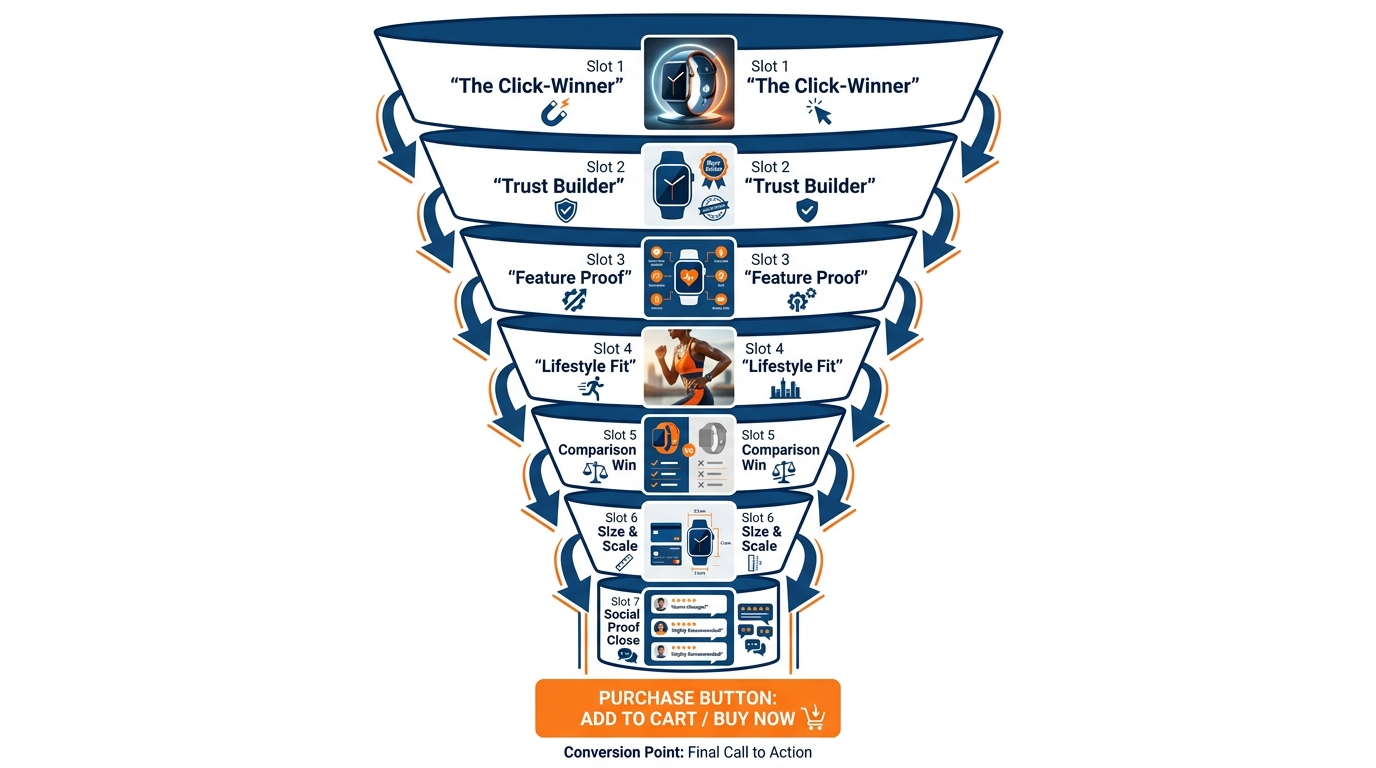
    The 9-Slot Image Sequence and the Psychology Behind Each Position

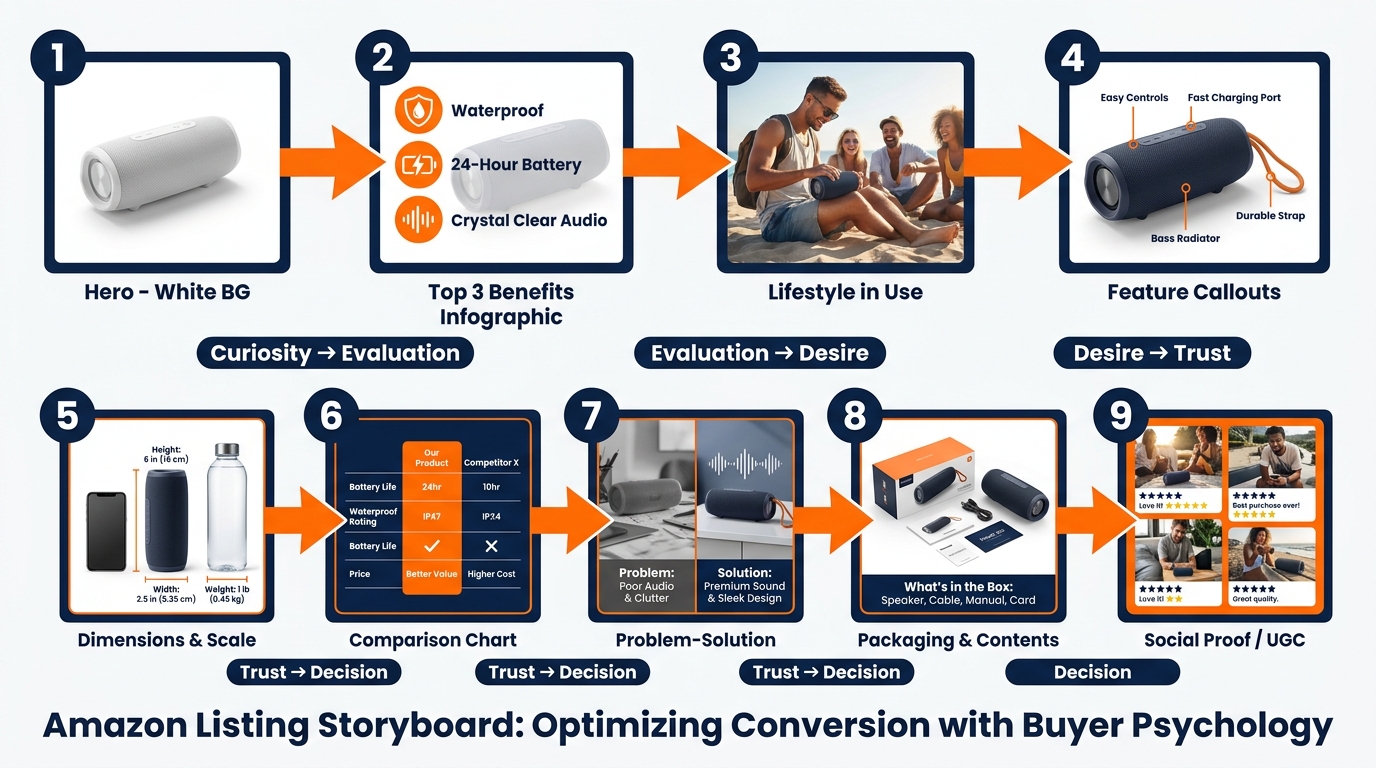
    Amazon 9-image slot storyboard sequence showing psychological buyer journey from curiosity through trust to purchase decision

    Amazon allows up to nine image slots plus a video slot for most categories. The vast majority of sellers use fewer than seven, and the ones who do use all nine frequently upload images in whatever order they happen to be ready — not in a deliberate sequence designed to move a buyer through a purchase decision.

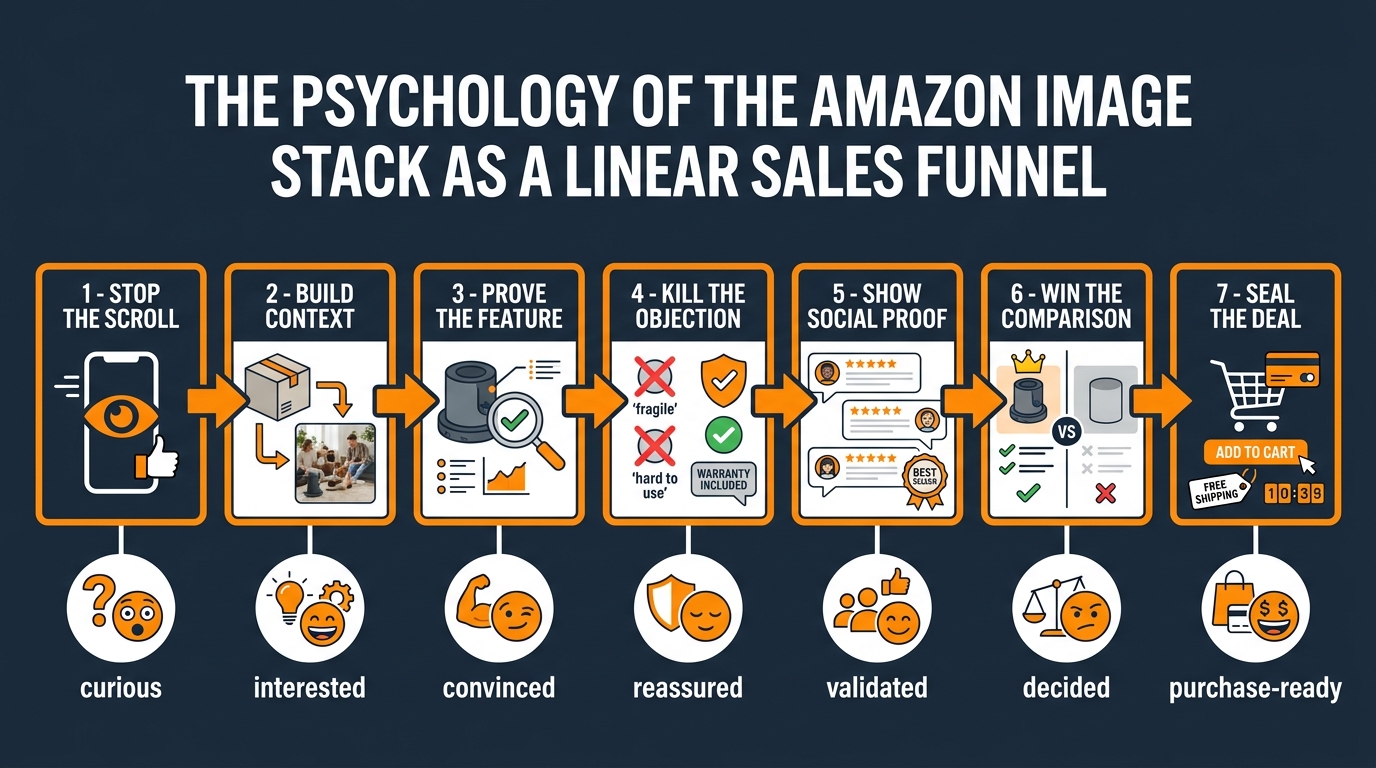
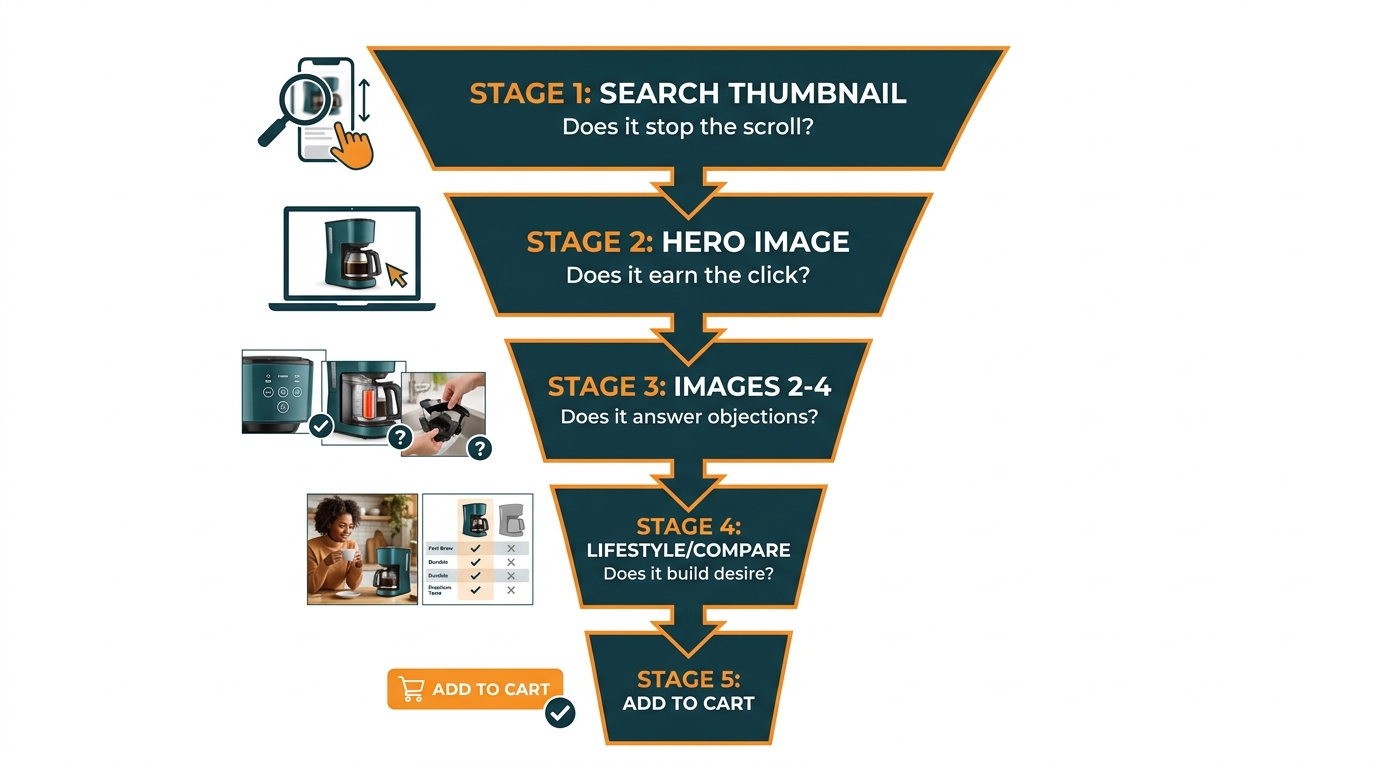
    That’s a structural mistake. The image gallery is a sales funnel. Each slot corresponds to a different stage of the buyer’s cognitive journey, and a well-sequenced gallery moves shoppers from initial curiosity through evaluation, desire, objection-handling, and ultimately to the “Add to Cart” button. A randomly ordered gallery just gives shoppers more chances to find a reason to leave.

    The Nine-Slot Framework

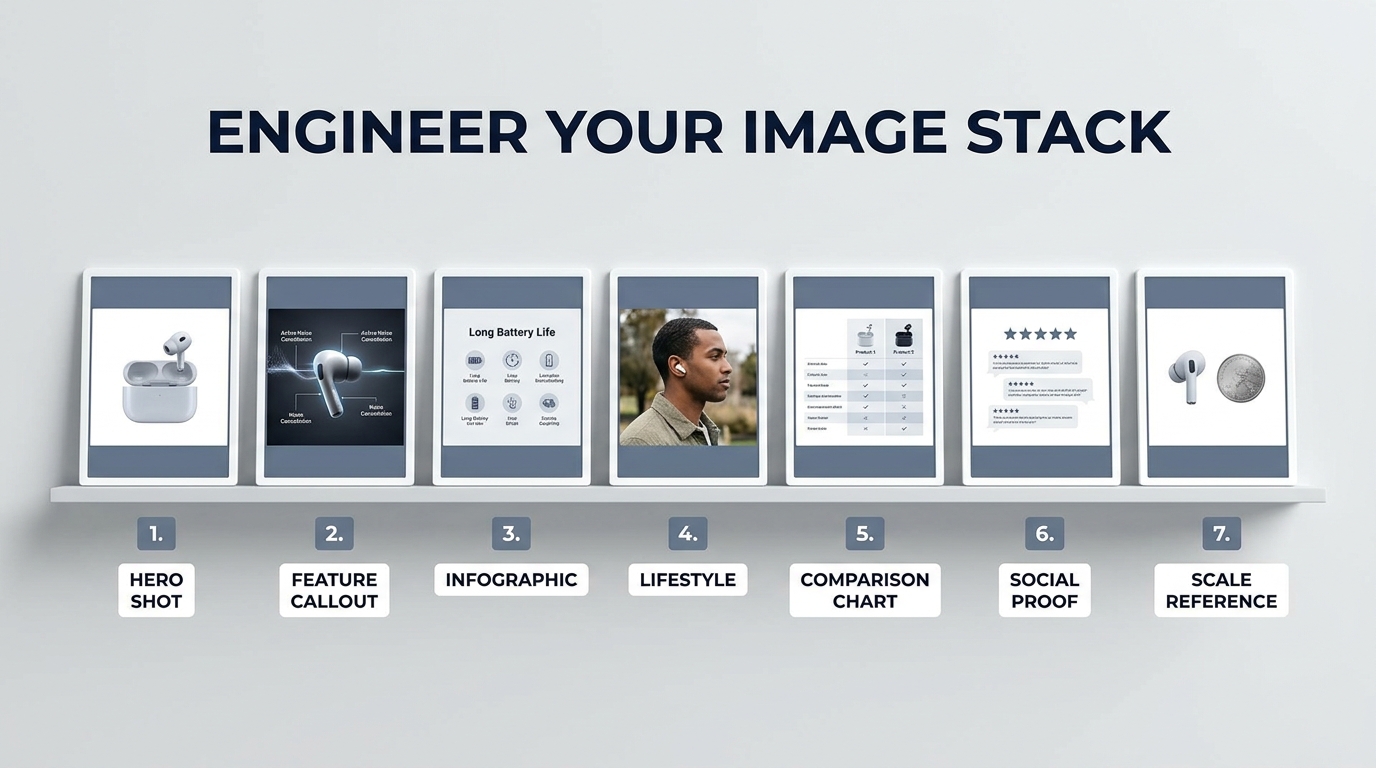
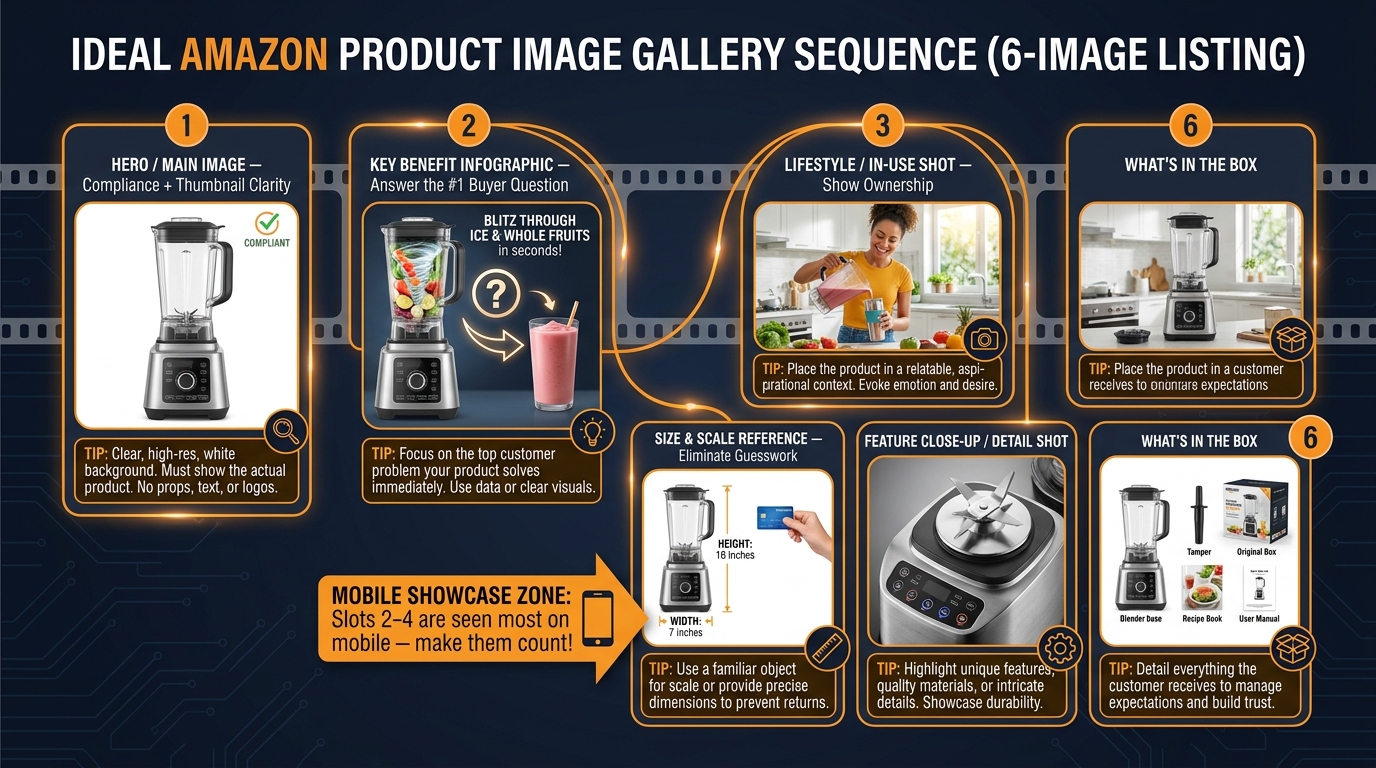
    Here’s how high-converting sellers approach the 9-slot sequence:

    Slot 1 — The Hero: Pure white background, maximum frame fill, professional photography. Drives the click from search results. No information beyond the product’s visual quality and form factor.

    Slot 2 — The Top-3 Benefits Infographic: The buyer has clicked and is evaluating whether to stay. This slot answers: “Why this product?” Three bold, benefit-driven callouts with clean iconography. Not features — benefits. Not “1200W motor” — “Crushes ice in under 10 seconds.” This is where you address the emotional purchase driver immediately.

    Slot 3 — Lifestyle in Context: Show the product being used by a person in a real environment. This slot triggers aspiration and belonging. The buyer thinks: “That could be me.” It also communicates scale, ease of use, and the product’s fit into the buyer’s life — all without a word of text.

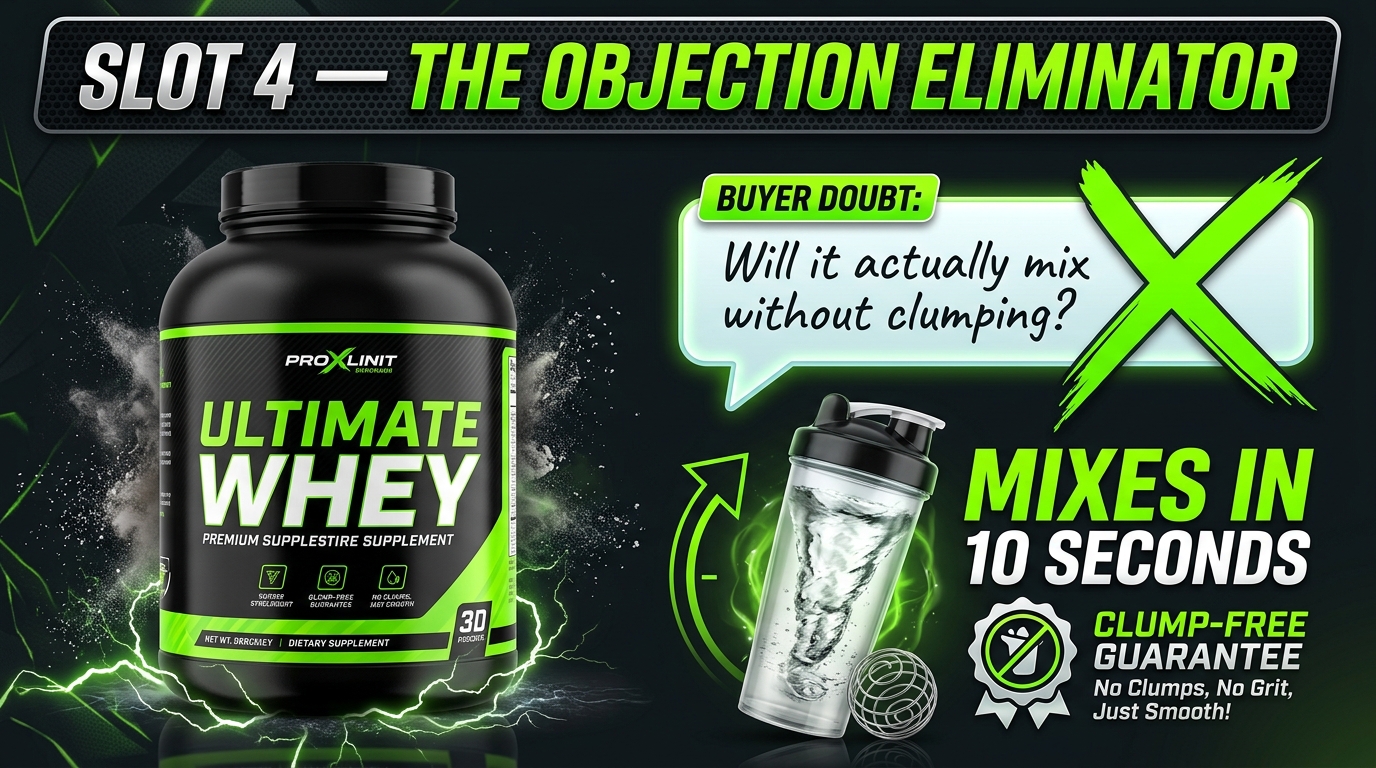
    Slot 4 — Feature Callouts with Close-Ups: Now the buyer is warming up and wants details. This slot goes deep on the product’s most important physical features — materials, components, specific design choices — with annotated close-up photography and short explanatory labels.

    Slot 5 — Dimensions and Scale Reference: One of the most common causes of returns is size mismatch. Buyers imagined the product was bigger or smaller than it actually is. A dedicated dimensions image — showing the product next to a recognizable scale reference (a hand, a common household item) alongside actual measurements — prevents this objection before it becomes a return or a negative review.

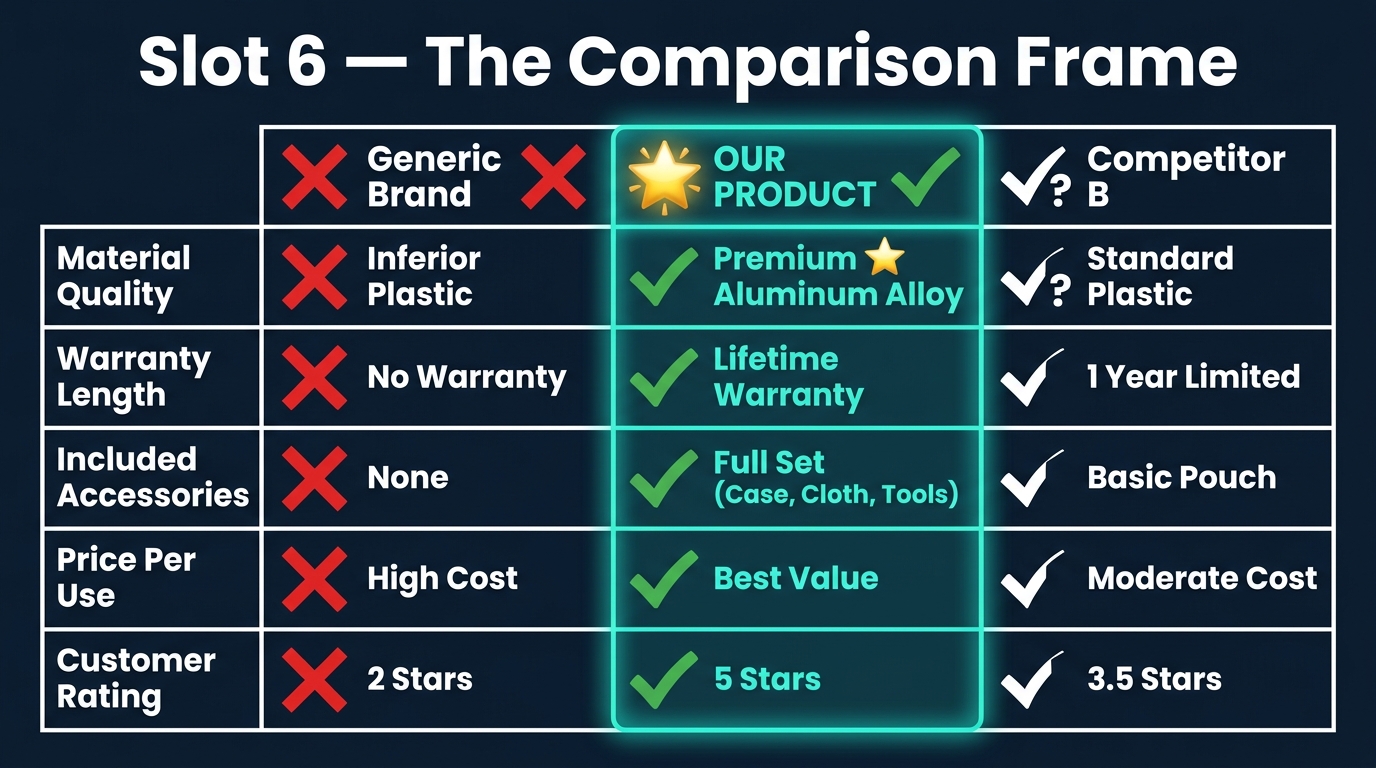
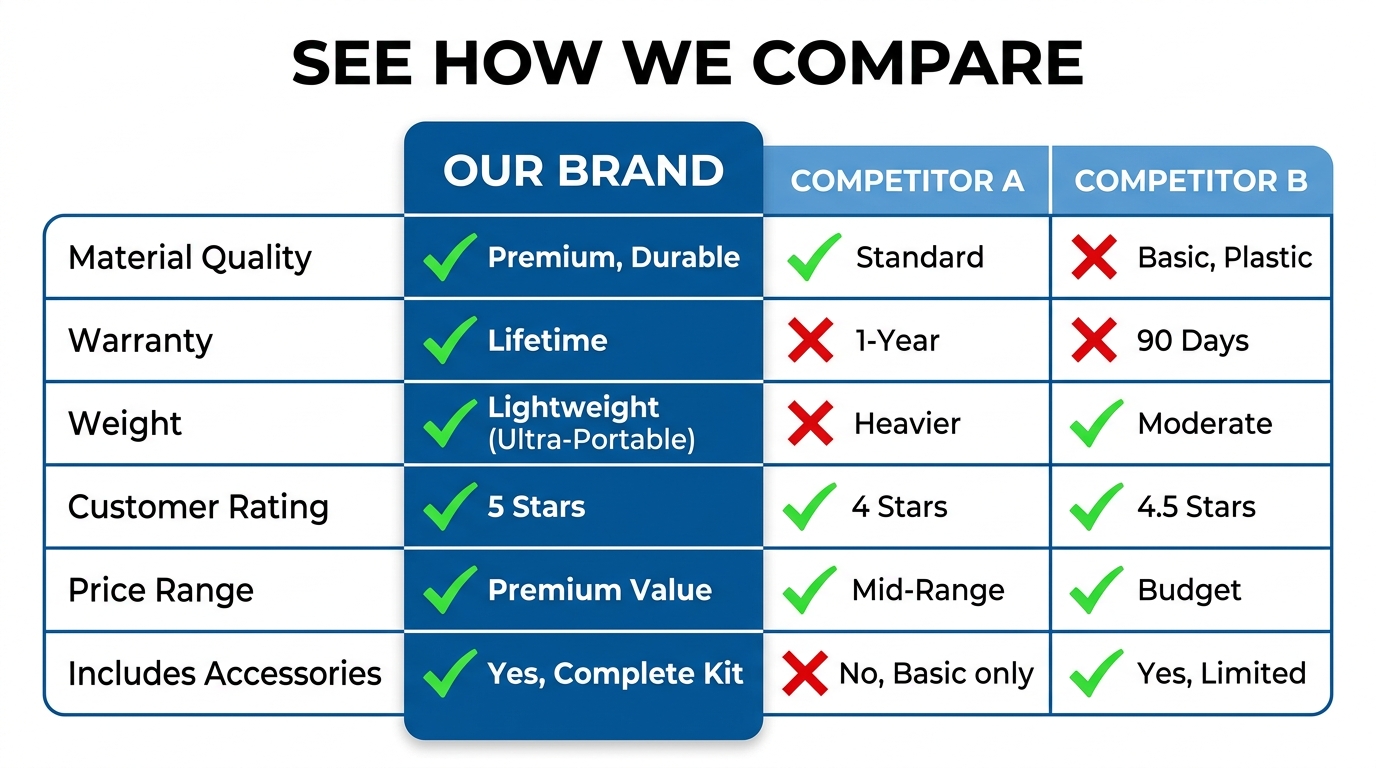
    Slot 6 — Comparison or Differentiation: If you have a legitimate advantage over the category standard — better capacity, more durable materials, more certifications, longer warranty — this is where to present it visually. A clean comparison chart (your product vs. “typical” competitor, not naming brands) addresses the “why not just buy the cheaper one?” objection directly.

    Slot 7 — Problem-Solution Narrative: Address the specific pain point your target buyer arrived with. “Tired of blenders that can’t handle frozen fruit?” This slot validates the buyer’s frustration and positions your product as the resolution. It’s the slot most sellers skip and the one that often moves the most hesitant buyers.

    Slot 8 — What’s in the Box: Show the full product contents laid out cleanly. This eliminates uncertainty (one of the primary drivers of abandoned carts) and creates positive surprise when the unboxing matches the image. It also signals quality packaging and attention to detail.

    Slot 9 — Social Proof or Trust Signal: Aggregate review ratings, certification badges, sustainability credentials, or user-generated content integrated into a clean graphic. This is the final reassurance before the purchase — the “others trust this, you can too” signal that closes hesitant buyers.

    Why Sequence Matters as Much as Content

    The same nine images in a different order perform differently. An image that works brilliantly in slot 3 can underperform in slot 7 because it’s answering a question the buyer hasn’t asked yet. The sequence mirrors the natural progression of a buyer’s internal monologue, and disrupting that progression creates friction. Friction kills conversions.

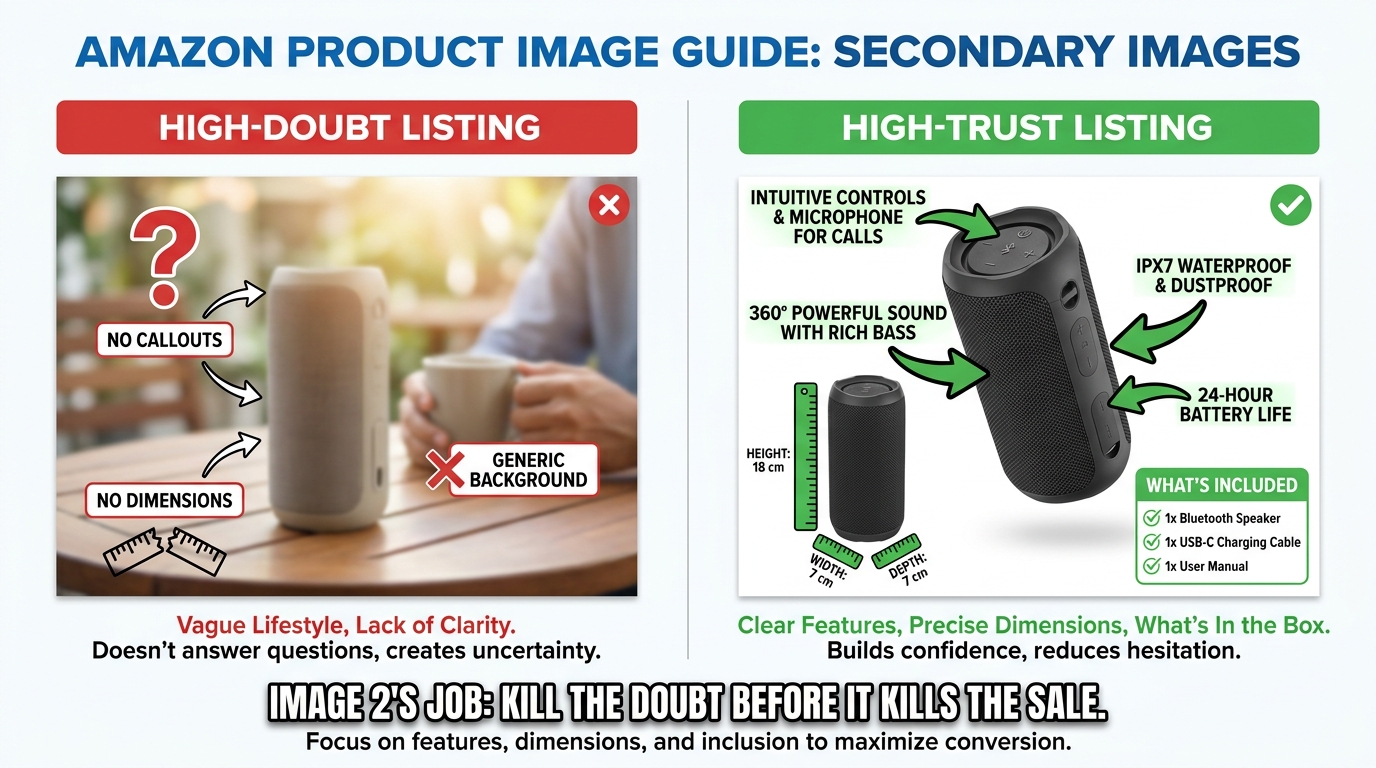
    Infographics That Actually Convert: Designing for the 3-Second Mobile Scan

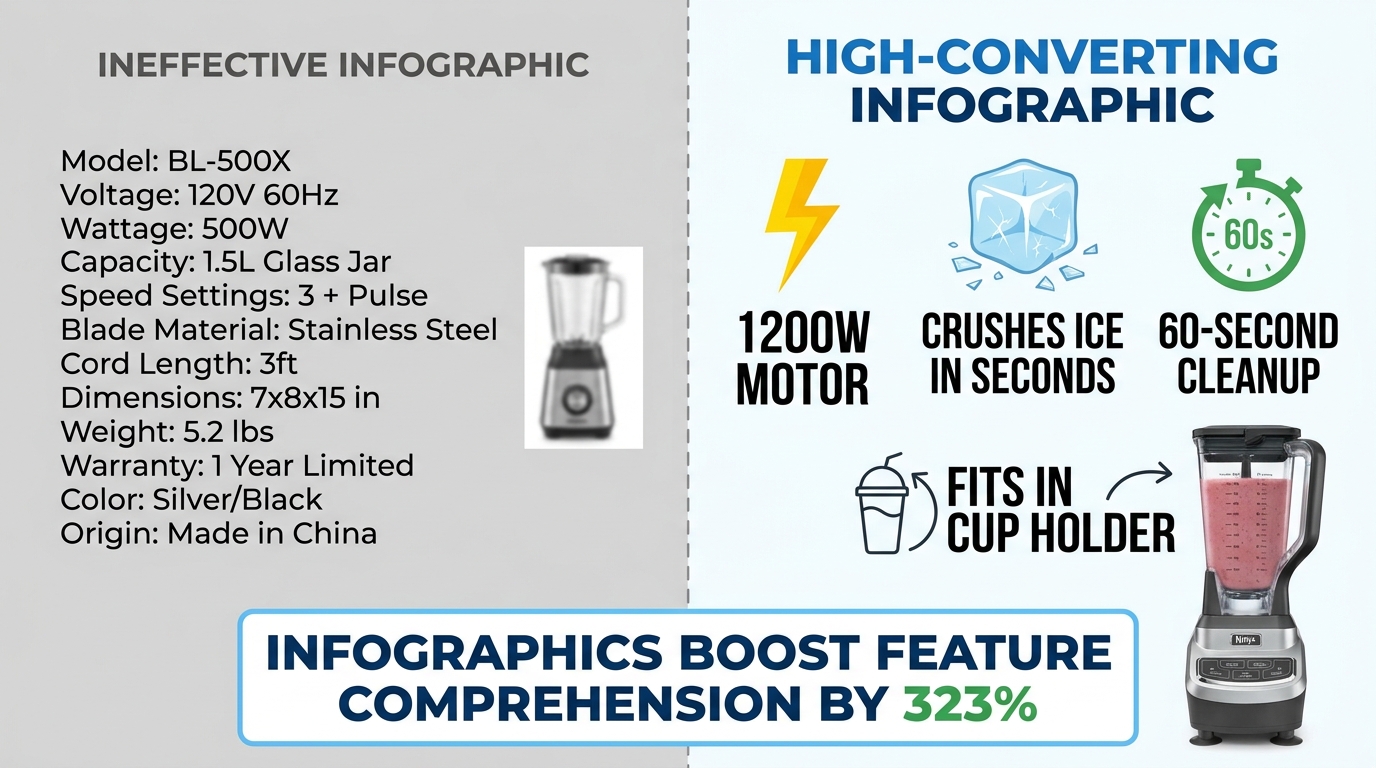
    Side-by-side comparison of ineffective cluttered Amazon infographic vs. clean high-converting infographic with 323% comprehension stat

    Infographic images — the secondary images that overlay text, icons, and callouts on or around product shots — have become a standard part of Amazon listing optimization. But “having infographics” and “having infographics that convert” are two very different things. The Amazon search results pages in most competitive categories are now full of infographic images. Many of them don’t work.

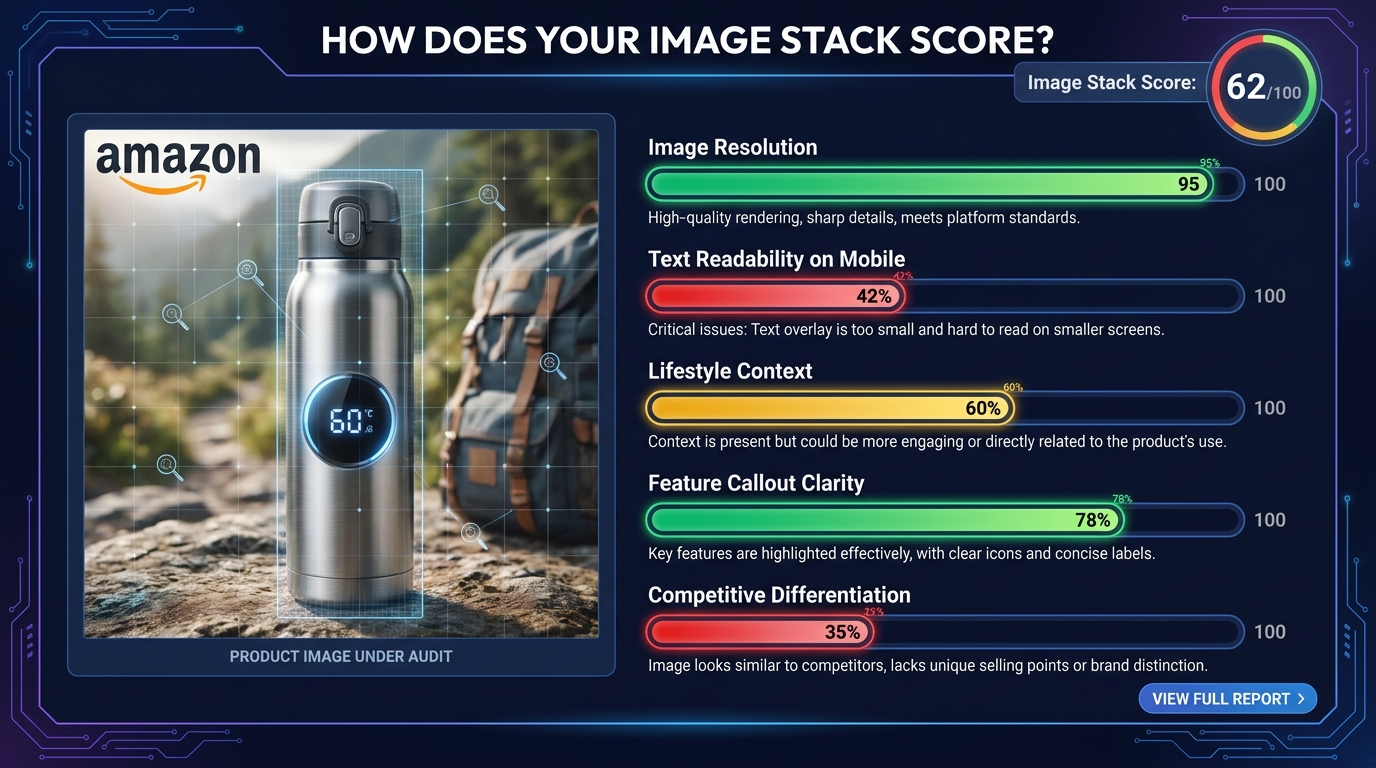
    The data on infographics is compelling: adding infographic and scale images with text to a listing can improve customer understanding of product features by up to 323%, according to aggregated Amazon listing data. That’s a dramatic number. But that uplift requires the infographic to actually be readable and scannable — conditions that a surprising number of infographics fail to meet.

    The Mobile Rendering Problem

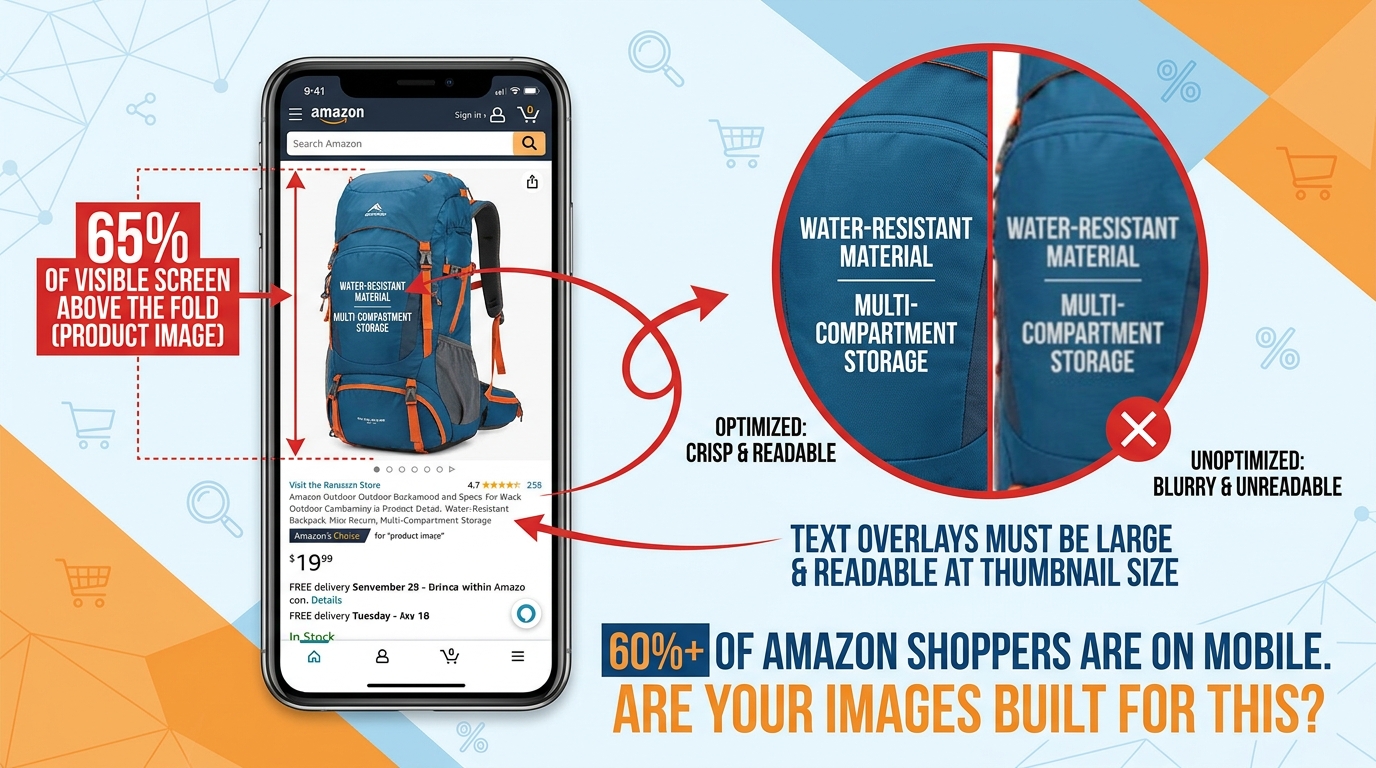
    Here is the core design mistake sellers make with infographics: they design them on a large desktop monitor at 1:1 scale, where text looks clear and readable, then upload them without checking how the image renders at mobile thumbnail size.

    On mobile — where over 70% of Amazon shopping occurs — an image designed at 2000×2000 pixels is rendered in a space roughly 350-450 pixels wide. Text that looked fine at desktop scale becomes illegible at that compression ratio. A six-point callout font becomes microscopic. A ten-bullet feature list becomes a gray blur.

    The result is an infographic that registers as “busy” or “complicated” rather than informative. Buyers swipe past it. The 323% comprehension uplift assumes the buyer can actually read the infographic — and on mobile, they often can’t.

    The 3-Second Scan Principle

    High-converting infographics are designed around a single constraint: a mobile shopper should be able to understand the core message within three seconds. Not absorb every detail — just get the point.

    That constraint leads to several specific design rules:

    • Maximum three focal points per image. One image, one message. If you’re trying to communicate five things in one infographic, you’re communicating zero of them clearly.
    • Font size of at least 30-40pt on the original image file so text remains readable at mobile compression ratios. Test by shrinking your image to 400px wide before uploading and checking legibility.
    • High-contrast text on a contrasting background. White text on a white product doesn’t work. Dark text on a light background or light text on a dark element — with clear visual separation — is the standard that survives mobile compression.
    • Icons over text where possible. A lightning bolt icon communicates “fast” instantly. Three words of text do not. Iconographic communication is faster and more mobile-resilient than text-heavy designs.
    • Benefit language, not feature language. “Fits in any standard car cup holder” beats “6.5cm diameter base.” The first is a benefit the buyer can instantly relate to their life; the second requires mental translation.

    The “One Infographic Per Pain Point” Rule

    Each infographic in your image stack should address exactly one buyer question or objection. Not a collection of facts about the product — one clear answer to one specific concern. “Will it last?” “How hard is it to clean?” “Is it the right size for my needs?” When an infographic tries to answer three questions at once, it answers none of them convincingly.

    This single-focus discipline also makes A/B testing infographics much more actionable. When you test two versions of an infographic and one performs better, you know exactly what variable moved the needle — because each image only had one variable to begin with.

    Lifestyle Photography: The Emotional Trigger That Turns Browsers Into Buyers

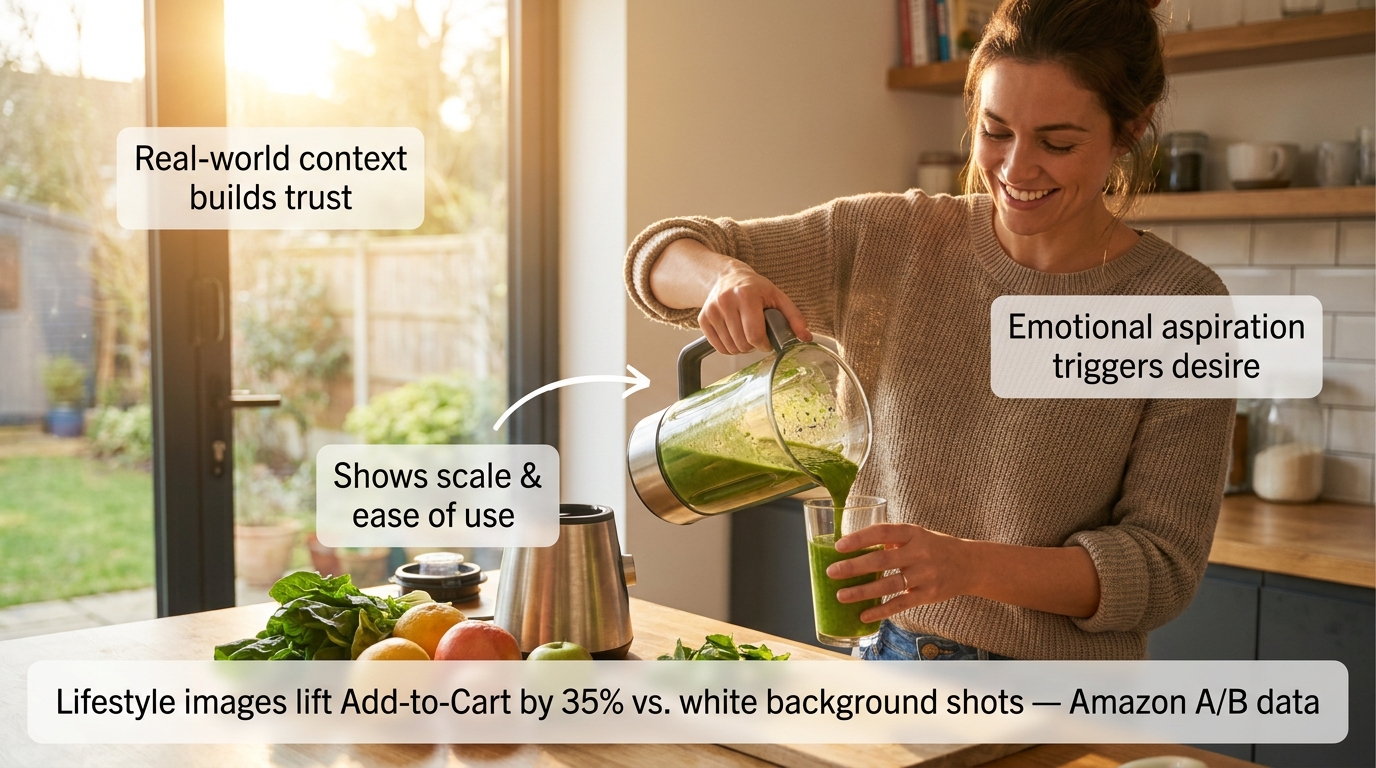
    Cinematic lifestyle product photo of woman using blender in bright kitchen with annotation callouts about trust, scale, and emotional aspiration triggers

    Amazon A/B testing data shows lifestyle images outperform standard white-background secondary shots by approximately 35% in Add-to-Cart actions. That’s a measurable, repeatable finding across multiple categories — and it makes intuitive sense once you understand what lifestyle images actually do psychologically.

    A white-background product image answers the question: “What does this look like?” A lifestyle image answers a fundamentally different — and far more powerful — question: “What will my life look like with this in it?”

    That shift from product-centric to life-centric framing triggers what psychologists call “mental simulation.” When a buyer sees a person using a product in a context they can relate to, their brain automatically begins simulating the experience of owning and using that product. Mental simulation is a key driver of desire — and desire is what converts browsers into buyers.

    What Makes a Lifestyle Image Work

    Not all lifestyle images trigger mental simulation effectively. The ones that do share specific characteristics:

    The model reflects the target buyer. A lifestyle image of a 22-year-old fitness influencer using a blender doesn’t resonate with a 45-year-old parent buying it for family meal prep. The most effective lifestyle images feature people whose demographics, environment, and life context mirror the target customer. This requires actually knowing your buyer — not just photographing whoever was available on shoot day.

    The environment is aspirationally realistic. “Aspirationally realistic” means the setting is attainable and relatable, not fantasy. A kitchen that’s beautiful but clearly someone’s actual kitchen. An office that’s clean and organized but recognizably an office. The aspiration is in the quality and atmosphere; the realism is in the believability. Pure fantasy settings (private yachts, penthouses for a $30 product) create cognitive dissonance that undermines trust.

    The product is shown in active use, not posed. A product sitting on a table with a person standing next to it is a prop photo. A product being actively used — hands on the handle, product in motion, someone mid-action — is a lifestyle photo. The distinction is the difference between showing what a product is and showing what a product does.

    The scale and ease of use are implicit. A lifestyle image should communicate “this is easy to use” and “this fits naturally into daily life” without stating either of those things. If the image requires the viewer to work to understand how the product is being used, it’s failing.

    Mobile-Testing Your Lifestyle Images Before Publishing

    68% of Amazon cart abandonments happen within 90 seconds of the first click, with mobile shoppers abandoning 2.1x faster than desktop users when images fail to communicate clearly. Before publishing any lifestyle image, view it on an actual mobile device at the size it will appear in the listing carousel. If the product isn’t immediately identifiable, if the scene reads as cluttered, or if the emotional message doesn’t land within two seconds — the image needs revision.

    This test takes 60 seconds and is skipped by almost every seller. Don’t skip it.

    What Rufus AI Reads in Your Images (And Why Most Sellers Are Missing It)

    Amazon’s Rufus AI — the conversational shopping assistant integrated into the Amazon app and website — represents a significant shift in how product discovery works. Rufus doesn’t just match keywords. It interprets product listings holistically, including the visual content, to answer natural-language shopper queries like “What’s a good blender for someone who makes smoothies every morning?” or “Show me a water bottle that fits in a car cup holder.”

    What most sellers don’t know is that Rufus uses optical character recognition (OCR) and computer vision to actively read and interpret the text and visual elements in your product images. Your infographics aren’t just for human eyes. Rufus is reading them too.

    How Rufus Extracts Image Data

    Through OCR, Rufus can read text overlaid on your secondary images — spec callouts, feature labels, dimension indicators, certifications. Through computer vision, it can analyze the visual content itself — identifying objects, contexts, and use cases depicted in lifestyle imagery.

    This means an infographic that reads “Holds 64 oz — Fits Standard Car Cup Holders” isn’t just communicating with a human buyer scanning your gallery. It’s feeding Rufus structured attribute data that can surface your product in response to the query “What’s a large water bottle that fits in my car?” — even if those exact words don’t appear anywhere in your title or bullet points.

    The implications are significant. For sellers competing in categories where listing text is already keyword-saturated, the image stack has become an additional indexable surface. The attributes you communicate visually are now functionally part of your product’s discoverable data set.

    Optimizing Images for Rufus Readability

    Several specific practices improve the quality of data Rufus can extract from your images:

    • Use large, high-contrast, readable fonts in infographics. If Rufus’s OCR can’t parse your text — because it’s in a stylized script font, at low contrast, or rendered too small — those attributes aren’t being captured. Clean, sans-serif fonts at adequate size are the most OCR-friendly choice.
    • Be specific in your callout text. “Large capacity” is vague and provides Rufus with limited searchable data. “Holds 64 oz — Fits standard cup holders” is specific and creates structured attributes that match specific queries. The more precise your callout language, the more useful it is to both Rufus and the buyer.
    • Use lifestyle images that clearly depict use cases. Rufus’s computer vision interprets visual contexts. An image of your water bottle in a gym bag tells Rufus this is a gym product. An image of it in a home office tells it this is a desk product. Diversity of lifestyle contexts — multiple use scenarios across your image stack — expands the range of queries your listing can surface for.
    • Include alt text on A+ Content images. A+ Content images support alt text, and Rufus reads those too. A descriptive alt text like “Woman using 1200-watt blender to make green smoothie in modern kitchen” provides far more contextual data than “product image 3.”

    The Competitive Advantage Window

    Awareness of Rufus’s image-reading capabilities among Amazon sellers remains low. Most listing optimization advice still focuses exclusively on keyword text. The sellers who begin optimizing their image stacks for AI readability now — while the majority of competitors haven’t — will build a structural advantage that compounds over time as Rufus’s role in product discovery continues to grow.

    A/B Testing Your Images: The Data-Driven Loop That Separates Growing Listings From Stagnant Ones

    Amazon Manage Your Experiments A/B test dashboard showing variant B winning with +32% conversion lift, 97% statistical confidence, $320K annual revenue impact

    The difference between an image stack that was optimized once and an image stack that is continuously optimized is enormous — and it’s measurable. The documented case studies on Amazon image A/B testing are some of the most compelling data in the seller ecosystem.

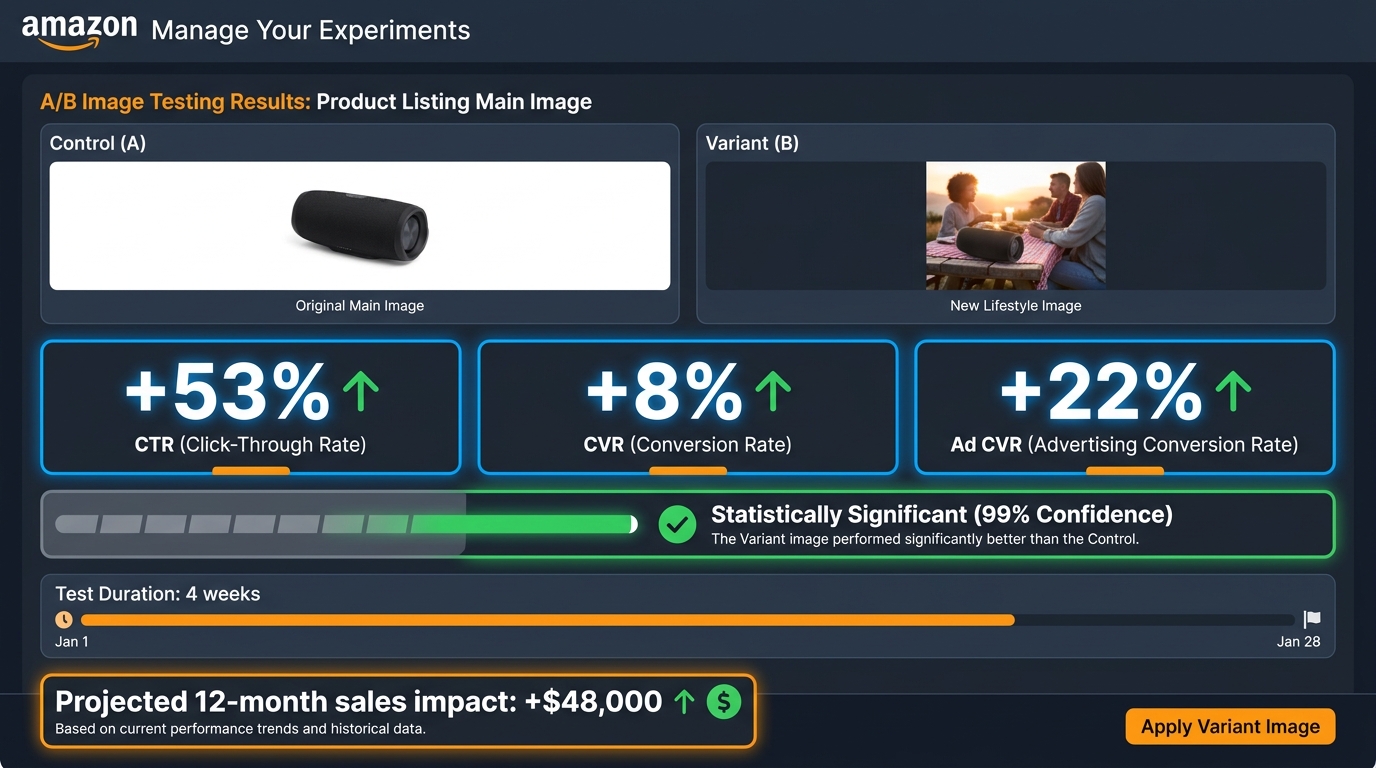
    A single image change on an eight-figure client’s listing produced a 32% conversion increase with no change in traffic. On a $1 million annual revenue baseline, that test generated an estimated $320,000 in additional revenue — from one image change. Tested to 97% statistical confidence over four weeks.

    A separate test of lifestyle versus plain background images across a three-week window produced a consistent 15% conversion lift. An 18% conversion rate increase was documented in another test involving both image and title keyword adjustments.

    These aren’t marketing claims. They’re documented A/B test results from Amazon’s own experiment infrastructure. The methodology is rigorous. The results are real.

    Amazon’s “Manage Your Experiments” Tool

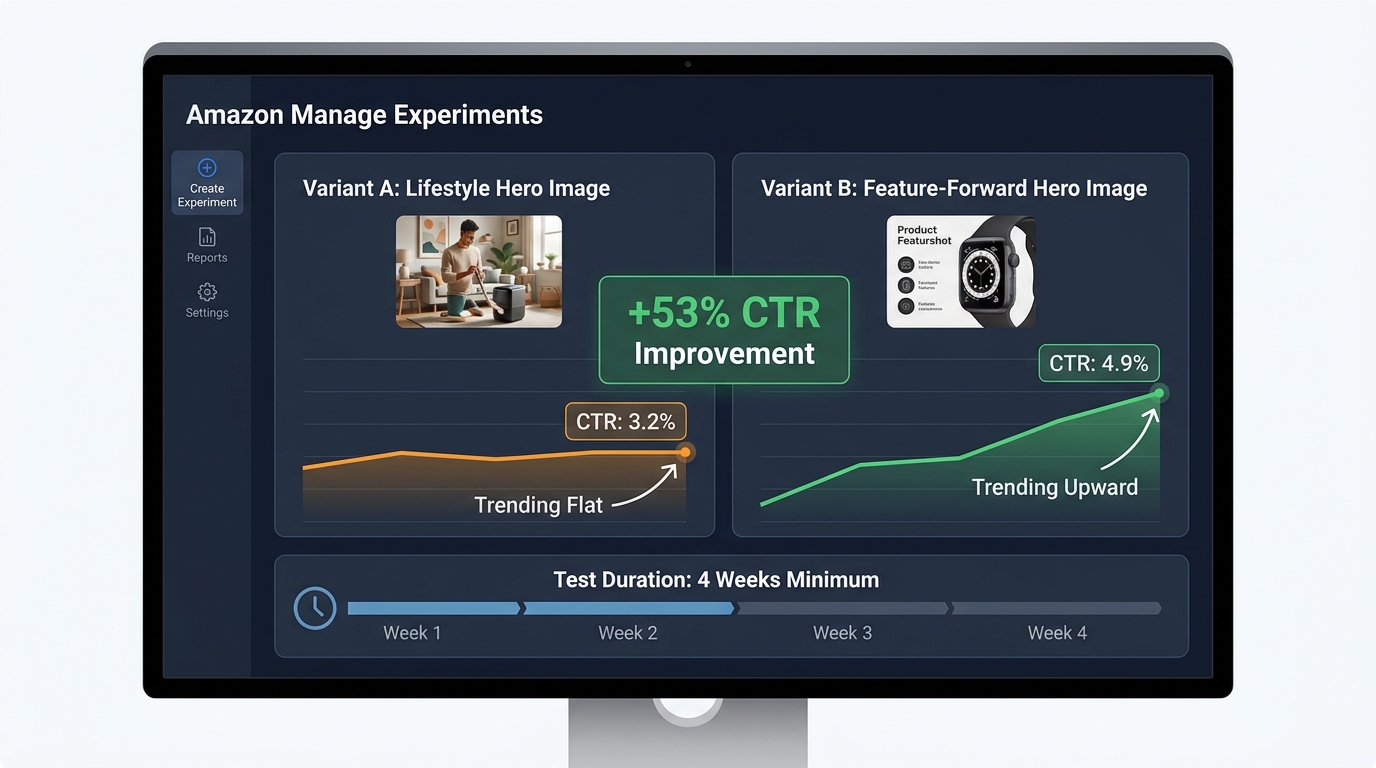
    For brand-registered sellers, Amazon’s native A/B testing tool — Manage Your Experiments — is available through Seller Central. It enables you to test two versions of a main image (or other content elements) against each other simultaneously, splitting traffic between the variants and measuring conversion rate, click-through rate, and projected annual revenue impact.

    The tool handles sample size and statistical significance, giving you a confidence score that indicates how reliable the result is. Tests typically require 4-6 weeks to reach meaningful confidence levels — longer for lower-traffic listings, shorter for high-volume ones.

    The key best practice: test one variable at a time. If you change the main image and the background color and the badge in the same test, and conversions improve, you won’t know which change drove it. Isolating variables makes each test actionable, not just informative.

    What to Test and In What Order

    A rational image testing roadmap prioritizes by potential impact:

    1. Main image angle and composition — highest impact, directly affects CTR from search results. Test your current hero image against a version with tighter crop, different angle, or stronger visual contrast.
    2. Slot 2 infographic versus lifestyle — determines whether the “Why this product?” question is best answered with data or emotion for your specific buyer. Category and product type influence the answer differently.
    3. Lifestyle image subject demographics — test a lifestyle image featuring a buyer who matches your target demographic vs. a more generic model. The specificity uplift can be significant in niche categories.
    4. Infographic design variations — test a text-heavy infographic against an icon-forward one for the same content. Mobile rendering often favors icons.
    5. Slot order permutations — once content is optimized, test whether reordering slots improves flow. Slide the comparison chart from slot 6 to slot 3 and measure the effect.

    The Continuous Testing Mindset

    The most important shift isn’t tactical — it’s cultural. Image testing shouldn’t be a one-time project. High-performing sellers run image experiments every 3-4 weeks, rotating through their image slots systematically. The result isn’t a single 32% uplift; it’s a compounding series of 5-15% improvements that, over 12 months, can double a listing’s conversion rate.

    That’s not hypothetical. It’s what continuous testing looks like at scale.

    Video in the Image Stack: Why It’s No Longer Optional

    Amazon provides a dedicated video slot alongside the image gallery on product detail pages. For most categories, this slot can host a product video in the main image carousel — visible before the listing’s A+ content, before reviews, before anything below the fold.

    Video is no longer a differentiator in 2026. It’s expected. Listings with videos see higher engagement metrics across the board: more time on page, lower bounce rates, and conversion rates that consistently outperform video-absent listings in the same category. The aggregated data on listings using at least six images plus video shows conversion lifts in the range of 20-50% compared to image-only listings.

    What Type of Video Converts

    Not all product videos are equal. The videos that perform best on Amazon share a clear structure that mirrors the psychological image sequence described earlier: problem → product introduction → demonstration → result → call to action.

    Amazon video best practices for 2026:

    • Keep it under 60 seconds. The median attention span for an Amazon product video is under 45 seconds. Videos longer than 90 seconds see significantly higher drop-off rates before the key demonstration moments. Front-load your strongest content.
    • Design for silent viewing. A large portion of mobile shoppers view videos without sound. Captions and on-screen text should convey the full message without audio dependency. Key selling points should appear as text overlays at the moment they’re demonstrated.
    • Show the product being used within the first five seconds. Don’t spend time on brand intros, logo animations, or ambient footage before showing the product in action. Five seconds is approximately when mobile viewers make the swipe-or-stay decision.
    • Film in 9:16 vertical format for mobile priority. Amazon’s mobile carousel renders vertical video more effectively than horizontal. Given that mobile represents over 70% of traffic, vertical formatting should be the primary production orientation.

    Video as an Objection-Handling Tool

    The single most valuable function of a product video on Amazon is objection handling. Text and images can describe a product’s ease of use; video can prove it. Text can claim durability; video can demonstrate a stress test. Text can say “easy to assemble”; video can show the assembly completed in 90 seconds by an ordinary person.

    When you identify the top 3 objections holding buyers back from converting on your listing — look at your reviews and Q&A for clues — and build your video around directly addressing those objections with demonstration, you create a video that sells rather than just showing. The difference in conversion impact is substantial.

    The Mobile-First Image Audit: How to Stress-Test Your Listing Right Now

    Everything discussed in this post converges on a single practical starting point: you cannot optimize what you haven’t audited. Most sellers have never actually evaluated their listings the way their buyers experience them — which is on a 6-inch phone screen, in a search results grid, scrolling fast, often in a noisy environment with split attention.

    Here is a systematic mobile-first image audit you can conduct in under 30 minutes, right now, using only your phone and a competitor’s listing for reference.

    The Five-Point Mobile Audit Checklist

    1. The Scroll Test. Open Amazon on your phone and search one of your primary keywords. Scroll the results at normal speed without stopping. Note whether your listing’s thumbnail catches your eye before you scroll past it. If you have to actively look for your product in the grid, your hero image isn’t earning the click from cold traffic.

    2. The Thumbnail Fill Test. Without clicking on your listing, look at your hero image thumbnail in the search results grid. What percentage of the thumbnail space does the product fill? Compare it to the two or three most visible competitor thumbnails. If your product looks smaller or leaves more empty space, you have a dead pixel problem.

    3. The 3-Second Infographic Test. Click into your listing and swipe to your infographic images. Set a timer for three seconds and look at each one. What’s the one thing you understood from it in that window? If you can’t answer that question — if the image required more than three seconds to extract a single clear message — it’s underperforming for mobile buyers.

    4. The Lifestyle Relatability Test. Look at your lifestyle images with fresh eyes. Does the person in the image look like your target buyer? Is the environment recognizable to that buyer? Is the product being used — not just displayed? If any of those answers is no, that image slot is working below its potential.

    5. The Sequence Logic Test. Swipe through your full image gallery as if you’ve never seen the product before. Does each image answer the next logical question in a buying journey? Or do you find yourself confused about why a particular image appears when it does? Note the specific slot where the sequence feels disjointed — that’s your first optimization priority.

    Competitive Benchmarking: What the Category Leaders Are Doing

    For each of the five tests above, repeat them on the top-selling listing in your category. Document what their hero image composition looks like, what their slot 2 image communicates, how they use lifestyle photography, and what their infographic design choices are. Not to copy — to benchmark.

    Understanding where the category standard sits tells you whether you’re above, at, or below the visual baseline buyers expect when they search your category. Being below the baseline means you’re losing conversions to competition passively, every day. Being above it means your images are a competitive moat.

    In most categories, a thorough audit reveals at least three immediately actionable improvements — dead pixel space to close, infographic text to increase, lifestyle images to retarget — that can be addressed without a new photo shoot. Start there.

    The Compounding Effect of a Fully Optimized Image Stack

    Individual image improvements tend to produce individual results. A hero image fix produces a CTR gain. A better slot 2 infographic reduces early bounces. A more targeted lifestyle image improves Add-to-Cart rates. Each gain is real and valuable. But the full value of image optimization isn’t the sum of individual improvements — it’s the compounding effect of all of them working together.

    A listing with a high-converting hero image earns more clicks. More clicks mean more sessions. Better secondary images mean more of those sessions convert. Higher conversion rates improve your organic ranking algorithm, which improves your search placement, which produces still more organic traffic. Better images reduce return rates, which improves your seller metrics, which feeds back into ranking signals. Positive reviews from buyers whose expectations were set accurately by your images reinforce social proof, which improves conversion for future buyers.

    This is the compounding flywheel — and it starts with images, not ads.

    The True Cost of Unoptimized Images

    Every day a listing runs with a dead pixel problem in the hero image, it’s losing a percentage of the clicks it should have earned. Every day an infographic is rendering as unreadable text on mobile, it’s failing to move buyers past the evaluation stage. Every day a lifestyle image features the wrong demographic, it’s failing to trigger the mental simulation that drives desire.

    These aren’t theoretical losses. They’re real buyers who came close, evaluated, and went elsewhere — not because the product was wrong for them, but because the visual presentation didn’t make the case clearly enough at the moment it mattered.

    The cost of a professional product photography session for a full 9-image stack ranges from a few hundred dollars to $2,000 depending on category and complexity. The revenue impact of a 15-32% conversion improvement on a listing doing $100,000 a year is $15,000-$32,000 annually. That math works at almost any traffic level.

    Actionable Takeaways: Where to Start This Week

    If you take nothing else from this piece, start with these five actions:

    1. Run the mobile scroll test on your primary keyword today. If you can’t find your own listing in the first seconds of scrolling, your hero image needs work before anything else.
    2. Check your hero image’s frame fill. Open your main image in an image editor and measure the product’s footprint. If it’s below 85%, crop and reupload. This is a 20-minute fix with measurable CTR impact.
    3. View every infographic image at 400px wide. Screenshot it, shrink it, and read it. What survives? What becomes illegible? Redesign around what remains readable at that size.
    4. Fill every available image slot. If you’re running fewer than seven images, filling the remaining slots with a properly sequenced set of lifestyle, infographic, and detail images should be your first priority. 6+ images consistently outperform shorter galleries across documented data.
    5. Set up one A/B test this month. Brand-registered sellers have access to Manage Your Experiments for free. Start with a hero image variant — the highest-impact single test available. Give it four weeks and let the data decide.

    The sellers who treat their image stack as a living, continuously tested asset — not a one-time creative project — are the ones who build listings that compound in performance over time. In a marketplace where traffic is expensive, margins are compressed, and competition deepens every quarter, that compounding effect isn’t a nice outcome. In 2026, it’s the difference between a listing that grows and one that slowly loses ground.

    Your images are already either earning money or losing it. Now you know which questions to ask to find out which one.

  • AI Background Swaps for Amazon Images: The Complete Execution Guide (2026)

    AI Background Swaps for Amazon Images: The Complete Execution Guide (2026)

    Professional Amazon product photography studio showing AI-powered background replacement workflow on a monitor

    There is a significant gap between knowing that AI background swaps exist and actually executing them without getting your listings suppressed, your conversions tanked, or your catalog looking like it was assembled by three different teams on three different days.

    Most guides on this topic stop at “upload your photo, click remove background, done.” That’s roughly the equivalent of teaching someone to drive by explaining how a steering wheel turns. True — but dangerously incomplete.

    In 2026, Amazon’s AI detection systems have become meaningfully more sophisticated. The margin between a compliant image and a suppressed listing is sometimes a single pixel value. A background that reads as white on your screen — say RGB 254,255,255 — can trigger algorithmic rejection during Amazon’s automated image audit. Meanwhile, for secondary images, the sellers who understand how to build a proper lifestyle image sequence are pulling conversion lifts of 15% to 56% over those who treat the secondary slots as an afterthought.

    This guide is not a tool comparison. It’s not a “here are five AI apps you should try” roundup. It’s an end-to-end execution guide: how to feed AI tools the right inputs, how to verify outputs meet Amazon’s exact standards, how to structure your image sequence for each product category, how to build a QA process that catches problems before Amazon does, and how to scale this across a catalog without it becoming a full-time job.

    Whether you have 10 SKUs or 10,000, the framework here applies. Let’s build it properly.

    Why Background Swaps Are Now Table Stakes, Not an Edge

    Two years ago, a seller who deployed AI background swaps across their catalog had a genuine visual advantage over competitors still paying $400 per product photoshoot. That window has largely closed. Today, AI background removal is accessible to every seller at every price point — and Amazon’s own built-in tools mean even sellers who have never heard of Photoroom or Claid.ai are using AI image enhancement whether they know it or not.

    What this means in practice: the baseline has risen. A clean white background on your main image is no longer a differentiator. It is the minimum viable standard. The sellers who are pulling ahead are not the ones who can remove a background — it’s the ones who execute the entire image stack with precision.

    The Three Layers of Visual Competition on Amazon

    Understanding where background swaps fit within the broader visual competition on Amazon requires thinking in three distinct layers.

    Layer 1 — Search results compliance: Your main image must pass Amazon’s automated checks. This is pure compliance work. A suppressed listing earns zero conversions regardless of how compelling the product is. AI background swaps at this layer are about reliability and speed — getting every SKU to a compliant main image without a $500 photoshoot.

    Layer 2 — Click-through from search: The main image is what drives the click. Within search results, buyers are comparing thumbnails at roughly 200×200 pixels. The questions are: Does the product look clean? Does the thumbnail read well at small sizes? Is the product taking up enough of the frame? Background quality matters here, but so do product clarity, angle, and fill ratio.

    Layer 3 — Conversion on the listing page: Once a buyer clicks through, the secondary images take over. This is where lifestyle backgrounds, in-context shots, and structured image sequences drive purchase decisions. Conversion data consistently shows that secondary lifestyle images — not the main white background image — are the primary conversion lever at this stage.

    AI background swaps touch all three layers, but the execution approach differs for each. Conflating them — using the same tool, same settings, and same workflow for all three — is where most sellers underperform.

    The Input Quality Trap: Why Your AI Tool Is Only as Good as Your Source Photo

    Comparison of two Amazon product images showing off-white background with artifacts versus perfect pure white compliant background

    The single most common reason AI background swaps produce poor results — artifacts, halos, fuzzy edges, mismatched lighting — is not tool quality. It is source photo quality. Every major AI background tool is a machine learning system trained to identify foreground from background. When that boundary is ambiguous in your source photo, the tool guesses. And it guesses wrong.

    What Makes a Source Photo AI-Friendly

    There are specific characteristics that make a product photo easy for AI to work with, and sellers who understand this can dramatically improve their output quality without upgrading their tools.

    Contrast between product and background: AI edge detection works by identifying contrast boundaries. A white product photographed on a white background gives the model almost nothing to work with. If you are shooting your own source photos, use a mid-gray or light blue backdrop — then let AI replace it with pure white afterward. The contrast at the product edge will be far sharper, resulting in cleaner cutouts.

    Consistent, diffuse lighting: Hard directional light creates cast shadows on the background. Those shadows become part of what the AI “sees” — and it often can’t distinguish a product shadow from a dark edge on the product itself. Use a diffuse light setup (softboxes, ring lights, or natural window light from multiple angles) to minimize background shadows before shooting.

    Minimum viable resolution: Amazon requires a minimum of 1,000 pixels on the longest side, but you should be supplying AI tools with images at 2,000 pixels or higher. Most AI background tools downsample input images to some degree during processing. Starting at 2,000+ pixels gives you meaningful headroom to maintain Amazon’s required resolution in the output.

    Sharp product edges: Motion blur, shallow depth of field at product edges, or optical distortion near the frame corners will all degrade edge detection quality. Product images should be shot on a tripod with sufficient depth of field to keep the entire product in sharp focus.

    The “Garbage In” Problem at Scale

    For sellers working with supplier-provided images, the challenge compounds. Supplier photos are often shot under inconsistent conditions, compressed multiple times, and delivered at low resolution. Running these through an AI background tool does not rescue them — it produces compliant-looking images that still look cheap because the underlying product detail is soft, color-shifted, or poorly lit.

    The practical rule: if a supplier image is below 1,500 pixels on the longest side, has visible compression artifacts, or shows the product under harsh single-source lighting, it is worth the investment to reshoot before running any AI workflow. The AI will improve a mediocre photo. It cannot fix a fundamentally broken one.

    Amazon’s Compliance Minefield: Exactly What Gets Listings Suppressed in 2026

    Amazon’s image compliance enforcement has shifted from primarily human moderation to AI-driven automated audits. This change matters because automated systems are neither lenient nor inconsistent — they apply the same rule the same way every time. Understanding exactly where those rules sit is the difference between a live listing and a suppressed one.

    The Pure White Requirement Is More Strict Than You Think

    Amazon’s stated requirement for main images is a pure white background. The actual enforcement standard is RGB 255,255,255 — the maximum value of white in 8-bit color space. A background that reads as RGB 254,255,255 — one digit off, imperceptible to the human eye — can trigger Amazon’s algorithmic rejection during an image audit.

    This is not a theoretical risk. In 2026, Amazon’s image compliance AI runs periodic audits across active listings, not just at the point of upload. A listing that passed initial review can be flagged and suppressed weeks later if its main image fails a fresh audit cycle.

    The practical implication: when verifying AI output, use a pixel color picker tool (available in Photoshop, GIMP, or free browser extensions) to sample multiple points in the background. Every sampled point should return exactly 255,255,255. If any point returns a value below 255 in any channel, the background needs further processing.

    Shadows, Halos, and the Floating Product Problem

    Three specific visual artifacts generate a disproportionate share of compliance failures:

    Cast shadows: AI tools vary significantly in how they handle product shadows. Some remove all shadows — which can make products look weightless and unreal. Others retain natural shadows — which, if they extend into the background area, violates Amazon’s white background requirement. The correct approach for main images is to use a tool that generates a subtle “ground shadow” directly beneath the product, contained within the product footprint, rather than a cast shadow spreading across the background.

    Edge halos: A semi-transparent ring of color around the product edge is the telltale sign of imprecise edge detection. It happens when the AI retains some color from the original background as it blends into the product edge. This is particularly common on products with fine details — hair, fur, fabric fringes, transparent packaging, or clear liquid in a bottle. Most tools have a “refine edge” or “defringe” step specifically for this; skipping it is where halos get baked into the final output.

    Floating crops: When a product is placed on a white background without any shadow or surface reference, it can appear to float. While not always a compliance issue, floating products score lower in Amazon’s image quality ranking algorithms and can trigger secondary review. A minimal ground contact shadow — one that stays within compliance — resolves this.

    The Hyper-Realistic Render Problem

    Amazon’s 2026 AI detection specifically targets “hyper-realistic” 3D renders and fully AI-generated product images used as main images. The enforcement logic is that AI-generated main images may misrepresent the actual product — a legitimate concern given how generative AI can hallucinate product details.

    The distinction Amazon draws is between AI-enhanced photographs (background removal and replacement applied to a real photo) and AI-generated images (a product synthesized entirely by generative AI). The former is permitted — and is exactly what background swap tools do. The latter is flagged. The risk arises when sellers use generative AI to create product images that don’t reflect the actual item in the listing.

    Tool Selection by Use Case: What Each Platform Actually Does Well

    Various Amazon product categories arranged in lifestyle settings showing category-specific background photography approaches

    The tool landscape for AI background swaps has consolidated significantly. Rather than naming a single “best” tool — a designation that changes as each platform ships updates — the more useful frame is understanding which capability set each tool excels at, and matching that to your specific production need.

    Pure Background Removal (Main Image Compliance)

    When the primary need is reliable, high-accuracy background removal for main image compliance — particularly for large catalogs processed in batch — the tools that consistently perform are those built on dedicated segmentation models trained specifically on product photography. Remove.bg and Claid.ai lead this category, with reported accuracy rates around 98.7% on standard product shapes. The caveat: that accuracy rate drops on complex edges (hair, fur, transparent items, mesh fabrics) and is where manual refinement steps become necessary.

    For sellers processing hundreds of SKUs, API access matters. Both Claid.ai and Remove.bg expose robust APIs that integrate directly into inventory management workflows, allowing background removal to trigger automatically when a new supplier image is received. This removes the manual upload step entirely for routine compliance processing.

    Lifestyle Background Generation (Secondary Images)

    For generating contextual lifestyle backgrounds — placing a product on a kitchen counter, in a bedroom setting, on a hiking trail — the tools performing best in 2026 are those using diffusion-based generative models that can accept a text prompt describing the desired scene. Photoroom’s AI Scene Generator, Adobe Firefly’s generative background fill, and PicCopilot’s contextual background engine all work in this mode.

    The key differentiator here is prompt specificity. Generic prompts produce generic backgrounds. Specific prompts — describing surface material, lighting direction, time of day, prop placement, and depth of field — produce backgrounds that feel intentionally styled rather than algorithmically generated. This distinction matters because buyers can often identify AI-generated lifestyle imagery from human-styled photography, and the reaction to each differs.

    All-in-One Amazon Workflow Platforms

    A third category of tools — Photoroom, Pebblely, and Canva’s Magic Studio among them — combines background removal, lifestyle scene generation, Amazon-specific compliance templates, and basic infographic overlay capabilities in a single platform. These are best suited for sellers managing their image production in-house without a dedicated design team. The trade-off is that all-in-one platforms typically produce slightly lower precision than dedicated removal tools and slightly less sophisticated generative backgrounds than specialized generative AI tools. For most mid-size sellers, that trade-off is entirely reasonable.

    Enterprise Batch Processing Infrastructure

    At catalog scales above 1,000 SKUs, tool selection shifts toward infrastructure rather than individual applications. Amazon’s own Rekognition service, combined with AWS Fargate for compute scaling, can process more than 100,000 images per day in a production pipeline. This approach requires engineering investment upfront but eliminates per-image pricing at high volumes and integrates directly with existing AWS infrastructure that many large sellers are already using.

    Category-by-Category Background Strategy

    The right background approach varies by product category. Not because Amazon’s main image requirements change — they don’t; pure white applies universally — but because the secondary image strategy that drives conversions differs substantially based on how buyers shop and what visual information they need before purchasing.

    Apparel and Soft Goods

    Apparel presents the most technically challenging edge detection problem. Fabric edges — particularly knitwear, lace, fleece, and sheer fabrics — have semi-transparent boundaries that most AI tools handle imperfectly. The practical workaround is to shoot on a light gray or light blue background rather than white, which maximizes contrast at the fabric edge, then replace with white in post-processing.

    For secondary images, the conversion data for apparel overwhelmingly favors on-model photography over flat lays or white-background alternatives. Buyers purchasing apparel need to see fit, drape, and proportion — information that a flat lay or isolated product shot cannot convey. AI background swaps on on-model shots work well when the model is shot on a clean backdrop, but they require careful attention to hair edges and skin tones at the boundary between model and background.

    Electronics and Small Gadgets

    Electronics tend to have hard, defined edges — the ideal scenario for AI background removal. The main challenge in this category is reflective surfaces. Glossy plastic, metal casings, and glass screens reflect the original background, embedding color casts into the product itself that don’t disappear when you remove the background. A product shot against a gray background will often have gray reflections in its screen or casing that persist after removal.

    The professional approach for electronics is to use diffuse white tent lighting for the source photography — an approach that minimizes reflections by surrounding the product with uniform white light. For secondary images in electronics, in-context shots (product on a desk, plugged in and in use, alongside complementary devices) consistently outperform pure studio backgrounds because buyers are assessing how the product fits into their existing setup.

    Beauty and Personal Care

    Beauty products — skincare, cosmetics, haircare — have some of the strongest performance data for lifestyle backgrounds in secondary images. The category is visually driven, with buyers making significant purchase decisions based on brand aesthetic and perceived quality. Background choices in secondary images are therefore a brand signal, not just a compliance exercise.

    Effective lifestyle backgrounds for beauty products lean toward textural surfaces: marble, linen, brushed concrete, aged wood. These convey quality and intentionality without overwhelming the product. AI-generated versions of these backgrounds, prompted specifically with material, color palette, and lighting direction, can achieve results that are difficult to distinguish from styled photo shoots.

    Home Goods and Kitchen Products

    Home goods benefit most from in-situ photography — showing the product in an actual room context. An AI-generated background showing a kitchen counter, a living room shelf, or a dining table setting provides buyers with immediate scale reference and answers the implicit question: “Will this look good in my home?” Conversion lifts for home goods with in-context secondary images are among the highest measured, with documented increases of 34% or more over studio-only approaches.

    The Secondary Image Stack: Building a Lifestyle Sequence That Converts

    Amazon product listing page mockup showing a sequence of lifestyle secondary images including in-context use scenarios, detail shots, and infographic overlays

    Amazon allows up to seven images per listing (one main, six secondary), plus a video slot. The secondary image sequence is where most sellers underperform — either by repeating the same angle with minor variations, or by treating the slots as an afterthought after the main image is sorted.

    A high-converting secondary image stack tells a story. It moves the buyer through a deliberate sequence that addresses every major purchase objection before the buyer has to scroll to the bullet points or reviews.

    The Seven-Slot Framework

    Think about your secondary image slots as chapters in a brief visual narrative:

    Slot 1 — Alternative angle / full context: A second view of the product, often at a different angle or showing multiple units/variants. Still on white or minimal background. This slot answers: “What does the rest of the product look like?”

    Slot 2 — In-use lifestyle shot: The product being used by a person or shown in its natural environment. This is typically the highest-conversion secondary image. Background should be contextually relevant but not visually overwhelming. AI-generated lifestyle backgrounds work well here when the scene is specific and styled.

    Slot 3 — Scale reference: A shot that clearly communicates size — product held in hand, shown next to a recognizable object, or against a simple background with dimension callouts. Buyers systematically underestimate or overestimate size from main images alone.

    Slot 4 — Feature highlight or infographic: Close-up detail on a key product feature, or an infographic overlay on a clean background highlighting specs, materials, or certifications. This slot is where text is appropriate (Amazon permits text on secondary images).

    Slot 5 — Social proof visual: A “before and after,” a result photo, or a comparison against an inferior alternative. This is particularly powerful in categories where efficacy matters — supplements, cleaning products, skincare.

    Slot 6 — Secondary lifestyle: A different context or use case from Slot 2. If Slot 2 showed the product in a home setting, Slot 6 might show it outdoors, in a different room, or in a different color variant.

    Slot 7 — Brand or trust signal: A clean brand-consistent image that reinforces quality — packaging shot, certifications displayed, brand aesthetic reinforcement. This is the final impression before the buyer makes a decision.

    Background Coherence Across the Stack

    One of the most common and costly errors in secondary image sequences is visual incoherence. Each image looks like it came from a different shoot — different lighting color temperature, different shadow depth, different level of visual busyness. When AI-generated lifestyle backgrounds are created independently for each image using different prompts, this incoherence compounds.

    The fix is to establish background parameters before generating any images. Define a color palette (warm or cool tones?), a surface material (concrete, wood, marble, fabric?), a lighting direction (left-lit or right-lit?), and a scene depth (shallow focus or full environment?). Apply those parameters consistently across every AI-generated background in the stack. The result is a cohesive visual identity that signals professionalism and brand intentionality.

    A+ Content and the Background Swap Connection

    Amazon’s A+ Content module (formerly Enhanced Brand Content) gives Brand Registry sellers an additional canvas below the fold — typically 1,500 to 2,000 additional pixels of visual real estate that appears before customer reviews. Most sellers treat A+ Content as a separate exercise from their image stack. The sellers converting better have figured out that they are part of the same visual system.

    Background Consistency Between Listing Images and A+ Content

    A buyer who sees warm wood-textured lifestyle backgrounds in your secondary images and then scrolls to A+ Content modules rendered with cold concrete and clinical lighting experiences a visual discontinuity. It doesn’t make them leave — but it creates a subtle signal of inconsistency that chips away at perceived brand quality.

    When generating AI backgrounds for secondary images, export the background settings (or save the specific scene/prompt) and apply the same aesthetic to A+ Content modules. This creates visual continuity from the first search thumbnail all the way down the listing page — a coherent brand experience that builds trust without buyers consciously noticing why it feels right.

    Using Background Swaps in A+ Comparison Charts

    A+ Content’s comparison chart module — which shows your full product line side by side — is an opportunity that most sellers waste. Products photographed under different conditions, by different photographers, with different post-processing produce a chart that looks chaotic rather than curated.

    AI background swaps are the fastest fix for this: take every product in the comparison chart through the same background removal and replacement workflow, using the same background color and shadow treatment. The result is a comparison chart where all products look visually consistent, reinforcing the impression of a coherent, professionally run brand.

    The QA Process Most Sellers Skip — And Pay For Later

    E-commerce brand building showing rows of product bottles photographed in different lifestyle settings using AI for scalability

    AI background swap tools produce outputs that look good at a glance and fail Amazon’s compliance checks in ways that only appear at the pixel level. Running a proper QA process before uploading images is not optional — it is the difference between images that stay live and images that silently get your listings suppressed during an audit cycle you weren’t watching.

    The Four-Point QA Checklist for Main Images

    Every main image should be verified against four specific criteria before upload:

    1. Background pixel value: Open the image in Photoshop, GIMP, or any editor with a color picker. Sample at least 10 points distributed across the background area — corners, edges, and center. Every sampled point should return exactly RGB 255,255,255. A single point below this threshold requires further processing.

    2. Product fill ratio: Amazon requires the product to occupy at least 85% of the image frame. Use the ruler or measurement tool to verify. This is particularly easy to miss when using batch processing — tools often leave excessive padding around products to ensure no edges are cropped, which can result in a product filling only 70–75% of the frame.

    3. Edge artifact inspection: Zoom to 200–300% magnification and trace the product edge. Look specifically for: semi-transparent halo pixels (discard and reprocess), jagged stair-step artifacts on curved edges (apply edge smoothing), and hard white outlines indicating aggressive edge cutting (apply defringe).

    4. Shadow compliance: If the tool added a ground shadow, verify it is fully contained within the product footprint and does not extend into the background. A shadow that spills more than a few pixels beyond the product base into the background technically violates the white background requirement.

    Secondary Image QA Priorities

    Secondary images don’t face the same pixel-perfect white background requirement, but they face their own compliance and quality checks. Specifically:

    No misleading product representation: AI-generated lifestyle backgrounds cannot show the product doing something it doesn’t do, in a size it doesn’t come in, or with accessories not included. This sounds obvious, but AI hallucinations — the tendency of generative models to add plausible-but-fictional details — can introduce these issues without the seller noticing.

    Text compliance: Secondary images may include text (this is one of the key differences from main images), but that text cannot make unsubstantiated health or safety claims, cannot include external website URLs, and cannot include Amazon’s branded terms. AI image tools sometimes generate backgrounds with legible environmental text (storefront signs, book spines) — scan output images for any legible text that wasn’t intentionally placed.

    Resolution verification: Every image should meet Amazon’s minimum 1,000px longest side. For secondary images that will appear in A+ Content modules, 2,000px or above is recommended given the larger display dimensions.

    Building QA Into the Workflow, Not After It

    The most efficient QA process is one that catches errors as early in the pipeline as possible rather than after all images have been processed. For batch workflows, this means running a small pilot batch of 10–20 images first, reviewing all outputs against the checklist, and adjusting tool settings before processing the full catalog. Changes to edge refinement settings, padding percentage, or shadow treatment at the pilot stage save hours of rework at full scale.

    Batch Processing at Scale: The Real Cost-Benefit Math

    Digital dashboard showing AI image batch processing workflow with compliance status indicators and quality check metrics

    The economics of AI background swaps at catalog scale are compelling — but the numbers sellers cite are often oversimplified. The real cost math requires accounting for more than just the per-image processing cost.

    The True Cost of Traditional Product Photography

    A traditional product photoshoot in 2026 typically costs between $200 and $5,000 per session, depending on the photographer, studio rental, styling, and post-processing. At an average of $75–$500 per finished image (accounting for the session cost spread across the number of final deliverables), a seller with a 500-SKU catalog faces photography costs in the range of $37,500 to $250,000 just for the initial shoot — before accounting for the need to refresh images for seasonal campaigns, new variants, or compliance updates.

    AI Batch Processing Economics by Catalog Size

    AI background processing costs in 2026 range from approximately $0.05 to $2.00 per image, depending on the tool, plan tier, and whether API or manual processing is used. The following breaks down what this means at practical catalog sizes:

    Small catalog (50 SKUs, 7 images each = 350 images): AI processing cost of approximately $35–$700 per catalog cycle, compared to $26,250+ for traditional photography. Even at the high end of AI pricing, the savings are substantial. At this scale, the primary benefit is speed — AI can process 350 images in hours versus the days or weeks required to schedule and complete a full studio shoot.

    Mid-size catalog (500 SKUs, 7 images each = 3,500 images): AI processing at $0.10–$0.25 per image comes to approximately $350–$875 per catalog cycle. Traditional photography at comparable quality: $262,500+. The savings fund an entire year of AI subscriptions and still leave significant budget for other investments. Annual AI tool subscription costs for this volume typically run $600–$2,400 depending on the platform.

    Large catalog (5,000+ SKUs): At this scale, per-image API pricing becomes the critical cost lever. Negotiated API pricing can bring costs below $0.05 per image. Processing 35,000 images (5,000 SKUs at 7 images) costs approximately $1,750 — a rounding error compared to the alternative. The primary investment at this scale is engineering time to build and maintain the processing pipeline, typically a one-time cost of $10,000–$50,000 for a well-built system.

    The Hidden Costs That Get Ignored

    Three costs are consistently overlooked in AI background swap ROI calculations:

    QA labor: Even at 98.7% accuracy, a 5,000-image batch will produce approximately 65 images with errors requiring manual review or reprocessing. At three minutes per flagged image, that is over three hours of QA labor per catalog cycle. This should be factored into the cost model.

    Tool-switching friction: Many sellers use multiple tools — one for removal, one for lifestyle generation, one for infographic overlays. Each tool-switching step adds time and creates format compatibility issues. The hidden cost of a fragmented tool stack can exceed the cost of a more capable all-in-one platform that eliminates the switching.

    Reprocessing cycles: Listings that get suppressed due to image compliance failures require reprocessing and re-upload. If your QA process is insufficient, suppression-driven reprocessing adds 20–40% to your true image production cost. A robust upfront QA process is not overhead — it is insurance against a significantly more expensive downstream failure.

    Amazon’s Tightening AI Detection: Future-Proofing Your Image Stack

    Amazon’s investment in image quality AI is not static. The detection systems that determine compliance are updated regularly, and the trend since 2024 has been toward stricter enforcement, not looser. Sellers who build their image workflow around current minimum requirements are building on sand — what passes today may not pass in six months.

    What Tighter Detection Looks Like in Practice

    Amazon’s current AI detection capabilities include identification of off-white backgrounds (the RGB 255,255,255 enforcement described above), detection of “hyper-realistic” AI-generated main images that lack the natural imperfections of real photography, and flagging of images where the product fills less than 85% of the frame. Each of these capabilities has been tightened over the past 24 months.

    The likely direction of future tightening includes: more precise hallucination detection in secondary images (catching AI-generated accessories or background elements that don’t reflect what’s in the box), tighter enforcement of text-in-image rules, and potentially automated cross-referencing between listing images and product reviews (comparing review photos from buyers against listing images to detect misrepresentation).

    The Principles That Stay Stable

    While specific thresholds may tighten, the underlying principles of Amazon’s image compliance have been consistent: accurate representation, white-background main images, and no misleading elements. Building your image workflow around these principles — rather than around exactly meeting the current minimum — creates resilience against future enforcement changes.

    Practically, this means: always use real product photographs as your source material (never generate the product itself with AI), always verify backgrounds against the strictest current standard, and always err toward more rather than less product fill in the frame. These practices will remain correct regardless of how detection systems evolve.

    Staying Current Without Constant Monitoring

    Amazon does not always proactively notify sellers of image policy changes. The most reliable way to stay current is to monitor the Amazon Seller Central “News” section and to subscribe to category-specific policy update notifications. Additionally, periodic audits of your own catalog — using the same compliance checklist described in the QA section — will catch issues before Amazon’s automated systems do.

    Building Your Internal SOP: Turning This Into a Repeatable System

    Everything described in this guide is only as valuable as the system you build around it. A one-time image upgrade for your top 20 listings is a tactical fix. A documented standard operating procedure that governs how every new SKU enters your catalog is a structural advantage that compounds over time.

    The Five Components of a Functional Image SOP

    1. Source image standards: Define exactly what qualifies as an acceptable source photo before AI processing begins. Minimum resolution, background type, lighting requirements, and edge clarity standards. Any supplier image that doesn’t meet the standard goes back for reshoot or rejection rather than entering the AI workflow.

    2. Tool and settings documentation: For each tool in your stack, document the specific settings used for each image type. Background removal edge refinement settings, shadow treatment preferences, lifestyle background prompt templates, output format and resolution. When team members change or tools update, documented settings prevent quality regression.

    3. QA checklist (printed and digital): The four-point main image QA checklist and secondary image compliance checks should be a written document, not institutional memory. Every image that goes to Amazon should be verified against the checklist by whoever processes it.

    4. Naming and file organization convention: AI batch processing produces large numbers of files quickly. Without a consistent naming convention — ProductSKU_ImageType_Version_Date — catalog management becomes unmanageable within weeks. Establish the convention before the first batch runs.

    5. Refresh triggers: Define the conditions that trigger an image refresh cycle: new variant added, compliance suppression notification received, seasonal campaign launch, performance decline in conversion rate below a defined threshold, major product change. Without defined triggers, image stacks go stale by default.

    Who Owns This Process

    In most Amazon seller operations, image production lives in an unclear zone between the marketing team, the catalog manager, and whatever VA or freelancer is available. The sellers with the most consistent image quality have a clearly designated owner for the image SOP — someone whose responsibility it is to maintain the standards document, run or oversee QA, and manage the tool stack.

    This does not require a full-time hire. It requires clear ownership. Assigning the SOP to an existing team member with defined time allocation produces substantially better results than treating image production as a shared responsibility that falls to whoever has bandwidth.

    Actionable Takeaways: Your 10-Point Execution Checklist

    To close, here is a condensed reference checklist distilling the core execution principles from this guide. Use it as a review against your current image workflow.

    1. Audit your source photos first. Identify which SKUs have AI-friendly source images (high contrast, diffuse lighting, 2,000px+) and which require reshoot before any AI processing makes sense.
    2. Verify pure white using a color picker, not your eyes. Every background sample point on main images must return exactly RGB 255,255,255. This is non-negotiable and non-approximable.
    3. Match your tool to your use case. Use a dedicated removal tool for main image compliance batch processing; use a generative lifestyle tool for secondary images; consider all-in-one platforms only if you lack the time to manage a multi-tool stack.
    4. Define category-specific background strategies. Apparel, electronics, beauty, and home goods each have different secondary image conversion drivers. Identify yours before generating lifestyle backgrounds.
    5. Build your secondary image stack as a deliberate seven-slot sequence. Each slot should serve a specific buyer objection or information need, not simply fill space with additional product angles.
    6. Establish visual coherence parameters before generating any lifestyle backgrounds. Color palette, surface material, lighting direction, and scene depth should be defined and applied consistently across all images in a listing.
    7. Run a pilot batch before full-scale processing. Test tool settings on 10–20 images, verify against QA checklist, then scale.
    8. Include QA labor in your cost model. Even at high accuracy rates, errors occur. Factor the review time into your per-image economics.
    9. Build for tighter enforcement, not current minimums. Amazon’s detection systems improve continuously. Practices that meet current standards comfortably will survive enforcement updates; practices that barely meet them won’t.
    10. Document everything in a written SOP with a designated owner. A process that lives in someone’s head stops when that person does. Write it down, assign ownership, and review it quarterly.

    Conclusion

    AI background swaps have moved from a competitive edge to a baseline production requirement for serious Amazon sellers. The technology is accessible, the cost economics are clear, and the conversion data from lifestyle backgrounds in secondary image slots is consistent enough that there is no reasonable argument for not using it.

    What differentiates the sellers who benefit from this technology from those who merely use it is execution quality. The compliance minefield is real — off-by-one pixel values, edge artifacts, shadow spill, and AI-detection of generated main images all represent live risks to listing visibility. The conversion opportunity is real — but only when secondary images are structured as a deliberate sequence rather than a collection of loosely related photos.

    The sellers who are building durable advantages from AI image production are not simply running photos through a background removal API. They are building workflows with defined input standards, consistent output verification, category-specific background strategies, and documented processes that scale without quality degradation.

    That is the actual work. It is less glamorous than the demos in tool marketing videos, but it is the work that separates a catalog that converts from one that merely exists. Start with one category, build the SOP, verify the output, and then scale what works. The compounding effect of a clean, consistent, compliance-proof image stack across hundreds of SKUs is more durable than any single listing optimization you can make.