Ask any executive in mid-2026 whether their company is “using AI,” and you’ll almost certainly get a yes. Ask them which teams are getting results, which are spinning their wheels, and what separates the two — and the answers get a lot murkier.
This is the real challenge with ChatGPT in the workplace right now. The technology is broadly available. The motivation to deploy it is strong. But the outcomes are wildly uneven — and the gap has almost nothing to do with the model itself.
What separates companies hitting 200–350% first-year ROI from those sitting on a pile of unused Enterprise licenses comes down to a set of deployment decisions that are almost never discussed in the product launch announcements: which department goes first, what specific workflows get targeted, how prompts are governed, and how human review is built into the process before a single output leaves the building.
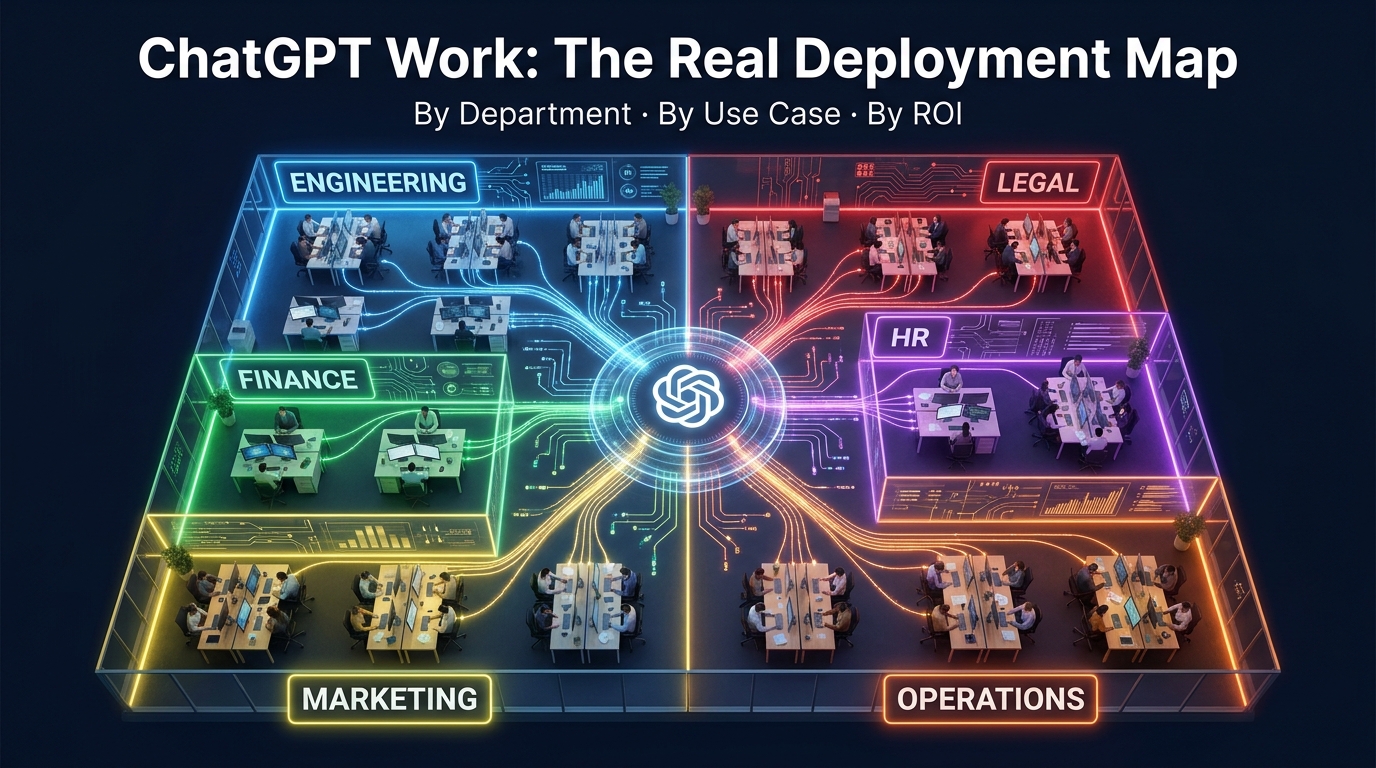
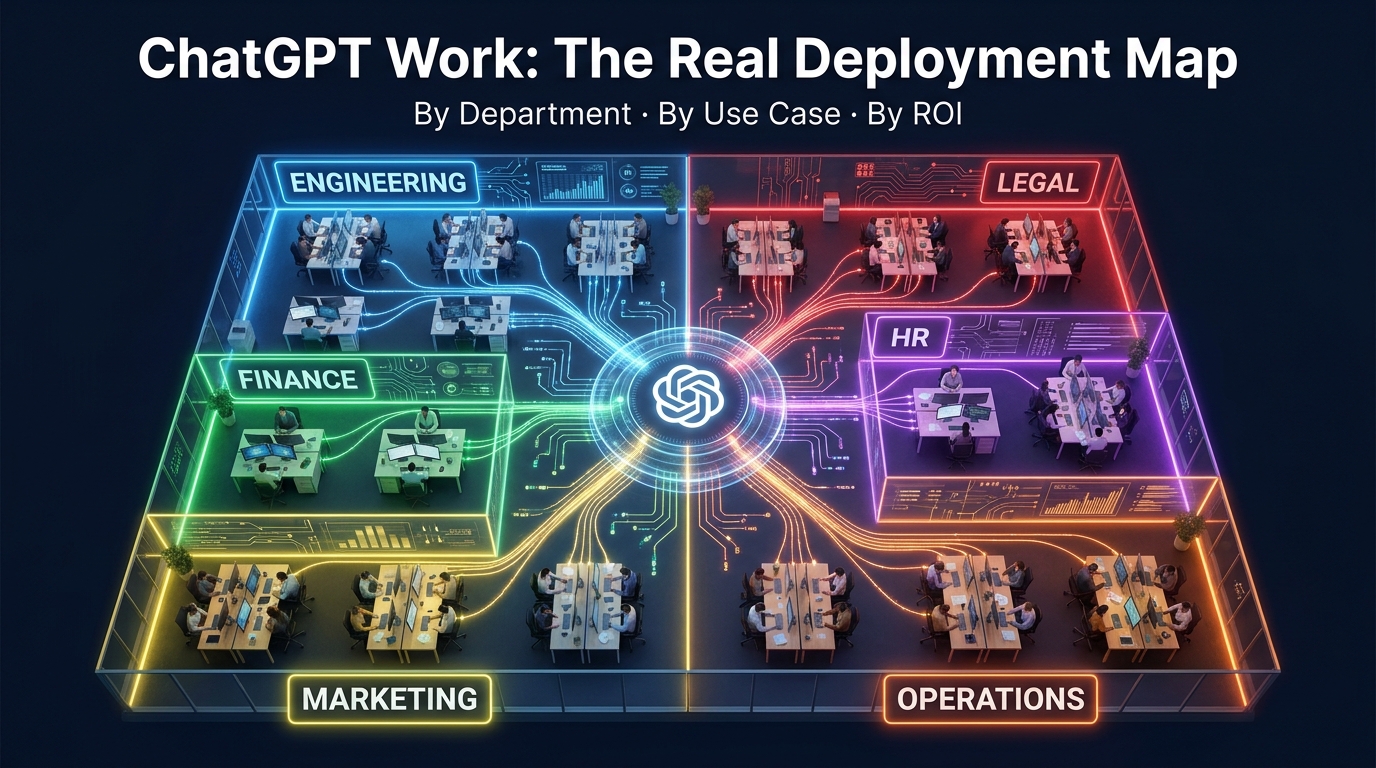
This article is not about whether ChatGPT is worth deploying. That debate is over. It’s about how the organizations that are actually succeeding are doing it — department by department, workflow by workflow, decision by decision. We’ll map what’s working in engineering, finance, marketing, legal, HR, and operations, look at the governance architecture that makes or breaks deployments at scale, and give you a practical prompt-library framework you can build from this week.
If you’ve already deployed ChatGPT and wonder why adoption is flatlining, or if you’re planning a rollout and want to skip the expensive mistakes, this is the map you need.
From Chatbot to Autonomous Agent: What ChatGPT Work Actually Is in 2026
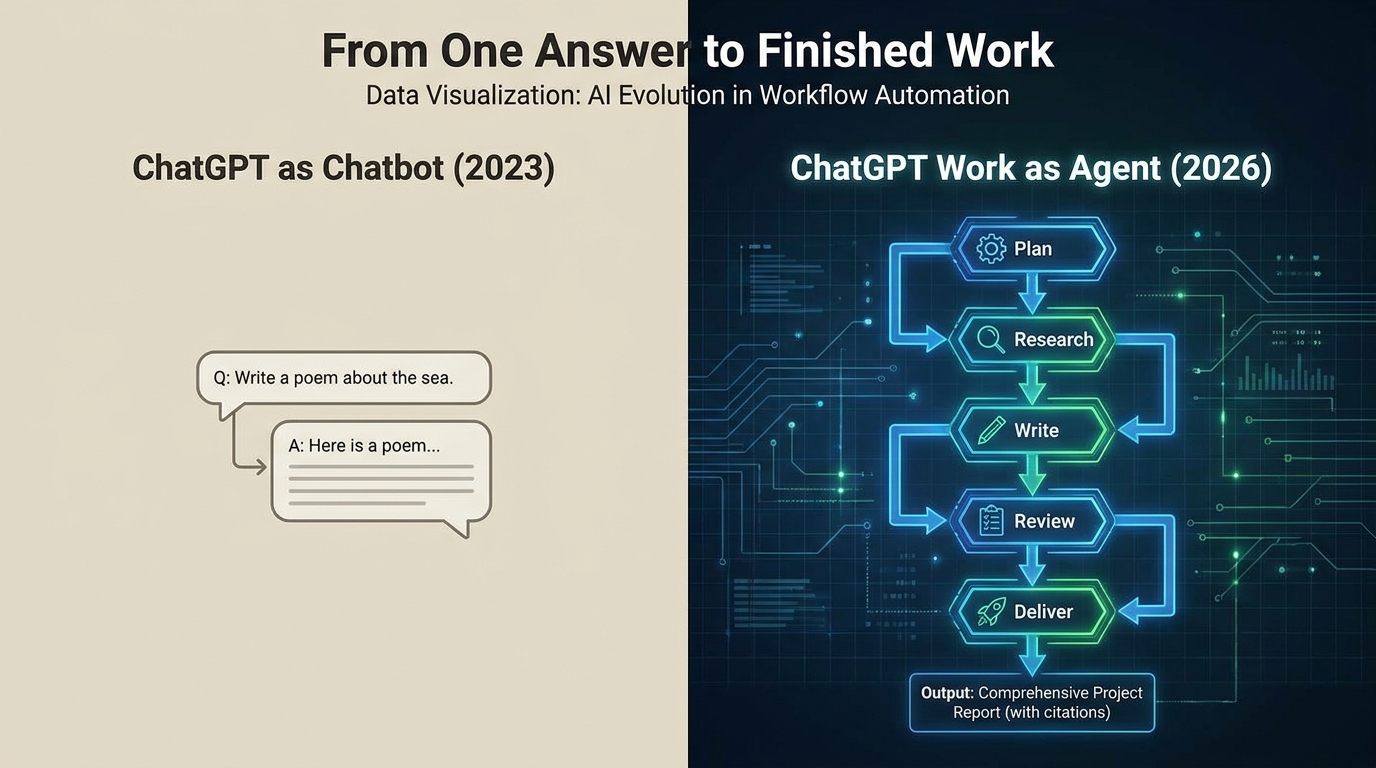
The term “ChatGPT” still conjures images of a text box where you type a question and get an answer. That model of the tool is now several generations out of date, and organizations that are still treating it that way are leaving the majority of its value on the table.
ChatGPT Work — OpenAI’s enterprise-oriented agentic feature set — can accept a high-level business goal, plan the steps required to achieve it, execute those steps across connected apps and files, and deliver a finished work artifact. Not a draft. Not raw output. A finished deliverable: a spreadsheet, a slide deck, a forecasting model, a PR-ready code change, an updated campaign readout.
What “Agentic” Means in Practice
When practitioners use the word “agentic” to describe ChatGPT Work, they mean something specific. The system doesn’t just respond to a prompt — it reasons about a goal, assembles a plan, uses tools (web search, code execution, file access, connected SaaS integrations), executes steps in sequence, checks its own output, and iterates until the task is complete. This can run for minutes or, in complex cases, hours, with minimal human intervention during execution.
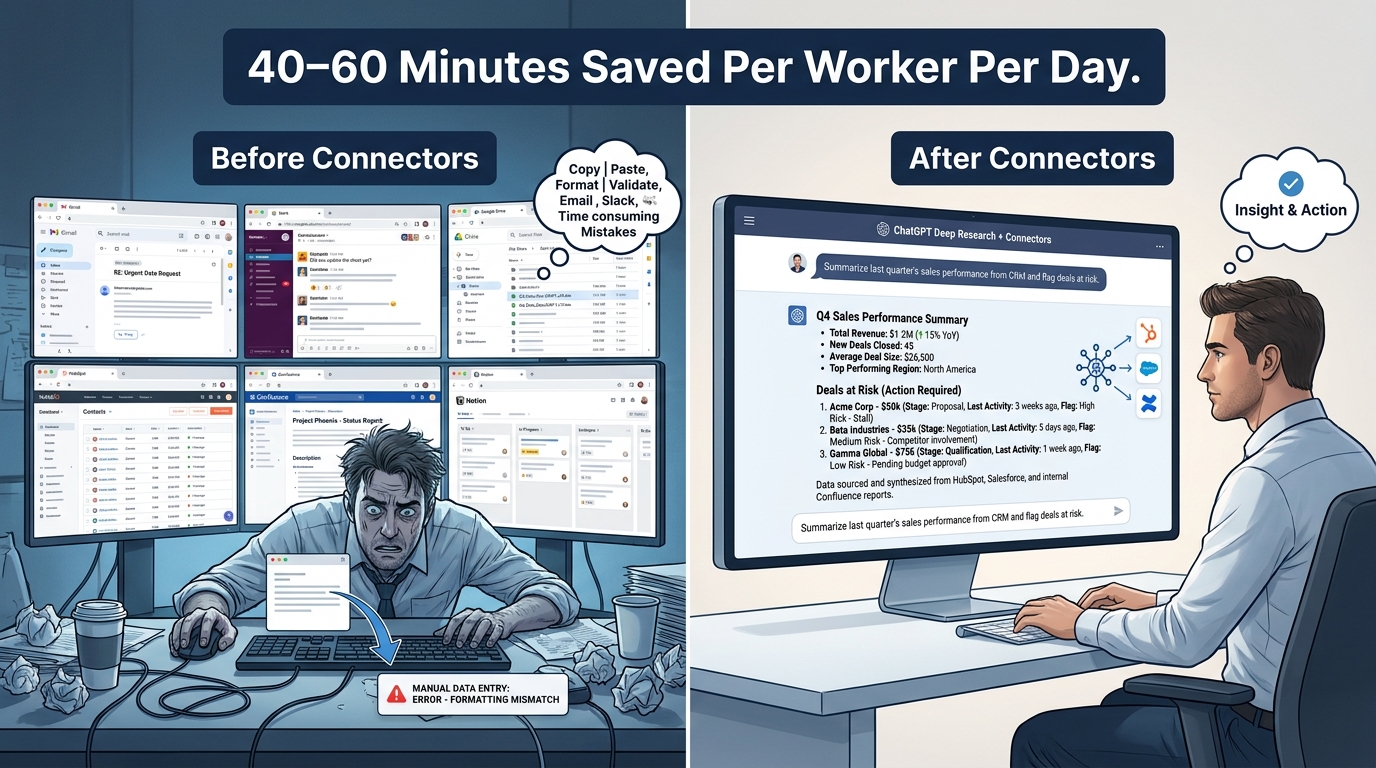
The practical implication is significant. In a traditional deployment, a knowledge worker might use ChatGPT as a drafting assistant — paste in content, get improved content back, copy it somewhere else. That’s a productivity enhancer. ChatGPT Work operating agentically is closer to a digital coworker: it connects to your project management system, pulls the relevant data, synthesizes it with context from recent messages, builds the status deck, and flags the blockers. The worker reviews and approves the output rather than building it from scratch.
The Three Modes of Current Deployment
Across organizations deploying ChatGPT in 2026, three distinct modes have emerged based on how deeply agentic the use case is:
- Assisted mode: ChatGPT helps a human produce better output — editing, summarizing, drafting, translating. The human drives every step. This is the most common mode and the easiest to deploy safely.
- Directed mode: ChatGPT executes defined multi-step tasks under human supervision — it runs a research workflow, generates a report structure, populates a template from connected data. The human reviews before anything goes external.
- Autonomous mode: ChatGPT Work runs background tasks, scheduled workflows, or cross-system processes with limited human input during execution. This is where the highest productivity gains live — and where governance becomes non-negotiable.
Most organizations are currently operating in a mix of assisted and directed modes, with selective autonomous deployments for well-defined, lower-risk workflows. The shape of that mix by department tells you a lot about where the real ROI is being captured.
The Four Deployment Tiers: Choosing the Right Seat Structure Before You Start
One of the most consequential decisions organizations make before deploying ChatGPT at work is also one of the least discussed: which plan tier to use, and how to structure seats across teams. Getting this wrong creates both security exposure and budget waste.
ChatGPT Team (2–149 users)
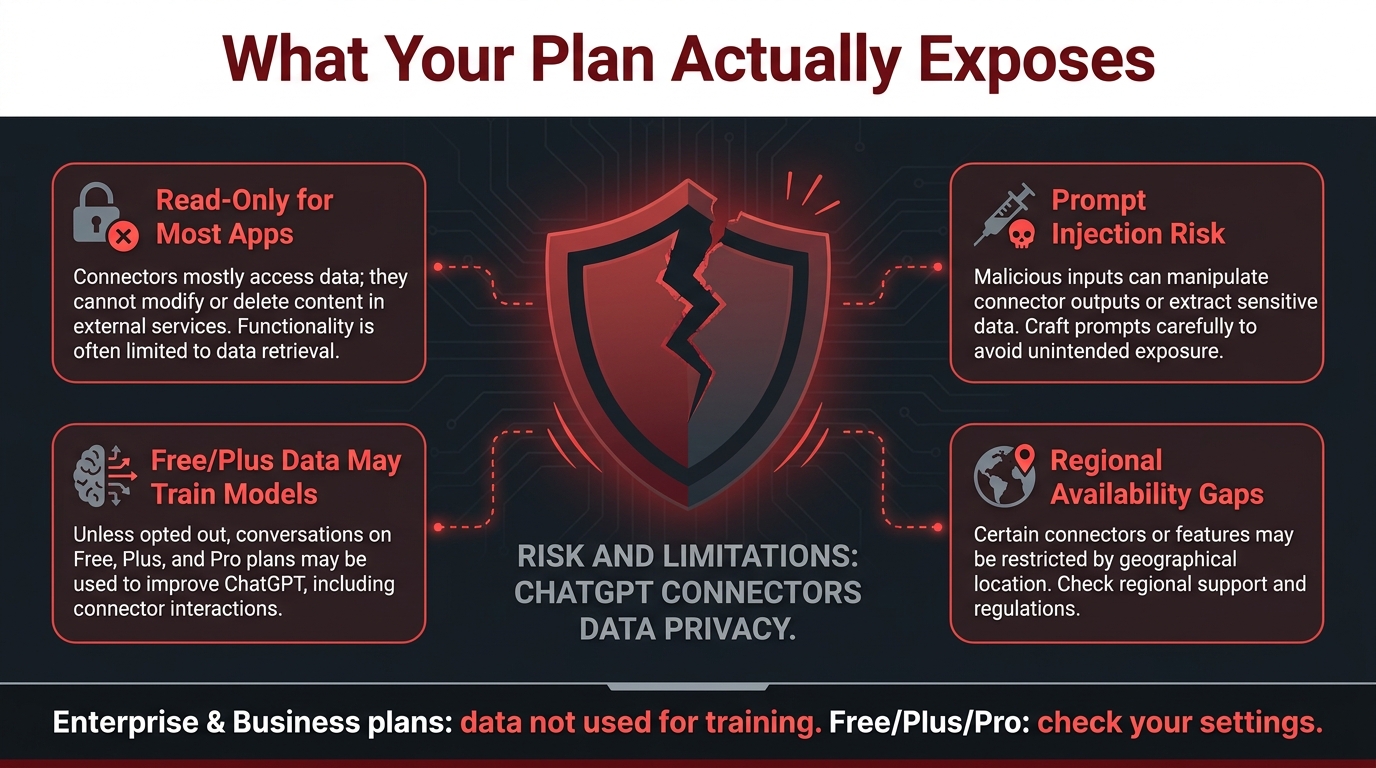
Designed for small to mid-size departments or early-stage pilots. ChatGPT Team provides shared workspaces, basic admin controls, and strong default data privacy (conversations are not used to train OpenAI’s models). It’s the right tier for a department of 20–30 people testing a focused workflow before broader rollout.
The limitation is scale and governance depth. Team doesn’t include SSO/SCIM provisioning, audit logs, or the kind of centralized analytics you need to manage adoption across dozens of departments. Organizations that try to scale Team-tier deployments to 500+ users typically hit friction fast.
ChatGPT Enterprise
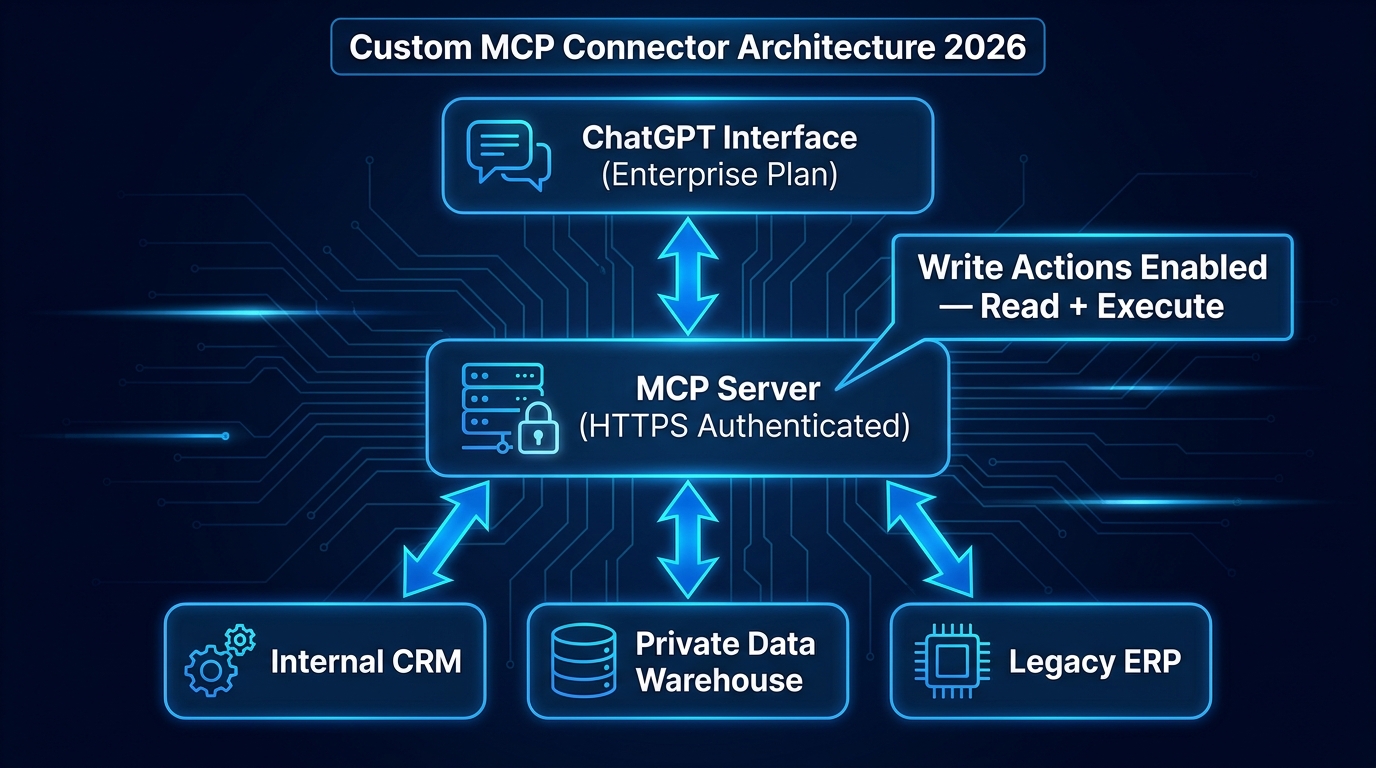
Enterprise is purpose-built for company-wide deployments in regulated or security-conscious environments. It adds SSO/SCIM integration, audit logs, data residency controls, compliance API visibility for conversations and agent activity, and advanced workspace analytics. It also includes full access to ChatGPT Work’s agentic capabilities and Codex for engineering teams.
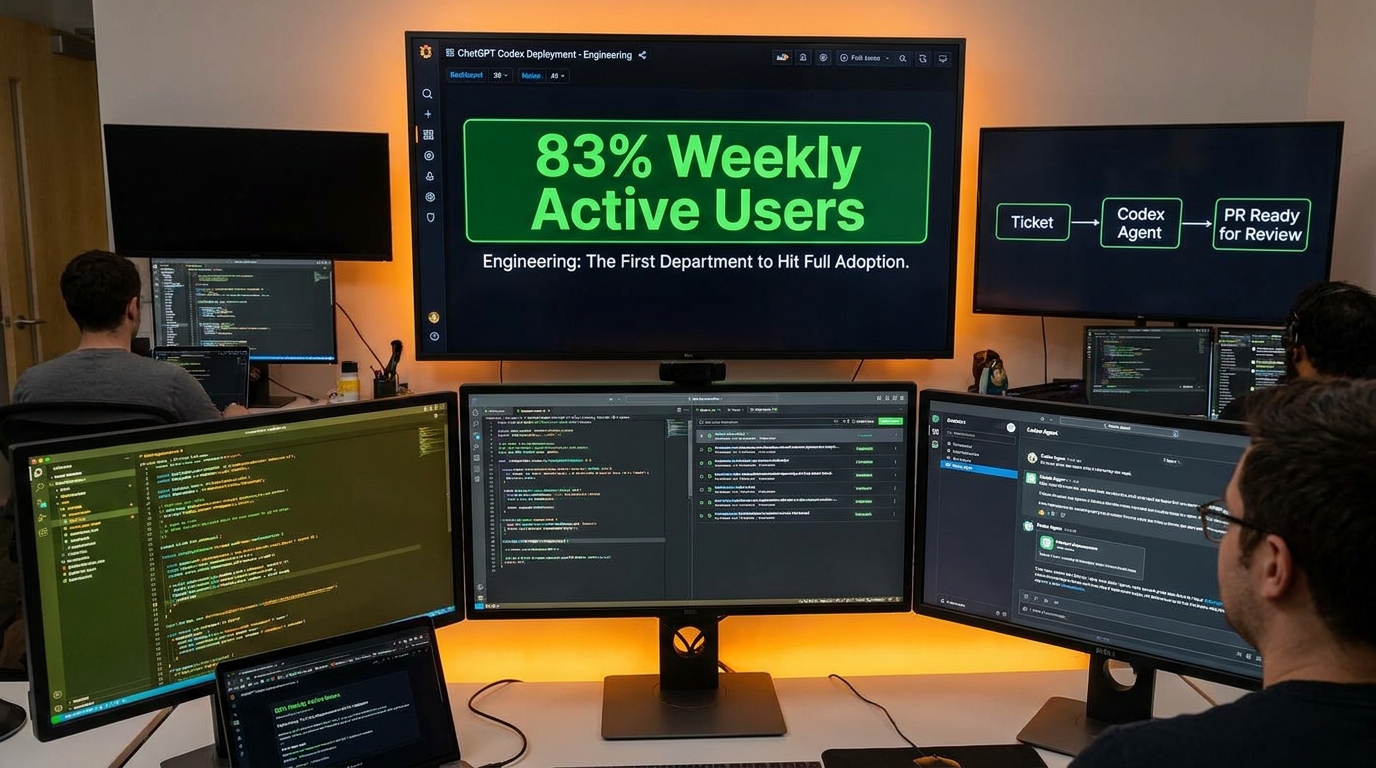
OpenAI’s own case studies show that companies who move to Enterprise typically see significantly higher adoption rates. In one reported deployment, 83% weekly active users and 98% employee preference over competing tools were measured — metrics that reflect both product quality and the organizational momentum that comes from a properly governed rollout.
The Pilot-to-Enterprise Bridge
The most common and costly deployment mistake organizations make is running a Team-tier pilot for three months, seeing positive results, and then trying to scale company-wide without upgrading their governance architecture. The pilot worked because it was small, well-managed, and involved early adopters. The company-wide rollout fails because governance, training, and integration weren’t designed to scale with it.
The better path: use Team-tier for genuine experimentation with 20–50 users, document what works, build the governance framework, and move to Enterprise for the production rollout. Don’t try to scale the pilot — industrialize the lessons from it.
Engineering and Dev Teams: The Fastest Adopters — and the Most Instructive Case
Engineering teams are, consistently, the fastest adopters of ChatGPT at work — and not just because developers are more comfortable with AI tools. The deeper reason is structural: software development already has the workflow discipline, review processes, and measurement infrastructure that successful AI deployment requires. Engineers don’t ship code without review. They have version control. They have test suites. These habits translate directly into responsible AI use.
The Codex Workflow: Ticket to PR Without Manual Coordination
The flagship engineering use case for ChatGPT Enterprise in 2026 is Codex-powered PR generation. The workflow runs like this: a developer receives a ticket, opens it in a Codex-connected environment, and instructs the agent to understand the task, inspect the relevant codebase, propose a solution, implement the change, run the test suite, validate the experience, and prepare the PR for team review — all in a single flow.
This isn’t theoretical. Organizations running this workflow are reporting measurable reductions in cycle time from ticket to review-ready PR. The human work shifts from writing code from scratch to reviewing, approving, and refining AI-generated work — a change that experienced developers often describe as qualitatively different rather than just faster.
What the 60–80% Adoption Figure Actually Means
Current estimates put ChatGPT adoption in engineering and IT departments at 60–80%+ across organizations that have deployed Enterprise. That number is significantly higher than marketing (40–60%) or HR (15–30%), and it reflects a few things beyond developer enthusiasm:
- Clear output verifiability: Code either compiles and passes tests or it doesn’t. Engineers can assess AI output quality rapidly and with confidence, which reduces anxiety about using the tool.
- Existing workflow integration: GitHub, Jira, and linear development workflows already have integration points. Slotting Codex into a PR review process requires less organizational change management than, say, introducing AI to a legal review process.
- Culture of experimentation: Engineering culture typically treats new tools as hypotheses to test rather than threats to resist. This lowers the adoption friction that kills rollouts in more risk-averse departments.
The Engineering Playbook: What Successful Teams Do
The teams getting the most out of ChatGPT in engineering are following a consistent pattern. They start with code documentation and explanation tasks — low-risk use cases where AI output quality is easy to verify. They build confidence, refine their prompting practices, and then move to more complex tasks like test generation, code review assistance, and eventually full Codex-driven PR workflows.
They also treat AI-generated code the same way they’d treat code from a junior developer: it gets reviewed, it goes through the test suite, and nothing ships without human signoff. That discipline — not the tool itself — is what separates teams that succeed from those that introduce bugs at scale.
Finance Teams: The Workflow That Pays Back Fastest
Finance is not the department most people imagine when they think about ChatGPT deployment. But in terms of raw time-savings, measurable ROI, and payback speed, it is consistently one of the top performers — because finance work is exactly the kind of high-volume, structured, data-intensive workflow that ChatGPT Work handles well.
The Monthly Close Problem
Every finance team that runs a monthly close knows the pain: stitching together data from multiple systems, reconciling variances, building BvA (budget vs. actual) comparisons, adjusting forecasts, and preparing leadership presentations — all under time pressure, all with a high tolerance for error.
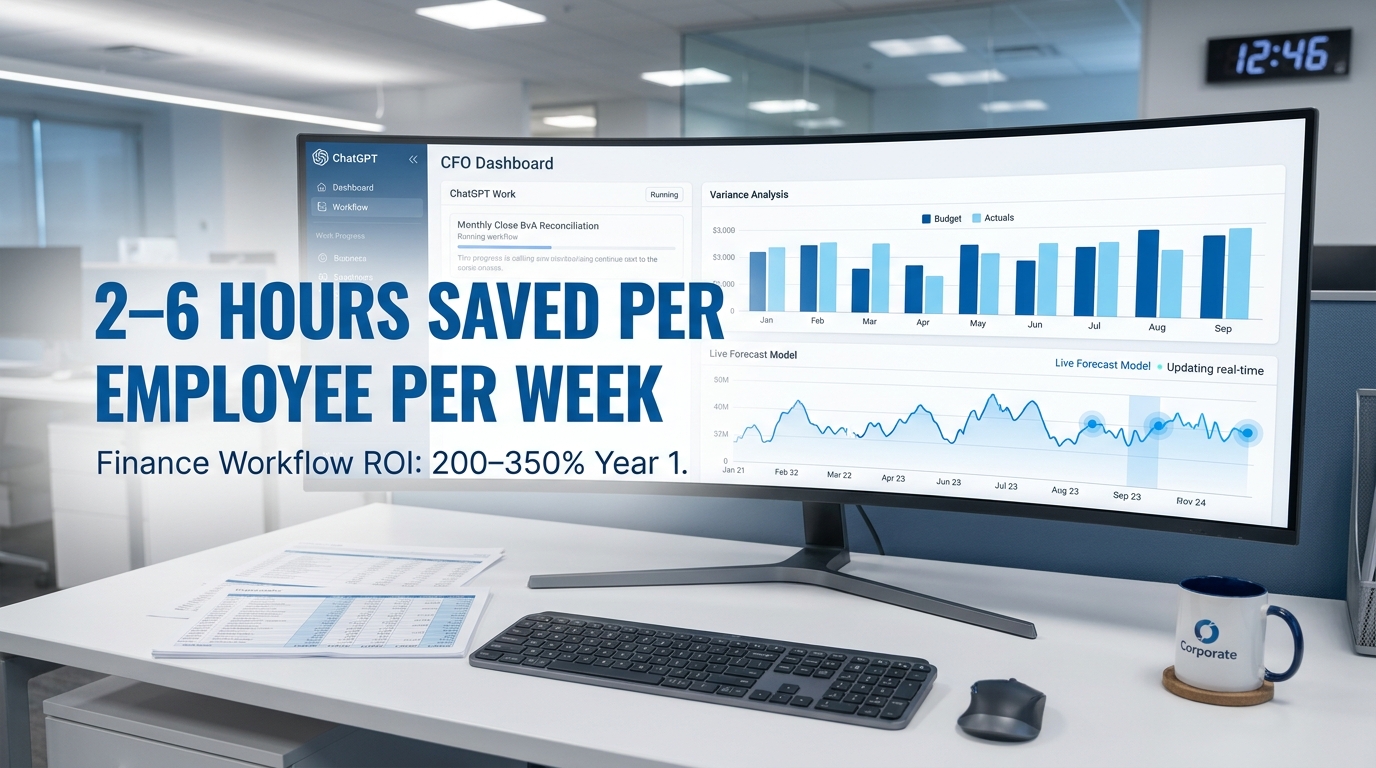
ChatGPT Work’s finance workflow addresses this directly. As described in OpenAI’s own Enterprise documentation, a fully connected deployment can reconcile variances across systems, assess the quality of results against targets, model risk-weighted scenarios, build a live dashboard, and refresh the forecast model — in a fraction of the time a manual process requires.
This is the archetype of a workflow where ChatGPT delivers not just convenience but structural time savings that compound month over month. Finance teams running this workflow are reporting reductions in monthly close cycle time, with some organizations cutting the process by 30–40% in the first quarter of deployment.
Ad Hoc Analysis vs. Guided Decision Support
The second major finance use case — and one that’s significantly underdeployed — is moving from reactive ad hoc analysis to proactive decision support. In a traditional setup, a finance analyst spends much of their time answering the same five questions from business partners: what was revenue last month, what’s driving the variance, how are we tracking against plan? These are valuable questions, but the analysis to answer them is repetitive and time-consuming.
ChatGPT Work connected to a data warehouse and CRM can run a standing analysis on these questions before they’re asked, combining financial results with business context, identifying anomalies, and building an interactive report that explains changes and recommends where to focus. The analyst’s time shifts from data assembly to interpretation and strategic guidance — a meaningfully different job.
The Finance Guardrails Non-Negotiable
Finance deployments require the strictest data governance of any department. Financial data connected to a ChatGPT workspace must be governed through role-based access controls — not every team member should be able to query every dataset. Audit trails for AI-generated analyses need to exist for regulatory compliance. And outputs used in external communications or regulatory filings must go through human review and sign-off before use.
Organizations that have had the most success in finance treat the AI as a skilled analyst who still requires a senior reviewer’s sign-off before anything leaves the department. That mental model gets the governance right without stifling the productivity gains.
Marketing and Content: Where Volume Wins — and Where It Backfires

Marketing is where ChatGPT deployment is simultaneously most enthusiastic and most prone to failure. Adoption rates in marketing and content departments run 40–60% across organizations with Enterprise access — high relative to HR and finance, but below engineering. The gap reflects a fundamental tension: marketing needs AI to produce more volume, but volume without quality control is a liability, not an asset.
The High-ROI Marketing Use Cases
The marketing workflows where ChatGPT consistently delivers strong returns are those that involve structured transformation of existing content or data — not open-ended creation from scratch.
- Campaign reporting: Turning raw performance data into structured leadership readouts with clear narrative and recommendations. ChatGPT Work can ingest campaign metrics, compare against benchmarks, identify what’s working and what isn’t, and build a presentation-ready analysis. This used to take a skilled analyst four to six hours. It now takes under an hour with human review.
- Brief-to-draft: Converting a structured creative brief into a first-draft long-form asset — blog post, white paper, case study. The AI does the scaffolding and research assembly; the human refines the voice, adds proprietary insight, and ensures factual accuracy.
- Multi-channel adaptation: Taking a single piece of approved content and adapting it to five different formats and platforms. This is pure volume work that AI handles efficiently and correctly when the source content is solid.
- Competitive research summaries: Using ChatGPT’s research mode to monitor competitor messaging, product updates, and market positioning — and synthesizing it into a weekly briefing that marketers actually read.
Where Volume Without Governance Breaks Down
The marketing failures in 2026 deployments follow a consistent pattern. A team gets access to ChatGPT Enterprise, starts using it for all content production, ships AI-generated copy without systematic review, and eventually publishes something factually incorrect, tonally off-brand, or legally problematic. The damage isn’t always dramatic — sometimes it’s subtle brand drift, sometimes it’s a compliance issue, sometimes it’s simply content that doesn’t sound like the company.
The root cause is almost always the same: the team deployed the tool before establishing the review process. They were focused on output volume rather than output quality standards. The lesson isn’t that AI shouldn’t produce marketing content — it’s that every AI-produced piece needs a review step that is explicitly designed for AI-generated material, not repurposed from the editorial review process for human-written content. AI makes different kinds of errors than humans, and the review process needs to check for them specifically.
Building the Marketing Prompt Library That Holds Up
The marketing teams with sustained high performance from ChatGPT have one thing in common: a maintained prompt library that is treated as a living document, not a one-time setup. This library contains tested prompts for each major content type, with version history so that when a prompt is refined, the old version doesn’t disappear. It includes brand voice guidelines embedded directly in the system prompts for each Custom GPT. And it has explicit instructions about what the AI should not do — facts to avoid asserting without verification, claims that require legal review, brand positioning statements that require sign-off before publication.
This kind of prompt library takes two to three weeks to build properly. Organizations that build it before full deployment see dramatically better sustained performance than those who deploy first and iterate under fire.
Legal, Compliance, and HR: The Governance-First Departments
Legal, compliance, and HR teams share a characteristic that shapes their ChatGPT deployment: every output carries real-world consequences for real people. A contract clause that’s wrong exposes the company to liability. A benefits policy FAQ that’s misleading creates legal obligations. A job description that uses the wrong language creates discrimination exposure. These stakes mean that governance isn’t a nice-to-have for these departments — it’s the precondition for any deployment at all.
Legal: Where ChatGPT Earns Its Keep in Document-Heavy Work
Contract review, NDA drafting, policy summarization, and regulatory research are the legal workflows that ChatGPT handles best. These are tasks where the AI’s ability to process large volumes of text rapidly, identify relevant clauses, flag potential issues, and generate structured summaries provides genuine time savings for legal teams that are perpetually under-resourced relative to their workload.
The key governance principle for legal is clear and consistent: ChatGPT output is a first draft or a research assist, never a final work product. Every AI-generated contract clause, policy summary, or regulatory analysis must be reviewed and signed off by a qualified legal professional before it is used. This isn’t just a governance policy — it needs to be a technical constraint built into the deployment, making it impossible for AI-generated legal content to leave the system without a documented human review step.
Organizations that have implemented this properly report that their legal teams are handling significantly higher document volumes without proportional headcount increases. The AI handles the first pass; the lawyer handles judgment, strategy, and client relationships.
HR: The Use Cases That Scale and the Ones That Create Risk
HR adoption of ChatGPT runs at the lower end of the department spectrum — typically 15–30% in most organizations — and for understandable reasons. HR work involves sensitive personal data, employment law compliance, and decisions that directly affect people’s livelihoods. But there is a set of HR use cases where ChatGPT delivers clear value with manageable risk.
Job description drafting is the canonical example. ChatGPT can take a role brief and a set of requirements and generate a structured, inclusive-language job description quickly. HR reviews for compliance and brand voice, then posts. The AI saves the initial drafting time; the human ensures legal and organizational alignment.
Onboarding material creation, policy FAQ generation, and benefits communication drafting follow the same model — AI handles the templated, document-heavy work, human experts review for accuracy and compliance before distribution.
Where HR must be careful: using AI in any part of the actual hiring decision process. Resume screening, candidate assessment, or interview evaluation that involves AI without rigorous bias auditing and legal review creates significant legal exposure. The current guidance from employment law specialists is consistent: AI can assist HR with documentation and communication workflows, but should not be in the decisional loop for employment outcomes without explicit, audited safeguards.
Compliance: AI as a Research and Monitoring Layer
Compliance teams are finding ChatGPT most useful as a regulatory research and change-monitoring layer. Keeping up with regulatory changes across jurisdictions is a volume problem — there is simply more regulatory output than small compliance teams can read, synthesize, and act on. ChatGPT’s research mode can monitor regulatory feeds, summarize relevant changes, flag potential impacts on specific policies or processes, and generate preliminary impact assessments for human review.
This is the kind of consistent background work that AI handles well and that frees compliance professionals for the higher-stakes judgment work that actually requires their expertise.
Operations: The Unsung ROI Engine of ChatGPT Deployment
Operations is consistently underrepresented in discussions of ChatGPT deployment, which is strange given that operations teams tend to have the highest density of the workflows where AI delivers the clearest ROI: structured, high-volume, data-intensive processes that need consistent execution across distributed teams.
The Weekly Review Problem — and How ChatGPT Solves It
Ask any operations leader what they spend most of their meeting preparation time on, and “chasing updates to rebuild the status deck” is a near-universal answer. Before a weekly review, someone needs to pull data from the project management system, the initiative tracker, the planning documents, and recent team messages. They need to reconcile them, identify what’s on track and what’s at risk, and build a deck that makes sense of it all.
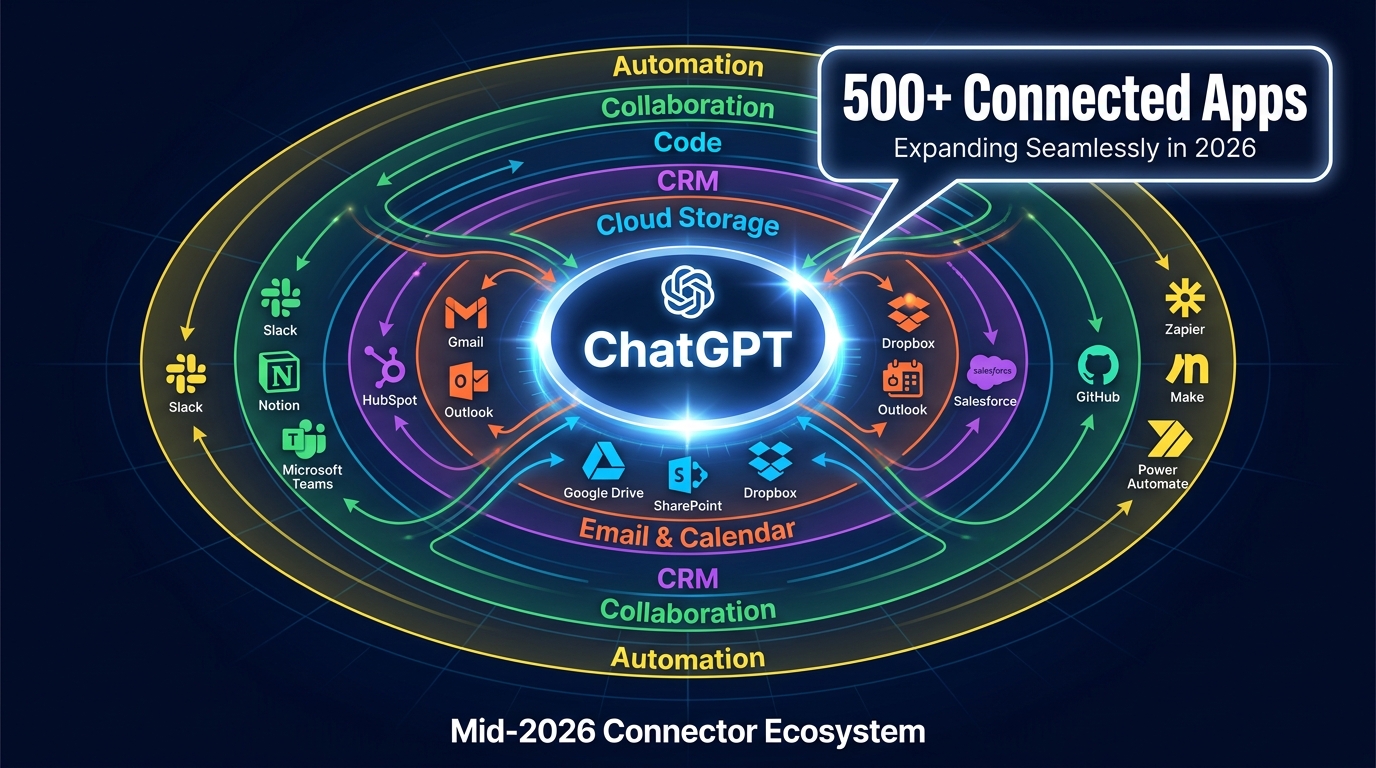
This is precisely the task that ChatGPT Work’s agentic capabilities are designed for. Connected to the relevant systems, it can pull current data, identify risks and blockers, synthesize recent signals, and prepare the review deck — with each owner and their current status already mapped. The operations manager walks into the meeting having reviewed the output rather than having spent hours preparing it.
Early adopters of this workflow are reporting that operations team members are reclaiming three to five hours per week that were previously consumed by status reporting and deck preparation. That time is being redirected to actual problem-solving — the work that operations leaders are most qualified to do.
Cross-System Data Synthesis: Where Ops Gets Asymmetric Value
Operations teams typically work across more systems than any other department — project management tools, ERP systems, logistics platforms, customer success dashboards, HR systems, finance data. The data they need to do their job is fragmented across these systems, and assembling a coherent operational picture manually takes significant time.
ChatGPT Work connected to these systems can synthesize cross-system data on demand, building operational dashboards that would otherwise require a data analyst and a day of work. This capability is available today for organizations with Enterprise accounts and the right integrations, and it’s delivering outsized ROI for operations teams willing to invest in the integration layer.
The Governance Architecture That Separates Successes from Failures
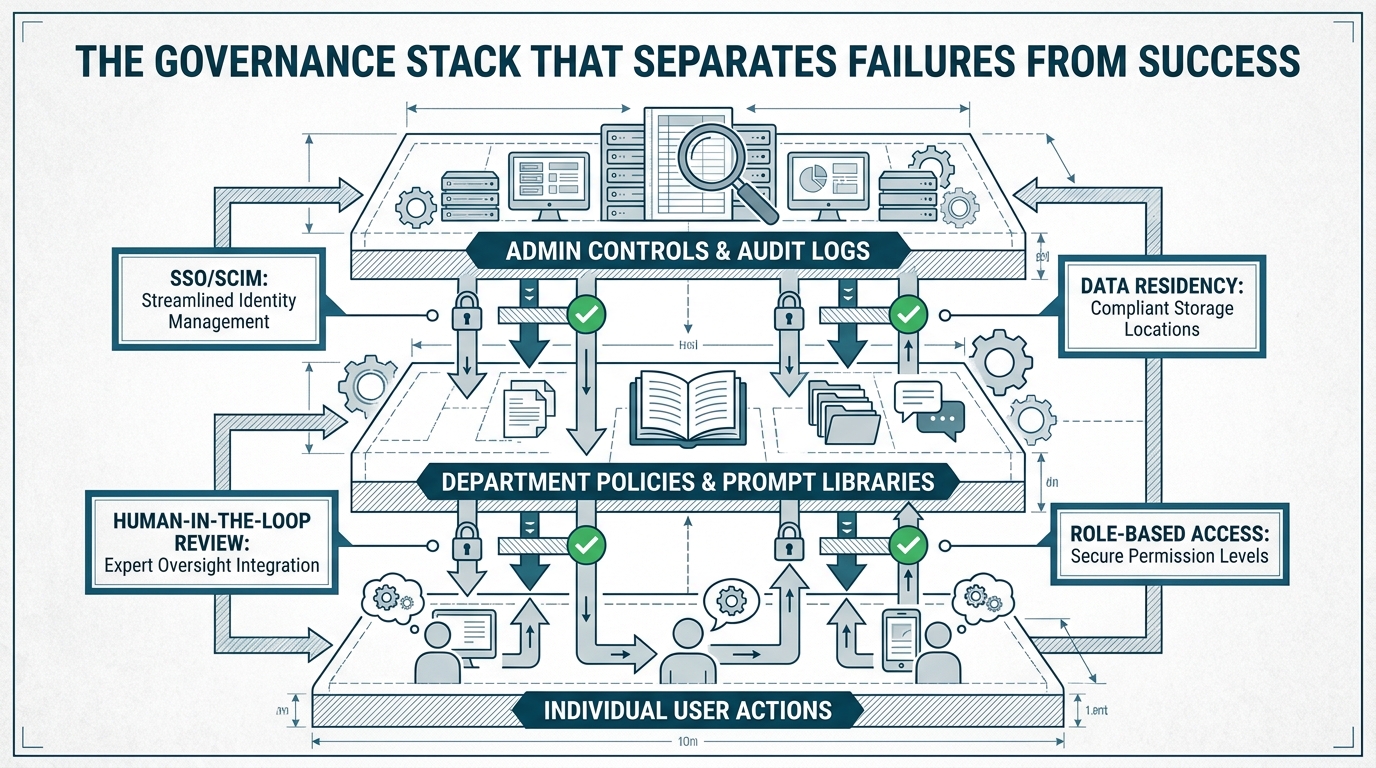
Every organization that has successfully scaled ChatGPT across departments has one thing in common: they built the governance layer before they needed it, not after something went wrong. Governance is not a compliance checkbox — it’s the technical and organizational infrastructure that allows the tool to be used broadly and confidently rather than cautiously and narrowly.
The Three-Layer Governance Model
The governance architecture that works in practice has three layers, each serving a distinct function:
Layer 1: Admin Controls and Audit Infrastructure. At the enterprise level, IT and security teams control who has access to ChatGPT, which tools and integrations each workspace can use, and what data the system can see. Audit logs capture all agent activity, conversation data, and file access. Compliance API visibility ensures that every action taken by ChatGPT Work on behalf of a user is traceable. This layer is non-negotiable for any organization operating in a regulated industry or managing sensitive customer data.
Layer 2: Department Policies and Prompt Libraries. Each department operates under its own set of approved use cases, standardized prompts, data access rules, and output review requirements. These are documented, versioned, and maintained by a departmental AI lead or governance owner. The marketing department’s policy is different from the legal department’s — and both are different from the engineering team’s. Trying to govern all departments with a single blanket policy consistently fails because the risk profiles and workflow patterns are too different.
Layer 3: Individual User Training and Practice Standards. Individual users need to understand not just how to use ChatGPT, but how to use it responsibly in the context of their specific role. This means role-based training (not generic AI literacy training) that covers the approved use cases for their department, the prompt templates they should use, and the review process they need to follow before using AI output externally.
The Failure Modes That Governance Prevents
The deployment failures that made the most news in 2025–26 were almost all governance failures rather than technology failures. The pattern is consistent: a team deploys ChatGPT without clear use-case boundaries, an employee uses it for a task it wasn’t designed or approved for, the output goes external without review, and the consequences range from embarrassing to legally problematic.
Model behavior changes compound this risk. When OpenAI updates its models — and updates happen regularly — prompts that worked reliably on one model version may behave differently on the next. Organizations without version-controlled prompt libraries and systematic output monitoring won’t notice this drift until something goes wrong. Organizations with proper governance will catch it in the review layer before it causes damage.
Building the AI Working Group: Who Needs to Be in the Room
Successful governance programs consistently start with a cross-functional AI working group that meets before deployment begins and maintains oversight throughout the rollout. The minimum viable working group includes:
- IT/Security: For technical controls, data governance, and integration architecture.
- Legal/Compliance: For acceptable use policies, data privacy compliance, and liability review.
- HR: For acceptable use communications, training program design, and employment policy alignment.
- Finance: For cost controls, seat allocation strategy, and ROI measurement.
- Business unit leads: For use-case prioritization, workflow design, and department-level adoption.
This group doesn’t need to meet weekly forever. But it needs to exist before rollout, actively during the first 90 days, and on a quarterly basis thereafter to review usage patterns, address emerging issues, and manage model update cycles.
Building Your Department Prompt Library: The Practical Framework
A prompt library is not a collection of clever prompts — it’s a governed, versioned system of templates that standardizes how your organization interacts with ChatGPT for specific, defined tasks. Building it correctly is one of the highest-leverage investments you can make in your deployment.
The Anatomy of a Deployment-Grade Prompt
A prompt that’s ready for organizational deployment has several components that a casual prompt doesn’t:
- System context: A clear statement of the AI’s role in this task, the output format it should produce, and the audience it’s writing for. This is usually embedded in the Custom GPT’s system prompt rather than the user prompt.
- Constraint instructions: Explicit statements of what the AI should NOT do — claims it shouldn’t assert, content it shouldn’t produce without human verification, formatting it should avoid.
- Output scaffolding: For structured tasks (reports, analyses, communications), a template that the AI populates. This dramatically improves output consistency and review efficiency.
- Review checklist reference: A pointer to the review process the output should go through before use. This makes the review step a part of the prompt workflow, not an afterthought.
How to Build the Library Without Spending Six Months on It
The mistake organizations make is trying to build a comprehensive prompt library from scratch before they’ve actually deployed the tool. They end up with a library built on theoretical use cases that doesn’t reflect how the tool is actually being used.
The better approach is a two-week sprint after a limited pilot:
- Week 1: Run a limited pilot with 20–30 users in one department. Have each user document every prompt they use that produces a useful output. Collect these prompts centrally at the end of the week.
- Week 2: A small team reviews collected prompts, identifies the highest-value use cases, refines the top 10–15 prompts using the anatomy framework above, and creates the initial library. Governance owners review and approve.
- Ongoing: The library is a living document. A designated maintainer reviews usage analytics monthly, identifies prompts that need refinement (especially after model updates), and adds new approved prompts as use cases expand.
This approach produces a library that reflects real workflows rather than theoretical ones, takes weeks rather than months, and starts generating value immediately.
The Custom GPT Layer
For Enterprise deployments, prompt libraries should be implemented not just as document repositories but as Custom GPTs — configured AI assistants that have the governance constraints built into their system prompts. This means that when a marketing team member opens the “Campaign Report Builder” Custom GPT, they’re automatically working with the approved system context, constraints, and output format — without needing to remember or correctly apply a complex prompt each time.
This approach dramatically reduces user error, improves output consistency, and makes governance auditable. Every output from the “Legal NDA Reviewer” Custom GPT is traceable to that specific configuration, and changes to the configuration require an approval process.
Measuring Real ROI: The Metrics That Actually Matter
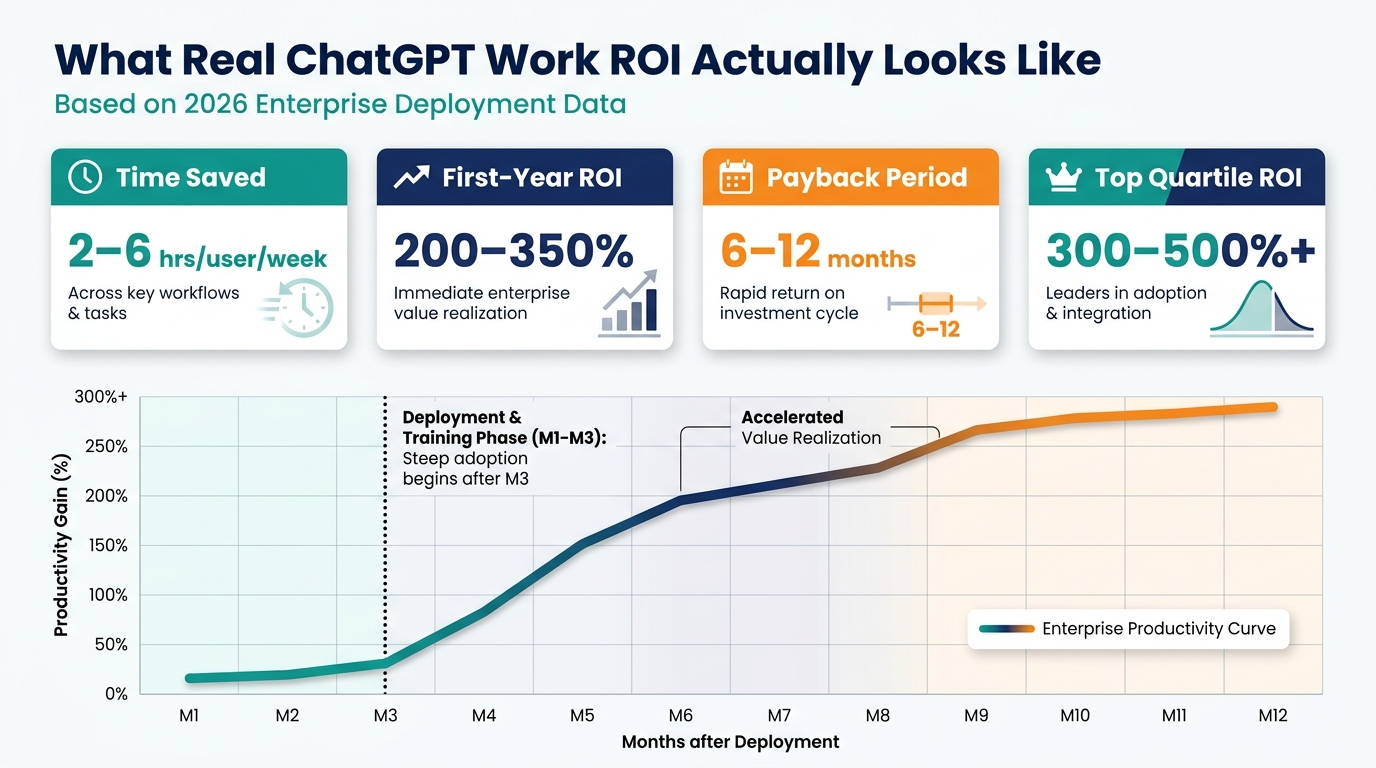
The organizations measuring ChatGPT ROI correctly aren’t looking at message volume, query counts, or user satisfaction surveys. They’re measuring business outcomes — and the numbers from properly governed deployments in 2026 are consistent and credible enough to act on.
The Core Productivity Numbers
Across enterprise deployments with strong governance and workflow focus, the consistent reported productivity gain is 2–6 hours saved per knowledge worker per week. That range reflects the difference between assistive use cases (lower end) and fully integrated agentic workflows (higher end). For a team of 50 knowledge workers, even the low end of this range represents 100+ hours per week of recovered capacity — the equivalent of two to three additional full-time employees.
First-year ROI for well-implemented deployments runs in the 200–350% range, with a payback period of 6–12 months. Top-quartile programs with deep workflow integration and strong adoption are reporting 300–500%+ ROI within the first year. These numbers are consistent across multiple independent enterprise deployments and reflect time savings, quality improvements, and reduced need for certain categories of external vendor work.
The Metrics Worth Tracking vs. the Ones That Distract
The metrics that predict successful long-term deployment are behavioral, not volume-based:
- Weekly active users as a percentage of licensed seats: Below 50% after 60 days of deployment signals an adoption problem. Above 70% suggests the tool is genuinely embedded in workflow. (The OpenAI-reported figure of 83% weekly active users in high-success deployments is a benchmark worth aspiring to.)
- Workflow completion rate: For agentic use cases, the percentage of initiated workflows that produce a usable output without requiring a restart. Low completion rates indicate prompt quality, integration, or model performance issues.
- Review escalation rate: The percentage of AI outputs that require significant human revision before use. High escalation rates indicate that prompts, system context, or use-case selection need adjustment — not that the tool doesn’t work.
- Time-on-task before/after: For defined, measurable workflows (monthly close, contract review, report generation), direct measurement of time taken before and after AI deployment. This is the most defensible ROI metric for internal business cases.
The 30/60/90 Day Measurement Cadence
The teams that sustain ROI over time are measuring at three defined checkpoints:
30 days: Adoption rate, early productivity signals, top user pain points. The goal is to identify and fix friction before it calcifies into habit. If adoption is below 40% at 30 days, there is a training or workflow-fit problem that needs immediate attention.
60 days: Workflow completion rates, review escalation patterns, and the first pass at time-on-task comparison. This is when you identify which use cases are working well (expand them), which are underperforming (diagnose and adjust), and which prompt library gaps need to be filled.
90 days: Full ROI calculation, user satisfaction, and recommendation for scale or scope adjustment. The 90-day review should produce a documented business case for the next phase of deployment — whether that means expanding to new departments, moving to Enterprise tier, or building additional Custom GPTs for the use cases that have proven out.
Why Most Deployments Stall at 30%: The Organizational Dynamics Nobody Talks About
The technical deployment of ChatGPT is rarely what causes rollouts to underperform. The technology works. The organizational dynamics around it frequently don’t — and they follow patterns that are predictable enough to plan for.
The Early Adopter Cliff
Most ChatGPT deployments show a characteristic adoption curve: rapid uptake by the 15–20% of employees who are naturally enthusiastic about new technology, followed by a plateau as the tool fails to penetrate the majority who are waiting to see whether it’s genuinely useful in their specific job. This plateau — often around 30–35% adoption — is the most common failure mode in enterprise AI rollouts.
Breaking through it requires a different approach than the one that drove early adoption. Early adopters self-served. The majority needs demonstration, not documentation — they need to see a colleague in their specific role doing a specific task faster and better with ChatGPT before they’ll commit to changing their workflow. Peer demonstrations and internal case studies from within the organization are far more effective at this stage than vendor-produced materials or executive mandates.
The Manager Multiplier Effect
One of the strongest predictors of departmental ChatGPT adoption is whether the department’s manager uses it visibly and talks about it openly. Teams with actively AI-using managers hit adoption rates 2–3x higher than comparable teams with AI-skeptical or passive managers. This isn’t about mandating use — it’s about the signal that a manager sends by demonstrating the tool in team settings, referencing AI-assisted work in meetings, and creating space for experimentation without fear of judgment.
Organizations that identify this dynamic early and specifically train managers to be visible AI adopters consistently see stronger rollout performance than those that focus all their enablement energy on individual contributors.
The “Productivity Theatre” Trap
A specific failure mode that has become more visible in 2026: teams that adopt ChatGPT enthusiastically but use it in ways that look productive without creating real business value — generating more reports that nobody reads, producing longer documents that contain less useful information, or automating the production of deliverables that shouldn’t exist in the first place.
This is the “productivity theatre” trap, and it’s surprisingly common. The fix is simple but requires discipline: before deploying AI to a workflow, ask whether the workflow itself is creating genuine value. If the answer is uncertain, the right intervention is workflow redesign, not AI automation of an existing but questionable process.
The 90-Day Deployment Checklist: From Decision to Measurable ROI
Everything above distills into a practical sequence of decisions and actions. Here is the checklist that the best-performing ChatGPT work deployments have in common — not as an abstract framework, but as a concrete sequence you can act on.
Weeks 1–2: Foundation
- Form the AI working group (IT, Legal, HR, Finance, business leads).
- Define the specific use case for the pilot — one workflow, one department, 20–50 users.
- Select and configure the deployment tier (Team for pilots under 50 users, Enterprise for broader rollout).
- Draft the acceptable use policy for the pilot department.
- Identify the department AI lead who will own the prompt library and training.
Weeks 3–6: Pilot and Learn
- Deploy to pilot users with role-specific training focused on the target workflow.
- Establish the baseline time-on-task metric for the targeted workflow.
- Collect prompts and use patterns from pilot users daily.
- Run a weekly 30-minute retrospective to surface friction and early wins.
- Document the review process that AI output must go through before external use.
Weeks 7–8: Governance and Library
- Build the initial prompt library from pilot learnings (target: 10–15 well-governed prompts).
- Create the department Custom GPT with governance constraints built into system prompts.
- Define the 30/60/90 day metrics and assign measurement ownership.
- Run the first adoption audit and address any users who have not engaged with the tool.
Weeks 9–12: Scale and Measure
- Expand to additional use cases within the pilot department.
- Conduct peer demonstration sessions to drive adoption past the early-adopter plateau.
- Train department managers to be visible AI users.
- Conduct the 90-day ROI review and build the business case for the next phase.
- Present findings to the AI working group and define the next department for rollout.
This sequence is not theoretical — it’s a distillation of what the organizations reporting 200–350% first-year ROI actually did in their first 90 days. It is notably un-glamorous. There is no “big launch moment,” no all-hands announcement with slick videos, no promise of immediate transformation. There is instead careful problem selection, disciplined governance, persistent measurement, and the organizational patience to build something that actually works before declaring victory.
What 2026 Has Made Clear: The Deployment Decisions That Define the Outcome
Eighteen months into widespread ChatGPT Work deployment, the organizational evidence is clear enough to draw some firm conclusions — not about the technology, but about the decisions that determine whether it delivers on its potential.
The organizations seeing real, sustained returns share a profile: they started narrow and specific rather than broad and aspirational. They built governance before they needed it. They invested in department-level prompt libraries rather than hoping individuals would figure out effective prompting on their own. They measured outcomes rather than activity. And they treated the organizational change management as the hard part — not the technology setup.
The organizations that are disappointed — sitting on expensive Enterprise licenses with low adoption and unclear ROI — made the opposite choices. They launched broadly without sufficient preparation. They invested in access without investing in enablement. They measured the wrong things and missed the signals that something was going wrong until it was expensive to fix.
ChatGPT Work is, in 2026, genuinely capable of changing how knowledge work gets done. The engineering team that moves from ticket to PR-ready code without manual coordination is working differently, not just faster. The finance team running a live, always-current operating model is doing a different job than the one that spent three days assembling a monthly close. The operations leader walking into a review with a current, AI-synthesized risk register is having a different conversation than the one who spent hours rebuilding the deck from scratch.
That kind of change is available. Whether your organization captures it comes down to the deployment decisions you make in the next 90 days — and whether you’re willing to do the unglamorous work of building governance, measuring outcomes, and earning adoption one department at a time.
Key takeaway: The difference between ChatGPT deployments that deliver 300%+ ROI and those that stall is not the technology. It’s the specificity of the use cases targeted, the quality of the governance architecture, the investment in department-level prompt libraries, and the organizational patience to measure real outcomes rather than activity metrics. Start with one workflow. Govern it properly. Measure the results. Then scale.