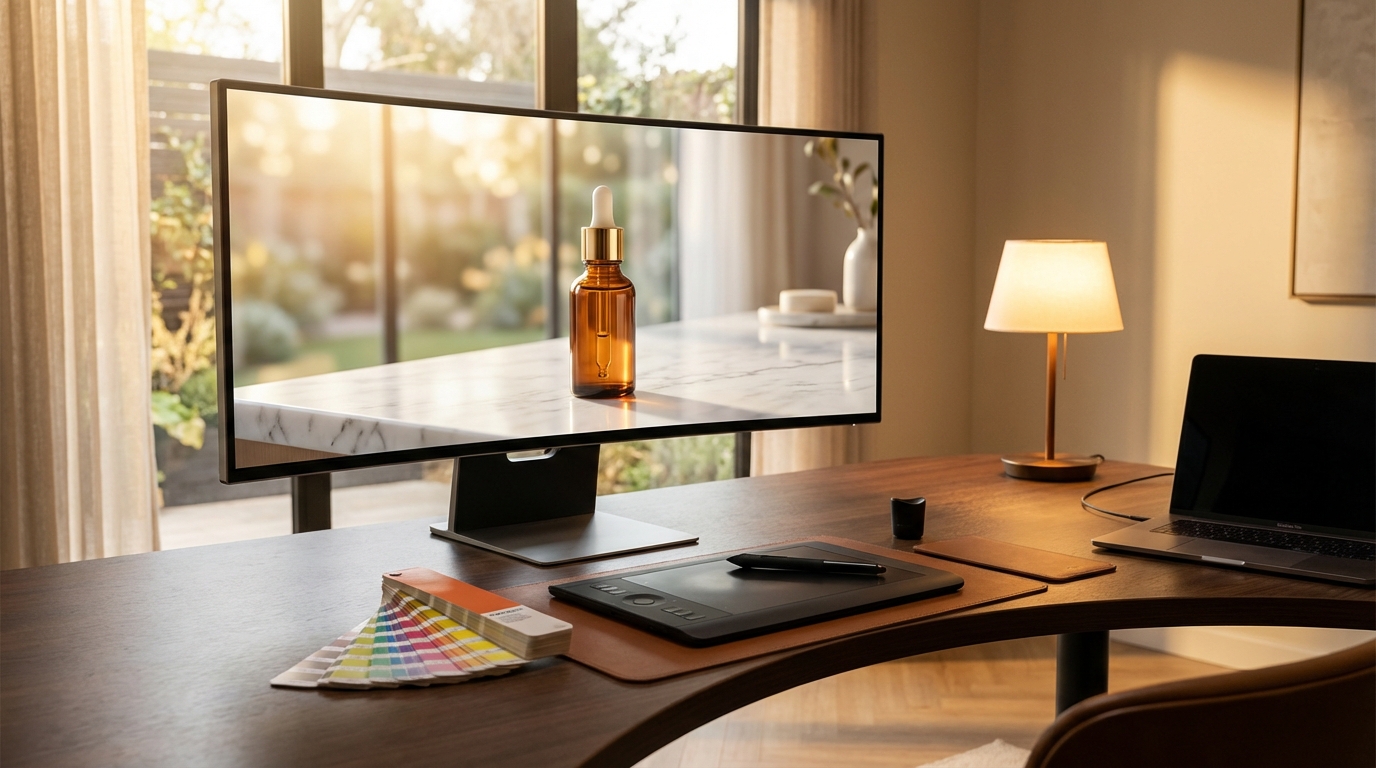
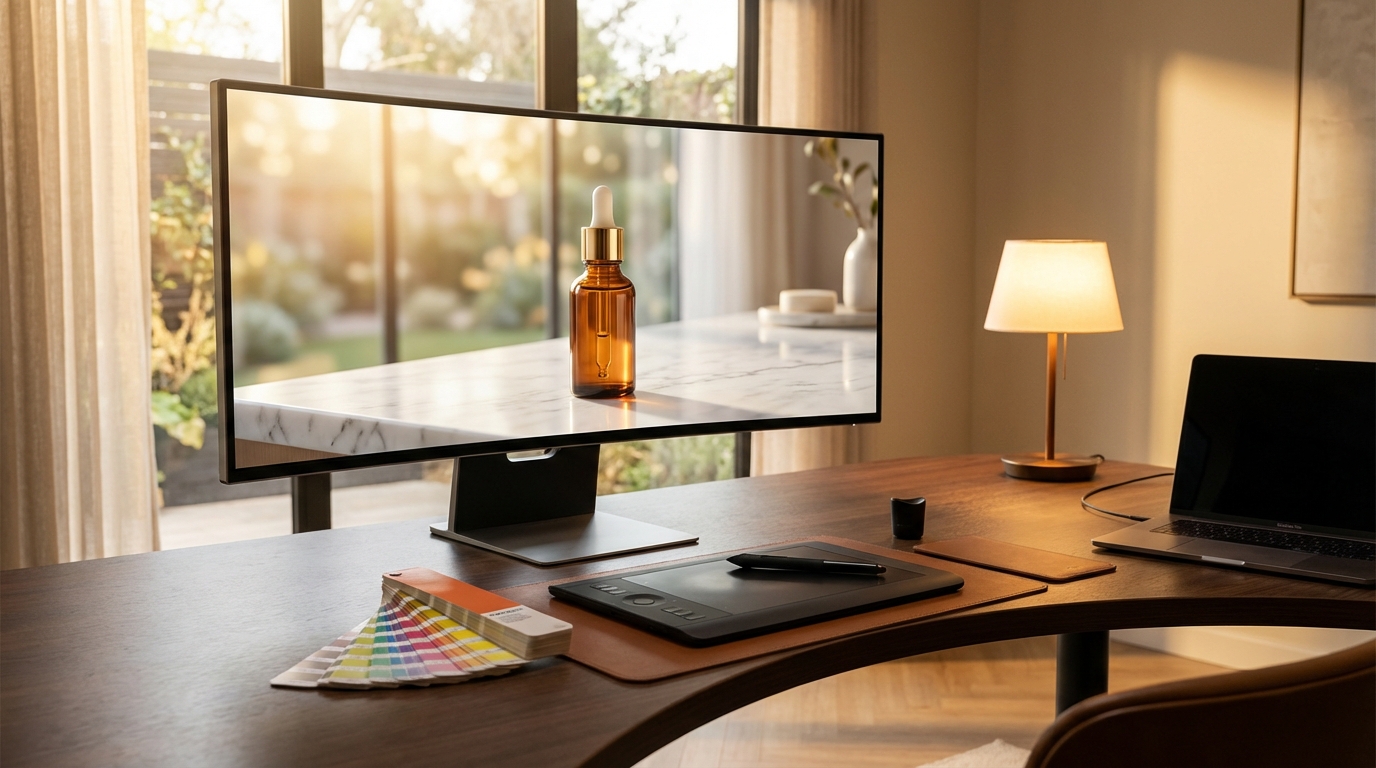
There is a specific moment every brand designer or ecommerce operator knows well: you have a product. The product is real, well-made, and genuinely worth selling. But the photograph you have is a flat, overlit studio shot against a white background — the kind that disappears into any search results page and gives a customer zero emotional context for why they should want it in their life.
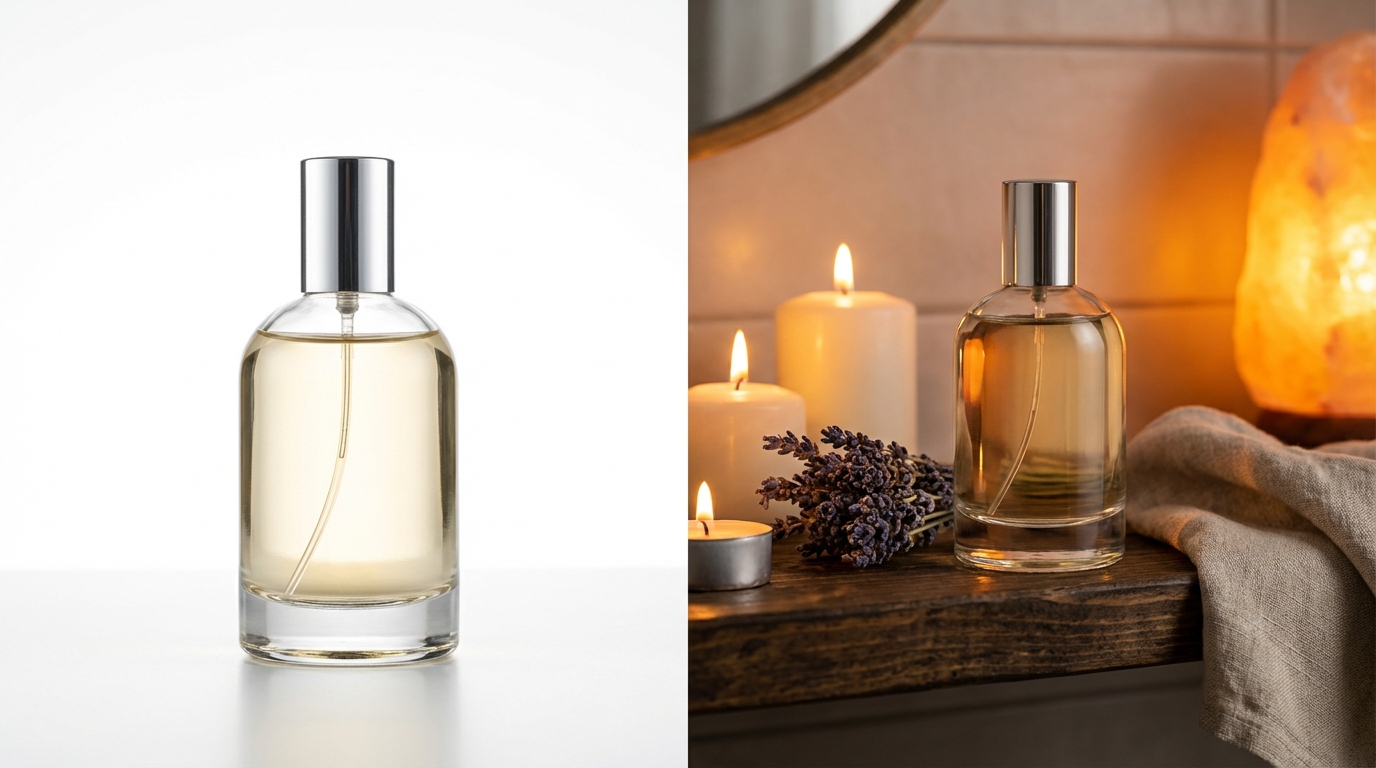
That gap — between what a product is and what it feels like to own it — is exactly what lifestyle photography has always tried to close. A perfume bottle on a white backdrop is a commodity. That same bottle on a warm marble shelf, surrounded by botanical candles and morning light, is an experience. It sells a version of life the customer is reaching toward.
Traditional lifestyle photography solves this well. It is also expensive, slow, and inflexible. A studio day, a location scout, a stylist, a photographer, post-production — you are looking at weeks of lead time and budgets that realistically start at several thousand dollars per shoot. For brands managing dozens of SKUs, or creative teams iterating on seasonal campaigns, those constraints accumulate fast.
This is where AI-generated lifestyle backgrounds have genuinely changed the economics of visual production — and where Krea AI occupies an interesting position. It is not a dedicated ecommerce photography tool. It is a full creative suite, and that distinction matters enormously for understanding how and why it works the way it does. The lifestyle background capability within Krea is a product of layered, interconnected tools — real-time generation, scene transfer, LoRA finetuning, and generative editing — that together give creative professionals something more flexible than any purpose-built background swapper can offer.
This guide is built for anyone who wants to move beyond the basics: designers, brand managers, ecommerce operators, and marketing teams who want to understand not just how to use Krea for lifestyle backgrounds, but how to build a repeatable visual production system around it.
What Makes Krea AI Different From Dedicated Product Photography Tools
Before going deep into the mechanics, it is worth understanding the landscape Krea AI occupies — because its approach to lifestyle backgrounds is categorically different from tools built specifically for ecommerce photography.
Tools like Claid and Flair were engineered from the ground up for product photography. Their interfaces prioritize speed and automation: upload a product image, select a scene type, generate and export. That pipeline is efficient and the results are predictable. If you need high-volume catalog images where the primary goal is background replacement with realistic lighting, those tools are optimized for that exact task.
Krea AI was built for creative professionals first. It is, as its homepage describes, “the world’s most powerful creative AI suite” — encompassing image generation, video generation, 3D object generation, real-time rendering, upscaling to 22K resolution, LoRA finetuning, generative editing, video upscaling, and frame interpolation. Lifestyle backgrounds are one output within a much larger creative infrastructure.
The Generalist Advantage
This generalist positioning creates both advantages and friction. The friction is real: Krea is not as plug-and-play as a dedicated ecommerce tool for a first-time user who just wants to swap a background quickly. The learning curve is steeper, and the interface assumes some familiarity with AI creative tools.
The advantage, however, is substantial. Because Krea integrates so many capabilities under one subscription, a creative team can move from rough concept to polished campaign asset without switching platforms. You can sketch a background idea in the real-time canvas, refine it via scene transfer, upscale the result to 22K for print, animate the product for a social clip using motion transfer, and finetune a LoRA model to maintain brand consistency across every output — all within the same interface and subscription.
That end-to-end workflow is something no dedicated product photography tool currently offers. And for creative directors managing campaign production rather than just catalog images, it represents a meaningful efficiency gain.
The Model Access Argument
Krea also provides access to over 64 AI models under a single subscription — including Flux, Krea 1 (their proprietary ultra-realistic flagship), Veo 3.1, Ideogram, Runway, Luma, and Gemini. This matters for lifestyle background work specifically because different models excel at different aesthetic outputs.
Krea 1 is optimized for photorealism, skin textures, and material fidelity — valuable for lifestyle scenes where product surfaces, fabric textures, and environmental lighting need to read as genuinely photographic. Other models in the suite handle stylized or illustrative outputs better. Having all of them available means you can match the model to the creative brief rather than working around the limitations of a single-model tool.
Inside Krea’s Lifestyle Background Toolkit — What You’re Actually Working With
Understanding Krea AI’s lifestyle background capability means understanding the individual tools it draws from. There is no single “lifestyle backgrounds” button. Instead, several features work together, and knowing which one to reach for in which situation is the core skill.
The Product Shots Module
Krea’s Product Shots tool is the most direct entry point for background work. It is designed specifically for creating product imagery with controlled backgrounds and lighting. The workflow follows a relatively structured path: upload your product photograph, use AI-assisted background removal to isolate the subject, then define the new background through prompts, presets, or uploaded reference images.
What separates this from a basic background removal tool is the quality of the environmental integration. Krea generates not just a backdrop but a coherent scene — matching ambient light from the environment onto the product surface, creating contextually appropriate shadows and reflections, and compositing the product into the new setting in a way that maintains visual plausibility. A glass bottle placed on a marble countertop by the Product Shots module will catch the light appropriate to that surface and environment, not simply be dropped onto a marble texture as a separate layer.
Positive and negative prompting controls within the tool let you specify what you want present (“warm morning light, fresh botanicals, linen background”) and what you want excluded (“text, logos, other products, people”). This gives you meaningful control over the output without requiring expertise in prompt engineering.
Scene Transfer
Scene Transfer works differently. Rather than generating a background from scratch, it transfers the mood, lighting, color palette, and texture from a reference image to your base photo. This is particularly powerful when you have a specific aesthetic — a campaign reference image, a brand mood board, a competitor’s visual you want to respond to — and want to apply that visual environment to your product.
The process involves uploading your base product image alongside a reference image that carries the scene attributes you want. Krea’s algorithm extracts lighting direction, color temperature, shadow behavior, and environmental textures from the reference and applies them to your base. The product stays recognizable while the atmosphere transforms around it.
For seasonal campaigns — where you might want the same product to feel like summer, autumn, and winter across different ad sets — Scene Transfer is more efficient than generating three distinct backgrounds from scratch. You provide three reference images and iterate rapidly.
Generative Image Editing
The generative editing suite allows for targeted modifications to existing product images using natural language instructions. Rather than regenerating an entire scene, you can paint over specific regions — the background, a surface area, the lighting source — and prompt replacements. This is valuable for iterating on a near-final image: swap the background texture, change the time of day implied by the lighting, or add environmental props without rebuilding the whole composition.
This capability matters more than it might initially seem for lifestyle background work. Getting from a rough AI output to a campaign-ready asset usually involves iteration, and generative editing compresses the revision cycle significantly compared to regenerating from scratch or moving to Photoshop for manual retouching.
The Upscaler
Every lifestyle background output, no matter which tool generates it, should be passed through Krea’s Upscaler before final export. The system supports upscaling up to 22K resolution through seven different upscaling models, including Topaz Photo and Topaz Gigapixel. For ecommerce images that need to scale across Amazon listings, social ads, email headers, and print collateral, this step is not optional — it is what separates a web-quality output from a professionally usable asset.
The Scene Transfer Workflow: Step-by-Step for Brand-Quality Results
Theory only takes you so far. The following is a practical, detailed workflow for producing lifestyle backgrounds with Krea AI that hold up to brand-quality scrutiny — not just “AI-generated” rough drafts that require extensive cleanup.
Step 1: Source and Prepare Your Product Image
Start with the best product photograph you have. AI tools do not compensate for a poor source image — they amplify both quality and flaws. Ideally, use a product image with:
- Clean, neutral lighting from a consistent direction (not flat studio overexposure)
- A single product or tightly composed subject — loose multi-product arrangements become difficult for the AI to interpret correctly
- Minimum 1024 pixels on the shortest side, preferably higher
- A background that contrasts clearly with the product (even white works, as long as the product edges are distinguishable)
Step 2: Build Your Reference Library Before You Touch the Tool
This step is the most commonly skipped and the most impactful. Before opening Krea, spend fifteen minutes collecting four to six reference images that represent the lifestyle environment you want. These might come from competitor product photography, editorial magazine spreads, interior design publications, or previous brand campaign assets.
The references serve two purposes: they give Scene Transfer concrete visual information to work with, and they force you to be deliberate about your aesthetic before you start generating. Ambiguity in input produces ambiguity in output. Arriving with clear visual references dramatically reduces iteration cycles.
Step 3: Background Removal and Subject Isolation
Upload your product image to the Product Shots tool. Krea’s background removal is AI-assisted — it auto-detects the product edges and generates a clean cutout. For complex products (translucent packaging, bottles with handles, products with fine structural details like jewelry chains), review the edge mask carefully and use the generative editing brush to correct any missed areas before proceeding.
Step 4: Scene Definition via Prompt
With the product isolated, define your scene through the prompt interface. Be specific and layered in your description. Rather than “bathroom background,” use something like: “soft morning light filtering through frosted glass, white marble countertop with faint veining, small ceramic dish with dried lavender sprigs in background, shallow depth of field, editorial photography style.” Each additional layer of specificity reduces the model’s decision-making latitude and gives you more predictable, controllable outputs.
Simultaneously, use your negative prompts actively. Specify exclusions: “no text, no watermarks, no other products, no unrealistic shadows, no oversaturated colors.”
Step 5: Reference Image Input for Scene Transfer
Switch to Scene Transfer and input your reference image alongside the prompted background. The algorithm will synthesize between the prompt description and the visual reference, producing a scene that combines both. Use a reference with strong directional lighting if your brief requires dramatic shadows, or a softer reference for diffused ambient scenes.
Generate three to five variations per scene concept. Because Krea operates at high inference speeds (generating a 1024px Flux image in approximately three seconds), iteration is fast enough to explore genuinely without the cost of patience that slower AI tools impose.
Step 6: Refinement via Generative Editing
Select the strongest output from your variations and bring it into the generative editing interface. Use the brush to mask specific areas for targeted refinement — tighten a shadow, add a surface prop, adjust background depth, or correct any edge artifacting. This step transforms a strong AI draft into a near-final image.
Step 7: Export via Upscaler
Pass the refined image through the Upscaler at 2x or 4x depending on your destination resolution requirements. Use the clarity and resemblance controls to balance between added detail and maintaining the original image’s character. Export as PNG for maximum quality.
PDP vs. Lifestyle: Knowing When to Use Which Output
One of the more practical decisions creative teams face when building an AI photography workflow is knowing when a lifestyle background actually serves the business goal — and when it does not. The distinction between PDP (Product Detail Page) images and lifestyle images is more than stylistic; they serve fundamentally different functions in the purchase journey.
When Clean PDP Images Win
A clean product image — typically against white, light gray, or a minimalist solid backdrop — serves the decision-making phase of a purchase. Shoppers who have already shortlisted a product category and are comparing specific options want to see the product clearly: its exact dimensions, texture, color accuracy, and structural details. A lifestyle scene can obscure this information by compressing depth, casting colored shadows, or drawing the eye to environmental props rather than the product itself.
On Amazon’s primary image slot, platform rules require a pure white background image as the main listing image. On direct-to-consumer product pages, conversion data consistently shows that clean, high-resolution images with full product visibility perform well in the detail hero slot — the image that answers “exactly what am I looking at.”
When Lifestyle Backgrounds Drive Results
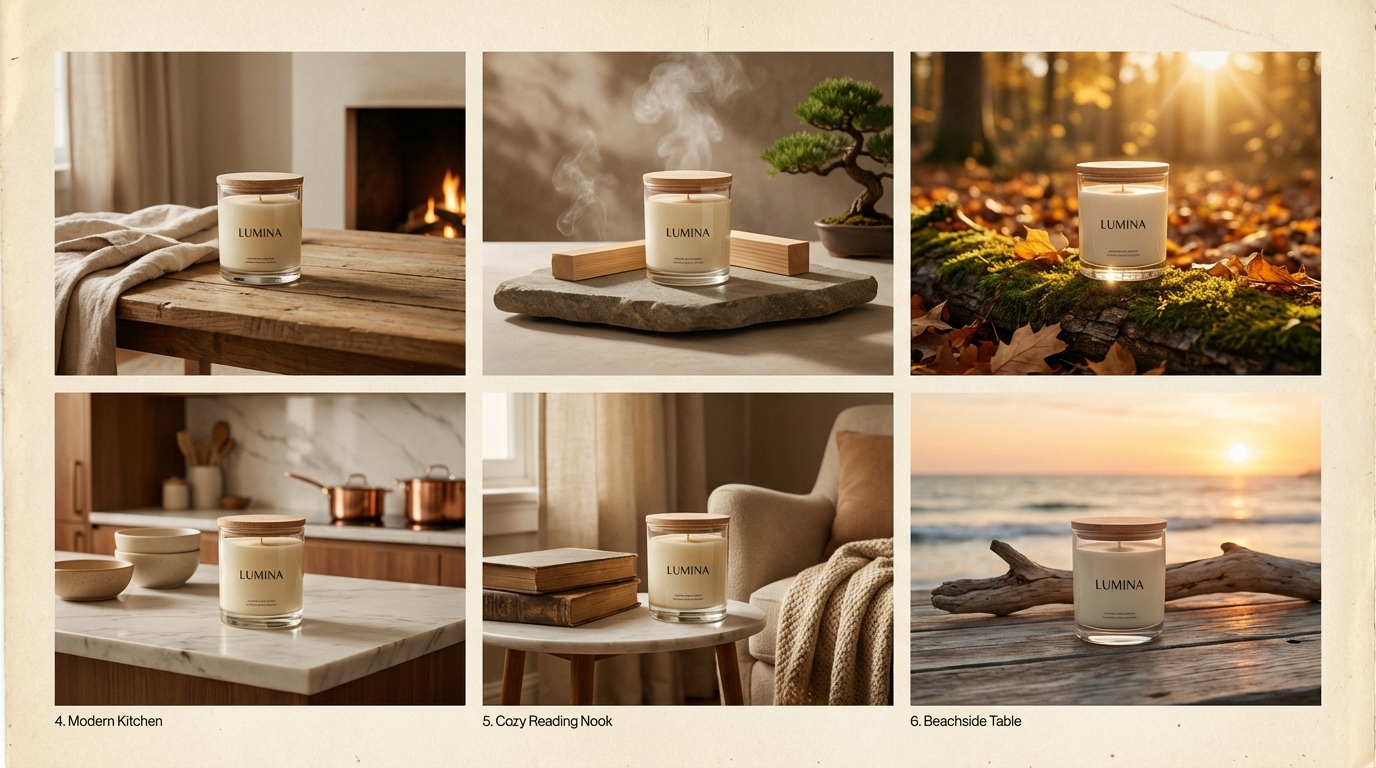
Lifestyle backgrounds perform strongest in three contexts: awareness-stage advertising, secondary product images, and social media content. These are the placements where the goal is not evaluation but emotional connection — helping a potential customer visualize the product in their life before they have decided they want it.
Amazon’s own data on Sponsored Brands campaigns found that lifestyle images generated 10.3% higher return on ad spend compared to standard images. Mobile placements showed even stronger effects, with contextual lifestyle images driving up to 40% higher click-through rates. This is discovery-phase behavior: shoppers scrolling through search results respond to images that tell a story rather than images that document a product.
For secondary carousel images on product pages — the images a shopper browses after deciding the main image warrants further attention — lifestyle scenes showing the product in use, in context, or alongside complementary items consistently outperform additional clean product shots. They answer the question “what would this look like in my home, at my desk, in my kitchen?” which is often the emotional final push that converts consideration into a purchase.
Building a Balanced Asset Set
The practical implication is that a complete product visual strategy needs both. Krea’s Product Shots tool handles clean PDP outputs with studio-style backgrounds efficiently. Lifestyle backgrounds — generated through Scene Transfer or prompted through the generative image tools — handle the secondary and advertising contexts. Building both output types into a single Krea workflow means you can produce a complete visual asset set for a product in a single working session rather than splitting between platforms.
LoRA Finetuning: How Brands Lock In Visual Consistency at Scale
For any creative team producing AI-generated imagery at volume — whether for a large catalog, a subscription content library, or multi-brand agency work — visual consistency is the hardest problem to solve. Individual prompts produce individual images, and even well-crafted prompts will generate slight variations in lighting treatment, color grading, shadow depth, and atmospheric mood across a session. Across multiple sessions, weeks, or team members, that variation accumulates into a visual identity that feels fragmented rather than cohesive.
Krea’s LoRA finetuning module directly addresses this problem, and it is arguably the most powerful tool in the platform for serious brand work.
What LoRA Finetuning Actually Does
LoRA (Low-Rank Adaptation) is a fine-tuning technique that teaches the AI model to generate a specific visual style, subject, or aesthetic with high consistency. Rather than training a model from scratch — which would require massive compute and data resources — LoRA adjusts the weights of an existing model using a small set of input images, effectively encoding the patterns of those images into the model’s generation behavior.
In practical terms: you upload 10 to 30 images that represent your brand’s visual identity, lighting preferences, product presentation style, or a specific product you need to depict consistently. Krea trains a LoRA model on those images. Going forward, any prompt you apply with that LoRA active will generate outputs that maintain the visual characteristics encoded from your training data — the same lighting treatment, the same color temperature, the same material rendering approach, the same compositional sensibility.
The Brand Visual Identity Application
For lifestyle background work specifically, LoRA finetuning is most valuable in two ways. First, it allows you to encode a brand’s specific aesthetic — the particular warmth of their photography, the way they handle shadows, the surface textures they prefer — and apply that aesthetic reliably across every generated background. A brand that shoots with natural light on aged wooden surfaces gets a LoRA that makes every AI-generated background feel like it was shot in the same space.
Second, for brands with products that require highly accurate representation — where exact material textures, specific color values, or structural details must be preserved across images — a product-specific LoRA ensures the AI depiction of the product remains faithful. This is particularly valuable for fashion, jewelry, and cosmetics, where color accuracy and material rendering are closely scrutinized by customers.
Team and Enterprise Applications
Krea’s platform allows LoRA sharing within teams, meaning a brand visual director can train a LoRA model and distribute it to the entire creative team. Every member generating lifestyle backgrounds for that brand is working from the same visual foundation. This centralized consistency control is one of the primary reasons agencies and enterprise creative teams choose Krea over simpler background-replacement tools.
Top-tier plans support up to 2,000 training images per LoRA, allowing for sophisticated models trained on extensive brand archives. The resulting models can maintain consistency not just across product photography but across the full range of marketing visual outputs — social content, email imagery, ad creative — wherever the brand needs cohesion.
The Real-Time Canvas Advantage for Background Ideation
One of Krea AI’s genuinely distinctive capabilities is the Realtime Canvas — a feature that sets it apart not just from dedicated product photography tools but from nearly every other AI creative platform currently available.
The Realtime Canvas is a split-screen generation interface that renders photorealistic outputs in under 50 milliseconds as you draw, sketch, type, or paint. On the left side, you work with primitives: brushstrokes, color fills, geometric shapes, text prompts, uploaded images, webcam input, or screen capture. On the right, the AI renders a photorealistic interpretation in real time — updating with every stroke, every color change, every compositional adjustment. There is no generation button, no waiting, no submit-and-hope cycle. The output evolves continuously as you work.
Why This Matters Specifically for Lifestyle Backgrounds
Generating a lifestyle background without a clear compositional concept in mind tends to produce generic results. The challenge is that translating a loosely held visual idea into an effective text prompt is itself a skill — and not one that comes naturally to everyone, especially visual thinkers who work better with sketches and color than with language.
The Realtime Canvas removes that translation step. Instead of trying to describe a background in text, you can sketch its composition directly. A rough rectangle of warm amber in the lower third with a blue-grey gradient above it might not look like much as a sketch — but in the canvas, it renders immediately as a warm wooden countertop beneath a soft blurred kitchen interior. Drag a circle of warm orange to the upper right, and the kitchen gains a window with afternoon light. Every compositional gesture has an immediate visual consequence, which makes the ideation process genuinely fast and exploratory.
The Realtime Edit Feature
Launched in January 2026, Realtime Edit extends the canvas concept to existing images. Rather than generating from scratch, you can load a near-final lifestyle background image into the Realtime Edit interface and use brushstrokes to modify it live — adjusting the lighting direction, changing a surface texture, adding or removing environmental props — all with the same sub-50ms feedback loop. This compresses the revision cycle for existing assets in a way that traditional editing or regeneration workflows cannot match.
For creative teams doing client work with iterative feedback rounds, Realtime Edit is particularly valuable. A client reviewing a lifestyle background mock-up on a call can request changes — “move the light source to the left,” “make the background warmer,” “add more depth to the environment” — and a designer can make those adjustments live, with the client seeing the result in real time rather than waiting for a new render batch. That kind of immediate collaboration changes the dynamic of creative review sessions.
Benchmarking the Results: Krea vs. Flair vs. Claid for Lifestyle Imagery
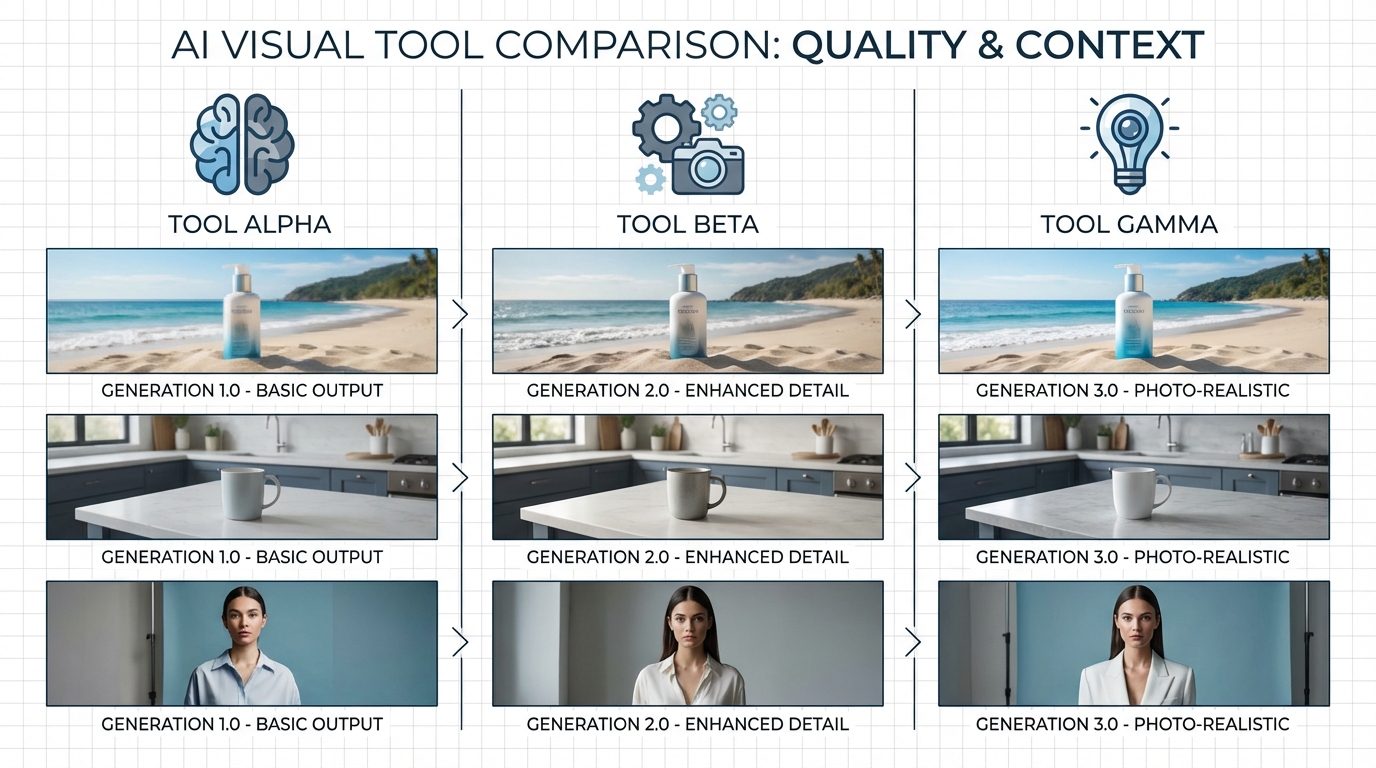
Honest tool comparison requires acknowledging what each platform was built to do — because judging Krea, Flair, and Claid by the same criteria misrepresents all three.
Claid: The Volume Processing Specialist
Claid is built for high-volume ecommerce operations that need consistent, automated outputs at scale. Its architecture is API-first, meaning it integrates into existing production pipelines and batch-processes large product catalogs without requiring individual creative attention to each image. Claid maintains strong product accuracy in lifestyle scenes and supports AI fashion models for on-figure photography — capabilities with obvious value for apparel and accessories brands.
Claid’s strength is throughput and automation. A brand with a 500-SKU catalog that needs each product photographed in three lifestyle contexts for four seasonal campaigns is looking at 6,000 images. Claid’s batch processing handles this at a speed and cost structure that manual Krea workflows cannot match. Its base plans start around $9 per month, making it accessible for smaller operations that primarily need background replacement at volume.
Where Claid falls short is creative range. The platform is optimized for realistic, commercial-grade lifestyle scenes. It does not offer the compositional control, real-time ideation, video generation, 3D creation, or brand finetuning capabilities that creative directors need when working on campaigns rather than catalog production.
Flair: The Design-Control Contender
Flair positions itself between Claid’s automation and Krea’s creative depth. Its interface uses a drag-and-drop canvas model similar to Canva, allowing users to position products and props manually before the AI generates the surrounding scene. This semi-manual approach gives creative teams meaningful compositional control without requiring expertise in generative AI tools.
Flair is particularly well-regarded for on-model and styled fashion photography, and it includes a brand kit system for maintaining some visual consistency across outputs. It is a solid choice for in-house brand teams that want more control than Claid but do not need Krea’s full creative suite.
The limitation is that Flair, like Claid, is fundamentally a product photography tool. It does not extend into campaign ideation, video creation, LoRA brand training, or the full-spectrum creative production that larger brand teams and agencies require.
Krea: Where It Leads and Where It Requires More Effort
Krea’s advantage is integration and creative depth. For teams already doing AI-assisted creative work — ideation, content generation, video production, brand training — Krea’s lifestyle background tools are one capability within a unified platform rather than a separate subscription. The quality ceiling is high, the model selection is extensive, and the finetuning capability is more sophisticated than either Claid or Flair currently offers.
The honest trade-off is that Krea requires more creative investment per image than a dedicated tool. You are not clicking a background-type button and getting a predictable output. You are working with a more open-ended system that rewards deliberate craft and penalizes ambiguity. For high-volume catalog production, that investment per image is not commercially viable. For campaign-quality creative assets, it is entirely appropriate.
The clearest signal for which tool fits your operation: if your primary need is volume and automation, Claid. If you need creative depth, brand consistency, and multi-format output within a single production workflow, Krea.
Conversion Data: What Lifestyle Backgrounds Actually Do for Sales
The creative case for lifestyle backgrounds is intuitive. The business case requires data. Fortunately, the evidence is relatively clear and consistent across the platforms and studies that have measured it directly.
The Amazon Advertising Data
Amazon’s own advertising data on Sponsored Brands campaigns provides some of the clearest benchmarks available. Campaigns using AI-generated lifestyle images show 10.3% higher return on ad spend compared to those using standard product images. On mobile specifically — which now represents the majority of ecommerce browsing sessions — contextual lifestyle images generate up to 40% higher click-through rates.
These numbers represent averages across diverse product categories and campaign structures. Individual brand performance varies, but the directional finding is consistent: contextual images outperform catalog images in awareness and discovery placements because they create engagement before a shopper has formed a purchase intent that would make a clean product shot equally compelling.
Direct-to-Consumer Conversion Evidence
A D2C brand case study cited in multiple 2025 AI photography analyses documented website conversion rates rising from 1.8% to 2.3% — a 28% relative increase — following an upgrade from studio product shots to AI-generated lifestyle imagery across their product pages. That magnitude of conversion improvement is commercially significant: for a brand doing $1 million in annual revenue, a 28% conversion lift represents meaningful additional revenue without any change to traffic, pricing, or product quality.
Fashion and retail specifically show even stronger effects in some analyses, with lifestyle photography contributing to 35–80% conversion lifts in segments where product visualization is central to the purchase decision. Furniture, home goods, and apparel — categories where the question “what would this look like in my space or on my body” is actively holding back purchase decisions — benefit most dramatically from lifestyle context.
The Cost-Per-Asset Math
The conversion data becomes more commercially compelling when set against the cost comparison. A professional lifestyle photography day — inclusive of location, stylist, photographer, and post-production — realistically costs $3,000 to $8,000 and produces 20–40 usable final images. The cost per asset ranges from $75 to $400.
With AI lifestyle backgrounds at Krea’s Pro subscription level ($35 per month), a working session of two to three hours can produce 40–60 campaign-quality assets, bringing the cost per asset into the $0.60 to $1.50 range. The quality ceiling does not match a top-tier professional shoot for every use case — but for social advertising, secondary product images, email content, and mid-tier display placements, the functional quality difference is negligible while the cost difference is enormous.
The more consequential consideration is speed. A traditional shoot requires scheduling weeks in advance, weather contingencies for location work, and post-production timelines. An AI lifestyle background workflow can respond to a brief on Tuesday and deliver final assets by Thursday. For brands operating in fast-moving categories — seasonal goods, trend-responsive fashion, time-sensitive promotions — that speed advantage is worth as much as the cost saving.
Common Mistakes Creatives Make with AI Background Tools
Understanding what goes wrong with AI lifestyle background workflows is as valuable as knowing the best practices. Most failures are predictable and preventable.
Mistake 1: Treating the First Output as Final
AI tools, including Krea, produce first-pass outputs that almost always require iteration. The tendency, especially under time pressure, is to select the most acceptable of an initial generation batch and move forward. This produces results that look “AI-generated” — technically competent but lacking the deliberate compositional care that distinguishes a strong image from a merely adequate one.
The brands getting the best results from AI lifestyle photography are treating the initial outputs as starting points: selecting the most promising, bringing it into generative editing for targeted refinement, adjusting specific elements rather than accepting the ensemble as-is. That additional iteration step — which might add 20–30 minutes to a session — is what produces the quality difference between AI imagery that looks like AI imagery and AI imagery that simply looks good.
Mistake 2: Under-Using Reference Images
Text prompts alone have a ceiling. A prompt describes what you want; a reference image shows the AI what you mean. The visual gap between “warm Scandinavian interior with natural materials and soft ambient light” as a text prompt versus that same description paired with a reference image from a design publication is substantial — particularly for atmospheric qualities like light quality and depth of field, which are difficult to specify with precision in language.
Building a reference image library — organized by mood, season, environment type, and lighting style — is a one-time investment that pays dividends across every subsequent session. Teams that maintain a well-organized reference library produce consistently stronger outputs with less iteration than those relying on prompts alone.
Mistake 3: Ignoring Edge Masking Quality
The quality of the background removal and subject isolation step determines the credibility of every lifestyle composite. Even excellent background generation will look unconvincing if the product edge mask has rough artifacts, missing sections, or inaccurate transparency treatment. Translucent products — glass bottles, clear packaging — are particularly prone to poor masking that makes the composite immediately identifiable as artificial.
Always review and refine the edge mask before generating the background. The generative editing brush in Krea allows targeted mask correction without regenerating the entire isolation step. Investing extra time on edge quality at the beginning of a session saves considerably more time correcting composite artifacts at the end.
Mistake 4: Generating for One Placement Only
A lifestyle background session is an opportunity to produce assets for multiple placements and formats simultaneously. Generating only landscape-format images for desktop web and then discovering you need square crops for social and vertical crops for Stories represents a significant workflow inefficiency. Before generating, define the format requirements across all planned placements — standard web, social square, Stories vertical, Amazon secondary images — and produce variations in each format within the same session. The additional time investment per session is minimal; the alternative is re-running the entire workflow for each format.
Mistake 5: Skipping the Upscaling Step
AI generation at standard resolutions produces images that look excellent on screen but compress poorly and print even worse. Skipping the upscaling step before final export is one of the most common shortcuts that degrades output quality at deployment. For any asset that will appear at large scale — billboard, large format print, high-resolution display advertising — the 22K upscaling capability in Krea is not optional. Even for standard digital use, running outputs through at least 2x upscaling improves sharpness and fine detail in ways that are visible and relevant to brand quality standards.
Pricing, Plans, and How to Get Maximum Value
Krea AI’s pricing structure in 2026 is tiered, with the entry point being a free plan that provides genuine access to core functionality — not merely a preview. Understanding the tiers helps you match your level of commitment to the output you actually need.
The Free Plan
The free tier provides 100 compute units daily with no payment required. For individuals experimenting with the platform or evaluating whether Krea fits their workflow, this is genuinely useful. You can run basic real-time image generations, explore the canvas, and test the product shots tools. However, advanced video models, 3D generation, high-volume upscaling, and certain model tiers are restricted on the free plan. Commercial use licensing requires a paid tier.
Basic Plan: $9/Month
The Basic plan at $9 per month provides 5,000 compute units monthly with a commercial license. This is the minimum viable tier for any professional using Krea for client work or commercial product photography. Five thousand monthly units supports moderate production volumes — adequate for a small brand managing their own marketing visuals, or a freelancer with a limited number of active clients.
Pro Plan: $35/Month
The Pro plan at $35 per month with 20,000 monthly units is the practical choice for serious creative professionals and in-house brand teams. It unlocks all video models — including Veo 3.1, Kling, and Runway — workflow automation through Nodes and Apps, full upscaling capability, and priority access to new model releases. For teams doing regular lifestyle background production alongside other creative work, this tier’s breadth-to-cost ratio is strong.
Max Plan: $105/Month
At 60,000 monthly compute units and unlimited feature access, the Max plan is designed for agencies, high-volume brands, and teams with substantial ongoing generation requirements. The compute ceiling is high enough to support daily production workflows across multiple projects simultaneously.
Enterprise
Enterprise pricing is custom and includes dedicated support, SLA guarantees, custom data handling agreements, and team management features. For brands where IP protection is a material concern — generating product imagery that must remain proprietary to the brand — the enterprise tier’s data handling commitments are an important consideration. The “Do not train” data safety option ensures proprietary creative assets are not used in model training, which is increasingly relevant for brands operating in competitive visual categories.
Getting the Most from Your Plan
Compute units vary in cost per task. Real-time canvas operations are unit-efficient because they involve rapid low-resolution iterations before committing to a final generation. Upscaling, video generation, and LoRA training consume units at higher rates. A practical workflow optimization is to use the real-time canvas aggressively for ideation and composition (low unit cost per iteration), commit to final generations only when the composition is well-developed, and batch upscaling jobs to avoid redundant processing of images that will be further edited before final export.
Conclusion: What Krea AI’s Lifestyle Background Capability Actually Offers — And What It Demands
Krea AI is a sophisticated creative platform that rewards investment. The lifestyle background capability is genuinely powerful — capable of producing commercial-quality assets at a cost and speed that traditional photography cannot match for most use cases. But it delivers that quality through a tool ecosystem that requires understanding, deliberate workflow design, and willingness to iterate rather than accept first outputs.
The creative professional who approaches Krea with clear visual references, a well-defined brand aesthetic, a product-specific LoRA model, and a systematic production workflow will produce results that are difficult to distinguish from professional photography at scale. The user who uploads a product image, hits generate, and exports the first result will produce something that looks like AI imagery — which is a quality reflection of the effort, not a limitation of the tool.
Key Actionable Takeaways
- Build a reference library first. Curate 30–50 reference images organized by mood, season, and environment before you begin any production work. Visual inputs produce better outputs than text prompts alone.
- Invest in a brand LoRA model. Even on the Basic plan, training a LoRA on your brand’s visual identity is the single highest-leverage action for producing consistent output at scale.
- Use the Realtime Canvas for ideation, not just polish. Explore background compositions interactively before committing to a final generation. This dramatically reduces wasted compute on directions that will not work.
- Always upscale before final export. The 22K upscaling capability is what separates Krea’s outputs from tools with lower resolution ceilings. Use it consistently.
- Plan for all formats in a single session. Generate across the aspect ratios you need simultaneously rather than returning for additional sessions per format.
- Know when a lifestyle background serves the goal and when it does not. PDP primary images need clean backgrounds. Advertising, social, and secondary product images benefit from lifestyle context. Use both — and know which is which.
- Treat AI outputs as drafts, not finals. The generative editing tools within Krea are designed to refine first outputs. Using them is not a sign the initial generation failed — it is the intended workflow.
The ecommerce photography market is projected to grow from $178 million in 2026 to $471.5 million over the coming years, driven precisely by the expanding need for visual content that traditional production cannot fill economically. AI lifestyle background tools are not a short-term workaround — they are becoming the structural backbone of visual content production at volume.
Krea AI, approached as the creative infrastructure it is rather than as a simple background-swap utility, sits at the more capable end of that landscape. For the creative teams willing to build their workflow around it, the ceiling for what is achievable is high — and rising.