Your listing is live. Sales are running. And then — without a warning email, without a phone call, without a human ever looking at your product photo — Amazon’s automated system decides your image is non-compliant. Your ASIN disappears from search. Your ad spend continues burning. Your organic rank starts eroding. You find out because sales stopped.
This is the reality of Amazon image compliance enforcement in 2026, and the conversation around it has been dominated by one question: what are the rules? That question has been answered, repeatedly. There are comprehensive rule lists everywhere. But the rules are almost not the point anymore.
The real story in 2026 is what happens when those rules are enforced by an AI system operating at a scale no human team could match — scanning over 300 million product images per month, suppressing 3.1 million listings in a single quarter, and generating a non-trivial rate of false positives that fall entirely on sellers to identify, dispute, and remediate. Meanwhile, new legal obligations around AI-generated imagery and synthetic performers have layered fresh complexity onto an already dense compliance landscape.
This article isn’t a rule recap. It’s an operational analysis of what Amazon’s image compliance system actually looks like from the inside of the enforcement pipeline — how the detection works, where it breaks down, what suppression really costs, how to navigate the appeals process when you’re wrongly flagged, and what a genuine compliance operation looks like for sellers who are serious about protecting their catalog in 2026.
The Scale of the Problem: 3.1 Million Listings in One Quarter
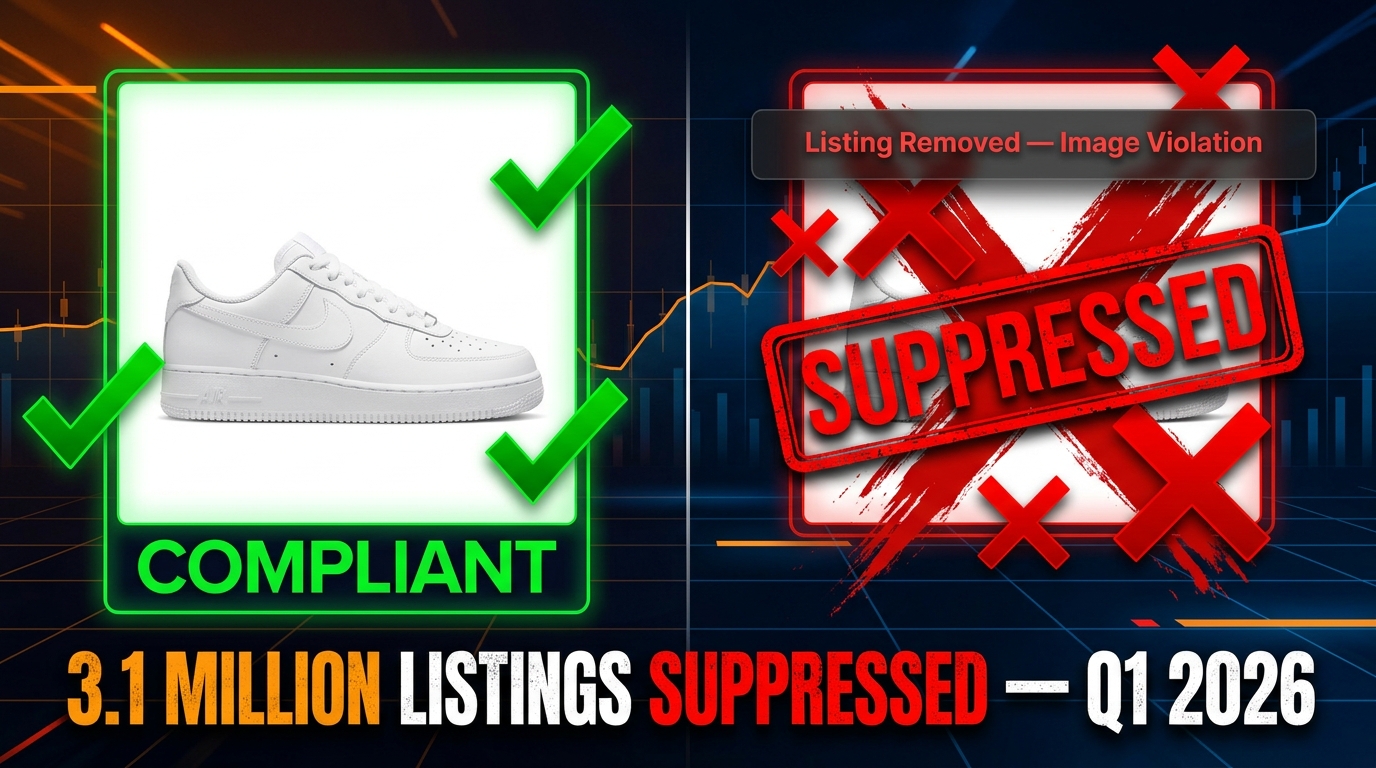
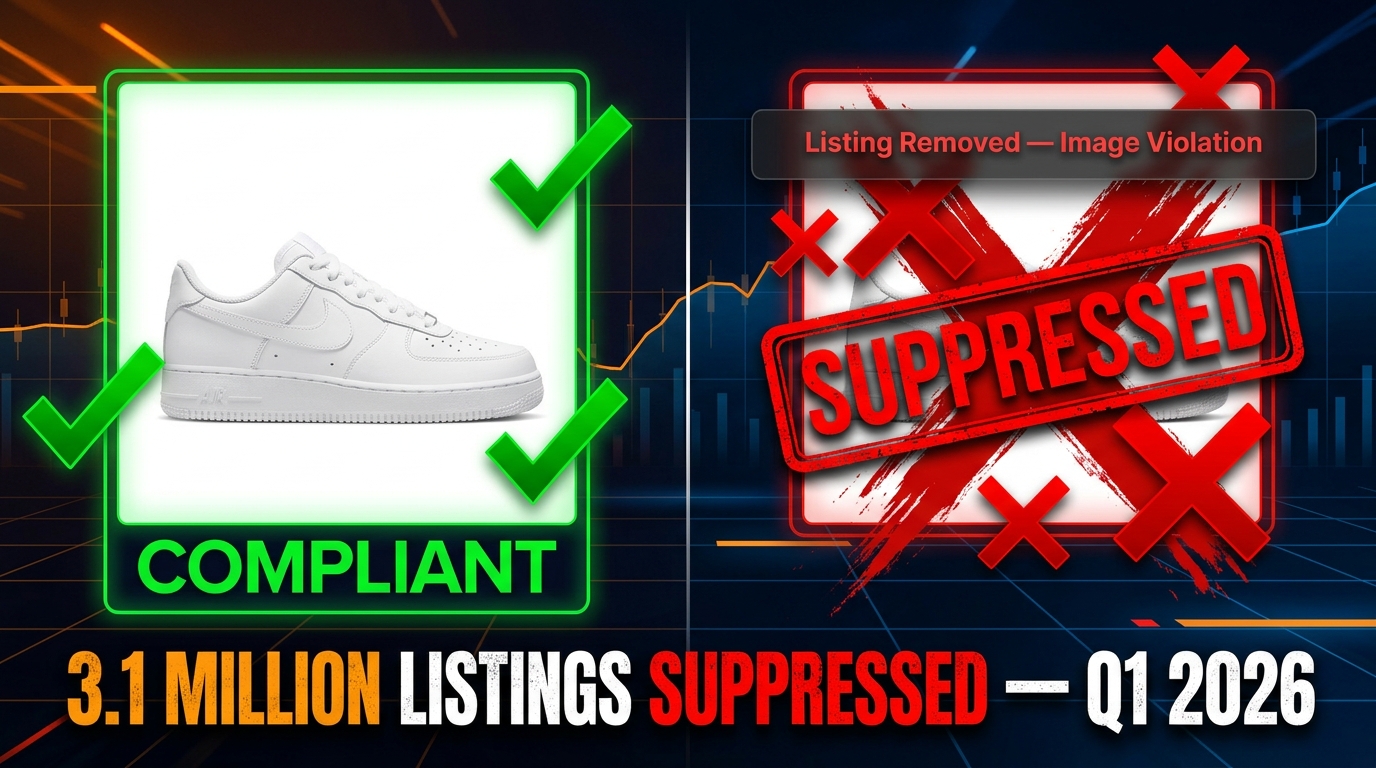
To understand why image compliance has moved from a background operational concern to a top-line business risk, you need to start with the numbers. According to Marketplace Pulse reporting cited across multiple 2026 industry analyses, Amazon removed more than 3.1 million listings in a single quarter for image policy violations. That is not a typo, and it is not a cumulative figure. That is one quarter.
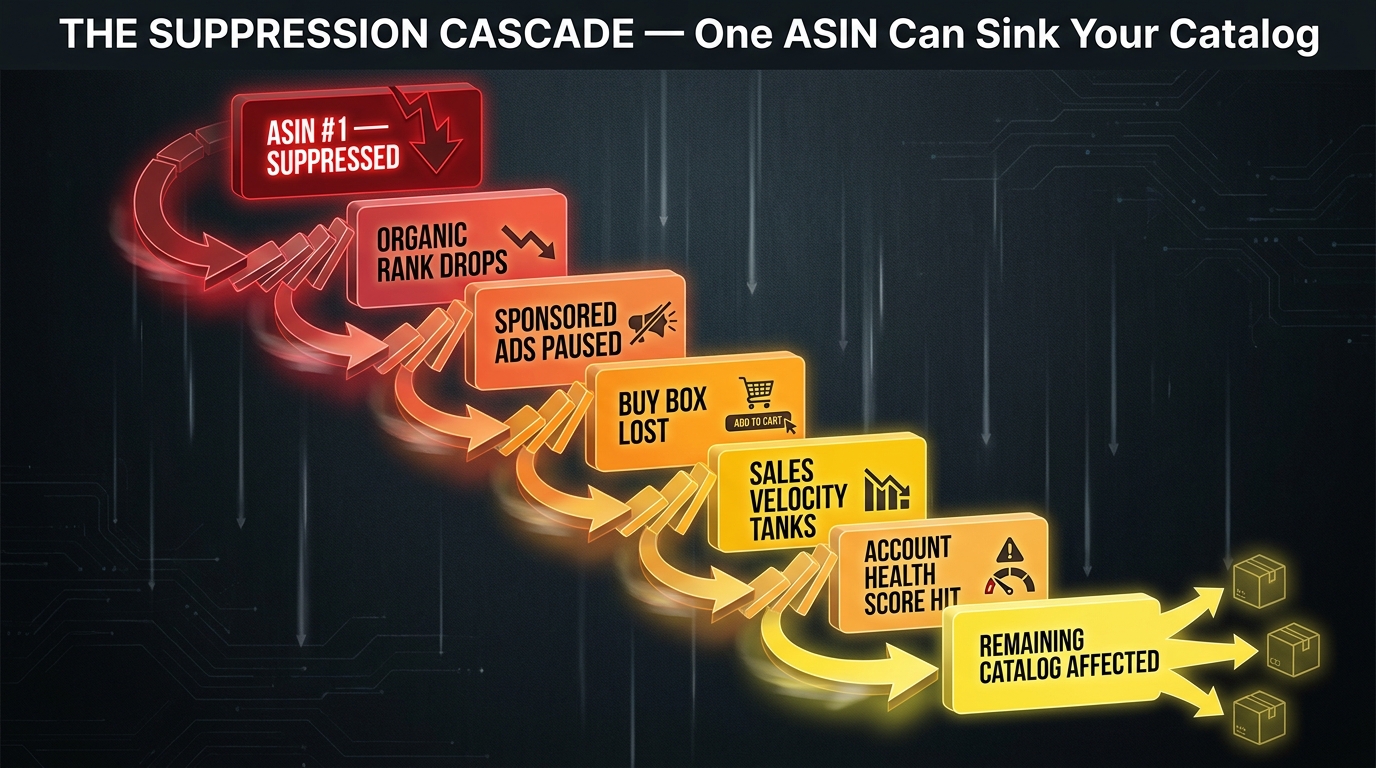
Put that in context. Amazon hosts hundreds of millions of active product listings. The enforcement action in a single quarter represents a meaningful percentage of active catalog, and every one of those suppressions represents a seller losing organic search visibility, potentially losing their rank position, and in some cases losing weeks or months of sales velocity data that feeds into the A10 algorithm’s ranking signals.
What Changed to Produce This Scale
The enforcement shift didn’t happen overnight. Amazon has been building toward automated, algorithmic image compliance for several years, but 2026 is when the infrastructure became genuinely capable of acting at catalog scale without meaningful human review in the loop.
Several specific changes converged to produce the current environment:
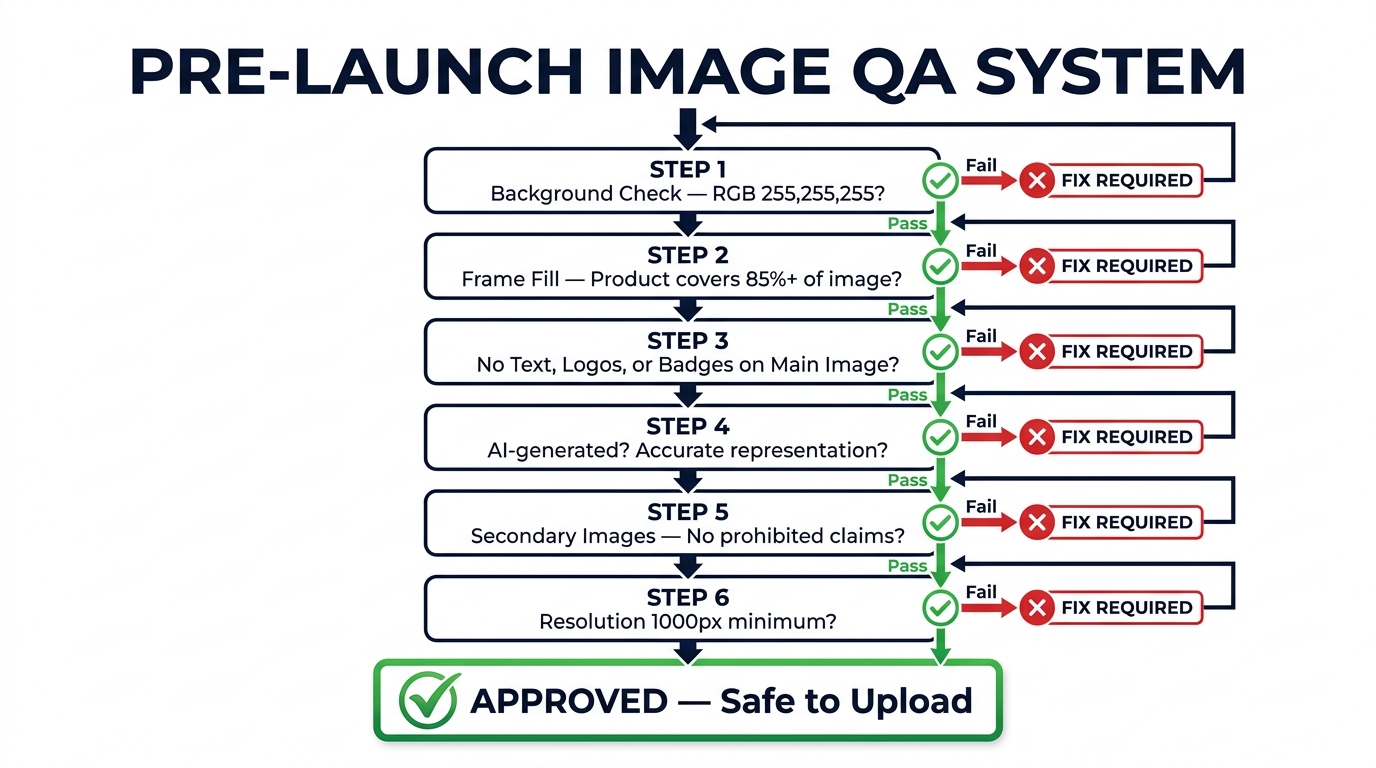
- Main image minimum resolution raised: The standard moved from 1,600×1,600 pixels to 2,000×2,000 pixels effective April 15, 2026. Listings that had technically passed before suddenly became non-compliant under the new threshold.
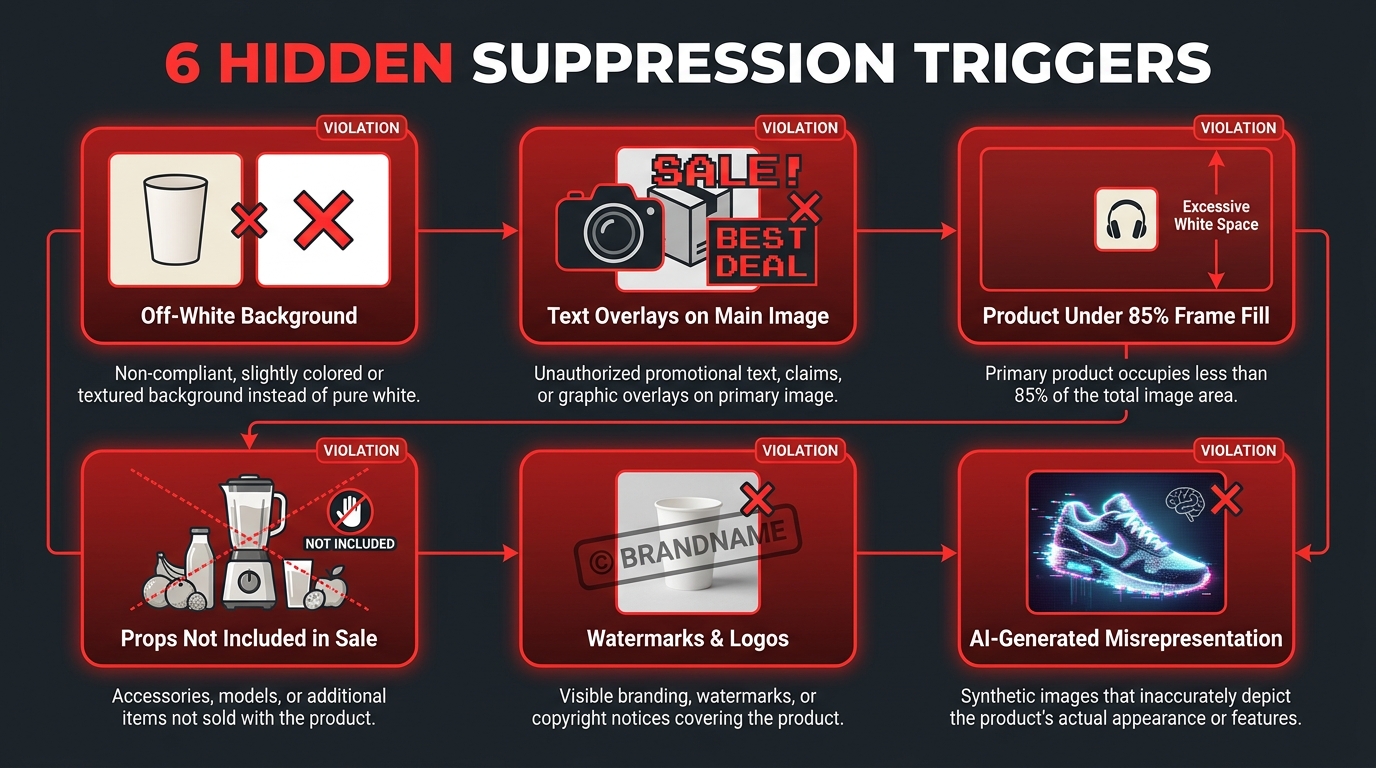
- Product fill requirement tightened: The product must now occupy at least 85% of the image frame, a specification that is now being checked algorithmically rather than through spot audits.
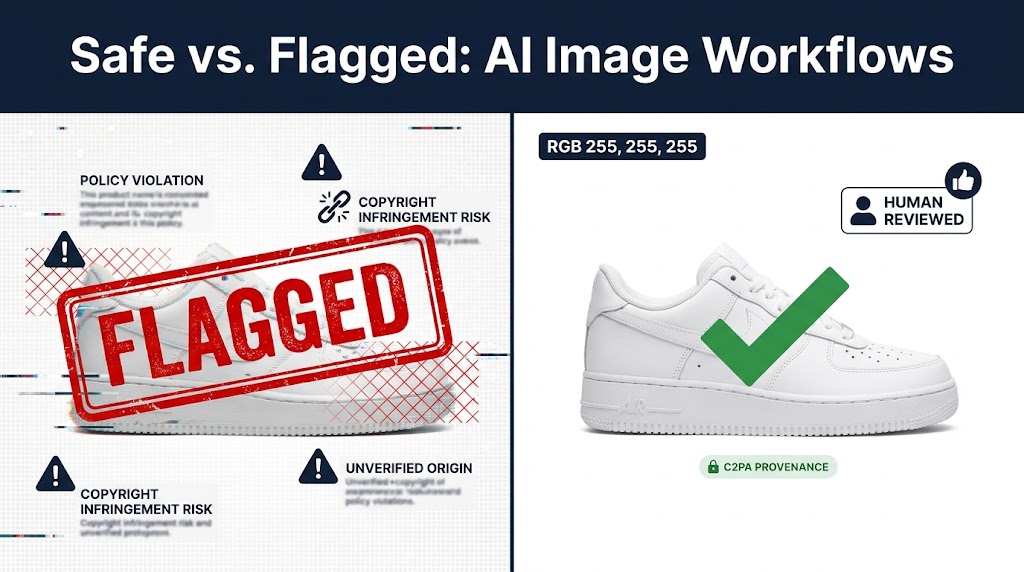
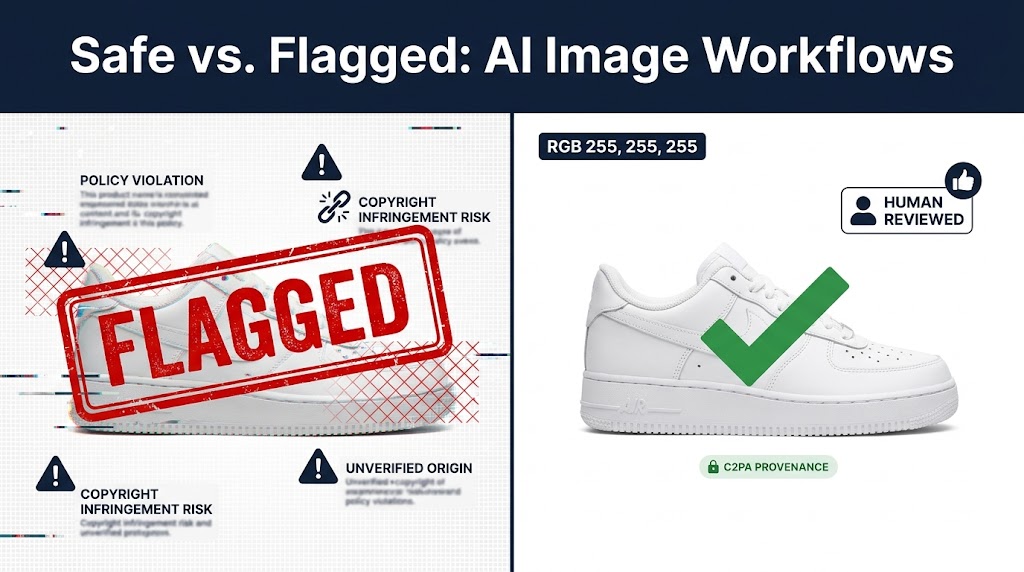
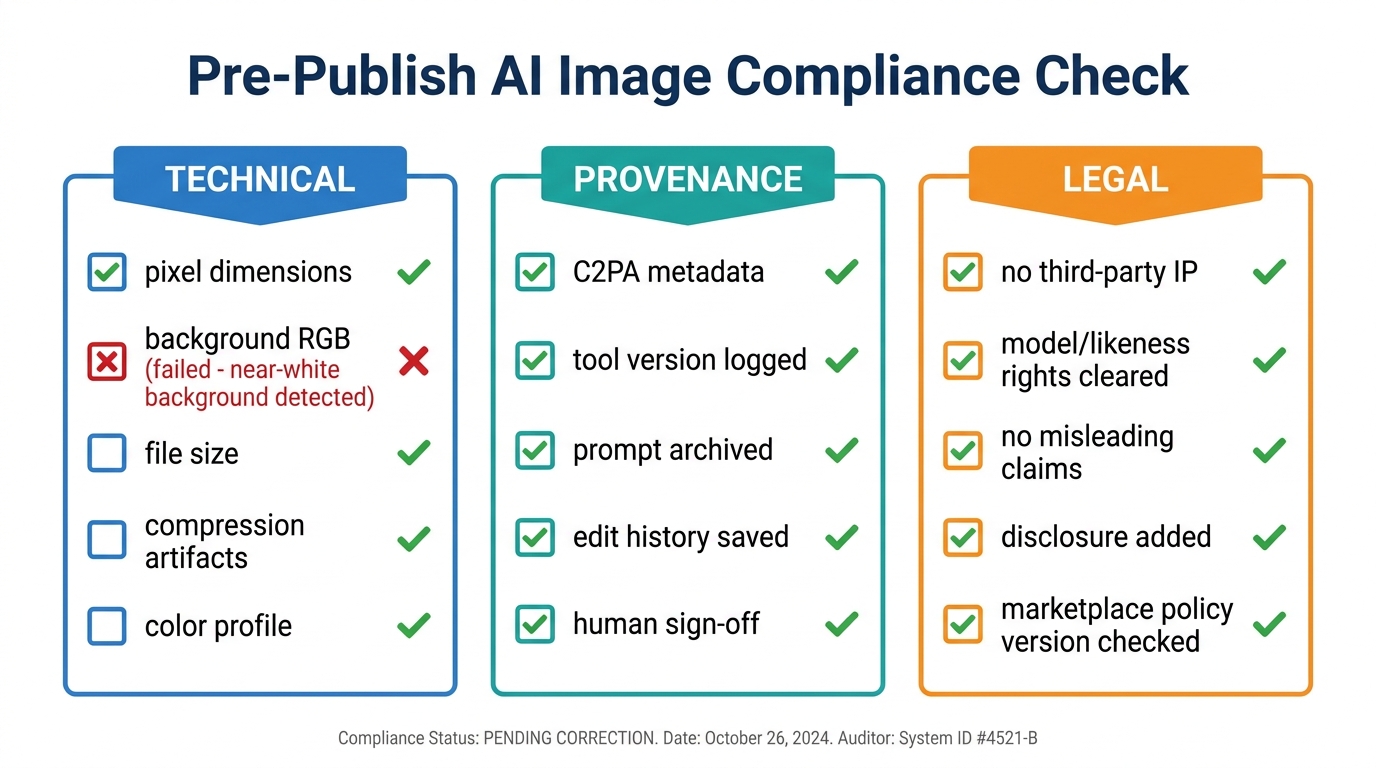
- Pixel-level background enforcement: Amazon’s systems now check that backgrounds are pure white at the pixel level — specifically RGB 255, 255, 255. An off-white that is barely distinguishable to the human eye can be flagged and trigger suppression.
- Auto-suppression without warning: Previously, sellers might receive a notification to fix a non-compliant image within a grace period. In 2026, the default for many violation types is immediate suppression, with sellers discovering the issue only after the fact.
Who Bears the Risk Asymmetrically
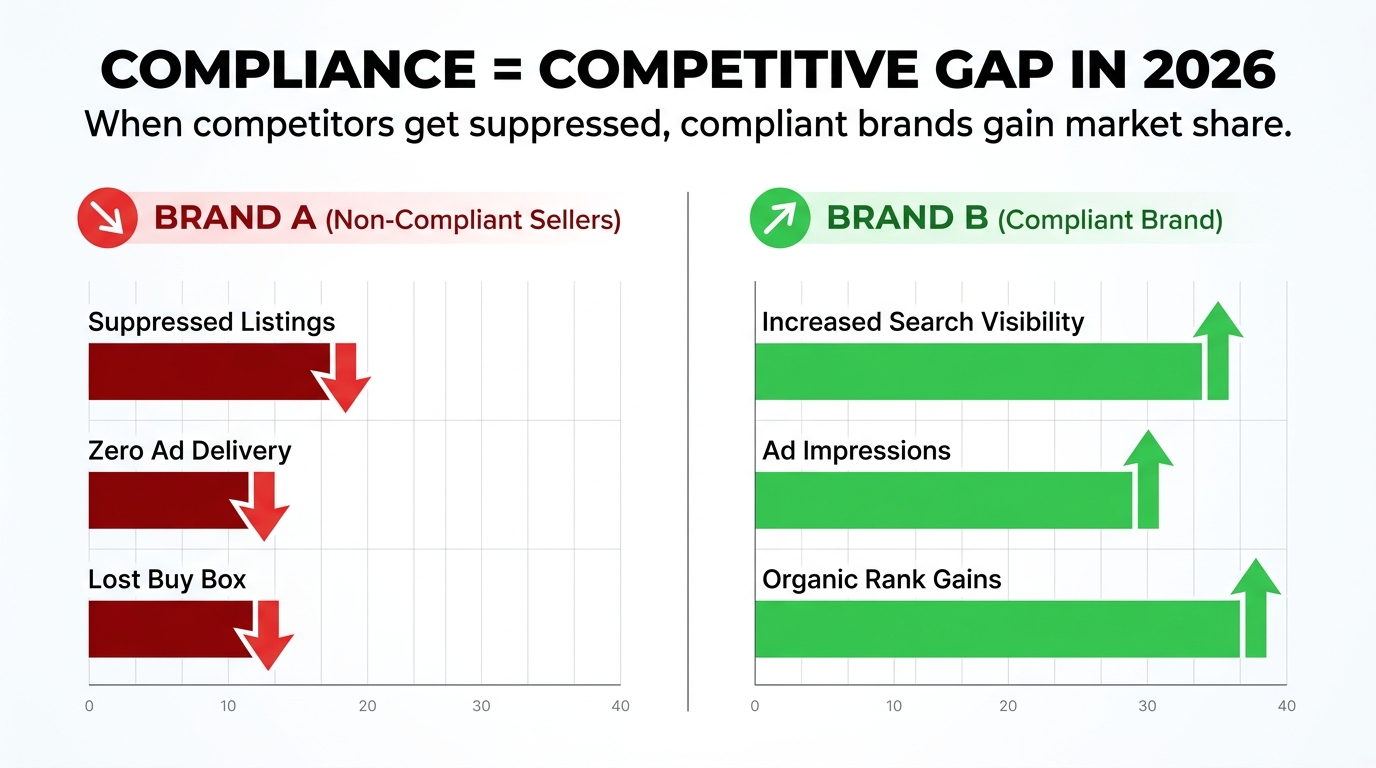
The 3.1 million figure obscures an important distribution. Most of those suppressions are concentrated among smaller and mid-sized sellers who lack the dedicated compliance infrastructure to catch issues before Amazon’s system does. Large brand-registered sellers with professional catalog teams and automated pre-submission checks are largely insulated. The sellers most likely to be hurt are those with large catalogs and limited operations bandwidth — exactly the sellers who can least afford to have revenue interrupted without warning.
The concentration of enforcement impact among smaller sellers is not a feature of the policy — it is a structural consequence of who has the resources to operate compliant catalog management systems at scale. A well-resourced brand can afford the tooling, the dedicated staff, and the pre-submission verification workflows that effectively insulate them from the automated system’s error rate. A growing seller running a lean operation is far more exposed to both genuine violations and false positives.
How Amazon’s AI Actually Scans Your Images
Most coverage of Amazon’s image compliance discusses the rules in isolation without explaining the mechanism by which they’re enforced. Understanding the technical architecture of Amazon’s detection system matters — both because it tells you what the system is actually looking for, and because it explains why false positives happen.
The Core Infrastructure: Amazon Rekognition and Custom Classifiers
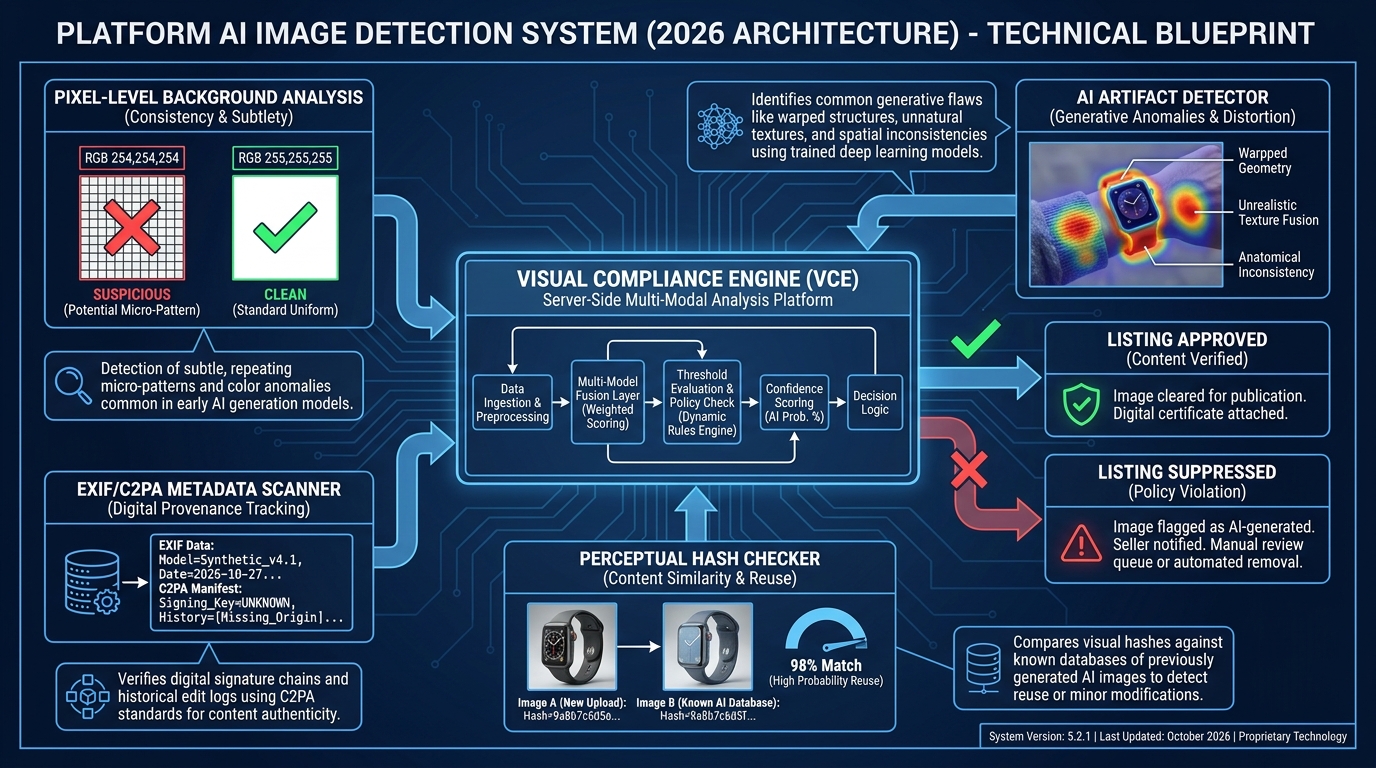
Amazon’s retail image compliance system is built primarily on Amazon Rekognition, the company’s commercial computer vision service, combined with proprietary compliance classifiers that sit on top of it. Rekognition itself handles the broad moderation tasks — detecting unsafe, explicit, or potentially misleading content. On top of that foundation, Amazon has developed specialized classifiers tuned specifically for marketplace compliance contexts.
These custom classifiers handle tasks that Rekognition’s general model wasn’t designed for: identifying whether a product is filling the required percentage of frame, detecting non-white background pixels, flagging watermarks or overlaid text, and — increasingly — identifying images that appear to be AI-generated or digitally altered in ways that misrepresent the product.
The Multi-Stage Review Pipeline
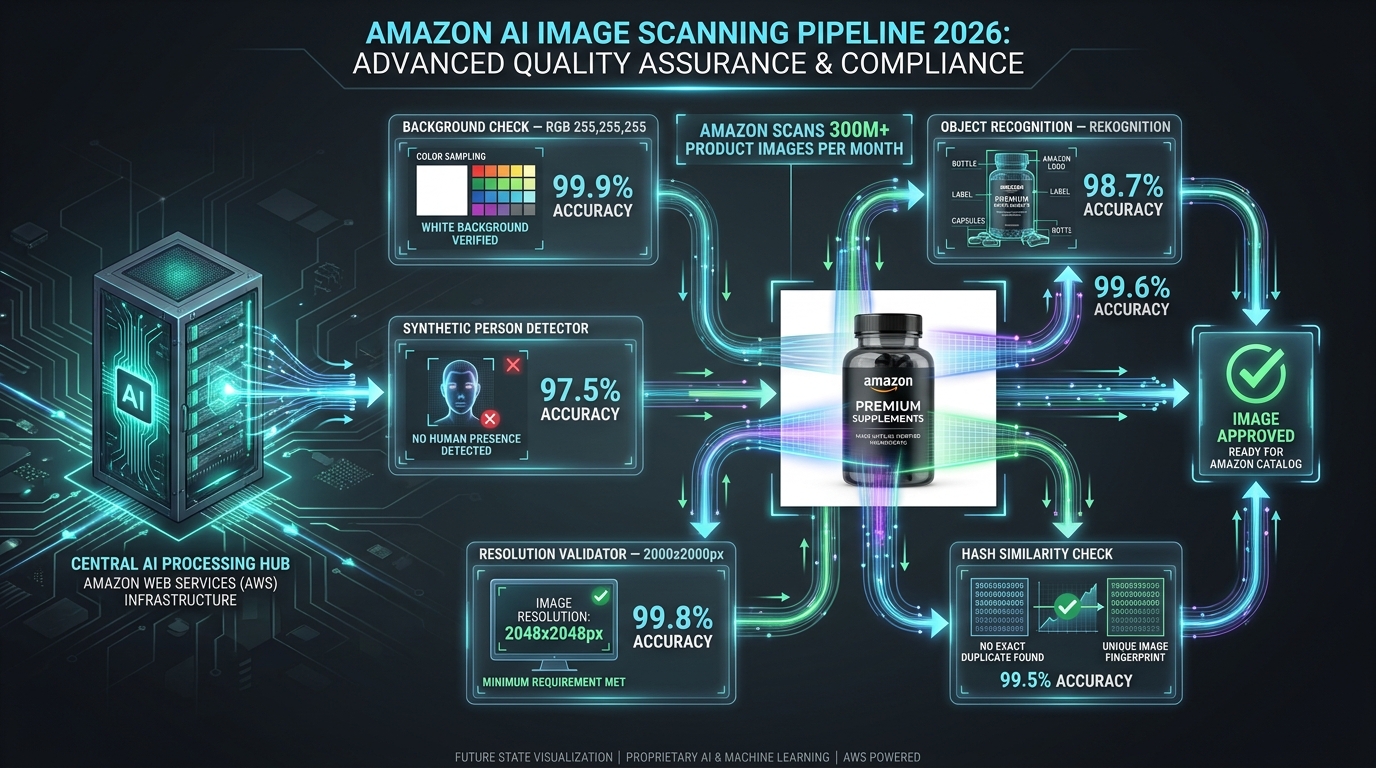
When you upload an image to Amazon, it doesn’t flow directly to your live listing. It moves through a multi-stage review pipeline that operates roughly as follows:
- Technical metadata check: File format, color space (sRGB required), and minimum resolution are verified immediately. Failures here stop the image before it reaches more expensive computer vision processing.
- Computer vision moderation pass: The image is run through Rekognition-style models to flag unsafe or prohibited content. This happens at scale, using batch processing infrastructure.
- Compliance classifier pass: Purpose-built models check for background compliance, product fill percentage, presence of text or logos, and whether the image appears to represent the actual product being sold.
- Hash similarity check: The image is compared against a database of previously flagged or removed images. Resubmitting a non-compliant image with minimal changes will typically be caught here.
- Synthetic image classifier: A relatively new addition to the pipeline, this checks whether images appear to be substantially AI-generated — a determination that matters under both Amazon’s internal policy and new legal requirements around synthetic performers.
For most images, this entire pipeline runs automatically without any human involvement. Human review enters the picture primarily when sellers appeal a suppression, and even then, the initial appeal review is frequently handled by a combination of automated scoring and low-level review teams working from standardized decision frameworks.
What the System Isn’t Good At
The system described above is genuinely impressive in scale. Analyzing 300 million images per month would be impossible any other way. But it is important to understand the limitations of these systems, because those limitations translate directly into false positives that damage seller revenue.
Computer vision models that identify pixel-level background deviations are sensitive enough to flag shadows, compression artifacts, and minor color profile inconsistencies that are invisible to the human eye and irrelevant to the customer experience. Models trained to detect AI-generated images are not perfect — they produce false positives on high-quality product photography that uses certain editing techniques. The compliance classifiers have to operate on simplified rules rather than contextual judgment, which means they will always produce a certain percentage of incorrect determinations.
The system is also not static. Amazon regularly retrains its classifiers and adjusts enforcement thresholds. When this happens, images that have been live and compliant for months can be retroactively flagged under the new model — not because anything about the image changed, but because the detection standard was updated. Sellers have no advance notice of these retrains and no way to pre-emptively verify compliance against a model that doesn’t exist yet.
The False Positive Problem Nobody Is Talking About Loudly Enough
The 3.1 million listing suppressions in one quarter are reported as evidence of enforcement strength. But embedded within that figure is a subset of suppressions that should never have happened — listings suppressed for alleged violations that, on any reasonable human examination, were compliant.

The Numbers Behind the False Positives
Amazon has not published false positive rates for its image compliance system. The company doesn’t acknowledge the category in its public communications. But industry-level signals are telling. Analysis from 2026 marketplace specialists indicates that approximately 62% of fully AI-generated product photos submitted to Amazon’s catalog were flagged in automated review — a number that suggests a detection system calibrated toward over-sensitivity. That statistic applies specifically to AI-generated images, but the same underlying detection systems produce false positives across other violation categories as well.
Sellers in specialized forums and agency reports have documented cases where:
- Perfectly compliant product photography on pure white backgrounds was flagged because compression during upload introduced background artifacts below perceptible threshold.
- Images that had been live and compliant for months were retroactively suppressed when Amazon’s models were retrained and applied to the existing catalog.
- High-quality lifestyle images submitted for secondary image slots were flagged as main image violations despite being uploaded to different positions.
- Products on white backgrounds with minimal product shadows were rejected for “non-white background” when the shadow constituted a small fraction of the image’s total pixel space.
- Heavily edited conventional photography was detected as AI-generated — and therefore non-disclosed — by classifiers that couldn’t distinguish between aggressive photo retouching and generative AI output.
The Structural Problem: No Accountability Loop
What makes false positives especially damaging in Amazon’s enforcement system is the absence of a feedback mechanism that creates accountability. When Amazon’s system incorrectly suppresses a listing, there is no automatic review triggered. There is no internal metric at Amazon that tracks false positive rates and incentivizes the team to reduce them. The burden of identifying the suppression, investigating whether it’s legitimate, and pursuing an appeal falls entirely on the seller.
During the time it takes a seller to notice the suppression, investigate the cause, prepare a response, and navigate the appeals process, revenue is lost. Rank position deteriorates. Ad campaigns targeting the suppressed ASIN continue spending with zero conversions. And in categories with seasonal peaks, a false positive at the wrong moment can cost a seller their window entirely.
Why Amazon’s Incentives Don’t Point Toward Fixing This
Amazon’s published rationale for aggressive image compliance enforcement is customer experience — ensuring that product photos accurately represent what’s being sold, meet quality standards, and don’t deceive buyers. That’s a legitimate goal. But it doesn’t create pressure to reduce false positives, because false positives don’t hurt customers. They only hurt sellers.
From Amazon’s internal perspective, over-enforcement is less costly than under-enforcement. A false positive produces a complaint through the appeals channel; a missed violation potentially produces a customer complaint, a return, and a negative review. The asymmetric consequences of errors mean the system will, by design, err on the side of over-suppression. Sellers absorb the cost of that design choice without any mechanism to recover it from Amazon when the suppression was the system’s error rather than theirs.
The Technical Spec Minefield: Where Most Sellers Actually Get Tripped Up
Understanding the compliance landscape requires a clear-eyed look at the specific technical requirements that generate the most suppression events in 2026. These aren’t the obvious violations — nobody is intentionally submitting images with visible watermarks or explicit content. The volume comes from technically subtle requirements that are easy to get subtly wrong.
The White Background Problem
The requirement for a pure white background — specifically RGB 255, 255, 255 / HEX #FFFFFF — sounds simple. In practice, it is one of the most common sources of suppression in 2026. Here’s why:
Professional product photographers typically shoot on white seamless paper or white surfaces that look white to the eye but photograph in the range of RGB 245–252 depending on lighting conditions. Post-production editing can bring these into full compliance, but imprecise editing, JPEG compression artifacts during upload, and color profile mismatches between sRGB and other profiles can all introduce sub-visible deviations that Amazon’s pixel-level checker flags.
The specific failure modes sellers encounter include:
- Compression artifacts: JPEG compression at any quality setting below 100% introduces color variation at edge boundaries. A product image that passes a background check before compression may fail it after upload processing.
- Color profile mismatches: Images saved in Adobe RGB or ProPhoto RGB color spaces and converted to sRGB during upload can shift background values slightly. Amazon’s system checks the uploaded file as-is.
- Ambient shadows: Even diffuse, soft shadows cast by a three-dimensional product onto a white background can produce pixel values in the 240–254 range, technically violating the pure white standard.
- Edge processing artifacts: When products are clipped from a photography background and composited onto a white canvas, the anti-aliasing at the edge can create semi-transparent pixels that blend with off-white values.
Resolution and Frame Fill
The 2,000×2,000 pixel minimum is straightforward, but sellers running older photography workflows may not have been producing images at this resolution historically. The 85% frame fill requirement is more nuanced — it applies to the longest edge of the product in the image, meaning a product like a flat cable or a narrow pen that is oriented vertically needs to nearly fill the frame in that dimension.
Sellers with large catalogs who produced compliant images under the previous 1,600×1,600 minimum now face the task of auditing and re-shooting entire product lines. Those who haven’t completed that transition have listings quietly sitting under the threshold, vulnerable to suppression under the new standard whenever Amazon’s system runs a compliance pass against those ASINs.
What’s Prohibited in Secondary Images
While main image compliance gets most of the attention, secondary images have their own set of requirements that sellers frequently miss. Infographic images, lifestyle shots, and feature call-outs used in secondary positions are permitted — but they must not contain false claims, must not show elements not included with the product, and must represent the specific variation being viewed, not a different color or size.
In categories with variation listings, Amazon’s system is increasingly checking whether secondary images accurately correspond to the selected variation. A parent listing that shows lifestyle images featuring the blue version of a product when the customer has selected the red variation can be flagged for misrepresentation, even if each color ASIN technically exists in the catalog. This check is subtle enough that sellers with large variation catalogs may have numerous technically non-compliant image associations without realizing it.
The AI-Generated Image Rulebook: New Legal Terrain in 2026
The most significant new development in Amazon’s image compliance landscape in 2026 isn’t a change to the white background specification. It’s the emergence of legally-backed disclosure requirements for AI-generated images — particularly those depicting synthetic human beings.
The New York Synthetic Performer Law and Its Reach
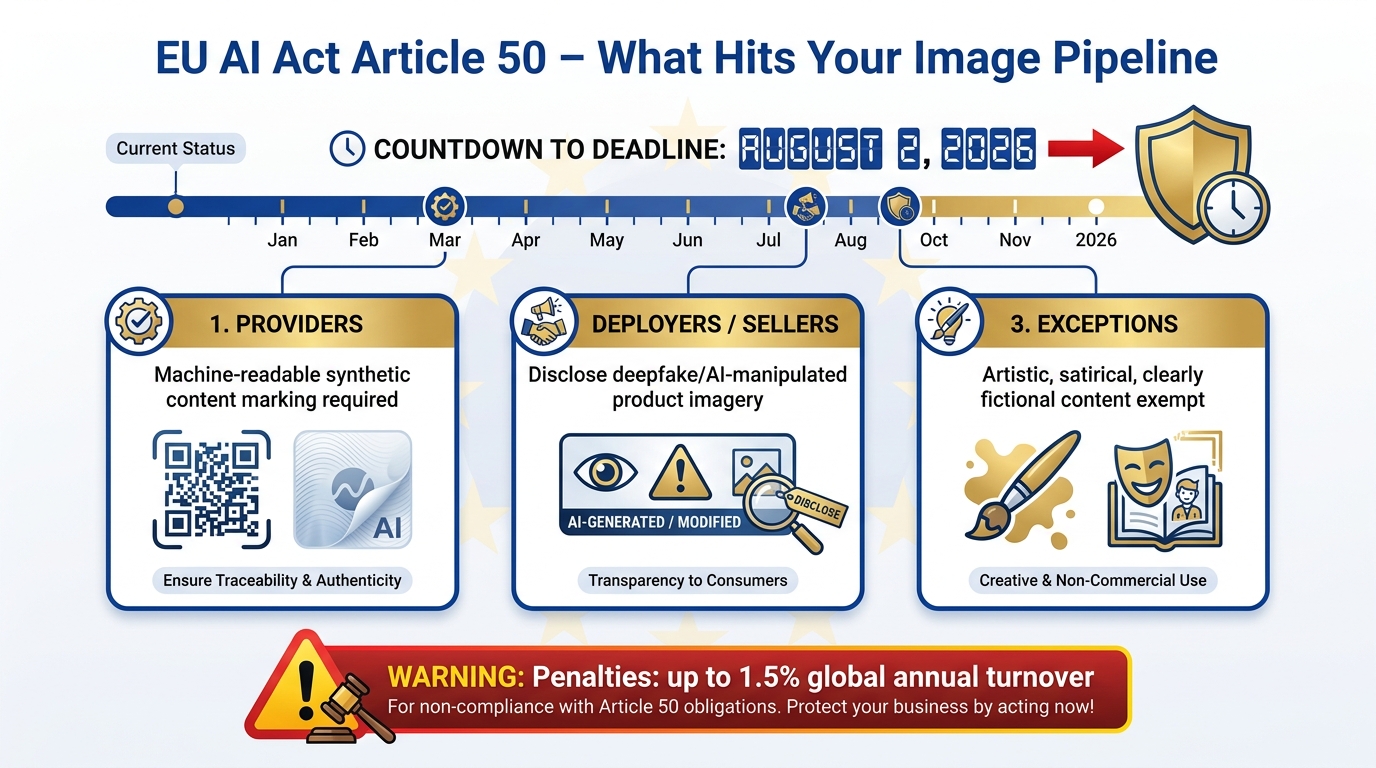
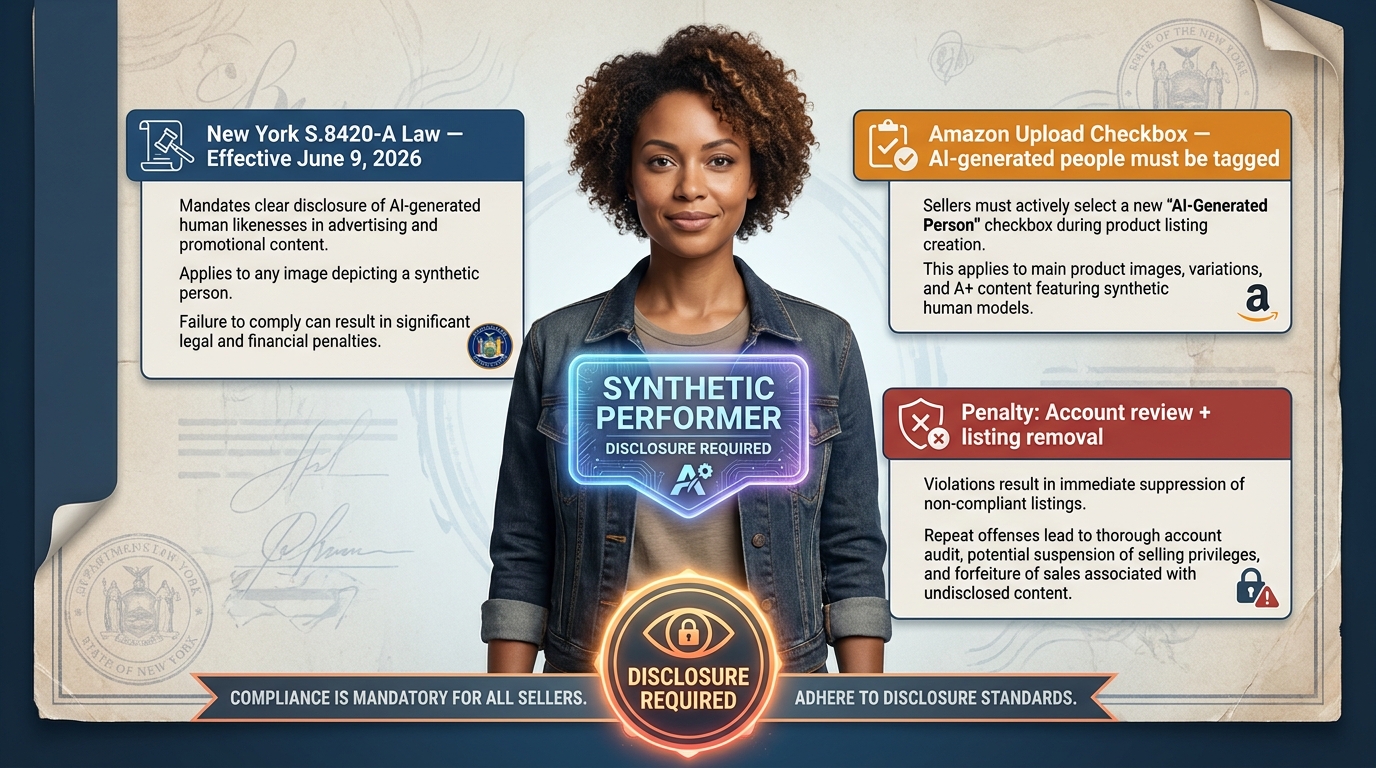
New York State Senate Bill S.8420-A — commonly referred to as the synthetic performer law — took effect June 9, 2026. The legislation requires that any commercial use of a digitally created or AI-generated likeness of a performer include explicit disclosure. While this law applies to New York specifically, Amazon’s response has been to implement a disclosure requirement across its entire marketplace rather than attempt to apply state-specific rules to a global platform.
The practical implication: any seller or brand using AI-generated product imagery that includes photorealistic human models — a practice that had been growing rapidly as a cost-efficient alternative to model photography — is now required to tag those images during the upload process. Amazon has added a checkbox to the image submission workflow specifically for this declaration.
What “Synthetic Performer” Means in Practice
The definition matters because it affects a broader range of content than sellers initially realize. A synthetic performer under Amazon’s current policy interpretation includes:
- Fully AI-generated human models wearing or using the product
- Photorealistic human faces created by generative AI, even if only partially visible in the frame
- AI-generated hands, arms, or other body parts used in product demonstration imagery where the human element is photorealistic and central to the image composition
What it does not necessarily include — though this area remains interpretively gray — is highly stylized illustrations or clearly non-photorealistic representations of humans. The “photorealistic” threshold is doing a lot of work in the policy language, and Amazon’s automated classifiers aren’t perfectly calibrated on that boundary. Sellers operating in that gray zone should err on the side of disclosure rather than risk an enforcement action for non-disclosure.
The Disclosure Requirement vs. The Detection Problem
Here is where the situation becomes operationally complicated. Amazon requires disclosure for AI-generated images. Amazon also runs an automated AI image detection system to identify undisclosed AI-generated content. But the detector is imperfect — it produces false positives on human photography and false negatives on high-quality AI-generated imagery that successfully mimics photographic characteristics.
And the penalties for failing to disclose are more severe than for failing to meet technical specifications. Non-compliant technical specifications typically result in listing suppression pending correction. Failure to disclose AI-generated synthetic performers can result in listing removal, Account Health violations, and in cases involving repeated or deliberately deceptive non-disclosure, account-level consequences. The stakes are asymmetric, and sellers using generative AI tools in their creative workflows need to have explicit disclosure protocols in their production process — not as an afterthought, but as a documented, mandatory step.
What About Non-Human AI-Generated Elements?
The current disclosure requirement specifically targets AI-generated people. AI-generated product backgrounds, AI-enhanced product imagery where the product itself is photographed conventionally, and AI-generated graphic design elements in secondary images are not currently subject to the same explicit disclosure mandate. However, Amazon’s compliance classifiers are increasingly sensitive to imagery that appears AI-generated broadly — and flagging rates are elevated for images with certain generative AI visual signatures, disclosure or not.
The practical guidance for 2026 is to disclose anything involving photorealistic AI-generated humans, document your disclosure decisions as part of your production workflow, and remain aware that even non-human AI-generated content is under heightened automated scrutiny that may intensify as the regulatory landscape around synthetic media continues to evolve.
Category-Specific Traps: Apparel, Electronics, and Regulated Products
Amazon’s baseline image requirements apply universally, but each major category carries additional specifications and, importantly, different enforcement patterns. Three categories are responsible for a disproportionate share of compliance issues in 2026.
Apparel: The Model Photography Complexity
Apparel is the most complex category from an image compliance standpoint. The main image rules for apparel include category-specific exceptions: items must be shown on a human model for certain garment types, with the model standing upright (not seated), facing forward, against a pure white background. Flat-lay photography is permitted for some subcategories but not others, and the rules about which approach is acceptable have been a moving target.
In 2026, the intersection of apparel image requirements and AI-generated model policies has created a particularly fraught environment. Brands that were using AI-generated models to reduce photography costs — a widespread practice given the significant expense of professional model photography — now face both the technical requirements for compliant apparel imagery and the disclosure requirements for synthetic performers. Many are simultaneously navigating suppression risk on both fronts while determining what compliant AI-model disclosure looks like at catalog scale.
Additionally, variation images in apparel listings must accurately represent the specific color and style variation being displayed. A parent listing with 12 color variations requires 12 sets of compliant, variation-specific images. Sellers who have been using a single set of images across variations — or who have orphaned images from discontinued colors still attached to the listing — are particularly vulnerable to automated flagging under the current enforcement environment.
Electronics: Technical Accuracy Requirements
Electronics listings face a different set of traps. Amazon’s compliance systems increasingly check whether product images for electronics accurately represent what’s included in the box. Images showing accessories, cables, or companion products that are not included in the specific ASIN are flagged for misleading representation — an issue that has always existed in the policy but is now being enforced algorithmically rather than through complaint-based review.
The challenge for electronics sellers is that product images frequently need to convey scale, connection type, or compatibility context — information that’s genuinely useful to buyers but which may require showing the product in a context that suggests inclusion of items not actually in the box. Navigating this requires careful attention to how secondary images are framed, using contextual imagery that communicates feature information without implying product scope that doesn’t match the specific ASIN’s contents.
Regulated Products: The Packaging Compliance Layer
Perhaps the most underappreciated compliance requirement in 2026 is the packaging image requirement for regulated product categories. Products in categories including dietary supplements, topical products, over-the-counter health items, and certain food products must now include images that show all sides of the packaging with visible safety warnings, ingredient lists, usage instructions, and regulatory compliance information.
This requirement exists not just as a listing policy but as a verification mechanism — Amazon uses packaging images to confirm that the product as listed matches regulatory standards. Missing or obscured packaging information can trigger a compliance review that goes beyond image suppression into product authenticity and regulatory compliance territory. For sellers in these categories, the packaging image isn’t just a sales asset; it’s part of the compliance documentation record that Amazon can reference in any regulatory inquiry about the product.
What Suppression Actually Costs: The Revenue Math
The business case for investing in proactive image compliance rests on understanding what suppression actually costs. The numbers are sobering, and they scale in ways that many sellers don’t fully model until they’ve experienced a suppression event firsthand.
Direct Revenue Loss During Suppression
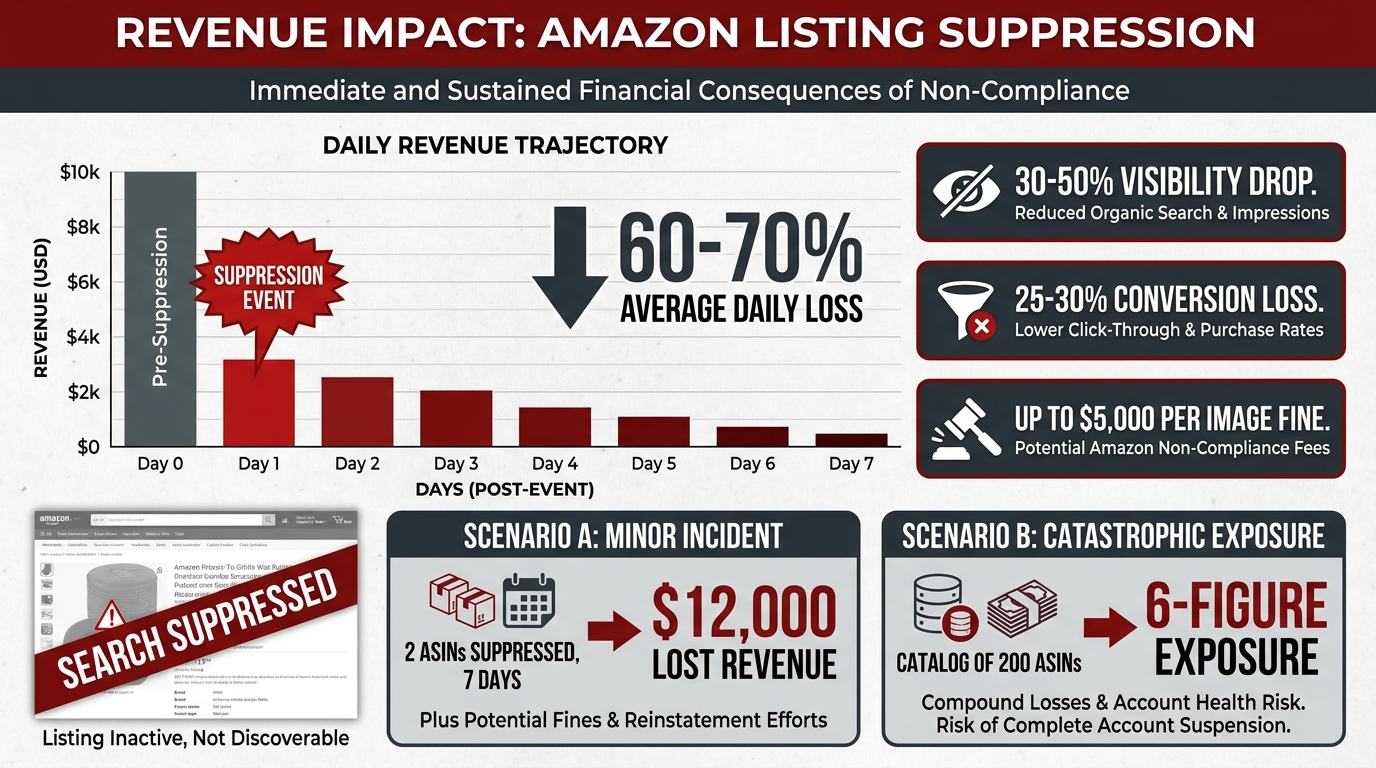
When an ASIN is suppressed, it disappears from organic search results. Customers searching for the product won’t find it through search — only through direct URL access, which accounts for a small fraction of product discovery on Amazon. Industry data from 2026 marketplace analyses suggests that suppressed listings experience visibility drops of 30–50% depending on the category and the product’s typical traffic mix between organic search, browse, and advertising.
With 30–50% less visibility comes corresponding revenue loss. For a product generating $5,000 per month in organic revenue, a week-long suppression represents $875–$1,250 in direct lost sales. For high-velocity products generating $50,000 or more monthly, a seven-day suppression can cost $8,750–$12,500 in revenue alone. Documented industry cases show six-figure revenue impacts from suppression events affecting a small number of top-performing ASINs at peak season timing.
The Conversion Rate Damage That Persists After Reinstatement
Beyond the direct revenue loss during suppression, there is a secondary impact that persists after the listing is reinstated. Amazon’s A10 algorithm uses recent sales velocity as a ranking signal. A suppression event reduces sales velocity to zero (or near-zero) for the duration, which depresses the ranking signal for weeks after the listing is reinstated. The visibility loss compounds: you lose rank while suppressed, and rebuilding that rank after reinstatement requires sustained sales performance that is harder to achieve from a degraded position.
Additionally, listings returning from suppression experience a temporary decline in conversion because any review and sales momentum that accumulated during the suppression period has less weight in the algorithm’s freshness calculations. The total effective revenue impact of a suppression event — accounting for both direct lost sales and the post-reinstatement rank recovery period — is typically 1.5–2x the direct revenue figure alone.
The $5,000 Per-Image Fine Exposure
For AI-generated image compliance specifically, the financial risk extends beyond revenue loss to actual fines. Amazon’s enforcement framework for AI-generated image violations — particularly non-disclosed synthetic performers — includes per-image financial penalties of up to $5,000. A seller with even a modest catalog who has been using AI-generated model imagery without proper disclosure could face fines that dwarf the production cost savings that motivated the AI approach in the first place.
The practical risk depends on the severity and repetition of violations — a first-time, self-reported disclosure miss handled proactively through the appeals channel is unlikely to result in a maximum fine. A pattern of non-disclosure across a large catalog, or a case where non-disclosure appears intentional rather than inadvertent, is a different matter entirely. The financial exposure is real and worth taking seriously in the design of your creative production process.
Ad Spend Waste During Suppression
One cost that sellers frequently overlook in their suppression calculus is advertising spend. If you’re running Sponsored Products campaigns targeting a suppressed ASIN, those campaigns can continue running in some configurations even when the listing is suppressed from organic search. Ad impressions may decline along with organic visibility, but campaigns can remain active and continue consuming budget against an ASIN that cannot convert. Depending on your campaign structure and monitoring cadence, a suppression event you don’t catch for 48–72 hours can burn a meaningful portion of your advertising budget with zero return — adding to the total cost of the suppression event before you’ve even begun the remediation process.
The Appeals Maze: Navigating the Account Health Flow in 2026
When your listing is suppressed, the path to reinstatement runs through Amazon’s Account Health system. Understanding this process before you need it — rather than learning it under the pressure of an ongoing suppression event — dramatically improves outcomes and reduces the time your listing is out of commission.
Where Suppressed Listings Show Up
Image-related suppressions appear in Seller Central under two different locations, and which one you see first depends on the nature and severity of the violation:
- Manage Inventory → Suppressed: The Suppressed tab in Manage Inventory shows listings that are not appearing in search due to policy violations, including image issues. This is often where sellers first discover a suppression, particularly for technical specification failures.
- Performance → Account Health → Product Policy Compliance: More serious image violations — particularly those involving AI disclosure requirements, deceptive imagery, or repeat violations — appear in Account Health as formal policy issues requiring a structured Plan of Action rather than simple image correction.
The distinction matters because the remediation path differs substantially. An image suppressed in Manage Inventory can often be resolved by uploading a corrected image and waiting for the system to re-scan. A formal Account Health policy violation requires a structured appeal with documentation, and failure to respond adequately can escalate the account health impact.
The Plan of Action Structure That Actually Works
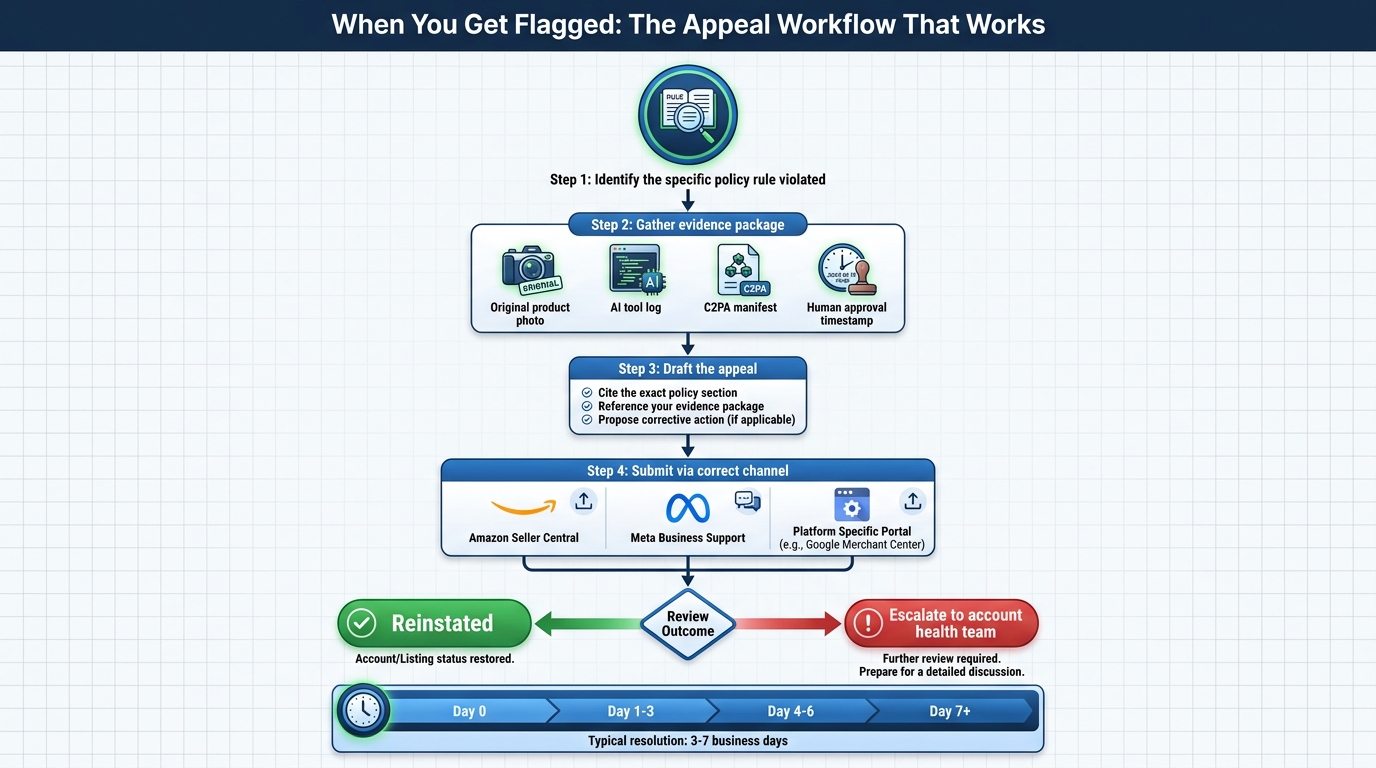
For Account Health violations, sellers need to submit a Plan of Action (POA). The POA that succeeds in 2026 has three specific components that Amazon’s review system is calibrated to look for:
- Root cause acknowledgment: A specific, technical description of why the image was non-compliant — not a vague statement that you’re committed to compliance, but a precise statement of what was wrong. “The background had a shadow that measured RGB 242, 242, 242 rather than 255, 255, 255 due to studio lighting technique” is substantially more effective than “we failed to follow your guidelines.”
- Corrective action taken: Confirmation that the compliant image has already been uploaded, with specifics — file dimensions, background specification, how it was verified. Include a direct image URL if you can reference it from within the Seller Central environment.
- Preventive measures: A description of the process change you have made to prevent recurrence — whether that’s a pre-upload pixel-level background check, a new photography standard operating procedure, or a compliance review step added to your image production workflow. This section matters more than most sellers realize; Amazon’s reviewers are looking for evidence that you’ve changed your process, not just fixed this individual image.
Timelines and Realistic Expectations
Image suppression appeals that require only a technical correction and re-upload — where the issue is clearly a specification failure rather than a policy violation — typically resolve within 24–72 hours once the corrected image is submitted and rescanned. Account Health formal violations require human review and can take 7–14 days for a first response, with follow-up rounds potentially adding additional time to the resolution timeline.
Amazon’s appeal system is not designed to fast-track cases where sellers believe they have been wrongly suppressed by a false positive. There is no escalation path that guarantees faster review for incorrect determinations. The practical implication: if you believe you’re experiencing a false positive, submit the appeal with your original image plus documentation that it meets the stated specifications (pixel-level background measurement, resolution confirmation, frame fill verification), then simultaneously prepare a corrected image that definitively meets spec. The fastest path to reinstatement is often to provide both — the appeal evidence and a definitively compliant alternative — rather than waiting for Amazon to reverse the false positive determination.
When to Use the Brand Registry Advantage
Sellers with Brand Registry status have access to additional escalation channels that general seller accounts do not. Brand Registry members can submit urgent image compliance issues through the Brand Registry support channel, which typically receives faster first response than the standard Account Health queue. If you’re experiencing a suppression on a high-revenue ASIN during a peak period, this channel — while not guaranteed to produce faster resolution — is worth using in parallel with the standard appeal process. Every hour of reinstatement time you can recover has direct revenue value at peak season.
Building a Proactive Compliance Operation
The sellers who minimize suppression risk in 2026 are not those who know the rules best — rule knowledge is table stakes. They are the sellers who have built operational systems that catch compliance issues before Amazon’s automated scanner does.

The Audit Cadence That Matches Your Catalog Risk Profile
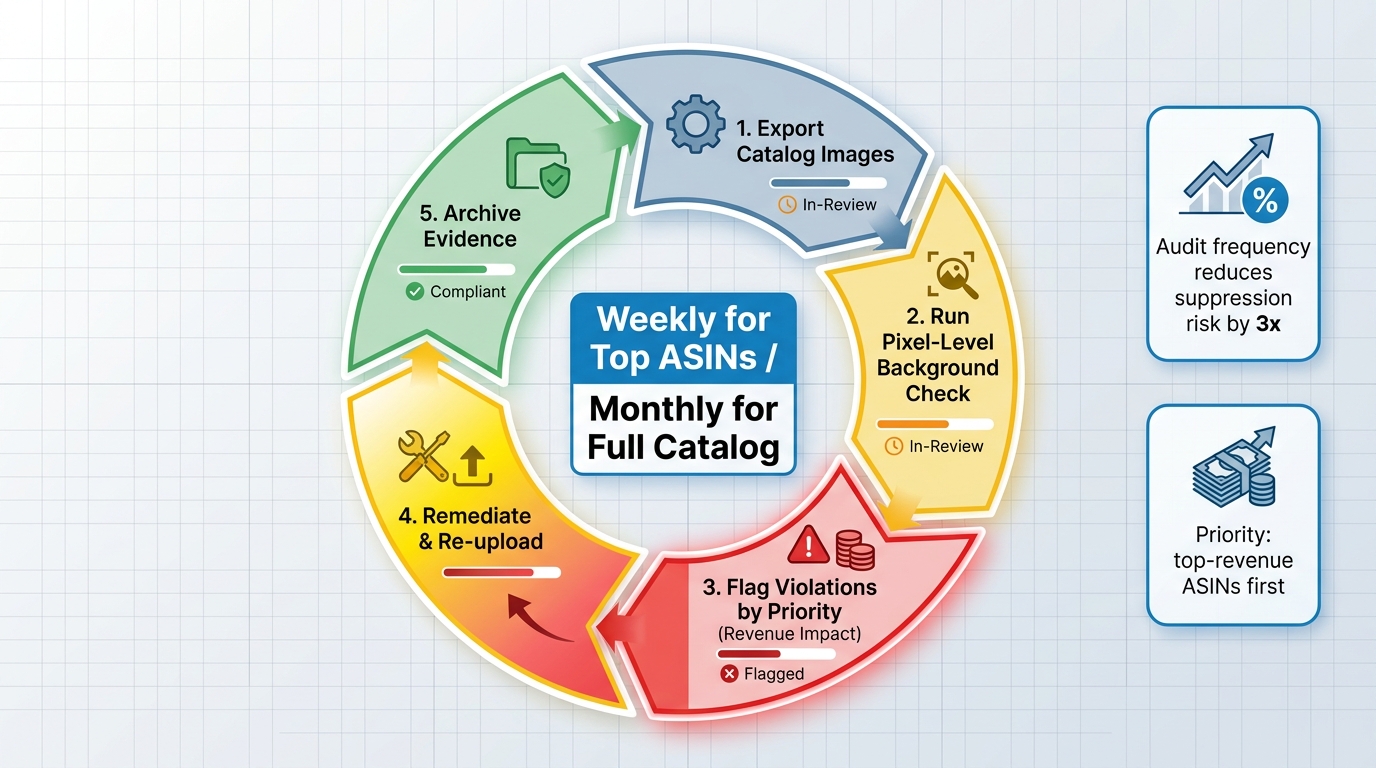
Not every ASIN in your catalog carries equal risk or equal consequence from suppression. A compliance audit cadence should be calibrated to both the probability of violation and the revenue cost of suppression:
- Weekly audit: Top 20% of ASINs by revenue. These are the listings where a suppression causes the most financial damage and where you want the shortest detection gap between a potential suppression and your response.
- Monthly audit: Full catalog review for technical specification compliance — resolution, background pixel values, frame fill percentage. This catches images that may have been compliant under previous standards but are now vulnerable under updated enforcement thresholds.
- Triggered audit: Any time Amazon announces a policy change or specification update, run an immediate targeted audit on the affected specification across the full catalog. The April 2026 resolution change, for example, should have triggered an immediate audit of all existing main images against the new 2,000×2,000 minimum. Many sellers who experienced suppression in that period had compliant images under the old standard and were caught by the transition.
Pre-Upload Verification Tools
Several third-party tools have emerged specifically to provide pre-submission Amazon image compliance checking. These tools simulate Amazon’s compliance checks — background pixel values, frame fill measurement, resolution, text/watermark detection — before you upload, allowing you to catch failures that would otherwise only surface after suppression has already occurred.
The most effective implementations integrate these checks into the image production workflow itself, rather than as a final-step gate review. An image that fails a background check after a photographer has delivered it requires expensive and time-consuming rework. An image where the compliance check is part of the post-production specification — informing how the photographer lights, retouches, and exports — is far less likely to require remediation. The cost savings from preventing even a single suppression event on a high-revenue ASIN typically cover the cost of pre-upload verification tooling for the entire year.
Documentation as Compliance Infrastructure
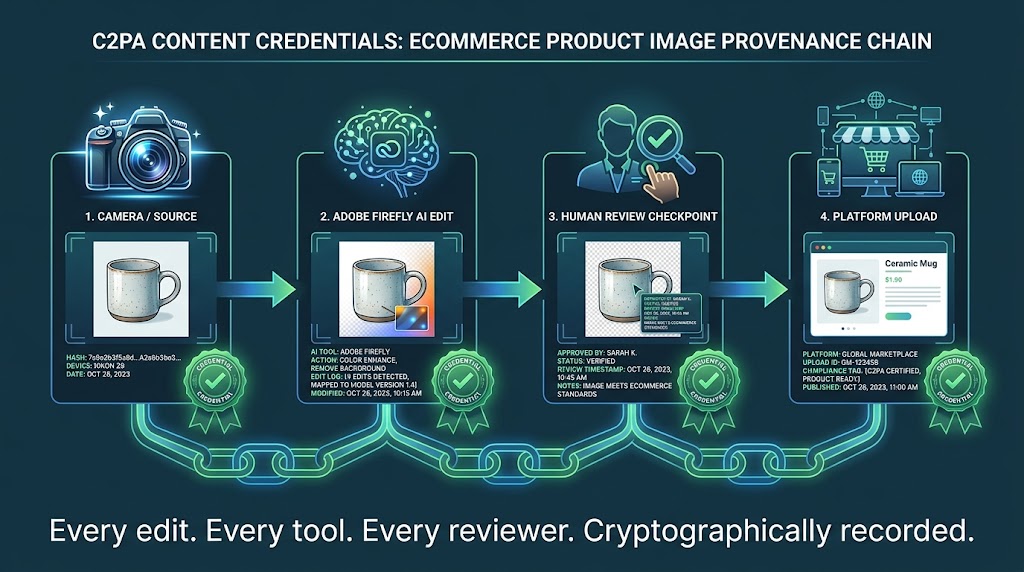
In an environment where false positives occur and appeals require evidence, image documentation is a compliance asset. For every ASIN image you submit to Amazon, maintain an evidence record that includes:
- The original image file (pre-compression, pre-upload processing)
- Background pixel value measurements (screenshot of eyedropper reading from multiple background sample points)
- Resolution confirmation from image metadata
- Date of submission and submission status result
- For AI-generated content: documentation of the generative tool used, the disclosure checkbox status at upload, and whether the image contains elements that qualify as synthetic performers
This documentation takes perhaps two minutes per ASIN to create and maintain. In a false positive appeal scenario, it can mean the difference between reinstatement in 48 hours versus a multi-week appeals process. It is essentially an insurance premium with a near-certain payout whenever you need it.
AI-Generated Content Governance
If your creative workflow incorporates AI-generated imagery — whether for main images, secondary images, A+ content, or advertising materials — you need a formal governance process that tracks which images contain AI-generated elements and which specifically contain synthetic performers. This doesn’t need to be complex, but it needs to be systematic and auditable.
A simple tracking system that logs ASIN, image type, AI generation status, presence of synthetic people, and disclosure submission confirmation is sufficient for most seller operations. Larger catalog operations may want this integrated with their product information management system or catalog database. The goal is to ensure that no AI-generated image containing photorealistic people reaches Amazon’s upload system without a documented disclosure decision attached to it — not because Amazon’s system will always catch it, but because the consequences of undisclosed synthetic performers are severe enough to warrant systematic rather than ad-hoc governance.
The Asymmetry of Enforcement — and What Sellers Can Do About It
It is worth naming directly what the current Amazon image compliance environment represents structurally: a significant asymmetry of power and accountability between Amazon’s enforcement system and the sellers it acts upon.
Amazon Enforces; Sellers Respond
Amazon’s automated system can suppress millions of listings in a quarter without human review, without prior warning, and without accountability for false positives. Sellers have no equivalent recourse. You cannot pre-audit your listing before Amazon’s system does. You cannot request a human review of your images before suppression. You cannot opt out of automated enforcement even if you have a strong historical compliance record.
This is not an argument that image compliance standards are wrong — maintaining product image quality standards benefits the customer experience and the marketplace broadly. It is an observation that the current enforcement architecture imposes costs on sellers that include the error rate of the automated system, and that sellers have no mechanism to recover those costs from Amazon when the errors are on Amazon’s side. The design places all the risk of automated error on the seller population.
Collective Pattern Recognition
One practical response available to sellers is collective intelligence — tracking suppression patterns across the seller community to identify when Amazon’s enforcement algorithms appear to be misfiring systematically. Seller forums, agency networks, and marketplace analytics providers increasingly serve this function. When multiple sellers in the same category report simultaneous suppressions on images that appear compliant, it signals a potential algorithm update or classifier retrain that may be generating elevated false positive rates across a specific image type or category.
Identifying these patterns quickly means sellers can escalate their appeals collectively — not as a formal organized action, but as a body of evidence that Amazon’s seller support teams can use to escalate internally. Amazon’s enforcement teams have responded to pattern-based reports in the past, particularly when a false positive appears to affect a broad category rather than individual listings.
Build Compliance Margin Into Your Production Standards
The sellers best positioned for the 2026 enforcement environment have built compliance costs explicitly into their production standards. Photography specifications that exceed Amazon’s minimums — targeting 2,500×2,500 images rather than 2,000×2,000, using background RGB values verified at 255,255,255 with multiple readings rather than approximate, retaining pre-submission pixel verification as a standard production step — cost more upfront but reduce suppression risk to near zero by providing buffer against the enforcement system’s sensitivity.
The investment is a known, predictable cost. The alternative — running to minimum specification and absorbing occasional suppression events — is an unpredictable cost with a tail risk that, at the wrong moment, can exceed the entire compliance investment for a year. For high-velocity sellers generating meaningful monthly revenue from their catalog, this math strongly favors investing in compliance margin rather than operating at minimum specification and hoping the automated system’s error rate doesn’t catch you.
Conclusion: Treating Compliance as a Catalog Asset
Amazon’s image compliance enforcement in 2026 operates at a scale and speed that fundamentally changes what it means to manage a product catalog on the platform. The automated systems are genuinely powerful — and genuinely imperfect. They protect customers from misleading or low-quality product imagery while simultaneously suppressing compliant listings at a non-trivial error rate. The new legal requirements around AI-generated content have added a layer of complexity that will only grow as synthetic media regulation develops further.
Understanding this environment clearly is the first step to operating within it safely. The sellers who are managing it well have made a fundamental mental shift: they no longer think of image compliance as a rules-following exercise. They think of it as catalog infrastructure — a permanent, managed operational discipline with defined specifications, verification records, documented audit histories, and governance processes for emerging content types.
The specific actions that matter most in 2026:
- Verify at the pixel level. Background compliance is not “looks white.” It is RGB 255,255,255, measured with tooling, verified with evidence, and maintained across the upload and compression process.
- Update your resolution standard. 2,000×2,000 pixels is the new minimum effective April 2026. If your photography workflow isn’t producing at this resolution consistently, you’re accumulating suppression risk with every image in your catalog.
- Build AI disclosure into your creative workflow. If your team uses generative AI tools to produce any imagery that includes photorealistic human elements, disclosure is not optional and not an afterthought. Make it a documented, mandatory step in your production process with a paper trail.
- Audit proactively, not reactively. The sellers who discover compliance gaps before Amazon’s system acts on them have a fundamentally different risk profile than those who discover suppression events after revenue has already dropped.
- Maintain evidence for every image. Pre-upload verification records reduce a potentially weeks-long false positive appeal to a 48-hour resolution. The documentation cost is trivial; the insurance value is substantial.
- Know the appeals process before you need it. When suppression happens, the sellers who know exactly where to look, what to write, and what evidence to provide get reinstated faster than those learning the system under the financial pressure of an ongoing suppression.
Amazon’s enforcement will continue to tighten. The automated systems will become more sensitive as the models are retrained and the specifications evolve. The penalty structures for AI-related violations will expand as legal frameworks around synthetic content develop across additional jurisdictions beyond New York. The sellers who build compliance into the DNA of their catalog operations now — rather than treating it as a periodic cleanup task — will be the ones still running strong when the next round of enforcement changes arrives.