Tag: seller central

  • Amazon’s 2026 Main Image Rules: What Changed, What’s Being Enforced, and What to Do About It

    Amazon’s 2026 Main Image Rules: What Changed, What’s Being Enforced, and What to Do About It

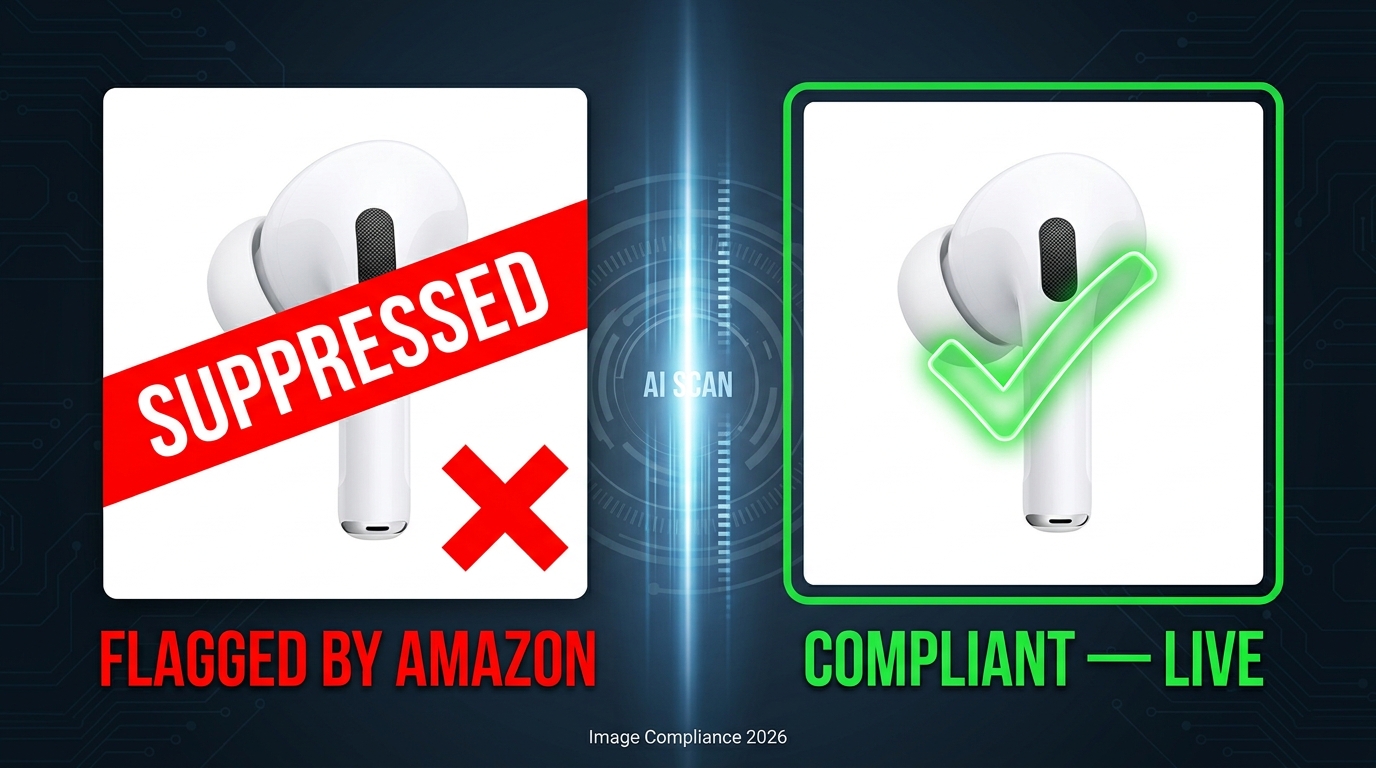
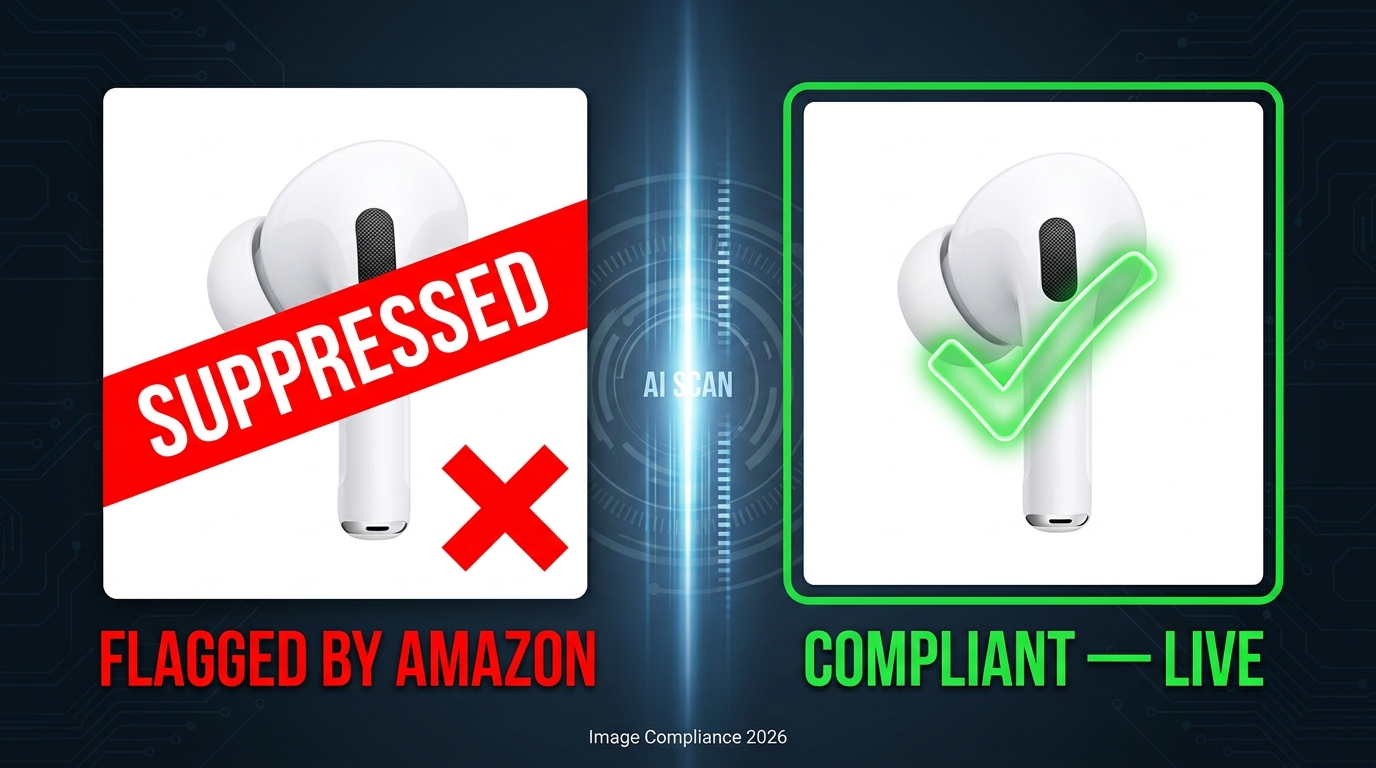
    Amazon 2026 Main Image Rules - AI enforcement scanning product photos for compliance

    Most sellers don’t lose rankings because of a bad keyword strategy or a price misstep. They lose them because of a single image that Amazon’s automated system decided, silently and without any email notification, no longer meets the rules.

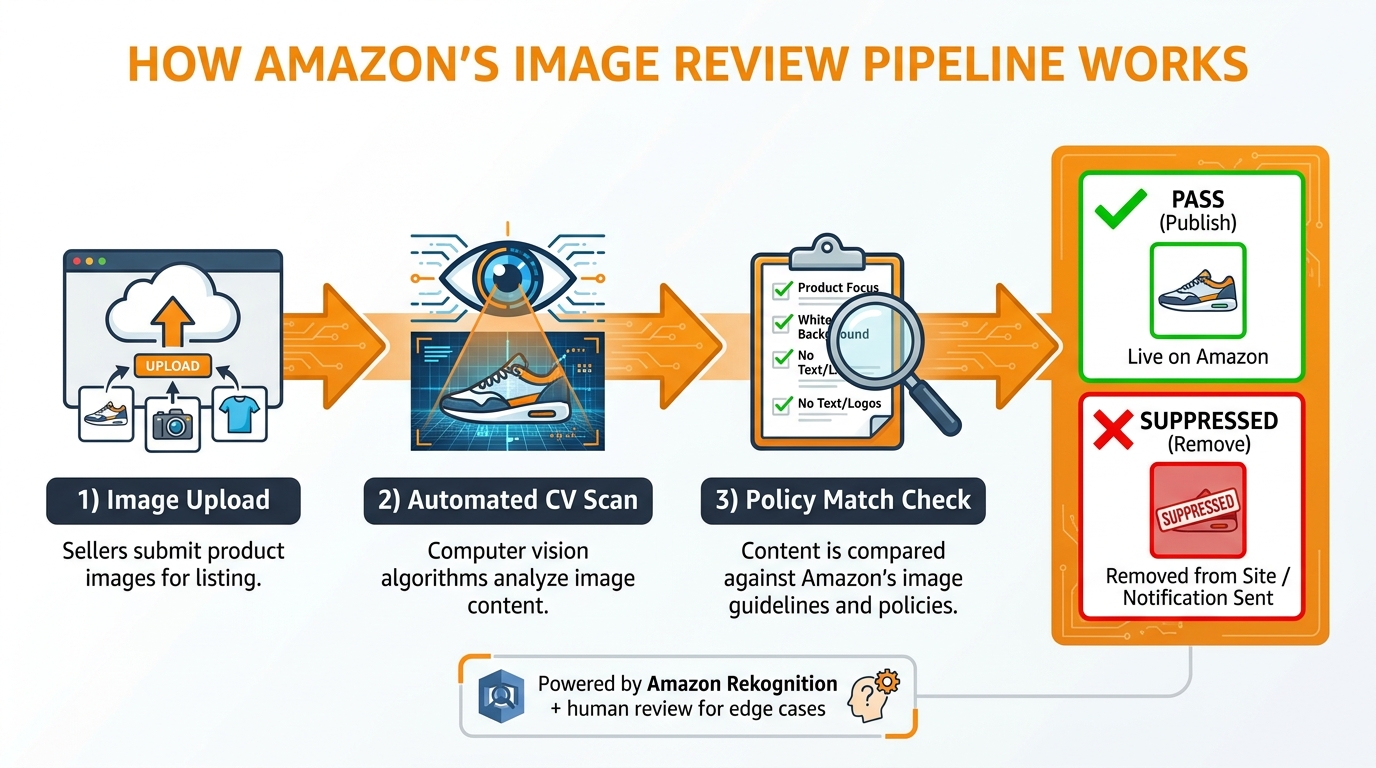
    In 2026, Amazon’s enforcement of main image standards shifted from a reactive, complaint-based process to an active, machine-learning-driven audit system. The platform is now scanning millions of product images continuously — not just when a competitor flags your listing, but on its own, on a rolling basis. The result? Sellers who haven’t touched their listings in months are waking up to suppressed ASINs, dropped rankings, and paused advertising campaigns.

    And here’s the part that makes this especially frustrating: the technical requirements have tightened at the same time. Higher minimum resolution. Stricter white background standards. New rules around AI-generated images. Category-specific exceptions that don’t apply where you think they do. The gap between “was compliant last year” and “is compliant now” is wider than most sellers realize.

    This post is not a surface-level overview of the same rules everyone has been reposting since 2022. This is a detailed breakdown of what specifically changed in 2026, how Amazon’s enforcement engine actually works, which categories have the most gotchas, and exactly what to do if your listing gets suppressed — or before it does.

    Whether you manage five ASINs or five thousand, this is one of the few policy areas where a single non-compliant image can quietly crater an otherwise healthy listing. The cost of ignorance is not abstract — it shows up in your revenue report.


    What Actually Changed: The 2026 Technical Specification Shift

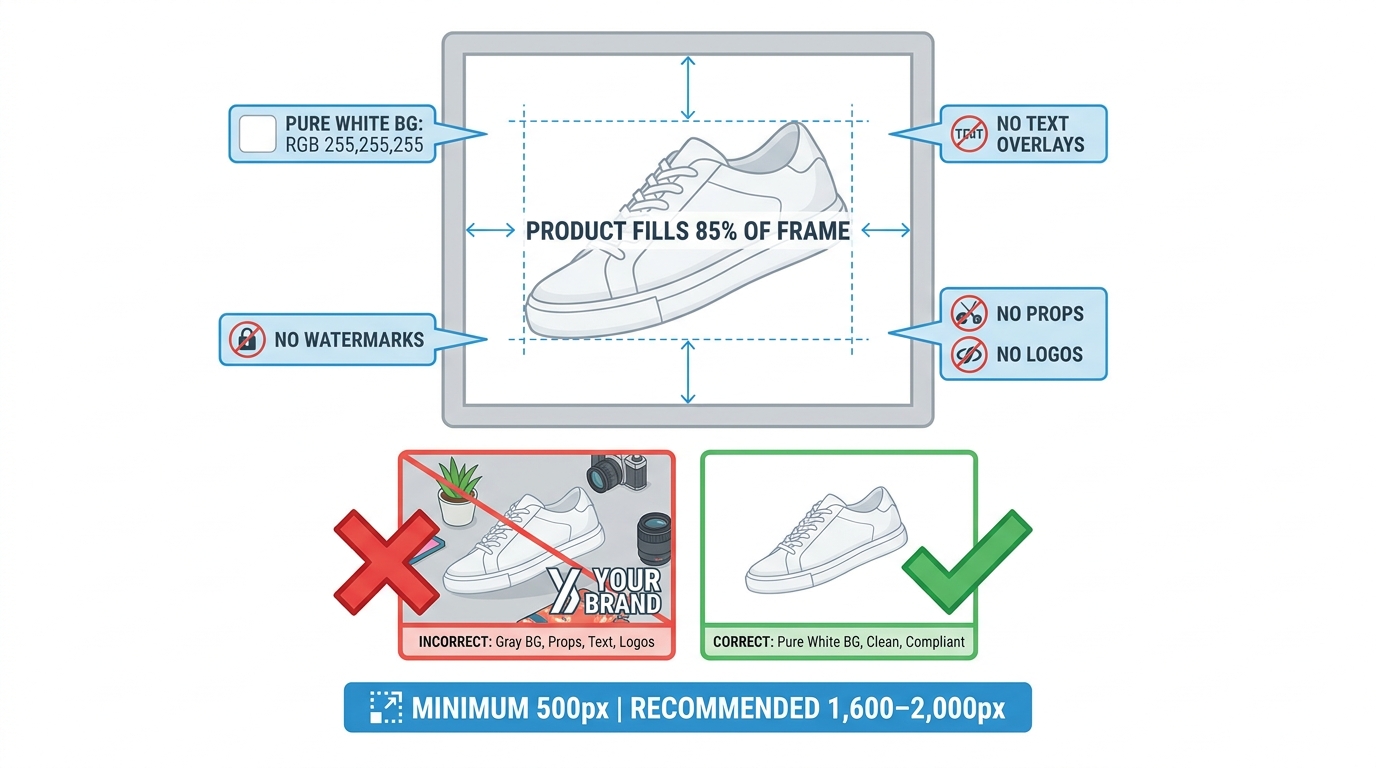
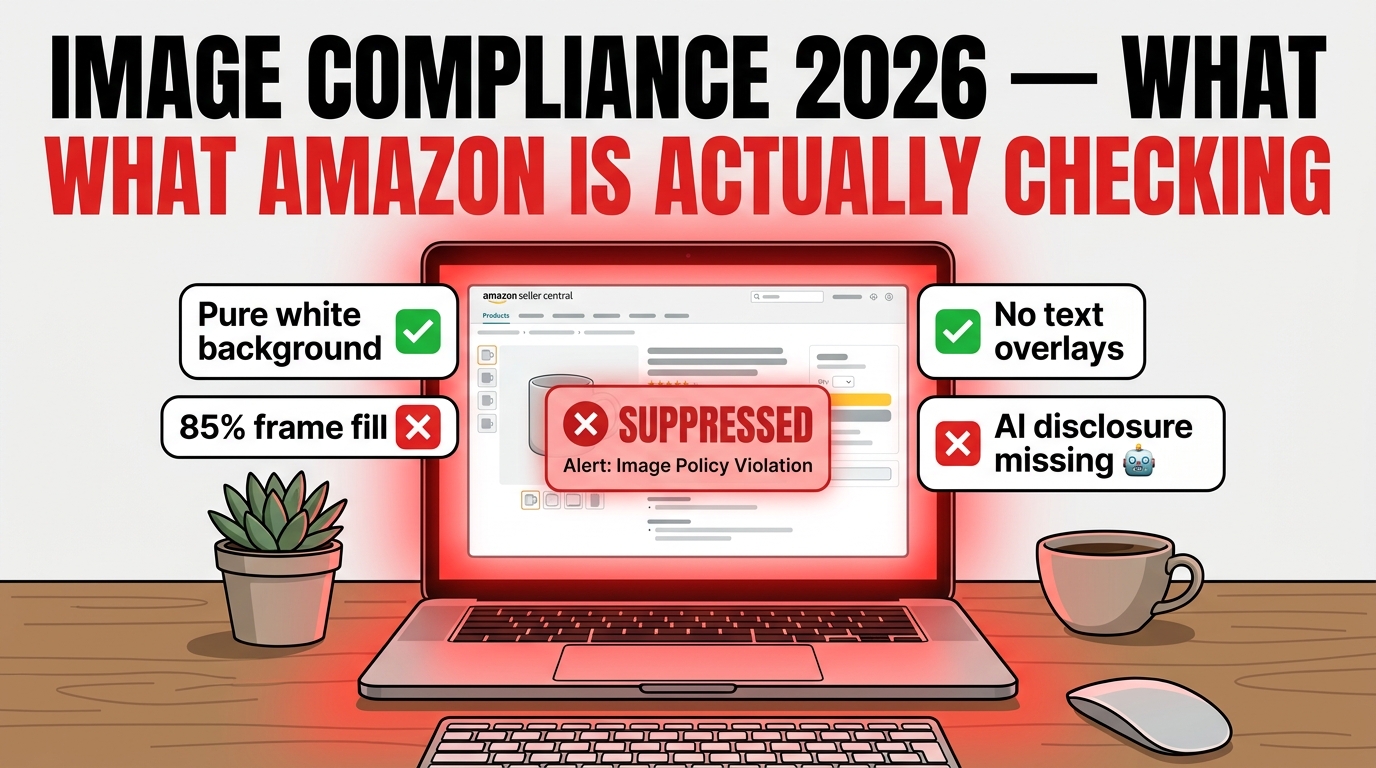
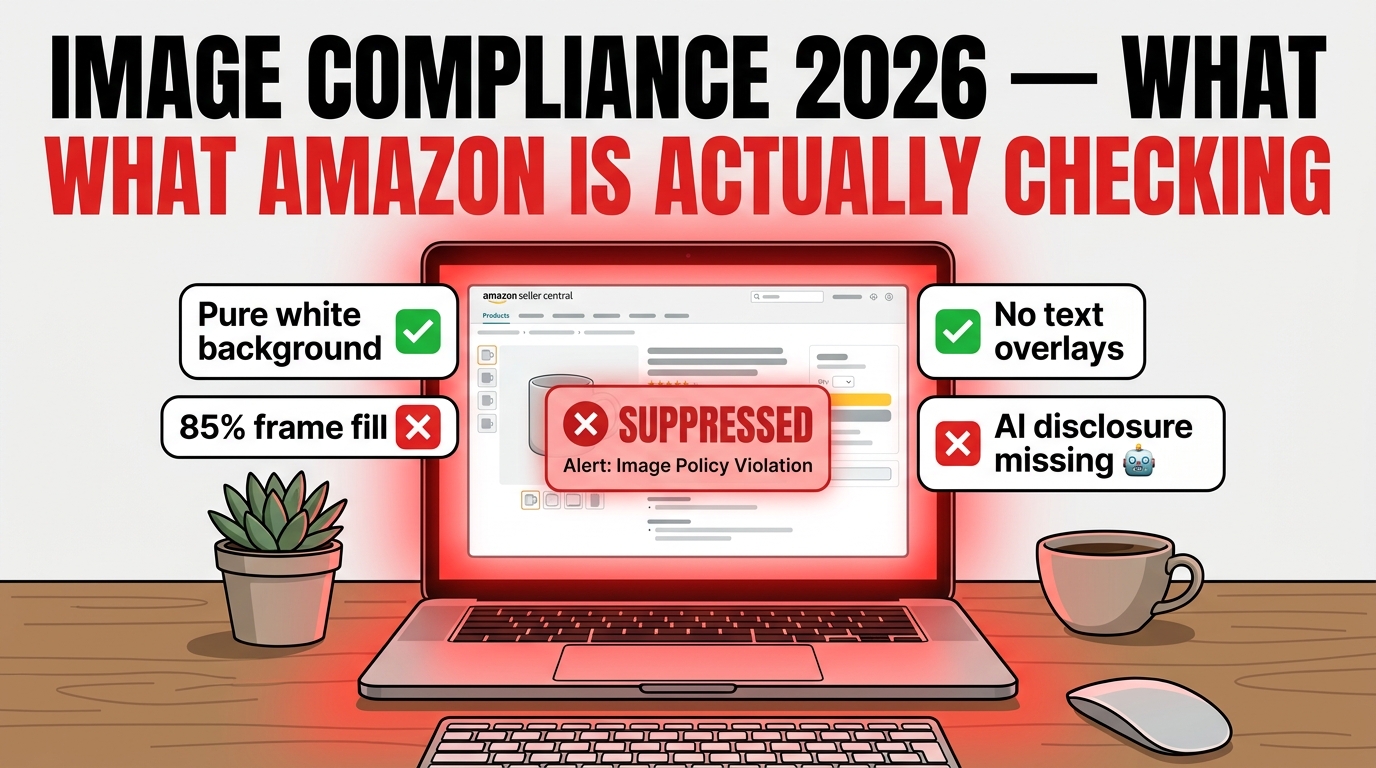
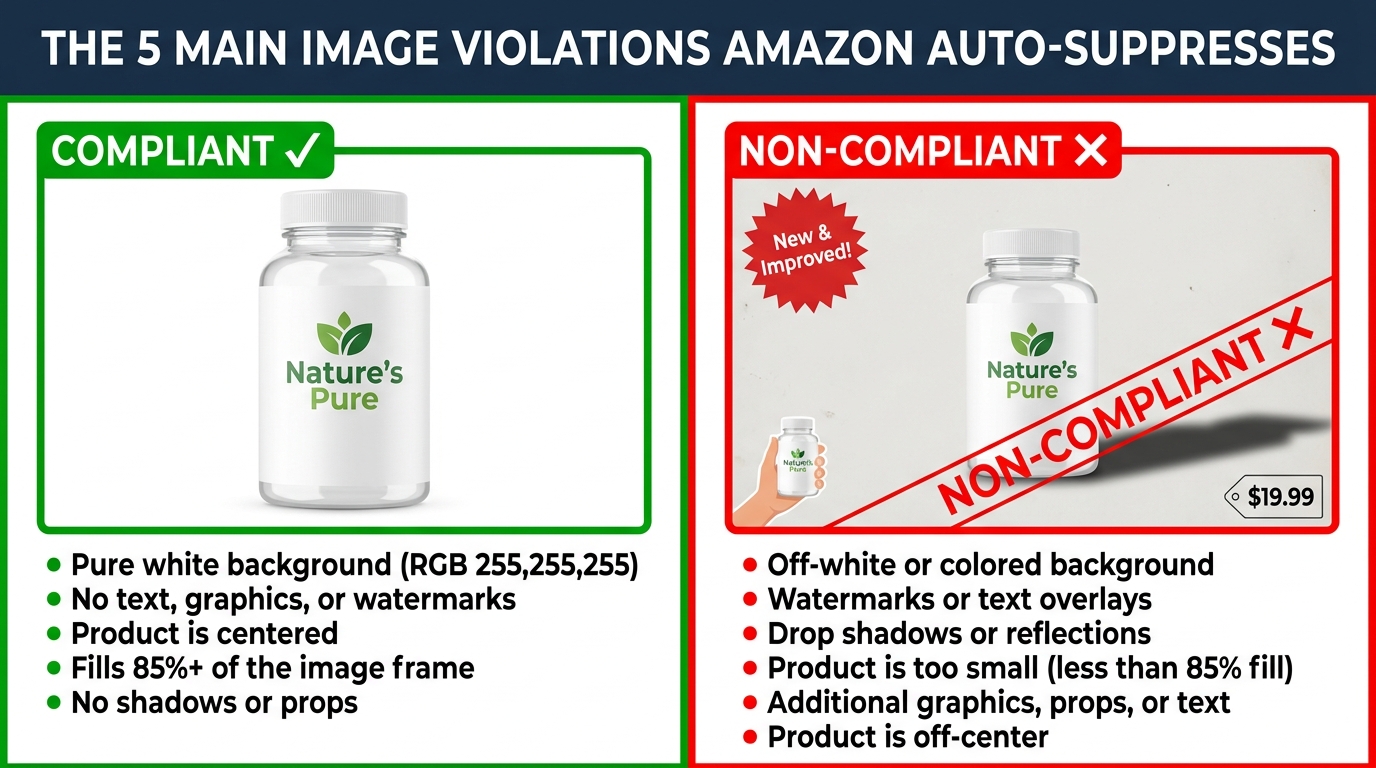
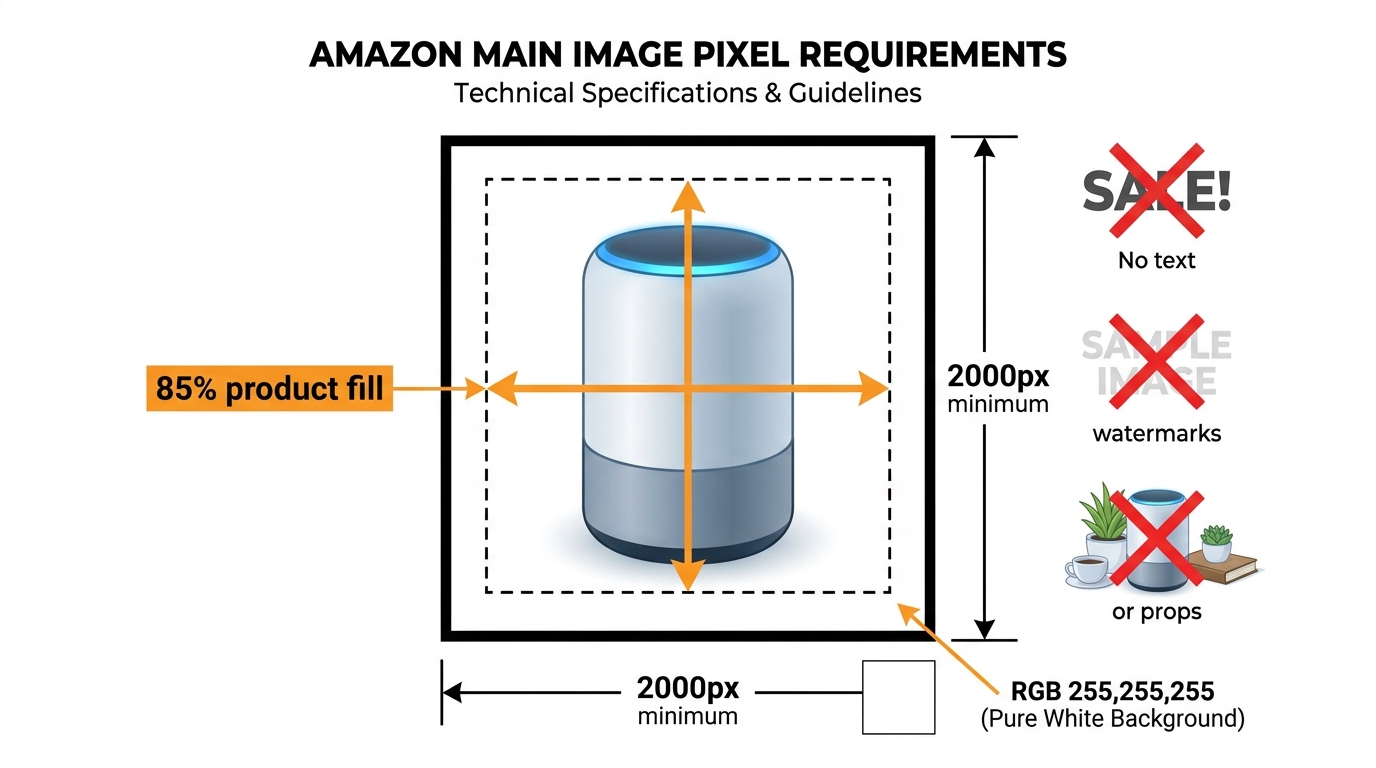
    Amazon main image technical requirements infographic — 2000px minimum, 85% product fill, RGB 255,255,255 white background, no text or watermarks

    It is worth being precise here because the internet is full of recycled summaries of Amazon’s image guidelines that haven’t been updated in years. Several things genuinely changed in 2026, and conflating the old rules with the new ones is a compliance risk in itself.

    Resolution: The Quiet but Significant Upgrade

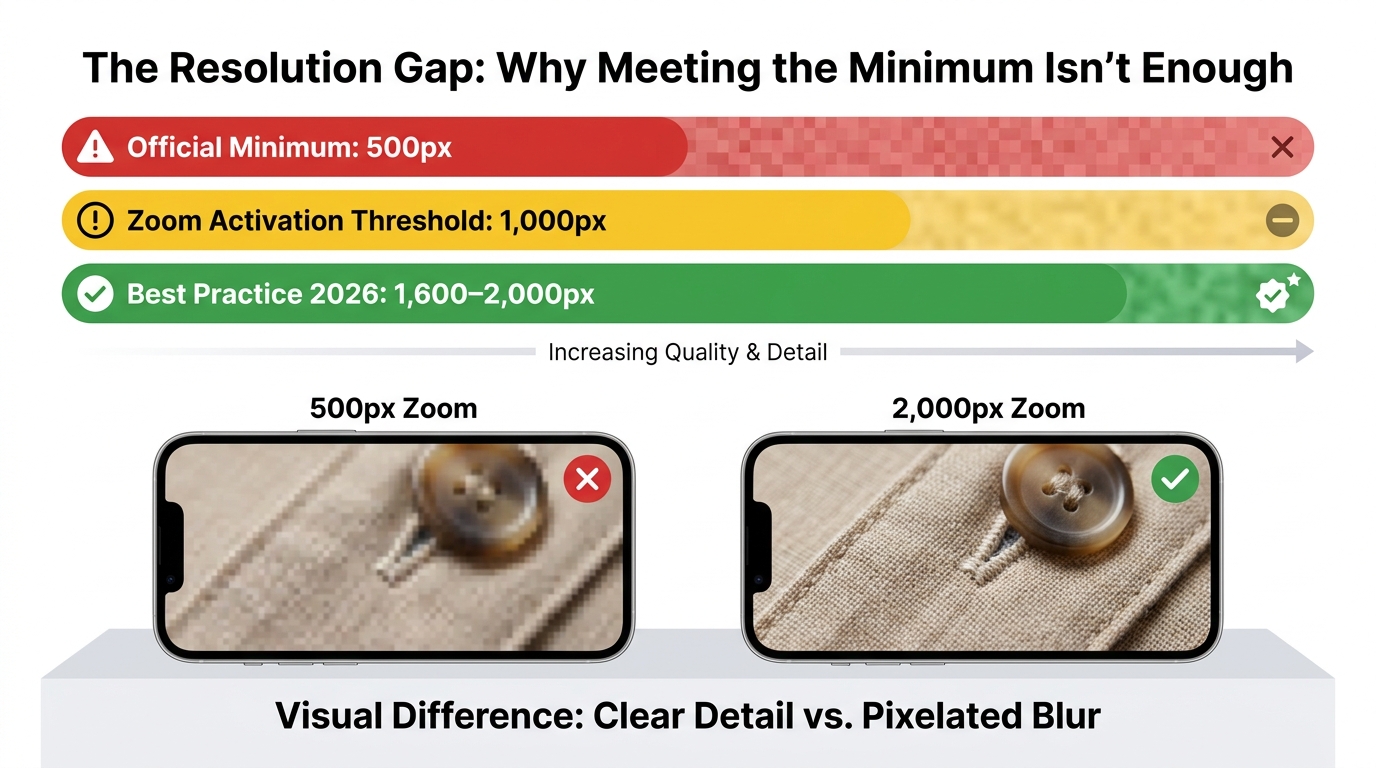
    For years, Amazon’s stated minimum for the longest side of a main image was 1,000 pixels. That requirement enabled the zoom feature, which Amazon considers critical for the buyer experience. In 2026, that floor was raised. The new minimum for main images is 2,000 pixels on the longest side, with 2,000 x 2,000 pixels being the standard for a square image. Many industry sources and Amazon’s own enforcement behavior now reflect this updated threshold — images that technically met the old 1,000-pixel standard are increasingly being flagged or deprioritized.

    For secondary (non-main) images, the 1,000-pixel minimum remains in place. But for your hero image — the one that appears in search results, the one that determines whether a shopper clicks — the bar has risen significantly. The practical recommendation from professional Amazon photographers and listing specialists now sits at 2,000–3,000 pixels on the longest side to future-proof against further tightening and to ensure sharp rendering across all device sizes.

    The White Background Standard Has Zero Tolerance Now

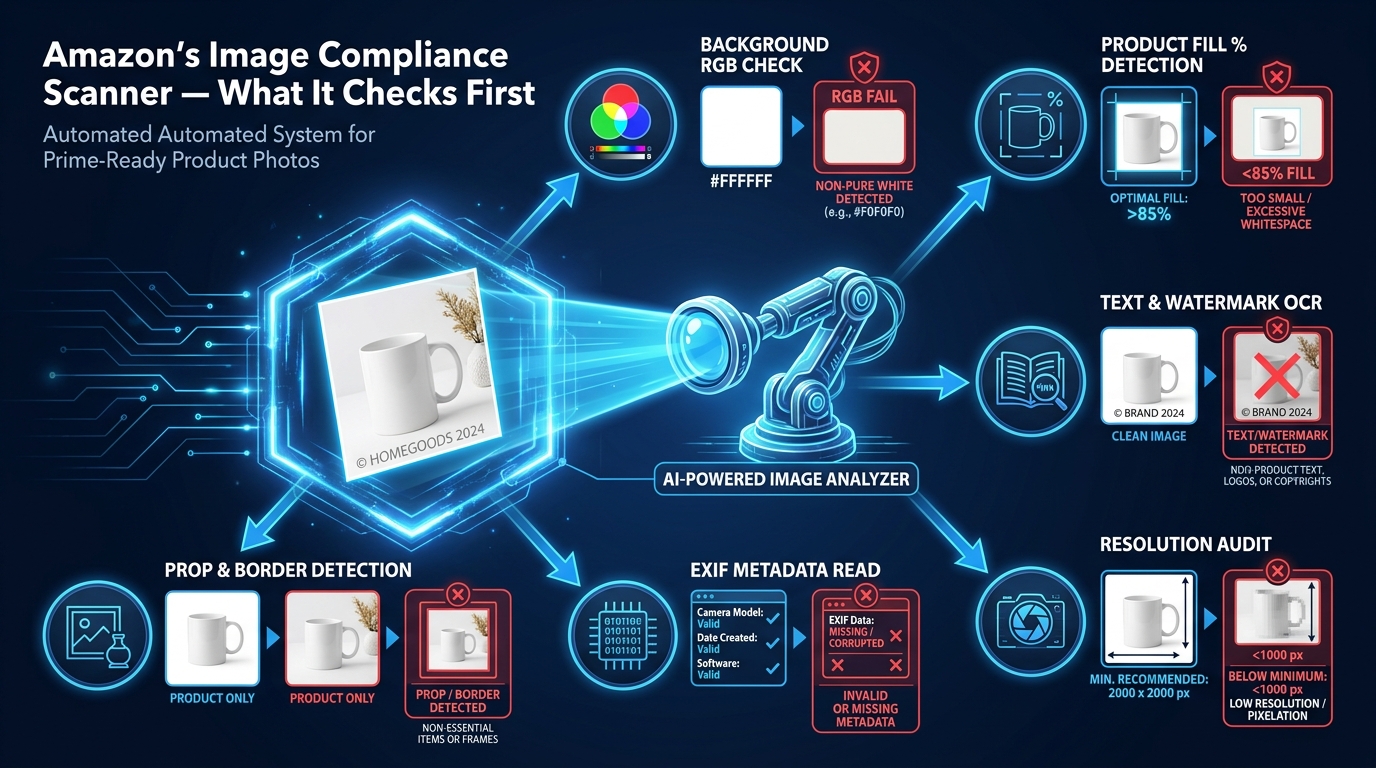
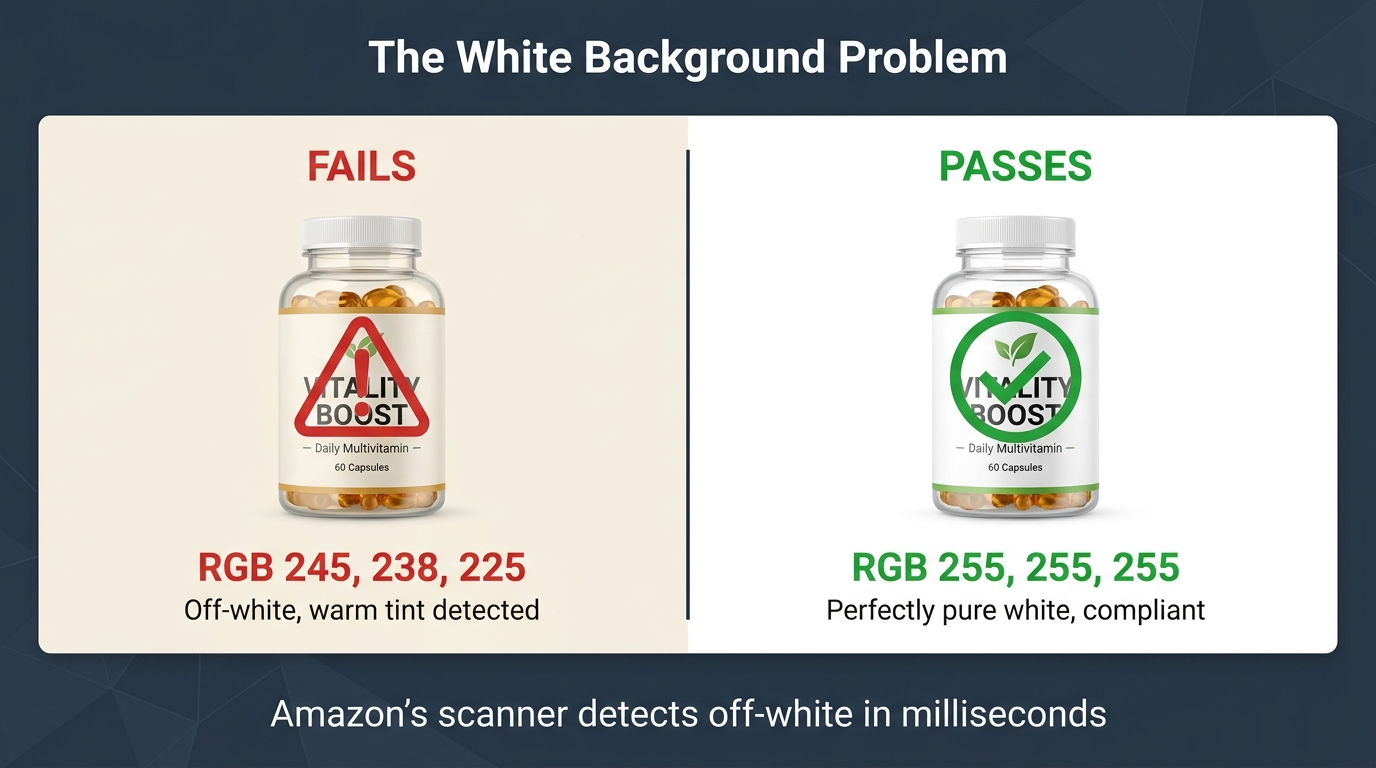
    The requirement for a pure white background is not new, but the tolerance for deviation has effectively been eliminated by machine learning enforcement. Amazon specifies RGB 255, 255, 255 — pure white, not off-white, not light gray, not an ivory background that “looks white” in natural lighting.

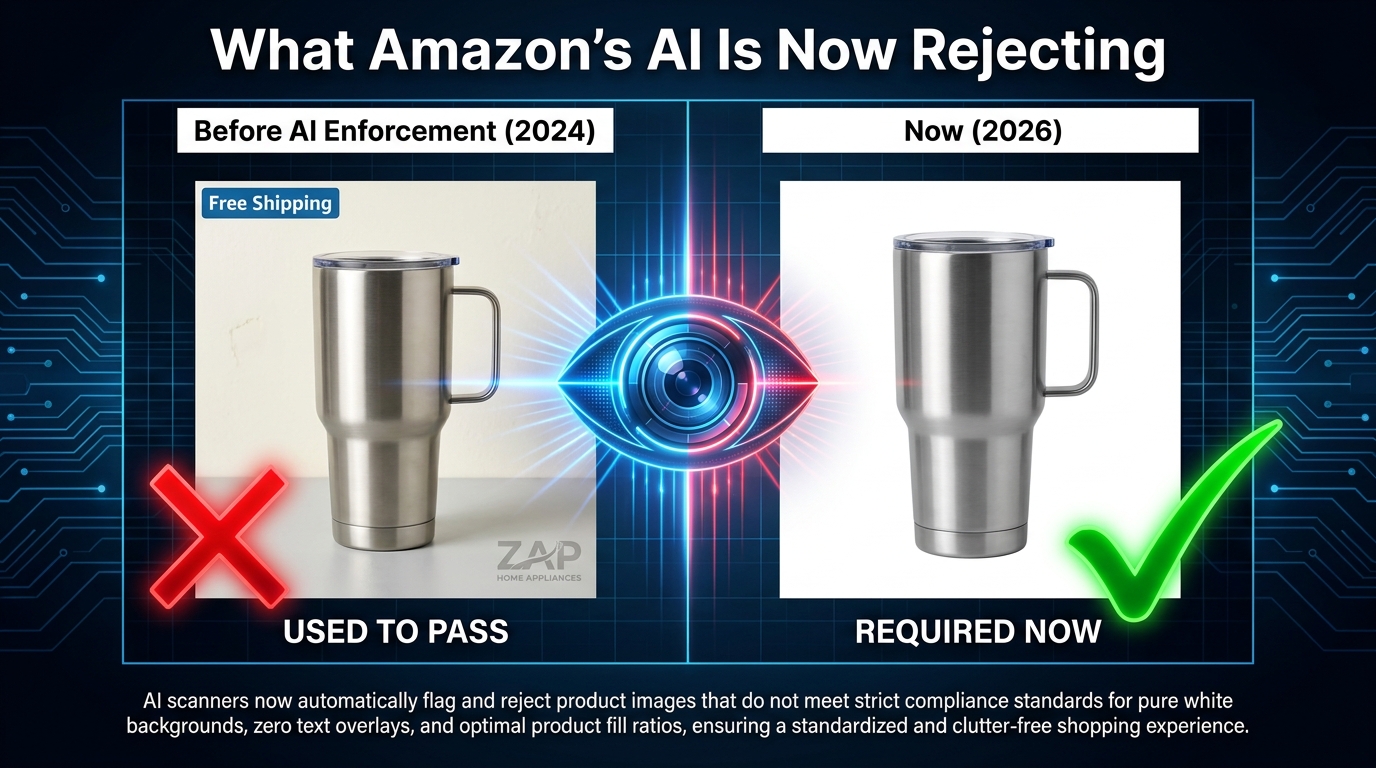
    This matters more than sellers often appreciate. Many product images that appear white to the human eye are actually RGB values like 252/252/252 or 248/248/248 — values that are imperceptibly off-white to a person but are detected immediately by pixel-level automated scanning. The enforcement system introduced in 2026 uses enhanced edge detection algorithms that also check for soft shadows, gradient backgrounds, and imperfect product cutouts that bleed into the background. A slightly visible drop shadow, which was tolerated in previous years, now qualifies as a violation.

    The 85% Frame Fill Rule and How It’s Now Measured

    The requirement that your product occupy at least 85% of the image frame has also been in place for some time, but the definition of “the product” has become stricter in application. Amazon’s automated system now measures this based on the actual product pixels — not including significant amounts of empty white space around a small item placed in the center of a large canvas.

    Sellers who photograph small products — jewelry, accessories, electronic components — often underestimate how much space the item actually takes up relative to the full frame. A ring centered in a 3,000 x 3,000 pixel image with lots of surrounding white space may technically be a beautiful, high-resolution photo, but it will fail the 85% fill requirement. Cropping closer and filling the frame is not optional; it’s enforced.

    What Is Still Absolutely Prohibited

    The following remain hard violations that will trigger suppression or deprioritization, without exception:

    • Text of any kind — product names, brand names, “new formula,” “limited edition,” “free shipping,” size callouts, promotional language
    • Logos and watermarks — including very small brand logos in corners
    • Props and accessories not included in the purchase — a blender photographed with fresh fruit, a yoga mat photographed with a water bottle that isn’t part of the listing
    • Inset images or collages — multiple images combined into one main image file
    • Borders, color blocks, or decorative frames
    • Mannequin or hanger use in the main image for adult apparel (category-specific rules covered below)
    • Lifestyle backgrounds — your product photographed in a kitchen or on a beach cannot be the main image, regardless of how professional it looks

    The file format requirements remain the same: JPEG (preferred), PNG, TIFF, or non-animated GIF. File size must stay under 10MB. The maximum pixel dimension on the longest side is capped at 10,000 pixels. Color profile should be sRGB.


    How Amazon’s Machine Learning Enforcement Engine Actually Works

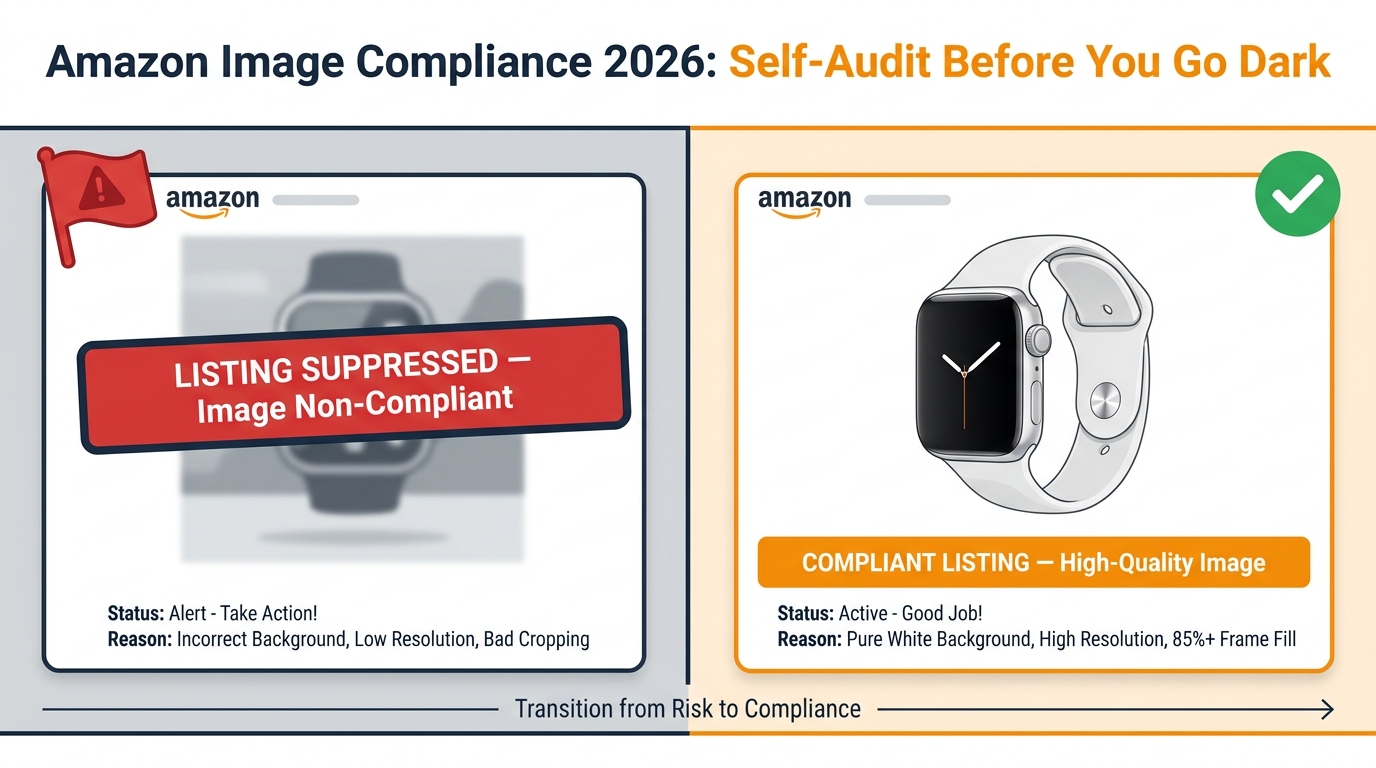
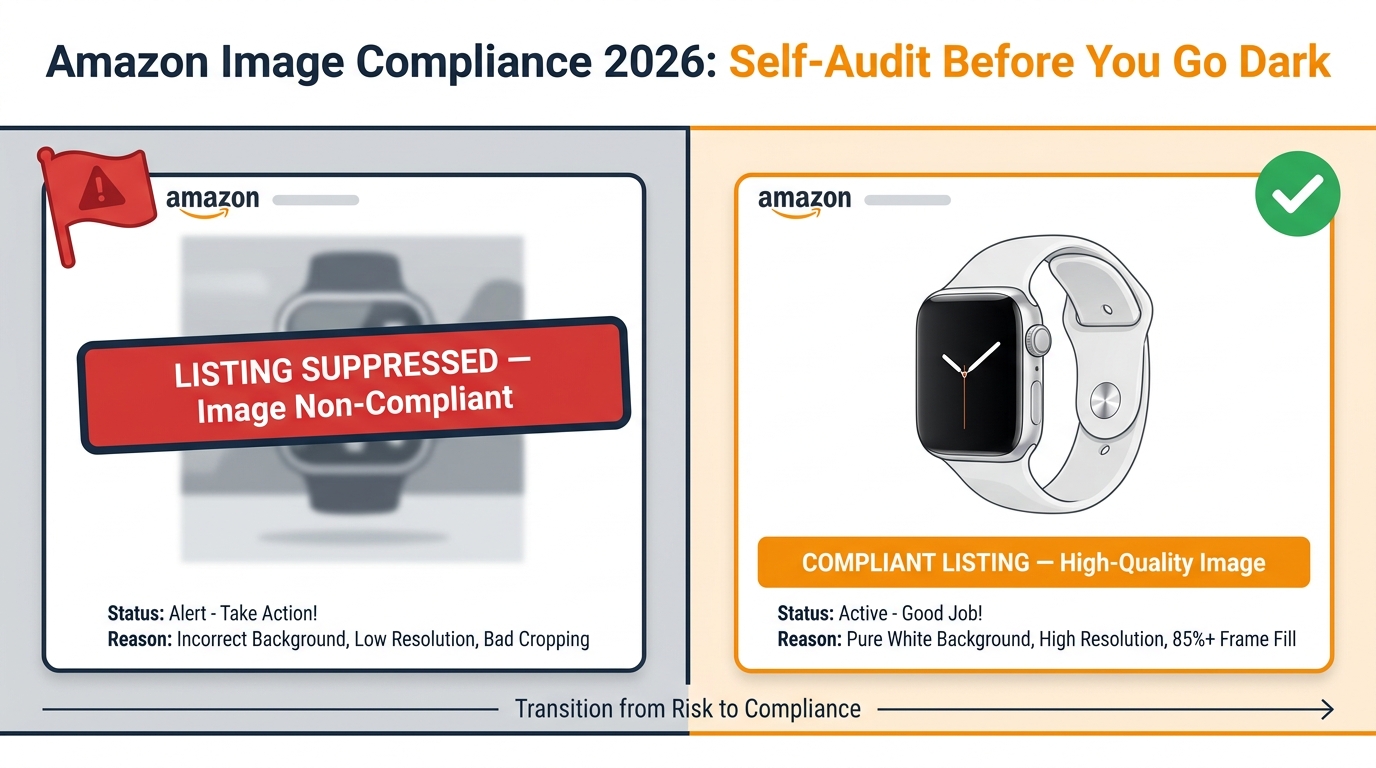
    Before vs. After comparison showing what Amazon's AI enforcement now rejects versus what passes in 2026

    Understanding how Amazon finds non-compliant images — not just what the rules are — changes how you approach compliance. The enforcement model that Amazon deployed in 2026 is materially different from anything that came before it, and it explains why sellers who haven’t changed their listings are suddenly getting flagged for images they uploaded two years ago.

    Continuous Scanning, Not Reactive Enforcement

    The old model relied heavily on competitor reporting and periodic manual audits by Amazon’s compliance teams. The 2026 model adds a continuous, automated scanning layer that runs across the entire product catalog on a rolling basis. Amazon has not published the exact cadence, but sellers reporting suppression events describe being flagged for images that had been live for months or years with no previous issues.

    This shift is significant because it means compliance is not a one-time task. An image you uploaded when it met the 2023 standards may now be flagged because the scanning system interprets a faint shadow, an off-white pixel value, or a background gradient that wasn’t detectable by the older tooling. The system is not looking at whether you followed the rules when you uploaded — it’s checking whether the image meets current standards right now.

    Edge Detection and the Shadow Problem

    One of the most technically sophisticated additions to the enforcement system is enhanced edge detection. This refers to the system’s ability to identify where the product ends and the background begins — and to flag cases where that boundary is unclear, soft, or inconsistent.

    Drop shadows are the most common casualty of this upgrade. For years, many photographers and post-processing studios added subtle drop shadows to product images to create depth and a sense of dimension. These shadows were generally tolerated under the old enforcement model. Under the 2026 system, they represent a detectable deviation from the pure white background standard, and they’re being caught systematically.

    Similarly, products with complex edges — transparent items, products with fine hair or fabric textures, items with reflective surfaces — are more likely to have imperfect cutouts when processed even by professional image retouching tools. The edge detection system checks whether background pixels bleed through the product boundary, and images that fail this check are candidates for suppression.

    The 7-Day Suppression Timeline

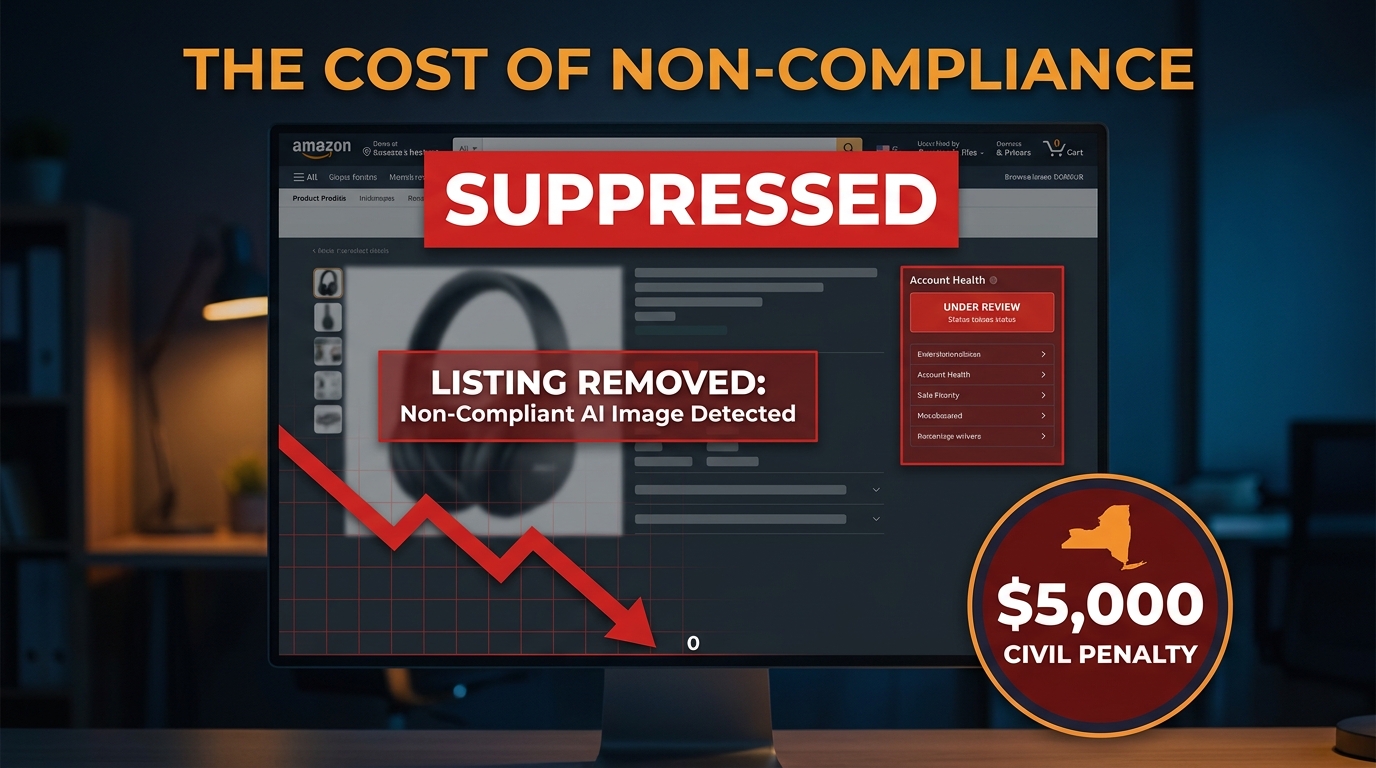
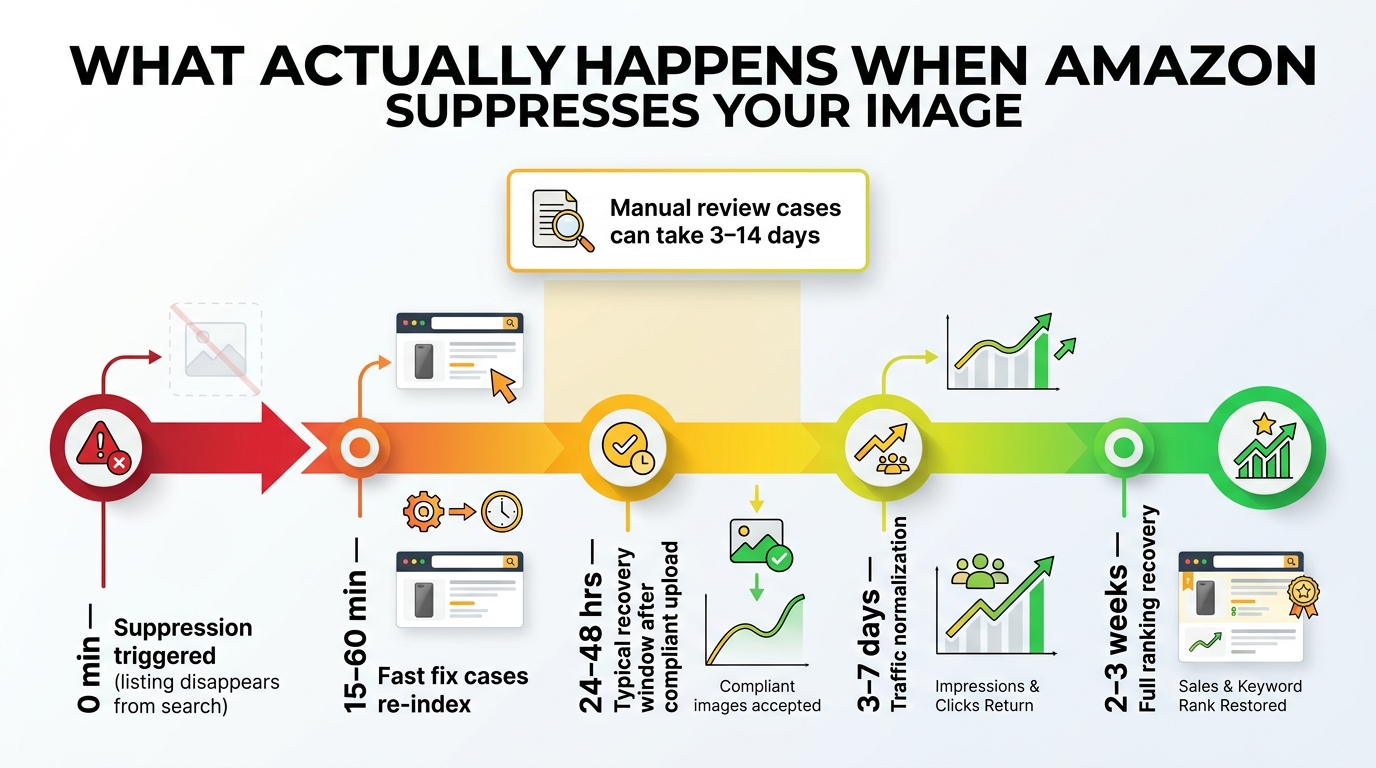
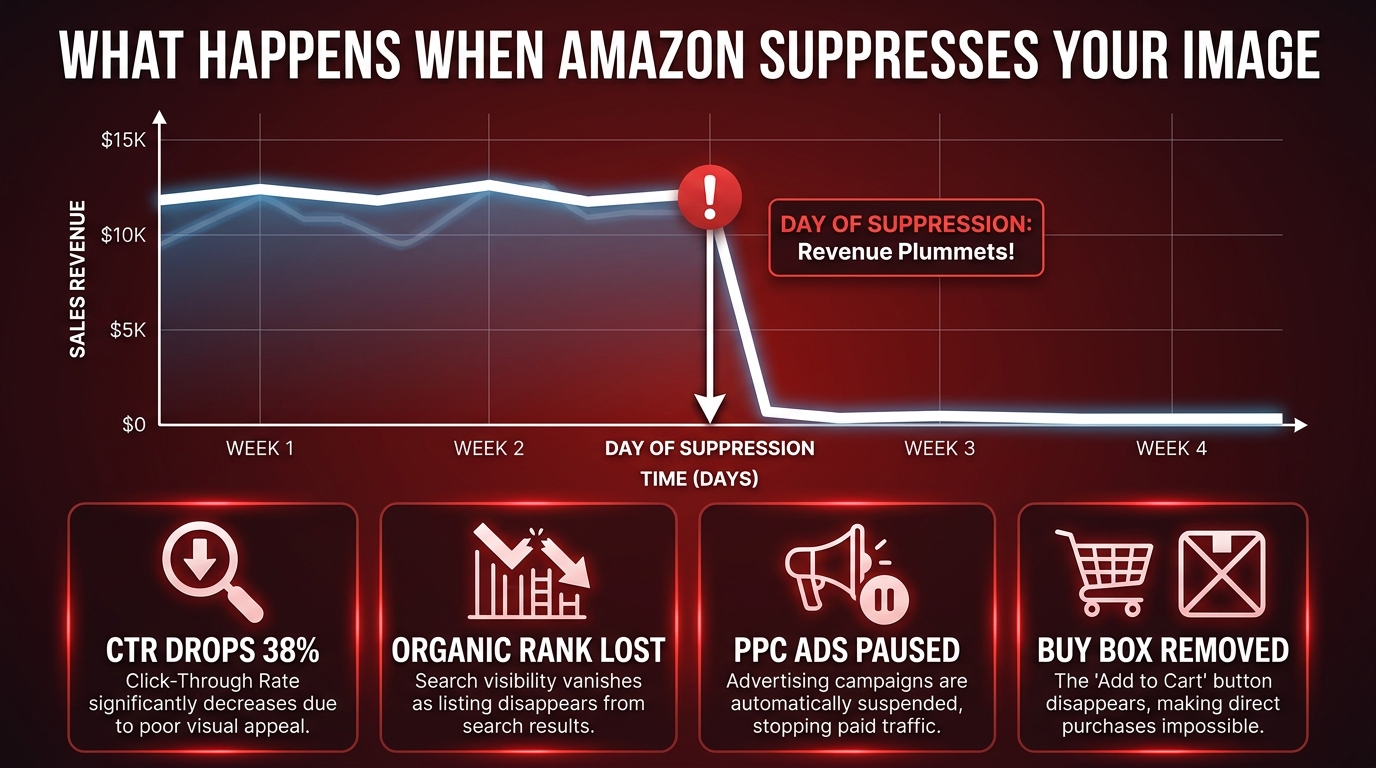
    Based on seller-reported experiences in 2026, the typical timeline from violation detection to active suppression is approximately 7 days. During this window, Amazon’s system flags the ASIN internally. Sellers may or may not receive a notification in Seller Central — the communication is inconsistent, and many sellers only discover the issue when they check their listing health dashboard or notice a sudden traffic drop.

    Once suppressed, the listing is removed from search results. PPC campaigns linked to that ASIN are paused automatically. The Buy Box is removed. The product effectively goes dark for buyers. Recovery after uploading a compliant image typically takes 24–48 hours, though complex cases involving account-level flags can take longer.

    Selective vs. Universal Enforcement

    It is worth acknowledging a frustrating reality that sellers frequently raise: enforcement is not perfectly uniform across the catalog. High-volume ASINs from established brands with strong sales histories sometimes maintain non-compliant images longer than lower-volume listings before being acted upon. This is likely a function of how Amazon prioritizes enforcement resources and risk scoring — not a deliberate policy, but a real pattern.

    The practical implication is that if your competitors appear to be violating the rules without consequence, that doesn’t mean you will too. Your risk profile may differ from theirs, and the rolling scan may reach your listings on a different timeline. Building compliance around what competitors appear to be doing is a fragile strategy.


    Category-Specific Rules That Are Catching Sellers Off Guard

    Amazon’s main image rules are not uniform across all categories. Some categories have specific exceptions; others have stricter requirements than the baseline. Getting this wrong is particularly expensive because sellers often assume their general knowledge of the rules is sufficient, when in fact their specific category operates differently.

    Apparel and Clothing: The Model Requirements

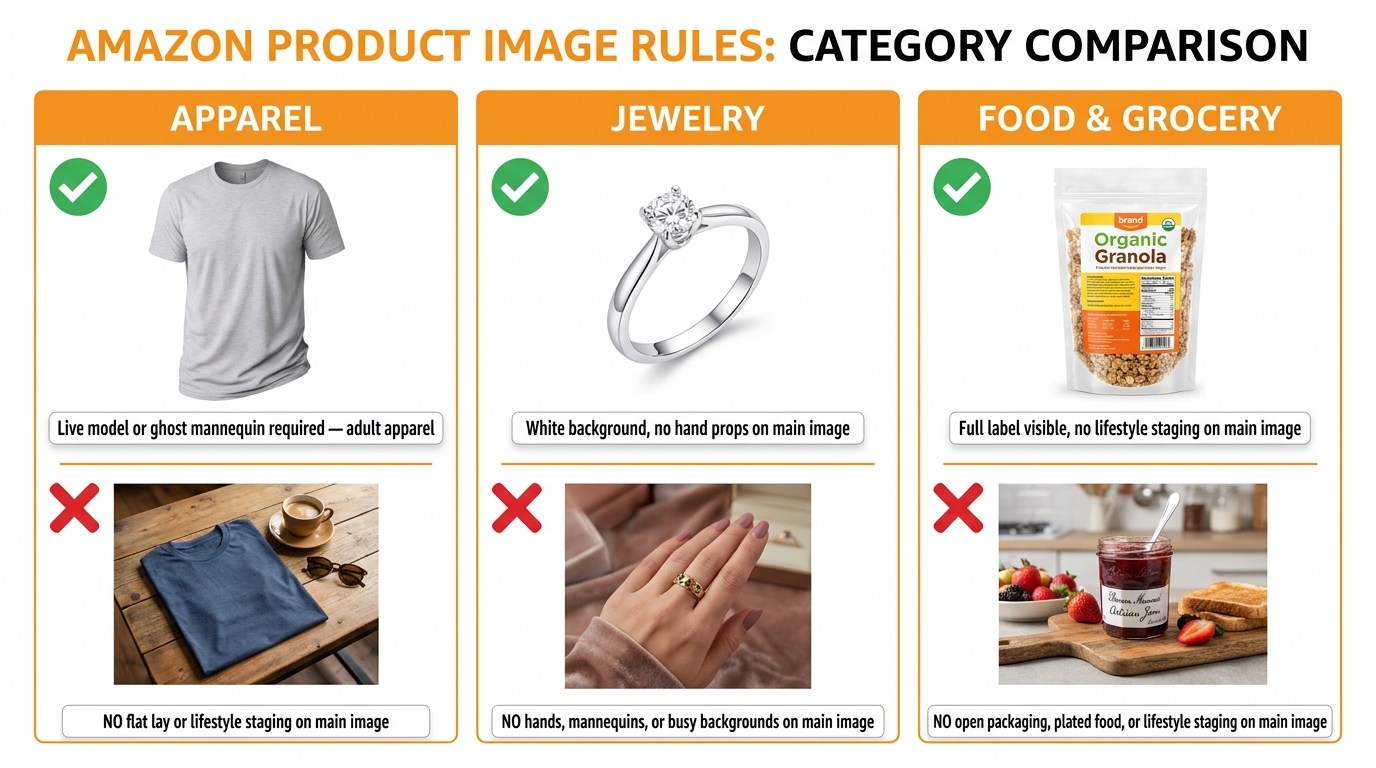
    This is one of the most category-specific and most misunderstood areas of Amazon’s image policy. For adult men’s and women’s apparel in the main image slot, Amazon requires the use of a live, standing human model. This is not a recommendation — it is a requirement, and it distinguishes the main image from all supplemental images.

    The specific posture requirements matter here. The model must be standing. Sitting, leaning, kneeling, lying down, or casual poses are not permitted for the main image. Ghost mannequins — the technique where clothing is photographed on a mannequin and the mannequin is digitally removed to create the appearance of the clothing being worn — are explicitly not permitted in the main image slot, though they may be used in supplemental images.

    For children’s and baby apparel, the rule reverses entirely: flat-lay photography (laid flat on a surface) is required across all image slots, and child models are not permitted in the main image. This is a safety and ethics policy, not just an aesthetic one.

    For multi-pack and bundled apparel, the requirement shifts to flat-lay regardless of whether the items are adult or children’s sizing. The purpose is to show all included items clearly in a single image.

    Jewelry: The Cropping and Accessories Rules

    Jewelry has its own edge cases that trip up sellers. Amazon permits necklaces to extend slightly beyond the frame edges in the main image, which is a practical accommodation for long-chain items. However, non-included accessories are prohibited — a ring photographed on a hand styled with matching bracelets will be flagged if those bracelets aren’t part of the listing. The rule is about accurately representing the purchase, not styling for aesthetics.

    For jewelry, the 85% fill requirement interacts with the physical reality of small items, making this one of the highest-risk categories for fill violations. Photographing against a pure white surface at close range with appropriate macro capability is essentially mandatory for compliance.

    Electronics and Home Goods: The 360° and Video Standards

    For electronics and certain home goods categories, Amazon’s 2026 updates include enhanced requirements around 360-degree views and product videos as supplemental content. While these don’t directly affect the main image technical standards, they influence how the category expects listings to be built out overall. Amazon has increasingly signaled that listings in these categories without multiple supplemental images and video content will be deprioritized in search ranking — even if the main image is technically compliant.

    The practical guidance for electronics: the main image should show the product in its most recognizable form — typically the front face of the device — without any accessories or cables unless they are included in the purchase. Cables, adapters, and cases are common violation triggers in this category when photographed alongside a product as if they’re included.

    Food and Grocery: The Labeling Visibility Requirement

    Food products have an additional layer of complexity: the main image must show the product’s actual packaging with its labels clearly visible. For packaged food items, this means the product label must be legible in the image. This is the one category where text appearing in the image is acceptable — because it’s on the physical packaging, not overlaid by the seller. Deliberately obscuring label text or photographing the back of a package as the main image can trigger compliance flags.


    AI-Generated Images and Amazon’s New Disclosure Requirements

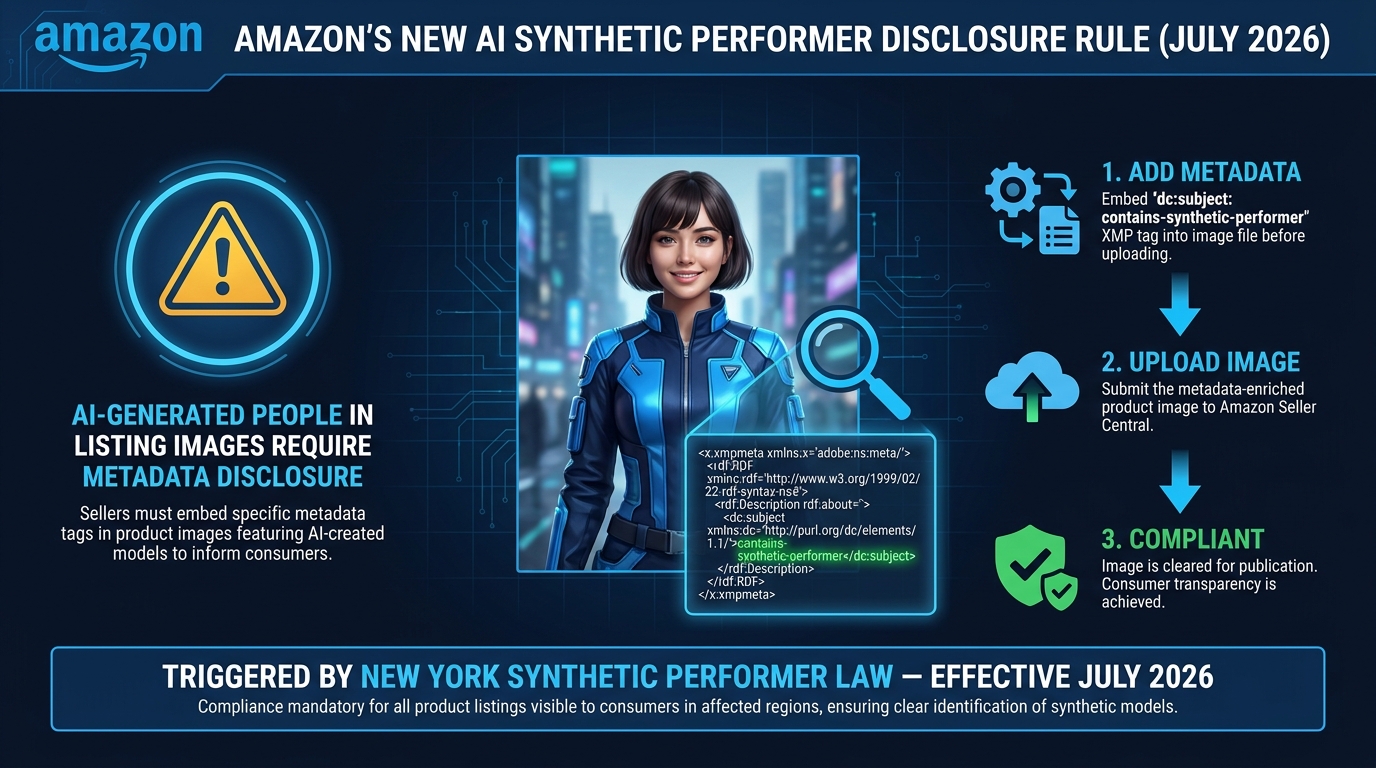
    The rise of AI image generation tools has added an entirely new dimension to Amazon’s image compliance landscape in 2026. This is a rapidly evolving area of policy, and sellers using tools like Midjourney, DALL-E, Adobe Firefly, or Amazon’s own AI image generation features need to understand exactly where the lines are drawn.

    What Amazon Now Permits with AI

    Amazon’s 2026 policy distinguishes between minimal AI-assisted enhancements and substantial AI generation. Permitted uses include:

    • AI-powered background removal (used by virtually every photo editing tool)
    • Color correction, lighting adjustments, and brightness/contrast improvements
    • Resizing and sharpening
    • Generating lifestyle backgrounds for supplemental images (not the main image), provided the product itself is accurately photographed
    • Using Amazon’s own AI background generation tool in Seller Central for supplemental images

    None of these require disclosure if the physical product is accurately represented and the image is not materially misleading.

    What Now Requires Disclosure

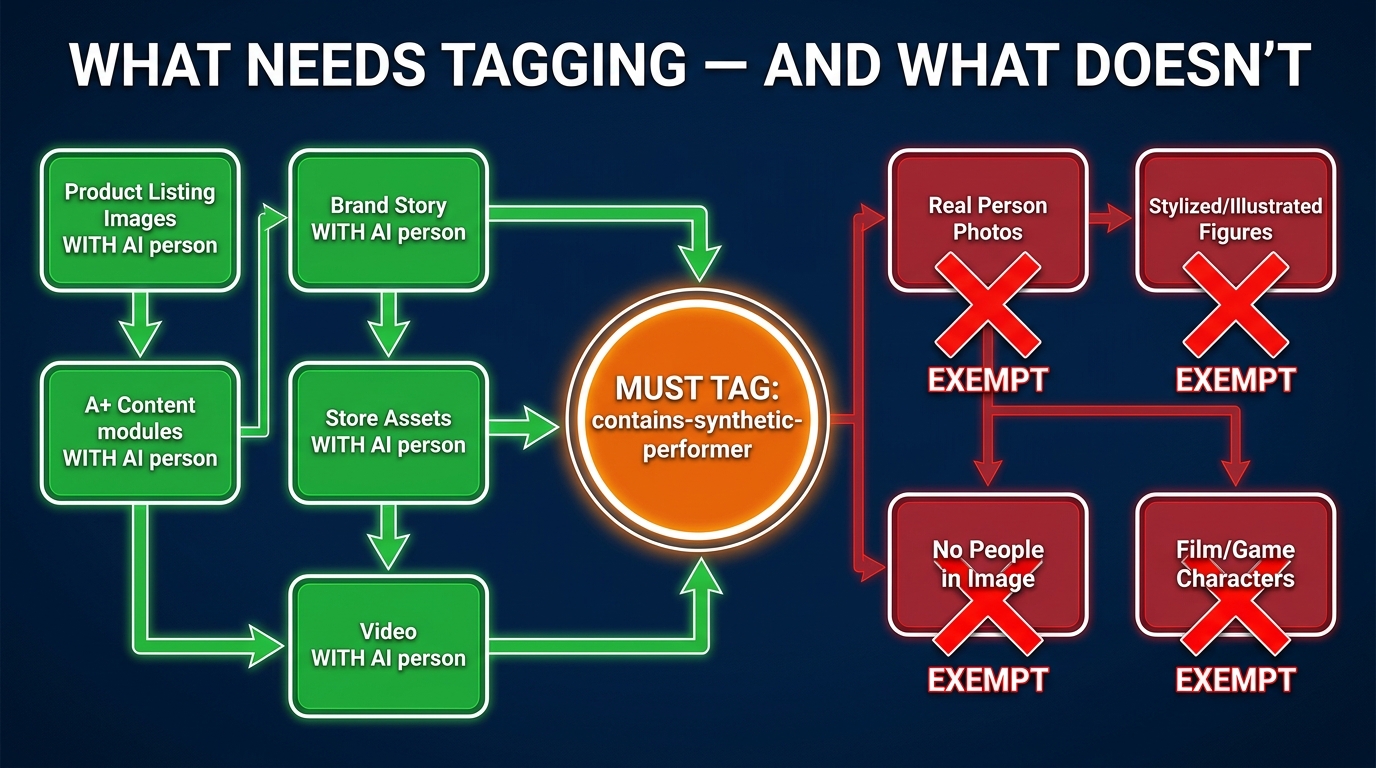
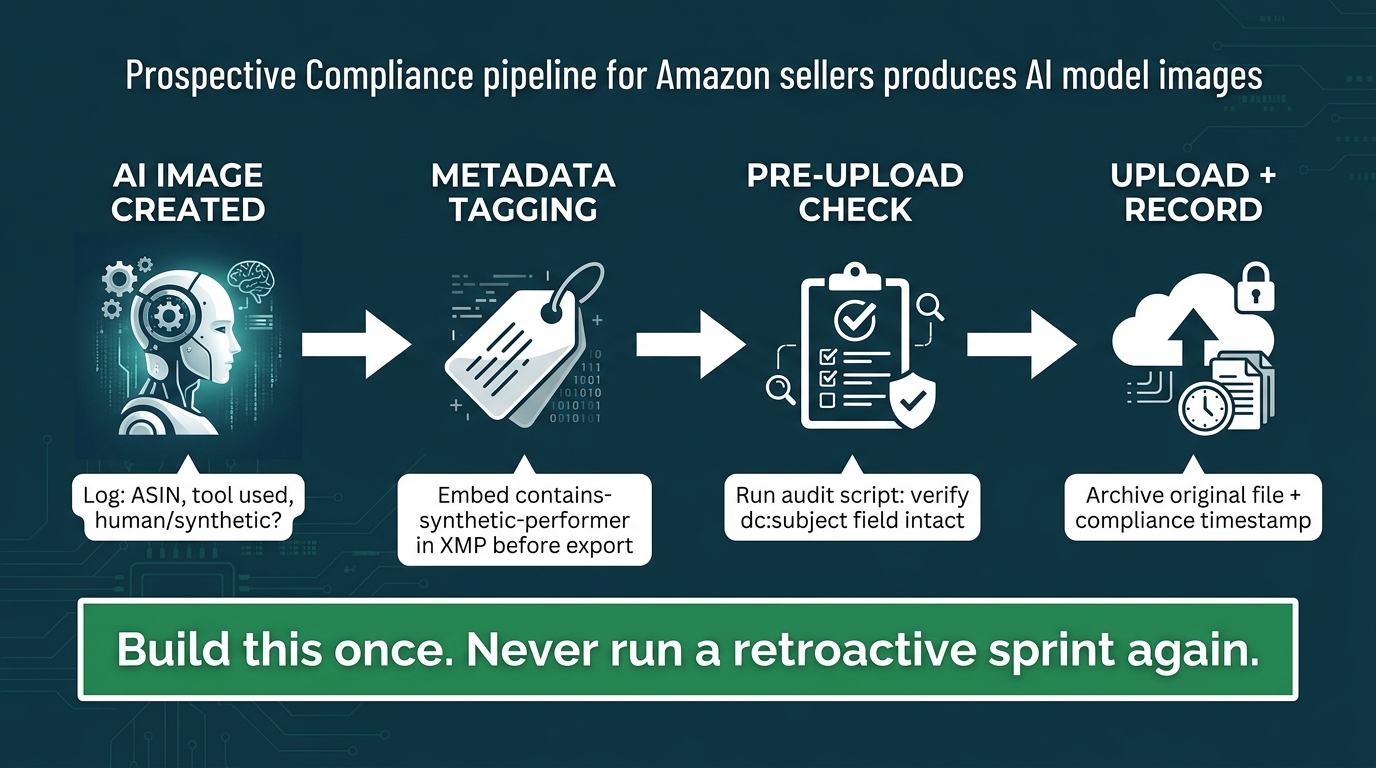
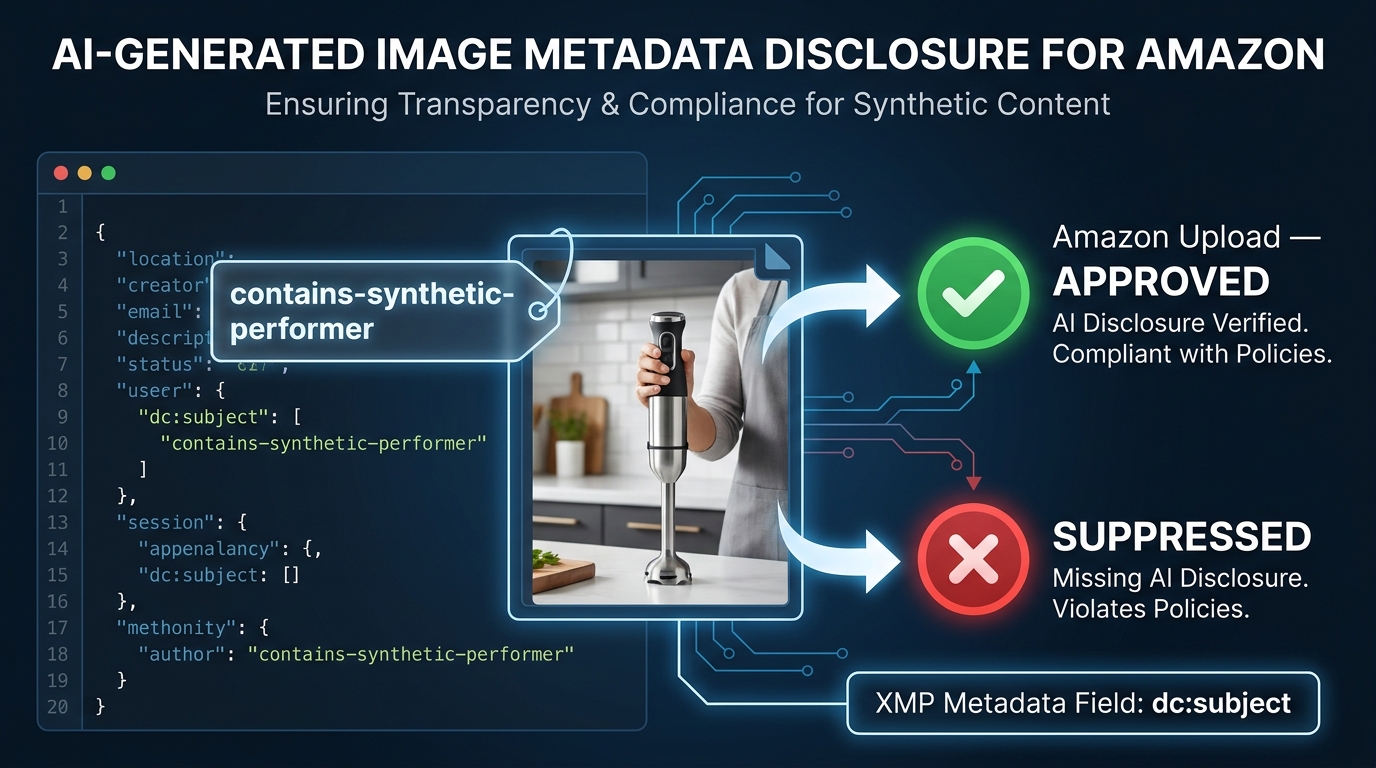
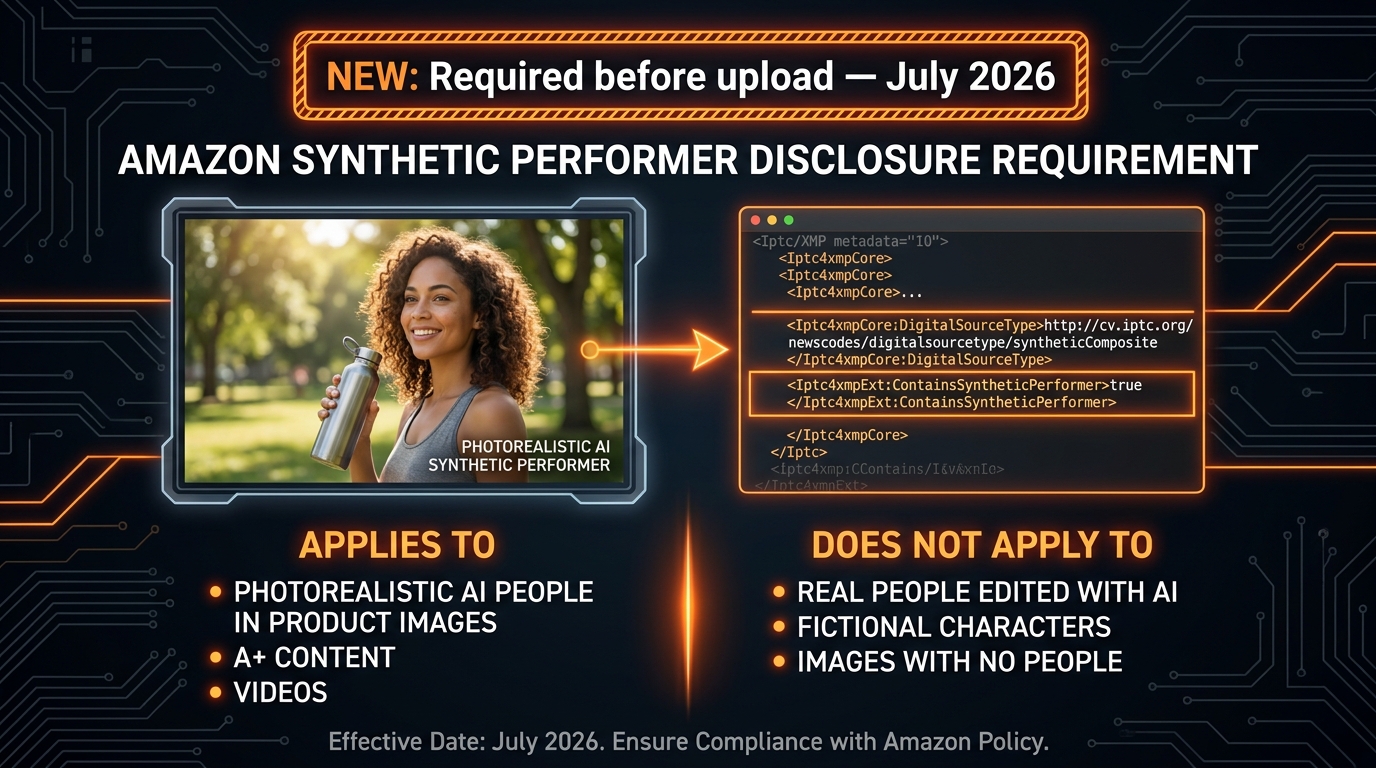
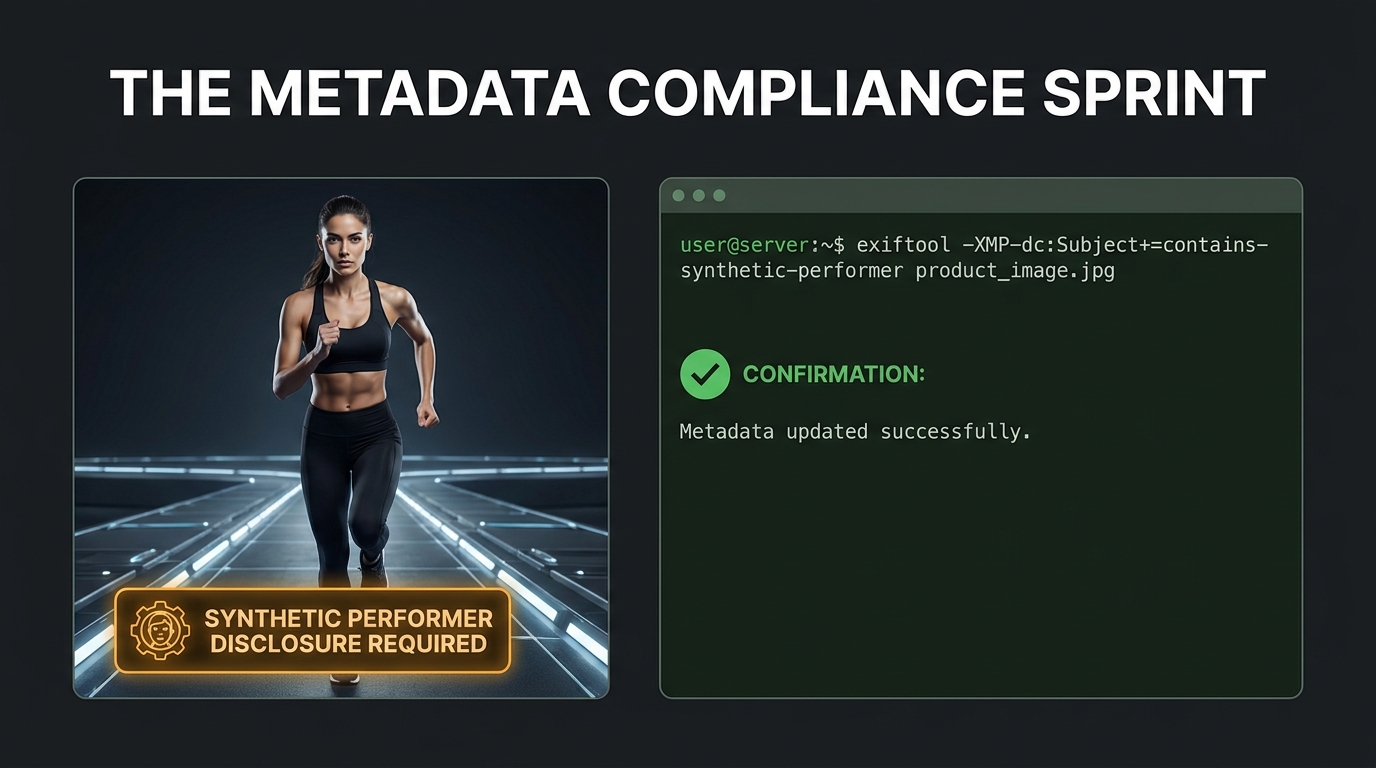
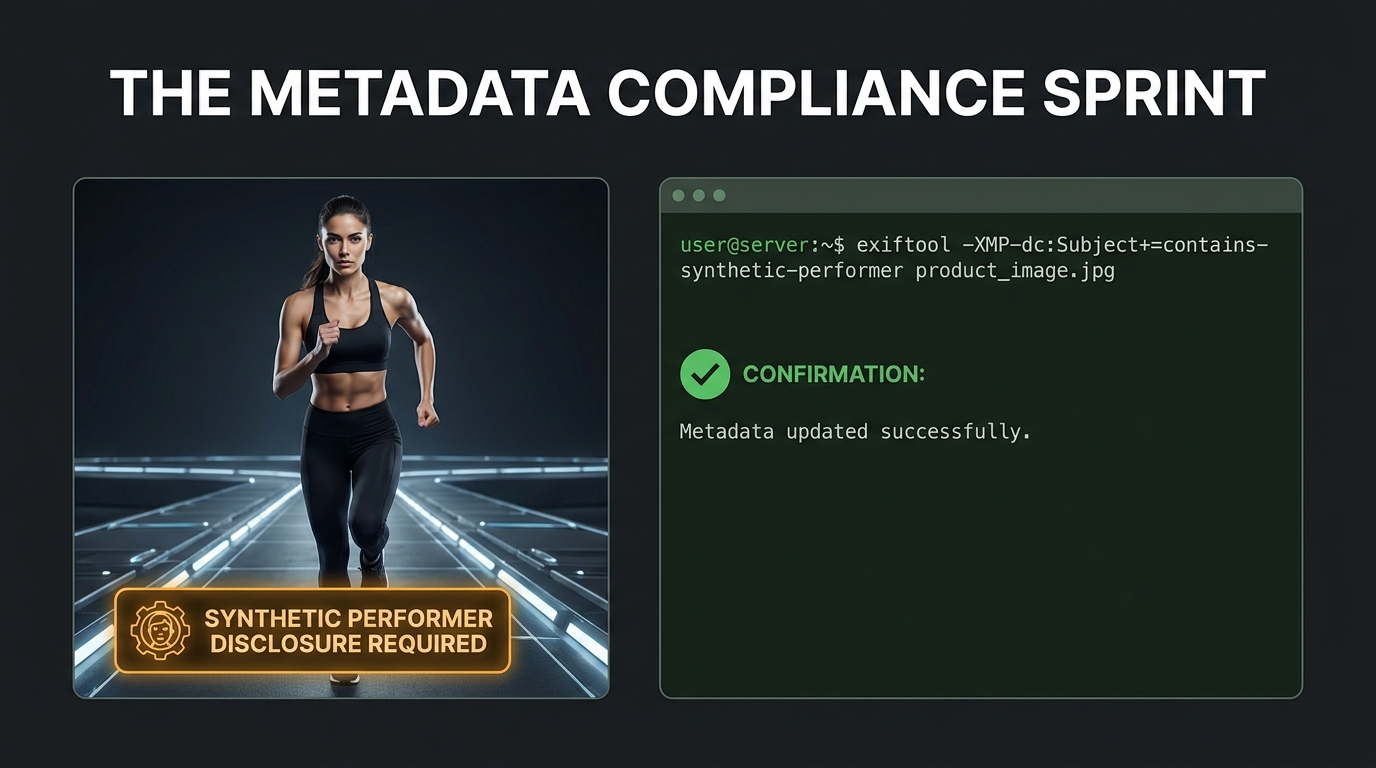
    When AI is used to substantially generate or significantly alter the product representation itself — creating new visual elements, changing the appearance of the physical item, or constructing an image that wouldn’t exist from a real photograph — Amazon’s 2026 policy requires explicit disclosure. The example statement provided: “This product image was created using AI technology.”

    The practical line is about whether the AI is enhancing a real photo or generating a synthetic representation of the product. A 3D render of a product that was built in software rather than photographed falls under this disclosure requirement. A product composite where AI has been used to alter the apparent color, texture, or features of the item also falls under this rule.

    Why Fully AI-Generated Main Images Are Problematic

    The enforcement system introduced in 2026 includes detection capabilities specifically aimed at identifying AI-generated images. Patterns in image texture, lighting physics, and edge characteristics that are common in AI-generated imagery trigger automated review flags. Sellers who use AI to generate entirely synthetic main images — without a real photograph of the actual physical product — face both suppression risk and a more serious potential account-level violation for misrepresentation.

    The practical guidance here is unambiguous: your main image must be based on a real photograph of the actual physical product. AI tools can be used in post-processing to enhance that photograph, but they cannot replace it. The product in the image must accurately represent what arrives at the buyer’s door in terms of color, size, materials, and contents.

    This is especially relevant for sellers who import private-label products and rely on manufacturer-supplied renders or AI-composite images rather than photographing their actual inventory. Amazon’s system is increasingly capable of detecting the difference.


    What Image Suppression Actually Does to Your Business

    Business impact of Amazon listing suppression — CTR drops, rank loss, PPC paused, Buy Box removed

    The word “suppression” sounds technical and recoverable. It sounds like a temporary administrative issue. The reality is that suppression events — even short ones — cause a cascade of damage that extends well beyond the days your listing is offline. Understanding the full scope of what suppression does to a listing is the best argument for getting proactive about compliance before it happens.

    Immediate Consequences: What Happens on Day One

    When an ASIN is suppressed, it is removed from Amazon search results. The listing still exists in Seller Central, and there is still a product detail page URL that may be discoverable via direct link — but the listing no longer appears for keyword searches. For a product that gets the majority of its traffic from organic search, this is effectively zero new traffic from the moment suppression is applied.

    PPC campaigns linked to the suppressed ASIN are paused automatically by Amazon’s system. This means not only do you lose organic visibility — you also lose the ability to run paid traffic to the listing while it’s suppressed. If you had active Sponsored Products, Sponsored Brands, or Sponsored Display campaigns promoting that ASIN, they stop generating impressions and clicks.

    The Buy Box is also removed from suppressed listings. Even if another seller has inventory of the same product and could technically win the Buy Box, the suppression status prevents any seller from holding it. This is relevant for resellers and vendors with shared ASINs.

    The Ranking Damage That Persists After Recovery

    This is the part that sellers underestimate most severely. When a listing goes dark for even a few days, it stops accumulating the behavioral signals — clicks, impressions, conversions — that Amazon’s A10 algorithm uses to maintain and improve organic rank.

    For a well-ranked ASIN with steady sales velocity, a suppression event can cause the product to slide down multiple pages in search results, even after the image issue is resolved and the listing is reinstated. Amazon’s algorithm interprets the sudden absence of engagement as a negative signal. Recovering that ranking is not automatic upon reinstatement — it requires rebuilding momentum through sales, and often, a period of increased PPC spend to compensate for the lost organic position.

    Sellers who manage their own data report CTR drops of up to 38% in the period immediately following reinstatement, as the listing re-enters search results at a lower rank with reduced visibility. The compound effect of lower rank, lower CTR, and lower conversion signal creates a rebuilding cycle that can take weeks or months to fully resolve for competitive keywords.

    The Advertising Efficiency Cost

    Organic ranking recovery typically requires a period of elevated PPC investment — which means increased ACoS during the recovery window. A suppression event for a high-performing ASIN can therefore translate into a weeks-long period of inflated advertising costs just to restore the baseline performance that existed before the suppression. For sellers operating on thin margins, this is a meaningful financial hit that doesn’t show up on the suppression event itself but in the subsequent ad spend and margin reports.

    The Account-Level Risk

    Individual ASIN suppression is frustrating but manageable. The more serious risk is when a pattern of non-compliant images triggers a broader account-level review. Amazon’s enforcement system tracks compliance history, and accounts with repeated or widespread violations across multiple ASINs can face escalated consequences, including temporary selling restrictions or requests for additional verification. Sellers with hundreds of ASINs — and who may have uploaded images under older standards — face the highest exposure here.


    The Mobile Thumbnail Factor: Why Resolution Matters More Than You Think

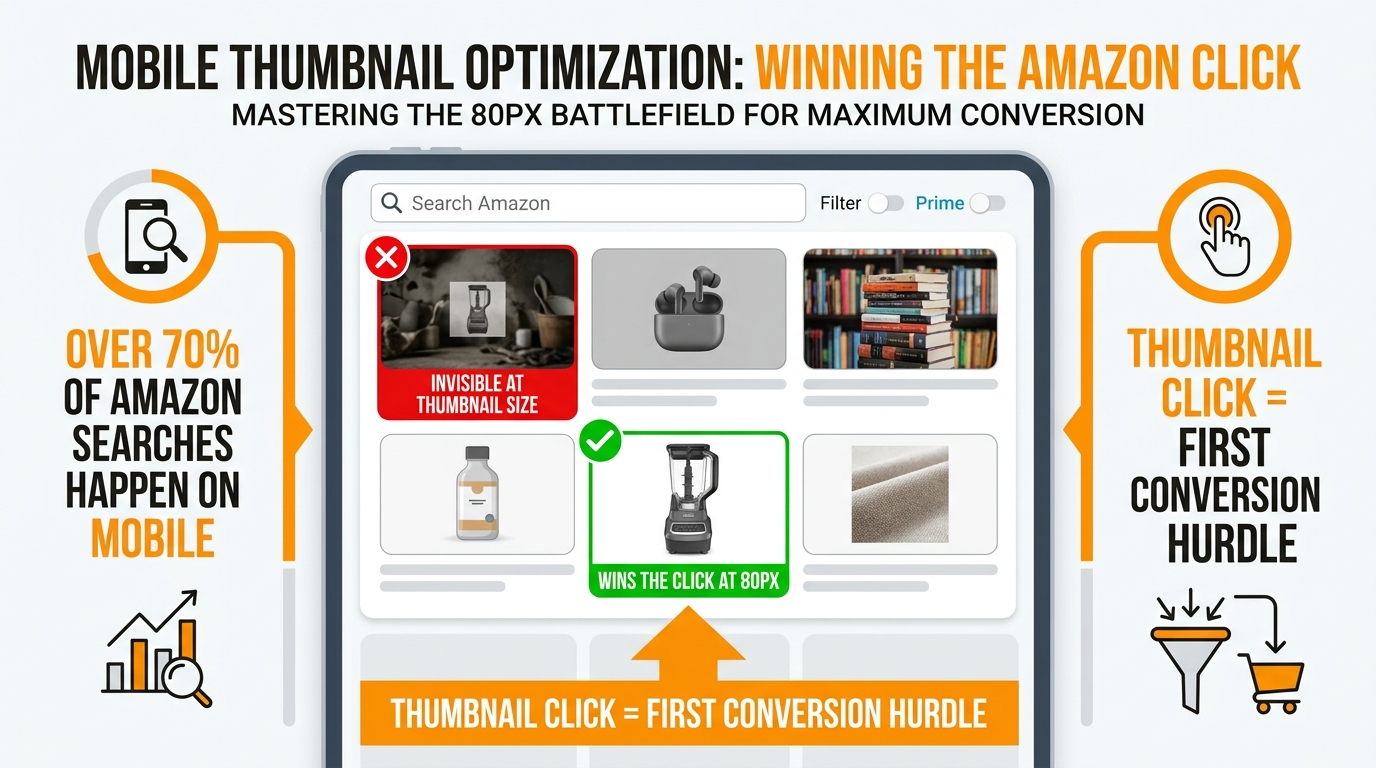
    Amazon mobile search results showing one high-quality product thumbnail standing out among competitors — winning the click with proper image quality and product fill

    One of the underlying reasons Amazon pushed for higher resolution minimums in 2026 has nothing to do with desktop display and everything to do with mobile. The majority of Amazon shopping now happens on mobile devices, and the search results page on a mobile screen is a fundamentally different visual environment from a desktop browser.

    How Search Thumbnails Are Rendered on Mobile

    On a standard mobile search results page, Amazon displays product images as thumbnails at approximately 90 x 90 pixels — sometimes as large as 160 x 160 pixels depending on the layout and device. At these sizes, the difference between a 1,000-pixel source image and a 2,500-pixel source image might seem irrelevant — both are being compressed down to a thumbnail anyway.

    But the mechanics of compression matter. When a high-resolution source image is scaled down to a small thumbnail, the downsampling algorithm preserves edge sharpness, color accuracy, and contrast in a way that a lower-resolution source simply cannot replicate. A 2,500-pixel image compressed to a 90-pixel thumbnail will render sharper edges, more accurate color, and better contrast than a 1,000-pixel image compressed to the same size.

    At thumbnail scale, these differences directly affect whether your product looks clean and professional versus blurry and indistinct. In a search results row where five or six products are displayed side by side, thumbnail quality is a primary differentiator for earning the click — often more important than title text, which most shoppers don’t read before deciding which image to tap.

    The Connection Between Image Quality and CTR

    Products with professional, high-resolution main images consistently outperform comparable listings with lower-quality images in click-through rate. Professional photography is associated with a 33% higher conversion rate compared to lower-quality product images, and listings with multiple high-quality images convert 20% better than those with fewer or lower-quality images.

    Average organic product listing CTR on Amazon ranges from 2–5% for strong performers. The difference between a 2% CTR and a 3% CTR on a competitive keyword may sound small, but it compounds through the entire funnel: more clicks mean more conversions, which generate more sales velocity signals, which improve organic rank, which generate more impressions and thus more clicks. The virtuous cycle that drives successful Amazon ASINs is initiated by that first click — and the first click is earned primarily by the main image.

    What “Clarity at Thumbnail Scale” Means in Practice

    Amazon’s 2026 guidance specifically references the requirement that main images “maintain clarity at thumbnail sizes on mobile devices.” This is a functional requirement, not just an aesthetic one. Images that look acceptable at full size but blur or lose legibility at thumbnail scale will perform worse in search — and may be flagged by the compliance system as insufficiently clear even if they technically meet the resolution minimum.

    The practical implication: photograph your product against a true white background at the highest resolution your equipment allows, fill the frame as much as possible, and ensure the product itself has good edge definition. A product that “floats” in a sea of white with lots of empty space is not only at risk of the 85% fill violation — it’s also sacrificing thumbnail clarity because more of the thumbnail is occupied by empty white and less by the actual product.


    How to Audit Your Entire Catalog Before You Get Hit

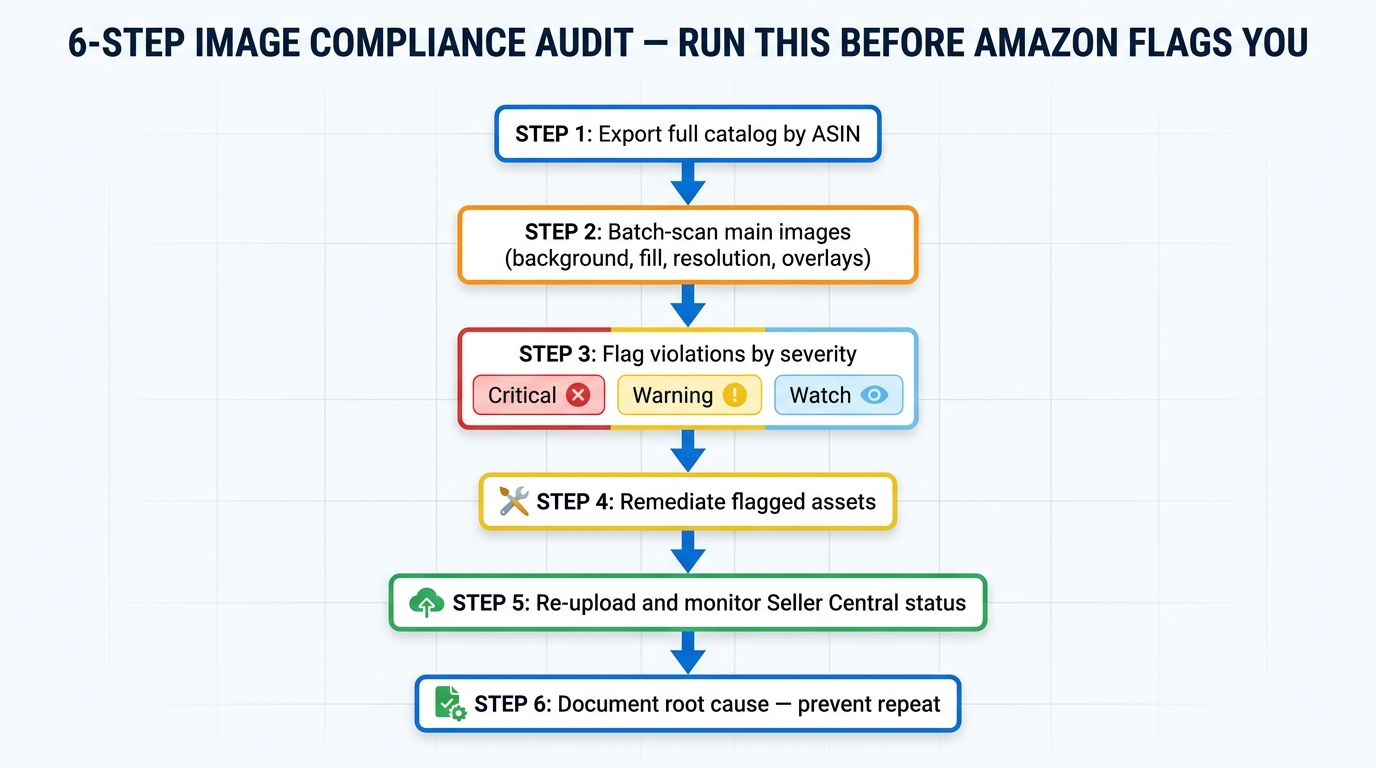
    Given that enforcement is continuous and rolling — not triggered by seller action — the practical question for anyone managing more than a handful of ASINs is: how do you know which of your images are currently at risk, and how do you find out before Amazon’s system does?

    Starting with Seller Central’s Listing Quality Dashboard

    Amazon provides a Listing Quality Dashboard within Seller Central that flags quality issues across your catalog. This is your first stop for an audit. The dashboard surfaces issues including image-related suppression risks, missing required images, and categories with quality improvement opportunities.

    Navigate to: Inventory → Manage Inventory → Listing Quality

    Look specifically for the Search Suppressed filter, which will show you any ASINs that are already suppressed or at risk of suppression. Download this report if you have a large catalog — working through the issues systematically is much more efficient from a spreadsheet than from the dashboard interface.

    The Manual Image Audit Checklist

    For ASINs that aren’t currently flagged, a manual audit is still valuable — especially given that suppression can occur with a short delay after the automated scan identifies an issue. Check each main image against the following criteria:

    1. Background color: Open the image in photo editing software and sample the background pixels. The RGB value should read 255/255/255. Anything off — even by a few points — is a risk.
    2. Resolution: Check the image dimensions. The longer side should be at least 2,000 pixels. If it’s below 2,000, flag it for reshoot or retouch.
    3. Product fill: Estimate visually whether the product occupies approximately 85% or more of the frame. If there’s significant empty space around the product, it needs to be recropped or reshot.
    4. Edge quality: Zoom in to 100% on the product edges. Are they clean and sharp, or is there fringing, haloing, or soft blending into the background? Any edge artifacts are suppression risks.
    5. Text and overlays: Does any text appear in the image? Any brand name, product feature callout, badge, or promotional text? If yes, remove it from the main image.
    6. Shadows: Does the product cast a visible shadow on the background? Even subtle shadows can be detected and flagged.
    7. File format and size: Confirm the file is JPEG or PNG, under 10MB, and using sRGB color profile.

    Prioritizing the Audit by Risk Level

    If you have a large catalog, prioritize your audit by revenue impact. Start with your top 20% of ASINs by monthly revenue — these are the listings where a suppression event does the most financial damage and where recovery costs the most in advertising spend.

    Then focus on ASINs that were uploaded more than two years ago, as these are most likely to have been uploaded under older standards that are now stricter. Finally, pay special attention to any ASINs in high-risk categories — apparel, jewelry, food/grocery, and electronics — where category-specific rules increase the number of potential violation points.


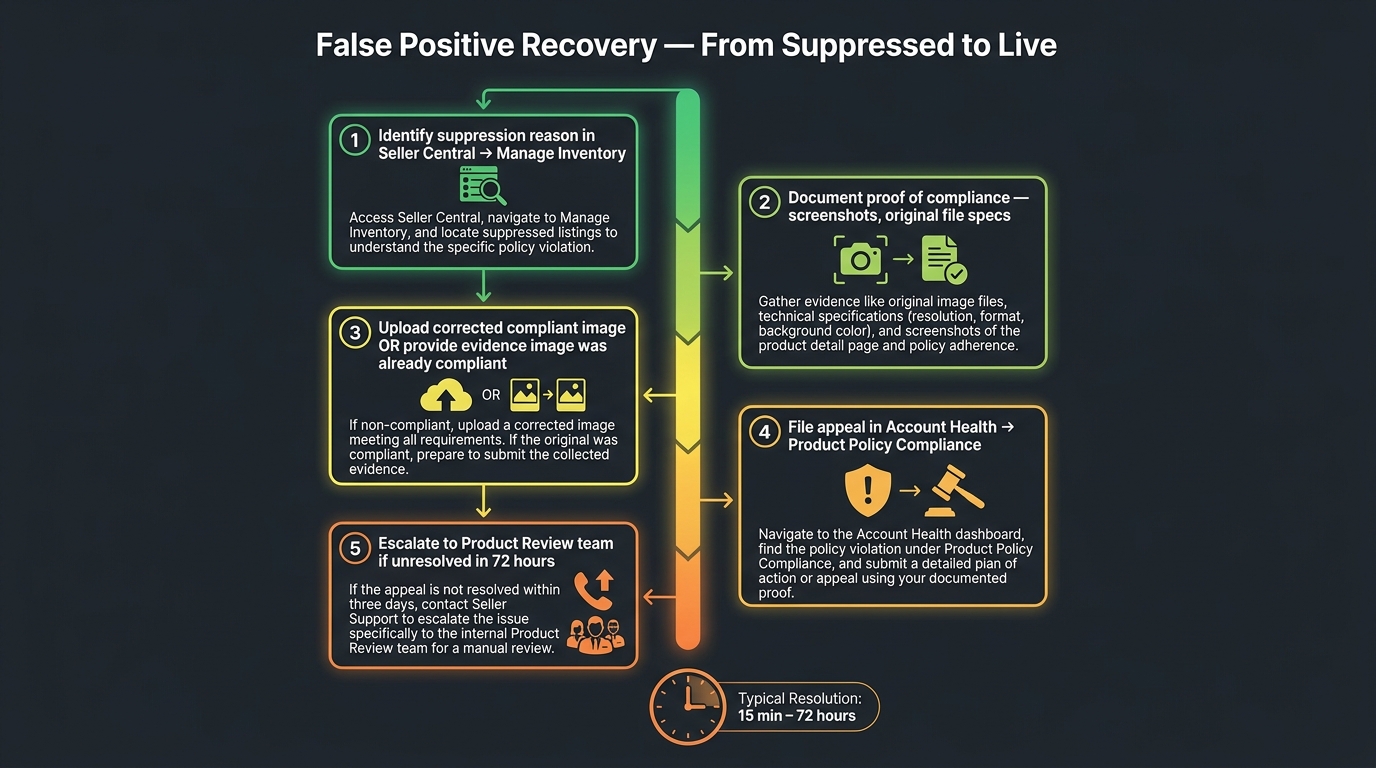
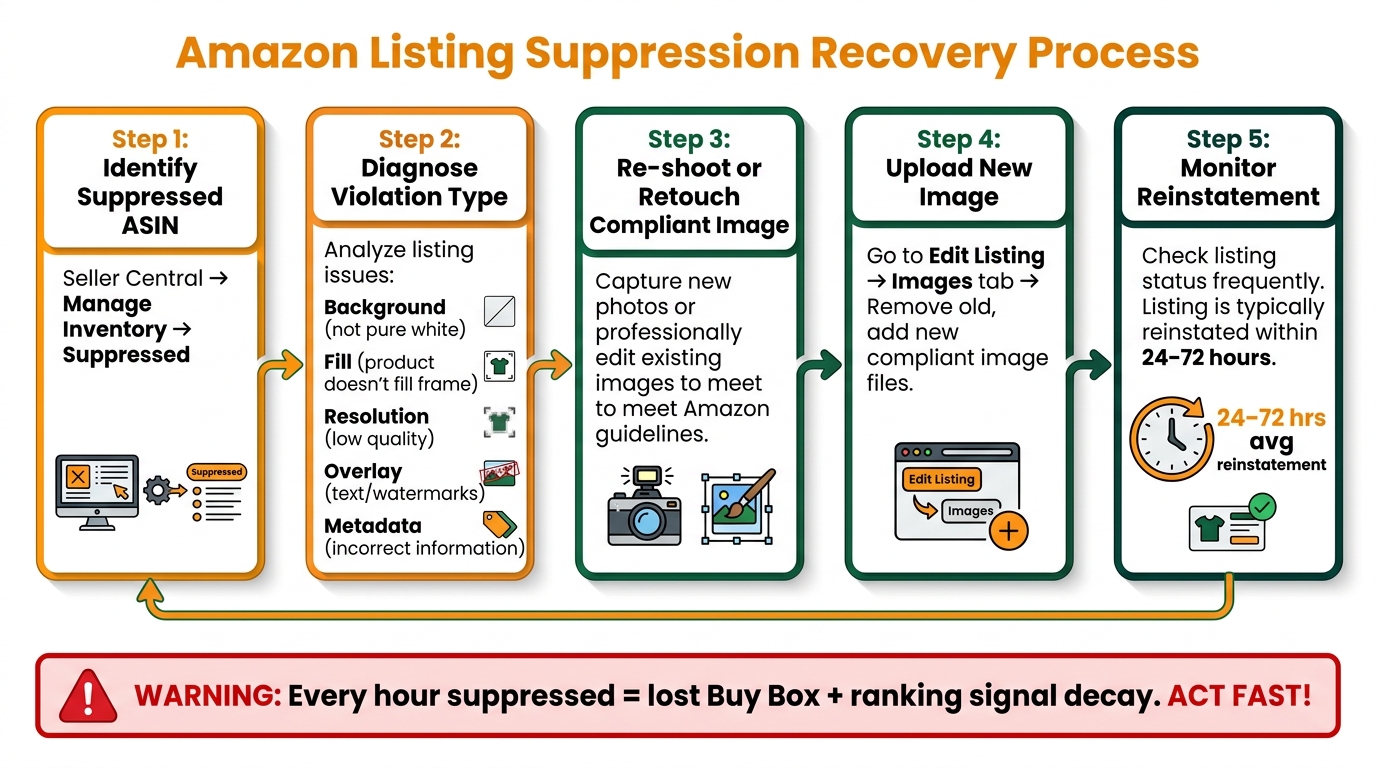
    Fixing a Suppressed Listing: The Step-by-Step Recovery Process

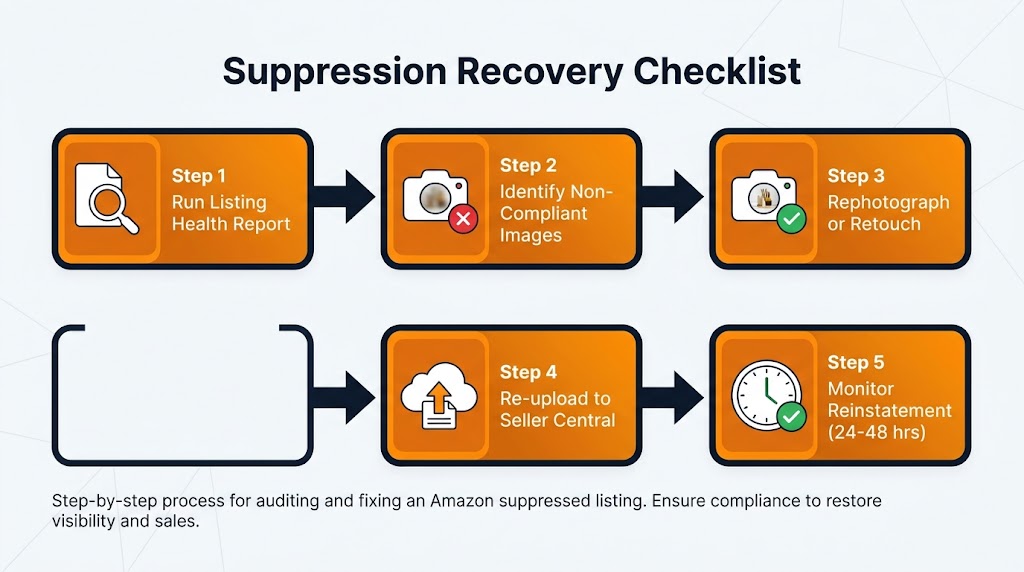
    Suppression recovery checklist — five-step process from running a listing health report to monitoring reinstatement within 24 to 48 hours

    If you’ve already received a suppression event or discovered a suppressed ASIN in your dashboard, the recovery process is relatively straightforward — but the order of operations matters. Moving quickly is important, but moving incorrectly (for example, re-uploading the same non-compliant image) wastes time and extends the suppression period.

    Step 1: Confirm the Exact Violation

    Before touching anything, confirm what Amazon’s system has flagged. In Seller Central, navigate to Inventory → Fix Your Products or the Listing Quality Dashboard and find the suppressed ASIN. Amazon will typically provide a violation category — “Main image background not white,” “Product does not fill required percentage of frame,” “Prohibited text detected,” etc.

    If the notification is vague (which it sometimes is), review the image against all of the compliance criteria listed above. Don’t assume the stated reason is the only issue — a single image may have multiple violations, and uploading a “fix” that addresses one problem while missing another will result in continued suppression.

    Step 2: Source or Create the Compliant Replacement

    Your options for a compliant replacement image depend on your situation:

    • If you have original photography assets: Send the raw files to a professional retoucher with explicit instructions — pure white background (RGB 255/255/255), no shadows, minimum 2,000px on the longest side, product fills 85%+ of frame, no text or logos.
    • If you need to reshoot: A proper product photography session with a light tent and a calibrated white background is the most reliable approach. Many professional photography studios offer Amazon-specific product photography services with compliance guarantees.
    • If you’re working with manufacturer-supplied images: Check the resolution and background specs before uploading. Manufacturer images are a frequent source of off-white backgrounds and embedded watermarks.

    Do not attempt to use AI to generate a replacement main image from scratch. As covered above, fully AI-generated main images that don’t represent a real photograph of the physical product are themselves a policy violation and will trigger a different type of flag.

    Step 3: Upload the Corrected Image

    Upload the new main image through Seller Central via Inventory → Manage Images for the specific ASIN. Ensure the image is uploaded to the correct slot — the main image position — and not accidentally replacing a supplemental image.

    If you’re uploading through a flat file or inventory feed rather than the Seller Central interface, double-check that the image URL or file reference is pointing to the new image and not a cached version of the old one. This is a common mistake that leads to confusion when the suppression doesn’t resolve as expected.

    Step 4: Monitor for Reinstatement

    Once the compliant image is uploaded, Amazon’s processing and review takes approximately 24–48 hours for standard cases. The ASIN should transition from suppressed status back to active during this window. Check the Listing Quality Dashboard after 48 hours to confirm reinstatement. If the ASIN remains suppressed after 48 hours, consider opening a Seller Support case with documentation of the violation and the corrective action taken.

    Step 5: Rebuild Ranking and Traffic

    Immediately upon reinstatement, reactivate any PPC campaigns that were paused due to the suppression. Consider temporarily increasing your campaign budgets and bids to accelerate traffic recovery during the rebuilding window. Monitor your organic rank for key search terms — if the listing has fallen multiple pages during the suppression period, sustained advertising investment will be required to restore the pre-suppression rank.

    Some sellers find that running a brief lightning deal or coupon in the week following reinstatement helps accelerate the sales velocity recovery that pushes the algorithm to restore rankings. This isn’t always necessary, but for high-competition categories where ranking is closely correlated with recent sales history, it can shorten the recovery window.


    What a Fully Compliant Main Image Actually Looks Like — Done Right

    It’s one thing to enumerate what’s prohibited; it’s another to describe what an excellent, fully compliant main image looks like in practice. There’s a significant difference between “technically compliant but mediocre” and “compliant and compelling” — and both matter for your business outcomes.

    The Technical Foundation

    The physical setup that produces the most reliable, compliance-ready main images is a professional light tent or infinity curve setup with studio-calibrated daylight-balanced lighting. The background should be a true photographic white sweep — not a white paper sheet or a white wall — and it should be lit to achieve an even RGB 255/255/255 value across the entire background area without relying on post-processing to achieve whiteness.

    The camera (or high-quality smartphone with appropriate lens) should be positioned to capture the product at its most recognizable and recognizable angle — typically front-facing for most products, front-and-side for products where dimensionality matters. The product should be styled to appear exactly as it would arrive for the buyer: nothing added, nothing removed, every included component visible and properly arranged.

    Post-Processing: What to Do and What to Avoid

    Post-processing should focus on: precise background removal and replacement with verified RGB 255/255/255, removal of any dust, fingerprints, or minor surface blemishes on the physical product, cropping to achieve 85%+ fill with minimal empty white space, sharpening for maximum edge clarity, and exporting at 2,000–3,000 pixels on the longest side as a JPEG at high quality settings.

    What to avoid in post-processing: adding any drop shadows or artificial depth effects, color-shifting the product to appear different from the physical item, applying beauty filters or texture enhancements that alter the product’s appearance, and adding any text, badges, or graphic elements regardless of how small.

    The Competitive Difference

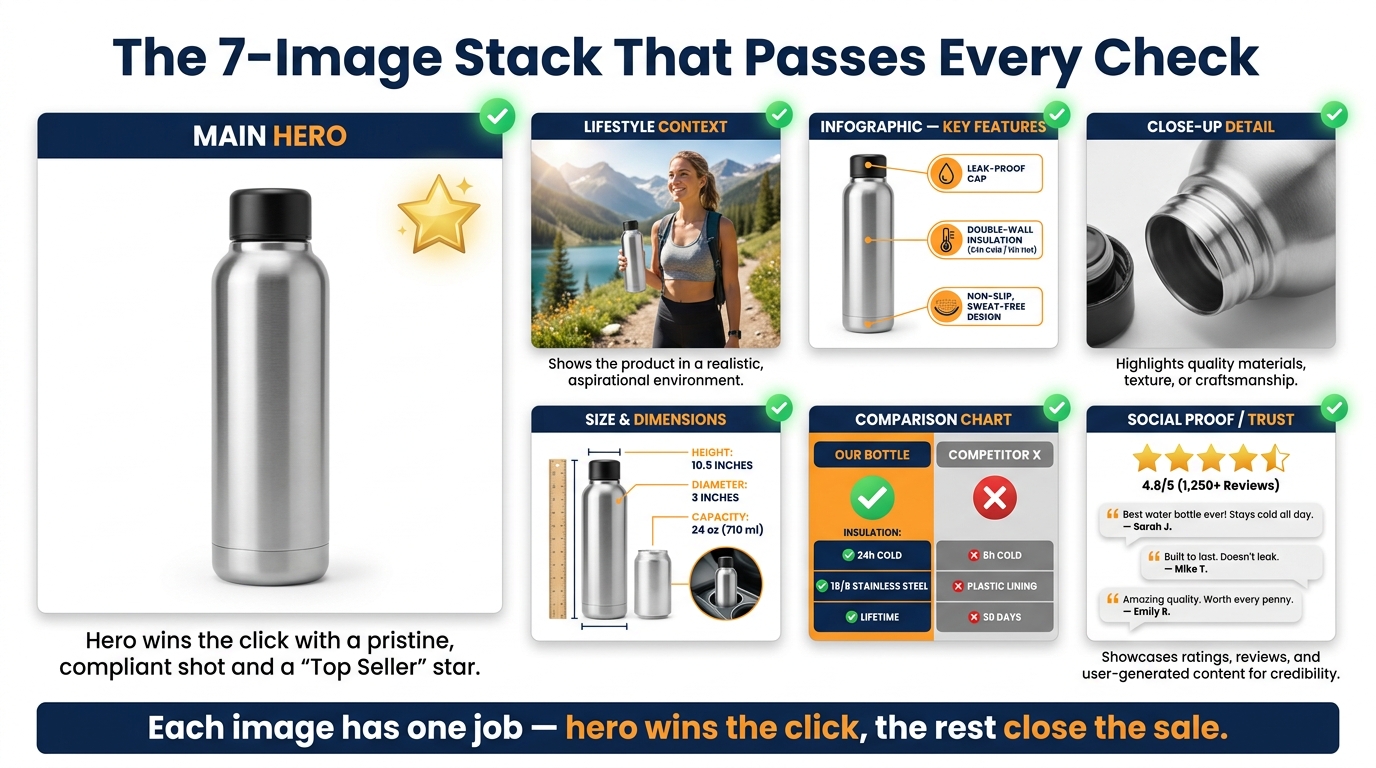
    A main image that checks every compliance box and is photographed and processed to a high standard will consistently outperform images that are merely “not flagged.” The compliance floor is the minimum — the quality ceiling is the competitive advantage. A crisp, properly lit, well-composed main image at 2,500 pixels with perfect edge definition and maximum product fill will earn more clicks than a technically compliant image that was shot in mediocre conditions.

    Consider A/B testing your main image using Amazon’s Manage Your Experiments tool if you have brand registry. This allows you to run a statistically valid test comparing two versions of a main image to measure the direct CTR and conversion impact. Even a 0.5–1% improvement in CTR on a high-traffic ASIN compounds significantly over time through the rank-velocity-rank flywheel.

    Building an Image Refresh Schedule

    Given that Amazon’s compliance standards are an evolving target — as the 2026 resolution increase demonstrates — the wisest operational approach is to treat product photography not as a one-time launch task but as an ongoing maintenance function. A practical schedule:

    • Monthly: Check the Listing Quality Dashboard and Manage Your Experiments for any new flags or quality improvement suggestions on top ASINs.
    • Quarterly: Run a full manual audit of all main images against current technical standards.
    • Annually: Review Amazon’s image policy documentation for any published updates and assess whether your photography workflow and standards still meet current requirements.
    • On any catalog expansion: Build compliant image production into the product launch checklist — not as an afterthought, but as a prerequisite for going live.

    The Real Cost of Treating Image Compliance as Optional

    There’s a tempting mental model that treats image compliance as an edge case — something that happens to careless sellers, not to people running professional operations. The 2026 enforcement data suggests this model is no longer accurate, if it ever was.

    More than 2.3 million third-party sellers are operating on Amazon in 2026. Amazon’s machine learning enforcement system is scanning across this entire catalog continuously, and the scope of what it checks has expanded significantly. The compliance window that allowed older, borderline images to persist without consequence is closing — not because Amazon issued a single dramatic policy announcement, but because the enforcement capability has simply become more thorough.

    The financial case for staying ahead of this is straightforward. A suppression event on a mid-tier ASIN generating $20,000 per month in revenue — even if resolved within three days — can cost $2,000–$3,000 in direct sales loss, plus an additional 4–8 weeks of elevated advertising spend to restore organic rank. That’s potentially $5,000–$8,000 in total economic impact from a single compliance failure. Professional photography for one product costs a fraction of that.

    The sellers who treat image compliance as a serious operational discipline — with structured audits, clear production standards, and regular quality reviews — are the ones who maintain ranking stability through enforcement waves. The sellers who treat it as a checkbox item on a launch template are the ones filing Seller Support cases and wondering why their traffic disappeared.

    The competitive insight here is genuine: in a marketplace where your product and your price are often similar to dozens of competitors, a superior main image is one of the few differentiators entirely within your control. Getting it right isn’t just compliance — it’s one of the highest-ROI investments you can make in a listing.


    Key Takeaways: Your 2026 Amazon Main Image Action Plan

    Given everything covered in this post, here is the practical summary for sellers who want to act immediately:

    1. Audit your main images now. Don’t wait for suppression to discover compliance issues. Use the Seller Central Listing Quality Dashboard and run a manual pixel-level check on your top-revenue ASINs this week.
    2. Upgrade resolution to 2,000px minimum. If any main images are under 2,000 pixels on the longest side, they need to be replaced. This is the most widespread compliance gap for sellers operating on older catalog standards.
    3. Verify true RGB 255/255/255 backgrounds. Use a color picker in photo editing software to confirm your backgrounds — don’t trust what looks white on screen without checking the actual RGB values.
    4. Fix edge quality and shadows. Any product with a soft cutout, feathered edges, or a visible drop shadow should be re-processed. These are the triggers most sellers don’t anticipate.
    5. Know your category-specific rules. Apparel, jewelry, food, and electronics each have rules that go beyond the standard baseline. Review the specific requirements for every category you sell in.
    6. Understand the AI image rules before using them. AI-assisted post-processing is fine for supplemental images and for enhancement work. AI-generated main images that don’t originate from a real photograph of the physical product are a policy violation and a suppression risk.
    7. Build a recovery playbook before you need it. Know where to find suppressed ASINs, know how long reinstatement takes, and have a relationship with a photographer or retoucher who can turn around compliant replacements quickly.
    8. Treat photography as an ongoing discipline. Amazon’s standards are moving, not static. Build quarterly image audits into your operational calendar and review Amazon’s published policy documentation at least once per year.

    The main image is not a secondary concern in your listing strategy. It is the first thing every potential buyer sees — before the title, before the price, before the reviews. In 2026, it is also the first thing Amazon’s enforcement system checks. Getting it right protects both your visibility and your revenue, and the cost of doing so has never been lower relative to the cost of getting it wrong.

  • How to win amazon buy box: 2026 Strategies to Boost Sales

    How to win amazon buy box: 2026 Strategies to Boost Sales

    If you're serious about growing your Amazon business, there's one goal that stands above all others: winning the Buy Box. With over 82% of all Amazon sales happening through that single button, it's the most direct path to more sales and better visibility.

    Let’s break down what it really takes to get there. It all boils down to excelling in three key areas: your fulfillment method, your landed price, and your overall seller performance.

    Understanding the Buy Box Algorithm

    Laptop displaying data charts, a notebook, pen, and a 'BUY BOX BASICS' sign on a wooden desk.

    The Amazon Buy Box, which Amazon now calls the "Featured Offer," is the holy grail for sellers. It's that prime real estate on a product page with the “Add to Cart” and “Buy Now” buttons. When a shopper clicks, the seller who currently "owns" the Buy Box gets the sale. Simple as that.

    For products with multiple sellers, Amazon’s algorithm doesn't just hand this spot to one person. It rotates the Buy Box among a select group of sellers who meet its demanding standards.

    Think of the algorithm as Amazon's ultimate customer satisfaction tool. Its only job is to give the buyer the best possible experience, and it constantly sifts through seller data to figure out who is most likely to provide that.

    First Things First: Getting Eligible for the Buy Box

    Before you can even compete for the Buy Box, you have to be invited to the game. Not every seller's offer is even considered. Amazon has a set of baseline requirements to weed out new or underperforming accounts.

    Here’s what you need to have in place:

    • A Professional Seller Account: This is non-negotiable. Individual seller accounts simply aren't eligible. You'll need the Professional plan, which runs $39.99 per month.
    • Sufficient Order Volume: Amazon is a bit cagey about the exact number, but you need a solid sales history. The algorithm needs data to analyze your performance, and a handful of orders just won't cut it.
    • Good Account Health: Your account needs to be in good standing. This means keeping your defect rates low and sticking to Amazon’s long list of policies.

    I've seen brand-new sellers get "Buy Box Eligible" status surprisingly fast by jumping straight into Fulfillment by Amazon (FBA). It’s a great way to build a positive track record right from the start.

    Pro Tip: You can quickly check your Buy Box eligibility for any product right in Seller Central. Just go to your "Manage Inventory" page, find the ASIN in question, and look at the "Buy Box Eligible" column. If you see a "Yes," you're officially in the running.

    The Three Pillars of Winning the Buy Box

    Once you're eligible, the real work begins. Amazon's algorithm zooms in on three main areas to decide who gets that coveted "Add to Cart" button. The exact formula is a closely guarded secret, but years of experience have shown these are the variables that move the needle most.

    Factor What It Means for You Why Amazon Cares
    Fulfillment Method How you get products to your customers. FBA and Seller Fulfilled Prime (SFP) get a massive advantage over standard Fulfillment by Merchant (FBM). Amazon trusts its own logistics network (FBA) to provide the fast, reliable shipping that Prime members expect. It's all about customer trust.
    Landed Price The total price the customer pays. This is your item price plus shipping. The algorithm wants to feature a competitive price. It doesn't always have to be the absolute lowest, but it needs to be in the ballpark.
    Seller Performance Your stats on the Account Health dashboard. Think Order Defect Rate, Late Shipment Rate, and customer feedback score. Strong metrics are proof that you're a reliable seller who follows through. This means fewer headaches and support tickets for Amazon.

    Nailing these three elements is the core of any winning Buy Box strategy. A rock-bottom price can't make up for slow shipping, and even the power of FBA can be undermined by an uncompetitive price. The sellers who consistently win are the ones who find a way to excel across all three pillars.

    Mastering Your Pricing Strategy

    A desk with 'SMART PRICING' text, a calculator, a phone, and blank price tags.

    Let's get one thing straight about winning the Buy Box: a competitive price is table stakes, but it’s absolutely not a race to the bottom. I've seen countless sellers destroy their profit margins by blindly slashing prices, thinking the lowest price automatically wins. It doesn't. The real key is to price smarter, not just lower.

    Amazon's algorithm is sophisticated. It doesn't just see your item price; it sees what the customer actually pays. This is the Landed Price—your item price plus any shipping costs. That's the only number that truly matters in its calculation.

    For example, an FBA seller with a product at $24.99 (with free Prime shipping) will almost always beat an FBM seller offering the same item for $19.99 plus $5.00 shipping. The landed price is identical, but the FBA fulfillment advantage gives the first seller a massive edge. Your pricing strategy has to be completely intertwined with your fulfillment choice and your seller metrics.

    Amazon's algorithm rewards the best overall value, not just the lowest price. A seller with superior performance metrics and FBA fulfillment can often win the Buy Box even when their price is slightly higher than a competitor's.

    Automating Your Pricing with Repricers

    If you're managing more than a few SKUs, trying to adjust prices manually is a losing battle. The market moves too fast. This is where automated repricing tools become non-negotiable. They are your 24/7 pricing analyst, monitoring competitors and adjusting your prices based on rules you set to capture the Buy Box at the highest possible profit.

    You’ll generally encounter two kinds of repricers:

    • Rule-Based Repricers: These are the workhorses. You set up direct "if-then" commands. A classic rule is: "If the Buy Box winner is an FBA seller, price my FBA offer $0.01 below them."
    • Algorithmic Repricers: These are the brains of the operation. They use machine learning to look beyond simple rules, analyzing competitor metrics, time of day, your performance stats, and more to make incredibly nuanced pricing moves.

    Both Amazon's own tool and third-party software can get the job done, but they're built for different stages of a seller's journey.

    Amazon Automate Pricing vs. Third-Party Software

    For anyone just starting out, Amazon's built-in Automate Pricing tool is a solid first step. It’s free with a Professional account and lives right inside Seller Central. You can create basic rules to match the Buy Box, beat it by a set amount, or price above other sellers.

    But as you scale, you’ll quickly hit its ceiling. It’s slower and just doesn't have the sophisticated rule options that specialized software provides.

    Feature Amazon Automate Pricing Third-Party Repricer
    Cost Free with Professional Account Monthly Subscription Fee
    Speed Slower (updates every 5-15 mins) Faster (near real-time updates)
    Rule Complexity Basic (match, beat, stay above) Highly advanced and customizable
    Competitor Analysis Limited to price and fulfillment type Analyzes competitor feedback, stock, etc.

    This is where third-party repricers, like those offered by AlgoFuse.ai's partners, really shine. Their main advantage is speed and intelligence. Reacting to a price change in seconds versus 15 minutes can be the difference between winning hundreds of Buy Box rotations or none at all.

    Configuring Your Repricer for Maximum Profit

    A repricer is only as smart as the rules you give it. The most critical step is setting a minimum and maximum price for every single product. Your minimum price is your absolute floor—your break-even cost plus your minimum acceptable profit. Never, ever set it lower. This is your safety net.

    Let's look at how this plays out in two real-world scenarios:

    1. High-Volume Consumable (e.g., Coffee Pods): Competition is brutal here. An aggressive strategy works best. Your rule might be: "Undercut the lowest FBA offer by $0.01, but never go below my floor price of $18.50. If no FBA offers exist, match the current Buy Box price." The goal is pure volume.

    2. Niche, High-Margin Item (e.g., Specialty Camera Lens): Here, you want to protect your margin, not give it away. A smarter rule would be: "If another FBA seller has the Buy Box, price $0.50 above them. When they sell out, I'll capture the next sale at a higher price. If I win the Buy Box, immediately reprice toward my maximum of $499." This is a profit-maximizing "price-up" strategy.

    By tailoring your rules to the product and the competition, you move beyond simple price-cutting. You start conducting a sophisticated pricing strategy that protects your margins and dramatically boosts your Buy Box win rate.

    Choosing the Right Fulfillment Method

    FBA Advantage warehouse with a white delivery van and stacked cardboard boxes, representing efficient shipping.

    While everyone obsesses over pricing, your fulfillment method is arguably the most powerful weapon in your Buy Box arsenal. How you get products into a customer’s hands sends a direct signal to Amazon’s algorithm about your reliability and speed. The choice between Fulfillment by Amazon (FBA), Seller Fulfilled Prime (SFP), and Fulfillment by Merchant (FBM) isn't just about logistics—it's a core strategic decision that can make or break your Buy Box eligibility.

    This choice is so critical because Amazon’s algorithm is built to protect its Prime promise. Winning the Amazon Buy Box is a huge deal, driving an estimated 82% of all sales on desktop. The data is clear: studies show that FBA sellers win the Buy Box an incredible 75-85% of the time. FBA automatically gives you Prime eligibility and perfect shipping performance, checking two of the algorithm's most important boxes right out of the gate.

    To help you visualize how these methods stack up, here’s a quick comparison of their impact on your Buy Box potential.

    Fulfillment Method Impact on Buy Box Wins

    Fulfillment Method Typical Buy Box Win Rate Key Advantage Primary Challenge
    Fulfillment by Amazon (FBA) Very High (75-85%+) Automatic Prime eligibility and perfect shipping metrics. Inventory costs, loss of control, and potential fees.
    Seller Fulfilled Prime (SFP) High Prime badge while maintaining control over your inventory. Incredibly strict performance metrics and high operational costs.
    Fulfillment by Merchant (FBM) Low to Moderate Full control over inventory, branding, and fulfillment. Competing against the speed and trust of Prime offers.

    As you can see, the path you choose for fulfillment directly correlates with how often you can expect to appear in the Buy Box. Let's break down what each of these really means for your business.

    The Undeniable Power of FBA

    If your main goal is to maximize your Buy Box share, Fulfillment by Amazon (FBA) is the most direct path. You ship your inventory to Amazon's warehouses, and they take over everything else—storage, picking, packing, shipping, customer service, and even returns.

    From the algorithm's point of view, an FBA offer is as good as gold. Amazon trusts its own logistics network implicitly.

    • Automatic Prime Eligibility: Your listings get the coveted Prime badge, making them instantly more attractive to millions of loyal Prime members who filter for it.
    • Perfect Shipping Metrics: With FBA, your shipping performance is flawless because Amazon is managing it. Late Shipment Rate, Valid Tracking Rate—these are no longer your problem.
    • Customer Trust: Shoppers see the Prime badge and know their order will arrive fast. This trust often makes them willing to pay a little more for an FBA item over a slightly cheaper FBM one.

    This trifecta gives FBA sellers a massive, built-in advantage. The algorithm is designed to prioritize the best possible customer experience, and in Amazon's eyes, FBA is the gold standard.

    Seller Fulfilled Prime: The Best of Both Worlds?

    Seller Fulfilled Prime (SFP) presents an interesting middle ground. It allows you to get the Prime badge on your listings while fulfilling orders from your own warehouse. It sounds perfect, but be warned: it comes with incredibly demanding performance standards. Amazon essentially expects you to operate at an FBA level, which is a very high bar.

    To get in and stay in the SFP program, you have to prove you can deliver, day in and day out.

    • Nationwide Two-Day Delivery: You must be able to offer free two-day shipping to Prime members across the country, no exceptions.
    • Weekend Operations: SFP requires weekend shipping and processing to meet those tight delivery windows. The "it's Saturday" excuse doesn't fly.
    • Stellar Performance: Your metrics have to be near-perfect. That means an on-time shipment rate above 99% and a cancellation rate below 0.5%.

    SFP is really for established sellers who already have rock-solid, in-house logistics. If you’re just starting out, this probably isn’t for you.

    The key takeaway here is that Amazon's algorithm treats a qualified SFP offer almost identically to an FBA offer. If you have the operational chops to meet SFP's strict requirements, you can compete directly with FBA sellers for the Buy Box without handing your inventory over.

    Competing as a Fulfillment by Merchant (FBM) Seller

    With Fulfillment by Merchant (FBM), you're in the driver's seat for everything—storage, packing, and shipping. While this gives you total control, it puts you at a clear disadvantage in the Buy Box fight.

    To have a real shot as an FBM seller, you can't just be good; you have to be flawless. The algorithm is constantly comparing your shipping speed, handling time, and performance metrics against the benchmark set by FBA.

    Your FBM playbook has to include:

    • Fast Handling Times: Aim for same-day or, at most, one-day handling. Any delay gives Prime offers a huge head start.
    • Expedited Shipping Options: Don't just offer free economy shipping with a 7-day delivery window. That won't win you any points. You need to provide fast and affordable shipping options.
    • Pristine Metrics: Your Late Shipment Rate, Valid Tracking Rate, and Order Defect Rate must be perfect. Any slip-up, and you’re pushed to the back of the line.

    Winning the Buy Box with FBM is tough, but it’s not impossible. It's most feasible when you have a major price advantage or if you're the only seller on a listing. On highly competitive listings, however, you're fighting a steep uphill battle against the speed and trust that comes with every Prime offer.

    Perfecting Your Seller Performance Metrics

    Ever wonder why your perfectly priced product suddenly lost the Buy Box? More often than not, the answer is hiding in your seller performance metrics. Think of it this way: Amazon’s entire business is built on customer trust. Your metrics are how it gauges whether you’re upholding that trust.

    A great price and fast shipping might get your foot in the door, but a poor performance score will get you shown the exit. If your account health slips, Amazon will pull your offers from the Buy Box, no matter how low you price your items. Maintaining a clean dashboard isn't just a "best practice"—it’s your license to compete.

    Decoding the Order Defect Rate (ODR)

    The metric that Amazon watches like a hawk is the Order Defect Rate (ODR). This single number is a snapshot of your customer service quality over a rolling 60-day period.

    It’s calculated from three core problems:

    • A-to-z Guarantee Claims: This happens when a customer has a serious problem and asks Amazon to step in.
    • Negative Feedback: Any one- or two-star ratings from buyers.
    • Credit Card Chargebacks: A customer disputes a charge directly with their credit card company.

    Your mission is crystal clear: you absolutely must keep your ODR below 1%. If it creeps any higher, you’re not just risking the Buy Box; you’re putting your entire account at risk of suspension.

    The best defense here is a good offense. Don't let a customer issue escalate into a claim. Answer every single buyer message within 24 hours (yes, even on weekends) and be willing to solve problems quickly. Eating the cost of a small refund or a replacement product is a tiny price to pay compared to the sales you'll lose from a high ODR.

    Critical Shipping Performance Metrics

    For anyone fulfilling orders themselves (FBM), your shipping game is under intense scrutiny. The algorithm needs to see that when you promise a delivery date, you actually hit it. If you’re using FBA, Amazon takes care of all this for you, essentially giving you a perfect score right out of the gate. But if you’re an FBM seller, these numbers are all on you.

    Late Shipment Rate (LSR)
    This tracks how many of your orders are confirmed as shipped after the expected ship-by date. Amazon demands that your LSR stay below 4%. The easiest way to manage this is to be realistic with your handling times. If it takes you two days to get an order out the door, don't promise one-day handling. It’s always better to under-promise and over-deliver.

    Pre-fulfillment Cancel Rate (PCR)
    This is the percentage of orders you cancel before you even ship them, which is almost always because you ran out of stock. Your target here is to keep your PCR under 2.5%. A high cancellation rate screams "unreliable" to Amazon, and it's a direct result of sloppy inventory management.

    Valid Tracking Rate (VTR)
    Amazon wants proof of shipment. This metric measures the percentage of your orders that have a legitimate tracking number from a carrier Amazon recognizes. For FBM sellers, your VTR needs to be above 95%. This is non-negotiable. Always use carriers that integrate with Amazon’s system and make sure you upload those tracking numbers correctly and on time.

    Your seller performance metrics are the silent gatekeepers of the Buy Box. A few negative reviews or A-to-z claims can sideline your offers for weeks. To stay competitive, you must maintain an Order Defect Rate under 1%, a Late Shipment Rate below 4%, and a Valid Tracking Rate above 95%. Discover more insights about how these metrics influence your Buy Box share on jordiob.com.

    Using FBA to Outsource Performance Metrics

    Frankly, the easiest way to guarantee perfect scores on your shipping and service metrics is to let Amazon do the work for you with Fulfillment by Amazon (FBA). When you send your inventory to an Amazon warehouse, you're handing off these critical operational tasks to their world-class logistics network.

    Here's exactly what FBA takes off your plate:

    • Shipping Performance: Your Late Shipment Rate and Valid Tracking Rate are no longer your problem. Amazon is a master of logistics, so you automatically get top marks.
    • Customer Service: Amazon’s team handles all customer questions and returns for your FBA orders, dramatically cutting your risk of negative feedback related to shipping or delivery.
    • Feedback Removal: If a customer leaves you negative feedback for an FBA order that's entirely about fulfillment (like "the box was crushed"), Amazon will often strike through the feedback so it doesn't impact your ODR.

    For new sellers, FBA is a fantastic way to build a positive reputation while you're still learning the platform. For seasoned pros, it’s a strategic move to ensure your most important products have flawless metrics, giving you the best possible shot at owning the Buy Box.

    You can have the best price in the world and perfect seller metrics, but if you run out of stock, you’re invisible. It’s that simple. On Amazon, you can’t win the Buy Box if you have nothing to sell.

    This is a brutal, non-negotiable truth of the platform. Amazon’s algorithm is built to give customers what they want, right now. A stockout is a massive red flag, telling Amazon you can't be relied on to meet that demand. It doesn't just lose you a sale; it kills your momentum and can even hurt your product's search ranking long after you’ve restocked.

    The True Cost of a Stockout

    When your inventory hits zero, you instantly lose Buy Box eligibility. Gone. If other sellers are on the listing, the algorithm just moves on to the next best option without skipping a beat. If you're the only seller, the Buy Box might get suppressed entirely, forcing a shopper to click through extra steps just to see if or when your product will be back. Most won't bother.

    This sudden stop in sales velocity does lasting damage. It signals to Amazon that customer interest has dropped, which can send your product sliding down the search results page. Getting that momentum back is an uphill battle, making a preventable stockout a very expensive mistake.

    A stockout is a direct hit to your Buy Box momentum. The moment your inventory hits zero, you are completely removed from consideration. Reclaiming your spot after restocking isn't guaranteed and requires you to rebuild your sales velocity against competitors who remained available.

    Forecasting Demand and Managing Reorder Points

    The only way to avoid this is to get proactive with your inventory. Stop reacting to low-stock alerts and start building a system that anticipates your needs. This means forecasting your demand and setting clear reorder points.

    Getting a Handle on Your Sales Velocity
    First, dig into your historical sales data. Look at your sales over the last 30, 60, and 90 days to spot trends. But don't forget to factor in seasonality—it's a real thing. A best-selling Christmas ornament is dead weight in March, and a pool float isn't going to move much in November. Your forecast has to account for these predictable peaks and valleys.

    Setting Smart Reorder Points
    Your reorder point is the inventory level that tells you, "It's time to order more stock now." The formula is simple, but it’s one of the most powerful tools in your arsenal:

    Reorder Point = (Average Daily Sales x Lead Time in Days) + Safety Stock

    Let’s break that down with a real-world example:

    • Lead Time: This isn't just shipping time. It's the entire process from the moment you place an order with your supplier until those units are checked in and ready for sale at an FBA warehouse. You have to be brutally realistic and include production, freight, customs, and Amazon's own receiving time.
    • Safety Stock: Think of this as your buffer for when things go wrong—and they will. A supplier delay, a customs hold, or a sudden spike in sales can wipe you out. A good rule of thumb is to keep a safety stock equal to 30% of your lead time demand.

    So, if you sell an average of 10 units a day and your total lead time is 45 days, your calculation would be: (10 units x 45 days) + (135 units for safety stock) = 585 units. The second your inventory hits 585, you place your next order. No hesitation.

    Why Delivery Speed Is Non-Negotiable

    Having products in stock is step one. How fast you can get them to the customer is just as critical in the Buy Box battle. Amazon has invested billions to train us all to expect fast, free shipping, and its algorithm rewards sellers who deliver on that promise.

    This is precisely why FBA and Seller Fulfilled Prime (SFP) offers have such a baked-in advantage. Their speed and reliability are a given.

    If you’re a Fulfilled by Merchant (FBM) seller, this is where you have to shine. Speed is your primary weapon. Here’s how you can compete:

    • Set Handling Time to 1 Day or Less: The clock starts ticking the second an order comes in. You absolutely must aim to ship orders the same day. Anything over a 24-hour handling time is a major handicap.
    • Offer Expedited Shipping Options: Don’t just offer a slow, free shipping option. Give customers the choice to upgrade to two-day or even next-day delivery. Even if few people choose it, just having the option available sends a positive signal to the algorithm.
    • Use Regional Shipping Templates: Get smart with your shipping settings in Seller Central. You can create templates that offer faster and cheaper shipping to customers who live closer to your warehouse. This is a brilliant way to win the Buy Box in specific geographic areas where you can actually deliver faster than a national FBA offer.

    At the end of the day, your inventory and shipping aren't just backend logistics. They are core, customer-facing parts of your Buy Box strategy. By consistently keeping products in stock and delivering them quickly, you prove to Amazon that you provide the exact experience it wants for its customers.

    Your Buy Box Monitoring and Troubleshooting Routine

    Here’s a hard truth about selling on Amazon: winning the Buy Box isn't a "set it and forget it" achievement. It's a constant battle. The landscape can shift overnight, and a strategy that worked yesterday might be obsolete today. To protect your sales, you need a daily routine for monitoring your status and quickly troubleshooting any problems that knock you out of that top spot.

    Don't wait for your sales to nosedive before you start digging for answers. The first thing you should do every single morning is check your Buy Box win percentage in Seller Central. You can find this key metric under the "Pricing" tab on your Pricing Dashboard. Think of it as your early warning system. If that number suddenly dips, it’s a red flag telling you it's time to investigate.

    Diagnosing a Sudden Buy Box Drop

    When you see that win percentage drop, the key is not to panic—it's to diagnose. You have to put on your detective hat and run through a mental checklist of the usual suspects. Nine times out of ten, the answer is in one of these areas.

    Here’s the troubleshooting flow I run through whenever this happens:

    • New Competition: Is there a new seller on the listing? This is the most common culprit, especially if they are using FBA or have come in at a much lower price point. A new player can change the entire dynamic in an instant.
    • Price Wars: Did a competitor just undercut you? Or, maybe your own repricer made a move you didn't anticipate. Check the pricing history for that ASIN to see who changed what and when.
    • Performance Slips: Head straight to your Account Health dashboard. Did your Order Defect Rate (ODR) creep above 1%? Have a few recent shipments pushed up your Late Shipment Rate (LSR)? Even a small dip in your seller metrics can make you less appealing to Amazon's algorithm.
    • Inventory Check: This one sounds almost too simple, but it happens all the time. Are you actually in stock? A stockout is an automatic disqualification from the Buy Box.

    By methodically checking these four things, you can stop guessing and pinpoint the real reason you lost your position. This is far more effective than just blindly dropping your price.

    The Hidden Power of Your Listing Visuals

    While your price and seller metrics are the heavy hitters, there’s another factor that many sellers completely overlook: the quality of your product listing's visuals. Great images, well-designed infographics, and compelling A+ Content do more than just make your page look professional; they have a direct and measurable impact on your conversion rate.

    A higher conversion rate means more sales from the same amount of traffic. This creates a powerful feedback loop. To Amazon's algorithm, high sales velocity is a huge signal that customers prefer your offer. If you and a competitor are perfectly matched on price, fulfillment, and metrics, the seller with the higher sales volume will almost always get a bigger piece of the Buy Box pie.

    In short, great visuals act as a tie-breaker.

    This decision tree gives you a simplified view of the path to winning the Buy Box, focusing on the absolute non-negotiables: stock availability and shipping speed.

    Flowchart illustrating paths to win the buy box, considering stock, shipping speed, and potential loss.

    As the chart shows, if you don't have the product ready to ship quickly, you're not even in the game.

    Let’s say you’re selling a premium kitchen gadget. A competitor enters the listing, matching your price and also using FBA. On paper, you're equals. But your listing has an infographic comparing your model's features to others, plus a lifestyle video showing it in action. Those visuals help customers make a purchase decision faster, which boosts your conversion rate and overall sales. That extra velocity gives you the edge the algorithm is looking for.

    Remember, the Buy Box algorithm is ultimately designed to create the best possible experience for the customer. A listing that converts better is, by definition, giving customers what they want. Investing in top-notch visuals is a direct investment in your sales velocity and, by extension, your Buy Box dominance.

    This daily routine—monitoring, diagnosing, and constantly optimizing everything from your metrics to your images—is what separates the pros from the amateurs. It gives you the power to react quickly to threats and proactively defend the most valuable piece of real estate on Amazon.


    Are your listing images hurting your conversion rate and holding you back from winning the Buy Box? With AlgoFuse.ai, you can generate a complete set of data-driven, high-converting listing visuals in minutes. Stop guessing and start creating images that sell. Get your first listing for free at AlgoFuse.ai.