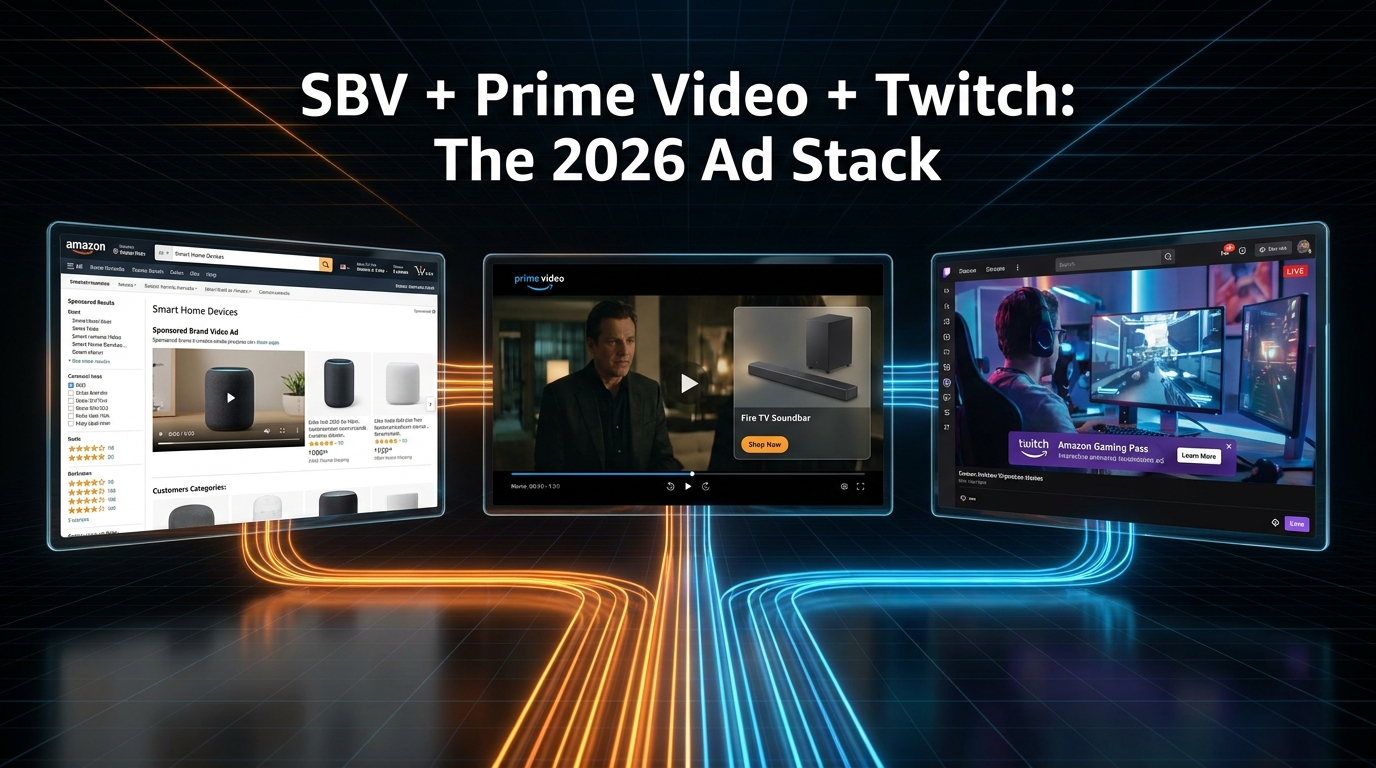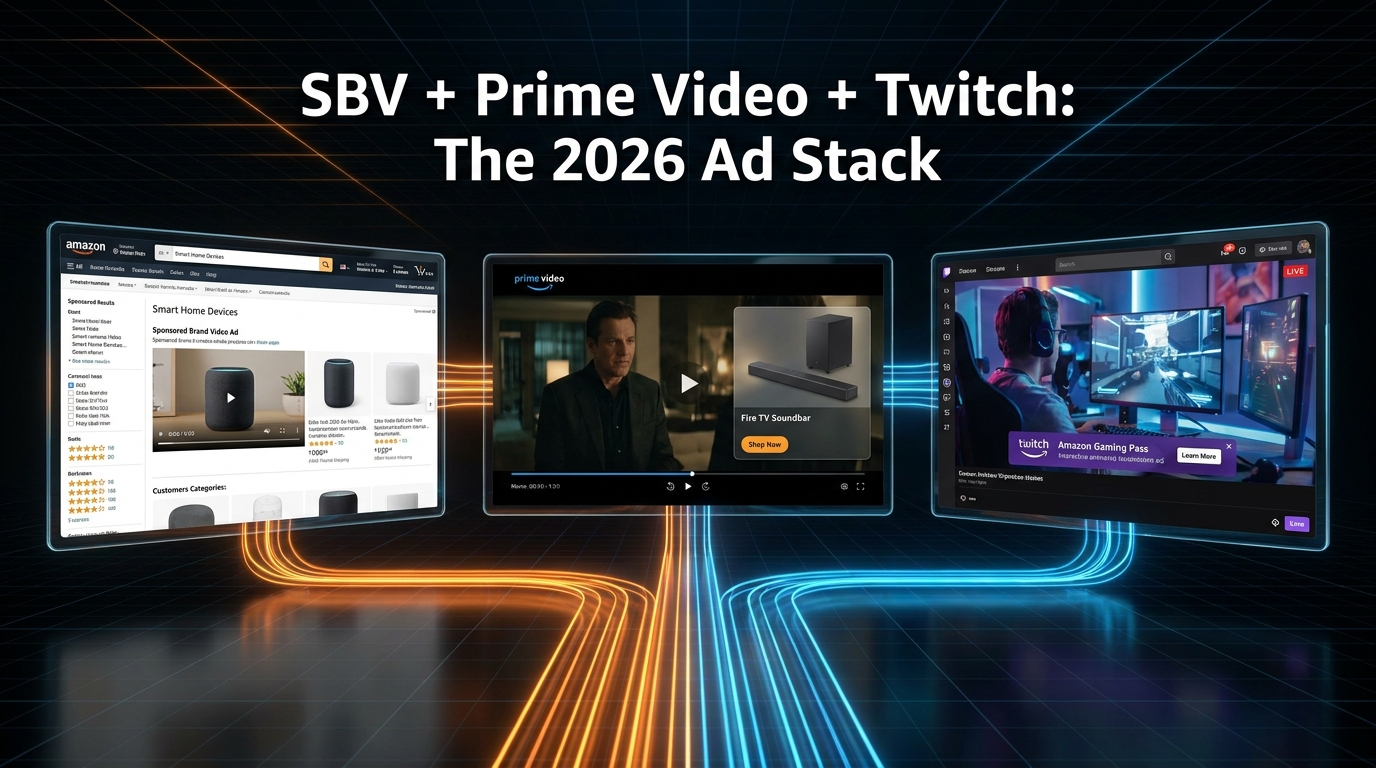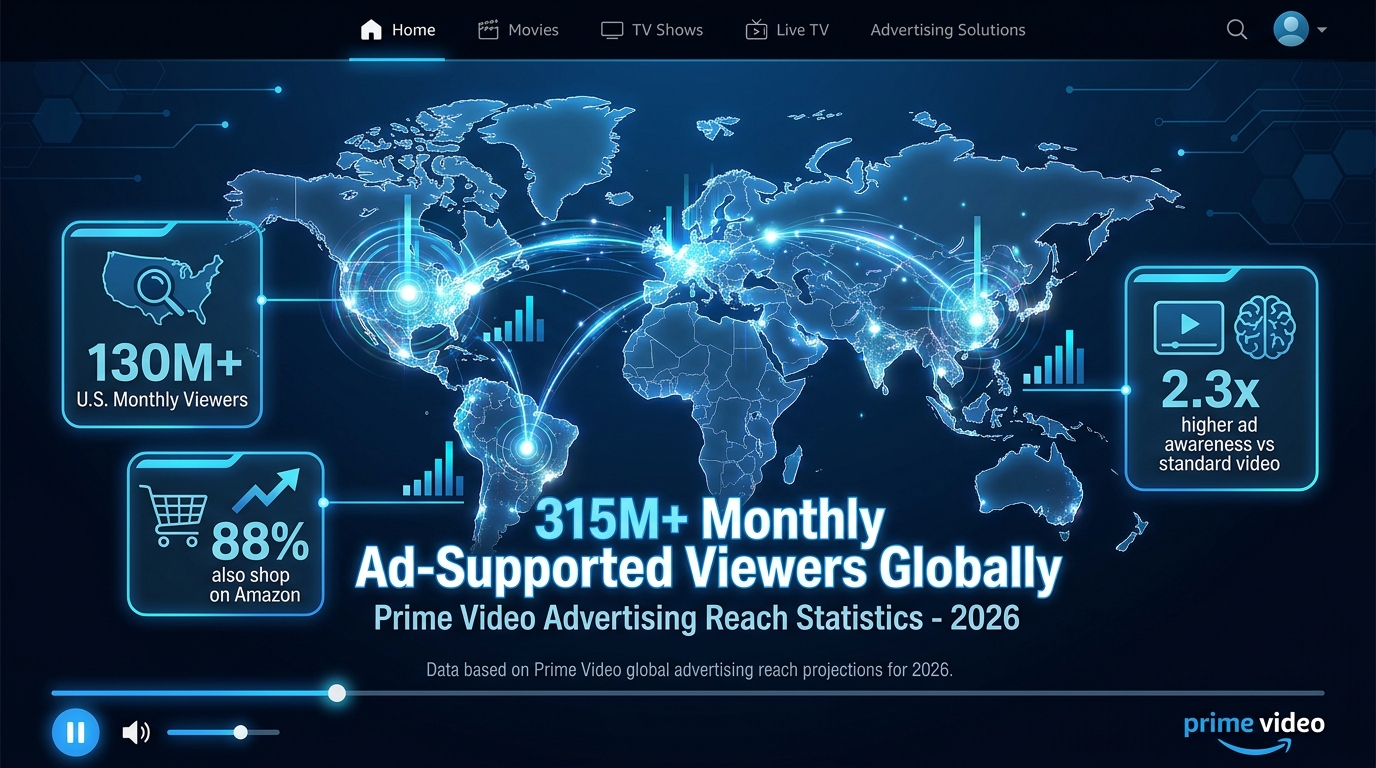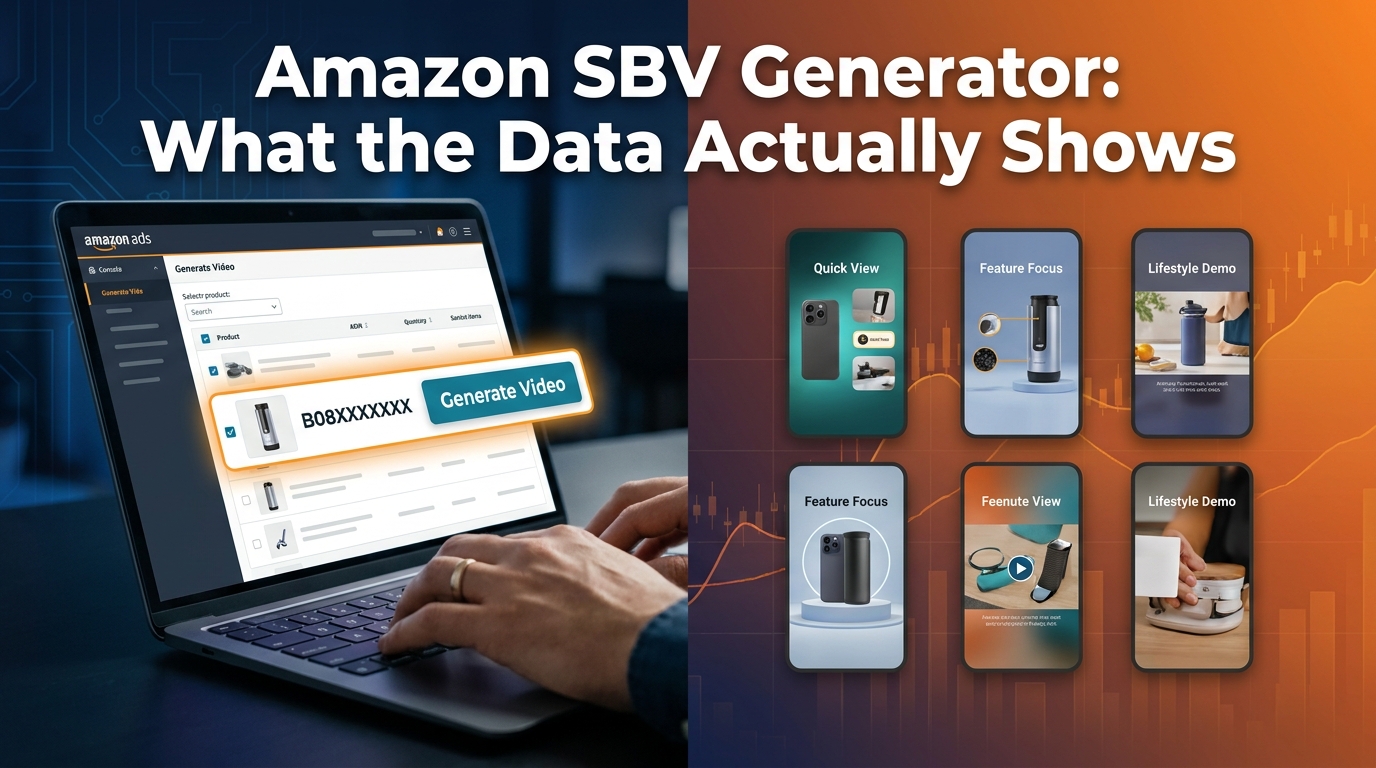
Amazon’s SBV Video Generator has been available to U.S. sellers since its broader rollout, and by mid-2026 it expanded to Canada, India, Mexico, France, Germany, Italy, Spain, and the UK. It’s free. It’s built directly into the Amazon Ads console. It generates up to six ad-ready video variants from a single ASIN in minutes.
And yet the majority of sellers using it are doing so in a way that leaves significant performance on the table.
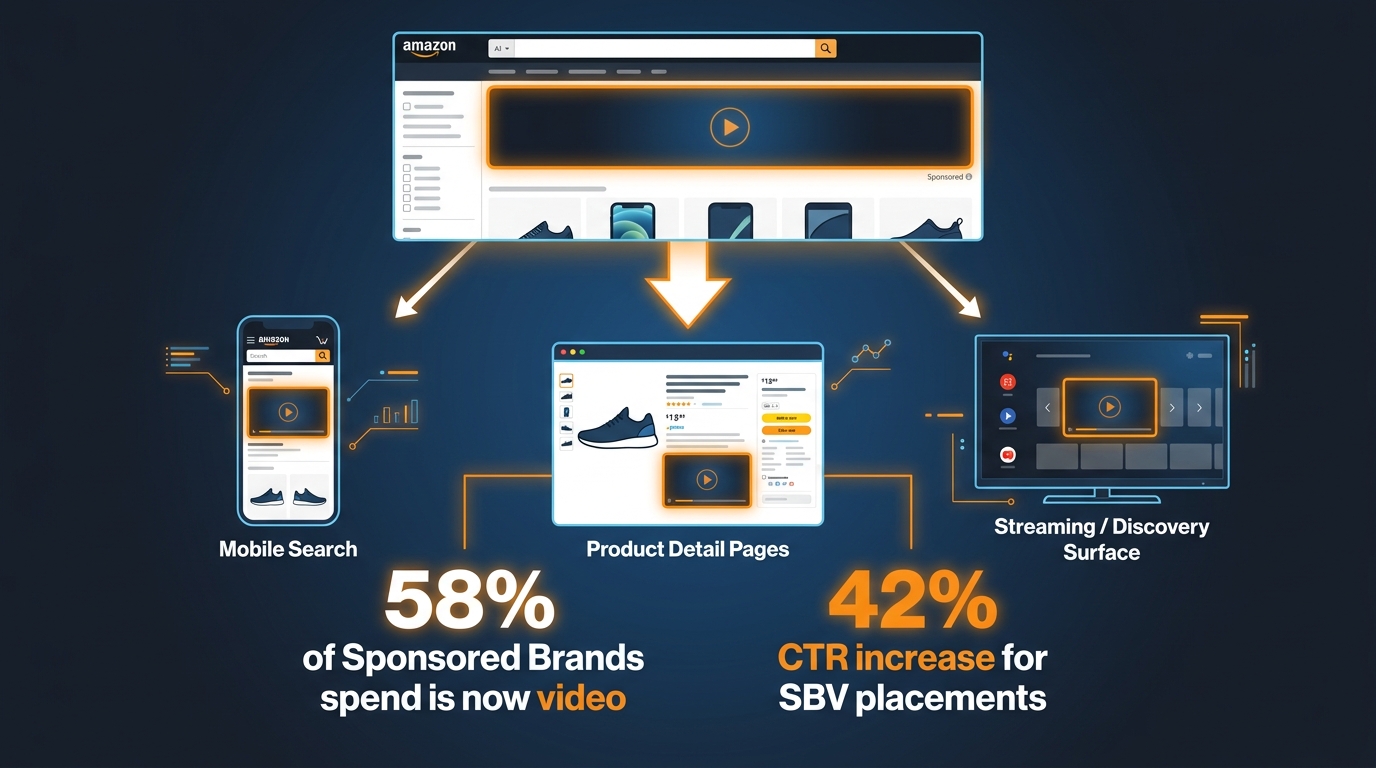
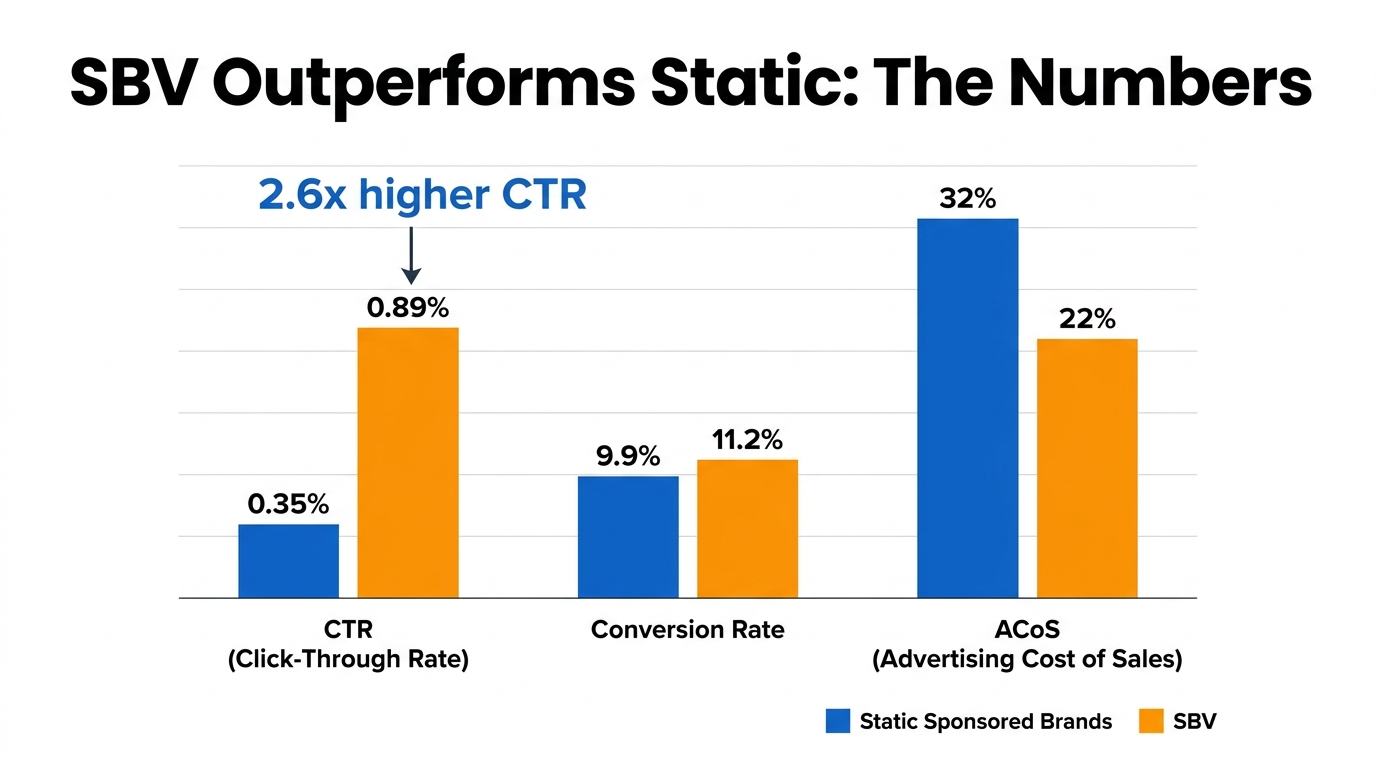
The problem isn’t the tool. Sponsored Brands Video consistently benchmarks at a 0.89%–1.0% CTR — approximately 2.6 times higher than static Sponsored Brands ads — and a conversion rate around 11.2%, roughly 13% better than image-based alternatives. ACoS frequently runs 15–45% lower than Sponsored Products in well-managed accounts. The format demonstrably works.
The gap is between access and execution. Most sellers either treat the generator as a one-and-done production tool, misunderstand how the ad actually renders in a live shopping environment, or apply a brand-storytelling framework to a format that demands conversion logic. Those mismatches compound quietly — producing campaigns that spend budget, generate impressions, and deliver mediocre returns that get blamed on the format instead of the execution.
This piece is about closing that gap. We’ll cover what the tool actually does under the hood, the muted-autoplay reality that changes everything about creative structure, how to use the six-variant output as a genuine testing engine, what targeting configurations actually work, and how to build a campaign stack that moves from test to scale without blowing your budget in the process.
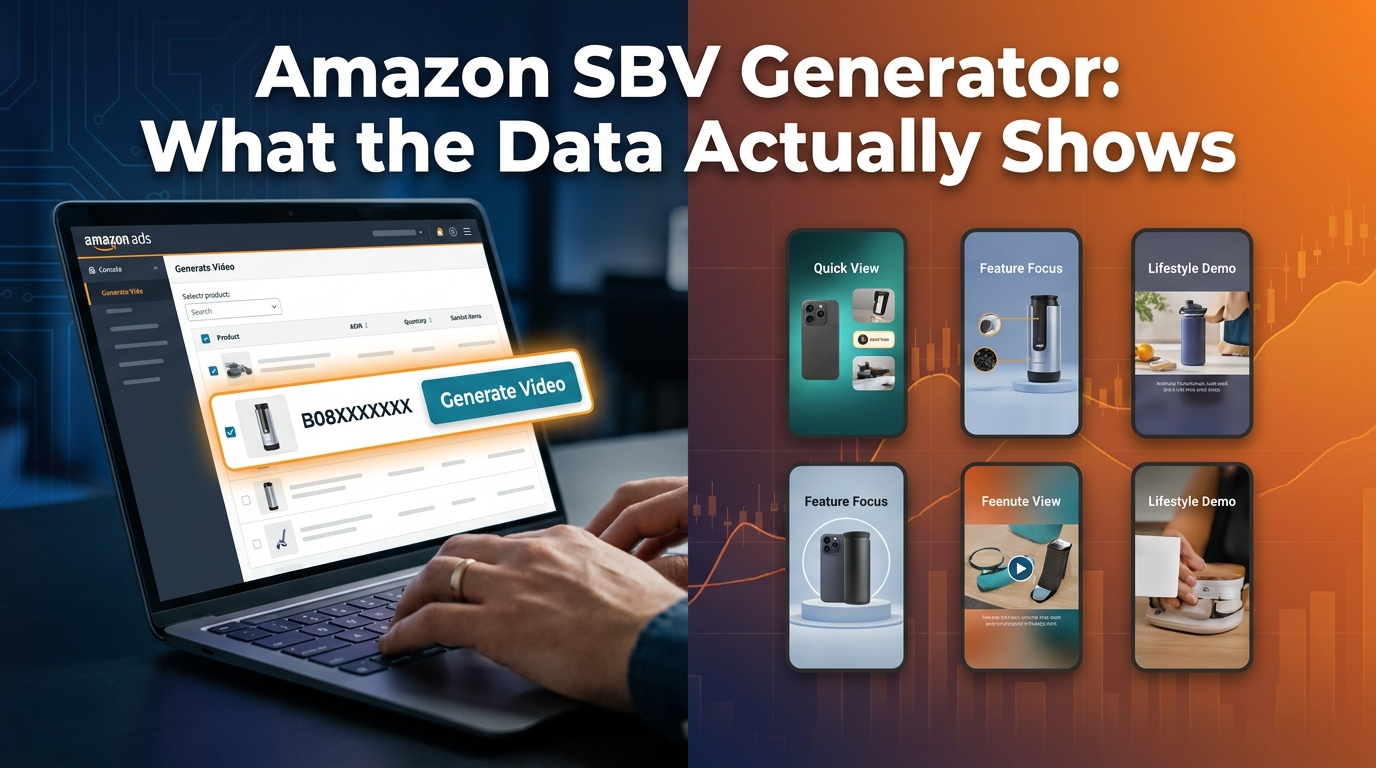
What the SBV Video Generator Actually Does (Beyond the Marketing Copy)
Amazon’s official description of the Video Generator is that it “creates ad-ready videos from a product image or ASIN in minutes.” That’s accurate but incomplete. Understanding the mechanics matters because the tool’s architecture shapes what you can and can’t optimize from the output.
The Input-to-Output Pipeline
The generator works by pulling structured data from your product detail page — title, bullet points, primary images, and brand name — and feeding that into a multi-scene video construction model. It’s not simply animating your main listing image. The updated model, which Amazon began rolling out in 2026, now includes enhanced motion shot generation: the ability to take a still product image and synthesize realistic in-use motion, including scenes featuring people and pets where contextually appropriate.
The result is six 15-second video options, each built around a different scene composition, text animation style, or product emphasis. Some variants will lead with the product floating in a clean environment. Others will show the product in use or place it in a lifestyle context derived from your listing’s imagery and copy. You don’t control which six you get before generation — but you do get to choose which one to deploy, and you can regenerate if none of the initial set is usable.
What You Can Customize Post-Generation
Inside Creative Studio, after generation, you have editing access to several elements: headline copy, font selection, logo placement, color palette adjustments, and to a degree, music selection. What you can’t do is restructure the core video timeline or re-sequence the motion scenes. The generated video comes as a pre-built sequence. You’re working with the frame, not the architecture.
This matters strategically. It means your primary lever for differentiation isn’t in-editor customization — it’s in what you feed the tool going in. Listings with richer imagery, more specific bullet point copy, and cleaner product photography produce measurably stronger generator outputs. A listing with a single white-background hero image and generic bullet points will produce six variants that look nearly identical to each other. A listing with multiple contextual lifestyle images and specific benefit-driven bullet points gives the model more material to work with, and the output variance across the six variants increases meaningfully.
Video Summarization and Upload Pathways
The generator also supports a second input pathway: you can upload an existing video clip, and the tool will summarize it into an ad-ready shorter format. This is particularly useful for brands that have product demo footage from external shoots or UGC content. Rather than treating the generator as purely a creation tool, treating it as a compression and formatting tool for existing assets opens up a different use case — one that combines the polish of professionally shot footage with the speed of AI-assisted editing.
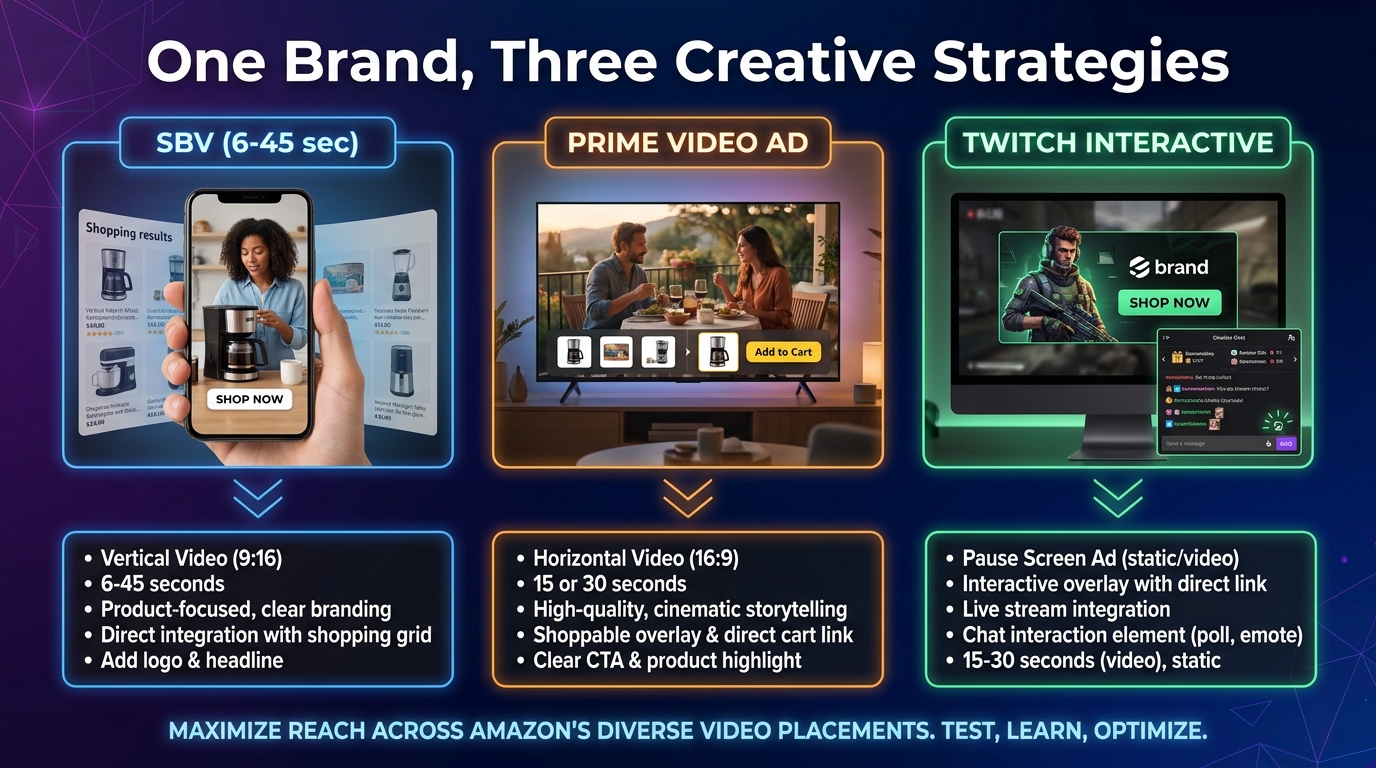
The key spec boundary: the output needs to fit within the 6–45 second window (Amazon recommends 20 seconds or less, with 15 seconds being the sweet spot), and must meet the 16:9 aspect ratio, MP4/MOV format, and H.264/H.265 codec requirements before it can be submitted for review.
The Muted Autoplay Reality: Why Audio Is a Red Herring
This is the single most consequential thing most sellers get wrong about SBV creative strategy, and it’s almost never discussed at the campaign-setup level.
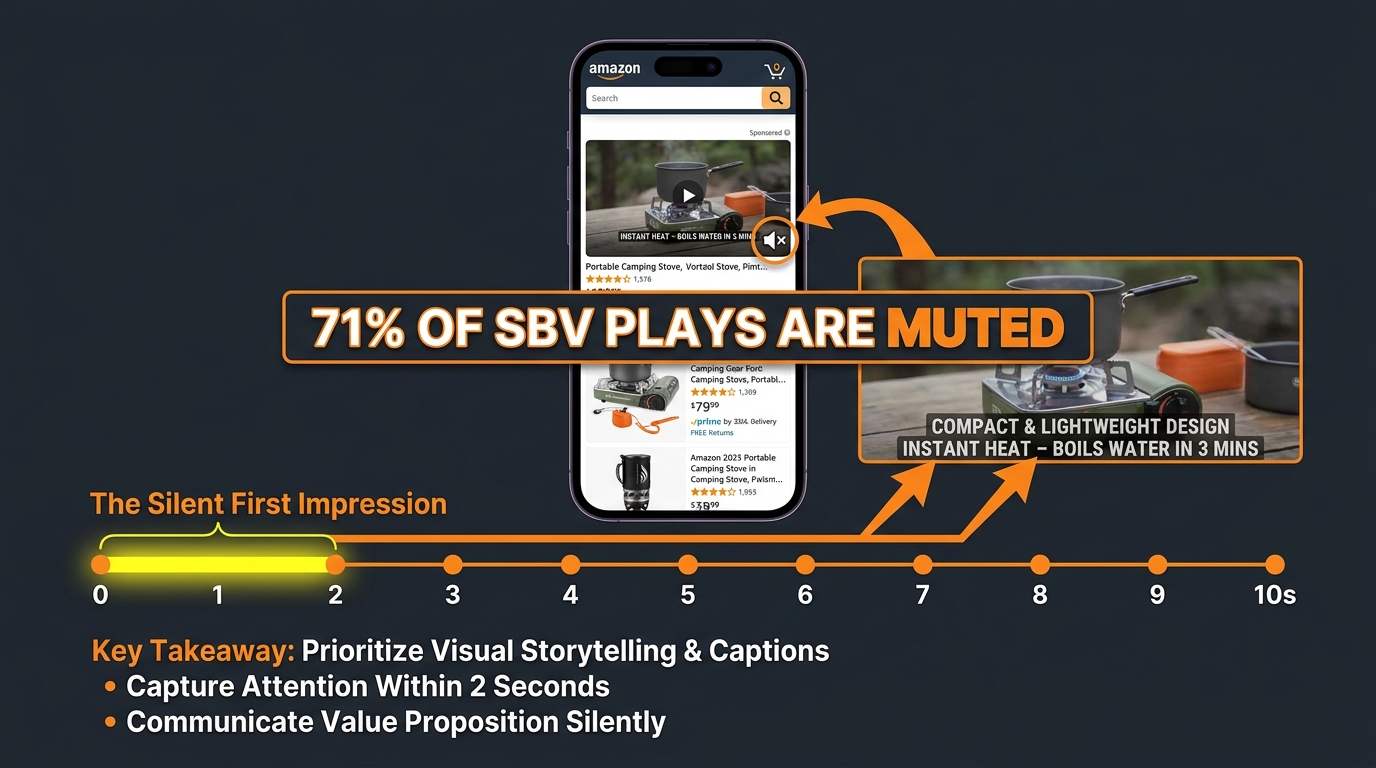
Amazon Sponsored Brands Video ads autoplay muted by default. Sound only activates if a shopper explicitly taps the mute toggle. By 2026, approximately 71% of all SBV plays are muted — up from an estimated 64% in 2024. That number is going in one direction as mobile shopping continues to grow and as shoppers increasingly browse Amazon in contexts where audio is socially inappropriate (commuting, offices, shared spaces).
The practical implication is stark: if your SBV creative relies on a voiceover to communicate your product’s key benefit, you are communicating nothing to more than seven in ten people who see your ad. The voiceover isn’t a backup — it’s the primary communication channel for most professionally produced videos. And it’s inaudible for the majority of your impressions.
What “Mute-First” Creative Actually Means
Designing for muted autoplay isn’t just about adding subtitles to an existing video. It requires rethinking the entire communication hierarchy. In a muted environment, the following elements carry 100% of the message:
- The first frame: What does the shopper see in the literal first second before they decide to keep scrolling or watch?
- Motion quality: Is the movement interesting enough to slow the scroll even without audio cues?
- On-screen text overlays: These are not supplemental. They are the primary copy channel.
- Product visibility: Is the product large, clear, and unambiguous in the frame?
Amazon’s generator, when working well, builds text animation into the video structure by default. But the default text it pulls is often the product title — which is typically optimized for keyword indexing, not for human readability in a 2-second window. Sellers who accept the default title as their on-screen headline are missing an opportunity. The headline field in Creative Studio is where your actual conversion hook lives. It should answer the question a high-intent shopper is implicitly asking when they search for your product: not “what is this?” but “why this one?”
The Captions Question
Amazon recommends closed captions for SBV, and they’re worth adding — but captions are not a substitute for strong on-screen text design. Captions are small, typically rendered at the bottom of the frame, and read at audio pace. On-screen text overlays, by contrast, can be sized, positioned, and timed for impact. The most effective SBV creatives use large, high-contrast overlay text (think 3–4 words maximum per card) that communicates the key benefit independent of any audio track. Captions handle the audio transcript. The overlay text handles the persuasion.
For sellers using the Video Generator, this has a specific tactical implication: after generation, open the Creative Studio editor and review every text element for muted readability. Ask whether someone scrolling at normal speed, with no audio, would understand within two seconds what the product is and why they should click. If the answer is no, you have editing work to do before launch.
The 15-Second Architecture: How to Structure Every Frame
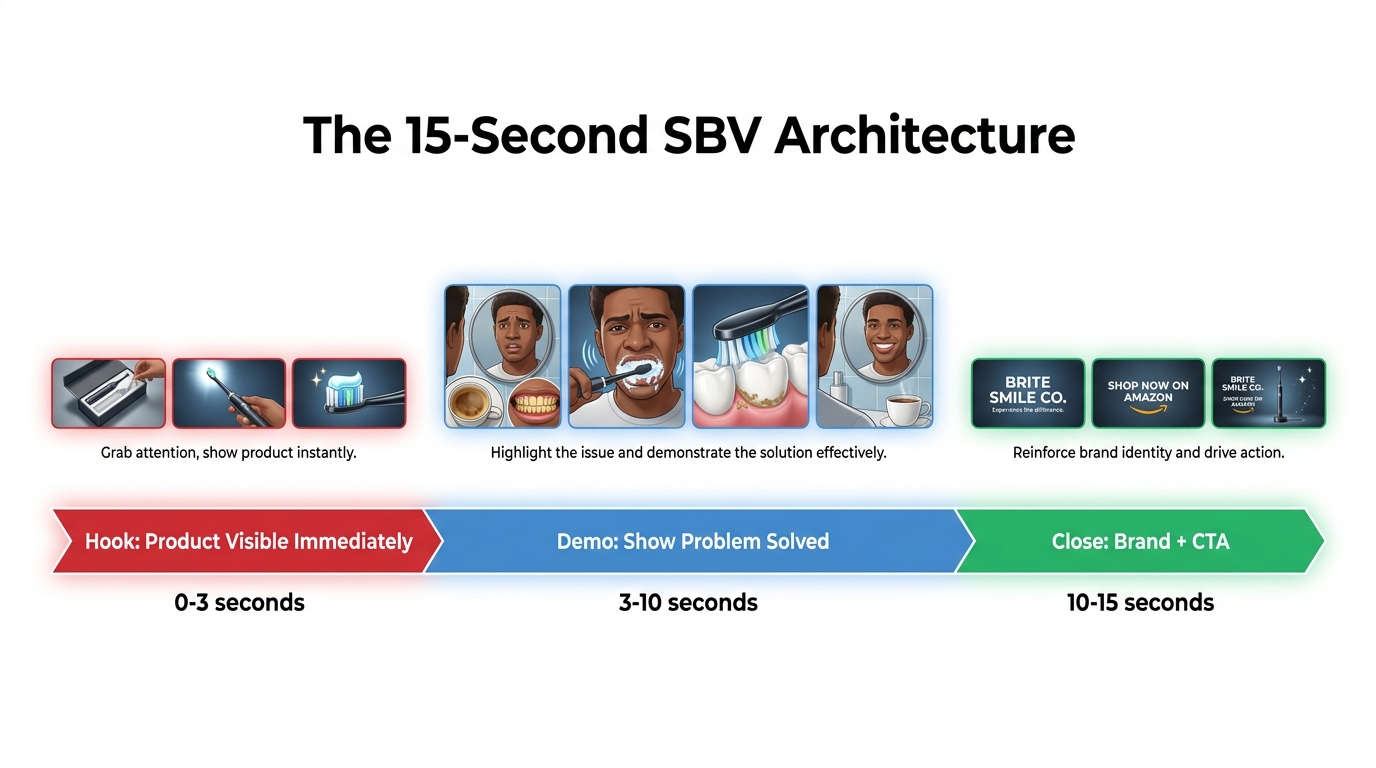
Amazon’s own guidance says to show the product within the first two seconds and its function within the first five. Those aren’t aspirational suggestions — they’re based on drop-off data from the platform’s video analytics. Shoppers who don’t see a clear product in the opening seconds scroll past. The decision to engage or continue happens almost immediately.
The 15-second window isn’t just a technical constraint. It’s a communication architecture. When you approach it structurally, every second has a job.
Seconds 0–3: The Hook
The hook’s only job is to stop the scroll and establish what the product is. Not what it’s great at, not who makes it, not a brand logo. The product, clearly visible, in a context that signals relevance to the shopper’s search. If they searched for “insulated water bottle,” they need to see a water bottle — not a lifestyle scene that eventually reveals a water bottle.
The most common mistake in this window is the brand intro. Opening with a logo animation or a brand name card is a pattern inherited from broadcast television, where audiences are captive. Amazon shoppers are not captive. A logo intro in the first three seconds is a conversion killer because it communicates nothing to a shopper who doesn’t already know your brand — and the shoppers you need to convince are precisely those who don’t know you yet.
The Video Generator, by default, sometimes produces logo-first or lifestyle-first openings depending on how it interprets your listing data. This is one of the most important things to check and, if necessary, edit or regenerate before launch.
Seconds 3–10: The Demo or Proof Point
This is where you show the product doing something, or solving something, or being used in a way that makes the key benefit tangible. The enhanced motion shot feature in the updated Video Generator is particularly valuable here — for products that benefit from in-use demonstration (tools, kitchen gadgets, fitness equipment, skincare, pet products), an AI-generated motion sequence showing the product being used can be more persuasive than a static lifestyle image.
If you have multiple key differentiators, this seven-second window can handle two of them — but only if the transitions are clean and the text overlays are distinct and readable. Cramming three or four proof points into this section results in nothing landing. Discipline matters. Pick the one or two benefits that match the search intent of the keywords you’re targeting, and let those breathe.
Seconds 10–15: The Close
The close doesn’t need to be elaborate. A clean product name, a brief brand logo appearance (here, not at the start), and optionally a single CTA phrase (“Shop Now,” “See All Sizes,” or a specific proof point like “4.7 Stars, 12,000 Reviews”). Shoppers who have watched to this point are already engaged — they don’t need to be convinced again. They need to be directed.
One frequently missed opportunity in the close: if your product has a strong social proof number (review count, star rating, or a bestseller badge), surfacing it in the final seconds adds measurable conversion weight. Unlike a landing page where shoppers actively look for this information, an SBV ad controls the information sequence. Putting your strongest proof point at the end, after the interest is established, is structurally sound.
Six Variants, One Strategy: Using the Generator as a Creative Testing Engine
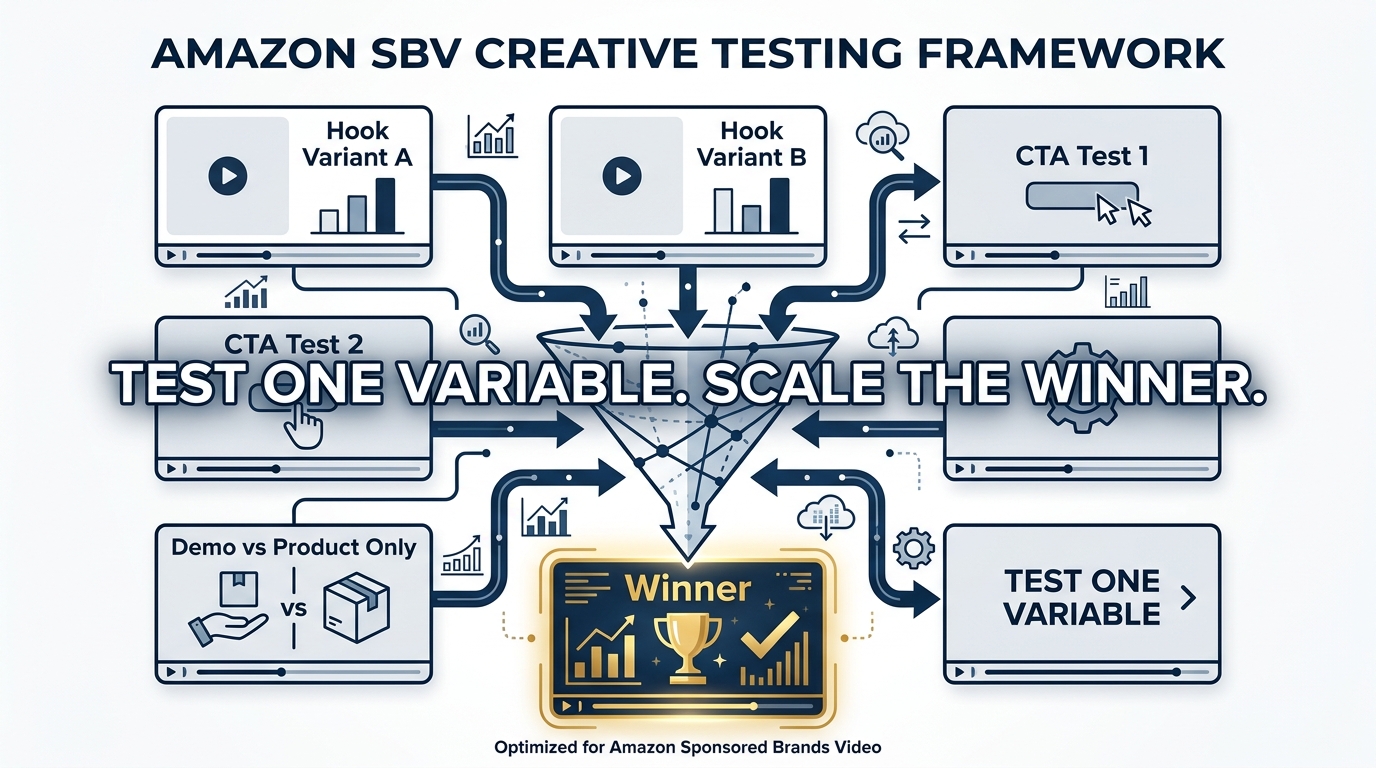
The most underutilized aspect of the Video Generator isn’t any individual feature — it’s the six-variant output structure itself. Most sellers pick one variant they like aesthetically and launch it. That’s the wrong use of the tool.
The six variants are a creative testing starter pack. They give you differentiated creative options at zero additional production cost. The correct workflow is to treat them as hypotheses and the campaign as the experiment.
Designing the Test Before You Launch
Effective creative testing on SBV requires an upfront decision about what variable you’re testing. The generator gives you six different compositions, but they may vary across multiple dimensions simultaneously — scene type, text placement, pacing, and color treatment. That makes direct A/B comparisons difficult unless you impose some structure on the test design.
The most practical approach for sellers without a dedicated media buying team: run two to three variants simultaneously in separate ad groups within the same campaign, with identical keyword targeting and bids. Let them run until each has accumulated enough data (typically at least 1,000 impressions per variant at a minimum, with 5,000+ giving more reliable signal), then compare primarily on CTR first, then conversion rate, and finally ACoS or ROAS.
CTR is the right leading indicator for creative testing because it reflects how well the creative is connecting with the audience at the point of impression — before any product page variables intervene. A creative that wins on CTR but underperforms on conversion usually has a messaging mismatch between the ad and the listing, not a creative problem per se. A creative that performs on both CTR and conversion is your winner to scale.
The Variable Isolation Framework
Once you’ve identified a general winner from the generator’s output, the next iteration should isolate specific variables. Amazon’s analytics suite now provides view-through rate (VTR), 5-second views, quartile views (what percentage watched 25%, 50%, 75%, and 100% of the video), and sound-on view rate. These metrics make it possible to diagnose where in the 15-second arc a variant is winning or losing the viewer.
If a variant has strong 5-second views but drops off sharply at the 50% quartile, the hook is working but the middle section is losing people. If the 5-second view rate is low relative to impressions, the hook itself needs reworking. If sound-on rates are higher than average, your audio may be contributing meaningfully — or your visual hook is strong enough to make shoppers curious about what’s being said.
Refresh Cadence
Creative fatigue on Amazon video is real, though it manifests differently than on social platforms. Because SBV impressions are tied to search queries (not social feeds), the same shopper sees your ad repeatedly only if they’re searching frequently for your keyword. In high-competition categories, refresh cycles of 60–90 days are reasonable. In lower-volume categories, a strong creative can run for 6 months or more without significant performance decay.
The generator makes frequent refreshes economically viable in a way that professional video production never could. A monthly creative refresh cycle that would cost thousands in production fees costs nothing except the time to run the generator and evaluate the output. This changes the economics of creative iteration substantially, particularly for smaller sellers and growing brands.
Targeting and Placement: Where SBV Actually Wins
The video format is powerful. But video format advantages are realized only at the right intersection of placement, intent, and keyword relevance. Getting the targeting wrong negates the creative.
Search Intent Is the Foundation
Sponsored Brands Video appears primarily at the top of search results and within search results pages. This is fundamentally different from display or video advertising on other platforms. The audience is not passive — they are actively searching, expressing high purchase intent through their query. Your video creative needs to be evaluated against the intent of the keyword, not just as a standalone piece of content.
A video showing your product being unboxed might perform well against branded keywords from existing customers who already know your product. The same video against competitive conquesting keywords (targeting a competitor’s product name) needs a different message — one that speaks to comparison shopping and why someone should switch. The creative and the keyword need to align.
Match Type Configuration
The strongest SBV campaigns in 2026 are overwhelmingly exact and phrase match-led. Broad match on SBV is not inherently wrong, but it introduces keyword misalignment risk that’s harder to control in a video format. A static ad displayed against an irrelevant query wastes budget. A video displayed against an irrelevant query wastes budget and impressions — and because SBV competes partly on a quality-signal basis, irrelevant impressions can degrade campaign health over time.
The recommended structure is a tiered approach:
- Tier 1 (Exact Match): Your highest-converting commercial terms. These are the queries where you know purchase intent is highest. Bid more aggressively here and keep the keyword list tight — 10 to 20 terms maximum per ad group.
- Tier 2 (Phrase Match): Variations and longer-tail derivatives of your core terms. Useful for capturing intent signals you haven’t thought of explicitly.
- Tier 3 (Broad Match / Category / Product Targeting): For discovery and expansion. Use this tier with strict negative keyword management and lower bids. Treat it as a research campaign that feeds intelligence into Tiers 1 and 2.
Product Targeting as a Complement
ASIN and category targeting in SBV is an underused configuration. By targeting competitor ASINs — particularly those with high review counts or bestseller status — you place your video in a context where comparison intent is already active. A shopper viewing a competitor’s listing and seeing your SBV creative in the search results immediately before or after is seeing you in a direct comparison context.
This works best when your creative addresses the comparison directly — whether that’s price, a specific feature advantage, or a proof point (review count, certifications, material quality) that your competitor’s product lacks. Generic creative deployed against competitive ASIN targeting wastes the placement. Specific, comparative creative in this context can produce outsized conversion rates because the shopper is already in a decision-making mindset.
The AI Creative vs. Professional Video Debate: What the Numbers Say
The question of whether to use the Video Generator or invest in professional video production comes up constantly in seller communities, and the answer is more nuanced than either camp typically acknowledges.
The Cost Reality
Professional video production for Amazon advertising ranges from a few hundred dollars for a basic product showcase from a freelance videographer to several thousand for a multi-scene, talent-featuring, professionally edited commercial-grade video. Agency-produced SBV creative can run considerably higher when licensing, talent fees, and revision rounds are factored in.
The generator costs nothing. That’s not a small difference in scale — it changes the decision calculus entirely for sellers who would otherwise skip video advertising entirely due to production cost.
Where Each Wins
Professionally produced video consistently delivers in contexts where differentiation is the primary goal: hero videos for brand storefronts, launch campaign assets for flagship products, or creative that needs to showcase complex features that require real-world filming. A food product that needs to show texture, steam, and color saturation realistically will produce a better output from professional production than from AI image-to-motion synthesis. A complex fitness device with moving parts and multiple configuration options needs actual product footage to demonstrate properly.
The Video Generator wins in three specific contexts:
- Volume testing: When you need multiple creative variants quickly to identify what resonates with your audience before investing in professional production.
- New product launches: When a product hasn’t yet generated enough sales or reviews to justify professional video spend, AI-generated creative allows you to run SBV from day one.
- Long-tail keyword campaigns: High-volume professional creative is wasted on low-impression keyword targets. AI-generated creative is the appropriate cost level for these placements.
The intelligent approach isn’t either/or. It’s using the generator for testing and discovery, then investing professional production spend into the specific message and format that your test data shows is working. You’re not guessing what to film — you’re filming what the data told you to.
Quality Ceiling Considerations
It would be misleading to suggest AI-generated video is indistinguishable from professional production. In categories where visual sophistication is a brand signal — luxury goods, premium beauty, gourmet food — the AI generator’s output can look inconsistent with a brand’s positioning. The enhanced motion shots are more realistic than the first-generation tool, but they’re still identifiable as AI-generated to a trained eye.
However, Amazon shoppers looking at SBV ads in search results are not evaluating production quality against a Hollywood standard. They’re evaluating relevance, product clarity, and benefit communication in a 2–3 second window. In that context, a clean, well-structured AI-generated video frequently outperforms a polished professional video that opens with a brand logo and takes five seconds to show the product.
Category-Specific Playbooks: What Works Varies Wildly by Product Type
SBV creative strategy isn’t uniform across categories. The same structural principles apply, but the execution varies substantially based on what the product needs to demonstrate, who the buyer is, and what objections need to be addressed in 15 seconds.
Hard Goods and Tools
For physical products where the mechanism of action matters — power tools, kitchen equipment, fitness devices, storage solutions — the demo-centric video format performs strongly. The video’s job is to show the product solving a problem that the shopper already knows they have. Use the 3–10 second window to show the product in active use, not just on display. The enhanced motion shots from the updated generator work particularly well here: for a drill, show it drilling. For a blender, show it blending. The specificity of the action is what builds confidence.
On-screen text in this category should address the most common purchase hesitation. For tools: durability signals, compatibility information, or a notable specification. For kitchen equipment: capacity, material quality (stainless steel vs. plastic), or ease of cleaning. These aren’t glamorous copy points, but they directly address what’s stopping the click-to-purchase conversion.
Health, Beauty, and Personal Care
This category has the highest creative performance variance on SBV, partly because benefit claims are regulated and partly because results-based claims are hard to demonstrate in 15 seconds. The most effective creative in this space tends to be benefit-led with strong social proof: not “this moisturizer hydrates better” but “4.8 stars | 20,000+ Reviews | Dermatologist Tested.” Claims that Amazon reviews have already validated are more credible in an ad context than unsubstantiated superlatives.
The generator’s lifestyle scene capability is particularly relevant here. A skincare product shown in a clean, aspirational bathroom setting with appropriate lighting is more effective than the same product on a white background. If your listing has lifestyle images, those feed the generator more useful material — another reason why listing image investment pays dividends beyond organic ranking.
Supplements and Consumables
Compliance is the primary constraint. SBV creative for supplements must avoid disease claims, health claims that cross FDA lines, and before/after content that implies specific outcomes. The generator will produce creative from your listing data, but if your bullets are aggressively worded, you may generate a video with claim language that triggers Amazon’s ad review rejection.
Pre-submission review of all on-screen text against Amazon’s ad policy guidelines is not optional in this category. A rejected SBV creative loses review time (typically 24–72 hours), which is expensive during launch windows or peak seasons. The safest structure: lead with the product clearly, use ingredient or format specifics in the demo section (e.g., “30-Day Supply | Non-GMO | Gluten Free”), and close with star rating and review count.
Apparel and Fashion
This is the category where the Video Generator is most limited by its current capabilities. Apparel advertising relies heavily on fit, drape, texture in motion, and the way a garment looks on a human body — details that AI-generated product-in-use shots handle inconsistently. The current generator’s human motion sequences are more convincing for product-with-person adjacency than for on-body apparel demonstration.
The recommendation for apparel sellers is to use the generator primarily for the upload-and-summarize pathway: shoot brief on-model footage (even 30 seconds of simple model content with a smartphone), then use the tool to compress and format it into an ad-ready 15-second creative. This keeps production costs low while maintaining the visual fidelity the category requires.
Metrics That Actually Matter: Reading SBV Analytics Beyond CTR
CTR is the most-reported SBV metric, and it’s genuinely useful as a creative indicator. But treating CTR as the singular performance metric leads to suboptimal decisions. The SBV analytics suite contains richer diagnostic signals that most sellers aren’t using.
The Quartile View Stack
Amazon’s video analytics report quartile completion rates: the percentage of viewers who watched 25%, 50%, 75%, and 100% of the video. These numbers, read as a stack, tell you exactly where your creative is losing people.
A healthy 15-second SBV creative typically shows a steep initial drop (25% → 50%) followed by a relatively flat slope (50% → 100%). Early drop is expected — many shoppers make the scroll-or-stop decision in the first few seconds. But if the drop from 25% to 50% is unusually steep, your first three seconds aren’t compelling enough to sustain engagement. If the 75% → 100% drop is large, your close isn’t earning the final attention — which often means the product and benefit were established but the CTA isn’t clear enough to complete the sequence.
5-Second View Rate
This metric deserves more attention than it typically gets. The 5-second view rate tells you what percentage of people who saw the ad watched at least five seconds. High 5-second view rate with low CTR is a specific pattern that means: the creative is interesting enough to watch but isn’t triggering intent to click. This usually signals a creative-keyword mismatch — the video is engaging but isn’t speaking to the specific intent behind the search query.
Low 5-second view rate against high impressions is a more urgent problem: the first seconds aren’t working. This is the trigger to either regenerate with the Video Generator or directly edit the opening frames in Creative Studio.
Sound-On Rate
Given that 71% of plays are muted, a sound-on rate significantly above 30% is meaningful. It tells you that something in the visual creative is generating enough engagement for shoppers to actively unmute — which correlates with higher downstream conversion in most categories. Tracking sound-on rate as a creative quality signal is more useful than tracking it as a reach metric.
View-Through Conversions
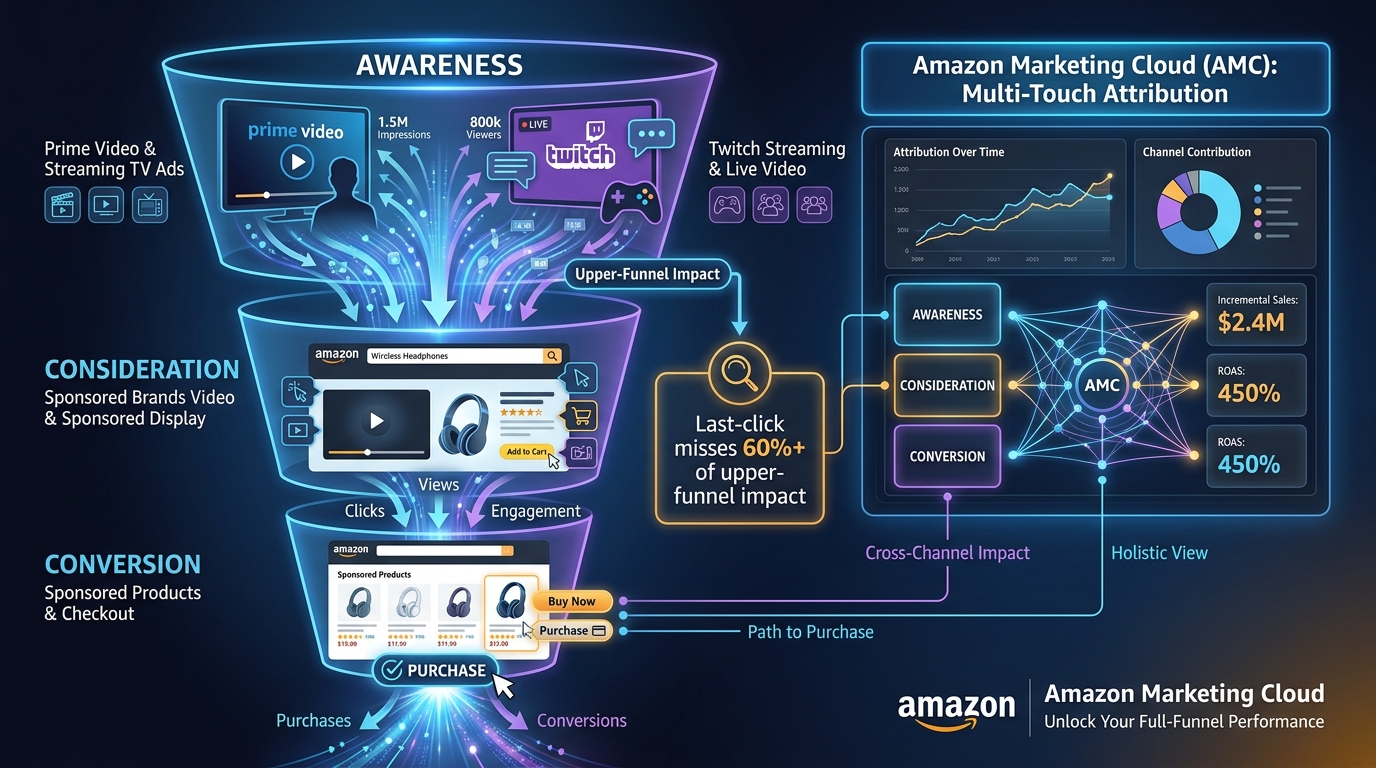
Amazon’s attribution window for SBV includes view-through conversions — purchases that happened within a defined window after someone saw your video ad, even without clicking it. These are attributed differently by Amazon’s reporting tools and are frequently undercounted in seller-side analysis. Sellers who evaluate SBV purely on direct click-to-purchase metrics systematically undervalue the format. SBV’s influence on brand recall and subsequent organic search is real and measurable through view-through attribution — but only if you’re looking for it.
The Scaling Stack: Moving from Test Wins to Full Campaign Structure
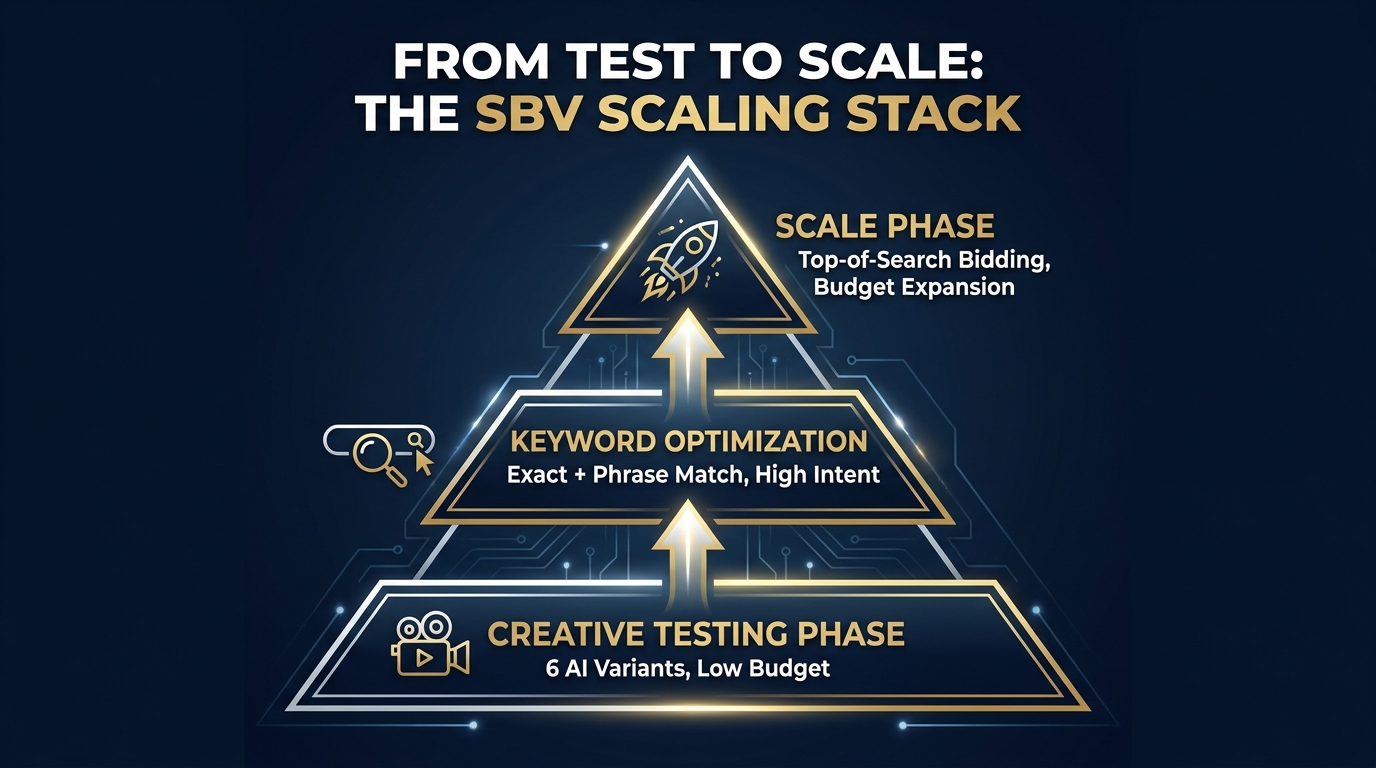
Once you have a winning creative and a validated keyword configuration, the structural question is how to build around that win without eroding the performance signal that made it valuable.
Campaign Architecture for SBV
The most robust SBV campaign structures in 2026 separate intent tiers into distinct ad groups or campaigns with individual budget allocations. This allows for differentiated bidding by intent level and prevents a single high-spend term from dominating the account’s performance picture and obscuring underperformance elsewhere.
A recommended structure for a mid-size catalog:
- Campaign 1 — Branded Defense: Exact match on your own brand terms. Budget and bid set to ensure 90%+ impression share. Creative can be brand-reinforcing since these are existing brand-aware shoppers.
- Campaign 2 — High-Intent Core: Exact and phrase match on your top commercial keywords. This is your primary volume and ROAS engine. Budget should be your largest allocation.
- Campaign 3 — Competitive Conquesting: ASIN targeting against competitor products and category-level targeting. Creative must address comparison directly. Budget is secondary to creative quality here.
- Campaign 4 — Discovery / Exploration: Broad match and category targeting for keyword research and incremental reach. Lowest budgets, harvest insights, feed winners into Campaign 2.
Bid Strategy for Top-of-Search Dominance
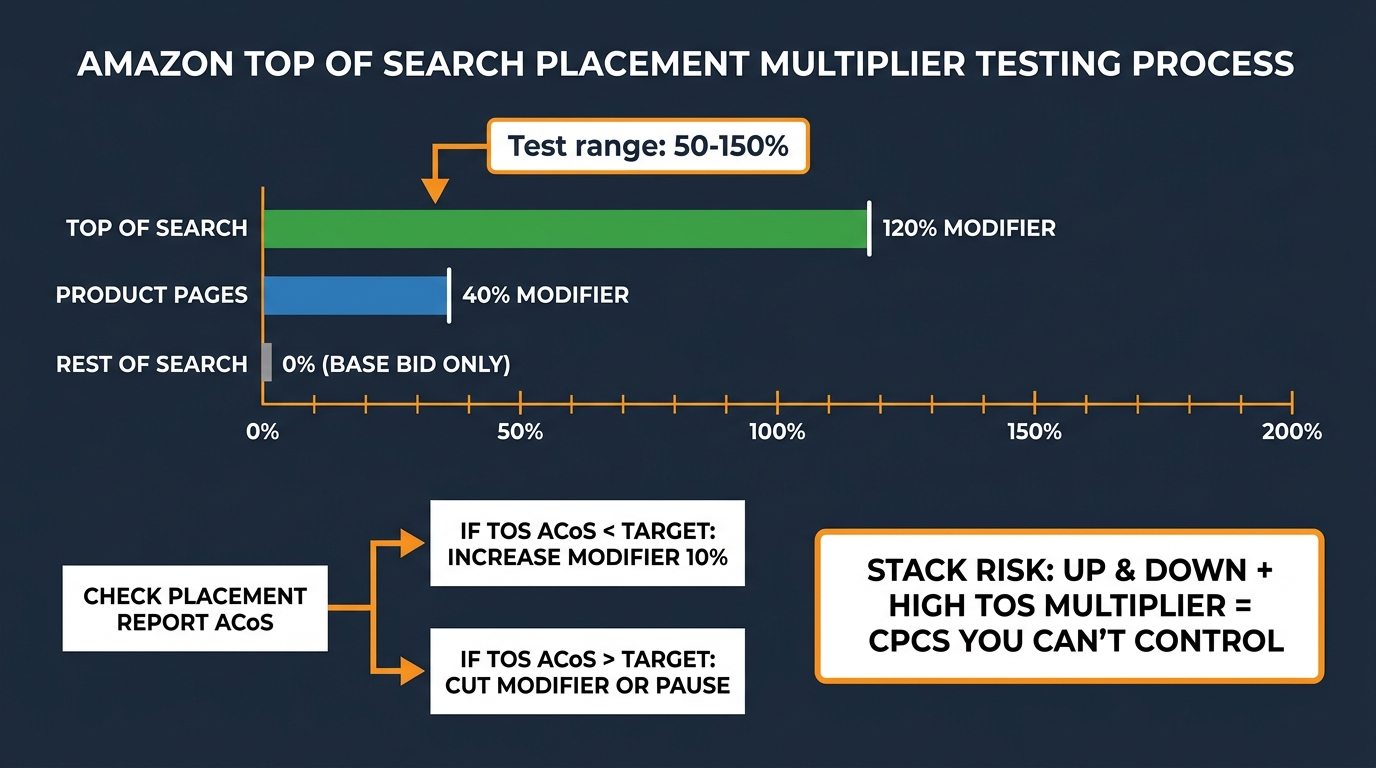
SBV’s primary placement is top-of-search, and capturing that placement consistently requires actively managing placement bid adjustments. Amazon’s default automated bidding for Sponsored Brands will optimize toward clicks, but top-of-search dominance for high-intent keywords often requires a manual bid adjustment specifically for that placement.
The standard framework: set your base bid to a level that delivers consistent page 1 visibility, then use a top-of-search placement modifier of 25–50% for your highest-converting terms. Monitor impression share weekly in the early stages. If you’re capturing less than 60% of available impressions for a high-priority keyword, the bid needs to increase or the creative quality score needs improvement — or both.
Budget Pacing and Dayparting
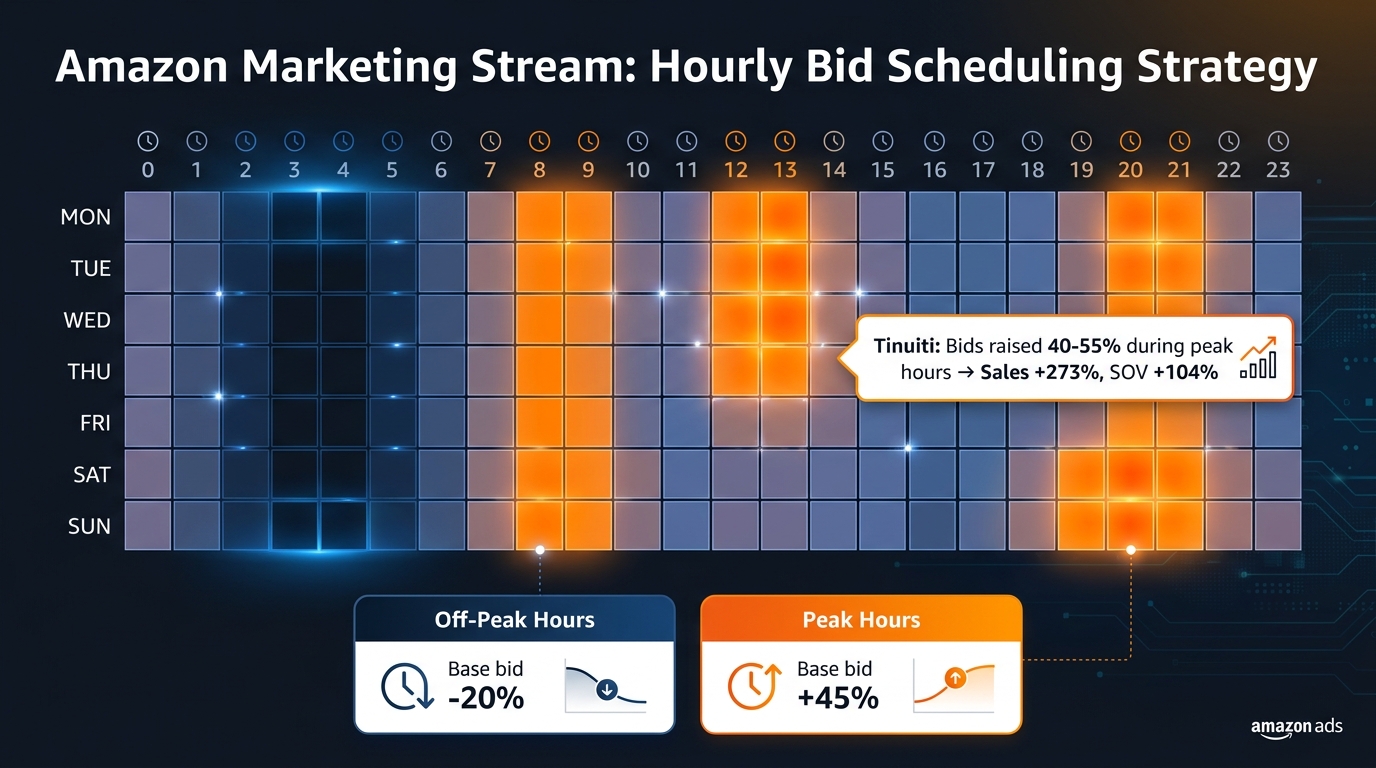
SBV campaigns on Amazon don’t natively support dayparting — you can’t schedule ads to run only during peak shopping hours. But budget pacing settings and the distinction between standard and accelerated delivery affect when your budget is consumed throughout the day. For categories with strong evening shopping patterns, standard delivery (which spreads budget across the day) can result in budget depletion before peak hours. Monitoring time-of-day impression data through Amazon’s reporting and adjusting daily budgets accordingly is a manual but effective workaround.
Common Failure Patterns and How to Avoid Them
After covering what works, it’s worth being explicit about the patterns that consistently undermine SBV performance. These aren’t hypothetical — they show up repeatedly in account audits and campaign reviews.
Launching Without Reviewing Generator Output
The Video Generator is not an autonomous system that produces perfect creative. It works from your listing data, and if your listing data is mediocre — generic images, keyword-stuffed bullets, low-quality product photography — the generator will produce mediocre creative. Sellers who generate and launch without a review step are at risk of running ads with logo-first openers, off-brand color treatments, or on-screen text lifted verbatim from a keyword-optimized title that reads like gibberish in a 2-second window.
The review step takes 10 minutes. It should be non-negotiable.
Running All Six Variants in One Campaign
More variants doesn’t mean more data faster if the budget is split too thin. Six variants in one campaign with a $20/day budget means roughly $3.30 per variant per day — which won’t generate enough impressions for meaningful signal within a reasonable time window. Either reduce the variant count to two or three for testing, or ensure the campaign budget is sufficient to give each variant at least 500 impressions per day.
Ignoring Negative Keywords
SBV campaigns without negative keyword management bleed budget. The format is expensive per click relative to Sponsored Products, which means irrelevant clicks cost more both in absolute terms and in ACoS impact. Negative keyword management should begin at campaign launch, informed by your auto-targeting history if you have it, and should be reviewed weekly in the first month.
Treating SBV as an Awareness Format
This is a mindset failure more than a tactical one. Some sellers, particularly those with offline marketing backgrounds, position SBV as a brand-building awareness format and evaluate it on reach and impressions. On Amazon, SBV appears in high-intent search results. The shopper has already expressed a purchase intent through their query. Treating the format as awareness-only is leaving conversion opportunity uncaptured.
SBV should be evaluated as a conversion-driving format with brand reinforcement as a secondary benefit — not the other way around. Campaign structure, creative decisions, and bid strategy all follow from that framing.
Static Headline Across All Keywords
The headline field in Creative Studio is set once and applies to the ad across all keywords. This creates an inevitable mismatch: a headline optimized for a broad category search term (“Best Kitchen Knives”) is less relevant for a highly specific query (“8-inch chef knife high carbon steel”). The workaround is to segment keyword campaigns tightly enough that a single headline is reasonably relevant to the entire keyword set within each campaign. More segmentation means more headline specificity, which means higher relevance and better performance.
The Real Advantage Is Speed — and What to Do With It
The SBV Video Generator changes Amazon advertising in one fundamental way: it removes the production time and cost barrier to video creative iteration. That’s not a minor convenience — it’s a structural shift in what creative testing looks like for Amazon sellers.
Before tools like this existed, a brand running SBV had one or two video assets. They might test one against the other, but the cost of producing more variants meant creative testing cycles stretched over months. Production budgets constrained how aggressively you could learn. Smaller brands couldn’t afford to participate in the format at all.
Today, the generator produces six variants in minutes at no cost. A seller who understands how to use that output strategically can run a complete creative learning cycle — generate, test, read analytics, identify the winner, iterate — in two to three weeks. Then repeat. That velocity of creative learning compounds over time. An account running structured SBV testing every 60 days accumulates more creative intelligence in one year than an account that produced two professional videos and ran them indefinitely.
The sellers who will get the most from this tool are not the ones who appreciate the convenience. They’re the ones who recognize that the real output isn’t a video — it’s data about what their customers respond to at the moment of search intent. The video is the mechanism. The learning is the asset.
Actionable Takeaways
- Audit your listing first. The generator is only as good as the imagery and copy you feed it. Upgrade your listing images before generating, not after.
- Review every generated variant for muted-autoplay performance. Can a shopper understand the product and its key benefit in two seconds with no audio? If not, edit or regenerate.
- Use the six variants as a structured test, not a menu. Run two to three in parallel with identical targeting, read the analytics after meaningful impression volume, and scale the winner.
- Segment your keywords tightly enough that your headline is relevant to every term in the ad group. Relevance compounds.
- Track quartile views and 5-second view rate, not just CTR and ROAS. The diagnostic value of video analytics is only realized if you’re actually reading the full set of metrics.
- Treat AI creative as your testing layer, professional production as your scaling layer. Let the data tell you what to produce, then invest in producing it well.
- Build negative keyword lists from day one. SBV is expensive enough per click that irrelevant traffic materially damages ACoS.
The format’s performance data is clear. The tool is free and increasingly capable. The sellers who will dominate SBV in the next 12 months won’t be the ones with the largest video production budget — they’ll be the ones who build a systematic creative and testing process around a tool that most of their competitors are either ignoring or using halfway.