Most Amazon sellers approach their product images the same way they approach their closet: they cram in everything they have, hope the customer finds what they need, and wonder why nothing converts. The result is a listing that looks busy but says nothing — a collection of photographs instead of a conversation with a buyer.
Here’s what’s actually happening when a customer lands on your listing: they are not browsing. They are scanning, questioning, doubting, and deciding — usually within a few seconds. Every image either answers a question that was about to send them back to search results, or it leaves that question open long enough for them to leave.
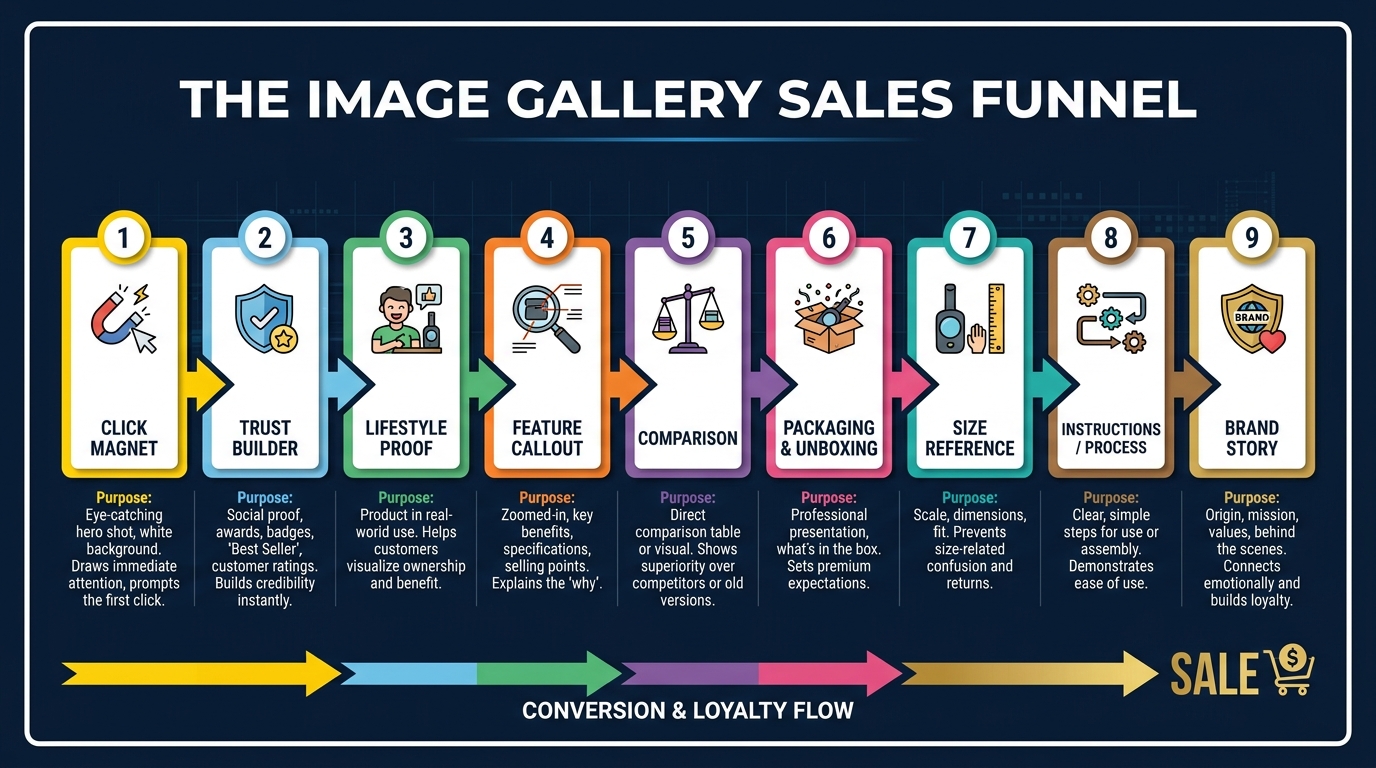
The brands that consistently win on Amazon have figured out something the rest haven’t: the nine image slots Amazon gives you are not a photo gallery. They are a structured sales argument. Each slot has a job. Each job feeds the next. And the sequence matters as much as the individual images themselves.
This post is about that structure. It’s about understanding what each image position in your listing is actually communicating to a customer who has never seen your product before — and then building images that say exactly the right thing at exactly the right moment. Not just “pretty” images. Not just “compliant” images. Images that sell.
We’ll cover the visual sales funnel concept, the psychology of the main image, the specific role of each secondary slot, how color and background choices signal brand positioning, how to design for the mobile shopper who represents the majority of your traffic, and how to audit what you currently have against what the data says you should have.
The Visual Sales Funnel: Stop Thinking in Photos, Start Thinking in Slots
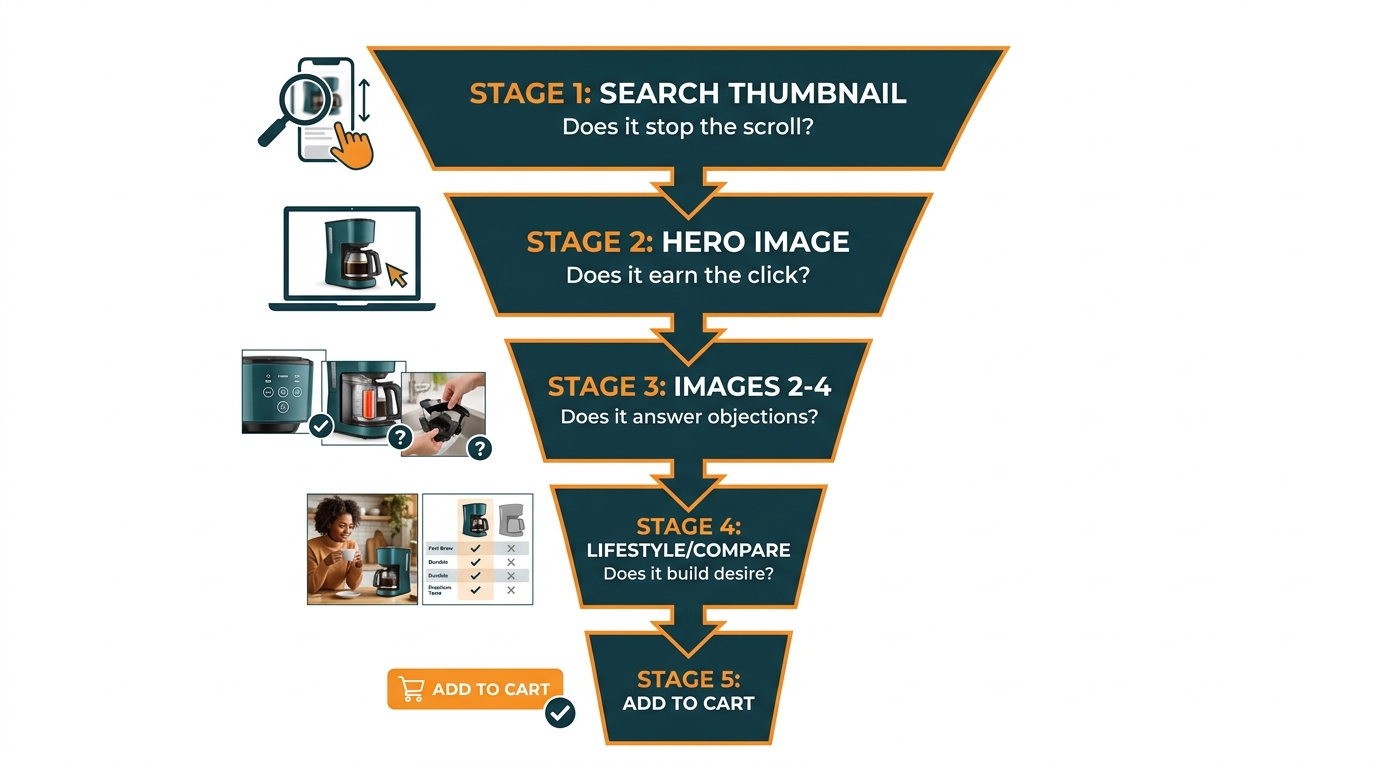
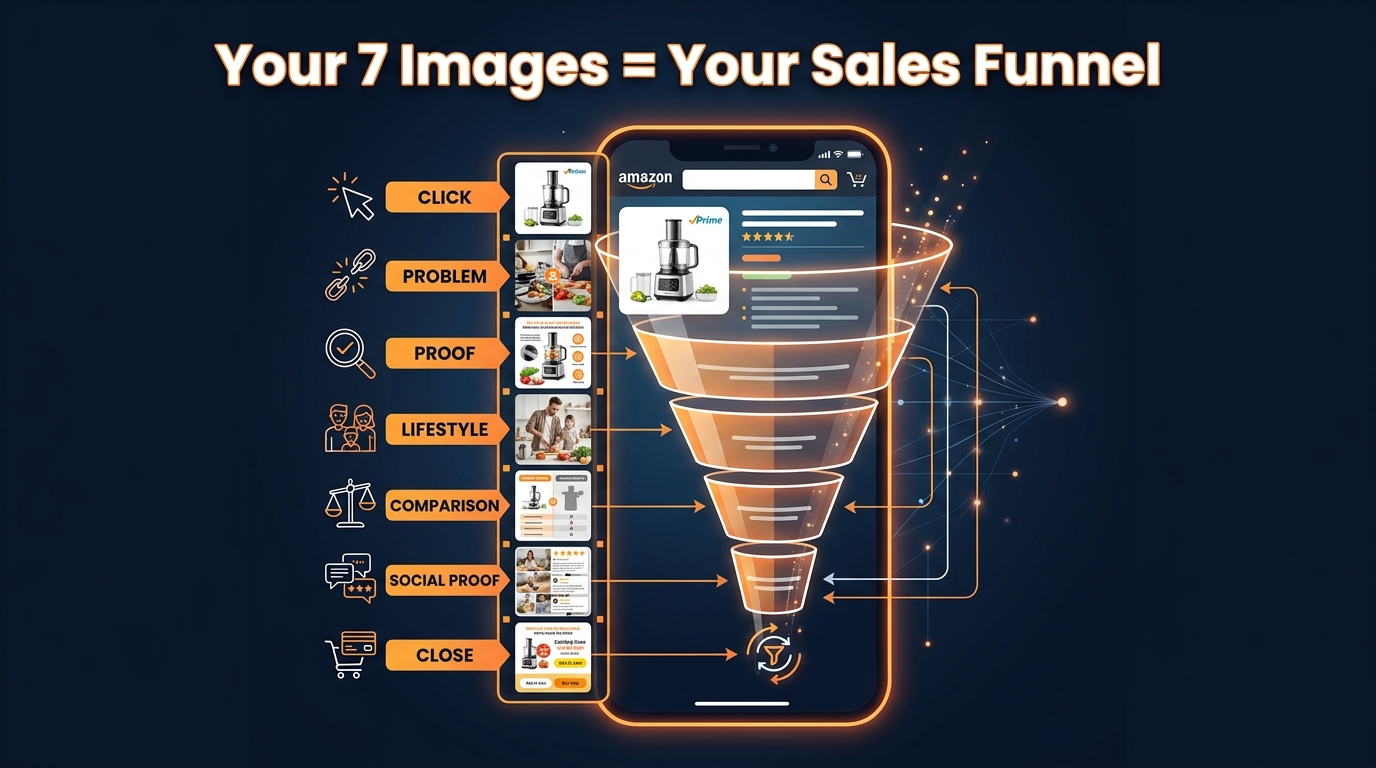
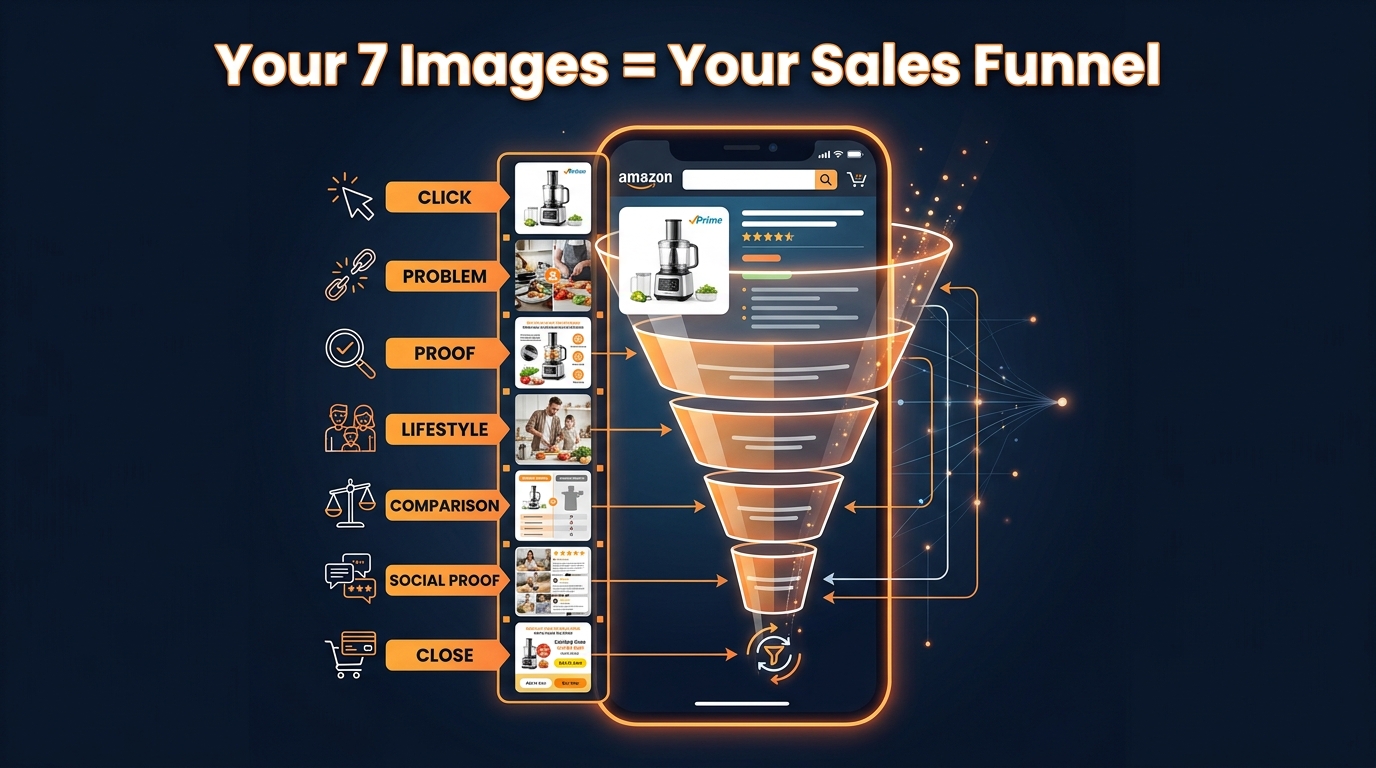
Traditional marketing has used the concept of a sales funnel for decades — the idea that buyers move through stages of awareness, interest, consideration, and decision before purchasing. What most Amazon sellers miss is that the same funnel plays out inside a single product listing, compressed into a matter of seconds, driven almost entirely by images.
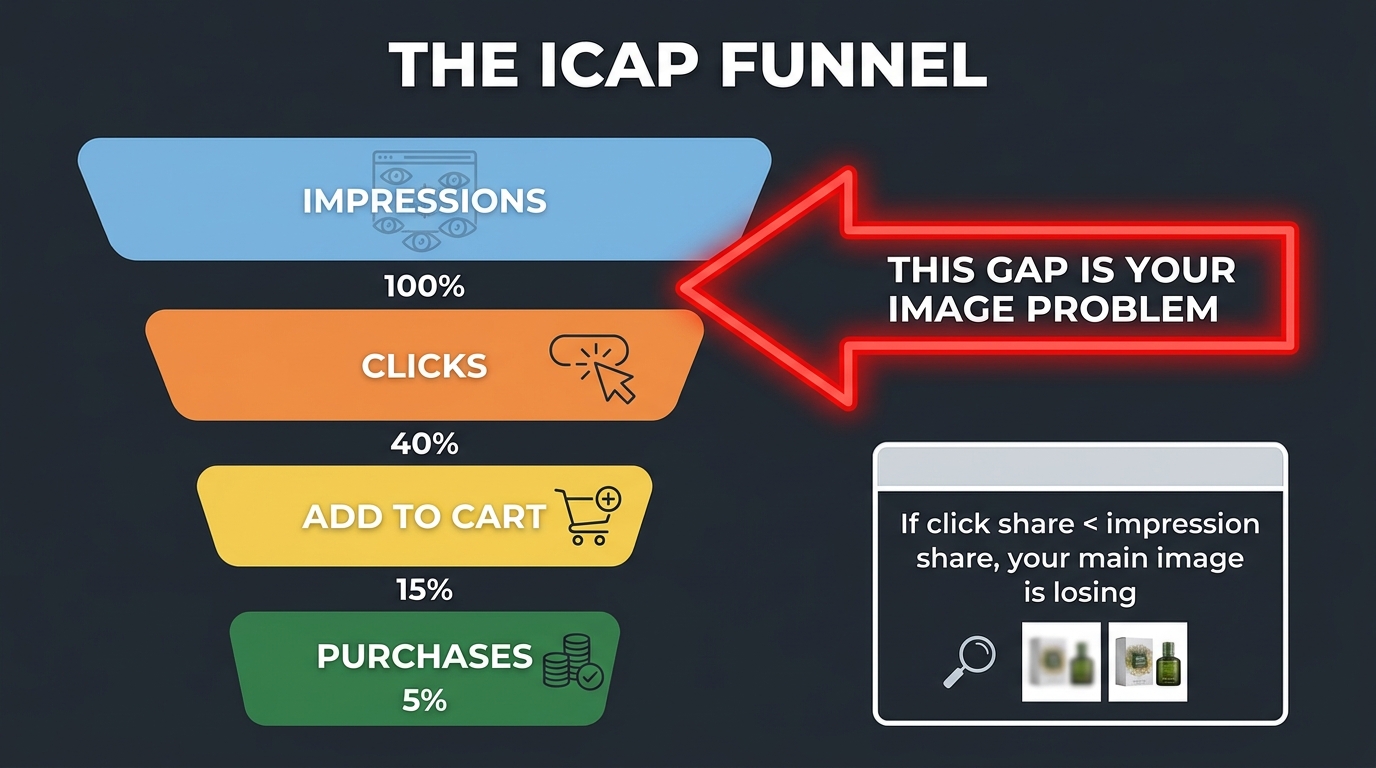
Think about how a real customer moves through your listing. They first see your thumbnail in search results and decide whether to click. If they click, they land on the detail page and start scrolling through your image carousel. Each image either advances their confidence or stalls it. By the time they reach the last image, they have either decided to buy, decided to look at reviews first, or decided to bounce back to search results.
That entire journey is your visual sales funnel. And each image slot is a stage.
The Seven-Stage Framework
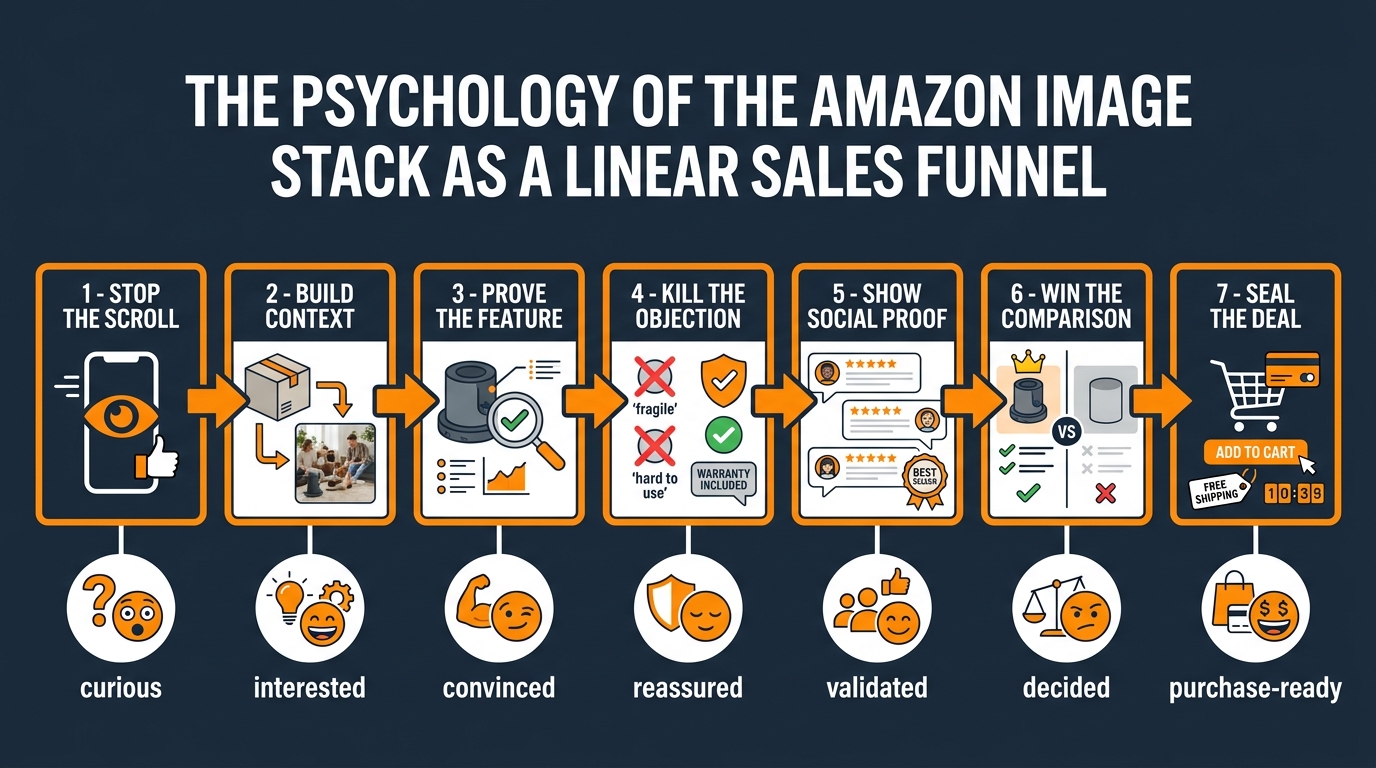
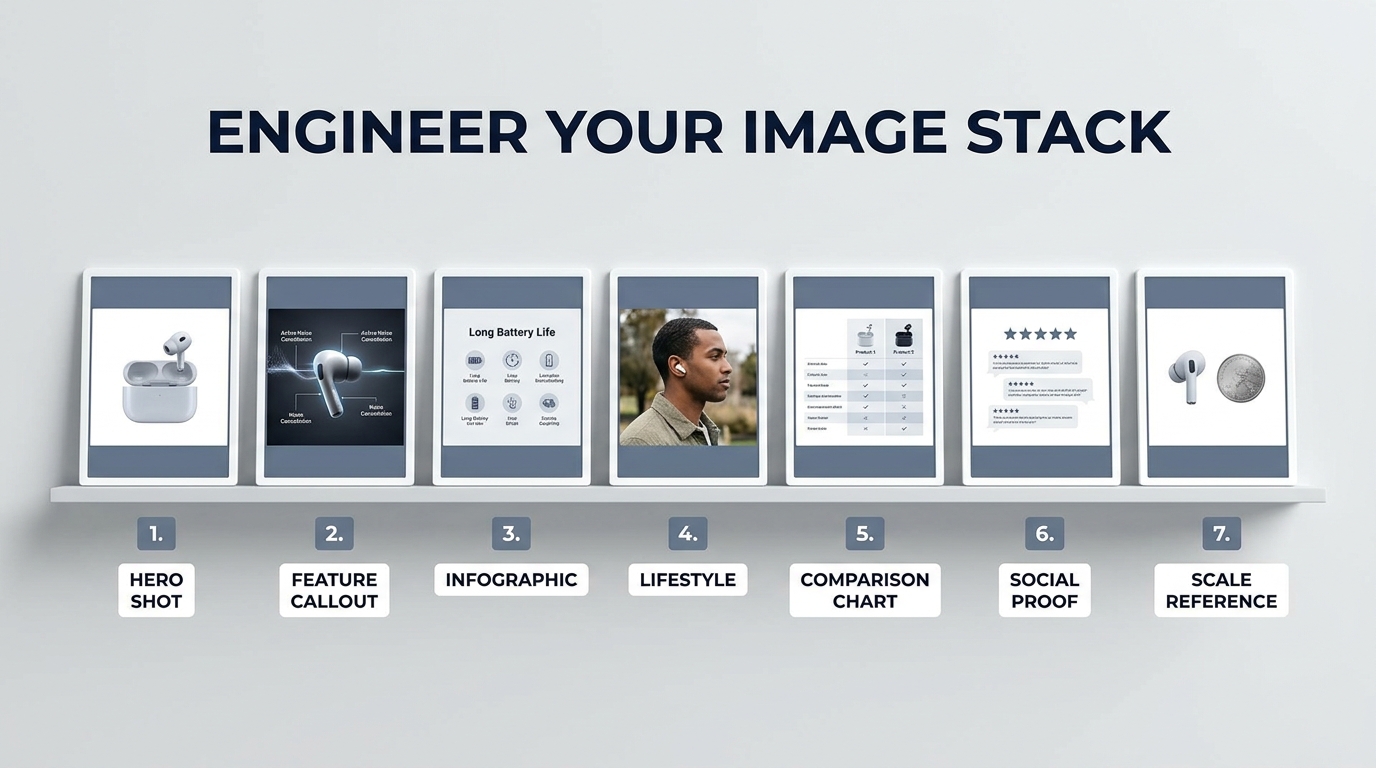
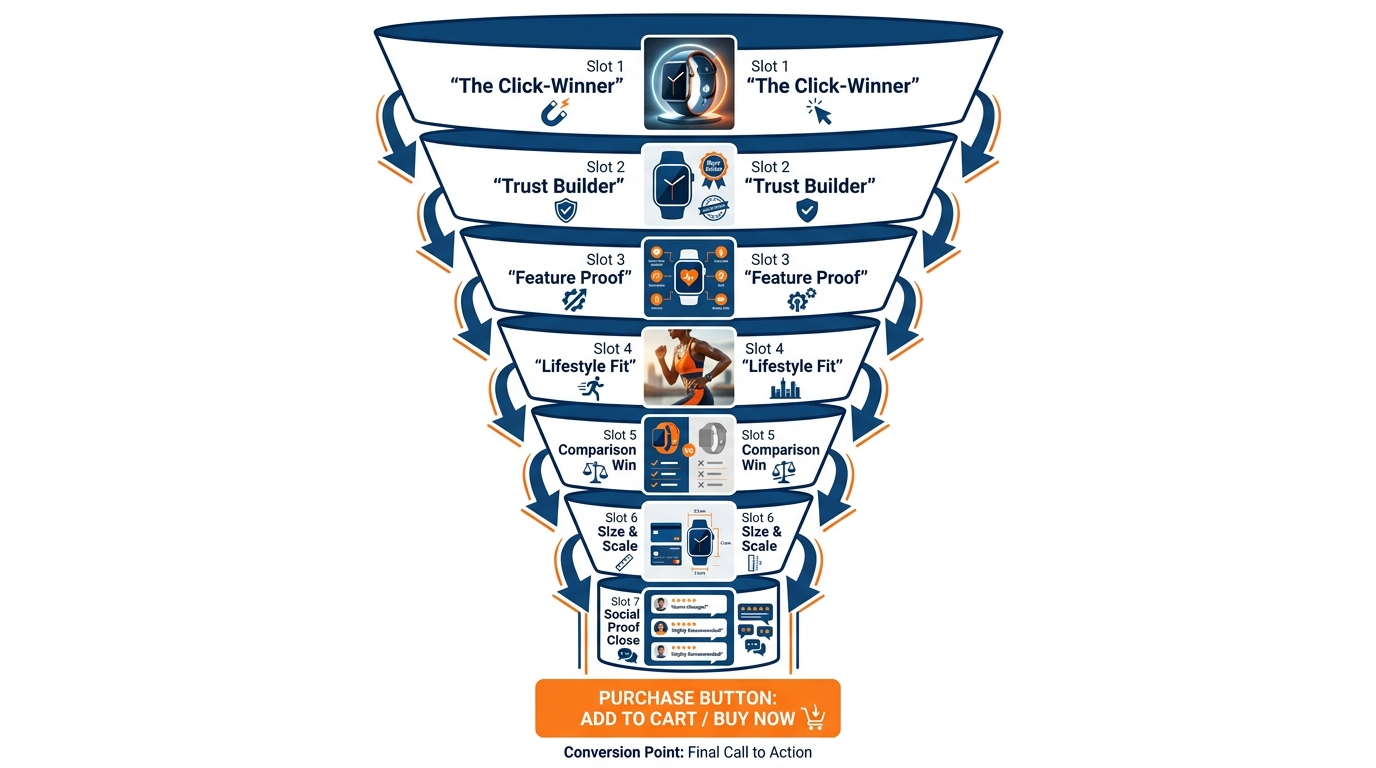
While Amazon allows up to nine images, most well-performing listings operate around seven core slots, each with a distinct purpose:
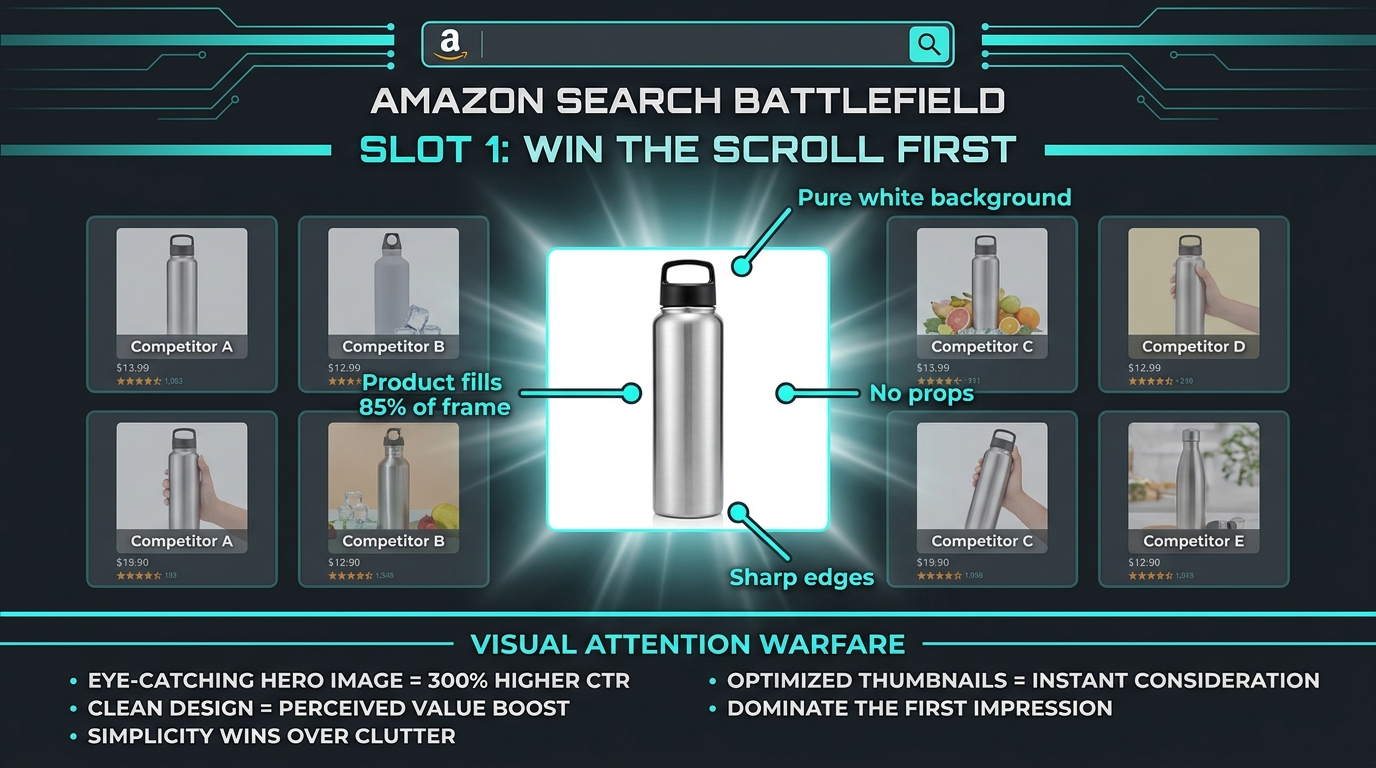
- Slot 1 (Main Image): Win the click. This is the only image that appears in search results. Its job is not to explain the product — it’s to earn the visit.
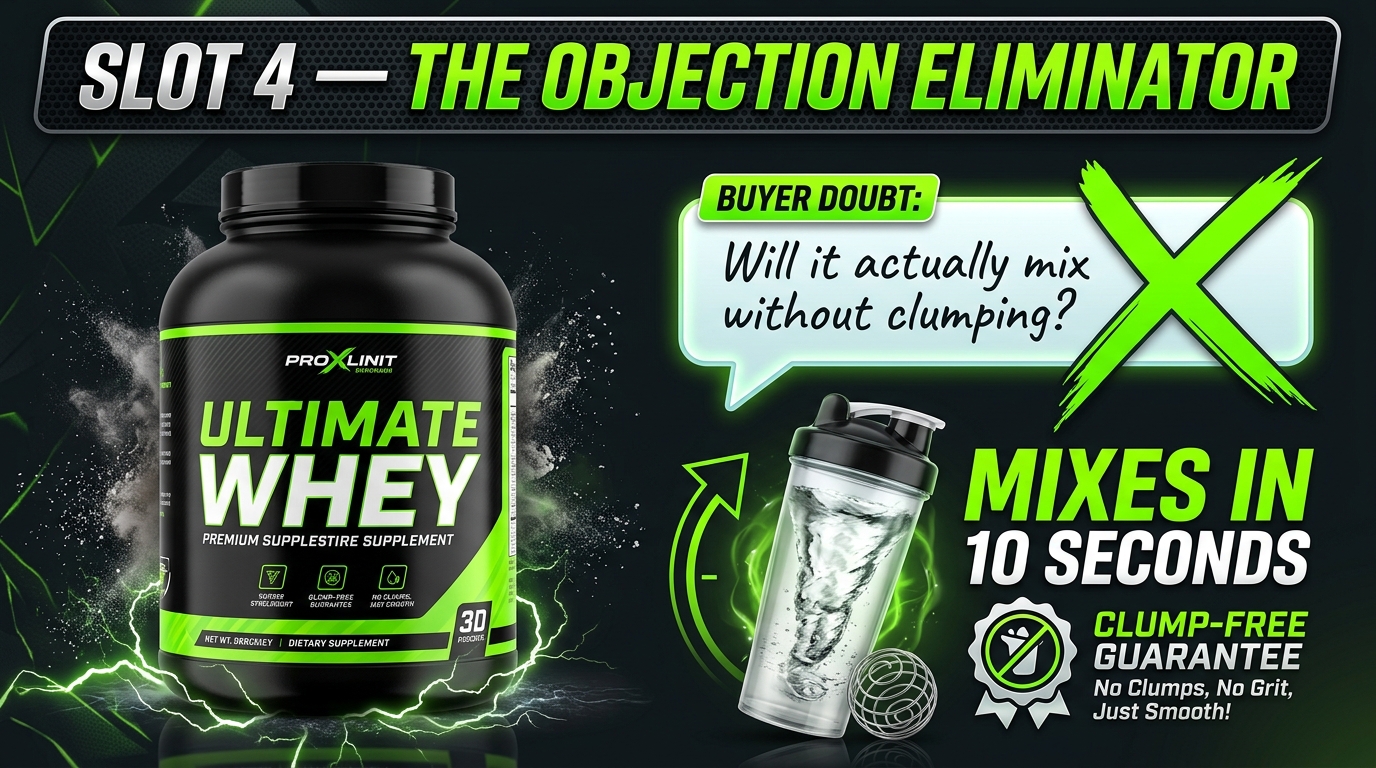
- Slot 2 (Trust Anchor): Answer the first question. When a customer lands on your page, they immediately start looking for reasons this product might not be right. Slot 2 should directly address the most common doubt.
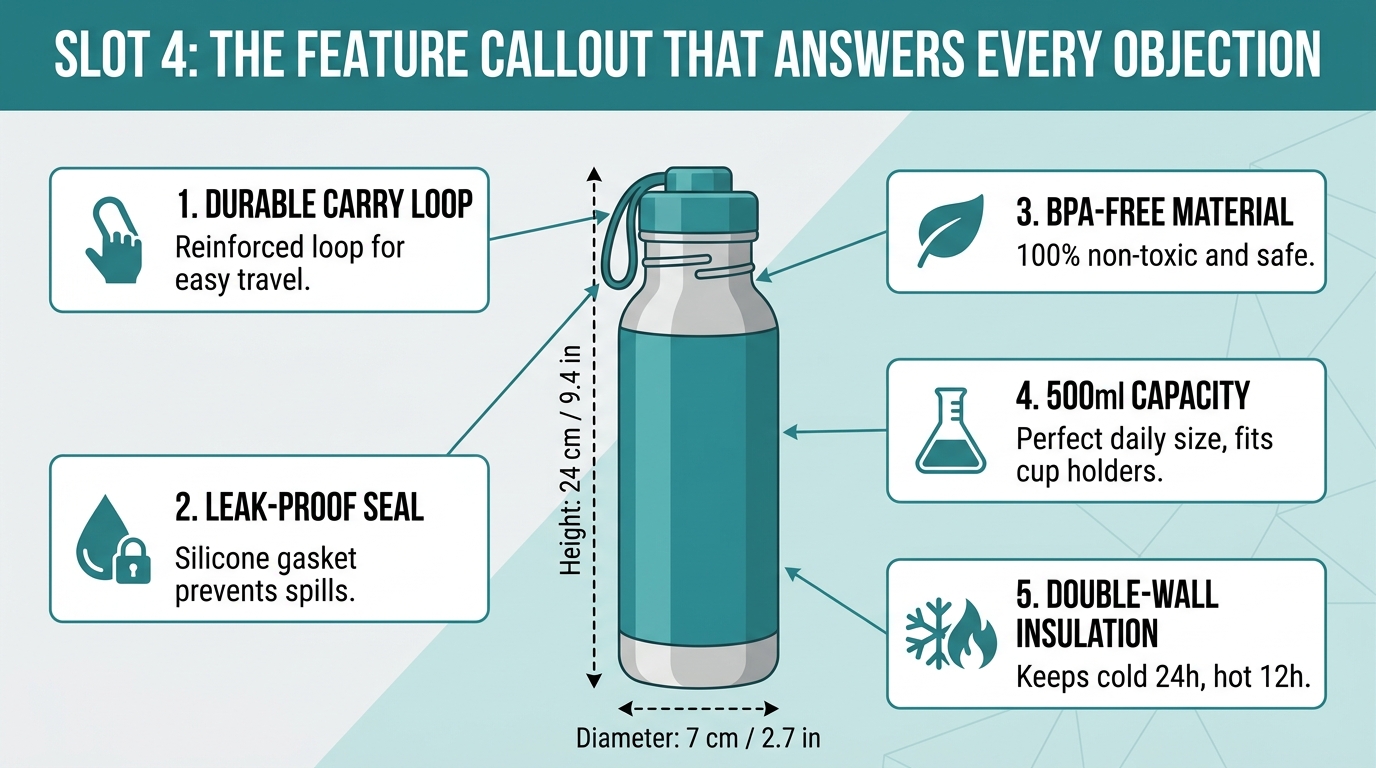
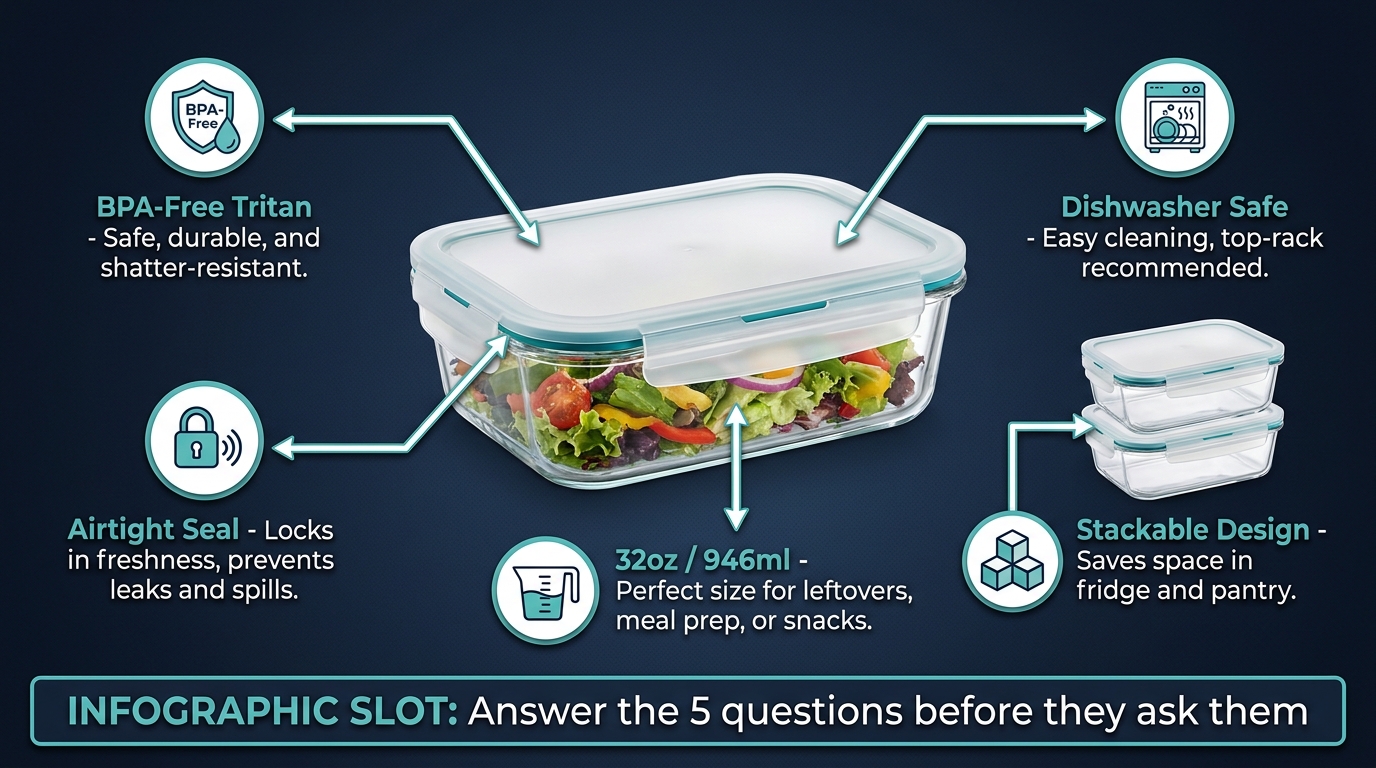
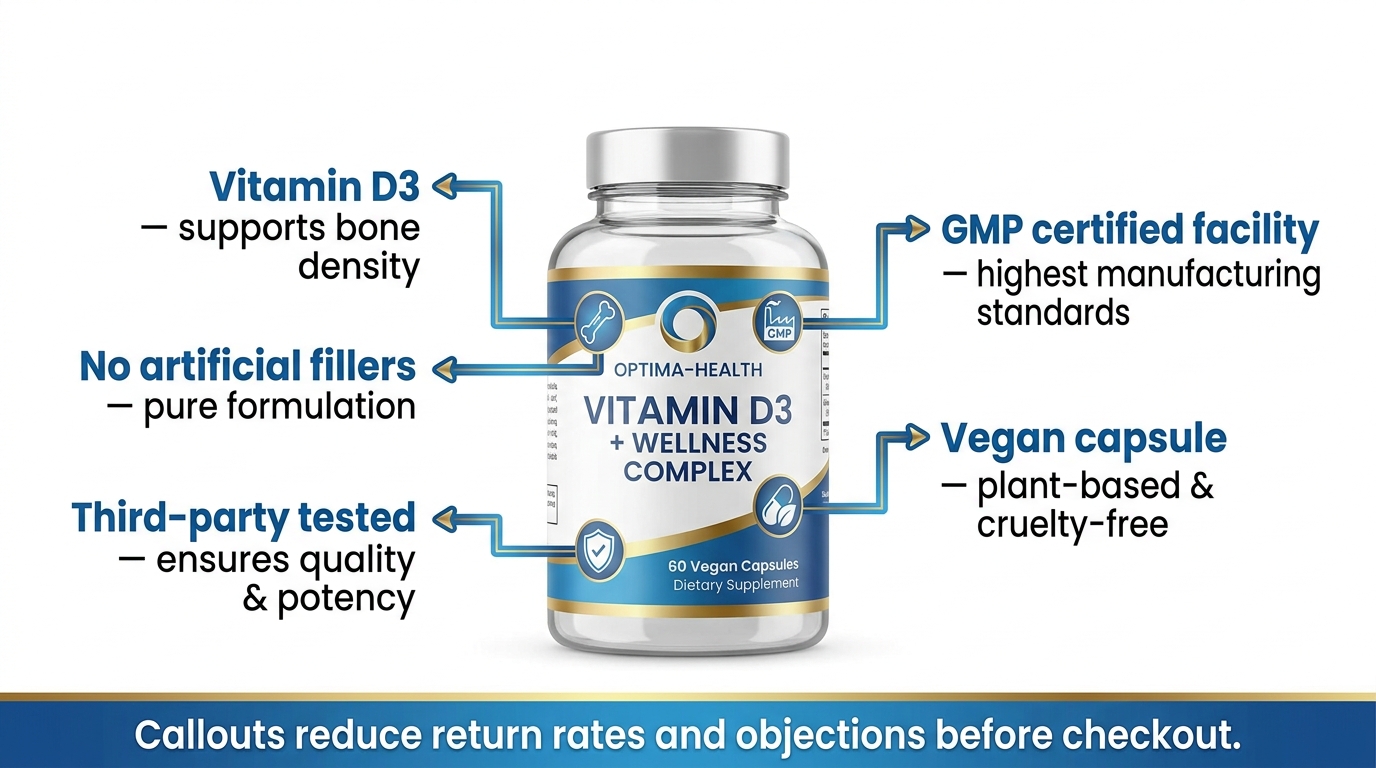
- Slot 3 (Feature Proof): Demonstrate what makes your product worth its price. This is where you prove the claims in your title and bullets — visually, with callouts and annotations.
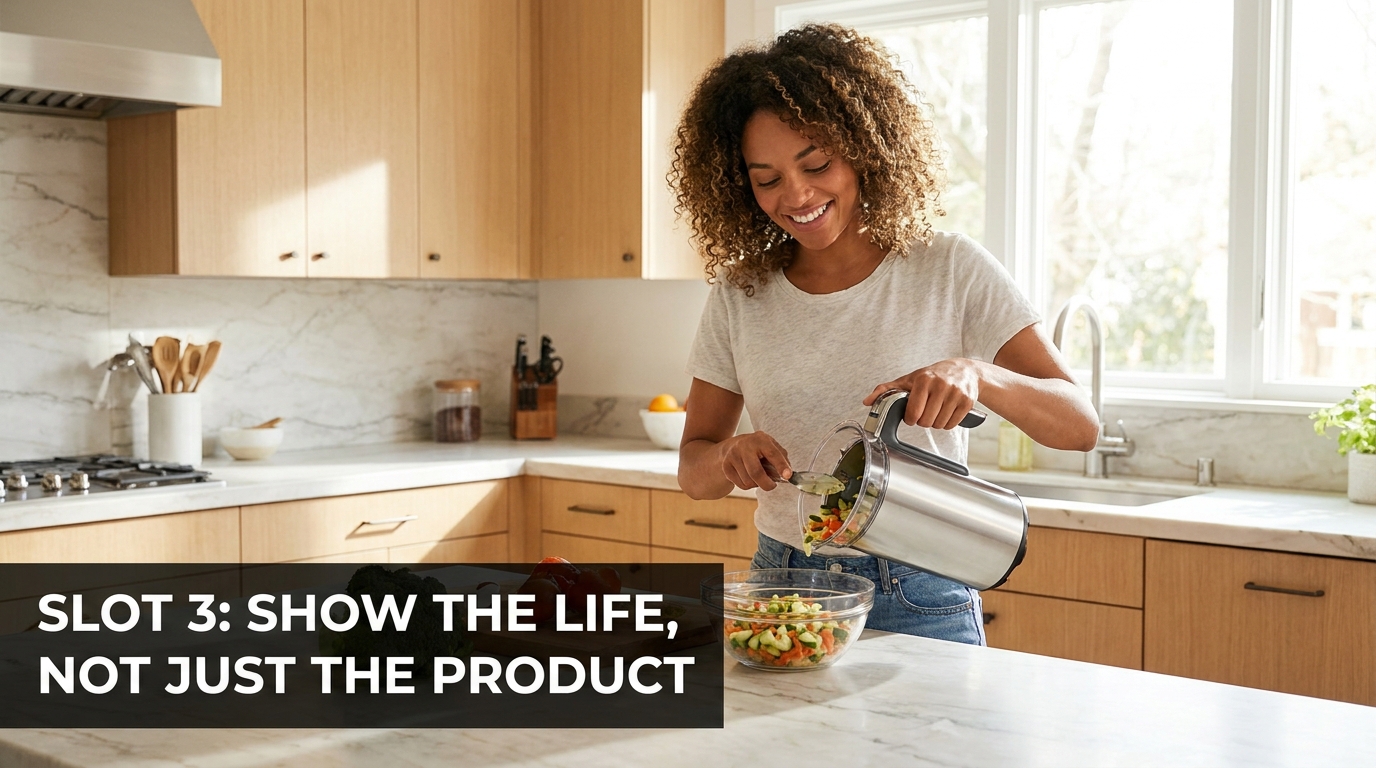
- Slot 4 (Lifestyle Context): Show the product in use, in a context your target buyer recognizes. This is aspirational — it answers the question “Is this for someone like me?”
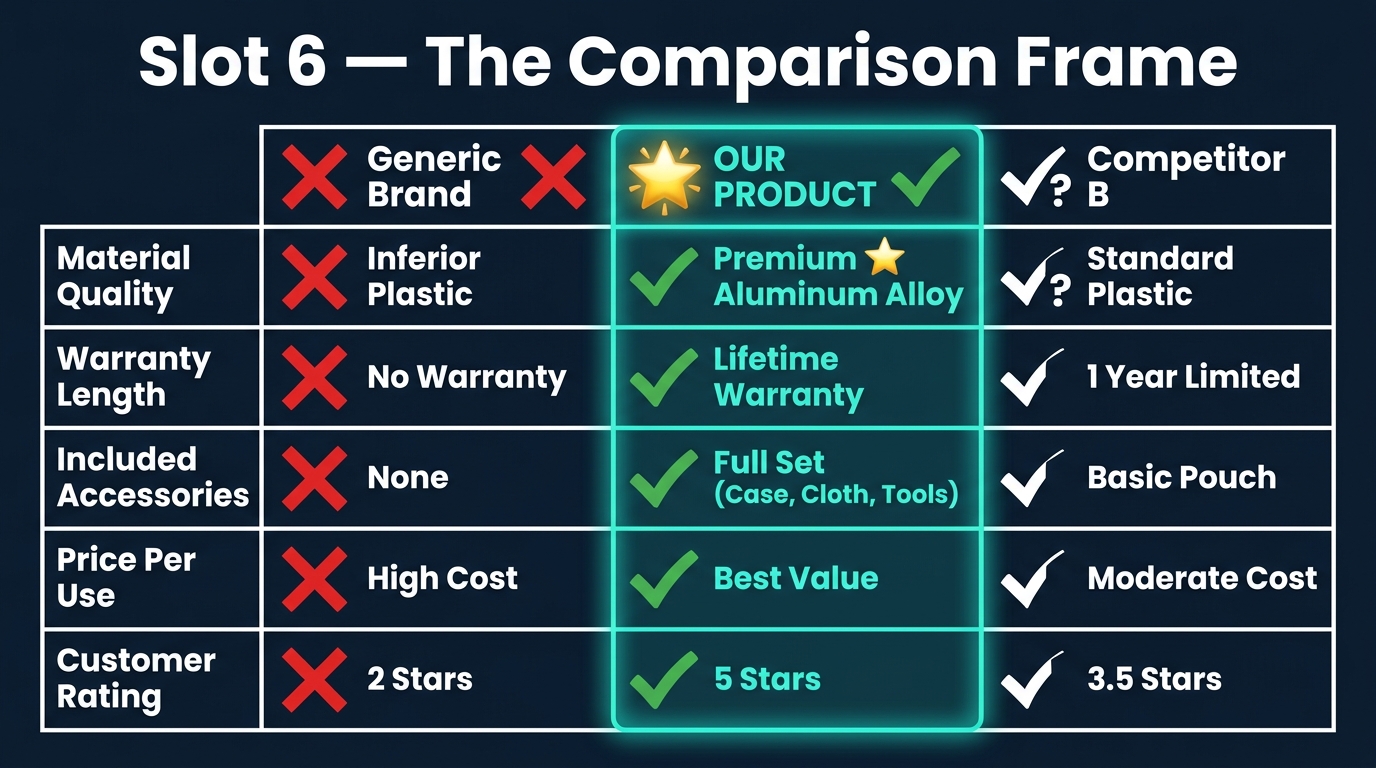
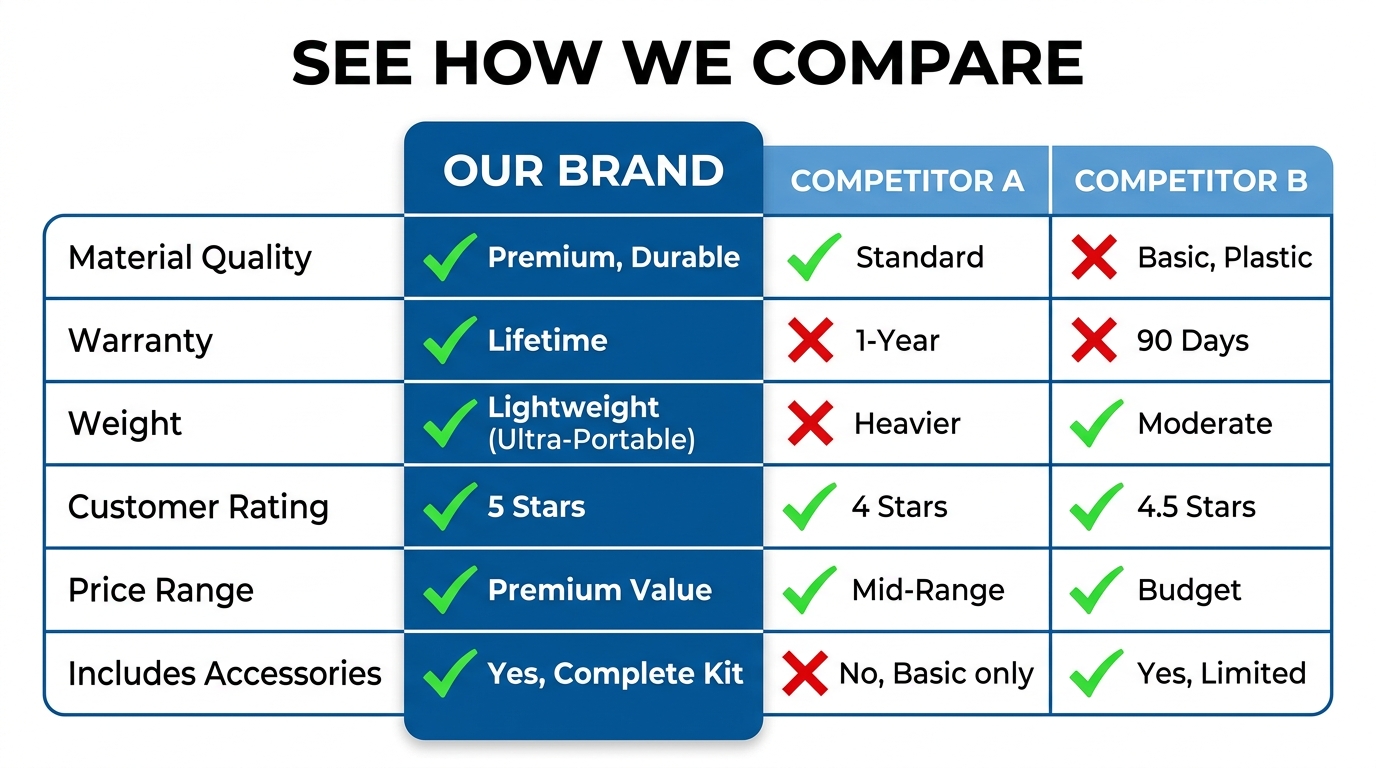
- Slot 5 (Comparison or Differentiator): Either compare your product to the category standard or highlight the one feature your competitors can’t match. This is your competitive positioning slide.
- Slot 6 (Size and Scale): Eliminate one of the most common reasons for returns — mismatched expectations about size. A comparison against a recognizable object or a dimension diagram solves this.
- Slot 7 (The Close): Social proof, the complete contents of the box, a guarantee, or a summary of the top three reasons to buy now. This is the final push before the customer scrolls down to reviews.
Notice that this framework is not about product categories or photography styles. A silicone spatula, a wireless earphone, and a vitamin supplement all move through these same seven stages. The content of each image changes — the function does not.
Why Most Sellers Miss This Entirely
The most common approach sellers take is to shoot a handful of product photos, pick the ones that look nicest, and upload them. Maybe they add a lifestyle shot because they’ve heard that helps. Maybe they scatter some callouts across a few images without a clear strategy for what each one is supposed to say.
The result is a set of images that all do the same thing — they show the product from different angles — without any of them doing the work of moving a customer forward through the decision process. It’s the visual equivalent of repeating your product title five times in a row instead of making a case for why someone should buy it.
The sellers who audit their image stacks against this framework almost always find that they have three or four “showing” images and zero “closing” images. That’s where the conversion leak is.
Main Image Mechanics: The Thumbnail That Has to Win the Click
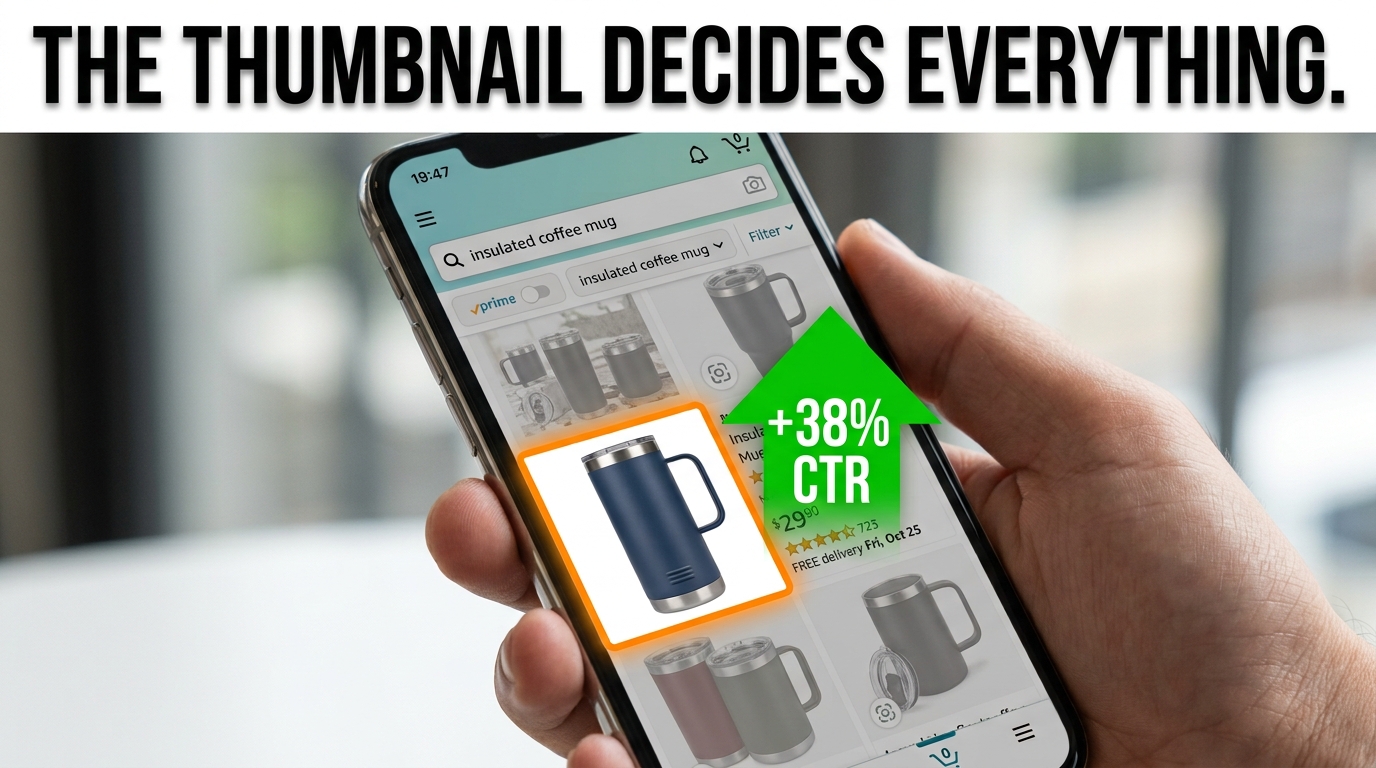
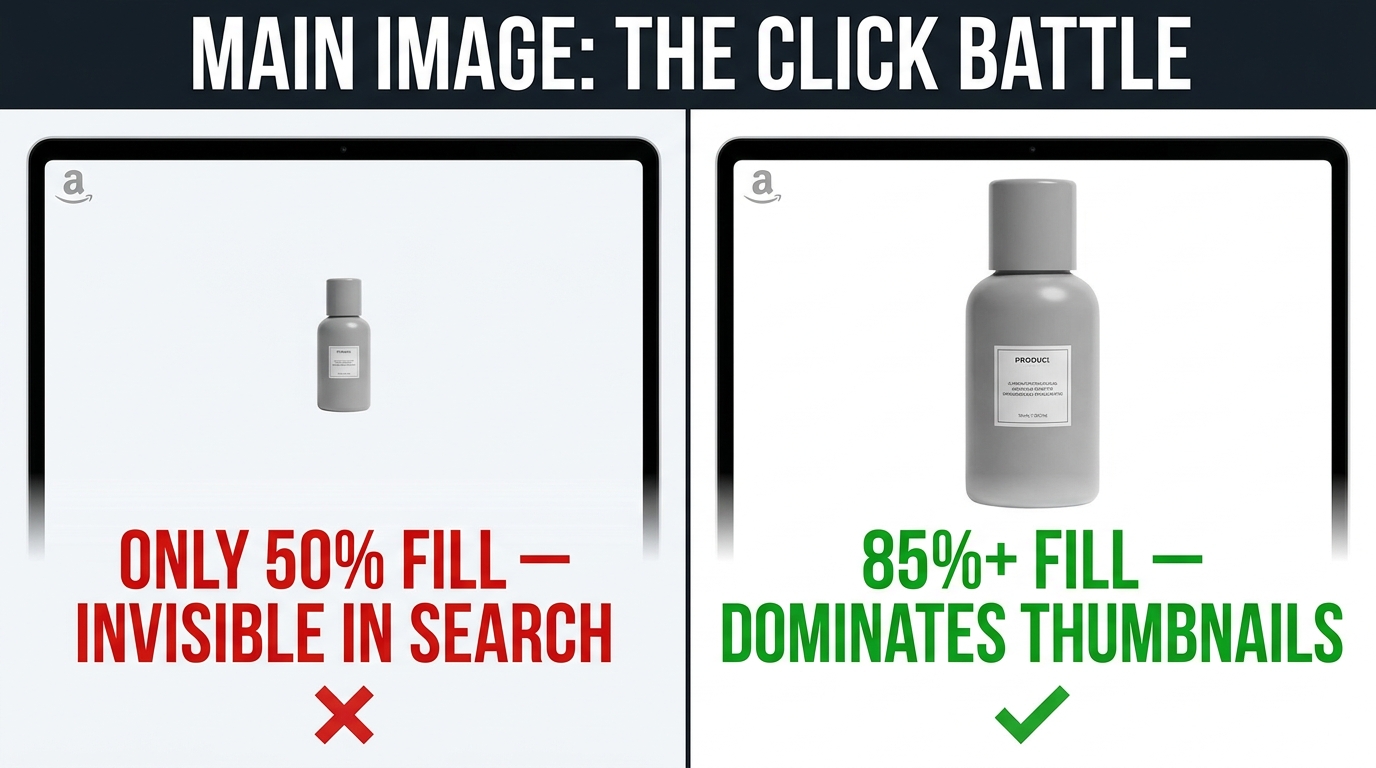
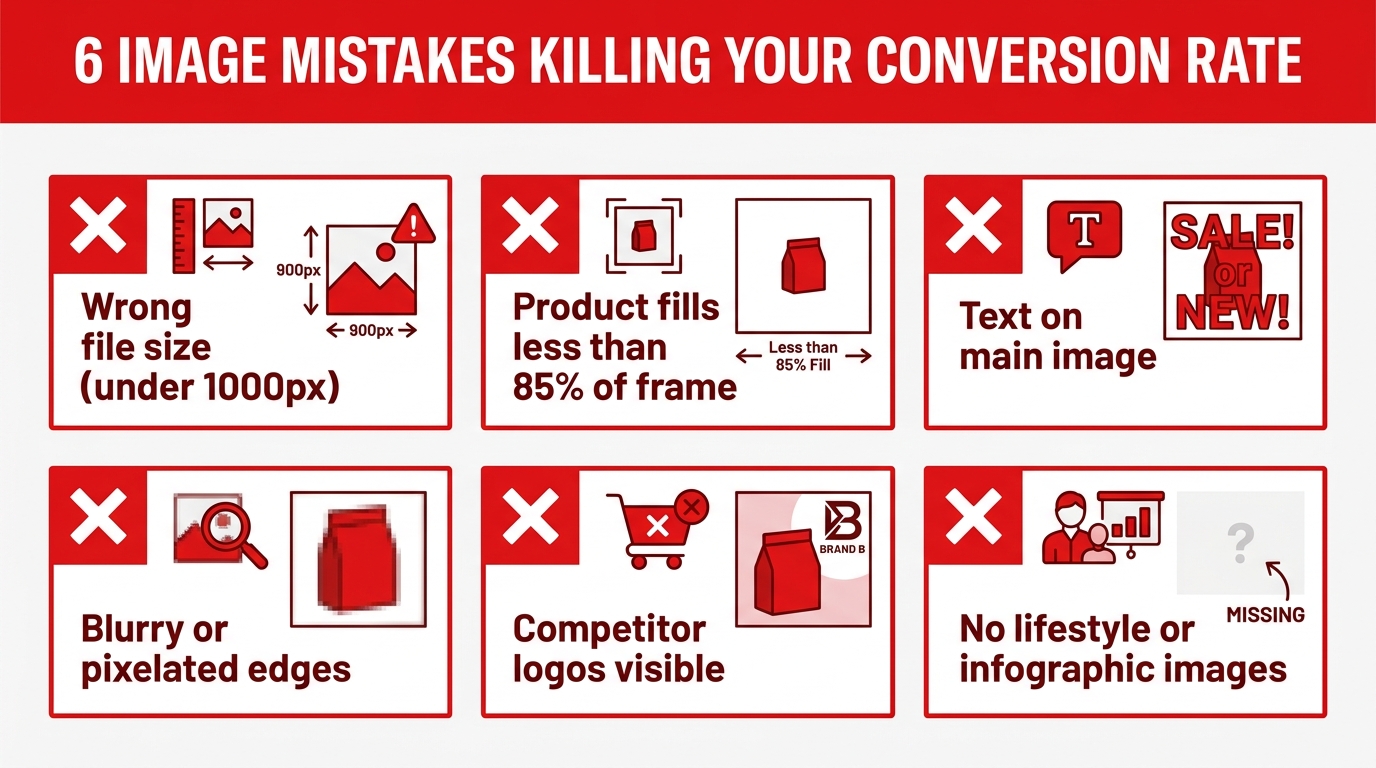
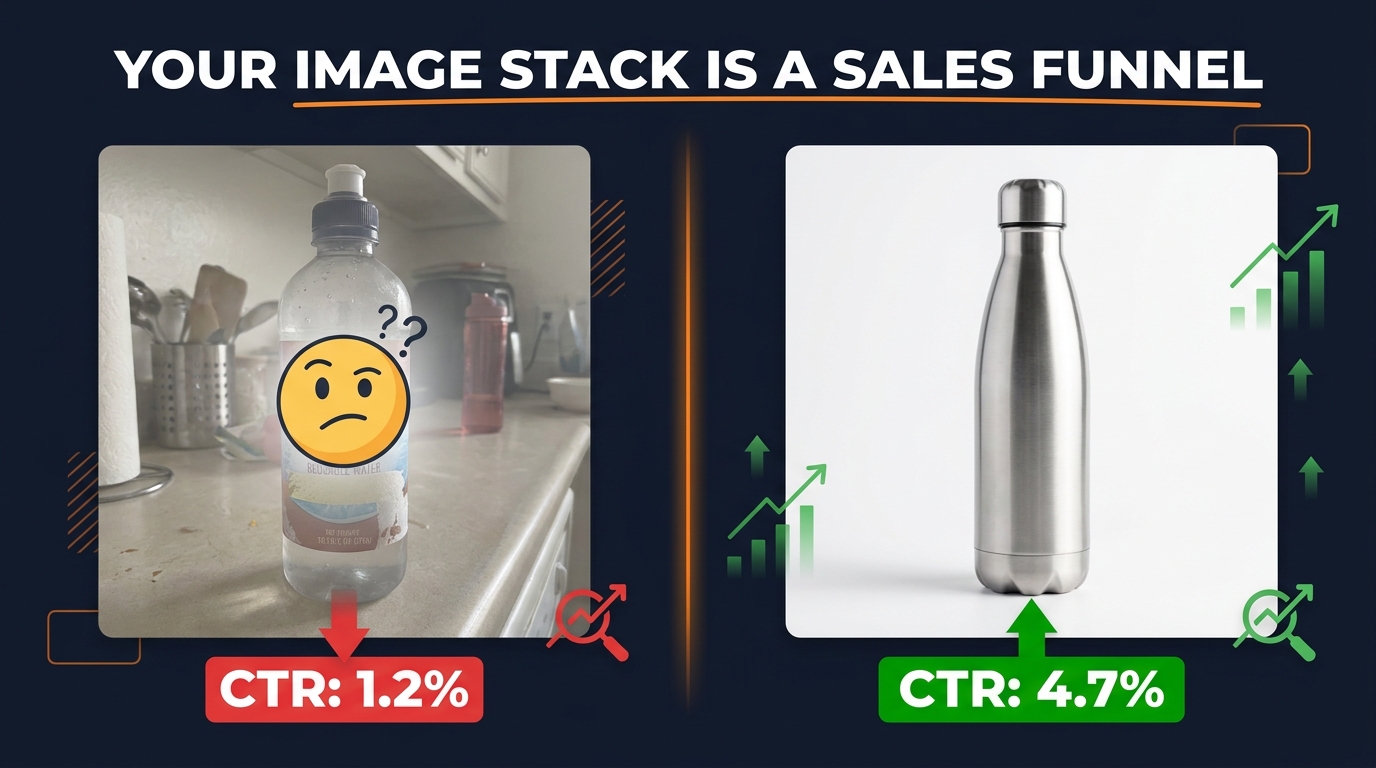
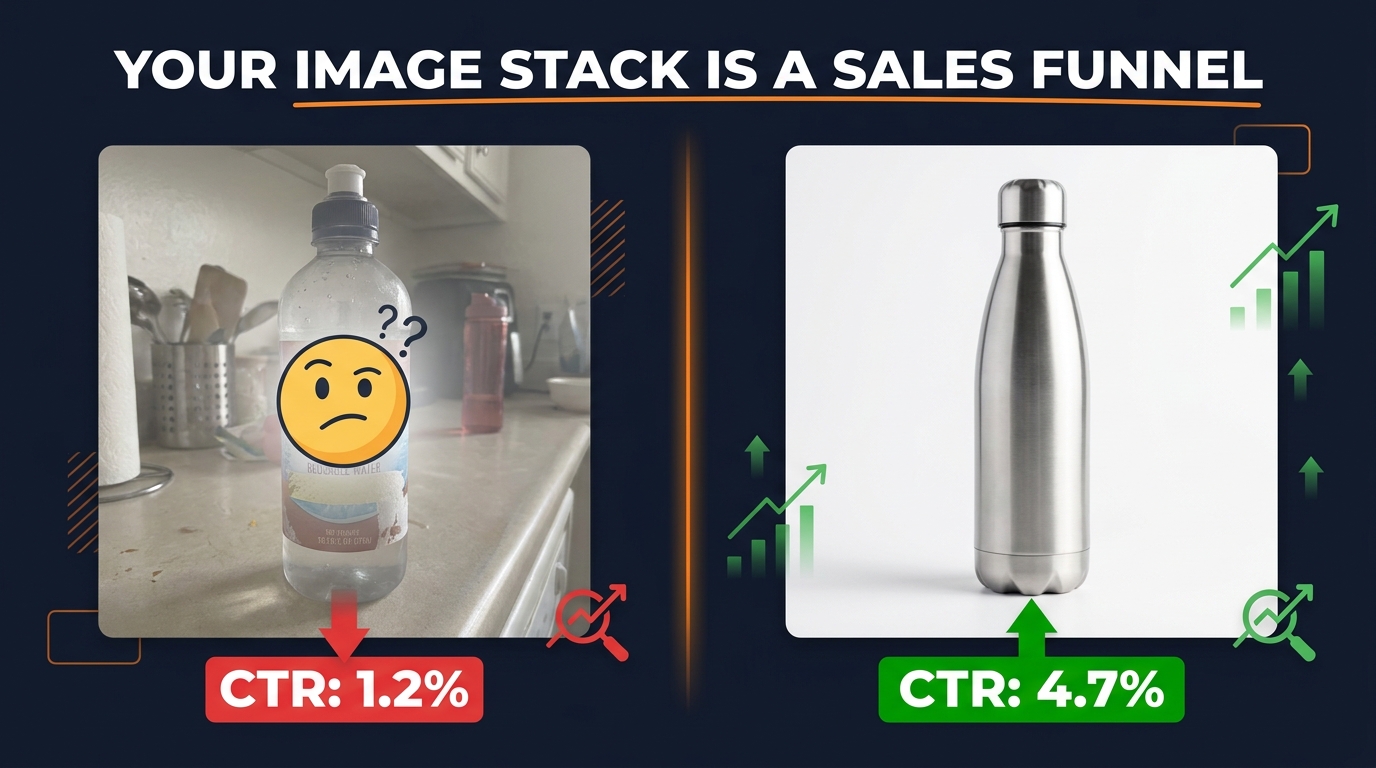
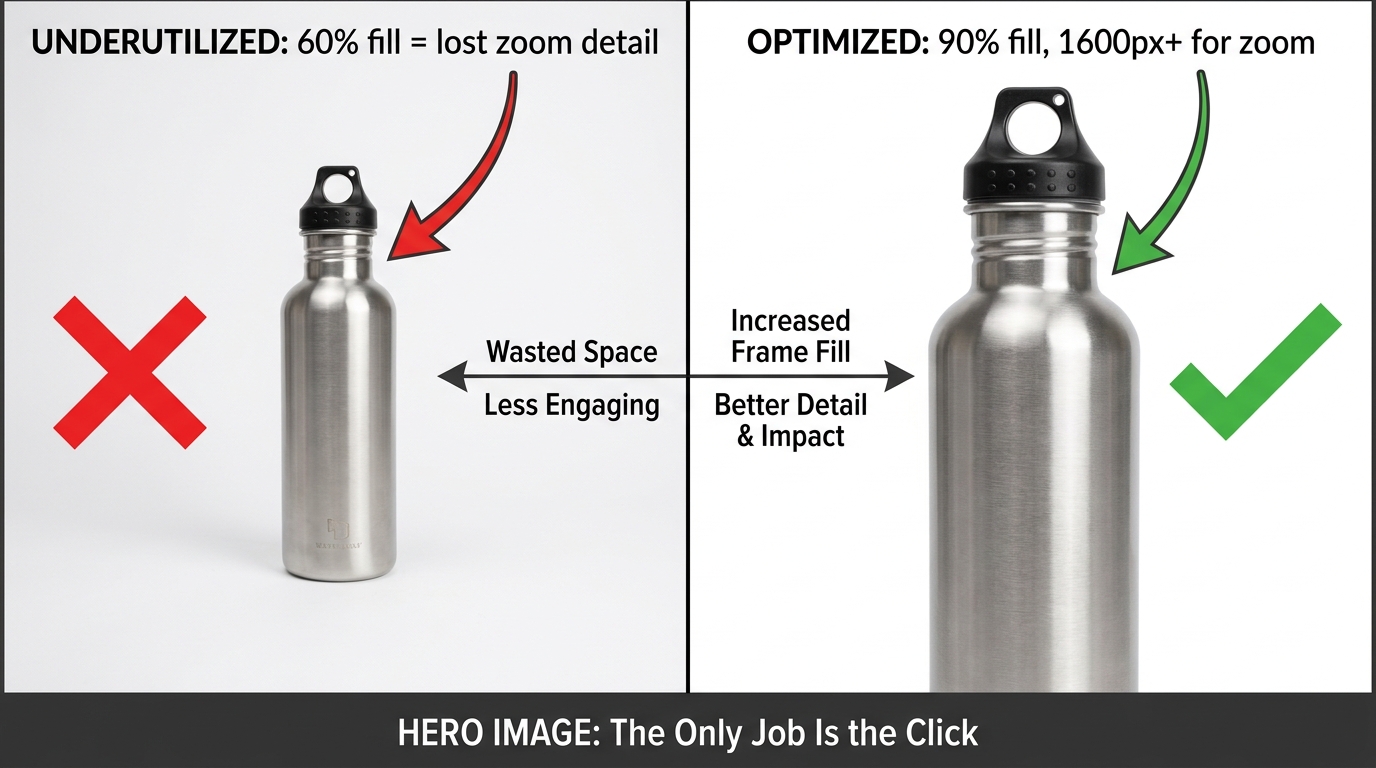
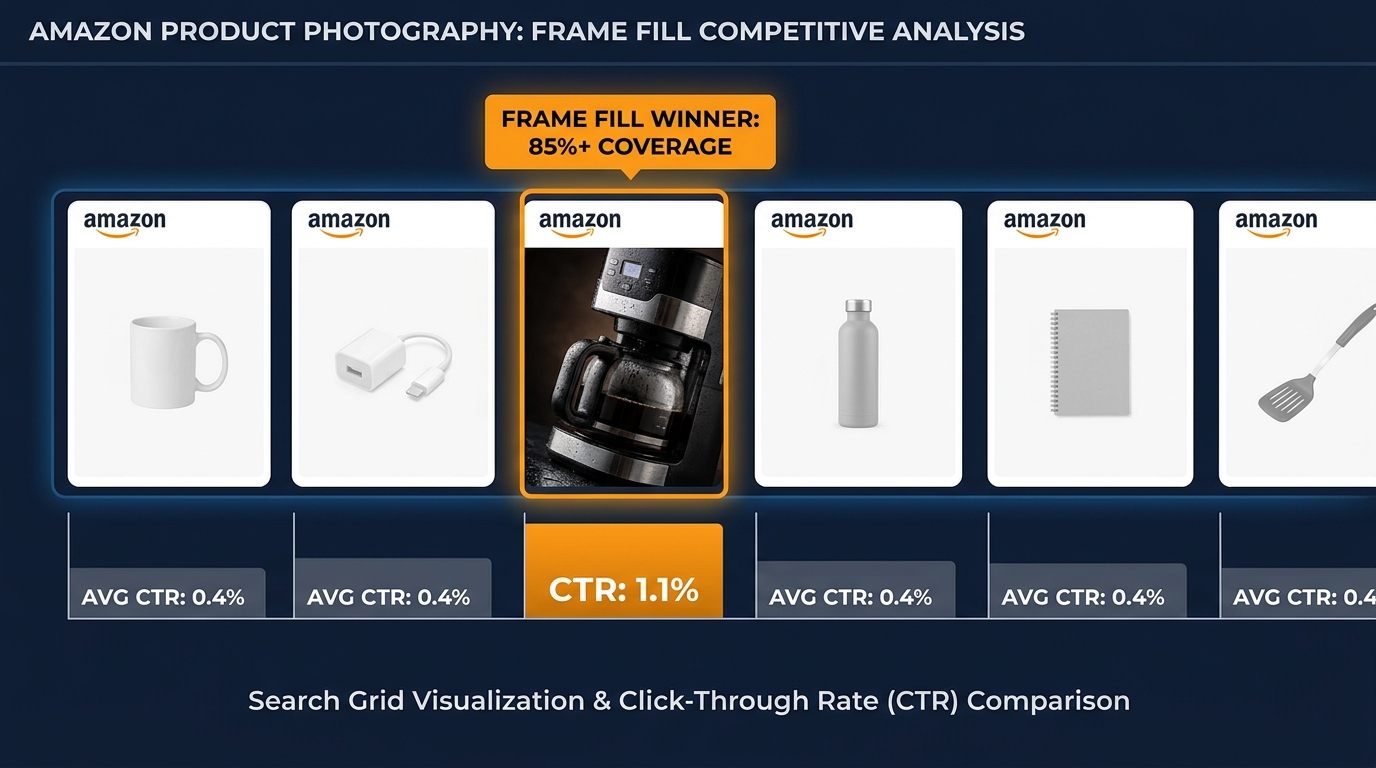
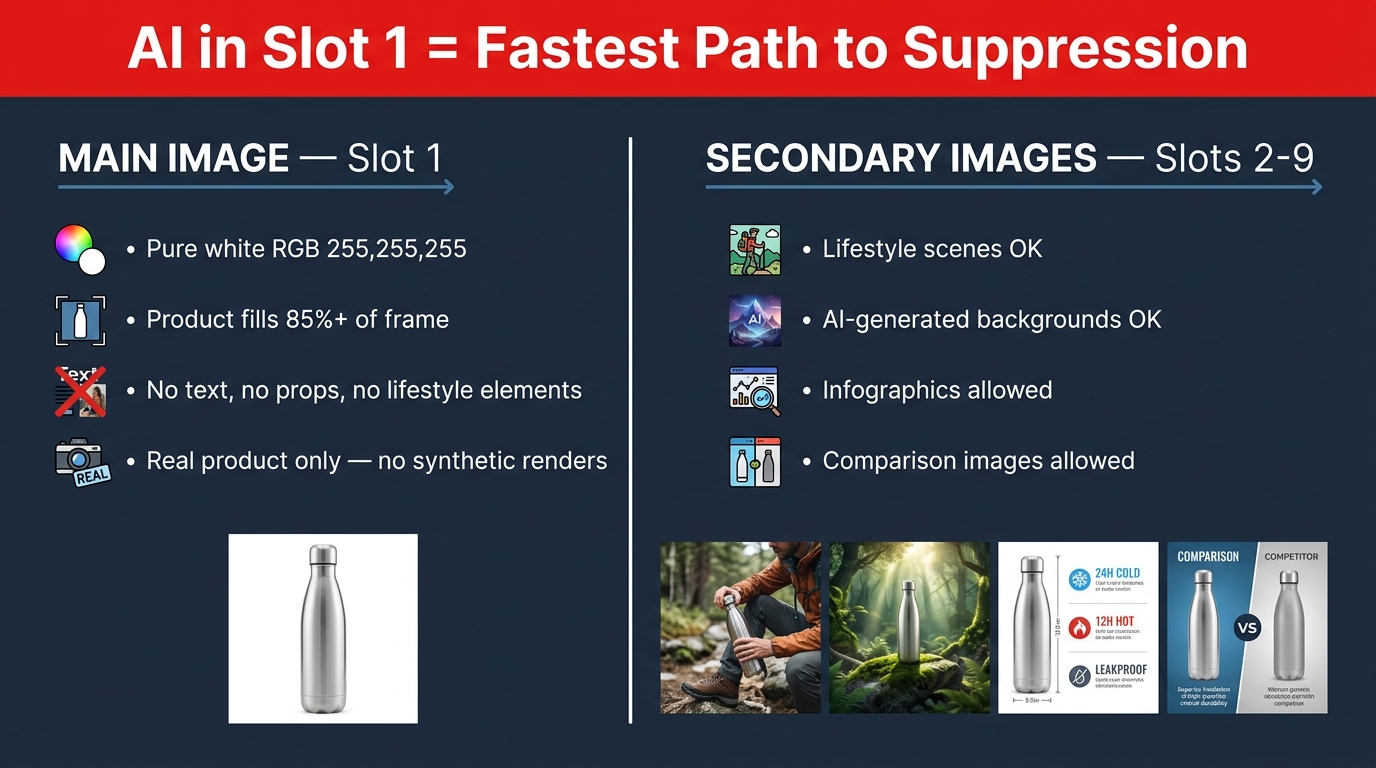
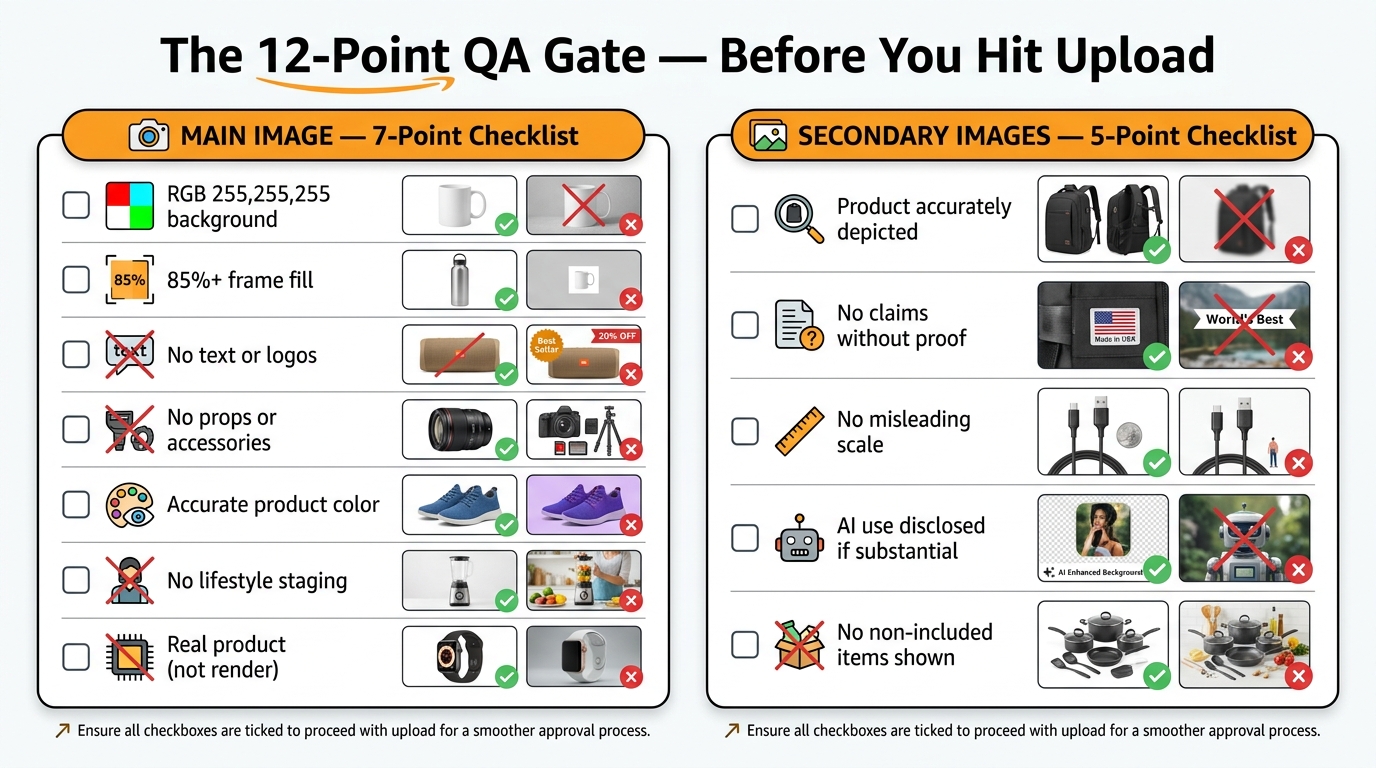
Your main image is not really part of your listing. It is your listing’s advertisement — a thumbnail that competes for attention in a grid of dozens of other products, almost all of which have professional photography, white backgrounds, and products positioned to fill 85% of the frame.
Everyone follows the same rules. And that means the rules alone are not enough.
The Attention Problem in a Grid of Compliant Thumbnails
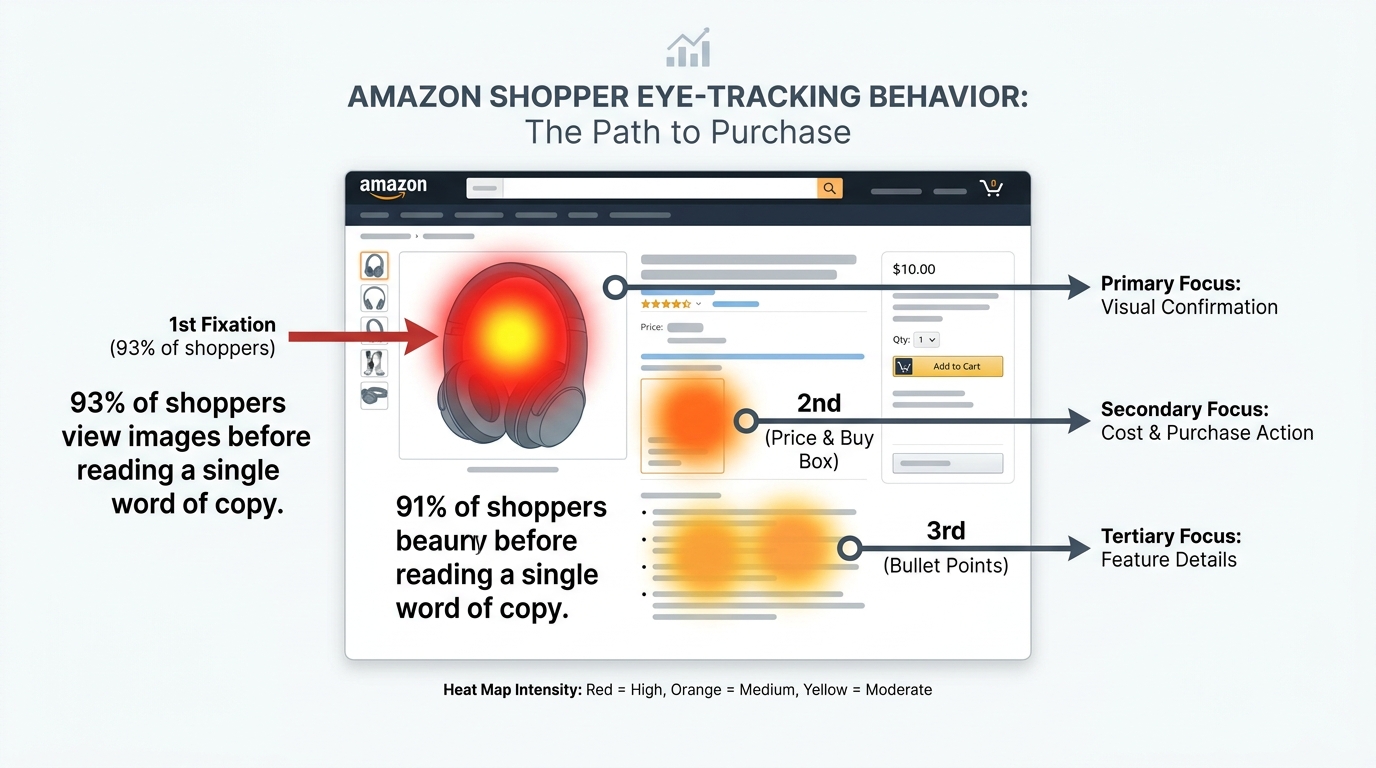
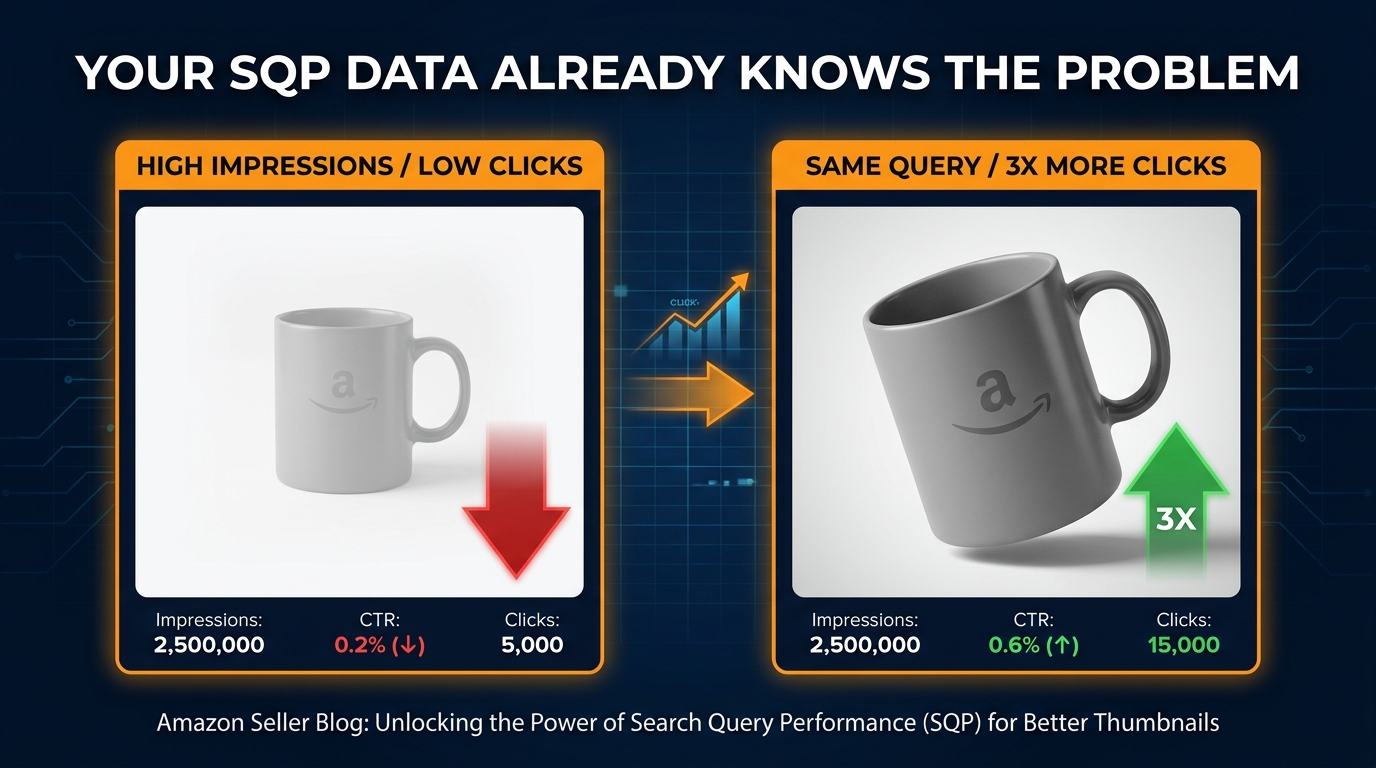
When Amazon shoppers look at search results, eye-tracking research consistently shows that attention does not flow evenly across the grid. It clusters. Certain thumbnails attract more fixations — more visual attention — than others, and this happens before the conscious brain has processed any detail about the product. The thumbnail either “pops” or it doesn’t.
What causes a compliant white-background image to pop? Several well-documented factors:
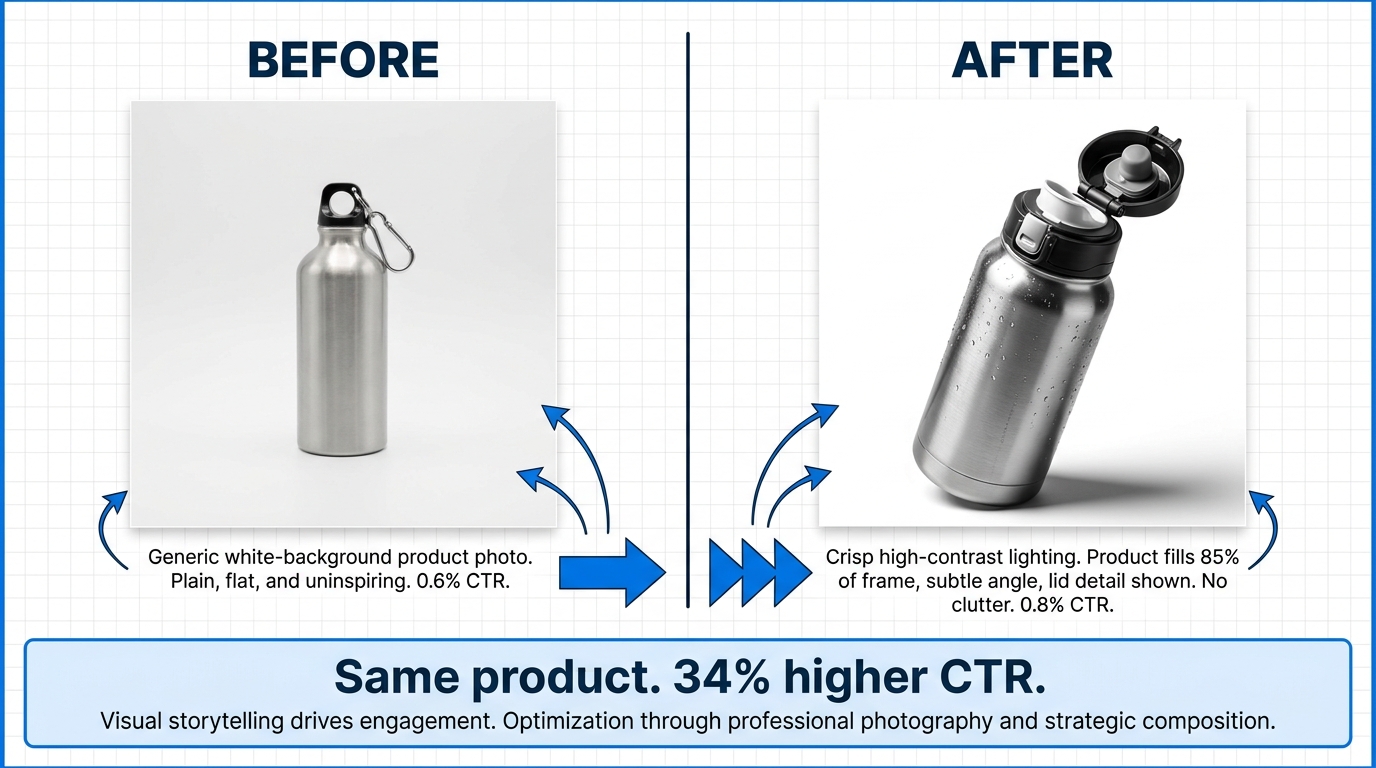
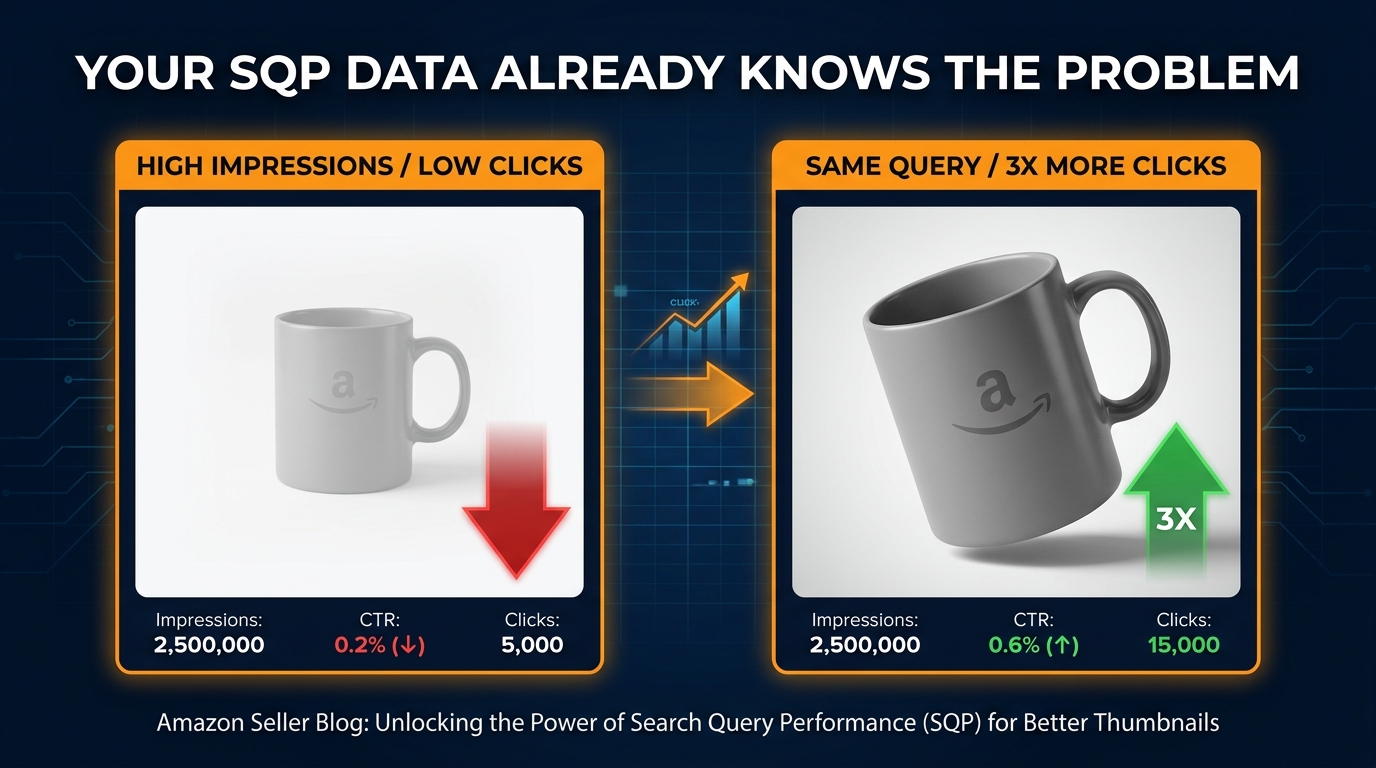
- Product angle and orientation: Products photographed at a slight angle (rather than dead-on flat) tend to draw more attention because they create the perception of three-dimensionality. A flat front-facing product looks like a catalog picture. A product shot from 30–45 degrees looks like a real object.
- Shadow and depth: A subtle drop shadow or reflection beneath the product grounds it in the frame and signals high-quality photography. Products floating on white without any shadow or depth cue often look cheaper than they are.
- Product state: For products with a visible “open” or “in-use” state, showing that state in the main image can outperform a closed or flat version — a backpack with pockets open, a meal prep container with food inside, a skincare pump dispenser with a drop of product visible. It communicates function at a glance.
- Product-to-frame ratio: Amazon requires the product to fill at least 85% of the frame. The highest-performing main images typically push this to 90–95%. More product, less dead space.
The “First Scan” Test
Here is a simple test you can run right now. Search for your main keyword on Amazon. Screenshot the first page of results. Zoom out until the thumbnails are approximately the size they appear on a mobile phone screen — roughly 150×150 pixels. Now look at the grid.
Can you identify your listing in that view? Does it look distinct from the listings around it? Or does it look like a photocopy of every other result on the page?
If your product visually disappears into the grid at mobile thumbnail size, that’s your problem. Not your ad bids. Not your keyword targeting. Your thumbnail is not winning the click.
What You Can Actually Change Within Compliance
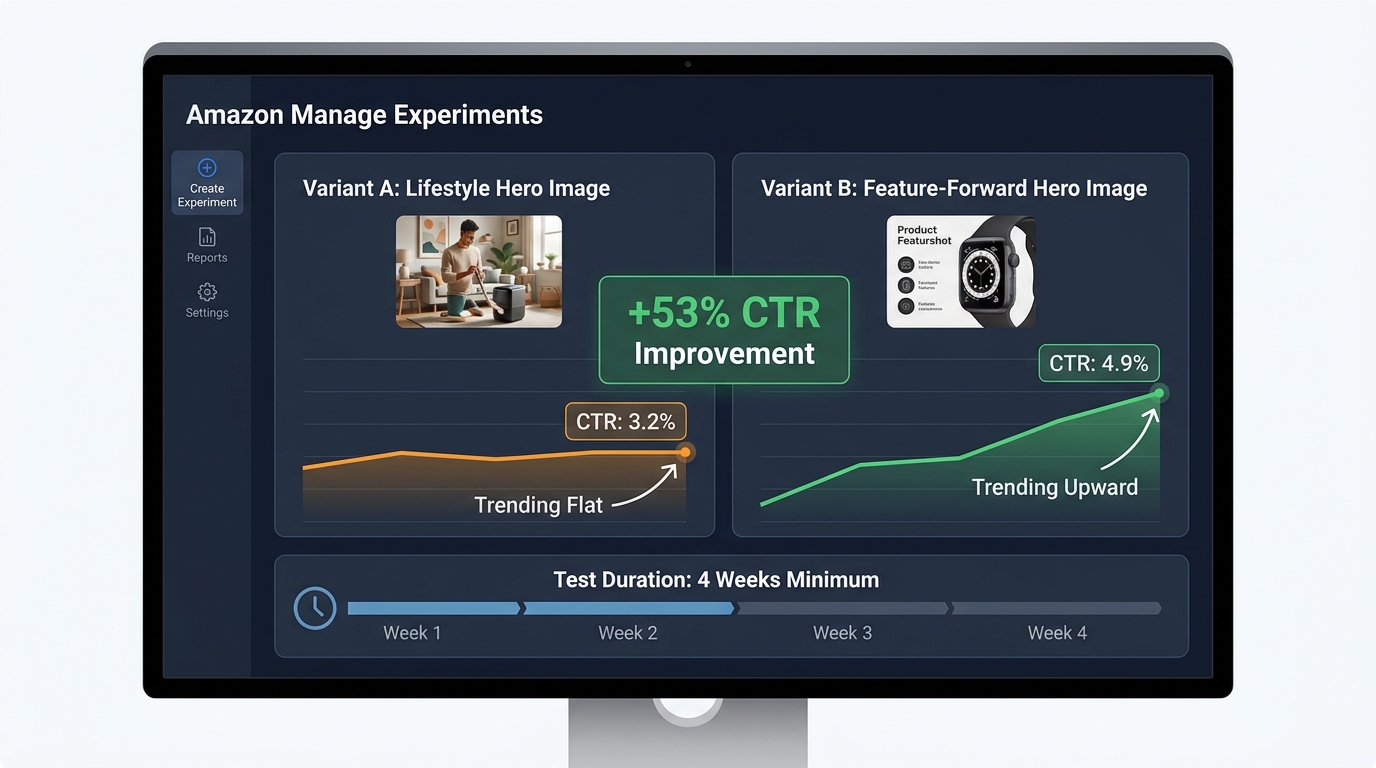
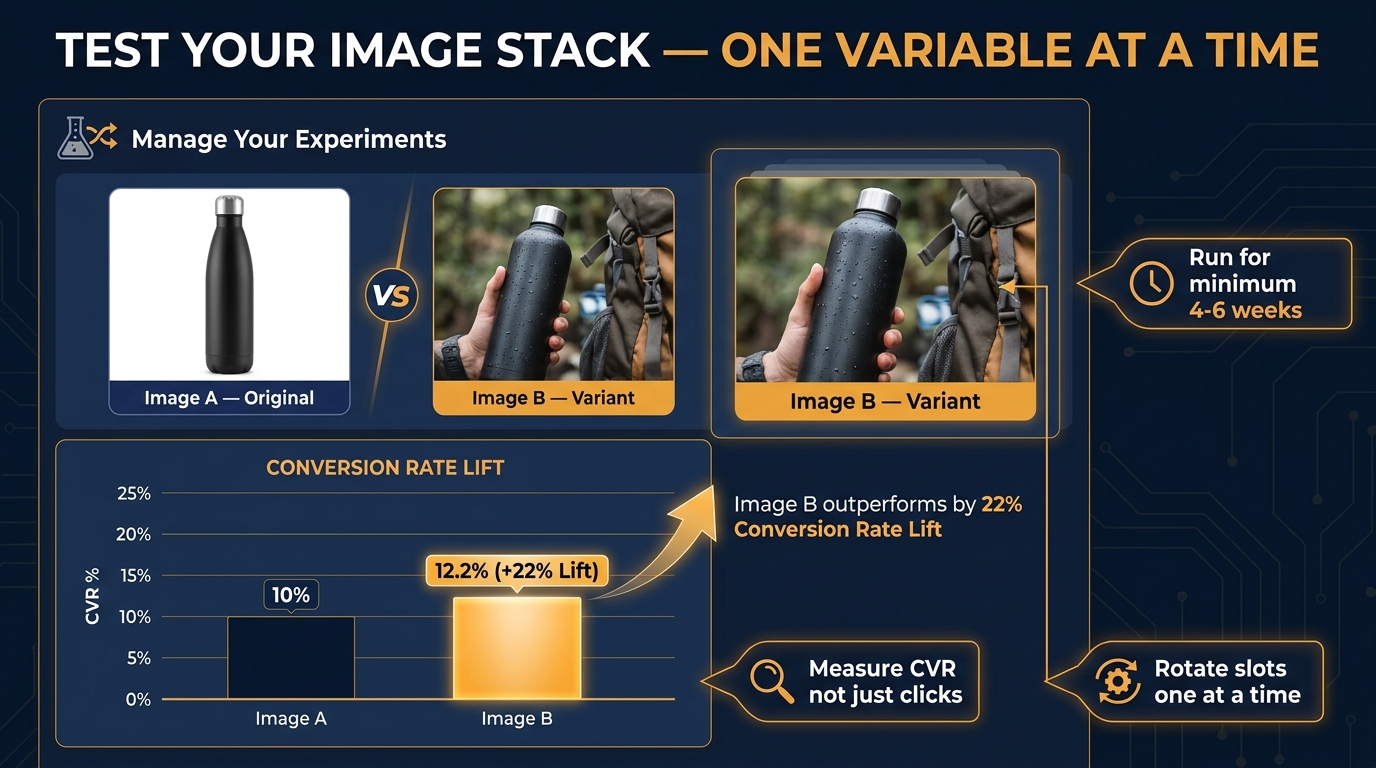
Within Amazon’s main image requirements — white background, no text, no logos, full product visible — there is still meaningful variation available to you. Angle, shadow treatment, product state, framing tightness, and the specific physical attributes of the product you choose to lead with (color variants, configurations, bundles) all affect click-through rate. Testing two main image variants via Amazon’s Manage Your Experiments tool is one of the highest-leverage tests you can run on any established ASIN.
Even a 0.5-point improvement in click-through rate on a high-traffic keyword compounds significantly over time — more clicks, more conversions, more sales velocity, which in turn feeds ranking. The main image is the single highest-leverage creative variable in your entire listing.
Image 2 — The Trust Anchor: Addressing Doubt Before It Kills the Sale
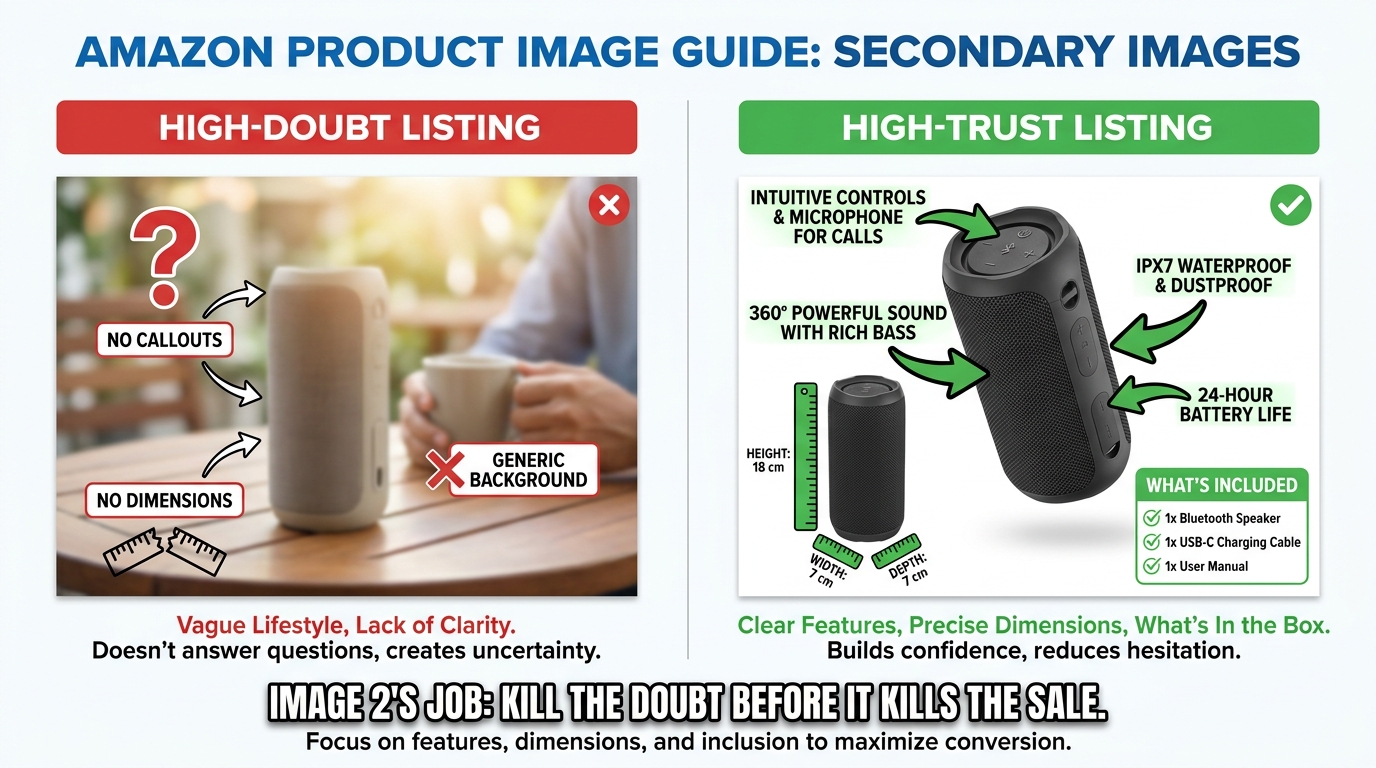
When a customer clicks your listing, they arrive with interest — but also with resistance. They have already seen a hundred Amazon listings that promised something and delivered something slightly different. They have learned to be skeptical. Your second image is the first opportunity to disarm that skepticism before it sends them back to the search results.
Most sellers waste this slot with a second angle of the same product. Same white background, slightly different camera position. It adds zero new information. It does not advance the purchase decision. It is the equivalent of a salesperson responding to a customer question by just repeating the product name again.
Identifying Your Product’s Primary Doubt
Every product category has a primary doubt — the most common reason buyers hesitate or return an item. Identifying yours is not complicated. You can find it in three places:
- Your 1-star and 2-star reviews: What do unhappy customers say most often? “Smaller than expected.” “Material felt cheap.” “Didn’t fit correctly.” “Confusing to assemble.” Whatever the most common complaint is, that’s your primary doubt — and your Image 2 should address it proactively.
- Your competitor’s 1-star reviews: Same exercise, applied to the top three competitors in your category. If customers are frustrated about the same thing across multiple listings, you have an opportunity to visually prove you’ve solved it.
- The questions in your Q&A section: The questions customers ask before buying are direct signals of information gaps. If “Does this fit a standard mattress?” is asked repeatedly, you need a sizing diagram. If “Is the battery included?” appears dozens of times, you need a “what’s in the box” image early in your stack.
What a Strong Trust Anchor Image Looks Like
A strong Image 2 directly confronts the primary doubt with visual evidence. This might be:
- A dimension diagram with actual measurements annotated on the product — not just in the bullet points, but visually rendered where the skeptical customer can’t miss it.
- A material close-up with a callout describing what the material is and why it matters (e.g., “Food-Grade Silicone — BPA-Free, Dishwasher Safe”).
- A “what’s in the box” flat lay showing every component included, so the customer isn’t surprised by missing accessories upon delivery.
- A compatibility illustration for products that need to work with other devices — showing exactly which models, standards, or configurations are supported.
The common thread: specificity. Vague reassurances (“Premium Quality!”) do nothing. Specific visual proof (“18/8 Stainless Steel — 0.8mm Wall Thickness”) changes a buyer’s mental model.
Images 3–5: Building the Persuasion Engine
Once you have won the click and anchored trust, your next three images do the substantive work of persuasion. These are the slots where you demonstrate value, create emotional resonance, and begin separating your product from the competition. Done well, this middle section of your image stack is where browsers become genuine prospects.
Image 3: The Feature Proof Image
This is your technical credibility image. Its job is to demonstrate — not just describe — the most important features of your product. The best approach is to treat this like an annotated technical diagram crossed with an advertisement.
Take the product, photograph it at a flattering angle, and then layer labeled callouts pointing to specific features. Not vague labels like “High Quality” — specific, claim-based labels like “Triple-Layer Insulation Keeps Drinks Cold 36 Hours” or “Ergonomic Grip — Reduces Wrist Strain by 40%.”
Every claim in a callout should be either verifiable (a spec from your supplier or testing data) or widely accepted framing (ergonomic design). Exaggerated or unsupported claims in images can attract negative reviews and policy attention. Honest, specific, visually prominent claims are what buyers are looking for at this stage.
A good Image 3 answers the question: “Why does this product do its job better than anything else I could buy?”
Image 4: The Lifestyle Context Image
Lifestyle images have been common on Amazon for years, but most sellers use them wrong. The typical mistake is choosing a lifestyle photo that looks beautiful but is not specific enough to the target buyer. A generic “active person outdoors” photo that could apply to any product in your category does not create the emotional resonance you need.
The goal of a lifestyle image is to create a moment of recognition — a split-second where the customer sees the image and thinks “that’s me” or “that’s my situation.” That requires specificity about:
- The user: Age range, setting, activity. A fitness water bottle used by a 30-something woman doing yoga in a bright studio speaks to a very different buyer than the same product used by a 45-year-old man on a construction site.
- The use case: Not just “someone using the product” but a specific scenario that represents the peak moment of value. For a food container, that might be the satisfying moment of opening a perfectly organized lunch at the office.
- The emotion: The best lifestyle images communicate an emotion — ease, pride, competence, comfort — not just product function.
Know your customer deeply before you shoot a lifestyle image, because a lifestyle image targeted at the wrong persona will reduce conversion among your actual buyers even as it looks impressive.
Image 5: The Competitive Differentiator
This is one of the most powerful and underused slots in the stack. Image 5 is where you explicitly separate your product from the generic competition.
There are two common formats for this image. First, a feature comparison chart: a simple grid showing your product versus “standard” products in the category, with checkmarks and X marks across a set of key features. This works because it does the competitive research work for the customer — they don’t have to open five other tabs to compare.
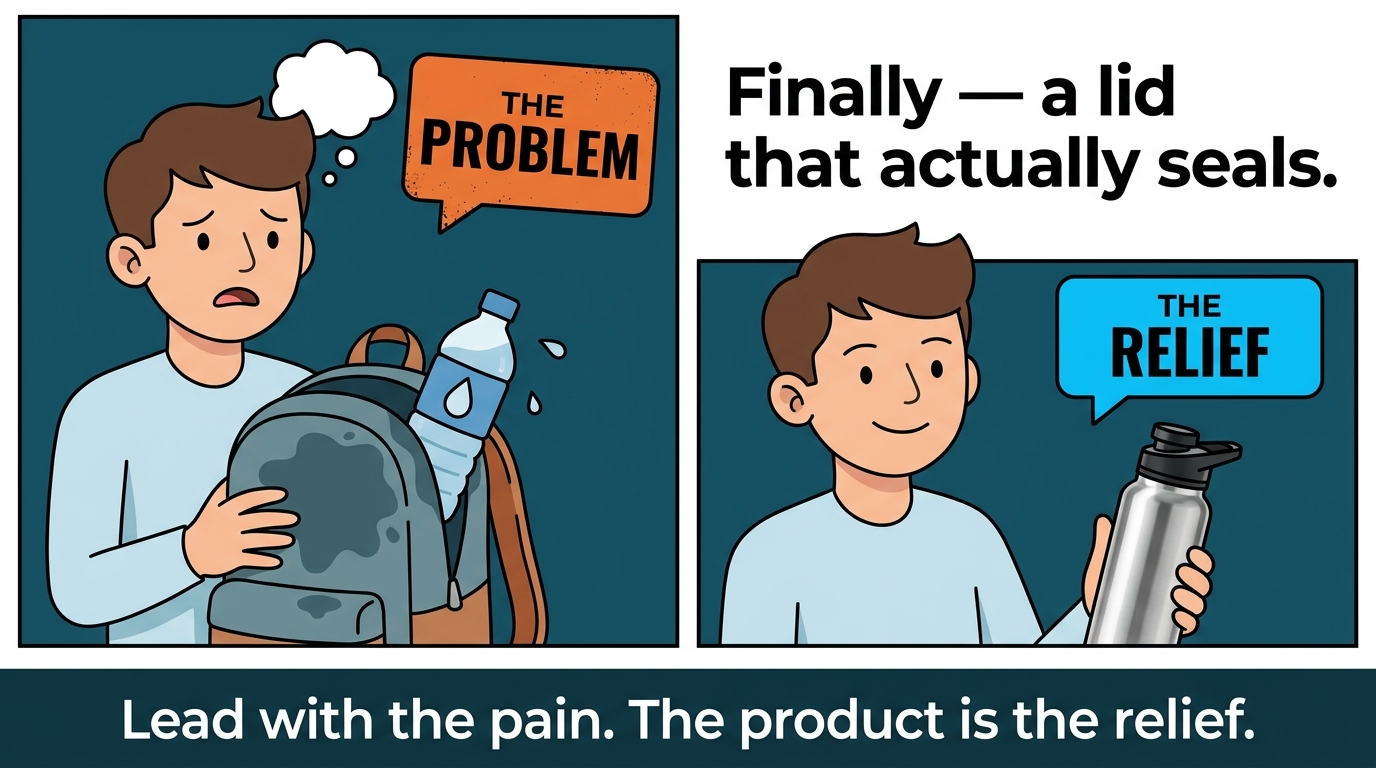
Second, a before/after or problem/solution format: showing the problem the customer has (without your product) alongside the outcome with your product. This format is especially powerful for products that solve a visible or tangible frustration.
An important caveat: Amazon prohibits naming specific competitor brands in your images. Your comparison should be against “standard” or “generic” alternatives, not a named competitor’s product. The frame is “our product versus how this category usually works” — not “us versus Brand X.”
Images 6–7: The Closing Sequence
By the time a customer reaches your sixth and seventh images, they are a warm prospect. They clicked, they engaged with your image stack, they haven’t bounced. They are close to a decision. The question is: what final information do they need to cross the line?
Image 6: Scale and Size Clarity
Product returns data consistently points to size mismatch as a top reason for returns across a wide range of categories. Customers thought the product would be a different size than it arrived — larger, smaller, thicker, thinner. This is a fixable problem, and Image 6 is where you fix it.
The most effective size-clarity image shows the product next to a universally recognized object for scale — a human hand, a standard coffee mug, a credit card, a ruler. This gives the customer an immediate, intuitive sense of scale that even a listed dimension in centimeters cannot fully provide.
For products where size variance matters across variants (different sizes of the same item, different configurations), a scale comparison that shows all variants relative to each other is particularly useful. It helps customers self-select the right variant before they click Add to Cart — which reduces returns and improves review quality.
Image 7: The Close
Your final image in the primary stack is the last thing a customer sees before scrolling to reviews. It should function as a closing argument — a final consolidation of the reasons to buy.
Common high-performing formats for the closing image include:
- A “Top 3 Reasons to Choose [Product]” graphic — three concise benefit statements with icons, positioned as a summary of the value proposition.
- A warranty, guarantee, or satisfaction policy image — “30-Day Money-Back Guarantee” or “2-Year Manufacturer Warranty” displayed prominently reduces purchase anxiety and increases willingness to buy from a new or less-known brand.
- A social proof collage — curated excerpts from real positive reviews (compliant with Amazon’s policies on review representation) combined with a star rating visual. This works because it introduces third-party validation at exactly the moment the customer is deciding whether to scroll down to read more reviews.
- An “unboxing” or gift presentation image — for products often purchased as gifts, showing the product in premium packaging can be the visual trigger that converts a consideration into a cart add.
Whatever format you choose, Image 7 should leave the customer with one clear feeling: confidence. Specifically, confidence that buying this product is a safe decision they won’t regret.
The Color Psychology Behind Your Background Choices

Your main image must have a white background. But your secondary images have no such constraint — and the backgrounds you choose for images 2 through 7 communicate far more than most sellers realize.
Color psychology in retail is well-studied. The application to e-commerce, and Amazon specifically, is less discussed but equally real. When a customer scrolls through your image carousel, the backgrounds they see are shaping their perception of your brand and your product’s category positioning — often below the level of conscious awareness.
What Each Color Family Signals
Pure white and light gray: Clinical precision, cleanliness, transparency. Works well for medical devices, kitchen tools, tech accessories, and anything where trust and hygiene are implicit purchase drivers. The risk of all-white secondary images is that they feel indistinguishable from your main image and fail to create any emotional journey as the customer scrolls.
Earth tones — sage, terracotta, warm beige, forest green: Natural ingredients, sustainability, artisan craft. These backgrounds have become strongly associated with the wellness, organic, and natural products space. If your product belongs to this positioning, earth-tone backgrounds reinforce it. If it doesn’t — say, you’re selling a technical electronic gadget — these backgrounds create a confusing mismatch between what you’re selling and how you’re presenting it.
Deep navy, charcoal, and black: Sophistication, premium positioning, exclusivity. Dark backgrounds make products look more expensive. A $39 product on a jet-black background with gold accents looks more premium than the same product on a generic lifestyle background. This approach requires high-quality photography — dark backgrounds are merciless with flaws — but the payoff in perceived value can be significant for brands competing on quality rather than price.
Bright, saturated colors — bold reds, electric blues, vivid yellows: Energy, boldness, youth. These work for sports and fitness products, children’s items, and anything where enthusiasm is a core brand attribute. The risk is that overly saturated backgrounds can feel cheap or chaotic if they aren’t carefully managed with professional design.
Consistency vs. Variety Across Your Stack
A common mistake is using completely different background colors across each secondary image, creating a carousel that looks like a random collection of shots from different photoshoots. This fragments the brand experience and makes the listing feel unpolished.
The better approach is to choose two or three complementary background tones that represent your brand’s visual identity and use them consistently across your secondary images. This creates a sense of deliberate design — a branded presentation rather than a collection of individual photos. The best listings on Amazon feel like a well-designed product brochure, not a stock image search.
Text Overlays and Callout Hierarchy: The Design System Most Sellers Ignore
Text overlays on secondary images — callouts, annotations, labels, benefit statements — are one of the most powerful tools available in Amazon listing optimization. They let you deliver messaging that your title, bullets, and description cannot, directly inside the image where 80% of attention is focused.
But poorly executed text overlays are everywhere on Amazon. Fonts that are too small to read on mobile. Multiple competing callouts with no hierarchy. Color combinations that make text nearly invisible against the background. Grammatically confusing benefit statements that require too much cognitive effort to parse.
The Three-Tier Callout Hierarchy
Effective text overlay design operates on three tiers of information, each with its own visual weight:
Tier 1 — The Anchor Statement: The single most important claim in the image. Should be the largest text element, immediately readable at thumbnail size. Maximum 6–8 words. Examples: “Stays Cold 36 Hours,” “Military-Grade Drop Protection,” “30% More Absorbent.”
Tier 2 — The Supporting Detail: One sentence or phrase that provides context or proof for the Tier 1 claim. Smaller than the anchor, but still readable on desktop. Examples: “Triple-layer vacuum insulation with copper lining,” “Tested to MIL-STD-810H standards,” “Ultra-fine fiber construction — 300gsm.”
Tier 3 — The Fine Print: Supporting information, certifications, specifications. Smallest text. Fine print is appropriate for legitimacy signals — “BPA-Free | FDA Approved | Made in the USA” — but should never carry load-bearing sales copy because it won’t be read by most customers.
A well-structured callout image has one Tier 1 statement, one or two Tier 2 details, and optionally one Tier 3 fine-print line. No more. The moment an image has four or five competing statements of similar visual size, the hierarchy collapses and nothing gets read.
Font and Contrast Rules That Actually Matter
Sans-serif fonts consistently outperform serif fonts in callout readability at small sizes — this is not stylistic preference, it’s a function of how letterforms render at low pixel counts on mobile screens. Helvetica, Proxima Nova, Montserrat, and their equivalents are standard workhorses for good reason.
Contrast is non-negotiable. WCAG accessibility standards require a contrast ratio of at least 4.5:1 between text and background. Dark text on light backgrounds and light text on dark backgrounds both pass this easily. Colored text on colored backgrounds — say, orange text on a red background — almost never passes, and looks visually painful regardless.
Drop shadows and text backgrounds (a semi-transparent box behind the text) are useful tools when you need to place a callout over a complex or busy portion of a lifestyle image. Use them sparingly and ensure they don’t create a visually cluttered result.
Mobile-First Image Design: Building for the Majority
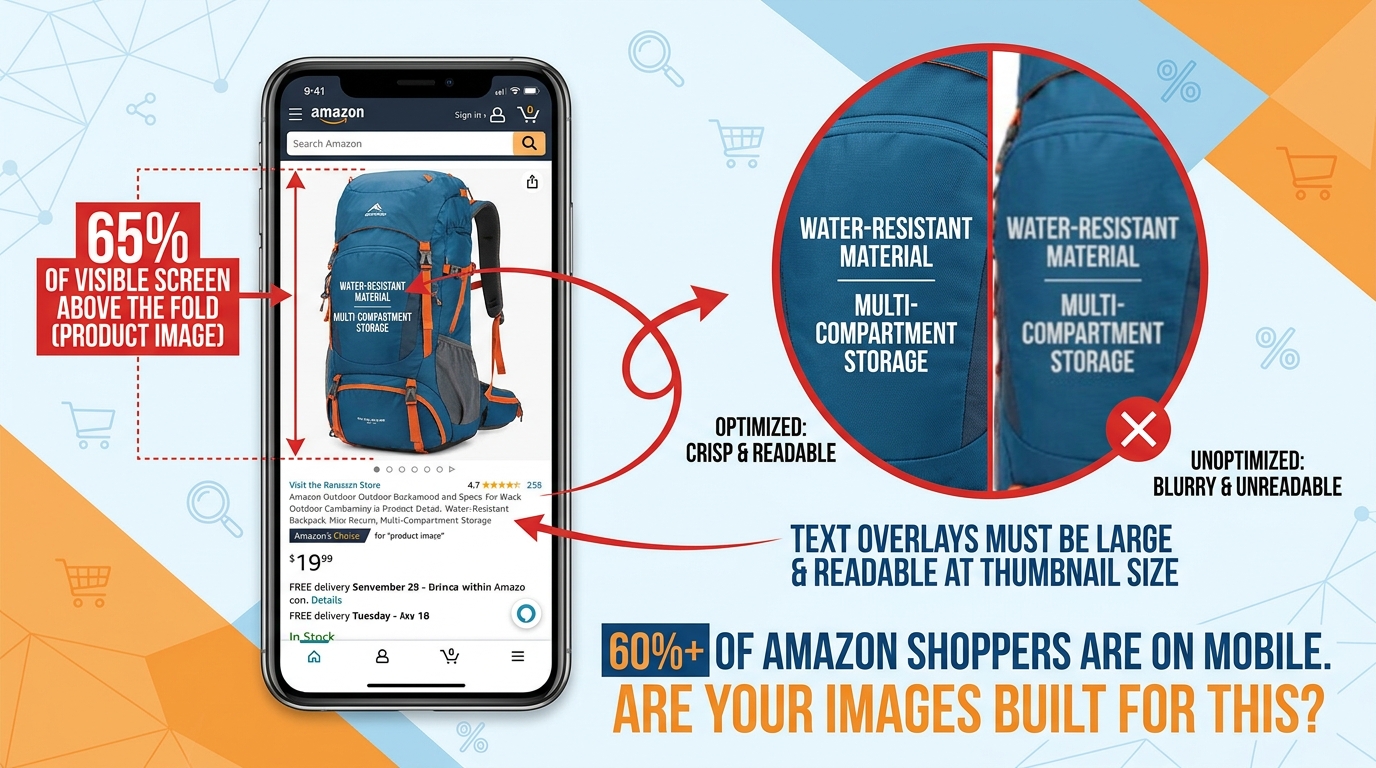
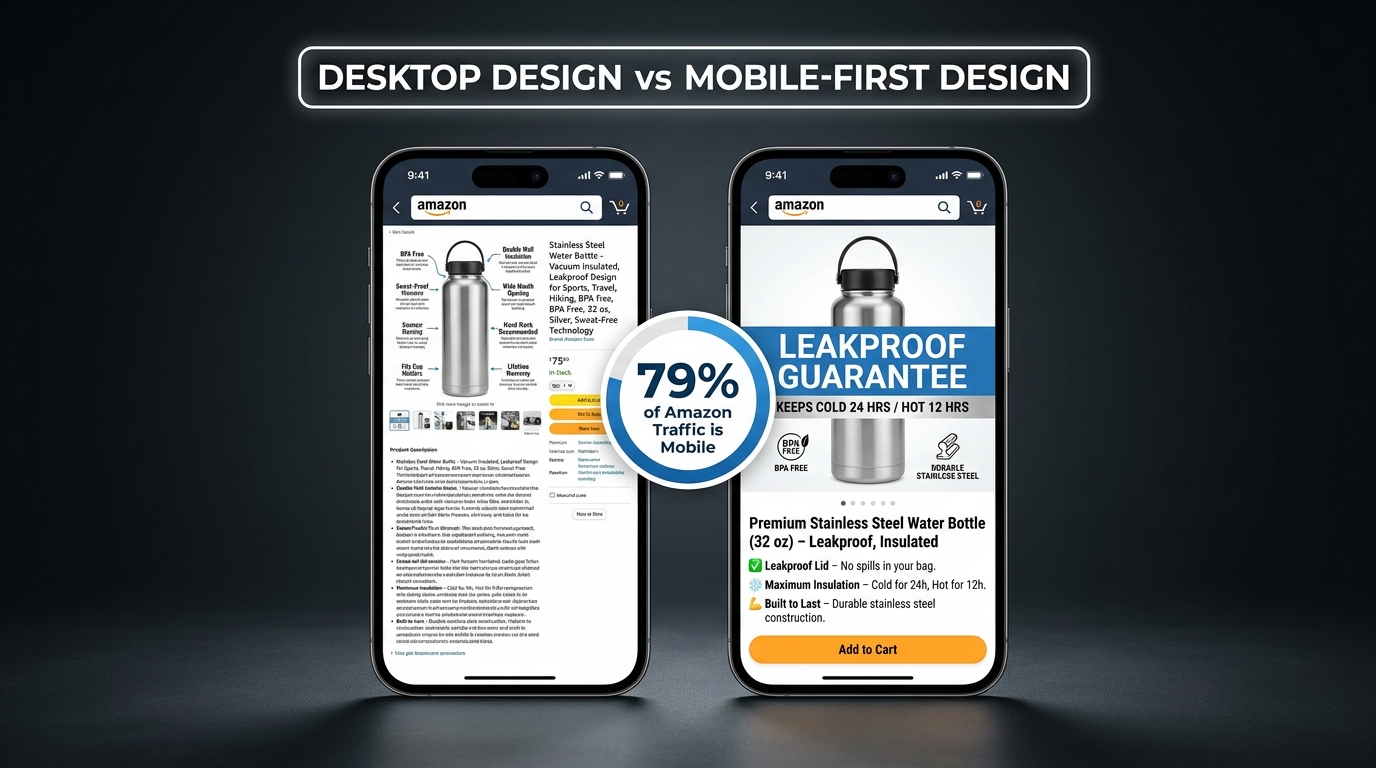
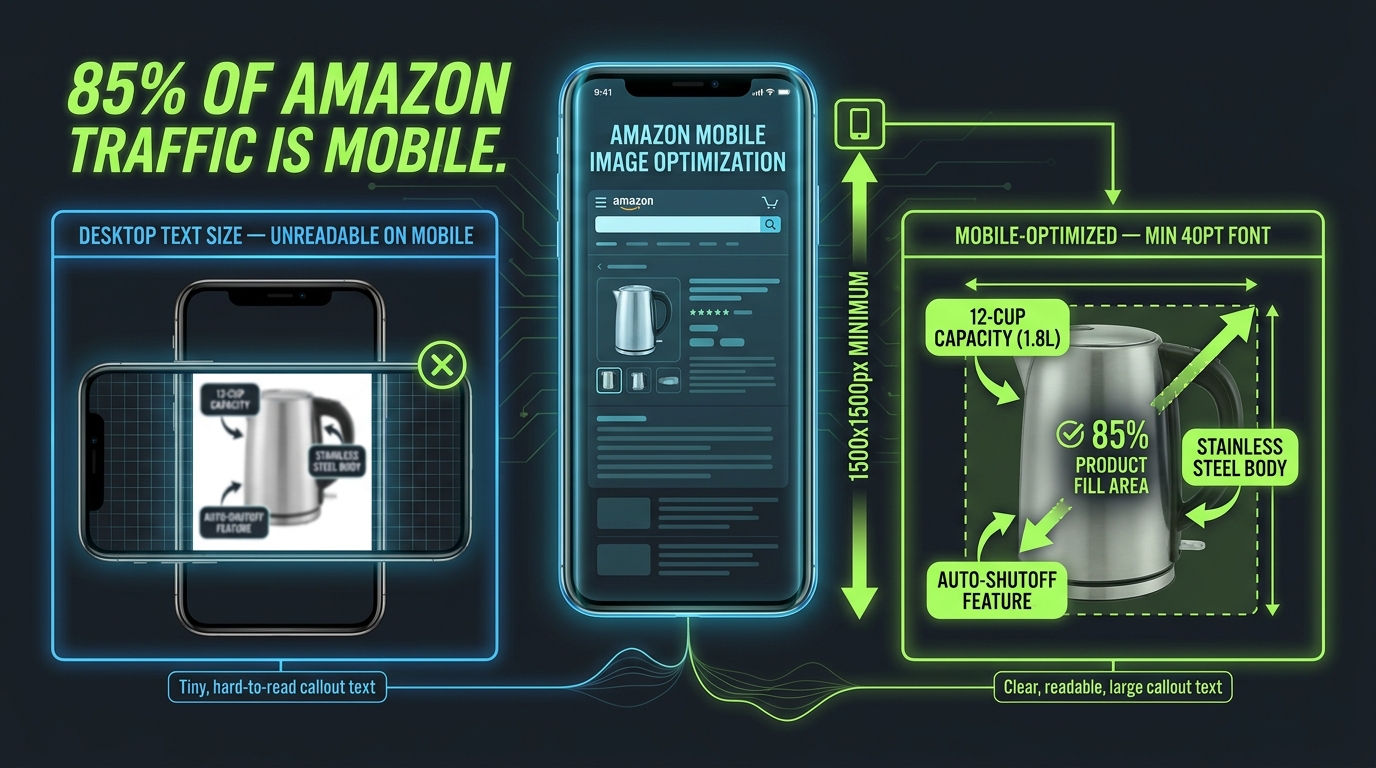
The majority of Amazon’s shopping traffic now comes from mobile devices. Depending on the category and time of day, estimates from various Amazon marketing teams and third-party research put mobile traffic shares between 60% and 75% of all browsing sessions. This is not a trend to prepare for — it is the current reality.
The problem is that most Amazon product images are designed, reviewed, and approved on desktop monitors. The creative director, the brand manager, and the designer are all looking at the image on a 27-inch screen where every callout is crisp and every detail is visible. The customer is looking at it on a 6-inch phone screen, often in motion, often in varying lighting conditions.
What Changes on Mobile
On the Amazon mobile app and mobile web, the product image carousel takes up nearly the entire screen above the fold. The product title, price, and buy box are below the image — the customer has to scroll to see them. This means images carry even more decision-making weight on mobile than on desktop, because they’re the dominant element in the customer’s initial experience.
But the image quality characteristics that impress on desktop — fine detail, subtle texture, elegant typography — often collapse on mobile. Here’s what specifically changes:
- Text size: A callout that reads comfortably at 14pt on desktop may be illegible at mobile size. The practical rule: if you can’t read the callout when you hold your phone at arm’s length with the image visible at the natural carousel size, the text is too small.
- Detail density: Images with many small elements, icons, or annotation lines look clear on desktop and cluttered on mobile. Every additional element competes for limited pixel real estate.
- Color vibrancy: Mobile screens vary widely in calibration and brightness. Colors that look rich on a calibrated monitor can look washed out or over-saturated on a budget Android phone. Testing your images across multiple devices is not optional if you are serious about optimization.
- Swipe interaction: On mobile, customers swipe through the image carousel. The first image they swipe to after the main image — which is Image 2 — is disproportionately important, because it’s the most common next interaction after the click. If Image 2 doesn’t immediately deliver something visually compelling and readable, many mobile users stop swiping.
The Mobile Review Process
Build a simple mobile review step into your image approval process. Before any image is finalized:
- Download the image to a smartphone (preferably two — an iPhone and a mid-tier Android).
- View it at full screen in the Amazon app.
- Check: Can you read every text element without pinching to zoom? Is the product clearly distinguishable? Does the image communicate its intended message in under 3 seconds?
- If the answer to any of these is no, revise before publishing.
This process takes five minutes and catches a surprisingly high percentage of mobile readability failures before they cost you conversions.
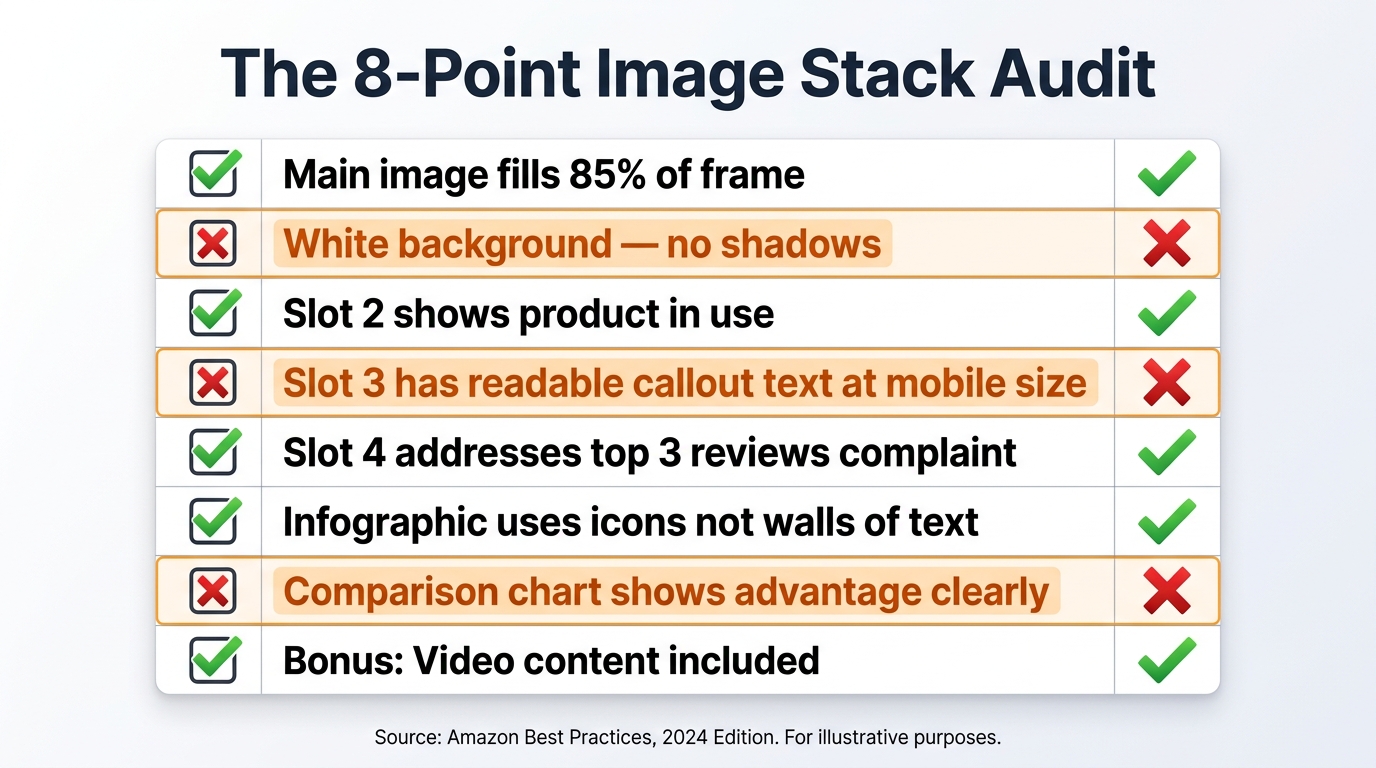
How to Audit Your Current Image Stack Systematically
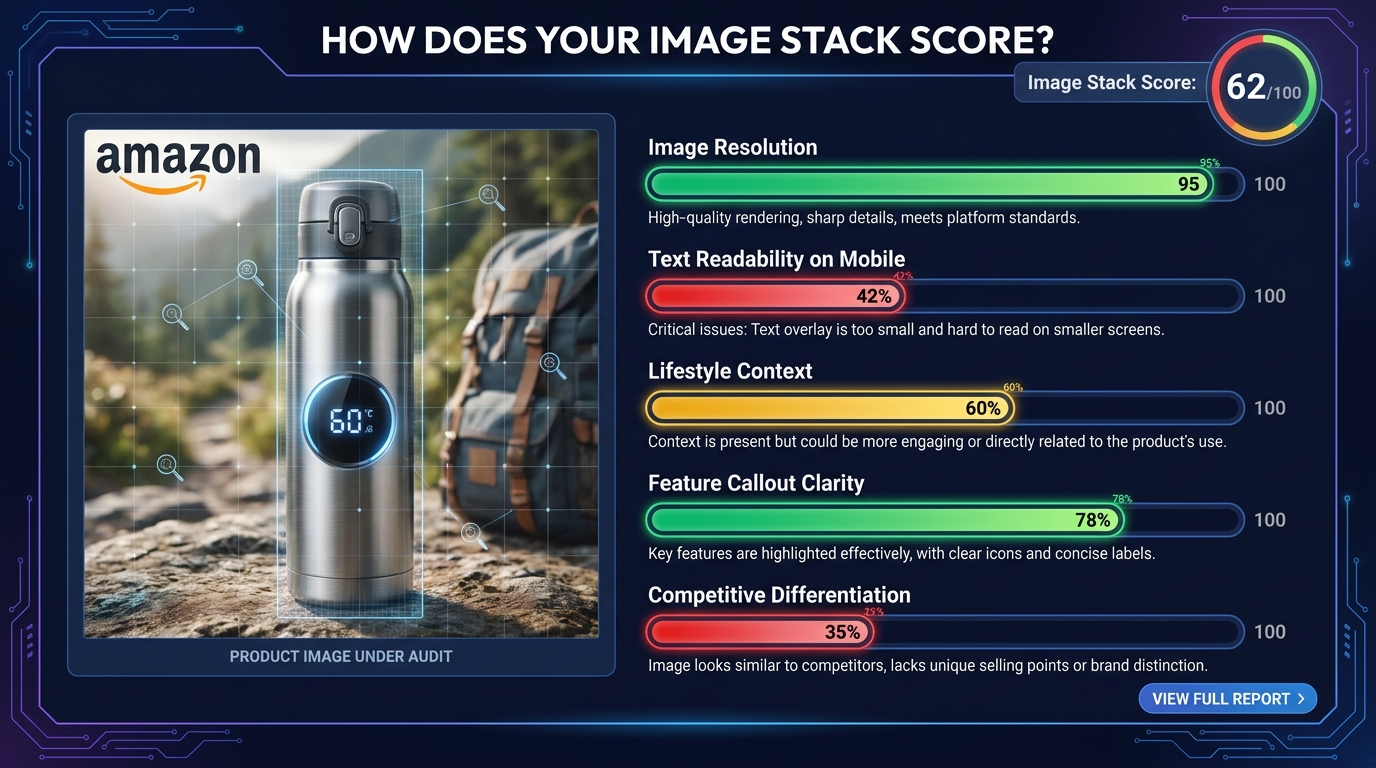
Most sellers know their images could be better. Few have a structured process for figuring out exactly what to fix first. An image stack audit gives you a repeatable framework for assessing current performance and identifying the highest-leverage improvement opportunities.
Step 1: The Function Audit
List all your current images (by slot number) and for each one, write a single sentence describing its primary function — what question it answers or what argument it makes.
If you can’t write that sentence — if an image’s job is unclear even to you, the person who approved it — that’s a red flag. An image without a clear function is an image that isn’t converting.
Then map each image against the seven-slot framework. Are all seven jobs covered? Are there duplicate “showing” images filling slots that should be doing other work? This exercise alone typically reveals two or three immediate improvement opportunities in most listings.
Step 2: The Mobile Readability Test
Run the mobile review process described above on every image in your current stack. Score each image on a simple 1–3 scale:
- 3 = Passes: Every text element is readable without zooming, the product is clear, the message lands within 3 seconds on mobile.
- 2 = Borderline: Some text is small but readable. The message is mostly clear but requires a moment of concentration.
- 1 = Fails: Text is too small to read without zooming. The message requires cognitive effort to decode. The image looks cluttered or confusing at mobile carousel size.
Any image scoring a 1 should be immediately prioritized for redesign. Images scoring 2 should be revised in your next creative sprint.
Step 3: The Review-Question Cross-Reference
Pull the 20 most recent one- and two-star reviews. Pull the 20 most recent questions from your Q&A section. Read through them looking for themes — information customers clearly expected to find but didn’t, objections that caused regret after purchase, features that were misunderstood.
For each theme, ask: Is this addressed anywhere in our current image stack? If the answer is no, that’s a gap — an information gap that is costing you either conversions (buyers who needed that information to commit) or reviews (buyers who felt misled because they didn’t get the information they needed).
Step 4: The Metrics Baseline
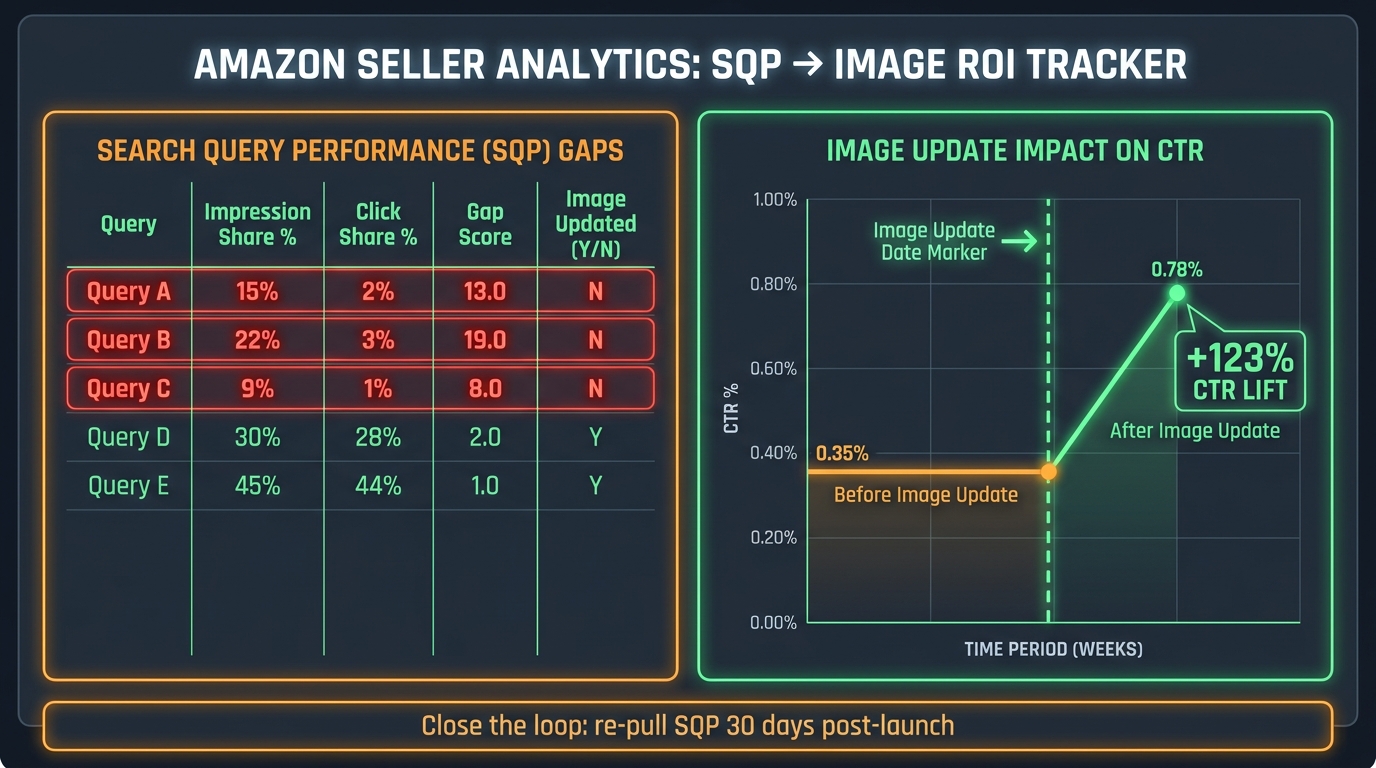
Before making any changes, record your baseline metrics: click-through rate from search results (available in Brand Analytics for brand-registered sellers), conversion rate (unit session percentage in Seller Central), and return rate by ASIN.
After implementing image changes, allow at least 2–3 weeks before evaluating impact. Amazon’s traffic patterns introduce variability that makes shorter measurement windows unreliable. Track against the same period in the prior comparable timeframe, not just week-over-week.
The Competitive Image Analysis Framework
Your images don’t exist in isolation. They exist in a search results page where customers compare them — consciously and unconsciously — against every other listing. Understanding what your competitive image landscape looks like is essential to making strategic creative decisions.
Running a Competitive Image Scan
This process is manual but valuable. For your three to five primary keywords, screenshot the top ten organic results. Note the following for each competitor:
- Main image background treatment (pure white, light shadow, reflection)
- Product angle (flat front-facing, 45-degree, 30-degree)
- Product fill ratio (estimated percentage of frame)
- Whether secondary images use text callouts
- What backgrounds are used in secondary images
- Whether a lifestyle image appears and how specific it is to a target user
- Whether any competitors use a comparison or feature chart image
After completing this exercise, look for patterns. What does everyone do? What does no one do? The “what everyone does” list represents your baseline — the table stakes you need to meet to be credible. The “what no one does” list represents your differentiation opportunity.
Finding the Visual Gap
In most product categories, the competitive image analysis reveals one or two consistent gaps. Perhaps every competitor shows lifestyle images of the same demographic and scenario. Perhaps no one uses a comparison chart. Perhaps all the main images use the same product angle.
These gaps are where creative investment has the highest return. Being the only listing in a category that clearly shows product scale, or the only one that shows the product being used by a specific underserved demographic, or the only one with a clear comparison chart — that distinctiveness gets noticed, gets clicks, and gets conversions.
The Danger of Copying Category Leaders
A common mistake is to look at the best-selling listing in a category and try to replicate its image style. This is a losing strategy for two reasons. First, the category leader’s images were often built and tested over years — you’re seeing the end result, not the journey. Second, if you look like the category leader, buyers who notice both listings will default to the one with more reviews and better rank. You need to be distinct from the leader, not similar to them.
The goal is not to win a comparison against the leader on the same terms. The goal is to make a different visual argument — one that your specific target buyer finds more compelling, even if the leader outsells you in aggregate.
Putting It All Together: A Framework for Continuous Image Improvement
Optimized Amazon listing images are not a one-time project. The competitive landscape changes. Customer expectations evolve. Amazon’s interface updates. New demographics discover your product. What worked eighteen months ago may be actively hurting you today.
The sellers who consistently outperform on conversion rate treat their image stacks the same way growth-oriented companies treat their websites: as living assets that are continuously tested, measured, and improved.
The Quarterly Image Review
Set a calendar reminder to run the audit process described in this post once per quarter for every active ASIN in your catalog. The process doesn’t need to be exhaustive — a focused 30-minute review per listing, looking for the highest-leverage gap, is more valuable than an occasional complete overhaul.
Changes to prioritize each quarter:
- Any image failing the mobile readability test (immediate fix)
- The slot with the least clear function (next improvement)
- A new insight from recent reviews or Q&A (incorporate into the stack)
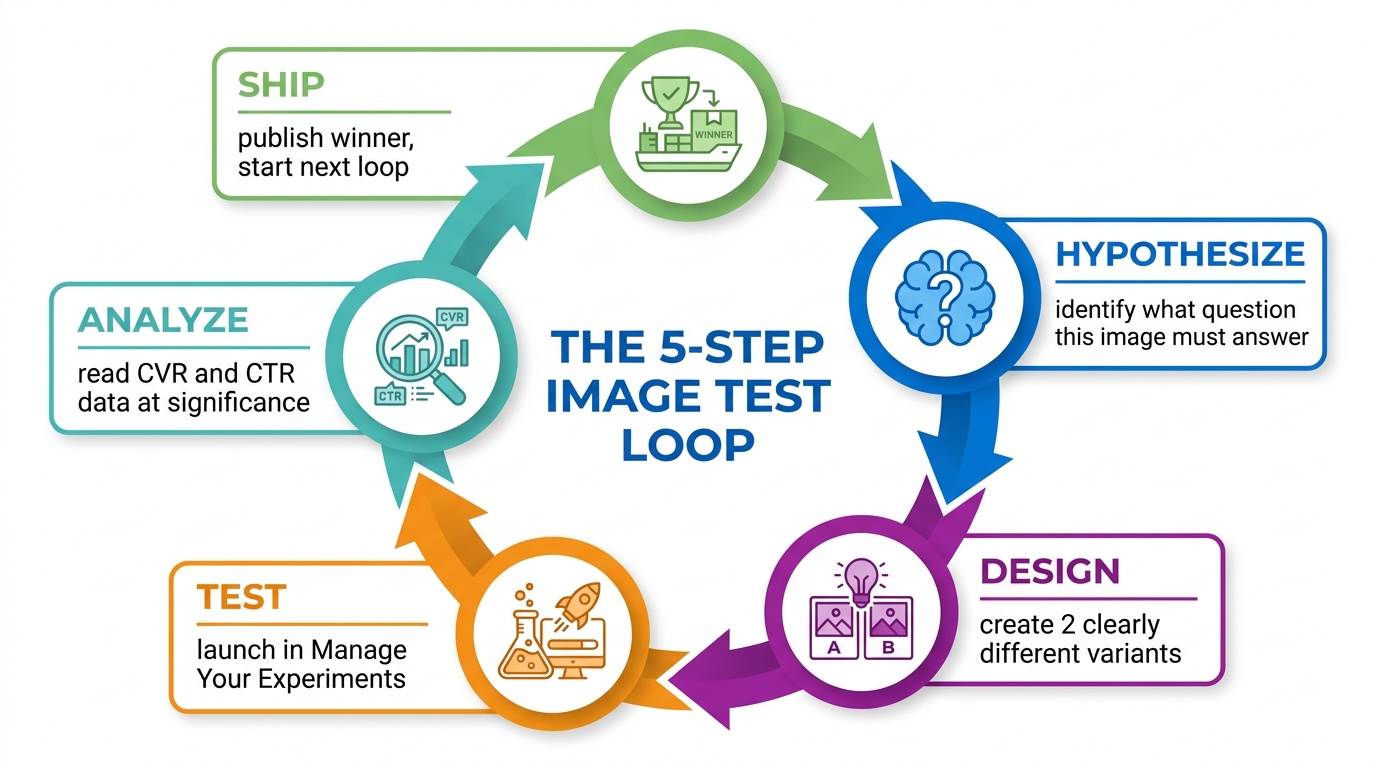
- One A/B test via Manage Your Experiments (for brand-registered sellers)
Using Amazon’s Manage Your Experiments Tool
Brand-registered sellers have access to Amazon’s Manage Your Experiments (MYE) tool, which allows A/B testing of listing content including images. This is the only way to get direct, statistically valid data on which image variants actually perform better for your specific ASIN and customer base.
Best practices for MYE image tests:
- Test one variable at a time. Changing the main image and Image 2 simultaneously makes it impossible to know which change drove any observed difference.
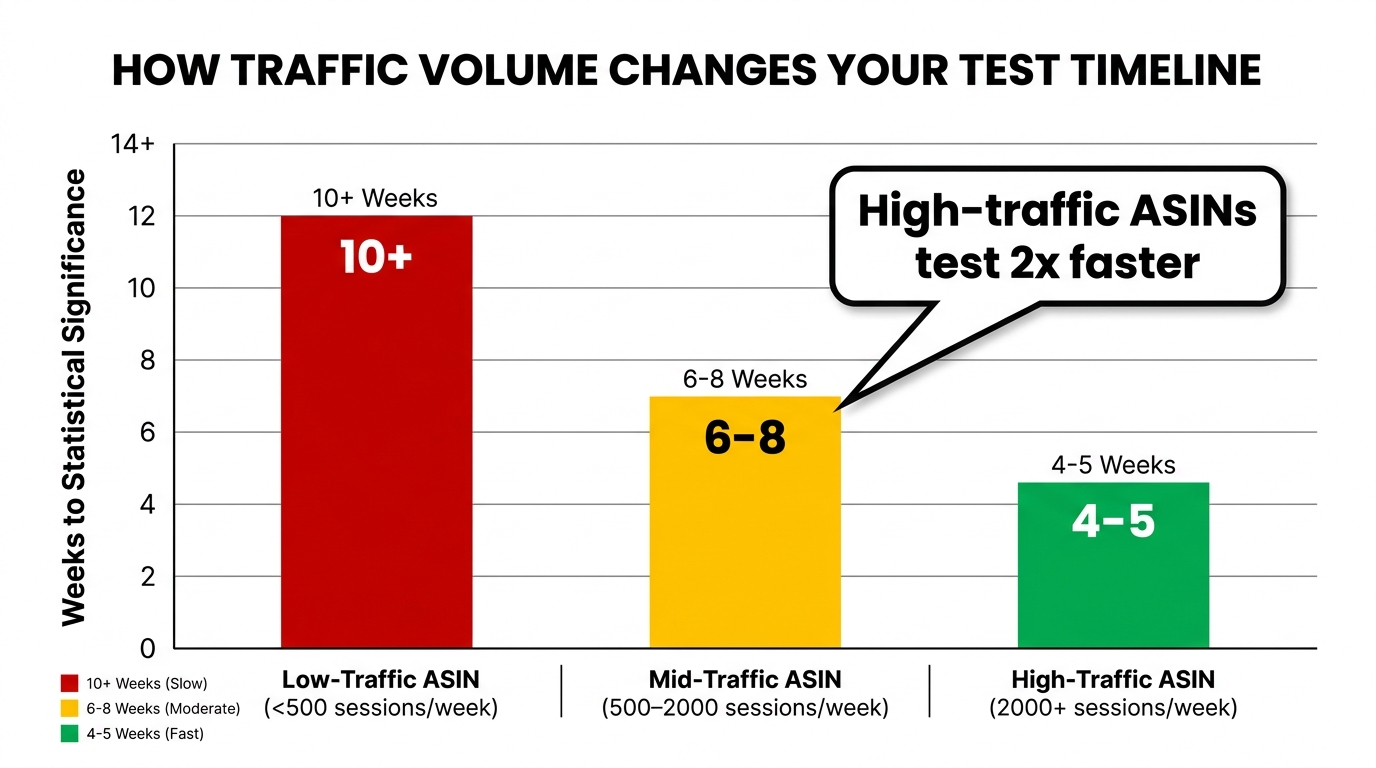
- Run tests for the full recommended duration. Amazon recommends a minimum of four weeks; ten weeks provides more reliable results, especially for ASINs with moderate traffic.
- Measure the right outcome. Conversion rate (Add to Cart and purchases) is the primary metric. Click-through improvements on the main image won’t help if the secondary images don’t convert the additional traffic.
- Document every test. Keep a running log of what was tested, what the variants were, and what the results showed. This institutional knowledge accumulates into a competitive advantage over time.
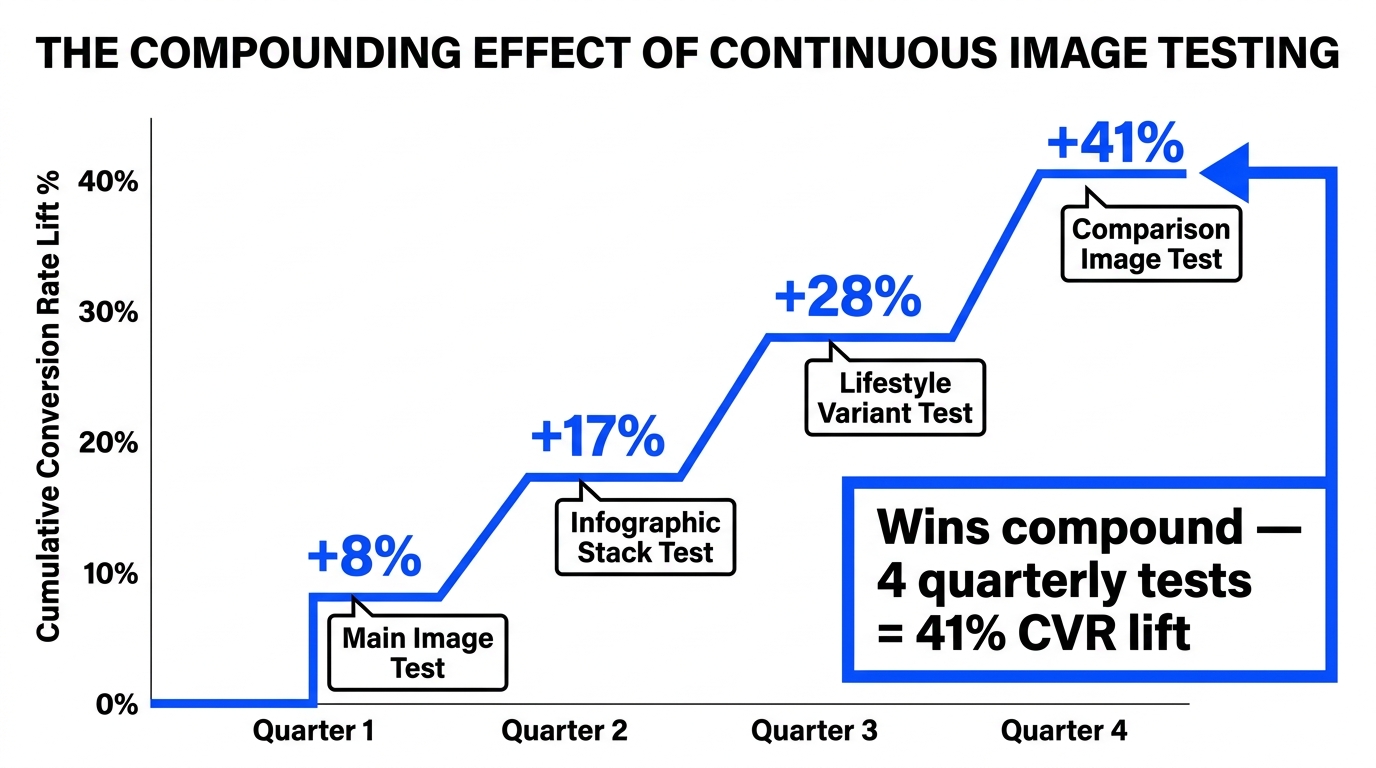
The Compounding Effect of Incremental Improvement
A single well-executed image improvement might lift conversion rate by 0.3 percentage points. That sounds modest. But applied across a listing generating 500 sessions per week, 0.3 points means 1.5 additional conversions per week — roughly 75 additional units per year. At a $45 ASP, that’s $3,375 in incremental revenue from one image change on one listing.
Now multiply that across ten ASINs, each receiving quarterly improvements. The math compounds quickly. And because higher conversion rates are factored into Amazon’s ranking algorithm, the benefit extends beyond the direct sales impact — better converting listings tend to rank higher, which generates more organic traffic, which creates more opportunity for the higher conversion rate to work.
This is the compounding flywheel that image-optimized sellers understand and single-image-fixers miss. The goal is not one great image. It’s a systematic stack that improves continuously.
Conclusion: Your Images Are Making an Argument — Make Sure It’s the Right One
Every image in your Amazon listing is saying something to every customer who sees it. It might be saying “this product is premium and worth the price.” It might be saying “this seller doesn’t care much about presentation.” It might be saying “I understand your specific problem and here’s the solution.” Or it might be saying nothing useful at all — just “here is the product from a slightly different angle.”
The sellers who consistently win on Amazon understand that they have no ability to speak to customers through a salesperson, no way to answer questions in real time, no physical shelf space to arrange and present products attractively. Their images do all of that work. Every pixel earns its keep, or it doesn’t.
The framework in this post — the visual sales funnel, the function-first slot strategy, the trust anchor, the persuasion engine, the mobile-first design discipline, the systematic audit process — is a way of taking that responsibility seriously. Not as a creative exercise, but as a commercial one.
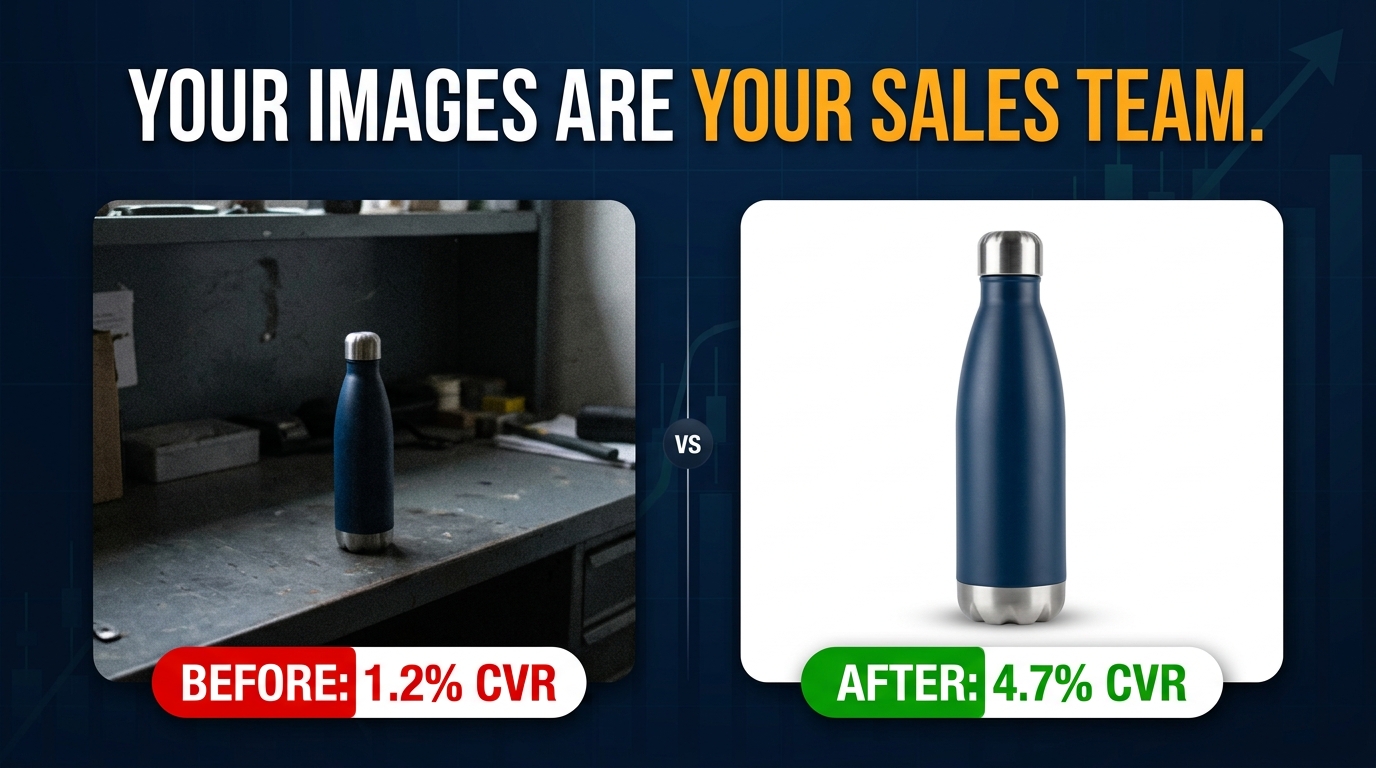
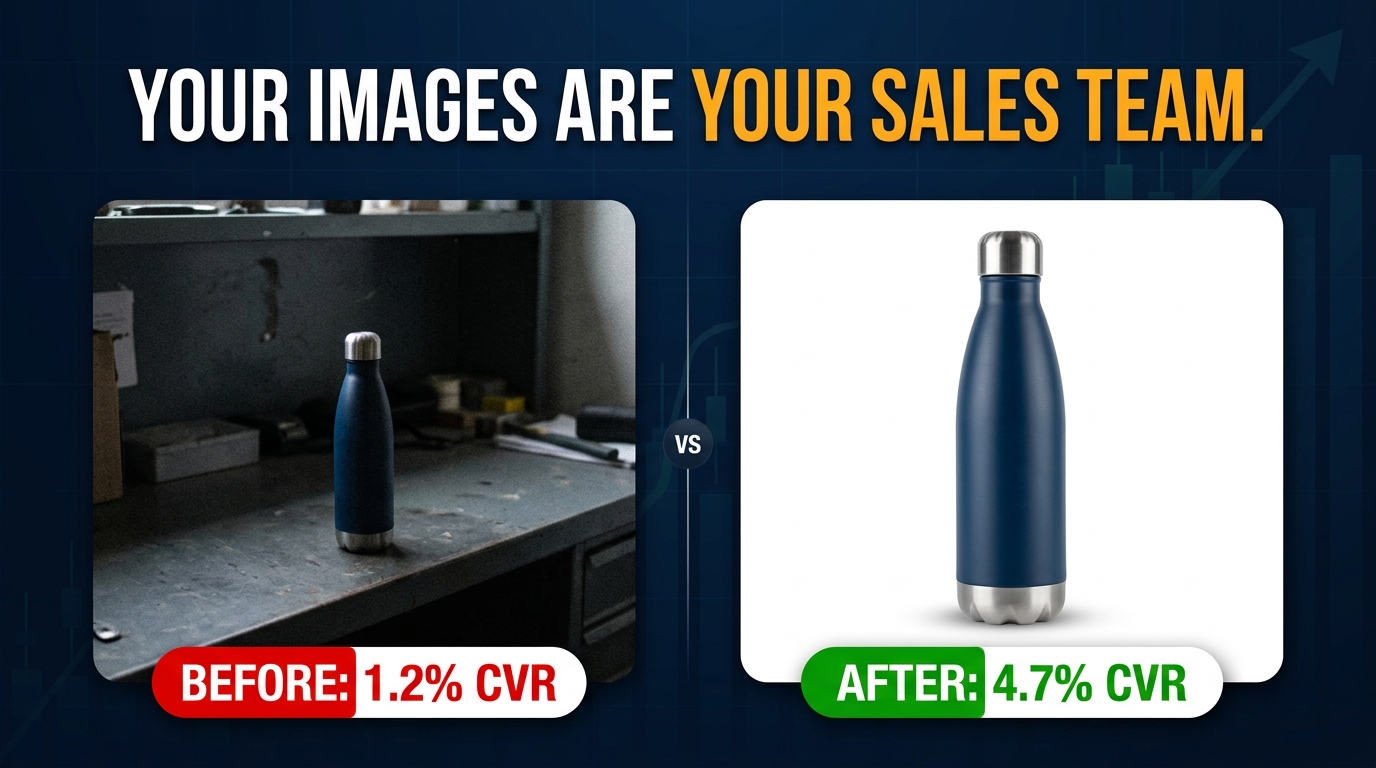
Your images are not decoration. They are your selling team. Train them well.
Key Takeaways
- Think in functions, not photos. Every image slot has a job. Define it explicitly before you design anything.
- Image 2 is your trust anchor. Use it to address the primary doubt specific to your product category, not to show another product angle.
- Mobile is your primary audience. Every image must pass a mobile readability test before going live.
- Background colors signal brand positioning. Choose secondary image backgrounds deliberately, based on the category perception you want to own.
- Callout hierarchy is a design system. One Tier 1 anchor statement per image. Readable at thumbnail size. Always.
- Competitive gaps are your creative brief. What no one in your category is doing visually is often the highest-leverage place to be different.
- Treat your image stack as a living asset. Quarterly audits, continuous testing, and documented results compound into a durable advantage over sellers who treat images as a one-time task.