Most Amazon sellers put their energy into keywords, bids, and backend settings. They spend hours inside Seller Central tweaking search terms, adjusting PPC budgets, and monitoring BSR — and then upload whatever product photos they have lying around.
That’s a serious mismatch of effort.
Before a shopper reads your title, before they scan your bullet points, before they even register your price — they’ve already processed your images. Research from behavioural science shows that the brain forms an initial visual impression in under 50 milliseconds. That’s not a metaphor for “pretty fast.” That’s a measurable neurological response that happens before conscious thought kicks in.
On Amazon, where a search results page presents a shopper with dozens of competing thumbnails in a single glance, your main image is your entire first impression. And your secondary image gallery is your silent sales team — the one that closes the deal when a shopper actually lands on your listing.
This guide is about building what we call a Visual Selling System: a deliberate, sequenced, tested set of images that works at every stage of the buyer journey — from the search results thumbnail, through the listing gallery, down to A+ Content. We’ll cover the technical requirements, the psychological principles, the sequencing strategy, the testing process, and the specific mistakes that quietly kill conversions even on otherwise well-optimised listings.
If you already have images live, this guide will help you diagnose exactly what’s underperforming and why. If you’re building a new listing from scratch, it will help you get the foundation right the first time.
The Science Behind First Impressions: What Happens in 50 Milliseconds
Understanding why images matter at the neurological level helps sellers make better decisions — not just about photo quality, but about composition, colour, and content sequencing.
The 50-Millisecond Rule
The widely cited 50-millisecond figure comes from research into visual processing: the human brain can form an aesthetic and emotional judgement about a visual stimulus before the prefrontal cortex — the part responsible for rational decision-making — even gets involved. This means buyers are “deciding” whether a product looks trustworthy, premium, cheap, or irrelevant before they’ve had a chance to think about it consciously.
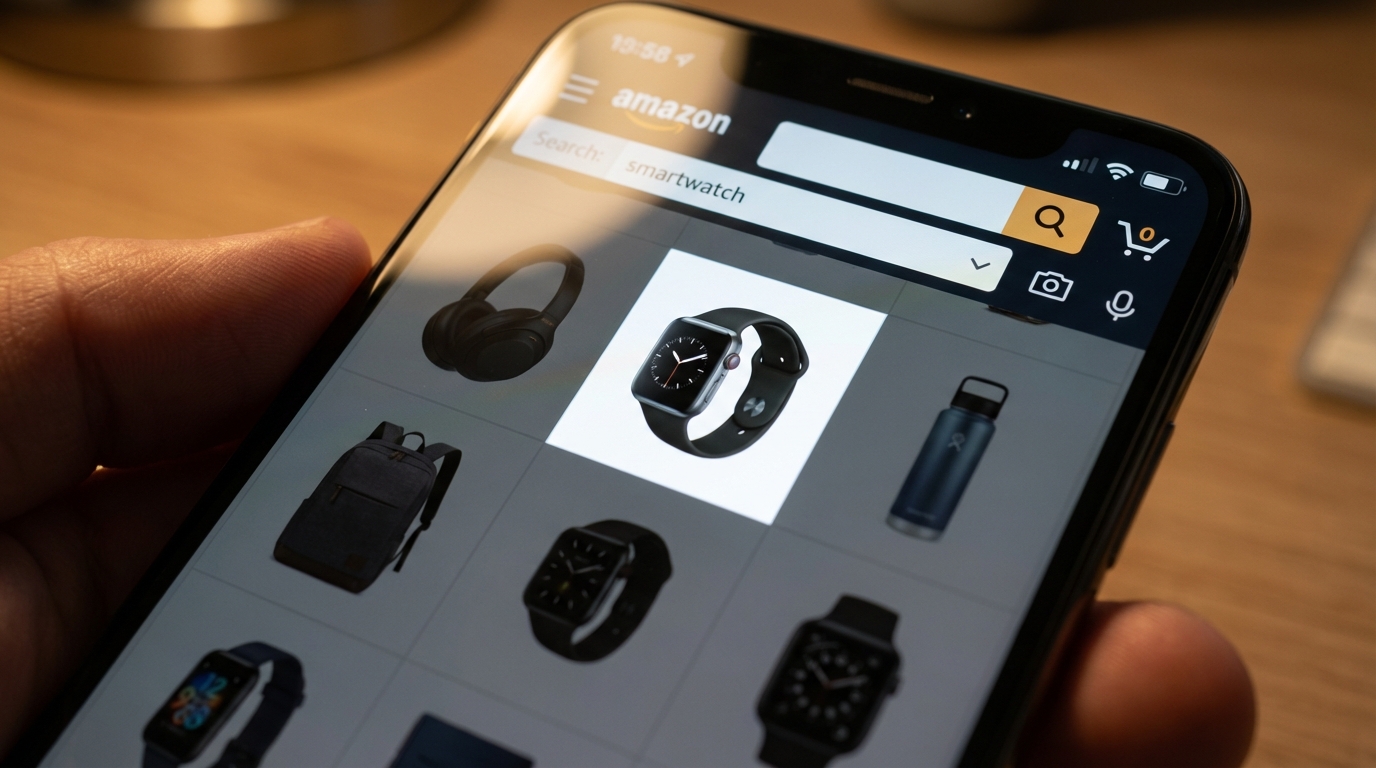
On Amazon, this plays out at the thumbnail level. In a search grid, your main image is competing with eight or more other products simultaneously. The shopper’s eye will be drawn to whichever thumbnail feels most visually clear, appropriately sized, and emotionally resonant. Products that lose at this stage don’t get clicked — and if they don’t get clicked, no amount of optimised copy, pricing strategy, or review volume can save them.
Images Are Processed 60,000 Times Faster Than Text
The brain processes visual information approximately 60,000 times faster than it processes written language. This is why a crisp, well-composed product image communicates trust and quality instantly, while a blurry or poorly-framed photo creates doubt — even if the product description is excellent.
According to Baymard Institute research, 56% of online shoppers’ first action on a product detail page is to explore the product images — not the title, not the price, not the reviews. The images are the product, as far as the shopper’s brain is concerned.
How Images Reduce Purchase Anxiety
One of the key jobs of your image gallery is to reduce what conversion rate researchers call “purchase anxiety” — the uncertainty a buyer feels when they can’t physically touch, hold, or test a product before buying.
High-quality images with multiple angles, close-ups of materials and finishes, size reference shots, and in-context lifestyle photography all work together to answer unspoken questions: Is this well-made? Is it the right size? Will it fit in my space? Does it look as good in real life as it does in the photo? Each image that answers one of these questions removes a reason not to buy.
This is why listings with 7 to 9 strategically sequenced images consistently outperform listings with fewer — it’s not about filling slots, it’s about answering objections visually before they become reasons to leave.
Amazon’s Image Rules — The Full Technical Breakdown
Before thinking about strategy, every seller needs a solid command of Amazon’s technical requirements. Non-compliant images don’t just look unprofessional — they can get your listing suppressed entirely, which means zero visibility regardless of how much you’re spending on advertising.
Universal Image Requirements (All Slots)
These rules apply to every image in your listing, not just the main image:
- File formats: JPEG (.jpg or .jpeg), PNG (.png), TIFF (.tif), or GIF (.gif — non-animated only). JPEG is preferred.
- Maximum file size: 10MB for standard product images; 2MB for A+ Content images.
- Minimum resolution: 500 pixels on the longest side for the listing to appear at all. But 500px images will look terrible — treat this as an absolute floor, not a target.
- Zoom threshold: 1,000 pixels on the longest side enables zoom. 1,600 pixels is the point at which zoom works well. 2,000+ pixels delivers the sharpest zoom experience.
- Maximum resolution: 10,000 pixels on the longest side.
- Image quality: Images must not be blurry, pixelated, or have jagged edges.
- No Amazon branding: Images cannot include any Amazon logos, the Prime badge, “Amazon’s Choice,” “Best Seller,” or any similar Amazon-owned marks.
- Accuracy: Images must accurately represent what the buyer will receive. Showing accessories or components that aren’t included in the purchase is a violation.
Main Image Requirements (Slot 1 Only)
Amazon’s main image rules are stricter — and enforced more aggressively — than the rules for secondary images. Violations here are the most common cause of listing suppression.
- Pure white background: RGB values must be exactly 255, 255, 255. Off-white (cream, eggshell, light grey) will not pass. Amazon’s automated systems are calibrated to detect this, and they’re not forgiving.
- Product fill: The product must occupy at least 85% of the image frame.
- No text, logos, watermarks, or graphics: The main image must show the product only — no overlaid copy, no brand logos, no borders or colour blocks.
- Professional photography only: No graphics, illustrations, mockups, or placeholder images. This is a product photo, not a render.
- Single view: The main image must show a single view of the product, not multiple angles combined in one image.
- No props or excluded accessories: Props that suggest additional included items are not permitted.
- Model positioning (apparel): Clothing for men and women must be shown on a human model. Kids’ and baby clothing must be photographed flat (off-model). Models must not sit, kneel, lean, or lie down.
- Shoes: Must show a single shoe facing left at a 45-degree angle.
Secondary Image Flexibility
Images in slots 2–9 have far more creative freedom. You can include lifestyle photography, infographics with text overlays, comparison charts, how-to diagrams, size guides, and close-up material shots. This is where strategic visual storytelling happens — the main image gets the click, but the secondary images close the sale.
The Hero Image: Your One Chance to Win the Click
Your main image has a single job: get the shopper to click on your listing instead of a competitor’s. Everything else — conversion rate, sales volume, PPC efficiency — depends on winning this first interaction.
Why Most Main Images Underperform
Compliance is the floor, not the ceiling. Plenty of listings follow every rule Amazon sets while still having main images that do little to differentiate the product from its competitors. The most common problems aren’t technical violations — they’re strategic failures.
The product is too small in the frame. Meeting the 85% fill requirement doesn’t mean hitting it exactly. Many sellers hit 85–87% and leave meaningful visual real estate unused. The goal should be as large as possible while keeping the full product visible — ideally 90–95% of the frame.
The angle doesn’t show the best face of the product. Default photography often shows the “obvious” angle — straight-on front view — without considering which angle makes the product look most compelling and three-dimensional. A slight 3/4 angle, for example, often communicates form and depth better than a dead-on flat shot.
The image competes poorly at thumbnail size. With 70%+ of Amazon traffic coming from mobile devices, your main image thumbnail is often displayed at roughly 160–200 pixels wide. If your product doesn’t read clearly at that size — if its key features or silhouette become ambiguous — you’re losing clicks.
Main Image Tactics That Win
Shoot for contrast, not just quality. A technically beautiful photograph of a dark product on a white background can still get lost if every competitor is shooting the same way. Look at your search results page and ask: what would make a thumbnail stand out from this specific grid? Sometimes a slight shadow, a subtle angle, or the orientation of the product makes a meaningful difference.
Show the product’s unique silhouette. If your product has a distinctive shape or design element, make sure that’s visible and prominent in the main image. This is what helps repeat shoppers and branded browsers recognise your product quickly.
Use the maximum resolution you can produce. The quality difference between a 1,600px and a 2,500px image is visible when shoppers zoom. Zoom usage is strongly correlated with purchase intent — a shopper who zooms in is seriously evaluating your product. Give them the sharpest possible view.
Run the thumbnail test. Before finalising your main image, shrink it down to 200×200 pixels and look at it on a phone screen. Is the product instantly recognisable? Is the most important feature visible? Does it look more appealing than the competitors at the same size? If the answer to any of these is “no,” the image isn’t optimised for search.
Building a High-Converting Image Sequence (Slots 2–9)
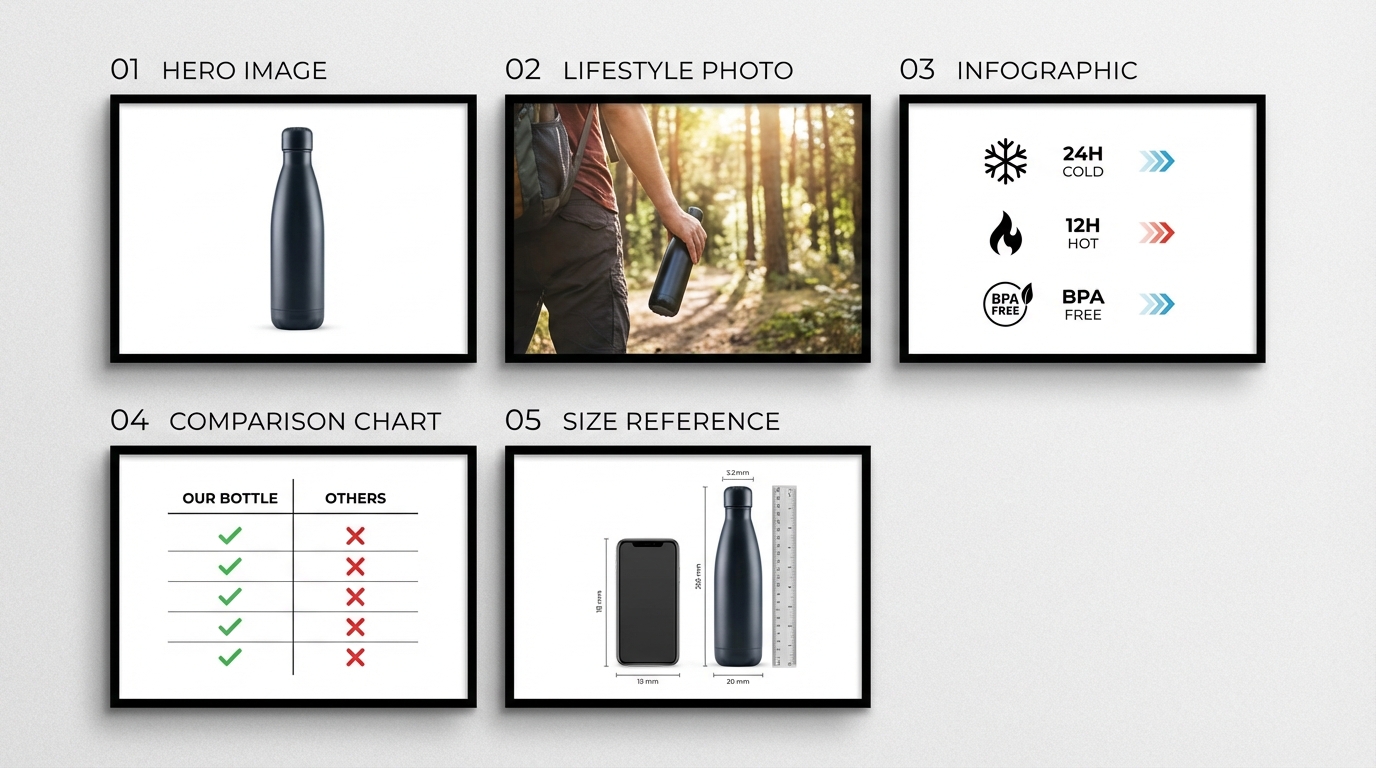
The image gallery is not a collection of nice photos. It’s a structured argument — a visual case that answers objections, communicates value, and guides the shopper from “that looks interesting” to “add to cart.”
Thinking about it this way changes how you approach each slot. Each image has a job. A slot that doesn’t pull its weight is a missed opportunity to address a specific buyer concern that could have been resolved before they clicked away.
The Recommended 9-Image Framework
This sequence has been validated across product categories through A/B testing data and conversion rate analysis. It’s a starting framework, not a rigid formula — your category, product type, and audience will require adjustments. But starting from this structure is far better than guessing.
Slot 1 — Hero/Main Image: Pure white background. The best possible view of the product. See the previous section for detail.
Slot 2 — Value Proposition Graphic: The first secondary image should answer the question every shopper is silently asking: What does this do for me, and why should I choose this one? This isn’t a list of features — it’s a clear, visually-communicated statement of the core benefit. Keep it simple: one headline benefit, clean typography, and the product shown prominently. Think of this as your product’s billboard.
Slot 3 — Key Features Infographic: Now you can start getting specific. Use this slot to highlight 3–5 standout features with short callout text and visual indicators (arrows, icons, close-up crops). Focus on the features that differentiate your product from generic alternatives — not “high quality” or “durable,” but the specific thing you’ve built or included that competitors haven’t.
Slot 4 — Lifestyle Shot: Show the product in use, in context. This is where emotional connection happens. The shopper needs to visualise themselves or someone like them using this product. Match the setting, mood, and demographic to your target buyer.
Slot 5 — Size and Scale Reference: One of the most common sources of buyer uncertainty — and returns — is a product that’s bigger or smaller than expected. Use a scale reference shot (product held in a hand, placed next to a known object, shown in a room) with a dimension diagram or measurement overlay. This single image reduces a significant proportion of “not as described” returns.
Slot 6 — Comparison or Differentiation Chart: A clean comparison chart showing how your product stacks up against a “standard” alternative gives considered shoppers the information they need to justify their choice. Make the visual argument for your product clearly.
Slot 7 — Materials / Close-Up Detail: For products where material quality, texture, finish, or construction method is a purchase driver (homeware, apparel, electronics accessories, outdoor gear), a macro close-up that shows actual material quality builds tangible trust. This is particularly important in categories where buyers have been burned by cheap knock-offs.
Slot 8 — Use Case or How-To: If your product requires any setup, assembly, or has multiple uses, a step-by-step visual guide or a multiple-use-case graphic gives the shopper confidence they’ll actually be able to use what they’re buying. This also reduces post-purchase returns caused by confusion about how the product works.
Slot 9 — Social Proof or Brand Story: A final image that includes genuine review sentiment, user-generated imagery (where permitted), or a brief brand statement rounds out the gallery. This is your last chance to build trust before the shopper makes a decision. Keep it authentic — shoppers are highly attuned to marketing language that feels manufactured.
Front-Loading Is Critical on Mobile
On desktop, Amazon typically shows 4–5 images in the gallery preview. On mobile, the number is even smaller, and many shoppers scroll without tapping to expand. This means the information in slots 2 and 3 needs to carry the weight of your entire secondary gallery for a meaningful portion of your audience. Front-load your most important persuasion elements — don’t save the best for slot 8.
Infographics That Actually Inform vs. Clutter
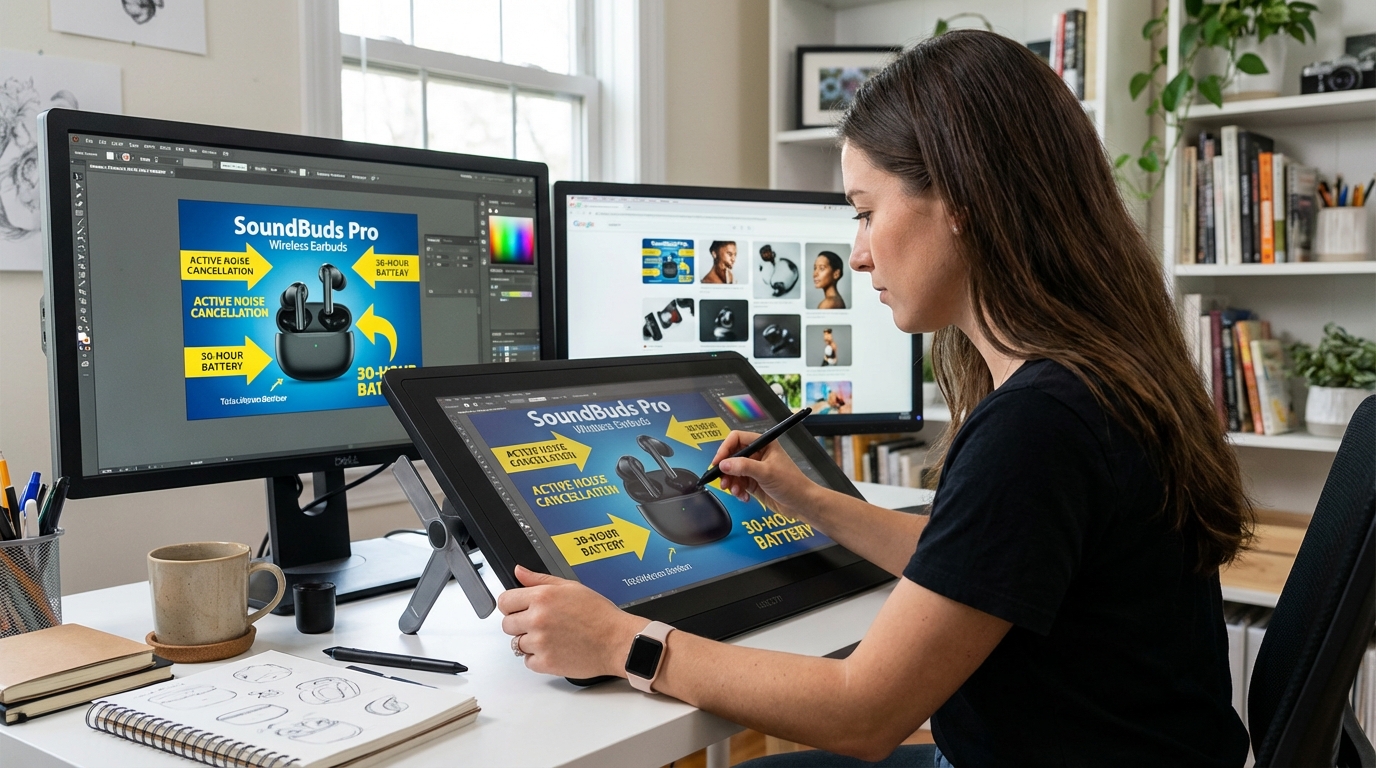
Infographic images are the most misunderstood slot in an Amazon listing. At their best, they communicate product benefits quickly, clearly, and in a way that text never could. At their worst — and this is more common — they’re visually cluttered, text-heavy images that shoppers skip because they look like effort to read.
The difference between an infographic that converts and one that doesn’t almost always comes down to editorial discipline.
The One-Idea-Per-Image Rule
The most common infographic mistake is trying to include too much in a single image. Sellers see 9 available image slots and try to build a single “features overview” image that covers everything — 12 bullet points, 4 icons, a diagram, and a tagline — all on one 2000x2000px canvas.
The result is a visual that, on a mobile screen, is completely unreadable. Shoppers swipe past it in the same 50 milliseconds they gave your main image.
Effective infographics follow a simple editorial principle: one core idea per image. A single feature, shown clearly, explained briefly, with visual design that makes the point without needing to be read in full. A shopper who glances at your image for three seconds should be able to extract the key message without squinting or zooming.
Typography Rules for Amazon Infographics
Text overlays on Amazon infographics need to work at mobile thumbnail size — approximately 160–200 pixels wide in search results, and somewhat larger on the product page gallery. Practical guidelines:
- Font size: Body callout text should be a minimum of 30 points when exported at your final image size. Headline text should be larger — 40–60pt at minimum.
- Font weight: Bold or semi-bold weights are far easier to read at reduced sizes than regular or light weights.
- Contrast: White text on a dark or coloured background, or dark text on a light background, with sufficient contrast ratio. Low-contrast combinations — light grey on white, for example — are effectively invisible on mobile.
- Sans-serif typefaces: Serif fonts look elegant at large sizes but become difficult to read at small sizes. Stick to clean sans-serif typefaces for callout text.
- Maximum 20–30 words of text per image: If you’re writing more than this on a single infographic image, you’re writing copy, not creating a visual. Move the extra information to your bullet points or A+ Content.
Benefit Language vs. Feature Language
Product managers and sellers often think in terms of features: dimensions, materials, certifications, technical specifications. These matter — but they need to be translated into benefit language for your infographic callouts.
Feature language: “Constructed from 420D ripstop nylon”
Benefit language: “Resists tearing and water — built to last outdoors”
Feature language: “3,000mAh battery capacity”
Benefit language: “Up to 72 hours between charges”
The feature is the evidence; the benefit is the reason to buy. Your infographic callouts should lead with the benefit and support it with the feature, not the other way around.
Icons, Arrows, and Visual Hierarchy
Good infographic design uses visual elements — arrows, lines, circles, icons — to direct the eye and establish hierarchy. Arrows from callout text to the specific product feature being referenced are clearer than floating text that requires the shopper to work out what’s being described. Icons associated with specific benefits (a water droplet for waterproofing, a shield for durability) add visual weight and aid comprehension without adding words.
Whitespace is not wasted space. Infographics with room to breathe — clear product image, isolated callouts, generous margins — convert better than packed-full designs that feel visually stressful to look at.
Lifestyle Photography: Setting the Scene That Sells

Lifestyle images serve a fundamentally different psychological function than product-on-white images. They don’t inform — they create desire. They answer not “what is this?” but “what would my life look like if I owned this?”
That emotional function is what makes lifestyle photography so powerful, and also what makes it so easy to get wrong.
The Visualisation Effect
Consumer psychology research consistently shows that when people can vividly visualise themselves using a product, their intent to purchase increases significantly. This is known as the “visualisation effect,” and it’s why experiential and aspirational imagery outperforms purely descriptive photography in conversion testing.
A cutting board photographed flat on a white background tells the shopper it’s a cutting board. A cutting board shown in a well-lit kitchen, with fresh ingredients around it and a confident home cook using it, tells a story about the kind of cooking experience the shopper could have. The difference in purchase intent between these two images — all else being equal — can be substantial.
Matching the Scene to the Buyer
The most important principle of lifestyle photography is audience alignment. The setting, the model (if used), the mood, the colour palette, and the supporting props should all feel like they belong in the life of your target buyer — not your life, not your brand’s aspirational version of your buyer’s life, but an accurate and relatable representation of who actually buys this product.
This means doing real buyer research before briefing a lifestyle shoot. What does your customer’s home look like? What activities do they do? What aesthetic do they prefer? Look at your reviews, your Q&A section, and your customer demographics data in Seller Central — and then brief your photographer accordingly.
Lifestyle images that miss the mark — a premium product in a budget-looking setting, or a practical everyday item shot in an artificially aspirational environment — create a subconscious disconnect that reduces trust rather than building it.
Colour Psychology in Lifestyle Backgrounds
Background environments in lifestyle photography communicate mood before content. The colour temperature, saturation, and dominant hues in your lifestyle images create an emotional frame around your product before the shopper consciously registers the product itself.
- Warm tones (amber, orange, warm yellow): Evoke energy, comfort, activity, and warmth. Effective for food products, homeware, fitness equipment, and outdoor gear.
- Cool tones (blue, grey, white): Communicate calm, cleanliness, precision, and professionalism. Effective for tech accessories, health and wellness products, and productivity tools.
- Natural greens and earth tones: Suggest sustainability, organic quality, and connection with nature. Effective for supplements, natural beauty, and outdoor lifestyle products.
- Neutral, minimalist palettes: Communicate premium quality and understated sophistication. Effective for higher-price-point products in any category.
The key is intentionality. Your lifestyle backgrounds should be chosen, not defaulted to. The colour choices you make in your secondary images are brand-building decisions, and the cumulative effect of a consistent visual palette across your gallery contributes to how premium — or how generic — your product feels.
Human Models and Relatability
Lifestyle images that include a human model — particularly one using or benefiting from the product — perform consistently well in A/B tests. The presence of a person creates an immediate point of emotional identification for the viewer.
Key considerations when casting models: demographic match matters far more than idealistic beauty standards. A shopper who sees someone recognisably like themselves using a product engages with that image more deeply than they do with an aspirational model who looks nothing like them. For mass-market products, diverse model representation also significantly broadens the proportion of your audience who feel that image is “for them.”
Mobile-First Image Design: The 70% You’re Probably Ignoring
Over 70% of Amazon’s traffic in 2026 comes from mobile devices. That statistic has been climbing steadily for years and shows no signs of reversing. Despite this, a significant number of sellers still design and evaluate their listing images primarily on desktop — and what looks sharp and clear on a 27-inch monitor can be effectively unreadable on a 6-inch phone screen.
The Mobile Search Grid Reality
On a typical mobile screen, the Amazon search results grid shows two products side-by-side. Each product thumbnail takes up approximately half the screen width — roughly 160–180 pixels wide. At this size, fine detail disappears, small text becomes illegible, and any image that isn’t visually bold and simple gets visually lost.
This has specific implications for main image composition:
- Products with complex shapes or fine detail need to be oriented so their most distinctive silhouette or feature is visible at thumbnail size.
- Any props or contextual elements that take up frame space at the expense of product size become liabilities, not assets.
- Strong contrast between product and background is more important at small sizes — a white product on a pure white background with weak shadow definition can essentially disappear in the mobile grid.
The Mobile Detail Page Experience
When a shopper lands on your product page on mobile, images dominate the above-the-fold view. On most mobile devices, the main image takes up 85–90% of the viewport. The shopper swipes horizontally through images before scrolling down to see any text.
This means that on mobile, your images are doing the work that bullet points and titles do on desktop — they are the first and often primary source of product information. Every image needs to be designed with the assumption that a meaningful portion of your audience will make their purchase decision based on images alone.
Testing Your Images on a Real Mobile Device
This sounds obvious, but it’s a step that many sellers skip. Before finalising any image, view it on an actual mobile device — not just a browser window resized to mobile dimensions. Open the Amazon app, find a comparable competitor listing, and compare how your image looks against theirs on a real screen.
Specific things to check:
- Thumbnail readability: In the search grid, can you instantly tell what the product is?
- Text legibility: In your infographic images, is all callout text readable without zooming?
- Swipe experience: Does the sequence of images feel coherent and progressive on a fast swipe-through?
- Lifestyle image impact: Does the mood and visual quality translate to mobile, or does the image look muddy and small?
A+ Content Images: Extending the Visual Story Below the Fold
For brand-registered sellers, A+ Content offers additional image real estate below the main gallery — a dedicated storytelling section that sits between the bullet points and the customer reviews. Used well, A+ Content is a meaningful conversion driver. Used poorly, it’s ignored.
How A+ Content Changes the Conversion Equation
Amazon’s own data has consistently shown that listings with A+ Content see higher conversion rates than comparable listings without it. The mechanism is straightforward: A+ Content gives shoppers more visual and contextual information, which reduces purchase uncertainty and builds confidence.
But the benefit of A+ Content comes from content quality, not content presence. A listing with a single, well-designed A+ module that clearly communicates a product’s story outperforms a listing stuffed with generic filler images that don’t add meaningful information.
A+ Content Image Technical Specifications
A+ Content has its own set of image requirements that differ from standard gallery images:
- File formats: JPEG, PNG, or static GIF (no animated GIFs, no BMP).
- Maximum file size: 2MB per image (significantly smaller than the 10MB limit for gallery images).
- Minimum resolution: 72 DPI; 300 DPI recommended for sharpest output.
- Module-specific dimensions: Standard modules typically require 970x300px; Premium A+ background images require 1464x600px minimum on desktop and 600x450px minimum on mobile. Three-image feature modules use 300x300px per image. Four-image grid modules use 220x220px per image.
- Colour space: RGB only (no CMYK — CMYK files render incorrectly on screen).
- Text overlays: Must be legible on mobile; text should cover no more than 30% of the image area to avoid flagging for keyword stuffing.
Strategic A+ Content Image Planning
The most effective A+ Content treats the section as a continuation of the gallery story — not a repeat of it. Common A+ Content image strategies that add genuine value include:
Brand narrative imagery: Photography or designed assets that communicate where the brand comes from, what it stands for, and why that matters. This builds emotional investment that pure product photography can’t achieve.
Expanded comparison tables: A detailed comparison of your full product range, or a more comprehensive comparison against category alternatives, gives considered shoppers the information they need to make a confident choice.
Usage scenario deep-dives: Where your gallery lifestyle image showed one use case, A+ Content allows you to show multiple scenarios — different contexts, different users, different applications — that expand the product’s perceived versatility and relevance.
Detail and craftsmanship close-ups: The larger format of A+ Content modules allows for material and construction detail photography that’s more impactful than what fits in a standard gallery slot. For premium products, this is where you make the quality case most effectively.
Split Testing Your Images: How to Use Data to Pick Winners
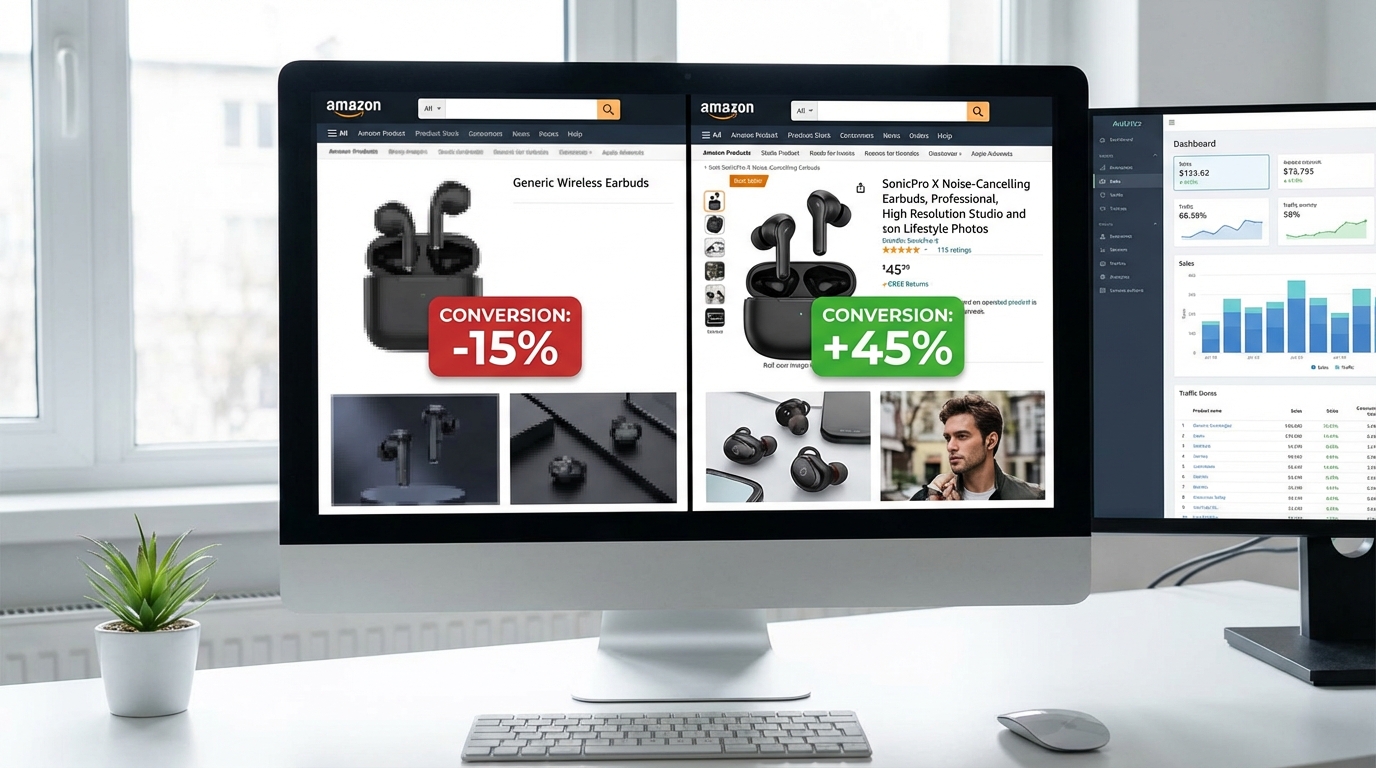
Intuition and design sense have limits. The only reliable way to know which images actually perform better with your specific audience is to test them. Amazon’s Manage Your Experiments (MYE) tool provides exactly this capability for brand-registered sellers — and the results can be significant.
What Manage Your Experiments Actually Measures
MYE runs an A/B test that splits traffic between two listing variants — typically your current images versus a challenger set — and measures performance across several metrics:
- Click-through rate (CTR): The proportion of shoppers who see your product in search and click through to your listing. CTR is primarily driven by your main image and title.
- Conversion rate: The proportion of shoppers who visit your listing and make a purchase. Conversion is driven primarily by the full image gallery, bullet points, price, and reviews.
- Units sold per session: How many units the average visitor session results in.
- Revenue: Total sales generated by each variant over the test period.
Real Results from Image Split Testing
Split testing data from real Amazon experiments illustrates why this is worth the effort:
- A main image change — switching from one angle to another — has been documented to produce CTR lifts of 21% in individual cases, with corresponding improvements in advertising cost of sale (ACOS) of around 20%, since more clicks per impression means less spend required per sale.
- Colour-focused main image changes (testing product against a coloured background vs. white, for applicable categories) have in some cases doubled CTR — from 0.9% to 1.8% — which has a compounding effect on both organic and paid visibility.
- Full gallery optimisation (revising all secondary images, not just the main image) has been associated with conversion rate improvements of 14–32% in documented case studies.
- One published case study showed a main image test generating $30,000 in additional monthly revenue without any increase in PPC spend, purely from improved CTR feeding higher-volume organic traffic.
Running an Effective Image Test
Test one variable at a time. If you change both the main image and three secondary images simultaneously, you can’t know which change drove the result. Start with the main image — it has the highest leverage — then test secondary images individually or as a complete set swap.
Allow enough statistical significance. MYE requires a minimum number of sessions and a defined confidence level before it calls a winner. Don’t end a test early because one variant is trending ahead — early leads reverse frequently. Follow the platform’s statistical guidance.
Define what “winning” means before you start. Are you optimising for CTR (which improves PPC efficiency), conversion rate (which improves organic rank), or revenue per session (which accounts for both)? Knowing this in advance prevents you from post-rationalising results to confirm what you hoped to find.
Document everything. Keep a record of what you tested, when, what the result was, and what you concluded. This becomes an invaluable reference as your catalogue grows and your testing programme matures.
Testing Options Beyond Manage Your Experiments
MYE is not the only way to gather image performance data. External tools, including PickFu (a paid panel testing service), allow you to present image variants to a screened panel of respondents who match your target demographic and collect preference data and qualitative feedback before you run a live test. This is particularly useful for main image validation before a new listing launches — you get directional data before the listing goes live, rather than after.
Common Image Mistakes That Suppress and Kill Conversions
A structured audit of the most common Amazon listing image errors reveals patterns that consistently appear across categories and seller types. Many of these are easy to fix once identified — the challenge is knowing to look for them.
Technical Violations That Trigger Suppression
Off-white backgrounds on main images. This is the number one cause of listing suppression. Sellers often use “near white” — cream, very light grey, 250/250/250 instead of 255/255/255 — because their photographer produced it, or because their editing pipeline didn’t calibrate to pure white. Amazon’s automated detection is configured to catch this, and suppression can happen without warning.
Product not filling 85% of the frame. Under-filling the frame is both a compliance issue and a performance issue — smaller products get fewer clicks because they communicate less confidence and visual presence in the search grid.
Resolution under 1,000 pixels. Any image below 1,000 pixels on the longest side disables the zoom function. Given that a significant proportion of engaged shoppers zoom before purchasing, disabling zoom is a conversion leak that’s entirely within the seller’s control to fix.
Including excluded accessories in main images. A product photo that includes items not sold in the listing — a laptop stand photographed with a laptop, for example, when only the stand is for sale — is a compliance violation that can result in suppression and is also a source of buyer confusion and negative reviews.
Design Errors That Undermine Trust
Inconsistent image style across the gallery. A main image that looks like it was shot professionally, followed by secondary images that are visually inconsistent — different lighting, different colour grading, different quality level — signals that the listing wasn’t put together with care. Shoppers are not consciously aware of this, but it contributes to a subconscious sense of unreliability.
Generic stock lifestyle images. Using lifestyle photography that doesn’t specifically show your product in context — or that uses settings and models so generic they could belong to any listing in the category — adds no persuasive value. Shoppers can tell the difference between authentic lifestyle photography and stock image filler.
Low-contrast or decorative text in infographics. Callout text that uses thin fonts, low-contrast colour combinations, or small type sizes is functionally invisible on mobile. If your infographic text can’t be read by someone holding their phone at arm’s length, it’s not doing the job it was designed to do.
Misleading scale. Products photographed in ways that obscure their actual size generate returns and negative reviews at a higher rate than almost any other image error. Scale reference shots are not optional for products where size expectations vary significantly.
Strategic Failures That Limit Conversions
Not using all available image slots. A listing with 4 images where 9 slots are available is leaving substantial sales on the table. Every unfilled slot is a missed opportunity to address a buyer objection, communicate a feature, or strengthen an emotional connection. Fill all 9 slots with purpose-built images.
Duplicate information across images. Showing the same angle of the product twice, or repeating the same feature callout in two different images, wastes gallery space that could be used to address a different buyer concern.
Images that look great in isolation but don’t work as a sequence. Individual images need to work together as a coherent narrative. If the gallery jumps from main image, to a random lifestyle shot, to a confused infographic, to a dimension chart, shoppers who are quickly swiping through will struggle to construct a coherent understanding of what they’re buying and why it’s worth buying.
The Image Stack as a Conversion System: Putting It All Together
We’ve covered a significant amount of ground in this guide, and it’s worth stepping back to connect the individual elements into the larger picture.
Your Amazon listing images are not a series of independent creative decisions. They’re an interconnected system — a visual selling machine — where every component plays a specific role in moving a shopper from initial discovery to completed purchase.
The Buyer Journey Your Images Must Serve
Think about what a shopper actually experiences when they encounter your product:
- They see your thumbnail in the search grid. Their brain forms an instant impression — attractive or unappealing, trustworthy or cheap, relevant or not. This is your main image’s job.
- They click through and their eye immediately goes to the image carousel. They swipe once, maybe twice, before looking at your title or price. This is your Slots 2–3 job.
- If the first two images have answered the basic questions, they continue scrolling. They look for emotional connection, scale confirmation, feature validation. This is Slots 4–7’s job.
- If they’re still engaged, they read the bullet points and check the reviews — but they’ve already made a provisional decision, and these just confirm or deny it. Your images set the frame for how the text is interpreted.
- For a subset of seriously considered purchases, they scroll to A+ Content for additional depth. A+ images close the remaining distance to purchase for these shoppers.
Each stage of this journey requires a different visual response. Building a Visual Selling System means thinking about each image in terms of which stage it serves and what specific objection or question it resolves.
The Continuous Improvement Cycle
Image optimisation is not a one-time project. The listings that maintain strong conversion rates over time are the ones where sellers treat their image gallery as a living asset — one that gets audited, tested, and updated on a regular cycle.
A practical schedule that works for most sellers:
- Monthly: Check for listing suppression alerts and verify technical compliance for all main images.
- Quarterly: Review conversion rate trends. If a listing is declining without an obvious external cause (pricing, competition, seasonality), the image gallery should be one of the first places you investigate.
- Every 6 months: Run a full gallery audit — compare your images against your top-performing competitors and identify where your visual presentation is weaker. Brief new images based on findings.
- Ongoing: Keep at least one Manage Your Experiments test running on your highest-revenue ASINs at all times. The data compounds over time.
Prioritisation for Maximum Impact
If you’re working through an existing catalogue and have limited time and resources, prioritise in this order:
- Main image compliance first. A suppressed listing generates zero sales. Check every main image for pure white backgrounds, product fill percentage, and prohibited elements before anything else.
- Main image CTR second. Your highest-traffic, highest-revenue ASINs are where a main image improvement delivers the most immediate financial return. Test before you change — baseline your CTR first.
- Complete your secondary gallery. Any listing with fewer than 7 images should have its gallery completed before you invest time in refining individual images. Fill the slots with purpose-built content.
- Mobile-optimise your infographics. Audit all text overlay images on a real phone. Fix readability issues immediately — this is often a quick design fix with meaningful conversion impact.
- Add A+ Content. If you’re brand-registered and don’t have A+ Content on your top-performing listings, this is an unambiguous opportunity. Even basic A+ Content with well-executed images will improve conversion rates.
Final Takeaways
Product images are the highest-leverage element of an Amazon listing. They’re what shoppers see first, process fastest, and rely on most heavily when making purchase decisions. Yet many sellers treat their image galleries as an afterthought — something to complete before launch and revisit only when things go wrong.
The data is clear. Optimised images lift click-through rates. They improve conversion rates. They reduce returns. They make advertising more efficient by generating more sales per click. And they compound — a listing with excellent images maintains its performance advantage over time, while competitors with inferior galleries continue to lose ground.
Build the Visual Selling System. Test it, improve it, and treat it as the strategic asset it actually is.
Leave a Reply