Author: algofuse

  • Inside the AI Factory: How Engineering Teams Are Cutting Model-to-Production Time from Months to Days

    Inside the AI Factory: How Engineering Teams Are Cutting Model-to-Production Time from Months to Days

    AI factory data center floor with GPU server racks and engineers monitoring model deployment dashboards

    The data scientist finishes training the model on a Tuesday. Twelve months later, it still hasn’t reached production.

    This isn’t a story about a dysfunctional team or a poorly scoped project. It’s one of the most common trajectories in enterprise AI — and it happens at companies with talented engineers, meaningful budgets, and real executive buy-in. The model exists. The results look good. And yet, somewhere between the Jupyter notebook and the production API endpoint, everything stalls.

    According to Gartner, more than 85% of AI and machine learning projects never make it to production. A separate survey of 650 enterprise leaders found that while 78% are running AI agent pilots, only 14% have successfully scaled those pilots into production systems. The average pilot stalls after 4.7 months — not because the model failed, but because the infrastructure, processes, and organizational structures needed to carry it across the finish line simply didn’t exist.

    The companies closing that gap in 2026 aren’t doing it by hiring more data scientists. They’re doing it by building AI factories: purpose-built production systems that treat model deployment the same way a manufacturing plant treats product output — with repeatable processes, standardized tooling, continuous quality control, and the discipline to ship at speed without sacrificing reliability.

    This post breaks down exactly how those factories are structured, what each layer of the stack actually does, where most teams go wrong, and what it genuinely takes to get from model training to live inference in days rather than months. No hype, no vague frameworks — just the architecture, the decisions, and the tradeoffs that determine whether your AI investments produce working software or expensive slide decks.

    What an AI Factory Actually Is (and What It Isn’t)

    The term “AI factory” gets used loosely, which causes real confusion about what you’re actually building. At one end of the spectrum, vendors use it to describe their compute hardware — NVIDIA’s Vera Rubin NVL72 rack systems, for instance, are marketed as AI factories because they produce tokens the way factories produce units. At the other end, consultants use it to describe any structured approach to building AI at scale.

    For the purposes of this post, an AI factory is the combination of infrastructure, tooling, processes, and team structures that allows an organization to repeatedly take a trained model from development into production — and then monitor, update, and retire it — without heroic individual effort every time.

    The Manufacturing Analogy Is More Literal Than You Think

    MIT’s work on the AI factory concept, developed by Thomas Davenport and others, draws a direct parallel to industrial manufacturing. In a traditional factory, you don’t rebuild the assembly line every time you want to produce a new product variant. You have a line, you configure it for the variant, and it runs. The marginal cost of the second product is dramatically lower than the first because the infrastructure already exists.

    This is exactly what most AI teams are missing. They treat every model deployment as a greenfield project — building new infrastructure, writing new monitoring code, manually coordinating handoffs between data engineering, data science, and DevOps. Each deployment costs roughly the same as the last because nothing is being standardized and reused.

    A functioning AI factory flips that equation. The MLOps platform is already there. The feature store is already there. The model registry is already there. The CI/CD pipeline that runs validation checks, pushes artifacts, and handles canary releases is already there. When a new model is ready, the team plugs it into a system that already knows how to handle it.

    What “Scale” Actually Means Here

    Scale in an AI factory context doesn’t just mean “big compute.” It means managing hundreds or thousands of models simultaneously — each with its own data dependencies, drift monitoring requirements, compliance constraints, and business stakeholders. Organizations like JPMorgan reportedly run thousands of individual AI models across their operations. That number is unmanageable with bespoke deployment processes. It requires industrial-grade tooling with centralized visibility and consistent governance.

    The MLOps market reflects this urgency: currently valued at approximately $4.39 billion in 2026, it’s projected to reach $89.91 billion by 2034 — a compound annual growth rate of 45.8%. That’s not a tooling trend; it’s a fundamental shift in how AI gets built.

    Split comparison infographic: Traditional deployment taking 9-12 months vs AI factory approach taking 2-4 weeks, with stat that 85% of AI projects never reach production

    The Five-Layer Stack You Must Build Before Writing Model Code

    One of the most persistent mistakes in enterprise AI is treating the model as the primary engineering challenge. The model is often the easiest part. The hard work is building the system around it — and that system has distinct layers that each need to be deliberately designed.

    NVIDIA CEO Jensen Huang framed this at Davos in 2026 as a “five-layer cake” — though the layers he described are most applicable to hyperscale compute environments. For enterprise teams building internal AI factories, the layering looks somewhat different in practice, and understanding the distinction matters when scoping what you actually need to build.

    The 5-layer AI factory stack diagram showing Energy and Compute, Chips and Hardware, Infrastructure Platform, Models and Data, and Applications layers with data flow arrows

    Layer 1: Compute and Infrastructure

    This is the physical and virtual foundation — the GPU clusters, cloud instances, Kubernetes orchestration, and networking that everything else runs on. For many enterprises, this starts with cloud providers (AWS SageMaker, Google Vertex AI, Azure ML) rather than on-premise hardware. The critical design decision here isn’t which cloud — it’s whether your infrastructure is defined as code.

    Infrastructure-as-Code (IaC) using tools like Terraform, Pulumi, or CloudFormation ensures that your compute environment is reproducible, version-controlled, and not dependent on manual configuration steps that vary between environments. Without IaC, the “it works on my machine” problem simply moves from the developer’s laptop to the staging cluster.

    Layer 2: Data Infrastructure

    The data layer is where most AI factories stall before they’re even built. According to Deloitte’s 2026 manufacturing outlook, 78% of enterprises automate less than half of their critical data transfers. Legacy systems — ERP platforms, operational databases, flat-file exports — operate in isolation from the ML training pipeline, which means every new model project starts with a multi-month data integration project.

    A functioning data layer includes not just raw data ingestion but also data validation (automated schema and quality checks using tools like Great Expectations), data versioning (DVC or similar), and lineage tracking so that every model can trace exactly which data version it was trained on. This last point is non-negotiable for compliance — and we’ll return to it when discussing governance.

    Layer 3: Feature Engineering and Storage

    Feature stores are the underrated backbone of any mature AI factory. A feature store is a centralized repository for computed features — the engineered inputs to your models — that serves both the offline training pipeline and the online serving infrastructure from a single source. This eliminates one of the most common sources of production failures: training-serving skew, where features computed during training differ from features computed at inference time because two separate teams wrote two separate pieces of code.

    Uber’s Michelangelo system popularized the feature store concept. Databricks, Feast, Tecton, and several cloud-native options have since made it accessible for enterprise teams without the need to build from scratch. The key benefit isn’t just consistency — it’s reusability. Once a feature has been computed and stored, any team in the organization can use it for their model without rebuilding the computation logic.

    Layer 4: Model Training and Experimentation

    This is the layer most data scientists already have some version of. Experiment tracking tools — MLflow, Weights & Biases, Neptune — log hyperparameters, metrics, and artifacts so that runs are reproducible and results are comparable. The factory-level discipline here is ensuring that every training run is logged, not just the ones that look promising, and that experiment configuration is version-controlled alongside the code.

    Layer 5: Deployment, Serving, and Monitoring

    The final layer is where models become products. This includes the model registry, the deployment pipelines, the serving infrastructure (REST endpoints, batch jobs, streaming processors), and the monitoring systems that watch for performance degradation, data drift, and concept drift in production. This layer is where most enterprise AI factories are weakest — and it’s the subject of most of the remaining sections of this post.

    The Model Registry: The Piece Most Teams Skip Until It’s Too Late

    Ask most data science teams where their production models are, and you’ll get a range of answers: “in the S3 bucket,” “in the repo somewhere,” “ask DevOps,” “I think it’s the file named model_final_v3_ACTUAL_FINAL.pkl.” This is not hyperbole. It is the standard state of model management in organizations that haven’t built a proper model registry.

    A model registry is a centralized versioned store for trained model artifacts, including their associated metadata: training data version, hyperparameters, evaluation metrics, who approved deployment, which environment they’re deployed to, and their current status (staging, production, deprecated). Think of it as Git for your models — without it, you have no meaningful version control, no audit trail, and no way to safely roll back when something goes wrong in production.

    What a Model Registry Enables

    The practical impact of a model registry goes beyond organization. When a model registry is integrated with your CI/CD pipeline and serving infrastructure, several critical capabilities become possible:

    • Reproducibility: Any model version can be rebuilt from its stored training configuration and data pointer. This is essential for debugging production incidents and satisfying audit requirements.
    • Approval workflows: High-risk models (credit decisions, healthcare triage, fraud flagging) can require sign-off from model risk management or legal before the registry promotes them to production status. This creates an auditable governance checkpoint without slowing down deployment of lower-risk models.
    • Automated canary promotion: Once a model is registered, the deployment pipeline can automatically route a fraction of live traffic to it and monitor business metrics against predefined thresholds before promoting to full production — all without manual intervention.
    • Cross-team reuse: A registered model can be reused across multiple applications without different teams deploying separate copies, which reduces infrastructure waste and prevents versioning divergence.

    MLflow, SageMaker Model Registry, and Vertex AI — Choosing the Right Tool

    MLflow’s model registry is the most commonly used open-source option and integrates cleanly with most experiment tracking setups. AWS SageMaker Model Registry and Google Vertex AI Model Registry are the managed equivalents for teams already committed to those clouds. For organizations running regulated workloads with complex approval requirements, purpose-built platforms like Domino Data Lab or DataRobot provide additional governance features on top of registry fundamentals.

    The tooling choice matters less than the discipline of actually using one. Organizations that implement model registries report 60-80% faster deployment cycles and a significant reduction in the “where is the production model?” questions that consume senior engineering time.

    Building the ML CI/CD Pipeline: Not Just Continuous Delivery for Software

    Software CI/CD is well understood. You commit code, tests run automatically, and if they pass, the build is deployed. ML CI/CD follows the same logic but has to account for a fundamental difference: in ML, the code, the data, and the model are all independently versioned artifacts that must all be validated and managed as part of the pipeline.

    A change to the training data can break a model just as surely as a change to the model architecture. A change to feature computation logic can silently degrade production performance without triggering any code-level test failures. ML CI/CD must catch all three classes of change — and that requires a different pipeline design than standard software delivery.

    MLOps CI/CD pipeline diagram showing data validation, model training, evaluation and testing, model registry, canary deployment, and full production release stages with auto-rollback capability

    The Three Stages of ML Continuous Integration

    Stage 1 — Data Validation: Before a training run even begins, the pipeline validates the incoming data. This means checking schema consistency, testing for unexpected null rates or distributional shifts, validating referential integrity for joins, and confirming that the data version being used is the expected one. Tools like Great Expectations or Soda Core automate these checks and fail the pipeline if they detect data quality issues. This single stage prevents the majority of “the model was fine but production data was different” failures.

    Stage 2 — Training and Evaluation: The CI system triggers an automated training run and evaluates the resulting model against a suite of tests — not just aggregate accuracy metrics, but slice-based performance checks (how does it perform on the minority class? on this geographic segment? on recent data?), bias detection checks (demographic parity, equalized odds), and regression tests against the current production model’s performance. If the challenger model doesn’t beat the champion by a predefined threshold on all required dimensions, the pipeline fails and the deployment stops.

    Stage 3 — Integration and Contract Testing: Once a model passes evaluation, the pipeline tests that it integrates correctly with the serving infrastructure — that the input schema matches what the application will send, that response latency is within acceptable bounds under load, and that the model output conforms to the downstream application’s expected format. Breaking the serving contract silently is one of the most common causes of production incidents that take days to diagnose.

    Continuous Training: The Third “C” Most Teams Forget

    Standard CI/CD covers continuous integration and continuous delivery. ML requires a third C: Continuous Training (CT). In production, the world keeps changing — user behavior shifts, the distribution of inputs drifts away from the training data, and model performance silently degrades. Without automated retraining triggers, you discover this when the business reports that the predictions “don’t seem to be working anymore.”

    Continuous training systems monitor production data distributions against training baselines and trigger automated retraining runs when drift exceeds a defined threshold. The retrained model goes through the same CI/CD pipeline as any other model change — no special handling, no manual bypass. When it works well, models stay fresh without requiring constant human attention. When it detects an anomaly that’s too large to handle automatically, it escalates to a human reviewer rather than silently deploying a potentially degraded model.

    Canary Releases, Blue-Green Deployments, and Rollback Discipline

    The single biggest risk in ML deployment isn’t the model itself — it’s deploying a change to a system that’s handling live traffic without a safe way to limit blast radius and reverse course quickly. Software teams learned this lesson years ago and developed a set of progressive deployment patterns that have become standard practice. ML deployment is only beginning to adopt them consistently.

    Canary Deployments

    A canary deployment routes a small percentage of live traffic — typically 5-10% — to the new model version while the remaining traffic continues to the current production model. The system monitors business-level metrics (not just technical health metrics like latency and error rate, but also conversion rates, fraud catch rates, customer satisfaction scores — whatever the model is supposed to move) across both populations. If the new model performs at or above the current model across all monitored metrics, traffic is progressively shifted: 10% → 25% → 50% → 100%. If any metric degrades, traffic is instantly routed back to the current production model and the deployment is paused for investigation.

    The key discipline here is defining success criteria before deployment begins, not after. Teams that review metric dashboards retrospectively and debate whether a 0.3% drop in precision is “acceptable” are making governance decisions under pressure and usually get them wrong. Pre-defined rollback thresholds remove the ambiguity.

    Blue-Green Deployments

    Blue-green deployments maintain two identical production environments — one running the current model (blue), one running the new model (green). Traffic is switched from blue to green all at once, but the blue environment remains live and idle so that traffic can be instantly switched back if a problem is detected post-cutover. This pattern is better suited to models where you need atomic cutover (regulatory requirements, breaking schema changes) rather than gradual rollout. The tradeoff is the cost of running two full production environments simultaneously, which makes it less appropriate for compute-heavy serving infrastructure.

    Shadow Mode Testing

    Before either canary or blue-green deployment, shadow mode (or “dark launch”) is a powerful validation technique. In shadow mode, the new model receives a copy of every production request and generates predictions — but those predictions are not returned to the user or acted upon by the system. They’re logged and compared against the production model’s predictions. This allows teams to validate model behavior on real production traffic without any risk of affecting users. When shadow mode results are satisfactory, the team has much higher confidence going into a live canary deployment.

    Governance, Compliance, and the EU AI Act Reality in 2026

    AI governance has moved from optional best practice to legal requirement. The EU AI Act’s enforcement provisions, which take effect in August 2026, require organizations deploying high-risk AI systems to maintain comprehensive documentation: model cards describing architecture, performance, and known limitations; centralized catalogs of deployed AI systems; version tracking with lineage back to training data; and evidence of human oversight mechanisms.

    Non-compliance carries fines of up to 7% of global annual revenue — a figure that gets executive attention in a way that “MLOps best practices” typically does not. For enterprise teams building AI factories in 2026, governance infrastructure is no longer a separate workstream to tackle later. It needs to be built into the factory architecture from day one.

    AI governance control room with screens showing model drift alerts, bias detection dashboards, EU AI Act compliance checklist, audit trail logs, and model inventory catalog

    What Governance Infrastructure Looks Like in Practice

    Model cards: Every model in the registry should have an associated model card — a structured document capturing training data provenance, evaluation results across key demographic and performance slices, known failure modes, intended use cases, and out-of-scope use cases. Generating model cards automatically as part of the training pipeline (rather than asking data scientists to write them manually after the fact) dramatically increases compliance and accuracy.

    Audit trails: The factory must log every significant event in a model’s lifecycle — when it was trained, on what data, who approved it, when it was deployed, what traffic it received, when it was updated, and when it was retired. These logs need to be immutable, timestamped, and queryable. Systems like MLflow, with appropriate access controls, handle this reasonably well. For regulated industries like financial services or healthcare, purpose-built model risk management platforms offer additional features.

    Bias detection: Automated bias checks should run at multiple points in the pipeline — during training evaluation, during shadow mode, during canary deployment, and continuously in production. The specific metrics depend on the use case (demographic parity for hiring models, equalized odds for lending decisions, calibration for risk scoring), but the principle is the same: bias testing must be systematic and documented, not ad hoc and optional.

    The Human-in-the-Loop Requirement

    Agentic AI systems — models that take autonomous actions rather than just returning predictions — face particularly stringent governance requirements. Moody’s reported that human-in-the-loop agentic AI cut production time by 60% by surfacing concise, decision-ready information for human reviewers rather than attempting fully automated decisions in high-stakes contexts. This isn’t a technical limitation; it’s a governance choice that maintains compliance, auditability, and appropriate human accountability for consequential decisions.

    Building human oversight checkpoints into automated pipelines — particularly for models that affect credit, healthcare, employment, or law enforcement — is a design requirement, not an afterthought. The factory architecture should make it easy to route model outputs through human review queues for specific decision categories, with clean logging of both the model’s recommendation and the human’s final decision.

    Real Deployment Benchmarks: What’s Actually Achievable

    The gap between “what’s theoretically possible with perfect MLOps” and “what organizations actually achieve when they build real AI factories” is significant. Here’s what the documented evidence shows.

    AI factory deployment benchmarks infographic showing 90% faster deployment with MLOps, Ecolab 12 months to 30 days, MakinaRocks 6 months to 4 weeks, McKinsey 9+ months to 2-12 weeks, and 300-500% ROI within 12 months

    Documented Case Results

    Ecolab: Reduced model deployment time from 12 months to 25-30 days by implementing cloud-based MLOps pipelines, automated service accounts, and systematic monitoring. The key change wasn’t a single technology — it was standardizing the process so that the same pipeline handled every new model rather than each project team building their own deployment approach.

    MakinaRocks (manufacturing): Cut deployment from over 6 months to approximately 4 weeks — roughly an 80% reduction — while simultaneously reducing the MLOps setup manpower required by 50%. The efficiency gain came from building reusable pipeline components that manufacturing teams could configure for new use cases without starting from scratch.

    Moody’s with Domino Data Lab: Deployed risk models 6x faster (months-long timelines reduced to weeks) using an enterprise MLOps platform that standardized APIs, enabled instant redeployment from beta testing feedback, and centralized model management across teams.

    McKinsey’s documented benchmark: Organizations with mature MLOps practices take ideas from concept to live deployment in 2-12 weeks, compared to 9+ months traditionally, without requiring additional headcount. The speed gain is almost entirely from eliminating repetitive manual work and waiting time.

    What Mature MLOps Actually Delivers vs. Where Teams Start

    Industry data from multiple sources suggests a consistent pattern. Organizations without structured deployment tooling get roughly 20% of trained models into production. Organizations with integrated MLOps infrastructure raise that to 60-70%. The remaining 30-40% of “failures” aren’t technical failures — they’re models that fail evaluation gates, fail business case reviews, or are superseded by better approaches before deployment completes. That’s the system working as intended.

    ROI from MLOps investment follows a J-curve pattern: the first 6-12 months require significant infrastructure build cost with limited direct model output benefit. Once the factory is operational, Forrester-cited estimates put realized ROI at 300-500% within the first year of production operation, with individual deployments generating direct productivity and cost savings that compound as more models are added to the factory.

    What “Days” Deployment Actually Requires

    The headline benchmarks of deploying new models in “days” need context. That timeline is achievable — but it assumes the entire factory infrastructure is already in place and the new model fits within existing patterns (same data sources, same serving requirements, same monitoring approach). Truly novel models requiring new data pipelines, new serving endpoints, or new monitoring logic still require longer timelines. The factory accelerates iteration and deployment of models within established patterns; it doesn’t eliminate infrastructure work for genuinely new use cases.

    The Compute Architecture Question: Cloud, On-Premise, and Hybrid

    Where you run the compute for your AI factory is increasingly a strategic decision rather than a purely technical one. The answer depends on your regulatory environment, data sovereignty requirements, cost profile, and the nature of your workloads.

    Cloud-Native AI Factories

    For most enterprises starting from zero, managed cloud platforms — AWS SageMaker, Google Vertex AI, Azure ML — offer the fastest path to a functioning factory. They provide integrated feature stores, experiment tracking, model registries, deployment endpoints, and monitoring in pre-built, managed form. The tradeoff is cost predictability at scale and data residency constraints for regulated industries.

    DigitalOcean’s March 2026 AI factory launch in Richmond, powered by NVIDIA B300 HGX systems with 400Gbps RDMA fabric and NVIDIA Dynamo 1.0 (which claims a 3x cost reduction over previous generation Hopper GPUs), shows that competitive managed GPU compute is no longer exclusively the domain of hyperscalers. Mid-market organizations have more options than they did 24 months ago.

    On-Premise and Hybrid Architectures

    Financial services, healthcare, and government organizations frequently face data residency requirements that preclude full cloud deployment. For these organizations, hybrid architectures — with training and sensitive data processing on-premise and model serving potentially split between on-prem and cloud endpoints — have become the standard answer. The complexity cost is real: hybrid architectures require more sophisticated networking, identity federation, and data movement tooling. The governance benefit justifies that cost for regulated workloads.

    NVIDIA’s reference architecture for enterprise AI factories — using Blackwell and Vera Rubin hardware, NIM microservices for model serving, and Run:ai for workload orchestration — provides a structured blueprint for on-premise deployments that mirrors the manageability of cloud platforms. NVIDIA’s own internal deployment reportedly scaled hundreds of isolated AI pilots into a unified, secure workflow using this stack, with 1.1 billion documents ingested via customized RAG architecture.

    Rack-Scale Systems and What They Change

    The shift to rack-scale AI systems — NVIDIA’s NVL72 (72 GPUs and 36 CPUs in a single rack, delivering 35x token throughput over the previous Hopper generation at equivalent power), Groq’s LPX rack with 256 Language Processing Units — fundamentally changes the economics of inference at the infrastructure layer. When a single rack can serve that volume of model requests, the per-token cost of inference drops significantly, and the case for running high-volume inference workloads on-premise vs. paying per-call cloud API rates shifts. For organizations with high inference volume (millions of model calls per day), this is a meaningful cost calculus change in 2026.

    The Team Structure That Actually Ships Models

    Technology alone doesn’t build a functioning AI factory. The team structure and ownership model determines whether the infrastructure gets used or becomes another internal platform that everyone ignores because it’s too complex to navigate without help.

    The Platform Team Model

    The most effective structure in large organizations is a dedicated ML Platform team — separate from the data science teams that build models — whose job is to build and maintain the factory itself. This team owns the feature store, the model registry, the CI/CD pipelines, the serving infrastructure, and the monitoring systems. They provide these as internal services that domain-specific data science teams consume through self-service tooling.

    This separation solves a persistent organizational problem: without a dedicated platform team, infrastructure work gets neglected because data scientists are incentivized to build models (the visible output), not pipelines (the invisible plumbing). When the platform team exists and is measured on platform adoption and deployment velocity rather than model performance, the incentives align correctly.

    Self-Service Is the Goal, Not the Starting Point

    True self-service — where a data scientist can take a trained model and deploy it to production without requiring assistance from the platform team or DevOps — is the target state for a mature AI factory. But it typically takes 12-18 months of platform investment to get there. Teams that try to build self-service platforms before they have operational experience with what data scientists actually need end up building the wrong abstractions.

    The better path is starting with high-touch support (the platform team helps each team deploy their first model), building reusable components from that experience, and progressively automating the handholding until the platform genuinely serves itself. Addepto’s documented experience with enterprise MLOps platforms shows this trajectory clearly: the first deployment with platform support takes weeks; by the tenth deployment on the same platform, teams that understand the system can move in days.

    Ownership After Deployment

    One of the most consistent failure modes in enterprise AI is the “who owns it in production?” problem. The data scientist who built the model has moved on to the next project. The DevOps team doesn’t understand the model well enough to triage business-logic failures. The application team assumes the model team handles retraining. Nobody is watching the drift metrics. The model slowly degrades over months until a business stakeholder notices that “the predictions seem off.”

    AI factories need explicit ownership assignment for every production model — a named team or individual who is accountable for production performance, drift responses, scheduled retraining, and eventual retirement. This is organizational policy, not technology. But without it, even the best technical infrastructure produces models that aren’t actually maintained.

    Common Failure Modes — and How to Avoid Each One

    After examining dozens of enterprise AI deployment efforts, several recurring failure patterns stand out. These aren’t obscure edge cases. They’re the dominant reasons that well-resourced teams fail to build functioning AI factories.

    Failure Mode 1: Building the Factory After the Models

    Many organizations start deploying individual models ad hoc — manually, bespoke, one at a time — with the intention of “building proper infrastructure later.” The factory never gets built because by the time the team returns to it, they’re already committed to maintaining all the bespoke deployments they created. Start with the factory. Deploy your first production model through it, even if that means the first deployment takes longer than a manual approach would have. The discipline of building the infrastructure first pays off from the second model onward.

    Failure Mode 2: Monitoring Only Technical Metrics

    Latency, error rates, and throughput are necessary monitoring signals — but they’re insufficient. A model can be technically healthy (fast, low error rate, high uptime) while performing terribly on the business metric it was deployed to move. Production monitoring must include business KPIs: conversion rate impact, fraud detection rate, recommendation click-through, risk score accuracy against realized outcomes. Teams that monitor only technical health discover model drift from business stakeholder complaints rather than automated alerts.

    Failure Mode 3: Treating Generative AI Differently

    Many organizations have separate, informal deployment processes for LLMs and generative AI models because “they’re different from traditional ML.” The functional requirements are different in some ways — prompt versioning, response quality evaluation, and hallucination monitoring require different tooling — but the governance and operational requirements are the same or stricter. Generative AI models in production need model registries, version control, drift monitoring, approval workflows, and rollback capability just as much as any classification or regression model.

    Failure Mode 4: Skipping Staging Environments

    The number of organizations that push ML model updates directly to production because “it passed unit tests in dev” is striking. Production data almost always differs from training and dev data in ways that can’t be fully anticipated. A staging environment that receives a continuous feed of production-representative traffic — with production-grade monitoring and load — catches the majority of “it worked in dev but broke in prod” failures before they reach users. The cost of running a staging environment is trivially small compared to the cost of a production model incident.

    Failure Mode 5: Data Fragmentation Without a Resolution Plan

    Only 20% of organizations feel fully prepared to scale AI despite 98% exploring it. The #1 reason is data fragmentation — ERP systems, CRMs, data warehouses, and operational databases that don’t integrate cleanly with the ML training pipeline. No factory architecture can overcome fundamentally broken data infrastructure. Before investing in MLOps tooling, organizations need an honest assessment of whether their data layer can reliably feed the models they’re trying to build. If it can’t, the first investment needs to be data infrastructure, not model deployment.

    What Building It Actually Looks Like: A Phased Approach

    For teams starting from minimal MLOps infrastructure, building a full AI factory isn’t a single project — it’s a phased investment that spans 12-24 months. Here’s a realistic sequence based on documented enterprise implementations.

    Phase 1 (Months 1-3): Foundations

    Focus entirely on the basics that every subsequent capability depends on. Stand up experiment tracking (MLflow is the lowest-friction start). Implement version control for training code and data. Deploy your first model through a manual but documented process. Create a simple model registry spreadsheet if nothing else — get into the habit of tracking what’s in production before automating it. Identify and fix the three worst data quality issues in your highest-priority use case.

    Phase 2 (Months 4-9): Automation

    Build the CI/CD pipeline around the process you documented in Phase 1. Automate data validation. Automate training runs triggered by data updates. Add the model registry as a real system. Set up basic drift monitoring for production models. Get your second and third model deployed through the pipeline — the automation pays dividends immediately. Establish the platform team or assign clear ownership for factory maintenance.

    Phase 3 (Months 10-18): Scale and Governance

    Implement the feature store. Add canary deployment and automated rollback. Build the model card and audit trail infrastructure. Begin migrating existing bespoke model deployments onto the factory. Develop self-service documentation. Add business metric monitoring alongside technical monitoring. Address the governance requirements your compliance and legal teams need for the EU AI Act or equivalent regulations in your jurisdiction.

    Phase 4 (Month 18+): Optimization and Self-Service

    By this point the factory is operational and the focus shifts to reducing friction. Streamline onboarding so a new data scientist can deploy their first model through the factory in a single day rather than a week. Add automated capacity management. Build feedback loops from production performance back to training pipeline improvements. Begin exploring more advanced capabilities: online learning, multi-armed bandit frameworks for model comparison, automated hyperparameter optimization triggered by drift detection.

    Conclusion: The Factory Mindset Is the Strategy

    The organizations producing measurable AI value in 2026 share a common characteristic: they stopped treating model deployment as an engineering task and started treating it as a manufacturing capability. The question isn’t “can our team deploy a model?” — it’s “how many models can our infrastructure deploy per quarter, with what average lead time, at what confidence level that each one meets quality and compliance standards?”

    That shift in framing changes everything: what you invest in, how you staff, what metrics you track, and how you explain AI ROI to the business. A data scientist who can train better models is valuable. A platform that can systematically convert trained models into production systems is an enterprise capability with compounding returns.

    The benchmarks are clear and consistent across industries: organizations with mature AI factory infrastructure deploy in days rather than months, get 60-70% of trained models into production rather than 20%, and document ROI of 300-500% on MLOps investment within 12 months of operation. None of those numbers are marketing figures — they come from documented case studies at real companies that built the plumbing before they built the models.

    Actionable Takeaways

    • Start with a model registry today. Even a simple, structured tracking system for what models are in production, what data they were trained on, and who owns them changes the operational maturity of your AI practice immediately.
    • Define rollback criteria before every deployment. Know exactly which metric dropping by exactly how much triggers an automatic rollback. Remove the discretion — it’s slower and less reliable under pressure.
    • Invest in data validation before MLOps tooling. No deployment pipeline makes up for training and serving on different data distributions. Fix the data layer first.
    • Assign explicit production owners. Every model in production needs a named person or team accountable for its ongoing health. Without that, even the best factory degrades into an unmaintained graveyard of slowly rotting models.
    • Build governance in, not on. Model cards, audit trails, and bias checks added retroactively are painful and incomplete. Architect them into the pipeline from the beginning — especially in light of EU AI Act requirements taking effect in 2026.
    • Measure the factory, not just the models. Track deployment lead time, production success rate, and time-to-rollback alongside model accuracy. The factory metrics tell you whether you’re building a capability or just accumulating technical debt in a new location.

    Building an AI factory is not glamorous work. It’s infrastructure work — the kind that nobody celebrates when it’s running well but that everyone feels acutely when it isn’t. But it is the work that determines whether the next twelve months of AI investment produces working software or another collection of promising-but-undeployed experiments. The technology exists. The patterns are proven. The only variable left is whether your organization chooses to build the factory or keep wondering why the models never seem to make it out.

  • Why Your Amazon Listings Are Invisible to Your Best Customers (And How 360° and AR Images Fix That)

    Why Your Amazon Listings Are Invisible to Your Best Customers (And How 360° and AR Images Fix That)

    360° and AR product images on Amazon — the conversion edge most sellers miss

    There is a fundamental problem baked into every Amazon product listing: the customer cannot pick up the product. They cannot turn it over, peer at the stitching, feel the weight, or hold it up to the light. Every purchase is an act of faith — and the only thing standing between that faith and a click away is your product imagery.

    Most sellers know this in theory. In practice, the vast majority of Amazon listings still rely on the same three or four flat, static photographs that haven’t changed since the ASIN was first created. Meanwhile, a growing number of brand-registered sellers are quietly watching their conversion rates climb — not because they rewrote their bullet points, launched another PPC campaign, or chased review velocity — but because they changed how shoppers experience their product visually before buying.

    This article is not about making your images “look nicer.” It’s about the specific mechanics of 360-degree spin views, 3D model uploads, and Amazon’s AR features — what the data actually shows, who qualifies, how to execute without a large production budget, and how to build a visual asset stack that does measurable work at every stage of the shopper’s decision process.

    If you have already read generic advice about “using high-quality images,” this is something different. What follows is the operational reality of visual commerce on Amazon in 2026 — including a policy shift in early 2024 that most sellers still haven’t caught up with.

    The Visual Trust Gap: Why Shoppers Need More Than a Pretty Photo

    Before getting tactical, it’s worth understanding the psychological problem that 360° and AR imagery actually solves — because the solution only makes sense when you see how deep the problem runs.

    According to the Amazon Shopper Report, which surveyed 1,000 shoppers across the US, UK, Germany, France, Spain, and Italy, 92% of Amazon shoppers cite detailed product images as a key factor in converting their interest into a purchase — second only to price at 95%. That ranking puts imagery ahead of reviews, shipping speed, and brand reputation. Shoppers, in other words, are looking at your images before they read a single word of your listing.

    The “imagination gap” in online retail

    Neuroscience and consumer behavior research consistently show that buying decisions are driven by the buyer’s ability to mentally simulate ownership of a product. When you pick up a chair in a furniture store, your brain is already placing it in your living room. When you hold a pair of shoes, you’re imagining them on your feet. Online shopping strips out this simulation entirely — and a flat photograph does almost nothing to rebuild it.

    This is why static images, no matter how professionally shot, create what researchers call an “imagination gap”: a residual uncertainty about whether the product will actually look, fit, and function as expected in the buyer’s real-world context. That uncertainty is one of the main reasons shoppers add items to carts and never check out. It’s also why 22% of all e-commerce returns are triggered specifically by products not matching their photos — not defects, not sizing issues, but a failure of visual representation.

    The mobile multiplier

    The problem is compounded by the device most shoppers now use. With 73% of Amazon shoppers regularly browsing via smartphone, the limitations of a 1,200-pixel static JPEG are even more severe. On a small screen, details disappear. Texture becomes indistinguishable from color. Scale becomes guesswork. Research shows mobile shoppers abandon listings 2.1 times faster than desktop shoppers when they encounter visual friction — unclear sizing, missing lifestyle context, or no way to examine product details up close.

    Interactive imagery — the kind that lets a shopper spin a product, zoom into a seam, or drop a piece of furniture into a photo of their own living room — collapses the imagination gap. It replaces uncertainty with simulated experience, and simulated experience is far closer to the certainty of holding a physical product than any static shot can achieve.

    Static images versus 360° interactive views: conversion rate comparison showing +22% conversions and +35% add-to-cart

    What Happened When Amazon Killed Traditional 360° Photography in January 2024

    In January 2024, Amazon made a policy change that most sellers are still trying to fully understand: the platform formally discontinued support for the traditional 360-degree product photography format — the animated GIF-style spinning images that had become common on many listings. This wasn’t a minor update buried in Seller Central. It was a deliberate architectural shift in how Amazon intends for interactive product views to work going forward.

    The reasoning was straightforward. Traditional 360-degree photography — which involves capturing 24 to 72 individual frames and stitching them into a spinning animation — produces large file sizes, loads slowly on mobile, and cannot be adapted for augmented reality features. Amazon’s infrastructure had moved on. The platform is now built around 3D models as the primary vehicle for interactive product visualization.

    Why many sellers missed the memo

    The discontinuation of 360° photography created a knowledge gap that persists into 2026. Sellers who had invested in 360° photo rigs or paid agencies for spinning images found themselves with assets that couldn’t be uploaded. Many responded by doing nothing — reverting to static images and assuming the feature was simply gone. Others conflated “360° photography” with “interactive spin view” and assumed the entire capability had been removed.

    Neither assumption is correct. The interactive spin experience is alive, well, and delivering stronger results than ever. It’s just delivered through a different medium. Instead of a spinning animation built from dozens of photographs, Amazon’s interactive views are now rendered from 3D models — digital objects that can be spun in real time, zoomed, lit from any angle, and placed into an augmented reality environment by the shopper’s own smartphone camera.

    What this means for competitive positioning

    The transition to 3D models created a short-term competitive gap that still exists today. Because 3D model creation has a steeper learning curve and higher upfront cost than traditional photography, many sellers have opted out entirely. This means that in most product categories, the share of listings with interactive spin views or AR capability is still very low — which means sellers who do make the investment stand out substantially in search results and on listing pages.

    The January 2024 policy shift, in other words, didn’t end the opportunity for sellers who embrace interactive imagery. It filtered out the sellers who weren’t willing to adapt, leaving more visible runway for those who are.

    The 3D Model Era: How Amazon’s Spin View Actually Works Today

    Understanding how Amazon’s current interactive imagery system works is essential before investing time or money into it. The feature is often described loosely as “360-degree views,” but the technical reality is more precise — and more powerful.

    From photographs to digital objects

    When Amazon displays a “spin view” of a product today, it is rendering a 3D model file in real time inside the browser or app. The shopper can grab and rotate the product with their finger or cursor, zoom in to examine texture and detail at any angle, and in eligible categories, activate the “View in Your Room” AR feature to place the product in their own physical space using their device’s camera.

    This is fundamentally different from a spinning animation. A 3D model is not a sequence of photographs — it is a mathematical representation of the product’s geometry, surface materials, and textures. Amazon renders it on the fly, which means the shopper controls the experience rather than watching a pre-set rotation.

    File requirements and technical specifications

    Amazon accepts 3D models in GLB or GLTF format. The GLB format (Binary GL Transmission Format) is generally preferred because it packages all textures and geometry into a single file. Key technical requirements as of 2026 include:

    • Polygon count: Maximum 1 million triangles per model; Amazon’s recommended sweet spot is 150,000–200,000 for optimal loading performance
    • No cameras attribute: The model must not include embedded camera objects
    • No KHR_materials_specular extensions or other incompatible shader types
    • Textures: Accurate material textures that represent real-world product appearance — Amazon will reject submissions that appear inaccurate
    • Reference photos: 2–10 high-quality photographs of the actual physical product submitted alongside the model to verify accuracy
    • Dimensions: Accurate real-world dimensions required for AR placement to work correctly

    Files can be validated before submission using the Khronos glTF Validator, a free open-source tool that identifies technical errors before Amazon’s review team sees them — saving the two-week review turnaround on easily fixable mistakes.

    The submission process step by step

    Upload happens through Seller Central under Catalog → Upload Images → Image Manager tab. Search for the ASIN or SKU, verify that the Registered Brand Owner icon is showing (this step is required), and select 3D Models → Upload 3D Model. Submit the GLB file alongside reference photos and product dimensions. Amazon’s review team typically takes up to two weeks to approve or reject the submission, with feedback provided on rejections. Once approved, the spin view and AR badge appear on the listing automatically.

    Brand Registry enrollment is non-negotiable. Sellers without it cannot access the 3D model upload feature at all.

    Amazon 3D model upload workflow for Seller Central — 5-step process from GLB file creation to live spin view

    “View in Your Room” and “View in 3D” — Who Qualifies and How to Enable It

    Amazon operates two distinct interactive visualization features that are often confused with each other. Understanding the difference — and which one applies to your product — is important for setting the right production and submission expectations.

    View in 3D: the spin experience on listing pages

    “View in 3D” is the interactive spin capability that appears on the main product detail page. When activated, shoppers see an icon on the image gallery inviting them to rotate and zoom the product in 3D. This feature is available across a wide range of categories including:

    • Shoes and footwear
    • Eyewear (sunglasses, glasses frames)
    • Home and furniture
    • Consumer electronics
    • Beauty and personal care
    • Baby products
    • Sports and outdoor equipment
    • Toys and games
    • Pet supplies
    • Automotive accessories

    This list is expanding. Amazon has been systematically broadening the eligible categories as 3D model production becomes more widespread and its review infrastructure scales up.

    View in Your Room: the full AR experience

    “View in Your Room” is a separate, more powerful feature that uses the shopper’s device camera to place the product into their actual physical environment using augmented reality. The shopper points their phone at their floor, table, or wall, and sees a true-to-scale 3D rendering of the product appear in their space — positioned accurately, casting realistic shadows, and viewable from any angle by moving the phone.

    Eligibility is more specific: any product that would naturally sit on a floor or table, or be mounted to a wall or vertical surface. Practically, this covers the bulk of the furniture, home décor, lighting, kitchen appliance, and storage categories. Supported marketplaces include amazon.com, amazon.ca, amazon.co.uk, amazon.de, amazon.es, amazon.fr, and amazon.it.

    When Amazon analyzed listings using “View in Your Room” in a 2023 study, the feature delivered an average 9% improvement in sales for enrolled products. In high-consideration categories like furniture and home décor, results are considerably more dramatic: AR visualization for furniture has been cited in Adobe and industry research at conversion lift figures as high as 250% over static images, as shoppers who can place a sofa in their living room before buying eliminate virtually all scale and color uncertainty.

    The “Virtual Try-On” features for fashion and beauty

    Amazon also operates category-specific AR try-on features that sit slightly outside the standard 3D model workflow. Virtual Try-On for Shoes (launched 2022) uses the device camera to overlay shoe imagery onto the shopper’s actual feet. Similar functionality exists for eyewear. These features are managed through Amazon’s fashion and brand programs rather than the standard 3D model upload path, and eligibility is typically connected to brand participation agreements rather than a standard self-service upload process.

    Amazon describes all of these AR features as ongoing experiments and does not publish category-level conversion data. What is known from Amazon’s own public statements is that products with 3D views or virtual try-on features saw purchase rates approximately double compared to listings without them in the period following their introduction, and that eight times more customers engaged with AR-viewed products between 2018 and 2022.

    The Return Rate Problem That Nobody Talks About (And Why Visuals Are the Fix)

    Most sellers think about product imagery purely in terms of conversion. Getting more shoppers to click “Add to Cart” is the obvious goal. But there is a second, equally important dimension to the imagery problem that rarely makes it into the seller conversation: returns.

    Returns are expensive in a way that doesn’t always show up cleanly in an advertising dashboard. FBA return fees, restocking costs, the likelihood of returned inventory being graded as unsellable, and the downstream impact on seller metrics — all of this compounds quickly. In categories like apparel, furniture, and electronics, return rates can reach 15–30% of all units sold. A meaningful fraction of those returns is not the product’s fault at all. It’s the listing’s fault.

    The data on image-driven returns

    Research consistently points to a direct link between image quality and return rates. The key statistics from 2024–2026 data:

    • 22% of e-commerce returns are triggered by products not matching their photographs or descriptions — not defects, sizing errors, or buyer’s remorse, but a failure of visual expectation-setting
    • Professional multi-angle photography reduces return rates by 23% compared to basic single-angle images
    • Adding 360-degree or interactive views on top of multi-angle photography reduces returns by a further 15%
    • 3D model and AR visualization tools deliver return reductions of up to 40% in categories where spatial context matters most (furniture, home goods)
    • 34% of all product returns across e-commerce are linked directly to poor product presentation

    Put simply: every dollar invested in better imagery does double work. It increases the number of buyers who convert, and it decreases the number of buyers who convert and then return. The economics of this compound in a way that makes visual investment one of the highest-return line items in a seller’s budget.

    The category-specific return problem

    Returns driven by visual mismatch are not distributed evenly across categories. They are most severe in categories where real-world context matters most — where a buyer needs to know how something fits in a space, how a color reads under natural light rather than studio lighting, or how a texture feels relative to other materials in the image. Furniture, rugs, curtains, lighting, apparel, footwear, and electronics accessories are the highest-risk categories. Counterintuitively, these are also the categories where 3D and AR solutions deliver the most dramatic return-rate reductions, because the solution directly addresses the source of the uncertainty.

    Returns caused by poor product images versus AR visualization reducing return rates by up to 40%

    The Categories Where 360°/AR Has the Biggest Impact — and Where It Doesn’t

    Not every product benefits equally from 360-degree and AR imagery. Understanding where the ROI is highest — and where additional visual investment delivers diminishing returns — helps sellers prioritize their production budgets intelligently.

    Highest-impact categories

    Furniture and home décor is the category where AR delivers the most transformative results. Scale uncertainty — “will this sofa fit in my living room?” — is the single biggest barrier to purchase in this category. AR’s ability to place a true-to-scale rendering of a product in the shopper’s actual room eliminates that barrier entirely. Amazon’s own data shows a 9% average sales improvement from “View in Your Room,” and category-specific research puts the conversion lift from AR visualization in the 200–250% range over static images for high-consideration pieces.

    Footwear and apparel benefit enormously from interactive spin views and virtual try-on features. The ability to rotate a shoe 360 degrees to inspect the sole, heel construction, and profile addresses the most common pre-purchase questions. Fashion retailers using 360-degree rotation imagery have documented conversion improvements of up to 27% over static front-and-back shots.

    Consumer electronics and gadgets benefit from spin views because buyers want to understand port placement, button locations, connection points, and physical scale before committing. A laptop bag, for example, sells much better when a shopper can rotate it to see every pocket, zipper, and strap attachment point rather than relying on separate flat images of each angle.

    Eyewear and accessories are strong candidates for virtual try-on features where available, and for spin views more broadly. The physical shape and profile of a pair of sunglasses from multiple angles is difficult to represent in two or three static images alone.

    Lower-impact categories

    Commodity consumables — vitamins, cleaning products, batteries, and similar items — see minimal conversion benefit from interactive imagery because purchasing decisions are driven almost entirely by price, reviews, and brand recognition. The product’s shape is largely irrelevant to the purchase decision, and there is no spatial context needed.

    Books, digital media, and software are similarly immune to the benefits of interactive visualization for obvious reasons.

    Highly standardized components — screws, cables, replacement parts sold by spec number — convert on specification matching, not visual exploration. A buyer purchasing a specific HDMI cable by length and specification does not need to rotate the cable in 3D.

    The general rule: the more the purchase decision depends on understanding how a product looks from multiple angles, how it fits in a space, or how it sits on or with the buyer’s body, the more interactive imagery will move the conversion needle.

    Conversion lift by category using 360° and AR versus static images: furniture, footwear, apparel, electronics, beauty

    How to Create 3D Models Without a Studio Budget

    The single most common reason sellers cite for not pursuing 3D model uploads is cost. Traditional 3D modeling — commissioning a CAD artist to build a product from reference photographs — can run anywhere from $150 to $1,500+ per model depending on product complexity. For a catalog of 50 SKUs, that math gets uncomfortable quickly. But the production landscape has changed substantially in the last two years.

    Photogrammetry: turning a smartphone into a 3D scanner

    Photogrammetry is the process of creating a 3D model by photographing an object from dozens of angles and using software to stitch those images into a 3D mesh. What was once a process requiring expensive camera rigs and specialized software is now achievable with a smartphone and accessible software tools.

    The workflow is straightforward: place the product on a turntable or clean surface, capture 40–100 photos covering every angle and height, then process those images through software such as RealityCapture, Meshroom (free and open-source), or Polycam (mobile app). The output is a GLB file that can be cleaned up and submitted to Amazon. For products with relatively simple geometry — most consumer goods fall into this category — photogrammetry delivers results that meet Amazon’s accuracy requirements at dramatically lower cost than traditional 3D modeling.

    CGI and product visualization agencies

    For products that don’t photograph well (highly reflective surfaces, transparent materials, very small or intricate objects), computer-generated 3D models built from product specifications and reference images are often the better path. The market for this service has grown considerably alongside Amazon’s 3D feature rollout, and pricing has become more competitive. Specialist agencies offering Amazon-optimized GLB models now exist at multiple price points, with some offering per-SKU packages starting around $75–$150 for simple products.

    Manufacturer files: the overlooked shortcut

    Many manufacturers — particularly in electronics, furniture, and consumer goods — already have CAD or 3D model files of their products that were used in the design and tooling process. Private label sellers sourcing from manufacturers, especially larger factories, should ask explicitly whether product 3D files are available. These files often need format conversion and texture cleanup before they meet Amazon’s GLB requirements, but the base geometry is already there — saving significant production time and cost.

    Amazon’s own AI generation tools

    Amazon has been expanding its internal tools for sellers. In 2026, Amazon’s generative AI capabilities — including the Nova Canvas model — include functionality that can synthesize product imagery, lifestyle images, and virtual try-on composites directly from existing product photos. These AI-generated assets are permitted in secondary images and A+ Content (not in the main product image, where Amazon’s white-background rules still apply). While AI-generated assets don’t yet fully replace professional 3D model uploads for spin views, they represent a growing toolkit for sellers who need to produce high volumes of visual content without per-image photography costs.

    A/B Testing Your Visual Assets: The Framework Serious Sellers Use

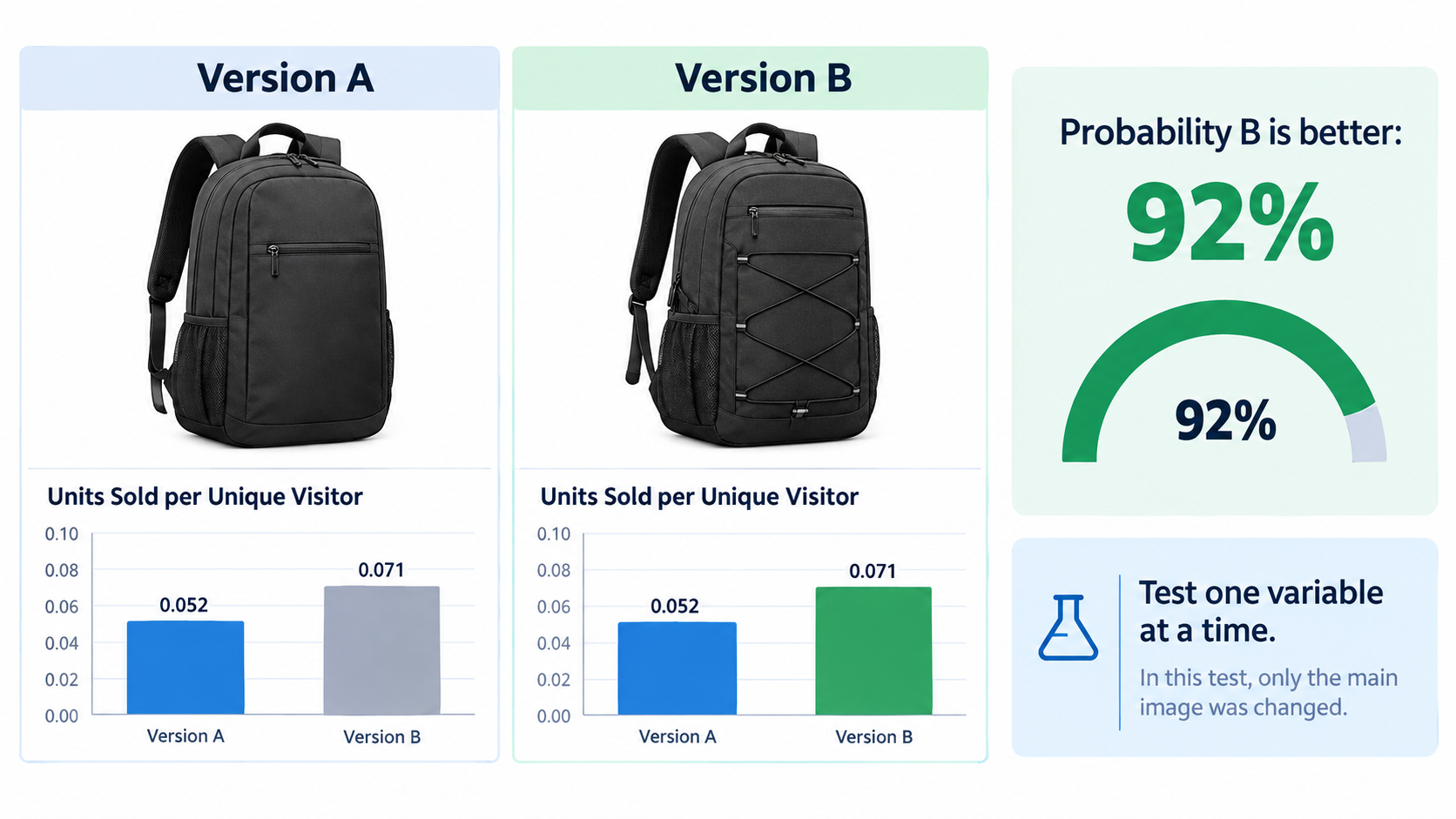
    Investing in 3D models and interactive imagery is a significant decision. The sellers who extract the most value from that investment are the ones who treat it as a controlled experiment rather than a one-time production project. Amazon’s “Manage Your Experiments” tool — available to brand-registered sellers in Seller Central — makes this unusually achievable without external testing platforms.

    What you can and cannot test

    Manage Your Experiments supports A/B testing on main product images, secondary images, titles, bullet points, and A+ Content. For the purposes of visual testing, the most impactful tests in order of return are:

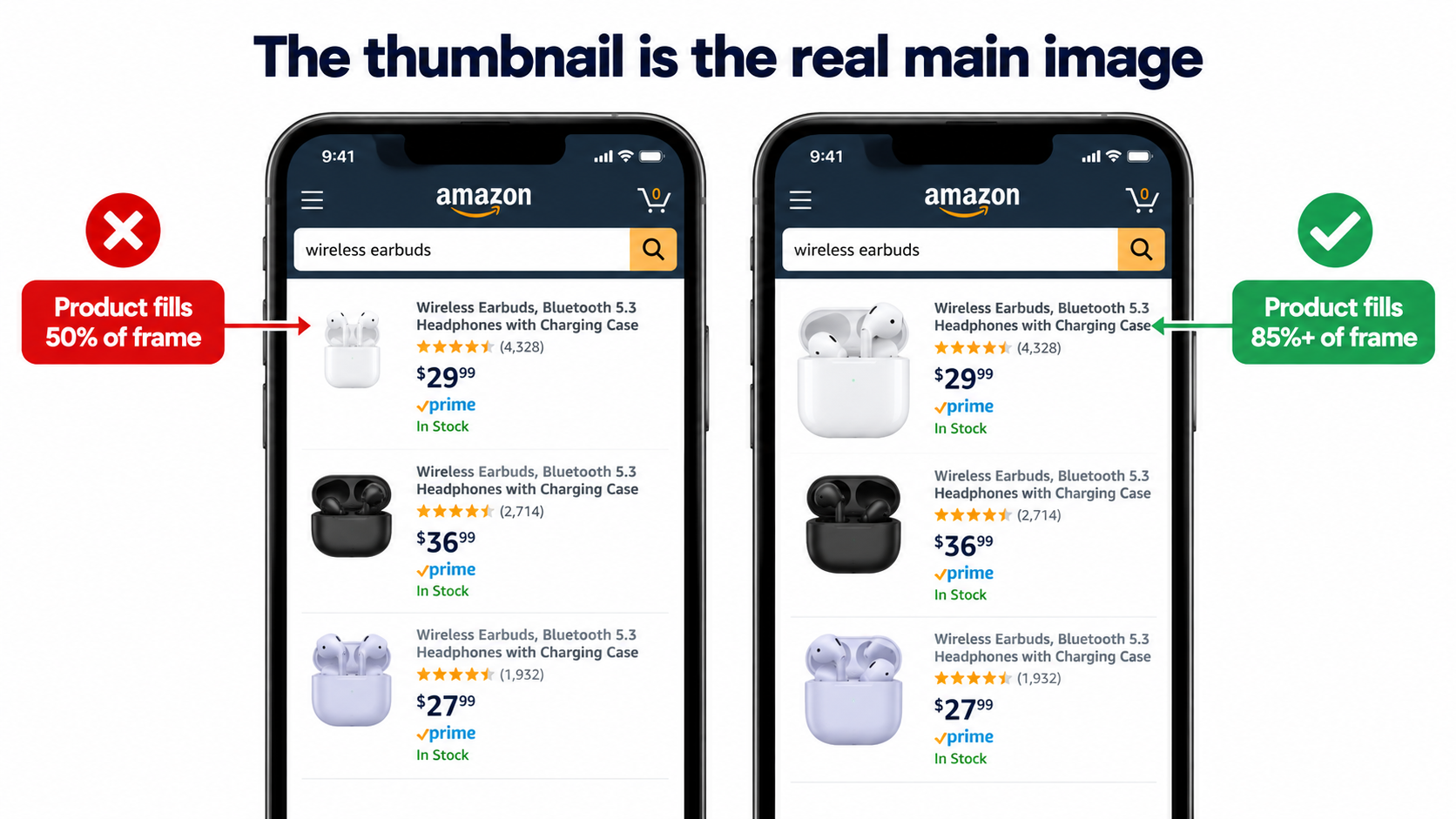
    1. Main image variation — This is the highest-leverage test because it directly affects click-through rate from search results. A main image change affects every impression your listing receives. Test angle (3/4 vs. straight-on), background style (pure white vs. contextual lifestyle for categories where it’s permitted), and scale (product filling the frame vs. showing packaging or accessories).
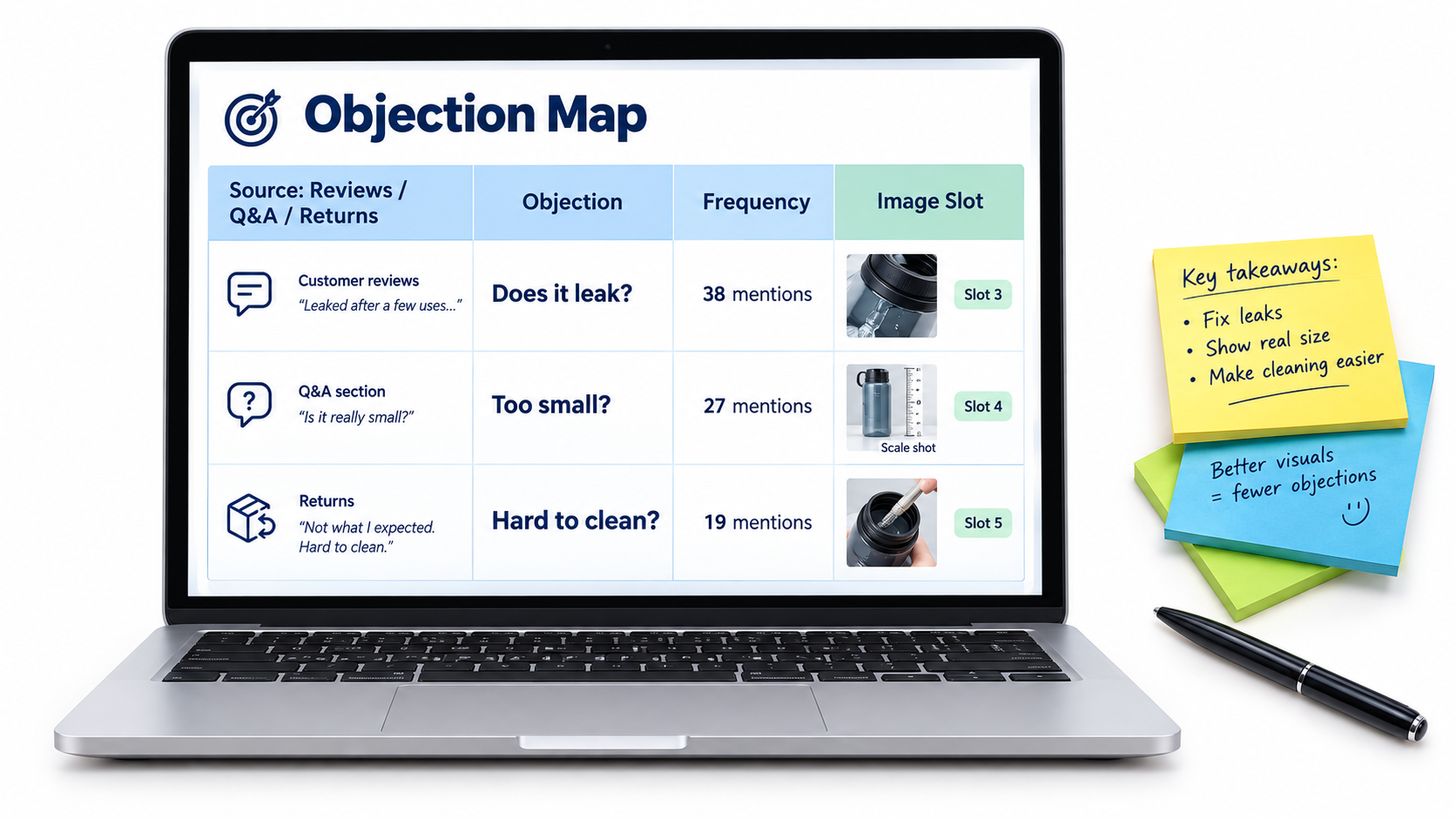
    2. Secondary image sequence — Once the main image is optimized, test the order and composition of supporting images. Does a lifestyle image as the second image outperform an infographic? Does a size comparison image earlier in the stack reduce returns measurably?
    3. Spin view vs. no spin view — For sellers who have uploaded a 3D model, testing the before/after impact on unit session percentage (conversion rate) provides clean attribution data for the investment in 3D production.

    Test duration and traffic requirements

    Amazon recommends running experiments for a minimum of four weeks to achieve statistical significance. Shorter tests — two to three weeks — can provide directional signals on high-traffic ASINs, but should not be treated as conclusive. Manage Your Experiments requires sufficient traffic to generate statistically valid results; low-traffic ASINs may need to run experiments for eight to twelve weeks before the data is reliable. Amazon provides a confidence indicator within the tool that shows when the winning variant has reached statistical significance.

    The metrics that matter

    When evaluating the results of visual experiments on Amazon, focus on three metrics in descending order of priority:

    • Unit Session Percentage (conversion rate): The proportion of page visits that result in a purchase. This is the most direct measure of visual impact on buying behavior.
    • Click-Through Rate (CTR) from search: For main image tests, this measures how effectively the image draws shoppers from search results to the listing page. An image that generates 20% more clicks at the same conversion rate produces 20% more sales with no change to anything else.
    • Return rate over time: This is not visible in Manage Your Experiments directly, but should be tracked manually against visual changes. A main image that dramatically understates the product’s true appearance may lift short-term conversion while increasing returns — a net negative result that only appears if you’re watching the full picture.

    The most common A/B testing mistakes

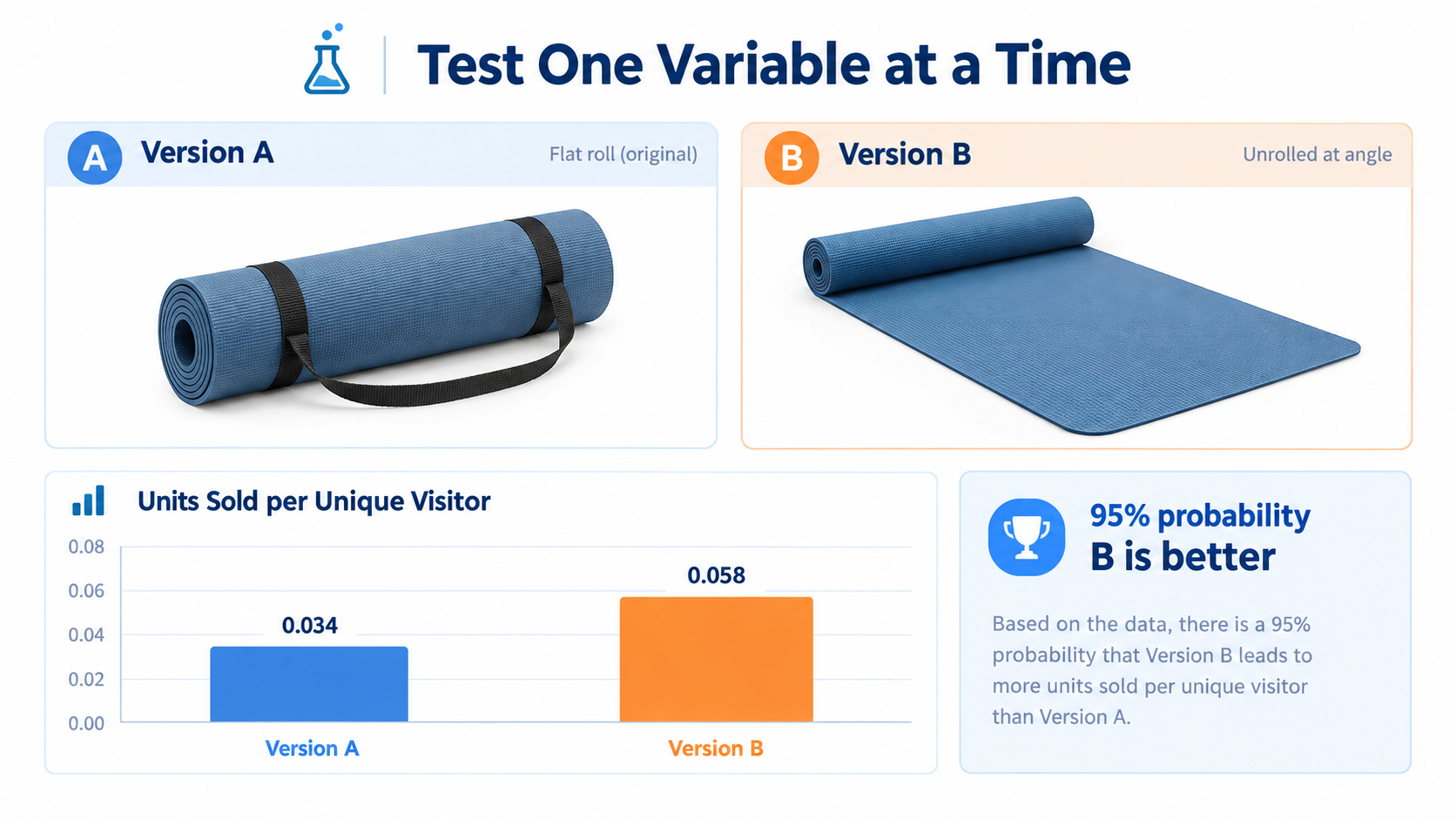
    Sellers who run visual experiments on Amazon tend to make a handful of predictable errors. The most costly is testing multiple elements simultaneously — changing the main image, two secondary images, and the title at the same time. When one variant wins, you have no idea which change drove the result. The second most common mistake is ending experiments early when one variant is trending ahead — Amazon’s confidence indicators exist for a reason, and early results frequently reverse as more data comes in. Third is ignoring segment differences: a main image that converts well for mobile shoppers may underperform for desktop shoppers, and vice versa.

    Building an Image Stack That Converts at Every Stage of the Funnel

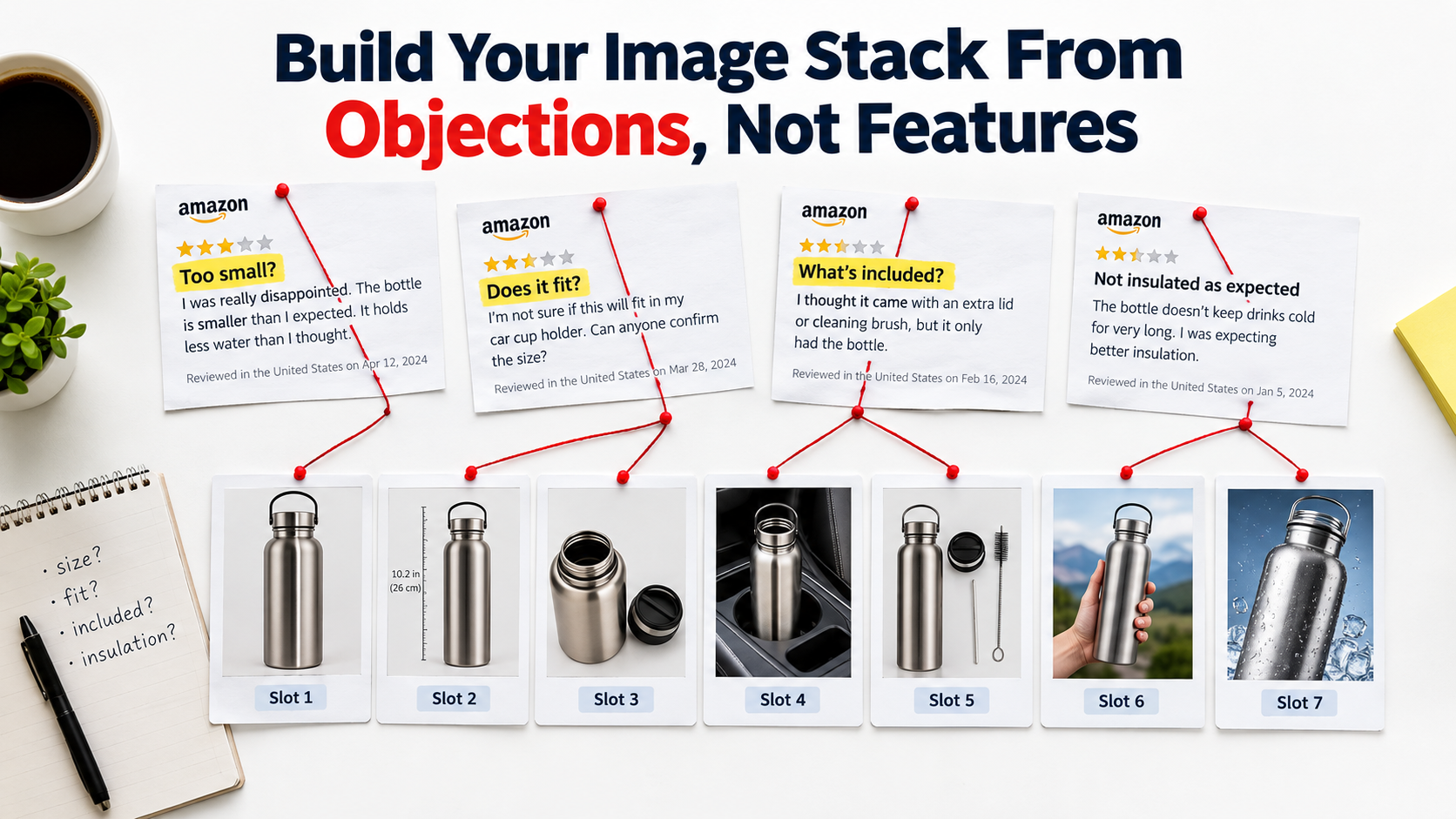
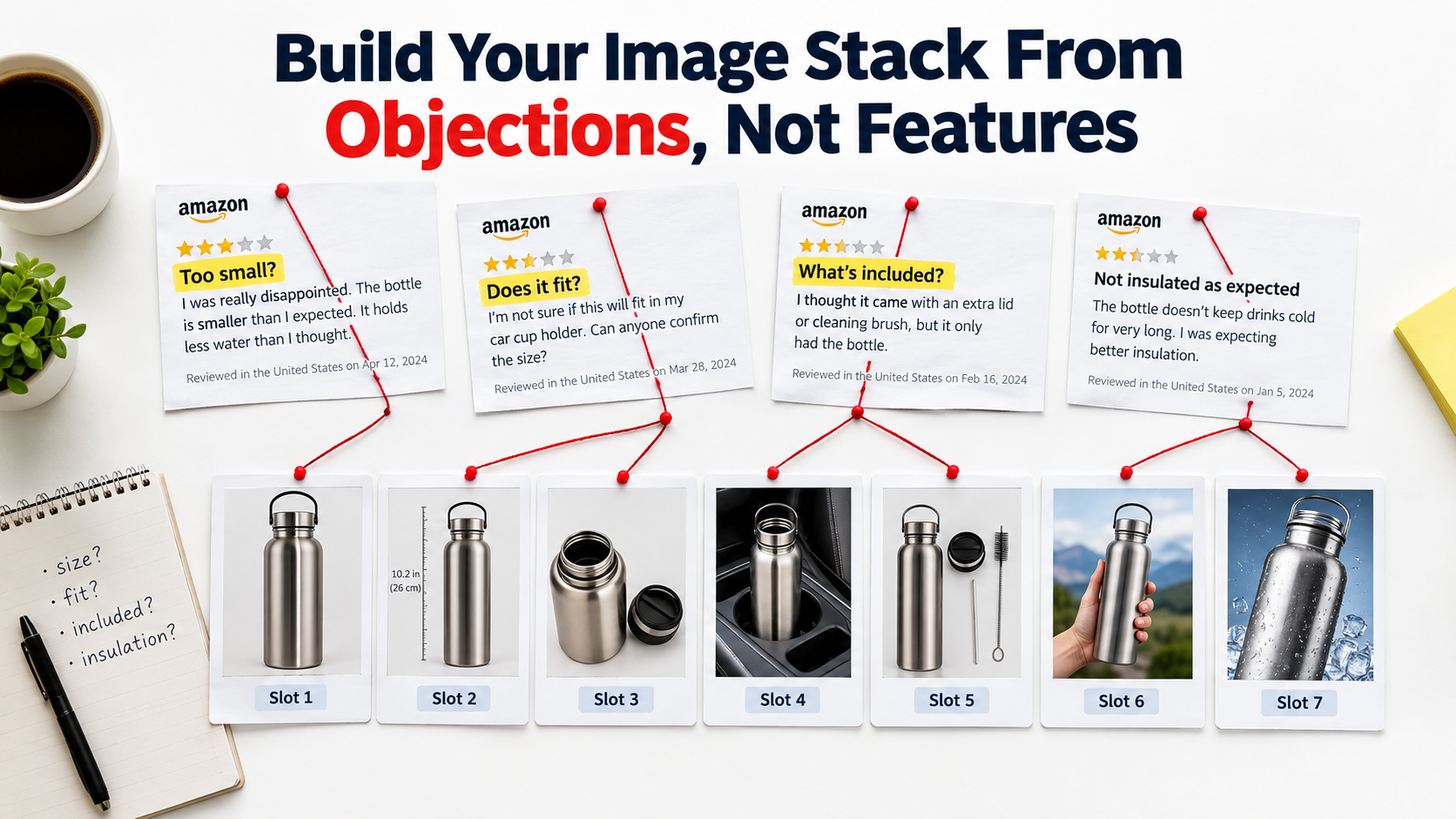
    One of the most useful frameworks for thinking about Amazon product imagery is the “image stack” — the idea that different images in your listing’s gallery serve different functions for shoppers at different stages of their decision process. A listing that treats all nine image slots as equivalent is leaving conversion on the table. A listing built with a deliberate stack converts at every stage.

    Amazon listing image stack: matching each image to a buyer stage from awareness through consideration to purchase decision

    Image 1 (Main Image): The click-driver

    This image has one job: stop the scroll and earn the click from a search results page. Amazon’s rules are strict — pure white background (RGB 255, 255, 255), no text, no graphics, no props, product occupying at least 85% of the frame. Within those constraints, the optimization levers are angle, lighting, and the visual hierarchy of the product itself. Professional lighting that creates depth and dimension consistently outperforms flat studio lighting. A 3/4 angle that shows depth and three-dimensionality typically outperforms a straight-on flat view. Research from eBay Labs found that listings with five to eight high-quality images see conversion lifts of up to 65% over listings with one or two images — and it starts with the main image earning the click.

    Images 2–3: The orientation and detail images

    Once a shopper clicks through to the listing, they need to build a comprehensive mental picture of the product. Images two and three should systematically cover angles and details that the main image could not. For most products, this means a back/side view, a close-up of the highest-value detail (a zipper, a connector port, a distinctive design element), or a scale reference shot that shows the product next to a hand, a common household object, or a labeled dimension overlay.

    Images 4–5: The lifestyle and context images

    Lifestyle images serve a different psychological function than product detail images. They don’t answer “what does this look like?” — they answer “can I picture this in my life?” Showing a product in a realistic, aspirational real-world setting gives shoppers permission to project themselves into ownership. A well-executed lifestyle image for a coffee mug is not a photograph of a coffee mug. It is a photograph of a morning — the mug is just in it. These images work particularly hard for home goods, apparel, fitness equipment, and any product with a strong lifestyle association.

    Images 6–7: The infographic images

    Amazon allows text, callouts, comparison charts, and labeled diagrams in secondary images (not the main image). These slots are best used for information that is difficult to convey in bullet points alone — size charts, compatibility guides, material comparisons, before/after results, or feature callouts with measurements. Mobile shoppers who don’t scroll to read bullet points often do engage with well-designed infographic images. Keeping text mobile-readable (minimum 16pt equivalent when viewed on a phone) is critical.

    Images 8–9: The trust and social proof images

    The final images in the stack can carry review highlights, certifications, brand story elements, or comparison grids against competing products (where Amazon policies permit). For newer brands or products in a trust-sensitive category (supplements, baby products, safety equipment), images that communicate third-party testing, material sourcing, or manufacturing standards do real conversion work in this position.

    Where the spin view fits in the stack

    When a 3D model is approved, Amazon adds the interactive spin view as an additional option within the image gallery — typically surfaced as an overlay on the main image or as a separate tab. It doesn’t replace any of the nine standard image slots. Think of it as image 10: a bonus interactive layer that sits on top of the static gallery. Shoppers who engage with the spin view demonstrate significantly higher purchase intent, making the spin view most valuable for mid-funnel shoppers who are seriously considering the product but not yet committed.

    What’s Coming Next: Amazon Nova Canvas, AI Try-On, and the 2026 Visual Stack

    The landscape of product visualization on Amazon is moving faster in 2026 than at any point in the platform’s history. Understanding where the technology is heading allows sellers to make smarter decisions about where to invest now and what to build toward.

    Amazon's 2026 visual commerce stack: Nova Canvas AI, virtual try-on, 3D spin view, and View in Your Room AR features

    Amazon Nova Canvas and AI-generated product imagery

    Amazon’s Nova Canvas generative AI model is available through AWS and increasingly integrated into seller-facing tools. Its capabilities relevant to product sellers include generating lifestyle background images around existing product shots (placing a product into a kitchen scene, a bedroom, or an outdoor setting without a physical photoshoot), creating color and variant images from a single physical product photograph, and — in its most advanced application — generating virtual try-on composites that show apparel or accessories on a model without a live photoshoot.

    These AI-generated images are explicitly permitted in Amazon listings as secondary images and in A+ Content, as of 2026 guidelines. They are not permitted as the main product image, which must still represent the actual physical product accurately. For sellers managing large catalogs with many color variants, the ability to generate secondary lifestyle images at scale using Nova Canvas — rather than paying for individual photoshoots per variant — represents a significant operational cost reduction.

    The Rufus AI layer and visual search

    Amazon’s Rufus AI shopping assistant, which became a significant part of the Amazon shopping experience in 2025, introduces a new dimension to visual content strategy. Data from the holiday quarter of 2025 showed that Rufus-assisted shopping sessions converted at 3.5 times the rate of non-assisted sessions. What this means for visual content: Rufus can engage with product images, A+ Content, and 3D model information when generating responses to shopper queries. Listings with richer visual assets give Rufus more accurate and detailed information to draw from, which translates into more confident and specific recommendations to shoppers asking questions like “show me sofas under $500 that would work in a small living room.”

    The trajectory of AR in Amazon’s roadmap

    Amazon has been incrementally expanding AR feature eligibility since “View in Your Room” launched in 2017. The pace of that expansion is accelerating. Fashion categories began receiving category-specific virtual try-on features starting in 2022 and have continued to expand. The direction of travel is clear: Amazon intends for AR visualization to be a standard feature across most high-consideration product categories, not a specialty feature for furniture alone.

    Sellers who invest in building accurate 3D models today are positioning their catalogs for multiple future feature rollouts, not just the current set of AR capabilities. A 3D model created and approved today becomes the foundation for whatever Amazon’s AR feature set looks like in 2027 and beyond — including features that don’t exist yet.

    The competitive window is narrowing

    The adoption curve for 3D models on Amazon follows the same pattern as virtually every new seller capability: early adopters gain disproportionate benefits while the feature is underused, then those benefits compress as adoption becomes mainstream and the feature becomes a parity expectation rather than a differentiator. Right now, 3D models and interactive spin views are genuinely differentiating. A listing with a spin view badge in a category where competitors have none stands out visibly. A “View in Your Room” badge on a furniture listing is still unusual enough that shoppers notice and engage with it.

    That window will not stay open indefinitely. The sellers who build this capability into their listing infrastructure in 2026 will have the advantage of experience, established workflows, and catalog coverage before it becomes a standard baseline expectation.

    The Practical Roadmap: Prioritizing Your Visual Investment

    For sellers looking at their catalog and trying to figure out where to start, the decision framework is straightforward. Not every ASIN warrants the investment in a 3D model. The right sequence is to audit, prioritize, produce, and iterate.

    Step 1: Audit your current visual assets against the benchmark

    Pull your unit session percentage (conversion rate) data from Seller Central for every ASIN in your catalog. Sort by traffic volume (highest-traffic listings first) and identify listings with conversion rates below your category benchmark. Amazon’s average conversion rate across categories runs 10–20%, with high performers exceeding 25%. Listings with significant traffic but below-average conversion are the highest-priority candidates for visual improvement.

    For each of those priority ASINs, answer three questions: Does this product have a spatial context problem (scale, fit, placement)? Is it in a category where interactive imagery is eligible? Does it currently have fewer than six substantive images? A “yes” to any two of those three flags an ASIN for immediate visual investment.

    Step 2: Fill the static image stack first

    Before investing in 3D model production, ensure every priority ASIN has a complete, high-quality static image stack. The data shows that moving from one or two images to six or more high-quality images delivers conversion improvements that rival or exceed the benefit of adding a spin view in isolation. The image stack is the foundation; interactive features are a multiplier on top of it.

    Step 3: Prioritize 3D models by category and revenue concentration

    Once the static stack is solid, prioritize 3D model production for your top revenue ASINs in categories where AR and spin views have the highest impact. Start with your two or three best-selling products in home goods, furniture, footwear, or electronics accessories — categories where the conversion data is clearest and the ROI is fastest. Use the learnings from those first submissions to refine your production workflow before scaling to a larger portion of your catalog.

    Step 4: Run controlled experiments and reinvest

    Use Manage Your Experiments to measure the actual conversion impact of new visual assets on each ASIN. Document the results — your unit session percentage before and after, your return rate, and your click-through rate from search. Use that data to build a business case for expanded 3D production across a wider set of ASINs, and to identify which categories and product types in your specific catalog respond most strongly to interactive imagery.

    Conclusion: The Sellers Who Win on Imagery Win on the Fundamentals

    It is easy to treat product photography as a cost of doing business — a box to check during listing setup, a budget line to minimize. The data tells a different story. In a marketplace where 92% of shoppers cite imagery as a top conversion factor, where a 22% conversion lift from interactive views is a documented and reproducible outcome, and where up to 40% of the return problem traces directly back to visual failures, imagery is not a cost. It is one of the most compounding investments a seller can make.

    The specific opportunity in 2026 is sharper than it has ever been. Amazon’s transition away from traditional 360° photography toward 3D models created a knowledge gap that filtered out many sellers who weren’t paying attention. The sellers who do understand how the system works today — the GLB file requirements, the Seller Central upload path, the category eligibility for “View in Your Room,” the A/B testing framework for measuring impact — are operating in a window where this capability is still genuinely differentiating rather than table stakes.

    That window will close. The sellers who build these capabilities into their standard listing workflow now will not only capture the conversion benefits today. They will also be positioned for whatever Amazon’s visual commerce infrastructure looks like next year, and the year after that — because the 3D models they create today are the foundation for every AR feature Amazon has not yet launched.

    The camera cannot replace the in-store experience entirely. But a well-built 3D model on an Amazon listing comes considerably closer than anything that came before it. The question is not whether your competitors will eventually figure this out. The question is whether you figure it out first.

    Key Takeaways

    • Amazon discontinued traditional 360° photography in January 2024. The interactive spin view now requires a 3D model in GLB/GLTF format.
    • 360°/interactive imagery lifts conversion rates 22–27% on average, with furniture seeing up to 250% in AR-specific studies.
    • 3D model and AR visualization reduce return rates by up to 40%, attacking one of the most significant hidden cost drivers for FBA sellers.
    • Brand Registry enrollment is required to upload 3D models. The file must be GLB or GLTF format, max 1 million triangles, with 2–10 reference photos submitted alongside.
    • “View in Your Room” is available for floor/table/wall-mounted products across major Amazon marketplaces, and averages a 9% sales improvement per Amazon’s own data.
    • Use Manage Your Experiments to measure conversion impact before rolling out 3D production across your full catalog.
    • AI tools including Amazon Nova Canvas now allow AI-generated lifestyle imagery in secondary slots and A+ Content — a significant catalog-scale cost reduction for variant-heavy listings.
    • The competitive window for 3D model differentiation is open now, and will narrow as adoption becomes mainstream.
  • AI-Powered Image Optimization Hacks for 2026: The Technical Operator’s Field Guide

    AI-Powered Image Optimization Hacks for 2026: The Technical Operator’s Field Guide

    AI-powered image optimization dashboard comparing before and after load times with Core Web Vitals improvements

    Most image optimization advice is stuck in 2021. Compress your JPEGs, use lazy loading, add an alt tag — done. But the tools, formats, and techniques available in 2026 have completely changed what “good” looks like. And the gap between sites doing this right versus sites doing it the old way is no longer a minor performance difference. It’s the difference between ranking and not ranking. Between converting and bouncing. Between visible in Google Lens and invisible.

    This guide is not about basics. It’s not going to tell you to “resize your images” or “use a CDN.” It’s written for developers, technical marketers, and digital operators who already know the fundamentals and want a precise, up-to-date picture of what actually moves the needle in 2026 — with specific tools, specific tactics, and the data to back them up.

    We’ll cover the definitive format landscape (AVIF has won, and you need a strategy), AI-driven compression pipelines, edge delivery with intelligent routing, machine learning–based predictive loading, visual search optimization for Google Lens, AI-generated alt text at scale, generative AI for product imagery (and the compliance layer you can’t ignore), Core Web Vitals LCP mechanics, and a prioritized implementation stack you can act on today.

    Every section is grounded in 2026 data. Let’s get into it.

    The Format War Is Over — And AVIF Won

    Bar chart comparing JPEG, WebP, AVIF file sizes showing AVIF wins the format compression war in 2026

    For the better part of five years, the image format landscape was unsettled. WebP was supposed to replace JPEG but had stubborn Safari holdouts. AVIF had better compression but inconsistent browser support. In 2026, that debate is settled. AVIF crossed the 95% browser support threshold in early 2026, making it the clear primary delivery format for the modern web.

    The Numbers in Plain Terms

    Let’s be direct about what the compression gains actually look like in practice. AVIF delivers files that are 50% smaller than JPEG at equivalent visual quality. Compared to WebP, it’s 20–30% smaller. These aren’t marginal improvements — they represent a fundamental shift in page weight. A 1.2MB JPEG routinely compresses to a 0.2MB AVIF using tools like Imagify, an 83% size reduction with imperceptible quality loss.

    WebP itself compresses 25–35% smaller than JPEG and still carries ~97% browser support, making it the correct fallback format. The modern delivery strategy in 2026 is: AVIF primary, WebP fallback, JPEG last resort — and this should be implemented using the HTML <picture> element with srcset for responsive delivery. No exceptions, no excuses.

    What AVIF Does Technically That JPEG Cannot

    AVIF’s advantages aren’t just about compression ratios. It eliminates the blocking artifacts that JPEG produces at high compression settings — those blocky, pixelated degradation patterns that appear around edges and text. AVIF also supports HDR (High Dynamic Range) and wide color gamut natively, which matters increasingly as more displays ship with P3 or Rec. 2020 color profiles.

    For e-commerce especially, this means product images can carry richer, more accurate color representation without a file size penalty. A red sneaker photographed in HDR can render with the actual vibrancy of the original shot, not the muted, slightly off tones that JPEG compression typically introduces.

    Serving AVIF Correctly: The <picture> Pattern

    Correct implementation matters. The <picture> element enables browser-native format negotiation, meaning each visitor gets the best format their browser supports without any JavaScript overhead:

    <picture>
      <source srcset="hero.avif" type="image/avif">
      <source srcset="hero.webp" type="image/webp">
      <img src="hero.jpg" alt="[descriptive alt text]" width="1200" height="628">
    </picture>

    Always include explicit width and height attributes on the <img> element. This reserves layout space before the image loads, eliminating Cumulative Layout Shift (CLS) — a separate Core Web Vitals metric that penalizes pages where content jumps around as resources load.

    SVG for Non-Photographic Elements

    One commonly overlooked optimization: logos, icons, and UI elements should never be rasterized in the first place. SVG files are resolution-independent, meaning they render crisp at any screen size without any data overhead from serving multiple resolution variants. A complex PNG logo at 200KB can frequently be replaced by an SVG at 8KB that looks sharper on a 4K display than the PNG ever did. Audit your non-photographic image inventory and convert aggressively.

    AI Compression Tools That Actually Deliver in 2026

    AI-driven compression goes beyond applying a quality slider to a JPEG. Modern tools analyze image content at the pixel and region level, applying heavier compression to visually less-important areas (backgrounds, uniform textures, empty space) while preserving detail where the human eye will focus — faces, product edges, text overlays, fine textures.

    Content-Aware Compression: How It Works

    Tools like Photo AI Studio apply what’s called region-specific compression: the algorithm identifies high-salience areas (faces, product foregrounds, labels) and applies lighter compression there, while applying heavier compression to the sky behind a product, a blurred bokeh background, or a clean studio wall. The result is a file that’s 30–50% smaller than a uniformly compressed equivalent but appears visually indistinguishable — because the human visual system doesn’t notice compression artifacts where it isn’t looking closely.

    This is a fundamentally different approach from traditional compression, which applies the same quality setting uniformly. The practical result: a 500KB product image that would compress to 250KB with standard WebP compression can hit 150KB or less with content-aware AI compression at identical perceived quality.

    The Leading Tools and Their Actual Differentiators

    Imagify has become the benchmark for WordPress environments. Its Smart Compression mode automatically balances quality and performance targets on a per-image basis, processing at under 200ms per image and supporting batch conversion to WebP or AVIF. 93% of users rate its setup as straightforward. For volume operations, the results are consistent: a 1.2MB JPG becomes a 0.2MB AVIF through Imagify’s pipeline.

    Cloudinary is the enterprise standard. Beyond compression, it offers 50+ URL-based transformations, a built-in DAM (Digital Asset Management) layer, AI smart cropping with face and subject detection, and video optimization in the same pipeline. Its CDN runs on over 700 edge nodes (CloudFront-powered), enabling transformations at the edge rather than at origin. Case studies include Neiman Marcus reducing photoshoot volume by 50% and Stylight attributing a 2.2% conversion lift directly to Cloudinary-driven image optimization.

    ImageKit has emerged as the value-disruptive option. At $9/month on its Lite plan, it bundles a full AI feature set — background removal, auto-tagging, 50+ URL transformations, AVIF/WebP auto-delivery, and face detection-based smart cropping. It runs on 700+ edge nodes and has become the go-to for growing businesses that need enterprise-grade image infrastructure without enterprise pricing.

    ShortPixel and Kraken.io remain strong options for batch-processing existing image libraries, particularly where the primary goal is bulk compression of legacy JPEG/PNG catalogs to WebP or AVIF without a full CDN layer.

    The On-Device AI Compression Shift

    A noteworthy 2026 development: tools like TinyImage.Online are processing AVIF encoding natively in the browser using Canvas and File APIs — meaning images never leave the user’s device for compression. For privacy-sensitive workflows or scenarios where uploading proprietary product imagery to third-party servers is a concern, this represents a genuinely useful alternative to cloud-based pipelines.

    Smart CDN and Edge Delivery: Why Where You Process Matters

    World map showing AI-powered CDN edge delivery network with 700+ nodes for image optimization

    Even a perfectly compressed AVIF image delivers a poor experience if it’s served from a single origin server on the other side of the world from the user. CDN edge delivery is not new advice — but the intelligence layer that’s been added to modern image CDNs in 2026 fundamentally changes what edge delivery means for images.

    Edge Processing vs. Edge Caching: The Distinction That Matters

    Traditional CDNs cache pre-generated image variants. You upload a product image in 5 different sizes, cache all 5 at the edge, and serve the right one based on a URL parameter. This works but has a major drawback: you’re pre-generating and storing every variant you might ever need, which is storage-intensive and requires anticipating every device/size combination.

    Modern AI image CDNs like Cloudinary, ImageKit, and Imgix take a different approach: on-the-fly edge processing. When a device requests an image, the edge node generates the optimal variant in real time — the right dimensions for the requesting device’s screen, the right format for its browser, the right compression quality for its network conditions — in under 200ms. Subsequent identical requests are cached. The first request triggers transformation; all subsequent requests serve from cache. This means you maintain a single source image and the CDN’s AI layer handles every output variant dynamically.

    AI Smart Cropping: The Feature Most Teams Underuse

    Smart cropping is now table-stakes on every major image CDN — but most teams either haven’t enabled it or don’t understand its scope. AI smart cropping uses computer vision to identify the visual subject of an image — a face, a product, a focal point — and ensures that element remains centered and fully visible when the image is cropped to different aspect ratios.

    Without smart cropping, a landscape product photo cropped to a square mobile thumbnail might cut off half the product. With AI subject detection enabled, the CDN identifies the product as the focal subject and crops to keep it centered regardless of the target aspect ratio. For teams managing thousands of SKUs across multiple surface areas (PDPs, category pages, thumbnails, social), this eliminates hours of manual art direction per image.

    Network-Adaptive Quality: Serving the Right Image for the Right Connection

    The most forward-looking edge delivery feature in 2026 is network-adaptive image quality. CDNs can read the requesting device’s connection type (via the Save-Data header or the Network Information API) and serve a lighter image variant automatically to users on congested or slow connections. A user on 5G in a major city gets a full-quality AVIF. A user on a 3G mobile connection in a rural area gets a lighter WebP at 75% quality — still looking good on their screen, but loading in a fraction of the time.

    This is not something most teams configure explicitly. It’s a CDN-level setting, and enabling it is often a single checkbox. The impact on mobile conversion rates — where 62% of web traffic now originates — is measurable and immediate.

    Beyond Lazy Loading: AI Predictive Image Loading

    Lazy loading — deferring below-the-fold images until they approach the viewport — has been standard practice since 2019. In 2026, it’s the floor, not the ceiling. AI-driven predictive loading represents the next layer, and early adopters are reporting 35–50% performance gains over traditional lazy loading alone.

    How Predictive Preloading Works

    Traditional lazy loading is reactive: an image loads when it enters (or approaches) the viewport. AI predictive loading is proactive: it analyzes a user’s scroll velocity, historical navigation patterns, cursor position, and device capabilities to anticipate which images they’re likely to see next — and begins loading them before they reach the viewport.

    The technical implementation typically combines the Intersection Observer API with a lightweight ML model trained on user behavior data. The model assigns “interest scores” to off-screen images based on behavioral signals, then prioritizes preloading the highest-scoring candidates. Think of it as the image equivalent of DNS prefetching: by the time the user’s scroll reaches a product image, the download may already be complete.

    Low-Quality Image Placeholders (LQIP): The Perceived Performance Trick

    While AI predictive loading handles the actual resource timing, LQIP handles perceived performance — and the two techniques are complementary. A Low-Quality Image Placeholder is a heavily compressed, 1–2KB version of the image that loads immediately and occupies the space while the full-resolution version loads.

    In 2026, LQIP has evolved. Rather than the blurry JPEG thumbnails of earlier implementations, modern LQIPs use AI-generated dominant color blocks or gradient approximations that match the actual image’s color palette without any layout shift. The user sees a coherent, contextually appropriate placeholder rather than blank space or a spinning loader — and the transition to the full image is seamless.

    Critical Path Exception: Never Lazy-Load Your Hero Image

    This is where many implementations go wrong. Lazy loading is appropriate for below-the-fold content. The hero image — the first, largest above-the-fold image — must load as a priority resource. Lazy-loading a hero image actively harms LCP scores because it delays the browser’s early discovery and fetching of the most important visual element on the page.

    The correct approach for hero images is the opposite of lazy loading:

    <link rel="preload" as="image" href="hero.avif" type="image/avif" fetchpriority="high">

    The fetchpriority="high" attribute signals to the browser that this resource should be fetched immediately, ahead of other queued requests. Combined with a preload hint in the document <head>, this can reduce hero image load times by 0.5–1.5 seconds on typical connections — which translates directly to LCP improvements.

    Google Lens and Visual Search: The Optimization Layer Most Sites Miss

    Google Lens visual search infographic showing 12 billion monthly queries and optimization requirements for product images

    Text search optimization has been the dominant SEO paradigm for two decades. Visual search is disrupting that paradigm faster than most teams have noticed. Google Lens now processes over 12 billion visual queries per month, growing at 30% annually. Google Images independently drives 22% of all web searches. Sites that have implemented comprehensive visual search optimization report 27% higher conversion rates compared to text-only optimization strategies.

    These are not marginal numbers. They represent a major commercial channel that most competitors have not optimized for.

    How Google Lens Actually Processes Your Images

    Understanding what Google Lens does technically helps clarify what you need to optimize for. Lens uses multimodal AI to analyze images without requiring any text input. It performs object detection (identifying specific products, brands, colors), scene understanding (context and setting), and commercial intent prediction (inferring whether the user wants to buy, research, or navigate based on what they’re photographing).

    When someone photographs a product with Google Lens, the system matches the visual against Google’s product feed index, structured product data, and web imagery. The images that surface in results are those that provide strong visual signals (high resolution, clean subject, consistent lighting), strong structured data signals (Product schema, ImageObject markup), and fast-loading pages (the technical quality of the serving infrastructure matters for crawlability).

    Resolution Requirements for Visual Search Visibility

    Google’s recommendations for visual search are clear: minimum 1,200px on the longest side, ideally 2,400px+. This is higher than most teams default to for web delivery, because web performance optimization typically pushes toward smaller images. The resolution requirement for visual search is driven by the pixel-level matching algorithms Lens uses — low-resolution images don’t provide enough visual detail for accurate object detection and matching.

    The practical solution is responsive serving with high-resolution sources. Maintain source images at 2,400px+ and use your image CDN to serve device-appropriate sizes for actual page rendering. The high-resolution version stays indexed and available for Google’s crawler, while users receive right-sized images for their displays.

    Photography Practices That Drive Visual Search Rankings

    Technical optimization only works if the underlying photography provides clean visual signals. For product images specifically: shoot on consistent, neutral backgrounds (white or light grey); ensure the product fills at least 60–70% of the frame; capture multiple angles (front, side, back, detail); use consistent, studio-quality lighting that eliminates harsh shadows; and maintain consistent cropping and framing across a catalog. These practices enable Lens’s object detection models to accurately identify your product and match it against queries.

    Descriptive File Names and Stable URLs

    File naming is an underrated visual search signal. product-img-047.jpg tells Google nothing. blue-mens-running-shoes-size-10-side-view.webp provides explicit product context before any other signal is processed. Rename files descriptively before upload, and use hyphens (not underscores) as word separators per Google’s preference. Equally important: use stable, canonical URLs for images. If your CMS regenerates URLs on product updates, Google’s visual index loses continuity and your image authority resets.

    AI-Generated Alt Text and Metadata at Scale

    Over 2.2 billion people worldwide have some form of visual impairment that causes them to rely on alt text when consuming web content. Beyond accessibility — which is reason enough to get this right — Google explicitly states that it prioritizes explicit alt text over its own computer vision inference for image understanding. Writing descriptive alt text is not optional for image SEO; it’s the most direct signal you can provide.

    The problem is scale. An e-commerce catalog with 10,000 SKUs and multiple images per product can’t be manually alt-tagged at high quality. AI has solved this problem.

    How Modern AI Alt Text Generation Works

    Modern AI alt text tools use vision-language models (VLMs) like GPT-4o and Gemini to analyze image content and generate contextually appropriate descriptions. Unlike early computer vision-based tagging that produced generic labels (“product, item, image”), current VLMs understand context, composition, and commercial intent.

    For a product photo, a VLM-generated alt text might produce: “Nike Air Max 270 in midnight navy blue, side view showing full-length Air unit midsole, white outsole, and mesh upper with synthetic overlays.” That’s SEO-relevant, accessibility-compliant, and accurate — generated automatically, at scale, in under a second per image.

    Best Practices for AI-Generated Alt Text

    Even with AI generation, review the output against a few quality standards. The optimal length for alt text is 80–140 characters — enough for detail, not so long it becomes noise for screen readers. Prioritize contextual purpose over literal description: describe what the image communicates in its page context, not just its visual contents. For images that are purely decorative (dividers, background patterns), use an empty alt attribute (alt="") to signal to screen readers that the image can be skipped.

    Tools like AltText.ai support 130+ languages and integrate directly with major CMS platforms and e-commerce plugins, enabling automated alt text generation that fires on upload without manual intervention. The EU Accessibility Act, which mandated alt text compliance across digital properties, has made automated alt text generation a legal compliance concern in European markets — not just an SEO optimization.

    Beyond Alt Text: AI-Powered Image Metadata Enrichment

    AI can enrich image metadata beyond alt text. Auto-tagging — automatically assigning descriptive keyword tags to images based on their visual content — enables faster internal image search, better DAM organization, and additional structured data signals for search indexing. Platforms like Contentful’s AI layer and Cloudinary’s auto-tagging feature generate comprehensive tag sets on upload. For large teams managing thousands of images, this removes a significant manual bottleneck from the publishing workflow.

    Generative AI for Product Images: The Opportunity and the Compliance Layer You Can’t Ignore

    Split-screen comparison of traditional product photo vs AI-generated product image showing 3.4% vs 2.1% conversion rates

    AI-generated and AI-enhanced product imagery is now producing measurably better commercial outcomes than traditional photography in controlled tests — but with a critical compliance caveat that determines whether those results are positive or catastrophically negative.

    The Conversion Data on AI Product Images

    Shopify Q4 2025 data reveals a clear hierarchy: traditional photography converts at a 2.1% baseline rate. Unlabeled AI-generated images drop to 1.8% — a negative outcome driven by consumer mistrust when artificial origin is suspected but unconfirmed. C2PA-verified AI images convert at 3.4%, outperforming traditional photography by a significant margin.

    BCG’s late 2025 study adds important context: consumers are 2.5x more likely to purchase when AI imagery carries C2PA (Coalition for Content Provenance and Authenticity) verification badges. Non-compliant AI images, meanwhile, cut customer lifetime value by 15%. The compliance layer isn’t just ethical best practice — it’s a direct revenue variable.

    Background Removal and Generative Fill in Practice

    The most widely applicable AI image tools for e-commerce fall into two categories: background removal and generative fill. Remove.bg processes backgrounds in approximately 5 seconds per image via API, with 99.8% accurate removal on standard product shapes. It scales efficiently for high-volume catalogs where consistent white-background imagery is required for marketplace compliance.

    Photoroom (150M+ downloads) goes further, combining background removal with AI background generation — placing products in contextually relevant scenes (a coffee mug on a café table, a sneaker on an urban street, a skincare product in a bathroom setting) without a photoshoot. This is the AI-driven production studio model: generate dozens of lifestyle context variants from a single hero shot, A/B test them, and serve the highest-converting variant per customer segment.

    Claid specializes in bulk enhancement — upscaling, sharpening, color correction, and background replacement at catalog scale, with API integration that slots into existing DAM workflows without requiring image-by-image manual processing.

    C2PA Compliance: Not Optional in 2026

    C2PA (Coalition for Content Provenance and Authenticity) metadata embeds a cryptographically verifiable origin record into AI-generated or AI-modified images. This metadata travels with the image and can be read by compliant platforms (Adobe products, Google, most major social platforms as of early 2026) to display provenance information to end users.

    The practical implication: if you’re using AI to generate or significantly modify product imagery and you’re not embedding C2PA metadata, you’re in the quadrant that produces 1.8% conversion rates and eroding LTV. Enable C2PA output in your generative AI tools (Adobe Firefly, Photoroom Pro, and Midjourney Enterprise all support it), and display the provenance badge where your platform surfaces it. Transparency drives trust; trust drives conversion.

    Core Web Vitals and LCP: The Revenue Connection Most Teams Underestimate

    Core Web Vitals dashboard showing LCP impact zones and conversion rate correlations for ecommerce sites

    Largest Contentful Paint (LCP) measures how long it takes for the largest visible element on the page to fully load. In the vast majority of page layouts — especially product pages, landing pages, and home pages — that largest element is an image. Understanding LCP isn’t just a technical exercise; it’s a direct proxy for the commercial health of your pages.

    The LCP Thresholds and What They Cost You

    Google’s thresholds are: under 2.5 seconds = good, 2.5–4.0 seconds = needs improvement, over 4.0 seconds = poor. The conversion implications across these zones are well-documented in 2026 research:

    • A 1-second delay in page load time reduces conversions by 7%.
    • Every 100ms improvement corresponds to approximately a 1% conversion gain.
    • Sites with LCP under 2.5 seconds see 23% higher conversions than sites with LCP over 4 seconds.
    • One documented case study showed a 38% conversion lift from reducing LCP from 4.2 seconds to 1.8 seconds via AVIF/WebP implementation and hero image preloading.
    • Mobile users — 62% of total web traffic — experience LCP degradation more severely, amplifying the revenue impact on any site that hasn’t explicitly optimized for mobile image delivery.

    These aren’t theoretical numbers. They’re operational costs that compound daily on any site running above-threshold LCP scores.

    Images Are the Primary LCP Culprit

    Unoptimized images cause 60–80% of poor LCP scores. The common failure modes are:

    • Oversized source images: Serving a 3MB JPEG where a 150KB AVIF would render identically
    • Lazy-loaded hero images: The hero image is the LCP element — lazy loading it defeats the entire purpose of LCP optimization
    • No preload hint: The browser discovers the hero image late in the load cycle, after parsing HTML and CSS, rather than at parse time
    • Missing width/height attributes: Causes layout shifts (affecting CLS) and delays rendering pipeline
    • Origin-served images: No CDN, no edge delivery — every user hits the origin server regardless of geographic distance

    Diagnosing Your LCP Image Issues

    Google PageSpeed Insights (powered by Lighthouse) identifies your LCP element and its load time on mobile and desktop. Chrome DevTools Performance tab shows a waterfall view of exactly when each image starts and finishes downloading. The combination of these two tools gives you everything you need to identify which specific images are causing LCP failures — and in what order to fix them.

    Prioritize pages by commercial importance: checkout flow, product detail pages, and category pages first. Fix the LCP element on each (almost always the hero or first product image), then work outward to secondary images. For most e-commerce sites, fixing the top five template types (PDP, category page, homepage, cart, landing page) captures 80%+ of the total LCP opportunity.

    Schema Markup and Structured Data: Making Images Legible to AI Systems

    Structured data has evolved from a nice-to-have SEO enhancement to a requirement for visibility in AI-powered search surfaces. Google’s March 2026 core update tightened rich result eligibility, requiring schema to match primary page content precisely. Sites with correct schema markup occupy 72% of first-page results, and pages with rich results experience 20–40% CTR increases compared to standard listings.

    ImageObject Schema: The Specific Markup for Images

    The ImageObject schema type in JSON-LD provides Google with explicit metadata about your images — including license, copyright, caption, creator, and URL — that goes beyond what it can infer from visual analysis alone. For product images, ImageObject is typically nested within Product schema:

    <script type="application/ld+json">
    {
      "@context": "https://schema.org",
      "@type": "Product",
      "name": "Blue Running Shoes",
      "image": [
        {
          "@type": "ImageObject",
          "url": "https://example.com/shoes-front.avif",
          "description": "Blue running shoes, front view, white sole",
          "width": 1200,
          "height": 1200
        }
      ],
      "offers": {
        "@type": "Offer",
        "price": "89.99",
        "priceCurrency": "USD",
        "availability": "https://schema.org/InStock"
      }
    }
    </script>

    Products with complete schema markup are 4.2x more likely to appear in Google Shopping results. Pages with structured data earn 35% higher click-through rates from rich results. And image schema that includes license information unlocks Google Images’ licensable content filter — a growing traffic source for media and photography sites.

    Open Graph and Social Sharing Performance

    Open Graph meta tags control how your images appear when pages are shared on social platforms. Getting this wrong means your product pages share as blank or with incorrect images, losing the visual engagement that drives click-through from social contexts.

    The critical tags for image performance on social sharing:

    • og:image — the primary image URL (should be absolute, not relative)
    • og:image:width and og:image:height — allows platforms to render without downloading to determine dimensions
    • og:image:type — specify image/webp for platforms that support it (improves load speed in social feeds)
    • og:image:alt — the alt text for the shared image (accessibility on social platforms)

    The recommended minimum dimensions for Open Graph images are 1200×630px. Below this, most platforms scale up the image and display it in a reduced card format rather than the large preview card that drives significantly higher click-through rates.

    Visual Search Rich Results: The Emerging Frontier

    Google’s AI Overviews (the AI-generated summary blocks at the top of search results) increasingly surface images as evidence. Pages whose images are correctly tagged with ImageObject schema, serve at appropriate resolution, and load fast enough for Googlebot to fetch on its crawl budget are the ones appearing in these visual AI Overview citations. This is a new traffic vector — one that schema-poor sites are systematically excluded from.

    Building Your 2026 Image Optimization Implementation Stack

    Implementation priority checklist for AI image optimization in 2026 with seven numbered steps

    With all the techniques and tools covered, the question becomes prioritization. Not everything has equal leverage, and implementation resources are finite. Here’s a sequenced approach based on impact-to-effort ratio.

    Tier 1: Maximum Impact, Achievable Immediately

    1. Convert your image library to AVIF (with WebP fallback). This single change — implementable via Imagify, ShortPixel, or your image CDN’s auto-conversion — can reduce total image payload by 50–83%. It directly improves LCP, reduces bandwidth costs, and improves perceived performance across every page on your site. Do this first.

    2. Fix your hero image LCP. Add fetchpriority="high" and a <link rel="preload"> for every hero image. Remove any lazy-loading attributes from above-the-fold images. Add explicit width and height attributes to eliminate CLS. This is typically 15 minutes of implementation for a 0.5–1.5 second LCP improvement.

    3. Deploy an image CDN if you aren’t using one. ImageKit at $9/month serves more edge-delivery functionality than most teams have from their current stack. The combination of edge delivery plus AVIF auto-conversion plus smart responsive sizing covers the majority of the performance gap for most sites.

    Tier 2: High Impact, Requires More Setup

    4. Implement AI-generated alt text at scale. Integrate AltText.ai or your image CDN’s auto-tagging into your upload pipeline. Set up a rule that fires on every new image upload. Run a batch job on existing images with missing or generic alt text. This improves accessibility compliance, image SEO, and visual search indexing simultaneously.

    5. Add Product schema and ImageObject markup to all product pages. For WordPress/WooCommerce sites, plugins like Yoast SEO Premium or RankMath handle much of this automatically with minimal configuration. For custom platforms, the JSON-LD block is templatable and can be generated programmatically from product data.

    6. Implement lazy loading correctly across below-the-fold images. Use the native HTML loading="lazy" attribute — it’s supported by all modern browsers and requires no JavaScript. Reserve Intersection Observer-based implementations for scenarios where you need more granular control over loading thresholds or are implementing LQIP transitions.

    Tier 3: Advanced, Compounding Returns

    7. Implement LQIP for progressive image loading. Generate dominant-color or low-quality progressive placeholders for all above-the-fold product images. This improves perceived performance significantly, particularly on mobile connections, even when actual load times remain constant.

    8. Explore AI generative backgrounds for product imagery. Test Photoroom or Claid for a single high-traffic product category. Run an A/B test against your current photography baseline. Measure conversion, time-on-page, and bounce rate. If you generate AI images, enable C2PA metadata output from day one.

    9. Enable network-adaptive quality on your image CDN. Most CDNs offer this as a configuration flag. Enable it and monitor its effect on mobile conversion rates over 30 days. On high-mobile-traffic sites, this can produce conversion improvements of 3–8% with zero additional development work.

    10. Optimize for visual search (Google Lens) systematically. Audit your product image library against the resolution (1200px+ minimum), photography quality, and file naming standards outlined in this guide. Prioritize your highest-commercial-value SKUs first. Cross-reference with your Google Search Console image performance data to identify which product categories are already generating image search traffic — and which ones should be but aren’t.

    Tracking Progress: The Metrics That Matter

    Set up a measurement baseline before beginning any implementation so you can attribute improvements accurately. The metrics to track:

    • LCP score (mobile and desktop) via Google PageSpeed Insights or Search Console Core Web Vitals report
    • Total image payload per page type (via Chrome DevTools Network tab, filtered to images)
    • Google Images impressions and clicks via Search Console’s Search Type filter set to “Image”
    • Conversion rate by page type — segment by device type to isolate mobile image performance impact
    • CLS score — tracks layout stability improvements from adding width/height attributes

    Review these weekly for the first month after major changes, then monthly once baselines stabilize. The impact of AVIF conversion and LCP fixes typically surfaces in Google’s field data within 28–45 days of implementation, which is the time it takes for real user measurements to refresh in the Chrome UX Report.

    Conclusion: The Technical Operators Who Win on Images in 2026

    The pattern across every section of this guide is consistent: image optimization in 2026 has two distinct populations of practitioners. Those who are still operating on 2021-era mental models — compress the JPEG, add an alt tag, done — and those who understand that images are now a multi-dimensional technical performance layer intersecting with SEO, visual search, accessibility, AI transparency, and conversion rate.

    The operators in the second group are compounding advantages that compound further over time. AVIF adoption means lower bandwidth costs and better LCP today, which means better rankings tomorrow, which means more organic traffic that lands on pages already optimized to convert. AI alt text means better accessibility compliance, better image SEO, and better AI Overview citations simultaneously. C2PA compliance means higher trust, higher conversion rates, and lower risk of platform penalties as AI content regulations tighten.

    None of this requires building something from scratch. The tools exist, the pricing is accessible, and the implementation complexity is lower than it appears when you tackle the steps in the right order. Tier 1 changes — AVIF conversion, hero image LCP fix, and image CDN deployment — can realistically be completed in a single sprint by a team of two. The compounding returns start from day one.

    The sites that will dominate image performance metrics in 2026 and 2027 are the ones starting these implementations today, not waiting until the next algorithm update forces the issue. The margin between optimized and unoptimized is already large enough to be commercially significant. It will only widen from here.

    Key Takeaways: Switch to AVIF primary delivery with WebP fallback. Fix your hero image’s LCP with fetchpriority="high". Deploy an AI image CDN with edge processing. Implement AI-generated alt text on upload. Add ImageObject and Product schema markup. C2PA-tag any AI-generated images. Audit for Google Lens visual search requirements. Measure LCP weekly. The order matters — start with the highest-leverage items and work down the stack.

  • GitHub Copilot’s Token Pricing Switch: What Your Team Will Actually Pay Starting June 1

    GitHub Copilot’s Token Pricing Switch: What Your Team Will Actually Pay Starting June 1

    GitHub Copilot switching from flat subscription billing to per-token usage-based pricing starting June 1 2026

    On April 17, 2026, GitHub quietly dropped a billing announcement that didn’t get nearly enough attention outside of engineering finance teams. Starting June 1, 2026, GitHub Copilot’s entire pricing infrastructure moves from a flat-rate premium request model to usage-based billing driven by token consumption. The change is called GitHub AI Credits, and it touches every plan from individual Pro accounts to large Enterprise deployments.

    If you read the headline — “subscription prices unchanged” — and moved on, you missed the part that matters. The monthly fee staying the same is almost irrelevant. What’s changed is the unit of measurement for everything beyond basic code completions. The new system doesn’t charge you per request. It charges you per token — every input character, every output character, every cached piece of context that flows through the model. And depending on how your team actually uses Copilot, that distinction could mean paying the same, paying less, or seeing your AI tooling budget spike in ways nobody budgeted for.

    This post breaks down exactly how the new model works, why GitHub made the switch when it did, which usage patterns are genuinely fine under token pricing, which ones are quietly expensive, and what enterprise admins need to configure before June 1 to avoid billing surprises. There’s also a practical cost-modeling section so you can run real numbers against your team’s actual workflow before the meter starts running.

    The Old Model: Premium Request Units and How They Actually Worked

    To understand why the switch matters, you first need to understand what it’s replacing. GitHub Copilot’s previous billing model used a unit called Premium Request Units, or PRUs. The concept was simple on the surface: when you used certain AI-powered features — chat, code review, model-powered suggestions beyond basic inline completions — the system deducted a fixed number of PRUs from your monthly allotment.

    Each plan came with a set number of PRUs per month. Copilot Business users got 300 per month. Pro+ users received 1,500. Enterprise users had 1,000 per user per month. When you ran out, you could buy extras at $0.04 per request. It felt straightforward because it appeared to be.

    The Multiplier System That Complicated Everything

    The reality was more complicated than it appeared. Not all PRU requests were equal. Different models had different multipliers that changed how many PRUs a single request actually consumed. Claude Opus 4.5 and 4.6 carried a 3x multiplier, meaning one session with Claude Opus cost three PRUs instead of one. GPT-5.4 mini, the lightweight model, had a 0.33x multiplier — three requests for the price of one. Entry-level models like GPT-4o were free entirely, with a 0x multiplier that didn’t touch your balance at all.

    In theory, this was GitHub’s attempt to abstract the real cost of running different models behind a simpler number. In practice, it created a confusing middle layer where users had to remember both how many PRUs they had left and which multiplier applied to whichever model they were currently using. A 300-request Business plan budget wasn’t 300 Claude Opus sessions — it was 100. For a team that had shifted toward running Claude for its stronger reasoning on complex refactoring tasks, the 300-request number was essentially fiction.

    The Fundamental Problem GitHub Couldn’t Ignore

    There was a deeper structural problem, too. A simple three-line code explanation in chat might generate 200 tokens total. An agent session analyzing a legacy codebase, iterating over 12 files, running tool calls, and producing a refactoring plan might generate 180,000 tokens. Under the PRU model, both consumed one request from the user’s perspective — only the multiplier adjusted for model choice, not for the scale of computation involved.

    GitHub was absorbing the difference. As more users adopted agent mode, multi-file editing, and longer context interactions, GitHub’s actual inference costs per “request” rose dramatically while its per-seat revenue stayed fixed. The switch to token-based billing isn’t primarily a revenue story — it’s an infrastructure economics story that GitHub couldn’t defer any longer.

    Comparison of GitHub Copilot old Premium Request Unit billing versus new GitHub AI Credits token-based billing system

    The New Model: GitHub AI Credits and Token-Based Billing Explained

    The replacement system is built around a currency called GitHub AI Credits. The unit is straightforward: one credit equals $0.01 USD. Credits are consumed based on actual token usage — not request counts, not multipliers, not estimated usage. When you ask Copilot Chat a question, the system counts the input tokens sent to the model and the output tokens returned. Both consume credits at rates specific to whichever model processed the request.

    Each Copilot plan now includes a monthly credit allotment equal in dollar value to the plan’s subscription price. Copilot Pro at $10/month includes 1,000 credits. Pro+ at $39/month includes 3,900. Business at $19/user/month includes 1,900 credits per user. Enterprise at $39/user/month includes 3,900 credits per user.

    The Three Types of Tokens You’re Paying For

    The system measures three distinct token categories, each billed slightly differently:

    • Input tokens: Everything sent to the model — your prompt, file context, conversation history, system instructions, and tool outputs fed back into the next prompt. These are the most plentiful and often the most expensive in aggregate because context accumulates fast in long sessions.
    • Output tokens: The model’s generated response. This includes the actual text, code, analysis, or intermediate reasoning steps (if using a “thinking” model). Output tokens are typically priced higher per unit than input tokens, sometimes 5x higher for premium models.
    • Cached tokens: Context that was used in a previous interaction and can be reused without re-processing the full input. Cached tokens are priced lower than fresh input tokens and represent GitHub’s mechanism for passing some efficiency savings back to users who work in long, consistent sessions.

    Model-Specific Rates: What You Actually Pay Per Model

    The credit consumption rate depends entirely on which model handles your request. The specific published rates differ by model tier. As a rough frame of reference based on the underlying API pricing GitHub aligns to: GPT-4o-class models run in the range of $2–$8 per million tokens. Claude Opus 4.7, the most capable (and expensive) model available in Pro+, runs approximately $5 per million input tokens and $25 per million output tokens. Claude Sonnet class models sit in the middle. Lighter models like GPT-4o mini sit toward the lower end.

    Translated to credits: a one-million-token Claude Opus interaction would consume roughly 500–2,500 credits depending on the input/output split. A one-million-token interaction with a mid-tier model might consume 200–800 credits. For most individual interactions — a chat query, a single-file suggestion review — you’re consuming tens to a few hundred credits at most. The numbers only get dramatic in agent mode, which we’ll address in detail shortly.

    Why GitHub Made the Switch — And Why It Happened in 2026

    GitHub hasn’t published a loss breakdown, but the timing and the mechanics of the change tell a clear story. The adoption of agent-mode features accelerated sharply in early 2026. Developers who had previously used Copilot primarily for inline completions started running multi-turn agentic workflows: sessions where Copilot autonomously reads files, writes code, runs tests, reads the test output, adjusts the code, and repeats the loop — sometimes over a dozen iterations before the user sees a result.

    Each of those iterations sends a full context window to the model. Files read early in the session remain in context for subsequent steps. Tool call outputs feed back into later prompts. A session that looks like “one request” from the user’s perspective might involve 10–15 actual model calls, each consuming tens of thousands of tokens. Under the PRU model, that entire session cost one request (or three, with a Claude Opus multiplier). The actual compute cost to GitHub was orders of magnitude higher.

    The Sustainability Calculation

    When GitHub absorbed those costs under a flat PRU model, it was effectively cross-subsidizing heavy agent users with revenue from the majority of users who stick to completions and light chat. That cross-subsidy eroded as the proportion of agent-mode users grew. By early 2026, GitHub’s internal inference costs for Copilot were reportedly running at unsustainable levels relative to subscription revenue — the operational model had become misaligned with actual usage patterns.

    The token model solves this structurally. Heavy users who generate more compute cost now pay proportionally to their usage. Light users who mostly rely on free-tier features — completions and Next Edit Suggestions, which remain unlimited and uncharged — barely touch their credit balance. The economics become self-correcting: GitHub’s cost per user scales with each user’s actual consumption, not an abstract PRU figure.

    Why the Timing Matters for Teams

    GitHub’s decision to move fast — announcing April 17, implementing June 1, offering only a six-week window — also reflects urgency. The company paused new registrations for Pro, Pro+, and Student accounts on April 20, three days after the announcement. It simultaneously tightened usage limits and removed Claude Opus from certain Pro-tier features. These were defensive moves to limit exposure under the old pricing model while the transition infrastructure was prepared. For teams, six weeks is not much lead time to audit usage, model costs, and set budget controls.

    What’s Free, What Costs Credits, and What Nobody’s Talking About

    GitHub Copilot features that are free with no token charges versus features that consume AI Credits

    The most important practical question for most developers isn’t “how does token billing work in theory?” It’s “will my day-to-day workflow actually cost more?” The answer depends almost entirely on which features you use — because the free tier of the new model is surprisingly generous for a specific type of usage.

    What Remains Unlimited and Free

    Two core features remain completely unrestricted and consume zero credits regardless of how frequently you use them:

    • Code completions: The inline autocomplete suggestions that appear as you type. This is Copilot’s original feature — single-line and multi-line completions generated in real-time as you code. Under the new model, these remain unlimited and do not draw from your credit balance at all.
    • Next Edit Suggestions: Copilot’s feature that anticipates your next intended change based on what you just edited. Also unlimited, also uncharged.

    This is a critical point that gets lost in the anxiety about token billing. For developers whose primary Copilot usage is the core tab-completion workflow — which still describes a large share of Copilot users — the new billing model changes nothing about their day-to-day experience or cost. Their credit balance could sit at zero and they’d still get completions.

    What Consumes Credits

    Everything beyond those two features draws from your credit balance. The key credit-consuming features are:

    • Copilot Chat: Any interactive Q&A session, whether in the IDE sidebar, on GitHub.com, or through the mobile app. The longer your conversation thread and the larger the context you attach, the more credits a single chat session consumes.
    • Agent Mode: Multi-step agentic workflows where Copilot autonomously iterates across files, runs tool calls, and performs iterative reasoning. This is by far the most credit-intensive feature (see the next section).
    • Code Review: Copilot’s AI-powered pull request review feature, which analyzes diffs and suggests improvements. The review depth and file count directly affect token consumption.
    • Multi-file editing and refactoring: Any prompt that involves reading or modifying multiple files in a session. Each file read adds input tokens; each modification generates output tokens.
    • Model-powered analysis: Custom instructions, workspace context, and codebase analysis features that load broad context into the model.

    The Part Nobody Talks About: Context Window Costs

    There’s a subtlety in how context accumulates that most billing announcements understate. When you have a multi-turn chat conversation and you’ve attached three files to your workspace context, those files don’t just exist “in the background.” They’re re-sent to the model with every turn of the conversation. If you have a 10,000-token context (which is genuinely small — a few medium-sized files) and you exchange 15 messages in a session, you’ve sent 150,000 input tokens just in context re-transmission, before a single word of your messages or responses is counted.

    This means a focused, long conversation with large file context can be surprisingly expensive — not because any single message was complex, but because the context window multiplies across every turn. Teams that use Copilot Chat with large attached codebases in persistent sessions need to account for this accumulation when modeling costs.

    Agent Mode: The Hidden Cost Multiplier That Will Define Your Budget

    GitHub Copilot agent mode token consumption breakdown showing 265K tokens per session costing $2.65 with Claude Opus 4.7

    If there’s one feature that changes the billing math more than any other, it’s agent mode. And given that agent mode is precisely the feature GitHub has been aggressively marketing as the future of AI-assisted development, the cost implications deserve serious attention before June 1.

    What Actually Happens Inside an Agent Session

    Agent mode is GitHub Copilot’s agentic workflow capability — the ability to give Copilot a high-level task and have it autonomously figure out what files to read, what changes to make, what tools to call, and how to iterate until the task is complete. From the user’s perspective, it looks like magic. From a token billing perspective, it looks like a very long context loop running repeatedly.

    Here’s a representative breakdown of a conservative agent session using Claude Opus 4.7:

    • Initial context load: Copilot reads the relevant files for the task — say 5–8 source files and a few configuration files. This alone can generate 80,000 input tokens (~$0.40 at Opus rates).
    • Tool iteration loop: The agent runs five iterations, each sending the full accumulated context plus tool outputs from previous steps. At roughly 150,000 input tokens and 40,000 output tokens across the five iterations, this costs approximately $1.75.
    • Final synthesis: A concluding pass to consolidate the changes and generate output — roughly 50,000 input tokens and 10,000 output tokens at another ~$0.50.

    Total for one conservatively scoped agent session: approximately 265,000 tokens, costing around $2.65 or 265 credits. Under the Pro plan’s 1,000-credit monthly allotment, that’s roughly four agent sessions before you’re in overage territory. Under the Business plan’s 1,900 credits, seven sessions. Under Enterprise’s 3,900 credits, about fifteen sessions per user per month.

    Model Choice Dramatically Changes the Math

    The scenario above uses Claude Opus 4.7, the most powerful model available and the most expensive. The same task run through a mid-tier model like Claude Sonnet would consume roughly the same number of tokens but at a much lower per-token rate — potentially cutting the cost by 60–70%. The same task on GPT-4o-mini class models could cost even less.

    This creates a genuine optimization opportunity that didn’t exist under the PRU model. Under PRUs, you could switch to a cheaper model and save nothing if the multiplier was still 1x. Under token pricing, every step down in model tier translates directly into credit savings. Teams that have defaulted to running Opus for everything because it “felt the same price” now have a concrete financial incentive to use lighter models for lighter tasks and reserve Opus for complex reasoning work that genuinely benefits from it.

    Longer Agent Tasks Scale Exponentially, Not Linearly

    It’s worth understanding that agent mode costs don’t scale linearly with task complexity. A task that’s twice as complex doesn’t necessarily cost twice as much — it can cost significantly more because longer agent sessions accumulate more context, which gets re-sent with each subsequent iteration. A session that runs 15 iterations instead of 5 doesn’t just cost 3x more. The context window grows with each iteration, so later iterations are more expensive than early ones in absolute token terms. For genuinely large refactoring tasks across 20+ files, real-world costs per session can reach $10–$20 under Opus pricing.

    Winners and Losers: Which Developers and Teams Come Out Ahead

    Token-based billing doesn’t affect all developers equally. The impact varies significantly by usage pattern, and understanding where your team falls helps predict whether June 1 will feel like a non-event or a budget shock.

    Who Comes Out Ahead (or Unaffected)

    Developers who primarily use inline completions and Next Edit Suggestions are the clearest winners. Their entire core workflow is free under the new model. They can use Copilot as aggressively as they want for autocomplete without touching their credit balance at all. The shift to token billing is irrelevant to their daily experience.

    Teams with widely varying engagement levels benefit from the credit pooling mechanism. In a 20-person Business plan team, some developers might use Copilot Chat heavily while others barely open it. Under PRUs, each user’s allotment was separate — unused requests by one person couldn’t offset excess usage by another. Under the new model, Business and Enterprise credits are pooled organization-wide. Heavy users draw from a shared pool that light users contribute to. For teams with uneven usage patterns, this pooling alone can reduce effective costs compared to the old per-seat PRU allotment.

    Organizations with disciplined model selection that use lighter models for everyday tasks and reserve premium models for high-value complex work will find token pricing cheaper than the old Opus-at-everything approach that PRU billing accidentally encouraged.

    Who Faces Higher Costs

    Developers who rely heavily on agent mode for complex, multi-file workflows are the group most at risk. If agent mode is a central part of your daily workflow — running multiple sessions per day to handle refactoring, debugging large systems, or exploring unfamiliar codebases — the 1,900–3,900 monthly credits in standard plans deplete fast. Four to fifteen Opus-based agent sessions per month is not a high bar for developers who’ve built their workflow around agentic capabilities.

    Teams using persistent long-context chat sessions — particularly those that attach large files and maintain long conversation threads — will find their credit consumption higher than expected due to the context re-transmission cost described earlier.

    Individual Pro plan users face the tightest budget. At 1,000 credits ($10 equivalent) per month, a Pro user running regular agent mode sessions with Claude Opus could exhaust their balance in three to four intensive sessions. The Pro plan was always positioned as a personal-use tier, but developers accustomed to running serious agentic workflows may need to upgrade to Pro+ (3,900 credits) or accept overage charges.

    Enterprise Budget Controls: What Admins Need to Configure Before June 1

    GitHub Copilot enterprise admin dashboard showing three-level budget controls for enterprise, cost center, and user spending limits

    For organizations on Copilot Business or Enterprise, the billing shift introduces a new layer of administrative responsibility that didn’t exist under the PRU model. The good news is that GitHub has built a reasonably complete set of budget controls. The bad news is that they’re opt-in — and if you don’t configure them before June 1, your organization is operating without guardrails.

    The Three Levels of Budget Control

    GitHub has implemented a hierarchical budget control system that lets administrators manage credit spending at three distinct levels:

    Enterprise level: The broadest control. Administrators can set an overall spending cap for the entire enterprise account. When the monthly credit pool is exhausted, admins choose whether to enable overage spending (at $0.01 per credit) or enforce a hard stop that blocks further AI-powered feature usage until the next billing cycle.

    Cost center level: For enterprises with multiple teams or departments, credits can be allocated to specific cost centers with independent budgets. An engineering team can have its own credit pool separate from, say, a DevOps team or a data science group. This enables per-team accountability and prevents one high-volume team from draining the entire enterprise pool.

    User level: The most granular control. Admins can set per-user spending limits within the pooled budget. This is particularly useful for managing access to expensive premium models — an admin can allow unlimited use of lightweight models while capping per-user Opus-class spending at a defined monthly ceiling.

    What Happens When Credits Run Out

    This is where the PRU model and the new model diverge in a critical operational way. Under the PRU model, when a user exhausted their monthly premium requests, Copilot would fall back to a free base model — the experience degraded gracefully, but users kept working. Under the new token model, there is no fallback. If you exhaust your credit pool and the admin has set a hard cap, credit-consuming features stop working entirely. Copilot Chat goes dark. Agent mode is unavailable. Only the free unlimited features — completions and Next Edit Suggestions — continue to function.

    For teams that use Copilot Chat as an active part of their development workflow (not just an occasional tool), this is a meaningful operational risk. An admin who hasn’t configured overage budgets and hasn’t communicated credit expectations to the team could create a mid-month productivity disruption that’s entirely preventable.

    Converting Existing PRU Budgets

    If your organization had set custom PRU budgets under the old system, those don’t automatically carry forward in a way you can ignore. GitHub is converting existing premium request budgets to equivalent AI Credits values, but the conversion should be manually reviewed by billing admins. The conversion formula maps PRU counts to credit equivalents, but given that a PRU was never a fixed dollar amount (its cost varied by model multiplier), the mapping involves estimation. Admins should log into the billing settings in May, review the converted credit allocations, and adjust them based on your actual expected usage patterns rather than assuming the converted values are correct.

    The Promotional Credit Boost: Why June Through September Is the Best Time to Experiment

    GitHub Copilot pricing plans showing promotional AI Credits for Business and Enterprise tiers from June to September 2026

    GitHub is doing something notable to smooth the transition: both Business and Enterprise plans receive a promotional credit boost during the June–September 2026 window that’s significantly higher than the standard long-term allotment. Understanding this window matters for how you plan your team’s experimentation and workflow development.

    The Numbers During the Promotional Period

    During June through September 2026, the credit allotments are:

    • Copilot Business: 3,000 credits per user per month (compared to the standard 1,900 credits after September). That’s a 58% boost over the steady-state amount.
    • Copilot Enterprise: 7,000 credits per user per month (compared to the standard 3,900 credits). That’s nearly an 80% boost during the promotional period.

    GitHub’s stated rationale is to give existing customers time to understand their actual usage patterns under the new billing model before settling into the permanent credit allotment. It’s a reasonable customer-experience decision — and it creates an opportunity for organizations to run genuine usage audits during those four months.

    Using the Promo Window Strategically

    The promotional period should be treated as a diagnostic window, not just a billing cushion. With substantially more credits per user, teams can safely experiment with agent mode, extended chat sessions, and premium models without fear of running out mid-month. That usage data is genuinely valuable: it tells you, in real credit consumption terms, exactly how much your team’s actual workflows cost.

    The smart move is to track credit consumption per user during June and July, segment it by feature type if possible (agent mode vs. chat vs. review), and use that data to assess whether the standard allotment starting in October will be sufficient — or whether overage budgets need to be pre-set. The promotional period gives you four months of real billing data before the numbers get tighter.

    For Enterprise teams, the 7,000 monthly credits during the promotional period also offer a meaningful window to develop internal guidelines about model selection, context management, and agent mode governance before those guidelines have real financial stakes attached to them.

    How to Model Your Team’s Costs Before the Switch

    The most practical thing any team lead, engineering manager, or CTO can do right now is build a basic cost model before June 1. The math isn’t complicated, and having a rough projection is vastly better than discovering your billing situation after the first month on the new system.

    Step 1: Categorize Your Team’s Copilot Usage

    Start by getting honest about how your team actually uses Copilot. Segment developers into rough categories:

    • Completions-only users: Developers who use Copilot primarily for inline autocomplete and Next Edit Suggestions. These users will consume near-zero credits. No cost modeling needed.
    • Light chat users: Developers who use Copilot Chat a few times per day for targeted questions — explaining a function, checking a syntax pattern, asking about an API. Typical daily sessions might consume 2,000–5,000 tokens each. At mid-tier model rates, monthly usage for a light chat user might run 200–600 credits — well within all standard plan allotments.
    • Heavy chat users: Developers who use Copilot Chat extensively, with large file contexts attached and long conversation threads. These users can consume 5,000–20,000 tokens per session and may run 5–10 sessions daily. Monthly credit consumption for this profile could range from 2,000–10,000 credits depending on session length, model choice, and context size.
    • Agent mode users: Developers running multi-file, multi-iteration agentic workflows. As detailed above, each session with a premium model can consume 200–1,000+ credits. Monthly consumption can range from 3,000 to 30,000+ credits for developers who run several agent sessions per day.

    Step 2: Apply Model-Specific Rates

    Once you have your usage categories, apply model rates. The key variables are:

    • What model does each usage category typically use? (Opus, Sonnet, GPT-4o, mini?)
    • What’s the typical input/output token ratio? (Agent mode is input-heavy; generation tasks are output-heavy)
    • How large is the typical context window in each session?

    A rough rule of thumb for budgeting: plan for 500–1,000 credits per power user per day if they’re running regular agent mode with premium models. Plan for 50–200 credits per day for heavy chat users. Plan for near-zero for completions-focused users.

    Step 3: Compare Against Your Plan Allotments

    With your usage model built, compare it against what your plan provides. If your 10-person Enterprise team has 3 agent-mode-heavy developers, 4 heavy chat users, and 3 completions-focused developers, your pooled usage might look like:

    • Agent mode users (3): ~15,000 credits/month each = 45,000 credits
    • Heavy chat users (4): ~3,000 credits/month each = 12,000 credits
    • Completions users (3): ~200 credits/month each = 600 credits
    • Total estimated: ~57,600 credits/month
    • Plan provides (Enterprise, 10 users): 39,000 credits/month standard

    In this scenario, you’d likely need overage budget configured. That’s not necessarily a problem — roughly $186/month in overage for a 10-person engineering team is a small number relative to productivity value. But you need to know it’s coming and have the overage budget enabled, or you’ll hit a hard wall mid-month.

    Step 4: Set Up Billing Controls Before June 1

    Whatever your model shows, configure the billing controls before the switch date:

    1. Log into GitHub enterprise billing settings
    2. Review the auto-converted PRU-to-credit budget (don’t just accept it)
    3. Set an overage budget at the enterprise level — even a modest one prevents a complete blackout
    4. If teams have very different usage patterns, set cost center allocations
    5. Consider per-user caps for any team members you expect to be extremely high consumers
    6. Enable preview billing if GitHub offers it in May — get a look at what the meter shows before real money is on the line

    What This Shift Signals About Where AI Developer Tooling Is Heading

    GitHub’s move isn’t happening in isolation. It’s part of a broader industry shift in how AI-powered software tools are priced and managed. Understanding the direction helps teams make smarter long-term decisions about tooling investment.

    Usage-Based Billing Is Becoming the Standard

    Across AI developer tools, the flat-rate subscription model is giving way to consumption-based pricing. The pattern is consistent: tools launch with simple flat rates to minimize friction during adoption, then transition to usage-based billing once AI infrastructure costs become the dominant variable in the economics. GitHub’s move is the most prominent example in 2026, but it’s happening across coding assistants, AI testing platforms, code review tools, and documentation generators simultaneously.

    For engineering leaders, this means budgeting for AI tooling is becoming more like budgeting for cloud compute — it requires monitoring, forecasting, and governance rather than a simple line item for seat licenses. Teams that develop that operational muscle now, during the GitHub transition, will be better positioned when every AI tool in their stack eventually makes the same shift.

    Model Selection Becomes a Real Engineering Decision

    Under flat PRU pricing, model selection was mostly a quality question: which model gives the best results? Under token-based pricing, it becomes a cost-quality tradeoff: which model gives sufficient results for this task at the lowest cost? For an agentic workflow iterating over hundreds of turns, the difference between Opus and a mid-tier model is a significant budget consideration, not just a preference.

    This pushes teams toward developing model selection guidelines — rough heuristics for which models to use for which task types. Complex architectural analysis and nuanced refactoring: Opus. Explaining a function, writing a test, autocompleting a loop: GPT-4o mini or equivalent. Code review of a small PR: Sonnet. These kinds of tiered guidelines don’t just reduce costs — they also encourage more intentional use of AI assistance, which tends to produce better outcomes than defaulting to the most powerful model for everything.

    Transparency as a Double-Edged Sword

    Token-based billing creates something that didn’t exist in the PRU era: actual visibility into what AI assistance costs at a granular level. Organizations can now see exactly how many credits each feature, each team, and potentially each developer consumes. That transparency can drive better governance, more intentional tool usage, and clearer ROI conversations. It can also create friction — individual developers may feel surveillance pressure around their AI usage patterns, or teams may over-restrict access to avoid overruns rather than investing in appropriate budgets.

    The framing that leadership establishes around credit visibility matters. Is the credit data a monitoring mechanism, or is it a planning and optimization tool? Organizations that treat it as the latter will get the most value from the new billing structure.

    The Actionable Checklist: What to Do Before June 1, 2026

    With all of the above context in hand, here’s a practical checklist for teams and individuals ahead of the billing switch:

    For Individual Developers

    • Audit your actual Copilot usage: Are you primarily using completions (unaffected) or chat and agent mode (credit-consuming)? Know which category describes you.
    • Check your plan: Pro users on $10/month have 1,000 credits. If you run agent mode sessions with premium models, that runs out fast. Pro+ at $39/month gives significantly more runway.
    • Identify your “default” model in agent mode: If you’ve been defaulting to Claude Opus for everything, experiment with Sonnet or GPT-4o for tasks that don’t require Opus-level reasoning. The quality difference for simple tasks is often negligible; the cost difference is substantial.
    • Shorten context when possible: In Copilot Chat, avoid attaching files you don’t need for the specific question. Each attached file adds input tokens to every subsequent message in the session.
    • Watch preview billing in May: If GitHub releases preview billing dashboards before June 1, check them. Seeing your projected credit consumption under the new model before real charges begin is valuable calibration.

    For Engineering Managers and Team Leads

    • Identify your agent mode heavy users: Talk to developers who use agent mode regularly and understand the scale of their sessions. These are your highest-risk profiles for credit overruns.
    • Communicate the free tier explicitly: Many developers will hear “token billing” and assume all of Copilot is now metered. Clarifying that completions and Next Edit Suggestions remain unlimited prevents unnecessary anxiety and workflow disruption.
    • Build a usage model before June 1: Use the framework from the previous section. Even a rough estimate is better than none.
    • Set up cost center allocations if relevant: If you have multiple teams with very different usage intensities, separate credit pools prevent one team’s heavy usage from stranding another team.

    For Engineering Leaders and Admins

    • Access billing settings before June 1 and review the PRU conversion: Do not assume the auto-converted budget is correctly calibrated for your team’s actual usage patterns.
    • Enable overage budget at the enterprise level: Even a conservative overage budget is better than a hard stop. The cost of a mid-month Copilot Chat blackout — in lost productivity and developer frustration — vastly outweighs a few hundred dollars in credit overages.
    • Use the June–September promotional window as a diagnostic: Treat the elevated credit allotments as an opportunity to gather real usage data, not just a billing grace period.
    • Develop model selection guidelines: Work with senior developers to create lightweight guidance on which models to use for which task types. This reduces costs and creates more intentional AI usage patterns.
    • Establish a review cadence for billing data: Plan to review credit consumption data monthly during Q3 and use it to calibrate overage budgets and per-user limits for Q4 and beyond.

    Conclusion: Token Billing Is Fairer — If You’re Prepared for It

    GitHub Copilot’s shift to per-token billing is, in many ways, more rational than the system it replaces. Charging based on actual compute consumption rather than abstract request counts removes the cross-subsidies and multiplier confusions that made PRU billing difficult to reason about. Light users get a genuinely fair deal: completions remain unlimited, and light chat sessions consume a fraction of the included monthly credits. The system also makes GitHub’s economics sustainable in a way that flat PRU pricing wasn’t — a prerequisite for GitHub continuing to invest in the infrastructure behind Copilot.

    But rationality doesn’t mean simplicity, and fairness doesn’t eliminate risk. For teams that have built serious workflows around agent mode, the token model introduces cost dynamics that the PRU model never exposed. The developers most likely to be impacted — the ones running complex, multi-file, multi-iteration agentic sessions — are often the ones getting the most value from Copilot. Constraining them through insufficient credit budgets or hard caps set without context would be counterproductive.

    The key is preparation. The six-week window between announcement and go-live is tight, but it’s enough time to audit usage, configure billing controls, and build a cost model that turns June 1 from a billing surprise into a billing non-event. The teams that do that work will find the new model manageable. The teams that don’t will find out what they should have done on their July invoice.

    The promotional credit window running through September 2026 is a genuine gift for organizations willing to use it strategically. Four months of elevated allotments, real usage data, and zero consequences for burning credits while you figure out your team’s patterns — that’s a solid foundation for transitioning to sustainable token-based AI tooling management. Use it.

  • The Architecture of Perception: How to Build Multimodal AI Workflows That Actually Work in Production (2026)

    The Architecture of Perception: How to Build Multimodal AI Workflows That Actually Work in Production (2026)

    The Multimodal Automation Stack — three-layer architecture diagram showing perception, reasoning, and action layers with data flows

    Most conversations about AI automation get the core question wrong. The question isn’t which AI model should we use? It’s what are we actually asking the AI to perceive?

    When a customer service agent gets a complaint, it arrives as text. But the full signal behind that complaint might include a photo of a damaged product, a video clip the customer recorded, a prior call transcript, and metadata about their purchase history. If your automation workflow can only read the text of that complaint, you are — by definition — working with a fraction of the available information. You are making decisions from an amputated signal.

    This is the multimodal problem. And in 2026, it sits at the center of why some AI automation projects are delivering 300–500% ROI while others are stuck in perpetual pilot mode.

    Multimodal AI — systems that can simultaneously process text, images, audio, video, and structured sensor data — has crossed from research curiosity into production deployment. The global multimodal AI market stands at $3.85 billion in 2026 and is tracking toward $13.51 billion by 2031 at a 28.59% compound annual growth rate. Gartner forecasts that 40% of enterprise applications will embed AI agents by the end of this year, up from just 5% in 2025. But deployment rates don’t tell the full story. The gap between deploying a multimodal model and building a multimodal workflow that actually works in production is where most organizations quietly struggle.

    This guide is about that gap — the architectural decisions, the failure modes, the data pipeline realities, and the design patterns that determine whether a multimodal AI project delivers measurable business value or becomes an expensive proof of concept that never escapes the sandbox.

    What Multimodal AI Actually Means for Automation (Beyond the Buzzword)

    The term “multimodal AI” gets used loosely enough that it’s worth establishing a precise definition — particularly one that’s useful for people building automation systems rather than just experimenting with chatbots.

    A multimodal AI system is one that ingests, processes, and reasons across two or more distinct input types — typically some combination of text, images, audio, video, and structured data (like sensor readings, database records, or time-series signals). The key word is simultaneously. A system that processes an image and then separately processes a text description of that same image is not truly multimodal. True multimodality means the model forms a unified internal representation that draws on all inputs together, allowing the signals from one modality to inform interpretation of another.

    The Three Dominant Models in 2026

    Three models currently dominate enterprise multimodal deployment, each with distinct strengths:

    • GPT-4o leads on ecosystem breadth and raw multimodal benchmark performance, scoring 69.1% on the MMMU (Massive Multitask Multimodal Understanding) benchmark and 92.8% on DocVQA (document visual question answering). Its 128K context window and deep integration with Microsoft 365 Copilot make it the default choice for organizations already in the Microsoft stack. Its diagram understanding score of 94.2% on the AI2D benchmark makes it particularly strong for technical document workflows.
    • Claude 3.7 Sonnet (and increasingly Claude 4.x in newer deployments) excels on document-heavy, structured-extraction tasks. With a 200K+ context window and a 77.2% SWE-bench score for code-adjacent reasoning, it’s the preferred choice for workflows requiring precision over breadth — legal document analysis, technical specification extraction, compliance audit workflows.
    • Gemini 2.0 offers native integration with Google Workspace and Google Cloud infrastructure, with demonstrated efficiency gains of approximately 105 minutes saved per user per week in internal Google studies. For organizations in the Google ecosystem processing high-volume tasks, Gemini’s cost-per-token economics and native tool integration make it the rational default.

    Multimodal Models vs. Multimodal Workflows

    Here’s the distinction most implementations miss: a multimodal model is a capability. A multimodal workflow is an architectural decision. You can have access to the most capable multimodal model available and still build a workflow that delivers unimodal results — because the workflow was designed to funnel everything into text before passing it to the model.

    This is context collapse, and it’s more common than most practitioners will admit. We’ll cover it in detail in the next section. For now, the important frame is this: choosing a model is step five. Designing the data flow, the modality routing, and the fusion strategy is steps one through four.

    The Three-Layer Architecture Every Multimodal Workflow Needs

    Regardless of industry or use case, production-grade multimodal automation systems follow a consistent architectural pattern. Understanding this pattern is prerequisite knowledge before selecting tools, vendors, or models.

    Layer 1: The Perception Layer

    The perception layer is responsible for ingesting raw inputs from all modalities and transforming them into representations that the reasoning layer can work with. This is not the glamorous part of the stack, but it is where most production failures originate.

    In practical terms, the perception layer includes:

    • Modality-specific encoders: Separate neural encoding pipelines for visual data (images, video frames), audio (voice, environmental sound), structured data (sensor readings, database records), and text (documents, transcripts, metadata). Each encoder converts raw input into embedding vectors.
    • Temporal synchronization: When multiple data streams arrive simultaneously — say, a security camera feed, a microphone input, and sensor readings from the same piece of equipment — they must be aligned in time to sub-millisecond precision. Desynchronization here creates “ghost artifacts” downstream — the model reasons about events that don’t actually co-occur.
    • Preprocessing and normalization: Image resolution standardization, audio resampling, text tokenization, and schema validation for structured data. Inconsistent preprocessing is one of the most common sources of modality mismatch errors in production.
    • Streaming vs. batch ingestion: Real-time workflows (production line QC, emergency response) require streaming ingestion with Kafka or Flink. Batch workflows (document processing, report generation) can use Apache Spark or simpler ETL pipelines. Choosing the wrong ingestion architecture here locks you into latency characteristics that can’t be easily changed later.

    Layer 2: The Reasoning Layer

    The reasoning layer is where the multimodal fusion actually happens. Encoder outputs from the perception layer are combined into a unified representation using cross-attention mechanisms — the same transformer-based architecture that allows a model to understand that the cracked surface in an image corresponds to the vibration anomaly in the sensor reading and the “grinding noise” mentioned in the maintenance log.

    The reasoning layer also handles:

    • Short-term and long-term memory: In agentic systems, the reasoning layer needs access to the current context (what’s happening right now across all input streams) and persistent memory (what happened in prior interactions, prior inspection cycles, prior customer touchpoints). Without this, workflows lose coherence across multi-step tasks.
    • Conflict detection: When two modalities give contradictory signals — a quality control image shows a perfect product while a sensor reading indicates a thermal anomaly — the reasoning layer must flag this conflict rather than arbitrarily resolving it. Systems that silently resolve contradictions produce confident wrong answers.
    • Fusion strategy selection: Not all fusion happens the same way. Early fusion combines raw inputs before encoding (best for tightly correlated signals like video + audio). Late fusion combines encoded representations after each modality is independently processed (better when modalities have different reliability levels). Hybrid fusion uses early fusion for some pairs and late fusion for others. Production systems that apply one fusion strategy uniformly across all use cases consistently underperform.

    Layer 3: The Action Layer

    The action layer translates reasoning-layer outputs into concrete workflow steps: API calls to downstream systems, database writes, alerts, approval requests, generated documents, or commands to physical systems like robotic actuators.

    The critical design consideration at this layer is output format fidelity. The reasoning layer may generate rich, nuanced conclusions. If the action layer only supports a binary approve/reject output to a downstream ERP system, that nuance is lost. Action layer design should work backwards from what downstream systems can actually consume — not forwards from what the model can theoretically produce.

    Where Multimodal Workflows Break: The Three Failure Modes

    Three failure modes of multimodal AI workflows: context collapse, modality mismatch, and fusion failure — a technical diagnostic diagram

    Understanding how multimodal workflows fail is as important as understanding how they succeed. Three failure modes account for the majority of production breakdowns, and all three are architectural — not model — problems.

    Failure Mode 1: Context Collapse

    Context collapse happens when a workflow converts rich multimodal inputs into text before passing them to the model. An engineer receives a PDF with embedded charts, screenshots, and tabular data. Instead of letting the model process the visual elements natively, the pipeline runs OCR on the document, converts everything to text, and sends that text to the LLM. The chart data becomes garbled ASCII approximations. The spatial relationships in tables are destroyed. The model reasons about a degraded representation of the original information.

    Context collapse is insidious because it doesn’t cause obvious errors — it causes subtle accuracy degradation that’s hard to attribute to a root cause. Systems affected by context collapse will work well enough to pass initial testing but underperform at scale on edge cases that depend on visual or structural nuance.

    The fix is upstream: redesign the ingestion pipeline to preserve modality-native representations and pass them directly to a model capable of processing them without text conversion. This requires a perception layer built with native multimodal handling — not retrofitted OCR.

    Failure Mode 2: Modality Mismatch

    Modality mismatch occurs when different data streams about the same event are misaligned — either temporally (captured at different times) or semantically (described using different schemas or classification systems).

    A concrete example: a logistics company deploys a workflow that cross-references delivery video footage with the corresponding delivery confirmation form. The footage uses a timestamp from the camera’s local clock; the form uses a server-side timestamp from the delivery management system. A two-minute drift between these clocks means the system consistently correlates the wrong footage with the wrong form — an error that produces plausible-looking but incorrect outputs.

    More subtle mismatch occurs with semantic schema drift: an image classifier that labels damaged packaging as “condition: poor” while the warehouse management system uses a three-tier scale of “acceptable / marginal / reject.” If the middleware mapping between these schemas is inconsistent, the multimodal fusion layer works with incommensurable inputs.

    The fix requires building explicit synchronization and schema validation into the perception layer, not assuming that data from different systems will naturally align. Sub-millisecond timestamp precision standards need to be enforced at ingestion, and semantic mappings need to be version-controlled and audited.

    Failure Mode 3: Fusion Failure

    Fusion failure happens when the integration architecture between modalities is too simple for the complexity of the relationship between them. The most common manifestation: treating modality fusion as a simple concatenation — appending image embeddings to text embeddings and hoping the model figures out the relationship.

    Cross-attention fusion, by contrast, allows each modality’s representation to actively query and attend to features in other modalities — enabling genuinely joint reasoning rather than parallel processing with a naive merge at the end. Systems that use concatenation-style fusion consistently underperform on tasks requiring cross-modal reasoning, which is most of the interesting cases.

    Fusion failure is also common when organizations use a single fusion strategy for all use cases. An early-fusion architecture works well for video + audio synchronization but poorly for text + image when the image and text are about the same topic but arrive at different times and reliability levels. Building a monolithic fusion layer is an architectural bet that rarely pays off at scale.

    Choosing Your Modality Stack: A Practical Decision Framework

    Decision framework comparing GPT-4o, Claude 3.7 Sonnet, and Gemini 2.0 for enterprise multimodal AI workflows — benchmark scores and use case routing

    Model selection is not a one-time decision. In 2026, the most sophisticated multimodal workflows use model routing — dynamically selecting different models depending on the type of input, the required output precision, and the acceptable cost envelope for that specific task. Single-model architectures are increasingly a liability rather than a simplification.

    The Task-Specificity Principle

    No single model leads universally on all multimodal tasks. GPT-4o’s 94.2% score on diagram understanding makes it the clear choice for engineering drawing analysis, but Claude’s superior performance on structured document extraction and long-context reasoning makes it a better fit for legal review workflows processing dense contracts with embedded tables and cross-references.

    Before selecting a model, audit your workflow’s task distribution:

    • High-volume, low-complexity tasks (document classification, simple image tagging): Favor cheaper, faster models. Gemini 2.0 Flash or GPT-4o mini deliver acceptable accuracy at significantly lower cost-per-token.
    • Moderate complexity, mixed-modality tasks (customer complaint triage combining text, image, and transaction history): GPT-4o’s broad ecosystem integration makes it the pragmatic choice.
    • High-precision, document-heavy tasks (compliance auditing, legal review, technical specification extraction): Claude’s 200K context window and precision-first architecture outperforms alternatives in benchmark and production settings.
    • High-volume Google ecosystem tasks (Gmail processing, Google Docs summarization, Google Cloud data pipelines): Gemini’s native integration removes an entire infrastructure layer and reduces both latency and cost.

    Building a Multi-Model Router

    Platforms like Clarifai, LiteLLM, and custom orchestration layers built on LangGraph or CrewAI are enabling multi-model routing in production. The router receives an incoming task, classifies it by modality mix and complexity, and dispatches to the appropriate model. This pattern achieves two things simultaneously: it reduces cost (routing simple tasks to cheaper models) and improves accuracy (routing complex tasks to more capable ones).

    The practical catch: multi-model routing introduces latency at the classification step and requires that each model’s output format be normalized by a reconciliation layer before downstream consumption. Factor both costs into your architecture before committing.

    Build vs. Buy: The Vendor Lock-In Reality

    Every major cloud provider now offers managed multimodal AI services: Azure AI (GPT-4o via Azure OpenAI), Google Cloud Vertex AI (Gemini), AWS Bedrock (Claude, plus others). These managed services reduce infrastructure overhead dramatically — but they also create lock-in that becomes painful when a competitor model leapfrogs your vendor’s offering.

    The hedge: architect your perception and action layers to be model-agnostic from the start, even if you’re deploying with a single vendor initially. The reasoning layer integration points should abstract away model-specific APIs so that swapping the underlying model doesn’t require rebuilding the entire workflow.

    Building the Data Pipeline: The Unglamorous Part That Determines Everything

    Multimodal AI pipelines fail at the data layer far more often than at the model layer. The model is the least likely component to be the bottleneck. The data pipeline — how data is ingested, stored, preprocessed, and served to the model — is where most production-grade multimodal workflows encounter their worst problems.

    Storage Architecture for Mixed Modalities

    Different modality types have fundamentally different storage requirements:

    • Images and video live best in object storage (S3, Azure Blob, Google Cloud Storage). High-resolution images are large; storing them in relational databases kills performance.
    • Audio is similar to video — object storage with metadata in a relational or NoSQL layer for queryability.
    • Time-series sensor data requires purpose-built time-series databases (InfluxDB, TimescaleDB) for efficient range queries at scale.
    • Text and structured data fit traditional relational or document databases, but unstructured text for retrieval augmentation needs vector storage (Pinecone, Weaviate, pgvector, or Databricks Mosaic AI Vector Search).
    • Embeddings — the vector representations that the model produces during processing — need their own vector index, updated continuously as new data arrives.

    Multimodal workflows that try to fit all modalities into a single storage system consistently underperform. The data engineering overhead of purpose-built storage per modality type is not optional complexity — it’s the baseline infrastructure that makes everything else work.

    Handling Noisy and Missing Data

    In real-world production environments, inputs are never clean. Cameras go offline. Sensors malfunction. Documents arrive with missing pages. Audio has background noise that degrades transcription quality. Multimodal workflows that aren’t designed for graceful modality degradation will fail in production in ways they never encountered in testing — because test data is almost always cleaner than production data.

    The engineering principle here is called Missing Modality Robust Learning (MMRL). The practical implementation: for every workflow, explicitly design the fallback behavior when each modality is unavailable. What happens if the image is missing? If the audio transcription confidence score falls below threshold? If the sensor data stream drops? Systems with explicit degradation policies surface these events cleanly — routing to human review — rather than silently producing low-confidence outputs that downstream systems treat as reliable.

    Observability: You Cannot Fix What You Cannot See

    Multimodal pipelines need observability instrumentation at every layer — not just at the final output. At minimum, track:

    • Ingestion completeness by modality (what percentage of expected inputs actually arrived?)
    • Preprocessing error rates by modality and data source
    • Model confidence scores per output, tagged by input modality mix
    • Latency percentiles at each layer (p50, p95, p99)
    • Downstream system integration error rates

    Prometheus/Grafana stacks work well for operational metrics. For AI-specific observability — tracking confidence distributions, detecting model drift, flagging unusual input patterns — purpose-built tools like Arize AI, WhyLabs, or Evidently AI add the layer that general infrastructure monitoring tools miss.

    Human-in-the-Loop Design: When to Trust the Machine

    Escalation architecture decision flowchart: confidence-score routing to auto-execute, HITL approval, or HOTL audit paths in multimodal AI workflows

    The question of when a multimodal AI workflow should execute autonomously and when it should escalate to human review is not a philosophical debate — it’s a design decision that should be made explicitly, documented, and version-controlled. Most production failures in agentic AI systems trace back to this decision being left implicit.

    The Three Oversight Models

    There are three established oversight architectures for production AI systems, and each is appropriate for different risk profiles:

    • Human-in-the-Loop (HITL): A human approves every consequential decision before execution. Appropriate for high-stakes, low-volume workflows — regulatory filings, medical diagnosis support, financial fraud determinations. HITL provides maximum oversight but doesn’t scale to high-volume automation.
    • Human-on-the-Loop (HOTL): The AI executes autonomously but all decisions are logged and surfaced for periodic human review. Appropriate for moderate-risk, high-volume workflows — procurement approvals within pre-approved budget ranges, customer tier classification, content moderation decisions with appeal pathways.
    • Human-in-Command (HIC): The AI operates fully autonomously, with humans retaining only the ability to override or shut down. Appropriate only for low-risk, highly structured workflows with tight operational guardrails and extensive prior validation data.

    Confidence Thresholds and Auto-Escalation

    The practical implementation of any oversight model depends on a confidence threshold system. The most common pattern: model outputs include a confidence score (or can be prompted to generate one). Outputs above an 85% confidence threshold proceed autonomously; outputs below this threshold trigger escalation. The threshold should be calibrated per use case and per modality mix — a workflow processing clean, high-resolution images from a controlled factory environment can use a higher confidence threshold than one processing variable-quality customer-submitted photos.

    Beyond confidence scores, explicit escalation triggers should include:

    • Modality conflict: When different input modalities suggest contradictory conclusions (the image looks fine but the sensor anomaly is severe), escalate regardless of confidence score.
    • Out-of-distribution inputs: When the input characteristics fall outside the distribution of training or validation data, the model’s confidence score may be unreliable even when it appears high.
    • High-consequence action scope: Any action that crosses a pre-defined consequence threshold (financial value, irreversibility, regulatory exposure) should require human approval regardless of model confidence.

    Governance-as-Code and Regulatory Compliance

    The EU AI Act entered full applicability in August 2026, with fines of up to €40 million or 7% of global turnover for violations involving high-risk AI systems. Multimodal AI workflows processing health data, making decisions affecting employment, or operating in critical infrastructure are explicitly classified as high-risk under this framework.

    The operational response is governance-as-code: encoding decision rules, escalation thresholds, audit requirements, and human review protocols directly into the workflow infrastructure — not into policy documents that nobody reads. Tools like OPA (Open Policy Agent) and enterprise-grade MLOps platforms (MLflow with governance extensions, SageMaker Clarify, Vertex AI Model Registry) enable this. The audit trail isn’t a report generated quarterly — it’s a live, queryable log of every decision, with the input that produced it and the human override status.

    Industry-Specific Workflow Blueprints

    The three-layer architecture applies universally, but the specific modality combinations, fusion strategies, and escalation protocols differ substantially by industry. Here are three production-relevant blueprints based on documented deployments.

    Manufacturing: The Closed-Loop Quality Workflow

    Modalities involved: visual (camera images of components), acoustic (vibration/sound sensors on machinery), and textual (maintenance logs, specification documents).

    The workflow: Components pass a camera array. Computer vision encoders detect surface defects, dimensional deviations, and color anomalies. Simultaneously, acoustic sensors on the production machinery capture vibration signatures that correlate with tool wear. The reasoning layer fuses visual inspection results with acoustic anomaly scores and cross-references both against maintenance log records documenting recent tool changes. A defect flagged by vision alone gets compared against whether the acoustic signature changed at the same time a tool was replaced — allowing the system to distinguish between a machine problem and a batch-specific material issue.

    Results from documented deployments: visual inspection alone achieves 70–80% defect detection accuracy. Fusing vision with acoustic and maintenance log data pushes this above 95%, while reducing false positives by 40–60%. Siemens’ AI-powered production workflow delivered a 15% reduction in production time and a 99.5% on-time delivery rate. Predictive maintenance applications in manufacturing have documented 300–500% ROI over three-year periods, with 35–45% reductions in unplanned downtime.

    Healthcare: The Clinical Decision Support Workflow

    Modalities involved: medical imaging (X-rays, MRI, CT), electronic health records (structured text), and clinical notes (unstructured text, sometimes dictated audio converted to text).

    The workflow: An incoming patient encounter triggers ingestion of all available modalities — current imaging, historical imaging for comparison, structured EHR data (lab values, medication list, vital signs), and physician voice-dictated notes. The reasoning layer fuses these signals to surface relevant findings, flag contradictions between modalities (an image finding inconsistent with the documented symptom history), and generate a structured summary for the reviewing clinician. The system operates in HITL mode: it generates recommendations but the clinician makes and documents all final decisions.

    The modality alignment challenge here is acute: imaging timestamps often reflect scan acquisition time while EHR records use documentation timestamps, and the drift between them can be clinically significant. Healthcare multimodal deployments that solve this alignment problem have demonstrated meaningful diagnostic accuracy improvements and significant reductions in the time physicians spend on chart review before patient encounters.

    Logistics: The Intelligent Parcel Workflow

    Modalities involved: video (facility cameras, delivery cameras), GPS/location data (structured), and document images (shipping labels, customs forms, invoices).

    The workflow: As parcels move through a logistics facility, video feeds track package handling and condition. OCR-multimodal models process shipping label images — not just reading text, but interpreting label damage, barcode obscuring, and weight sticker placement. GPS streams provide location context. When a package arrives at a customs checkpoint, the system fuses the physical condition assessment from video with the declared value from the invoice document image and the route history from GPS — identifying discrepancies that warrant further inspection.

    UPS’s ORION routing system, which uses multimodal optimization combining route data, delivery instructions, and real-time constraints, saves over $400 million annually. DHL’s warehouse AI deployment achieved a 30% efficiency improvement. Protex AI’s deployment of visual multimodal AI across 100+ industrial sites and 1,000+ CCTV cameras achieved 80%+ incident reductions for clients including Amazon, DHL, and General Motors — demonstrating that edge-scale multimodal deployment is operational today.

    The ROI Reality Check: Numbers Worth Actually Tracking

    Multimodal AI ROI by industry 2026 data — manufacturing 300-500% ROI, healthcare 150-300%, logistics 200-400% with supporting statistics

    ROI ranges for multimodal AI implementations are real but heavily deployment-specific. The numbers that get cited in vendor materials represent best-case outcomes in well-executed, mature deployments — not what a first implementation will deliver in year one.

    What the Numbers Actually Represent

    • Predictive maintenance: 300–500% ROI over three years, with 5–10% reduction in maintenance costs and 30–50% reduction in unplanned downtime. These numbers assume the baseline is reactive maintenance with high unplanned outage costs. Organizations with already-mature preventive maintenance programs will see a smaller delta.
    • Visual quality control: 200–300% ROI, with accuracy improvements from 70–80% (manual inspection) to 97–99% (AI-assisted inspection). The ROI calculation includes the cost reduction from catching defects earlier in the production cycle, not just the accuracy improvement itself.
    • Logistics and supply chain optimization: 150–457% ROI over three years, depending on starting state. 20–50% inventory reduction and 30–50% throughput improvements are achievable — but only after the data pipeline and integration work is complete, which takes meaningful time and upfront investment.

    The Hidden Costs Most ROI Models Ignore

    Standard ROI models for AI automation typically account for model licensing costs and some implementation labor. They systematically underestimate:

    • Data pipeline infrastructure: Purpose-built storage per modality, streaming ingestion infrastructure, real-time synchronization systems. For large deployments, this infrastructure can exceed model licensing costs by 2–3×.
    • Human review labor during calibration: HITL workflows during the initial deployment period require significant human review time to generate the labeled data that calibrates confidence thresholds. This is a real labor cost that typically isn’t in the initial business case.
    • Observability tooling: AI-specific monitoring, model drift detection, confidence score dashboards. These are ongoing operational costs, not one-time implementation costs.
    • Retraining cycles: Production environments change. Camera angles shift, sensor calibration drifts, document formats evolve. Models need periodic retraining to maintain performance, which carries both compute cost and engineering labor cost implications.

    Payback Period Reality

    Documented payback periods for well-executed multimodal AI deployments range from 3–12 months for narrow, well-defined use cases (a single quality inspection station, a specific document processing workflow) to 18–36 months for enterprise-wide, multi-department deployments. Projects that try to boil the ocean — implementing multimodal AI across five departments simultaneously — consistently run longer, cost more, and deliver the worst unit economics. The fastest payback comes from targeting the single workflow with the highest combination of current error rate, high consequence per error, and high volume of decisions.

    From Pilot to Production: The 5 Decisions That Determine Success

    Most multimodal AI pilots succeed. Most multimodal AI production deployments disappoint. The gap is not technical — it’s architectural and organizational. Five decisions, made explicitly at the right time, separate the projects that scale from the ones that stay in pilot indefinitely.

    Decision 1: Define Data Governance Before Selecting Models

    Data governance decisions — who owns each modality’s data, what access controls apply, how long data is retained, what privacy requirements govern processing — constrain your architectural choices more than model capabilities do. A healthcare workflow that cannot retain patient images for model training due to HIPAA requirements needs a fundamentally different architecture than one where retention is unrestricted. Making governance decisions after model selection leads to expensive rearchitecting.

    Decision 2: Build the Observability Stack Before Going Live

    Organizations that go live without observability instrumentation spend their first six months in production debugging blindly. Every multimodal workflow needs per-modality confidence tracking, input quality monitoring, and downstream accuracy validation before the first production decision is made — not after you notice something is wrong.

    Decision 3: Test Modality Degradation, Not Just Happy-Path Performance

    Production testing of multimodal systems should include systematic degradation testing: What happens when image quality drops? When audio has significant background noise? When 20% of sensor readings are missing? Systems that perform well only on clean inputs are not production-ready, regardless of how impressive their benchmark scores are on curated test sets.

    Decision 4: Map Skill Gaps Before Committing to Architecture

    Multimodal AI workflows require a broader skill set than text-only AI implementations. Specifically: computer vision engineering (distinct from NLP), signal processing for audio and sensor data, data pipeline engineering for mixed-modality storage, and MLOps practitioners familiar with multi-model routing. Organizations that commit to architectures requiring skills they don’t have — or plan to hire for after implementation begins — consistently miss timelines and budgets.

    Decision 5: Negotiate Model-Agnostic Contracts

    The multimodal AI landscape is moving faster than most enterprise procurement cycles. A model that leads benchmarks today may be two generations behind in 18 months. Contracts with cloud providers and AI vendors should include explicit provisions for model swapping, exit data portability, and inference cost renegotiation triggers. This is not standard in vendor-proposed terms — it requires deliberate negotiation.

    What’s Next: Edge Deployment and Real-Time Multimodal Agents

    Edge-deployed multimodal AI in an industrial facility with real-time AI vision overlays, sensor data readouts, and sub-50ms latency edge inference node

    Two developments will define the next phase of multimodal AI in automation workflows: edge deployment and autonomous multi-agent orchestration. Both are moving from planning-stage concepts to production-scale reality faster than most enterprise roadmaps anticipated.

    Edge Inference: Bringing Multimodal AI to the Data Source

    The current dominant pattern — cloud-based inference for most enterprise multimodal AI — has latency limitations that make it unsuitable for real-time physical processes. A manufacturing quality control system that takes 800ms to get a cloud inference result cannot run on a production line moving at 120 components per minute. Edge deployment — running multimodal inference directly on hardware at the data source — eliminates this constraint.

    Edge deployment in 2026 is enabled by a new generation of purpose-built edge AI hardware (NVIDIA Jetson Orin, Qualcomm Cloud AI 100) and by model distillation techniques that compress larger multimodal models into smaller versions that run efficiently on constrained hardware without catastrophic accuracy loss. The tradeoff: edge-deployed models update less frequently, require more careful hardware lifecycle management, and have constrained context windows compared to cloud-based counterparts.

    Protex AI’s deployment of visual multimodal AI across 100+ industrial sites and 1,000+ CCTV cameras — achieving 80%+ incident reductions for clients including Amazon, DHL, and General Motors — demonstrates that edge-scale multimodal deployment is not a future concept. It is operational infrastructure today.

    Autonomous Multi-Agent Orchestration

    The next architectural evolution is multi-agent systems where specialized agents — each optimized for a specific modality or task — collaborate autonomously on complex workflows. An orchestrator agent receives a high-level task (audit this facility’s safety compliance from last week’s camera footage and incident reports). It decomposes the task and dispatches to a vision agent (process video footage), a document agent (extract data from incident report PDFs), and a reasoning agent (synthesize findings into a structured compliance report). The orchestrator manages sequencing, handles agent failures, and determines when human escalation is needed.

    Current data suggests that multi-agent systems achieve 45% faster problem resolution and 60% more accurate outcomes compared to single-agent architectures. However, fewer than 10% of enterprises that start with single agents successfully implement multi-agent orchestration within two years. The prerequisite is organizational and operational maturity, not just technical capability. Attempting multi-agent orchestration before individual agents are stable and well-monitored in production is one of the most reliable ways to make a complex system dramatically more complex to debug.

    Building Workflows That Actually Perceive

    The organizations getting disproportionate returns from multimodal AI in 2026 share a specific characteristic: they designed their workflows around the full signal of the problem — not just the part that was easy to digitize first.

    Text was the first modality to be fully digested by AI automation. It was accessible, and the returns from text-only automation were real. But the real world is not a text file. It is a simultaneous stream of visual information, acoustic cues, sensor readings, spatial coordinates, and natural language — and the most consequential decisions in operations, healthcare, logistics, and manufacturing depend on reasoning across that full signal.

    Multimodal AI workflows are the architectural response to that reality. But the implementation details are where these projects succeed or fail. Getting the perception layer right — preserving modality-native signals instead of collapsing them into text. Building fusion architectures that reflect actual signal relationships rather than applying a universal strategy. Designing escalation logic that is explicit, version-controlled, and calibrated to actual risk levels. Running the data pipeline with purpose-built infrastructure for each modality type. Testing for degradation, not just clean-data performance.

    None of this is glamorous. All of it is what separates a multimodal AI workflow that works in production from one that works impressively in a controlled demo and quietly underperforms in the real world.

    Key Takeaways for Practitioners

    • Design your workflow architecture before selecting models. The modality stack, fusion strategy, and escalation logic are more consequential than which underlying model you use.
    • Build purpose-built storage infrastructure for each modality type. Trying to fit images, audio, time-series data, and text into a single storage system is a consistent source of production failure at scale.
    • Test for modality degradation systematically. Production data is dirtier than test data. Workflows that aren’t built for graceful degradation will fail on the cases that matter most.
    • Negotiate model-agnostic contracts with vendors. The multimodal model landscape is moving faster than procurement cycles. Lock-in that feels manageable today will feel expensive in 18 months.
    • Target the single highest-value workflow for your first deployment. Fastest payback, clearest learning, and organizational proof-of-concept all favor narrow-then-scale over wide-then-optimize.
    • Implement governance-as-code before going live. The EU AI Act’s full applicability in August 2026 makes this a legal requirement for high-risk systems — but it’s sound engineering practice regardless of regulatory jurisdiction.
  • IBM Bob AI: How It Actually Regulates SDLC Costs (And Where Most Teams Misread It)

    IBM Bob AI: How It Actually Regulates SDLC Costs (And Where Most Teams Misread It)

    Enterprise software development budget breakdown showing 60-80% consumed by legacy upgrades and technical debt

    On April 28, 2026, IBM launched something that the developer tooling market hadn’t seen from a major enterprise vendor before: a platform specifically designed not just to accelerate software development, but to regulate its costs across every stage of the lifecycle. The product is called IBM Bob, and while the announcement generated the usual wave of press coverage, most of the reporting focused on the productivity numbers and missed what makes the platform structurally different from every AI coding assistant that came before it.

    The distinction matters for engineering leaders and CTOs trying to justify AI spending in a market already crowded with tools promising 10x developer productivity. Bob isn’t a code completion engine with an enterprise plan bolted on. It is an agentic orchestration platform built to govern the entire software development lifecycle — from the first planning conversation through deployment and ongoing operations — with cost regulation as a first-class architectural concern, not an afterthought.

    This article takes a detailed look at what IBM Bob actually does, where its cost regulation logic lives, how its real-world deployments have performed, and — critically — where its limitations are. If you’re evaluating Bob for your engineering organization, or trying to understand where it fits relative to GitHub Copilot, Cursor, or other tools already in your stack, the picture is more nuanced than IBM’s launch materials suggest. That nuance is worth understanding before you commit budget.

    We’ll work through the full picture: the problem Bob was architected to solve, the mechanisms behind its cost logic, the governance layer that separates it from pure productivity tools, and the honest assessment of what it can and cannot do for engineering organizations today.

    The Problem IBM Bob Was Actually Built to Solve

    To understand IBM Bob’s design choices, you first need to understand the specific economic problem it was engineered around. That problem isn’t a shortage of capable AI coding assistants — there are plenty of those. The problem is structural waste inside enterprise software development organizations, and it’s been present long before AI tools entered the conversation.

    The 60-80% Budget Trap

    Across enterprise organizations, legacy systems and technical debt consume between 60 and 80 percent of engineering budgets. That statistic, which IBM cites as a core part of Bob’s rationale, reflects a well-documented reality: the majority of software engineering spend in mature organizations goes not toward building new capability, but toward maintaining, upgrading, patching, and extending systems that were built in a different era under different architectural assumptions.

    The implications are significant. An organization spending $10 million per year on engineering is effectively spending $6–8 million just to keep the existing system functional and compliant — leaving only $2–4 million for the new features, services, or platform improvements that leadership actually cares about. This isn’t a failure of individual engineers. It’s a systemic imbalance baked into the way enterprise software accumulates complexity over time.

    Fragmentation Makes It Worse

    The second dimension of the problem is tooling fragmentation. Enterprise development environments typically involve separate tools for planning, separate environments for coding, separate systems for testing and QA, separate deployment pipelines, and separate monitoring stacks. Each stage has its own context, its own interface, and its own cost center. When AI tools enter this environment, they typically plug into one stage — usually coding — without addressing the handoffs between stages where time and cost accumulate.

    IBM’s research and internal experience pointed toward a consistent finding: the cost of software delivery isn’t primarily a coding problem. It’s a coordination problem — between stages, between roles, and between the new feature work and the legacy maintenance burden running in parallel. That diagnosis is what drove Bob’s architecture toward full-lifecycle orchestration rather than point-solution productivity.

    Technical Debt as a Hidden Multiplier

    Research consistently shows that ignoring technical debt in AI business cases causes an 18–29% decline in ROI. Conversely, enterprises that proactively account for and manage technical debt when building AI cases achieve up to 29% higher ROI on those investments. The implication for Bob’s positioning is important: the platform wasn’t built to boost individual developer output metrics. It was built to attack the structural cost drag that makes those metrics largely irrelevant to actual budget outcomes.

    What IBM Bob Actually Is — Beyond the Launch Announcement

    IBM describes Bob as an “AI-first development partner,” which is technically accurate but undersells the architectural specificity. Bob is an agentic AI orchestration platform that embeds specialized AI agents across each stage of the software development lifecycle, coordinates their work through a multi-model routing layer, and enforces governance rules across all of those interactions — with built-in cost visibility at every step.

    Agentic Modes and Role-Based Personas

    At the interaction layer, Bob operates through persona-based modes tailored to specific roles in the development organization. An architect interacting with Bob gets a different set of capabilities, prompts, and agent workflows than a security engineer or a backend developer. These aren’t just UI skins — the underlying agents and the models they route to are configured differently based on the task context and role requirements.

    This persona-based architecture solves a real usability problem with generic AI coding assistants: the same tool often produces radically different quality outputs depending on how specific and well-structured the prompt is. By pre-configuring role-appropriate workflows, Bob reduces the variance in output quality and ensures that governance requirements specific to each function (security review for the security engineer, dependency analysis for the architect) are surfaced automatically rather than left to the individual user to remember.

    Reusable Skills: The Institutional Knowledge Layer

    One of Bob’s more technically interesting features is its reusable skills system. Skills are instruction sets — essentially governed workflow templates — that can be loaded per conversation, shared across teams, and versioned (including via Maven repositories for Java/Quarkus environments). They act as an institutional knowledge layer, encoding the organization’s preferred approaches to common tasks like code reviews, API modernization, or security remediation into reusable, auditable assets.

    The practical value here is significant. Instead of each developer prompting Bob differently for the same recurring task, skills ensure that the AI applies consistent standards across the team. They also make best practices portable: a skill developed by a senior architect for a particular modernization pattern can be deployed across the engineering organization without requiring that architect’s direct involvement in every instance.

    BobShell: The CLI and Auditability Layer

    BobShell is Bob’s command-line interface component, and it does something that matters more in regulated industries than it might initially appear to: it makes every AI-assisted action traceable and auditable. In enterprise environments operating under SOC 2, HIPAA, financial services compliance frameworks, or government procurement requirements, the inability to audit what an AI system did and why is often a disqualifying factor. BobShell addresses this by creating a structured, logged record of agentic actions taken during development workflows.

    This isn’t just a compliance checkbox feature. Auditability also supports internal cost attribution — enabling engineering leaders to see where AI-assisted work is concentrated, where it’s producing the most acceleration, and where it’s being underused. That visibility is a prerequisite for managing AI tooling costs intelligently, which brings us to the core of Bob’s cost regulation architecture.

    Multi-Model Orchestration: Where the Cost Logic Actually Lives

    The most architecturally significant feature of IBM Bob — and the one most underreported in launch coverage — is its multi-model orchestration layer. This is the mechanism through which Bob actually regulates costs rather than simply tracking them.

    IBM Bob AI multi-model orchestration diagram showing routing between Claude, Mistral, IBM Granite, and fine-tuned specialists

    Dynamic Task Routing

    Bob draws from a diverse pool of AI models: Anthropic Claude (a frontier LLM for complex reasoning tasks), Mistral (open-source, lower cost for appropriate use cases), IBM Granite small language models (optimized for specific enterprise tasks), and specialized fine-tuned models for narrow functions like next-edit prediction and security vulnerability screening. The orchestration layer dynamically routes each task to the most appropriate model based on three criteria: accuracy requirements, latency requirements, and cost.

    This routing logic is what makes Bob categorically different from tools like GitHub Copilot, which runs tasks through a single underlying model regardless of task complexity or cost sensitivity. If a task requires only lightweight code suggestion or a simple pattern match, routing it through a frontier LLM like Claude wastes token budget. Bob’s orchestration layer makes that distinction automatically — using smaller, faster, cheaper models for tasks they can handle adequately, and reserving frontier model capacity for tasks that genuinely require it.

    Pass-Through Pricing and Cost Transparency

    Bob uses a pass-through pricing model, meaning the cost of the underlying model inference is passed directly to the user or organization rather than bundled into an opaque monthly fee. This model, combined with the Bobcoin usage-credit system (discussed in detail in the pricing section below), gives engineering leaders unprecedented visibility into where AI compute spend is actually going within their SDLC.

    In practice, this means you can see that a particular agent workflow consumed 12 Bobcoins (approximately $6) in frontier LLM calls versus 2 Bobcoins ($1) in a lighter-weight model run — and you can assess whether the output quality differential justified the cost differential. That’s a meaningfully different conversation than the one you can have with flat-rate-per-seat tools, where there’s no mechanism to connect spend to task outcomes.

    Why This Matters for Budget Management

    The pass-through, consumption-based model creates natural cost discipline in a way that per-seat licensing does not. With a flat per-seat tool, there’s no cost signal when a developer uses an expensive model for a task that a cheaper one would handle fine. With Bob’s model, every workflow decision carries a cost signal — which, when surfaced to engineering leads through Bob’s reporting layer, creates accountability for how AI compute is consumed across the team.

    This is a deliberate design philosophy, not just a pricing decision. IBM’s position is that AI tools in enterprise environments should be legible to finance and procurement stakeholders, not just to developers. The pass-through model and Bobcoin system are the mechanisms that make that legibility possible.

    The Governance and Security Architecture

    For most enterprise organizations evaluating AI development tools in 2026, governance and security aren’t optional features — they’re table stakes. IBM Bob’s governance architecture is one of the most detailed among current AI coding and development platforms, and understanding its components helps clarify where the platform is and isn’t suitable for specific organizational contexts.

    IBM Bob AI governance pipeline showing BobShell auditability, prompt normalization, sensitive data scanning, and human-in-the-loop checkpoints

    Prompt Normalization and Data Scanning

    Before any prompt reaches an external model, Bob applies prompt normalization — a preprocessing step that standardizes prompt structure and strips out patterns likely to produce inconsistent or policy-violating outputs. This operates alongside sensitive data scanning, which identifies and flags (or removes) personally identifiable information, credentials, or other sensitive content before it leaves the organization’s environment. For organizations operating under GDPR, HIPAA, or sector-specific data handling regulations, this layer addresses one of the core compliance concerns with using frontier LLMs in production development workflows.

    Real-Time Policy Enforcement and AI Red-Teaming

    Bob’s policy enforcement layer operates in real time, applying configurable organizational policies to agentic actions as they execute. This means that if an organization has policies around which external APIs agents are permitted to call, which data stores they can access, or what kinds of code patterns they’re permitted to generate, those policies are enforced at the point of action rather than reviewed after the fact.

    The platform also includes automated AI red-teaming — a practice in which the system attempts to identify vulnerabilities in AI-generated code and governance configurations before they reach production. For security-sensitive environments, this moves security review from a manual, post-generation process to an automated, continuous one integrated into the development workflow itself.

    Human-in-the-Loop Checkpoints

    One of Bob’s governance design choices worth highlighting is its configurable approach to human oversight. Rather than requiring human approval for every agentic action (which would eliminate the efficiency benefits) or auto-approving everything (which would create governance risk), Bob allows organizations to configure approval requirements by task type. Routine, well-understood workflows can run autonomously. Higher-risk actions — code changes to production infrastructure, modifications to security-sensitive components, actions involving regulated data — can be routed to a human approval checkpoint before execution.

    This graduated approach to oversight reflects an important operational reality: the right level of human control depends on the task, the risk profile of the environment, and the maturity of the team’s experience with AI-assisted work. Bob’s configurability here is a meaningful differentiator from tools with one-size-fits-all approval models.

    Role-Based Agents Across the Full SDLC

    IBM Bob’s architecture spans seven distinct phases of the software development lifecycle: discovery, planning, design, coding, testing, deployment, and operations. Specialized agents operate within each phase, coordinated by the orchestration layer rather than managed individually by developers. Understanding what each phase’s agents actually do reveals where the most concrete value accumulates.

    Discovery and Planning Agents

    The discovery phase is where Bob does something most AI coding tools simply don’t touch: it analyzes existing codebases, dependency structures, and architecture documentation to generate an understanding of the current system state before any new work begins. For legacy modernization projects — which, as noted, represent 60–80% of enterprise development budgets — this baseline analysis is foundational. The APIS IT case study (covered in the next section) illustrates how dramatically this phase alone can compress project timelines when it’s automated effectively.

    Planning agents translate discovery outputs into structured development plans, breaking work into agent-executable tasks with dependency awareness. This is the phase where reusable skills are most often invoked, since planning patterns for common modernization scenarios (Java version upgrades, API style migrations, mainframe refactoring) can be encoded as skills and applied consistently across projects.

    Design and Coding Agents

    Design agents assist with architectural decisions, generating diagrams, evaluating design options against organizational standards, and producing technical specifications. Coding agents are the component most familiar to developers already using AI tools — they generate code, suggest edits, and complete functions — but within Bob’s ecosystem, coding agents operate with the context of the full plan and governance requirements established in prior phases rather than in isolation.

    The next-edit prediction model is active during the coding phase, providing a specialized fine-tuned variant optimized for anticipating the developer’s next intended change based on the surrounding context. This is distinct from general code completion and is designed to reduce the friction of agentic coding in complex, multi-file change scenarios.

    Testing, Deployment, and Operations Agents

    Testing agents generate test cases, establish coverage baselines, and run regression suites — a phase where the Blue Pearl case study produced one of its most striking results (92% regression test coverage established from zero, which we’ll examine in detail). Deployment agents manage pipeline configuration and coordinate the handoffs between development and production environments. Operations agents support ongoing monitoring, incident triage, and the continuous flow of feedback from production back into the development cycle.

    The IBM Instana team, which uses Bob internally, reported a 70% reduction in time spent on selected operational tasks — a figure that, while dramatic, reflects the kind of high-repetition, process-intensive work where agentic automation consistently produces its best results.

    Real-World Results: Blue Pearl and APIS IT

    IBM’s launch of Bob was accompanied by two detailed case studies — Blue Pearl and APIS IT — that provide the most concrete picture of what the platform produces in production deployments. Both are worth examining in detail, because the specific numbers tell a more nuanced story than the headlines suggest.

    IBM Bob AI case study results comparison: Blue Pearl Java upgrade 30 days to 3 days, APIS IT 10x faster architecture analysis

    Blue Pearl: Java Modernization in Three Days

    Blue Pearl, a cloud solutions firm, used IBM Bob to modernize their BlueApp platform from a legacy Java version to Java 25 LTS. The nature of this task is worth understanding clearly: a major Java version upgrade isn’t simply a recompilation. It involves identifying deprecated API usage across the entire codebase, updating or replacing those calls, resolving dependency conflicts with third-party libraries and vendor integrations, establishing a regression test baseline, validating that the upgraded application performs equivalently to the original, and confirming that no security vulnerabilities have been introduced in the process.

    For a moderately complex enterprise codebase, this work typically takes four to six weeks of senior engineering time. Blue Pearl completed the equivalent work in three days using Bob — a roughly 90% compression in elapsed time. The supporting numbers reinforce why that compression was achievable: 127 deprecated API calls were identified and resolved across the codebase and external vendor integrations (a task that is painstaking to do manually and highly automatable with the right agents), 92% regression test coverage was established from a starting point of zero existing tests, the upgraded application showed 15% faster response times, and zero CVE-bearing dependencies remained in the released build.

    The 160+ engineering hours saved represents not just reduced cost on this project, but freed capacity redirected toward new feature development — the 20–40% of budget that was previously crowded out by modernization work.

    APIS IT: Mainframe Modernization for Government Systems

    The APIS IT case study involves a fundamentally harder problem. APIS IT is a Croatian IT provider managing critical national government systems — systems built on mainframe technology using JCL/PL/I, EGL/CICS, and COBOL, often with decades-old undocumented business logic that exists only in the institutional memory of engineers who may no longer be with the organization.

    IBM Bob’s discovery and documentation agents produced 100% operator-verified documentation in Croatian for JCL/PL/I jobs that had previously been entirely undocumented — a task that is both critically important for modernization and extraordinarily time-consuming to do manually. For a 20-year-old EGL/CICS system, Bob delivered 10x faster multi-format architecture analysis and process documentation compared to manual methods.

    The modernization work itself showed equally striking compression: SOAP service refactoring to .NET 8 REST APIs — work that previously took weeks — was completed in hours. File counts and dependency complexity were reduced by 30–50% in the refactored systems. For a government IT context where compliance, accuracy, and auditability are non-negotiable, the combination of speed and verification quality is what makes these results meaningful rather than just impressive.

    What the Case Studies Actually Prove

    It’s important to read these results carefully. Both case studies are legacy modernization scenarios — the exact category of work that consumes 60–80% of enterprise engineering budgets and where Bob was most specifically designed to perform. They are not evidence of general-purpose productivity improvement across all development contexts. The results are real, but the applicability varies significantly depending on whether your engineering challenges look more like Blue Pearl and APIS IT or more like greenfield product development.

    IBM’s Own 80,000-Employee Deployment: What the Internal Data Shows

    IBM’s internal deployment of Bob is the largest controlled dataset available on the platform’s performance, and it’s more methodologically interesting than most vendor self-reported productivity figures. IBM began with a 100-developer pilot in June 2025, specifically structured to generate reliable performance data before broader rollout. That pilot ran under controlled conditions, measuring productivity gains across three distinct categories of work: new feature development, security remediation, and modernization tasks.

    The 45% Productivity Figure: Context Matters

    The headline result — an average 45% productivity gain across surveyed users — deserves careful interpretation. Forty-five percent is an average across three very different task categories. Modernization tasks, which are the most automatable, likely drove that average up. New feature development, which involves more creative and contextually specific work, likely contributed a lower figure. Security remediation sits somewhere in between, with highly structured vulnerability classes responding well to automation and novel attack patterns requiring more human judgment.

    IBM’s decision to report an average across these three categories, rather than breaking them out separately, is a methodological choice that makes the number less useful for organizations trying to forecast the productivity impact in their specific context. If your engineering work is primarily greenfield development, a 45% average that includes heavy modernization workloads is probably an overestimate of what you’d see. If your work is heavily weighted toward maintenance and legacy system management, it may be an underestimate.

    The IBM Instana Team Data Point

    The more granular data point from IBM’s internal deployment comes from the Instana team, which reported a 70% reduction in time on selected operational tasks. Instana is IBM’s observability platform — a highly technical product with complex monitoring and alerting workflows. A 70% time reduction on specific operational tasks within that context is a meaningful signal about where Bob’s agentic automation produces its sharpest results: high-repetition, well-defined processes within technically complex systems.

    The scale of deployment — 80,000+ employees using the platform globally — also provides real-world evidence of Bob’s ability to operate at enterprise scale without the reliability and performance degradation that often affects AI tools when moved from pilot to production. That operational track record at scale is itself a differentiator in a market where many enterprise AI tools have strong pilot results but struggle with production deployment consistency.

    Pricing Model: Bobcoins, Pass-Through Pricing, and What to Actually Budget

    IBM Bob’s pricing model is distinctive and worth understanding in detail, both for budget planning and for understanding what the consumption-based approach signals about the platform’s design philosophy.

    IBM Bob AI pricing tiers: Free Trial 40 Bobcoins, Pro $20/month, Pro+ $60/month, Ultra $200/month with Bobcoin consumption model

    The Bobcoin System Explained

    Bobcoins are consumption credits priced at approximately $0.50 each. They function as the unit of measurement for AI compute consumed through the platform, with different task types consuming different amounts. Lightweight operations like code suggestion or simple refactoring consume fewer Bobcoins per interaction. Complex agentic and CLI workflows through BobShell — the kind that coordinate multiple agents across multiple SDLC stages — consume more, typically 5–10 Bobcoins per run for complex operations.

    The current pricing tiers are structured as follows: a free 30-day trial includes 40 Bobcoins; the Pro tier is $20 per month with 40 Bobcoins included; the Pro+ tier is $60 per month with 160 Bobcoins plus a $9 support fee; and the Ultra tier is $200 per month with 500 Bobcoins plus a $30 support fee. Enterprise organizations can purchase 1,000 Bobcoin packs at $500, implying a discount to the retail rate for high-volume users. Additional Bobcoins can be purchased at approximately $0.50 each across tiers.

    What Pass-Through Pricing Means in Practice

    The pass-through element of the pricing model means that the cost of underlying model inference — when Bob routes a task to Anthropic Claude or IBM Granite — is reflected in Bobcoin consumption rather than bundled into a flat fee. This creates a direct line between task complexity, model selection, and cost, which is the mechanism through which Bob enables actual cost regulation rather than just cost visibility.

    For engineering leaders used to per-seat licensing for tools like GitHub Copilot ($39/user/month) or Cursor ($40/user/month), the consumption-based model requires a different budgeting approach. A team of 20 developers on GitHub Copilot Enterprise costs a predictable $780 per month regardless of how intensively or casually each developer uses the tool. The equivalent Bob deployment will vary based on actual usage patterns — potentially lower for light users, potentially significantly higher for teams running complex multi-stage agentic workflows regularly.

    Budgeting Guidance for Organizations Evaluating Bob

    For organizations planning a Bob deployment, the 30-day free trial (40 Bobcoins) is the right starting point — not to evaluate Bob’s features, but to establish an actual usage baseline from which to project ongoing costs. Running a controlled pilot with a defined set of workflows, measuring Bobcoin consumption per developer per week, and extrapolating to the full team provides a far more reliable cost forecast than any vendor estimate. The first pilot group should include a mix of task types: some legacy modernization work (where consumption will be higher due to complex agent orchestration) and some routine coding tasks (where consumption will be lower).

    IBM Bob vs. GitHub Copilot and Cursor: Where Each Actually Belongs

    The most practically useful comparison for engineering leaders evaluating Bob isn’t about which tool is “better” — it’s about which tool is designed to solve which problem. These three platforms occupy genuinely different positions in the market, and the use cases where each excels don’t overlap as much as vendor positioning might suggest.

    IBM Bob vs GitHub Copilot vs Cursor AI comparison table for enterprise SDLC tool selection in 2026

    GitHub Copilot Enterprise: The Coding Layer Standard

    GitHub Copilot Enterprise ($39/user/month) is the most widely deployed AI coding assistant in enterprise environments as of 2026. Its strengths are clear: tight GitHub integration, IP indemnity coverage, fine-tuned models trained on organizational codebases, SAML SSO, audit logs, and strong code completion quality across a broad range of languages. Its scope is intentionally narrow — it focuses on the coding stage of development and does it well. It doesn’t attempt to orchestrate planning, automate testing generation, or manage deployment pipelines.

    For organizations where the primary bottleneck is individual developer coding velocity and the existing tooling infrastructure handles other SDLC stages adequately, Copilot Enterprise remains a well-proven option with predictable costs and broad developer familiarity.

    Cursor Business: The IDE-Centric Development Experience

    Cursor ($40/user/month for Business) is an IDE-first product that has built a strong following among developers who want a deep, context-aware coding experience within a specialized editor environment. Cursor’s strength is the quality and coherence of its in-editor AI assistance, particularly for complex multi-file changes within a single project context. Like Copilot, it doesn’t attempt to extend into pre-coding planning or post-coding testing and deployment stages.

    Cursor is often the tool of choice for individual developers and smaller engineering teams where personal productivity is the primary metric and cross-team governance requirements are minimal. The per-seat pricing is competitive with Copilot, though enterprise governance features are less mature.

    IBM Bob: The Governance-First SDLC Platform

    Bob’s design center is fundamentally different from both of the above. It is not primarily trying to accelerate individual developer coding velocity — though it does that as part of its scope. It is trying to regulate cost and enforce governance across the full development lifecycle, including the stages (discovery, planning, testing, deployment, operations) that Copilot and Cursor don’t address at all.

    The organizations where Bob has the clearest value proposition are those with significant legacy modernization workloads, regulatory compliance requirements that demand audit trails for AI-assisted development, hybrid cloud environments where deployment governance is complex, and engineering budgets that are visibly dominated by maintenance rather than new development. For those organizations, Bob addresses a category of cost that Copilot and Cursor are architecturally unable to touch.

    The organizations where Copilot or Cursor might remain the better choice are those with primarily greenfield development work, small teams with minimal governance overhead, or organizations where the SDLC toolchain is already well-integrated and the specific bottleneck is individual coding velocity. In those contexts, Bob’s additional complexity and consumption-based cost model may not produce proportional returns.

    What IBM Bob Can’t Do — And What You Still Own

    No honest evaluation of a platform like Bob is complete without an equally clear-eyed look at its limitations. The launch materials, predictably, don’t lead with these — but for engineering leaders making deployment decisions, they’re essential context.

    Bob Is Not a Substitute for Engineering Leadership

    Bob’s agentic workflows automate well-defined processes within a governed framework. They do not substitute for engineering judgment on questions that are genuinely ambiguous: architectural decisions with long-term implications, tradeoffs between performance and maintainability, risk assessments for novel deployment patterns, or the strategic sequencing of technical debt remediation against feature delivery commitments. These remain human responsibilities, and Bob’s governance design (with its human-in-the-loop checkpoints) explicitly preserves that responsibility rather than obscuring it.

    Quality Depends on Skill Definitions

    The reusable skills system is only as good as the skills that have been defined. During early deployment, before a library of high-quality organizational skills has been built and validated, Bob’s output quality will be more variable than it will be once that library matures. This means initial deployment requires investment in skill definition — not just tool configuration — and teams that underinvest in this phase will likely see disappointing results relative to organizations that take it seriously.

    On-Premises Deployment Is Planned, Not Current

    As of the April 2026 general availability launch, Bob is delivered as SaaS. On-premises deployment is planned but not yet available. For organizations in sectors with strict data residency requirements that preclude SaaS-based AI tools — certain government agencies, defense contractors, and highly regulated financial institutions — this is a current limitation that may delay or prevent adoption until the on-premises option reaches availability.

    Consumption-Based Costs Can Surprise Unprepared Teams

    The same pass-through pricing model that enables cost regulation can produce budget surprises for teams that deploy Bob without establishing consumption baselines first. Complex agentic workflows run at high frequency by a large developer team can accumulate Bobcoin consumption faster than flat-rate pricing comparisons would suggest. Organizations that begin deployment without the 30-day pilot baseline-setting process described earlier risk budget overruns that undermine the cost regulation argument for the platform.

    How to Evaluate Whether IBM Bob Makes Sense for Your Organization

    Given the complexity of the platform and the specificity of the contexts where it produces its best results, the evaluation process for IBM Bob should be more structured than the typical AI tool pilot. Here is a practical framework for engineering leaders considering deployment.

    Step 1: Audit Your Current Budget Distribution

    Before engaging with IBM’s sales process, audit your engineering budget distribution across maintenance/legacy work versus new development. If your split is close to the 60–80% maintenance figure IBM cites as the target problem, the ROI case for Bob is potentially strong. If your split is closer to 40–60% maintenance, the case is more nuanced and depends heavily on which specific legacy workloads Bob’s modernization agents handle well. If your work is primarily greenfield, the case is weakest and Copilot or Cursor may serve you better at lower cost and complexity.

    Step 2: Map Your Governance Requirements

    Inventory the compliance and governance requirements that apply to your development environment. If you operate under frameworks that require audit trails for code generation, data handling controls for AI-assisted processes, or configurable human oversight for production deployments, those requirements strengthen the case for Bob’s governance architecture over the lighter-touch compliance features of Copilot or Cursor. If your governance requirements are minimal, the governance premium built into Bob may not justify the additional cost and operational complexity.

    Step 3: Run the 30-Day Consumption Baseline Pilot

    Use the free trial period deliberately. Select 5–10 developers who represent different workflow types in your organization, assign them specific tasks that mirror your real workload distribution, and measure Bobcoin consumption per workflow type and per developer per week. Use that data to project costs at full team scale before committing to a paid tier. This baseline is also the foundation for your ROI calculation: compare Bobcoin cost per workflow against the current engineering hours required for the equivalent work without Bob.

    Step 4: Invest in Skill Library Development Before Broad Rollout

    Assign your most senior engineers to build and validate the initial reusable skills library for your most common workflows before rolling Bob out broadly. This investment in the skills layer is what determines whether the broad rollout produces consistent, high-quality outputs or variable results that erode developer confidence in the platform. The skills library is the compounding asset that makes Bob increasingly valuable over time — but only if it’s built deliberately and maintained as workflows evolve.

    Step 5: Define Human-in-the-Loop Thresholds Before Deployment

    Work with your security, compliance, and engineering leadership to define the specific task types and risk thresholds that require human approval checkpoints before Bob rolls them out autonomously. This configuration work should happen before developers begin using the platform in production — retrofitting oversight requirements after deployment is technically possible but operationally disruptive and creates compliance exposure during the gap period.

    The Bigger Question: Is This the Direction Enterprise Development Is Heading?

    IBM Bob’s architecture reflects a specific thesis about where enterprise software development is going: toward governed, multi-agent orchestration across the full lifecycle, with cost regulation and auditability as built-in platform properties rather than add-ons. Whether or not Bob specifically becomes the dominant platform in this space, the thesis itself is almost certainly correct.

    The economic pressure driving that direction is real and well-documented. Engineering budgets dominated by legacy maintenance are unsustainable at a time when competitive differentiation depends on new capability delivery. The regulatory and governance requirements applying to AI-assisted development are intensifying, not easing. And the fragmented, tool-per-stage approach to the SDLC has well-known coordination costs that compound as organizations scale.

    Bob is IBM’s answer to those pressures, built by an organization that has both the enterprise credibility to navigate complex procurement and compliance environments and the technical depth (Granite models, watsonx infrastructure, IBM Consulting’s modernization practice) to deliver substantive capability at the stages of the lifecycle where other vendors don’t operate. The April 28, 2026 launch and the internal deployment at 80,000+ IBM employees make it one of the most comprehensively deployed AI SDLC platforms currently available — not a concept, not a beta, but a production system with a documented track record.

    Whether it’s the right platform for your organization depends on where your engineering costs actually live, what your governance requirements demand, and how seriously you’re willing to invest in the skills and configuration work that determines whether agentic platforms produce consistent value or expensive noise. The answers to those questions — not the platform’s launch headlines — are where the evaluation should start.

    Key Takeaways for Engineering and Technology Leaders

    • IBM Bob targets the 60–80% of enterprise engineering budgets consumed by legacy maintenance and modernization — the category of cost that point-solution coding assistants are architecturally unable to address.
    • Multi-model orchestration is the core cost regulation mechanism, dynamically routing tasks to models based on accuracy, latency, and cost rather than sending everything to expensive frontier models by default.
    • Pass-through pricing via Bobcoins creates genuine cost visibility — a different model from per-seat flat-rate tools that obscure the relationship between usage and spend.
    • Blue Pearl and APIS IT results are real but specific — the clearest returns are in legacy modernization scenarios, not general-purpose development acceleration.
    • The skills library is the compounding investment — the platform’s long-term value is determined by the quality of the reusable skills defined during early deployment, not the tool itself.
    • Bob, Copilot, and Cursor occupy different positions in the market. They are not direct substitutes. Choose based on where your engineering cost and governance challenges actually live, not on feature comparison matrices.
    • Run a structured 30-day consumption baseline pilot before committing to production deployment. The consumption-based pricing model makes this baseline essential for accurate cost projection.
    • On-premises deployment is planned but not yet available — organizations with strict data residency requirements should factor this into timing decisions.
  • Amazon’s 2026 Main Image Rules: What Changed, What’s Being Enforced, and What to Do About It

    Amazon’s 2026 Main Image Rules: What Changed, What’s Being Enforced, and What to Do About It

    Amazon 2026 Main Image Rules - AI enforcement scanning product photos for compliance

    Most sellers don’t lose rankings because of a bad keyword strategy or a price misstep. They lose them because of a single image that Amazon’s automated system decided, silently and without any email notification, no longer meets the rules.

    In 2026, Amazon’s enforcement of main image standards shifted from a reactive, complaint-based process to an active, machine-learning-driven audit system. The platform is now scanning millions of product images continuously — not just when a competitor flags your listing, but on its own, on a rolling basis. The result? Sellers who haven’t touched their listings in months are waking up to suppressed ASINs, dropped rankings, and paused advertising campaigns.

    And here’s the part that makes this especially frustrating: the technical requirements have tightened at the same time. Higher minimum resolution. Stricter white background standards. New rules around AI-generated images. Category-specific exceptions that don’t apply where you think they do. The gap between “was compliant last year” and “is compliant now” is wider than most sellers realize.

    This post is not a surface-level overview of the same rules everyone has been reposting since 2022. This is a detailed breakdown of what specifically changed in 2026, how Amazon’s enforcement engine actually works, which categories have the most gotchas, and exactly what to do if your listing gets suppressed — or before it does.

    Whether you manage five ASINs or five thousand, this is one of the few policy areas where a single non-compliant image can quietly crater an otherwise healthy listing. The cost of ignorance is not abstract — it shows up in your revenue report.


    What Actually Changed: The 2026 Technical Specification Shift

    Amazon main image technical requirements infographic — 2000px minimum, 85% product fill, RGB 255,255,255 white background, no text or watermarks

    It is worth being precise here because the internet is full of recycled summaries of Amazon’s image guidelines that haven’t been updated in years. Several things genuinely changed in 2026, and conflating the old rules with the new ones is a compliance risk in itself.

    Resolution: The Quiet but Significant Upgrade

    For years, Amazon’s stated minimum for the longest side of a main image was 1,000 pixels. That requirement enabled the zoom feature, which Amazon considers critical for the buyer experience. In 2026, that floor was raised. The new minimum for main images is 2,000 pixels on the longest side, with 2,000 x 2,000 pixels being the standard for a square image. Many industry sources and Amazon’s own enforcement behavior now reflect this updated threshold — images that technically met the old 1,000-pixel standard are increasingly being flagged or deprioritized.

    For secondary (non-main) images, the 1,000-pixel minimum remains in place. But for your hero image — the one that appears in search results, the one that determines whether a shopper clicks — the bar has risen significantly. The practical recommendation from professional Amazon photographers and listing specialists now sits at 2,000–3,000 pixels on the longest side to future-proof against further tightening and to ensure sharp rendering across all device sizes.

    The White Background Standard Has Zero Tolerance Now

    The requirement for a pure white background is not new, but the tolerance for deviation has effectively been eliminated by machine learning enforcement. Amazon specifies RGB 255, 255, 255 — pure white, not off-white, not light gray, not an ivory background that “looks white” in natural lighting.

    This matters more than sellers often appreciate. Many product images that appear white to the human eye are actually RGB values like 252/252/252 or 248/248/248 — values that are imperceptibly off-white to a person but are detected immediately by pixel-level automated scanning. The enforcement system introduced in 2026 uses enhanced edge detection algorithms that also check for soft shadows, gradient backgrounds, and imperfect product cutouts that bleed into the background. A slightly visible drop shadow, which was tolerated in previous years, now qualifies as a violation.

    The 85% Frame Fill Rule and How It’s Now Measured

    The requirement that your product occupy at least 85% of the image frame has also been in place for some time, but the definition of “the product” has become stricter in application. Amazon’s automated system now measures this based on the actual product pixels — not including significant amounts of empty white space around a small item placed in the center of a large canvas.

    Sellers who photograph small products — jewelry, accessories, electronic components — often underestimate how much space the item actually takes up relative to the full frame. A ring centered in a 3,000 x 3,000 pixel image with lots of surrounding white space may technically be a beautiful, high-resolution photo, but it will fail the 85% fill requirement. Cropping closer and filling the frame is not optional; it’s enforced.

    What Is Still Absolutely Prohibited

    The following remain hard violations that will trigger suppression or deprioritization, without exception:

    • Text of any kind — product names, brand names, “new formula,” “limited edition,” “free shipping,” size callouts, promotional language
    • Logos and watermarks — including very small brand logos in corners
    • Props and accessories not included in the purchase — a blender photographed with fresh fruit, a yoga mat photographed with a water bottle that isn’t part of the listing
    • Inset images or collages — multiple images combined into one main image file
    • Borders, color blocks, or decorative frames
    • Mannequin or hanger use in the main image for adult apparel (category-specific rules covered below)
    • Lifestyle backgrounds — your product photographed in a kitchen or on a beach cannot be the main image, regardless of how professional it looks

    The file format requirements remain the same: JPEG (preferred), PNG, TIFF, or non-animated GIF. File size must stay under 10MB. The maximum pixel dimension on the longest side is capped at 10,000 pixels. Color profile should be sRGB.


    How Amazon’s Machine Learning Enforcement Engine Actually Works

    Before vs. After comparison showing what Amazon's AI enforcement now rejects versus what passes in 2026

    Understanding how Amazon finds non-compliant images — not just what the rules are — changes how you approach compliance. The enforcement model that Amazon deployed in 2026 is materially different from anything that came before it, and it explains why sellers who haven’t changed their listings are suddenly getting flagged for images they uploaded two years ago.
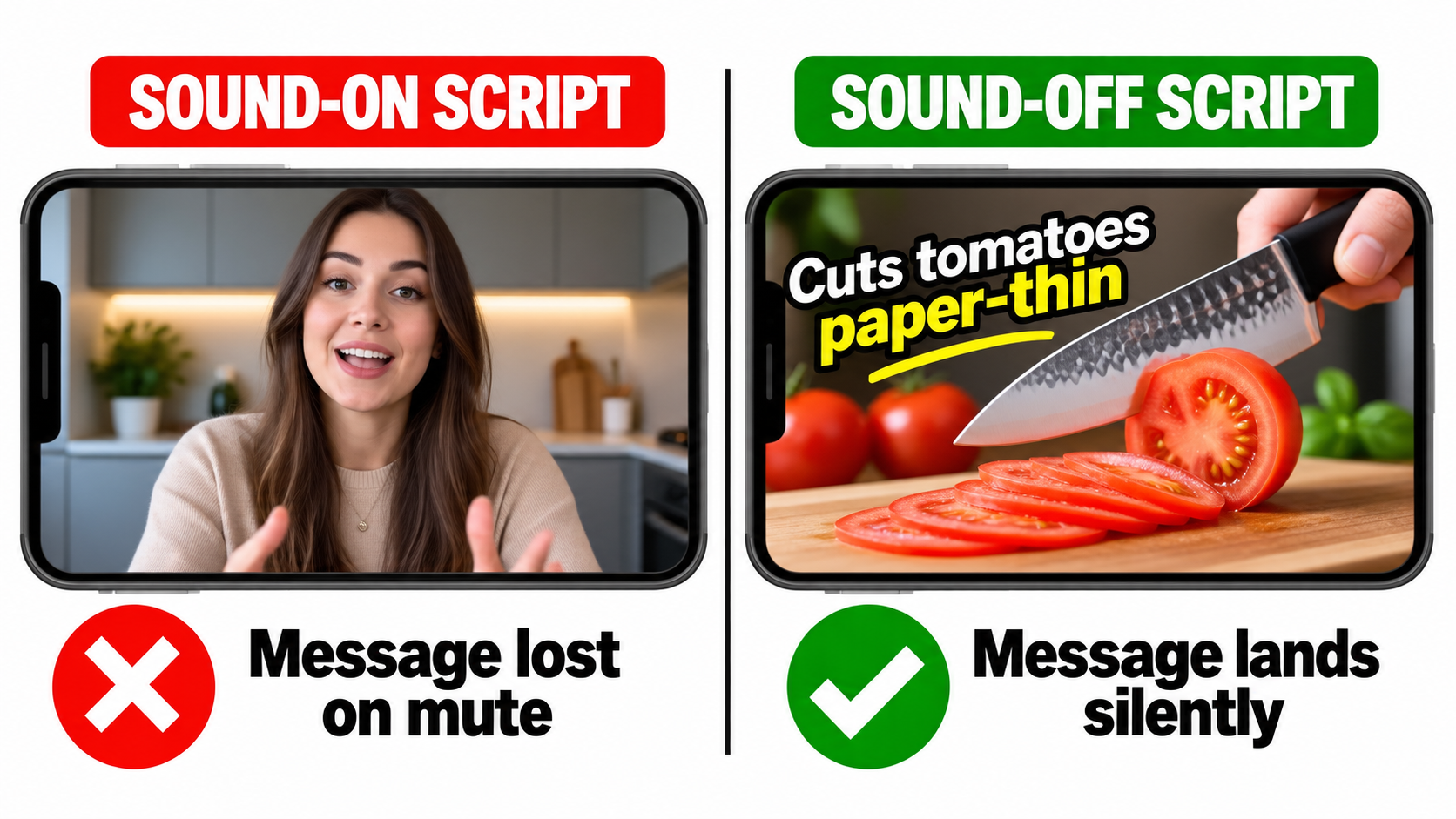
    Continuous Scanning, Not Reactive Enforcement

    The old model relied heavily on competitor reporting and periodic manual audits by Amazon’s compliance teams. The 2026 model adds a continuous, automated scanning layer that runs across the entire product catalog on a rolling basis. Amazon has not published the exact cadence, but sellers reporting suppression events describe being flagged for images that had been live for months or years with no previous issues.
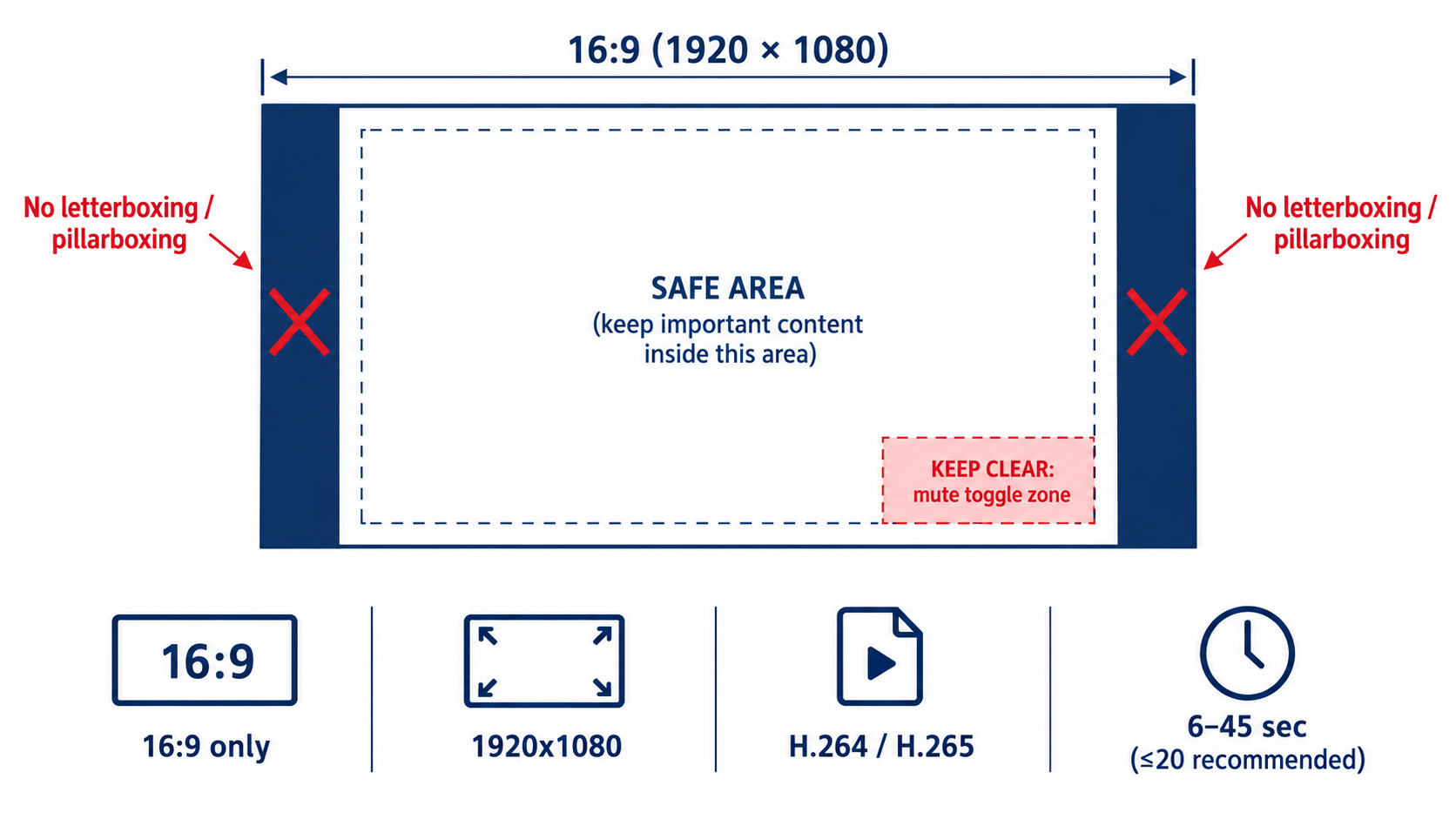
    This shift is significant because it means compliance is not a one-time task. An image you uploaded when it met the 2023 standards may now be flagged because the scanning system interprets a faint shadow, an off-white pixel value, or a background gradient that wasn’t detectable by the older tooling. The system is not looking at whether you followed the rules when you uploaded — it’s checking whether the image meets current standards right now.

    Edge Detection and the Shadow Problem

    One of the most technically sophisticated additions to the enforcement system is enhanced edge detection. This refers to the system’s ability to identify where the product ends and the background begins — and to flag cases where that boundary is unclear, soft, or inconsistent.

    Drop shadows are the most common casualty of this upgrade. For years, many photographers and post-processing studios added subtle drop shadows to product images to create depth and a sense of dimension. These shadows were generally tolerated under the old enforcement model. Under the 2026 system, they represent a detectable deviation from the pure white background standard, and they’re being caught systematically.

    Similarly, products with complex edges — transparent items, products with fine hair or fabric textures, items with reflective surfaces — are more likely to have imperfect cutouts when processed even by professional image retouching tools. The edge detection system checks whether background pixels bleed through the product boundary, and images that fail this check are candidates for suppression.

    The 7-Day Suppression Timeline

    Based on seller-reported experiences in 2026, the typical timeline from violation detection to active suppression is approximately 7 days. During this window, Amazon’s system flags the ASIN internally. Sellers may or may not receive a notification in Seller Central — the communication is inconsistent, and many sellers only discover the issue when they check their listing health dashboard or notice a sudden traffic drop.

    Once suppressed, the listing is removed from search results. PPC campaigns linked to that ASIN are paused automatically. The Buy Box is removed. The product effectively goes dark for buyers. Recovery after uploading a compliant image typically takes 24–48 hours, though complex cases involving account-level flags can take longer.

    Selective vs. Universal Enforcement

    It is worth acknowledging a frustrating reality that sellers frequently raise: enforcement is not perfectly uniform across the catalog. High-volume ASINs from established brands with strong sales histories sometimes maintain non-compliant images longer than lower-volume listings before being acted upon. This is likely a function of how Amazon prioritizes enforcement resources and risk scoring — not a deliberate policy, but a real pattern.

    The practical implication is that if your competitors appear to be violating the rules without consequence, that doesn’t mean you will too. Your risk profile may differ from theirs, and the rolling scan may reach your listings on a different timeline. Building compliance around what competitors appear to be doing is a fragile strategy.


    Category-Specific Rules That Are Catching Sellers Off Guard

    Amazon’s main image rules are not uniform across all categories. Some categories have specific exceptions; others have stricter requirements than the baseline. Getting this wrong is particularly expensive because sellers often assume their general knowledge of the rules is sufficient, when in fact their specific category operates differently.

    Apparel and Clothing: The Model Requirements

    This is one of the most category-specific and most misunderstood areas of Amazon’s image policy. For adult men’s and women’s apparel in the main image slot, Amazon requires the use of a live, standing human model. This is not a recommendation — it is a requirement, and it distinguishes the main image from all supplemental images.

    The specific posture requirements matter here. The model must be standing. Sitting, leaning, kneeling, lying down, or casual poses are not permitted for the main image. Ghost mannequins — the technique where clothing is photographed on a mannequin and the mannequin is digitally removed to create the appearance of the clothing being worn — are explicitly not permitted in the main image slot, though they may be used in supplemental images.

    For children’s and baby apparel, the rule reverses entirely: flat-lay photography (laid flat on a surface) is required across all image slots, and child models are not permitted in the main image. This is a safety and ethics policy, not just an aesthetic one.

    For multi-pack and bundled apparel, the requirement shifts to flat-lay regardless of whether the items are adult or children’s sizing. The purpose is to show all included items clearly in a single image.

    Jewelry: The Cropping and Accessories Rules

    Jewelry has its own edge cases that trip up sellers. Amazon permits necklaces to extend slightly beyond the frame edges in the main image, which is a practical accommodation for long-chain items. However, non-included accessories are prohibited — a ring photographed on a hand styled with matching bracelets will be flagged if those bracelets aren’t part of the listing. The rule is about accurately representing the purchase, not styling for aesthetics.

    For jewelry, the 85% fill requirement interacts with the physical reality of small items, making this one of the highest-risk categories for fill violations. Photographing against a pure white surface at close range with appropriate macro capability is essentially mandatory for compliance.

    Electronics and Home Goods: The 360° and Video Standards

    For electronics and certain home goods categories, Amazon’s 2026 updates include enhanced requirements around 360-degree views and product videos as supplemental content. While these don’t directly affect the main image technical standards, they influence how the category expects listings to be built out overall. Amazon has increasingly signaled that listings in these categories without multiple supplemental images and video content will be deprioritized in search ranking — even if the main image is technically compliant.

    The practical guidance for electronics: the main image should show the product in its most recognizable form — typically the front face of the device — without any accessories or cables unless they are included in the purchase. Cables, adapters, and cases are common violation triggers in this category when photographed alongside a product as if they’re included.

    Food and Grocery: The Labeling Visibility Requirement

    Food products have an additional layer of complexity: the main image must show the product’s actual packaging with its labels clearly visible. For packaged food items, this means the product label must be legible in the image. This is the one category where text appearing in the image is acceptable — because it’s on the physical packaging, not overlaid by the seller. Deliberately obscuring label text or photographing the back of a package as the main image can trigger compliance flags.


    AI-Generated Images and Amazon’s New Disclosure Requirements

    The rise of AI image generation tools has added an entirely new dimension to Amazon’s image compliance landscape in 2026. This is a rapidly evolving area of policy, and sellers using tools like Midjourney, DALL-E, Adobe Firefly, or Amazon’s own AI image generation features need to understand exactly where the lines are drawn.

    What Amazon Now Permits with AI

    Amazon’s 2026 policy distinguishes between minimal AI-assisted enhancements and substantial AI generation. Permitted uses include:

    • AI-powered background removal (used by virtually every photo editing tool)
    • Color correction, lighting adjustments, and brightness/contrast improvements
    • Resizing and sharpening
    • Generating lifestyle backgrounds for supplemental images (not the main image), provided the product itself is accurately photographed
    • Using Amazon’s own AI background generation tool in Seller Central for supplemental images

    None of these require disclosure if the physical product is accurately represented and the image is not materially misleading.

    What Now Requires Disclosure

    When AI is used to substantially generate or significantly alter the product representation itself — creating new visual elements, changing the appearance of the physical item, or constructing an image that wouldn’t exist from a real photograph — Amazon’s 2026 policy requires explicit disclosure. The example statement provided: “This product image was created using AI technology.”

    The practical line is about whether the AI is enhancing a real photo or generating a synthetic representation of the product. A 3D render of a product that was built in software rather than photographed falls under this disclosure requirement. A product composite where AI has been used to alter the apparent color, texture, or features of the item also falls under this rule.

    Why Fully AI-Generated Main Images Are Problematic

    The enforcement system introduced in 2026 includes detection capabilities specifically aimed at identifying AI-generated images. Patterns in image texture, lighting physics, and edge characteristics that are common in AI-generated imagery trigger automated review flags. Sellers who use AI to generate entirely synthetic main images — without a real photograph of the actual physical product — face both suppression risk and a more serious potential account-level violation for misrepresentation.

    The practical guidance here is unambiguous: your main image must be based on a real photograph of the actual physical product. AI tools can be used in post-processing to enhance that photograph, but they cannot replace it. The product in the image must accurately represent what arrives at the buyer’s door in terms of color, size, materials, and contents.

    This is especially relevant for sellers who import private-label products and rely on manufacturer-supplied renders or AI-composite images rather than photographing their actual inventory. Amazon’s system is increasingly capable of detecting the difference.


    What Image Suppression Actually Does to Your Business

    Business impact of Amazon listing suppression — CTR drops, rank loss, PPC paused, Buy Box removed

    The word “suppression” sounds technical and recoverable. It sounds like a temporary administrative issue. The reality is that suppression events — even short ones — cause a cascade of damage that extends well beyond the days your listing is offline. Understanding the full scope of what suppression does to a listing is the best argument for getting proactive about compliance before it happens.

    Immediate Consequences: What Happens on Day One

    When an ASIN is suppressed, it is removed from Amazon search results. The listing still exists in Seller Central, and there is still a product detail page URL that may be discoverable via direct link — but the listing no longer appears for keyword searches. For a product that gets the majority of its traffic from organic search, this is effectively zero new traffic from the moment suppression is applied.

    PPC campaigns linked to the suppressed ASIN are paused automatically by Amazon’s system. This means not only do you lose organic visibility — you also lose the ability to run paid traffic to the listing while it’s suppressed. If you had active Sponsored Products, Sponsored Brands, or Sponsored Display campaigns promoting that ASIN, they stop generating impressions and clicks.

    The Buy Box is also removed from suppressed listings. Even if another seller has inventory of the same product and could technically win the Buy Box, the suppression status prevents any seller from holding it. This is relevant for resellers and vendors with shared ASINs.

    The Ranking Damage That Persists After Recovery

    This is the part that sellers underestimate most severely. When a listing goes dark for even a few days, it stops accumulating the behavioral signals — clicks, impressions, conversions — that Amazon’s A10 algorithm uses to maintain and improve organic rank.

    For a well-ranked ASIN with steady sales velocity, a suppression event can cause the product to slide down multiple pages in search results, even after the image issue is resolved and the listing is reinstated. Amazon’s algorithm interprets the sudden absence of engagement as a negative signal. Recovering that ranking is not automatic upon reinstatement — it requires rebuilding momentum through sales, and often, a period of increased PPC spend to compensate for the lost organic position.

    Sellers who manage their own data report CTR drops of up to 38% in the period immediately following reinstatement, as the listing re-enters search results at a lower rank with reduced visibility. The compound effect of lower rank, lower CTR, and lower conversion signal creates a rebuilding cycle that can take weeks or months to fully resolve for competitive keywords.

    The Advertising Efficiency Cost

    Organic ranking recovery typically requires a period of elevated PPC investment — which means increased ACoS during the recovery window. A suppression event for a high-performing ASIN can therefore translate into a weeks-long period of inflated advertising costs just to restore the baseline performance that existed before the suppression. For sellers operating on thin margins, this is a meaningful financial hit that doesn’t show up on the suppression event itself but in the subsequent ad spend and margin reports.

    The Account-Level Risk

    Individual ASIN suppression is frustrating but manageable. The more serious risk is when a pattern of non-compliant images triggers a broader account-level review. Amazon’s enforcement system tracks compliance history, and accounts with repeated or widespread violations across multiple ASINs can face escalated consequences, including temporary selling restrictions or requests for additional verification. Sellers with hundreds of ASINs — and who may have uploaded images under older standards — face the highest exposure here.


    The Mobile Thumbnail Factor: Why Resolution Matters More Than You Think

    Amazon mobile search results showing one high-quality product thumbnail standing out among competitors — winning the click with proper image quality and product fill

    One of the underlying reasons Amazon pushed for higher resolution minimums in 2026 has nothing to do with desktop display and everything to do with mobile. The majority of Amazon shopping now happens on mobile devices, and the search results page on a mobile screen is a fundamentally different visual environment from a desktop browser.

    How Search Thumbnails Are Rendered on Mobile

    On a standard mobile search results page, Amazon displays product images as thumbnails at approximately 90 x 90 pixels — sometimes as large as 160 x 160 pixels depending on the layout and device. At these sizes, the difference between a 1,000-pixel source image and a 2,500-pixel source image might seem irrelevant — both are being compressed down to a thumbnail anyway.

    But the mechanics of compression matter. When a high-resolution source image is scaled down to a small thumbnail, the downsampling algorithm preserves edge sharpness, color accuracy, and contrast in a way that a lower-resolution source simply cannot replicate. A 2,500-pixel image compressed to a 90-pixel thumbnail will render sharper edges, more accurate color, and better contrast than a 1,000-pixel image compressed to the same size.

    At thumbnail scale, these differences directly affect whether your product looks clean and professional versus blurry and indistinct. In a search results row where five or six products are displayed side by side, thumbnail quality is a primary differentiator for earning the click — often more important than title text, which most shoppers don’t read before deciding which image to tap.

    The Connection Between Image Quality and CTR

    Products with professional, high-resolution main images consistently outperform comparable listings with lower-quality images in click-through rate. Professional photography is associated with a 33% higher conversion rate compared to lower-quality product images, and listings with multiple high-quality images convert 20% better than those with fewer or lower-quality images.

    Average organic product listing CTR on Amazon ranges from 2–5% for strong performers. The difference between a 2% CTR and a 3% CTR on a competitive keyword may sound small, but it compounds through the entire funnel: more clicks mean more conversions, which generate more sales velocity signals, which improve organic rank, which generate more impressions and thus more clicks. The virtuous cycle that drives successful Amazon ASINs is initiated by that first click — and the first click is earned primarily by the main image.

    What “Clarity at Thumbnail Scale” Means in Practice

    Amazon’s 2026 guidance specifically references the requirement that main images “maintain clarity at thumbnail sizes on mobile devices.” This is a functional requirement, not just an aesthetic one. Images that look acceptable at full size but blur or lose legibility at thumbnail scale will perform worse in search — and may be flagged by the compliance system as insufficiently clear even if they technically meet the resolution minimum.

    The practical implication: photograph your product against a true white background at the highest resolution your equipment allows, fill the frame as much as possible, and ensure the product itself has good edge definition. A product that “floats” in a sea of white with lots of empty space is not only at risk of the 85% fill violation — it’s also sacrificing thumbnail clarity because more of the thumbnail is occupied by empty white and less by the actual product.


    How to Audit Your Entire Catalog Before You Get Hit

    Given that enforcement is continuous and rolling — not triggered by seller action — the practical question for anyone managing more than a handful of ASINs is: how do you know which of your images are currently at risk, and how do you find out before Amazon’s system does?

    Starting with Seller Central’s Listing Quality Dashboard

    Amazon provides a Listing Quality Dashboard within Seller Central that flags quality issues across your catalog. This is your first stop for an audit. The dashboard surfaces issues including image-related suppression risks, missing required images, and categories with quality improvement opportunities.

    Navigate to: Inventory → Manage Inventory → Listing Quality

    Look specifically for the Search Suppressed filter, which will show you any ASINs that are already suppressed or at risk of suppression. Download this report if you have a large catalog — working through the issues systematically is much more efficient from a spreadsheet than from the dashboard interface.

    The Manual Image Audit Checklist

    For ASINs that aren’t currently flagged, a manual audit is still valuable — especially given that suppression can occur with a short delay after the automated scan identifies an issue. Check each main image against the following criteria:

    1. Background color: Open the image in photo editing software and sample the background pixels. The RGB value should read 255/255/255. Anything off — even by a few points — is a risk.
    2. Resolution: Check the image dimensions. The longer side should be at least 2,000 pixels. If it’s below 2,000, flag it for reshoot or retouch.
    3. Product fill: Estimate visually whether the product occupies approximately 85% or more of the frame. If there’s significant empty space around the product, it needs to be recropped or reshot.
    4. Edge quality: Zoom in to 100% on the product edges. Are they clean and sharp, or is there fringing, haloing, or soft blending into the background? Any edge artifacts are suppression risks.
    5. Text and overlays: Does any text appear in the image? Any brand name, product feature callout, badge, or promotional text? If yes, remove it from the main image.
    6. Shadows: Does the product cast a visible shadow on the background? Even subtle shadows can be detected and flagged.
    7. File format and size: Confirm the file is JPEG or PNG, under 10MB, and using sRGB color profile.

    Prioritizing the Audit by Risk Level

    If you have a large catalog, prioritize your audit by revenue impact. Start with your top 20% of ASINs by monthly revenue — these are the listings where a suppression event does the most financial damage and where recovery costs the most in advertising spend.

    Then focus on ASINs that were uploaded more than two years ago, as these are most likely to have been uploaded under older standards that are now stricter. Finally, pay special attention to any ASINs in high-risk categories — apparel, jewelry, food/grocery, and electronics — where category-specific rules increase the number of potential violation points.


    Fixing a Suppressed Listing: The Step-by-Step Recovery Process

    Suppression recovery checklist — five-step process from running a listing health report to monitoring reinstatement within 24 to 48 hours

    If you’ve already received a suppression event or discovered a suppressed ASIN in your dashboard, the recovery process is relatively straightforward — but the order of operations matters. Moving quickly is important, but moving incorrectly (for example, re-uploading the same non-compliant image) wastes time and extends the suppression period.

    Step 1: Confirm the Exact Violation

    Before touching anything, confirm what Amazon’s system has flagged. In Seller Central, navigate to Inventory → Fix Your Products or the Listing Quality Dashboard and find the suppressed ASIN. Amazon will typically provide a violation category — “Main image background not white,” “Product does not fill required percentage of frame,” “Prohibited text detected,” etc.

    If the notification is vague (which it sometimes is), review the image against all of the compliance criteria listed above. Don’t assume the stated reason is the only issue — a single image may have multiple violations, and uploading a “fix” that addresses one problem while missing another will result in continued suppression.

    Step 2: Source or Create the Compliant Replacement

    Your options for a compliant replacement image depend on your situation:

    • If you have original photography assets: Send the raw files to a professional retoucher with explicit instructions — pure white background (RGB 255/255/255), no shadows, minimum 2,000px on the longest side, product fills 85%+ of frame, no text or logos.
    • If you need to reshoot: A proper product photography session with a light tent and a calibrated white background is the most reliable approach. Many professional photography studios offer Amazon-specific product photography services with compliance guarantees.
    • If you’re working with manufacturer-supplied images: Check the resolution and background specs before uploading. Manufacturer images are a frequent source of off-white backgrounds and embedded watermarks.

    Do not attempt to use AI to generate a replacement main image from scratch. As covered above, fully AI-generated main images that don’t represent a real photograph of the physical product are themselves a policy violation and will trigger a different type of flag.

    Step 3: Upload the Corrected Image

    Upload the new main image through Seller Central via Inventory → Manage Images for the specific ASIN. Ensure the image is uploaded to the correct slot — the main image position — and not accidentally replacing a supplemental image.

    If you’re uploading through a flat file or inventory feed rather than the Seller Central interface, double-check that the image URL or file reference is pointing to the new image and not a cached version of the old one. This is a common mistake that leads to confusion when the suppression doesn’t resolve as expected.

    Step 4: Monitor for Reinstatement

    Once the compliant image is uploaded, Amazon’s processing and review takes approximately 24–48 hours for standard cases. The ASIN should transition from suppressed status back to active during this window. Check the Listing Quality Dashboard after 48 hours to confirm reinstatement. If the ASIN remains suppressed after 48 hours, consider opening a Seller Support case with documentation of the violation and the corrective action taken.

    Step 5: Rebuild Ranking and Traffic

    Immediately upon reinstatement, reactivate any PPC campaigns that were paused due to the suppression. Consider temporarily increasing your campaign budgets and bids to accelerate traffic recovery during the rebuilding window. Monitor your organic rank for key search terms — if the listing has fallen multiple pages during the suppression period, sustained advertising investment will be required to restore the pre-suppression rank.

    Some sellers find that running a brief lightning deal or coupon in the week following reinstatement helps accelerate the sales velocity recovery that pushes the algorithm to restore rankings. This isn’t always necessary, but for high-competition categories where ranking is closely correlated with recent sales history, it can shorten the recovery window.


    What a Fully Compliant Main Image Actually Looks Like — Done Right

    It’s one thing to enumerate what’s prohibited; it’s another to describe what an excellent, fully compliant main image looks like in practice. There’s a significant difference between “technically compliant but mediocre” and “compliant and compelling” — and both matter for your business outcomes.

    The Technical Foundation

    The physical setup that produces the most reliable, compliance-ready main images is a professional light tent or infinity curve setup with studio-calibrated daylight-balanced lighting. The background should be a true photographic white sweep — not a white paper sheet or a white wall — and it should be lit to achieve an even RGB 255/255/255 value across the entire background area without relying on post-processing to achieve whiteness.

    The camera (or high-quality smartphone with appropriate lens) should be positioned to capture the product at its most recognizable and recognizable angle — typically front-facing for most products, front-and-side for products where dimensionality matters. The product should be styled to appear exactly as it would arrive for the buyer: nothing added, nothing removed, every included component visible and properly arranged.

    Post-Processing: What to Do and What to Avoid

    Post-processing should focus on: precise background removal and replacement with verified RGB 255/255/255, removal of any dust, fingerprints, or minor surface blemishes on the physical product, cropping to achieve 85%+ fill with minimal empty white space, sharpening for maximum edge clarity, and exporting at 2,000–3,000 pixels on the longest side as a JPEG at high quality settings.

    What to avoid in post-processing: adding any drop shadows or artificial depth effects, color-shifting the product to appear different from the physical item, applying beauty filters or texture enhancements that alter the product’s appearance, and adding any text, badges, or graphic elements regardless of how small.

    The Competitive Difference

    A main image that checks every compliance box and is photographed and processed to a high standard will consistently outperform images that are merely “not flagged.” The compliance floor is the minimum — the quality ceiling is the competitive advantage. A crisp, properly lit, well-composed main image at 2,500 pixels with perfect edge definition and maximum product fill will earn more clicks than a technically compliant image that was shot in mediocre conditions.

    Consider A/B testing your main image using Amazon’s Manage Your Experiments tool if you have brand registry. This allows you to run a statistically valid test comparing two versions of a main image to measure the direct CTR and conversion impact. Even a 0.5–1% improvement in CTR on a high-traffic ASIN compounds significantly over time through the rank-velocity-rank flywheel.

    Building an Image Refresh Schedule

    Given that Amazon’s compliance standards are an evolving target — as the 2026 resolution increase demonstrates — the wisest operational approach is to treat product photography not as a one-time launch task but as an ongoing maintenance function. A practical schedule:

    • Monthly: Check the Listing Quality Dashboard and Manage Your Experiments for any new flags or quality improvement suggestions on top ASINs.
    • Quarterly: Run a full manual audit of all main images against current technical standards.
    • Annually: Review Amazon’s image policy documentation for any published updates and assess whether your photography workflow and standards still meet current requirements.
    • On any catalog expansion: Build compliant image production into the product launch checklist — not as an afterthought, but as a prerequisite for going live.

    The Real Cost of Treating Image Compliance as Optional

    There’s a tempting mental model that treats image compliance as an edge case — something that happens to careless sellers, not to people running professional operations. The 2026 enforcement data suggests this model is no longer accurate, if it ever was.

    More than 2.3 million third-party sellers are operating on Amazon in 2026. Amazon’s machine learning enforcement system is scanning across this entire catalog continuously, and the scope of what it checks has expanded significantly. The compliance window that allowed older, borderline images to persist without consequence is closing — not because Amazon issued a single dramatic policy announcement, but because the enforcement capability has simply become more thorough.

    The financial case for staying ahead of this is straightforward. A suppression event on a mid-tier ASIN generating $20,000 per month in revenue — even if resolved within three days — can cost $2,000–$3,000 in direct sales loss, plus an additional 4–8 weeks of elevated advertising spend to restore organic rank. That’s potentially $5,000–$8,000 in total economic impact from a single compliance failure. Professional photography for one product costs a fraction of that.

    The sellers who treat image compliance as a serious operational discipline — with structured audits, clear production standards, and regular quality reviews — are the ones who maintain ranking stability through enforcement waves. The sellers who treat it as a checkbox item on a launch template are the ones filing Seller Support cases and wondering why their traffic disappeared.

    The competitive insight here is genuine: in a marketplace where your product and your price are often similar to dozens of competitors, a superior main image is one of the few differentiators entirely within your control. Getting it right isn’t just compliance — it’s one of the highest-ROI investments you can make in a listing.


    Key Takeaways: Your 2026 Amazon Main Image Action Plan

    Given everything covered in this post, here is the practical summary for sellers who want to act immediately:

    1. Audit your main images now. Don’t wait for suppression to discover compliance issues. Use the Seller Central Listing Quality Dashboard and run a manual pixel-level check on your top-revenue ASINs this week.
    2. Upgrade resolution to 2,000px minimum. If any main images are under 2,000 pixels on the longest side, they need to be replaced. This is the most widespread compliance gap for sellers operating on older catalog standards.
    3. Verify true RGB 255/255/255 backgrounds. Use a color picker in photo editing software to confirm your backgrounds — don’t trust what looks white on screen without checking the actual RGB values.
    4. Fix edge quality and shadows. Any product with a soft cutout, feathered edges, or a visible drop shadow should be re-processed. These are the triggers most sellers don’t anticipate.
    5. Know your category-specific rules. Apparel, jewelry, food, and electronics each have rules that go beyond the standard baseline. Review the specific requirements for every category you sell in.
    6. Understand the AI image rules before using them. AI-assisted post-processing is fine for supplemental images and for enhancement work. AI-generated main images that don’t originate from a real photograph of the physical product are a policy violation and a suppression risk.
    7. Build a recovery playbook before you need it. Know where to find suppressed ASINs, know how long reinstatement takes, and have a relationship with a photographer or retoucher who can turn around compliant replacements quickly.
    8. Treat photography as an ongoing discipline. Amazon’s standards are moving, not static. Build quarterly image audits into your operational calendar and review Amazon’s published policy documentation at least once per year.

    The main image is not a secondary concern in your listing strategy. It is the first thing every potential buyer sees — before the title, before the price, before the reviews. In 2026, it is also the first thing Amazon’s enforcement system checks. Getting it right protects both your visibility and your revenue, and the cost of doing so has never been lower relative to the cost of getting it wrong.

  • The AI Reality Check: What’s Actually Happening in 2026 (And Why It Matters More Than the Headlines)

    The AI Reality Check: What’s Actually Happening in 2026 (And Why It Matters More Than the Headlines)

    There’s a pattern to how AI news gets covered: a flashy announcement drops, the internet erupts, hyperbolic takes flood social media, and then — within days — the next thing arrives and everyone moves on. The result is a public understanding of AI that’s simultaneously overinflated in some areas and dangerously underinformed in others.

    So let’s do something different. Instead of chasing individual headlines, this piece pulls back the lens and looks at the full picture of where AI actually stands right now — in mid-2026 — across models, deployment, hardware, regulation, jobs, law, and philosophy. Every section is backed by current data. None of it is speculation dressed up as insight.

    Whether you’re a business leader trying to figure out where to deploy resources, a professional worried about your role, a policy watcher tracking regulation, or simply someone who wants to separate signal from noise — this is the briefing you actually need.

    The AI story of 2026 isn’t about any single model or any single company. It’s about a technology that has decisively moved from experimentation into production — and a world that is only beginning to reckon with what that means.

    The AI Reality Check 2026 — infographic showing GPT-5.5, Claude Opus 4.7, Gemini 3.1 Pro alongside the stat that 51% of enterprises are running AI agents live

    The Model Wars: GPT-5.5, Claude Opus 4.7, and Gemini 3.1 Pro Go Head-to-Head

    Q1 2026 AI benchmark comparison — GPT-5.5, Claude Opus 4.7, and Gemini 3.1 Pro racing scoreboard showing benchmark scores

    The top of the AI model stack looks nothing like it did even twelve months ago. The pace of releases in Q1 2026 has been extraordinary, with OpenAI, Anthropic, and Google all shipping significant capability updates within weeks of each other — and the benchmark numbers are, frankly, difficult to contextualize without standing back and asking: what are we actually measuring?

    OpenAI: GPT-5.4, GPT-5.5, and the Road to “Spud”

    OpenAI’s current flagship lineup includes GPT-5.4, which introduced configurable reasoning depth, a 1 million token context window, and meaningfully improved tool use for agentic applications. On coding benchmarks, GPT-5.4 Pro scores 94.6% — a number that would have seemed science fiction two years ago. The model also claims a 30% reduction in hallucination rates compared to its predecessors, which matters enormously for enterprise deployments where accuracy isn’t optional.

    Hot on its heels is GPT-5.5, internally codenamed “Spud,” which has completed pretraining and focuses specifically on agentic operating system interaction and long-term memory. The model is designed not just to answer questions but to operate within software environments — opening files, running code, navigating browsers — with sustained context over extended sessions. This is a meaningful architectural distinction from chatbot-style models, and it signals where OpenAI sees the real commercial opportunity: not in conversations, but in autonomous workflows.

    It’s also worth noting that OpenAI’s model family now spans from GPT-5 Nano (priced at $0.05 per million tokens, built for edge device inference) all the way to GPT-5.4 Pro. This tiered architecture reflects a maturation of the business model — different price points and capability levels for different use cases, rather than one size fits all.

    Anthropic: Claude Opus 4.7 and the Reasoning Lead

    Anthropic’s Claude Opus 4.7 is currently the top performer in reasoning-focused benchmarks, scoring between 83.5% and 97.8% across various evaluations depending on the task type. The range reflects a key reality: these models don’t dominate uniformly. They have distinct strengths.

    Where Claude consistently pulls ahead is in nuanced prose, safety-constrained outputs, and tasks requiring careful multi-step reasoning with low tolerance for error. Anthropic has also unveiled several significant features alongside the Opus 4.x series: self-healing memory (the ability to recognize and correct inconsistencies in its own prior outputs), an agentic system called KAIROS, and a feature called Undercover Mode designed to reduce social desirability bias in outputs — meaning the model is less likely to tell you what it thinks you want to hear.

    This last feature is particularly interesting from an enterprise standpoint. AI systems that are optimized for user approval can be subtly dangerous: they agree too readily, soften bad news, and reinforce poor decisions. Anthropic’s explicit effort to counter this reflects a growing sophistication in how frontier labs think about deployment quality versus raw performance metrics.

    Google: Gemini 3.1 Pro and the Multimodal Advantage

    Google’s Gemini 3.1 Pro is natively multimodal in a way that its competitors are still working toward — meaning it doesn’t process text, images, audio, and video through separate modules bolted together, but through a unified architecture. This gives it a measurable edge in tasks requiring cross-modal reasoning: describing what’s happening in a video clip, interpreting charts, or answering questions that combine text with visual data.

    Gemini 3.1 Pro also carries a 2 million token context window, the largest currently available in a production model. This enables use cases like analyzing entire legal case files, codebases, or multi-year financial histories in a single pass — without the information loss that comes from chunking and summarizing.

    Beyond the raw model, Google has aggressively integrated Gemini into its product ecosystem. In its March 2026 update push, Google expanded Gemini’s role in Search Live, Google Maps (conversational navigation), Docs, Sheets, Slides, and Drive. The strategy is clearly to make Gemini invisible infrastructure — so deeply embedded in tools people already use that adoption becomes friction-free. It’s a different go-to-market from OpenAI’s more standalone product approach, and it may ultimately be more durable.

    The key takeaway here: No single model “wins” in 2026. GPT-5.5 leads in coding and agentic tasks. Claude Opus 4.7 leads in reasoning and safety. Gemini 3.1 Pro leads in multimodal and long-context applications. The smart move for any organization is selecting models based on task type, not brand loyalty.

    Agentic AI Is No Longer a Concept — 51% of Enterprises Are Running It Live

    For the last two years, “agentic AI” has been the buzzword of every conference keynote and vendor pitch deck. It referred to AI systems capable of taking autonomous action — not just answering prompts, but planning sequences of steps, using tools, and completing multi-part tasks without constant human intervention. The narrative was always future-tense: this is coming, this will change everything.

    In 2026, it’s present-tense. 51% of organizations are now running agentic AI systems in production. That’s not a pilot. That’s not a POC. That’s live deployment, in real business processes, affecting real outputs and real customers.

    What the ROI Numbers Actually Show

    The business case for agentic AI is no longer theoretical. Enterprise deployments are showing an average ROI of 171%, rising to 192% among U.S.-based firms specifically. More striking: 74% of executives are seeing returns within the first year of deployment — a breakeven timeline that’s faster than most traditional software investments, let alone hardware capital expenditure.

    McKinsey’s current estimates put agentic AI’s annual value addition potential at $2.6 to $4.4 trillion across industries. Organizations running it at scale are reporting 72% operational efficiency gains and 52% cost reductions in the workflows where it’s deployed. These numbers are real, but they require important context: they represent the upside of successful deployments, not the average across all attempts.

    Gartner’s counterpoint is equally important: more than 40% of agentic AI projects are at risk of failure by 2027, primarily due to governance gaps rather than technical failures. The systems work. The organizational infrastructure to manage them often doesn’t.

    Real-World Deployments Worth Watching

    The most instructive examples of agentic AI at scale come from firms that have moved beyond the experimental phase entirely. JPMorgan Chase is running over 450 production AI agents that handle investment banking presentations (reducing creation time from hours to 30 seconds), M&A memo drafting, trade settlement, and fraud detection — serving more than 200,000 daily users internally.

    Walmart has deployed an agentic end-to-end supply chain workflow, enabling autonomous coordination across procurement, inventory, and logistics. TELUS reports saving 40 minutes per customer service interaction through agentic automation. These aren’t edge cases or cherry-picked wins — they’re systematic deployments at companies large enough to have sophisticated measurement and accountability frameworks.

    Why Governance Is the Real Bottleneck

    The consistent pattern across organizations that struggle with agentic AI is the same: the technical implementation succeeds, but the surrounding governance doesn’t scale. Questions that seemed abstract — who is accountable when an AI agent makes an error? how do you audit a decision chain involving 12 autonomous steps? what happens when two agents give conflicting instructions? — become urgent operational problems in production environments.

    The organizations pulling ahead in 2026 are the ones that treated governance design as a prerequisite, not an afterthought. They built human-in-the-loop checkpoints at appropriate risk thresholds, defined clear ownership for AI-driven decisions, and created audit trails before deployment rather than scrambling to retrofit them after. That discipline is, increasingly, the actual competitive differentiator — not which model you chose or how quickly you deployed.

    The Hardware Arms Race: Nvidia’s Vera Rubin and the $1 Trillion Forecast

    Nvidia Vera Rubin AI Platform at GTC 2026 — chip architecture visual with 15x faster token generation stat and $1 trillion hardware demand forecast

    AI’s software story gets most of the attention, but the hardware story is just as consequential — and in some ways, more immediately constraining. The physical infrastructure required to train and run frontier models is growing faster than most organizations’ ability to procure it, and the economics of that scarcity are shaping which companies can move fast and which ones can’t.

    Nvidia’s Vera Rubin Platform: What Was Announced and Why It Matters

    At GTC 2026 in March, Nvidia unveiled the Vera Rubin AI Platform — the successor to its Blackwell architecture. The platform integrates seven new chips in full production: the Vera CPU, Rubin GPU, NVLink 6 Switch, ConnectX-9 SuperNIC, BlueField-4 DPU, Spectrum-6 Ethernet switch, and Groq 3 LPU. The headline performance claim is up to 15x faster token generation and support for models 10 times larger than what current infrastructure can handle.

    To put the 15x number in context: it doesn’t just mean AI responses arrive faster. It means that tasks which currently require a purpose-built AI server can eventually run on smaller, more distributed hardware. It means real-time inference at the edge — in vehicles, medical devices, industrial equipment — becomes computationally feasible. The architectural implication is a shift from centralized cloud AI to embedded, always-on AI that doesn’t need a network connection to function.

    CEO Jensen Huang projects $1 trillion in AI hardware demand through 2027. That figure, which would have seemed absurd three years ago, now looks conservative to some analysts. The demand-side pressure comes not just from model training — which is already extraordinarily compute-intensive — but from the inference requirements of running those models at scale, 24 hours a day, across millions of simultaneous sessions.

    IBM and Quantum: The Hybrid Architecture Play

    Nvidia’s GTC announcements included a significant expansion of its collaboration with IBM, integrating Nvidia’s Blackwell Ultra GPUs on IBM Cloud (slated for Q2 2026), and connecting IBM’s watsonx.data platform with GPU-native analytics. More philosophically significant is the growing investment in quantum-classical hybrid architectures.

    IBM reached a genuine milestone in 2026: demonstrating quantum computing outperforming classical systems on specific problem types. The caveat — and it matters — is that “specific problem types” doesn’t mean “general purpose.” Quantum computers in 2026 excel at optimization problems, certain simulation tasks, and cryptographic operations. They are not general AI accelerators yet. But the trajectory matters. The combination of GPU compute (for training and inference) with quantum compute (for specific optimization layers) is where the most ambitious researchers are pointing.

    Nvidia also launched NemoClaw, a specialized platform for agentic AI workflows, and is forecasting that the next wave of hardware demand comes specifically from the inference side — not training. This distinction is important for businesses: the cost of building a model is a one-time capital expenditure for the labs, but the cost of running a model at scale is an ongoing operational expense for everyone deploying it. Inference efficiency, not training speed, is increasingly where competitive advantage lives.

    The Energy Problem Nobody Wants to Talk About

    AI data centers now consume power at a scale that is measurably straining regional grids in parts of the United States, Europe, and Asia. Nvidia’s platform announcements at GTC 2026 included explicit references to energy efficiency and what the company calls “AI factory” DSX designs that optimize for power consumption per unit of compute. This isn’t altruistic — it’s driven by the practical reality that data centers in 2026 are bumping up against power availability limits that no amount of capital spending can immediately solve.

    For businesses evaluating AI infrastructure decisions, energy cost is becoming a first-order consideration. The economics of on-premise AI hardware versus cloud compute are shifting as power costs factor in, and geography increasingly matters — data centers in areas with cheap renewable energy are becoming valuable not just for their connectivity but for their kilowatt pricing.

    The Jobs Math That Nobody Wants to Do

    AI workforce impact infographic showing net loss of 16,000 U.S. jobs per month — 25,000 displaced versus 9,000 created

    The AI-and-jobs conversation has spent years trapped in a binary debate: either “AI will take all the jobs” or “AI creates more jobs than it destroys, don’t worry.” Both framings are too blunt. The actual data in 2026 is more granular and more uncomfortable than either camp wants to admit.

    The Current Net Numbers

    According to Goldman Sachs analysis of current U.S. labor market data, AI is displacing approximately 25,000 jobs per month through direct substitution — tasks previously done by humans that are now automated entirely. Against that, AI augmentation (AI tools that enhance worker output, enabling firms to do more with the same headcount rather than hiring) is creating or preserving roughly 9,000 jobs per month. The net: -16,000 jobs per month in the U.S. alone.

    Across the first half of 2025, 77,999 tech sector jobs were cut with AI cited as a contributing factor. That number has accelerated into 2026. The sectors most affected are administrative roles, entry-level data work, customer service, and certain categories of white-collar professional work — legal document review, financial analysis, routine coding, content moderation.

    Who’s Getting Hit Hardest — and Why It Matters

    The demographic pattern of displacement is specific and worth naming: Gen Z workers and entry-level employees in tech, administrative, and professional services roles are bearing a disproportionate share of the impact. This isn’t an accident. AI systems are particularly good at the types of structured, well-defined tasks that entry-level jobs have historically consisted of — the exact work that earlier generations used as the on-ramp to building careers in their fields.

    The long-term implication is serious and under-discussed. When entry-level roles disappear, the traditional path from junior employee to senior practitioner becomes structurally more difficult to navigate. The question of how people develop genuine expertise in fields where the routine work is now automated is one that organizations and educational institutions haven’t yet answered satisfactorily.

    The IMF estimates that 40-60% of jobs globally face significant AI exposure — higher in advanced economies where knowledge work predominates. Goldman Sachs’s longer-range estimate suggests AI could automate tasks equivalent to 300 million full-time jobs worldwide, though the crucial distinction is “tasks equivalent” rather than “jobs eliminated.” Most jobs involve a mix of automatable and non-automatable tasks; the realistic near-term scenario is role transformation rather than mass disappearance.

    The Jobs Being Created — and the Gap Between Them

    World Economic Forum projections indicate that by 2027, 83 to 92 million roles will be displaced globally while 69 to 170 million new ones will be created. The wide range on the creation side reflects genuine uncertainty about which new roles emerge and how quickly. The net is projected to be positive — more jobs created than lost — but the transition period creates what economists call a skills mismatch problem at enormous scale.

    New AI-adjacent roles — AI trainers, prompt engineers, machine learning operations specialists, AI governance officers, model auditors — require skills that existing displaced workers often don’t have and that formal education systems are only beginning to build programs around. Retraining at the scale required is a multi-year, multi-trillion-dollar undertaking that neither governments nor employers are currently funding at the necessary level.

    For workers navigating this: the roles showing greatest durability against AI displacement share a common thread — they require sustained human judgment in ambiguous, high-stakes, emotionally complex situations. Care work, crisis management, complex negotiation, creative direction, hands-on technical trades. None of these are immune, but all of them involve dimensions of human interaction that AI systems in 2026 can assist with, not replace.

    Physical AI and Robotics: From Warehouses to Operating Rooms

    Physical AI in 2026 — humanoid robotics in warehouse and operating room settings with €430 billion global market forecast

    Most public AI discourse focuses on software — chatbots, language models, generative tools. But one of the most consequential shifts happening in 2026 is the acceleration of physical AI: systems that don’t just process language and generate text, but perceive, reason about, and act in the three-dimensional physical world.

    What “Physical AI” Actually Means

    The technical term is vision-language-action (VLA) models. Unlike traditional industrial robots that follow pre-programmed sequences, VLA-powered robots combine computer vision (seeing and interpreting their environment), natural language processing (receiving and understanding instructions), and motor control (translating plans into physical action) through a unified model rather than separate, brittle subsystems.

    The practical difference this makes is significant. A traditional warehouse robot trained to pick up red cylindrical objects fails when the objects are arranged differently than expected, or when the lighting changes, or when a new product variant is introduced. A VLA-powered system adapts — it understands what it’s looking at in context, reasons about how to approach the task, and adjusts its actions accordingly. This is why physical AI is advancing rapidly in environments that were previously too unpredictable for robotic automation.

    Industry-Specific Deployment in 2026

    The manufacturing sector is seeing the widest physical AI deployment. Smart robotic systems equipped with combined touch and vision sensors are now performing precision assembly, welding, and painting while responding dynamically to design changes — without requiring extensive reprogramming. Siemens unveiled a Digital Twin Composer at CES 2026 that uses AI agents to simulate entire supply chain processes before physical deployment, dramatically reducing the cost and time of factory reconfiguration.

    In healthcare, surgical robotics with multi-agent coordination are beginning early-stage clinical deployment. These systems don’t operate autonomously — they work alongside surgeons — but they bring AI precision to minimally invasive procedures, compensating for hand tremor, providing real-time tissue analysis, and flagging anomalies that human visual perception might miss during long procedures. The liability and regulatory questions around surgical AI remain complex, but the clinical data from 2025-2026 pilots is positive enough that broader rollout appears likely within the next 18 to 24 months.

    Logistics and supply chain applications are the most commercially mature. Walmart’s agentic supply chain workflow, mentioned earlier, includes physical components — automated sorting and inventory systems coordinated by AI that adjusts priorities in real time based on demand signals, weather, and supplier data. The global physical AI and robotics market is projected at €430 billion by 2030, with automotive (€171 billion) and industrial automation (€69 billion) representing the largest segments.

    The Surprising Use Cases

    Beyond the well-publicized warehouse and factory applications, some of the most interesting physical AI deployments in 2026 are in places you wouldn’t expect. Cash-in-transit fleet management systems are using real-time sensor data and AI route optimization to identify the safest and most efficient paths for armored vehicle fleets. Agricultural AI systems using tactile sensors can assess produce ripeness beyond what visual inspection captures — determining softness, density, and moisture content through touch sensors that outperform human graders in consistency. In construction, AI-guided inspection drones are using LiDAR and computer vision to flag structural anomalies in large infrastructure projects faster and more completely than human inspection teams.

    Chinese robotics company AGIBOT made a significant announcement in April 2026, unveiling eight foundational robotic models under a “One Robotic Body, Three Intelligences” architecture — separating locomotion intelligence, manipulation intelligence, and interaction intelligence into distinct but coordinated model layers. Their BFM model enables instant task imitation from video demonstration — a robot watches a human perform a task once and can replicate it. The competitive implications for global robotics manufacturing are considerable.

    The Regulatory Divergence: The US Deregulates While the EU Accelerates

    AI regulatory divide infographic — EU AI Act full enforcement August 2026 versus US Trump AI Action Plan deregulation approach

    If you want to understand the geopolitical dimension of AI in 2026, the most important thing to track isn’t model benchmarks or chip announcements. It’s the regulatory divergence between the world’s two largest AI markets — and what it means for every organization operating across both.

    The European Union: Full Enforcement on the Horizon

    The EU AI Act reaches full applicability on August 2, 2026 — the date when the majority of its provisions, including obligations for high-risk AI systems, come into force. The framework uses a risk-tiered approach: outright bans on “unacceptable-risk” AI systems (like real-time public biometric surveillance and social scoring systems) took effect in February 2025, while the GPAI transparency rules for general-purpose AI models have been applying since August 2025.

    However, 2026 has brought significant uncertainty to the enforcement timeline. The European Commission has proposed a one-year delay for many high-risk AI system obligations, potentially pushing full compliance from August 2026 to mid-2027. This proposal is part of a broader Digital Omnibus regulation that also includes efforts to streamline cybersecurity requirements and relax personal data use restrictions for AI training — the latter representing a notable softening of positions that the Commission held firmly just 18 months ago.

    For businesses, the practical implication is ongoing compliance uncertainty. The EU AI Act’s requirements — risk assessments, technical documentation, human oversight mechanisms, transparency disclosures — represent significant operational overhead, particularly for organizations that classify their AI systems as high-risk. The one-year delay proposal provides breathing room, but it also creates a planning environment where the goalposts have moved enough times that some organizations have adopted a “build for compliance and wait” posture rather than committing fully to either timeline.

    The United States: Federal Deregulation, State-Level Fragmentation

    The U.S. approach in 2026 represents a near-inversion of the EU’s framework. Following Trump’s December 2025 executive order centralizing federal authority over AI policy and blocking state laws that conflict with federal deregulation goals, the administration released a National Policy Framework for AI on March 20, 2026. The framework is non-binding legislative guidance that prioritizes child safety, free speech protection, innovation acceleration, workforce readiness, and — critically — federal preemption of state AI laws.

    The carveouts in the preemption framework are telling: state laws related to child safety, AI infrastructure, and state procurement are explicitly exempted. This means states retain authority in areas with the most visible political salience, while being blocked from broader AI consumer protection legislation. Colorado’s February 2026 enforcement of its state AI law — the first state-level enforcement action of its kind in the U.S. — has already been flagged as potentially conflicting with the federal framework, setting up a legal challenge that will have significant precedent implications.

    The CHATBOT Act, a bipartisan Senate bill led by Senators Ted Cruz and Brian Schatz, would require family accounts and parental consent for minors to use AI chatbots — one of the few areas where significant cross-partisan consensus exists in AI policy. It’s a narrow bill addressing a specific harm, but its bipartisan support suggests it has a more realistic path to passage than broader AI legislation.

    What This Divergence Means in Practice

    For multinational organizations, the EU-US regulatory divergence creates a genuine compliance challenge. Systems that are fully permissible under the U.S. federal framework may require significant modification to meet EU AI Act standards — different transparency disclosures, different audit documentation, different human oversight mechanisms. The risk-based classification that the EU uses doesn’t map cleanly onto American risk assessment frameworks, which means compliance teams are essentially maintaining two parallel frameworks.

    The strategic response for most large organizations has been to build to the higher standard — designing AI systems that would satisfy EU AI Act requirements even in markets where those requirements don’t legally apply. The logic is that compliance retrofitting after deployment is more expensive than building it in from the start, and that regulatory convergence over a 3-5 year horizon is more likely than permanent divergence. Whether that logic proves correct depends largely on the political stability of both regulatory environments — which, in 2026, is not guaranteed in either direction.

    The Musk vs. Altman Trial — What’s Really at Stake for the AI Industry

    On April 27, 2026, a federal courthouse in Oakland, California became the setting for what may be the most consequential legal proceeding in AI industry history — not because of its immediate financial stakes, but because of the structural questions it forces into the public record.

    The Core Allegations

    Elon Musk, who co-founded OpenAI in 2015 and donated approximately $38 million to the organization between 2015 and 2017 before departing in 2018, is suing OpenAI CEO Sam Altman, President Greg Brockman, and Microsoft over what he characterizes as a betrayal of OpenAI’s founding charitable mission. The specific allegation is that Altman and Brockman engineered the conversion of OpenAI from a nonprofit research organization into a for-profit enterprise, enriching themselves personally while abandoning the commitment to develop AI for humanity’s benefit rather than shareholder value.

    The legal stakes are significant. Musk is seeking over $150 billion in damages, along with the removal of Altman and Brockman from their positions. He is also seeking a reversal of OpenAI’s 2019 restructuring and its October 2025 recapitalization into a public benefit corporation — a move that left the nonprofit with a 26% stake in the for-profit entity.

    Why This Trial Matters Beyond the Two Principals

    Strip away the personalities — and in this case, the personalities are genuinely distracting — and the Musk v. Altman trial poses a foundational question that the AI industry has collectively avoided confronting: can an organization credibly maintain a public-benefit mission while operating as a commercial enterprise competing for capital in one of the most investment-intensive technology sectors in history?

    OpenAI has raised billions of dollars from investors including Microsoft and SoftBank. It has a valuation exceeding $300 billion. It is building products that generate commercial revenue and are designed to be competitive in the marketplace. The nonprofit governance structure that Musk argues was central to the founding commitment exists today as a minority stakeholder in a commercial corporation, with a board that has already demonstrated, in its brief November 2023 drama, just how much governance tension exists between the two missions.

    The Wall Street Journal reported in April 2026 that OpenAI missed internal targets for reaching one billion weekly active ChatGPT users by year-end 2025, and that CFO Sarah Friar has expressed concerns about IPO plans and data center spending under Altman. These internal tensions compound the external legal ones and raise legitimate questions about whether OpenAI’s commercial execution can match the ambition of its stated research mission.

    Regardless of how the trial resolves legally, it is forcing a level of scrutiny on the relationship between AI’s stated idealistic goals and its actual commercial incentives that the industry would otherwise have been happy to sidestep indefinitely.

    The Broader Governance Question

    The trial has also elevated attention on AI governance structures more broadly. Several other major AI research organizations — including Anthropic and DeepMind, both of which have structural commitments to safety and benefit — are watching the proceedings carefully. If the court finds that nonprofit structures create legally enforceable obligations that limit commercial restructuring, it could constrain how these organizations evolve. If it finds the opposite, it may accelerate the commercial consolidation of AI development with fewer structural safety guardrails.

    One Google DeepMind researcher recently published a paper titled “The Abstraction Fallacy: Why AI Can Simulate But Not Instantiate Consciousness” — arguing that phenomenal consciousness is a physical state, not a software artifact. After the paper was reported on by media, DeepMind removed its letterhead from the document, adding a disclaimer that it represented the author’s personal views. That small, quietly awkward episode is itself illustrative of the governance pressures facing AI labs in 2026: researchers pushing into philosophical territory that makes institutions nervous, and institutions scrambling to maintain plausible deniability on the most sensitive questions.

    The Consciousness Question Gets Serious — DeepMind Hires a Philosopher

    In mid-April 2026, Google DeepMind hired philosopher Henry Shevlin — an Oxford-educated cognitive scientist — to research machine consciousness, human-AI relationships, and AGI readiness. On its own, a single hiring decision wouldn’t merit much attention. In context, it’s significant.

    Why AI Labs Are Taking Consciousness Seriously Now

    The short answer is that the systems have become complex enough that the question is no longer purely academic. When Anthropic estimates a 0.15% to 15% probability of consciousness in models like Claude — a range so wide it reflects genuine uncertainty rather than confident dismissal — and when researchers at the same organization are developing frameworks for what they call “model welfare,” the philosophical territory has become practically relevant.

    To be clear: no credible researcher believes that current AI systems are conscious in the way humans are. The 2023 Butlin et al. report — the most cited academic treatment of the question — concluded that no current AI systems meet the criteria for consciousness under any major theoretical framework. But it also concluded that there are no technical barriers to conscious AI in principle — the question is architectural and philosophical, not a fundamental limit of computation.

    DeepMind’s March 2026 release of “Measuring Progress Toward AGI: A Cognitive Taxonomy” outlined ten distinct cognitive abilities — including perception, reasoning, metacognition, and social cognition — as a framework for evaluating progress toward general intelligence. The framework is deliberately agnostic on consciousness; it measures functional capabilities rather than subjective experience. But the act of building systematic measurement frameworks for AGI progress signals that DeepMind is treating the arrival of more-than-human AI capability as a planning horizon, not a philosophical abstraction.

    The Practical Stakes of Getting This Wrong

    If you’re inclined to dismiss consciousness research as interesting-but-irrelevant to real-world AI decision-making, consider the governance implications of two different error types:

    If AI systems have morally relevant inner states and we treat them as pure tools, we may be creating the conditions for harms we’re not currently accounting for — and we’re certainly not building the safeguards that responsible treatment would require. If AI systems have no inner states whatsoever and we act as though they might, we introduce unnecessary constraints on development and deployment, and potentially create legal frameworks that protect non-existent interests.

    Neither error is obviously more costly than the other, which is exactly why serious institutions are now investing in the research infrastructure to narrow the uncertainty. The hiring of Henry Shevlin at DeepMind, the welfare research at Anthropic, and the proliferating academic programs in AI ethics and consciousness are not signs that we’re approaching answers — they’re signs that the questions have become urgent enough that waiting for answers is no longer an option.

    What AI Leaders Got Wrong in Early 2026 — and What They’re Correcting

    It would be incomplete to survey 2026’s AI landscape without acknowledging the failures and course corrections underway. Not every trend line points up. Several assumptions that drove significant investment decisions in 2024-2025 have not survived contact with reality.

    The Agent Reliability Problem

    Agentic AI systems, as noted earlier, are now in production at 51% of enterprises — but the Gartner finding that 40%+ of projects are at failure risk isn’t just about governance. It also reflects a genuine technical limitation: agents fail in unpredictable ways that are different in character from the errors that simpler AI systems make.

    When a language model hallucinates a fact, it’s a contained error — bad output in a single response. When an agentic system takes a wrong turn in step 3 of a 15-step autonomous workflow, the error compounds across subsequent steps, and by the time a human reviews the output, the downstream consequences can be significant. The “self-healing memory” feature that Anthropic built into Claude Opus 4.x is a direct response to this problem — an attempt to give the model the ability to recognize its own errors mid-workflow rather than requiring external human correction.

    The Context Window Trap

    The race to extend context windows — from 8K tokens to 128K to 1 million to 2 million — has produced some counterintuitive results. Models with very long context windows don’t automatically perform better on long-context tasks. Research published in early 2026 has confirmed what practitioners had been noticing empirically: performance on tasks in the middle of a very long context window degrades significantly compared to tasks at the beginning or end. This “lost in the middle” problem means that simply having a 2M token context window doesn’t guarantee useful retrieval from a 2M token document.

    The practical response has been a renewed focus on context engineering — the discipline of structuring what information gets passed to a model, in what order, and with what formatting cues — as distinct from and more important than raw context length. IBM’s Granite model series and other domain-specific models have been optimized for context engineering at the enterprise level, which often outperforms throwing everything at a frontier model with a massive context window.

    The Efficiency Turn

    Perhaps the most important shift in 2026 AI development is a turn away from “bigger is better” as the dominant scaling philosophy. GPT-5 Nano, Microsoft’s Phi-4 small model series, and Anthropic’s efforts to maintain Claude’s reasoning capability while reducing inference cost all reflect the same underlying observation: the marginal capability gain from continued scaling of existing architectures is declining, while the cost of that scaling continues to increase.

    Domain-specific models trained on high-quality, task-specific data are now regularly outperforming general frontier models on the tasks they were built for — often at a fraction of the compute cost. IBM’s Granite models in legal and financial domains are a prominent example. This is good news for businesses that have been priced out of frontier model API costs, and it suggests that the competitive moat of the large labs may be narrower than their valuations imply.

    The Five Things Paying Attention to AI Right Now Actually Requires

    After cataloging what’s happening, it’s worth being direct about what it demands from anyone trying to navigate this landscape intelligently — whether you’re running an organization, building a career, making policy, or simply trying to stay informed.

    1. Stop Following Benchmarks as a Proxy for Capability

    Benchmark scores — the “94.6% on coding tasks” and “97.8% on reasoning” numbers — measure specific, narrow, pre-defined tasks. Real-world performance depends on the specific task, the quality of the prompt, the supporting infrastructure, and the governance around the deployment. Two organizations using the same model can get radically different results. Stop asking “which model is best?” and start asking “which model is best for this specific task in this specific context?”

    2. Treat Governance as a Capability, Not a Constraint

    Every piece of evidence from 2026 enterprise deployments points to the same conclusion: governance is the differentiator between AI projects that deliver value and AI projects that fail or cause harm. This means audit trails, accountability frameworks, human oversight at appropriate thresholds, and clear escalation paths. It means treating AI outputs as institutional decisions, not oracle pronouncements. Organizations that build governance capability first deploy faster and recover from errors faster.

    3. Watch the Physical World, Not Just the Software Stack

    The most undercovered AI story of 2026 is physical AI. Language models get the headlines; robots get the changed economies. Supply chains, manufacturing, agriculture, healthcare — the sectors that physical AI is beginning to reshape are fundamental in ways that LLM improvements simply aren’t. If your industry involves physical production, physical logistics, or hands-on services, physical AI should be on your radar now, not in five years.

    4. The Regulatory Gap Is Your Problem to Manage

    Neither the EU nor the US regulatory framework is stable, complete, or coherent. If you’re operating across jurisdictions, building to the highest available standard and documenting your compliance rationale is the only defensible strategy. The cost of regulatory uncertainty falls on whoever hasn’t prepared for it — and in 2026, preparation means proactive engagement, not waiting for final rules.

    5. The Human Side Isn’t a Side Issue

    Every data point about AI’s workforce impact reflects real consequences for real people. Sixteen thousand net jobs lost per month isn’t an abstraction. The organizations that are navigating this responsibly — providing genuine retraining, being transparent about automation roadmaps with affected employees, thinking seriously about the entry-level pipeline they’re eliminating — are making choices that have moral weight, not just operational implications. AI capability decisions are workforce policy decisions. Treating them as purely technical limits what you’re able to see clearly about their consequences.

    Conclusion: Past the Hype Cycle, Into the Accountability Era

    The Gartner Hype Cycle model suggests that emerging technologies follow a predictable path: a peak of inflated expectations, a trough of disillusionment, and eventually a slope of enlightenment toward a plateau of productivity. AI, in 2026, is somewhere between the trough and the slope — past the most extravagant claims of its early advocates, not yet fully delivering on the sustainable value its commercial deployments are promising, but generating enough real-world evidence that the productivity plateau is genuinely visible from here.

    What makes this moment different from earlier technology transitions is the breadth and speed of AI’s reach. The internet took a decade to reshape commerce at scale. Mobile took five years to restructure media and communication. AI is reshaping knowledge work, physical labor, scientific research, legal structures, and political economies simultaneously, with each of those domains accelerating the others in feedback loops that are difficult to predict and harder to manage.

    The models are getting better faster than most institutions are adapting. The hardware is scaling faster than the governance frameworks designed to manage it. The commercial incentives are moving faster than the regulatory structures meant to channel them. And the philosophical questions — about consciousness, about accountability, about what we owe each other in a world where AI can increasingly do what humans have always done — are arriving at institutional doorsteps before most institutions have developed any vocabulary for engaging with them.

    None of that is cause for panic. It is cause for seriousness. The AI story of 2026 is not primarily a technology story. It is a story about what kind of institutions, what kind of governance, and what kind of human choices will shape the technology that is already, irreversibly, shaping us back.

    Pay attention. The headlines will keep coming. The underlying dynamics described here will matter longer.

  • Why Your Amazon Images Are Silently Killing Your Conversion Rate (And How to Fix Every Slot)

    Why Your Amazon Images Are Silently Killing Your Conversion Rate (And How to Fix Every Slot)

    Split-screen Amazon listing comparison showing low vs high converting product images with CVR data

    There are two kinds of Amazon sellers who read articles about listing images. The first kind has genuinely poor images — blurry supplier photos, non-white backgrounds, mismatched lighting. They know something is wrong because their conversion numbers tell them so. The second kind has done the homework: they have a clean hero shot on pure white, they’ve filled all seven image slots, their infographics are tidy, and their listing looks professional. And yet, their conversion rate is still underwhelming.

    This article is mostly for the second group. Because the gap between compliant images and compelling images is where most Amazon sellers are leaving the most money on the table in 2026.

    Compliance is table stakes. Following Amazon’s technical specifications gets your listing visible. It does not, by itself, get your listing clicked. It does not move a browsing shopper from passive interest to genuine purchase intent. That shift — from compliant to compelling — requires a completely different mental model. You’re not just satisfying a checklist. You’re constructing a visual sales argument, slot by slot, that answers every doubt a buyer might have before they ever read a single word of your bullet points.

    The data backs this up. Professional photography drives 2–3x higher conversion rates compared to listings with amateur or generic visuals. A+ Content with optimized images can increase sales by up to 20% over standard listings. A single main image test can move CTR from 2.1% to 3.4% — a 62% increase — without changing a single word of copy. These are not small numbers in a competitive marketplace.

    What follows is a ground-level examination of every image slot, the psychology driving buyer behavior, the specific mistakes that sabotage otherwise solid listings, and the testing infrastructure you need to keep improving. Let’s start at the very beginning: what happens in the buyer’s brain before they’ve consciously decided anything.

    The Psychology of 50 Milliseconds: How Buyers Decide Before They Think

    Infographic showing the 50ms buyer psychology principle — buyers judge products before reading any copy

    Research on visual perception consistently shows that humans form first impressions of visual stimuli in approximately 50 milliseconds. On Amazon, that means a shopper scrolling through search results has already begun evaluating your product — assessing quality, trustworthiness, and relevance — before their conscious brain has processed a single character of your title.

    This is not a metaphor. It’s the literal neurological reality of your marketplace. And it has profound practical implications for how you think about your hero image.

    The Trust Signal Problem

    When a buyer sees a product image, their brain isn’t asking “does this look nice?” It’s running a much more primal calculus: can I trust this? Sharp focus, accurate color reproduction, professional lighting, and a product that fills the frame all function as unconscious trust signals. They communicate that the seller is serious, the product is real, and the brand has invested in quality presentation.

    Conversely, a dark photo, an off-white background, a product that looks small and lost in an oversized frame, or any hint of blurriness triggers an equally automatic suspicion response. Shoppers don’t consciously think “this seller looks unprofessional.” They just feel reluctant — and they click somewhere else.

    Images as Sensory Substitutes

    In a physical retail environment, customers pick things up. They feel the weight, test the texture, open the packaging, press the buttons. Online shopping strips all of that away. The only sensory information available to a potential buyer is what your images provide. This means your image set isn’t just a gallery — it’s a substitute for the in-store experience.

    The most effective Amazon image stacks understand this implicitly. They anticipate the specific sensory questions a customer would ask if they were holding the product. How big is this, really? What does the material feel like? How does it work? What does it look like when someone my age uses it? Every image slot is an opportunity to answer one of those questions before the customer has to ask it — or worse, leaves to find the answer on a competitor’s listing.

    The Risk Reduction Imperative

    Behavioral economics research consistently demonstrates that loss aversion — the fear of making a bad purchase — is a more powerful motivator than the anticipation of gain. Applied to Amazon shopping, this means buyers aren’t just looking for reasons to buy your product. They’re actively scanning for reasons not to buy it. Every unanswered question, every ambiguous image, every detail left to the imagination increases the perceived risk of the purchase.

    Your image set’s job is to systematically eliminate that risk. Show the product from every relevant angle. Demonstrate scale unambiguously. Show it in use in a realistic context. Answer the “but what about…” questions before they’re asked. The listing that eliminates the most purchase-blocking doubts wins the conversion.

    Your Hero Image: The Click-or-Skip Decision

    The hero image — the first image, the one that appears in search results — is functionally a different animal from all your other images. Its job is not to convince. Its job is to get the click. Everything else on your listing handles the convincing. The hero image is purely responsible for getting the shopper off the search results page and onto yours.

    This is an important distinction that many sellers blur. They design their hero image to communicate features, highlight benefits, or establish brand identity. Those are all valuable objectives — for images two through seven. The hero image has one objective: click-through rate.

    Technical Requirements Are Not Optional

    Amazon’s requirements for the main image are strict and actively enforced:

    • Background must be pure white at RGB 255, 255, 255. Not off-white. Not light gray. Not 254, 255, 255. Amazon’s image processing bots check pixel values, and deviations — even imperceptible ones to the human eye — can trigger automatic listing suppression.
    • The product must occupy at least 85% of the image frame. Images where the product looks small, distant, or surrounded by negative space fail to communicate quality and have reduced thumbnails in search results, where space is already at a premium.
    • Minimum resolution of 1,000 pixels on the longest side, with 1,600–2,000+ pixels strongly recommended. Below 1,000 pixels, Amazon’s zoom feature is disabled. Since 66% of shoppers use the zoom feature to inspect products, disabling it is a significant conversion handicap.
    • No text, logos, badges, watermarks, or promotional graphics. No “Best Seller” banners, no discount callouts, no lifestyle props. The main image must show the product — and nothing but the product — on that pure white background.

    Differentiation Within the Rules

    Given that every seller in your category is operating under the same constraints — white background, no text, full product — how do you differentiate? Several levers remain within compliance:

    Angle. The default supplier photo usually shows the product from a straight-on, slightly elevated three-quarter angle. Most competitors are using this same perspective. Testing a different angle — a direct front view, a slightly lower perspective that creates more presence, a slightly overhead angle for flat products — can make your thumbnail visually distinct in a sea of identically-shot competitors.

    Fill ratio. Aim for maximum allowable product fill. A product that takes up 90%+ of the frame looks more imposing and premium than one at 86%. In a small search result thumbnail, this difference is immediately visible.

    Lighting. Subtle shadows and three-dimensional lighting create depth and weight. Flat, shadowless product images often look like PNG cutouts. Careful studio lighting that reveals the product’s form and texture — without adding non-white elements — creates a more premium visual impression.

    Variant selection. If your product comes in multiple colors or sizes, your hero image should feature the variant most likely to appeal to your target buyer first. Showing your least-differentiated version in the hero wastes the first impression.

    The 7-Slot Framework: Mapping Your Images to the Buyer Journey

    Infographic diagram showing Amazon's 7-image slot strategy mapped to the buyer journey

    Amazon allows up to nine product images, plus a video. Most successful sellers use all seven primary image slots at minimum. But using all seven slots isn’t the same as using them strategically. The sequence matters. Each image should answer the next logical question a buyer has after viewing the previous one.

    Think of the image stack as a visual sales conversation. You’ve captured attention with the hero. Now you have a shopper on your product page who wants to be convinced. Walk them through that journey deliberately.

    Slot 1: The Hero (White Background)

    As covered above: pure white, 85%+ fill, high resolution, no graphics. Optimized for search result thumbnails and first-impression quality signals.

    Slot 2: Lifestyle Context

    The first secondary image should immediately answer “what does this look like in the real world?” Show the product being used by a person or placed in an environment that reflects your target customer’s life. This image performs a critical emotional function: it invites the buyer to project themselves into the scene. They stop evaluating the product abstractly and start imagining themselves owning it. Research from Amazon’s own data suggests that contextual images correlate with up to 40% higher conversion rates compared to product-only secondary images.

    Slot 3: Scale Reference

    Ambiguous size is one of the most common reasons shoppers abandon Amazon purchases and leave negative reviews. Slot 3 should establish scale unambiguously, by showing the product next to a familiar reference object (a hand, a coin, a standard household item) or against a measuring tape. Dimension infographics — the product with labeled measurements overlaid — also work well here. The goal is that after seeing this image, the buyer has zero doubt about how large or small this product actually is.

    Slot 4: Feature Infographic

    This is where you make the product’s key benefits legible at a glance. Feature callouts, labeled arrows, material specifications, compatibility information. Unlike slots 2 and 3 which build emotional connection and practical understanding, slot 4 speaks to the analytical buyer who wants to verify that the specifications match their needs. Well-designed infographics here can preempt the most common questions and answers submitted on your listing.

    Slot 5: Detail Close-up

    What is the one detail of your product that competitors can’t match — or that looks significantly better up close than it does at full size? This slot exists to show that detail in its best possible form. Stitching on a bag. The grain of a wood surface. The mechanism of a clasp. The texture of a material. Whatever makes your product worth more than the cheaper version, show it at maximum zoom.

    Slot 6: Use Case / How It Works

    For products where usage isn’t immediately obvious, or where the purchase decision hinges on whether the product will work for a specific scenario, slot 6 demonstrates the product in action. Before-and-after comparisons work well here if your product solves a problem. Step-by-step visual instructions for products with a learning curve also reduce friction by preempting “will I be able to figure this out?” anxiety.

    Slot 7: Packaging / Brand Story

    The final slot is where you complete the experience and reduce post-purchase anxiety. Show the product packaging clearly. If the product is frequently gifted, show it gift-ready. If it’s sold with accessories, show the full contents of what arrives. This image answers the final question: “What exactly am I going to receive?” Buyers who know exactly what’s in the box have lower return rates, fewer negative reviews, and higher likelihood of leaving positive feedback.

    Infographics That Actually Convert (Not Just Look Good)

    Comparison of weak vs strong Amazon product infographics showing clarity and text legibility differences

    Product infographics have become near-universal among serious Amazon sellers. The problem is that most of them are designed to look comprehensive rather than communicate clearly. They’re cluttered with feature callouts, competing visual elements, decorative design choices that obscure rather than illuminate, and fonts that look beautiful at desktop scale but become completely illegible as a mobile thumbnail.

    An infographic that can’t be read is worse than no infographic at all. It signals effort without delivering information — a combination that reads as noise rather than signal.

    The Legibility Hierarchy

    Effective infographics follow a strict visual hierarchy. The product image itself occupies 50–60% of the frame. Feature callouts are limited to four to six maximum — not because you don’t have more features, but because each additional callout competes for attention with every other callout. When everything is highlighted, nothing is highlighted.

    Font size matters more than most sellers realize. At minimum, your largest text elements should be readable when the image is displayed at 100 pixels wide — the approximate size of a mobile search thumbnail. Use clean, geometric sans-serif typefaces. Script and decorative fonts look elegant at full size; they become illegible marks at small sizes.

    Rufus AI and Image Text Recognition

    There’s a functional reason to optimize infographic legibility beyond human readers. Amazon’s AI assistant Rufus, which handles an increasing share of on-platform product discovery queries, uses OCR (optical character recognition) to read text from listing images. Well-designed infographics with clear, legible text give Rufus more data to index about your product — which can positively influence visibility in AI-driven search results. Cursive fonts, overly decorative typography, and low-contrast text-on-background combinations are invisible to OCR systems. Clean, high-contrast, sans-serif text is fully readable.

    “Us vs. Them” Comparison Charts

    One of the highest-performing infographic formats on Amazon is the product comparison chart — a table that compares your product against a generic “standard alternative” across a series of features. You cannot name competitors directly, but you can compare against “similar products” or “the competition” using feature checkboxes.

    These charts work because they reframe the buying decision. Instead of evaluating your product in isolation, the buyer is now evaluating it against a weaker alternative. The comparison does the persuasion work so your bullet points don’t have to. The most effective versions of these charts are selective: they highlight the specific dimensions on which your product wins, not a comprehensive feature list where your product might be neutral or weaker.

    Before-and-After as Proof

    For problem-solution products — cleaning supplies, skincare, organization tools, fitness equipment — before-and-after images embedded within an infographic are among the most persuasive visual formats available. They make the benefit concrete. Shoppers don’t have to imagine the outcome; they can see it. The key is that the “after” image needs to be genuinely dramatic enough to justify the format. A subtle improvement shown as a before-and-after signals that the improvement isn’t actually that meaningful.

    Lifestyle Images: What Separates Scroll-Stoppers from Stock Photo Clones

    Lifestyle photography is arguably the most frequently misunderstood element of an Amazon image stack. Many sellers treat it as decoration — a nice-to-have that makes the listing look more professional. The reality is that lifestyle images perform specific, measurable psychological work, and when that work is done poorly, they actively hurt conversions.

    The Aspiration Alignment Problem

    The function of a lifestyle image is to allow a shopper to see themselves in the scene. This only works if the scene accurately reflects the aspirational self-image of your actual target customer. Generic lifestyle photography — stock models who don’t look like your buyer, environments that feel staged rather than real, scenarios that don’t match how your customer actually uses the product — creates a psychological disconnect rather than a connection.

    A kitchen gadget marketed to home cooks needs lifestyle images that feel like a real kitchen, not a photoshoot kitchen. A travel bag needs lifestyle images from actual travel contexts, not a model posing with a bag in front of a white backdrop. The gap between “this feels like my life” and “this looks like an advertisement” is the gap between a lifestyle image that converts and one that doesn’t.

    People in the Frame Increase Conversions

    Multiple studies on e-commerce photography have confirmed that images including human subjects — hands, faces, full figures in context — consistently outperform product-only images in secondary listing slots. There are several reasons for this. Human faces direct attention and create emotional resonance. Hands holding or using a product provide unconscious scale reference. People in context model the usage scenario, reducing ambiguity. And humans are simply neurologically interesting to other humans in a way that isolated objects are not.

    The key is that the person in your lifestyle image should match your buyer’s demographic as closely as possible. A product targeting middle-aged women that features exclusively 25-year-old male models is producing cognitive friction, not connection.

    Environment as a Trust Signal

    The background and environment of your lifestyle images communicate as much as the product itself. A clean, well-lit kitchen tells the buyer that your product belongs in quality households. A cramped, cluttered background with poor lighting signals that the product is a budget purchase. The production quality of your lifestyle photography sets a price anchor in the buyer’s mind before they’ve seen the price. Premium environments justify premium pricing.

    The Supplier Photo Trap: Why Generic Images Force You Into Price Wars

    There is a specific and painful competitive dynamic that happens to sellers who rely on supplier-provided photos. Because supplier photos are typically distributed to every reseller who purchases that product, multiple listings in the same category are showing identical images. The buyer sees the same photo three or four times across different listings. At that point, the only visible differentiator is price.

    This is the supplier photo trap: using generic images doesn’t just fail to differentiate you — it actively positions you as a commodity, a price-per-unit proposition. You become interchangeable with every other seller offering the same product. Your only competitive lever is margin erosion.

    The Investment Calculation

    Professional product photography is frequently cited by sellers as an expensive upfront investment that they’d rather defer. The math, however, rarely supports deferral. A professional product photography session for a single ASIN typically costs between $300 and $800 for a full image set including hero, lifestyle, and infographic components. For a product generating $5,000 in monthly revenue at a 15% conversion rate, a 1 percentage point improvement in conversion rate (from 15% to 16%) — well within the range that professional photography routinely delivers — generates roughly $333 in additional monthly revenue. The photography pays for itself in under three months.

    The cost of not investing in professional images — sustained below-market conversion rates, depressed organic ranking (which responds to conversion signals), and the race to the bottom on pricing — compounds indefinitely.

    What to Look for in a Product Photographer

    Not all product photographers are equally suited for Amazon. The criteria that matter for Amazon specifically are somewhat different from those that matter for brand lookbooks or editorial photography:

    • Amazon compliance knowledge. A photographer who knows the RGB 255, 255, 255 rule and how to achieve it reliably in post-processing is worth significantly more than one who doesn’t. Some photographers charge extra to “clean up” backgrounds in editing; others build it into their standard workflow.
    • Experience with mobile thumbnail optimization. Ask to see examples of their work in Amazon search results. How does the product look as a small thumbnail? Does the product fill the frame?
    • Lifestyle photography capability. Separate from hero shots, lifestyle photography requires scouting or building appropriate sets, coordinating with models, and understanding how to direct “real use” scenarios. Not all product photographers have this skill set.
    • Turnaround and revision policy. Listing optimization is iterative. You may need to update images as you gather conversion data. A photographer who charges full rate for every revision is going to slow your optimization cycle.

    Mobile-First Image Design: The 6-Inch Screen Test

    Mobile phone mockup showing Amazon product listing optimization for mobile shoppers with 79% mobile stat

    The majority of Amazon traffic in 2026 arrives on mobile devices. Depending on the category, mobile browsing accounts for somewhere between 60% and 79% of Amazon sessions. This isn’t a trend that’s still emerging — it’s been the dominant channel for several years. And yet, a significant number of Amazon sellers are still designing and evaluating their listing images on desktop monitors.

    The result is image sets that look excellent on a 27-inch display and are borderline unusable on a 6-inch phone screen. This is a fixable problem, but fixing it requires changing how you evaluate your work.

    The Thumbnail Test

    Before finalizing any hero image, run what photographers and Amazon optimization specialists call the thumbnail test. Reduce your proposed hero image to 200 pixels wide and evaluate it at that size. Does the product still read clearly? Is it identifiable at a glance? Does it look sharp or pixelated? Does it look larger and more premium than the thumbnails around it in a mock search results grid?

    If the product is hard to identify at thumbnail size, or if it looks smaller and less impressive than competitors’ thumbnails, the hero image needs to be reworked regardless of how it looks at full resolution. The hero image will first be seen as a thumbnail. Optimize for the format it will actually appear in.

    Text Legibility on Mobile

    Infographic text that’s readable at 1,500 pixels wide may become completely illegible at the 400-pixel width of a mobile product image display. The practical rule of thumb: if you cannot read the text when the image is displayed at the width of a typical smartphone screen (roughly 375 to 414 pixels), the text will not be read by most of your buyers.

    This has real consequences. An infographic designed to communicate five key benefits actually communicates zero if the text is illegible on the device your buyers are using. The solution is to be ruthless about text size, to limit the amount of text per image, and to rely more heavily on iconography — which scales better than text — for secondary information delivery.

    Vertical vs. Horizontal Framing

    Amazon’s standard product image ratio is a square (1:1). On mobile, the product detail page displays the main image as a square occupying the full width of the screen. This is actually favorable for product photography — the square format is generous, and a product photographed to fill it well will look impressive on mobile. Where sellers run into trouble is with secondary images that are composed with wide horizontal elements that lose impact when constrained to the square format. Design all secondary images to work within the square frame, with the most important visual information concentrated in the center of the frame where mobile cropping is least likely to affect it.

    A/B Testing Your Way to Better CTR with Manage Your Experiments

    Amazon Seller Central Manage Your Experiments A/B testing dashboard showing Version B winning with 62% higher CTR

    Most Amazon sellers optimize their images once at launch and leave them alone. The highest-performing sellers treat images as a continuously iterated variable — something to test, measure, and improve on a regular cadence. Amazon’s native A/B testing tool, Manage Your Experiments, makes this process accessible to brand-registered sellers without requiring any third-party tools.

    What Manage Your Experiments Actually Tests

    Manage Your Experiments allows brand-registered sellers to run controlled split tests on several listing elements including main images, A+ Content, titles, and product descriptions. For image testing specifically, you create two versions of the element you want to test, Amazon splits your traffic between the two versions, and after a statistically significant sample period (typically four to eight weeks), the tool reports which version performed better on key metrics including click-through rate, conversion rate, and revenue per visitor.

    The main image is the highest-priority element to test first, because it directly affects CTR from search results — the metric that controls how much organic traffic your listing receives. A CTR improvement is not just a revenue increase; it’s an input into Amazon’s A10 ranking algorithm. A listing that gets clicked more often ranks higher, which generates more traffic, which generates more clicks. The compounding effect of CTR improvement is significantly larger than the immediate revenue impact.

    What to Test First

    The most productive main image tests focus on variables with the highest potential for differentiation:

    Angle and orientation. Test your current standard angle against an alternative perspective. A three-quarter view against a straight front view. An elevated view against an eye-level view. Angle changes often produce the largest CTR differences because they affect how the product appears in thumbnail comparison with competitors.

    Single item vs. multi-item context. For some products, showing a single clean unit on white background beats showing the product alongside related accessories. For others, context props (a glass of water next to a supplement bottle, a cutting board next to a knife set) perform better. Without testing, you’re guessing.

    Packaging on vs. packaging off. For products where unboxed and boxed presentations are both plausible, test both. Some categories reward the “ready to use” unboxed appearance. Others benefit from the retail packaging shot that signals the product makes a good gift.

    Reading the Results Correctly

    Manage Your Experiments provides statistical confidence scores along with the performance data. Do not make decisions based on preliminary data before statistical significance is reached. It is extremely common for one variation to appear to be winning decisively after two weeks, then for the results to normalize or reverse as the sample size grows. Wait for Amazon’s confidence threshold — they recommend at least 90% statistical confidence — before treating any result as conclusive.

    Also important: document your tests. Keep a running record of what you tested, what won, and by how much. Over time, this record reveals patterns — perhaps angles consistently outperform flat presentations for your product type, or lifestyle contexts in your hero image consistently underperform clean white backgrounds even though conventional wisdom says otherwise. Your accumulated test data is genuinely proprietary competitive intelligence.

    A+ Content: Extending the Visual Story Below the Fold

    For brand-registered sellers, A+ Content (formerly Enhanced Brand Content) extends the visual real estate of your product listing beyond the seven standard image slots. A+ modules appear below the product description and bullet points, occupying a significant portion of the page before reviews begin. They’re widely treated as secondary to the main image stack, but the data suggests that’s a mistake.

    Amazon’s own reporting indicates that Basic A+ Content increases sales by up to 8% on average. Premium A+ Content — available to sellers who have published A+ on a qualifying number of ASINs — can lift sales by up to 20%. Those are meaningful numbers on any ASIN with established revenue, and they’re achievable purely through optimizing content that many sellers either haven’t published or haven’t updated since their initial listing launch.

    Treating A+ as Continuation, Not Repetition

    The most common mistake sellers make with A+ Content is repeating information already communicated in the main image stack. If your slot 4 infographic already covers the key features, restating those same features in your A+ modules adds length without adding value. Shoppers who scroll to A+ Content have already seen your main images. They’re looking for something new — deeper information, greater detail, reassurance on a point the main images couldn’t fully address.

    Effective A+ Content strategies use the expanded visual space for:

    • Brand narrative. Who makes this product, why does it exist, what’s the philosophy behind it? A+ is where brand story can be told with enough visual depth to feel authentic rather than promotional.
    • Comparison tables. Product comparison modules within A+ allow structured comparison of multiple SKUs in your line, or comparisons against non-specific generic alternatives. These are particularly valuable for product lines where buyers commonly ask “which version should I buy?”
    • Deep feature explainers. Technical products, products with unique mechanisms, or products with complex usage protocols benefit from the expanded space A+ provides for detailed explanation. Where a main image infographic is limited to four or five bullet points, A+ can support a full feature breakdown with larger imagery and richer detail.
    • Social proof integration. Some A+ templates allow the incorporation of quote-style testimonials or user scenario imagery that reinforces the lifestyle messaging from your main image stack.

    Premium A+ Content: When It’s Worth It

    Premium A+ Content unlocks interactive modules including video embeds, interactive hotspot images (where buyers can click areas of a product image to reveal feature details), and larger format imagery. The interactive hotspot module in particular represents a meaningful evolution in on-page conversion tools — it transforms a static product image into an exploratory experience that keeps buyers engaged on your listing longer.

    Longer time-on-page is a positive signal in Amazon’s ranking algorithm. A listing that holds buyer attention — through interactive A+ modules, video, and a compelling image sequence — will rank above an identical listing with lower engagement metrics. The relationship between listing quality and organic visibility is circular: better content drives better engagement, better engagement drives better ranking, better ranking drives more traffic.

    Image Mistakes That Trigger Suppression, Cost Rankings, and Kill Sales

    Beyond the strategic considerations, there are specific technical and compliance errors that do immediate, measurable damage to listing performance. Some of these trigger automatic suppression — Amazon removes your listing from search results until the issue is corrected. Others are more subtle, degrading conversion rates without triggering any alerts.

    Immediate Suppression Triggers

    • Non-white backgrounds on the main image. Even a background that appears white to the human eye can be slightly off the required RGB 255, 255, 255 value. Always verify the background color value in image editing software, not by visual inspection.
    • Promotional text on the main image. “Sale,” “Best Seller,” discount percentages, “Free Shipping” badges — any of these on the primary image will trigger suppression.
    • Images below 1,000 pixels on the longest side. This is the minimum for display; in practice, images below this threshold may not trigger immediate suppression but will degrade zoom functionality and perceived quality.
    • Showing products not included in the listing. If your listing is for a single item and your main image shows two items, that’s a suppression trigger. The main image must accurately represent what the buyer will receive.

    Non-Suppression Errors That Still Cost Sales

    • Using supplier stock photos. As discussed, not a compliance violation but a serious strategic mistake that commoditizes your listing.
    • Insufficient image variety. Running five images when nine are available is leaving persuasion tools on the table.
    • Misaligned lifestyle imagery. Lifestyle images that don’t reflect your actual target demographic create psychological friction rather than connection.
    • No video. Amazon allows one video on standard listings and multiple videos for Brand Registry members. Listings with product videos have meaningfully lower return rates — some sources cite up to 30% reduction in returns for categories where product mechanics are demonstrated — and higher conversion rates because video is the closest simulation of actually using the product before purchase.
    • Infographics with low-contrast or decorative fonts. Illegible infographics don’t communicate features — they communicate visual noise, and they’re invisible to Rufus AI’s OCR indexing.
    • Ignoring image order. The sequence in which Amazon displays secondary images is controlled by the seller. Many sellers upload images in whatever order they happened to be processed, rather than the strategic sequence that follows the buyer journey. Audit your current image order and resequence if necessary.

    The “Newly Updated” Image Risk

    A less-discussed hazard: updating images on a high-performing listing without testing the new version first. Sellers who redesign their entire image stack and replace it wholesale — without A/B testing — frequently experience conversion rate drops from perfectly compliant, professionally produced new images that simply communicate less effectively than the previous version. The old images had accumulated organic performance data. The new images, whatever their aesthetic quality, are unproven.

    The correct protocol for image updates on existing listings is: test the new version against the existing one using Manage Your Experiments before replacing anything. Only replace the existing images if the test data confirms the new version performs better.

    The Amazon Image Audit: A Section-by-Section Checklist

    Amazon listing image audit checklist showing all required image optimization criteria with green checkmarks

    Rather than leaving the “what to do next” question abstract, here is a practical audit framework to assess the current state of any listing’s image set. Work through this systematically on every ASIN in your catalog.

    Hero Image Audit

    • Verify background RGB value is exactly 255, 255, 255 in image editing software
    • Measure product fill ratio — is the product occupying at least 85% of the frame?
    • Check image dimensions — is the longest side at least 1,600 pixels?
    • Confirm no text, watermarks, props, or logos are present
    • Run the thumbnail test — reduce to 200px wide and evaluate clarity
    • Compare your thumbnail against the top three competitors in your search result — are you visually distinct?

    Secondary Image Audit

    • Count your current images — are you using all available slots?
    • Evaluate the sequence — does the order follow a logical buyer journey progression?
    • Assess lifestyle image demographic match — does the person/environment reflect your actual target buyer?
    • Check scale reference — is there an image that unambiguously communicates product size?
    • Review infographic text legibility — display at 400px wide and verify all text is readable
    • Check for video — is at least one product video uploaded?

    A+ Content Audit

    • Is A+ Content published on this ASIN?
    • Does the A+ Content add new information not already in the main image stack?
    • Is the A+ imagery consistent in style and quality with the main images?
    • Are comparison modules present to help buyers choose between variants or understand relative value?
    • Have Premium A+ modules been evaluated for eligibility?

    Testing Cadence

    • Is an active Manage Your Experiments test currently running on the hero image?
    • Are test results documented and archived?
    • Is there a scheduled review date for secondary image performance?

    Work through this audit once per quarter at minimum. High-volume ASINs — those generating significant revenue or ad spend — merit more frequent review, especially when competitive dynamics in the category change. A competitor launching with a dramatically better image set is a signal to accelerate your own testing cadence.

    Bringing It All Together: Your Images Are a System, Not a Collection

    The most important conceptual shift in this entire article is this: your Amazon listing images are not seven separate photographs. They are a single, sequenced visual argument for why a buyer should choose your product over every alternative available to them in that moment.

    Every slot has a defined job. The hero image earns the click. The lifestyle image earns the emotional connection. The scale reference removes a common purchase blocker. The infographic validates the analytical buyer. The close-up justifies the price premium. The use-case demonstration eliminates usage anxiety. The packaging shot completes the transaction mentally before the buyer has added to cart.

    When any slot is absent, or when it’s doing a job that belongs to a different slot, the system breaks down. Buyers fall through the gaps — they reach the end of your image stack with an unanswered question, and they go find the answer on a competitor’s listing. Often, they buy there instead.

    The sellers who understand this — who approach every image as a strategic tool within a larger system — convert at rates that make their competitors wonder what they’re doing differently. The answer is usually not that they have better products. It’s that they’ve built a visual argument systematic enough to close the sale before the buyer even gets to the bullet points.

    Start with the audit. Fix the compliance issues first. Then address the strategic gaps. Then test. Then improve. The compound effect of iterating through that cycle — audit, fix, test, improve — is the only sustainable path to conversion rates that hold up regardless of what competitors do next.

  • Why Your Amazon Videos Aren’t Working (And the Slot-by-Slot Fix That Changes Everything)

    Why Your Amazon Videos Aren’t Working (And the Slot-by-Slot Fix That Changes Everything)

    Amazon listing video integration split-screen showing conversion rate improvement with video vs. without video

    Here’s a scenario that plays out constantly in Amazon seller communities: a brand spends time and money producing a product video — good lighting, clear narration, crisp footage — uploads it to their listing, and then nothing moves. Conversion rate stays flat. Sessions look the same. The video feels like it should be helping, but the data says otherwise.

    The problem is almost never the video itself. It’s the placement. Most sellers treat Amazon video like a single upload field: shoot something, drop it in, move on. In reality, Amazon has developed a multi-slot video ecosystem where each placement serves a different buyer psychology, appears at a different point in the purchase journey, and responds to completely different content strategies.

    Uploading one polished product demo and leaving it there is the equivalent of printing one good ad and only ever running it in one newspaper. You’ve created something valuable, but you’ve left most of the opportunity behind.

    This post maps every video slot Amazon currently offers, explains what each one actually does for your listing, walks through the technical and policy requirements that most sellers trip over before their video ever goes live, and covers what good video performance actually looks like in measurable terms. This isn’t a high-level pep talk about “adding video to your listings.” It’s a working framework for sellers who already know video matters and want to use it more deliberately.

    The Four Distinct Video Slots on Amazon (and Why They Are Not Interchangeable)

    Diagram of Amazon product listing page showing the four distinct video placement slots with labeled callout arrows

    Before getting into tactics, it helps to understand the architecture. Amazon’s video placements in 2026 fall into four distinct categories, and confusing them is the root of most video underperformance.

    Slot 1: Main Image Video

    This is the highest-leverage video position on Amazon. When uploaded correctly, the main image video appears inside the product image carousel — the set of images at the top of the product detail page (PDP). Critically, it also surfaces in search engine results pages (SERPs), meaning potential customers see your video before they click through to your listing. It autoplays as a thumbnail in certain mobile and desktop SERP placements and in the carousel on the PDP itself. This slot is available to brand-registered sellers and is capped at one video per listing. Optimal length: 12–25 seconds.

    Slot 2–9: Image Stack Videos

    These are separate video uploads that appear within the product image stack below the main carousel. They are PDP-only — no SERP exposure — and are best used for supplementary content: detailed feature breakdowns, assembly demonstrations, size-and-scale comparisons, or use-case variations. Multiple videos can occupy these positions, giving sellers a genuine content library per ASIN rather than a single video file. Brand-registered sellers get the most flexibility here, though Amazon has gradually opened some access to non-brand sellers.

    Slot 3: Premium A+ Content Video Modules

    Premium A+ Content (sometimes called A++) is a separate program from standard A+ and has its own eligibility requirements. Sellers who qualify can embed video modules directly into the enhanced description section of the listing, below the buy box. This placement captures buyers who are already engaged enough to scroll down and read more — which makes it ideal for longer-form content like full demos, brand story videos, or educational explainers. Up to three video modules can live in a single Premium A+ layout.

    Slot 4: Sponsored Brands Video

    Unlike the three slots above, Sponsored Brands Video is a paid advertising format, not a listing feature. It operates through the advertising console, uses keyword targeting and a cost-per-click auction, and places videos in search results to drive traffic to your product or Brand Store. It serves a fundamentally different strategic purpose than listing videos: it’s a traffic driver, not a conversion closer. This distinction matters enormously for how you script, structure, and measure it.

    Treating all four of these as the same thing — “Amazon video” — is where most sellers lose the thread. They produce one asset and expect it to do four different jobs. It can’t. Each slot requires a different piece of content.

    The Main Image Video Slot: Your Highest-Leverage Real Estate

    Smartphone showing Amazon SERP with product video autoplaying and the 6-second rule timeline overlay

    If you can only produce one piece of video content for a listing, it should go in the main image slot. The combination of SERP visibility and PDP carousel placement makes it the single most impactful piece of content you can add to a product page. Research from multiple seller data sources in 2026 puts the CTR lift from main image video at 8–18% compared to static image listings — and that’s organic, meaning you pay nothing for the additional clicks.

    The 6-Second Rule

    The defining constraint for main image video is that it must perform before most viewers decide to keep watching. The widely-cited benchmark in 2026 seller circles is six seconds: if the product hasn’t been shown in active use by second six, a substantial portion of viewers have already lost interest or moved on. This isn’t a soft creative guideline — it has measurable CTR consequences.

    A practical framework for structuring a 12–25 second main image video looks like this:

    • 0–2 seconds: Immediately show the core problem the product solves, or the product itself in clear action. No logos, no fade-ins, no “introducing…” narration.
    • 3–6 seconds: Lock in the hero shot — the single most visually compelling view of the product doing what it does best.
    • 7–12 seconds: Address the most common objection. For kitchen tools this might be “does it actually fit?” For tech products, “how complicated is setup?”
    • 13–20 seconds: Social proof or product payoff — what does “after” look like? If your product makes something easier, cleaner, or more enjoyable, show that outcome.
    • 20–25 seconds: Pack shot with key spec callouts (dimensions, material, compatibility) and a soft call to action.

    SERP Placement: The Hidden Advantage

    Most sellers think about video as something that helps once a customer is already on their listing. The main image slot flips this. Because it surfaces in certain SERP positions — particularly in video shelves and carousel modules on mobile — it influences the click decision before the buyer commits to a full PDP visit. That means a well-structured main image video effectively compresses the funnel: the shopper sees the product working, gains a basic level of confidence, and clicks through already partially sold.

    This pre-qualification effect is part of why the unit session rate (the percentage of PDP visits that convert to a sale) tends to be meaningfully higher when the main image video has done its job on the SERP. You’re filtering for intent before the click, not just after it.

    What This Slot Is Not Good For

    A brand story does not belong in the main image slot. Neither does a lengthy explainer or a comparison against competitor products. These formats take too long to deliver value in a short-attention SERP environment. Save them for the image stack slots or A+ modules. The main image video is a hook, not a narrative.

    Image Stack Videos (Slots 2–9): The Conversion Layer Most Sellers Ignore

    Once a buyer lands on your product detail page, the context shifts. They’ve already chosen to investigate your product — now the job is to answer every remaining question before doubt turns into a back-click. Image stack videos, occupying positions 2 through 9 in the PDP carousel, are purpose-built for this moment.

    Most sellers fill these slots with still images and consider the job done. That’s a missed opportunity. Buyers who scroll through multiple images are demonstrating active consideration — they’re still deciding. A second or third video in this sequence can catch that attention at a moment of genuine purchase uncertainty and answer exactly the question they’re wrestling with.

    Content Strategy for the Image Stack

    Think of these slots as a FAQ in video form. Map the most common pre-purchase questions buyers ask about your product — you can find these in your own Q&A section, competitor reviews, and customer service inquiries — and address each one with a short, specific video clip.

    • Assembly or setup video: For products that require any assembly, a 30–45 second assembly walkthrough eliminates one of the most common deterrents to purchase in categories like furniture, fitness equipment, and DIY tools.
    • Scale and size comparison: Apparel, home goods, and accessories suffer consistently from “it was smaller than I expected” reviews. A video showing the product next to a recognizable household object eliminates this objection cleanly.
    • Use-case variation: If your product has multiple use scenarios, each one can have its own 15–20 second demonstration. A multi-use kitchen gadget, for instance, might have separate clips showing each function rather than trying to cram everything into one video.
    • Material or quality close-up: For categories where tactile quality matters — bedding, clothing, leather goods — video can do what photography cannot: show how a material moves, drapes, or behaves under use conditions.

    SEO Value in Video Metadata

    One often-overlooked benefit of image stack videos is the metadata layer. When you upload videos to Seller Central via the “Upload and Manage Videos” tool, you can add titles and descriptions that include search-relevant terms. Amazon’s algorithm can index this metadata, which means well-titled videos with relevant keyword placement contribute to the discoverability of your listing — separate from your bullet points and backend search terms. This isn’t a primary ranking driver, but in competitive categories where sellers are fighting for marginal improvements, every indexed signal adds up.

    Premium A+ Content Video Modules: What Eligibility Actually Requires

    Bar chart showing Amazon conversion rates by video slot usage, from no video at 8% to all slots used at 23%

    Premium A+ Content is a tier above standard A+ Content, and it’s the only place on a product detail page where full video modules — not just video clips embedded in carousels — can live. This distinction matters because Premium A+ video modules present video in a more intentional, controlled format: full-width or half-width video panels with accompanying text, image carousels alongside video, and longer runtime options. The placement is below the buy box in the enhanced content section, which means it targets buyers who are already engaged and reading deeper into the listing.

    Eligibility Requirements in 2026

    Premium A+ has a specific gatekeeping structure. To unlock it, sellers must:

    1. Be enrolled in Amazon Brand Registry — this is non-negotiable across all enhanced content types.
    2. Have an approved and published A+ Brand Story on at least one ASIN in their catalog.
    3. Have at least five approved A+ Content projects submitted and approved within the past 12 months.

    This means Premium A+ is not available to new sellers or those who haven’t been actively publishing A+ Content throughout the year. The 12-month rolling window is an important detail: approvals don’t carry over indefinitely. Sellers who publish a burst of A+ Content to unlock Premium access and then go dormant may find their eligibility lapses if they don’t maintain the cadence.

    Video Module Specifications for Premium A+

    Amazon currently supports three video module formats within Premium A+:

    • Full Video Module: Minimum resolution 960x540px. The video dominates the content block. Best for brand or product story content that benefits from a cinematic presentation.
    • Video with Text Module: Minimum resolution 800x600px. Splits the content block between video and a text panel, allowing you to narrate key benefits while the video demonstrates them visually.
    • Video with Image Carousel Module: Minimum resolution 800x600px. Pairs a video with a scrollable image strip — useful for showing multiple colorways, configurations, or use cases alongside a master demo.

    All Premium A+ videos must be in MP4 format. Amazon’s review time for video submissions runs 24–72 hours, and the policy review is stricter here than for image stack videos because Premium A+ is more prominently positioned on the page.

    What Actually Performs Well in A+ Video Modules

    The buyer reading your A+ section is a high-intent shopper who hasn’t yet converted — but they’re doing their due diligence, not quickly scanning. That changes what good video content looks like in this placement. Short demos and fast hooks are less relevant here. Instead, A+ video modules reward:

    • Product origin or brand story — particularly effective for brands with a meaningful founding story, artisan manufacturing process, or sustainability angle.
    • Deep feature education — technical products benefit from a two-minute walkthrough that would be too long anywhere else on the listing.
    • Before-and-after demonstrations — showing a clear transformation (cleaner grout, better organized space, improved posture) hits hardest with buyers in the consideration phase.
    • Comparison to alternatives — Premium A+ does allow general category comparisons (your product vs. the “traditional” approach), though competitor brand mentions remain prohibited under Amazon’s video policy.

    Sponsored Brands Video vs. Listing Video: Two Completely Different Jobs

    Side-by-side comparison of Sponsored Brands Video and Listing Video showing their different strategic purposes

    This is one of the most persistently confused distinctions in Amazon video strategy. Sellers routinely repurpose their listing videos as Sponsored Brands Video ads — or vice versa — and then wonder why results are underwhelming. The two formats are not interchangeable because they operate at completely different points in the purchase journey and serve completely different goals.

    Sponsored Brands Video: A Traffic Driver

    Sponsored Brands Video ads appear in search results — above, below, or within organic listings — and are paid placements competing in a keyword-based CPC auction. Their job is to attract clicks from shoppers who are actively searching but haven’t chosen a product yet. The video must work as an attention capture mechanism: stop the scroll, communicate a compelling reason to click, and drive traffic to your listing or Brand Store.

    Key characteristics of effective Sponsored Brands Video content:

    • Length: 6–30 seconds maximum. Amazon enforces a 45-second cap, but top-performing ads tend to run 15–20 seconds. Shorter is almost always better here.
    • Product first: The product must appear within the first 1–2 seconds. There is no time for a logo reveal or brand intro when you’re competing against eight other listings on a SERP.
    • No audio dependency: Many shoppers browse with sound off. Sponsored Brands Video ads should communicate their full message through visuals and on-screen text alone, with audio as an enhancement rather than a requirement.
    • CTA orientation: Every second of a paid ad has a direct cost. The creative should move viewers toward a click, not educate them in detail. Depth belongs on the product page.

    Listing Video: A Conversion Closer

    Listing video (whether in the main image slot, image stack, or A+ modules) operates post-click. The buyer is already on your product page — the traffic is paid for or organically earned. Now the question is whether you convert them. This means listing video can and should be more thorough, more patient, and more objection-focused than Sponsored Brands Video.

    A 45-second listing video that walks through setup, demonstrates three use cases, and shows scale is entirely appropriate. The same video in a Sponsored Brands slot would be dead on arrival — most viewers would scroll past it within the first 10 seconds.

    The practical implication: if you’re producing video on a budget and can only create one piece of content, use it as a listing video (specifically in the main image slot) rather than as a Sponsored Brands ad. Your listing video works for free, indefinitely. Your Sponsored Brands video costs money every time someone clicks.

    Measuring Each Format Separately

    Because these two placements serve different strategic objectives, they require different success metrics. Sponsored Brands Video performance is measured primarily by CTR, CPC efficiency, and attributed sales from ad traffic. Listing video performance is measured by unit session rate (conversions per page visit), video view rate, and organic ranking signals. Blending these metrics together — tracking a single “video performance” number across both formats — is how sellers end up unable to diagnose what’s actually working.

    How Amazon’s A10 Algorithm Treats Video Engagement Signals

    Amazon doesn’t publicly document its ranking algorithm in detail, but the behavior of the system in 2026 makes certain things reasonably clear. The algorithm iteration commonly referred to as A10 — the framework that governs organic product ranking in search results — places meaningfully more weight on post-click engagement signals than the earlier A9 version did.

    What A10 Is Measuring

    Where A9 prioritized historical sales velocity and keyword relevance above most other signals, A10 layers in behavioral engagement data: how long shoppers spend on a listing, how deeply they scroll, whether they interact with images, and — crucially — whether they engage with video content. Video plays, watch duration, and re-plays are all part of this engagement picture.

    The mechanism is straightforward: a shopper who watches 80% of your product video before adding to cart is demonstrating dramatically higher purchase intent and product-fit confidence than one who bounced after two seconds. That behavioral signal tells Amazon’s algorithm that the listing is doing a good job matching customer expectations — which rewards the listing with better organic placement over time.

    The Indirect Ranking Benefit of Video

    Beyond direct engagement signals, video contributes to organic ranking through a second-order effect: reduced return rates. Products with clear video demonstrations tend to generate fewer returns because buyers arrive with realistic expectations of what they’re receiving. Amazon tracks return rates by ASIN, and high return rates suppress listings in organic rankings. A thorough demonstration video that accurately represents the product — particularly one that shows size, material, and assembly — is a return-rate management tool as much as it’s a conversion tool.

    Lower returns → higher seller metrics → better algorithmic positioning. The chain is indirect but real.

    Dwell Time and the Session Quality Signal

    One of the clearest ways to see A10’s engagement sensitivity in practice is to watch what happens to a listing’s organic ranking after a high-quality video is added. In categories where competing listings are video-free, adding a main image video that keeps shoppers on the page for 20+ additional seconds can produce an organic ranking lift within 2–4 weeks — even without a change in ad spend or external traffic. This dwell time effect has been consistently observed across Home & Kitchen, Beauty, and Sports & Outdoors categories in particular.

    Video Content Strategy by Product Category

    Not all categories respond to video the same way, and treating them identically is a recipe for mediocre results across the board. The type of video that drives the most conversions varies significantly based on how buyers in that category make decisions.

    Beauty and Personal Care

    This is the highest-converting category on Amazon platform-wide, with organic conversion rates reaching 15–25% for well-optimized listings. Video in beauty serves one primary purpose: demonstrating results. Before-and-after videos, application technique walkthroughs, and texture close-ups answer the questions static images genuinely cannot. Skin tone representation matters too — showing the product used across different skin tones and hair types removes a major uncertainty for a significant portion of buyers. In this category, user-generated style content (less produced, more authentic) consistently outperforms studio-polished product demos because authenticity is the trust signal buyers are looking for.

    Home and Kitchen

    Assembly, size, and function are the three dominant concerns in Home & Kitchen. The “it was smaller than I expected” return is endemic to this category, and a 10-second video showing the product next to a standard dinner plate or smartphone eliminates it almost entirely. Function videos — actually showing the product being used in a real kitchen or living space rather than against a white background — convert significantly better than clean studio shots because they answer the core question: “What will this look like in my home?”

    Electronics and Tech

    Setup complexity is the largest conversion barrier in electronics. A screen-recorded or camera-captured setup walkthrough — not a polished marketing overview of features — reduces purchase hesitation dramatically. In this category, buyers who abandon listings often do so because they can’t tell if the product will work with their existing setup. A compatibility demo, a “what’s in the box” inventory clip, and a quick setup walkthrough together address this better than any combination of bullet points.

    Sports, Outdoors, and Fitness

    Motion is the differentiator here. Products that come alive in use — resistance bands, hiking gear, sports accessories — look flat in static images and dynamic in video. The best videos in this category show the product under realistic use conditions: actual terrain for outdoor gear, actual workouts for fitness equipment, actual sweat and movement for athletic apparel. Nothing in a studio with fake grass. Buyers in these categories are evaluating durability and performance credibility, not brand aesthetics.

    Clothing and Accessories

    Fit and drape are the core questions that static imagery can never fully answer. A 15-second video of a model moving, sitting, turning, and showing the garment from multiple angles at multiple distances addresses size uncertainty more effectively than any combination of images and size charts. For accessories, a scale video showing the product being used by a real person — rather than in isolation — eliminates the most common source of post-purchase disappointment in the category.

    Technical Specifications That Sink Otherwise Good Videos

    Checklist of top Amazon video rejection reasons with red X marks against each violation

    Amazon’s video review process is not forgiving about technical non-compliance. A video that fails specification review goes into a rejection queue that can take 24–72 hours to return a verdict — meaning a failed upload costs you several days before you even find out there’s a problem. Getting the specs right before upload is non-negotiable.

    Universal Technical Requirements

    These specifications apply across all Amazon listing video types:

    • Format: MP4 is the required format for all video uploads. MOV files may be accepted through some upload pathways but MP4 is the safest choice.
    • Codec: H.264 or H.265. H.264 is the safer default for maximum compatibility with Amazon’s processing pipeline.
    • Aspect ratio: 16:9 is standard for most placements. 1:1 square format is acceptable for some mobile placements but 16:9 should be the production default.
    • Minimum resolution: 1280x720px (720p HD) for standard listing videos. Premium A+ Full Video Module requires a minimum 960x540px, while Video with Text and Image Carousel modules require 800x600px minimum — though producing at 1080p and downscaling is always preferable.
    • Frame rate: 23.976, 24, 25, 29.97, or 30 fps. Anything outside this range risks rejection or processing artifacts.
    • No letterboxing: Black bars on any edge of the video — top, bottom, left, or right — trigger immediate rejection. Crop your content to fill the frame completely.
    • No black leader frames: The video must not start or end with more than a split-second of black. Amazon’s review tool catches leader frames and flags them consistently.
    • Audio: Stereo audio at 44.1kHz or 48kHz sample rate. Audio with excessive background noise, clipping, or silence where narration is expected tends to generate flags in the content review process even when it technically passes spec.

    Slot-Specific Resolution Notes

    The main image video slot and image stack slots have the most flexibility with aspect ratio, but the standard 16:9 1080p format covers every slot without adaptation. If you’re producing separate videos for different placements, Premium A+ module specs are the most finicky — always check the current Amazon Seller Central video guidelines before final export, as these specs have shifted over the past 18 months.

    The Rejection Trap: Policy Violations That Kill Your Video Before It Goes Live

    Technical compliance and policy compliance are two separate review gates on Amazon, and sellers who nail the specs still get rejected on content grounds with surprising frequency. Understanding Amazon’s video content policies in advance of production — not as an afterthought during upload — saves significant time and production cost.

    The Most Common Policy Violation: Pricing and Promotional Claims

    Any reference to price — a specific dollar amount, a percentage discount, a “limited time offer,” or language like “buy two get one free” — will cause immediate rejection. Amazon’s policy rationale is that videos must be evergreen: the listing page is dynamic (prices change constantly), so any video with pricing content would be misleading minutes after it goes live. This is a harder constraint than it sounds, because promotional language is deeply habitual in marketing content. “Best value kitchen knife” is fine; “only $24.99 for a limited time” is a rejection.

    Competitor and Marketplace References

    Mentioning competing brands by name, referencing other retail platforms (“also available at Walmart”), or making explicit comparisons that name competitors will trigger rejection. Amazon’s policy here is about maintaining the integrity of the marketplace — your listing page exists within Amazon’s ecosystem, and Amazon won’t host content that promotes elsewhere.

    Note: general category comparisons are allowed. “Better than traditional single-blade razors” is acceptable. “Better than [competitor brand name] razors” is not.

    Customer Reviews and Star Ratings

    Displaying customer review quotes, star ratings, or review counts on screen — even your own authentic reviews — violates Amazon’s video policy. This surprises many sellers who consider their review content to be fair use for marketing purposes. Amazon treats review display in video as a separate content moderation concern, likely due to risks around selective quoting and review manipulation optics. Leave reviews out of your video entirely.

    Fake UI Elements and Visual Deception

    Overlaid graphics that mimic Amazon’s interface — fake “Add to Cart” buttons, fake shopping cart animations, fake play button overlays — are rejected on sight. So are countdown timers, fake urgency badges, and any visual elements designed to mimic Amazon’s native UI. Beyond policy compliance, this practice tends to perform poorly anyway: buyers can tell when they’re being psychologically manipulated, and fake urgency in video content erodes trust more than it drives conversions.

    Audio-Only Policy Note

    If your video includes narration, it must be entirely in English for the US marketplace. Background music is allowed, but must not contain lyrics that reference pricing, competitors, or third-party intellectual property without licensing. The audio content undergoes the same policy review as the visual content.

    Production Without a Big Budget: What Actually Works

    Smartphone filming product on simple home studio tabletop setup with text overlay reading you don't need a 5000 dollar production

    One of the more useful findings from 2026 Amazon video data is that user-generated-style content — less produced, more authentic — converts 23% higher than polished studio video. This isn’t a license to upload shaky, unlit phone footage. It’s a signal that buyers are responding to perceived authenticity rather than production polish. Understanding this distinction changes how you should approach video production.

    The Minimum Viable Video Setup

    A setup that produces commercially acceptable Amazon video can be assembled for under $300:

    • Camera: A modern smartphone (any flagship from the past three years) shoots at 4K and handles the lighting environments Amazon requires without issue. You don’t need a dedicated camera.
    • Tripod or stabilizer: Shaky footage is one of the most common reasons otherwise acceptable videos feel amateur. A $30–50 smartphone tripod with a fluid head eliminates this entirely.
    • Lighting: A single good LED ring light or a softbox panel at a 45-degree angle produces clean, professional lighting for product video. Natural light near a large window works in a pinch but creates scheduling constraints.
    • Backdrop: A roll of white seamless photography paper costs roughly $30 and produces the clean background most product categories require. For lifestyle categories, a well-composed real environment (kitchen, living room, outdoor space) outperforms a studio backdrop.
    • Editing: DaVinci Resolve (free), CapCut (free), or iMovie handles the color correction, clip trimming, and subtitle overlay that most Amazon listing videos require. You don’t need Premiere Pro for a 25-second product demo.

    Scripting for Conversion, Not Production Value

    The most impactful skill in low-budget Amazon video is scripting before you shoot. Sellers who start filming without a clear shot list and script structure produce hours of raw footage and spend twice as long in editing. A tightly scripted 25-second video with clear transitions, a logical demo sequence, and an end-frame benefit summary outperforms an improvised 90-second walkthrough in every measurable way.

    Before the camera turns on, write down these three things: (1) the single most compelling thing your product does, (2) the biggest reason a buyer might not purchase, and (3) what “success” looks like after using the product. Your video script is those three answers, shown in sequence.

    When to Hire Out

    There are genuine cases for professional video production — primarily for Premium A+ brand story videos where cinematic quality reinforces brand positioning, and for Sponsored Brands Video ads where the production quality reflects on your brand credibility in a competitive SERP context. For main image videos and image stack content, the ROI on professional production rarely justifies the cost over a well-executed in-house production. Focus professional production budget on the slots that benefit most from elevated quality.

    Measuring What Matters: KPIs for Amazon Video Performance

    Video on Amazon is not a “set it and forget it” investment. The placements require ongoing monitoring because performance degrades over time as competitor content improves, shopper expectations shift, and your own product’s market position evolves. Building a measurement framework from the start prevents the common situation where a seller uploads a video, stops looking at it, and has no idea whether it’s contributing to results.

    Primary KPIs by Video Slot

    Main Image Video:

    • CTR from SERP (Click-Through Rate): This is the primary signal that your SERP-visible video is working. Benchmark CTR by category — if yours is below the average for your category, your first six seconds aren’t landing.
    • Unit Session Rate (USR): The percentage of detail page sessions that result in a purchase. USR tells you whether your listing as a whole is converting traffic once it arrives. Video is a significant contributor to USR movement.

    Image Stack Videos:

    • Return Rate: A successful image stack video strategy — particularly assembly and scale demonstration videos — should produce a measurable reduction in the primary return reason. Track return reasons in Seller Central’s “Return Reports” and monitor for shifts after video is added.
    • Q&A Volume: If buyers are asking pre-purchase questions that your videos answer, video is not doing its job. A drop in repetitive Q&A submissions after video deployment is a proxy signal for video effectiveness.

    Premium A+ Video Modules:

    • A+ Content Page Views vs. Pre-A+ Baseline: Compare session duration and scroll depth on your PDP before and after Premium A+ deployment. Longer session times indicate buyers are engaging with the extended content.
    • Organic Ranking for Secondary Keywords: Premium A+ content — including video modules — can contribute to ranking improvements on non-primary keywords over time. Tracking ranking position for 10–20 target keywords on 60-day intervals reveals this effect.

    Sponsored Brands Video:

    • CTR: Industry average for Sponsored Brands Video CTR on Amazon sits in the 0.4–1.2% range in most categories. Below-average CTR with above-average impressions indicates the creative isn’t stopping the scroll.
    • ROAS (Return on Ad Spend): The primary financial metric for paid video. Benchmark against your existing Sponsored Products ROAS to determine whether video ads are delivering incremental value or simply shifting spend between formats.
    • New-to-Brand %: One of the unique metrics Amazon provides for Sponsored Brands: the percentage of attributed sales that came from buyers who hadn’t purchased from you in the past 12 months. High NTB% confirms the video is doing its awareness job.

    A/B Testing Video Content

    Amazon’s Manage Your Experiments (MYE) tool supports A/B testing for A+ Content and, in some cases, for main image content. This gives brand-registered sellers a structured way to test video variants — different hooks, different structural approaches, different video lengths — against a real traffic split rather than guessing based on gut feel. For high-traffic ASINs, a 30-day MYE experiment comparing two main image video approaches can provide statistically meaningful data about which content structure drives higher USR. This is one of the most underutilized optimization tools available to brand-registered sellers.

    Building a Video Content Roadmap for Your Catalog

    Video strategy gets genuinely complicated when you’re managing a catalog with dozens or hundreds of ASINs. Prioritizing where to invest first — and in what sequence — is as important as the production quality of individual videos.

    Prioritization Framework

    Start with your highest-traffic, highest-revenue ASINs. These are the listings where a 2–3% unit session rate improvement translates into the most incremental revenue. If you sell 500 units per month of a $45 product and improve USR from 12% to 15%, that’s roughly 125 additional units monthly — a meaningful number on a single ASIN. Apply that same improvement to your top 10 ASINs and the cumulative effect is significant.

    Within those high-priority ASINs, deploy video in this sequence:

    1. Main image video first — highest single-asset ROI.
    2. Top-objection image stack video second — addresses the most common conversion barrier.
    3. Sponsored Brands Video third — once the listing is optimized for conversion, paid traffic amplifies rather than wastes impressions.
    4. Premium A+ video fourth — reserved for brand-building and deeper education on your most strategic products.

    For lower-traffic ASINs, a single well-executed main image video is usually sufficient. Spreading production resources across every slot on every ASIN produces diminishing returns quickly. Depth on your best listings outperforms shallow coverage across your full catalog.

    Evergreen Video vs. Refresh Cadence

    Listing videos should be produced with evergreen content in mind — no seasonal references, no price language, no trend-dependent imagery — so they remain relevant for 18–24 months without re-production. That said, the market doesn’t stand still. Competitor videos improve, new product features get added, and buyer expectations shift. Build a quarterly review into your listing management process: watch your own videos with fresh eyes, check what top-performing competitors are doing in your category, and assess whether your content is still answering the questions buyers are actually asking. Proactive refreshes before performance visibly degrades are far less disruptive than emergency re-shoots after a conversion rate drop.

    Conclusion: Stop Treating Amazon Video as a Single Tactic

    Amazon’s video ecosystem in 2026 is substantially more sophisticated than most sellers’ approach to it. The gap between sellers who upload one video and sellers who deploy a deliberate, slot-specific video strategy across their top ASINs is measurable in conversion rates, organic ranking positions, and return rates — and it’s a gap that’s widening as category competition intensifies.

    The sellers winning with video aren’t winning because they have higher production budgets. They’re winning because they understand that each slot on Amazon’s product page represents a different moment in the buyer’s decision process, and they’ve matched the right content to each moment.

    Here are the core takeaways to act on:

    • Identify your highest-traffic ASINs and audit their video coverage — how many of the available slots are currently used, and what’s in them?
    • Produce a main image video for your top five ASINs first, following the 6-second rule and keeping total length under 25 seconds.
    • Map your most common customer objections and create one targeted image stack video for each, deployed on your top-revenue listings.
    • Check your Premium A+ eligibility — if you have Brand Registry and the requisite A+ approvals, you’re leaving video module real estate unused if you haven’t built Premium A+ layouts.
    • Separate your video measurement by slot — Sponsored Brands Video CTR and listing video unit session rate are different metrics serving different objectives, and blending them obscures what’s working.
    • Review and refresh videos on a quarterly basis — evergreen production extends the lifespan, but the content should still be reviewed against what buyers are currently asking and what competitors are currently doing.
    • Run MYE experiments on your main image videos if you have sufficient traffic — there’s no better way to determine which video structure converts better than a real A/B test against live traffic.

    Video integration on Amazon is not a feature to check off a list. It’s an ongoing content strategy with multiple layers, each contributing in a distinct way to how shoppers find, evaluate, and ultimately choose your products. Build it deliberately, measure it rigorously, and treat it as a living part of your listing — not a one-time production task.