Tag: Amazon Advertising

  • The SBV Targeting Mix That Most Brands Get Wrong: Broad, Category & Product Chaining Explained

    The SBV Targeting Mix That Most Brands Get Wrong: Broad, Category & Product Chaining Explained

    SBV Targeting Mix infographic showing Broad, Category, and Product layers in a funnel structure

    Most brands running Sponsored Brands Video on Amazon have figured out the basics: shoot a short video, pick some keywords, set a bid, and let it run. What far fewer have figured out is how to structure the targeting itself — not as a single campaign with a handful of keywords, but as a deliberate, three-layer system where broad match, category targeting, and product targeting each play a distinct role, and where the outputs of one layer actively feed the next.

    That sequenced approach — what practitioners now call campaign chaining — is quietly separating the brands scaling efficiently on SBV from those spinning their wheels at a mediocre ACoS. And the gap is widening in 2026, now that SBV has graduated from an optional format to the dominant Sponsored Brands format. By Q1 2026, mature brand advertisers are directing roughly 58% of their total Sponsored Brands budget to video. The format is no longer an experiment. How you structure its targeting is the deciding factor.

    This article is about that structure. We’ll break down exactly how broad, category, and product targeting differ in SBV — not just in definition, but in where they show up in the funnel, what creative they demand, what ACoS to expect, and how data flows between them. Then we’ll walk through the chaining workflow itself: a repeatable, step-by-step process for turning Sponsored Products data into SBV campaigns that already have a head start.

    Whether you’re managing a growing brand account, running agency campaigns, or building out a more systematic Amazon PPC structure in 2026, the framework here will give you a concrete operating model rather than another list of generic tips.

    What SBV Actually Is in 2026 — and Why It’s Now the Default SB Format

    Sponsored Brands Video has technically existed since 2019, but the version running in 2026 is meaningfully different from what most advertisers first experimented with. Several structural changes have compounded to make SBV the go-to format within the Sponsored Brands family — and understanding those changes is important context before getting into targeting mechanics.

    From Optional to Default

    For most of SBV’s early history, it was treated as a supplementary format — something to test alongside traditional Sponsored Brands headline ads, not something to anchor your entire SB strategy around. That calculus has shifted decisively. Mature advertisers now allocate the majority of Sponsored Brands budget to video, and Amazon’s own internal guidance consistently positions SBV as the highest-performing SB creative type across most categories.

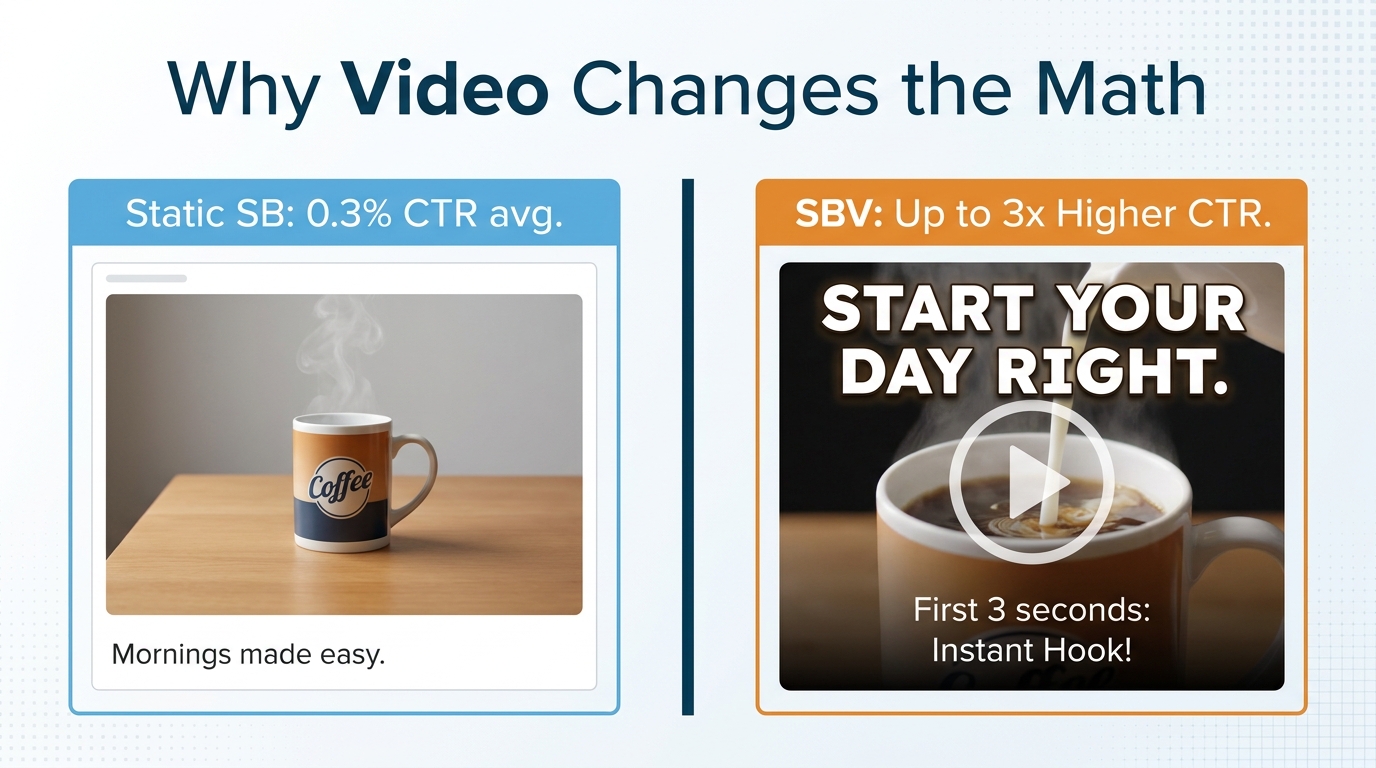
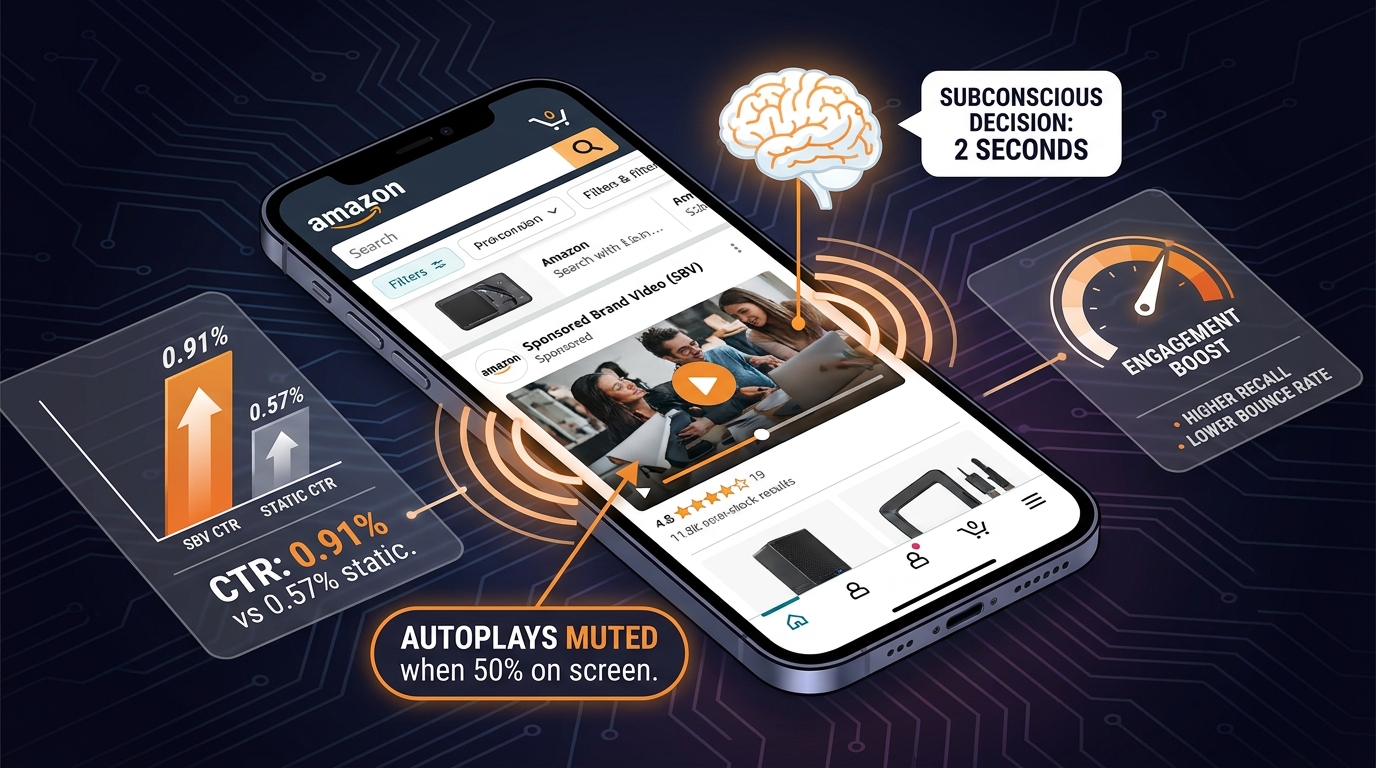
    The reasons are straightforward. Video autoplays when 50% of its pixels are on screen — no click required to capture attention. In a search results feed dominated by static imagery, a moving creative is a pattern interrupt. And in top-of-search placement, SBV occupies a dominant strip of real estate that static Sponsored Brands cannot replicate.

    What SBV Can Now Target

    SBV now supports two primary targeting modes, each with sub-options:

    • Keyword targeting: Broad match, phrase match, and exact match — all available for SBV. Each match type functions the same way it does in Sponsored Products, but now attached to a video creative.
    • Product and category targeting: Target specific ASINs (individual product pages) or entire product categories and subcategories. This places your SBV ad on competitor or complementary product detail pages, or across a curated slice of the Amazon catalog.

    Critically, SBV can now also drive traffic to a product detail page rather than only a Store page. This was a significant restriction for years — SBV required a Store destination. Removing that constraint opened product targeting on SBV to single-ASIN advertisers and made PDP-to-PDP conquest viable at the Sponsored Brands level.

    The Multi-ASIN SBV Addition

    Amazon has also expanded SBV to support up to three ASINs in a single video ad, driving to a product collection or Store. This multi-ASIN SBV is still in rolling availability, but for brands with product lines rather than hero SKUs, it opens category-level storytelling at a price point previously reserved for DSP campaigns. A video ad showcasing three complementary products across a category is structurally different from a single-product demonstration — and it changes how you think about both creative and targeting.

    Placements to Know

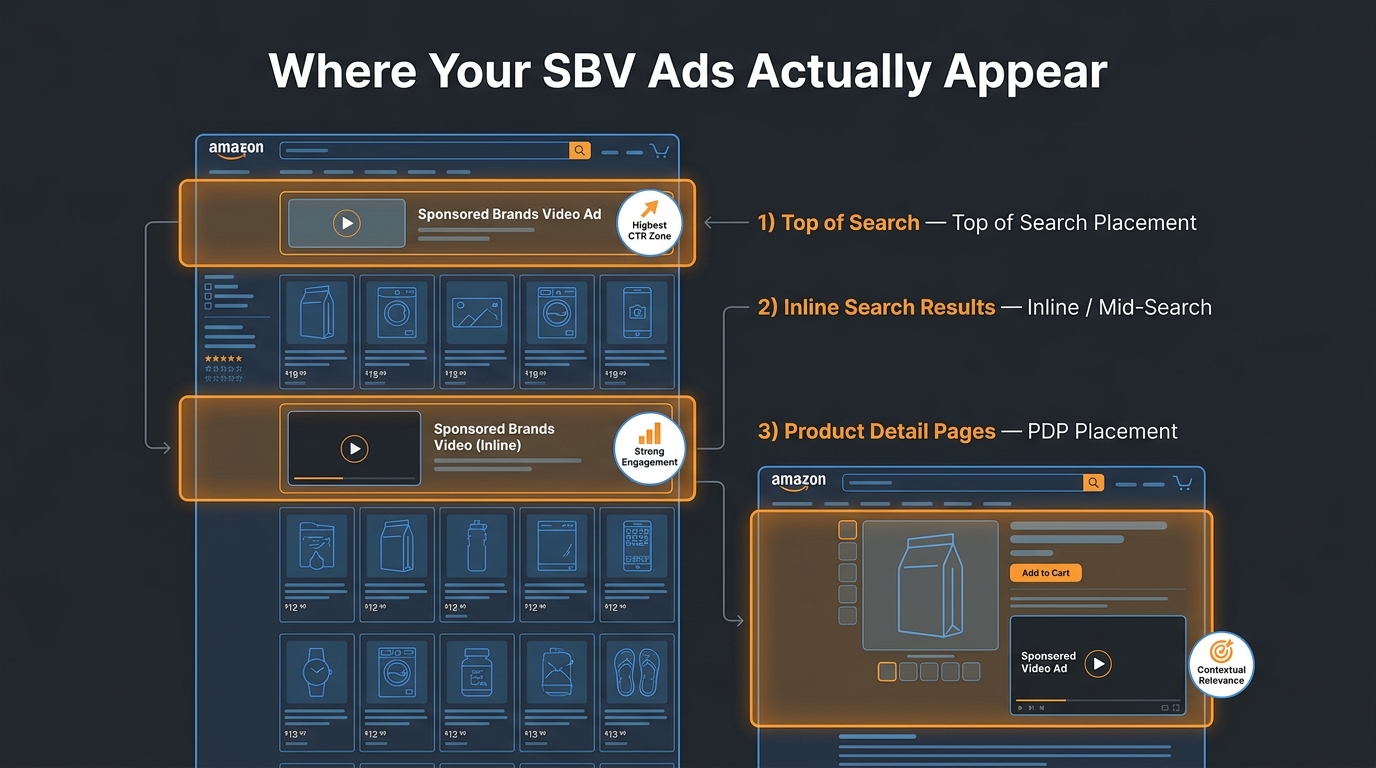
    SBV appears primarily in two placements. Top of search is the premium strip at the very top of Amazon search results — above all organic listings and Sponsored Products. Product detail page placement puts your video in the middle of a competitor or complementary ASIN’s listing page, directly in the consideration zone of an active shopper. Both placements serve different intent signals, which directly informs which targeting type belongs where — something we’ll get into in detail.

    SBV placement diagram showing top-of-search and product detail page video ad placements with 142% higher detail page view rate callout

    The Three Targeting Layers: How Broad, Category, and Product Actually Differ

    Broad, category, and product targeting get talked about as if they’re interchangeable tactical options you can pick based on mood. They’re not. Each one has a different audience entry point, a different intent signal, different volume-versus-efficiency tradeoffs, and a different relationship to your creative. Getting those distinctions right is what makes a targeting mix coherent rather than just a collection of campaigns.

    Three-column infographic comparing Broad Match, Category Targeting, and Product Targeting for Amazon SBV with ACoS and CVR benchmarks

    Broad Match: The Discovery Layer

    Broad match keyword targeting in SBV functions as your widest possible net within a search query universe. When you add “stainless steel water bottle” as a broad match keyword, Amazon will serve your video against a range of search terms that contain variations, synonyms, and related queries — not just exact instances of that phrase. The algorithm decides what’s “close enough.”

    The core value proposition of broad match is volume and discovery. It’s how you find query variations you didn’t know existed. It’s how you capture long-tail intent signals you couldn’t have manually predicted. For new SBV campaigns, or for entering a new subcategory where you don’t have historical data, broad match gives the algorithm room to learn where your creative performs best.

    The tradeoff is efficiency. Broad match campaigns will surface irrelevant queries. They require active search term harvesting to identify both positive keywords to promote and negative keywords to suppress. The expected ACoS on a broad match SBV campaign in 2026 is generally higher — often sitting in the 28–40% range for mid-competition categories — than more refined targeting types. That’s not a bug; it’s the cost of exploration. The discipline is treating it explicitly as a discovery mechanism, not a performance mechanism.

    Who uses broad match SBV well: Brands in expansive categories with many search entry points, or advertisers actively building out their keyword list. Also useful when launching a new product and needing to identify which query families your audience actually searches from.

    Category Targeting: The Contextual Mid-Funnel Layer

    Category targeting shifts the logic entirely. Instead of targeting a search query, you’re targeting a segment of the Amazon catalog — a category, subcategory, or refined slice of Amazon’s product taxonomy. Your SBV ad appears on product listing pages and search result pages within that category space.

    This targeting type is often misunderstood. Many advertisers try it, see lower CVR than product targeting, and abandon it. But category targeting’s job isn’t to maximize purchase rate — it’s to capture category-level consideration. It places your video in front of shoppers who are actively browsing within your product space, even if they haven’t typed a specific high-intent query yet.

    Within category targeting, Amazon allows refinement by brand, price range, star rating, and Prime eligibility. These filters are powerful. A category targeting campaign for “yoga mats” filtered to price range $30–$70 and 4+ star reviews is no longer spray-and-pray — it’s a contextual campaign aimed at value-conscious, quality-validated shoppers. That’s a meaningful audience definition at the Sponsored Brands level.

    Expected ACoS for category targeting SBV ranges widely but often sits in the 20–35% band for established advertisers with well-defined categories. Category campaigns tend to deliver higher impressions and broader new-to-brand reach than product targeting, but lower CVR than ASIN-level targeting. Think of it as the bridge between discovery and conversion — the layer where shoppers are aware they need something and are evaluating options.

    Who uses category targeting SBV well: Brands with strong positioning relative to an entire category (price, quality, differentiation). Also powerful for brands looking to increase category share and new-to-brand customer acquisition, not just harvest existing demand.

    Product Targeting: The Precision and Conquest Layer

    Product targeting — ASIN-level targeting — is where SBV gets surgical. You specify exactly which product pages you want your video to appear on. That could mean your own PDPs (cross-sell and upsell), direct competitor ASINs, or complementary products whose shoppers are logical prospects for your category.

    This targeting type consistently delivers the highest CVR of the three because the intent signal is as explicit as it gets: someone is actively on a specific product page, comparing options. A video ad that appears on a competitor’s listing page for someone who’s almost ready to buy is targeting the last mile of the decision journey.

    Product targeting ACoS for SBV tends to run lower than broad or category — often in the 15–25% range for competitive advertisers — though this varies by category and how aggressively you’re bidding against high-volume ASINs. The tradeoff is volume. You’re limited to the traffic that individual ASINs receive. To scale, you need ASIN lists rather than single targets — typically built from Sponsored Products data, which is exactly where the chaining methodology comes in.

    Three use cases for product targeting SBV:

    1. Conquest: Target competitor ASINs in the same subcategory to intercept comparison shoppers.
    2. Defense: Target your own ASINs to suppress competitor ads on your PDPs and reinforce your brand.
    3. Complement capture: Target adjacent ASINs whose buyers also logically need your product (e.g., targeting coffee grinder listings if you sell pour-over brewers).

    Why Campaign Chaining Changes the Whole Equation

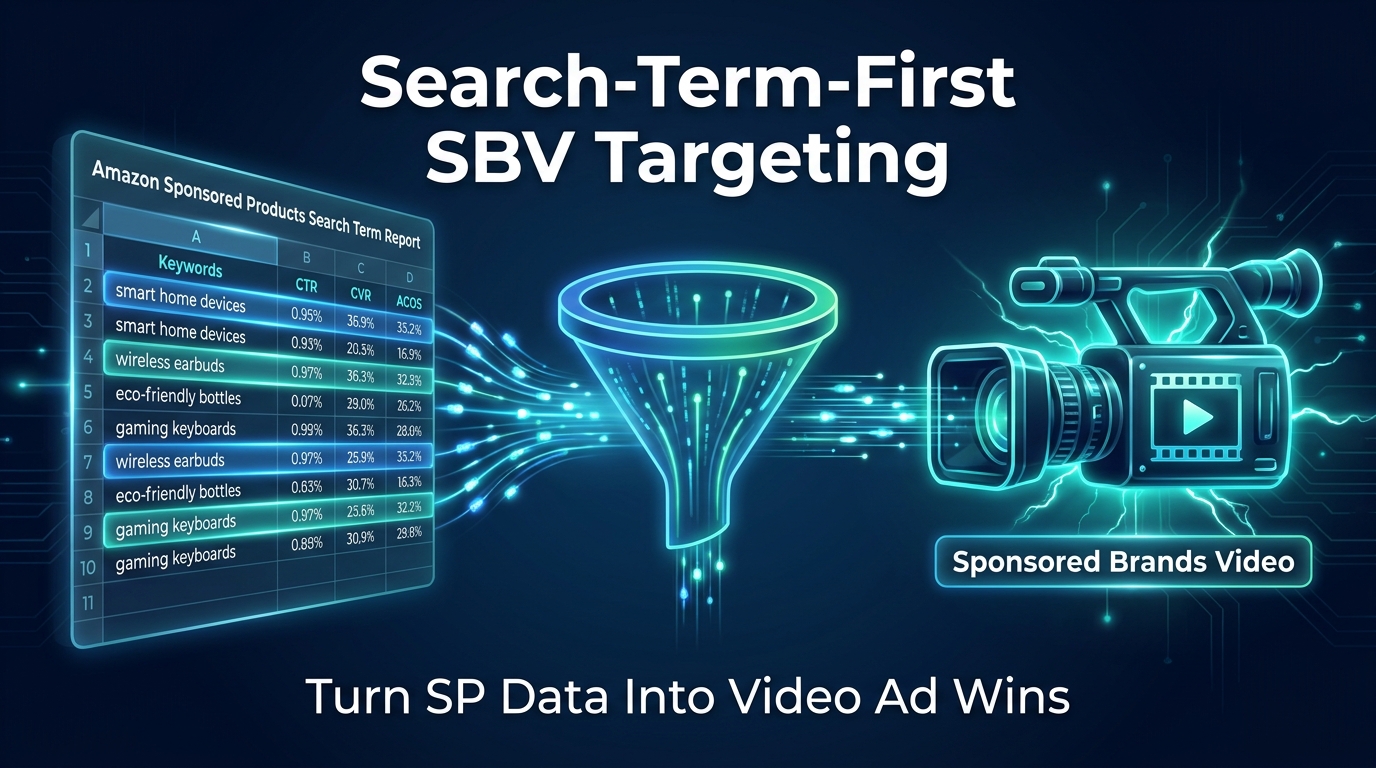
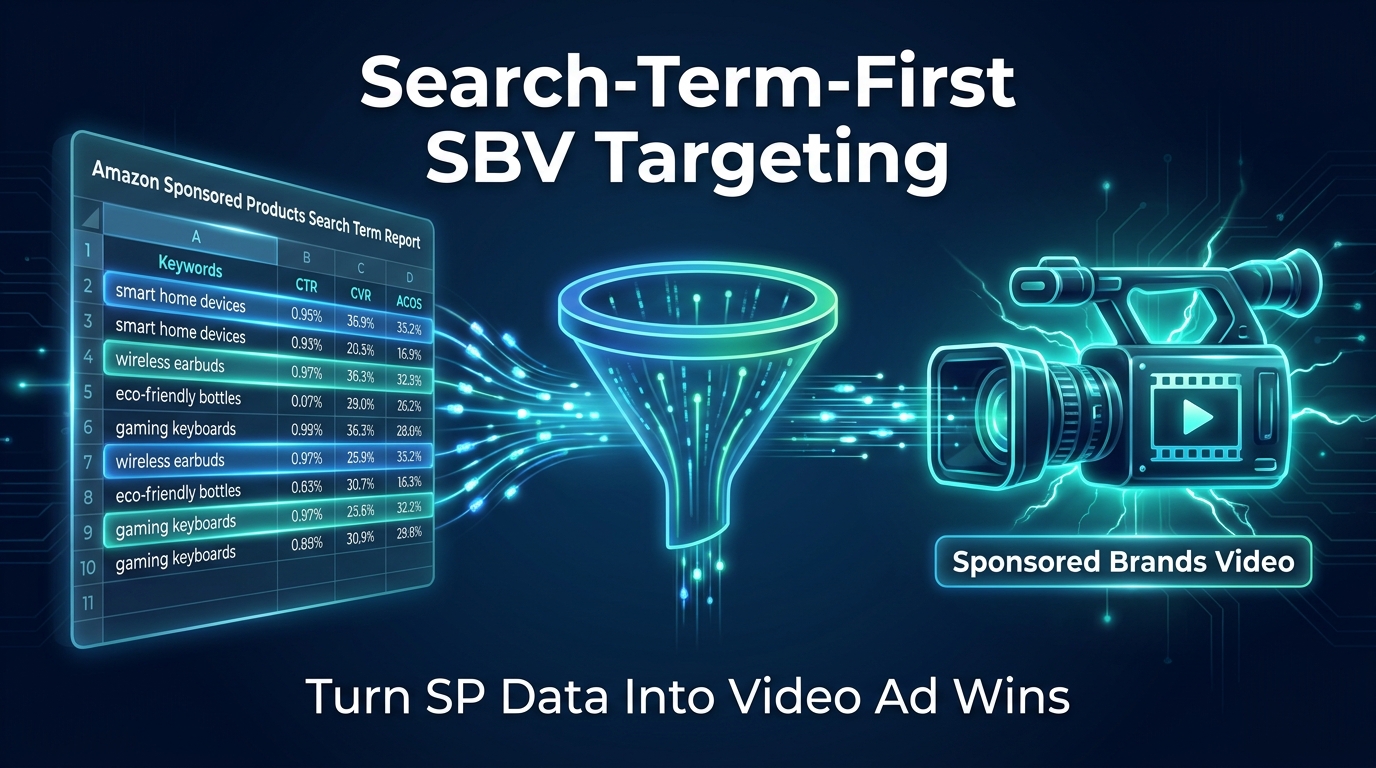
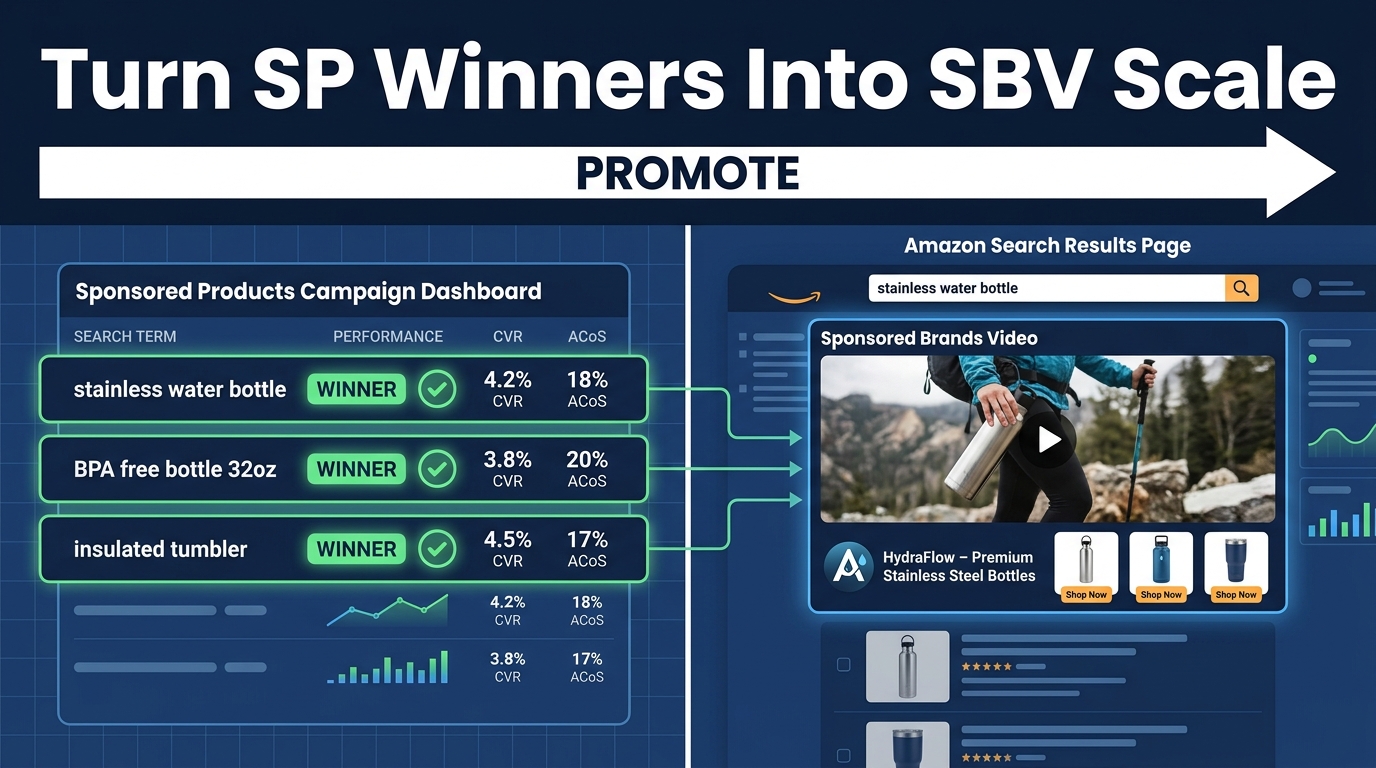
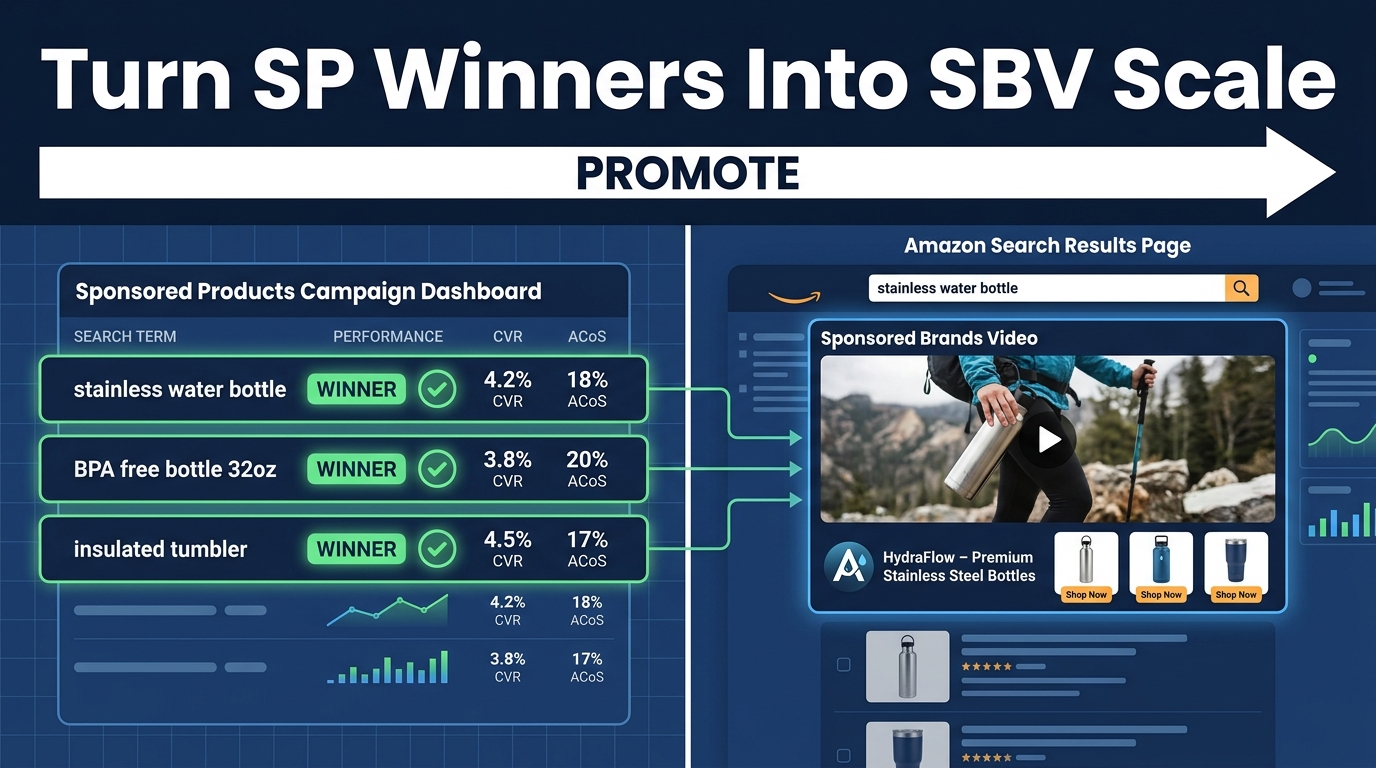
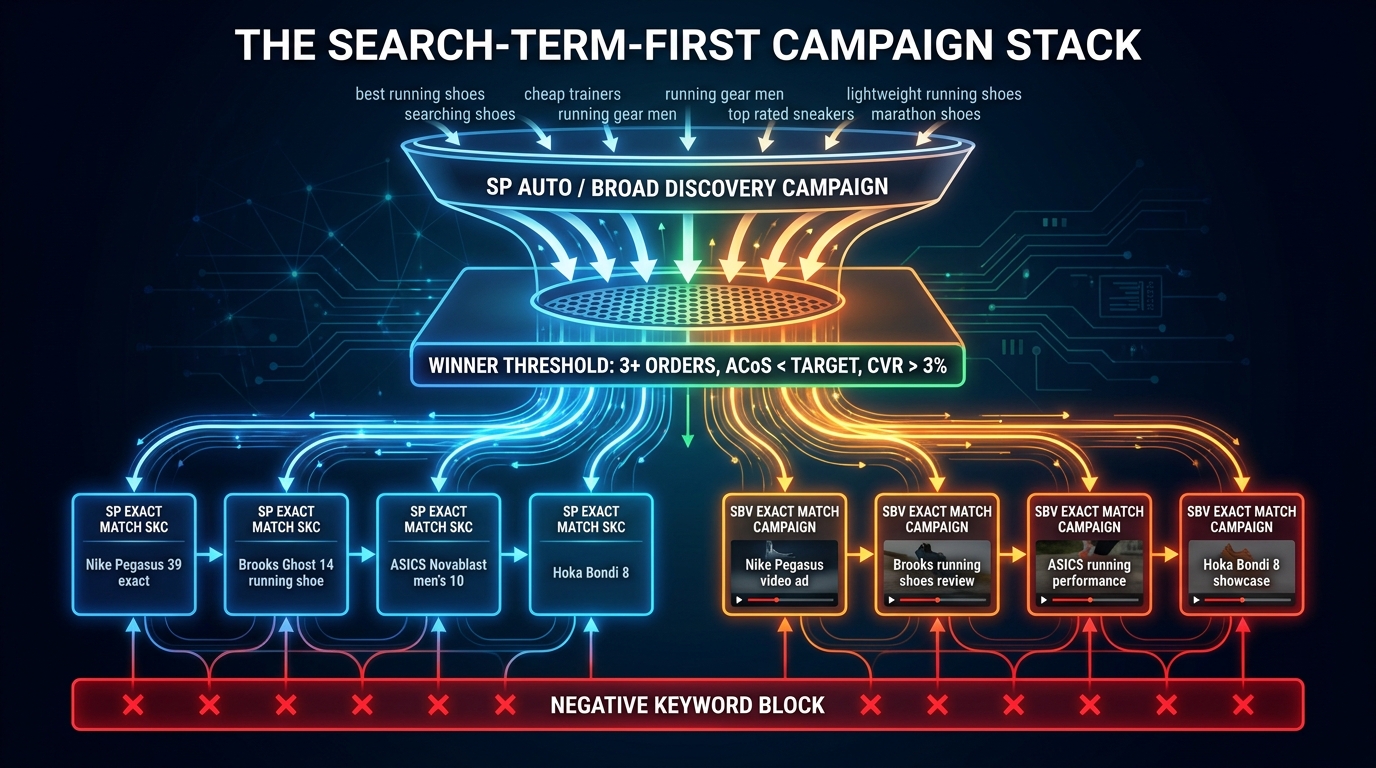
    Campaign chaining is the methodology at the center of high-performance SBV in 2026. The basic principle: instead of building SBV campaigns in isolation, you use the output of campaigns that have already run — Sponsored Products, specifically — to seed your SBV targeting with targets that have already proven they convert.

    This changes the risk profile of SBV dramatically. Instead of launching a broad SBV campaign and hoping the algorithm finds your buyers, you enter SBV with a shortlist of keywords and ASINs that have a documented performance track record. You’ve already paid for the learning. Chaining lets you apply it.

    Campaign chaining diagram showing Sponsored Products proven winners being cloned into SBV campaigns with performance stats

    Why SP Is the Right Source of Truth

    Sponsored Products campaigns are the workhorses of most Amazon PPC accounts. They generate the most impression volume, collect the most search term data, and typically run long enough to accumulate statistically meaningful performance signals. By the time you’re ready to scale an SBV campaign, your SP data contains months of click, purchase, and ACoS signals across hundreds or thousands of keywords and ASIN targets.

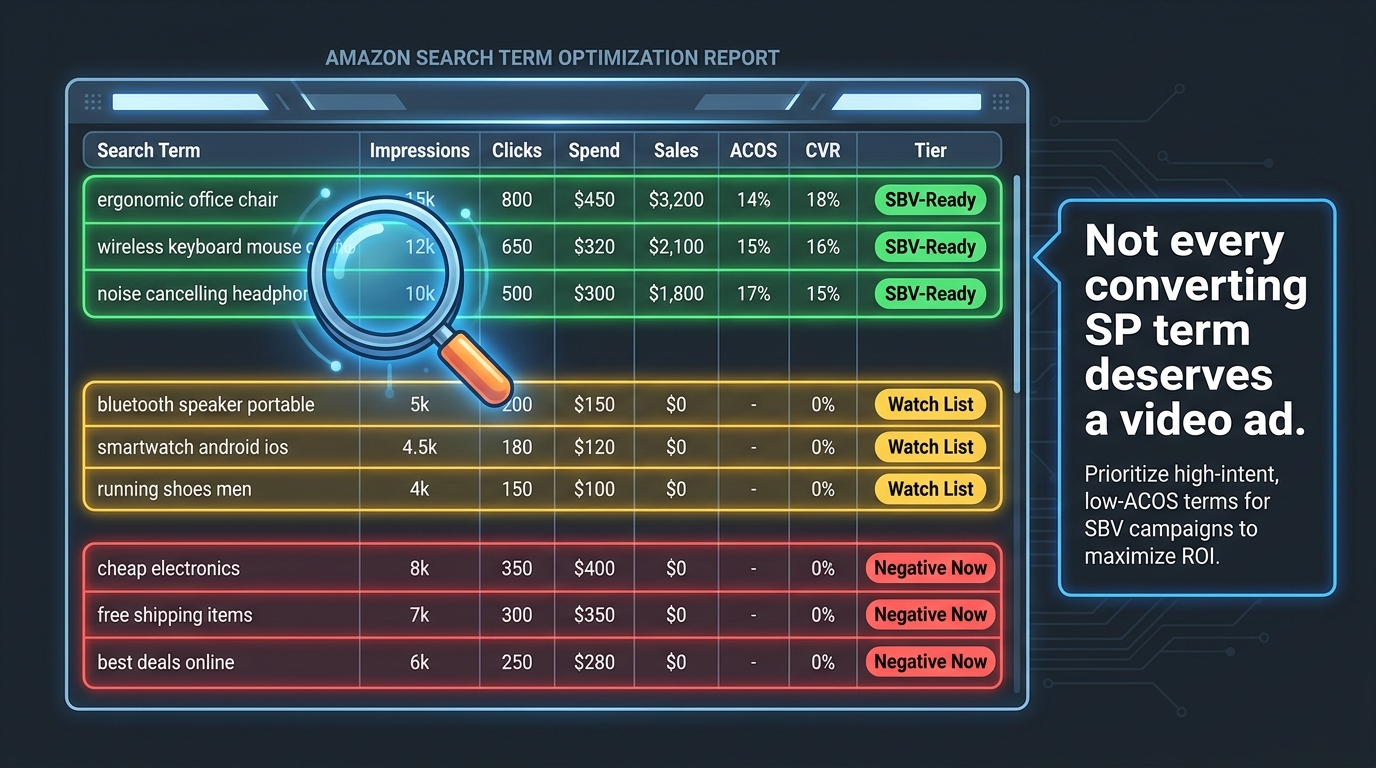
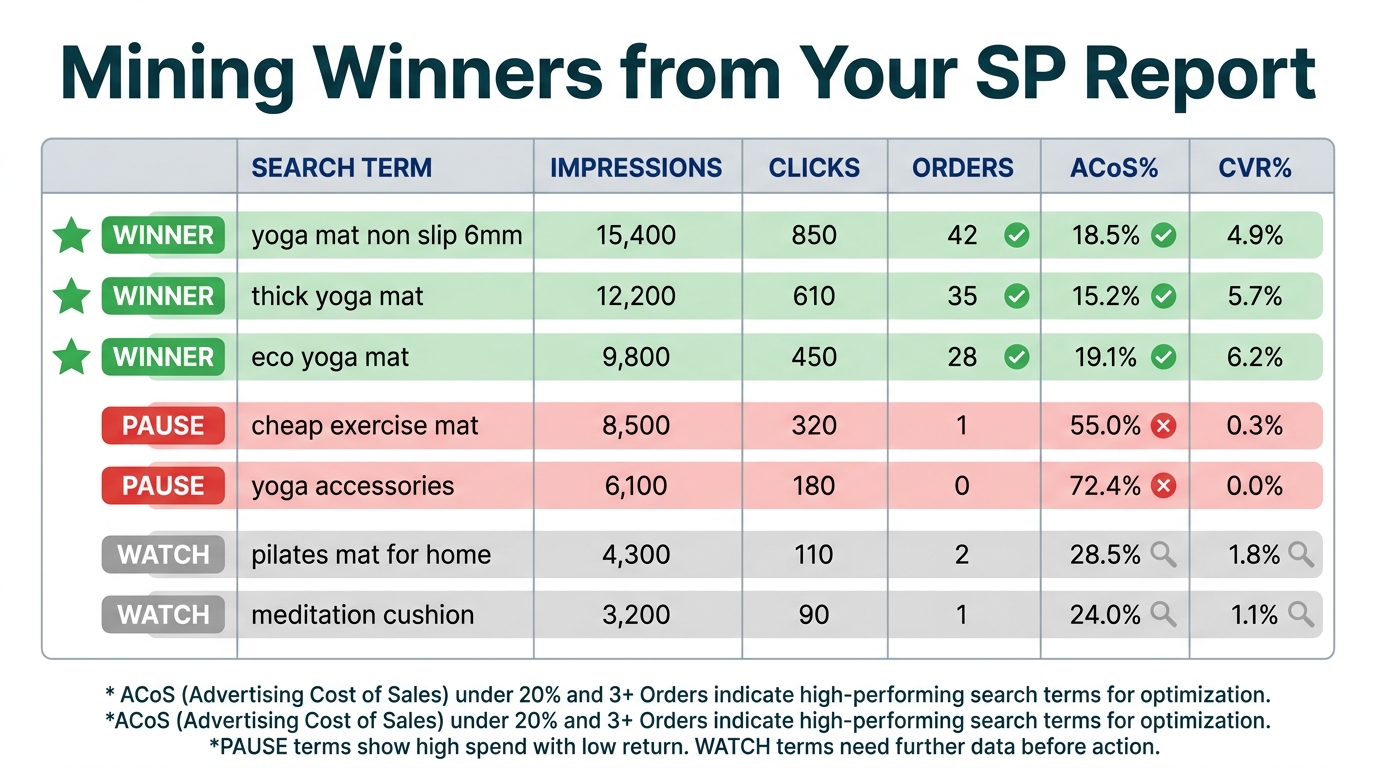
    Mining that data for SBV candidates isn’t complicated — it’s systematic. Keywords that clear your ACoS threshold in SP, have at least 5–10 purchases, and show strong click-through rates are the obvious starting pool. ASIN targets from SP product targeting campaigns that show similar efficiency metrics become your product targeting seed list for SBV.

    The logic is that if a keyword converts in a text-based Sponsored Products ad, it almost certainly represents genuine purchase intent. Adding a video creative to that same keyword in a Sponsored Brands Video campaign doesn’t change the intent signal — it only makes your creative more engaging. You’re betting on a stronger creative format against a proven demand signal. That’s a much better bet than broad-match guessing.

    What Happens Without Chaining

    Without a chaining approach, most SBV campaigns are built from intuition: advertisers pick keywords they think are relevant, set bids based on rough CPC expectations, and wait for results. This is how SBV campaigns end up running at 45% ACoS for months while accumulating no useful data — because the targeting itself was never validated before spend was committed.

    The absence of chaining also produces fragmentation. Advertisers run SBV and SP campaigns against overlapping targets without coordinating them, which means they’re bidding against themselves in auctions, inflating CPCs on their best terms, and splitting credit across campaigns without understanding true incremental contribution. A chaining approach forces coordination by design: SP is the testing ground, SBV is the scaling vehicle, and the handoff between them is explicit.

    Building a Broad Match SBV Campaign: Discovery at Scale

    Even with a chaining workflow, broad match SBV campaigns have a legitimate place in a mature account structure. They’re not the first place to deploy budget, but they’re a necessary component for accounts that want to continue finding new keyword territory rather than only exploiting what SP has already discovered.

    When to Launch a Broad Match SBV Campaign

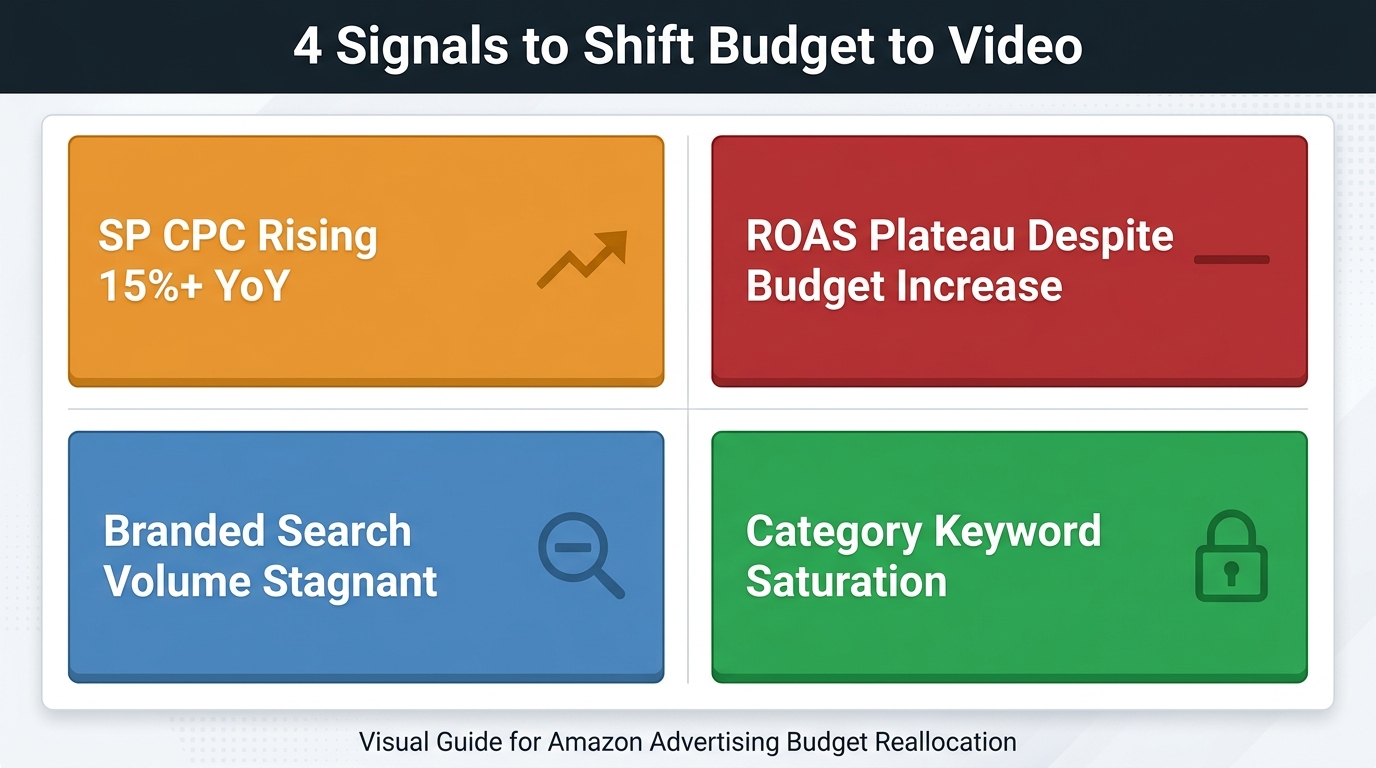
    The clearest trigger for a broad match SBV campaign is when your SP search term reports start showing diminishing returns — when the same core keywords keep appearing in winners, and new queries are rarely surfacing. This is a signal that your current keyword coverage is saturating and that new demand discovery requires a different net. Broad SBV, with its higher-impact creative, often surfaces intent patterns that broad match SP doesn’t because video engages differently than a standard text-and-image listing ad.

    A second trigger is launching into a new product line or subcategory. When you have no SP data for a new ASIN, broad SBV is a legitimate first-mover strategy — you’re buying learning at the Sponsored Brands level with a creative that can build recall even when it doesn’t convert immediately.

    Structural Rules for Broad Match SBV

    Broad match SBV campaigns require tighter governance than other targeting types precisely because of their scope. A few structural rules that high-performing advertisers follow:

    • Negative keyword management is non-negotiable. Every two weeks, pull the search term report from your broad SBV campaigns and add irrelevant queries as negatives at the campaign level. Without this, spend bleeds to unrelated queries quickly.
    • Budget caps should be conservative at launch. Broad match SBV is a learning investment. Start with a daily budget no higher than 15–20% of your total SBV allocation. Scale only after clear positive signals (ACoS trending down, specific queries emerging as consistent winners).
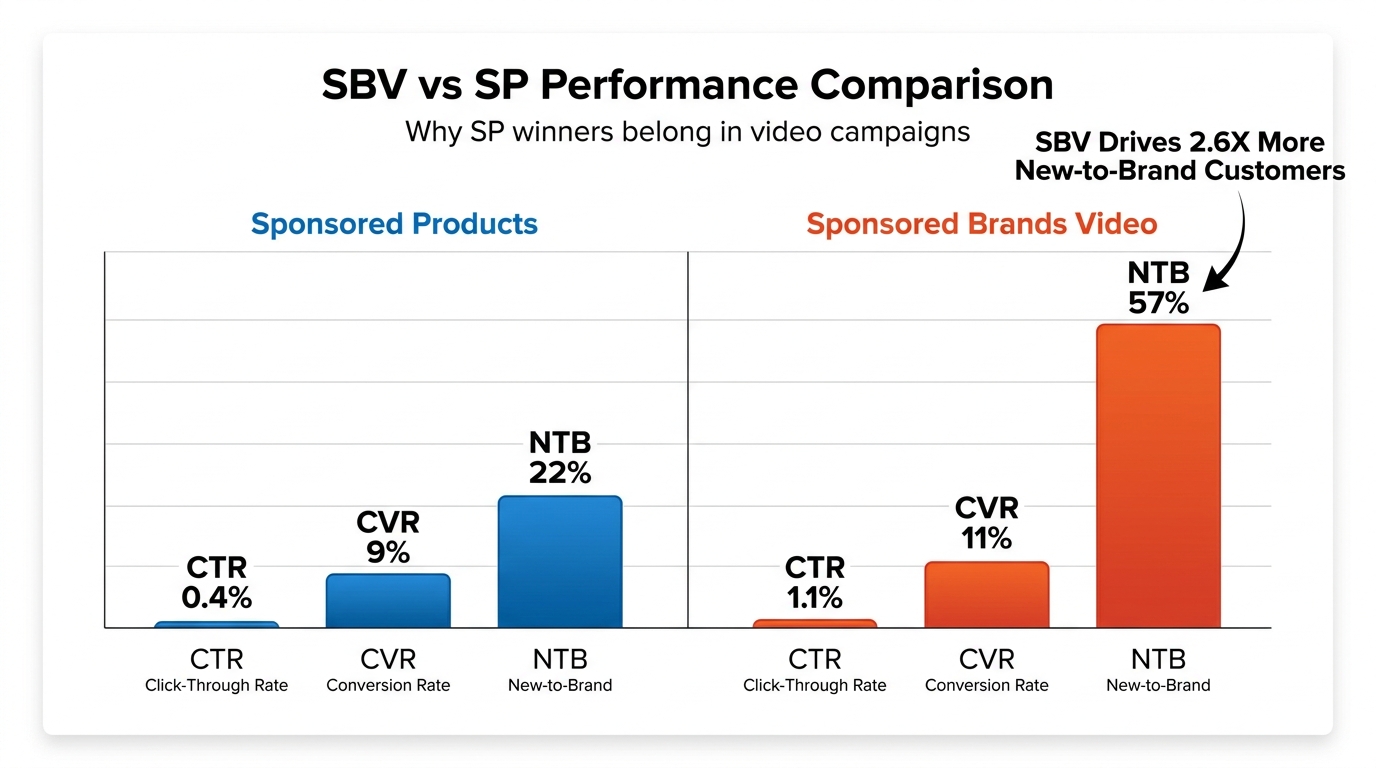
    • Seed with category-relevant themes, not brand terms. Broad match SBV for brand keywords is largely wasted budget — exact match or Sponsored Products branded campaigns handle that more efficiently. Broad SBV earns its place on non-branded category discovery terms where you’re genuinely trying to expand coverage.
    • Single-ASIN creative is safer at launch. Broad match SBV sends traffic to a product detail page or Store. For discovery campaigns where you’re not sure which product will resonate most, driving to a curated Store page gives you flexibility. For pure efficiency, single-product SBV creatives with a direct PDP destination typically outperform multi-destination setups in broad targeting.

    Harvesting from Broad Match SBV

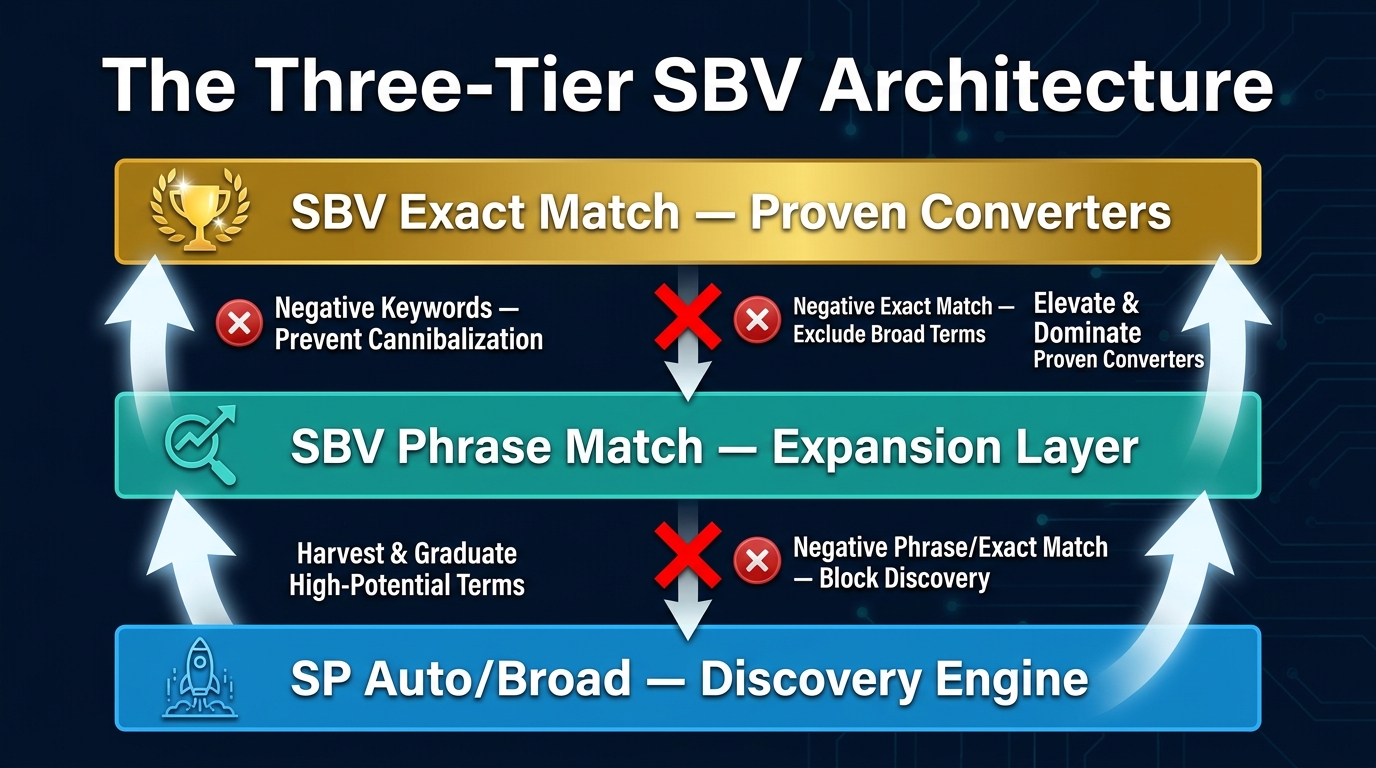
    The output of a broad SBV campaign isn’t just sales — it’s data. Every 2–4 weeks, extract the search term performance report from your broad SBV campaign and sort by orders and ACoS. Queries with 3+ purchases below your ACoS target are candidates to move to phrase or exact match SBV campaigns. Queries that appear in both SP reports and SBV reports with consistent performance are candidates for elevation to their own tightly targeted SBV campaign — closing the chaining loop.

    Category Targeting: The Mid-Funnel Lever Most Advertisers Underuse

    Category targeting in SBV occupies the most underused position in most brand advertising stacks. Advertisers who’ve tried it tend to have had one of two experiences: they targeted a category that was too broad (all of “Sports & Outdoors,” for example), got massive impressions with terrible CVR, and wrote it off. Or they targeted a tight subcategory with too little traffic and saw minimal scale. Neither outcome is the format’s fault — both reflect targeting choices, not structural flaws.

    How to Size Category Targeting Correctly

    The starting point for a category targeting SBV campaign is the right level of the category hierarchy. Amazon’s category taxonomy has several levels: top-level categories (like “Beauty & Personal Care”), subcategories (“Skin Care”), and sub-subcategories (“Face Moisturizers”). The sweet spot for SBV category targeting is usually two to three levels deep — specific enough to reach relevant shoppers, broad enough to have meaningful traffic volume.

    For a brand selling face serums, “Face Moisturizers” is probably the right entry level for category SBV — it captures adjacent consideration shoppers while staying within the relevant product space. “Skincare” would be too broad. “Anti-Aging Serums” might be too narrow for a category campaign (product targeting is better at that level of specificity).

    Applying Refinements That Actually Work

    Amazon’s category targeting refinements — price range, brand, star rating, Prime eligibility — are often glossed over in PPC guides, but they’re among the most powerful tools for making category SBV efficient. Some practical applications:

    • Price range filtering: If your product is priced at $45, filter the category campaign to show on products priced $30–$60. You’re capturing shoppers already in your price tier’s consideration set, not confusing budget shoppers with a premium offer.
    • Star rating filtering: Excluding products with very low average ratings (under 3.5 stars) can improve efficiency. Shoppers on low-rated products are often already disappointed and in “find an alternative” mode — a potentially high-value moment. Conversely, showing on 4+ star products means competing with well-validated listings, which can be harder. Test both approaches and measure.
    • Brand exclusion: You can exclude specific brands from your category targeting, which is useful for filtering out private-label products from Amazon itself or brands where the audience fit is poor. This also prevents spend against your own listings in category targeting, which can happen when your ASIN appears within the same category.

    Category Targeting for New-to-Brand Acquisition

    One of the most compelling use cases for category SBV is new-to-brand (NTB) customer acquisition. Amazon Advertising’s own data shows that brands using two or more video solutions see a 15% lift in incremental reach versus brands using only one. Category targeting SBV is designed for exactly this scenario: you’re reaching shoppers who are actively in your category space but haven’t encountered your brand specifically. The video format creates a brand impression that text-based Sponsored Products can’t — even if the shopper doesn’t click immediately, the exposure plants a brand signal that influences later searches.

    For NTB-focused category campaigns, the creative should lean toward brand storytelling rather than pure product demonstration. You’re making an introduction, not closing a sale. This is one of the few SBV contexts where a Store destination might outperform a single PDP, since it gives the curious new shopper a full brand context rather than dropping them directly into a purchase funnel for a product they’ve just discovered.

    Product Targeting: Precision, Conquesting, and Defense

    Product targeting is where SBV gets closest to a traditional direct-response mechanism. The targeting is explicit, the intent signal is clear, and the feedback loops are fast. It’s also the most versatile of the three targeting types — the same structural approach applies whether you’re playing offense against competitors or defense on your own listings.

    Building a Conquesting ASIN List

    Competitor conquesting in SBV starts with a well-built ASIN list. A high-quality conquesting list isn’t just “every competitor ASIN in my category” — that produces bloated campaigns where most traffic is from ASINs with low relevance to your specific product. A focused conquesting list is built around:

    • Direct substitutes: Products that solve the same problem at a similar price point. Shoppers on these pages have nearly identical purchase intent to your core buyer.
    • Products with known weaknesses: Competitor ASINs with review patterns that highlight pain points your product solves. These shoppers are often actively looking for an alternative.
    • High-traffic ASINs in your subcategory: Volume matters. Targeting 20 ASINs with 1,000 monthly sessions each beats targeting 200 ASINs with 50 sessions each. Use keyword research tools, BSR data, and your own SP competitor targeting reports to identify high-traffic targets.

    Start with a list of 20–50 ASINs. Too few and you’ll have scale problems. Too many and you lose the ability to analyze which specific targets are driving performance — you end up with a blended ACoS that hides inefficiencies.

    Defensive Product Targeting on Your Own ASINs

    Self-targeting — running SBV product targeting against your own ASINs — is one of the most underused applications of the format. On a high-traffic listing, Amazon allows multiple ads to appear, and competitors will bid for placement on your PDPs. A defensive SBV campaign targeting your own listings means your video ad appears in the product targeting zone of your own page, reinforcing your brand and effectively crowding out competitor video placements that would otherwise occupy that space.

    For brands with multiple ASINs in the same category, self-targeting also enables internal cross-sell. A shopper on your top-selling SKU sees a video featuring your expanded product line. The ACoS on self-targeting campaigns is often higher than conquesting (you’re paying to advertise to shoppers already on your page), but the strategic value — brand reinforcement, competitive suppression, and cross-sell — often justifies the cost, particularly for high-traffic hero SKUs.

    Complement Targeting: The Often-Missed Play

    Complement targeting is product targeting aimed at adjacent products whose buyers are likely candidates for your category. The logic: a shopper actively purchasing hiking boots is a probable prospect for hiking socks. A shopper on a premium notebook is likely interested in a quality pen. A shopper browsing espresso machines is in the market for coffee beans.

    Complement targeting in SBV is particularly effective because video can quickly communicate the product relationship — “pairs perfectly with” or “the natural next step” — in 15 seconds of autoplay in a way that a static ad simply cannot. The creative becomes part of the targeting logic.

    The Chaining Workflow: Step-by-Step from SP Winners to SBV Campaigns

    Here’s the operational process for executing campaign chaining in practice. This isn’t theoretical — it’s a repeatable workflow that can run on a monthly or biweekly cadence for most active accounts.

    Step 1: Mine Sponsored Products for Proven Winners

    Pull two reports from your SP campaigns: the Search Term Report and the Targeting Report (for product/ASIN targets). Apply the following filters to each:

    • Minimum 5–10 purchases in the lookback period (typically 60–90 days)
    • ACoS at or below your target threshold
    • Minimum 100–200 clicks (enough statistical weight to trust the data)

    From the Search Term Report, you’re extracting keyword candidates for broad match and phrase match SBV campaigns. From the Targeting Report (product/ASIN targets), you’re extracting ASIN candidates for product targeting SBV campaigns. Document both lists separately — they go into different campaign types.

    Step 2: Segment by Campaign Type

    Sort your extracted data into three buckets:

    1. High-intent exact queries (5+ orders, low ACoS, specific query) → candidate for exact match SBV keyword campaign
    2. Broad category themes (queries that represent a family of intent rather than a single query) → candidate for phrase or broad match SBV campaign
    3. Proven ASIN targets (specific competitor or complement ASINs that converted in SP product targeting) → candidate for product targeting SBV campaign

    This segmentation ensures you’re building SBV campaigns with intentional scope at each stage. You’re not dumping all SP winners into a single SBV campaign and hoping it works — you’re matching the scale and intent of each target type to the appropriate SBV campaign structure.

    Step 3: Build the SBV Campaign Structure

    Create separate campaigns for each targeting type — never mix broad keyword, category, and product targeting in the same SBV campaign. Keeping them separate preserves your ability to evaluate performance cleanly and adjust bids independently. A combined campaign where broad keyword targets and ASIN targets share a budget and blended ACoS is analytical noise.

    Recommended campaign names (for organization):

    • [Brand] | SBV | Broad | [Category Theme]
    • [Brand] | SBV | Category | [Subcategory Name]
    • [Brand] | SBV | Product | Conquest | [ASIN Group]
    • [Brand] | SBV | Product | Defense | Own ASINs

    Step 4: Set Starting Bids by Campaign Intent

    Bid strategy for SBV differs by targeting type because the expected CPCs and conversion rates differ:

    • Broad match SBV: Start conservatively — 20–30% below your SP broad match CPCs for equivalent terms. You’re paying for the video format premium but want room to optimize before committing full bids.
    • Category targeting SBV: Bids here compete against other advertisers targeting the same category. Start at roughly equivalent CPCs to your SP category targeting campaigns and adjust based on impression share and ACoS after 2 weeks.
    • Product targeting SBV: These often command higher bids because the intent signal is stronger and the placement (on a specific PDP) is premium. Start at a slight premium over your SP product targeting CPC for the same ASINs — typically 10–20% higher.

    Step 5: Monitor, Harvest, and Promote

    At 2-week intervals, evaluate each campaign layer against its intended role:

    • Broad campaigns: harvest new winning queries, add negatives, promote individual winners to phrase/exact match campaigns
    • Category campaigns: evaluate by subcategory performance if you’ve split by category tier; look at new-to-brand attribution and impression share
    • Product targeting campaigns: sort by ASIN-level ACoS; promote top ASIN performers to higher bids, suppress underperformers

    The output of this review doesn’t just optimize existing campaigns — it generates the next round of chaining targets. High-performing queries from your broad SBV become the seed list for your next exact match SBV campaign. High-converting ASINs from product targeting become priorities for bid increases and budget allocation. The cycle is self-reinforcing.

    Creative Considerations for Each Targeting Type

    The SBV creative — the video itself — is not one-size-fits-all across targeting types. Because each targeting layer reaches a different audience at a different stage of the purchase journey, the creative job is different at each layer. Most advertisers miss this entirely, running the same video against broad keyword, category, and product targeting campaigns without considering how the context changes what the video needs to do.

    Creative for Broad Match SBV

    Broad match audiences are in discovery mode. They’re exploring a category, not sure which brand they want. The creative priority here is recognition and relevance: the video needs to immediately communicate what the product is and why it’s worth considering. Brand identity matters here — logo placement, brand color consistency, and a clear product category signal in the first 2–3 seconds. This is not the video to go deep on features and specifications. It’s the video to make the brand and product memorable in a 15-second autoplay window.

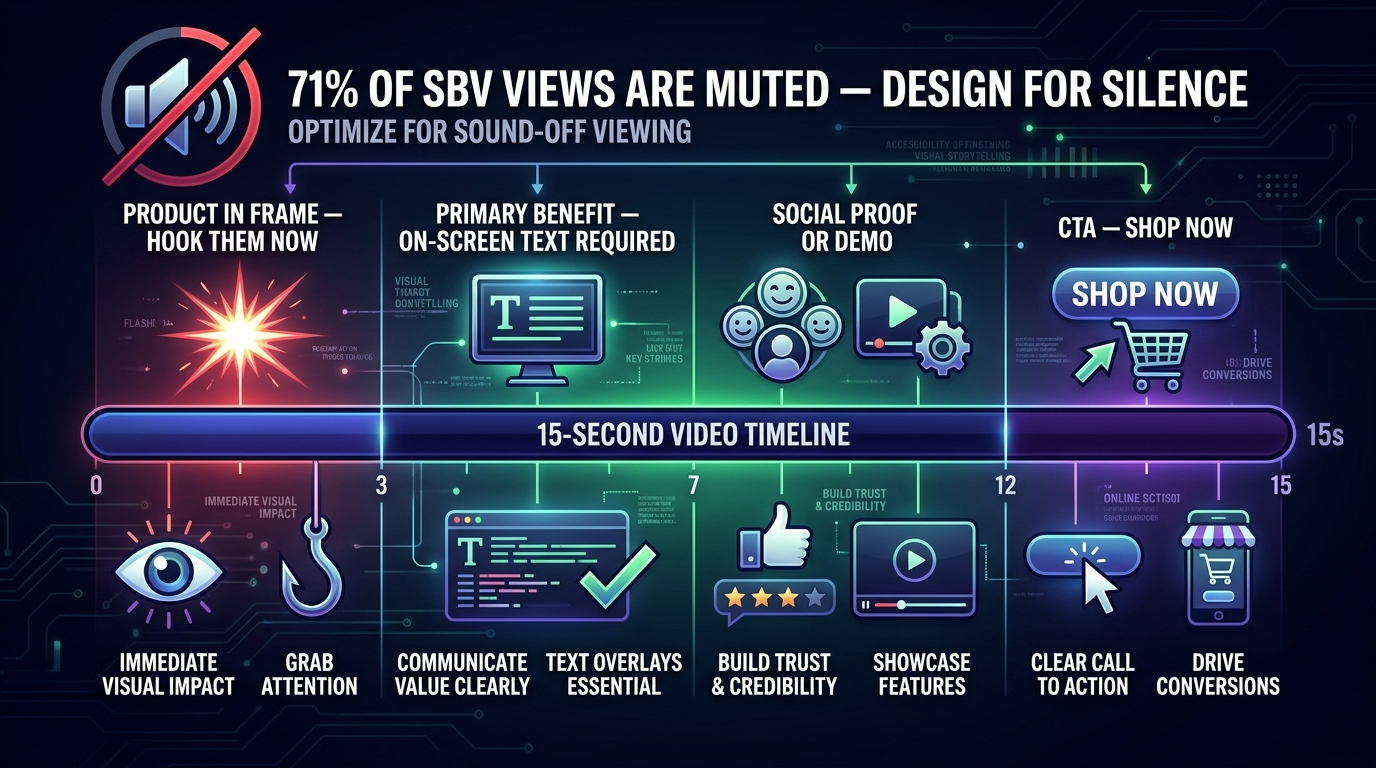
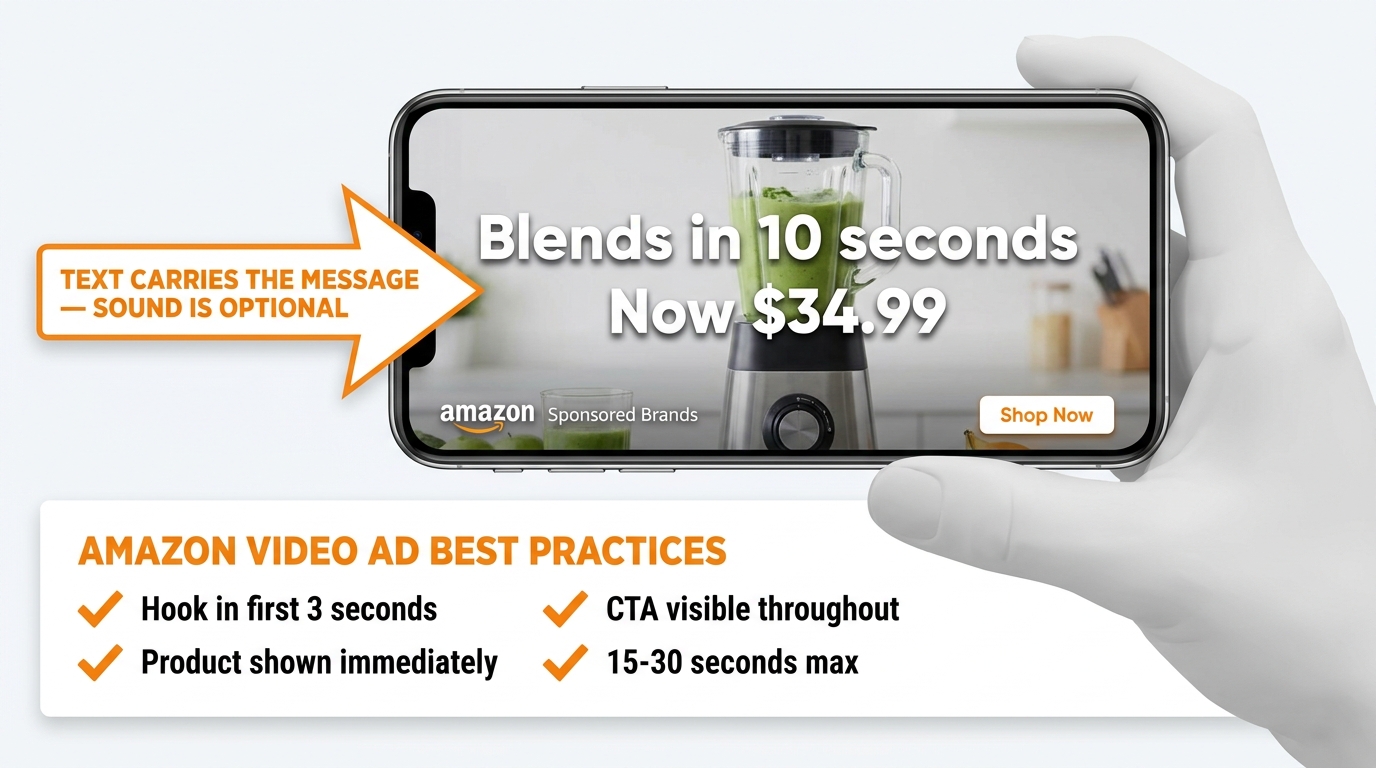
    Because broad match SBV autoplays muted, captions are not optional — they’re structurally necessary. Any key benefit communicated only via audio is invisible to the majority of viewers. The visual track must carry the message independently.

    Creative for Category Targeting SBV

    Category targeting audiences are actively browsing. They know what type of product they need — they’re evaluating which specific product and brand to choose. Creative for category SBV should emphasize differentiation: what makes your product the right choice within this category. This is the layer where benefit-led messaging (not just product demonstration) earns its place. “Why our version is better” — whether that’s ingredient quality, price-to-value, design, durability — is the creative logic for category audiences.

    Creative for Product Targeting SBV

    Product targeting audiences are at maximum consideration. They’re on a specific product page, actively comparing. This is the closest SBV gets to bottom-of-funnel, and the creative should reflect that with conversion intent: clear product demonstration, social proof signals (bestseller badge, star rating callout), and a direct call to action. For conquest campaigns, the creative can lean into the comparison frame implicitly — showcasing a specific advantage or value that the target product is commonly criticized for lacking. You’re not attacking the competitor explicitly (Amazon’s ad policies don’t permit that), but you’re showing your strength at exactly the moment a shopper is evaluating alternatives.

    Budget Allocation Across the Three Targeting Types

    Budget allocation across the SBV targeting mix isn’t a fixed formula, but there are principles that guide how mature advertisers structure their spend. The right split depends on your account stage, category competitiveness, and whether you’re in growth or efficiency mode.

    SBV budget allocation pie chart showing 30% broad match, 35% category targeting, 35% product targeting split with strategic callouts

    The Starting Allocation Model

    For brands new to the three-layer SBV structure, a reasonable starting split is:

    • 30% to broad match keyword campaigns — treated as a learning budget, not a revenue budget
    • 35% to category targeting campaigns — your mid-funnel consideration driver and NTB acquisition layer
    • 35% to product targeting campaigns — your highest-efficiency, highest-CVR layer, seeded from SP data

    This split acknowledges that product targeting and category targeting are typically more efficient than broad match, while reserving enough broad match budget to keep discovery active. As product targeting campaigns prove themselves (ACoS below threshold, consistent orders), budget migrates from broad to product targeting on roughly a monthly cadence.

    Adjusting for Account Stage

    A newer account with limited SP data should weight broad more heavily — perhaps 50% — because it doesn’t yet have the historical chaining material to build strong product and category targeting campaigns. As the SP data accumulates, that broad allocation shrinks and the product/category split grows.

    A mature account with rich SP data and proven ASIN targets can often run with only 15–20% in broad match SBV, reserving the rest for category and product targeting where the learning investment has already been made. The overall SBV budget itself — typically around 58% of total Sponsored Brands spend for mature accounts — stays constant. It’s the internal distribution that shifts as data matures.

    Total PPC Budget Context

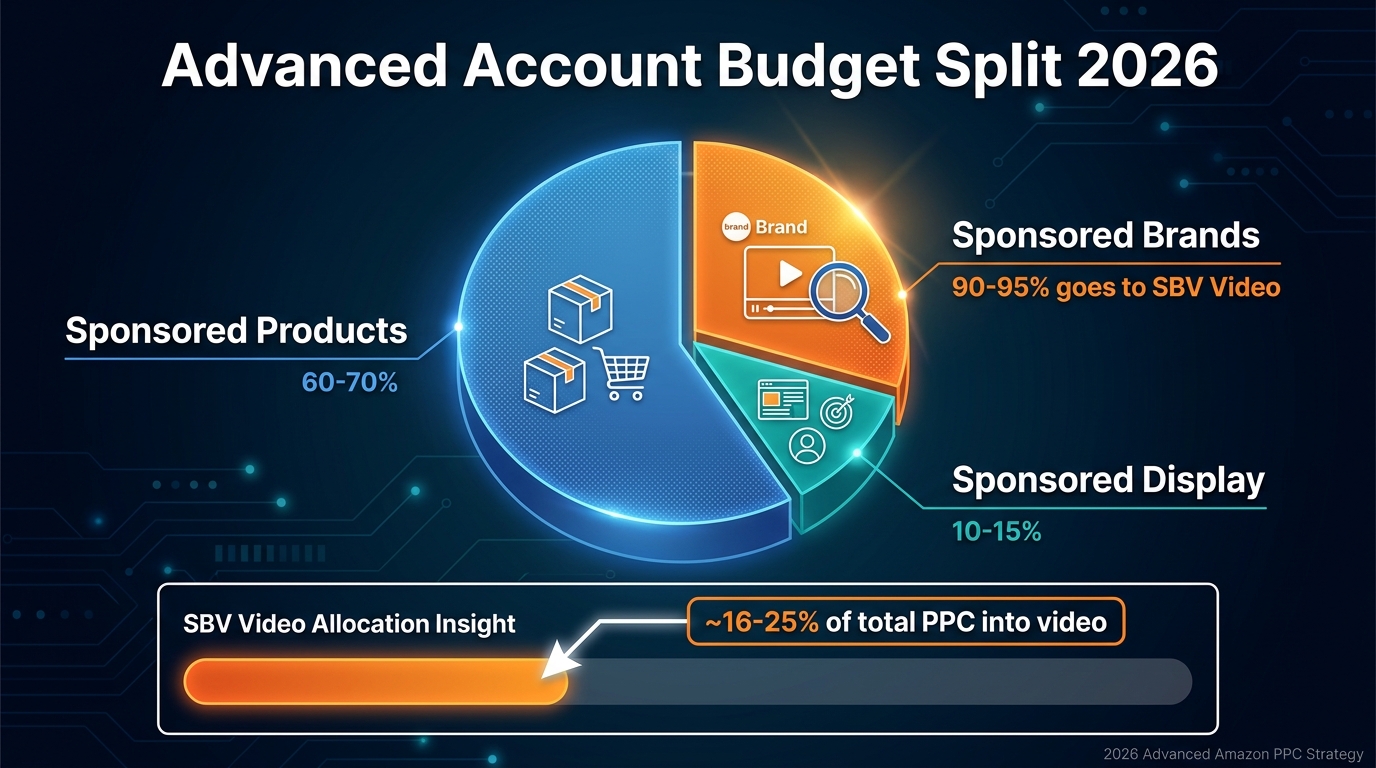
    For context: within a full Amazon PPC account structure, Sponsored Products typically commands 60–65% of total ad spend, with Sponsored Brands (including SBV) taking roughly 20–25%, and Sponsored Display or DSP filling the remainder. Within that SB allocation, SBV is the dominant format. So SBV’s share of total account spend is meaningful but not dominant — it’s the highest-leverage component of a Sponsored Brands strategy, not a replacement for Sponsored Products.

    Measurement: What Metrics Actually Matter at Each Layer

    One of the most common SBV measurement mistakes is applying the same metrics equally to all three targeting types. Broad match campaigns should not be held to the same CVR and ACoS standard as product targeting campaigns — the audiences are too different. Applying uniform efficiency metrics across a multi-layer structure produces the wrong optimization decisions: you’ll kill broad campaigns that are doing their job correctly (discovery) because they look bad next to product targeting campaigns that are doing a completely different job.

    SBV measurement dashboard showing vCTR, 5-second view rate, ACoS by targeting type, and new-to-brand metrics with funnel optimization labels

    Metrics by Targeting Layer

    Broad match SBV — primary metrics:

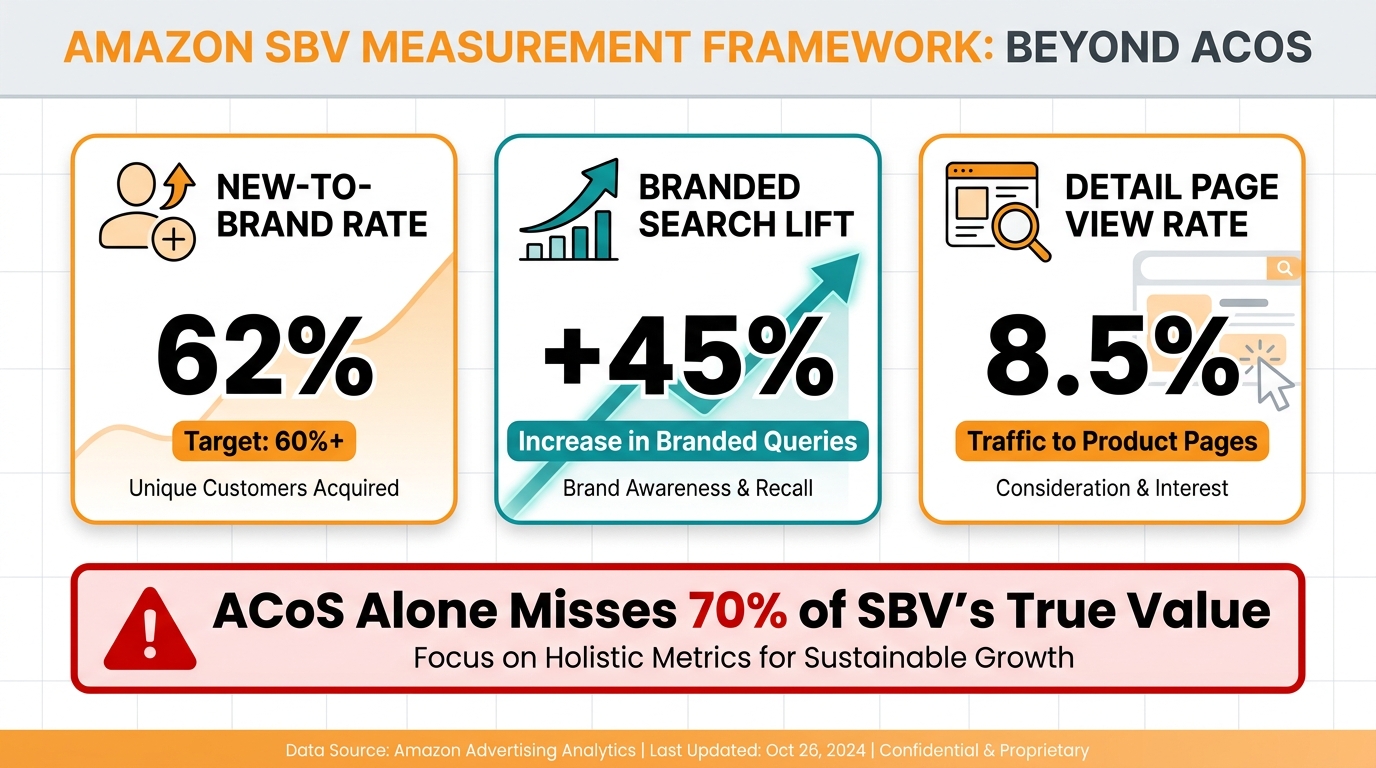
    • New-to-brand (NTB) purchase rate: The percentage of orders from customers who haven’t bought from you on Amazon in the last 12 months. High NTB rates in broad campaigns confirm they’re doing discovery work, not just converting existing brand buyers.
    • 5-second view rate: The percentage of video impressions where the viewer watched at least 5 seconds. This is a proxy for creative relevance — low 5-second view rates on a broad campaign often signal a creative or keyword match problem, not a targeting problem.
    • Search term harvest rate: How many new viable keyword candidates (below ACoS threshold) are you extracting per review cycle? Broad campaigns that stop generating new candidates are saturating and should have their budgets redeployed.
    • ACoS (secondary): Important for guardrails but not the primary optimization metric for a discovery campaign. Set a ceiling (e.g., no more than 45% ACoS for broad SBV) rather than an optimization target.

    Category targeting SBV — primary metrics:

    • New-to-brand percentage and total NTB orders: Category campaigns should show a disproportionately high share of NTB customers. If most category SBV orders are from returning customers, the campaign is redundant with product targeting and should be restructured.
    • Impression share by subcategory: Are you maintaining visibility within the category segments you’re targeting? Impression share decline without CPM changes suggests growing competition in those category segments.
    • ACoS (primary): Category targeting campaigns are mid-funnel but should still perform within a defined ACoS range. The 20–35% range is typical; anything above 40% consistently suggests the category-to-product fit isn’t strong enough.
    • Detail page view rate: What percentage of video impressions result in a detail page view? Low DPVR on a category campaign suggests the creative isn’t creating enough pull to move shoppers toward your listing.

    Product targeting SBV — primary metrics:

    • ACoS and ROAS (primary): Product targeting is the efficiency layer. These campaigns should meet or beat your account-wide ACoS target consistently. If they don’t, either the ASIN list needs pruning or the bids need adjustment.
    • CVR: Conversion rate from click to purchase. Product targeting SBV should show the highest CVR of your three targeting types. Consistently low CVR in product targeting suggests either a product listing quality issue (reviews, images, pricing) or a product-to-ASIN targeting mismatch.
    • ASIN-level attribution: Which specific ASINs are driving performance? Product targeting campaigns need ASIN-level reporting to identify the 20% of targets driving 80% of conversions. Those high-performers deserve bid increases and budget priority. The tail can be suppressed.

    Video-Specific Metrics to Track Across All Layers

    Amazon’s video attribution reporting has expanded significantly. Beyond standard PPC metrics, SBV campaigns now surface:

    • vCTR (video click-through rate): Clicks divided by video impressions. For SBV, a healthy vCTR typically falls between 0.5% and 1.2% depending on category and targeting type. Product targeting SBV tends to show lower vCTR than broad match (fewer impressions, but more intent per impression) — this is expected and not a problem.
    • Video completion rate (quartiles): What percentage of viewers reach 25%, 50%, 75%, and 100% of the video? A steep drop-off at the 25% mark is a creative signal — the opening isn’t compelling enough. A strong completion rate all the way through is evidence of creative quality that justifies continued budget.
    • View-through attribution: Purchases attributed to viewers who watched the video but didn’t click. This metric captures brand influence that click-based attribution misses entirely — it’s particularly relevant for broad and category campaigns where the video’s role is influence, not just direct response.

    Common Mistakes That Undermine the Targeting Mix

    Even advertisers who understand the three-layer model intellectually often make structural mistakes in execution. These are the most common failure modes worth flagging explicitly.

    Mixing Targeting Types in a Single Campaign

    Putting broad keyword targets and product ASIN targets in the same SBV campaign is the most frequent structural error. The resulting blended ACoS makes it impossible to know which targeting type is performing and which is dragging. Budget can’t be allocated optimally. Bids can’t be set appropriately. The only remedy is to rebuild the campaign structure with clean separation from the start.

    Treating All Three Layers as Conversion Campaigns

    Holding a broad match SBV campaign to the same ACoS standard as a product targeting campaign will produce a systematic decision to cut the broad campaign the moment it underperforms — even when it’s generating valuable discovery data and new-to-brand orders. Each layer needs its own success criteria that match its role in the funnel.

    Skipping the Chaining Step Entirely

    Building SBV product targeting campaigns without first validating targets in Sponsored Products is expensive trial-and-error. You’re paying Sponsored Brands-level CPMs to learn which ASINs convert — something SP product targeting campaigns can determine much more cost-effectively. The chaining workflow exists precisely to avoid this waste. Use it.

    Never Refreshing the ASIN List

    ASIN performance shifts over time. Competitors run deals, change prices, update listings, or exit the category. An ASIN target that was a top-performer six months ago may be stale now — either because the listing has improved (harder to conquest) or because it’s lost traffic (lower-value target). ASIN lists in product targeting SBV campaigns should be reviewed quarterly, with high-performing targets prioritized and low-traffic or high-ACoS targets removed or bid-reduced.

    Putting the System Together: What a Mature SBV Account Looks Like

    A well-structured SBV account running the three-layer chaining model doesn’t look like a sprawling collection of campaigns — it looks like a deliberate architecture with clear roles for each component.

    At the top of the structure, a small number of broad match SBV campaigns run continuously as discovery engines. Their output is managed: search term reports reviewed every two weeks, new winners extracted, negatives added. These campaigns rarely grow large in budget share; they serve as the perpetual renewal mechanism for the rest of the account.

    In the middle, category targeting SBV campaigns run against 3–5 well-defined subcategories. They carry a healthy portion of the SBV budget, have their own creative assets (brand and category-level storytelling), and are evaluated on NTB orders and impression share rather than raw ACoS. They’re the account’s investment in category presence and new-customer acquisition.

    At the base, product targeting SBV campaigns run against two to four ASIN groups: conquest, complement, and defense. These are the efficiency engines — tightly managed, ASIN-level reporting, high bids on proven targets, suppressed spend on underperformers. They produce the best ACoS numbers in the account because they’ve earned their targeting list through validated SP data.

    The chaining cycle connects all three layers. SP data feeds the ASIN lists for product targeting. Broad SBV search terms feed phrase and exact match campaigns. Category campaigns surface new-to-brand signals that inform which product lines deserve their own conquest campaigns. Nothing is built in isolation. The whole account learns from itself.

    Conclusion: The Targeting Mix Is the Strategy

    Sponsored Brands Video is no longer a secondary format to test when you’ve exhausted your Sponsored Products budget. In 2026, it’s the primary Sponsored Brands format, absorbing the majority of SB spend for accounts that take it seriously. But SBV’s performance ceiling is determined almost entirely by how the targeting is structured — not the bid strategy, not even the creative, though both matter. The structure comes first.

    The three-layer model — broad for discovery, category for mid-funnel consideration, product for precision and conversion — gives each targeting type a coherent role. Campaign chaining from Sponsored Products makes product targeting far less speculative and far more efficient. And holding each layer to its own metrics rather than a universal ACoS standard prevents the common mistake of optimizing the entire account toward short-term efficiency at the expense of long-term reach and NTB acquisition.

    Actionable Takeaways

    1. Separate your targeting types into distinct SBV campaigns. Never mix broad, category, and product targeting in the same campaign. Clean separation is what makes optimization possible.
    2. Run Sponsored Products first, chain winners to SBV. Any product targeting in SBV should be seeded from SP Targeting Report data. Wait for 5–10 purchases per ASIN target before promoting to SBV.
    3. Apply different success metrics to each layer. Broad campaigns → NTB rate and search term harvest. Category campaigns → NTB orders and impression share. Product campaigns → ACoS and ASIN-level CVR.
    4. Design creative for the audience’s purchase stage. Discovery creative for broad. Differentiation creative for category. Conversion creative for product targeting. One video serving all three stages equally serves none of them well.
    5. Review and refresh your ASIN lists quarterly. Product targeting campaigns degrade as the competitive landscape shifts. Stale ASIN lists are one of the most common causes of product targeting SBV underperformance in mature accounts.
    6. Track view-through attribution alongside click attribution. SBV’s influence on purchase decisions is larger than click-only data suggests, especially for broad and category targeting campaigns. Video engagement metrics (5-second view rate, completion quartiles) tell a story that ACoS alone cannot.

    The brands seeing the best SBV results in 2026 aren’t the ones with the biggest budgets or the most polished videos. They’re the ones who treat targeting as architecture — a deliberate system where each layer has a purpose, the layers feed each other, and the whole structure gets smarter with every review cycle. That’s the model worth building.

  • The Operator’s Guide to Product-Detail-Page SBV Targeting: What’s Actually Working in 2026

    The Operator’s Guide to Product-Detail-Page SBV Targeting: What’s Actually Working in 2026

    SBV PDP Targeting - The Unconquered Edge in Amazon Ads 2026 with performance metrics dashboard

    Most Amazon advertisers are running Sponsored Brands Video the same way they ran Sponsored Products five years ago: pick some keywords, set a bid, let it ride. That approach still works — but it leaves one of the most potent targeting modes in the entire Amazon ad stack almost completely untouched.

    Product Detail Page (PDP) targeting for Sponsored Brands Video is not new on the platform, but the way it functions in 2026 — the placements available, the intent level of shoppers it reaches, and the mechanics that separate profitable campaigns from money-pit ones — has changed enough that treating it like legacy keyword SBV is actively costing brands revenue.

    This guide is for the operator who already runs SBV campaigns and wants to understand why PDP targeting deserves its own budget line, its own creative, and its own optimization logic. We’ll cover the placement mechanics that most sellers have never audited, the data that makes the case for shifting budget, and the exact campaign structures and creative rules that practitioners are using to pull consistently profitable results in 2026.

    No theory padding. No basic definitions of what Sponsored Brands is. This is for people who are already in the console and want to go deeper.

    What PDP SBV Targeting Is — and Why It’s Not Just Another Keyword Campaign

    To understand why PDP SBV targeting behaves differently, you need to understand where the shopper is in their decision journey when your ad reaches them.

    A keyword-targeted SBV campaign intercepts a shopper during the search phase — they typed something into the search bar, they’re browsing results, they haven’t landed anywhere specific yet. The intent is real but the decision is still open. You’re competing against every other result on that search page, including organic listings, Sponsored Products, and potentially several other video ads.

    A PDP-targeted SBV campaign reaches a shopper who has already clicked through to a specific product page. That’s a fundamentally different cognitive moment. They selected something worth investigating. They’re actively evaluating. They’re reading reviews, looking at images, comparing price and shipping. The decision window is compressed, and the stakes of every ad impression are higher.

    The Targeting Mechanics Under the Hood

    When you set up a Sponsored Brands Video campaign and choose “Product targeting” instead of “Keyword targeting,” Amazon gives you three targeting levers:

    • Individual ASIN targeting: You specify exact ASINs — your competitors’ listings, complementary products, or even your own products you want to defend or cross-sell from.
    • Category targeting: You target a broad or refined product category, hitting the PDPs of everything within that category that shoppers visit.
    • Refined category targeting: You narrow by price range, star rating, brand, and Prime eligibility within a category — giving you surgical control over which PDPs you appear on.

    These three modes have very different risk-reward profiles and require different bidding logic, which we’ll cover in detail later. The key distinction from keyword targeting is that product targeting campaigns live and die by the quality of your ASIN list and category refinements, not by search term match quality.

    A Critical Format Distinction Most Sellers Miss

    Until recently, Sponsored Brands Video campaigns that directed traffic to a product detail page (rather than a Brand Store) were limited in where they could appear at top-of-search. Amazon has progressively loosened this restriction. As of early 2026, SBV campaigns can route traffic directly to a PDP and still earn top-of-search video placements, rest-of-search video placements, AND dedicated PDP video slots.

    This is the capability change that makes the current moment worth paying close attention to. Previously, the full placement menu was only available for Store-destination campaigns. The ability to drive directly to a PDP while still getting full placement access means you can finally run SBV as a pure direct-response unit — measurable conversion at every placement level.

    The Three Placement Slots: Where Your SBV Actually Shows on a PDP

    Three placement zones where Sponsored Brands Video appears on Amazon product detail pages — top-of-search, rest-of-search, and PDP video row

    Most sellers check their placement report once and assume SBV just “shows in search.” The reality is more nuanced — and understanding each slot’s behavior is the difference between a campaign that runs profitably and one that burns budget at the wrong moments.

    Slot 1: Top-of-Search Video

    This is the signature SBV placement — the full-width, autoplay video that appears at the very top of the search results page, above all other ads and organic listings. It commands the most attention on the SERP and correspondingly carries the highest CPCs.

    For PDP-targeted SBV campaigns, this placement still fires when the shopper searches for terms related to the ASINs you’re targeting. So if you’re targeting competitor ASINs, your ad can appear at top-of-search when someone searches for that competitor’s brand or product type. The connection to PDP targeting here is that Amazon’s system serves your ad contextually based on the target ASINs’ associated search terms — you don’t control keyword matching directly, but the system routes impressions based on where your target ASINs typically appear in search.

    This placement typically delivers the highest volume but the lowest conversion rate of the three slots, since shoppers are still at the browse stage. Budget allocation here should be weighted toward brand categories where your video tells a decisive story quickly.

    Slot 2: Rest-of-Search Video

    These are the video tiles that appear mid-page within the search results, interspersed between organic and sponsored product listings. Lower CPCs than top-of-search, slightly higher intent (shoppers have scrolled and are comparing), but also lower visibility since they compete with a crowded page.

    Rest-of-search placements are often undervalued in placement report analysis because the impression volume is high but CVR looks modest in aggregate. The smarter filter is to break out rest-of-search by the specific ASIN targets triggering those impressions. You’ll often find a cluster of competitor ASINs driving disproportionately profitable rest-of-search traffic — those are your targets for bid increases, and a sign to build dedicated campaigns around those specific ASINs.

    Slot 3: The PDP Video Row

    This is the placement that most operators underestimate. When a shopper lands on a product detail page, Amazon frequently serves a video row containing two to three SBV units. One of these typically autoplays (muted, with subtitles) while the others require a click to start. The shopper is already on a competitor’s — or your own — product page when they see this.

    The intent level at this placement is exceptional. The shopper has self-selected into product evaluation mode. If your video interrupts their review-reading with a clear, differentiated message about a better alternative (conquest) or a complementary product (cross-sell), the conditions for conversion are significantly stronger than at the search stage.

    PDP video row placements typically carry lower CPCs than top-of-search — practitioners report ranges of $0.80 to $1.20 in many categories — which creates a structural efficiency advantage when conversion rates are high. This is the slot where a precisely targeted SBV campaign, backed by strong creative, produces the most defensible ROAS in the entire Sponsored Brands format family.

    The Numbers Behind the Opportunity

    Performance comparison chart showing keyword-only SBV targeting vs PDP product targeting, with ROAS and CVR differences highlighted

    It’s worth being precise about what the data actually shows here, because the numbers circulating around SBV performance are frequently conflated across different targeting types and campaign structures. Here’s what the evidence actually supports in 2026.

    SBV vs. Static Sponsored Brands: The Format-Level Case

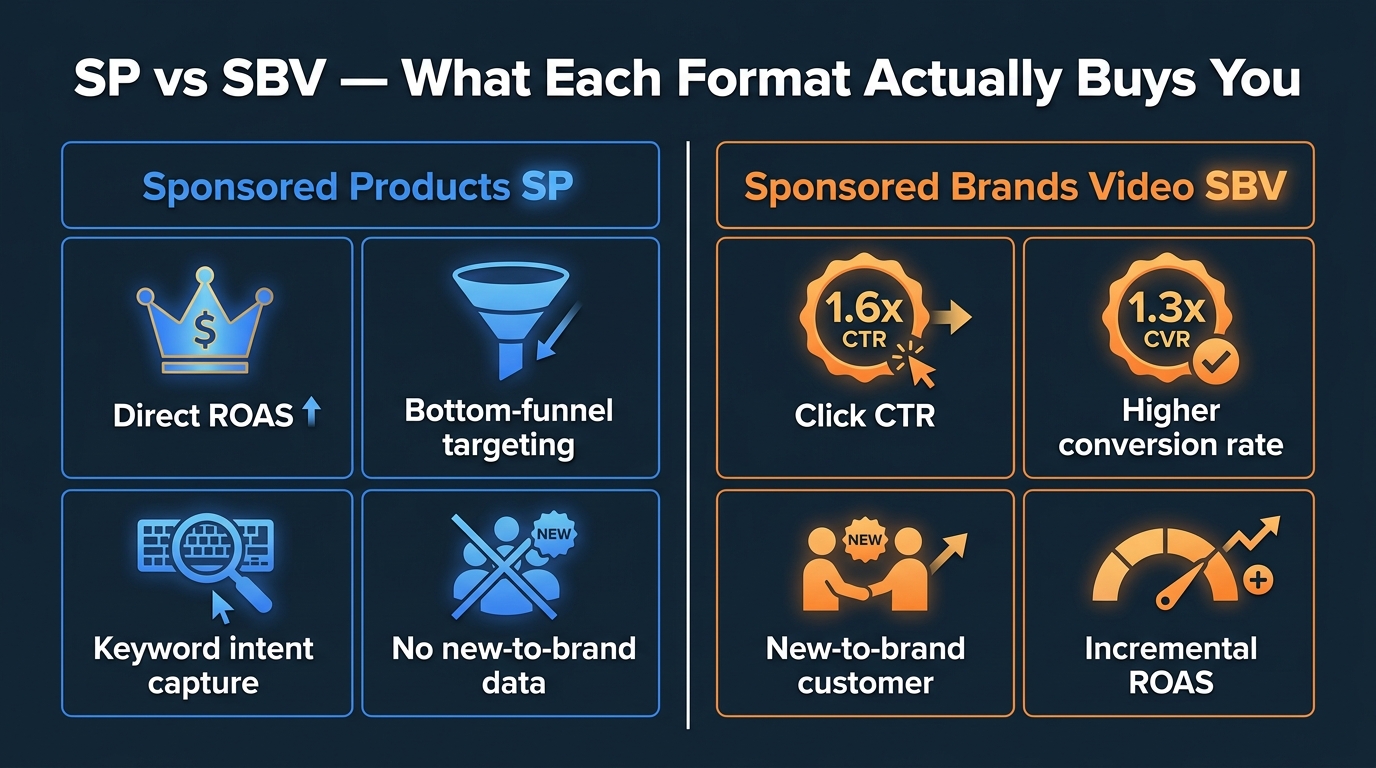
    Across agency portfolios tracking mixed SBV and static headline Sponsored Brands performance, SBV shows approximately 1.6x higher CTR and roughly 1.3x higher conversion rate compared to static headline ads in the same categories. This is the format-level advantage — video outperforms static in engagement and conversion regardless of targeting type.

    As of Q1 2026, SBV now accounts for approximately 58% of total Sponsored Brands spend across managed brand portfolios, according to data from Velocity Sellers. Some advanced advertisers have pushed that figure even further — operators running optimized accounts report allocating upward of 90% of their Sponsored Brands budget to video, because that’s where the majority of impressions and placements are now concentrated.

    Amazon’s own case studies support the shift. HP reported a 224% increase in impressions and 42% more clicks on SBV placements compared to equivalent static Sponsored Brands campaigns in the same period. The brand Loftie ran SBV campaigns with an ROAS of 5.66 and an ACoS of 17.68% — figures that most categories would consider strong performance for top-of-funnel spend.

    Product Targeting vs. Keyword Targeting: The Targeting-Level Case

    This is where the data gets more directly relevant to PDP SBV targeting specifically. Pacvue’s analysis of product targeting versus competitor keyword targeting campaigns found that product targeting delivered 177% higher ROAS and a five percentage point higher conversion rate than equivalent competitor keyword campaigns over the same period.

    The mechanism behind this gap is largely CPC-driven. Product targeting campaigns in most categories face less auction competition than branded or high-volume keyword campaigns, resulting in lower average CPCs. When you pair lower acquisition costs with higher intent (PDP shoppers vs. search browsers), the ROAS math improves on both sides of the equation simultaneously.

    It’s worth noting that this data comes from general Sponsored Products and Sponsored Brands product targeting, not exclusively SBV. But the directional advantage holds when practitioners run controlled tests within their own accounts — PDP-targeted SBV campaigns consistently outperform keyword-only SBV when properly structured.

    The New-to-Brand Dimension

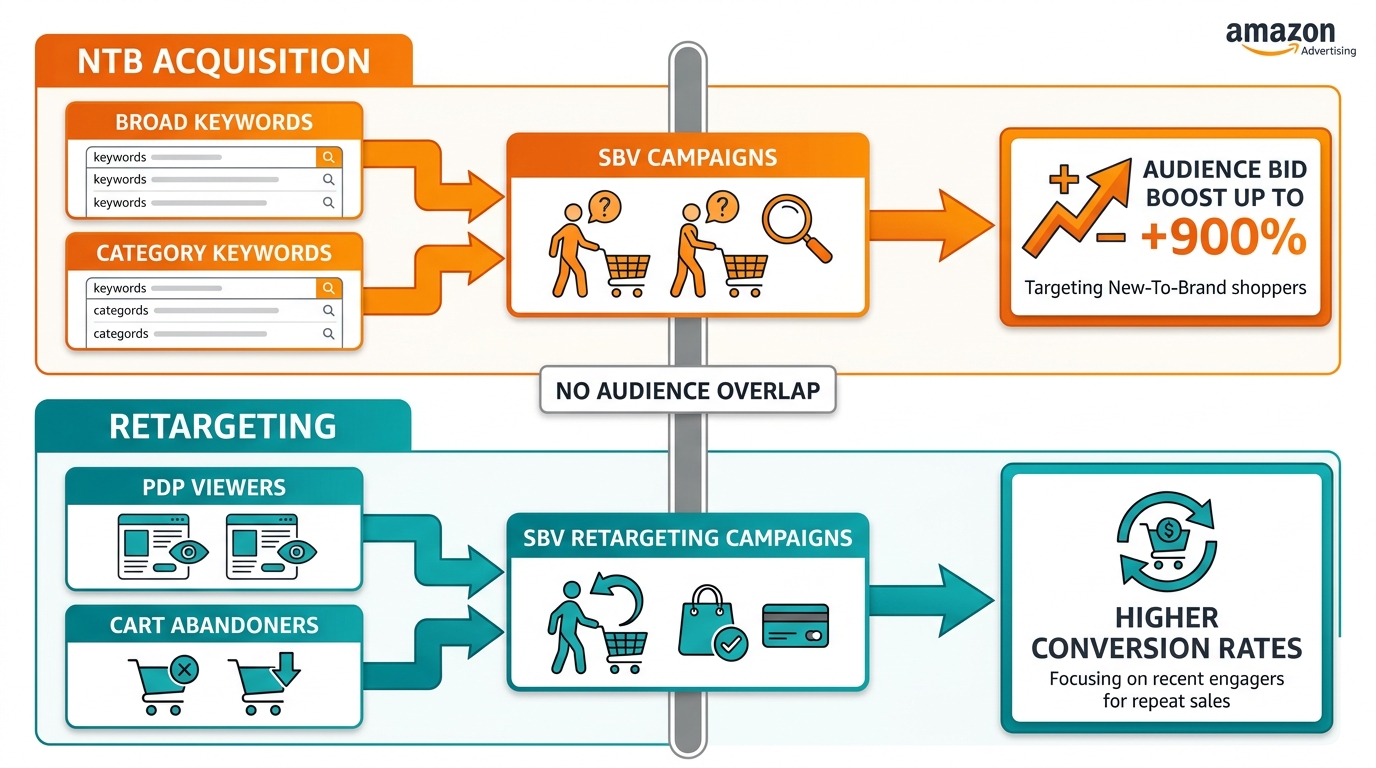
    Amazon now tracks new-to-brand (NTB) metrics for Sponsored Brands campaigns with a 12-month look-back window. What this reveals for PDP SBV targeting is significant: when you successfully conquest a competitor’s PDP and convert that shopper, a large proportion of those conversions are NTB — buyers who had never purchased from your brand before on Amazon.

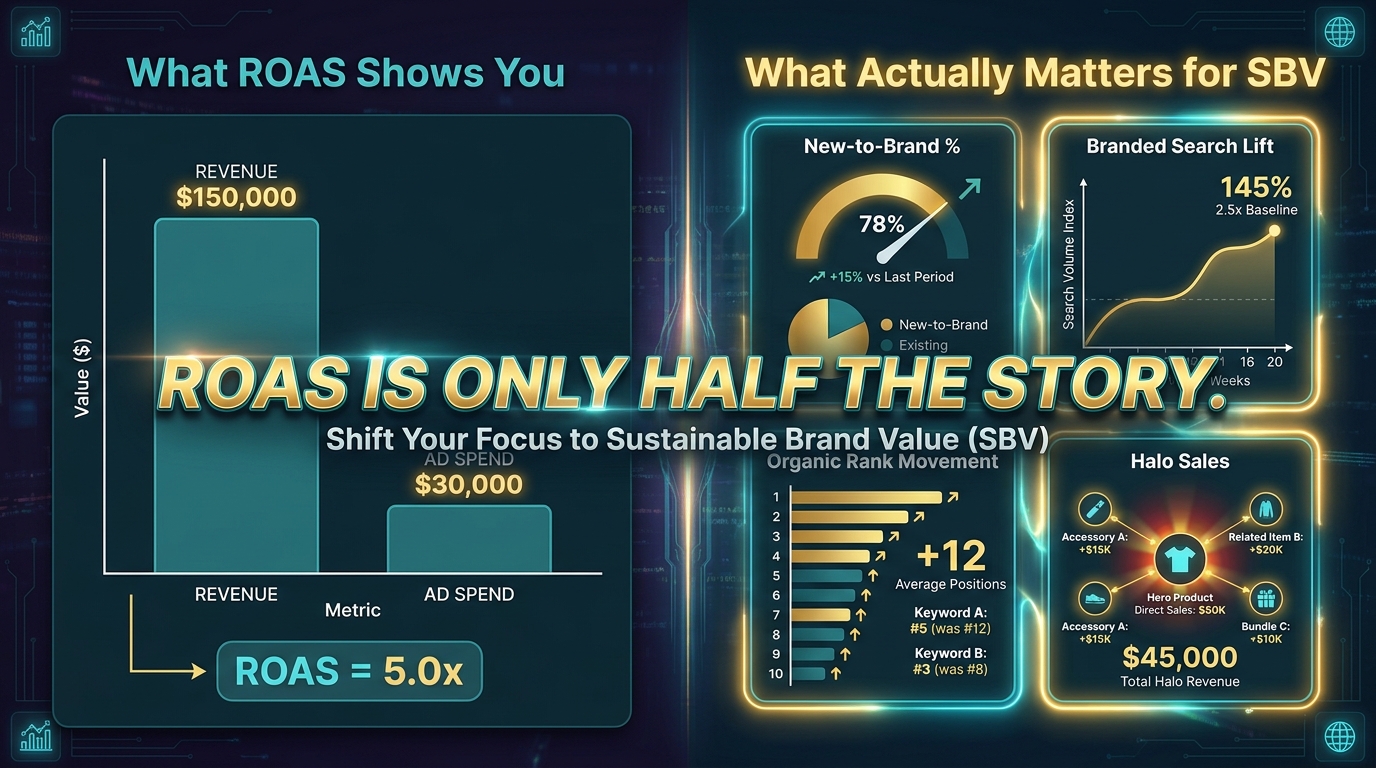
    This reframes the ROAS calculation. A PDP SBV conversion that looks break-even on first-purchase ACoS may be strongly positive on a lifetime-value-adjusted basis if that buyer becomes a repeat customer. Advertisers measuring SBV PDP targeting purely on 14-day ROAS are systematically undervaluing the channel.

    Campaign Architecture: How to Structure PDP SBV Campaigns That Don’t Bleed Budget

    The most common structural mistake in PDP SBV campaigns is mixing targeting modes in the same campaign. Conquest ASIN targeting, defensive own-ASIN targeting, and category targeting should almost never share a campaign — their bid logic, creative requirements, and success metrics are different enough that pooling them creates unresolvable optimization conflicts.

    The Three-Campaign PDP SBV Framework

    Operators running the most defensible PDP SBV setups in 2026 typically use a three-campaign structure:

    1. Conquest Campaign: Targets specific competitor ASINs, one campaign per competitor cluster (by price band, feature set, or sub-category). Budget is offensive — you’re paying to intercept shoppers evaluating alternatives.
    2. Defensive Campaign: Targets your own ASINs with SBV pointing to related products, bundles, or higher-margin variants. Budget is protective — you’re preventing competitors from running conquest campaigns on your PDPs without owning that impression yourself.
    3. Category Expansion Campaign: Uses refined category targeting (filtered by price, rating, and Prime) to cast a wider net for discovery-stage shoppers. Budget is prospecting — this is the highest-funnel of the three and should carry the most conservative ROAS expectations.

    ASIN List Management: The Hidden Lever

    The ASIN list in your conquest campaign is not a set-it-and-forget-it input. It needs active management on a cadence that most sellers don’t apply to their Sponsored Brands campaigns.

    Specifically, you should audit your ASIN target list monthly for:

    • Out-of-stock ASINs: Targeting an out-of-stock competitor ASIN still costs you ad spend but sends shoppers to a page where your competitor’s product isn’t available — meaning you’re paying for impressions that create confusion, not conversion opportunities.
    • Rating changes: A competitor ASIN that drops below 3.8 stars is still worth targeting but for different creative reasons. Your video’s comparison angle should shift accordingly.
    • Price changes: If a competitor drops price significantly, your conquest creative may be making an implicit price comparison that no longer holds. Monitor this, especially around major events like Prime Day.
    • New ASIN entrants: Use category analytics tools to identify new ASINs gaining traction in your competitive set and add them to your conquest targeting before they establish organic ranking.

    Bid Architecture Within PDP SBV Campaigns

    Sponsored Brands Video campaigns use a single bid across all placements — there are no placement modifiers at the campaign level the way Sponsored Products offers. This is a meaningful constraint that should influence your campaign structure decisions.

    Because top-of-search placement typically has both higher CPCs and lower CVR than PDP video row placement, a single bid optimized for PDP-level efficiency will often underbid for top-of-search — and vice versa. One practical workaround practitioners use is running duplicate campaigns with different bids: one optimized for search placement traffic (higher bid, broader creative hook), one for PDP placement traffic (lower bid, more direct comparison creative). The placement data in your reports will show which campaign is feeding which slot, and you can adjust bids accordingly over time.

    The Conquest Play: Targeting Competitor ASINs With SBV Video

    Conquest vs Defense strategy for SBV PDP targeting — split screen showing competitor ASIN conquest and own PDP defense

    Conquest targeting — placing your SBV ad on a competitor’s product detail page — is arguably the highest-value application of PDP SBV in 2026, and it’s the one most practitioners are still underinvesting in relative to the opportunity.

    Why Conquesting on Competitor PDPs Works So Well Right Now

    Three conditions align in 2026 to make this particularly effective:

    First, CPCs remain relatively low. Competitor ASIN product targeting typically carries lower CPCs than branded keywords for the same competitor. Many brands aggressively defend their search terms but largely ignore their own PDPs as an ad placement context — meaning the auction for their PDP slots is less competitive than the search auction for their brand name. You can often reach the same shopper (someone already evaluating your competitor) for less money by targeting their ASIN directly.

    Second, the shopper’s decision is reversible at the PDP stage. Unlike a shopper who has already added something to cart, a PDP visitor hasn’t committed. They’re reading, comparing, sometimes tabbing between multiple product pages. An autoplay video that highlights a clear and specific reason to consider an alternative can genuinely interrupt the conversion path — if the creative does the work required.

    Third, SBV is visually dominant on the PDP in ways that static ads are not. A Sponsored Products ad appearing on a competitor PDP is typically a small, easy-to-ignore image tile. An autoplay SBV unit in the video row actively demands attention — motion in a static-image-heavy environment is the oldest psychological interrupt in advertising.

    Which Competitor ASINs to Target First

    Not all competitor ASINs are equal conquest targets. The highest-value targets share a specific profile:

    • High review volume with unresolved negative themes. If a competitor’s top-reviewed ASIN has recurring complaints in 1–3 star reviews (e.g., “battery dies too fast” or “material feels cheap”), and your product addresses those exact pain points, your conquest creative can be built around that specific gap. This is messaging precision that general keyword ads can’t match.
    • High traffic, moderate conversion rate. ASINs with strong search rank but lower-than-category-average conversion rates indicate shoppers who are interested in the category but not fully sold on that particular product. Those are the browsers most receptive to an alternative.
    • Complements, not just direct competitors. Some of the best conquest targets aren’t direct competitors at all — they’re high-traffic complementary products. If you sell coffee grinders, targeting high-volume coffee maker ASINs can surface your product to buyers who are actively building a coffee setup. The intent alignment is strong even though the products don’t directly compete.

    What Conquest SBV Creative Needs to Do

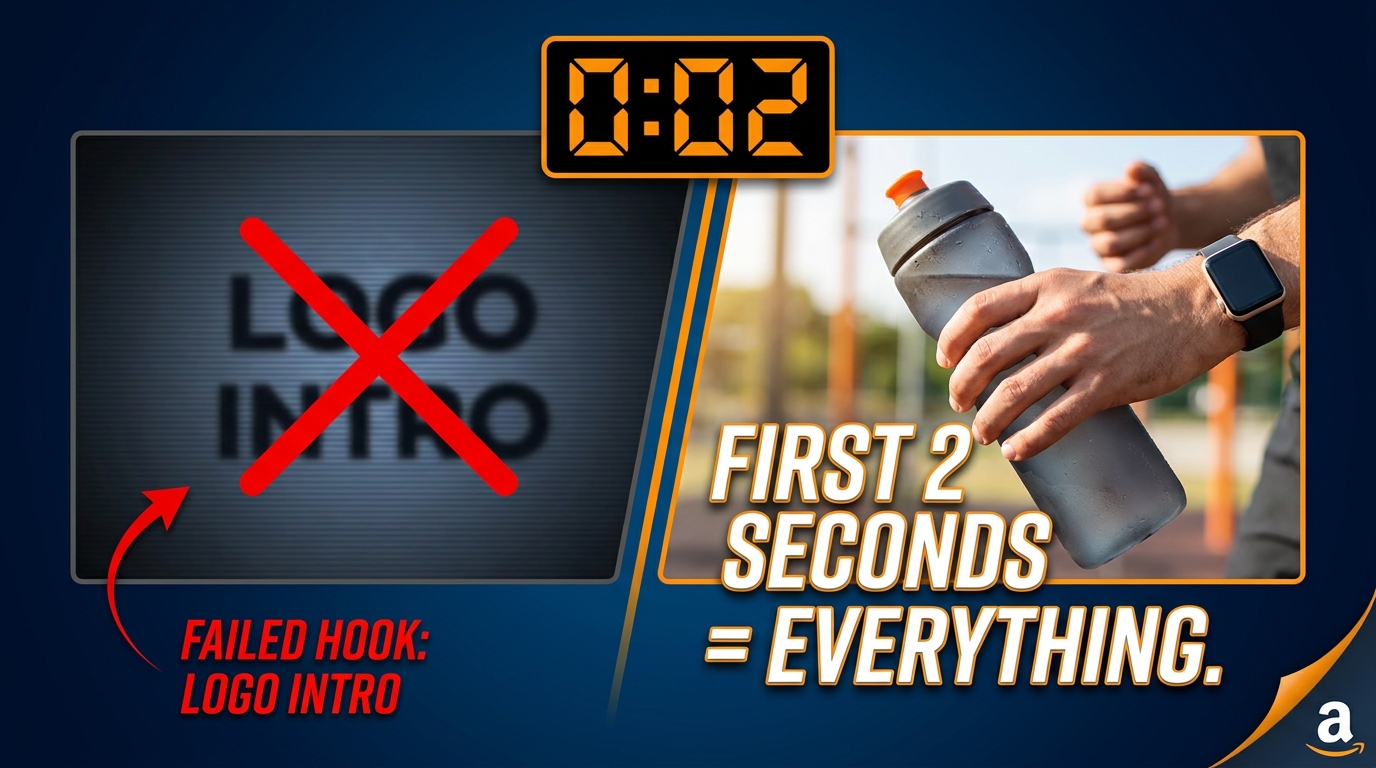
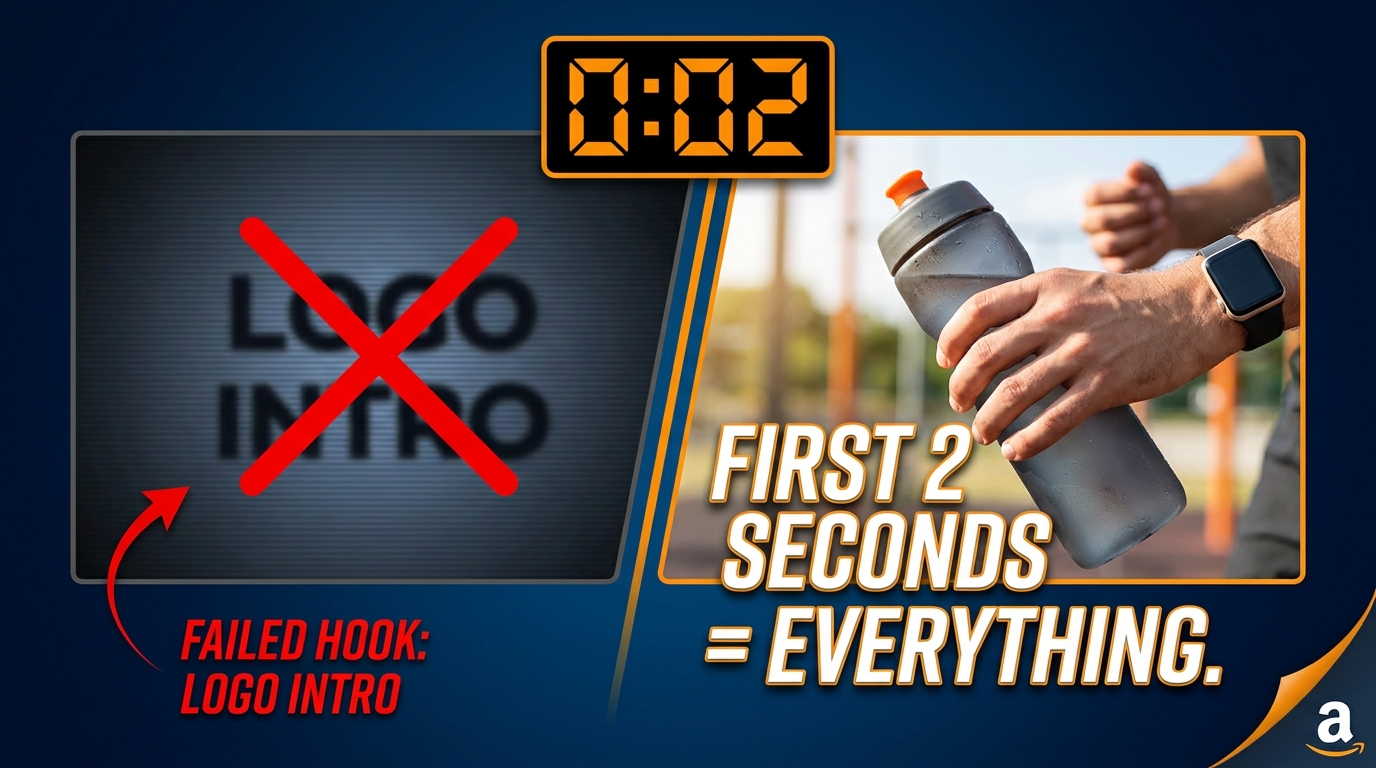
    Creative for conquest campaigns must assume zero brand familiarity. The shopper on a competitor’s PDP has never heard of you and has mentally anchored on the product they’re looking at. Your video has approximately three seconds to disrupt that anchor before they scroll past.

    The most effective conquest SBV creative structures follow a specific pattern: open with the pain point or limitation the competitor’s reviews reveal, introduce your product as the resolution without explicitly naming the competitor (Amazon’s guidelines prohibit direct competitor references in ad creative), and close with a single, specific differentiator that the shopper can act on immediately.

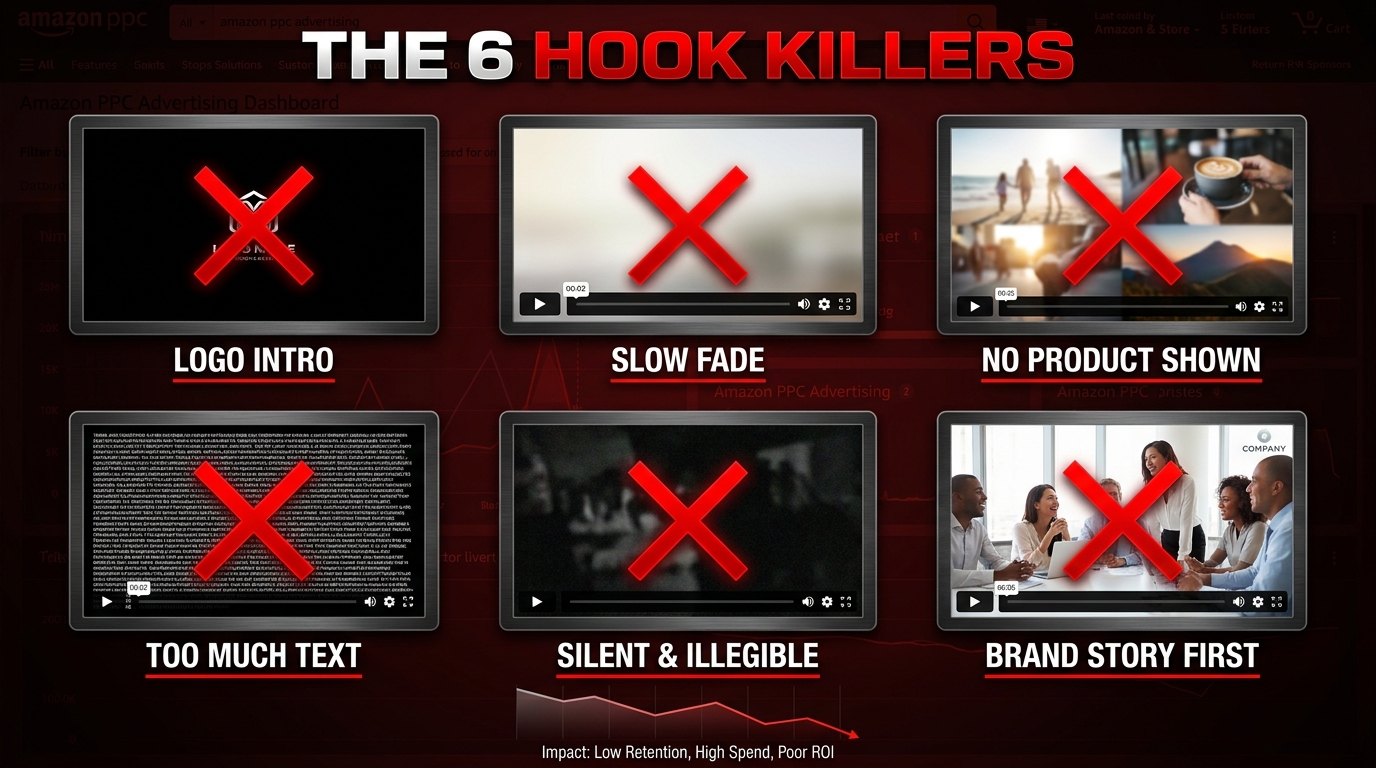
    Generic brand awareness creative — beautiful lifestyle shots, sweeping brand statements, logo reveals — performs poorly in conquest contexts. The shopper doesn’t care about your brand story. They care about whether your product solves the problem they came to Amazon to solve. Your video must answer that question before the three-second mark.

    The Defensive Play: Protecting Your Own PDPs

    If you are not running defensive SBV targeting on your own ASINs, your competitors almost certainly are. That is not hyperbole — it is an operational reality for any brand with meaningful sales volume in a competitive category. Your product detail pages are live advertising real estate that someone else is currently monetizing at your expense.

    The Economics of PDP Defense

    The mathematics of defensive SBV targeting are often misunderstood. Many brands look at the cost of running ads on their own ASINs and see it as redundant spend — “we’re paying to show ads to people already on our page.” This framing is backwards.

    Without defensive targeting, the PDP video row on your listing serves your competitors’ SBV ads. That means a shopper who arrived on your PDP — through organic search, your own keyword ads, or direct traffic — is being shown a video ad for a competing product before they’ve made a purchase decision. You paid to acquire that shopper (in ad spend, SEO effort, or both), and someone else is finishing the conversion.

    Defensive SBV targeting on your own ASINs doesn’t eliminate that competitive slot — Amazon will fill it regardless. What it does is ensure that the video playing in that slot is yours, keeping the attention on your product ecosystem rather than handing it to a competitor.

    Cross-Sell and Upsell as Defensive Strategy

    Defensive SBV doesn’t have to point to the same ASIN being targeted. Some of the highest-efficiency applications route shoppers from one of your ASINs to a higher-margin variant, a complementary product, or a bundle that increases average order value.

    Sponsored Brands Video now supports up to three ASINs per ad unit, meaning a single SBV creative can showcase a product family. A shopper on your entry-level product’s PDP can be shown a video that demonstrates the premium version’s additional capabilities — using the defensive targeting to drive upsell rather than simply protecting the existing conversion.

    This also applies to seasonal and inventory management strategies. If you’re overstocked on a specific variant and understocked on your hero ASIN, defensive SBV targeting can redirect PDP traffic across your catalog in a way that supports inventory goals without requiring external promotion or price adjustment.

    Setting Bids for Defensive Campaigns

    Defensive campaigns can typically operate at lower bids than conquest campaigns, because the competition for your own ASIN slots is largely your choice. If you’re running a defensively targeted SBV on ASIN X, the main competing bidders for that placement are other advertisers also targeting ASIN X — which, counterintuitively, often means lower auction competition than search-based placements.

    A practical starting approach: set defensive campaign bids at 70–80% of your equivalent keyword campaign bids, monitor impression share and placement frequency for the first 30 days, then adjust based on whether competitors are still appearing in your PDP video rows despite the defensive coverage.

    Creative Strategy for PDP SBV: What the Video Needs to Do Differently

    SBV creative blueprint storyboard showing 5-frame 15-second video structure for PDP targeting campaigns on Amazon

    The video creative requirements for PDP-targeted SBV are meaningfully different from what works in keyword-targeted SBV. Yet most brands run a single video across all their Sponsored Brands Video campaigns — the same asset they’d use for a general brand awareness play, dropped into a context where it will almost certainly underperform.

    The 15-Second Window: A Non-Negotiable Constraint

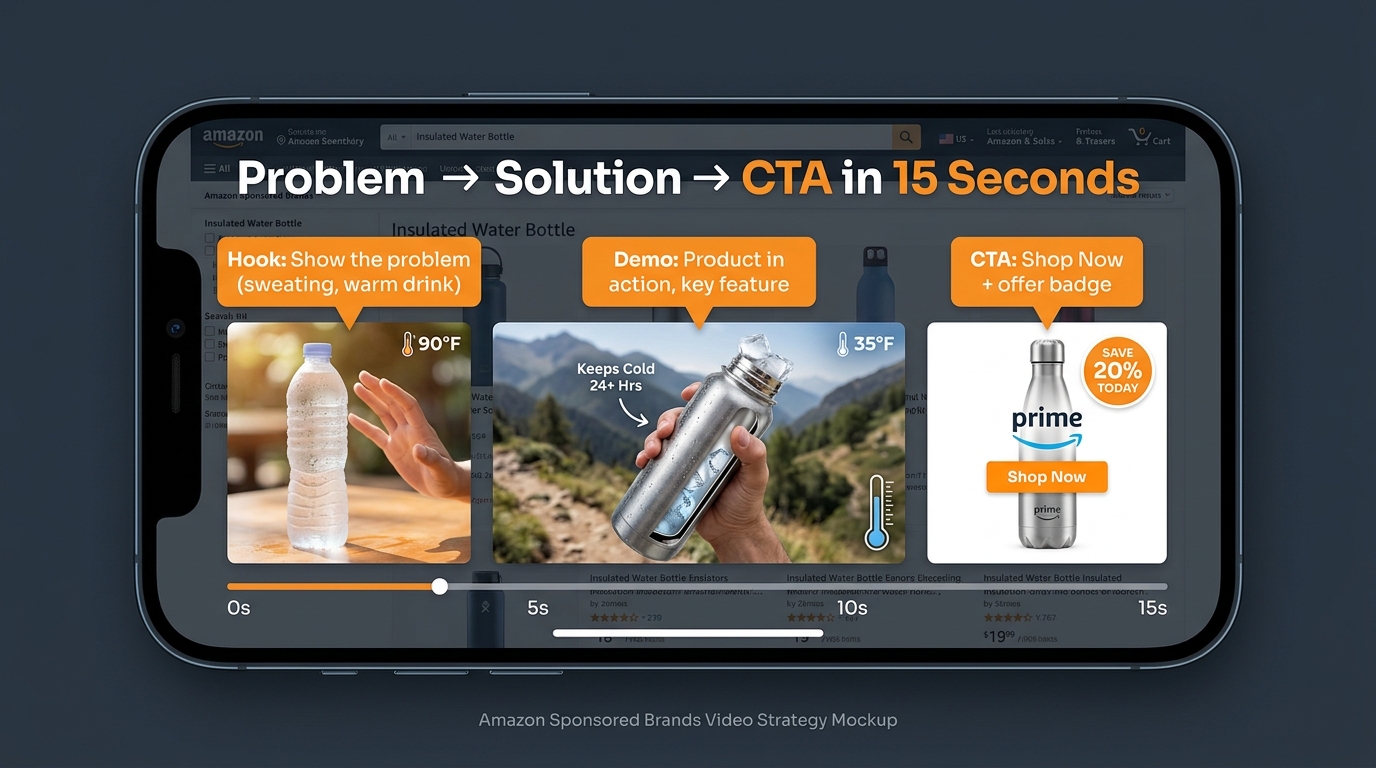
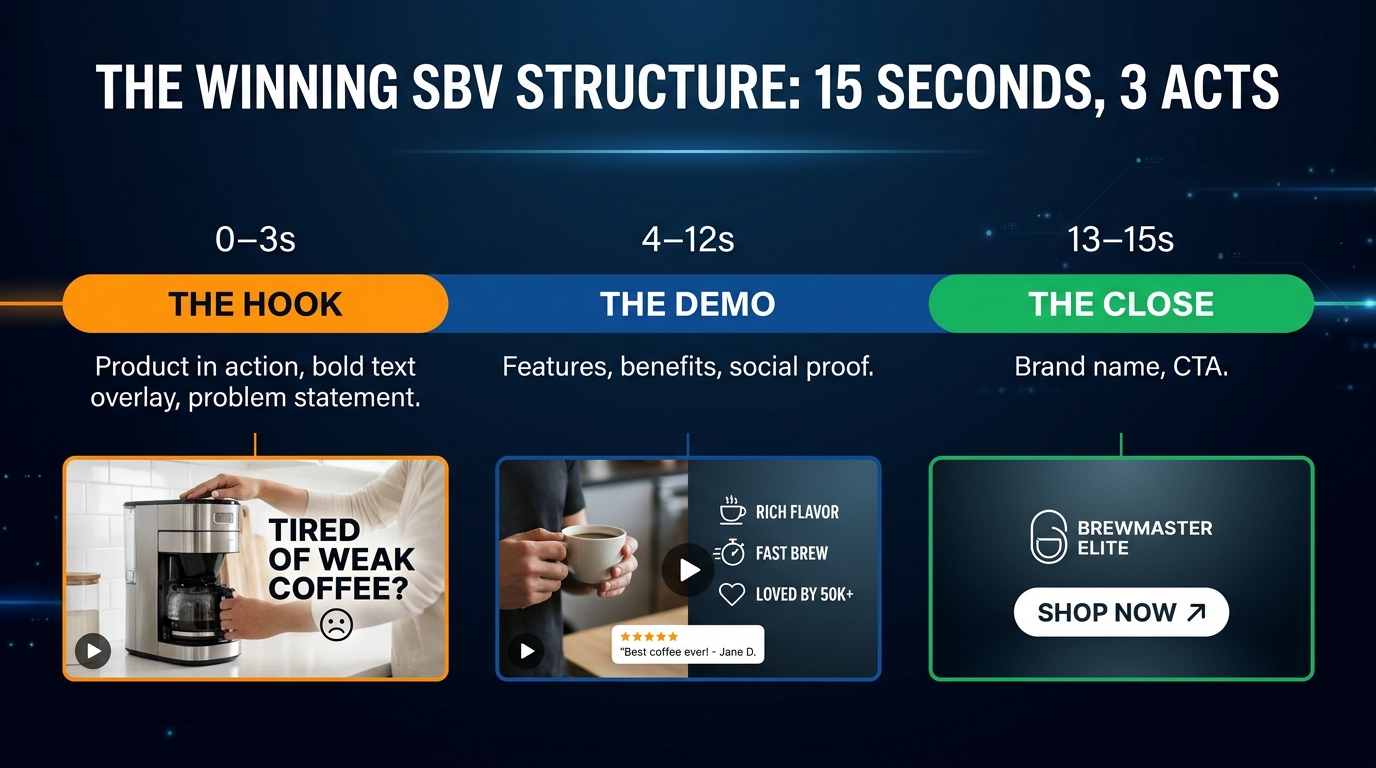
    Amazon’s guidance, supported by practitioner performance data, consistently points to 15–20 seconds as the optimal SBV length. Within that window, your video needs to accomplish several things in sequence:

    • 0–3 seconds: Show the product prominently and clearly. No black screens, no slow logo builds, no aerial landscape shots. Amazon’s own specs flag slow openings as a top creative error. The shopper’s thumb is already on the scroll — the first frame must earn the next three seconds.
    • 3–7 seconds: State the core problem or benefit. This is where PDP-specific creative diverges most dramatically from keyword creative. For conquest targeting, this section should echo the pain point visible in the competitor’s reviews. For defensive targeting, it should reinforce the primary reason your customers chose your product.
    • 7–12 seconds: Show the product solving the problem. Utility footage — the product in actual use — consistently outperforms lifestyle shots in Amazon’s video placements. Aspirational imagery works on Instagram; functional demonstration works on Amazon. The shopper needs to see that the product does what it claims.
    • 12–14 seconds: One specific differentiator, stated explicitly. Not “premium quality.” Not “trusted by thousands.” One specific, concrete claim: “2x battery life,” “food-grade materials,” “assembles in 60 seconds.” This is the line that justifies the click.
    • 14–15 seconds: Call to action. Keep it simple. “Shop Now” works. Elaborate CTAs don’t add conversion lift.

    Silent Design Is Not Optional

    Amazon autoplays SBV units muted. The majority of shoppers will watch some or all of your video without sound — either because they’re in a public space, their device is muted, or they simply haven’t opted in to audio. This means every frame of your video needs to communicate effectively as a silent visual experience.

    Practical requirements: all key text overlays must appear on screen for at least 1.5 seconds (not flashed in transitions), subtitles should match your audio track verbatim rather than summarizing it, and the product’s core benefit should be demonstrable visually without relying on a voiceover to explain what’s happening on screen.

    Brands that treat SBV as a “video ad” in the traditional television sense — where the audio carries the story and the visuals are supporting — will consistently underperform against brands that treat it as an animated infographic with optional sound.

    Single-ASIN vs. Multi-ASIN Creative: When to Use Which

    Single-ASIN videos — one product, one message — outperform multi-ASIN product collection videos in almost every direct-response context. The reason is focus: a video that tries to showcase three products in 15 seconds allocates roughly five seconds per product, which is not enough time to establish the problem-solution arc for any of them.

    Multi-ASIN creative makes more sense for defensive campaigns where you’re trying to present a product family on your own PDP, or for category expansion campaigns where brand-level awareness is the goal rather than immediate conversion. For conquest campaigns, always use single-ASIN creative centered on the specific use case that differentiates you from the competitor ASIN you’re targeting.

    New-to-Brand Metrics: Reframing What PDP SBV Is Actually Optimizing

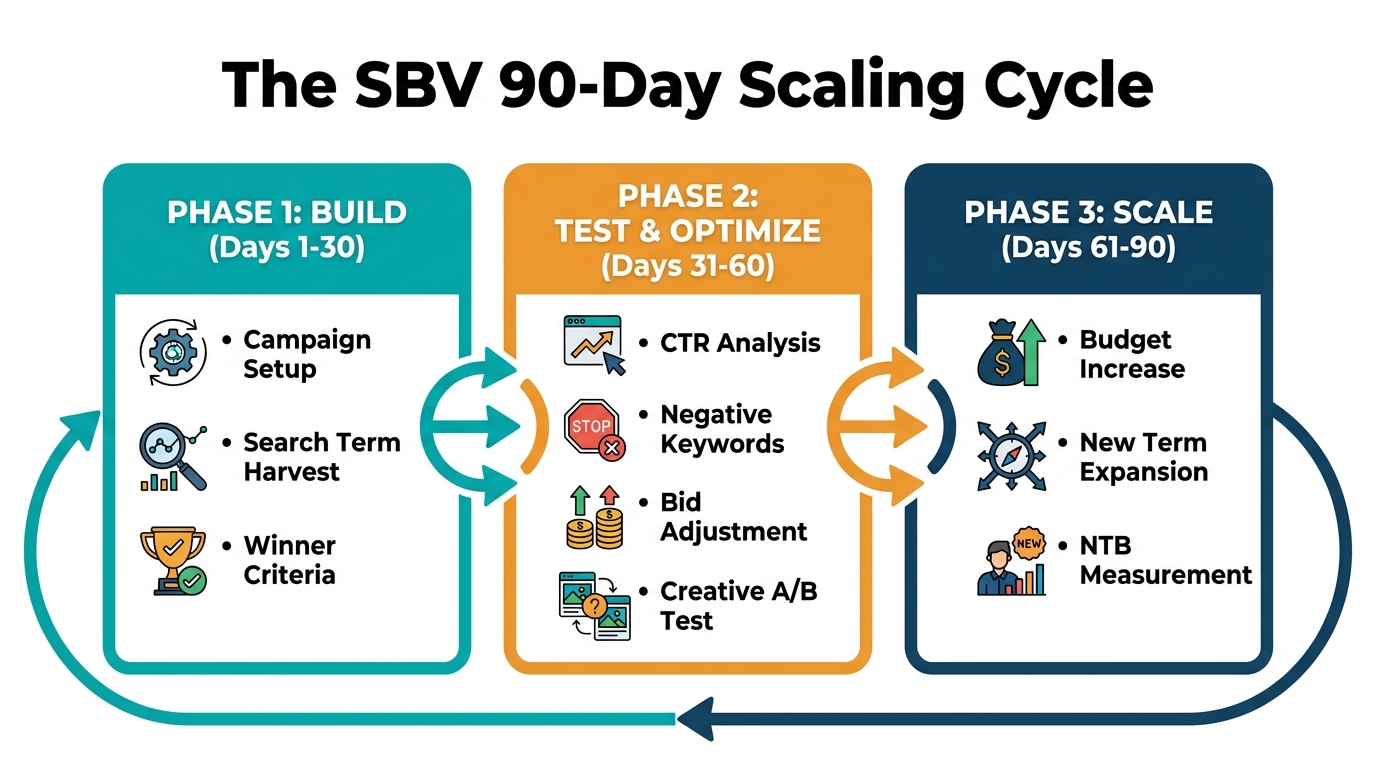
    Sponsored Brands campaigns — including SBV — report new-to-brand metrics that most Amazon advertisers glance at without fully integrating into their optimization decisions. For PDP SBV targeting, NTB metrics aren’t a secondary reporting column. They’re often the primary value driver of the channel, and ignoring them leads to systematic underinvestment.
    What NTB Metrics Actually Tell You About PDP SBV

    Amazon’s NTB metrics track whether a Sponsored Brands conversion was from a customer who had not purchased from your brand on Amazon in the prior 12 months. For PDP conquest campaigns specifically, NTB rates are typically high — you’re intercepting shoppers who found a competitor first, meaning many of them have no prior purchase history with your brand.

    A conquest SBV campaign with a 14-day ROAS that looks marginal (say, 2.5:1) but an NTB rate of 65% is generating a customer acquisition engine, not just a revenue driver. If your brand has any repeat purchase rate above zero, the lifetime value of those new-to-brand buyers will almost certainly make the economics work even at a modest first-purchase ROAS.

    The practical implication: set separate ROAS targets for conquest SBV campaigns vs. defensive or keyword SBV campaigns. Conquest campaigns that generate high NTB rates should be evaluated against a customer acquisition cost target, not a pure ROAS threshold. Blending these campaigns into a single ROAS target will cause you to underfund the channel that’s actually growing your customer base.

    The 12-Month Look-Back Window: What It Changes

    The 12-month look-back window means NTB is defined strictly — any buyer who purchased from your brand within the last year is excluded from NTB counts. This matters for interpretation in a few ways:

    In seasonal categories, your NTB rate will spike outside of peak season (when existing customers have already bought) and compress during peak season (when existing customers repurchase). Don’t interpret a falling NTB rate during your peak season as evidence that PDP SBV is becoming less effective at customer acquisition — it’s a measurement artifact of your category’s purchase cycle.

    In subscription-adjacent categories, a high NTB rate on conquest campaigns and a low NTB rate on defensive campaigns is actually the ideal pattern — it means conquest is acquiring new buyers while defensive campaigns are serving your existing customer base (who continue to purchase and therefore fall outside NTB counting).

    Bid Optimization and the Full-Funnel Stack

    Three-layer Amazon advertising funnel showing SBV PDP targeting at top, Sponsored Products in middle, and Sponsored Display retargeting at bottom

    PDP SBV targeting doesn’t operate in isolation. Its real performance ceiling is reached when it’s integrated with Sponsored Products product targeting and Sponsored Display retargeting as a three-layer funnel. Each layer does a distinct job, and the failure modes are different if any layer is absent.

    Layer 1: SBV on PDPs (Awareness and Intent Capture)

    SBV at the PDP placement level is your impression layer — it generates initial exposure among high-intent shoppers who have self-selected into product evaluation. Because SBV appears before many shoppers have made a final decision, a percentage of viewers will click through but not immediately convert. This is not a failure of the campaign; it’s the expected behavior of a mid-funnel exposure.

    The mistake is expecting SBV PDP targeting to close every conversion on the first impression. It won’t — and campaigns optimized for first-click ROAS will be over-restricted in ways that starve the top of the funnel.

    Layer 2: Sponsored Products Product Targeting (Conversion Layer)

    Sponsored Products campaigns with the same ASIN targets as your SBV conquest campaigns create a reinforcing presence on the same PDPs. Where SBV occupies the video row (motion, demonstration, brand story), Sponsored Products appear as image tiles in the “sponsored” sections — typically below the main product information and in the “customers also viewed” zone.

    Running both formats on the same target ASINs creates a multi-touch exposure for shoppers who are genuinely evaluating. A shopper who sees your SBV video, doesn’t click, keeps scrolling, and then sees your Sponsored Products image tile is receiving a second exposure in the same session — which consistently improves conversion probability. The combined CPC investment across both formats is typically lower than attempting to win top-of-search keyword placement alone.

    Layer 3: Sponsored Display Retargeting (Re-Engage and Close)

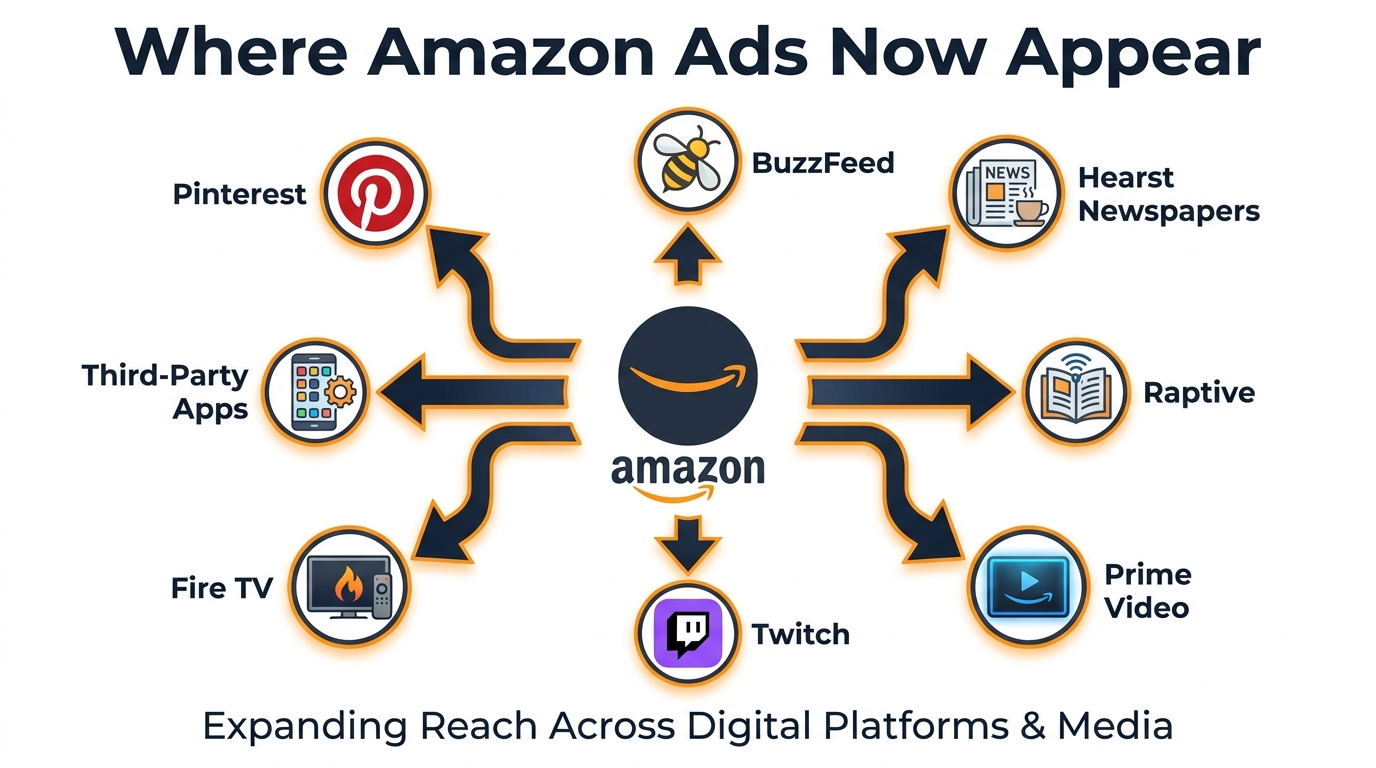
    Sponsored Display views retargeting captures shoppers who viewed your SBV ad but didn’t convert, serving follow-up impressions across Amazon and Amazon-adjacent surfaces (including Twitch, third-party apps using Amazon’s DSP, and Fire TV). This is the persistence layer — it keeps your brand visible to shoppers who were interested but didn’t act in the session.

    The critical integration point: SD retargeting audiences generated from SBV PDP campaign traffic tend to be higher quality than audiences from general search exposure, because those viewers self-selected into product comparison mode. A shopper who watched your conquest SBV on a competitor’s PDP and then left without converting is demonstrably interested in your category. Retargeting that audience with Sponsored Display (using product imagery and price) closes a meaningful proportion of those delayed conversions.

    Budget Allocation Across the Three Layers

    There’s no universal budget ratio, but practitioners running effective full-funnel stacks in competitive categories tend to weight roughly as follows as a starting framework: SBV PDP targeting receives the largest allocation because it drives the exposure events that feed the other two layers. A rough starting split of 60% SBV, 30% Sponsored Products product targeting, and 10% Sponsored Display retargeting provides coverage across the funnel while keeping the top layer properly funded.

    Adjust this based on your category’s typical consideration period. Short consideration cycles (impulse purchases, consumables) may weight more heavily toward Sponsored Products. Long consideration cycles (appliances, high-ticket items) benefit from a larger Sponsored Display retargeting allocation because the delay between first exposure and conversion can span days or weeks.

    Common Mistakes Killing PDP SBV Performance

    For all the opportunity PDP SBV targeting represents, the practical execution failures are predictable enough to document. These are the patterns that show up most consistently in underperforming campaigns.

    Mistake 1: Using the Same Creative Across Conquest and Keyword Campaigns

    This is the most prevalent error. A brand records one SBV video — typically a solid general-purpose brand video with a lifestyle hook and broad benefit statement — and runs it across all their Sponsored Brands Video campaigns. It performs adequately on keyword campaigns where search intent provides context. On conquest PDP campaigns, it typically underperforms because it doesn’t speak to the shopper’s specific moment.

    The fix is to treat conquest campaigns as requiring their own creative brief. The video should be written with the target competitor ASIN’s review themes in mind, and its first three seconds should address the specific concern driving shoppers to evaluate alternatives in that competitive set.

    Mistake 2: Ignoring the ASIN Target Report

    Sponsored Brands product targeting campaigns generate an ASIN-level report showing which specific ASIN targets are driving impressions, clicks, spend, and conversions. Most operators never look at this report. Those who do consistently find a 20/80 pattern: a small minority of target ASINs drive the majority of profitable clicks, while a large tail of ASINs consumes budget with no measurable return.

    Running a monthly audit of the ASIN target report and pausing underperforming targets is one of the highest-leverage optimization actions available in PDP SBV campaigns. The cleared budget can be reallocated to increase bids on the ASINs that are actually converting.

    Mistake 3: Setting Bids Based on Keyword Campaign Logic

    Product targeting CPCs and their relationship to conversion rates are structurally different from keyword targeting. Brands that import their keyword bid logic into product targeting campaigns will typically either overbid (spending at keyword CPCs for traffic that converts worse at top-of-search) or underbid (missing the PDP placements where the real value is) depending on which direction they default.

    Start PDP SBV product targeting bids fresh, at Amazon’s suggested bid for the specific ASINs you’re targeting. Then let at least 200 clicks accumulate before making significant bid adjustments. The first 30–60 days of a PDP SBV campaign are data-collection phases, not optimization phases.

    Mistake 4: Not Separating Conquest and Defense Into Distinct Campaigns

    Blending own-ASIN defensive targeting and competitor ASIN conquest targeting in a single campaign creates budget competition between placements with fundamentally different bid ceilings. A high-value conquest target ASIN may warrant a $1.50 bid, while defensive bids on your own ASIN might only require $0.70 to achieve coverage. In a shared campaign, Amazon’s system will optimize toward the easiest impression wins — often the lower-bid slots — while underserving the higher-bid conquest targets where the real upside lives.

    Mistake 5: Measuring SBV PDP Performance in a 7-Day Attribution Window

    Sponsored Brands uses a 14-day attribution window by default, and this is appropriate for PDP SBV campaigns specifically because the consideration period for a shopper who views your ad on a competitor PDP is often longer than seven days. Evaluating performance on a 7-day window will consistently undercount attributed conversions and lead to premature budget cuts on campaigns that are actually working.

    Always compare SBV PDP campaign performance on a 14-day window. If your reporting tool defaults to 7 days, override it manually for this campaign type.

    Building a 90-Day Activation Plan

    The research and framework above is useful; a sequenced action plan is actionable. Here’s how to build a PDP SBV program from scratch over 90 days without overextending budget or generating conclusions from underpowered data.

    Days 1–30: Foundation and Data Collection

    Start with a single conquest campaign targeting your five highest-traffic competitor ASINs. Use your existing best-performing SBV creative if you have one, or a clean single-ASIN utility video if you’re building from scratch. Set bids at Amazon’s suggested level for each ASIN target. Set a daily budget at a level you can sustain for 30 days without attribution pressure — you need data, not performance within the first week.

    Simultaneously, launch a defensive campaign targeting your top-five highest-traffic own ASINs with SBV pointing to your second-best-selling complementary product. Keep bids conservative (70% of your keyword campaign bids). Let both campaigns run without touching bids for the first 21 days.

    Days 31–60: First Optimization Round

    Pull the ASIN target report for both campaigns. Pause any ASIN targets with more than 50 clicks and zero conversions. Increase bids by 15% on any ASIN targets with conversion rates above your category benchmark. Review NTB percentages and annotate them separately from ROAS for reporting purposes.

    If conquest campaign ROAS is below target, diagnose the creative before touching bids. Review CTR (low CTR usually indicates a creative hook problem, not a bid problem) and detail page view rate (high CTR but low DPVR indicates the landing PDP page itself may need work).

    Days 61–90: Scaling and Integration

    Expand your ASIN target list based on 60-day learnings. Add the next tier of competitor ASINs. Launch the Sponsored Display retargeting layer using the audience generated from your SBV PDP campaign viewers. Begin testing a second SBV creative variant — ideally one that opens with a different hook — against your control video.

    By day 90, you should have enough data to make a clear budget allocation decision: whether PDP SBV deserves a permanent, dedicated budget line in your advertising plan, and what the ROAS floor looks like when NTB value is factored in. For most brands operating in competitive categories, the answer will be yes — and the question becomes how much to scale, not whether to continue.

    The Structural Advantage That Won’t Last Forever

    Every effective advertising tactic on Amazon follows a predictable arc: a window of relative underuse, a period of strong ROI for early adopters, then broader adoption that compresses the efficiency advantage as more advertisers enter the auction. PDP SBV targeting is currently in the middle section of that arc.

    The underlying mechanics — lower CPCs than keyword targeting, higher intent than search placements, autoplay visual dominance on competitor pages — are structural, not accidental. They reflect genuine differences in how PDP-stage shoppers behave and how the SBV auction is currently priced.

    But the auction pricing is a function of advertiser participation, and as more brands recognize that their competitor PDPs are underdefended real estate, the CPCs for high-value ASIN targets will rise. The brands that build their PDP SBV infrastructure now — the campaigns, the ASIN lists, the creative assets, the optimization routines — will be operating from established accounts with historical data and quality scores when that competition arrives. The brands that wait will be starting from zero in a more expensive market.

    The operational moves are specific: separate your campaign types, build creative for the placement context rather than the format, read the NTB data as a customer acquisition metric rather than a secondary reporting column, and integrate with Sponsored Products and Sponsored Display to close the funnel. None of these are conceptually difficult. The advantage goes to the advertisers who execute them now, while the efficiency window is still open.

    Key Takeaways

    • PDP SBV targeting and keyword SBV targeting require different logic: campaign structure, creative, bidding, and success metrics are all distinct.
    • Three placement slots exist on and around PDPs; the PDP video row specifically carries lower CPCs and higher intent than top-of-search, making it the highest-efficiency SBV placement in many categories.
    • Product targeting delivers 177% higher ROAS than competitor keyword targeting in controlled comparisons — a structural advantage driven by lower CPCs and higher shopper intent.
    • Conquest and defense are different strategies that should never share a campaign. Conquest intercepts competitor shoppers; defense prevents competitors from intercepting yours.
    • SBV creative for PDP placements must be built for silent viewing and must deliver the core message in the first three seconds. Generic brand videos will underperform.
    • NTB metrics reframe the ROAS math: conquest campaigns generating high new-to-brand rates should be evaluated on customer acquisition cost, not first-purchase ROAS alone.
    • The three-layer funnel — SBV PDP targeting + Sponsored Products product targeting + Sponsored Display retargeting — closes more of the consideration period than any single ad type alone.
    • The efficiency window is open but won’t stay that way. Brands building PDP SBV infrastructure in 2026 will have a meaningful head start when auction competition intensifies.
  • The SBV Targeting Matrix: How to Build Sponsored Brand Video Combos That Actually Win in 2026

    The SBV Targeting Matrix: How to Build Sponsored Brand Video Combos That Actually Win in 2026

    SBV Targeting Matrix 2026 — Sponsored Brand Video targeting combos dashboard

    Sponsored Brand Video is no longer a novelty format sellers reluctantly test with leftover budget. In 2026, it commands 58% of total Sponsored Brands spend across major Amazon advertising accounts, and agencies managing $4 million or more in monthly Amazon ad spend now route 90–95% of their Sponsored Brands budget directly into SBV. The format has earned that trust. It generates 2.6 times more clicks than static Sponsored Brands creatives. It autoplays directly in search results, captures mobile scroll attention faster than any banner, and it puts your product in motion at the exact moment a shopper is forming a purchase decision.

    But here’s what most coverage of Sponsored Brand Video misses entirely: the format itself isn’t the advantage anymore. At this point, every serious Amazon advertiser knows SBV outperforms static SB. The new battleground is targeting architecture — specifically, which targeting inputs you combine, in which campaign structures, against which shopper intents.

    A single-layer SBV campaign running broad keywords will pick up volume. But it won’t win the category. The advertisers who are extracting the best ACoS numbers, the strongest new-to-brand customer rates, and the most durable ROAS from SBV in 2026 are running deliberate targeting combos: specific pairings of keyword types, product targets, category refinements, and audience layers that are matched — intentionally — to specific shopper moments and video creative types.

    This article breaks down the four highest-performing targeting combos in SBV for 2026, the structural logic behind each, how to align your creative to your targeting intent, and how to build a budget architecture that lets all four run simultaneously without cannibalizing each other.


    Why Targeting Combos Matter More Than the Format Itself

    The Combo Logic — single targeting vs multi-layer targeting comparison for Sponsored Brand Video

    The case for targeting combinations in SBV isn’t abstract. It comes from a fundamental truth about how Amazon’s ad auction works: the platform rewards relevance, and relevance is contextual. A shopper searching “best stainless steel water bottle” is in a different decision state than someone browsing an ASIN page for a competing brand’s product. Both are potential buyers. But they respond to different creative angles, they convert at different rates, and they carry different lifetime value profiles.

    A single targeting approach treats them identically. A well-constructed targeting combo treats them differently — serving each segment the most relevant version of your SBV campaign, with appropriate bids, appropriately tuned creative signals.

    The Structural Problem with Single-Layer SBV

    When you run a Sponsored Brand Video campaign with only broad keyword targeting and no product targeting layer, you’re essentially fishing with one hook. You’ll catch what swims past it. You won’t intercept anything, position against anyone, or defend anything proactively.

    The consequences show up in your data in predictable ways: high impression volume, mediocre CTR on competitive terms, and a search term report that’s a mix of high-intent buyers and window-shoppers. Your budget gets distributed across all of them at roughly the same efficiency — or worse, at worse efficiency — because broad match is capturing terms you haven’t optimized against.

    Meanwhile, competitors who’ve built structured targeting combos are appearing on the same search pages with tighter message-to-query alignment, lower wastage, and in the case of product targeting, on product detail pages where your brand name never even appears in the organic auction.

    What Amazon’s 2026 Auction Rewards

    Amazon’s ad auction in 2026 has become significantly more signal-rich. Product targeting — which requires the “Drive page visits” objective in SBV campaigns — now unlocks placement on both search results and product detail pages simultaneously. Category targeting with refinement filters (price range, star rating, brand exclusions) narrows the competitive set Amazon is placing you against. Audience layering via DSP and in-market signals introduces behavioral context that pure keyword targeting can’t reach.

    The platforms that consistently deliver the lowest-cost qualified traffic in 2026 are those that match targeting signal to shopper intent with precision. The combo approach is how you do that inside a single advertising channel.


    The Foundation: Campaign Structure That Supports Combo Targeting

    Before getting into the specific combos, it’s worth being precise about the structural requirements that allow them to work. You cannot run all four targeting types inside a single SBV campaign and expect clean data. The goal of combo targeting isn’t to throw everything at one campaign — it’s to run separate, deliberately structured campaigns that each own a specific targeting intent and a specific shopper moment.

    One Product Per Campaign, One Intent Per Ad Group

    The highest-performing SBV structures in 2026 follow a consistent pattern: one product (or tightly related product variant) per SBV campaign, and one intent — keyword or product targeting — per ad group within that campaign. This structure enables clean performance attribution. When campaign A (keyword targeting, exact match, branded terms) is performing differently from campaign B (competitor ASIN product targeting), you know precisely why and can act on each independently.

    Mixing keyword and product targeting within the same ad group conflates two different shopper contexts. The CTR patterns are different, the conversion paths are different, and the optimal bid strategies are different. Keep them separate from the start and you avoid having to untangle them later.

    Campaign Objectives: “Drive Page Visits” Is Not Optional

    This is a structural prerequisite that often trips up advertisers who came up in Sponsored Products: to access product targeting in Sponsored Brand Video, you must select the “Drive page visits” campaign objective — not “Grow impression share.” If you launch an SBV campaign under “Grow impression share,” product targeting is simply unavailable. You’re locked into keyword-only targeting, which is half the capability set.

    The practical implication is that most effective SBV combo strategies default to “Drive page visits” across the board. The click destination should be a single product detail page, not your Storefront. Sending traffic to a Store adds a navigation step between the click and the conversion, and most advanced practitioners in 2026 have moved away from Store linking for SBV unless the campaign objective is explicitly brand awareness at scale.

    Match Type Segmentation Within Keyword Campaigns

    Within keyword-based SBV campaigns, match type segmentation still matters — but not for the reason beginners assume. The reason to separate exact, phrase, and broad match into different campaigns (or at minimum different ad groups) isn’t bid control alone. It’s search term visibility. Broad match and phrase match campaigns will surface new search terms continuously. Exact match campaigns will tell you precisely which known terms are converting at what cost. Running them together without segmentation means your search term report is a blended picture where you can’t accurately attribute performance to a specific match type’s contribution.

    In practice: start discovery-oriented campaigns (broad/phrase) at moderate bids, harvest converting search terms into exact match campaigns at elevated bids, and use negative keywords aggressively in broad campaigns to prevent the two audiences from overlapping.


    Combo #1 — The Interception Play: Exact Keywords + Competitor ASIN Product Targeting

    Combo 1: Exact Keyword plus Competitor ASIN targeting — the SBV interception play

    This is the most aggressive targeting combo in the SBV toolkit, and it’s also the one that most directly threatens competitors’ ad spend efficiency. The logic: exact keyword campaigns capture shoppers actively searching for a product type with declared intent; competitor ASIN product targeting campaigns intercept the same shopper profile on a competitor’s product detail page, during the comparison phase. Together, they cover the shopper at two critical decision moments — search and comparison — with your SBV creative as the interruption.

    Why the Two Layers Reinforce Each Other

    Shoppers who enter a high-intent search query and see your SBV in results but don’t click immediately will often end up on a competitor product page moments later — especially if the competitor’s organic listing wins that search result. Without competitor ASIN product targeting, you disappear from that shopper’s experience entirely at the comparison stage. With it, your video re-enters their view while they’re actively reading competitor reviews, studying competitor price points, and most critically, looking for reasons to switch.

    This is the interception mechanic: your SBV doesn’t need to win the first impression to convert the shopper. It needs to be present at the decision moment. Competitor ASIN targeting ensures you are.

    Building Your Competitor ASIN Target List

    Effective competitor ASIN targeting requires a well-researched target list, not a mass blast. The highest-performing approach uses three tiers of targets:

    • Direct substitutes: Products in your exact category and price band with strong review counts (500+ reviews, 4.0–4.5 stars). These shoppers are actively comparing and haven’t decided. Your video can be the differentiating demonstration they’re looking for.
    • Weak competitors: Products in your category with sub-4.0 ratings, older review dates, or noticeably weaker imagery. These shoppers are often quietly disappointed by what they’re looking at — your video arrives at exactly the right moment of receptiveness.
    • High-volume category leaders: The ASINs getting the most organic traffic in your category. Bidding on these is more expensive but the traffic volume justifies it if your product has a genuine differentiation story to tell in 15–20 seconds.

    Bid Strategy for the Interception Combo

    Keyword and ASIN targeting bids should be set independently based on their respective conversion data, not at parity. Exact keyword campaigns generally bid higher because search intent is explicit and conversion windows are shorter. Competitor ASIN product targeting typically requires slightly lower bids, because the shopper’s intent is real but the context is comparison rather than active search — conversion rates are often 15–30% lower than exact keyword campaigns, and your bid ceiling should reflect that.

    A common mistake is over-bidding competitor ASIN targeting to “win every placement” on a top competitor’s page. This inflates spend without proportionally improving conversions. Set initial bids conservatively — 60–70% of your equivalent exact keyword bid — then adjust upward only for the specific ASINs showing strong conversion data after 2–3 weeks.

    Creative Alignment for the Interception Combo

    The SBV creative running against this combo needs to do one specific job: win a direct comparison fast. The first 3 seconds must establish your product visually and signal superiority over the category. Avoid purely brand-building intros (your logo for 3 seconds, then a slow reveal) — those work against you when the shopper is actively on a competitor’s page. Lead with the strongest differentiator: durability test, material quality, feature comparison, or verified social proof from a real use case.


    Combo #2 — The Filter Funnel: Category Targeting + Price and Star Rating Refinements

    Combo 2: Category targeting with price and star rating filter funnel for Sponsored Brand Video

    Category targeting without refinement is a scatter gun. You’re bidding to appear next to every product in a category, which can mean appearing next to sub-$10 commodities when you’re a premium product, or appearing next to highly-rated market leaders when your product has 150 reviews and a 4.2-star average. Both scenarios waste spend and suppress CTR because the shopper context mismatches your value proposition.

    The filter funnel solves this by layering refinements onto category targeting — creating a narrower but significantly more qualified audience for your SBV to reach.

    Price Range Refinement: The Positioning Signal

    Price range filters in category targeting aren’t just about efficiency — they’re a strategic positioning tool. By setting minimum and maximum price thresholds for the products your SBV will appear next to, you’re selecting the competitive set you want to be seen against.

    For premium products: set the filter floor at your price point or slightly below it. You’re appearing next to competitors at similar price tiers, which means the shopper has already self-selected for price tolerance — they’re not bargain hunting, they’re evaluating value. Your SBV creative’s job is to win the quality argument, not the price argument.

    For value-tier products: consider targeting a slightly higher price band than your own product. A shopper browsing a $45 product who sees your SBV advertising a $29 alternative with comparable features is an extremely receptive audience. The price differential becomes part of your conversion argument without you needing to explicitly state it in the video.

    Star Rating Refinement: Qualifying the Audience Quality

    Star rating filters cut two ways in the filter funnel combo. Setting a floor of 4.0 stars means your SBV appears next to products that are performing well — but that’s actually where you want to be for consideration-stage shoppers. A shopper on a 4.2-star product is in genuine deliberation mode. They’re comparing, they haven’t committed, and they’re receptive to seeing an alternative make its case.

    Setting a ceiling of 4.5 stars (avoiding 5-star products with thousands of reviews) is a practical efficiency tactic: hyper-dominant listings with near-perfect review profiles attract highly loyal shoppers who are essentially going through a checkout confirmation motion. Your conversion rate will be low there regardless of how good your video is.

    A strong filter funnel setup looks like this: target your core category, set price range to 80–150% of your product’s price, and filter for 4.0–4.6 star products. This concentrates your impressions on the segment of the market where genuine switching behavior is most likely.

    When to Run Filter Funnel vs. Competitor ASIN Targeting

    These two combos are not in competition — they serve different scaling purposes. Competitor ASIN targeting gives you precision against specific known targets and is ideal for products where you’ve done detailed competitive research. The filter funnel scales reach across a broader qualified audience without requiring you to enumerate every specific ASIN. Use both: competitor ASIN targeting for your top 15–25 direct rivals, and filter funnel category targeting as a wider net that captures emerging competitors and shoppers you haven’t specifically mapped yet.


    Combo #3 — The Loyalty Fence: Branded Keyword Defense + Complementary ASIN Targeting

    Most Amazon advertisers run some version of branded keyword defense — bidding on their own brand name to protect search real estate from competitor conquest campaigns. Fewer think about pairing that defense with complementary ASIN targeting to close the loyalty loop. This combo isn’t about conquest. It’s about retention, upsell, and expanding wallet share from an already-warm audience.

    Branded Keyword Defense With SBV: Different Goals, Different Metrics

    When you run SBV against branded keywords, the conversion rate is typically the highest of any SBV campaign — because the shopper has already named you. They’re not browsing; they’re looking for you specifically. This should change how you think about the SBV creative for this campaign. It doesn’t need to win a comparison. It doesn’t need to establish brand recognition. It needs to reinforce the purchase decision the shopper has already made and move them to checkout efficiently.

    Branded defense SBV creative works best when it showcases specific product benefits the shopper may not have fully considered — a bundle option, a key feature they might have missed, or social proof from verified buyers that confirms they’re making a good choice. The 15-second version of “you’ve already decided well, here’s why that’s true” is a more effective branded defense than a general brand awareness video.

    The ACoS on branded SBV campaigns will often look the best in your account — but be careful not to let that create over-dependency on branded spend. These shoppers may have converted anyway without the ad. The real test is incrementality: check your new-to-brand rate on branded SBV campaigns. If it’s near zero, the campaign is primarily accelerating existing intent rather than creating new demand.

    Complementary ASIN Targeting: Expanding the Basket

    Complementary ASIN targeting is the underused half of this combo. Instead of targeting competitors, you target products that work with yours — accessories, consumables that pair with your device, protective cases for your electronics product, refill pods for your product system, replacement parts, or simply products in an adjacent use-case category that the same customer would logically buy.

    A shopper on the product detail page of a compatible product is in a purchase mindset. They’re not comparing you to anything — there’s no competitive tension. Your SBV arrives as a relevant, useful discovery: “You’re buying this. You might also need this.” The conversion mechanics here are closer to a cross-sell than a conquest.

    Building a good complementary ASIN list requires thinking through your customer’s use case holistically. If you sell yoga mats, target yoga blocks, straps, and bags. If you sell coffee subscriptions, target French press brewers, pour-over equipment, and coffee grinders. If you sell laptop stands, target mechanical keyboards, webcams, and USB hubs. The broader your complementary ecosystem, the more surface area this combo creates.

    Bidding and Budget for the Loyalty Fence

    Branded keyword defense typically commands high bids — competitors are actively trying to conquest your brand terms, and the conversion value justifies paying to defend. Complementary ASIN targeting, by contrast, is often significantly underpriced because fewer advertisers are competing for those placements. Starting bids 40–50% below your branded keyword CPCs and scaling based on conversion data is the right approach. You may find some complementary ASIN placements converting at lower ACoS than your highest-performing keyword campaigns — because the shopper context is already purchase-ready.


    Combo #4 — The Prospecting Engine: Broad Match Keywords + In-Market Audience Signals

    The first three combos are primarily mid-to-bottom funnel: they target shoppers in active consideration. The prospecting engine combo reaches earlier — finding shoppers who are in-category but haven’t yet searched your specific product type, or who have shown behavioral signals of being in-market without entering an explicit search query. This is where SBV’s awareness capabilities are most useful, and where most advertisers leave the most volume on the table.

    What Broad Match Actually Captures in 2026

    Broad match keyword targeting in SBV has changed meaningfully since 2024. Amazon’s match type algorithms have become significantly more semantic — a broad match keyword like “outdoor cooking” may now serve your SBV for searches like “portable grill for camping,” “best charcoal smoker,” or “backyard BBQ equipment” depending on your product’s category context. This is both the power and the risk of broad match: reach is genuinely expanded, but the quality of that reach varies widely.

    The key to making broad match work in a prospecting combo is treating it as a discovery mechanism rather than a conversion mechanism. Set expectations accordingly: broad match SBV campaigns will have lower CTR, higher spend per click, and longer conversion windows than exact match campaigns. Their job is to surface new search terms, build brand recall in a wide audience, and feed harvested terms into your exact match campaigns. Judge them on those metrics, not on direct ACoS alone.

    In-Market Audience Layering via Amazon DSP

    Amazon’s in-market audience segments allow advertisers to layer behavioral intent signals — derived from browsing and purchase history — on top of keyword-based targeting. In 2026, Amazon’s AI-powered targeting has made these signals increasingly granular: in-market segments can now be as specific as “shoppers who viewed 3+ products in category X in the last 14 days without purchasing” or “repeat purchasers in category Y with a history of trading up to premium price tiers.”

    For SBV specifically, this layering is most effective when used with broad match keyword campaigns. A broad match SBV campaign running alone will cast a wide net that captures a lot of general traffic. Layering in-market audience signals narrows that net toward the shoppers who already have behavioral indicators of purchase intent — making your broad match spend significantly more efficient without sacrificing the discovery function.

    Note: full audience layering on SBV requires a DSP relationship or integration. Advertisers running purely through Seller Central don’t have access to the same audience depth. But even within the Seller Central environment, Amazon’s standard product targeting and category targeting options now incorporate some behavioral signal weighting that approximates audience layering for sellers without DSP access.

    The Flywheel Effect of the Prospecting Combo

    The prospecting engine combo, run consistently, creates a flywheel for your other campaigns. As broad match SBV generates impressions and clicks from a wide audience, Amazon’s systems accumulate conversion signal data on your product — which improves quality score, which lowers your effective CPCs across all match types, which improves organic ranking signal. The brand recall effect from high impression volume also means shoppers who don’t click the first time are more likely to convert when they encounter your product in organic results or in exact match campaigns later.

    This is the most capital-intensive combo to run correctly — broad match campaigns with proper audience layering require a larger budget tolerance and a longer measurement window — but it’s also the combo that creates compounding returns over time in ways the other three combos alone cannot.


    Creative-to-Targeting Alignment: Your Video Must Match the Intent You’re Targeting

    Sponsored Brand Video creative to targeting alignment — puzzle showing video type matched to targeting intent

    The four targeting combos above require four different creative approaches. Running identical video creative across all four campaigns is one of the most common and costly mistakes in advanced SBV strategy. Each targeting context creates a different shopper moment, and the video creative that performs best in each context is specifically calibrated to that moment.

    The 15-Second Framework by Targeting Combo

    Amazon’s official specifications allow SBV creative to run 6–45 seconds, with 20 seconds or less strongly recommended. Independent performance data from agencies running at scale in 2026 consistently points to 15–20 seconds as the optimal window. Here’s how to structure those seconds differently for each combo:

    Interception combo (Exact Keywords + Competitor ASINs): The first 2–3 seconds must be a visual product reveal that communicates superiority immediately. Don’t open with your logo. Open with the product doing the thing the shopper is trying to solve. Seconds 4–10: feature demonstration with on-screen text callouts (size, material, durability, speed — whatever the decision variable is). Seconds 11–15: social proof (star rating, number of reviews, or a direct comparison claim).

    Filter funnel combo (Category + Refinements): These shoppers are browsing, not searching for you specifically. The opening needs to establish relevance to the category first, then transition to your differentiation. Seconds 1–4: product in natural use environment (contextual relevance). Seconds 5–12: key benefit demonstration with comparison language (“unlike standard [category product], ours…”). Seconds 13–15: clean CTA with price point visible.

    Loyalty fence combo (Branded Keywords + Complementary ASINs): Two different creatives are ideal here. For branded keywords: open with the product they already know, then lead into the feature they might have missed or the bundle option. For complementary ASINs: lead with the pairing story (“perfect with your [related product]”), show the combined use case, then the individual product. These are the most narrative-friendly of the four combo types.

    Prospecting engine combo (Broad Match + In-Market): Top-of-funnel creative. Brand visibility matters more here than direct conversion triggers. Open with problem identification (the pain the shopper might have), transition to product as solution, end with brand recall elements. Don’t over-optimize for immediate CTR — this creative’s job is to plant recognition seeds that mature across touchpoints.

    Technical Creative Requirements That Kill Performance

    Beyond strategy, the technical execution of SBV creative has direct performance implications that get overlooked. Key requirements for 2026:

    • Silent-first design: SBV autoplays without sound on most placements. If your video’s entire value proposition is in spoken dialogue, you’re invisible to the majority of shoppers. Every key message needs to be communicated visually or through on-screen text overlays.
    • Mobile-first composition: The majority of Amazon shopping in 2026 happens on mobile. Vertical or square product compositions in the video frame outperform wide-shot, landscape compositions on mobile placements. Products should be large in frame, not small subjects in a wide scene.
    • Text overlay legibility at speed: On-screen text that communicates features, specifications, or social proof must be readable within 1–2 seconds of appearance. Use high-contrast text (white on dark background or dark on light background), large font sizes, and limit each text card to 5–7 words maximum.
    • No black frames at the start: Amazon’s guidelines explicitly discourage opening with black frames. The very first frame of your SBV is competing against every other element on the search results page for visual attention. Lead with movement, color, or product visibility from frame one.

    Negative Targeting as a Precision Instrument

    Negative targeting in SBV campaigns is not a cleanup task. It’s a precision instrument that, when used proactively, changes the competitive dynamics of your targeting combos. Advertisers who treat negative targeting as a reactive step — adding negatives only after seeing wasted spend in the search term report — are permanently one step behind. The advertisers running the tightest SBV operations in 2026 build negative keyword and negative ASIN lists before campaigns launch.

    Strategic Negative Keywords by Campaign Type

    Each of the four targeting combos has a predictable set of negative keywords that should be applied from day one:

    Interception combo: Negative out your own branded keywords. You don’t want your competitor-targeting ASIN campaign spending budget on shoppers searching for you by name — you have a dedicated branded campaign for that. Also negative out heavily modified queries that indicate off-category intent: “repair kit,” “replacement part,” “manual” (if you’re targeting product browsers, not people trying to fix something they already own).

    Filter funnel combo: Negative out terms indicating price sensitivity below your threshold (“cheap,” “affordable,” “budget,” “under $X” if X is below your price point). Also negative out brand names — both your own and specific competitors — to prevent your category campaign from overlapping with your targeted campaigns.

    Loyalty fence combo: Negative out non-branded queries from the branded keyword defense campaign to keep it clean. From complementary ASIN campaigns, negative out your own ASINs (you don’t want to pay to appear on your own product pages in competition with organic placement).

    Prospecting engine combo: Apply your entire harvested negative list from existing campaigns at launch. Every unproductive search term you’ve already identified across other ad types should be negative in your broad match SBV from day one. This saves you the cost of rediscovering known dead ends.

    Negative ASIN Targeting

    Negative ASIN targeting — excluding specific product pages from your product targeting campaigns — is underused and high-value. Common targets for negative ASINs include:

    • Your own product ASINs (prevent self-cannibalization in category and competitor ASIN campaigns)
    • ASINs in the wrong price tier (if your filter funnel isn’t granular enough, manual negative ASIN exclusions can remove the specific low-price outliers that get through)
    • Out-of-stock or “currently unavailable” competitor ASINs (these generate impressions but near-zero conversions since the shopper has no immediate alternative need)
    • ASINs with predominantly negative reviews (sub-3.0 stars) — shoppers on these pages are often in “return research” mode, not purchase mode

    Budget Architecture for Multi-Combo SBV Campaigns

    Budget architecture for multi-combo Sponsored Brand Video campaigns — allocation chart across targeting types

    Running four targeting combos simultaneously requires deliberate budget architecture. Without it, Amazon’s optimization algorithms will naturally favor the campaigns with the highest historical conversion rate — typically branded keyword defense — and underspend on prospecting campaigns that have inherently longer conversion windows. Left unchecked, this self-reinforcing cycle produces an account that’s efficient on paper but stagnant in growth.

    A Starting Budget Allocation Framework

    There’s no universal allocation that works across all categories, product maturity stages, or competitive intensities. But the following starting framework is consistent with what high-performing accounts managing SBV at scale in 2026 tend to use as a baseline:

    • Interception combo (Exact Keywords + Competitor ASINs): ~30% — This is the primary conversion engine and typically earns a significant budget share, especially in competitive categories.
    • Filter funnel combo (Category + Refinements): ~25% — Scalable reach at qualified efficiency; this is where growth campaigns live.
    • Loyalty fence combo (Branded Keywords + Complementary ASINs): ~20–25% — Higher conversion rates justify consistent spend; complementary ASIN budget can flex up if basket-building data is strong.
    • Prospecting engine combo (Broad Match + In-Market): ~20–25% — This is the investment budget. Lower immediate ROAS, longer-term flywheel effect. Underfunding this consistently stunts new-to-brand acquisition.

    These percentages should shift based on product lifecycle stage. A newly launched product needs a heavier prospecting and filter funnel allocation (50–60% of budget toward awareness and consideration). A mature product with strong organic ranking can weight more heavily toward interception and loyalty fence combos (defending and converting established demand).

    Portfolio Bidding vs. Individual Campaign Bidding

    Portfolio bidding — Amazon’s feature that allows you to set budget caps and bid optimization rules across a group of campaigns — has become more useful for multi-combo SBV management in 2026. You can create a portfolio for each combo type and set portfolio-level budget caps that prevent any single combo from consuming the full SBV budget when Amazon’s algorithm over-serves one campaign type.

    The practical setup: one portfolio per combo, with a budget cap set at 10–15% above the intended allocation. This gives each combo room to take advantage of high-opportunity traffic moments without blowing the budget ceiling. Review portfolio spend allocation weekly and rebalance when actual spend drifts more than 20% from target allocation.

    Day-Parting and Day-of-Week Adjustments

    Amazon’s bid adjustment features allow time-of-day and day-of-week multipliers on certain campaign types. In 2026, the data from large SBV accounts shows consistent patterns: prospecting campaigns perform better on weekday mornings (10am–2pm), when shoppers are browsing leisurely. Interception campaigns (competitor ASIN targeting specifically) perform better on evenings and weekends, when comparison shopping is more deliberate and less time-pressured. Branded defense campaigns have relatively flat performance curves by time of day.

    These patterns will vary by category — consumer electronics, for example, shows different temporal behavior than consumables or pet products. Use at least 30 days of hourly impression and conversion data before applying time-of-day adjustments, and treat them as optimizations rather than defaults.


    Measuring What Actually Matters in SBV Targeting Combos

    The metrics that matter for multi-combo SBV campaigns are not the same as the metrics for Sponsored Products optimization. The tendency to judge every Amazon ad campaign by ACoS alone produces systematically bad SBV strategy — because SBV, particularly in the prospecting and filter funnel combos, creates value across a longer time horizon than its immediate attributed conversions capture.

    New-to-Brand Rate: The Metric That Separates Growth from Recycling

    Amazon’s new-to-brand (NTB) metric tracks the percentage of purchases attributed to an ad campaign that came from first-time buyers of your brand on Amazon. For SBV combos specifically, this is the most important indicator of whether a campaign is growing your customer base or recirculating existing demand.

    Benchmark NTB rates by combo type:

    • Prospecting engine combo: Should show NTB rates of 70%+ consistently. If it’s below 60%, your broad match terms are capturing too much existing demand rather than finding new buyers.
    • Interception combo: Should show NTB rates of 50–70%. You’re targeting competitor-adjacent shoppers — most should be first-time brand buyers.
    • Filter funnel combo: Similar to interception, NTB 50–65% is a healthy target.
    • Loyalty fence combo: NTB here should be lower — 20–40% for branded keyword defense, 50–65% for complementary ASIN campaigns. Lower NTB on branded defense is normal; higher NTB on complementary ASIN is a healthy indicator.

    Return on Ad Spend vs. Total Advertising Cost of Sale

    Both ROAS and ACoS are incomplete pictures for SBV combo assessment. Total ACoS (TACoS) — which factors organic revenue into the denominator — is a better metric for evaluating the full impact of SBV, because the brand recall and impression volume generated by well-run SBV combos has measurable impact on organic conversion rates over time.

    Track TACoS at the product level, not just the campaign level. As SBV spending increases, a product’s TACoS should trend downward over 60–90 days if the campaign structure is working — because organic conversion improves as the product gains awareness and social proof reinforcement. If TACoS stays flat or increases despite growing SBV investment, the creative or targeting alignment needs diagnosis.

    Video Completion Rate and Its Role in Targeting Diagnostics

    Amazon provides view-through rate (VTR) data for SBV — the percentage of impressions where the video was watched to completion. Most sellers ignore this metric entirely. Used correctly, it’s a targeting quality diagnostic.

    When VTR is high but CTR is low on a particular targeting combo, the creative is engaging but the targeting context is misaligned — shoppers are watching but not converting, which often means the video is reaching the wrong segment. When both VTR and CTR are low, the creative isn’t engaging enough for the context. When VTR is low but CTR is high, you have an unusually strong call-to-action that’s driving clicks before full video view — that’s actually fine, but test a shorter creative version.

    Use VTR and CTR together as a 2×2 diagnostic matrix across your four targeting combos. The combinations will tell you clearly where the creative-targeting alignment is working and where it isn’t.


    Putting It All Together: A Four-Week Launch Protocol

    The targeting combos described in this article are most effective when launched in a specific sequence. Launching all four simultaneously without data creates budget competition and messy performance signals. This four-week protocol sequences launches to build a clean data foundation.

    Week 1 — Launch branded defense + exact keyword campaigns only. These are your highest-signal campaigns with predictable conversion behavior. They establish a performance baseline and generate the first rounds of search term data. Set bids at category average CPCs and let data accumulate.

    Week 2 — Add competitor ASIN targeting and complementary ASIN targeting. Now you have product targeting layers running alongside your keyword campaigns. Watch for budget cannibalization — if the ASIN targeting campaigns spend all their daily budget before 10am, your bids are too high or your ASIN list needs refinement. Adjust to ensure all active campaigns reach their daily budget cap naturally over a full day of serving.

    Week 3 — Launch filter funnel category targeting with refinements. Use price and star rating data from Week 1–2 competitor analysis to set your filter parameters. Run this in parallel but in a separate portfolio with its own budget cap so it doesn’t compete directly with the precision campaigns from Weeks 1–2.

    Week 4 — Add broad match prospecting campaigns with in-market layering where available. By Week 4, you have three weeks of search term, ASIN performance, and category data. Use this to pre-populate your broad match negative keyword list extensively. The broad match campaign now launches with dozens of negatives applied, which significantly reduces the time and spend required for the initial discovery phase.

    After the four-week launch sequence, establish a biweekly optimization rhythm: harvest new search terms from broad campaigns into exact campaigns, update negative lists, rebalance bid multipliers based on accumulated conversion data, and review portfolio budget allocation versus actual spend.


    What to Watch as Amazon’s SBV Capabilities Evolve

    Amazon continues to expand Sponsored Brand Video capabilities in ways that will directly affect targeting combo strategy in 2026 and beyond. Several developments are worth tracking closely:

    Dynamic TV Creative integration: Amazon’s 2026 Upfronts announcement of Dynamic TV Creative — which uses browsing and shopping data to personalize repeat ad exposures across Prime Video and retail media — signals that the same behavioral data that powers SBV targeting will eventually be applied to a unified full-funnel creative delivery system. Advertisers already familiar with SBV targeting combos will be better positioned to leverage this when it reaches the self-serve layer.

    Broader audience signal access for Seller Central advertisers: Amazon has been incrementally expanding the audience targeting features available to Seller Central advertisers, reducing the gap between what DSP advertisers can do and what self-serve advertisers can access. In-market audience layering, currently more robust through DSP, will likely become more accessible through Campaign Manager over time.

    Video format diversification: Amazon is testing multiple SBV placement types, including product page video placements that are distinct from search results placements. As these expand, the structural logic of separating campaigns by placement type — currently common in Sponsored Products — will apply equally to SBV. Start thinking about SBV placement segmentation now, before it becomes a required optimization.

    AI-driven creative personalization: Amazon’s creative services and third-party tools are beginning to automate A/B testing of SBV creative elements — thumbnail variations, opening frame options, on-screen text variations — at the campaign level. As this capability matures, the creative-targeting alignment principles described in this article will be applied dynamically rather than manually, but the underlying logic (right message for right intent) remains the same.


    Conclusion: The Targeting Combo Mindset

    The Sponsored Brand Video format is not a strategy. It’s a vehicle. What you put in it — which shoppers you reach, at which moment, with which creative message, at which bid level — determines whether that vehicle gets you somewhere worth going or circles the same intersection burning fuel.

    The targeting combos outlined in this article represent the four primary shopper moments where SBV can win in 2026: active search interception, category browse qualification, loyalty reinforcement, and top-of-funnel prospecting. Each requires a different targeting architecture, a different creative approach, and a different measurement lens. Running all four simultaneously, with deliberate budget allocation and a four-week staggered launch, creates the kind of multi-layer market presence that compounds over time.

    The accounts doing this well in 2026 are not necessarily outspending competitors. Many of them are outspending on a few campaigns while dramatically underinvesting in others. The advantage comes from spending the right amount in the right targeting context — which starts with knowing which targeting context you’re actually in.

    Your Immediate Action Checklist

    • Audit your current SBV campaigns: are you running keyword-only, or do you have product targeting campaigns (requires “Drive page visits” objective)?
    • Build your competitor ASIN target list across three tiers: direct substitutes, weak competitors, and high-volume category leaders.
    • Set up filter funnel category targeting with price range (80–150% of your product’s price) and star rating (4.0–4.6) refinements.
    • Create separate SBV creatives for each targeting combo — particularly differentiate your interception creative (comparison-focused) from your prospecting creative (problem-solution focused).
    • Audit your negative keyword lists across existing SBV campaigns and expand proactively before launching new combos.
    • Establish new-to-brand rate tracking as a primary metric, alongside TACoS at the product level, for all SBV campaign performance reviews.
    • Review video creative for silent-first compliance: does your video communicate its full value proposition visually, without relying on audio?

    The gap between SBV accounts that perform and those that merely spend is, in most cases, not the format. It’s the targeting architecture. Build the combos, align the creatives, and measure what actually moves.

  • Who Actually Wins When Amazon Lets AI Build Your Lifestyle Photos — A Category-by-Category Breakdown

    Who Actually Wins When Amazon Lets AI Build Your Lifestyle Photos — A Category-by-Category Breakdown

    Split scene comparing traditional photography studio versus AI-generated lifestyle images on a laptop, with overlay text: Who Actually Wins the AI Photo Race?

    For years, the gap between a $100,000 annual ad budget and a $10,000 one on Amazon was nowhere more visible than in the photography. Big brands ran full studio shoots with professional lighting, hired models, and location-scouted lifestyle settings. Smaller sellers took product shots on a folding table in their spare bedroom. That asymmetry showed up directly in click-through rates, conversion rates, and ultimately in ranking.

    Amazon’s 2026 policy adjustments around AI-generated imagery didn’t come with a dramatic announcement — no press release, no Seller Central banner reading “AI images now allowed.” The shift was more gradual: updated image guidelines, the expansion of AI tools inside the Amazon Ads console, the rollout of Titan Image Generator through Creative Studio, and a compliance framework that began to acknowledge AI-assisted production as a normal part of the creative workflow.

    But “allowed” and “advantageous” are two very different things. And the question nobody is asking clearly enough is: which sellers actually benefit from this, and which ones are walking into a trap?

    The answer depends heavily on your product category, your current image quality baseline, how you use AI (in ads versus listings), and whether your workflow can actually catch the failure modes that AI image generation introduces before they cost you suppression events or return rate spikes. This article breaks it down by category, by seller size, and by the specific use cases where AI lifestyle images help — versus where they quietly hurt.

    What Amazon’s 2026 Policy Actually Changed — and What Didn’t

    The clearest way to understand Amazon’s 2026 stance on AI-generated lifestyle images is to separate what was always the rule from what genuinely shifted.

    The Rule That Hasn’t Changed: Hero Images Are Sacrosanct

    The main image — slot one in your listing’s image gallery — remains subject to the strictest requirements Amazon enforces. It must show the actual physical product, photographed on a pure white background (RGB 255, 255, 255), with the product filling at least 85% of the frame. No lifestyle scenes, no props, no watermarks, no AI-generated backgrounds. This hasn’t changed in 2026, and there is no credible indication it’s about to.

    What this means in practice: AI cannot replace your hero image. Any tool that claims to generate a policy-compliant main image from scratch — without a real product photograph as the base — is selling you a suppression risk. The hero shot still requires a real camera pointed at a real product.

    What Has Genuinely Shifted

    Secondary images — slots two through nine in your gallery — and all ad creative formats are where the policy movement is meaningful. Amazon’s updated compliance framework in 2026 takes the position that the tool used to create an image is less important than whether the image accurately represents the product. AI-assisted background replacement, lighting correction, scene composition, and lifestyle context generation are all considered acceptable for secondary images and ad creatives, provided the product itself is not misrepresented.

    Specifically, AI edits that alter color, dimensions, included accessories, material texture, or functionality cross the line. A background swap that places your product in a living room scene is fine. A background swap that also quietly saturates your beige product into a more photogenic cream crosses into misrepresentation territory.

    The New Disclosure Layer

    Third-party compliance guides (and emerging Seller Central documentation) point to a 2026 framework requiring sellers to indicate when product content — including images — is substantially generated by AI rather than lightly edited. This is not a checkbox in the image uploader currently; it exists more as a policy position that could be enforced retroactively. The safest interpretation is that images where the product is real but the environment is AI-generated sit in a clearly permissible zone. Images where the product itself is AI-rendered without a real photograph underneath carry meaningful policy risk.

    The Cost Math: What Photography Actually Used to Cost

    Bar chart infographic showing traditional studio photography costs of $1,500–$5,000 versus AI image generation at $0.10–$2, with bold text: 80–95% Cost Reduction

    Before evaluating whether AI lifestyle images are worth adopting, it helps to understand what the old model actually cost — and why those costs were so gatekeeping for smaller sellers.

    The Traditional Studio Cost Stack

    A standard professional product photography session in 2024–2025 ran between $1,500 and $5,000 per session for a competent freelance or mid-tier studio setup. That’s before factoring in model fees ($200–$800 per hour for experienced commercial talent), location rental for lifestyle settings ($500–$2,000 per day), post-production retouching ($50–$150 per final image), and the logistical overhead of sample shipping, scheduling, and art direction.

    For a seller with a catalog of 50 SKUs and multiple variants each, a comprehensive lifestyle shoot could represent $15,000–$40,000 in production spend — a cost that large brands absorbed without flinching and small sellers couldn’t justify. The result was predictable: small sellers competed with functional pack shots while big brands dominated the visual shelf with aspirational imagery.

    What AI Changes the Math To

    AI product photography tools in 2026 — both Amazon’s native offerings and third-party platforms — bring that per-image cost down to approximately $0.10–$2.00 per generated image, depending on the tool and usage tier. Time compression is equally dramatic: what previously required a two-week production cycle (booking, shooting, retouching, delivery) now runs from product upload to final image in minutes to hours.

    Multiple industry analyses put the aggregate cost reduction at 80–95% versus traditional studio shoots. Amazon’s own internal data shows that advertisers using AI-generated images in Creative Studio were able to advertise up to five times more products than they previously could — a direct consequence of removing the per-SKU production bottleneck.

    The Important Caveat

    Cost reduction is not value creation. A cheaper image that triggers returns, earns negative reviews about “product not as shown,” or gets suppressed for policy violations costs far more than a well-executed studio shot. The real question isn’t whether AI is cheaper — it clearly is. It’s whether the quality output is good enough for your product category, your customer expectations, and your compliance obligations. That answer varies significantly by what you’re selling.

    Category Winners: Where AI Lifestyle Images Outperform

    Side-by-side comparison showing HIGH AI BENEFIT home décor lifestyle scene versus HIGH AI RISK apparel with distorted fabric texture and color artifacts

    Not every product category responds equally to AI-generated lifestyle imagery. The categories that benefit most share a common set of characteristics: the purchase decision is context-driven, color and texture accuracy at fine detail levels matters less than placement and setting, and the emotional resonance of the image (does this fit my life?) matters more than technical precision.

    Home Décor and Furniture

    This is the strongest category fit for AI lifestyle photography, and the reasons are structural. Shoppers buying a throw pillow, a wall sconce, a coffee table, or an area rug are primarily asking: “Does this fit in a room like mine?” They want to see scale, setting, and style compatibility. AI excels at generating convincing room scenes — cozy living rooms, minimal Scandinavian kitchens, warm bedroom vignettes — and placing a real product photograph composited into that environment.

    Because home décor products are often non-reflective solids (fabric, wood, ceramic, stone), the AI rendering of the product within the scene is generally accurate. Color consistency on solid-surface items holds reasonably well across AI tools. Industry reports place CTR lifts from lifestyle versus white-background-only images at 20–40% for this category, and that lift is achievable with AI-generated scenes at a fraction of traditional photography cost.

    Kitchen and Dining

    Kitchen gadgets, cookware, food storage, and dining accessories are strong performers with AI lifestyle imagery for similar reasons. Shoppers want to see the product in use — a cutting board on a well-lit counter, a spice rack mounted in an actual kitchen, a blender staged near fresh produce. The use-case clarity that lifestyle images provide in this category directly reduces the cognitive friction of the purchase decision.

    Because kitchen items are typically matte-finish plastics, ceramics, or stainless steel, AI rendering of textures and surfaces performs adequately. The bigger challenge is scale accuracy — a blender that appears to be the size of a coffee mug in an AI-generated scene can erode trust quickly — but most modern tools handle scale reasonably well when provided with accurate product dimensions.

    Pet Products

    Pet beds, feeders, toys, and grooming tools benefit enormously from lifestyle context. Shoppers want to see an animal using the product — and while generating convincing animals in AI scenes is more technically demanding than generating a room, the category tolerance for minor realism imperfections is generally higher. A dog bed staged in a cozy corner of a living room, with an AI-generated pet composited naturally, resonates far more than the same product on a white background.

    Sports, Fitness, and Outdoor Equipment

    Yoga mats, gym equipment, camping gear, and fitness accessories benefit from aspirational scene-setting. A yoga mat on a white background tells you nothing about whether it feels like a real yoga mat. The same mat in a sunlit studio with a clean hardwood floor and soft morning light — even AI-generated — helps the shopper imagine use. Because these products tend to be simple geometrically (flat mats, round balls, angular equipment), AI compositing is generally accurate.

    Category Risks: Where AI Lifestyle Images Underperform or Create Real Problems

    The categories where AI lifestyle photography introduces meaningful risk share a different set of characteristics: the purchase decision is heavily dependent on fine material detail, exact color accuracy, complex surface rendering, or the realistic simulation of how the human body interacts with the product.

    Apparel and Fashion: The Highest-Risk Category

    Apparel is where AI lifestyle photography most frequently creates problems. The issues are multiple and compound each other. First, fabric texture rendering in AI systems is often inaccurate — what should read as a crisp cotton weave gets rendered as something ambiguous, what should look like matte denim gets a subtle sheen that changes the perception of the product entirely. Second, color fidelity on apparel is where AI fails most often: reds oversaturate, navies flatten into black, beige and cream read as gray in poorly calibrated outputs.

    Third — and most problematically — AI-generated human models in apparel lifestyle scenes carry their own distortion risks. Hands are a known failure mode, proportions can shift subtly, and the physical interaction between clothing and a body (drape, weight, fit, movement) is extraordinarily difficult for AI to render authentically. Experienced apparel shoppers notice these artifacts quickly, and the cognitive dissonance they create can tank conversion rates rather than improve them.

    The downstream consequence is returns. A buyer who purchases a “navy” jacket and receives a dark charcoal-black one — because the AI slightly darkened the product in the lifestyle scene — generates a return, a negative review, and a seller metric that Amazon’s algorithm reads as signals of listing quality problems.

    Jewelry and Accessories

    Jewelry presents a compounding set of AI rendering challenges. Reflective metal surfaces, gemstone translucency, fine engraving detail, and delicate chain rendering are all areas where current AI models produce outputs that range from plausible to obviously artificial. A diamond ring under studio lighting has a specific relationship between facets, light, and shadow that AI hasn’t yet reliably reproduced at the detail level jewelry shoppers expect. For fine jewelry in particular, AI lifestyle scenes are a fast path to negative reviews about misrepresented appearance.

    Electronics and Tech Products

    Electronics present a different kind of risk: text rendering. Screens, displays, buttons, ports, and printed labels are all areas where AI-generated product imagery introduces errors — logos rendered incorrectly, screen displays showing impossible UIs, port layouts that don’t match the actual device. For electronics, lifestyle context matters, but product accuracy matters more, and AI currently cannot guarantee accurate small-detail rendering. Electronics sellers should use AI for environmental scene building — a laptop on a desk in a home office — while ensuring the product itself is a real, retouched photograph composited into the scene.

    Small Sellers vs. Big Brands: Is This Actually a Leveling Field?

    Small Amazon seller at laptop seeing AI-generated lifestyle images with a '5x more products advertised' callout, representing the potential leveling of the competitive playing field

    The most frequently repeated claim about AI lifestyle images is that they level the playing field between small sellers and large brands. Like most simple narratives about complex systems, this is partially true and partially misleading.

    Where the Field Genuinely Levels

    The most concrete leveling effect is in advertising reach. Amazon’s own internal data shows that sellers using AI image generation in Creative Studio advertised up to five times more products than before. This is a real and meaningful change: previously, small sellers with 40-SKU catalogs couldn’t afford lifestyle creative for every product and therefore restricted their advertising to their top 10 performers. AI generation removes the per-SKU production cost barrier, which means more of the catalog becomes advertisable.

    Similarly, A+ Content — which requires lifestyle imagery to be effective — was previously inaccessible at scale for small sellers. A small brand with 200 ASINs couldn’t fund A+ creative for all of them at $400–$800 per module in photography costs. AI brings that cost down to a level where even small sellers can maintain visual consistency across their full catalog.

    Jungle Scout’s 2025 seller survey (cited in multiple 2026 industry analyses) found that approximately 41% of third-party Amazon sellers have already integrated AI image generation into their standard creative workflow. For small sellers (annual revenue under $500,000), the adoption rate was directionally similar — suggesting this isn’t only a large-brand capability.

    Where the Playing Field Remains Tilted

    The advantages large brands retain are not in production cost — they’re in quality control infrastructure, creative direction expertise, and testing capacity. A large brand using AI lifestyle images has a creative director who reviews outputs before publishing, a legal team checking compliance, and an analytics function running A/B tests to validate that AI images are actually improving ROAS before scaling.

    A small seller using the same AI tool, with the same access, but without that surrounding infrastructure is more likely to publish images with subtle quality problems that they haven’t QA-checked, run into compliance issues they weren’t aware of, and measure success by “looks good to me” rather than by actual conversion lift data.

    The leveling is real, but it’s conditional. Small sellers who develop systematic workflows around AI image generation — with quality checkpoints, compliance review steps, and performance tracking — can close a meaningful portion of the visual gap with large brands. Small sellers who use AI image generation as a quick shortcut often discover that cheap content that doesn’t perform is worse than no content at all.

    Where AI Images Actually Fail: The Quality Problems Sellers Face

    Quality control audit grid showing four AI image failure modes: Wrong Color on navy jacket, Bad Transparency on glass bottle, Scale Error on floating product, and Edge Bleed around product edges

    The failure modes of AI image generation for Amazon sellers fall into predictable categories. Understanding them is the prerequisite for building a workflow that catches them before they go live on your listing.

    Color and Material Inaccuracy

    This is the most common and most consequential failure mode. AI image generation models are not calibrated against your specific product’s colorimetry — they’re producing their best statistical guess at what the product looks like based on the input image and the scene context they’re generating. The result is consistent drift in certain color ranges.

    Navy reliably skews darker. Warm whites and creams shift toward cool grays. Reds and oranges oversaturate. Matte black products often develop a slight sheen. For products where exact color is a purchase criterion — throw pillows, upholstered furniture, paint-complementary accessories, clothing — this drift directly causes returns and negative reviews. The fix is not just to review the AI output visually, but to compare it against a calibrated color reference of the physical product before publishing.

    Transparency and Reflectivity

    Glass, crystal, acrylic, and highly polished metal surfaces present rendering challenges that current AI models handle inconsistently. A glass candle holder that should show the ambient scene through its body often gets rendered with a flat opacity that makes it look plastic. A polished stainless surface that should show a soft environmental reflection instead gets rendered as flat gray. These artifacts are immediately visible to the trained eye and erode perceived product quality — which is the opposite of what lifestyle images are supposed to achieve.

    Edge Bleeding and Compositing Artifacts

    When AI tools composite a product image into a generated lifestyle scene, the boundary between the product and the generated environment is a frequent source of artifacts. Soft edges, fringe pixels, and background “bleeding” around the product create an obvious artificial appearance. More critically for Amazon: background color bleed on a hero-image edit can cause an image that appears white to have subtle gray tones at the pixel level, triggering automated suppression by Amazon’s image processing systems.

    Scale Inconsistency

    AI lifestyle scenes often get scale wrong in ways that are subtle but damaging. A small product staged to appear larger in context (inadvertent or not) creates purchase expectations the physical product can’t meet. A large product staged in a context that makes it appear smaller creates confusion about dimensions. Amazon’s primary image standards forbid props or design elements that create false impressions of product size — and an AI-generated lifestyle scene that accidentally creates that impression carries the same compliance risk as a manually designed image that does so intentionally.

    Amazon’s Automated Detection Systems

    Amazon’s image processing infrastructure runs automated checks on submitted images. These systems flag pure-white background violations on main images, detect watermarks, identify obvious compositing artifacts in certain contexts, and can suppress listings based on image quality signals. Sellers who assume that AI-generated images will sail through these checks without review are learning otherwise — Amazon’s detection capabilities are improving alongside AI generation capabilities, and the compliance gap between “looked good in Canva” and “passed Amazon’s automated review” is real.

    AI Images in Ads vs. Listings: Two Very Different Use Cases

    One of the most persistent misunderstandings about AI lifestyle images on Amazon is treating “listing images” and “ad creative images” as equivalent. They’re not — the policy environment is different, the performance mechanics are different, and the risk profile is different.

    AI Images in Amazon Ads: The Strongest Legitimate Use Case

    Amazon’s own performance data is most clearly validated in the ad context. Sponsored Brands campaigns using AI-generated lifestyle images delivered a 10.3% higher ROAS compared to campaigns without AI images, according to Amazon Ads’ internal beta testing data cited in multiple 2026 industry analyses. Mobile Sponsored Brands placements with contextual AI lifestyle images showed up to 40% higher click-through rates versus standard product images.

    Why does the ad context work so well? Partly because the competitive baseline is low — a huge proportion of Amazon ads use plain white-background product images, which means any meaningful lifestyle scene creates instant visual differentiation in search results. Partly because ad performance is testable: you can run a plain image and a lifestyle image against each other with statistical validity in a matter of days and know which one wins before committing to catalog-wide changes.

    Amazon’s Creative Studio makes this frictionless: select a product ASIN, click generate, and the system produces multiple lifestyle creative variants from the product detail page information. The output goes directly into the ad console without touching the listing images. This is the lowest-risk, most measurable way to deploy AI lifestyle images — and the data says it works.

    AI Images in Listing Secondary Slots: Higher Stakes, More Complexity

    Using AI-generated lifestyle images in the secondary image slots of your actual listing is a higher-stakes decision. These images influence organic conversion rate — which affects your A9/A10 ranking directly. A well-executed AI lifestyle image in a secondary slot can lift CVR by 20–40% for appropriate categories (per EvolveAMZ’s 2026 analysis). A poorly executed one — wrong colors, obvious compositing artifacts, scale problems — can depress CVR and generate negative reviews that persist long after you’ve replaced the image.

    The key operational discipline is to treat listing AI image deployment the way you’d treat any listing change: as a measured test, not a bulk rollout. Test on a subset of ASINs, monitor conversion rate and return rate over a defined window, and validate that the change is performing in the right direction before applying it across the catalog.

    A+ Content: The Underrated Sweet Spot

    A+ Content modules are arguably the best use case for AI lifestyle imagery in listing content. A+ sits below the fold, carries brand storytelling weight rather than primary purchase decision weight, and has traditionally been under-resourced by small sellers because of photography costs. AI-generated lifestyle imagery for A+ Content — brand story panels, use-case scenario images, feature callout backgrounds — is low compliance risk, high visual impact, and delivers brand-building value at a scale previously inaccessible to most sellers.

    Analyses of premium A+ Content implementation in 2026 suggest conversion lifts of 8–12% for listings that upgrade from no A+ to well-designed AI-assisted A+ versus traditional A+ at no measurable quality difference when the product category is appropriate.

    The Disclosure Question: What It Means for Your Operation

    The 2026 compliance framework’s emerging AI disclosure requirement is the piece of the policy shift that sellers are paying the least attention to — and that carries the most long-term risk to ignore.

    What “Substantially Generated by AI” Likely Means

    The operative phrase in Amazon’s evolving disclosure framework is “substantially generated by AI.” Industry compliance guides interpret this as covering images where the environment, scene, or context is AI-generated — even if the product itself is a real photograph composited into that scene. This would cover the majority of “background replacement + lifestyle scene generation” workflows.

    What it likely doesn’t cover: minor AI-assisted retouching, color correction, background cleanup, or upscaling of real photographs. These are more accurately described as AI-assisted editing of authentic images rather than AI-generated content. The practical boundary is whether a human photographer originally captured the scene context, or whether the scene was algorithmically generated.

    The Current Enforcement Gap

    As of mid-2026, enforcement of AI disclosure requirements is not systematic or consistent. Sellers cannot currently check a box labeled “AI-generated lifestyle scene” when uploading images in Seller Central — the infrastructure for formalized disclosure doesn’t yet exist in the interface. The risk sellers face is not current enforcement but retroactive enforcement: if Amazon moves to systematic disclosure requirements and audits existing inventory, listings that used AI-generated scenes without disclosure could face suppression or other penalties.

    The pragmatic response is to document your AI image generation workflow internally — which images were AI-generated, which tools were used, when they were published — so that if Amazon asks, you have a clear record and can respond promptly. This is basic compliance hygiene that costs nothing but time and protects against an enforcement scenario that is probable within the next 12–18 months.

    Trust and Consumer Perception

    Beyond formal compliance, there’s a softer risk that disclosure requirements are designed to address: consumer trust. Buyers who discover that a product looked different in “lifestyle” context than in person don’t typically think “that was AI-generated imagery.” They think “this seller misled me.” The review that results doesn’t distinguish between AI and human deception — it just reads “not as pictured” and damages your listing’s conversion rate for months.

    The practical implication is that the tolerance for AI lifestyle image inaccuracy is set not by Amazon’s policy team but by your return rate, your negative review velocity, and your conversion rate. Those metrics don’t care whether the image was algorithmically generated or studio-shot — they only measure whether the image set accurate expectations that the physical product met.

    Building a Hybrid Workflow That Actually Works

    Flowchart showing the four-step hybrid photography workflow: Real Hero Shot, AI Lifestyle Scenes for Secondary Images, AI plus Brand Story for A+ Content, and AI Creatives for Ads

    The sellers who are extracting genuine value from AI lifestyle photography in 2026 are not using it as an either/or replacement for traditional photography. They’re building structured hybrid workflows that assign each image type to the production method it’s best suited for.

    Step 1: Protect the Hero Shot

    Your main image is non-negotiable. Invest in a proper hero photograph: real product, white background, correct lighting, accurate color calibration. This image is your compliance anchor, your listing’s first impression, and the foundation that the rest of your image strategy builds on. If you’re on a tight budget, a well-lit white-background photo produced with a quality smartphone and basic photo editing is sufficient for compliance — it doesn’t need to be expensive, but it does need to be real.

    Step 2: Use AI for Secondary Lifestyle Scenes — With QA Gates

    Secondary images (slots 2–8) are where AI lifestyle generation delivers real value for appropriate categories. The workflow that works: upload a clean, color-accurate product photograph, generate multiple scene variants across different lifestyle contexts, conduct a structured quality review (color accuracy against reference, scale plausibility, edge quality, material accuracy), select the two or three strongest outputs, and publish as secondary images.

    The QA gate is not optional. Sellers who skip structured quality review and publish raw AI outputs are the ones generating returns and suppression events. Build a simple checklist — color match, scale plausibility, edge quality, material render quality — and run every AI output through it before it touches a live listing.

    Step 3: Scale A+ Content With AI Confidently

    For A+ Content, AI-generated imagery is the most justified use case with the lowest risk profile. Brand story panels, feature illustration backgrounds, lifestyle module imagery — these are areas where AI output quality is more than sufficient, compliance risk is lower, and the production economics are most favorable. Use A+ Content deployment as your AI scaling engine: it’s where you can move fast, produce at volume, and see real results without the return-rate risk that comes from secondary listing image misrepresentation.

    Step 4: Test AI Lifestyle Creatives in Ads First

    Before committing AI lifestyle imagery to listing secondary slots, validate performance in Sponsored Brands campaigns first. Create a parallel creative set: your existing images versus AI-generated lifestyle alternatives. Run them against each other with equal budget allocation for two to three weeks. If the AI creative produces measurably higher CTR and ROAS, that’s your validation signal that the imagery is resonating — and it’s now a lower-risk candidate for secondary listing slots on the same products.

    This test-first approach also builds internal data that helps you make category-by-category decisions rather than applying a blanket AI adoption policy across a diverse catalog where different product types will respond very differently.

    Tool Selection Considerations

    Amazon’s native Creative Studio is the default starting point for most sellers — it’s free, integrated into the ad console, and calibrated to Amazon’s own image standards. Its outputs are optimized for Sponsored Brands and Display formats specifically. For listing secondary images and A+ Content, third-party tools (including Pixelcut, Autophoto.ai, and similar platforms) often provide more fine-grained control over scene generation, but require more explicit compliance verification before use on live listings.

    The practical guidance: use Amazon’s native tools for ad creative, where their integrated workflow eliminates friction. Use third-party tools for listing content, where you need more control over output quality and scene parameters — and apply your QA checklist rigorously before publishing.

    The Competitive Reality: Who’s Getting Left Behind

    The arrival of AI lifestyle photography as a mainstream production method on Amazon creates a new form of competitive risk that is different from the old version. Previously, the seller who couldn’t afford professional lifestyle photography was visually disadvantaged against the brand that could. The solution was clear: find budget, hire photographers, close the visual gap.

    The 2026 version of this competitive dynamic is more nuanced. The sellers who get left behind aren’t necessarily those who lack resources — they’re those who misapply AI image generation in ways that create compliance, quality, or trust problems, or who simply fail to adopt it at all while competitors are using it to expand their advertising reach by a factor of five.

    The Inaction Risk

    Sellers who are waiting for AI lifestyle image tools to be “more proven” before adopting them are already two to three years behind where the tooling actually is. Amazon’s own data from Sponsored Brands campaigns is real and validated: lifestyle images improve CTR and ROAS measurably. The cost economics are not speculative — 80–95% cost reduction versus studio photography is documented across multiple independent analyses. Waiting for more certainty in this area is a decision to concede visual ground to competitors who are moving now.

    The Overcorrection Risk

    The opposite error — wholesale replacement of professional photography with AI generation across an entire catalog, including hero images and high-risk categories like apparel — introduces compliance, quality, and trust risks that can manifest as suppression events, return rate spikes, and negative review accumulation. The sellers who are winning with AI lifestyle photography are moving selectively: right categories, right image slots, right quality controls, right measurement framework.

    Neither extreme is correct. The seller who does nothing is leaving real performance gains on the table. The seller who does everything without discipline is manufacturing a different set of problems. The competitive advantage belongs to the seller who understands the specific mechanics well enough to deploy selectively.

    What This Means for Product Photographers

    It would be incomplete to discuss the impact of AI lifestyle photography on Amazon without acknowledging its implications for the professional photographers whose business model was built around serving Amazon sellers.

    The demand for hero image photography — real product, white background, color-accurate — is not going away. Amazon’s policy guarantees the hero shot remains a real-photography requirement, which means every serious Amazon seller still needs a skilled photographer for their primary images. The category of photographers most at risk is not the product photographer per se, but specifically the lifestyle and contextual photographer whose work was deployed in secondary images and ad creative.

    What the market for professional photography on Amazon is shifting toward is differentiation: the quality ceiling for lifestyle photography that AI cannot reach. Complex multi-product scenes with interactive elements, authentic human lifestyle moments that require real talent and real models, brand story photography that carries narrative depth and emotional authenticity — these are areas where professional photographers retain a clear advantage that AI tools cannot approximate.

    The volume play — generating 50 background-replacement lifestyle images for a commodity catalog — is increasingly where AI wins. The differentiation play — creating iconic, brand-defining imagery for a premium product launch — is still firmly in human territory. Photographers who understand where that line sits and position their services above it are navigating this transition more successfully than those still competing on production speed and cost in categories AI has already commoditized.

    Conclusion: Selective Adoption Beats Wholesale Replacement

    Amazon’s 2026 policy shift on AI-generated lifestyle photography didn’t rewrite the rules of visual commerce on the platform — it clarified them in ways that favor sellers who understand the nuances. The core principle is unchanged: images must accurately represent the product. The mechanism for producing those images has expanded dramatically.

    The sellers who win in this environment share a common characteristic: they’re making decisions about AI lifestyle photography based on their specific product category, their specific image slots, and their specific customer’s tolerance for approximation versus exactness. They’re not applying a blanket “use AI everywhere” or “avoid AI entirely” policy. They’re using AI in advertising creative — where the data supporting it is clear and the risk is low. They’re using AI in secondary slots for appropriate categories — home goods, kitchen, pet, fitness — with structured quality controls. They’re deploying AI in A+ Content across their catalog because the risk-reward ratio is unambiguous. And they’re maintaining real photography for hero images because that’s what Amazon’s policy requires and what trust demands.

    Actionable Takeaways

    • Audit your catalog by category first. Before generating a single AI lifestyle image, map your ASINs to their risk profile. High-confidence AI categories (home décor, kitchen, pet, fitness) versus high-risk categories (apparel, jewelry, electronics with complex surfaces). Apply AI selectively.
    • Start in ads, not listings. Use Amazon Creative Studio to test AI lifestyle creatives in Sponsored Brands campaigns before touching listing secondary images. Let ROAS and CTR data tell you whether the imagery is resonating before committing it to the listing.
    • Build a QA checklist for AI outputs. Color match, scale accuracy, edge quality, material render accuracy, and compliance check against Amazon’s secondary image rules. Every AI output should pass this checklist before publishing.
    • Document your AI generation workflow. Record which images were AI-generated, which tools were used, and when they were published. This is compliance insurance against enforcement scenarios that are plausible within the next 12–18 months.
    • Use A+ Content as your AI scaling engine. It’s the highest-value, lowest-risk deployment for AI lifestyle imagery. If you’re behind on A+ Content coverage, AI-generated scenes are the most efficient way to close that gap across your catalog.
    • Protect your hero shot. Never compromise on main image quality and compliance. A suppressed listing from a non-compliant hero image costs far more than any savings from skipping professional photography on that slot.

    AI lifestyle photography isn’t a shortcut — it’s a production capability that requires as much strategic thought as any other major change to your listing optimization process. The sellers who approach it that way are building a durable competitive advantage. Those who treat it as a cost-cutting shortcut are finding out why the shortcut doesn’t always lead where they expected.

  • Sponsored Products Video Ads in 2026: The Seller’s Creative & Campaign Execution Guide

    Sponsored Products Video Ads in 2026: The Seller’s Creative & Campaign Execution Guide

    Sponsored Products Video Ads 2026 — static ads vs video ads CTR comparison

    For most of Amazon’s advertising history, the word “video” and the words “Sponsored Products” lived in completely different conversations. Video was for brand storytelling — the eye-catching banner at the top of the search results page that brand-registered sellers used for awareness campaigns. Sponsored Products were the workhorse: static, efficient, and responsible for the majority of ad revenue across the platform. The two formats coexisted but never truly merged.

    That changed in 2026. Amazon officially rolled out Sponsored Products Video Ads (SPV) in Q1 of this year, inserting autoplay video directly into the search results grid — the very same placement where static product images have always competed for attention. This isn’t a cosmetic update. It’s a structural change to how Amazon’s search engine results page (SERP) works, and it has significant implications for every seller who runs PPC campaigns.

    The timing is not accidental. Amazon is responding to a documented shift in shopper behavior. TikTok Shop, YouTube Shopping, and Instagram’s shoppable video features have conditioned a generation of buyers to expect motion when they browse. Static images are increasingly invisible to a scroll-trained eye. Amazon’s answer is to bring the feed-like discovery experience into its own search grid — and it’s doing it through the most conversion-focused ad type it has ever offered.

    This guide is built specifically for sellers who are past the “what is it?” stage and want to know how to actually execute. We’ll cover the technical specs, the creative psychology, the campaign architecture, the bid mechanics, and the specific pitfalls that will bleed your budget if you’re not paying attention.

    What Sponsored Products Video Ads Actually Are (And What They’re Not)

    Three Amazon video ad types compared — Sponsored Brands Video, Sponsored Products Video, Sponsored Display Video

    Confusion about Amazon’s video ad ecosystem is widespread, and it matters because getting the terminology wrong leads to choosing the wrong format for the wrong goal. Let’s clarify exactly what Sponsored Products Video Ads are and how they fit alongside Amazon’s other video placements.

    Sponsored Products Video (SPV): The Conversion Engine

    Sponsored Products Video Ads are video assets attached directly to individual ASIN campaigns inside the standard Sponsored Products framework. They appear inside the search results grid — not in a banner above it, not in a sidebar — in the same placement where static product images have always competed. When a shopper scrolls through Amazon search results, the video autoplays silently, displaying your product in motion.

    Key characteristics of SPV:

    • Placement: Within the organic-looking search grid (mid-page and in-feed), mobile and desktop search results, enhanced mobile app surfaces
    • Autoplay behavior: Muted, silent autoplay — your video must work without sound
    • Targeting: All standard Sponsored Products targeting options apply — auto campaigns, manual keyword targeting (broad/phrase/exact), and ASIN product targeting
    • Eligibility: Available to all sellers, including those without Brand Registry — this is a major differentiator
    • Billing: Standard CPC model, same auction mechanics as static Sponsored Products
    • Videos per ASIN: Up to 5 short feature videos per ASIN, with shoppers able to tap between clips using clickable thumbnails

    How It Differs From Sponsored Brands Video (SBV)

    Sponsored Brands Video is a fundamentally different product. SBV ads sit at the top of search — above all organic listings — and require Brand Registry enrollment. They’re designed to tell a brand story with headline text, a logo, and a product card below the video. SBV is a brand-building and awareness tool that happens to convert reasonably well. Its average CTR is 0.89%, which is strong, but its conversion rate (1–3%) trails SPV’s conversion-focused placement.

    SPV, by contrast, lands a shopper directly on the product detail page when clicked. There’s no brand story interlude. The click intent is almost always purchase-ready, which is why conversion rates for SPV trend toward the 2–5% range (with top performers significantly higher). SPV also isn’t limited to brand-registered sellers, meaning even newer accounts can use it immediately.

    Sponsored Display Video: The Retargeting Layer

    Sponsored Display Video is Amazon’s off-Amazon retargeting product. It serves video to shoppers who have previously viewed your product page, browsed similar categories, or visited your Amazon Storefront — both on Amazon and across external websites and apps. If SPV is about winning the moment of search, Sponsored Display Video is about re-engaging shoppers who were almost buyers but didn’t convert. Think of them as operating at different stages of the purchase funnel, not competing with each other.

    The strategic takeaway: SPV wins at point-of-purchase; SBV builds brand equity; Sponsored Display Video handles retargeting. All three can work simultaneously in a sophisticated account, but they solve different problems.

    The 2026 Performance Benchmarks: What the Data Actually Says

    Amazon Sponsored Products Video Ads 2026 performance benchmarks — CTR, CVR, and ACoS comparison chart

    Before you can set meaningful targets for an SPV campaign, you need an accurate read on what the format is actually delivering in 2026. The numbers here are real, but they come with important context that most summaries gloss over.

    Click-Through Rate (CTR)

    Static Sponsored Products ads average a CTR of 0.34% across the platform (Stormy.ai, 2026). Sponsored Products Video Ads, in Q1 2026 beta tests, posted 23% higher CTR than static image equivalents — putting average SPV CTR in the range of 0.42–0.60% when controlling for category and price point. Sponsored Brands Video, for comparison, averages 0.89% CTR, but it occupies the premium top-of-search placement rather than the mid-grid position where SPV competes.

    The 23% lift is meaningful, but it’s an average across all SPV campaigns. The actual variance is enormous. Product categories where motion naturally demonstrates value — kitchen appliances, fitness equipment, personal care devices, cleaning tools, anything with a before/after story — see dramatically higher CTR lifts. Categories with low differentiation or commodity products (bulk paper, plain phone cables) see smaller gains.

    Conversion Rate (CVR)

    The more interesting number is CVR. The overall Amazon platform conversion rate averages around 9.96% (SequenceCommerce, 2026), which is already 7–8x higher than typical e-commerce. SPV campaigns average 10.2–11.5% CVR across all categories. Top-performing campaigns — typically in consumables, home goods, and personal care — achieve 18–22% CVR.

    The critical variable is engagement depth. Shoppers who watch a Sponsored Products Video for more than 5 seconds convert at roughly 8x the rate of those who don’t engage with the video at all. This is the number that should drive your entire creative strategy: your goal isn’t just to stop the scroll. It’s to hold attention past the 5-second mark.

    There’s a counterweight here: 70% of viewers drop off within the first 3 seconds (SellerMetrics, 2026). The gap between “scroll past” and “5-second viewer” is the creative problem that separates winning SPV campaigns from wasted spend.

    ACoS Benchmarks

    Average ACoS for Sponsored Products campaigns sits at approximately 32.48%. Well-optimized SPV campaigns target 15–23% ACoS, which requires both strong creative (high CTR) and targeted keyword selection (high CVR). Sellers who launch SPV without adjusting their keyword targeting or creative strategy often see ACoS spike initially — especially in the first 2–4 weeks while the algorithm gathers engagement signal data.

    Category-Level Variance

    Performance varies significantly by category. Consumables and repeat-purchase categories average CVR above 15%. Electronics hover around 5% due to longer consideration cycles. Health and personal care, kitchen and dining, and pet supplies all trend above the platform average. If you’re in a low-CVR category, SPV can still be worthwhile, but your creative needs to work harder on trust-building rather than impulse response.

    Price Point Effect

    Amazon’s 2026 data shows a clear inverse relationship between price and conversion rate across all ad types: products priced below $25 convert at 12.5%, $25–$50 at 10.2%, $50–$100 at 8.7%, and above $100 at 6.4%. SPV doesn’t eliminate this dynamic — it compresses the gap by using video to handle objections before the click — but it doesn’t reverse it. Higher-priced products benefit from SPV’s storytelling capacity but need longer, more detailed videos to move the needle.

    Technical Specs and Creative Requirements for SPV in 2026

    Getting rejected during the ad review process is an expensive delay. Amazon’s moderation team applies strict standards to video assets, and understanding the technical requirements before production begins saves time and budget. Here’s exactly what you need to know.

    Video Specifications

    • File format: MP4 or MOV
    • Codec: H.264 (primary recommendation); H.265 also accepted
    • Resolution: Minimum 1280×720px; recommended 1920×1080px; 4K (3840×2160px) accepted
    • Aspect ratio: 16:9 horizontal (standard); 9:16 vertical now available in 2026 for mobile-first placements
    • Frame rate: Minimum 15 fps; recommended 23–30 fps
    • File size: Maximum 500MB
    • Duration: Minimum 7 seconds; no hard maximum — recommended sweet spot is 15–30 seconds
    • Audio: Not required; videos autoplay muted — your creative must work in silent mode
    • Bitrate: Approximately 2 Mbps recommended

    Creative Policy Requirements

    Amazon’s content guidelines for SPV are more exacting than for static images. Common rejection reasons include:

    • Black bars (letterboxing/pillarboxing): Videos must fill the frame completely. Any black bars are an automatic rejection.
    • Unsubstantiated claims: Health claims (“cures,” “proven to”), performance superlatives (“best,” “#1”), or comparative claims without clear evidence will be flagged.
    • External logos or competitor branding: Any identifiable competitor branding in frame violates policy.
    • Low production quality: Excessively shaky footage, poor lighting, or obviously degraded resolution can result in rejection even if specs are met.
    • Ending on a static frame: Videos that freeze on a still image at the end are typically rejected — your final frame should still be in motion or loop back to the beginning.

    The Multi-Video Feature: 5 Assets Per ASIN

    The most significant technical addition in 2026 is the ability to upload up to 5 short feature videos per ASIN. Amazon displays up to 3 thumbnail previews beneath the main video slot, allowing shoppers to tap between clips without leaving the search results page. Each video can focus on a different product feature, use case, or customer segment.

    This changes the creative strategy substantially. Rather than trying to cram every product benefit into a single 30-second video, you can build a library of targeted short clips — one addressing portability, one demonstrating durability, one showing the setup process, one featuring real-world use. Amazon’s algorithm selects which thumbnail appears based on relevance signals tied to the search query. A search for “waterproof” might surface your durability clip; “easy assembly” might surface your setup video.

    Vertical Video for Mobile (9:16)

    Amazon’s 2026 rollout of 9:16 vertical format for SPV deserves attention from any seller whose analytics show high mobile traffic (which is most sellers — mobile accounts for over 60% of Amazon browse traffic). Vertical video fills the phone screen natively, eliminating the visual “shrink” effect of horizontal video on a mobile display. Early data suggests 2–3x higher CTR for vertical format vs. horizontal on mobile placements. If your production workflow can accommodate it, shoot vertical-first and crop for 16:9 as a secondary deliverable.

    Creative Psychology: Building a Video That Earns the 5-Second Watch

    Anatomy of a perfect Amazon Sponsored Products video ad — 5-frame storyboard from hook to CTA

    The 70% drop-off rate in the first 3 seconds is the single most important data point in this entire guide. It means most of the people who see your video ad don’t watch it long enough to receive the message. And the 8x conversion lift for viewers who reach 5 seconds tells you exactly what’s at stake in those first few seconds. This is a creative execution problem disguised as a data problem.

    Frame One: Product Must Be Visible Immediately

    Amazon’s own guidelines specify that the product should appear within the first 1–2 seconds. This isn’t a suggestion — it’s a direct performance driver. Videos that open with a branded intro card, a scenic establishing shot, or an abstract visual teaser perform measurably worse than videos that lead with the product itself. Remember: the shopper is already on Amazon with purchase intent. They don’t need brand awareness; they need product confidence. Give them the product immediately.

    The best-performing first frames show the product in motion — being held, being used, being operated — not just sitting on a table. Motion is what makes the viewer stop scrolling in the first place.

    The Hook Mechanics: Four Approaches That Work

    Beyond leading with the product, your first 3 seconds need an additional “hook” layer that creates a reason to keep watching. Four hook types have demonstrated consistent performance:

    1. The Problem Statement: Show the problem your product solves visually, before you show the solution. A foot pain product that opens with someone wincing while walking is more arresting than a product sitting in a box. The viewer thinks, “I know that feeling.” That emotional match earns the continued watch.
    2. The Transformation Hook: A rapid before/after visual cut (dirty sink → spotless sink; tangled cord → organized desk) creates curiosity about the mechanism. The viewer watches to understand how the transformation happens.
    3. The “How Does That Work?” Hook: Show the mechanism of your product operating in a way that’s slightly surprising or satisfying. Satisfying mechanical motions, precise fits, or unexpected product behaviors exploit the brain’s natural attention to novelty.
    4. The Question Overlay: A text overlay posing a direct question (“Tired of your blender leaking?”) combined with matching visuals creates cognitive engagement — the viewer’s brain automatically seeks the answer by continuing to watch.

    The Silent Video Rule

    Because SPV autoplays muted, sound is effectively optional. Text overlays are not optional. Every key message in your video — the problem, the benefit, the product name, the primary feature — should be communicated through text on screen, not through narration or product voiceover. Assume every viewer is watching in a quiet library or on a bus with no earphones. If your video requires audio to make sense, you’ve lost the sale before the 5-second mark.

    Text overlays should be brief (3–5 words maximum per frame), high-contrast against the background, and timed to appear as the relevant visual element enters frame. Don’t front-load all your text in the first 2 seconds — distribute it across the video timeline to give viewers a reason to keep watching.

    Creative Frameworks That Consistently Underperform

    The data also tells us what doesn’t work. Several creative approaches that perform well on YouTube or social media translate poorly to SPV’s context:

    • Talking-head testimonials as the lead: A person speaking to camera (even without audio) reads as a social ad, not a product search result. Shoppers are in “product evaluation” mode, not “content consumption” mode. Open with product, transition to testimonial if needed later.
    • Brand story openers: Your brand’s founding story is interesting to existing customers. To a first-time searcher on Amazon, it’s dead time in a format where dead time costs conversions.
    • Lifestyle-first content: Beautiful cinematography of people in aspirational settings, with the product appearing at the 8-second mark, loses most viewers before they ever see the product. Amazon’s internal data shows product demos outperform lifestyle content 3-to-1 on SPV placements.
    • Long list videos: Videos that cycle through 10+ product features without narrative structure result in viewers absorbing none of them. Focus each video on one or two features maximum.

    Leveraging the 5-Video System Strategically

    The multi-video asset capability isn’t just a technical convenience — it’s a segmentation tool. Different shoppers search with different intents, and your 5 videos can each speak to a distinct buying motivation:

    • Video 1 (Primary): The “conversion” video — product in action, primary benefit, direct and fast
    • Video 2: Feature deep-dive — demonstrates the most asked-about feature in detail
    • Video 3: Use-case scenario — shows the product in the specific context your best customers use it
    • Video 4: Social proof / review highlight — real customer moments, unboxing, or before/after results
    • Video 5: Differentiation — a direct, factual comparison showing what makes your product different from alternatives (without naming competitors)

    Amazon’s algorithm will surface the most relevant thumbnail based on search query signals. A shopper searching a more specific long-tail phrase is more likely to see a feature-specific video than a shopper doing a broad category search.

    Campaign Architecture: Where Video Fits in Your Targeting Framework

    Amazon Sponsored Products Video Ads 2026 campaign architecture — discovery, scaling, and defense layers

    One of the most practical advantages of SPV is that you don’t need to create a separate campaign type. Video assets are added directly to existing Sponsored Products campaigns within Amazon Ads console. This means your existing campaign structure, keyword lists, and bid logic can stay intact — SPV is an enhancement layer, not a parallel system. That said, the way you deploy video across your campaign tiers matters significantly.

    The Three-Layer Campaign Architecture

    A well-structured Sponsored Products account in 2026 typically operates across three functional tiers, and video should be deployed differently in each:

    Layer 1 — Discovery (Auto Campaigns): Automatic targeting campaigns are your keyword mining tool. Amazon’s algorithm matches your product against relevant searches, and you harvest converting search terms to promote to manual campaigns. SPV should be active here, but your video brief for discovery campaigns should be your most “universal” asset — the primary conversion video that appeals to the broadest interpretation of your product. Don’t over-invest video production effort on discovery campaigns; save the feature-specific videos for where you have keyword control.

    Layer 2 — Scaling (Manual Exact Match): Your proven high-intent keywords live here. These are terms you know convert, you’ve confirmed they match buyer intent, and you’re willing to bid aggressively to win them. This is where SPV earns its keep. Allocate your best-performing video here — the one with the highest 5-second engagement rate from your discovery data. Apply video-specific placement adjustments to prioritize video delivery over static ads for these keywords.

    Layer 3 — Defense (Brand + Competitor ASIN Targeting): Branded keyword campaigns protect your existing customer base; competitor ASIN targeting lets you appear on rival product detail pages. For brand defense, your video doesn’t need to sell hard — it needs to reinforce recognition and quality for shoppers who already know you. For competitor ASIN targeting, a differentiation-focused video (Video 5 in the 5-video system above) is highly effective here.

    Keyword Strategy for SPV Campaigns

    Video doesn’t change the fundamental logic of keyword selection, but it does change the ROI calculus for certain keyword types:

    • Informational long-tail keywords (“how to store food without plastic,” “best insulated water bottle for hiking”) benefit disproportionately from video because the query implies a shopper early in the consideration phase. A video that directly addresses the query’s implicit question converts better than a static image that doesn’t “answer” anything.
    • Category head terms (“water bottle,” “kitchen knife”) are extremely competitive. Adding video to your bids on these terms increases your effective quality score and may improve placement without requiring a proportional bid increase.
    • Branded competitor terms require a different video — one that leads with your product’s clear differentiator from the competition without violating Amazon’s comparative advertising policy.

    One important structural note: negative keyword hygiene becomes more critical with SPV. Because video serves as a quality signal to the algorithm, impressions on irrelevant searches can dilute your engagement rate data. A shopper who searches an irrelevant term and scrolls past your video without engaging is a data point that tells Amazon your video doesn’t resonate — even if the mismatch is purely about keyword relevance, not creative quality. Add aggressive negatives early.

    Bid Strategy and Placement Modifiers: Getting Video in Front of the Right Shoppers

    Amazon’s bidding system for Sponsored Products gives you three core strategies: dynamic bids (up and down), dynamic bids (down only), and fixed bids. With SPV, the choice of bid strategy interacts with placement modifiers in important ways.

    Dynamic vs. Fixed Bids for Video Campaigns

    Dynamic bids (up and down) allow Amazon to raise your bid by up to 100% when it predicts a high conversion probability, and lower it when probability is low. For SPV campaigns, this is generally the recommended starting point for new campaigns, because the video engagement signal is new data that Amazon is still learning. Letting the algorithm adjust gives it room to find the conversion patterns unique to your video creative.

    Dynamic bids (down only) are useful once a campaign has 30+ days of video engagement data and you’ve identified the specific keywords and placements that convert. This protects your ACoS ceiling while still allowing Amazon to reduce spend when intent signals are weak.

    Fixed bids give maximum control for exact-match campaigns on proven keywords. They’re most appropriate in Layer 2 campaigns where you have specific ranking goals and don’t want Amazon adjusting bids based on conversion probability scores that may not fully account for your video’s engagement contribution.

    Video Placement Bid Adjustments

    Amazon introduced video-specific bid adjustments for Sponsored Products in 2026, allowing sellers to apply a percentage increase specifically when video is eligible to serve (versus the fallback static image). This is a critical lever most sellers haven’t yet discovered. If you upload a video and your campaign has a +0% video placement modifier, Amazon will serve the video or the static image based purely on which it predicts will perform better. By increasing the video bid modifier to +20–40%, you tell the system to prioritize video delivery — meaning you’re paying slightly more per click, but you’re getting the higher-engagement format consistently.

    Set the video placement modifier aggressively (40–60%) during the first 30 days to accelerate data collection. Once you have enough video engagement data to see clear performance patterns, reduce the modifier to a level that maintains video priority without over-bidding relative to your ACoS targets.

    Top-of-Search vs. Rest-of-Search Placement

    Sponsored Products can appear at the top of search results or within the mid-page grid. The conventional wisdom is that top-of-search placement costs more but converts better. With SPV, this dynamic shifts slightly: mid-page video placement captures shoppers who are still scrolling and comparing — a more consideration-phase moment — while top-of-search video captures early-session intent. Test both with separate placement modifier settings and evaluate ACoS independently. Don’t assume the performance hierarchy of static ads applies equally to video.

    ACoS Control: Where Sellers Bleed Budget on SPV Campaigns

    The most common failure mode for newly launched SPV campaigns isn’t creative quality — it’s budget management during the data collection phase. Video campaigns have a higher implicit cost structure than static campaigns, because the algorithm is learning new signals (video engagement metrics) that don’t exist for static ads. Here’s where the money leaks.

    The First-30-Days Tax

    In the initial month of a SPV campaign, expect ACoS to run 10–15 percentage points higher than your static campaign benchmarks for the same keywords. This is not evidence that video isn’t working — it’s the cost of signal acquisition. The algorithm is learning which queries, placements, and audience behaviors correlate with video engagement that converts. Cutting spend or pausing campaigns in the first 30 days destroys the data-gathering process and resets the learning curve.

    Set a conservative weekly budget cap for the first month (roughly 20–30% higher than your equivalent static campaign spend) and commit to not adjusting bids downward for at least 3 weeks. Track video engagement rate in your campaign reports alongside the standard CTR and CVR metrics.

    Keyword Concentration Risk

    A common mistake is launching SPV campaigns with the same broad keyword list you use for static campaigns. Video has higher CPCs in competitive categories because you’re competing against other sellers who are also now bidding with video-quality multipliers. Running 200 keywords in a single SPV campaign dilutes your budget across too many low-volume terms and prevents any single keyword from accumulating enough data to optimize.

    Start SPV with a focused list of 20–40 high-intent, proven-converting keywords. Once you’ve established performance baselines, expand. This is the opposite of the “spray and pray” approach that works well for static campaigns but burns video budgets.

    The Engagement Rate Metric You Need to Track

    Standard Amazon campaign reports don’t show video engagement metrics (watch time, 5-second rate) by default. You need to access these through the Amazon Ads console’s video-specific report section. Pull these reports weekly during the campaign’s first 90 days. The engagement rate at the 3-second and 5-second marks tells you whether your creative is working. If you have strong CTR but low 5-second engagement, your hook is getting the click but the video isn’t building purchase intent — meaning you’re paying for low-quality traffic. Fix the creative before scaling spend.

    Negative ASIN Targeting for Video Campaigns

    When running SPV with ASIN product targeting (appearing on competitor product pages), you’re visible to shoppers who are explicitly considering an alternative. The conversion intent is real, but the ACoS can be punishing if you’re targeting hundreds of competitor ASINs blindly. Prioritize competitor ASINs with similar price points (within 20% of yours) and similar review counts. Products significantly cheaper or more established than yours will drain spend with low conversion rates regardless of how good your video is.

    Sponsored Products Video vs. Sponsored Brands Video: A Strategic Comparison

    Sponsored Products Video vs Sponsored Brands Video — strategic comparison and when to use each format

    If you’re brand-registered and running both SPV and Sponsored Brands Video (SBV), the question of how to allocate creative effort and budget between them is real and consequential. They’re not interchangeable — they’re genuinely different tools for different jobs.

    Where They Compete for Budget

    Both SPV and SBV serve video in search results. For brand-registered sellers with limited production budgets, the temptation is to use the same video asset for both. Resist this. The creative requirements for each placement are meaningfully different, and a video optimized for one will underperform in the other.

    SBV sits at the top of search, where shoppers see it before any products. The shopping mindset at that moment is “I’m about to start evaluating options.” The appropriate video for this moment has more time to set context, introduce the brand, and show the product range. SBV can be 30–45 seconds and use a slightly more cinematic opening.

    SPV appears in the mid-grid, where shoppers are already in evaluation mode — they’ve been scanning products and comparing. The appropriate video here is faster, more direct, and more focused on differentiating your specific ASIN from the others in view. SPV should rarely exceed 20–25 seconds and needs to lead with the product benefit, not brand story.

    Budget Allocation Between SPV and SBV

    A practical starting framework for brand-registered sellers running both:

    • Allocate 60–70% of video ad budget to SPV for established products with strong organic rankings and proven keyword sets. SPV operates at lower-funnel, higher-intent moments and generally delivers better direct ROAS on mature products.
    • Allocate 30–40% to SBV for new product launches, seasonal campaigns, or brand-building around category keywords where you want top-of-search presence before shoppers form strong alternatives preferences.

    This ratio flips for newer brands entering competitive categories: more SBV early to establish category awareness, transitioning to SPV-heavy allocation as the brand builds organic presence.

    Creative Repurposing: What Works and What Doesn’t

    If you must use one video for both formats, SPV requirements should drive the creative brief. A well-crafted SPV video (product-forward, fast hook, text overlays for silent viewing) will adapt to SBV with minor edits. The reverse is less true — an SBV video built around brand storytelling will lose viewers in SPV’s context before delivering its payload.

    Measuring What Actually Matters: The Right Metrics for SPV

    Amazon gives you a lot of data. Not all of it is equally useful for evaluating SPV performance. Here’s a disciplined approach to measurement that focuses on actionable signals rather than vanity numbers.

    The Metrics That Drive Creative Decisions

    5-Second Engagement Rate: The percentage of shoppers who watch at least 5 seconds of your video. This is the single most predictive metric for downstream purchase intent. Below 30% engagement rate: your hook is failing. Above 50%: your hook is strong, focus on the post-hook content. Pull this from the video campaign report section of Amazon Ads.

    Video Completion Rate (VCR): For 15–30 second videos, a completion rate above 25% indicates strong creative resonance. Below 15% suggests pacing problems in the video’s middle section. Map your pacing edits to the drop-off timeline data that Amazon provides in video reports.

    CTR relative to static baseline: Don’t evaluate your SPV CTR in isolation — compare it to your static campaign CTR for the same keywords. If SPV CTR is not at least 15% higher than static for the same keywords, either the creative needs work or the keywords are a poor match for the video’s messaging.

    The Metrics That Drive Campaign Decisions

    ACoS by keyword with video data overlay: Keywords where video engagement is high but ACoS is still elevated often indicate a listing problem — shoppers are engaging with the ad but finding something on the product detail page that kills the purchase. This diagnosis is impossible without looking at the keyword-level engagement data alongside CVR. It’s one of SPV’s most valuable hidden benefits: it forces you to see exactly where in the funnel the purchase breaks down.

    New-to-Brand rate: Amazon Ads provides New-to-Brand (NTB) data for Sponsored Products campaigns. SPV’s search-grid placement makes it more effective at reaching net-new customers than repeat-purchase retargeting. Track your NTB rate for SPV campaigns separately — a high NTB rate at acceptable ACoS means SPV is genuinely expanding your customer base, not just recycling existing demand.

    Organic rank correlation: Sales velocity generated by SPV contributes to organic ranking signals. After 60 days of running SPV on specific keywords, pull your organic rank position for those keywords and compare to a pre-campaign baseline. This is the “bonus ROI” of video campaigns — the paid ad is building the organic equity that eventually reduces your need for paid spend on that keyword.

    Weekly Review Cadence

    SPV campaigns require a weekly review structure during the first 90 days. The standard bi-weekly or monthly review cadence used for mature static campaigns is too slow for a format where creative performance is the primary variable. Structure your weekly review around three questions:

    1. Is the 5-second engagement rate above 30%? If not, what’s the hypothesis for why it’s failing?
    2. Are any keywords generating clicks with zero or near-zero engagement on the video? (This suggests a keyword-creative mismatch and is a candidate for negative listing.)
    3. Is ACoS trending down from the baseline established in week 1? If not, where in the funnel is the leak?

    Who Should Launch SPV Now — and Who Should Wait

    Not every seller is equally positioned to benefit from SPV at launch. There’s a meaningful difference between sellers for whom SPV is an immediate priority and sellers who need prerequisites in place first.

    Launch Now If:

    • You already have video assets created for other platforms (YouTube ads, social media) that can be adapted to SPV specs
    • Your product has a clear visual benefit story — it does something that’s more compelling when shown than described
    • You’re in a category with high scroll-and-compare behavior (kitchen, fitness, beauty, outdoor, pet)
    • Your main static image is strong and your listings are already optimized — SPV amplifies a good listing; it can’t rescue a weak one
    • You have budget tolerance for a 30–60 day learning period before expecting optimized ACoS

    Build Prerequisites First If:

    • You have no video production capability and no budget for even basic smartphone-quality content
    • Your product detail page has under 4.0 stars or fewer than 25 reviews — video will drive traffic to a page that doesn’t convert
    • Your static Sponsored Products campaigns have never achieved ACoS below 40% — the fundamental conversion problem is in the listing or pricing, not the ad format
    • You’re in a category where purchase decisions are almost entirely price-driven (commodity goods) — video adds cost without a clear differentiation benefit

    The Production Minimum Viable Bar

    A question sellers frequently ask: does SPV require professional videography? The honest answer is that it requires intentional videography, which is different from expensive videography. A 20-second video shot on a modern smartphone in good lighting, with proper stabilization (a tripod costs under $30), a clean background, and well-designed text overlays will outperform a professionally shot video that doesn’t follow the hook-product-benefit-proof structure. The creative strategy matters more than the production budget at most price points. Categories above $150 may benefit from elevated production quality, but for the majority of Amazon product categories, execution of the creative brief is the differentiator.

    What Comes Next: The SPV Feature Roadmap

    Amazon rarely announces its ad product roadmap publicly, but based on current beta testing signals and the trajectory of the feature rollout, several developments are likely to arrive or fully roll out before the end of 2026:

    Interactive Video Elements

    Amazon has been testing “pause ads” on Prime Video — non-intrusive overlay ads that appear when a viewer pauses content, with a direct “Add to Cart” button. Similar interactive elements are being piloted for SPV, including in-video cart add overlays that allow shoppers to add a product to cart without clicking through to the product detail page. Early internal data suggests a 3.5x brand favorability lift for these formats. When this feature reaches general availability, it fundamentally changes SPV’s purchase funnel by eliminating the click barrier entirely.

    AI-Assisted Video Creation

    Amazon’s AI creative tools, already deployed for image optimization, are being extended to video. Within the Amazon Ads console, sellers will reportedly be able to generate short video clips from existing product images and A+ content — effectively creating an SPV-ready video without a production budget. This is already in limited beta and is expected to reach broader availability by late 2026. For sellers with no current video assets, this will reduce the barrier to entry significantly.

    Vertical Video Full Rollout

    The 9:16 vertical format for SPV is currently available in select placements. By Q4 2026, Amazon is expected to complete its rollout across all mobile SPV placements. Sellers who prepare vertical video assets now — even simple ones — will have a meaningful advantage as vertical becomes the dominant mobile format.

    SPV Integration with Amazon DSP

    Amazon is also reportedly testing cross-channel continuity between SPV and its Demand-Side Platform (DSP). This would allow a shopper who engaged with a SPV ad (but didn’t convert) to be retargeted with related video content through DSP placements off Amazon. This kind of cross-channel video attribution would make SPV’s upper-funnel contribution measurable in ways that current reporting doesn’t support.

    Your 60-Day Launch Checklist for Sponsored Products Video Ads

    Translating research into action requires a concrete sequence. Here’s a practical 60-day roadmap for launching your first SPV campaign with the highest probability of a positive ROI outcome:

    Days 1–7: Production and Asset Preparation

    • Identify your top 3–5 ASINs by organic conversion rate — launch SPV on proven products first
    • Map the creative brief for Video 1 (primary conversion video) — define the hook type, key benefit to demonstrate, and text overlay copy
    • Shoot and edit Video 1 to spec: 1920×1080px, 16:9, 15–25 seconds, silent-mode functional, product visible by second 1
    • If mobile traffic is above 60%, also produce a 9:16 vertical version
    • Submit for Amazon review (allow 3–5 business days for approval)

    Days 8–14: Campaign Setup

    • Add the approved video to your top-performing existing Sponsored Products campaigns (Layer 2: proven exact-match keywords)
    • Set video placement bid modifier to +40% for the first 30 days
    • Choose “dynamic bids up and down” for new SPV campaigns
    • Pull your static campaign’s 90-day search term report and pre-populate 150+ negative keywords before launch
    • Set weekly budget cap at 125% of your equivalent static campaign spend

    Days 15–30: Data Collection (Do Not Optimize Yet)

    • Check video engagement reports weekly but resist making bid changes for the first 21 days
    • Note search terms generating clicks but zero video engagement — add these to a negative review list
    • Track ACoS baseline — expect it to be elevated; document rather than react

    Days 31–45: First Optimization Pass

    • Pull the full 30-day video engagement report. Identify keywords where 5-second engagement rate is below 20% — pause or negate these terms
    • Reduce video placement modifier to +20% for campaigns showing ACoS above target
    • Begin production of Video 2 (feature deep-dive) based on which product features have the highest search query volume in your term report
    • For auto campaigns, promote 3–5 converting search terms to a new exact-match campaign with SPV active

    Days 46–60: Scale and Diversify

    • Upload Video 2 and activate in the same campaigns as Video 1
    • Enable competitor ASIN targeting with a focused list of 10–20 directly competitive products
    • Set ACoS targets for 90 days: aim for within 5 percentage points of your static campaign benchmark
    • Begin planning Video 3 (use-case scenario) based on 60 days of search query data showing customer intent patterns

    The Bigger Picture: SPV as a Competitive Moat

    Step back from the tactical detail and consider the structural dynamic at play. Amazon’s search results page is undergoing a format shift — from a static grid to a hybrid feed with motion content. This shift is happening now, while the majority of sellers are still operating with all-static creative strategies. The adoption gap is real, and it’s temporary.

    In 12–18 months, Sponsored Products Video will be table stakes — something every category leader uses, and something that no longer confers first-mover advantage. The window where video gives you a measurable edge over non-video competitors (the 23% CTR lift, the lower effective CPC from quality score improvement, the 8x conversion lift for engaged viewers) is widest right now, while adoption is still below majority.

    This isn’t about chasing a shiny new feature. It’s about recognizing that the format of Amazon advertising is changing at the structural level, and aligning your creative and campaign strategy with where the platform is actually going — before your competitors do.

    The sellers who build a library of well-structured SPV assets now, who learn the creative frameworks that earn the 5-second watch, and who wire their campaign architecture to extract the maximum signal from video engagement data, will have a compounding advantage. The data they collect today will inform better creative tomorrow. The organic rank gains from video-driven sales velocity will reduce their paid spend requirements over time. And the creative production muscle they build now will be immediately applicable to every new video format Amazon introduces afterward.

    The Amazon SERP is becoming a feed. Every seller who treats it like a catalog is slowly disappearing. The question isn’t whether to use Sponsored Products Video Ads — it’s whether you move now or wait until the advantage is gone.

    Start with one product. Build one video. Launch one campaign. Collect 30 days of data. Then decide how aggressively to scale. The first video you produce will not be your best video — but it will generate data that makes every subsequent video better. That’s the compound return that early movers in this format are already building, and late movers will eventually have to catch up to.

  • Amazon Sponsored Product Video Ads: The Seller’s Complete Playbook for 2026

    Amazon Sponsored Product Video Ads: The Seller’s Complete Playbook for 2026

    Amazon Sponsored Products Video Ads live in 2026 with 23% higher CTR and 18% better conversions shown on smartphone screen

    Something shifted quietly in Q1 2026, and most sellers are still catching up. Amazon rolled out Sponsored Products Video Ads — a feature that lets any seller with an active Professional account embed short feature videos directly inside their existing Sponsored Products campaigns. Not Sponsored Brands. Not Streaming TV. Sponsored Products — the ad type that lives at the very top of search results and drives the majority of Amazon ad revenue for most sellers.

    For context: Sponsored Brands Video has existed for years, but it requires Brand Registry enrollment and carries a different cost structure. The new Sponsored Products Video format is open to virtually everyone and sits inside campaigns sellers are already running. That changes the calculation considerably.

    Early performance data from Amazon’s own internal testing shows a 23% increase in click-through rates and an 18% improvement in conversion rates compared to static image ads running in the same placements. The average CTR for video ads clocks in at 0.89% — roughly 2.6 times higher than static alternatives. Those numbers alone would justify paying attention. But the real story is more nuanced than a headline stat.

    This guide breaks down everything you need: what the format actually is (and how it’s different from every other Amazon video ad), who can use it, what the technical requirements look like, how to build a creative strategy that earns those conversion lifts, how to set up campaigns and bids correctly, and what the data says about long-term organic ranking effects. Whether you’re launching a new product or pushing an established ASIN harder, this is the playbook.

    What Sponsored Products Video Ads Actually Are

    Side-by-side comparison: Sponsored Brands Video vs Sponsored Products Video on Amazon — format differences, eligibility, and targeting

    Before going deep on strategy, it’s worth being precise about what this format is — because “Amazon video ads” is a phrase that covers several very different products, and conflating them leads to bad decisions.

    The Core Format Explained

    Sponsored Products Video Ads allow sellers to attach up to five short feature videos directly to a product ASIN within an existing Sponsored Products campaign. When a shopper encounters the ad in search results, they see clickable video thumbnails alongside — or in place of — the standard static product image. Shoppers can tap between up to three displayed thumbnails to browse different product angles or features before clicking through to the detail page. Amazon’s algorithm selects which thumbnails to display based on the shopper’s browsing history and the relevance of each video to their query.

    The placement appears in search results the same way a standard Sponsored Products ad does: at the top of the page, alongside results, or within results depending on bid and quality score. The video doesn’t autoplay at full volume — the experience is deliberately low-friction, with muted autoplay (where applicable) and tap-to-explore navigation. The goal is to let the product demonstrate itself without forcing an interruption.

    How It’s Different from Sponsored Brands Video

    Sellers who already use Sponsored Brands Video may wonder whether this is just a repackaged version of what they already run. It isn’t — the two formats serve different objectives and operate very differently.

    Sponsored Brands Video (SBV) is designed for brand-level storytelling. It appears in a dedicated banner placement at the top of search results, features a brand logo, links out to an Amazon Store or custom landing page, and is built for awareness across multiple products or a product line. Critically, it requires Brand Registry enrollment — meaning you need an active registered trademark through an Amazon-approved IP office. SBV is a mid-to-upper funnel tool, and it excels at introducing shoppers to a brand they haven’t considered yet.

    Sponsored Products Video, by contrast, is a single-ASIN format. It lives inside a product-level campaign and links directly to that product’s detail page. It’s a lower-funnel tool — it targets shoppers who are already searching for something specific, and its job is to push them from search result to purchase faster than a static image would. The two formats are complementary, not competitive.

    Where Ads Actually Appear

    Sponsored Products Video Ads appear across Amazon’s primary surfaces: desktop browser, mobile browser, and the Amazon mobile app. They serve in the same search result placements as standard Sponsored Products — top-of-search, mid-page, and product detail page placements depending on bid and placement multipliers. They also extend to third-party destinations where Amazon serves ads beyond its own properties, though search placement is where the majority of meaningful traffic originates.

    One nuance worth tracking: Amazon’s algorithm doesn’t simply swap out the static image for a video. The system evaluates both formats and selects which creative to serve based on predicted engagement. Sellers can influence this via placement bid adjustments, but Amazon ultimately controls the final presentation. Understanding this matters when you’re analyzing performance data — if you see mixed results early on, it may be that your video is losing the format selection contest to your static image, not that the video itself is underperforming.

    Who Can Use Sponsored Products Video Ads: Eligibility and Access

    One of the most important things to understand about this format is its accessibility. Unlike Sponsored Brands — which gates video advertising behind Brand Registry enrollment and trademark requirements — Sponsored Products Video is open to any seller with an active Professional Seller account in good standing.

    Basic Requirements

    To access the feature, you need three things: an active Professional Selling account (not Individual), the ability to ship products to your target marketplace, and a valid payment method on file. That’s it. No registered trademark. No Brand Registry enrollment. No minimum ad spend history or minimum sales threshold. If you’re running Sponsored Products campaigns today — even as a relatively new seller — you can start adding videos to those campaigns now.

    This is a significant departure from Amazon’s historical approach to premium ad formats. Sponsored Brands, Sponsored Display, and Streaming TV all carry additional eligibility requirements. The decision to open Sponsored Products Video broadly appears deliberate — Amazon benefits from higher overall engagement in search results, and the wider the adoption, the faster that engagement metric improves across the platform.

    Brand Registry vs. No Brand Registry: What Changes

    While Brand Registry isn’t required to use the format, being enrolled does unlock some additional capabilities. Brand Registry sellers can access Amazon’s full suite of creative tools, including A+ Content and Brand Story features that can reinforce the messaging from video ads once shoppers land on the detail page. The cohesion between a video ad that demonstrates a product feature and an A+ Content module that explains the same feature in depth can meaningfully improve post-click conversion.

    Sellers without Brand Registry can still run the format effectively — the key limitation is on the destination, not the ad itself. If your detail page is thin on content, the video ad will drive shoppers to a page that doesn’t close the sale. Getting Brand Registry eventually matters for holistic listing quality, but it’s not a prerequisite for starting with video ads.

    ASIN Eligibility and Availability

    Not every ASIN is automatically video-eligible. Products must be in stock, buybox-eligible, and not in a restricted category. Amazon’s content moderation policies apply to video ads just as they do to listing images and A+ Content — any video that includes customer reviews, star ratings, competitor references, pricing claims, or unsubstantiated superlatives will be rejected during the review process. Products in sensitive categories (health claims, certain supplements, adult products) may face additional scrutiny during video review.

    Rollout has been phased, so if you’re not seeing the video upload option in your Ads Console today, check back — access has been expanding across seller tiers and categories throughout 2026.

    The Performance Data: Numbers Every Seller Should Understand

    Amazon Sponsored Products Video Ads 2026 performance data: 0.89% CTR 2.6x higher than static, 11.2% conversion rate, 23% higher CTR, 18% better conversions infographic

    Numbers from beta testing and early rollout data are genuinely compelling — but they require careful interpretation. Understanding what these stats mean (and what they don’t mean) helps you set realistic expectations and avoid the common trap of treating platform-reported averages as guaranteed outcomes for your specific products.

    The Headline Numbers

    Amazon’s internal data from Q1 2026 rollout testing shows Sponsored Products Video Ads achieving a 23% higher click-through rate and 18% better conversion rate compared to static image ads in equivalent placements. The average CTR for video-format ads sits at 0.89%, against a static ad benchmark of roughly 0.34% — that’s the source of the 2.6x CTR figure that’s been widely cited. Conversion rates for video-enabled campaigns are averaging 11.2%, compared to approximately 9.9% for image-only campaigns — a 13% relative improvement.

    An additional data point: for shoppers who watch five or more seconds of a video, CTR jumps to roughly 8 times the non-video baseline. This matters because it suggests the performance lift isn’t evenly distributed — it’s heavily concentrated among shoppers who are genuinely engaging with the video content, not just glimpsing it as they scroll. Getting those first five seconds right is therefore disproportionately important.

    Context and Caveats

    These numbers come from Amazon’s own reporting, which always deserves some scrutiny. Beta test populations tend to skew toward more engaged shoppers, early-adopter sellers running well-optimized campaigns, and categories where video naturally performs (electronics, fitness equipment, kitchen appliances, beauty). If your product is a commodity item with minimal differentiation — say, a basic phone case or plain tote bag — don’t expect the same lift as a multi-functional kitchen gadget that genuinely benefits from a demonstration.

    Category matters enormously. Amazon’s overall Sponsored Products conversion rate benchmarks for 2026 sit between 9.5% and 10% on average, with strong performers in the 13–15% range and seasonal categories like grocery hitting 30–50% during peak periods. Video ads layer on top of this baseline — they don’t override category-level fundamentals. A low-intent browse category will still underperform a high-intent, problem-solution category regardless of format.

    What the Data Says About Purchase Intent Signals

    One of the more interesting behavioral signals in the data is what happens after a shopper engages with a video thumbnail. Shoppers who interact with multiple thumbnails (i.e., tap through more than one video before clicking to the detail page) show meaningfully higher add-to-cart rates than shoppers who click through after just one thumbnail. This suggests that the interactive multi-video format isn’t just a novelty — it’s actually functioning as a pre-qualifier, helping shoppers self-select into higher-intent visits to the product page.

    For sellers thinking about what videos to create, this behavioral pattern has direct implications. Your video set should cover different aspects of the purchase decision — not the same message repeated five times. One video for out-of-box experience, one for key features in use, one for size/scale context, one for a specific use case — that kind of variety drives the multi-thumbnail engagement that correlates with stronger purchase intent downstream.

    Technical Specifications: What Your Videos Must Look Like

    Amazon Sponsored Products Video Ads technical specifications: MP4 or MOV, 1080p minimum, 16:9 or 9:16 aspect ratio, 7 seconds minimum, 500MB max file size, H.264 codec

    Getting rejected during the video review process wastes time and delays campaigns. Amazon’s content and format requirements are specific — not difficult, but non-negotiable. Understanding the full spec list before you shoot or commission video saves a lot of frustration.

    Format and File Requirements

    Amazon accepts MP4 and MOV file formats only. Videos must be encoded with H.264 or H.265 codec and use progressive scan (not interlaced). Minimum resolution is 1920×1080 pixels — 1080p. File size is capped at 500MB. Frame rates accepted include 23.976, 23.98, 24, 25, 29.97, and 29.98 fps. Bit rate should be consistent — variable bit rate is acceptable as long as the video doesn’t drop below quality thresholds that would cause compression artifacts in the ad display.

    Aspect ratios accepted are 16:9 (horizontal, the traditional format) and 9:16 (vertical, formally added in 2026 to support mobile-first placements). Given that a majority of Amazon searches now happen on mobile devices, the 9:16 vertical option is worth taking seriously — a video shot in landscape doesn’t fill a mobile screen the same way a vertical-optimized clip does, and the difference in perceived quality is noticeable when side by side.

    Duration and Count

    Minimum video duration is 7 seconds. There is no stated maximum, but Amazon’s guidance and seller testing data both point to 15–30 seconds as the sweet spot for engagement. Videos much shorter than 15 seconds can struggle to communicate a meaningful product benefit. Videos longer than 30 seconds see drop-off in engagement and, crucially, risk losing the viewer before the thumbnail interaction window closes.

    You can upload up to five videos per ASIN. Amazon will display a maximum of three thumbnail options at once in search results — which three it shows is determined algorithmically based on shopper behavior history and query relevance. Sellers don’t control thumbnail selection directly, which is another reason to make all five videos distinctly useful rather than padding the count with slight variations of the same clip.

    Content Restrictions (What Gets Your Video Rejected)

    Amazon’s content moderation for Sponsored Products Video is stricter than many sellers expect. Videos are reviewed before they go live, and rejections are common for sellers unfamiliar with the policies. The following will get a video rejected outright:

    • Black, blank, or static frames at the beginning or end of the video. The product must be visible in the first one to two seconds.
    • Letterboxing or black bars on any edge — use the full frame.
    • Customer reviews, star ratings, or any testimonial language, whether shown on screen or spoken in narration.
    • Pricing claims, promotional language, or urgency copy (“limited time,” “best deal,” “huge savings” are all prohibited).
    • Competitor brand names or comparison claims that reference specific other brands.
    • Unsubstantiated superlatives — “#1 bestseller,” “world’s best,” and similar claims require verified data to appear anywhere in the ad.
    • External URLs, QR codes, or off-Amazon destinations.
    • Logos at the very start of the video — an exception exists for globally recognized brands, but for most sellers, leading with a logo rather than the product is a rejection trigger.

    On the audio side: Amazon automatically removes audio from Sponsored Products Video Ads. Videos play silently in the search results context. This is not a bug — it’s the designed behavior. Any strategy that depends on spoken narration or sound design to communicate key information is fundamentally flawed for this format. All messaging must work visually, with on-screen text overlay as your primary copy vehicle.

    Creative Strategy: What Actually Drives Conversions

    The technical specs tell you what Amazon will accept. Creative strategy is about what will actually make shoppers stop, engage, and click. These are different problems, and solving only the technical one gets you a compliant video that doesn’t perform. Here’s how to think about the creative side of this format.

    The First Two Seconds Are the Only Seconds That Matter (Initially)

    The performance data is unambiguous: shopper engagement with video ads spikes dramatically for viewers who make it past five seconds, but the decision to keep watching happens in the first two. This means your opening frame has one job — showing the product clearly and in a context that creates immediate recognition of relevance.

    Abstract intros, logo cards, color fades, and atmospheric B-roll are creative instincts borrowed from traditional TV advertising. They don’t work here. A shopper scanning Amazon search results has a specific intent in mind. The video that earns their five-second threshold is the one that immediately signals “this is the product you’re looking for, and here’s why.” A blender should be blending in frame one. A phone case should be on a phone in frame one. A kitchen scale should be showing a measurement in frame one.

    Text Overlays Are Your Copy Layer

    Since audio is stripped, on-screen text does the heavy lifting that voiceover or sound design would do in other video contexts. Every video should include brief, readable text overlays that name key features as they’re being demonstrated visually. The combination of seeing and reading reinforces the message significantly more than either channel alone.

    Keep text minimal and legible at small sizes — remember that three thumbnail-sized videos may appear side-by-side on mobile. A two-word label (“500W Motor,” “Waterproof,” “Dishwasher Safe”) reads at any size. A full sentence doesn’t. Use contrasting colors against your background, and avoid placing text near the edges of the frame where it may be clipped in certain display contexts.

    Build Each Video Around One Specific Decision Driver

    The multi-video format’s power comes from addressability — the ability to speak to different purchase concerns with different clips. The mistake sellers make is treating all five video slots as a chance to repeat their top benefit five times. That’s not how shoppers use the thumbnails.

    A more effective approach maps your five videos to the five most common reasons shoppers either buy or don’t buy your product. If you have access to your listing’s Q&A, customer reviews, and competitor reviews, you can extract these directly from what shoppers write. Common frameworks include: an in-use demonstration video, a size/scale reference video, a durability or material quality video, a setup or assembly video (for products with that concern), and a comparison-to-alternatives video that focuses on your differentiator without naming competitors.

    Lighting, Background, and Production Quality

    Amazon’s own guidelines call for clean visuals and neutral backgrounds — and the rationale is practical, not aesthetic. Cluttered backgrounds compete with the product for visual attention. Inconsistent lighting makes it hard to read product details accurately. A video that looks homemade doesn’t inspire purchase confidence, especially for categories where appearance and quality are part of the product promise.

    Professional production doesn’t require a studio. A clean background (white, light grey, or a contextually appropriate setting), good natural or softbox lighting, and a steady shot are the baseline requirements. For products in the $20–$50 range, smartphone footage shot carefully and edited cleanly is entirely adequate. For products over $100, investing $500–$1,500 in professional product videography typically pays back quickly given the conversion lift data.

    Campaign Setup: Inside the Amazon Ads Console

    Step-by-step guide to setting up Amazon Sponsored Products Video Ad campaign in Ads Console: select campaign, ad group, video tab, upload videos, set bids

    One of the deliberately seller-friendly aspects of the format is that it doesn’t require building a new campaign from scratch. Video content is added to existing Sponsored Products campaigns at the ad group level — the campaign structure, keyword targeting, and budget you’ve already established remain intact. Here’s exactly how the setup works.

    Step 1: Access Your Existing Campaign

    Log into Seller Central and navigate to Campaign Manager. Open the Sponsored Products campaign where the ASIN you want to promote is running. Inside that campaign, select the specific ad group for that product. You’ll see a new “Video” tab alongside the standard creative and targeting options — this is where video content is managed.

    If you don’t see the Video tab, one of a few things may be happening: your account hasn’t yet been rolled into the full access tier, your ASIN is in a restricted category, or the product isn’t currently buybox-eligible. Check each of these before assuming there’s a technical issue.

    Step 2: Upload Your Videos

    Inside the Video tab, click “Add video” and upload your prepared files. Each video goes through an asynchronous review process — Amazon will notify you when videos are approved or rejected. Review typically takes 24–72 hours during normal periods, though backlogs can extend this during peak seasons (Prime Day, Q4). Upload all videos you intend to run before your launch date to account for review time.

    For each video, you’ll be prompted to add a title (internal-use only, not shown to shoppers) and to designate which product feature it highlights. This metadata helps Amazon’s relevance algorithm match the right video to the right search queries. Be specific and accurate here — don’t assign a “durability” video to the “features” category just to fill a slot. The algorithm uses this to make serving decisions.

    Step 3: Configure Placement Bid Adjustments

    Once videos are live, you have access to a video-specific placement bid adjustment that’s separate from the standard top-of-search and product page adjustments. This adjustment can go from 0% to 900% — it tells Amazon’s system how aggressively to favor serving the video format over the static image when the campaign is eligible for both.

    Starting at a moderate adjustment (50–100%) and monitoring how the video format performs versus static in your campaign reports is the prudent approach. Don’t immediately crank this to maximum unless you have strong evidence that video will outperform static for your specific product and category. The 900% cap exists for sellers who have confirmed that video dramatically outperforms static and want to ensure the video wins format selection as often as possible.

    Step 4: Keyword Strategy for Video Campaigns

    Your existing keyword targeting carries over — but it’s worth reviewing whether your keyword mix is appropriate for a video-forward campaign. Demonstration-friendly keywords (queries that suggest a shopper is evaluating options based on features, use cases, or comparisons) benefit most from video. Transactional keywords where the shopper has already decided what they want and is just confirming availability may show less differentiation between video and static performance.

    Consider creating a video-specific ad group or campaign with a tighter keyword set focused on consideration-stage queries. This lets you isolate video performance data from your broader keyword traffic, making it easier to optimize both independently. Over time, you’ll identify which keyword categories respond most strongly to video creative — and that learning has value beyond the campaign itself.

    Bidding and Budget: Setting CPC Without Burning Your Margin

    Video ads don’t inherently cost more per click than static ads — you’re still bidding on the same keywords in a CPC auction. But there are dynamics specific to video placement that affect how bids should be set, and mistakes here can burn budget quickly.

    The CPC Landscape in 2026

    The overall average Amazon CPC in 2026 sits at approximately $1.18, with February 2026 recording the peak at $1.21. This varies significantly by category: Sponsored Products CPCs range from $0.50 in low-competition categories to $8.00+ in ultra-competitive niches like supplements or electronics. The key thing to understand about video ads is that they can actually lower effective CPC over time through higher CTR — a video ad with a 0.89% CTR is more efficient per dollar of ad spend than a static ad with a 0.34% CTR targeting the same keywords, even at the same nominal bid, because Amazon’s auction rewards relevance and predicted CTR.

    Sponsored Brands Video has historically achieved CPCs 15–30% lower than standard Sponsored Brands for this exact reason. The same dynamic is beginning to emerge in Sponsored Products Video data, though it will take several months of broader rollout before stable category-level benchmarks emerge.

    Starting Bid Strategy

    For sellers adding video to existing campaigns, the cleanest approach is to start with bids that mirror your current static campaign and let the performance data drive adjustments. The formula for an initial bid is straightforward: Initial Bid = (Average Order Value × Estimated Conversion Rate) × Target ACoS. If your product sells for $45, your estimated conversion rate is 10%, and your target ACoS is 25%, your initial bid is $1.13.

    Where video changes this equation is in the conversion rate assumption. If early video performance shows a 15–18% lift in conversion, adjust the formula accordingly and you can afford to bid more aggressively for the same target ACoS. Conversely, if video is driving higher CTR but not proportionally higher conversions for your specific product, adjust down.

    Dynamic Bidding Settings

    Amazon offers three bidding options: Dynamic Bids (Down Only), Dynamic Bids (Up and Down), and Fixed Bids. For video campaigns in the testing phase, “Down Only” provides the most control — Amazon will lower your bid when it predicts a lower conversion probability, but won’t raise it above your set amount. This is the conservative, lower-risk approach for campaigns where you’re still establishing video performance baselines.

    Once you have two to four weeks of video-specific performance data and can see that video placements are converting at or above your target, switch to “Up and Down” dynamic bidding to let Amazon capture high-intent opportunities you might be missing with a fixed ceiling. The bid cap for “Up and Down” is 100% above your set bid for top-of-search placements — factor this into your budget planning so you’re not surprised by spend spikes.

    Budget Allocation When Running Both Formats

    If you’re running both video and static creative within the same ad group, your budget is shared across both. This can create an attribution complexity — you won’t immediately know how much of your spend is going to video versus static impressions unless you segment carefully. The cleanest testing setup is to duplicate an existing ad group, add video to one version only, and run both with identical keywords and bids. After 14–21 days (enough to clear statistical noise), compare performance. This A/B-style approach gives you clean data for budget allocation decisions.

    The Organic Ranking Effect: Why Video Ads Do More Than Drive Clicks

    Amazon Sponsored Products Video Ads organic ranking improvement data: 117% better rankings UAE, 18.3x better positioning KSA, 3.83x faster for new launches

    Most sellers evaluate PPC purely on ACoS and return on ad spend. That framing misses something significant about how video ads interact with Amazon’s A9 ranking algorithm — and it’s one of the stronger arguments for investing in this format beyond the direct click-through numbers.

    How Engagement Signals Feed the Algorithm

    Amazon’s A9 algorithm uses sales velocity, conversion rate, and click-through rate as core signals for organic ranking. When a video ad drives higher CTR than a static equivalent on the same keyword, that signal registers with the algorithm — more shoppers clicked on this product when searching for this query. When those clicks convert at a higher rate, that’s an additional positive signal. Both effects compound over time to push organic rankings upward, meaning the paid ad is doing double duty: generating direct sales and building organic visibility that reduces future dependence on paid spend.

    This is not a new dynamic — Sponsored Brands Video has demonstrated the same effect for years. But it’s now available to sellers who don’t have Brand Registry, and it’s now attached to the highest-traffic ad placement on the platform: Sponsored Products in search results.

    What the Data Shows for New Launches

    The most striking research on this topic comes from an analysis of over 10,000 products across Amazon’s UAE and Saudi Arabia marketplaces. Products using video ads achieved 117% better ranking performance in the UAE compared to non-video products. In Saudi Arabia, the improvement was 18.3x — a dramatic number that reflects both the effectiveness of video and the relatively lower baseline competition in that market.

    For new product launches specifically — products starting from page 5 or below (position 51+) — the data shows video ads produce 3.83x faster ranking acceleration than launches without video. For hardline products (non-consumable physical goods) in Saudi Arabia, the improvement was an extraordinary 11x. These aren’t marginal improvements. They suggest that for new ASINs without established ranking history, the decision to run video ads from day one rather than adding them later could meaningfully shorten the time to organic page-one visibility.

    Building a Launch Strategy Around Video Ads

    The practical implication for sellers with new product launches: treat Sponsored Products Video as a launch acceleration tool, not just an optimization layer for established products. The algorithm is most receptive to engagement signals early in a product’s life cycle, when it has the least organic ranking data to work with. A video ad that drives strong CTR and conversion in the first 30–60 days after launch sends exactly the kind of signals that establish ranking history quickly.

    Pair video ads with a keyword-specific launch strategy: identify the 10–20 highest-priority keywords for your product, ensure your video creative directly addresses the purchase concerns behind those queries, and run video-forward campaigns on those keywords from the very first week of availability. Supplement with backend search term optimization and A+ Content (if Brand Registry is available) to reinforce the same messaging on the detail page.

    Long-Term Organic Impact vs. Short-Term Paid Efficiency

    One legitimate concern about attributing organic ranking gains to video ads is the difficulty of isolating the video variable from other factors — a new launch with better creative might also have better pricing, better reviews, or a more optimized listing. The causal mechanism is clear in theory (higher engagement → stronger algorithm signals → better rankings), but clean attribution is difficult in practice.

    The most credible approach for individual sellers is to track organic ranking for your target keywords alongside your video ad campaign performance over a 90-day window. If you see consistent ranking improvement during active video campaigns and stagnation during periods of paused video spend, the correlation is meaningful even if controlled causation is hard to establish perfectly. Most sellers who run this analysis report exactly that pattern.

    Common Mistakes Sellers Are Already Making

    7 video ad mistakes that kill Amazon Sponsored Products Video Ad performance: product appears late, black bars, no captions, unsupported claims, broad keywords, no creative refresh, ignoring mobile

    New ad formats have a honeymoon period where early adopters capture disproportionate returns before the market catches up. The sellers who extract the most value from that window are the ones who avoid the predictable errors that everyone else is making. Here are the seven most common mistakes appearing in early Sponsored Products Video campaign data.

    Mistake 1: Showing the Product Too Late

    This is the most common rejection trigger and the most common performance killer. Videos that open with branding, color fades, scenic b-roll, or text-only screens before showing the product are violating Amazon’s guidelines and losing the shopper in the first two seconds. Amazon’s review process will often approve videos where the product appears by second three or four, but those videos consistently underperform videos where the product is front-and-center in frame one. Test both and let the data confirm it.

    Mistake 2: Relying on Audio to Communicate Key Information

    Audio is stripped from Sponsored Products Video Ads. Any seller who commissions a video with a narrator explaining features, background music creating emotional resonance, or any sound design will find that the stripped version communicates almost nothing. Every important message must be encoded in the visual content and on-screen text. This should inform how you brief video producers — they need to understand the format’s audio constraint before they start shooting, not after.

    Mistake 3: Using All Five Video Slots for the Same Angle

    The multi-video format was designed to give shoppers a richer product understanding before clicking. Sellers who upload five minor variations of the same product close-up are wasting the format’s structural advantage. Amazon’s algorithm will distribute thumbnail impressions across your five videos — if they’re all showing the same thing, you’re getting diminishing returns on shots four and five instead of addressing different shopper questions.

    Mistake 4: Targeting Too Broadly

    Video ads perform best against keywords with purchase intent behind them — queries where a shopper is actively evaluating a category and a good demonstration will tip the decision. Running video against ultra-broad match keywords that capture early-stage browsing, off-topic queries, or competitor brand names that won’t convert regardless of creative is a budget efficiency problem. Build your video-forward campaigns around a tighter, higher-intent keyword set.

    Mistake 5: Never Refreshing Creative

    Static images in Amazon ads can run indefinitely without major performance degradation — shoppers barely notice the same image after repeated exposure. Video is different. Engagement data shows that video ads see fatigue more quickly, particularly for shoppers who encounter the same product repeatedly in their shopping journey. Setting a creative review cycle — evaluating video performance every 60–90 days and refreshing at least one or two slots per cycle — keeps engagement rates from drifting downward.

    Mistake 6: Ignoring Mobile Framing

    A majority of Amazon searches happen on mobile. Videos shot in landscape (16:9) and then served on mobile screens have significant dead space when not optimized for vertical playback. The new 9:16 vertical format support in 2026 is a direct response to this — take advantage of it. If you can only produce one video format, shoot vertical and crop to horizontal, not the other way around. The reverse crop loses key visual information.

    Mistake 7: Setting and Forgetting

    Campaign setup is the beginning of optimization, not the end. Video placement bid adjustments, keyword performance by format, conversion rate by video (when separable), and organic ranking progression all need regular review. Sellers who upload videos, set bids, and don’t revisit for months are leaving significant optimization value untouched. Build a monthly review habit specifically for your video campaign metrics — it takes 20 minutes and the incremental gains compound quickly.

    Measuring Success: The Metrics That Actually Matter

    Campaign Manager provides a range of metrics, but not all of them are equally useful for evaluating video ad performance. Here’s a framework for what to track and how to interpret it.

    Click-Through Rate by Creative Format

    The most direct comparison point is CTR for video impressions versus static impressions within the same campaign and keyword set. Amazon’s reporting can segment by ad format when you’ve set up campaigns to allow this separation. If your video CTR isn’t meaningfully higher than your static CTR after the first two weeks (past the novelty effect), investigate whether your video is actually being served in meaningful volume or whether the algorithm is defaulting to static due to predicted performance.

    Conversion Rate and ACoS

    Higher CTR doesn’t automatically mean better efficiency — if video drives more clicks but those clicks convert at a lower rate, your ACoS may actually worsen. Track both conversion rate and ACoS for video-enriched campaigns separately from pure-static campaigns. The expected outcome is higher CTR, similar or better conversion rate, and improved ACoS over time as quality scores improve. If you’re seeing high CTR but lower conversion, the disconnect is usually between what the video promises and what the detail page delivers — fix the landing page first.

    Video Engagement Metrics

    Amazon provides some video-specific engagement data including view counts and completion rates. The 5-second engagement threshold is particularly important — campaigns where a significant percentage of video viewers make it past five seconds are demonstrating that the creative is earning attention, not just collecting impressions. Use this metric to compare video creative performance across your ASIN set and prioritize budget toward products where engagement depth is strongest.

    Organic Ranking Tracking

    Use a third-party rank tracker (Helium 10, DataDive, Jungle Scout, or similar) to monitor your organic ranking for your top 10–20 target keywords before, during, and after your video campaign periods. This is the long-view metric — it won’t show dramatic movement in week one, but 60–90 day trends will reveal whether the paid engagement signals are translating into organic ranking gains. For products you’ve identified as long-term core ASINs, this metric may be more valuable than short-term ACoS.

    New-to-Brand Attribution

    For Brand Registry sellers, Amazon Ads reporting includes new-to-brand (NTB) metrics — the percentage of orders coming from shoppers who haven’t purchased from your brand in the past 12 months. Video ads, especially for new product launches, often show higher NTB rates than static ads because the demonstration format is more effective at convincing unconvinced shoppers. Tracking NTB alongside total orders gives you a fuller picture of whether video ads are expanding your customer base or primarily recapturing existing buyers.

    What Comes Next: The Trajectory of This Format

    Sponsored Products Video Ads are a Q1 2026 launch — which means the competitive landscape around this format is still early. Most sellers haven’t added videos to their campaigns yet. Most of those who have uploaded one or two videos without a systematic creative strategy. The window where early adopters get disproportionate benefit is open, but it won’t stay open indefinitely.

    Competitive Pressure Will Build

    The same dynamics that made top-of-search Sponsored Products placement more expensive over the past five years will play out with video ad placements. As more sellers adopt the format, the competition for video-format impressions increases, CPCs rise, and the easy wins disappear. The sellers who build strong video creative operations now — clear production workflows, effective creative testing processes, regular refresh cycles — will be better positioned to compete when the playing field is more level.

    Format Expansion Is Likely

    Amazon’s roadmap has historically added capabilities to successful formats rather than replacing them. Sponsored Products Video in 2026 supports 16:9 and 9:16 aspect ratios, up to five videos per ASIN, and interactive thumbnail navigation. Features that have been discussed in industry circles for future updates include longer video support, audio-on variants for certain placements, enhanced analytics with heatmap-style thumbnail engagement data, and expanded off-Amazon placement opportunities. None of these are confirmed, but preparing a video creative library now positions you to take advantage of format expansions quickly when they arrive.

    The AI-Assisted Creative Pipeline

    Amazon has been quietly expanding its AI creative tools in 2026 — the same infrastructure that powers AI-generated listing images is being extended toward video creative assistance, including auto-generated video templates populated with listing images, basic animation, and on-screen text based on listing content. For sellers who don’t have video production resources, these tools will lower the barrier to entry significantly. The quality will be baseline, not differentiated — but baseline video will still outperform static images in CTR terms, which matters for early adoption periods when almost any video beats no video.

    Conclusion: A Practical Action Plan for the Next 30 Days

    Sponsored Products Video Ads represent the most significant change to the Sponsored Products format since its launch. The performance data is real, the accessibility is unusually broad, and the adoption curve is still early enough that moving quickly creates a genuine advantage. Here’s how to turn everything in this guide into action over the next 30 days.

    Week 1: Audit and Plan

    Identify your top five to ten ASINs by revenue and margin contribution. For each one, determine whether they’re video-eligible in Campaign Manager. Pull your existing campaign data to establish baseline CTR and conversion rate benchmarks — you need these to measure improvement. Review your customer reviews and Q&A for each ASIN to identify the top three to five purchase decision drivers. These become your video brief for each product.

    Week 2: Produce or Commission Video Content

    For ASINs where you have video production capability in-house, shoot your first two to three videos per product following the creative guidelines in this article: product visible in frame one, text overlays for key features, 15–30 seconds, clean background, 1080p minimum, no audio dependence. For ASINs where you’ll need external production, brief a product videographer with the format specs and the Amazon-specific constraints (no audio, no testimonials, no promotional language). Budget $500–$1,500 per ASIN for professional production if margins support it.

    Week 3: Upload, Set Up, and Launch

    Upload videos to Campaign Manager, set your video titles and feature assignments, configure placement bid adjustments starting at 50–100%, and allow the review process to complete. Launch video-enabled ad groups on your priority keyword sets. Set up organic rank tracking for your top 10 keywords per ASIN before launch — you’ll want that baseline for the 60-day comparison.

    Week 4: First Review and Iteration

    After 14–21 days of live data, review CTR by format, conversion rate, ACoS, and any available video engagement metrics. Compare against your pre-video baselines. If video CTR is strong but conversion is lagging, look at your detail page — the video is doing its job but the page isn’t closing. If CTR isn’t improving, review whether your video is actually winning format selection or being outbid by static. Adjust bid multipliers and keyword targeting accordingly.

    The sellers who build repeatable video ad workflows in the first half of 2026 will have a structural advantage in the second half — not because video ads are a silver bullet, but because the compounding effects of stronger engagement signals, better organic rankings, and refined creative iteration accumulate over time in ways that late adopters will find difficult to close.

    The format is new. The data is strong. The barrier to entry is low. The right time to start is now — not after your competitors have already built a six-month head start.

  • Sponsored Brands Video with Theme Targeting: The Complete Advertiser’s Playbook

    Sponsored Brands Video with Theme Targeting: The Complete Advertiser’s Playbook

    There is a pairing inside Amazon Advertising that a surprisingly small number of active sellers are using well. Sponsored Brands Video — the auto-playing video format that runs at the top of search results — has been around long enough that most advertisers know it exists. Theme targeting — Amazon’s machine learning-powered keyword grouping system — launched in January 2024 and has been quietly maturing ever since. Put the two together, and you have one of the most efficient campaign setups currently available in the Amazon Ads ecosystem.

    Yet most accounts running Sponsored Brands Video are still doing so with manually curated keyword lists, inconsistent creative, and a landing page that was chosen by default rather than by design. The result is wasted spend, inflated ACoS, and creative fatigue that kicks in long before the algorithm has had enough data to optimise properly.

    This guide is built for advertisers who already understand the basics of Amazon PPC and want to use this specific combination — Sponsored Brands Video with theme targeting — at a level that actually moves the metrics that matter. We will cover how theme targeting works under the hood, how to structure your video creative around shopper intent, which targeting approach to use at each stage of a campaign’s life, and how to read performance data in a way that goes beyond ACoS.

    By the end, you will have a clear picture of how to build, launch, and iterate on campaigns that use both of these tools in a way that is deliberately architected rather than accidentally assembled.

    Amazon Sponsored Brands Video campaign dashboard showing theme targeting interface with analytics panels and keyword clusters

    What Sponsored Brands Video Actually Is — And What Sets It Apart

    Sponsored Brands Video is one format within the broader Sponsored Brands ad type on Amazon. While standard Sponsored Brands ads display a logo, headline, and product images in a banner format, the video variant replaces that static creative with an auto-playing, muted video that appears inline within shopping results — most prominently at the top of the search results page for desktop and mobile.

    The format has a few characteristics that distinguish it from every other ad type on the platform. Understanding those characteristics is the first step toward using it correctly.

    Auto-Playing and Muted by Default

    Sponsored Brands Videos play automatically as soon as they enter the shopper’s viewport. They play without sound unless the viewer actively unmutes. This single fact should reshape every creative decision you make. A video that relies on voiceover narration or audio cues to communicate its core message will consistently underperform. A video that communicates everything visually — product, benefit, context, and call to action — will work whether or not the shopper ever hears a word.

    This is not a limitation to work around. It is a design constraint that, when embraced, forces better creative discipline. The best-performing Sponsored Brands Videos treat audio as an enhancement rather than a vehicle for the core message.

    Top-of-Search Placement

    When a Sponsored Brands Video campaign wins an auction, the placement is almost always at the top of search results — either the first result the shopper sees, or inline within the first few results. This is premium real estate, and it comes with a premium price relative to Sponsored Products. It also comes with a different type of shopper attention. Someone scanning the top of a search results page is typically earlier in their decision-making process than someone browsing a product detail page. That context matters enormously for creative strategy.

    Single Product Focus

    Unlike standard Sponsored Brands ads that can feature multiple products or drive to a Brand Store, Sponsored Brands Video campaigns in their standard configuration highlight a single product. The video itself, the product image displayed alongside it, and the click destination all point to one ASIN. This specificity is an advantage — it means every element of the campaign can be tightly aligned around one product’s value proposition and conversion path.

    Performance Benchmarks Worth Knowing

    Sponsored Brands Video consistently outperforms static Sponsored Brands formats on engagement metrics. Average click-through rates for video variants run approximately 1.1% compared to roughly 0.6% for static equivalents on identical keywords, representing roughly an 83% advantage in getting clicks. Conversion rates sit in the 10–12% range for optimised video campaigns, with some categories — particularly consumer electronics, pet supplies, and home products — seeing results at the higher end of that range.

    HP’s use of Sponsored Brands Video across European and Middle Eastern markets produced a 142% year-over-year increase in clicks and 80% revenue growth, with video-path purchasers showing 30–44% higher ROAS than non-video paths for their printer and laptop categories. Those are category-specific results, but the directional pattern holds broadly: video drives both more traffic and better-qualified traffic than static alternatives at comparable spend levels.

    Amazon search results page showing a Sponsored Brands video ad auto-playing at the top of search results on desktop and mobile

    Theme Targeting Explained — How Amazon’s Machine Learning Does the Heavy Lifting

    Theme targeting was introduced formally to Amazon Sponsored Brands campaigns on January 2, 2024. It is not a cosmetic update to the campaign creation interface. It represents a genuine shift in how keyword targeting can be managed within Sponsored Brands — moving from a purely advertiser-driven, manually maintained keyword list to a dynamic, machine learning-managed targeting group that Amazon continuously updates based on shopping signals.

    What a “Theme” Actually Is

    In Amazon’s framing, a theme is a targeting group — a curated and continuously updated bundle of keywords that Amazon’s algorithm identifies as relevant to your campaign’s goal. When you add a theme to a Sponsored Brands Video campaign, you are not selecting individual keywords. You are instructing Amazon’s system to identify, bundle, and maintain a set of relevant search terms on your behalf.

    The two primary themes available are:

    • Keywords related to your brand: Targets searches that include your brand name or branded variants. This theme focuses on shoppers who already have some brand awareness — they may be searching for your products specifically, exploring your product range, or comparing your brand against alternatives.
    • Keywords related to your landing pages: Targets searches relevant to the product or Brand Store page you have selected as the campaign’s click destination. This theme focuses on non-branded, intent-driven searches — shoppers looking for a category of product who may not yet know your brand exists.

    Amazon’s algorithm dynamically selects which specific search terms fall under each theme, updates those selections frequently based on fresh shopping data, and adjusts bids internally to reflect performance signals. The advertiser sets a campaign-level bid as a baseline, and the system optimises from there.

    How the Machine Learning Functions

    The underlying model for theme targeting draws on Amazon’s first-party shopping data — one of the most granular purchase-intent datasets in the world. It considers search-to-purchase conversion patterns, seasonal and trend-based shifts in category language, competitor activity in the space, and the specific keywords that have historically driven qualified traffic to similar ASINs.

    This means theme targeting is not static. A theme attached to a summer outdoor furniture campaign will naturally evolve its keyword composition as search language shifts through seasons. A theme for a health supplement will reflect changes in how shoppers search as product category awareness grows or contracts. Manual keyword lists cannot replicate this kind of ongoing responsiveness without significant management overhead.

    What Theme Targeting Does Not Do

    It is worth being clear about the limits. Theme targeting gives you less granular control over individual keyword performance than manual targeting. You cannot see exactly which search terms the system is bidding on at any given moment, add or remove specific terms, or set different bids for different keywords within a theme. The system operates as a managed bundle, not as a transparent list.

    This is the primary reason why theme targeting is not a universal replacement for manual keyword campaigns. It is a different tool that serves a different purpose — and understanding that distinction is what allows you to deploy both intelligently within a single account structure.

    The Two Core Themes and When to Use Each

    Because theme targeting offers two distinct targeting groups with fundamentally different shopper audiences, the decision about which theme to activate — or whether to run both — should follow a deliberate framework based on where your brand sits in terms of market awareness and what you need the campaign to accomplish.

    When “Keywords Related to Your Brand” Makes Sense

    This theme is best suited to brands that have achieved meaningful search volume on branded terms. If shoppers are already looking for your brand by name, this theme ensures your video is the first thing they see when they do. It protects brand-owned search real estate, prevents competitors from intercepting high-intent branded traffic, and reinforces brand identity at a moment when shopper intent is already warm.

    For established brands, brand-related theme campaigns are often the lowest-ACoS campaigns in the entire account. Because branded searchers are already self-selected — they are looking for you specifically — the conversion efficiency is typically well above category averages. The video in this context functions as a reminder and a reinforce rather than an introduction. It should feel familiar, premium, and frictionless.

    If you are a smaller brand without significant branded search volume, this theme will have limited reach because the keyword pool is inherently restricted to searches involving your brand name. In that case, prioritise the landing page theme while building brand awareness through complementary channels.

    When “Keywords Related to Your Landing Pages” Is the Right Choice

    This theme is where most of the growth opportunity sits for the majority of advertisers. It draws on category and product-intent keywords rather than brand searches, which means it reaches shoppers in discovery mode — people who know what type of product they want but have not yet decided on a brand.

    For new product launches, entering new sub-categories, or competing directly with established category players, this is the theme that generates net-new awareness and first-time consideration. The keyword pool is wider, the competition is typically higher, and the conversion rates are generally lower than branded themes — but the reach and the potential for new customer acquisition are significantly greater.

    The quality of the landing page you attach to this theme matters more than most advertisers appreciate. Amazon’s algorithm uses signals from the landing page to determine keyword relevance — a well-optimised product detail page or a tightly structured Brand Store will generate a more relevant keyword set than a thin or under-optimised destination.

    Running Both Themes in Parallel

    The highest-performing account structures typically run both themes simultaneously but as separate campaigns. This separation keeps the data clean — you can see branded versus non-branded performance independently and make budget decisions based on actual performance rather than blended metrics. It also allows you to attach different videos to each theme if your creative strategy differs between brand-aware and discovery-oriented audiences.

    Comparison of Amazon ad targeting methods showing Theme Targeting, Manual Keyword Targeting, and Category Targeting with performance metrics

    Theme vs. Manual Keyword vs. Category Targeting — A Real Comparison

    Theme targeting does not exist in isolation. It sits alongside manual keyword targeting and category targeting as options within Sponsored Brands Video campaigns. Choosing between them — or combining them — requires understanding what each one actually does differently.

    Manual Keyword Targeting

    Manual keyword targeting gives the advertiser full control over which search terms trigger the ad, which match type governs how broadly those terms match, and what bid applies to each term. It is the approach that most experienced Amazon advertisers are most familiar with, and it has real advantages in mature campaigns where high-performing keywords are already known.

    The disadvantages are equally real. Manual keyword lists require ongoing maintenance, are prone to going stale as category language evolves, and can miss high-performing search terms that the advertiser never thought to include. They also cannot adapt automatically to seasonal or trend-based shifts in how shoppers search within a category.

    Best practice for manual keyword targeting in Sponsored Brands Video is to use exact-match keywords derived from Sponsored Products search term reports — the terms you already know convert — rather than treating broad match as a discovery vehicle. That discovery function is better handled by theme targeting, which does it more efficiently.

    Category Targeting

    Category targeting places your ad in front of shoppers browsing specific Amazon product categories, regardless of the specific search term they used. It is a broader, intent-agnostic approach that is more useful for awareness than for conversion. Because you are targeting shoppers based on the category they are in rather than the specific thing they searched for, the audience quality is inherently more variable.

    Category targeting is not the primary tool for Sponsored Brands Video in most campaign structures. It can serve as a supplementary layer for brand awareness goals, particularly in categories where visual storytelling has strong influence (beauty, fitness, home décor, outdoor gear), but it should not carry the majority of a video campaign’s budget unless awareness — rather than direct response — is the explicit goal.

    Product (ASIN) Targeting

    Product targeting, which allows ads to appear on specific competitor or complementary product detail pages, is not available as a primary targeting method in Sponsored Brands Video the same way it is in Sponsored Products. However, Sponsored Brands Video placements do sometimes appear on product detail pages depending on campaign configuration and placement settings. This is a secondary rather than primary use of the format.

    The Practical Decision Framework

    A clean account structure for Sponsored Brands Video with theme targeting typically looks like this:

    1. Campaign 1 — Theme: Brand Keywords: Low-bid, high-conversion. Budget is modest because reach is defined by brand search volume. Video should reinforce brand identity.
    2. Campaign 2 — Theme: Landing Page Keywords: Higher bid, discovery-oriented. The primary growth engine for new customer acquisition. Budget should scale with ROAS performance data over time.
    3. Campaign 3 — Manual Exact Match (proven terms): Best-performing keywords harvested from search term reports, managed with precise bids. Complements rather than replaces the theme campaigns.

    Research suggests that accounts combining theme targeting with manual exact-match campaigns achieve approximately 23% more effective keyword coverage and 18% lower ACoS compared to manual-only approaches. The combination works because theme targeting does the discovery and broad optimisation work, while manual exact-match campaigns apply precision where performance has already been proven.

    Creative Strategy for Sponsored Brands Video — What the First Three Seconds Must Accomplish

    The creative is where most Sponsored Brands Video campaigns succeed or fail. Amazon’s algorithm can optimise targeting and bids, but it cannot fix a video that fails to capture attention, communicate clearly, or inspire a click. The creative decisions are entirely in the advertiser’s control, and they carry more weight than any other single campaign variable.

    The First Three Seconds Are Non-Negotiable

    Because the video is auto-playing in a search results environment where dozens of competing listings are visible simultaneously, the shopper’s attention is the scarcest resource involved. Research on video advertising consistently shows that engagement decisions happen within the first three seconds of playback. If the video has not communicated something immediately relevant and visually compelling by that point, the viewer has already moved on — even if the video continues playing.

    The product itself should be on screen within the first second. Not the brand logo. Not an establishing shot. The product — ideally in use, ideally in a context that matches the shopper’s intent. If someone searched for “stainless steel water bottle,” the first frame of your video should leave no doubt that they are looking at a high-quality stainless steel water bottle in a setting that resonates with their lifestyle.

    Brand logos are best placed in the last third of the video, not the first. Shoppers in search mode are solving a need, not seeking brand recognition. Lead with the product and the benefit; introduce the brand identity as the closer.

    The 15-Second Structure That Works

    While Amazon allows Sponsored Brands Videos between 6 and 45 seconds in length, data consistently supports 15 seconds as the practical sweet spot. Shorter videos (6–10 seconds) can work for simple, visually obvious products but often fail to communicate differentiation. Longer videos (30–45 seconds) lose a significant portion of their audience before they reach the call to action.

    A 15-second structure that performs well follows this pattern:

    • Seconds 0–3: Product reveal in context. No narration needed. Striking visuals. The viewer immediately understands what the product is.
    • Seconds 3–10: Core benefit demonstration. Show the product doing what it does. Use text overlays to communicate key features — size, material, quantity, use case — because most viewers will be watching in silent mode.
    • Seconds 10–13: Differentiator or social proof. What makes this product the right choice? Awards, certifications, customer counts, or a specific advantage over alternatives. Keep it visual and concise.
    • Seconds 13–15: Brand and call to action. Brand logo, product name, and a simple visual CTA. “Shop now” or a clear product shot with price context if relevant.

    Silent-First Design Principles

    Because videos play muted by default, every piece of important information should exist visually. This means text overlays are not optional decorations — they are functional communication tools. Key specs, features, and benefits that would normally be communicated through voiceover must appear as readable on-screen text, timed to match the visual action.

    Contrast matters. Text overlays need sufficient contrast against the background to be readable on mobile screens in varied lighting conditions. White text with a semi-transparent dark background is a reliable choice. Avoid thin or decorative fonts that sacrifice readability for aesthetics.

    Motion design matters too. Rapid cuts and excessive visual complexity create cognitive load that works against a viewer who is trying to quickly assess whether a product meets their needs. Clean, purposeful motion — product rotations, simple transitions, clear text reveals — performs better than high-energy montages in search contexts.

    Video production storyboard for a 15-second Amazon Sponsored Brands Video ad showing three-act structure with hook, features, and call to action

    Video Specifications, Technical Requirements, and Rejection Traps

    Amazon’s video moderation process is not forgiving about technical issues, and a rejected creative means zero impressions until revisions are approved — potentially losing days of campaign runtime during a critical launch window. Understanding the technical requirements thoroughly is not a minor consideration; it is a prerequisite for reliable campaign execution.

    Core Technical Specifications

    The confirmed technical requirements for Sponsored Brands Video as of 2026 are:

    • Duration: 6 to 45 seconds
    • File format: .MP4 or .MOV
    • Maximum file size: 500MB
    • Resolution: 1280×720, 1920×1080, or 3840×2160 pixels
    • Aspect ratio: 16:9
    • Codec: H.264 or H.265
    • Frame rate: 23.976 to 30 frames per second
    • Audio: Present but optional for viewer engagement (videos play muted)

    The Most Common Rejection Reasons

    Letterboxing and black bars. This is the single most common cause of Sponsored Brands Video rejection. If your source video has a different native aspect ratio than 16:9, or if your editing software adds black bars to fill the frame, Amazon will reject the creative. The entire frame must be filled with video content. No black bars, no pillarboxing, no letterboxing under any circumstances.

    Text-heavy frames. Amazon flags videos where text covers an excessive portion of the frame, particularly in the opening seconds. Text overlays should complement the visual, not dominate it. If your opening frame is essentially a slide with a tagline, expect moderation issues.

    Claims that require substantiation. Language like “best,” “number one,” “#1 rated,” and similar superlatives will trigger rejection unless accompanied by a verifiable source. Medical or health claims on supplements, beauty products, or fitness equipment face particular scrutiny. If your creative includes any comparative or superlative language, have a clear, cited source to point to — and consider avoiding such claims entirely in video format where sourcing is harder to display clearly.

    Competitor mentions. Direct references to competitor brands or products in video creative are not permitted. This includes visual references that make a competitor product recognisable even without naming it directly.

    Low-resolution source footage. Videos that are upscaled from lower-resolution source files may pass the file specification check but still fail quality moderation. If your source footage was shot at 720p and you export at 1080p, the quality degradation is visible. Start with the highest-quality footage you can capture or commission.

    Testing Before Launch

    Build moderation time into every campaign launch timeline. Allow a minimum of 24–48 hours between creative submission and intended campaign start date. If you are launching around a promotional event (Prime Day, Black Friday, major product launch), add additional buffer — moderation queues lengthen significantly during peak periods. Submitting a revised creative after a rejection will restart the moderation clock entirely.

    Landing Page Decisions — Brand Store vs. Product Detail Page

    Every Sponsored Brands Video click goes somewhere. That destination is not a passive element of the campaign — it is an active conversion variable that can swing your effective conversion rate significantly in either direction. The choice between sending traffic to a product detail page or a Brand Store should be deliberate, data-informed, and aligned with the theme targeting type you are using.

    The Case for the Product Detail Page

    For campaigns using the “Keywords Related to Your Landing Pages” theme — where the targeting is built around a specific product’s category and feature keywords — the product detail page is usually the right destination. Shoppers who clicked on a video triggered by a search for a specific product type expect to land on that specific product. Sending them to a Brand Store with multiple product options adds a decision step that most shoppers at the bottom of the funnel do not want.

    When the product detail page is the destination, its quality becomes a direct factor in campaign economics. A page with weak imagery, thin bullet points, and no A+ content will convert at a lower rate than one with professional photography, detailed feature descriptions, video content, and an optimised reviews profile. Sponsored Brands Video should never be driving traffic to an under-optimised listing. Fix the listing first; then scale the ad spend.

    The Case for the Brand Store

    For campaigns using the “Keywords Related to Your Brand” theme — where branded searchers are the primary audience — the Brand Store often outperforms the product detail page as a destination. Brand stores convert at approximately 23% higher rates than product detail pages for branded search traffic, based on advertiser-reported data across multiple categories. This is because branded searchers are exploring your offering, not necessarily committed to a single ASIN. The Store gives them context, depth, and a curated brand experience that a single product listing cannot provide.

    Brand Stores also provide a meaningful advantage in terms of advertising attribution. Traffic driven to a Brand Store is tracked in the Brand Store’s performance analytics, giving you a cleaner view of how advertising is influencing brand-level engagement rather than just single-product conversions.

    A/B Testing Landing Pages

    Amazon does not currently offer native A/B testing for landing page destinations within Sponsored Brands Video campaigns in the same way it does for product listings through Manage Your Experiments. The practical workaround is to run two campaigns simultaneously — identical in targeting and creative, different only in destination — and compare conversion rates and ROAS over a 14–21 day window with sufficient impressions to draw meaningful conclusions.

    Do not run this test during a promotional period or a period of significant inventory fluctuation, as both will distort the results independent of the landing page variable.

    Amazon Brand Store landing page on a large monitor showing lifestyle brand experience with video hero banner and conversion analytics overlay

    Bidding Structure for Sponsored Brands Video with Theme Targeting

    Bidding in Sponsored Brands Video theme targeting campaigns is different from bidding in manual keyword campaigns in a meaningful way: because you are setting a campaign-level bid rather than individual keyword bids, the bid amount functions as a signal and a ceiling — the system optimises within that range using its own performance data, but your bid anchors the range.

    Getting the bid structure right in the first few weeks of a theme targeting campaign has outsized impact on the data the algorithm uses to optimise. Set bids too low at launch and the campaign will not accumulate enough impressions to train effectively. Set bids too high without guardrails and you will spend through your budget on low-quality traffic before the system has had time to identify the valuable signals.

    The Launch Bidding Approach

    For the first 7–10 days of a new Sponsored Brands Video theme targeting campaign, a reasonable starting point is Amazon’s suggested bid. These suggested bids are generated based on competitive landscape data for your product category and typically represent the bid level needed to achieve meaningful impression volume. Launching at 10% below suggested is a common conservative approach, though it risks limiting the initial data collection.

    If your product margin supports it, launching at or slightly above the suggested bid for the first two weeks — then pulling back based on actual performance — will generally produce better algorithm training and faster optimisation than starting too conservatively. The theme targeting system learns faster with more data, and data accumulates faster with competitive bids.

    Budget Pacing and Campaign Structure

    Sponsored Brands Video campaigns with theme targeting should have dedicated budgets rather than sharing budget with other campaign types. Because video ads carry higher CPCs than standard Sponsored Products, shared budgets will frequently allocate disproportionately away from video placements under budget pressure, reducing the data consistency the algorithm needs.

    A reasonable starting budget for a theme targeting video campaign in a competitive category is $30–$50 per day per campaign. This allows the algorithm to accumulate data at a rate that makes the first meaningful optimisation decision possible within 14 days. Campaigns launched at $5–$10 per day often remain in a perpetual learning state because the data velocity is too low for the system to distinguish signal from noise.

    When and How to Adjust Bids

    Because theme targeting does not expose individual keyword bids, bid adjustments operate at the campaign level. The primary levers are the overall bid, daily budget, and placement bid adjustments (if increasing spend on top-of-search versus other placements).

    Review campaign performance at 14-day intervals during the first two months. Look at the overall ROAS trend rather than day-by-day fluctuation — theme campaigns have inherently more variance at the daily level because the keyword set is dynamic. If ROAS is trending upward and ACoS is within target after 14 days, hold the bid and let the system continue optimising. If ROAS is consistently below target, consider reducing the bid by 10–15% and reassessing after another 14 days before making further changes.

    Avoid making large bid changes (more than 20%) in short intervals. Rapid bid swings destabilise the algorithm’s optimisation trajectory and can reset the learning progress effectively achieved over the previous period.

    Measuring What Actually Matters — Metrics Beyond ACoS

    ACoS — Advertising Cost of Sale — is the default metric most Amazon advertisers use to evaluate campaign performance. For Sponsored Brands Video with theme targeting, it is an important number, but it is not the complete picture. Relying exclusively on ACoS misses several dimensions of value that video advertising creates and that direct attribution to individual ad clicks does not fully capture.

    New-to-Brand Metrics

    Amazon provides new-to-brand metrics for Sponsored Brands campaigns, and they are significantly more informative for Sponsored Brands Video than for Sponsored Products. New-to-brand metrics tell you what percentage of purchases driven by your video campaign came from customers who had not bought from your brand on Amazon in the prior 12 months.

    A high new-to-brand rate (above 60%) tells you the campaign is genuinely expanding your customer base rather than simply recapturing existing customers who would have purchased anyway. For campaigns using the landing page keywords theme — which targets discovery-mode shoppers — a healthy new-to-brand rate validates the campaign’s function. For branded keyword theme campaigns, a lower new-to-brand rate is expected and acceptable, because the audience is already brand-aware.

    Calculate the cost of acquiring a new-to-brand customer separately from your overall ACoS. If your overall ACoS is 22% and looks marginal, but your new-to-brand customer acquisition cost is within your acceptable range and 68% of orders are from new customers, the campaign economics look very different — and very much more positive — than the headline ACoS suggests.

    Branded Search Lift

    One of the effects of sustained Sponsored Brands Video activity — particularly landing page keyword theme campaigns that create awareness at scale — is an increase in direct branded search volume over time. This is not captured in any individual campaign’s attribution report. It shows up as an increase in organic keyword impressions for branded terms, and it represents durable long-term value created by the advertising activity.

    Track your branded search impression and click trends in Amazon Brand Analytics on a monthly basis alongside your Sponsored Brands Video spend. A rising trend in organic branded search that correlates with video ad investment is one of the clearest signals that the campaign is building awareness that converts to long-term revenue beyond what direct attribution shows.

    Return on Ad Spend (ROAS) vs. Total Advertising Cost of Sale (TACoS)

    Total Advertising Cost of Sale (TACoS) — which measures advertising spend as a percentage of total revenue including organic — is a more complete health indicator for accounts running Sponsored Brands Video at meaningful scale. A TACoS that is declining over time while ad spend is holding steady or increasing indicates that advertising is generating organic sales lift — often through branded search growth — that direct-attribution reporting does not credit to the campaign.

    For mature Sponsored Brands Video campaigns that have been running for 60+ days, TACoS is a better strategic compass than ACoS when making decisions about whether to scale, hold, or reduce spend.

    Common Mistakes That Kill Sponsored Brands Video Performance — And How to Fix Them

    Based on performance patterns across a wide range of account structures, several mistakes appear consistently in underperforming Sponsored Brands Video campaigns. Most of them are structural or strategic rather than technical, which means they are fixable without reshooting video or rebuilding campaigns from scratch.

    Mistake 1: Using the Same Creative for Every Audience

    Running identical video creative across a branded keyword theme campaign and a landing page keyword theme campaign is a significant missed opportunity. The audiences these two themes reach are in fundamentally different mindsets. Branded keyword searchers have prior awareness — they want reassurance and easy access to a product they are already interested in. Landing page keyword searchers are in evaluation mode — they are comparing options and need to be convinced that your product is worth a click.

    The fix: develop distinct creative for each theme campaign. The branded campaign creative can lead with brand identity and product quality. The landing page campaign creative should lead with product benefit, differentiation, and the specific value proposition that distinguishes your product within its category.

    Mistake 2: Neglecting the Listing That the Video Points To

    Sponsored Brands Video drives traffic. If the traffic lands on a product detail page that is missing infographic images, has thin bullet points, lacks A+ content, or carries a poor review profile, the ad spend is subsidising a poor conversion experience. The video earns the click; the listing earns the sale.

    Audit every listing that serves as a landing page for a Sponsored Brands Video campaign before increasing spend. Ensure the main image is exceptional, the first bullet communicates the primary benefit immediately, A+ content is live and professionally designed, and the review count and rating are competitive for the category.

    Mistake 3: Treating Theme Targeting as a Set-and-Forget Campaign

    Theme targeting automates keyword management, but it does not automate campaign optimisation. The bid level, daily budget, creative, and landing page all require periodic review and adjustment. Campaigns that are launched and left without review for 60+ days invariably accumulate inefficiencies — either through bid levels that are no longer calibrated to market dynamics or creative that has become visually stale relative to competitors.

    Build a recurring 14-day review cadence for all Sponsored Brands Video theme campaigns. The review does not need to be exhaustive — a 15-minute check of ROAS trend, new-to-brand rate, impression volume, and budget pacing is sufficient to catch issues early and maintain directional alignment.

    Mistake 4: Ignoring Creative Fatigue

    Video creative fatigue is real and measurable. As the same creative runs repeatedly to the same audience pool, CTR typically begins to decline after 4–8 weeks of consistent impression volume. When you see a declining CTR trend on a campaign where targeting and bids have not changed significantly, creative fatigue is the most likely cause.

    Plan for creative refreshes on a quarterly schedule for active Sponsored Brands Video campaigns. The refresh does not require a completely new video — variation in the opening sequence, updated text overlays reflecting seasonal relevance, or a different product use-case scenario can reactivate engagement without the full cost of a new production.

    Mistake 5: Starting with Too Low a Budget to Generate Usable Data

    Theme targeting campaigns require data to optimise. A campaign running on $8/day in a competitive category may generate fewer than 50 clicks in a two-week period. That is statistically insufficient to evaluate performance, adjust bids meaningfully, or identify whether the creative is working. The result is a campaign that appears to be underperforming simply because it has not had the budget to generate enough signal.

    If your overall ad budget is genuinely constrained, it is better to run fewer campaigns with adequate per-campaign budgets than to run many campaigns on budgets too small to accumulate meaningful data. Two well-funded campaigns will produce more useful information — and often better results — than six underfunded ones.

    Building a Full-Funnel Stack Around Sponsored Brands Video Theme Targeting

    Sponsored Brands Video is a powerful mid-to-upper funnel tool, but it performs at its best when it sits within a broader campaign structure that addresses the full range of where shoppers are in their purchase journey. A well-constructed full-funnel stack makes each campaign type more effective than any of them would be operating independently.

    The Foundation: Sponsored Products

    Sponsored Products campaigns — particularly auto-targeting campaigns in the early phase — serve as the discovery and data layer for the entire account. Search term reports from Sponsored Products auto campaigns are the best source of keyword intelligence for informing the rest of your campaign structure. They tell you exactly which terms shoppers use when they find and click on your product, which is precisely the information that should inform your manual keyword additions and your expectations of what the landing page keyword theme should be catching.

    Think of Sponsored Products as the workhorse that captures demand at the individual keyword level. Sponsored Brands Video captures demand at the search experience level — it is the first visual impression many shoppers have of your product, appearing above the organic results and individual Sponsored Products listings. The two formats are not competing for the same function; they are covering different shopper touchpoints in the same search session.

    The Awareness Layer: Sponsored Display

    Sponsored Display — particularly audience targeting using Amazon’s customer interest and in-market audience segments — serves the awareness function at the top of the funnel. These campaigns reach shoppers who match the profile of your potential buyers but may not yet be actively searching for your product category. Sponsored Display exposure creates the initial brand impression that makes a shopper more likely to engage when they later encounter your Sponsored Brands Video at the top of a search results page.

    The measurement of this relationship is imperfect, but the directional signal is consistent: accounts running Sponsored Display alongside Sponsored Brands Video typically see higher new-to-brand rates on their SBV campaigns and better branded search lift than accounts running SBV in isolation.

    The Conversion Layer: Sponsored Brands Video with Theme Targeting

    Within this full-funnel view, Sponsored Brands Video with theme targeting occupies the critical conversion-influencing position. It is not purely an awareness vehicle — it drives direct, attributable sales. But it also creates brand impressions at scale that support the organic performance of the account. It sits at the intersection of awareness and consideration, which is exactly why the creative and targeting need to be calibrated for shoppers who are actively searching with purchase intent.

    Post-Purchase Retention: Sponsored Display with Audience Retargeting

    Closing the funnel means addressing post-purchase retention. Sponsored Display with retargeting audiences — targeting shoppers who viewed your product detail page or made a purchase — is an efficient way to re-engage existing customers with complementary products or subscription offerings. This layer of the stack does not directly interact with Sponsored Brands Video campaigns, but it captures a portion of the value that the top-of-funnel video activity creates by ensuring that customers who were exposed to and engaged with your brand can be efficiently re-reached.

    Full-funnel Amazon advertising pyramid showing Sponsored Display for awareness, Sponsored Products for consideration, and Sponsored Brands Video for conversion

    Putting It Together — A Launch Sequence for New Campaigns

    If you are starting from scratch with Sponsored Brands Video and theme targeting, the following sequence is designed to get your campaigns generating useful data quickly while avoiding the most common early-stage mistakes.

    Week 1–2: Foundation and Launch

    Before creating any campaigns, verify that your product listing is fully optimised: professional main image with pure white background, all seven secondary images used, A+ content live, at minimum 15 customer reviews, and bullet points that communicate features and benefits clearly without keyword stuffing.

    Create two Sponsored Brands Video campaigns:

    • Campaign A with the brand keywords theme, daily budget of $20–$30, bid at Amazon’s suggested level
    • Campaign B with the landing page keywords theme, daily budget of $40–$60, bid at Amazon’s suggested level

    Upload your 15-second video with text overlays and a clear product-forward opening frame. Set both campaigns live simultaneously to allow parallel data collection from day one.

    Week 3–4: First Assessment

    After 14 days with sufficient budget, pull the performance data. Look at impressions, CTR, ROAS, and new-to-brand percentage. Do not make decisions on fewer than 14 days of data for theme campaigns — the dynamic keyword pool needs time to stabilise.

    If ROAS on Campaign B (landing page theme) is above your target threshold, consider increasing the daily budget by 20–30% and holding the bid. If ROAS is below target, review the creative and landing page quality before adjusting bids — a bid reduction that fixes an ACoS problem caused by a poor listing is a temporary fix that does not address the underlying issue.

    Week 5–8: Manual Complement Layer

    By week 5, your Sponsored Products search term reports will have accumulated data on which specific keywords are driving conversion. Extract the highest-converting terms (minimum 5 clicks and at least one order) and create a separate Sponsored Brands Video campaign using manual exact-match keyword targeting for those specific terms. This precision layer complements the theme campaigns rather than replacing them.

    Month 3 and Beyond: Creative Refresh Cycle

    Plan a creative refresh at the 90-day mark. Review CTR trend for any decline signal. If CTR has fallen more than 20% from the campaign’s first two weeks, prioritise a creative update. If CTR is holding, extend the refresh timeline to 120 days but plan it proactively rather than reactively.

    Conclusion — What This Combination Actually Gives You

    Sponsored Brands Video with theme targeting is not a shortcut or an autopilot system. It is a well-designed pairing of two tools that, used together intelligently, covers more of the Amazon advertising opportunity than either can cover alone. Theme targeting removes the most time-consuming and error-prone aspect of keyword management while using data signals no manual researcher can access. Sponsored Brands Video delivers the format with the highest engagement rate and the greatest capacity to communicate brand and product value at the moment of active search.

    The advertisers getting the most from this combination are not the ones spending the most — they are the ones who have been most deliberate about every connected decision: creative built for silent auto-play, landing pages optimised before ad spend scales, bids set at data-generating levels rather than guessed at conservatively, and performance measured through new-to-brand metrics alongside ACoS.

    Actionable Takeaways

    • Launch both theme types as separate campaigns — brand keywords and landing page keywords serve different audiences and should have separate budgets and separate performance tracking.
    • Design your video for viewers who will never hear it. If the core message is not communicated visually with text overlays, the creative is incomplete.
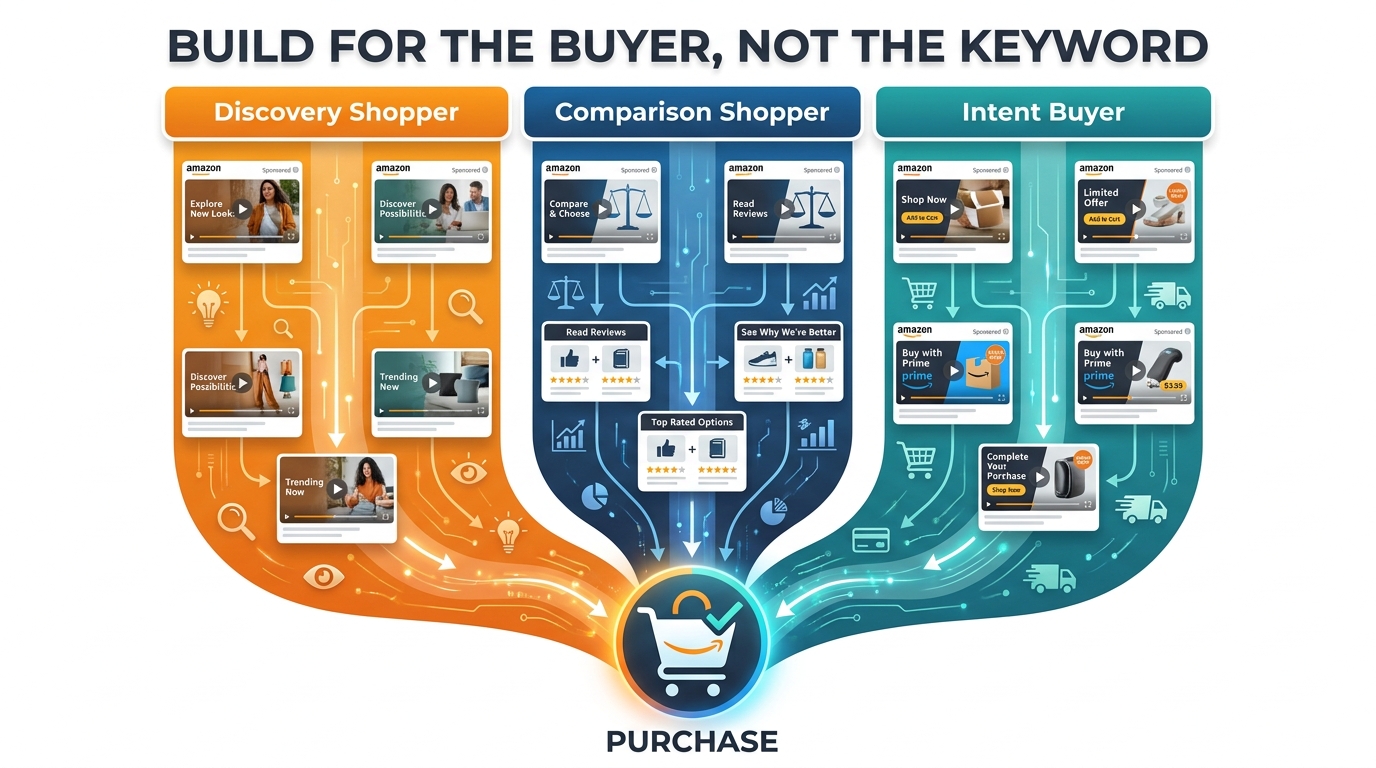
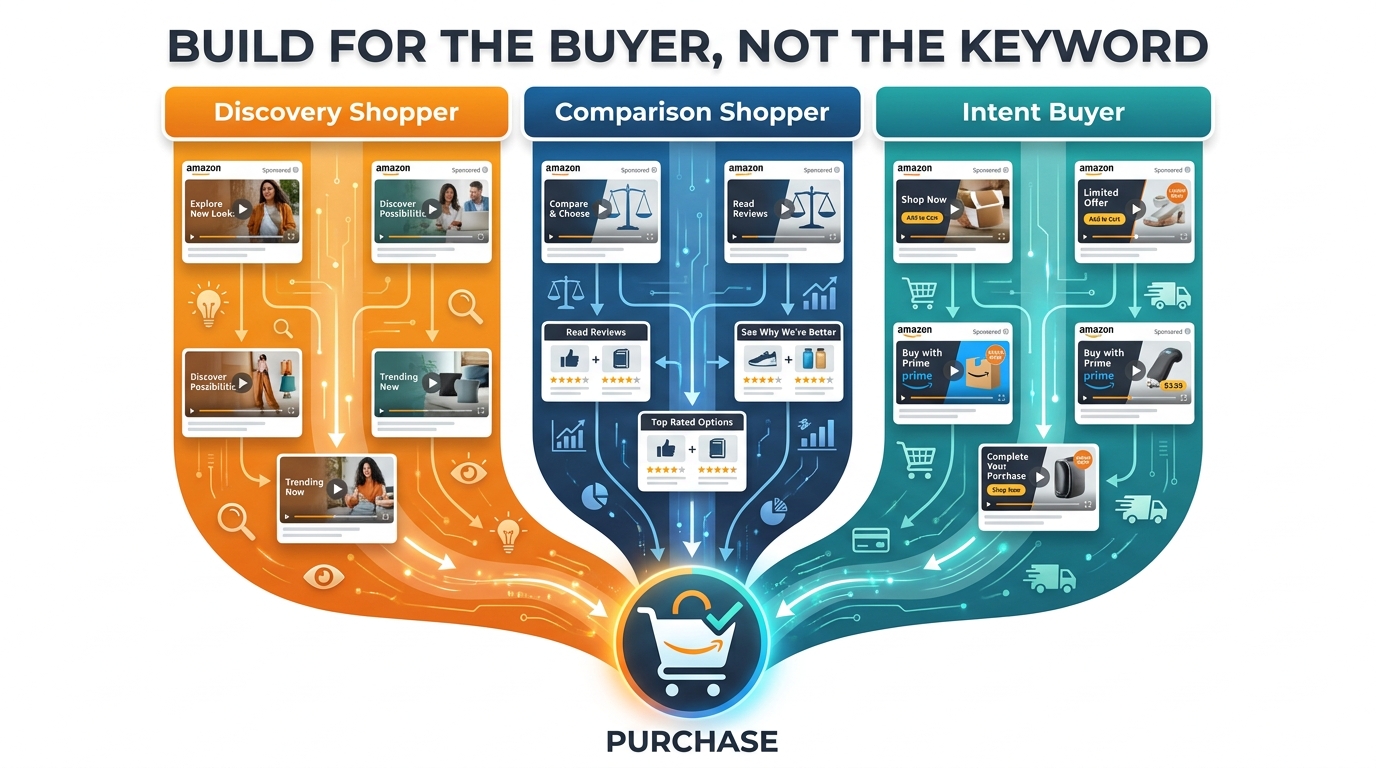
    • Keep videos to 15 seconds. It is the length that balances message completeness with viewer retention across the widest range of product types.
    • Set budgets that generate data. A minimum of $30–$50 per day per campaign in a competitive category is necessary for the algorithm to optimise within a useful timeframe.
    • Fix the listing before scaling the ad. No theme targeting configuration can compensate for a product detail page that fails to convert.
    • Track new-to-brand metrics alongside ACoS. A campaign acquiring new customers efficiently is creating durable brand value that ACoS alone will never reflect.
    • Refresh creative every 90 days. Creative fatigue is predictable; build your video refresh schedule into your campaign calendar proactively.
    • Add a manual exact-match layer at week 5. Use proven search terms from Sponsored Products data to complement theme targeting with precision on your highest-value keywords.

    Used with this level of intention, Sponsored Brands Video with theme targeting is consistently one of the highest-ROI campaign types available to Amazon sellers and vendors in 2026 — not because it is the newest feature or the most talked-about format, but because it addresses a real structural problem in Amazon advertising: reaching the right shoppers at the top of search with the right message, without requiring the manual keyword management overhead that most campaign teams cannot sustain at scale.