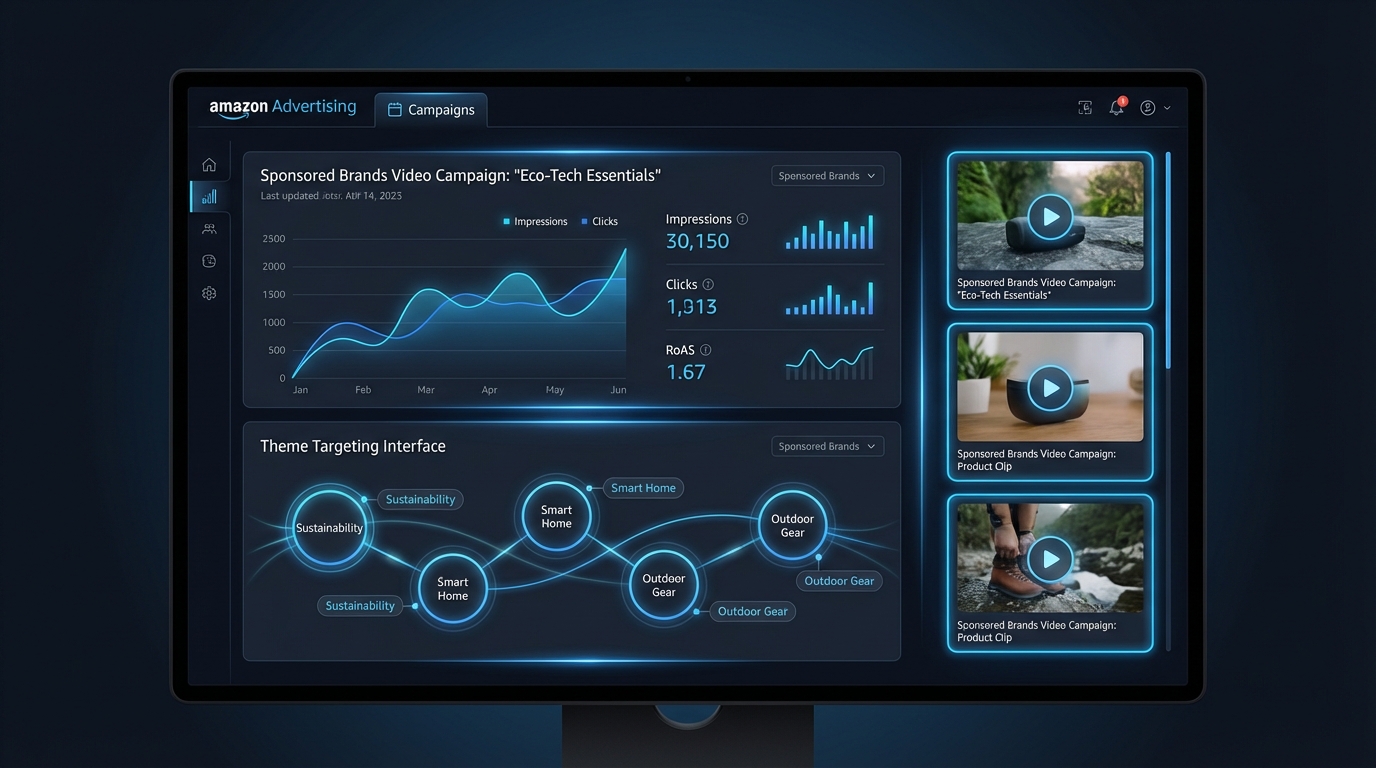
There is a pairing inside Amazon Advertising that a surprisingly small number of active sellers are using well. Sponsored Brands Video — the auto-playing video format that runs at the top of search results — has been around long enough that most advertisers know it exists. Theme targeting — Amazon’s machine learning-powered keyword grouping system — launched in January 2024 and has been quietly maturing ever since. Put the two together, and you have one of the most efficient campaign setups currently available in the Amazon Ads ecosystem.
Yet most accounts running Sponsored Brands Video are still doing so with manually curated keyword lists, inconsistent creative, and a landing page that was chosen by default rather than by design. The result is wasted spend, inflated ACoS, and creative fatigue that kicks in long before the algorithm has had enough data to optimise properly.
This guide is built for advertisers who already understand the basics of Amazon PPC and want to use this specific combination — Sponsored Brands Video with theme targeting — at a level that actually moves the metrics that matter. We will cover how theme targeting works under the hood, how to structure your video creative around shopper intent, which targeting approach to use at each stage of a campaign’s life, and how to read performance data in a way that goes beyond ACoS.
By the end, you will have a clear picture of how to build, launch, and iterate on campaigns that use both of these tools in a way that is deliberately architected rather than accidentally assembled.
What Sponsored Brands Video Actually Is — And What Sets It Apart
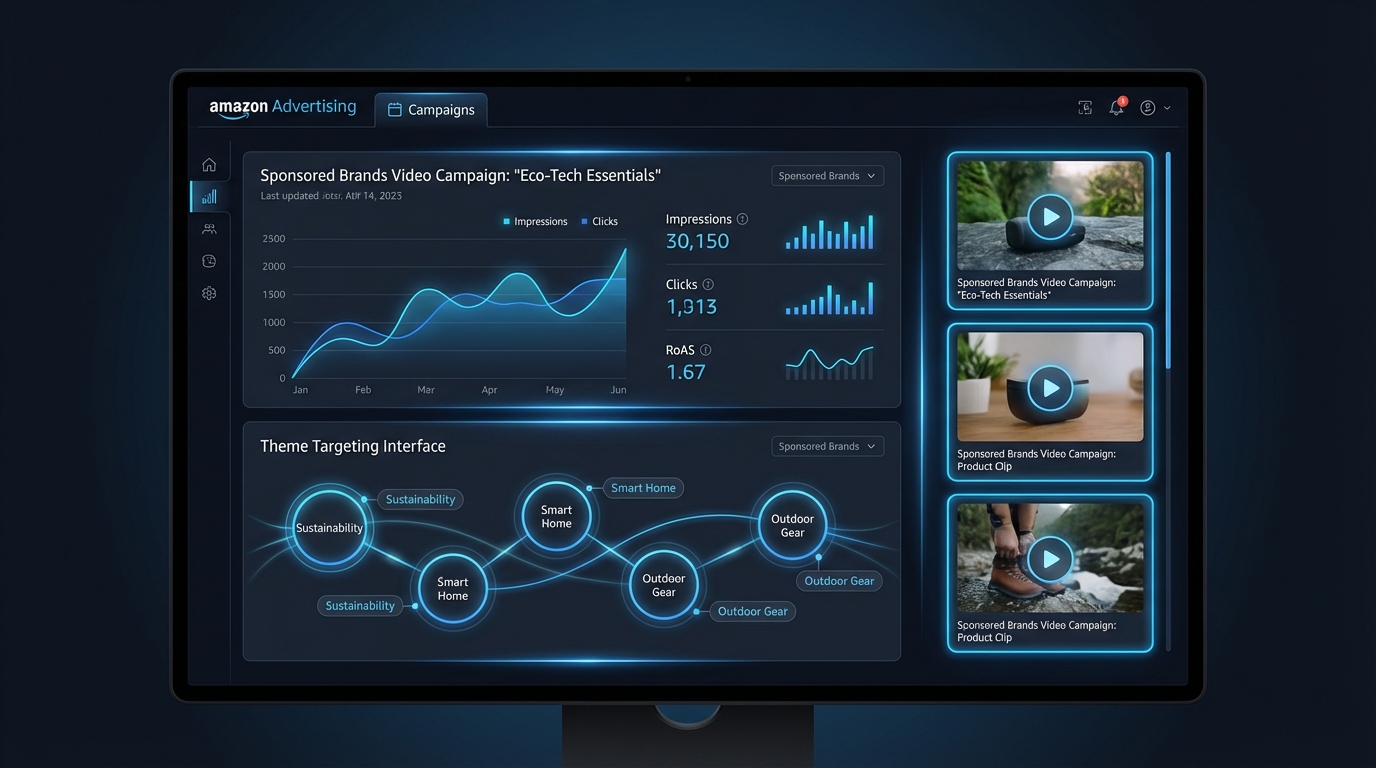
Sponsored Brands Video is one format within the broader Sponsored Brands ad type on Amazon. While standard Sponsored Brands ads display a logo, headline, and product images in a banner format, the video variant replaces that static creative with an auto-playing, muted video that appears inline within shopping results — most prominently at the top of the search results page for desktop and mobile.
The format has a few characteristics that distinguish it from every other ad type on the platform. Understanding those characteristics is the first step toward using it correctly.
Auto-Playing and Muted by Default
Sponsored Brands Videos play automatically as soon as they enter the shopper’s viewport. They play without sound unless the viewer actively unmutes. This single fact should reshape every creative decision you make. A video that relies on voiceover narration or audio cues to communicate its core message will consistently underperform. A video that communicates everything visually — product, benefit, context, and call to action — will work whether or not the shopper ever hears a word.
This is not a limitation to work around. It is a design constraint that, when embraced, forces better creative discipline. The best-performing Sponsored Brands Videos treat audio as an enhancement rather than a vehicle for the core message.
Top-of-Search Placement
When a Sponsored Brands Video campaign wins an auction, the placement is almost always at the top of search results — either the first result the shopper sees, or inline within the first few results. This is premium real estate, and it comes with a premium price relative to Sponsored Products. It also comes with a different type of shopper attention. Someone scanning the top of a search results page is typically earlier in their decision-making process than someone browsing a product detail page. That context matters enormously for creative strategy.
Single Product Focus
Unlike standard Sponsored Brands ads that can feature multiple products or drive to a Brand Store, Sponsored Brands Video campaigns in their standard configuration highlight a single product. The video itself, the product image displayed alongside it, and the click destination all point to one ASIN. This specificity is an advantage — it means every element of the campaign can be tightly aligned around one product’s value proposition and conversion path.
Performance Benchmarks Worth Knowing
Sponsored Brands Video consistently outperforms static Sponsored Brands formats on engagement metrics. Average click-through rates for video variants run approximately 1.1% compared to roughly 0.6% for static equivalents on identical keywords, representing roughly an 83% advantage in getting clicks. Conversion rates sit in the 10–12% range for optimised video campaigns, with some categories — particularly consumer electronics, pet supplies, and home products — seeing results at the higher end of that range.
HP’s use of Sponsored Brands Video across European and Middle Eastern markets produced a 142% year-over-year increase in clicks and 80% revenue growth, with video-path purchasers showing 30–44% higher ROAS than non-video paths for their printer and laptop categories. Those are category-specific results, but the directional pattern holds broadly: video drives both more traffic and better-qualified traffic than static alternatives at comparable spend levels.
Theme Targeting Explained — How Amazon’s Machine Learning Does the Heavy Lifting
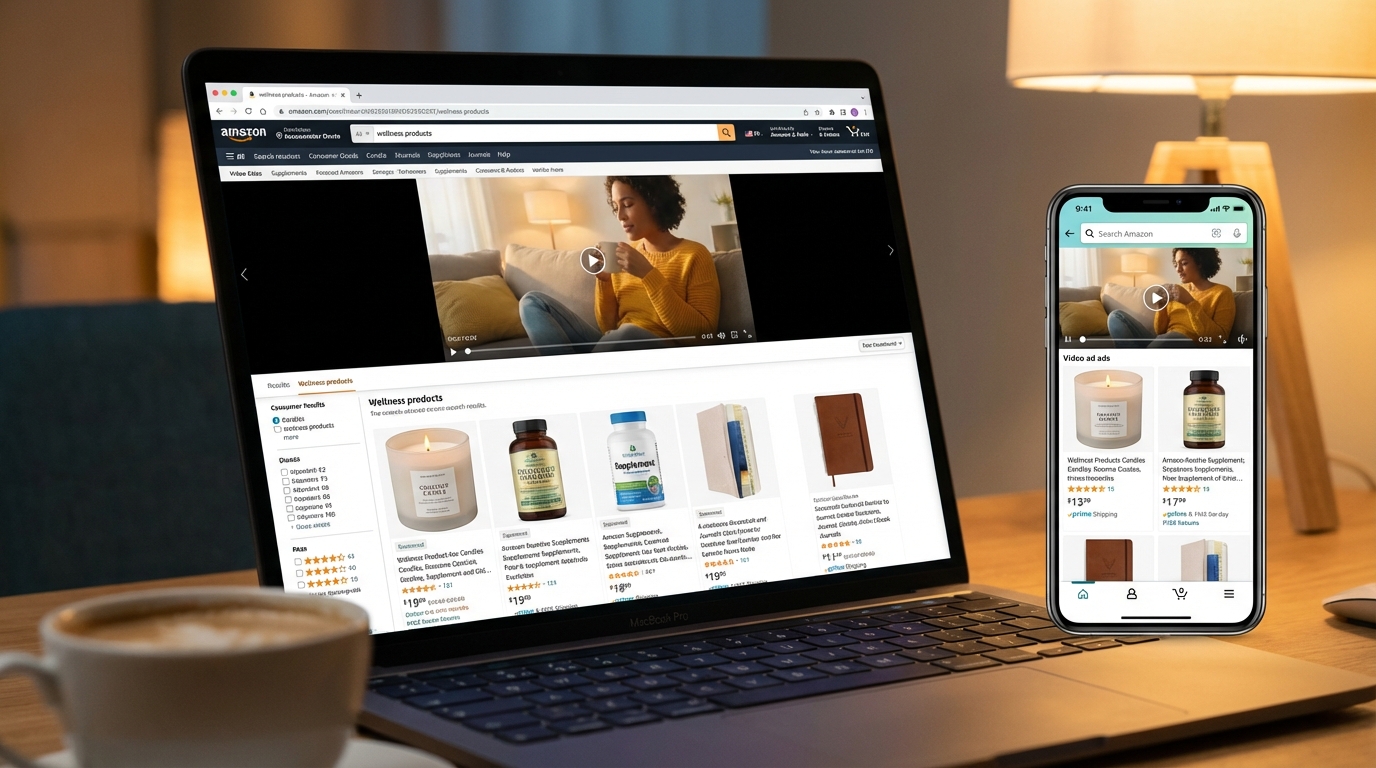
Theme targeting was introduced formally to Amazon Sponsored Brands campaigns on January 2, 2024. It is not a cosmetic update to the campaign creation interface. It represents a genuine shift in how keyword targeting can be managed within Sponsored Brands — moving from a purely advertiser-driven, manually maintained keyword list to a dynamic, machine learning-managed targeting group that Amazon continuously updates based on shopping signals.
What a “Theme” Actually Is
In Amazon’s framing, a theme is a targeting group — a curated and continuously updated bundle of keywords that Amazon’s algorithm identifies as relevant to your campaign’s goal. When you add a theme to a Sponsored Brands Video campaign, you are not selecting individual keywords. You are instructing Amazon’s system to identify, bundle, and maintain a set of relevant search terms on your behalf.
The two primary themes available are:
- Keywords related to your brand: Targets searches that include your brand name or branded variants. This theme focuses on shoppers who already have some brand awareness — they may be searching for your products specifically, exploring your product range, or comparing your brand against alternatives.
- Keywords related to your landing pages: Targets searches relevant to the product or Brand Store page you have selected as the campaign’s click destination. This theme focuses on non-branded, intent-driven searches — shoppers looking for a category of product who may not yet know your brand exists.
Amazon’s algorithm dynamically selects which specific search terms fall under each theme, updates those selections frequently based on fresh shopping data, and adjusts bids internally to reflect performance signals. The advertiser sets a campaign-level bid as a baseline, and the system optimises from there.
How the Machine Learning Functions
The underlying model for theme targeting draws on Amazon’s first-party shopping data — one of the most granular purchase-intent datasets in the world. It considers search-to-purchase conversion patterns, seasonal and trend-based shifts in category language, competitor activity in the space, and the specific keywords that have historically driven qualified traffic to similar ASINs.
This means theme targeting is not static. A theme attached to a summer outdoor furniture campaign will naturally evolve its keyword composition as search language shifts through seasons. A theme for a health supplement will reflect changes in how shoppers search as product category awareness grows or contracts. Manual keyword lists cannot replicate this kind of ongoing responsiveness without significant management overhead.
What Theme Targeting Does Not Do
It is worth being clear about the limits. Theme targeting gives you less granular control over individual keyword performance than manual targeting. You cannot see exactly which search terms the system is bidding on at any given moment, add or remove specific terms, or set different bids for different keywords within a theme. The system operates as a managed bundle, not as a transparent list.
This is the primary reason why theme targeting is not a universal replacement for manual keyword campaigns. It is a different tool that serves a different purpose — and understanding that distinction is what allows you to deploy both intelligently within a single account structure.
The Two Core Themes and When to Use Each
Because theme targeting offers two distinct targeting groups with fundamentally different shopper audiences, the decision about which theme to activate — or whether to run both — should follow a deliberate framework based on where your brand sits in terms of market awareness and what you need the campaign to accomplish.
When “Keywords Related to Your Brand” Makes Sense
This theme is best suited to brands that have achieved meaningful search volume on branded terms. If shoppers are already looking for your brand by name, this theme ensures your video is the first thing they see when they do. It protects brand-owned search real estate, prevents competitors from intercepting high-intent branded traffic, and reinforces brand identity at a moment when shopper intent is already warm.
For established brands, brand-related theme campaigns are often the lowest-ACoS campaigns in the entire account. Because branded searchers are already self-selected — they are looking for you specifically — the conversion efficiency is typically well above category averages. The video in this context functions as a reminder and a reinforce rather than an introduction. It should feel familiar, premium, and frictionless.
If you are a smaller brand without significant branded search volume, this theme will have limited reach because the keyword pool is inherently restricted to searches involving your brand name. In that case, prioritise the landing page theme while building brand awareness through complementary channels.
When “Keywords Related to Your Landing Pages” Is the Right Choice
This theme is where most of the growth opportunity sits for the majority of advertisers. It draws on category and product-intent keywords rather than brand searches, which means it reaches shoppers in discovery mode — people who know what type of product they want but have not yet decided on a brand.
For new product launches, entering new sub-categories, or competing directly with established category players, this is the theme that generates net-new awareness and first-time consideration. The keyword pool is wider, the competition is typically higher, and the conversion rates are generally lower than branded themes — but the reach and the potential for new customer acquisition are significantly greater.
The quality of the landing page you attach to this theme matters more than most advertisers appreciate. Amazon’s algorithm uses signals from the landing page to determine keyword relevance — a well-optimised product detail page or a tightly structured Brand Store will generate a more relevant keyword set than a thin or under-optimised destination.
Running Both Themes in Parallel
The highest-performing account structures typically run both themes simultaneously but as separate campaigns. This separation keeps the data clean — you can see branded versus non-branded performance independently and make budget decisions based on actual performance rather than blended metrics. It also allows you to attach different videos to each theme if your creative strategy differs between brand-aware and discovery-oriented audiences.
Theme vs. Manual Keyword vs. Category Targeting — A Real Comparison
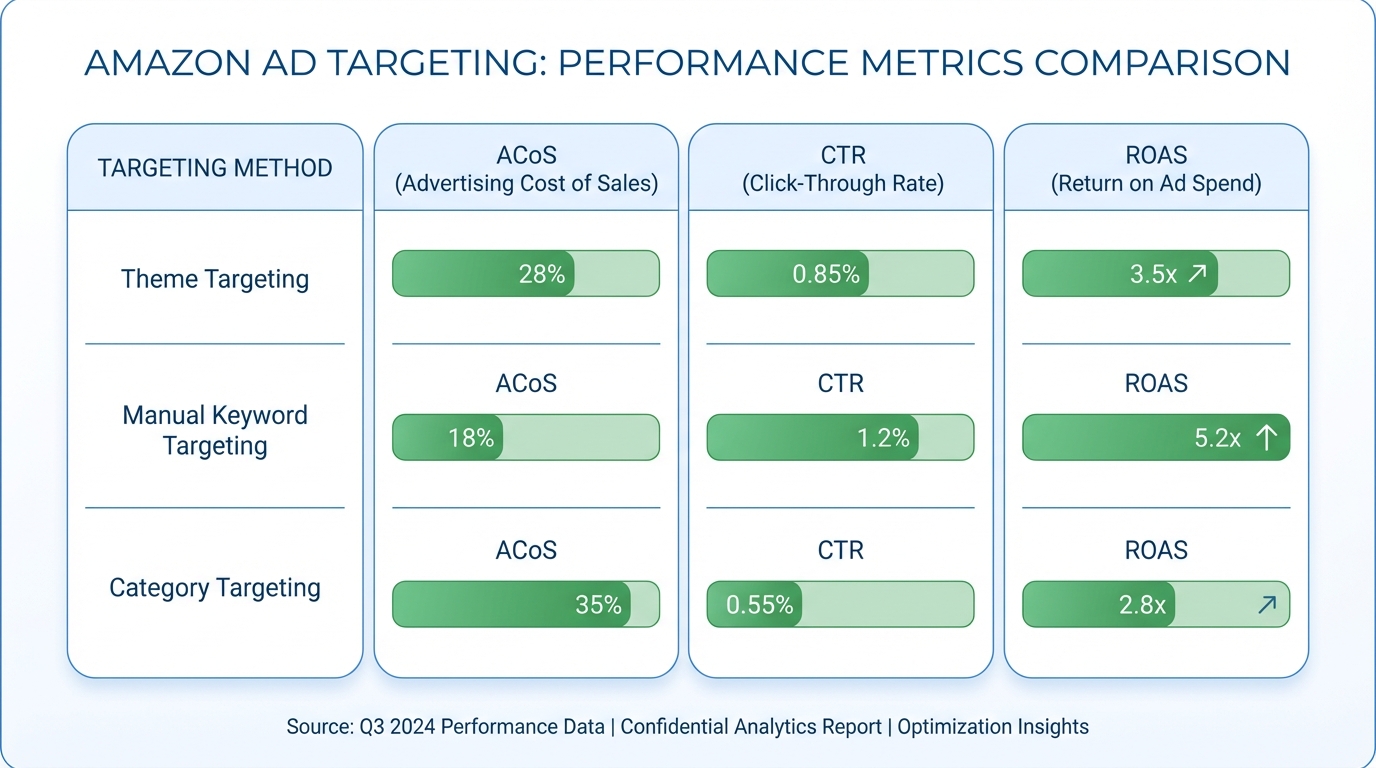
Theme targeting does not exist in isolation. It sits alongside manual keyword targeting and category targeting as options within Sponsored Brands Video campaigns. Choosing between them — or combining them — requires understanding what each one actually does differently.
Manual Keyword Targeting
Manual keyword targeting gives the advertiser full control over which search terms trigger the ad, which match type governs how broadly those terms match, and what bid applies to each term. It is the approach that most experienced Amazon advertisers are most familiar with, and it has real advantages in mature campaigns where high-performing keywords are already known.
The disadvantages are equally real. Manual keyword lists require ongoing maintenance, are prone to going stale as category language evolves, and can miss high-performing search terms that the advertiser never thought to include. They also cannot adapt automatically to seasonal or trend-based shifts in how shoppers search within a category.
Best practice for manual keyword targeting in Sponsored Brands Video is to use exact-match keywords derived from Sponsored Products search term reports — the terms you already know convert — rather than treating broad match as a discovery vehicle. That discovery function is better handled by theme targeting, which does it more efficiently.
Category Targeting
Category targeting places your ad in front of shoppers browsing specific Amazon product categories, regardless of the specific search term they used. It is a broader, intent-agnostic approach that is more useful for awareness than for conversion. Because you are targeting shoppers based on the category they are in rather than the specific thing they searched for, the audience quality is inherently more variable.
Category targeting is not the primary tool for Sponsored Brands Video in most campaign structures. It can serve as a supplementary layer for brand awareness goals, particularly in categories where visual storytelling has strong influence (beauty, fitness, home décor, outdoor gear), but it should not carry the majority of a video campaign’s budget unless awareness — rather than direct response — is the explicit goal.
Product (ASIN) Targeting
Product targeting, which allows ads to appear on specific competitor or complementary product detail pages, is not available as a primary targeting method in Sponsored Brands Video the same way it is in Sponsored Products. However, Sponsored Brands Video placements do sometimes appear on product detail pages depending on campaign configuration and placement settings. This is a secondary rather than primary use of the format.
The Practical Decision Framework
A clean account structure for Sponsored Brands Video with theme targeting typically looks like this:
- Campaign 1 — Theme: Brand Keywords: Low-bid, high-conversion. Budget is modest because reach is defined by brand search volume. Video should reinforce brand identity.
- Campaign 2 — Theme: Landing Page Keywords: Higher bid, discovery-oriented. The primary growth engine for new customer acquisition. Budget should scale with ROAS performance data over time.
- Campaign 3 — Manual Exact Match (proven terms): Best-performing keywords harvested from search term reports, managed with precise bids. Complements rather than replaces the theme campaigns.
Research suggests that accounts combining theme targeting with manual exact-match campaigns achieve approximately 23% more effective keyword coverage and 18% lower ACoS compared to manual-only approaches. The combination works because theme targeting does the discovery and broad optimisation work, while manual exact-match campaigns apply precision where performance has already been proven.
Creative Strategy for Sponsored Brands Video — What the First Three Seconds Must Accomplish
The creative is where most Sponsored Brands Video campaigns succeed or fail. Amazon’s algorithm can optimise targeting and bids, but it cannot fix a video that fails to capture attention, communicate clearly, or inspire a click. The creative decisions are entirely in the advertiser’s control, and they carry more weight than any other single campaign variable.
The First Three Seconds Are Non-Negotiable
Because the video is auto-playing in a search results environment where dozens of competing listings are visible simultaneously, the shopper’s attention is the scarcest resource involved. Research on video advertising consistently shows that engagement decisions happen within the first three seconds of playback. If the video has not communicated something immediately relevant and visually compelling by that point, the viewer has already moved on — even if the video continues playing.
The product itself should be on screen within the first second. Not the brand logo. Not an establishing shot. The product — ideally in use, ideally in a context that matches the shopper’s intent. If someone searched for “stainless steel water bottle,” the first frame of your video should leave no doubt that they are looking at a high-quality stainless steel water bottle in a setting that resonates with their lifestyle.
Brand logos are best placed in the last third of the video, not the first. Shoppers in search mode are solving a need, not seeking brand recognition. Lead with the product and the benefit; introduce the brand identity as the closer.
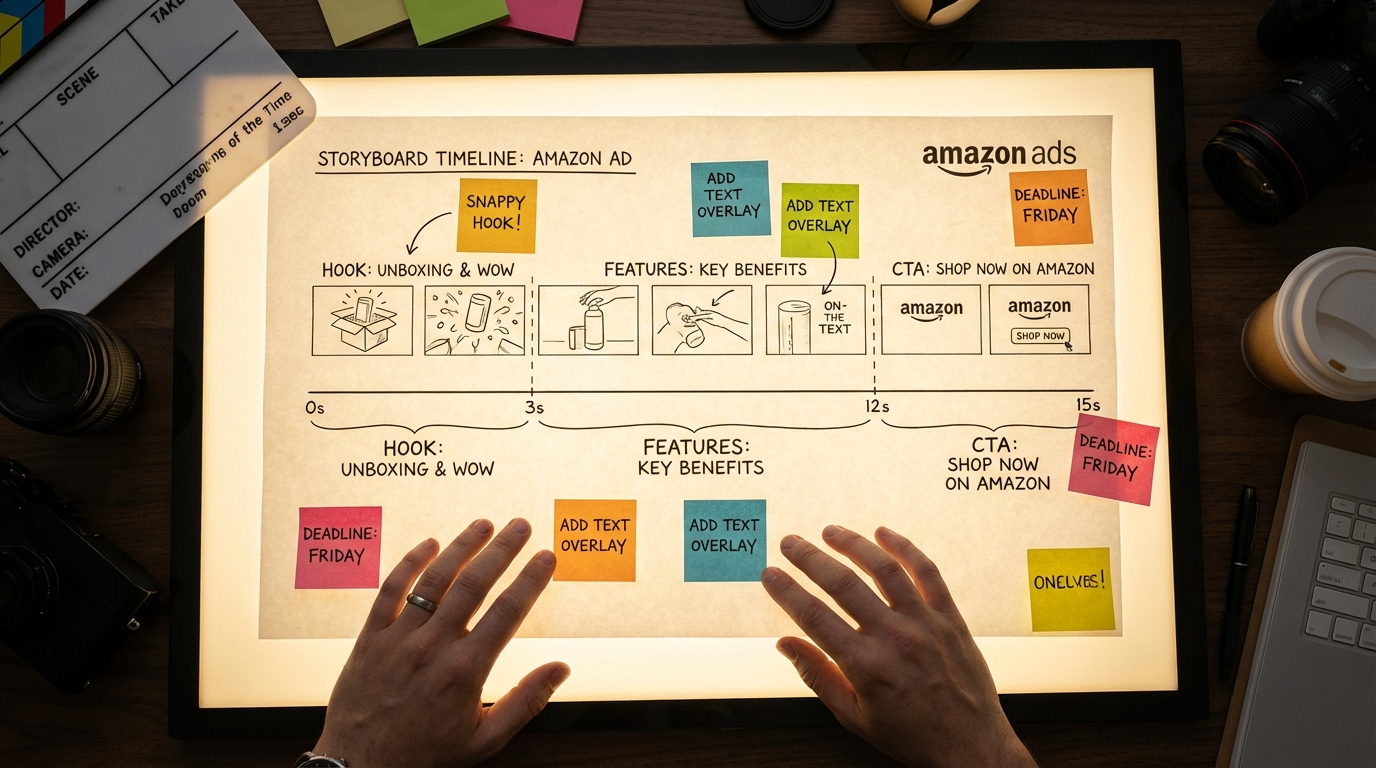
The 15-Second Structure That Works
While Amazon allows Sponsored Brands Videos between 6 and 45 seconds in length, data consistently supports 15 seconds as the practical sweet spot. Shorter videos (6–10 seconds) can work for simple, visually obvious products but often fail to communicate differentiation. Longer videos (30–45 seconds) lose a significant portion of their audience before they reach the call to action.
A 15-second structure that performs well follows this pattern:
- Seconds 0–3: Product reveal in context. No narration needed. Striking visuals. The viewer immediately understands what the product is.
- Seconds 3–10: Core benefit demonstration. Show the product doing what it does. Use text overlays to communicate key features — size, material, quantity, use case — because most viewers will be watching in silent mode.
- Seconds 10–13: Differentiator or social proof. What makes this product the right choice? Awards, certifications, customer counts, or a specific advantage over alternatives. Keep it visual and concise.
- Seconds 13–15: Brand and call to action. Brand logo, product name, and a simple visual CTA. “Shop now” or a clear product shot with price context if relevant.
Silent-First Design Principles
Because videos play muted by default, every piece of important information should exist visually. This means text overlays are not optional decorations — they are functional communication tools. Key specs, features, and benefits that would normally be communicated through voiceover must appear as readable on-screen text, timed to match the visual action.
Contrast matters. Text overlays need sufficient contrast against the background to be readable on mobile screens in varied lighting conditions. White text with a semi-transparent dark background is a reliable choice. Avoid thin or decorative fonts that sacrifice readability for aesthetics.
Motion design matters too. Rapid cuts and excessive visual complexity create cognitive load that works against a viewer who is trying to quickly assess whether a product meets their needs. Clean, purposeful motion — product rotations, simple transitions, clear text reveals — performs better than high-energy montages in search contexts.
Video Specifications, Technical Requirements, and Rejection Traps
Amazon’s video moderation process is not forgiving about technical issues, and a rejected creative means zero impressions until revisions are approved — potentially losing days of campaign runtime during a critical launch window. Understanding the technical requirements thoroughly is not a minor consideration; it is a prerequisite for reliable campaign execution.
Core Technical Specifications
The confirmed technical requirements for Sponsored Brands Video as of 2026 are:
- Duration: 6 to 45 seconds
- File format: .MP4 or .MOV
- Maximum file size: 500MB
- Resolution: 1280×720, 1920×1080, or 3840×2160 pixels
- Aspect ratio: 16:9
- Codec: H.264 or H.265
- Frame rate: 23.976 to 30 frames per second
- Audio: Present but optional for viewer engagement (videos play muted)
The Most Common Rejection Reasons
Letterboxing and black bars. This is the single most common cause of Sponsored Brands Video rejection. If your source video has a different native aspect ratio than 16:9, or if your editing software adds black bars to fill the frame, Amazon will reject the creative. The entire frame must be filled with video content. No black bars, no pillarboxing, no letterboxing under any circumstances.
Text-heavy frames. Amazon flags videos where text covers an excessive portion of the frame, particularly in the opening seconds. Text overlays should complement the visual, not dominate it. If your opening frame is essentially a slide with a tagline, expect moderation issues.
Claims that require substantiation. Language like “best,” “number one,” “#1 rated,” and similar superlatives will trigger rejection unless accompanied by a verifiable source. Medical or health claims on supplements, beauty products, or fitness equipment face particular scrutiny. If your creative includes any comparative or superlative language, have a clear, cited source to point to — and consider avoiding such claims entirely in video format where sourcing is harder to display clearly.
Competitor mentions. Direct references to competitor brands or products in video creative are not permitted. This includes visual references that make a competitor product recognisable even without naming it directly.
Low-resolution source footage. Videos that are upscaled from lower-resolution source files may pass the file specification check but still fail quality moderation. If your source footage was shot at 720p and you export at 1080p, the quality degradation is visible. Start with the highest-quality footage you can capture or commission.
Testing Before Launch
Build moderation time into every campaign launch timeline. Allow a minimum of 24–48 hours between creative submission and intended campaign start date. If you are launching around a promotional event (Prime Day, Black Friday, major product launch), add additional buffer — moderation queues lengthen significantly during peak periods. Submitting a revised creative after a rejection will restart the moderation clock entirely.
Landing Page Decisions — Brand Store vs. Product Detail Page
Every Sponsored Brands Video click goes somewhere. That destination is not a passive element of the campaign — it is an active conversion variable that can swing your effective conversion rate significantly in either direction. The choice between sending traffic to a product detail page or a Brand Store should be deliberate, data-informed, and aligned with the theme targeting type you are using.
The Case for the Product Detail Page
For campaigns using the “Keywords Related to Your Landing Pages” theme — where the targeting is built around a specific product’s category and feature keywords — the product detail page is usually the right destination. Shoppers who clicked on a video triggered by a search for a specific product type expect to land on that specific product. Sending them to a Brand Store with multiple product options adds a decision step that most shoppers at the bottom of the funnel do not want.
When the product detail page is the destination, its quality becomes a direct factor in campaign economics. A page with weak imagery, thin bullet points, and no A+ content will convert at a lower rate than one with professional photography, detailed feature descriptions, video content, and an optimised reviews profile. Sponsored Brands Video should never be driving traffic to an under-optimised listing. Fix the listing first; then scale the ad spend.
The Case for the Brand Store
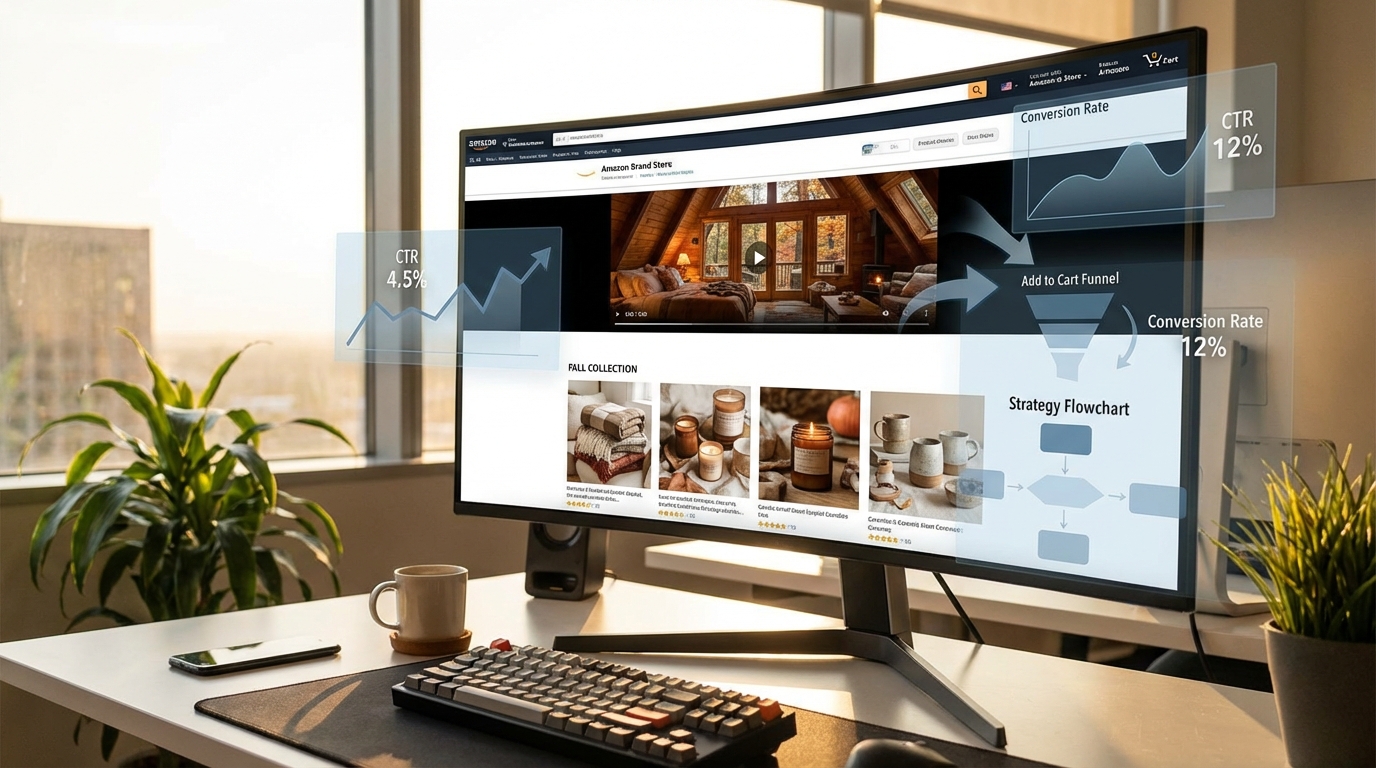
For campaigns using the “Keywords Related to Your Brand” theme — where branded searchers are the primary audience — the Brand Store often outperforms the product detail page as a destination. Brand stores convert at approximately 23% higher rates than product detail pages for branded search traffic, based on advertiser-reported data across multiple categories. This is because branded searchers are exploring your offering, not necessarily committed to a single ASIN. The Store gives them context, depth, and a curated brand experience that a single product listing cannot provide.
Brand Stores also provide a meaningful advantage in terms of advertising attribution. Traffic driven to a Brand Store is tracked in the Brand Store’s performance analytics, giving you a cleaner view of how advertising is influencing brand-level engagement rather than just single-product conversions.
A/B Testing Landing Pages
Amazon does not currently offer native A/B testing for landing page destinations within Sponsored Brands Video campaigns in the same way it does for product listings through Manage Your Experiments. The practical workaround is to run two campaigns simultaneously — identical in targeting and creative, different only in destination — and compare conversion rates and ROAS over a 14–21 day window with sufficient impressions to draw meaningful conclusions.
Do not run this test during a promotional period or a period of significant inventory fluctuation, as both will distort the results independent of the landing page variable.
Bidding Structure for Sponsored Brands Video with Theme Targeting
Bidding in Sponsored Brands Video theme targeting campaigns is different from bidding in manual keyword campaigns in a meaningful way: because you are setting a campaign-level bid rather than individual keyword bids, the bid amount functions as a signal and a ceiling — the system optimises within that range using its own performance data, but your bid anchors the range.
Getting the bid structure right in the first few weeks of a theme targeting campaign has outsized impact on the data the algorithm uses to optimise. Set bids too low at launch and the campaign will not accumulate enough impressions to train effectively. Set bids too high without guardrails and you will spend through your budget on low-quality traffic before the system has had time to identify the valuable signals.
The Launch Bidding Approach
For the first 7–10 days of a new Sponsored Brands Video theme targeting campaign, a reasonable starting point is Amazon’s suggested bid. These suggested bids are generated based on competitive landscape data for your product category and typically represent the bid level needed to achieve meaningful impression volume. Launching at 10% below suggested is a common conservative approach, though it risks limiting the initial data collection.
If your product margin supports it, launching at or slightly above the suggested bid for the first two weeks — then pulling back based on actual performance — will generally produce better algorithm training and faster optimisation than starting too conservatively. The theme targeting system learns faster with more data, and data accumulates faster with competitive bids.
Budget Pacing and Campaign Structure
Sponsored Brands Video campaigns with theme targeting should have dedicated budgets rather than sharing budget with other campaign types. Because video ads carry higher CPCs than standard Sponsored Products, shared budgets will frequently allocate disproportionately away from video placements under budget pressure, reducing the data consistency the algorithm needs.
A reasonable starting budget for a theme targeting video campaign in a competitive category is $30–$50 per day per campaign. This allows the algorithm to accumulate data at a rate that makes the first meaningful optimisation decision possible within 14 days. Campaigns launched at $5–$10 per day often remain in a perpetual learning state because the data velocity is too low for the system to distinguish signal from noise.
When and How to Adjust Bids
Because theme targeting does not expose individual keyword bids, bid adjustments operate at the campaign level. The primary levers are the overall bid, daily budget, and placement bid adjustments (if increasing spend on top-of-search versus other placements).
Review campaign performance at 14-day intervals during the first two months. Look at the overall ROAS trend rather than day-by-day fluctuation — theme campaigns have inherently more variance at the daily level because the keyword set is dynamic. If ROAS is trending upward and ACoS is within target after 14 days, hold the bid and let the system continue optimising. If ROAS is consistently below target, consider reducing the bid by 10–15% and reassessing after another 14 days before making further changes.
Avoid making large bid changes (more than 20%) in short intervals. Rapid bid swings destabilise the algorithm’s optimisation trajectory and can reset the learning progress effectively achieved over the previous period.
Measuring What Actually Matters — Metrics Beyond ACoS
ACoS — Advertising Cost of Sale — is the default metric most Amazon advertisers use to evaluate campaign performance. For Sponsored Brands Video with theme targeting, it is an important number, but it is not the complete picture. Relying exclusively on ACoS misses several dimensions of value that video advertising creates and that direct attribution to individual ad clicks does not fully capture.
New-to-Brand Metrics
Amazon provides new-to-brand metrics for Sponsored Brands campaigns, and they are significantly more informative for Sponsored Brands Video than for Sponsored Products. New-to-brand metrics tell you what percentage of purchases driven by your video campaign came from customers who had not bought from your brand on Amazon in the prior 12 months.
A high new-to-brand rate (above 60%) tells you the campaign is genuinely expanding your customer base rather than simply recapturing existing customers who would have purchased anyway. For campaigns using the landing page keywords theme — which targets discovery-mode shoppers — a healthy new-to-brand rate validates the campaign’s function. For branded keyword theme campaigns, a lower new-to-brand rate is expected and acceptable, because the audience is already brand-aware.
Calculate the cost of acquiring a new-to-brand customer separately from your overall ACoS. If your overall ACoS is 22% and looks marginal, but your new-to-brand customer acquisition cost is within your acceptable range and 68% of orders are from new customers, the campaign economics look very different — and very much more positive — than the headline ACoS suggests.
Branded Search Lift
One of the effects of sustained Sponsored Brands Video activity — particularly landing page keyword theme campaigns that create awareness at scale — is an increase in direct branded search volume over time. This is not captured in any individual campaign’s attribution report. It shows up as an increase in organic keyword impressions for branded terms, and it represents durable long-term value created by the advertising activity.
Track your branded search impression and click trends in Amazon Brand Analytics on a monthly basis alongside your Sponsored Brands Video spend. A rising trend in organic branded search that correlates with video ad investment is one of the clearest signals that the campaign is building awareness that converts to long-term revenue beyond what direct attribution shows.
Return on Ad Spend (ROAS) vs. Total Advertising Cost of Sale (TACoS)
Total Advertising Cost of Sale (TACoS) — which measures advertising spend as a percentage of total revenue including organic — is a more complete health indicator for accounts running Sponsored Brands Video at meaningful scale. A TACoS that is declining over time while ad spend is holding steady or increasing indicates that advertising is generating organic sales lift — often through branded search growth — that direct-attribution reporting does not credit to the campaign.
For mature Sponsored Brands Video campaigns that have been running for 60+ days, TACoS is a better strategic compass than ACoS when making decisions about whether to scale, hold, or reduce spend.
Common Mistakes That Kill Sponsored Brands Video Performance — And How to Fix Them
Based on performance patterns across a wide range of account structures, several mistakes appear consistently in underperforming Sponsored Brands Video campaigns. Most of them are structural or strategic rather than technical, which means they are fixable without reshooting video or rebuilding campaigns from scratch.
Mistake 1: Using the Same Creative for Every Audience
Running identical video creative across a branded keyword theme campaign and a landing page keyword theme campaign is a significant missed opportunity. The audiences these two themes reach are in fundamentally different mindsets. Branded keyword searchers have prior awareness — they want reassurance and easy access to a product they are already interested in. Landing page keyword searchers are in evaluation mode — they are comparing options and need to be convinced that your product is worth a click.
The fix: develop distinct creative for each theme campaign. The branded campaign creative can lead with brand identity and product quality. The landing page campaign creative should lead with product benefit, differentiation, and the specific value proposition that distinguishes your product within its category.
Mistake 2: Neglecting the Listing That the Video Points To
Sponsored Brands Video drives traffic. If the traffic lands on a product detail page that is missing infographic images, has thin bullet points, lacks A+ content, or carries a poor review profile, the ad spend is subsidising a poor conversion experience. The video earns the click; the listing earns the sale.
Audit every listing that serves as a landing page for a Sponsored Brands Video campaign before increasing spend. Ensure the main image is exceptional, the first bullet communicates the primary benefit immediately, A+ content is live and professionally designed, and the review count and rating are competitive for the category.
Mistake 3: Treating Theme Targeting as a Set-and-Forget Campaign
Theme targeting automates keyword management, but it does not automate campaign optimisation. The bid level, daily budget, creative, and landing page all require periodic review and adjustment. Campaigns that are launched and left without review for 60+ days invariably accumulate inefficiencies — either through bid levels that are no longer calibrated to market dynamics or creative that has become visually stale relative to competitors.
Build a recurring 14-day review cadence for all Sponsored Brands Video theme campaigns. The review does not need to be exhaustive — a 15-minute check of ROAS trend, new-to-brand rate, impression volume, and budget pacing is sufficient to catch issues early and maintain directional alignment.
Mistake 4: Ignoring Creative Fatigue
Video creative fatigue is real and measurable. As the same creative runs repeatedly to the same audience pool, CTR typically begins to decline after 4–8 weeks of consistent impression volume. When you see a declining CTR trend on a campaign where targeting and bids have not changed significantly, creative fatigue is the most likely cause.
Plan for creative refreshes on a quarterly schedule for active Sponsored Brands Video campaigns. The refresh does not require a completely new video — variation in the opening sequence, updated text overlays reflecting seasonal relevance, or a different product use-case scenario can reactivate engagement without the full cost of a new production.
Mistake 5: Starting with Too Low a Budget to Generate Usable Data
Theme targeting campaigns require data to optimise. A campaign running on $8/day in a competitive category may generate fewer than 50 clicks in a two-week period. That is statistically insufficient to evaluate performance, adjust bids meaningfully, or identify whether the creative is working. The result is a campaign that appears to be underperforming simply because it has not had the budget to generate enough signal.
If your overall ad budget is genuinely constrained, it is better to run fewer campaigns with adequate per-campaign budgets than to run many campaigns on budgets too small to accumulate meaningful data. Two well-funded campaigns will produce more useful information — and often better results — than six underfunded ones.
Building a Full-Funnel Stack Around Sponsored Brands Video Theme Targeting
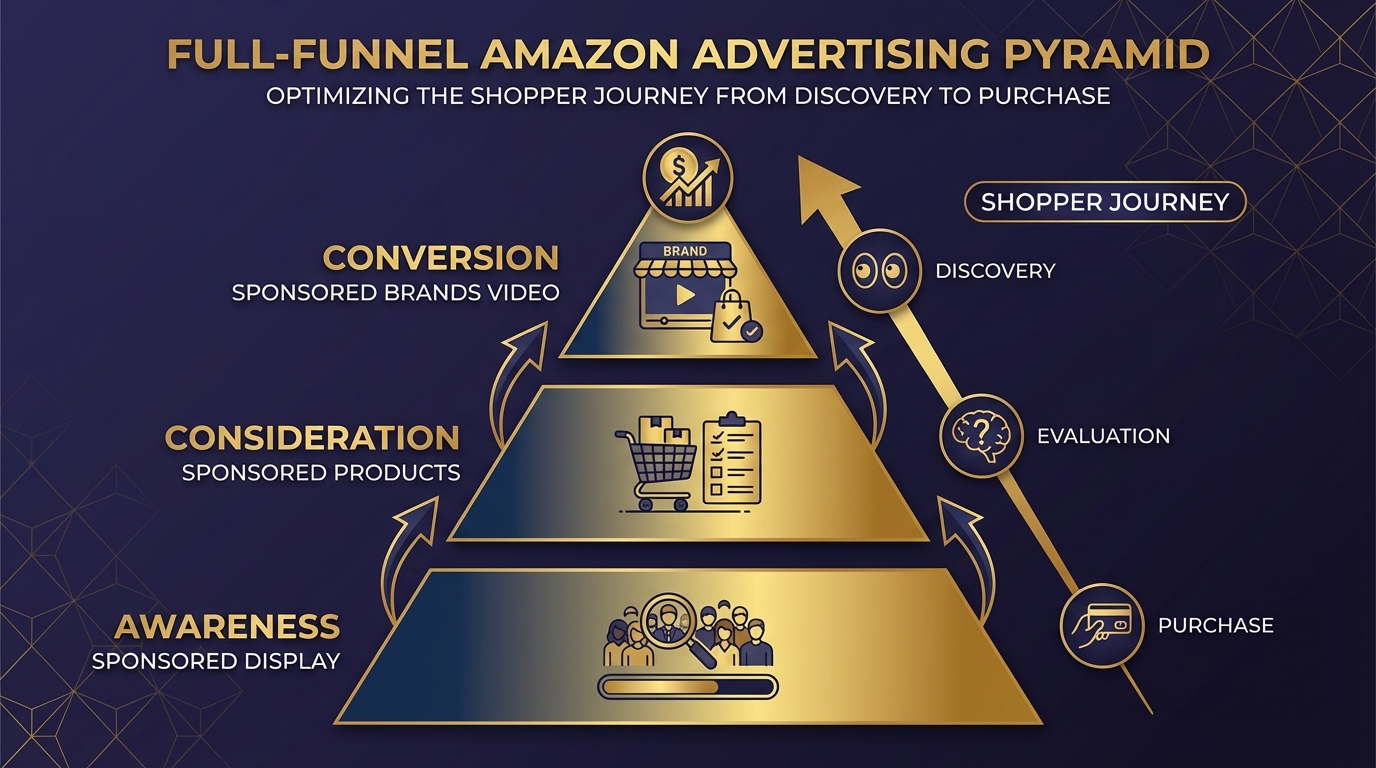
Sponsored Brands Video is a powerful mid-to-upper funnel tool, but it performs at its best when it sits within a broader campaign structure that addresses the full range of where shoppers are in their purchase journey. A well-constructed full-funnel stack makes each campaign type more effective than any of them would be operating independently.
The Foundation: Sponsored Products
Sponsored Products campaigns — particularly auto-targeting campaigns in the early phase — serve as the discovery and data layer for the entire account. Search term reports from Sponsored Products auto campaigns are the best source of keyword intelligence for informing the rest of your campaign structure. They tell you exactly which terms shoppers use when they find and click on your product, which is precisely the information that should inform your manual keyword additions and your expectations of what the landing page keyword theme should be catching.
Think of Sponsored Products as the workhorse that captures demand at the individual keyword level. Sponsored Brands Video captures demand at the search experience level — it is the first visual impression many shoppers have of your product, appearing above the organic results and individual Sponsored Products listings. The two formats are not competing for the same function; they are covering different shopper touchpoints in the same search session.
The Awareness Layer: Sponsored Display
Sponsored Display — particularly audience targeting using Amazon’s customer interest and in-market audience segments — serves the awareness function at the top of the funnel. These campaigns reach shoppers who match the profile of your potential buyers but may not yet be actively searching for your product category. Sponsored Display exposure creates the initial brand impression that makes a shopper more likely to engage when they later encounter your Sponsored Brands Video at the top of a search results page.
The measurement of this relationship is imperfect, but the directional signal is consistent: accounts running Sponsored Display alongside Sponsored Brands Video typically see higher new-to-brand rates on their SBV campaigns and better branded search lift than accounts running SBV in isolation.
The Conversion Layer: Sponsored Brands Video with Theme Targeting
Within this full-funnel view, Sponsored Brands Video with theme targeting occupies the critical conversion-influencing position. It is not purely an awareness vehicle — it drives direct, attributable sales. But it also creates brand impressions at scale that support the organic performance of the account. It sits at the intersection of awareness and consideration, which is exactly why the creative and targeting need to be calibrated for shoppers who are actively searching with purchase intent.
Post-Purchase Retention: Sponsored Display with Audience Retargeting
Closing the funnel means addressing post-purchase retention. Sponsored Display with retargeting audiences — targeting shoppers who viewed your product detail page or made a purchase — is an efficient way to re-engage existing customers with complementary products or subscription offerings. This layer of the stack does not directly interact with Sponsored Brands Video campaigns, but it captures a portion of the value that the top-of-funnel video activity creates by ensuring that customers who were exposed to and engaged with your brand can be efficiently re-reached.
Putting It Together — A Launch Sequence for New Campaigns
If you are starting from scratch with Sponsored Brands Video and theme targeting, the following sequence is designed to get your campaigns generating useful data quickly while avoiding the most common early-stage mistakes.
Week 1–2: Foundation and Launch
Before creating any campaigns, verify that your product listing is fully optimised: professional main image with pure white background, all seven secondary images used, A+ content live, at minimum 15 customer reviews, and bullet points that communicate features and benefits clearly without keyword stuffing.
Create two Sponsored Brands Video campaigns:
- Campaign A with the brand keywords theme, daily budget of $20–$30, bid at Amazon’s suggested level
- Campaign B with the landing page keywords theme, daily budget of $40–$60, bid at Amazon’s suggested level
Upload your 15-second video with text overlays and a clear product-forward opening frame. Set both campaigns live simultaneously to allow parallel data collection from day one.
Week 3–4: First Assessment
After 14 days with sufficient budget, pull the performance data. Look at impressions, CTR, ROAS, and new-to-brand percentage. Do not make decisions on fewer than 14 days of data for theme campaigns — the dynamic keyword pool needs time to stabilise.
If ROAS on Campaign B (landing page theme) is above your target threshold, consider increasing the daily budget by 20–30% and holding the bid. If ROAS is below target, review the creative and landing page quality before adjusting bids — a bid reduction that fixes an ACoS problem caused by a poor listing is a temporary fix that does not address the underlying issue.
Week 5–8: Manual Complement Layer
By week 5, your Sponsored Products search term reports will have accumulated data on which specific keywords are driving conversion. Extract the highest-converting terms (minimum 5 clicks and at least one order) and create a separate Sponsored Brands Video campaign using manual exact-match keyword targeting for those specific terms. This precision layer complements the theme campaigns rather than replacing them.
Month 3 and Beyond: Creative Refresh Cycle
Plan a creative refresh at the 90-day mark. Review CTR trend for any decline signal. If CTR has fallen more than 20% from the campaign’s first two weeks, prioritise a creative update. If CTR is holding, extend the refresh timeline to 120 days but plan it proactively rather than reactively.
Conclusion — What This Combination Actually Gives You
Sponsored Brands Video with theme targeting is not a shortcut or an autopilot system. It is a well-designed pairing of two tools that, used together intelligently, covers more of the Amazon advertising opportunity than either can cover alone. Theme targeting removes the most time-consuming and error-prone aspect of keyword management while using data signals no manual researcher can access. Sponsored Brands Video delivers the format with the highest engagement rate and the greatest capacity to communicate brand and product value at the moment of active search.
The advertisers getting the most from this combination are not the ones spending the most — they are the ones who have been most deliberate about every connected decision: creative built for silent auto-play, landing pages optimised before ad spend scales, bids set at data-generating levels rather than guessed at conservatively, and performance measured through new-to-brand metrics alongside ACoS.
Actionable Takeaways
- Launch both theme types as separate campaigns — brand keywords and landing page keywords serve different audiences and should have separate budgets and separate performance tracking.
- Design your video for viewers who will never hear it. If the core message is not communicated visually with text overlays, the creative is incomplete.
- Keep videos to 15 seconds. It is the length that balances message completeness with viewer retention across the widest range of product types.
- Set budgets that generate data. A minimum of $30–$50 per day per campaign in a competitive category is necessary for the algorithm to optimise within a useful timeframe.
- Fix the listing before scaling the ad. No theme targeting configuration can compensate for a product detail page that fails to convert.
- Track new-to-brand metrics alongside ACoS. A campaign acquiring new customers efficiently is creating durable brand value that ACoS alone will never reflect.
- Refresh creative every 90 days. Creative fatigue is predictable; build your video refresh schedule into your campaign calendar proactively.
- Add a manual exact-match layer at week 5. Use proven search terms from Sponsored Products data to complement theme targeting with precision on your highest-value keywords.
Used with this level of intention, Sponsored Brands Video with theme targeting is consistently one of the highest-ROI campaign types available to Amazon sellers and vendors in 2026 — not because it is the newest feature or the most talked-about format, but because it addresses a real structural problem in Amazon advertising: reaching the right shoppers at the top of search with the right message, without requiring the manual keyword management overhead that most campaign teams cannot sustain at scale.
Leave a Reply