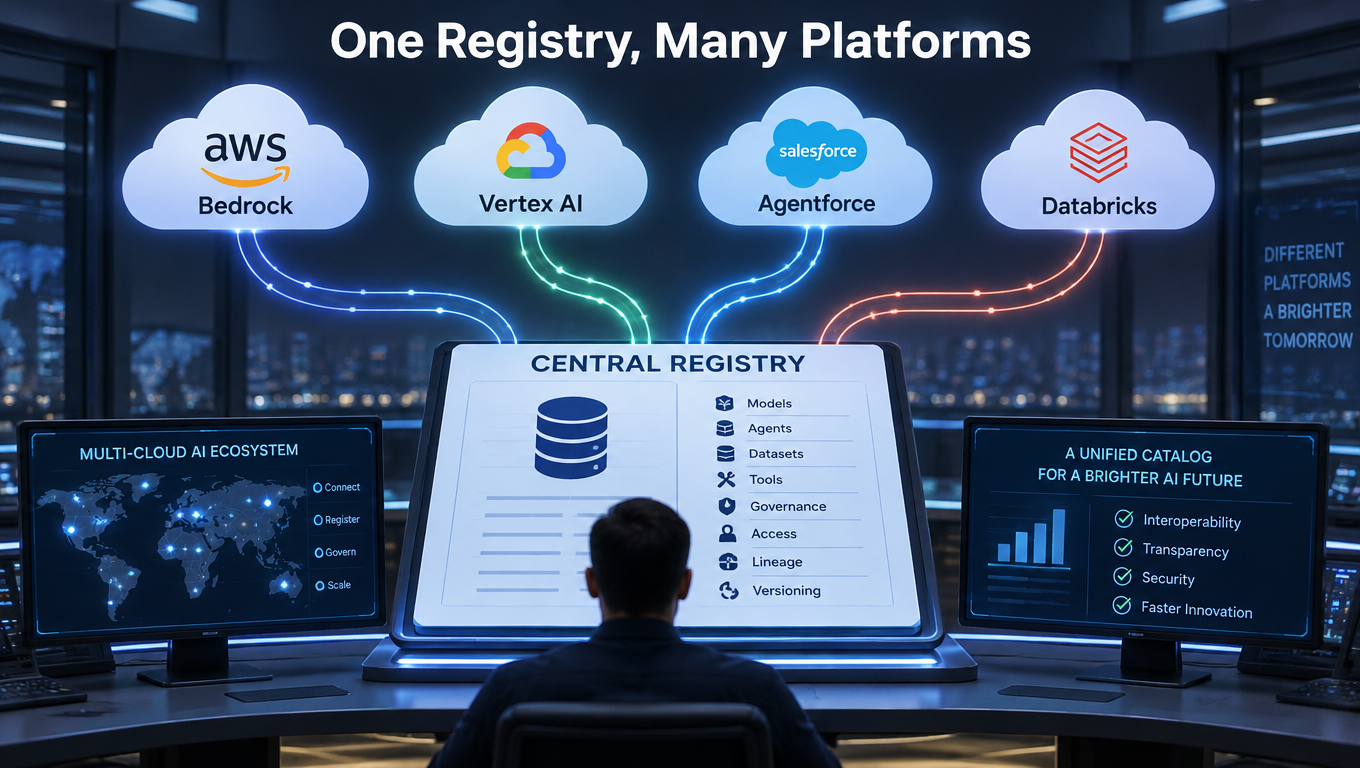
Most enterprises do not have an agent problem. They have an inventory problem. Agents get built in Amazon Bedrock by one team, in Google Vertex AI by another, inside Salesforce Agentforce by a third, and inside Microsoft Copilot Studio by someone in finance. Nobody can say, with a straight face, how many exist or who owns them.
Microsoft’s answer is Agent 365, positioned as the registry and control plane for agents across vendors. According to Microsoft’s published material, it became generally available on May 1, 2026, at $15 per user per month, or bundled in Microsoft 365 E7 at $99 per user per month. Pricing is per user, not per agent.
This article is not a feature tour. It is a build guide for the registry itself: what a cross-platform registry must contain, what Agent 365’s registry sync does today, where it stops, and how to design the ownership and lifecycle processes that make the tool worth anything.
A note on sources: Microsoft’s registry sync capabilities are changing quickly, and public descriptions differ on which platforms are generally available versus preview. Verify the current status in your tenant before you plan around any specific connector.
Why a Registry Comes Before Everything Else
You cannot secure, cost-control, or audit what you cannot list. Every other governance activity, from access reviews to incident response, starts with an authoritative answer to a simple question: which agents exist right now?
The shadow-agent pattern
Agents are cheap to create. A business analyst can wire one up in an afternoon using a platform they already have a license for. Unlike a server, it leaves no purchase order and no ticket.
That is why a registry is a system of record, not a dashboard. It has to hold the facts that other tools consume: identity, owner, purpose, platform, status, and risk.
What Microsoft says it is building
Microsoft describes Agent 365 as a shared control plane that complements, rather than replaces, each platform’s own administration. It covers Microsoft-built, partner-built, and organization-built agents, with ownership, usage, risk, publishing, blocking, and deletion controls. Microsoft Entra Agent ID remains the identity foundation.
Microsoft has also reported that the registry has passed 50 million agents, and that it sees more than 500,000 agents in its own internal deployment. Those are vendor figures, so treat them as a signal of how fast agents multiply, not as a benchmark for your company.
The Minimum Record: What Every Registry Entry Needs
Before touching a connector, decide on the schema. A registry that syncs thin metadata from five platforms gives you a long list and little else.
- Unique identity: a stable ID that survives renames and platform migrations.
- Named human owner and sponsor: a person, not a team alias.
- Purpose: one sentence on what the agent does and for whom.
- Platform, region, and environment: where it runs and whether it is pilot or production.
- Data and system access: what it can read and write.
- Lifecycle state: proposed, pilot, production, suspended, retired.
- Risk tier: based on data sensitivity and action authority.
- Review date: when the owner last attested it should still exist.
Microsoft’s documented sync metadata for Bedrock and Vertex AI reportedly includes platform, region, sync date and status, and total agents. That covers the first few rows at best. Owner, purpose, and risk tier are things you will supply or enforce through process.
What Registry Sync Actually Does
Registry sync imports agent inventories and metadata from external platforms into the Agent 365 registry. It began with Amazon Bedrock and Google Vertex AI. Reports from recent months describe expansion toward Salesforce Agentforce, Databricks, Anthropic Claude, Oracle, Snowflake, and others, with some rollouts continuing through the end of 2026.
Inventory first, control second
Microsoft’s documentation, as summarized in the research for this article, describes sync as primarily a visibility layer. Synchronized agents receive only a subset of registry controls. Full identity, policy, and governance integration reportedly requires the Agent 365 SDK.
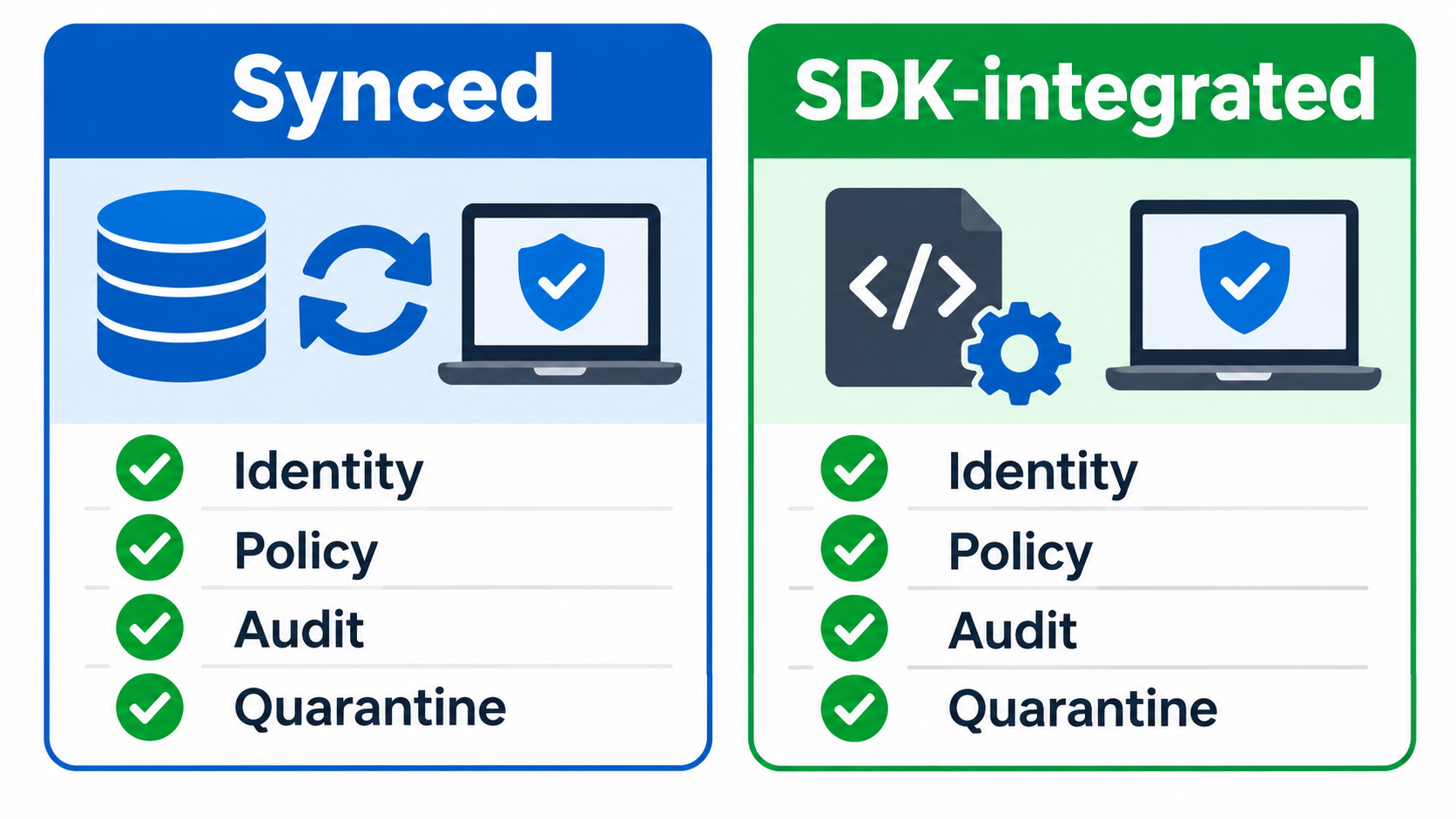
That gives you two classes of registry entry, and you should label them as such:
- Observed agents: discovered through sync. You know they exist. You can see platform, region, and status.
- Governed agents: built or retrofitted with the SDK and an Entra Agent ID. You can apply identity, access, and policy controls.
Treat the move from observed to governed as a measurable migration. Report it as a percentage.
Known limitations to plan around
Reported limitations in the current sync model include:
- Manual triggering: administrators initiate sync, and scheduled synchronization has been described as unavailable.
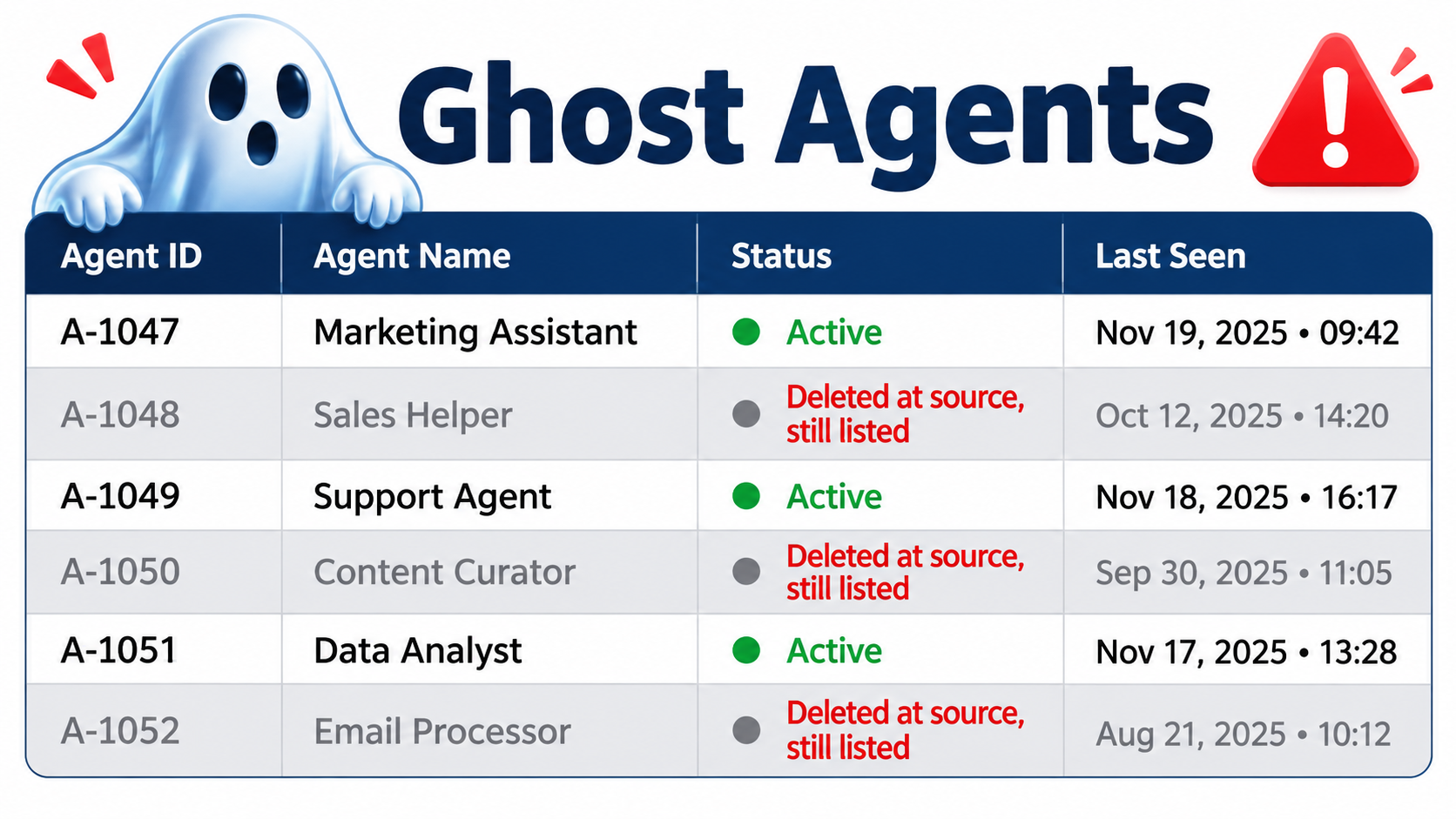
- Incomplete deletion reconciliation: agents removed at the source may linger in the registry.
- Partial controls: lifecycle actions on external agents are limited compared to native ones.
Check whether any of these have changed. If they have not, they define your operating model.
Designing Around Stale Data
Manual sync and imperfect deletion handling produce a specific failure: ghost agents. These are registry entries for agents that no longer exist, and, worse, the reverse, agents that exist but were created after the last sync.
Make sync a scheduled job you own
If the product will not schedule a sync, your operations team will. Put it on a calendar with a named person, a weekly cadence at minimum, and a record of the last successful run. If your tenant exposes APIs or automation hooks for triggering sync, script it. Confirm that before depending on it.
Reconcile with a stale flag
Add a rule: any synced entry not seen in the latest two sync runs is flagged for owner review rather than silently trusted. Pair that with a monthly count comparison between each platform’s native console and the registry. A difference in totals is the cheapest drift detector you have.
Separate discovery from decision
Never let the registry’s presence of an entry be treated as approval. Discovery means seen. Approval is a distinct lifecycle state with a named approver.
Identity: Why Entra Agent ID Is the Spine
Registry entries are labels. Identity is what makes controls enforceable. Entra Agent ID gives each agent its own identity with an owner, a purpose, and access policies, instead of reusing shared service accounts or a developer’s credentials.
Microsoft says Agent ID is available to all Entra customers, while the advanced governance and security features require Agent 365 or E7. Recent announcements also describe Agent IDs for partner-platform agents, secretless workload-identity authentication, and guided connection setup.
What this changes in practice
- Conditional access and least-privilege can apply to an agent the way they apply to a person.
- Audit logs attribute actions to a specific agent, not to a generic account.
- Offboarding an owner can trigger an ownership reassignment workflow instead of orphaning the agent.
The practical rule: no production agent without its own identity. If a platform cannot provide one, that platform’s agents stay in the pilot tier.
Ownership and Lifecycle: The Part Software Cannot Do
A registry full of agents without accountable owners is a graveyard waiting to happen. Build the lifecycle process first, then configure the tool to reflect it.
A five-state lifecycle
- Proposed: intent, owner, purpose, and data access declared.
- Pilot: limited users, limited data, time-boxed, with an expiry date.
- Production: approved by security and the data owner, with an Entra Agent ID.
- Suspended: blocked pending review, because of an incident, an owner departure, or a failed attestation.
- Retired: deleted at the source and removed from the registry, with confirmation.
Quarterly attestation
Each owner confirms every agent they sponsor is still needed, still correctly scoped, and still in the right tier. No attestation, no continued production status. This is dull, and it is the control that actually shrinks sprawl.
Risk Tiering Across Platforms
Not every agent needs the same scrutiny. A meeting-summary bot reading one team’s calendar is not an agent that approves payments.
| Tier | Typical profile | Minimum requirement |
|---|---|---|
| Low | Read-only, internal, non-sensitive data | Registered, owner named |
| Medium | Writes to internal systems, limited sensitive data | Entra Agent ID, quarterly attestation |
| High | Customer data, financial actions, external communication | SDK integration, security review, monitoring, human approval on key actions |
Microsoft reports Defender posture assessments for Bedrock, Vertex AI, Gemini, and Claude agents. Use those signals as an input to tiering, but keep the tier decision with a human reviewer.
A Rollout Sequence That Works
Weeks 1 to 2: Count
Run sync against every supported platform. Pull native counts from unsupported ones by hand. Accept that your first number will be wrong and record it as a baseline.
Weeks 3 to 4: Assign
Every entry gets an owner. Entries nobody claims within two weeks move to suspended. This step surfaces more abandoned agents than any scan.
Weeks 5 to 8: Tier and migrate
Classify by risk. Move high-tier agents onto the SDK and identity first. Leave low-tier agents observed.
Ongoing: Reconcile and report
Run scheduled syncs, stale-flag reviews, and quarterly attestations. Report four numbers to leadership: total agents, percent with named owners, percent governed, and count of stale entries.
One public example: Regal Rexnord worked with Insight to use Agent 365 as a governance and observability layer, inventorying roughly 2,000 agents and actively governing 16 across finance, supply chain, customer operations, and enterprise enablement. The ratio is instructive. Inventory was broad; governance started narrow, on the agents that mattered.
Cost and Licensing Considerations
Per-user licensing means one licensed user can own, manage, or sponsor many agents. That makes cost scale with your people, not your agent count, which favors organizations with many small agents and fewer owners.
Check two things with your Microsoft representative: which employees need a license to act as owners or sponsors, and which features you need that sit beyond the Entra Agent ID baseline. Compare the $15 standalone price against E7 at $99 only if you would otherwise buy the other components in the bundle.
Where Agent 365 Should Not Be Your Only Layer
Microsoft itself describes the tool as complementary to platform administration. Keep platform-native controls active: Bedrock guardrails, Vertex AI permissions, Salesforce permission sets. The registry tells you what exists and who owns it. The platform console still governs what the agent can do inside its own walls.
Also consider portability. If the registry becomes your system of record, export its data regularly, and keep your schema in your own documentation so a future tool change does not reset your governance history.
Conclusion: What to Do This Quarter
- Define the minimum record schema before connecting anything.
- Run sync on every supported platform and compare against native counts.
- Own the sync schedule, since manual triggers will not run themselves.
- Flag stale entries and reconcile deletions monthly.
- Require a named owner and an Entra Agent ID for every production agent.
- Separate observed from governed, and track the migration percentage.
- Tier by risk, and put high-risk agents on the SDK first.
- Run quarterly owner attestation.
A cross-platform registry is less a product than a habit. Agent 365 supplies the ledger and the identity plumbing. The accuracy of the ledger depends on the sync discipline, ownership rules, and retirement routines you build around it.
Leave a Reply