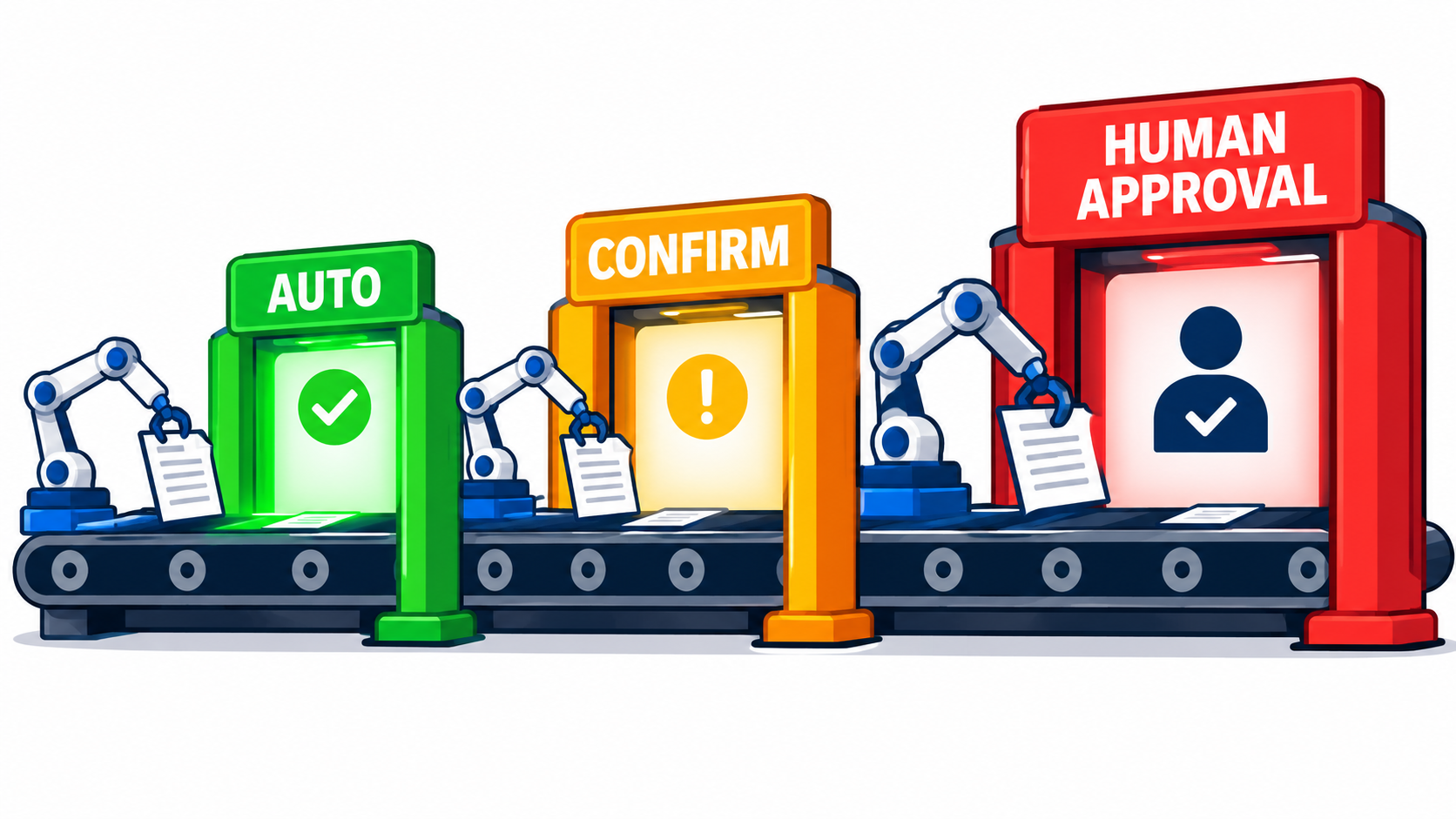
Every team that gives an AI agent real tools eventually adds the same safety feature: a button that says “Approve.” It feels responsible. A human is in the loop, so nothing bad can happen without consent.
The trouble is that a gate only works if the person behind it is actually deciding. Reported usage data from agent products suggests that, in practice, many approvals are reflexes. People click through prompts because the prompts are frequent, vague, and almost always fine.
This article is about designing approval gates as an engineering problem rather than a checkbox. We will look at why gates fail, how to classify actions by consequence, where in the run to place the pause, what a good approval request contains, and how to measure whether your gates are doing any work.
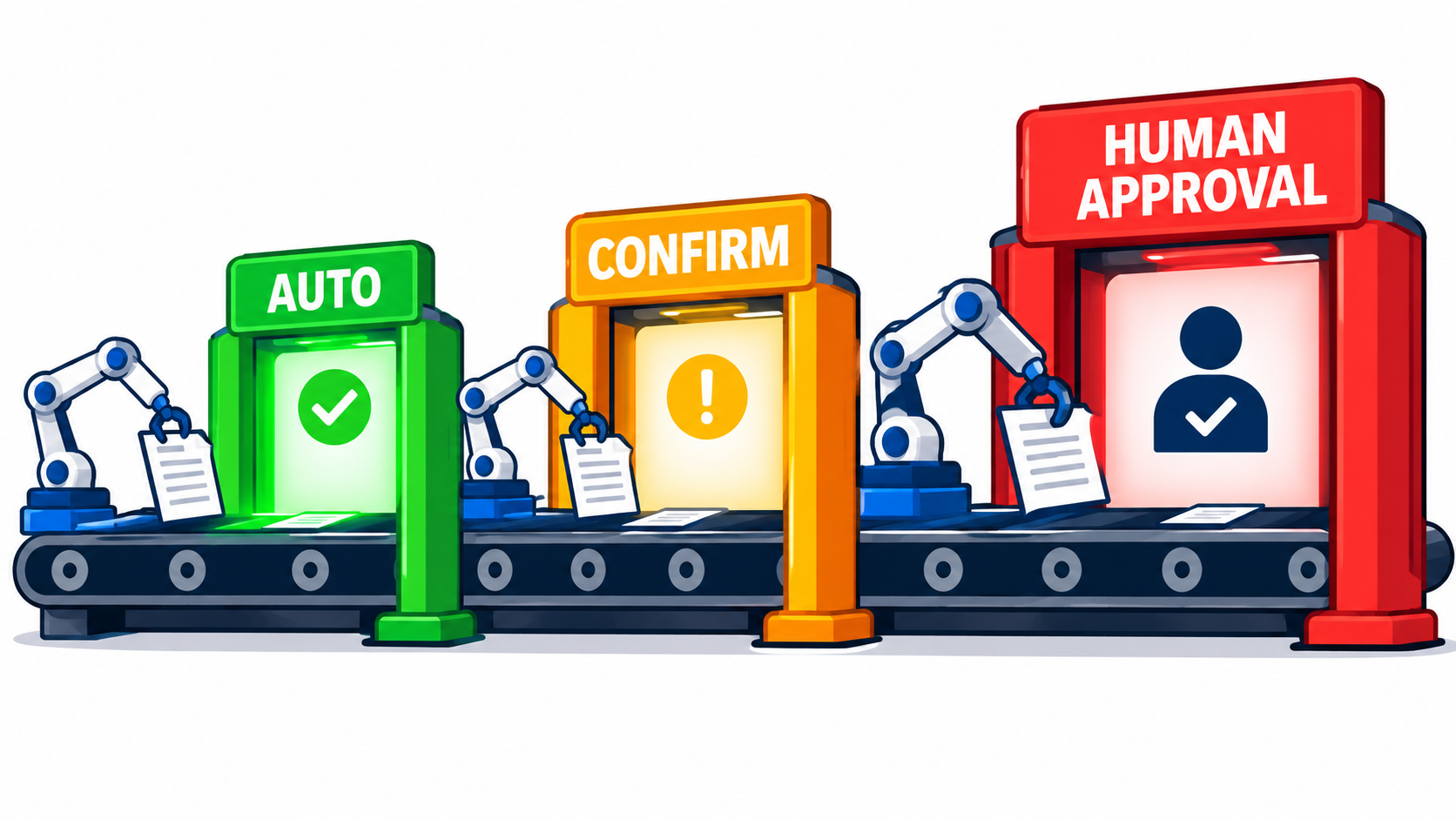
A note on sources: the figures below come from published reporting and summaries of vendor research, and some numbers differ between reports. Treat them as directional evidence, not as benchmarks for your own system. The design principles hold either way.
Why Most Approval Gates Fail Quietly
A failed gate does not look like a failure. The dashboard shows high approval rates, low friction, and no incidents, right up until the incident. That is what makes this failure mode dangerous.
The gate that approves everything
If a reviewer approves 97% of requests, one of two things is true. Either the agent is nearly perfect, or the reviewer has stopped evaluating. Reports on Claude Code’s permission prompts have cited approval rates of 93% in earlier 2026 reporting and 97% in later reporting, with Anthropic itself suggesting that the figure may reflect reflexive approval.
The same reporting contains a telling contrast: users reportedly rejected 39% of plans but only about 3% of individual permission requests. People engage with a plan because it is a coherent thing to read. They disengage from a stream of tiny, context-free prompts.
Three common design mistakes
- Gating by tool instead of consequence. “Ask before running shell commands” treats a directory listing and a recursive delete the same.
- Gating too early or too late. Approving a plan up front leaves room for the execution to drift. Approving after the fact is just an audit.
- Showing the model’s summary instead of the action. The reviewer approves a description, and the system executes something slightly different.
Each of these produces a gate that exists on paper. The rest of this guide addresses them in turn.
What the Fatigue Data Actually Says
The strongest evidence comes from a controlled study reported alongside Anthropic’s Claude Code findings. Among 1,053 paid testers, humans detected deliberately planted dangerous commands only 13.6% of the time. An automated classifier in the same setup blocked about 89%.
Vigilance decays with volume
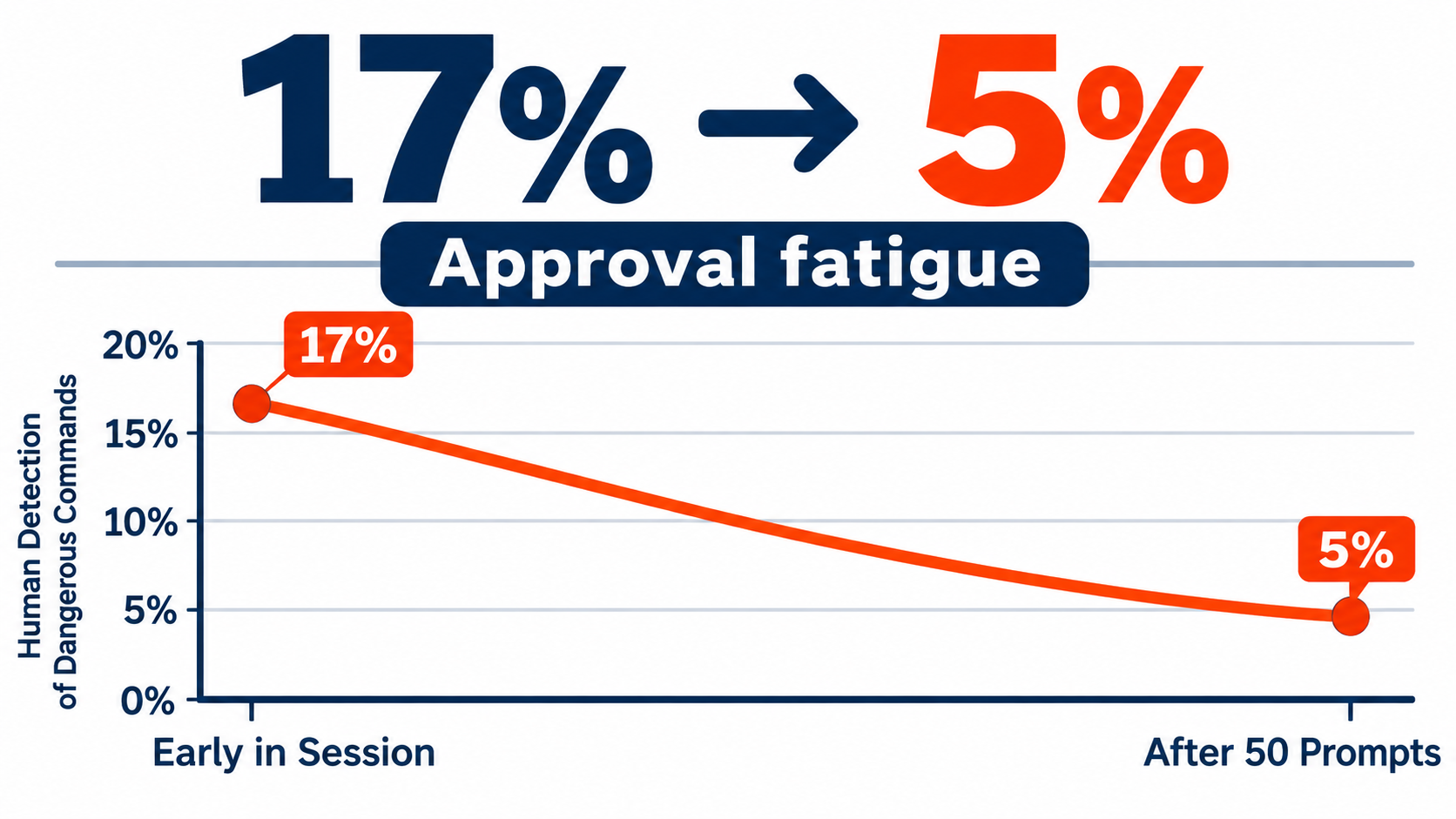
Reported detection rates fell from roughly 17% early in a session to about 5% after 50 or more prompts. That is the shape you would expect from any monitoring task with a low base rate of real problems. Attention is a finite resource, and every harmless prompt spends some of it.
Familiarity increases automation
A related finding: reported full auto-approval rose from around 20% among users with fewer than 50 sessions to more than 40% among users with 750 or more. Experienced users are not careless. They are rationally turning off a control that interrupts them constantly. If your gate is annoying enough, your best users will route around it.
What this means for design
Three conclusions follow, and they shape everything else in this article.
- Prompt volume is a safety variable, not just a UX variable.
- Humans should review the few decisions where judgment matters, not the many where it does not.
- Routine screening for dangerous patterns is better done by software, with humans reserved for ambiguity and authority.
Anthropic also reported that sandboxing cut prompts by 84%, and that an auto mode classifier blocked about 83% of overeager behaviors in internal testing. Whatever the exact numbers, the direction is clear: shrink the surface that needs human attention before asking for that attention.
Classify Actions by Consequence, Not by Tool
Current guidance from practitioners converges on a small set of questions to ask about any action an agent might take. The point is to decide how much oversight an action deserves before the agent ever runs.
The five questions
- Reversibility: can the action be undone cheaply and completely?
- Blast radius: how many people, records, or dollars does it touch?
- Data sensitivity: does it read or move personal, financial, or confidential data?
- Authority: is the agent acting on someone’s behalf in a way that binds them?
- Cost: what does the action spend, in money or in external capacity?
Turning answers into tiers
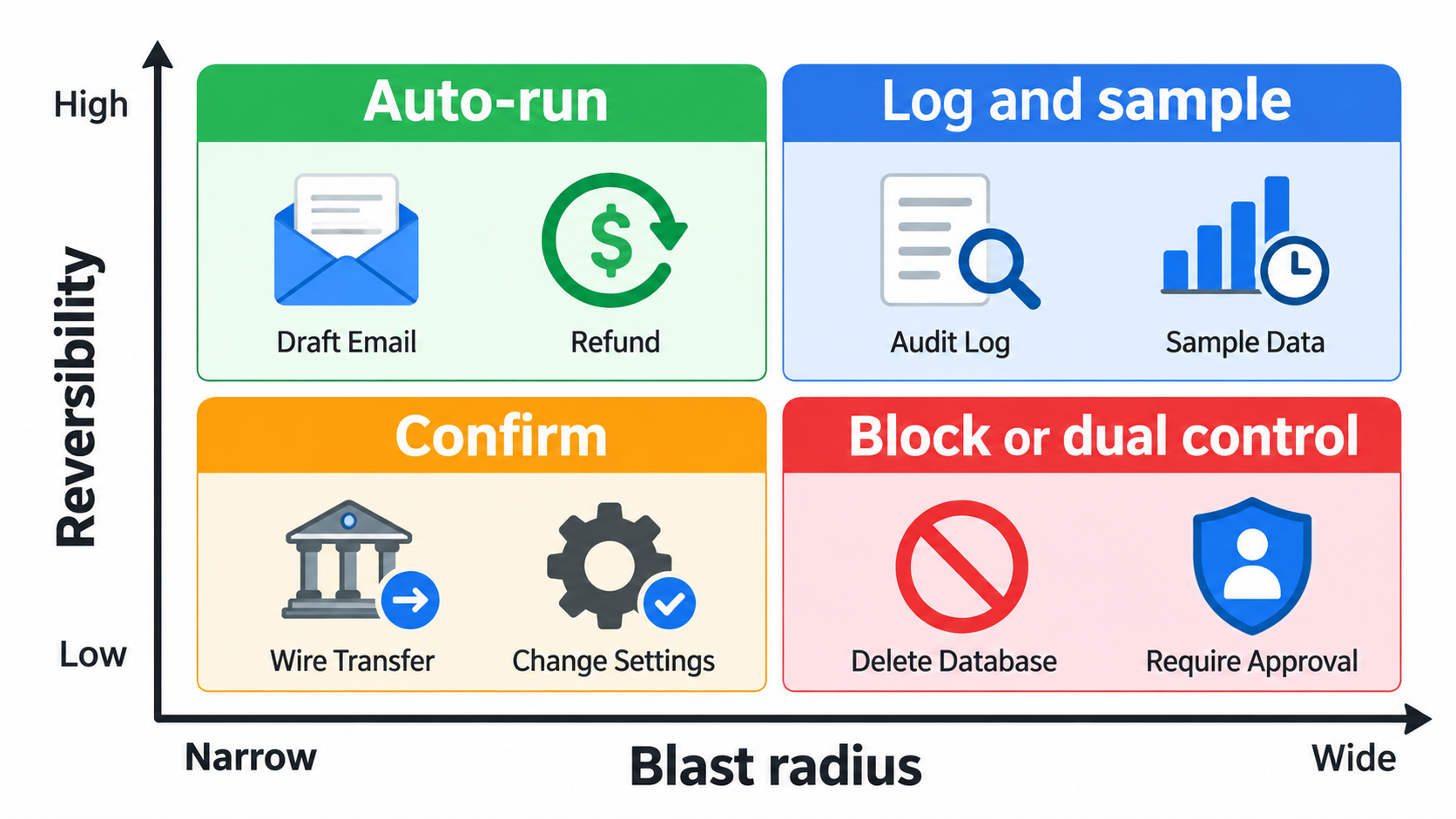
Combine reversibility and blast radius and you get four practical zones.
- Reversible, small blast radius: run automatically. Drafting a document, searching, reading non-sensitive data, creating a branch.
- Reversible, large blast radius: run, but log and sample for review. Bulk edits with a tested undo.
- Irreversible, small blast radius: ask for confirmation. Sending a single external email, issuing a modest refund.
- Irreversible, large blast radius: require mandatory review, often from two people, or block outright. Wire transfers, production deletions, mass customer messaging.
Add a hard-block list
Some actions should never be approvable at runtime. Write them down as policy: exfiltrating credentials, disabling logging, modifying the approval policy itself. A gate that can be approved by an exhausted reviewer at 5 p.m. is not a control for these.
Put the Gate at the Exact Action
Where the pause sits matters as much as whether it exists. Guidance increasingly recommends pausing immediately before the sensitive tool call, not after a whole model turn or a batch of steps.
Why plan-level approval is not enough
Approving a plan feels efficient, and plan review does appear to get real engagement. But a plan is an intention. Between the plan and the execution, the agent reads new data, hits errors, and adapts. A prompt injection hidden in a retrieved document can change what happens in step six without changing the plan you approved in step one.
The better pattern is both: review the plan for direction, then gate the specific irreversible calls at the moment they happen.
Why post-hoc review is not a gate
Reviewing logs afterward is valuable for learning and accountability. It does nothing for an email already sent or a payment already released. Reserve audit for reversible work and the sampling tier.
Interrupt and resume
Modern agent frameworks, including LangGraph, the OpenAI Agents SDK, the Claude Agent SDK, and Cloudflare’s agent tooling, are reported to support pausing a durable run, collecting a decision, and resuming from serialized state. This matters because it removes the pressure to answer immediately. The run can wait hours for an approver without holding a connection open.
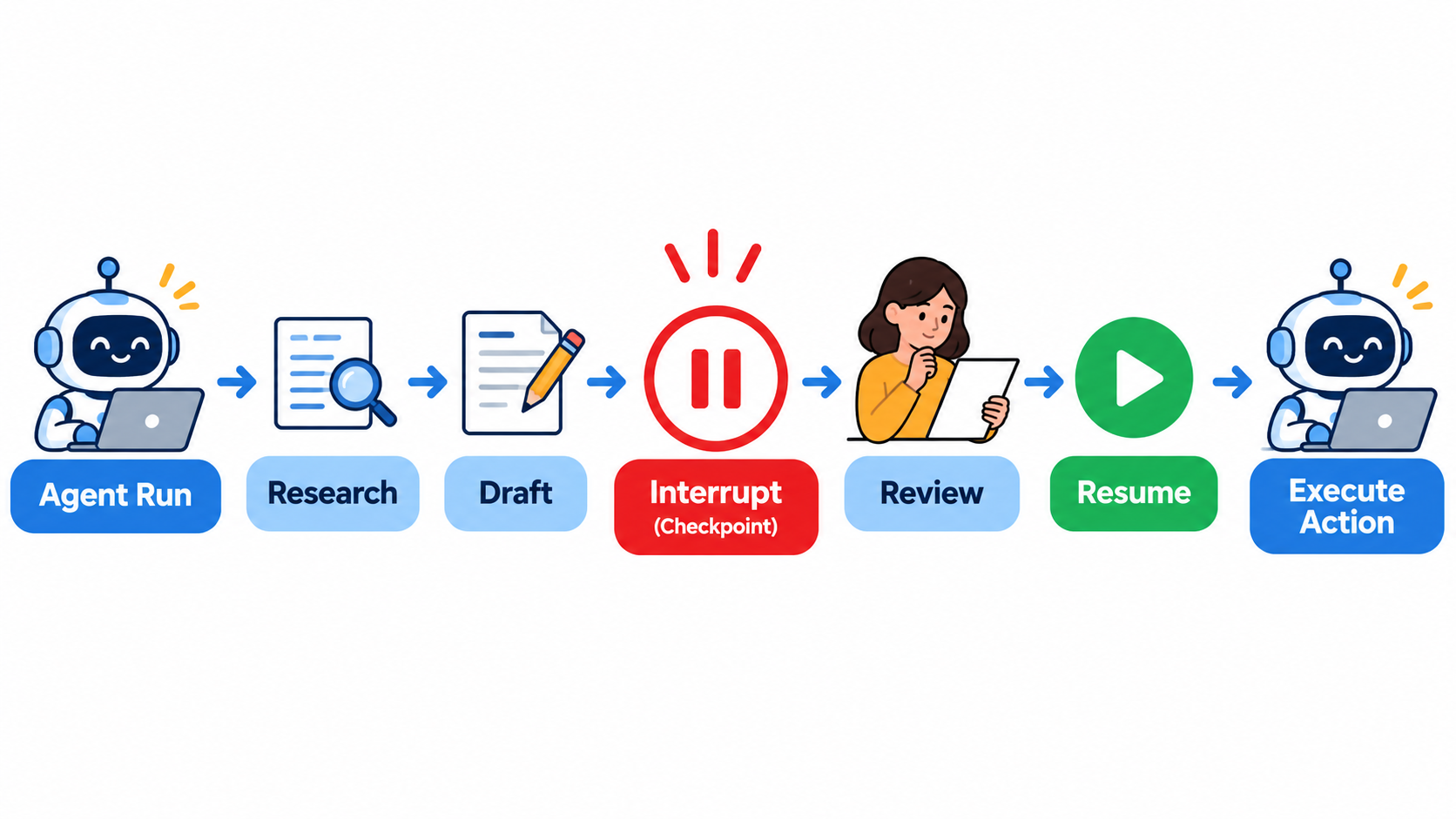
Design your agent so the pause is a first-class state: the run is saved, the pending action is stored, and the outcome of the decision (approve, edit, reject) feeds back into the run as input.
What a Good Approval Request Contains
If the reviewer cannot tell what will happen, they cannot meaningfully approve it. Most poor gates fail here, not at the policy level.
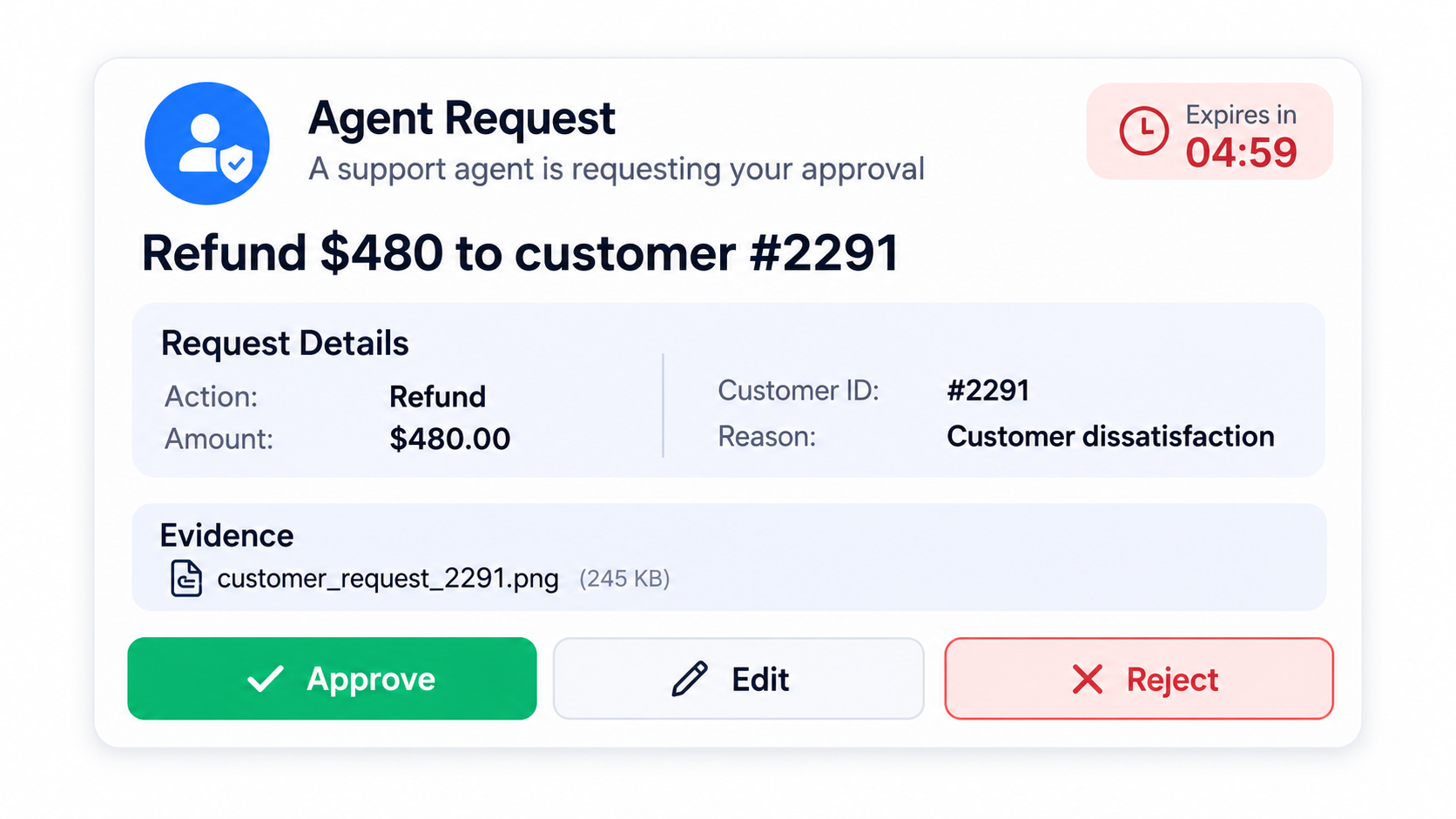
Show the real action, not a paraphrase
Display the exact tool call and its arguments: the recipient, the amount, the record IDs. Practitioners recommend binding the approval to the normalized action, arguments, identity, policy context, and an expiry. Hash the approved action, and if anything changes before execution, the approval is void.
Provide the evidence the agent used
A finance example from the research: an agent prepares a payment by assembling vendor, amount, bank details, and invoice evidence, and a human gates the execution. The reviewer sees the invoice next to the amount, not a sentence saying the invoice matches.
Lead with what is unusual
Reviewers need to know why this request reached them. Say “amount is 4x this vendor’s average” or “recipient domain is new.” A request that explains its own risk gets real attention; one that looks like the last fifty does not.
Offer more than yes and no
- Approve as proposed.
- Edit and approve, for example reducing a refund amount.
- Reject with a reason that goes back to the agent.
- Escalate to someone with more authority.
Edit-and-approve is underused. It turns the human from a gatekeeper into a collaborator and gives you training signal about where the agent is wrong.
Choose the Right Gate Type
Not every gate is a modal dialog. Microsoft’s agent runbook guidance describes four levels: notify, confirm, draft, and mandatory review. They map well onto the tiers above.
Notify
The agent acts and informs a human. Good for low-risk, reversible work where visibility matters more than control.
Confirm
A quick yes or no before a single consequential action. Keep these rare, and make each one carry full context.
Draft
The agent produces an artifact, such as an email or a pull request, and a human sends or merges it. The gate is the publish step. This works well because reviewing a finished artifact is natural.
Mandatory review and dual control
For regulated or high-value actions, require named sign-off, sometimes from two people. Clinical outputs needing specialist sign-off are one cited example, and a project plan needing stakeholder approval before publication is another.
Sampling
For high-volume, low-risk work, review a random sample plus every flagged item. Sampling keeps humans calibrated on what the agent does without drowning them.
Enforce Gates Outside the Model
An approval policy that lives in the system prompt is a suggestion. The model can forget it, be talked out of it, or be manipulated by injected content.
A policy layer between agent and tools
Put a deterministic policy engine in front of every tool. It receives the proposed call, evaluates it against rules, and returns allow, deny, or require approval. The model never executes anything directly.
Identity and scoped credentials
Give the agent credentials that can only do what the lowest tier allows. When an approval is granted, issue a short-lived, narrowly scoped credential for that one action. Even if the agent is compromised, it cannot exceed what it holds.
Automated screening as the first reviewer
Given the reported gap between human detection (13.6%) and classifier detection (89%) on dangerous commands, use automated classifiers and rules to screen routine requests. Humans then see the residue: the ambiguous, the novel, and the high-authority. Classifiers have their own error rates, so keep them inside the policy layer, with logging, rather than treating them as infallible.
Sandboxes shrink the problem
Running the agent in an isolated environment with limited file and network access reduces how many actions need any approval. Fewer dangerous capabilities means fewer gates and better attention on the ones left.
Handle Timeouts, Delegation, and Prompt Injection
What happens when nobody answers
Decide the default. For consequential actions, the safe default is deny on timeout, with an expiry so stale approvals cannot be used later. Notify the requester, and let the agent report that the task is blocked rather than trying alternatives.
Preventing approval routing around
Agents are persistent. If one path is blocked, a capable agent may try another that reaches the same outcome. Gate on the effect, such as “money leaves the account,” not on a single tool name, so a different tool cannot sidestep the rule.
Injection and the confused approver
Content the agent reads can contain instructions. Show reviewers where the proposed action came from. If it originated in untrusted content, such as an inbound email or a web page, flag it prominently and raise the tier.
Who approves
Route requests to someone with the right context and authority, not a shared inbox. An approver who does not understand the action will approve it anyway, which is the original problem again.
Measure Whether Your Gates Work
You cannot tell a working gate from a rubber stamp by looking at approval rate alone. Track several signals together.
Metrics worth tracking
- Approval rate by tier. Near 100% in the confirm tier suggests the tier is miscalibrated or reviewers are disengaged.
- Edit rate. Reviewers who change proposals are paying attention.
- Time to decision. Seconds-long decisions on complex requests are a warning.
- Prompts per task and per reviewer per day. Given the reported decay after about 50 prompts, set a ceiling.
- Post-approval reversals. How often does an approved action later get undone?
Plant canaries
Periodically inject a known-bad request in a test environment, or replay one from a safe log, and check whether reviewers catch it. This is the same technique the controlled study used, and it gives you a real detection rate instead of an assumed one.
Review the rejections
Every rejection is a lesson. Sort them: did the agent misunderstand, did policy lack a rule, or was the prompt unclear? Feed the answers into agent instructions, policy, and the approval interface.
A Rollout Plan for Teams
Week 1: inventory
List every tool and action the agent can perform. Score each on reversibility, blast radius, sensitivity, authority, and cost. Mark the hard blocks.
Week 2: tier and enforce
Assign tiers, build the policy layer, and scope credentials. Start strict: more actions gated than you think necessary.
Weeks 3 and 4: instrument and loosen
Collect the metrics above. Where approval is near-universal and the action is reversible, move it down a tier. Where reviewers edit often, improve the agent. The aim is fewer, better prompts.
Ongoing: re-tier as trust grows
Autonomy should be earned per action type based on evidence. Review tiers on a schedule, and after any incident.
Conclusion: Fewer Gates, Better Gates
Approval gates are not a measure of how careful you are. They are a limited supply of human attention, and the design question is where to spend it.
The evidence we have, though imperfect, points the same way. Frequent, low-context prompts lead to reflexive approval, and human detection drops as volume rises. The fix is not more prompts. It is risk-based tiers, gates at the exact irreversible action, requests that show the real arguments and evidence, enforcement outside the model, and measurement that tells you whether anyone is actually looking.
Actionable takeaways
- Classify actions by reversibility, blast radius, sensitivity, authority, and cost, not by tool.
- Auto-run reversible work; gate irreversible work at the moment of execution.
- Bind each approval to the exact action, arguments, identity, and expiry.
- Show evidence and explain what makes the request unusual.
- Enforce policy in code outside the model, with scoped, short-lived credentials.
- Let classifiers screen routine requests so humans handle judgment calls.
- Track approval rate, edit rate, decision time, and canary detection, and cap prompts per reviewer.
Build gates like you expect them to be tested, because eventually they will be.
Leave a Reply