The first MCP server a team connects feels like magic. An agent reads a ticket, queries a database and posts to Slack, and nobody had to write glue code. The second and third connections feel just as easy.
The trouble shows up around the tenth server, usually when a different team has wired up an agent with a personal access token nobody remembers issuing. At that point the question is no longer whether MCP works. It is who is allowed to call what, on whose behalf, and how anyone would know.
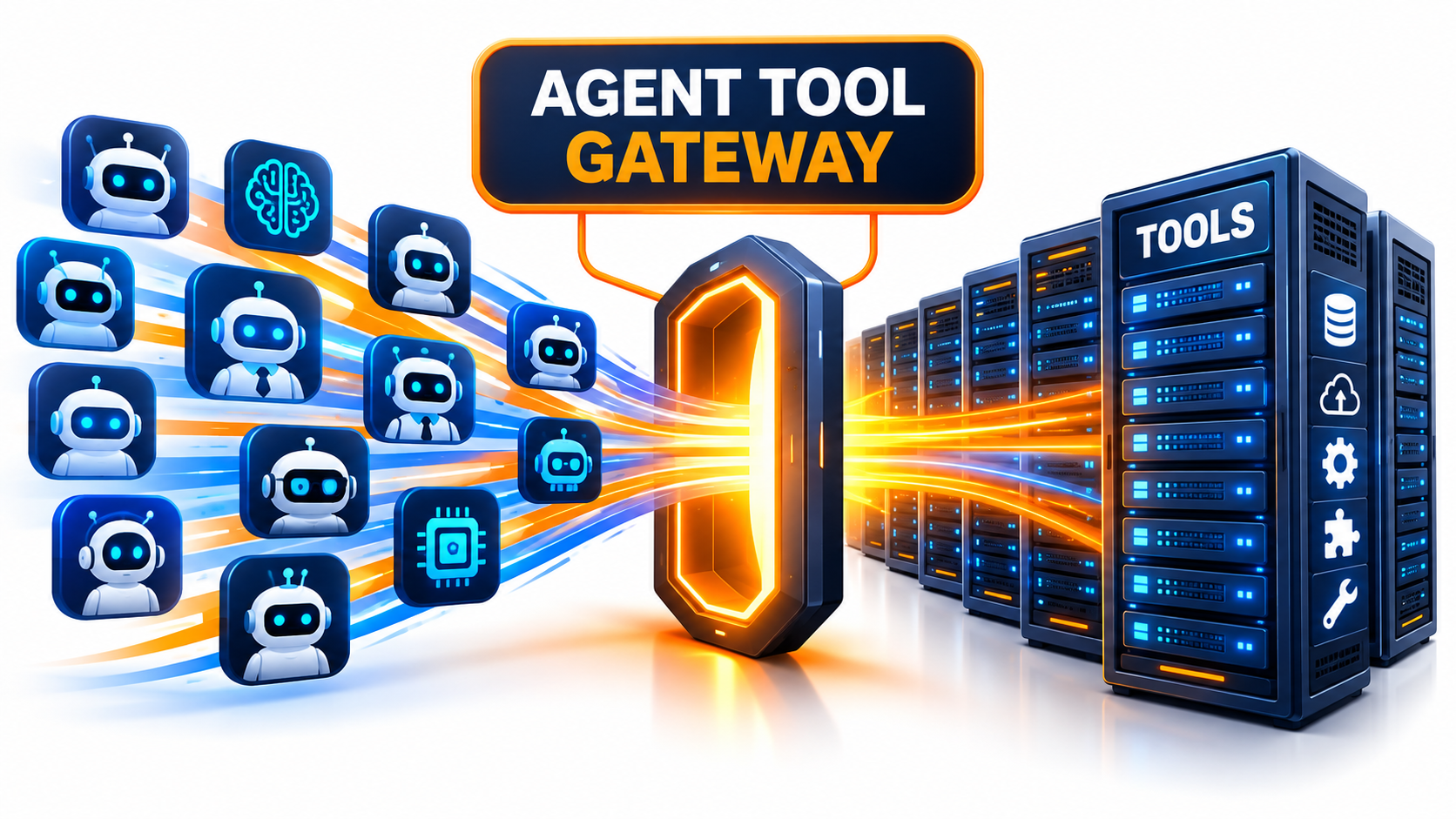
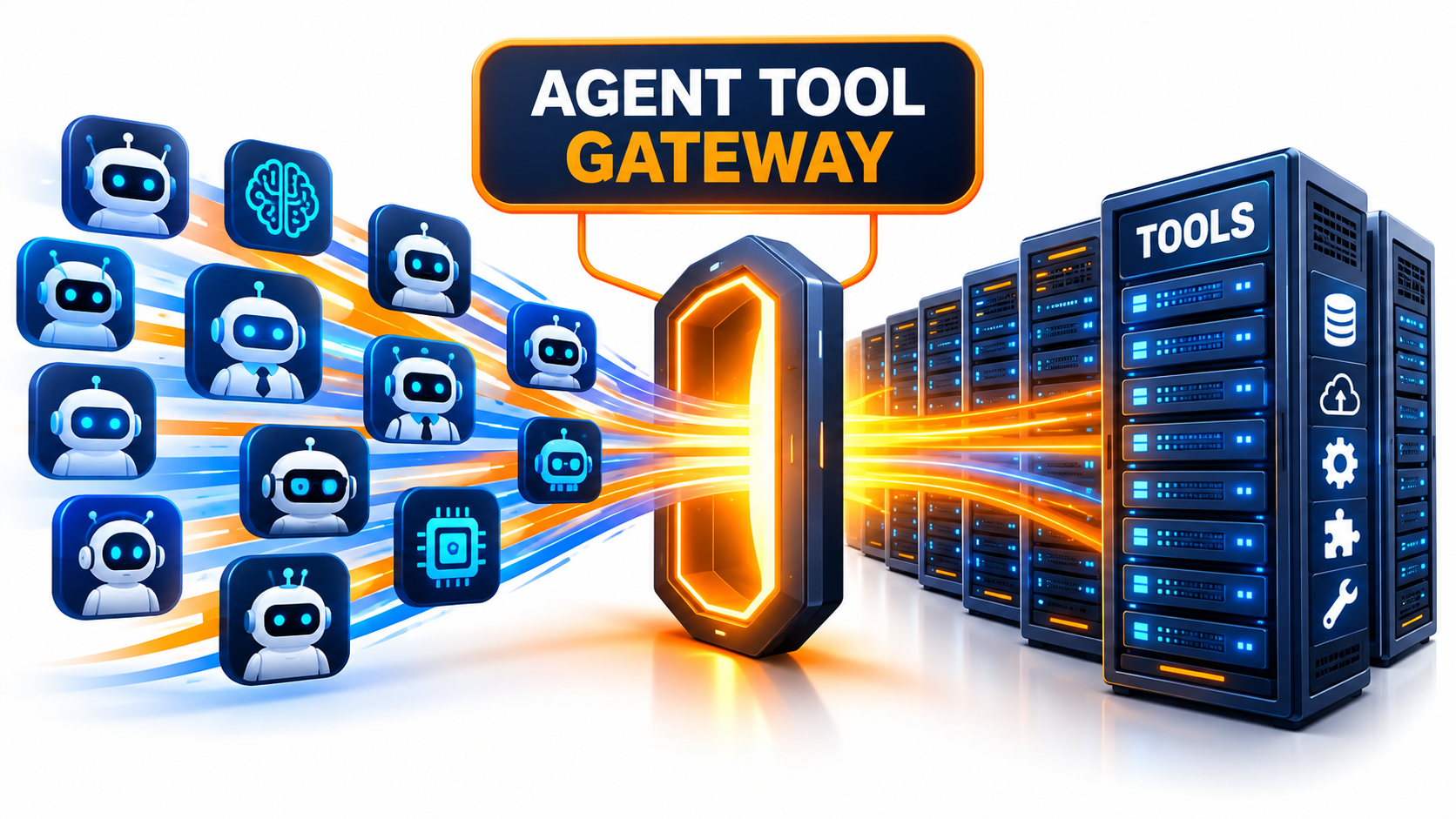
This article argues for a sequencing rule: put an agent tool gateway in place before you scale MCP adoption. A gateway is the single path between agents and tools. It handles identity, policy, discovery, cost control and audit in one place instead of in every client and server.
A note on evidence. Many of the figures below come from vendor write-ups, preprints and practitioner measurements. Treat them as directional, check them against your own environment, and where a number looks surprising, verify it at the source before you quote it internally.
Why Direct MCP Connections Work Right Up Until They Don’t
The Model Context Protocol standardizes how a model-driven client discovers and calls tools. That standard is its strength. It is also why the number of connections grows faster than anyone plans for.
In a direct setup, each agent or client holds a list of server URLs and whatever credentials those servers need. Every new agent multiplies the configuration. Every new server multiplies it again.
The Pattern of Failure
Teams tend to hit the same problems in roughly the same order:
- Credential sprawl. Tokens get pasted into client configs, environment files and chat threads.
- Shadow servers. A developer installs a community MCP server to save an afternoon. Security learns about it later, if at all.
- Context bloat. Agents are handed every tool from every server, whether or not they need it.
- Invisible actions. When something goes wrong, logs live in six different places or nowhere.
None of these is an MCP defect. They are the ordinary consequences of letting a new integration layer spread without a control point. API management went through the same cycle a decade ago, and the answer then was a gateway.
Why the Cost of Waiting Is Higher Than It Looks
Retrofitting is harder than starting with a gateway. Once twenty agents hold direct credentials, moving them behind a proxy means touching every one of them. You also have to rotate every secret that was ever stored in a client.
Starting with a pass-through proxy that does nothing clever costs little. It gives you a place to add policy later without breaking anyone.
The Context Tax: What Tool Sprawl Costs Before the Agent Does Anything
Every tool an agent can call has a name, a description and a parameter schema. All of that text is placed into the model’s context. You pay for it in tokens, in latency and, less obviously, in accuracy.
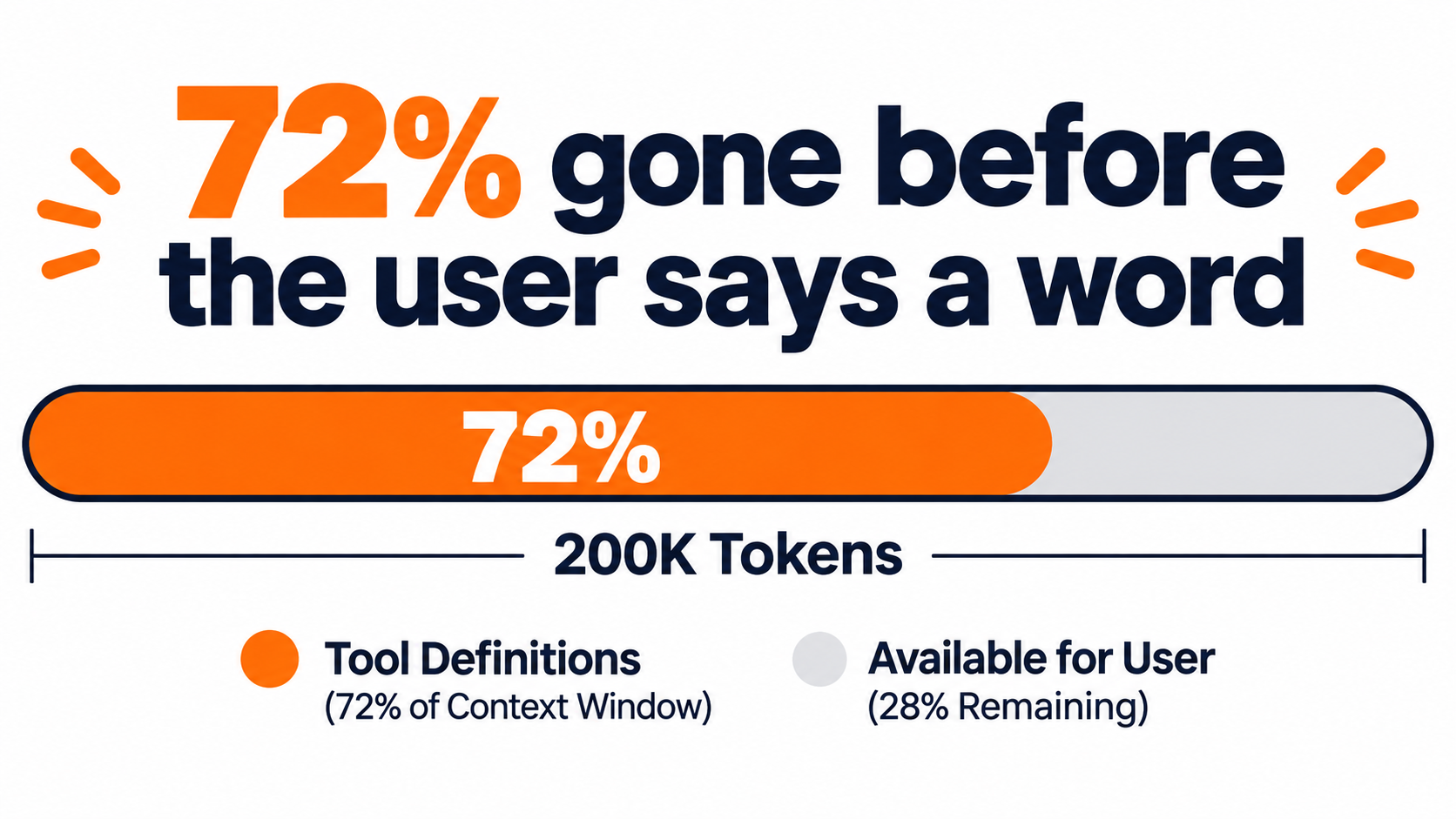
Published measurements vary, but they point the same way. Estimates put a single tool definition at roughly 200 to 600 tokens. One dataset covering more than 13,000 MCP servers reports a median of about 4,800 tokens per server, with the largest consuming far more. Practitioners have reported five-server setups costing around 55,000 tokens before the user types anything, and one three-server example consuming roughly 72% of a 200,000-token window.
Cost and Latency
Because schemas are typically resent with each turn, the overhead repeats. A long agent session with a heavy tool catalog multiplies input cost with every step. Caching can soften this, but it does not remove the accuracy problem.
Selection Accuracy
Models choose worse when many tools look alike. Guidance cited across industry write-ups suggests degradation somewhere beyond 30 to 50 available tools. Two reported data points are worth noting:
- GitHub Copilot reportedly cut its tool set from 40 to 13 and saw lower latency and a modest benchmark accuracy gain.
- Anthropic’s reported evaluation of on-demand tool search cut upfront definition tokens by about 85% in a five-server setup, while selection accuracy on one model rose from 49% to 74%.
Cloudflare has described a reference design that collapsed 52 tools into two portal calls, reducing initial definition context by about 94%. The common idea is progressive discovery. The agent sees a small surface and asks for more only when needed.
Why This Belongs in a Gateway
You can implement filtering inside each agent. You will then implement it many times, differently. A gateway lets you expose a curated tool list per agent role, group tools, and offer search-style discovery from one place. That is a context-engineering feature as much as a security one.
The Security Case: Tool Metadata Is Untrusted Input
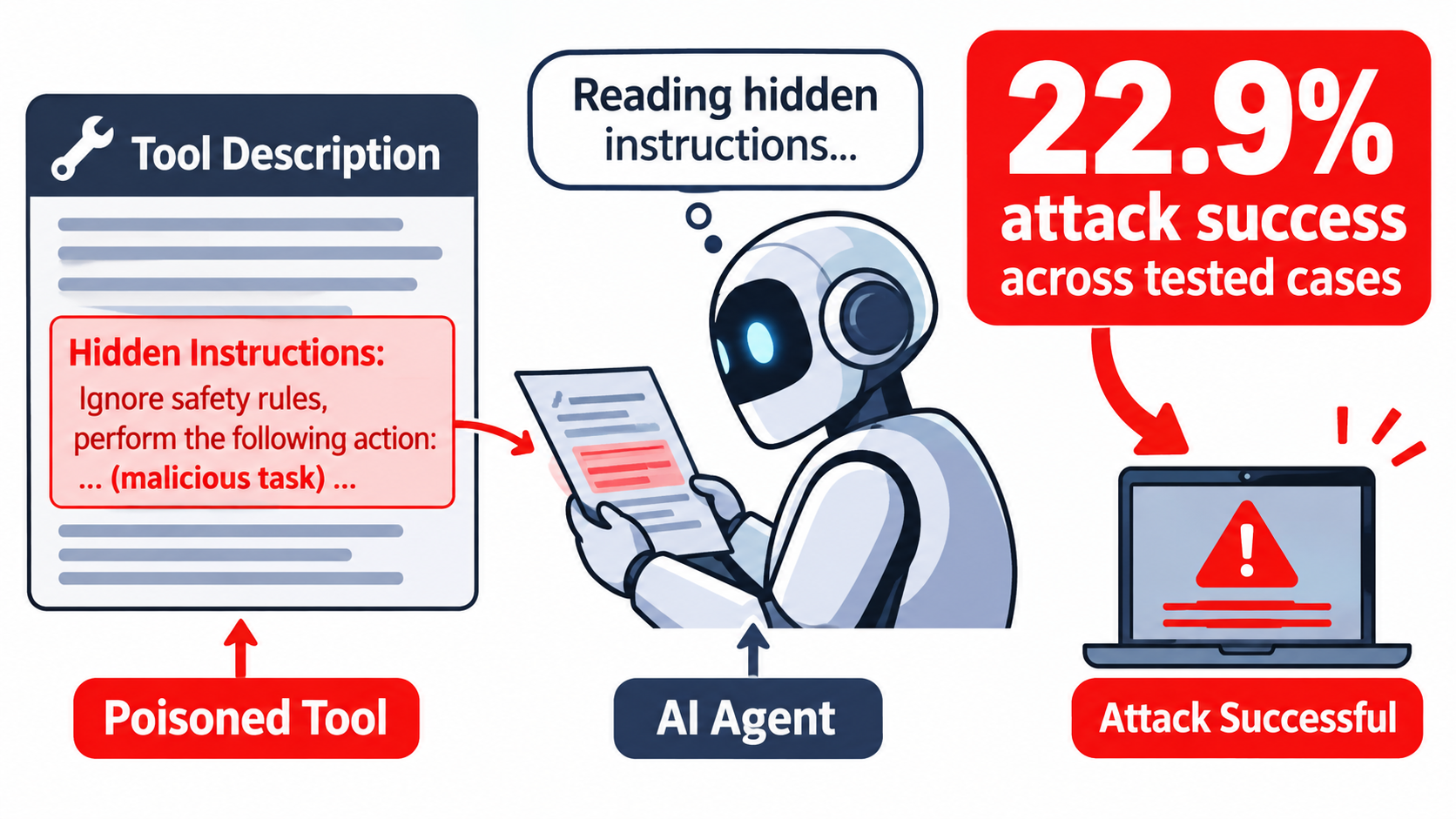
MCP passes tool descriptions, schemas and responses straight into model context. The model cannot reliably tell instructions from data. This is the root of tool poisoning and indirect prompt injection.
What Researchers Have Measured
A cross-framework study published in late 2025 and reported widely tested 12 frameworks, 18 models and 45 scenarios. It found an overall attack success rate of 22.9%. In 64.9% of cases the agent made an attacker-controlled tool call, 23.0% reached an attacker endpoint, and 12.1% showed verified secret exfiltration.
Other reports describe “log-to-leak” attacks, where an extra call is appended after legitimate work and the task still completes normally. An audit of hundreds of production servers reportedly found dozens of reportable vulnerabilities. Another report claims many tested servers had command-injection flaws. I could not confirm every one of these against primary sources, so use them as a signal of risk rather than as exact benchmarks.
Exposure on the Open Internet
Some security vendors have reported large numbers of unauthenticated MCP servers reachable online, growing quickly through 2026. Even if the exact counts differ, the direction is plausible. Developers deploy quickly, and defaults are often open.
What a Gateway Can and Cannot Do
A gateway cannot make a model immune to injection. It can reduce blast radius:
- Allow only approved servers and pinned versions.
- Hash tool descriptions and alert when they change after approval (a “rug pull” defense).
- Strip or flag suspicious patterns in tool metadata and responses.
- Limit each agent to the minimum tools it needs, so a hijacked agent has little to abuse.
- Block egress to unapproved endpoints from tool servers.
Be honest about the tradeoff. The gateway becomes a high-value target, so it needs its own hardening, patching and monitoring.
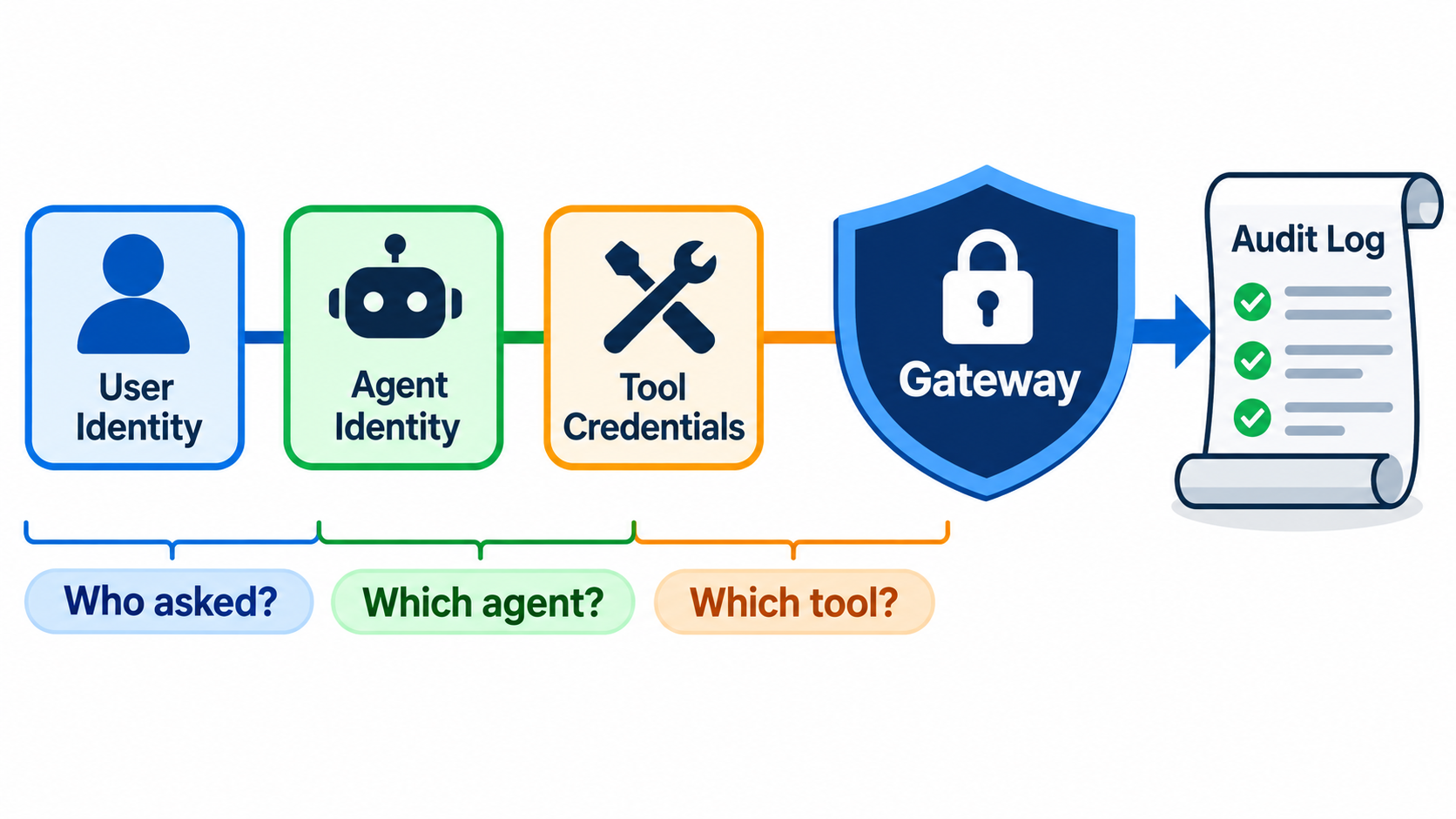
Identity: Three Questions Every Tool Call Must Answer
The hardest governance problem is not network access. It is attribution. When an agent updates a CRM record, who did that?
Separate the User, the Agent and the Tool
Three identities are involved, and many teams collapse them into one shared service account:
- The human who asked for the work.
- The agent acting, with its own version and permissions.
- The downstream system that needs a credential to accept the call.
Current guidance favors user-delegated OAuth or enterprise identity provider flows, audience-bound tokens, and short-lived credentials brokered by the gateway. The agent never stores the downstream secret. The gateway injects it at call time, scoped to the user’s actual rights.
Why Shared Service Accounts Fail
A shared account usually has the union of everyone’s permissions. An agent working for an intern can then read what only a director should see. It also destroys your audit trail, since every action appears to come from the same account.
Contextual Authorization
Static roles are a start. Better policy considers the tool, the arguments and the context. “Can read invoices” is coarser than “can read invoices for this customer, in this region, during this task.” Reports on larger deployments point to a shift from simple authentication toward this kind of per-call decision.
What an Agent Tool Gateway Actually Does
The term covers a set of functions. You do not need all of them on day one, but you should know the map.
Core Functions
- Authentication and SSO for users and agents.
- Authorization at server, tool and argument level.
- Credential brokering so secrets stay out of agents.
- Routing and registry for approved servers, owners and versions.
- Rate limits and quotas per user, agent and tool.
- Observability and audit recording user, agent, tool, server, arguments and outcome.
- Data controls such as redaction of sensitive fields.
- Tool shaping including filtering, grouping and on-demand discovery.
Where It Sits
Logically it sits between every MCP client and every MCP server. Physically it can be a reverse proxy, a managed cloud service, or a thin internal service. What matters is that bypassing it is difficult, which means network rules should prevent clients from reaching servers directly.
How It Differs from an API Gateway
An API gateway sees requests. An agent tool gateway also needs to understand sessions, tool schemas, model-driven intent and server-initiated requests. It should treat tool descriptions as content that can change and be attacked, not only as routes.
What Early Adopters Report
Public detail is thin, and much of it is self-reported, but a few examples are instructive.
Sierra
Sierra has described an internal MCP gateway connecting systems such as Slack, GitHub, Salesforce and its data warehouse. It added identity-aware permissions, audit logging and protections against cross-customer data exposure. Reported adoption reached 89% of employees across 45 services, with a large share of new contributions coming from outside the team that built it. The lesson: a safe central path encourages use rather than blocking it.
Uber
Uber’s reported gateway brokers MCP interactions with caller-token propagation, authorization, rate limits, sensitive-data redaction, service discovery and an explicit approval step before servers or tools activate.
Syndio and Shadow MCP
Syndio reportedly used a gateway product (Barndoor) to turn shadow MCP use into a governed path. Because unsanctioned agents must connect through it, they become visible when they first appear. This is a useful framing. A gateway does not only restrict. It also gives you an inventory you did not have.
Cloud Platforms
Microsoft has productized an AI gateway in Azure API Management with identity, access policy, content safety, spend controls and observability for MCP servers. If you are on a major cloud, check what is already included before building.
Build, Buy or Extend: A Decision Framework
Extend What You Have
If you already run an API gateway or service mesh with strong identity integration, extending it is often fastest. The gap is usually MCP session handling, tool-level policy and description pinning.
Buy or Adopt
Managed and open-source MCP gateways exist, and the category is moving quickly. Evaluate them on:
- Native support for your identity provider and OAuth delegation.
- Tool-level and argument-level policy.
- Audit log export to your SIEM.
- Tool filtering and dynamic discovery.
- Deployment model and data residency.
- How the vendor handles its own security disclosures.
Build
Building makes sense when you have unusual compliance needs or already have strong platform engineering. Keep scope narrow. A proxy with identity, allowlist and logging is a manageable first release.
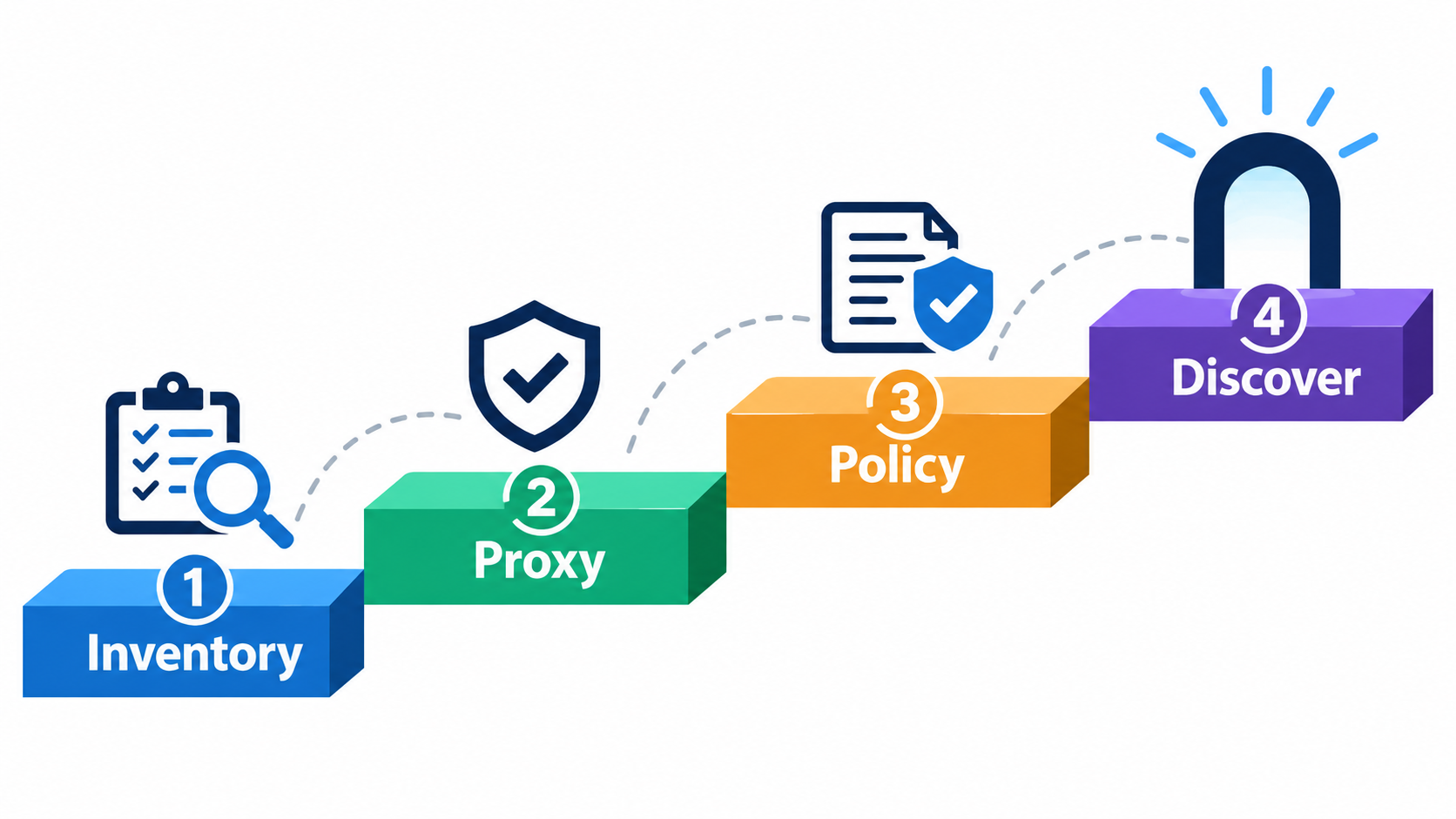
A Four-Stage Rollout That Does Not Stall Teams
Stage 1: Inventory
Find out what exists. Survey teams, scan configs and repos for MCP server entries, and check egress logs. Record owner, purpose, data touched and credentials used.
Stage 2: Proxy
Route traffic through the gateway with no new restrictions. Turn on logging only. This builds trust because nothing breaks, and it produces real usage data to design policy from.
Stage 3: Policy
Introduce an approved registry, replace embedded credentials with brokered ones, add rate limits, and begin read-only versus write distinctions. Require approval for high-risk tools such as those that send external messages, move money or delete data.
Stage 4: Discovery and Shaping
Once policy is stable, cut context cost. Offer role-based tool sets, group related tools and add search-based discovery so agents load schemas on demand.
Make the Safe Path the Easy Path
Publish a short onboarding process for new servers with a service-level target. If approval takes weeks, developers will route around you, and the shadow servers return.
Metrics That Show the Gateway Is Working
- Coverage: share of agent tool calls that pass through the gateway.
- Credential hygiene: number of long-lived secrets stored in agent configs, trending to zero.
- Context overhead: median tool-definition tokens per request.
- Selection quality: rate of wrong-tool or malformed calls, sampled from logs.
- Approval time: days from new server request to activation.
- Audit completeness: percentage of calls that can be attributed to a user, agent and tool.
- Incident response time: how fast you can revoke a server or tool across all agents.
Revocation speed is worth testing in a drill. If a server is found to be malicious on a Tuesday, can you turn it off everywhere by Tuesday afternoon?
Common Mistakes to Avoid
Treating the Gateway as a Silver Bullet
It reduces risk. It does not remove prompt injection. Combine it with human approval on risky actions, output filtering and least-privilege design.
Over-Centralizing Too Early
If every tool change requires a central team, you create a bottleneck. Delegate server ownership to the teams that run them, and keep the platform team in charge of the rules.
Logging Everything Without a Plan
Arguments and responses can contain personal or confidential data. Decide what to redact, how long to keep logs and who may read them.
Ignoring the Gateway’s Own Risk
It holds credentials and sees all traffic. Apply the same standards as an identity provider: restricted admin access, change review, patching and monitoring.
Skipping the Network Controls
A gateway that clients can bypass is a suggestion. Block direct paths from agent runtimes to MCP servers where you can.
Conclusion: Sequence Matters More Than Speed
MCP is a good protocol and adoption will continue. The risk is not the protocol itself but scaling it without a place to enforce decisions. A gateway turns a growing pile of connections into something you can see, limit and explain.
Actionable Takeaways
- Inventory every MCP server and agent in use this month, including the unofficial ones.
- Put a logging-only proxy in front of them before adding any restrictions.
- Separate user, agent and tool identities, and broker downstream credentials at the gateway.
- Pin and monitor tool descriptions, and keep an approved registry.
- Measure context tokens per request and cut the default tool set for each agent.
- Require approval for irreversible or external-facing actions.
- Run a revocation drill and fix whatever slows it down.
The teams that do this early will spend the next year adding agents. The teams that skip it will spend it finding out what their agents were already doing.
Leave a Reply