Most advice on AI automations starts with tools. Which platform, which model, which template. That is backwards. The teams that get lasting value start with an audit of their own work, then pick tools last.
This article gives you a practical method for that audit. It covers how to find candidate tasks, how to score them, how to design a workflow that fails safely, and how to know whether it paid off. It does not rely on vendor claims or headline statistics. It relies on a repeatable way of thinking.
Why Tool-First Automation Stalls
Picking a platform first creates a search for problems that fit it. You end up automating whatever the tool demos well, such as summarising emails, rather than what costs you the most time.
A work-first approach reverses this. You list the recurring tasks, measure their cost, and only then ask what kind of automation suits each.
The Three Usual Failure Patterns
- Automating a broken process. If humans disagree on how a task is done, a model will encode the confusion at speed.
- No owner. Workflows break when an API changes or a prompt drifts. Without a named owner, nobody notices.
- No baseline. If you never measured the manual time, you cannot prove savings and the project loses support.
Step One: Inventory the Work
For two weeks, have each team member log recurring tasks that take more than ten minutes or happen more than a few times a week. Keep the log simple: task name, trigger, inputs, output, time taken, and who does it.
Do not filter at this stage. Boring tasks are often the best candidates, such as copying data between systems, tagging support tickets, or drafting routine replies.
Step Two: Score Each Task
Score every task from one to five on five dimensions. The totals give you a ranking, not a verdict, so use judgment on top.
- Frequency. How often does it run?
- Clarity. Could you write the rules on one page?
- Data access. Are the inputs available digitally, in a consistent format?
- Error tolerance. How costly is a wrong output? Score high if mistakes are cheap and easy to catch.
- Time cost. Total hours per month across the team.
Tasks that score high on all five are your first targets. Tasks with low error tolerance are not off limits, but they need a human approval step.
Step Three: Pick the Right Kind of Automation
Not every task needs a language model. A useful split is between deterministic rules, AI-assisted steps, and agent-style workflows.
Deterministic Automation
If the logic is “when X happens, do Y”, use plain rules. It is cheaper, faster, and predictable. Syncing a form submission to a spreadsheet is not an AI problem.
AI-Assisted Steps
Use a model inside a fixed workflow when the input is unstructured text or images. Typical jobs include classifying a message, extracting fields from an invoice, or drafting a response. The workflow stays in control and the model does one narrow job.
Agent-Style Workflows
Agents choose their own steps and tools. They suit open-ended work such as research, but they are the hardest to test and the easiest to break. Start with the first two categories and move to agents only when a fixed flow cannot do the job.
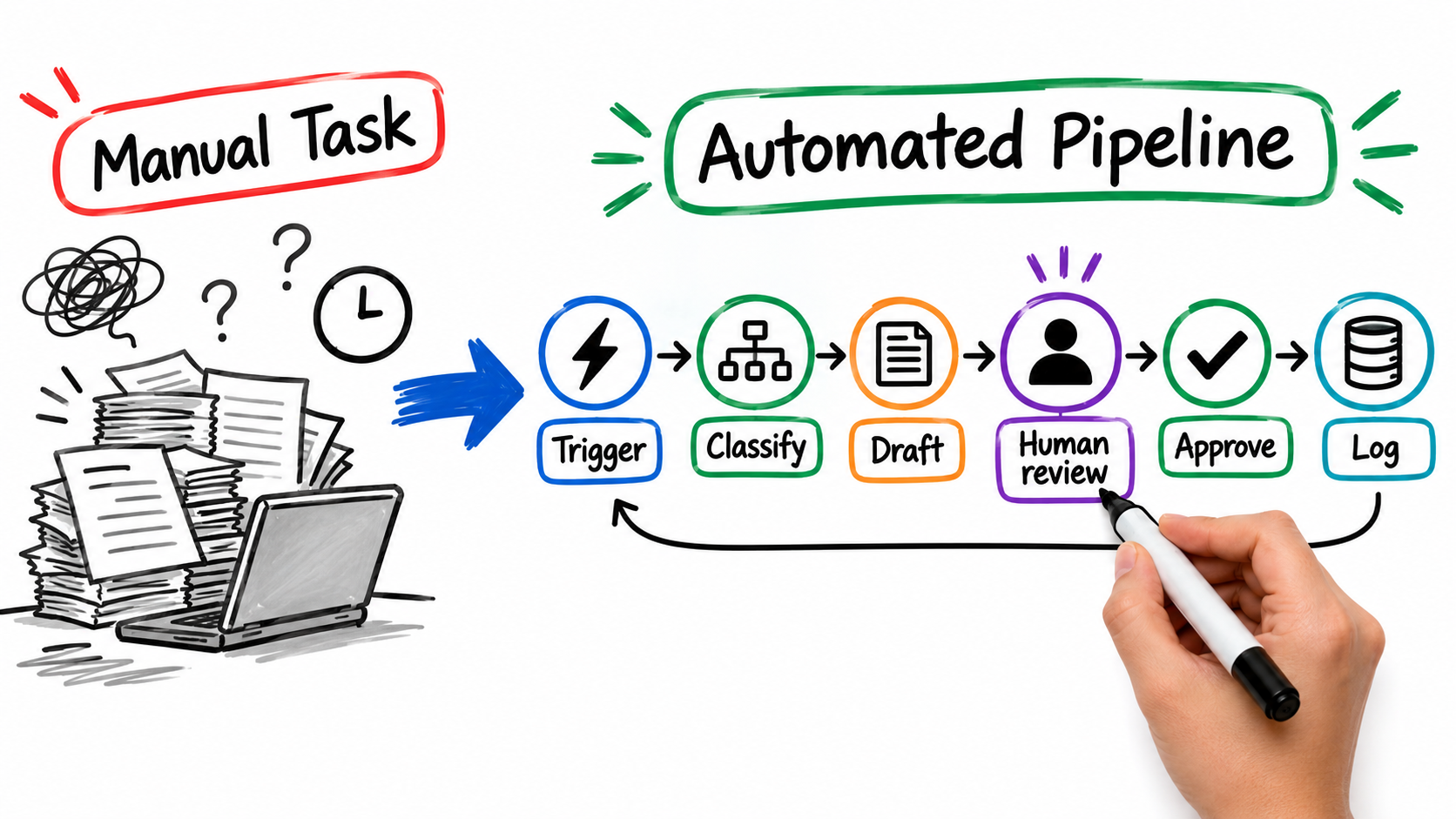
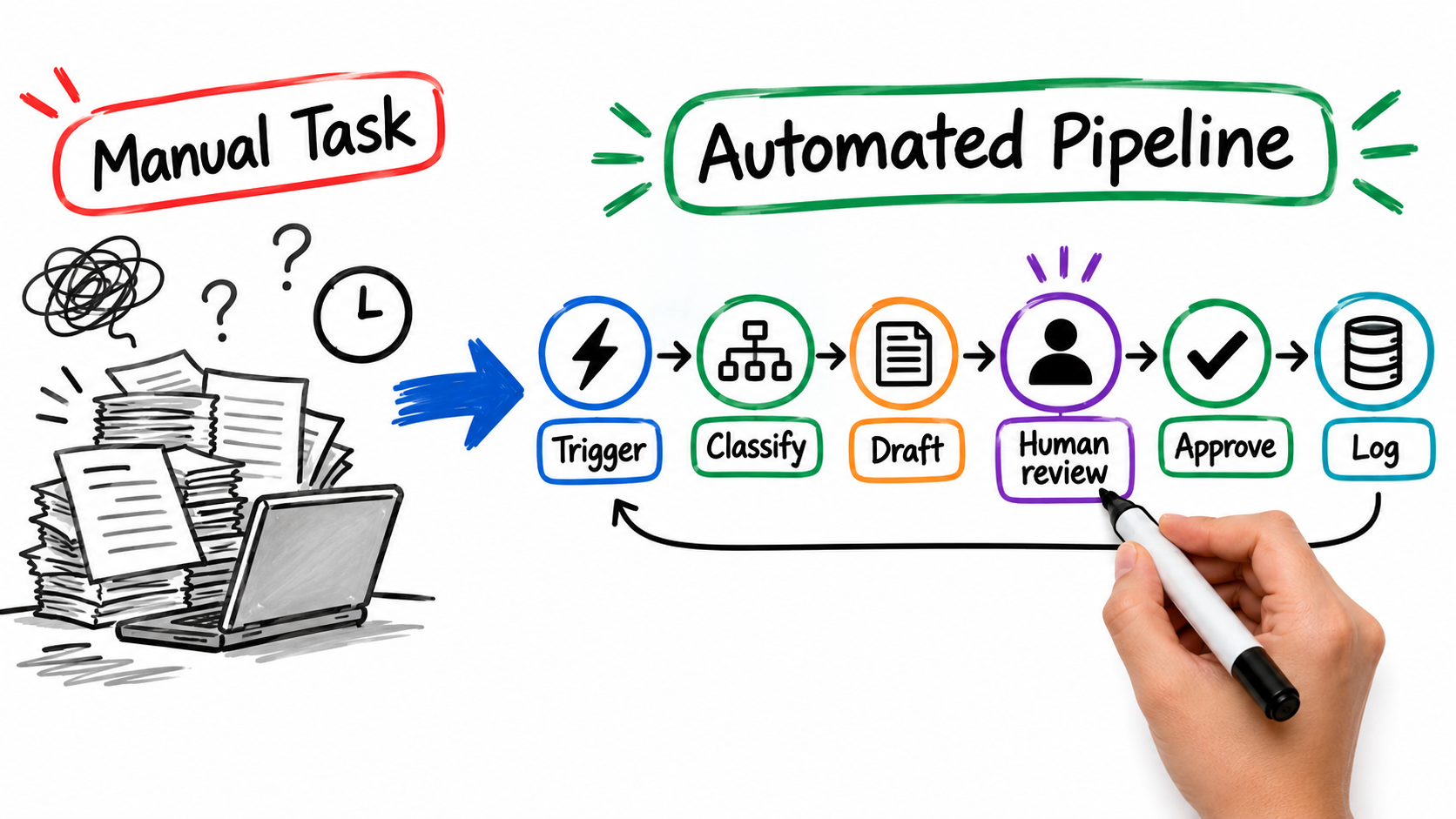
Step Four: Design the Trigger, Classify, Act Pattern
Most reliable AI automations follow the same shape.
- Trigger: an event starts the workflow, such as a new ticket or file.
- Classify: a model labels the input, for example by category, urgency, or confidence.
- Act: a rule-based step performs the action based on the label.
- Log: every input, output, and decision is stored for review.
Separating classification from action matters. The model decides what something is, and ordinary code decides what happens next. That makes behavior easier to audit.
Step Five: Put Humans at the Right Checkpoints
Human review does not mean reading everything. Use confidence thresholds and risk tiers.
- Low risk, high confidence: run automatically, sample-check weekly.
- Medium risk: draft automatically, human approves before sending.
- High risk or low confidence: route to a person with the context attached.
Review the thresholds monthly. As you gather evidence of accuracy, you can move categories into a more automatic tier. If accuracy is poor, move them back.
Step Six: Choose Tools Last
By now your requirements are clear. Visual workflow builders suit teams without engineers. Open-source or self-hosted options suit teams with data control needs. Custom code suits complex logic. Check current pricing and data handling terms yourself before committing, because both change often.
Ask every vendor the same questions: where is data stored, is it used for training, how are failed runs surfaced, and how do you export your workflows if you leave?
Common Failure Modes and How to Catch Them
Silent Failures
A workflow that stops running produces no error message for the person who expected the output. Add alerts for failed runs and for unusually low volume.
Prompt Drift and Model Changes
Model providers update their models. Keep a small test set of real examples with known correct answers, and rerun it after any change.
Bad Inputs
Messy data produces confident nonsense. Validate inputs before the model sees them and reject anything malformed.
Data Exposure
Do not pass sensitive personal or financial data to a service you have not reviewed. Redact fields the model does not need.
Measuring Whether It Worked
Use the baseline from your inventory. Track four numbers per workflow:
- Hours of manual work removed per month
- Error rate versus the manual process
- Share of items needing human intervention
- Running cost, including tool fees and maintenance time
Count maintenance honestly. A workflow that saves five hours and takes four hours to babysit is not a win.
A Sensible Rollout Plan
- Weeks 1-2: inventory and score tasks.
- Weeks 3-4: build one workflow with full human approval, and log everything.
- Weeks 5-6: compare results to baseline, tune thresholds, and add alerts.
- Weeks 7+: relax review where evidence supports it, then start the next task.
Resist building five workflows at once. One well-run automation teaches you more than five half-watched ones.
Conclusion: Automate the Work, Not the Hype
AI automations pay off when they are matched to well-understood, repetitive work, built with a clear structure, and watched by someone accountable. Start with an audit, score honestly, keep models to narrow jobs, and put people where mistakes are costly.
Action items for this week: start a task log, pick your top three candidates by score, and name an owner for the first one.
Leave a Reply