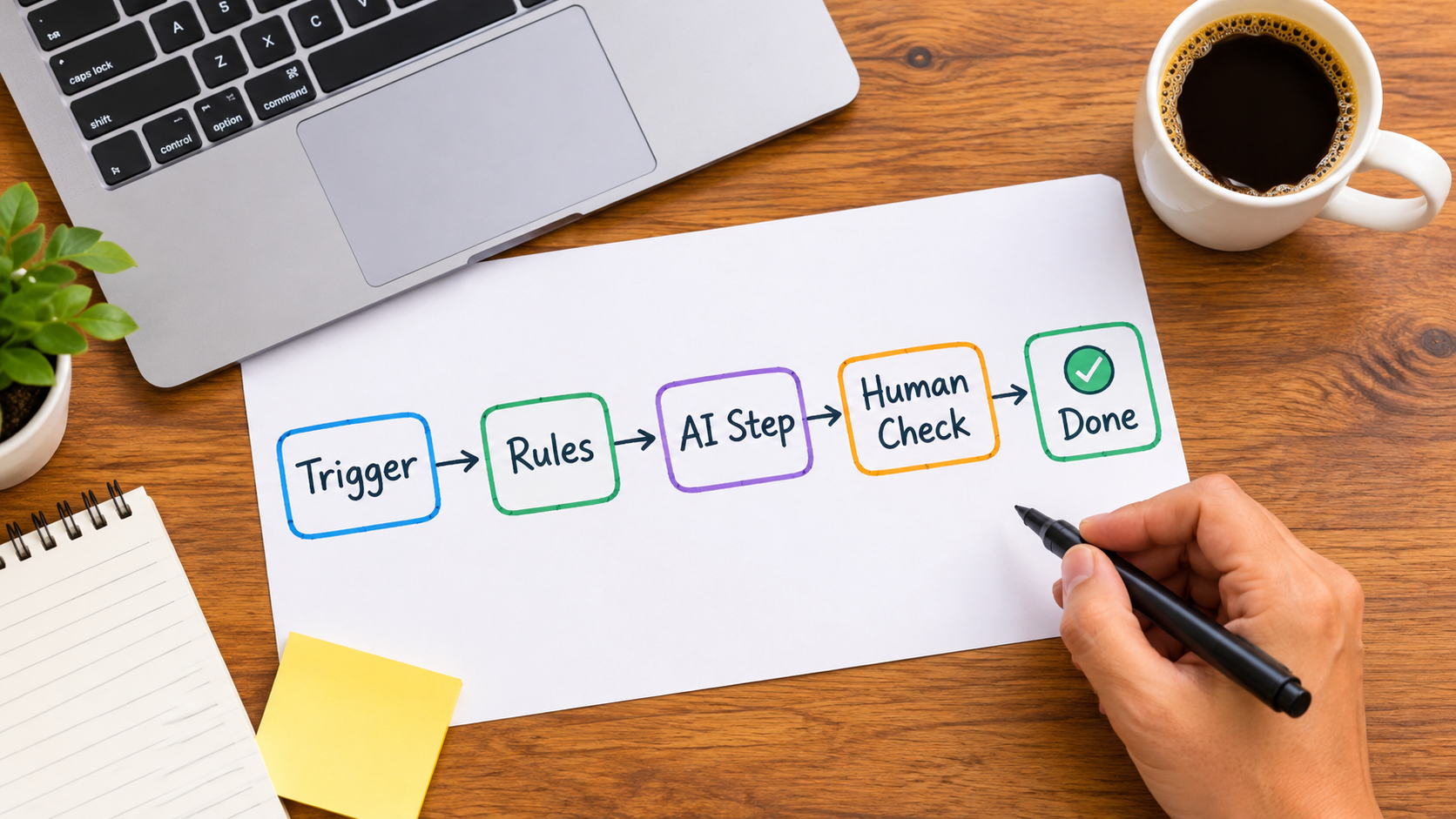
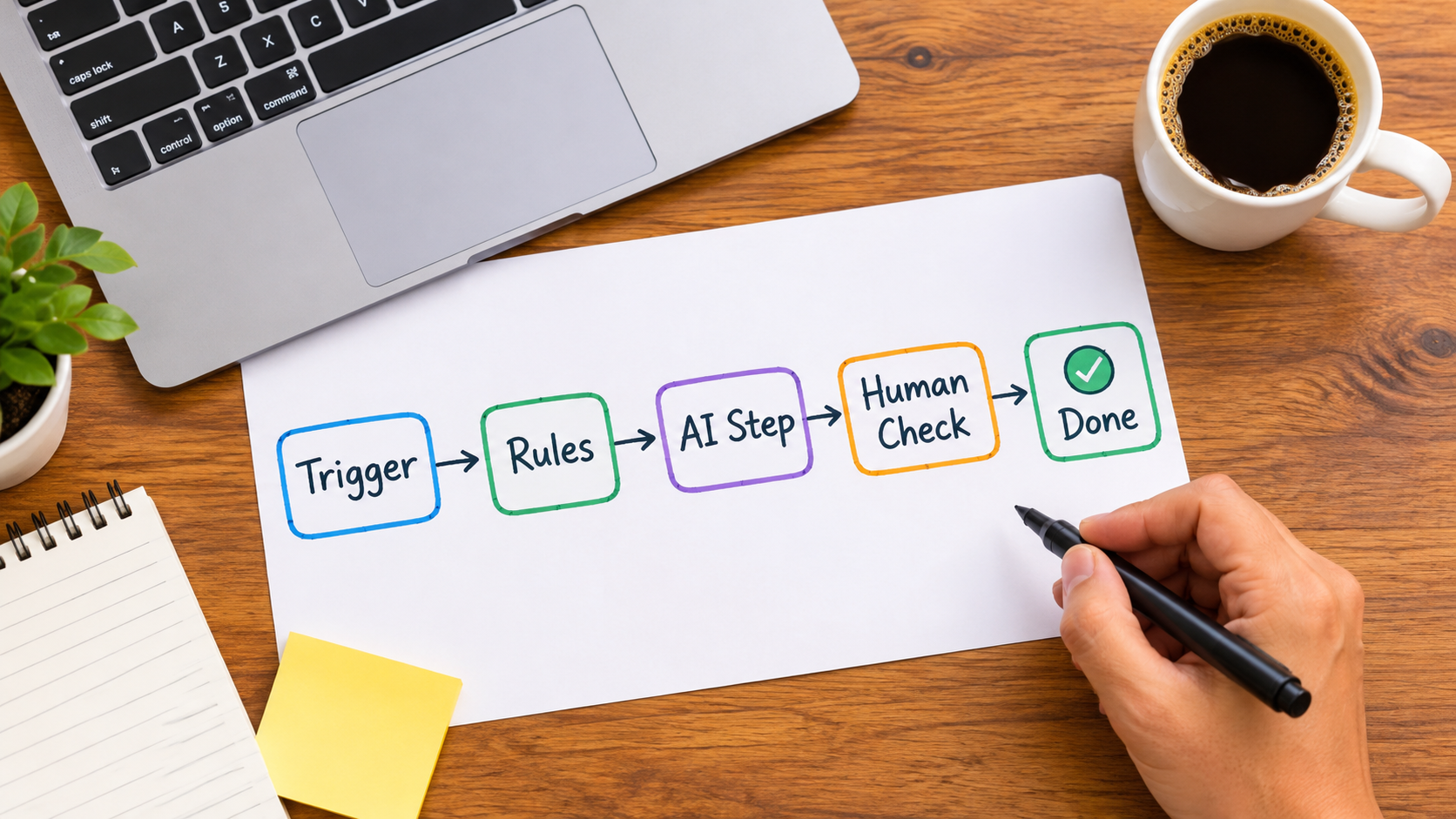
Most conversations about AI automation start with the tool. Which platform, which model, which agent framework. That is the wrong starting point. The better question is smaller and more useful: for this specific task, how much intelligence does the step actually need?
Many workflows that get labelled “AI automation” are mostly plain automation with one language-model step in the middle. Others are plain automation that never needed a model at all. And a few really do need judgment that rules cannot supply.
A note on sourcing: the research tools I had access to returned no data when this article was written, so it contains no statistics or quotes. What follows is a framework based on how these workflows are commonly built. Treat it as a way of thinking, and check any numbers for your own situation against your own data.
The Automation Ladder: Four Rungs
Think of automation as a ladder. Each rung adds capability, and each adds cost, variability and maintenance. Climb only as high as the task requires.
Rung 1: Deterministic rules
If a form is submitted, create a row in a spreadsheet and send a confirmation. No model involved. The output is the same every time, and you can test it completely.
Rung 2: Rules plus extraction or classification
A model reads messy input, such as an email, invoice or support ticket, and turns it into structured fields or a category. Everything after that is still deterministic. This is where AI most often pays off first.
Rung 3: Rules plus generation
A model drafts something: a reply, a summary, a product description. A person or a rule-based check reviews it before it goes out.
Rung 4: Agentic workflows
A model chooses which tools to call and in what order. This is the most flexible rung and the hardest to predict, test and debug.
A useful default: start at rung 1 and move up only when you can name the specific thing rules cannot handle.
Start With Rules, Even When You Want AI
Teams often reach for a model because it feels faster than mapping the process. It rarely is. If you cannot write down the steps, a model will not fix that. It will hide the ambiguity until something goes wrong.
Before adding AI, document the process in plain language:
- What triggers it?
- What inputs arrive, and in what formats?
- What does a correct output look like?
- Who handles the exceptions today?
Often the exercise shows that 70 to 80 percent of cases follow simple rules. Automate those with rules, and reserve the model for the remainder. That keeps cost down and makes behaviour predictable.
Where an AI Step Earns Its Place
AI is strongest where input is unstructured and the output can be checked. Common examples:
- Triage and routing: classifying inbound email or tickets by topic and urgency.
- Extraction: pulling dates, amounts and names out of documents.
- Summarisation: condensing call notes, threads or long documents for a reader who will still skim the source if needed.
- First drafts: replies, descriptions and reports that a person edits.
- Normalisation: cleaning inconsistent product titles, addresses or category labels.
What these share is a bounded task and a verifiable result. A model that must pick one of six categories is far easier to trust than one asked to “handle the customer.”
Human Checkpoints: Design Them, Don’t Bolt Them On
A human in the loop is not a failure of automation. It is a control. The design question is where the check sits and what it costs.
Approve-before-send
Best for external communication and anything involving money. The model drafts, a person approves with one click.
Sample-and-audit
For high-volume, low-risk tasks like tagging, let outputs flow and review a random sample each week. Track the error rate over time.
Confidence-based escalation
Route low-confidence or unusual cases to a person. This needs a reliable signal, such as the model returning a category outside the allowed list, a missing required field, or a value outside a sensible range. Do not rely on a model’s self-reported confidence alone.
Choosing What to Automate First
Score candidate tasks on five questions:
- Frequency: does it happen often enough to matter?
- Time per instance: is each one more than a couple of minutes?
- Cost of error: what happens if it is wrong once?
- Checkability: can you tell quickly whether the output is right?
- Input quality: is the data accessible and reasonably consistent?
The best first projects are frequent, tedious, low-risk and easy to check. Invoice data entry, lead enrichment and internal ticket tagging fit. Contract negotiation and refund decisions do not, at least not yet.
A Practical Build Pattern
Most reliable AI workflows follow the same skeleton.
- Trigger and capture: collect the input and log it untouched.
- Validate: reject empty or malformed input before spending model calls.
- Model step with a narrow prompt: ask for structured output in a fixed format, with an explicit list of allowed values.
- Validate again: check the output against the schema and rules.
- Act or escalate: proceed, or send to a human queue.
- Log everything: input, output, decision and outcome.
The logging matters most. Without it you cannot debug, measure or improve.
How AI Automations Fail
Failures tend to fall into a few families.
- Silent errors: the model returns plausible but wrong output and nothing flags it.
- Input drift: a vendor changes an invoice layout, or customers start writing about a new product.
- Integration breaks: an API changes, a token expires, a field is renamed.
- Scope creep: a narrow step gains extra duties until nobody can predict it.
- Model changes: a provider updates a model and behaviour shifts subtly.
Mitigations are unglamorous: schema validation, alerts on failures, a small test set of real examples you rerun after any change, and pinned model versions where available.
Maintenance Is Part of the Cost
An automation is not finished when it ships. Assign an owner, a review cadence and a rollback plan. A monthly check of error rates, queue sizes and a handful of sampled outputs catches most drift before it becomes a problem.
Also budget for usage. Model calls cost money per run, so a workflow that is cheap at 100 runs a day may not be at 100,000. Estimate it before you scale.
Measuring Whether It Worked
Record a baseline before you automate: time per task, error rate, turnaround time, and volume handled per person. Then compare after a few weeks. Useful measures include:
- Minutes saved per run, multiplied by volume
- Error rate against the manual baseline
- Share of cases needing human escalation
- Turnaround time for the customer or internal requester
- Total cost per run including model usage and review time
Be honest about review time. If people spend as long checking outputs as they did doing the work, the automation has moved the work rather than removed it.
Takeaways
- Pick the lowest rung of the ladder that solves the problem.
- Write the process down before adding a model.
- Use AI for bounded, checkable tasks first.
- Design human checkpoints deliberately.
- Validate inputs and outputs, and log everything.
- Assign an owner and measure against a baseline.
AI automation works best when it is treated as ordinary process engineering with one unusually capable component. Start small, keep it observable, and add intelligence only where the task demands it.
Leave a Reply