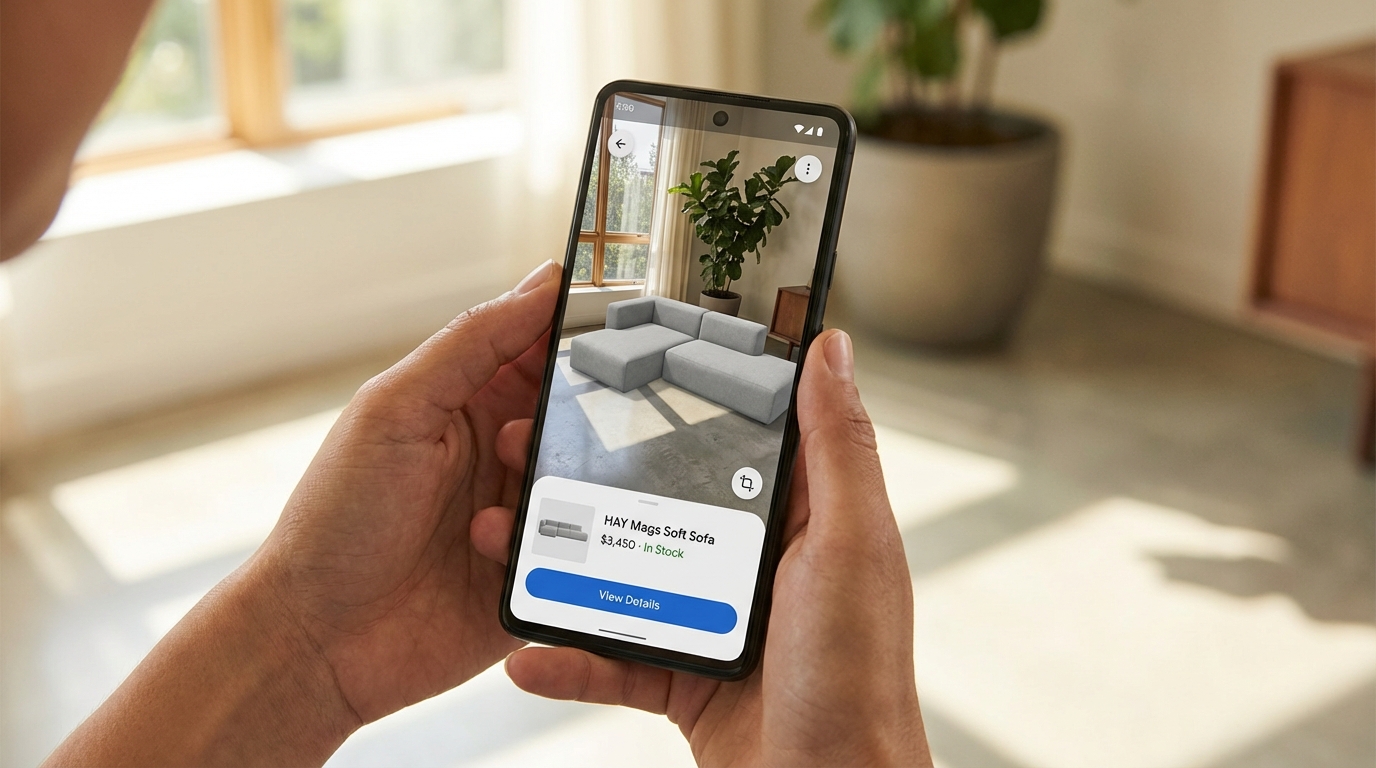
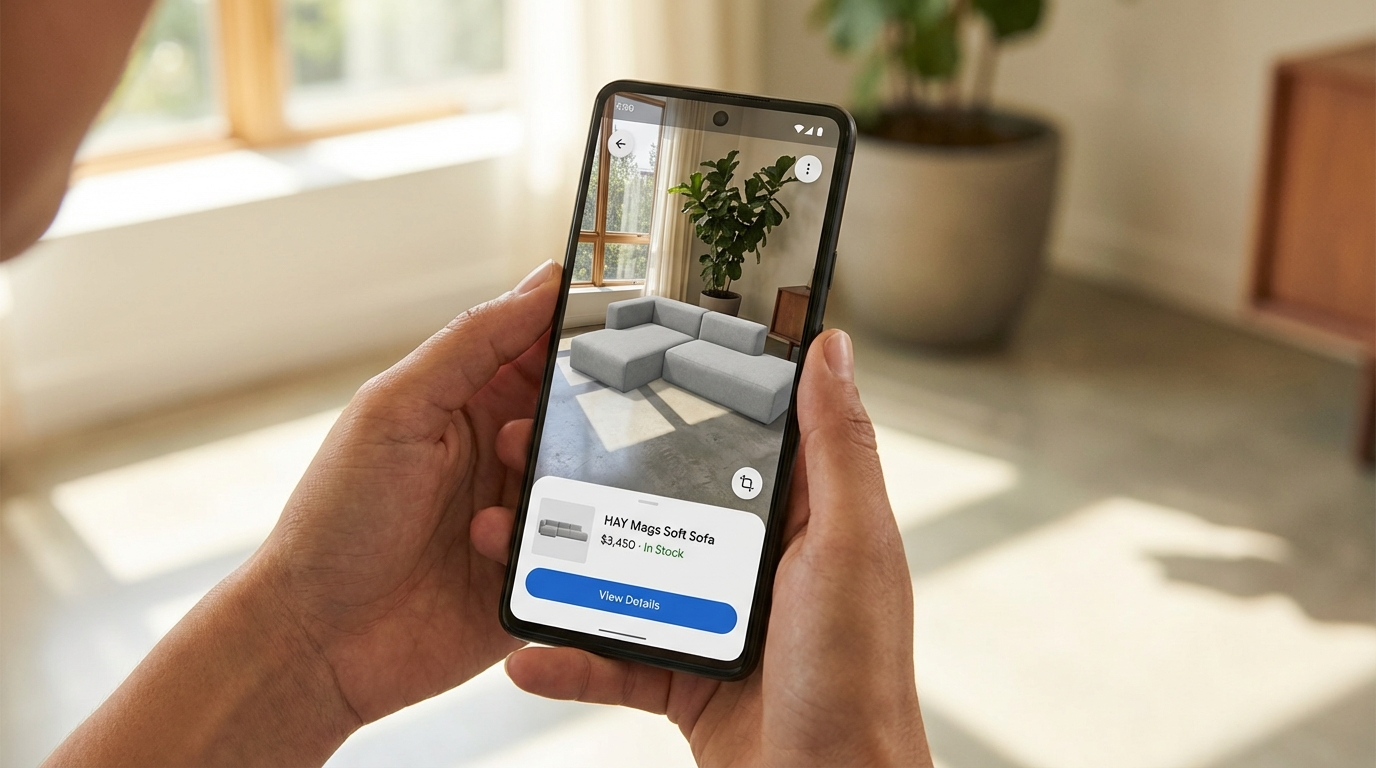
Most Amazon sellers talk about augmented reality features the same way they talked about A+ Content five years ago — as a “nice to have” that sounds impressive in a mastermind but never quite makes it onto the priority list. That’s a mistake, and increasingly a costly one.
Amazon’s AR ecosystem has quietly grown into a multi-tool suite covering furniture, footwear, eyewear, tabletop items, and general product visualization — and the brands actively using it are seeing measurable results while their competitors are still debating whether it’s worth the effort. Across the broader e-commerce landscape, products with AR or 3D content see conversion rate lifts in the range of 15–94% depending on category and engagement level, and return rates drop by 22–40% for shoppers who interact with AR before buying.
But the real story isn’t the headline numbers. It’s the mechanics — specifically, what Amazon’s AR tools are, which sellers can actually access them, what the technical requirements look like in practice, what it costs to get set up, and where the genuine opportunity sits right now in 2026. That’s what this guide covers.
This isn’t an overview of what augmented reality is. It’s a working resource for brand-registered sellers who want to understand Amazon’s AR tools at the level of implementation, not concept. Whether you sell furniture, shoes, kitchen appliances, electronics, or anything in between, there’s something actionable here — starting with clearing up the common misconception that AR on Amazon is one single feature.
What Amazon’s AR Suite Actually Looks Like — Three Distinct Tools
The first thing to understand is that “AR on Amazon” is not one feature. It’s a suite of at least three separate tools, each targeting a different shopping context and product type. Sellers often conflate them, which leads to either chasing eligibility that doesn’t apply to their category or missing the tool that does apply.
View in Your Room
This is Amazon’s flagship AR placement tool. It uses your phone’s camera to overlay a to-scale, photorealistic 3D model of a product directly into your physical environment. You point the camera at a space — a corner of your living room, a desk, a kitchen counter — and the product appears in that space, sized accurately, rotatable, and movable.
Originally launched for furniture and large home décor, Amazon has since expanded it to include tabletop items: lamps, coffee makers, small appliances, and similar products that sit on surfaces rather than floors. The update that enabled tabletop placement was significant because it extended AR viability to a much broader set of home and kitchen sellers who previously couldn’t use the feature.
Users access it through the Amazon Shopping app (iOS and Android) by tapping the “View in Your Room” button on eligible product detail pages. They can arrange multiple products together in the same virtual space, save their room layouts for later, and add items to their cart directly from the AR view. That last point matters: the path from visual engagement to purchase is frictionless by design.
Virtual Try-On
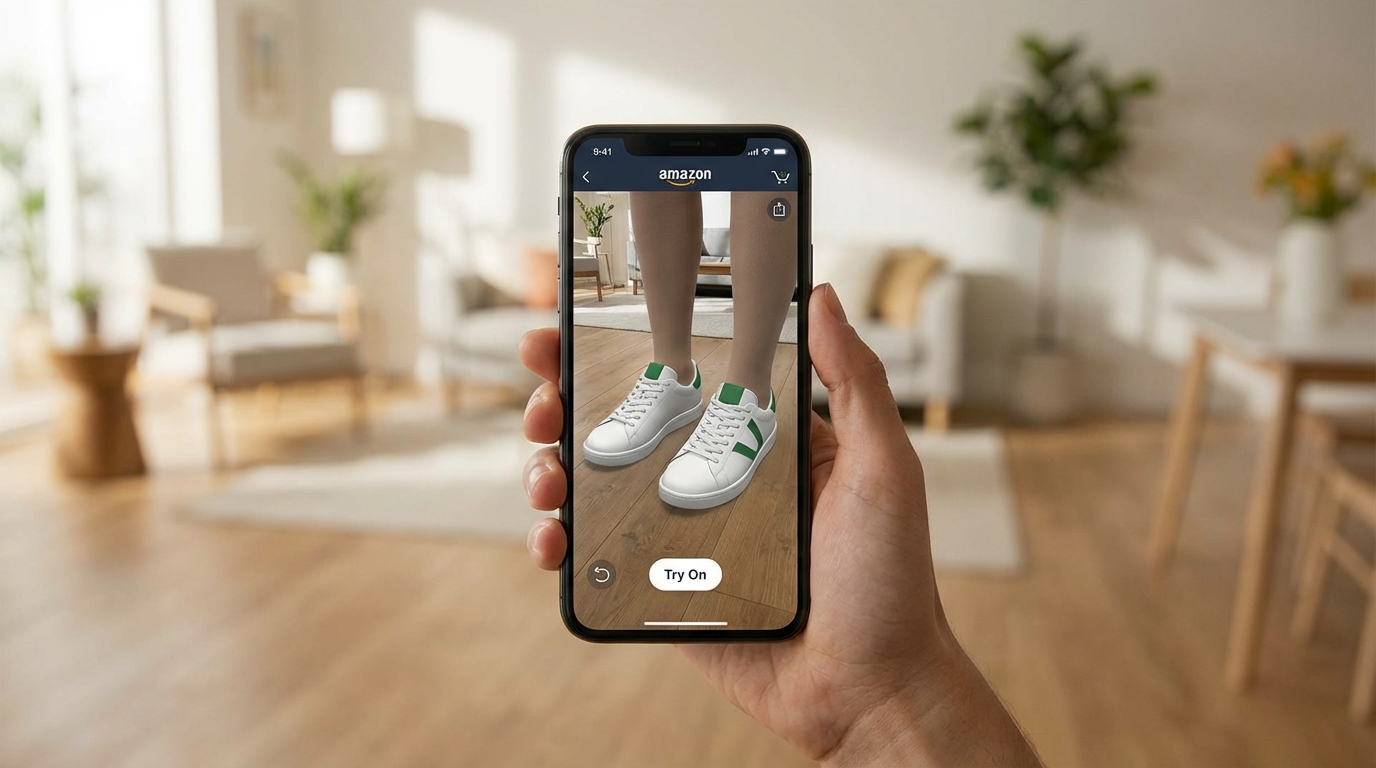
This tool lets shoppers see how wearable items look on their own body before purchasing. The feature currently covers shoes, eyewear, and apparel (specifically T-shirts as of 2026). For footwear, the camera overlays the shoes on the shopper’s actual feet in real time. For eyewear, the same logic applies to the face using the front-facing camera.
Major brands including Puma, Reebok, Adidas, New Balance, UGG, Birkenstock, and Saucony participate in the shoes program. The feature launched for footwear in June 2022 and has gradually expanded its brand roster and category coverage since. Access for smaller sellers is more restricted here than with View in 3D — Virtual Try-On appears to operate through brand partnership arrangements, particularly through Amazon Fashion, rather than a standard self-serve upload process.
View in 3D
This is the most widely accessible of the three. View in 3D allows shoppers to rotate, zoom, and examine a 3D model of a product directly within the product detail page — without needing to point their camera at a physical space. It’s essentially a 360-degree interactive model viewer embedded in the listing.
For sellers, this is the most realistic entry point into AR because it’s self-serve (for brand-registered sellers), covers the broadest range of eligible categories, and works on both mobile and desktop. It doesn’t require the shopper to be in a specific environment or have their camera active. They simply interact with the model on screen.
All three features share one underlying requirement: a high-quality 3D model in GLB or GLTF format. That’s where the practical work happens.
The Imagination Gap: Why Visual Uncertainty Is Costing You Sales
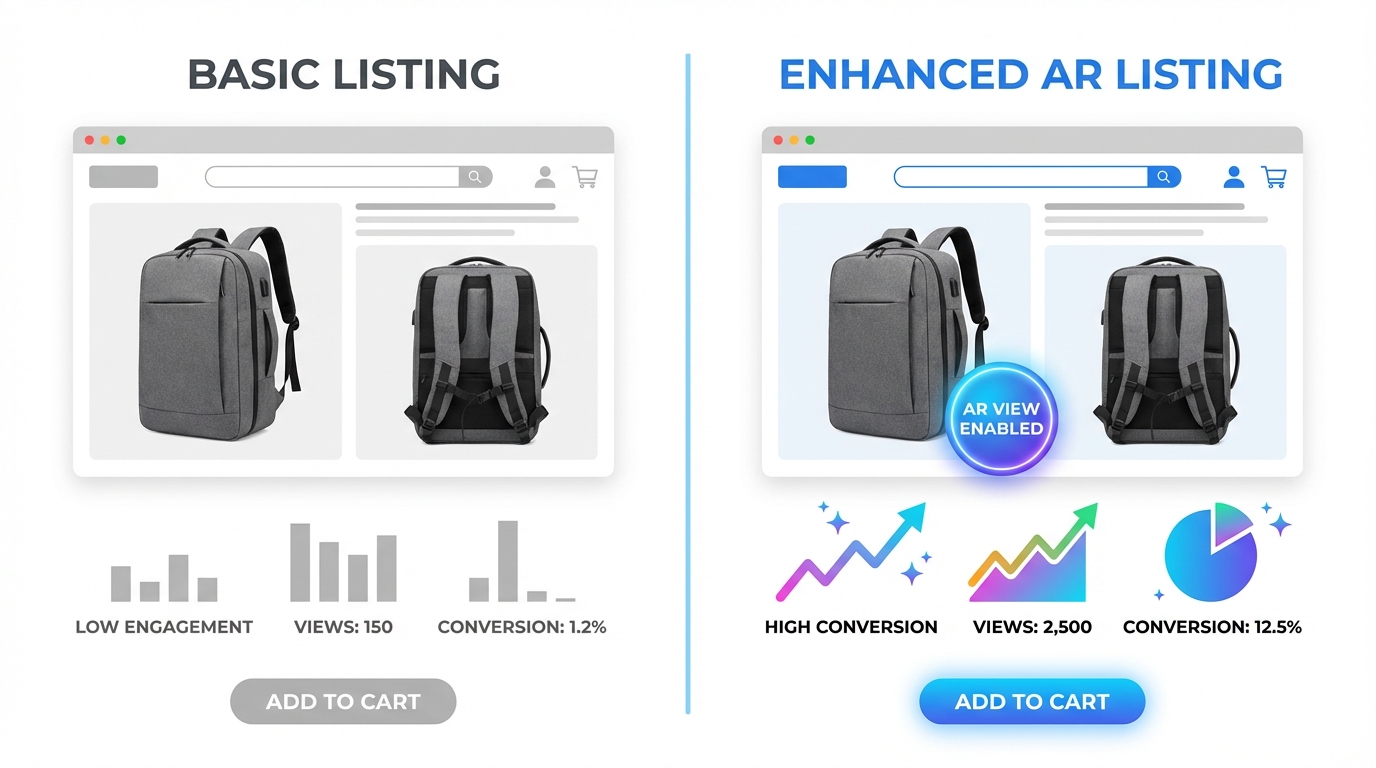
There’s a concept in e-commerce called the “imagination gap” — the cognitive distance between what a shopper sees in product images and what they can realistically picture in their own home, on their own body, or in their specific context. This gap is one of the primary drivers of purchase hesitation, cart abandonment, and post-purchase returns.
Traditional product photography, even excellent photography, only partially closes this gap. A well-lit photo of a sofa on a white background tells you what the sofa looks like. It does not tell you whether the sofa will fit between your TV stand and your window, whether the grey will clash with your existing rug, or whether the arms will clear your coffee table. Shoppers have to guess — and many of them choose not to guess at all.
Returns as a Measure of the Imagination Gap
Online return rates in the U.S. have become a significant cost center for e-commerce businesses. The majority of returns in categories like furniture, apparel, and home goods are driven by items that arrived looking different than expected or didn’t fit the physical space as imagined. This is the imagination gap made concrete — and returnable.
Data from retail AR deployments consistently shows a 22–40% reduction in return rates when shoppers have used AR to preview a product before purchasing. That’s not a marginal improvement. For a seller moving $500K annually with a 12% return rate, even a 25% reduction in returns translates to meaningful cost recovery — both in direct return processing costs and in inventory condition degradation.
Why Flat Images Reach a Ceiling
There is a ceiling on what static photography can accomplish in closing the imagination gap. You can add lifestyle images, you can shoot from multiple angles, you can include a reference shot with a person to show scale — and all of that helps. But it still requires the shopper to mentally translate what they’re seeing to their specific context.
AR eliminates that translation requirement. The product is literally placed into the shopper’s actual environment. The scale question is answered. The fit question is answered. The colour question — in real lighting, not studio lighting — is answered. That’s a qualitatively different experience, and the engagement metrics reflect it: shoppers who interact with AR features are converting at roughly double the rate of those who view standard listing images only.
The Trust Signal Effect
Beyond the practical utility, AR features carry a secondary benefit that’s harder to quantify but genuinely real: they signal confidence. A brand that offers View in Your Room for its furniture is implicitly telling the shopper, “We’re confident enough in what this looks like that we’ll let you see it in your own space before buying.” That confidence is contagious. Shoppers internalize it as a quality signal, which softens hesitation in the same way a strong return policy does — except AR reduces the need for returns in the first place.
View in Your Room: What Sellers Need to Know Beyond the Surface
Most coverage of View in Your Room stops at “it lets you see furniture in your room.” For sellers actually trying to get their products into this feature, the important details are more granular.
Eligible Product Categories
View in Your Room eligibility covers a wide range of home-adjacent categories. The core categories include:
- Furniture: sofas, chairs, tables, beds, shelving, storage
- Home décor: rugs, art, mirrors, decorative objects
- Lighting: floor lamps, table lamps, pendant fixtures
- Small appliances and tabletop items: coffee makers, air fryers, blenders, toasters (added in recent updates)
- Consumer electronics: TVs, monitors, desktop speakers
- Home office: desks, chairs, monitor stands, storage units
What doesn’t work well with View in Your Room: products with highly translucent, transparent, or reflective surfaces that are technically difficult to render accurately (glass vases, crystal items, highly polished metals). These can still be approved for View in 3D, but the AR placement accuracy may be lower.
The Multiple-Item Room Feature
One of the less-discussed capabilities of View in Your Room is the ability for shoppers to place multiple products simultaneously and build out a virtual room. A shopper can place a sofa, then add a coffee table, then place a lamp on an end table — all in the same AR session. Each product comes from its respective listing and can be added to cart independently.
This has an interesting implication for brands with complementary product lines. If a shopper is decorating a room virtually with your sofa, they’re more likely to also place your matching coffee table, your lamp, and your rug. Amazon’s recommendation engine actively suggests compatible products within the AR view. For sellers with full room collections, this creates a meaningful cross-sell pathway that doesn’t require any additional ad spend.
Desktop Saving and Editing
Virtual room layouts created in the mobile AR view can be saved and accessed across devices. A shopper who builds a room arrangement on their phone can return to it on desktop, edit it, share it, and complete the purchase later. This is relevant to sellers because it extends the engagement window well beyond a single session — your product may sit in a saved virtual room for days before the purchase decision is made. That’s a form of considered-purchase support that doesn’t exist in standard listings.
Virtual Try-On: Categories, Access, and What Smaller Sellers Should Know
Virtual Try-On is the most category-constrained of Amazon’s AR tools, and it’s worth being clear about what’s realistic for different types of sellers in 2026.
Current Category Coverage
The three categories with live Virtual Try-On support are footwear, eyewear, and apparel (T-shirts). Footwear is the most mature implementation, with thousands of styles across major brands. The feature uses the phone’s rear camera to overlay shoes on the user’s feet in real time — you physically point the camera at your feet and the shoes appear on them, sized correctly and responsive to your movements.
For eyewear, the front-facing camera is used to map the user’s face and display how sunglasses or glasses frames will look when worn. This is particularly effective in a category where fit and aesthetic are both highly personal and historically difficult to assess online.
T-shirts are the most recent addition, though as of 2026 this category is still developing in terms of brand roster and technical accuracy. The rendering of fabric drape and body-specific fit is a harder problem than shoe placement, and it shows in the current iteration.
Access for Smaller Brands
This is where sellers need honest expectations. Virtual Try-On for shoes and eyewear appears to operate largely through partnership arrangements between Amazon and established brands rather than a fully open self-serve enrollment. Brands like Puma, Adidas, New Balance, and Birkenstock are participating because they have the production capacity to create high-quality 3D models for their entire footwear lineup and the negotiating leverage to be part of launch partnerships.
Smaller, independent footwear or eyewear brands should not assume Virtual Try-On is immediately available to them through Seller Central. The path to participation may require working through Amazon Fashion’s brand partnerships team rather than a standard self-serve upload. That said, Amazon has a commercial incentive to expand Virtual Try-On participation, and access for smaller brands is likely to broaden over time.
The AWS Nova Canvas Alternative
For sellers who want virtual try-on functionality but can’t access Amazon’s native feature yet, Amazon Web Services offers Nova Canvas — an AI tool that generates try-on visualizations from two uploaded images (a person/space and a product). While this isn’t a live AR experience in the way Virtual Try-On is, it generates realistic static visualizations that can be used in listing images, A+ Content, and social media. For smaller apparel and accessories brands, this is currently the more accessible route to showing products in context on a human body.
View in 3D: The Accessible AR Entry Point Most Sellers Overlook

If View in Your Room is the headline feature and Virtual Try-On is the partnership feature, View in 3D is the working seller’s AR tool — and it’s underused relative to the value it provides.
What It Enables
View in 3D embeds an interactive 3D model directly on the product detail page. Shoppers can rotate the product 360 degrees, zoom in on specific details, and examine it from any angle — all without leaving the listing or activating their camera. On mobile, they can also switch into the AR placement mode, which is the View in Your Room experience.
This means a single 3D model asset powers multiple experiences: the interactive on-page viewer, the room placement AR feature, and — in some cases — the “View in 3D” banner that appears in search results for eligible listings. That last point is worth noting: 3D-enabled listings can display a visual indicator in search results that distinguishes them from standard listings at the discovery stage, before a shopper even reaches your product page.
Why It Works Across More Categories
View in 3D eligibility is broader than View in Your Room because it doesn’t require placement in a physical space — it’s just an interactive model viewer. This means products that wouldn’t logically fit the “put it in your room” use case — a backpack, a kitchen knife set, a skincare device, a power tool — can still benefit from 3D interactivity on their listing page. Shoppers can examine the construction, zoom in on textures, inspect seams, hinges, ports, or handles, and build a much richer mental model of the product than flat photography allows.
For products where fine details drive purchase decisions — jewellery, hardware, electronics accessories, sporting goods — this capability is particularly relevant.
How It Appears on the Listing
When a product has an approved 3D model, it appears in the image carousel on the product detail page alongside standard photos and video. Shoppers see a “View in 3D” option they can tap or click, which launches the interactive viewer in-page. On mobile, the same prompt can offer the option to switch to AR placement if the product category supports it.
The placement in the image carousel matters because that is prime listing real estate. A 3D model in position two or three of the image stack gets early exposure to shoppers who are actively swiping through product assets — typically the most engaged and highest-converting segment of your traffic.
The Numbers Behind AR: What the Data Actually Shows
Performance data for AR in e-commerce comes from multiple sources — Amazon’s own limited public data, third-party platform studies, and brand case studies. It’s worth presenting these with appropriate context rather than treating every number as directly applicable to every seller’s situation.
Conversion Rate Impact
The most commonly cited figure is a 94% higher conversion rate for products with 3D/AR content, drawn from Shopify’s analysis of merchants using 3D product models. This is a significant lift, but it reflects a comparison between listings with and without 3D models rather than an isolated test of the 3D feature itself — other listing quality differences may be present between the two groups.
More conservative estimates from retail AR deployments across major platforms put the conversion lift at 15–30% for shoppers who actively engage with AR features. Amazon-specific data for View in Your Room engagement suggests that users who interact with the AR view convert at approximately double the rate of those who don’t — though this includes selection bias, since shoppers who engage with AR are likely already more purchase-intent than average.
The practical takeaway: expect meaningful conversion improvement, especially in categories where product fit, size, or appearance in context is a major purchase decision factor. Don’t expect a lift equivalent to a category where the shopper is buying a commodity item with no visual uncertainty.
Return Rate Reduction
Return rate data is more consistently supported across sources. Build.com (home improvement) reported a 22% reduction in returns for AR users. Furniture retailers using similar AR placement tools have seen returns drop from the 5–7% industry average to under 2%. The mechanism is straightforward: shoppers who’ve seen exactly how a product fits their space before buying are less likely to be surprised when it arrives.
For categories with structurally high return rates — furniture (typically 10–15%), apparel (20–30%), footwear (up to 35%) — a 25–40% reduction in returns is a material cost recovery. Return processing costs on Amazon include both direct fees and downstream impacts on inventory health, seller metrics, and IPI scores. Every return prevented is worth more than its face value.
Revenue Per Visitor
Studies across apparel virtual try-on deployments report approximately 15% higher revenue per user when shoppers engage with try-on features. This is driven partly by higher conversion rates and partly by higher average order values, as shoppers who engage with AR are more likely to purchase confidently at full price rather than adding to cart at a discount to reduce risk.
Engagement Duration
Shoppers who interact with AR features spend meaningfully more time on product pages than those who don’t. While extended time-on-page isn’t a direct purchase signal, it does indicate active evaluation rather than passive browsing — and active evaluation is where purchase decisions happen. Amazon’s algorithm measures engagement signals including session duration and interaction depth, which means AR engagement has at least an indirect relationship with listing performance over time.
How to Get Eligible: Brand Registry, File Specs, and the Two Upload Paths
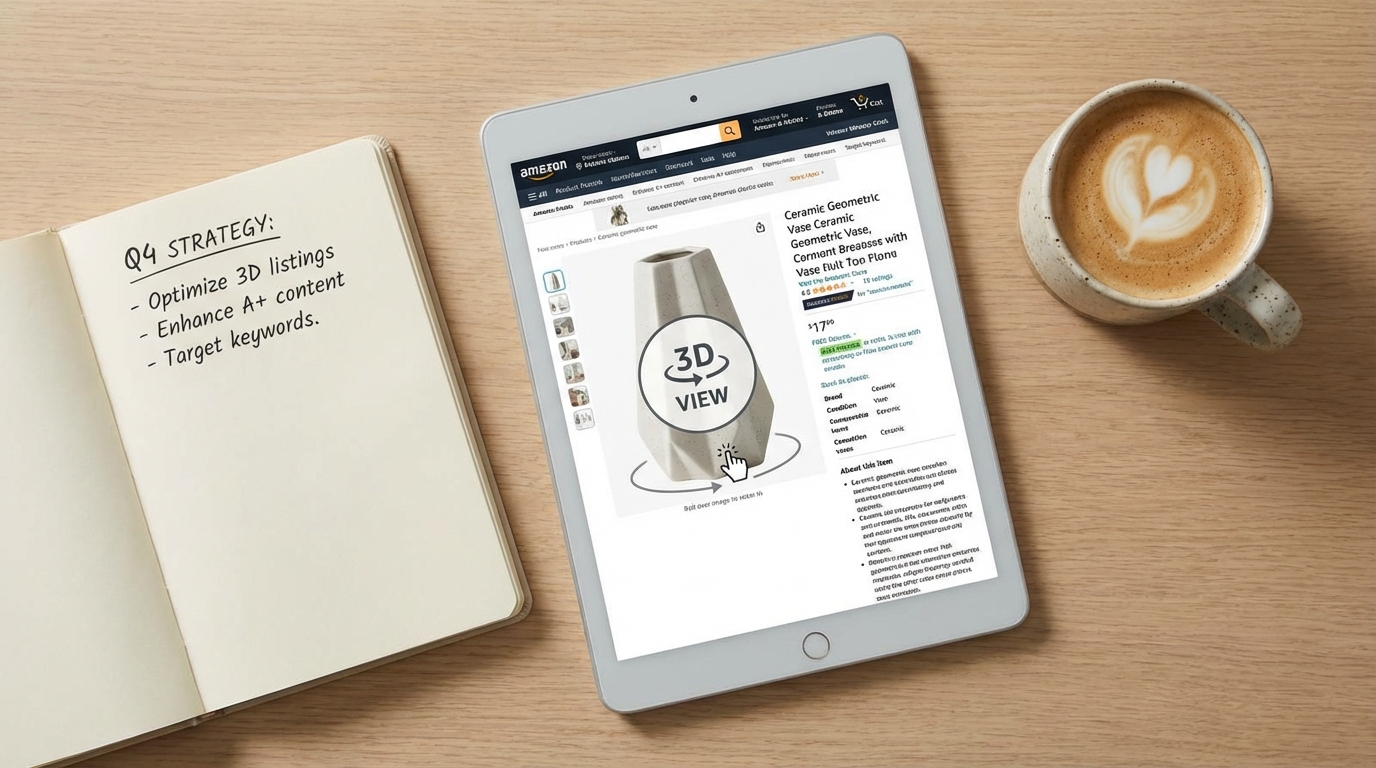
Access to Amazon’s AR and 3D listing features is gated behind two requirements: Brand Registry enrollment and a qualifying product model. Both are concrete, achievable steps — but sellers should understand exactly what each involves before allocating budget and time.
Brand Registry: The Non-Negotiable Starting Point
Amazon Brand Registry is the gateway to all self-serve AR and 3D listing features. Only the registered brand owner can upload 3D models for a product listing. This means if you’re a reseller, a distributor, or a seller who hasn’t completed Brand Registry, you cannot add AR content to your listings — even if you’re the product’s primary seller.
Brand Registry requires an active, registered trademark (either in the U.S. or in the marketplace where you’re selling). The trademark can be word-based or image-based. Amazon typically processes Brand Registry applications within 2–10 business days once trademark verification is complete. If you haven’t started the trademark process yet, the typical timeline to a granted trademark is 12–18 months in the U.S. — a legitimate long-term investment, not a short-term tactic.
Once enrolled in Brand Registry, your account gains access to the 3D model upload tools, alongside other benefits like A+ Content, Sponsored Brand ads, the Brand Dashboard, and the Brand Analytics suite.
Technical Specifications for 3D Models
Amazon accepts 3D models in GLB (preferred) or GLTF format. Key technical requirements include:
- Polygon count: Under 1,000,000 triangles (lower is better for load performance; target 100K–300K for most products)
- File size: Under 1GB, though smaller files produce better in-app performance
- Texture quality: High-resolution textures that accurately represent material properties — colour, roughness, metallicity, and normal mapping for surface detail
- Scale accuracy: The model must reflect exact real-world dimensions; inaccurate scale is the most common rejection reason for View in Your Room models
- No camera or light attributes: External cameras and lighting setups embedded in the model file cause rejection
- Material accuracy: The model should represent how the product actually looks — colour, finish, and texture must match the physical product
Upload Path One: The Seller App Scanning Tool
Amazon offers a built-in 3D model creation tool in the iOS Seller app (available to brand-registered sellers in the U.S.). The tool guides you through scanning your physical product with your iPhone camera, creating a basic 3D model automatically. The process takes 5–10 minutes and requires holding the phone at multiple angles around the product to capture all surfaces.
The resulting model goes through Amazon’s automated review process (typically 24–72 hours). The tool works best for products with non-reflective surfaces, clear defined edges, and consistent textures. It struggles with glass, highly reflective metals, very small products (under 10cm), and items with very fine surface details that a phone camera can’t capture adequately.
For sellers with a qualifying product who want to test AR integration before investing in professional 3D creation, the scanning tool is a legitimate free starting point. Don’t expect photorealistic results — expect a serviceable model that gives shoppers a basic spatial understanding of the product.
Upload Path Two: Seller Central Image Manager
Professional 3D models created externally (by you or a third-party provider) can be uploaded via Seller Central through the Image Manager. The path is: Catalog → Upload Images → Manage Images → 3D Models tab. You’ll enter the product’s exact dimensions and upload the GLB file. Amazon’s review team then assesses the model against quality and accuracy standards, with a typical review window of one to two weeks.
Models uploaded via this path tend to be higher quality than app scans because they’re built by professional 3D artists with dedicated tools, but they cost more upfront. The two-week review window means you should plan your launch timeline accordingly — don’t finalize a listing around an AR feature that’s still in review.
Creating Your 3D Model: DIY Scanning Versus Third-Party Providers
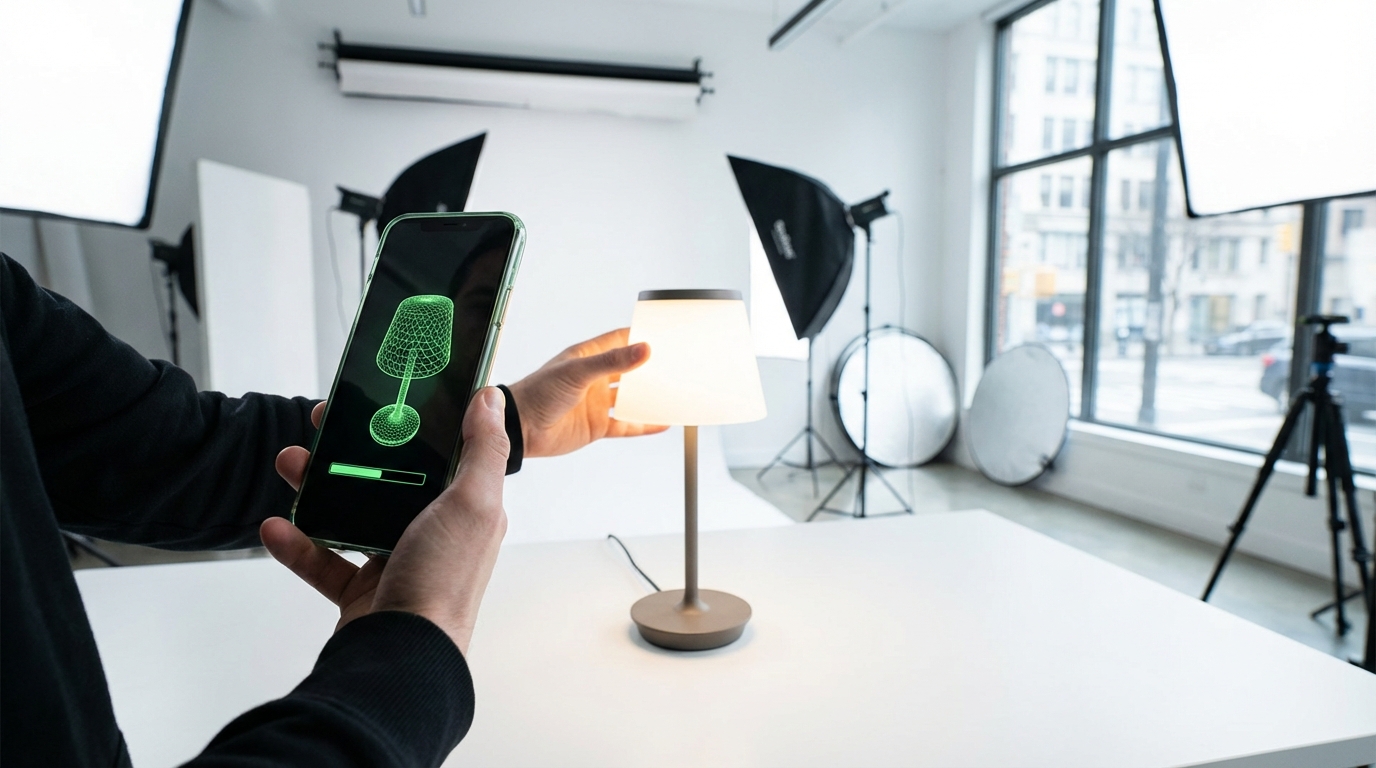
The model creation decision is where many sellers stall — not because the options are complicated, but because the costs and quality trade-offs aren’t clearly laid out. Here’s what the realistic landscape looks like.
Option 1: Amazon’s Built-In Mobile Scanning
Cost: Free.
Time: 5–10 minutes per product (plus 24–72 hours review).
Quality: Basic to moderate — adequate for View in 3D, variable results for View in Your Room.
Best for: Sellers who want to test AR integration with minimal investment, products with straightforward geometry (boxes, cylinders, flat panels), and initial market testing before committing to professional model creation.
Limitations: iOS only, US-only (currently), quality ceiling that may not represent the product accurately enough for high-stakes categories, and limited control over texture and finish rendering.
Option 2: Freelance 3D Artists
Cost: $50–$350 per model for simple products; $350–$1,000+ for complex products.
Time: 2–7 business days depending on complexity and revision rounds.
Quality: Variable — highly dependent on the individual artist’s experience with Amazon-spec models.
Freelance platforms host 3D artists with Amazon-specific experience who understand the GLB format requirements, the triangle count limits, and the texture specifications. The most important criterion when hiring a freelance 3D artist for Amazon is whether they’ve had models approved before — ask for specific examples of live Amazon listings they’ve created models for.
Provide the artist with: exact product dimensions, high-resolution product photography from all angles, material specifications (colour codes, finish type, texture samples), and any technical data sheets. The more information you provide, the higher the accuracy of the first draft and the fewer revision rounds you’ll need.
Option 3: Specialist Amazon 3D Agencies
Cost: $300–$2,000 per model (often packaged with renders and lifestyle images).
Time: 3–14 business days depending on agency and product complexity.
Quality: High — these agencies specialize in Amazon-compliant 3D models and often offer revision guarantees and resubmission support if Amazon rejects the initial upload.
Agencies like Advertflair, Data4Amazon, and vetted AWS partners (Hexa3D, Threedium) operate in this space. The higher cost often includes a suite of deliverables beyond just the 3D model: CGI product renders, lifestyle scene renders, 360-degree spin animations, and the GLB file — assets that can be used across your listing images, A+ Content, and off-Amazon marketing materials.
For sellers with a strong-performing product where incremental conversion improvement translates to meaningful revenue, the $500–$2,000 investment in a professional model is easy to justify. For a product generating $30,000/month, a 15% improvement in conversion rate on a subset of traffic is a significant number.
Option 4: In-House 3D Modeling Software
If you or someone on your team has 3D modeling experience, tools like Blender (free), Cinema 4D, or Autodesk Maya can be used to create GLB-compatible models from product CAD files or scratch. This is the most cost-effective long-term solution for sellers with large product catalogs, but it requires a meaningful skill investment or a dedicated in-house resource.
For brands with existing CAD files from product manufacturing, converting those files to consumer-grade 3D models for Amazon is often faster and cheaper than starting from scratch — the geometry exists, it just needs texturing, material mapping, and format conversion to GLB.
AR Features and Amazon’s Algorithm: What It Affects (and What It Doesn’t)
The relationship between AR features and Amazon’s A10 ranking algorithm is real but indirect — and it’s important to understand the distinction between direct ranking signals and downstream performance signals.
What AR Does Not Do Directly
Amazon has not publicly documented AR or 3D model presence as a direct ranking factor in the way that review count, keyword relevance, or sales velocity are. If your product has a 3D model and an identical competitor listing does not, you should not expect to automatically outrank that competitor based on the 3D model alone.
Sellers who pitch AR primarily as an “algorithm hack” are overstating the relationship. That framing sets up disappointment and misallocates the genuine value of the feature.
What AR Does Affect (Indirectly)
Where AR creates algorithmic benefit is through its impact on the performance signals that Amazon’s A10 algorithm does weight heavily:
- Click-through rate (CTR): Listings with the “View in 3D” or AR badge visible in search results may generate higher CTR than equivalent listings without it, as the visual differentiator attracts attention in crowded search pages.
- Conversion rate (CVR): Amazon heavily weights CVR in its ranking model. If AR engagement increases your conversion rate — and the data suggests it consistently does for engaged shoppers — that improvement feeds directly into your ranking signals over time.
- Return rate: Amazon monitors return rates by seller and by product. Elevated return rates can trigger listing suppression, restricted categories, or additional fees. A genuine reduction in returns from AR engagement improves your standing on this metric.
- Session duration and engagement depth: Amazon’s algorithm processes engagement signals beyond just purchase events. Shoppers who spend more time on your listing, interact with more content types, and engage with the AR viewer are contributing behavioural signals that indicate a high-quality listing.
The Listing Quality Score Connection
Amazon uses an internal Listing Quality Score (LQS) that influences how confidently the algorithm recommends your product across different placements. While the exact composition of LQS isn’t public, it is understood to incorporate listing completeness signals — images, video, A+ Content, accurate attributes. A 3D model in the image stack contributes to listing completeness and likely to the LQS, which has downstream effects on placement in recommendation surfaces, deal eligibility, and algorithm confidence in the listing.
Category-by-Category Opportunity Map: Where AR Adoption Is Still Low
One of the genuinely underappreciated aspects of Amazon’s AR feature suite is how unevenly adoption is distributed across categories. In furniture and high-end footwear, AR-enabled listings are becoming common. In other eligible categories, the majority of brand-registered sellers haven’t added 3D content at all.
Less than 1% of Amazon’s brand-registered sellers are estimated to have 3D models on their listings as of 2026. That creates significant differentiation opportunity in categories where the feature is both eligible and underused.
High Opportunity, Low Current Adoption
Kitchen and tabletop appliances: With the recent expansion of View in Your Room to tabletop items, coffee makers, air fryers, blenders, and similar products are now eligible for room placement AR. Very few sellers in this category have moved on this. A 3D-enabled listing for a coffee maker that lets shoppers see exactly how it looks on their kitchen counter — in their actual kitchen — is a meaningful differentiator in a crowded category.
Sporting goods and fitness equipment: Dumbbells, kettlebells, yoga equipment, benches, and compact gym gear are eligible for View in 3D and in some cases View in Your Room. Shoppers trying to gauge whether a piece of equipment will fit their home gym or apartment space have a genuine use case for AR visualization. Adoption in this category remains low.
Consumer electronics accessories: Headphones, speakers, keyboards, mice, and desk accessories benefit from 3D viewing for detail inspection. A shopper trying to decide between two similarly priced wireless headphones has a much richer experience rotating a 3D model and examining the ear cushions, hinge mechanisms, and build quality than viewing three standard photos.
Home office: Desks, chairs, monitor stands, and storage units are in the sweet spot of View in Your Room eligibility with relatively low adoption among smaller brands in the space.
Baby and nursery: Cribs, changing tables, high chairs, and strollers are categories where parents are making high-consideration purchases and want to see products in their specific nursery space. AR fit checks are highly relevant here, and adoption is minimal outside of major brands.
Categories with Growing Competition
Furniture (large items), premium footwear, and premium eyewear are the categories where AR adoption is highest and where the differentiation value of having 3D content is eroding as more brands adopt it. In these categories, not having AR is increasingly the risk — while having it is becoming table stakes. If you’re in furniture or shoes and you haven’t added 3D models yet, you’re already behind the curve in terms of shopper expectation management.
Common Mistakes Sellers Make With AR Listings
Based on how Amazon’s 3D model requirements and review processes work, there are several consistent failure patterns worth avoiding before you invest time and money in model creation.
Submitting Models with Scale Errors
The most common reason for View in Your Room rejection is inaccurate product scale. If your 3D model’s dimensions don’t precisely match the actual product’s real-world measurements, Amazon will reject it for the room placement feature — because a sofa that appears three feet shorter than it actually is creates exactly the kind of post-purchase surprise that AR is supposed to prevent.
Always provide exact manufacturer dimensions when briefing a 3D artist or when setting up your model. Double-check the model in a preview before submission. Scale errors are entirely avoidable with proper briefing.
Ignoring Material and Texture Accuracy
A 3D model that looks significantly different from the physical product — wrong colour rendering, flat textures on a product that has visible grain or weave, generic materials applied to a product with specific finishes — may pass Amazon’s review but will disappoint shoppers who interact with it. The whole point of AR is to reduce the imagination gap; a model that’s inaccurate in material or colour can create a new type of expectation mismatch.
Invest in accurate texture mapping. For products where colour accuracy is critical (upholstered furniture, apparel, rugs, painted wood), provide your 3D artist with colour-accurate reference photography taken in daylight or with proper colour calibration. The Pantone or RAL colour codes for your product finishes are extremely useful.
Using the App Scan for Complex Products
The mobile scanning tool is genuinely useful for the right products, but sellers sometimes try to use it for products where it structurally can’t produce adequate results: glass items, chrome-finished products, products smaller than a fist, products with complex internal structures visible through the casing. The result is a low-quality model that may create a negative first impression rather than a positive one.
Match the creation method to the product. If your product has challenging material properties, invest in professional modeling rather than relying on mobile scanning.
Not Updating Models After Product Changes
If you update your product — new colour option, revised packaging, changed dimensions, updated branding — your 3D model needs to be updated too. An outdated 3D model showing a discontinued colour option or old design creates confusion. Build model maintenance into your product update workflow, not as an afterthought.
Treating the Model as a Set-and-Forget Asset
A 3D model is a living listing asset that benefits from monitoring. Track whether your View in 3D engagement rate changes after model upload. Watch your return rate in the weeks following AR activation. Compare conversion rates between traffic segments that engaged with the AR feature and those that didn’t. Amazon’s Brand Analytics includes some of this data; supplement it with your own tracking where possible. If a model isn’t driving the expected engagement, it’s worth investigating whether it’s appearing correctly on all devices and in all marketplaces you’re selling in.
Building AR Into Your Listing Strategy for the Long Term
AR features on Amazon aren’t a campaign — they’re listing infrastructure. Like A+ Content, video, and review management, they’re assets that compound over time rather than delivering a one-time lift. That framing changes how you should prioritize and sequence the investment.
Sequence: Start with Your Highest-Return Products
If you have a catalog of 50+ SKUs and can’t afford to create 3D models for everything immediately, prioritize based on return rate and return-driven costs. Your highest-return products are the ones where the AR investment has the clearest ROI case: every percentage point reduction in returns on a $200 furniture item is worth more in absolute terms than the same reduction on a $20 item.
Second priority: your highest-traffic, highest-conversion products. These are the listings where the incremental improvement in conversion rate delivers the most revenue. The model investment on a listing that drives $80,000/year is justified at a much higher threshold than one driving $8,000/year.
Align Model Creation with New Product Launches
For new product launches, building the 3D model into the pre-launch production workflow is far more efficient than retrofitting it after launch. When you’re already briefing photographers and creating packaging, the 3D model brief can be developed in parallel. CAD files from your manufacturer can seed the model creation, reducing the 3D artist’s work significantly.
Launching with a 3D model in place means your listing is fully equipped from day one of indexed traffic — including the AR badge in search results and the interactive viewer on the detail page. For products entering competitive categories, this is a meaningful early differentiation.
Plan for Multi-Marketplace Deployment
Amazon’s 3D model feature is available across multiple marketplaces, not just Amazon.com. If you sell on Amazon UK, Germany, Canada, Australia, or Japan, the same 3D model file can typically be used across marketplaces. The review process applies separately in each marketplace, but the asset creation is a one-time cost with multi-market deployment potential.
This is particularly relevant for international expansion plans. A brand entering Amazon Europe with AR-enabled listings from launch day is positioned ahead of most competitors who haven’t yet implemented 3D models in those markets.
Leverage 3D Assets Beyond Amazon
The GLB file and the photorealistic renders your 3D artist produces are reusable assets. The same model can power AR previews on your Shopify or WooCommerce store, 3D spin animations for your product emails, CGI lifestyle imagery for your social media, and interactive embeds on your brand website. Many sellers limit their thinking to the Amazon use case and leave the broader asset value on the table.
When briefing a 3D agency, ask explicitly for high-resolution renders, 360-degree turntable animations, and any scene variants you’ll need for your other channels. Getting all of this from a single model creation project significantly improves the cost-per-use of the asset.
What to Expect: A Realistic Timeline and Outcome Framework
For sellers considering AR features for the first time, here’s an honest outline of what the process and outcomes typically look like.
Months 1–2: Foundation
- Confirm Brand Registry status (apply if not already enrolled)
- Audit your catalog for AR-eligible products and prioritize candidates
- Brief a 3D artist or agency — or use the mobile scan tool for initial testing
- Submit models for Amazon review via Seller Central Image Manager
- Allow 1–2 weeks for Amazon’s review and approval
Months 2–4: Live and Measuring
- Monitor View in 3D engagement via Brand Analytics and listing traffic data
- Compare return rates before and after AR activation
- Track conversion rate changes for AR-activated listings vs. baseline period
- Note any search ranking changes — though attribute these cautiously given multiple variables
Months 4–12: Scaling the Investment
- Expand 3D models to additional products based on performance data from initial rollout
- Incorporate model creation into new product launch workflow
- Deploy existing 3D assets to other Amazon marketplaces
- Leverage 3D renders in A+ Content, video, and off-Amazon channels
Realistic Outcome Expectations
For sellers in furniture, home décor, lighting, and similar high-imagination-gap categories: expect the clearest and fastest impact. Return rate improvements in the 15–30% range for AR-engaged shoppers, and conversion rate lifts in the 10–25% range, are supported by data from comparable deployments.
For sellers in electronics accessories, sporting goods, and kitchen appliances: expect moderate but measurable improvement in engagement and conversion, with a slower timeline to see statistically clear return rate effects (lower baseline return rates mean smaller absolute changes).
For sellers in low-consideration categories (commodity goods, consumables, replenishment items): the AR investment may not be justified. If your customers aren’t making a spatially or aesthetically complex purchase decision, AR doesn’t address the friction in their buying journey.
Conclusion: AR Is Infrastructure, Not a Trend
The conversation around augmented reality in e-commerce has been dominated for years by hype cycles and ambitious projections that haven’t always landed on schedule. That history has made some sellers appropriately sceptical. But Amazon’s AR suite — View in Your Room, Virtual Try-On, and View in 3D — is not speculative technology. It’s live, it’s self-serve for brand-registered sellers, it costs nothing in Amazon fees to upload, and the performance data from deployments across e-commerce consistently supports meaningful improvements in both conversion rates and return rates.
The sellers who are hesitating aren’t being cautious — they’re waiting for a queue of missed opportunities to get longer. Less than 1% of brand-registered Amazon sellers have 3D models on their listings. In a marketplace where differentiation is increasingly expensive to achieve through advertising and increasingly difficult to achieve through listing optimisation alone, that gap is a genuine opening.
Key Takeaways for Amazon Sellers
- AR on Amazon is three separate tools: View in Your Room (space placement), Virtual Try-On (wearable visualization), and View in 3D (interactive on-page model). Each has different category eligibility and access paths.
- Brand Registry is the prerequisite for self-serve AR and 3D model uploads. If you haven’t enrolled, that’s the first step — everything else follows from it.
- GLB/GLTF format, accurate scale, and material fidelity are the three pillars of a model that gets approved and performs well in AR.
- Two upload paths exist: the free iOS Seller app scan (quick, basic quality) and the Seller Central Image Manager upload (professional quality, 1–2 week review).
- Professional model creation costs $50–$2,000 depending on product complexity and whether you need additional renders. Amazon charges no fee for the upload or AR integration itself.
- The greatest opportunity sits in kitchen appliances, sporting goods, home office, electronics accessories, and baby/nursery — categories with AR eligibility and very low current adoption.
- AR’s impact on rankings is indirect — it works through improved conversion rates, lower return rates, and stronger engagement signals, not through a direct algorithmic ranking boost.
- 3D model assets are reusable across marketplaces, channels, and marketing materials. Plan the full scope of use when commissioning model creation.
The window for early differentiation through AR on Amazon remains open — but it won’t stay open indefinitely. Sellers who move now get the full compounding benefit of better conversion metrics, lower return rates, and early-mover positioning before AR becomes as standard as A+ Content. Sellers who wait will still be able to add it eventually, but they’ll be doing so in a landscape where it no longer stands out.
Leave a Reply