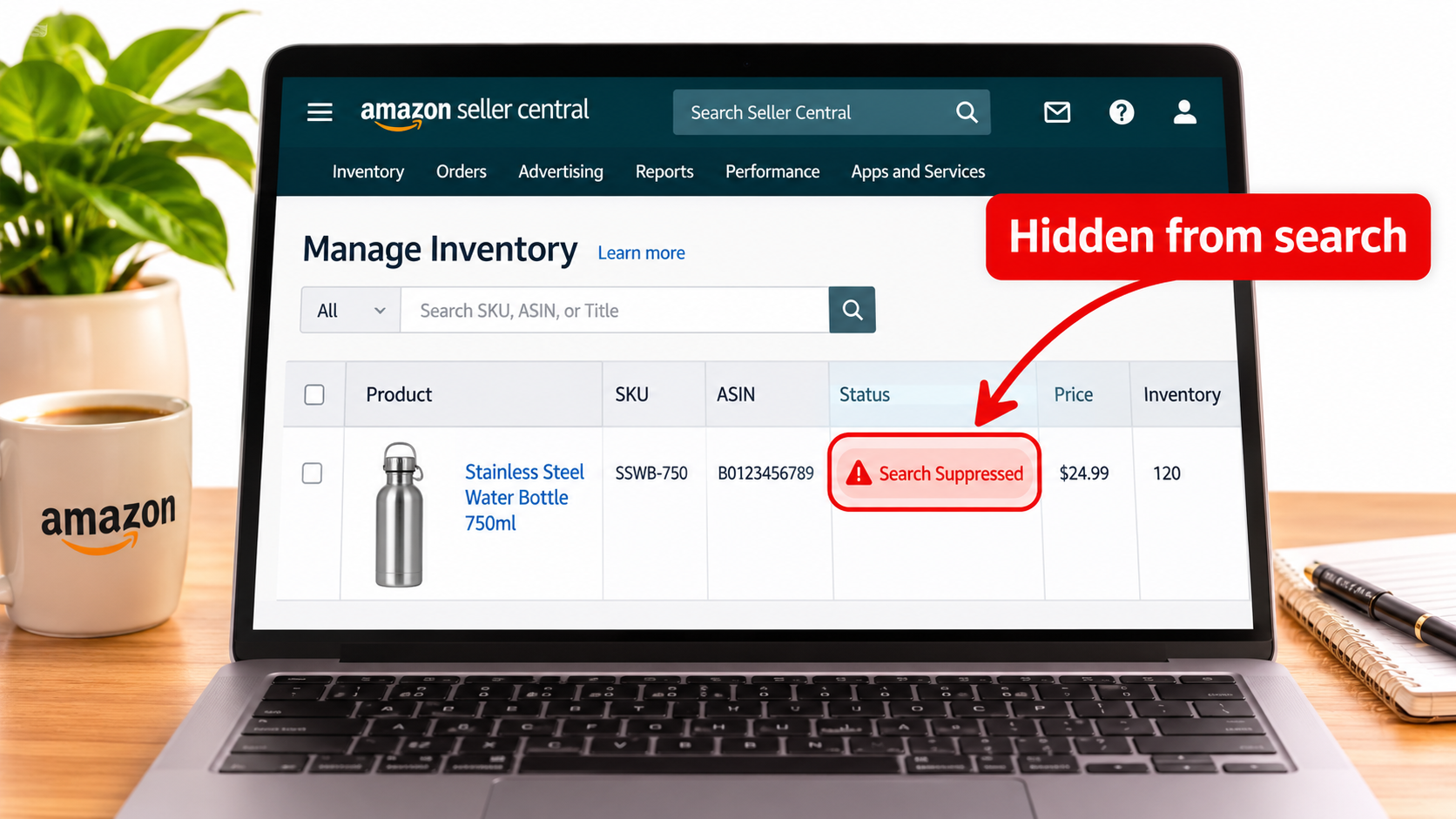
For years, a weak main image on Amazon was a conversion problem. Your listing stayed live, it just underperformed. In 2026, sellers are describing something different: the listing quietly disappears from search and browse, and the first signal is a traffic drop rather than a notice.
This article separates what Amazon has actually documented from what industry blogs and seller forums claim. It then lays out an operating routine for catching image problems before they turn into suppression.
What “Moving From Warnings to Suppression” Actually Means
The shift is about consequence and timing. Under the older pattern, image problems tended to surface through a complaint, a catalog review, or a slow quality alert. Sellers had time to react.
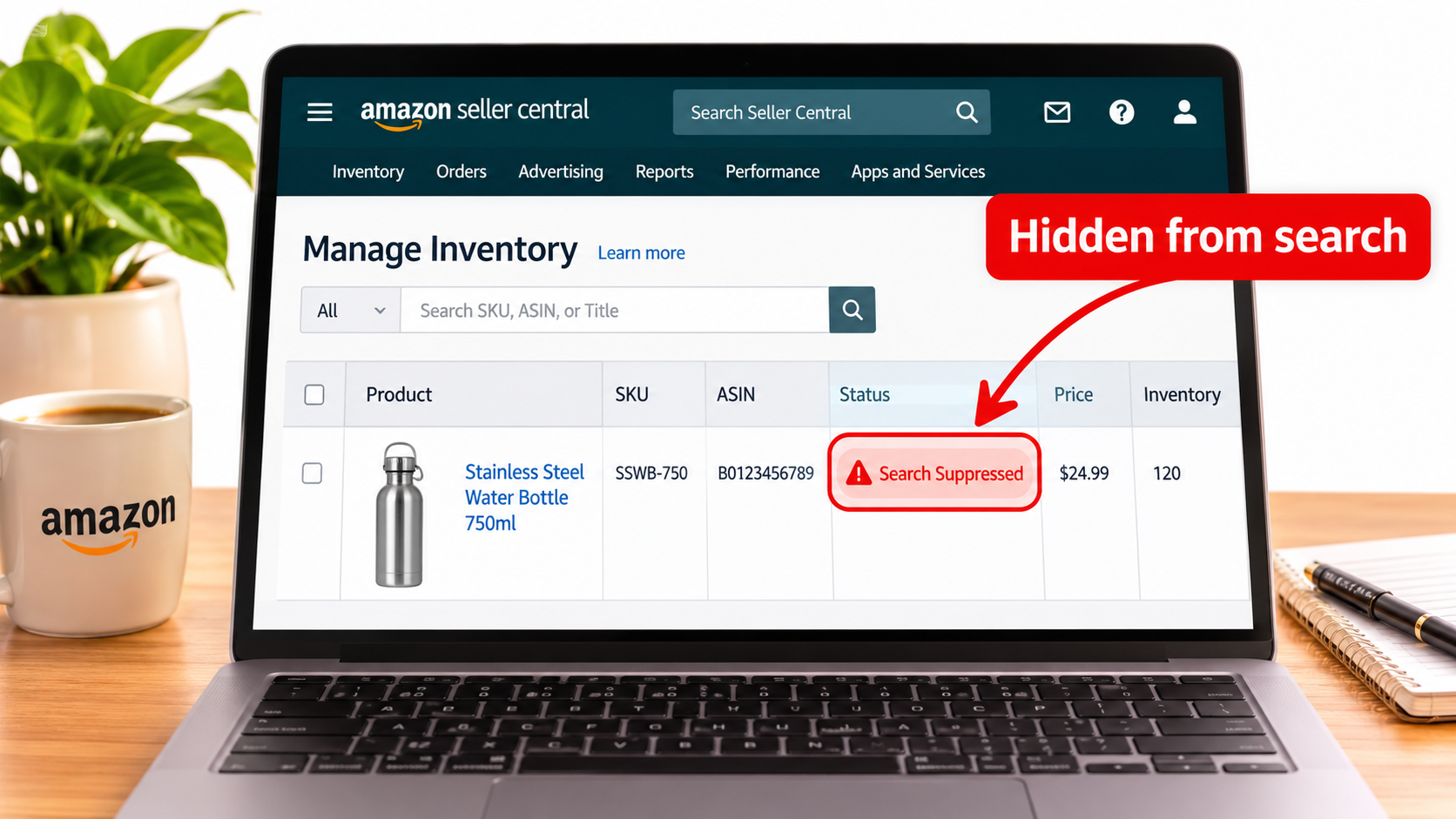
Seller reports in 2026 describe automated scanning of main images, with suppression arriving within hours to days. A suppressed ASIN is hidden from search and browse. It can still be reached by a direct link, which is why many sellers do not notice at first.
Suppression is not account suspension. Your account health is intact, and the fix is usually a replacement image. But the commercial effect is similar to a short outage for that ASIN.
What Is Verified and What Is Not
A lot of 2026 commentary blends documentation with speculation. It helps to sort claims by source.
Documented by Amazon
- Listings with missing or noncompliant main images can be hidden from search and browse.
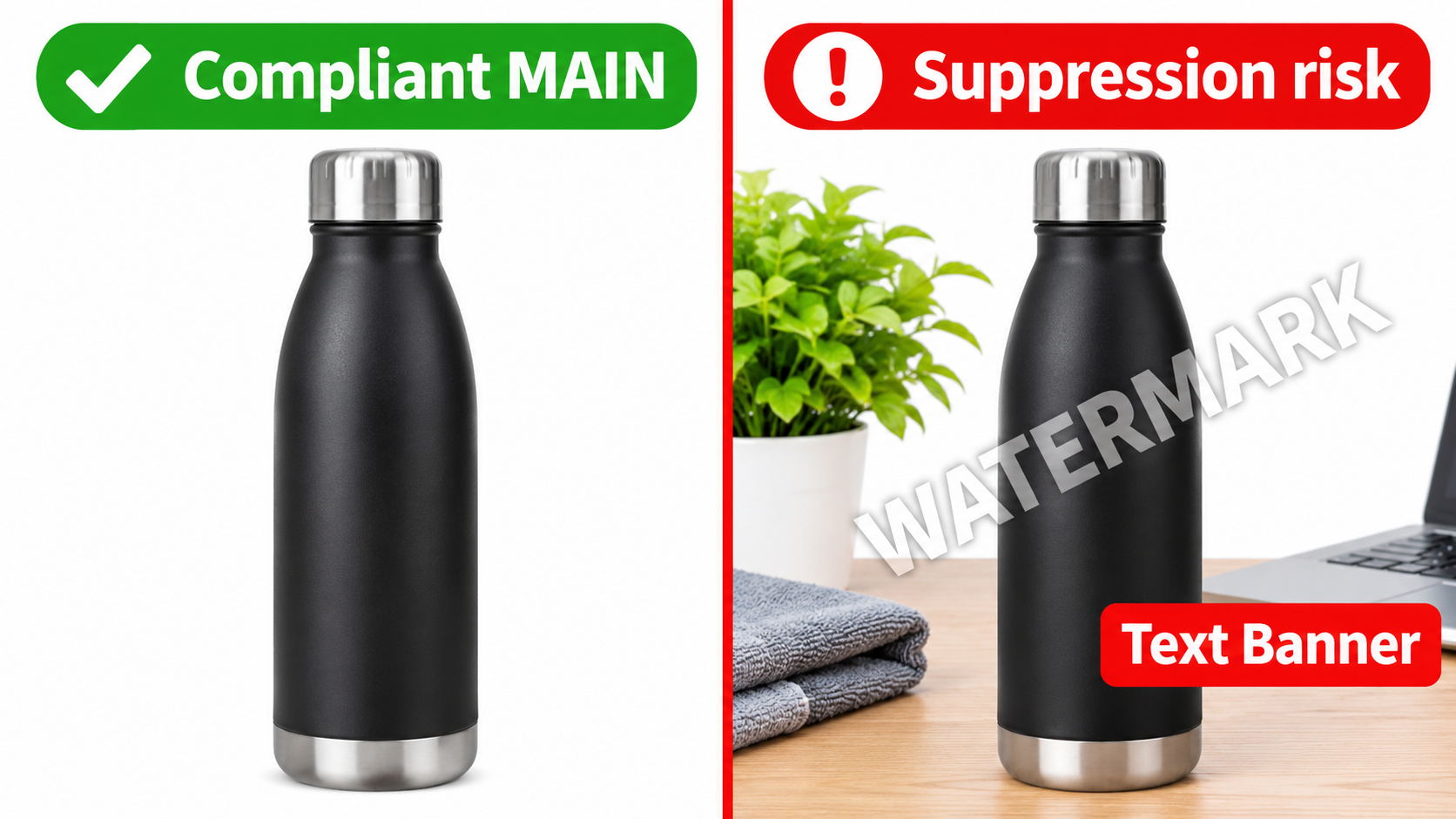
- Main images generally must show the product on a pure white background, without text, logos, graphics, watermarks, or unauthorized extra items.
- All ASINs need a main image, with exceptions for certain media and service categories.
- The fix is to replace the image using the
MAINvariant code rather than deleting it. Changes may take up to 24 hours to appear.
Reported but not confirmed by Amazon
- A Marketplace Pulse–attributed estimate of more than 3.1 million listings removed for image-policy violations in Q1 2026. This is not an Amazon-published figure, so treat it as directional.
- Automatic main-image prechecks during one-by-one listing creation, flagging background, text, logo, and watermark issues before submission.
- Exact thresholds such as an 85% frame fill, mandatory AI-use disclosure, and automatic ad pauses. These come mainly from industry blogs, not Amazon documentation.
Amazon’s Seller Central guidance does not confirm a new enforcement engine or specific 2026 thresholds. The honest reading is that the rules have not changed much, while detection and consequence appear to have tightened.
How Suppression Works in Practice
When an image fails a check, the ASIN is flagged and removed from search and browse. In Seller Central, the reason appears under Inventory, then Manage All Inventory, in the Fix Your Products or Activate listings views.
Reported knock-on effects include lost organic discovery, weaker advertising efficiency, and possible Buy Box disruption. Ads pointing to a suppressed ASIN may keep spending while converting poorly, since shoppers can no longer find the product through normal paths.
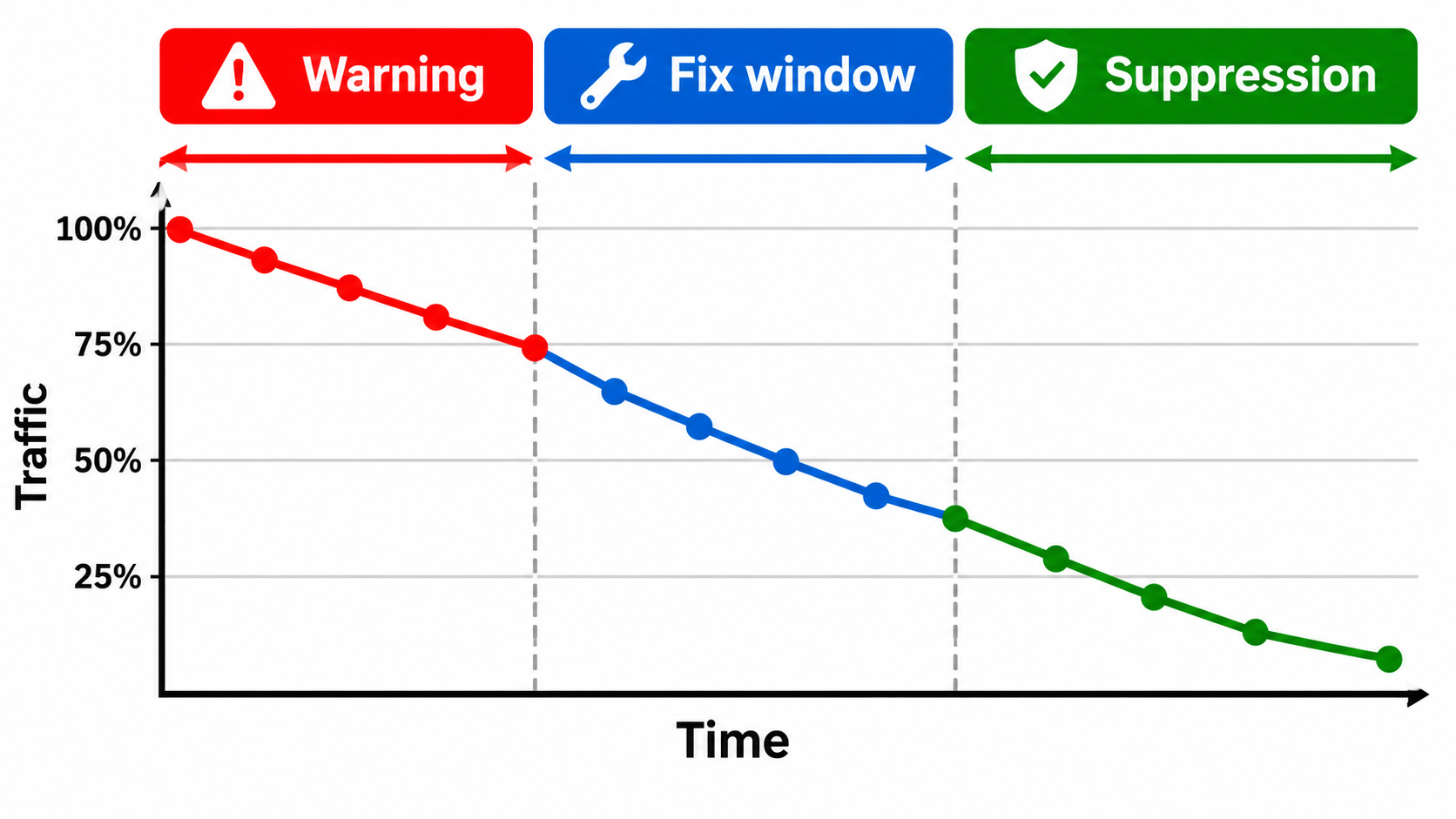
Why the lack of a warning matters
A warning gives you a fix window. Suppression removes it. If detection runs continuously, an image that was acceptable for years can fail after a rule or model update, without any change on your side.
The Most Common Triggers
Across seller reports and Amazon’s guidance, the same causes recur.
- Non-pure-white backgrounds. Light grey shadows, gradients, and off-white from poor retouching are frequent culprits.
- Text, logos, and watermarks. Badges, “best seller” overlays, and brand marks on the image canvas.
- Props and extra items. Anything not included in the sale, or multiple products in an apparel main image.
- Insufficient product size. The product occupies too little of the frame.
- Poor quality. Blur, low resolution, or heavy compression artifacts.
- Missing images. Including cases where the image exists in your editor but the system reads it as absent.
False Positives: When the Product Itself Looks Like a Violation
Automated checks misread things. Sellers have reported suppression when text printed on the product, such as a label on a bottle or lettering on a game box, was treated as text added to the image. Some resolved it through Seller Support or a catalog escalation, though outcomes varied.
If your product has legitimate printed text or a logo, keep evidence ready: packaging photos, brand registry records, and a clear explanation that the text is part of the physical product. Document each case, because the same pattern will probably recur on sibling ASINs.
The October Incident: A Case Study in Platform-Side Failure
A Seller Central thread updated in November reported more than 100,000 listings search-suppressed for “missing” main images, even though the images showed in listing editors. The same thread cited 147,185 listings remapped to an unrelated brand. This is seller-reported and unverified, and causation between the two issues is unclear.
One reporting seller had six affected ASINs. Support recommended re-uploading images, which did not resolve the problem. The lesson is not that every suppression is Amazon’s fault. It is that you need a way to tell a content problem from a catalog problem quickly, and to escalate with evidence.
The Revenue Math of an Invisible ASIN
Suppression cost scales with how much of an ASIN’s sales come from search. A simple model:
- Take trailing 30-day revenue for the ASIN.
- Estimate the organic search share from your Brand Analytics and ad reports.
- Multiply by the number of days suppressed, then add ranking recovery time.
Ranking recovery is the hidden part. Lost sessions and conversions can depress rank after reinstatement, so a two-day suppression can cost more than two days of sales. High-volume and seasonal ASINs are most exposed, since a short outage in a peak window carries disproportionate cost.
Who is most at risk
- Small brands that depend mostly on Amazon search.
- Catalogs with hundreds of variations managed through bulk uploads.
- Sellers using AI-generated or heavily edited main images.
- Resellers whose images are controlled by manufacturers or by other sellers on the listing.
Build a Main-Image Audit Routine
Treat main images like a compliance asset, not a creative one. A monthly audit takes less time than a single suppression event.

Step 1: Inventory your MAIN images
Export your catalog and pull the current main image URL for every ASIN. Check that each loads and resolves correctly.
Step 2: Run pixel checks
Sample the background corners and edges for pure white (RGB 255,255,255). Flag anything with gradients or shadows that bleed to the edge.
Step 3: Check for overlays
Scan for text, badges, and logos that are not part of the physical product. Use a person for edge cases, since automated tools will flag product labels too.
Step 4: Check frame fill
Amazon’s public guidance emphasizes the product filling the frame. Do not rely on an exact percentage from a blog. Compare against top competitors and keep the product dominant.
Step 5: Monitor suppression daily
Check the Fix Your Products view and the suppressed listings report each day. Set an alert on sessions per ASIN, since a sudden drop to near zero is often the earliest signal.
What to Do the Day You Are Suppressed
- Read the stated reason in Fix Your Products before touching anything.
- Compare the live image to the requirements. If it clearly violates one, replace it using the
MAINvariant. Do not delete it. - Wait up to 24 hours for the change to appear.
- If the image is compliant, open a case with screenshots showing the image in the editor and the suppression status. Escalate through catalog support if the first response is generic.
- Check for brand or catalog changes. If the ASIN has been remapped, the problem is outside your image.
- Review your ads. Pause or reduce spend on ASINs that are not discoverable.
AI-Generated and Edited Images: A Special Risk
AI tools often produce near-white backgrounds, soft shadows, or invented details. These cause both automated flags and shopper trust issues. Claims of a mandatory AI-use disclosure come from industry blogs and are not confirmed in Amazon documentation, so verify against current policy before acting on them.
Regardless of how the image is made, the product shown must match what is sold. Run a final check on AI output for color accuracy, accessories, and edge artifacts.
Actionable Takeaways
- Assume suppression, not warnings, is the default consequence of a main-image failure.
- Rely on Amazon’s own guidance for rules, and treat blog-reported thresholds as unverified.
- Audit all main images monthly and track sessions per ASIN daily.
- Replace images via the
MAINvariant and allow up to 24 hours. - Keep evidence ready for false positives on products with printed text or logos.
- Separate image problems from catalog problems before you escalate.
Conclusion
Amazon’s main-image rules are old. What appears to be new is how quickly and quietly they bite. Whether the cause is a new engine, tighter thresholds, or platform-side errors, the practical response is the same: know your images, watch your traffic, and fix quickly with documentation.
Sellers who treat the main image as a compliance asset will lose less time and revenue than those who treat it purely as creative.
Leave a Reply