Most advice on Sponsored Brands video starts with the creative: hook, pacing, music. That matters, but it skips the decision that shapes your results most. Where does the shopper land after the video ends?
This guide works backwards from the landing page. It covers where these ads run, how to choose a destination, what to test, and how to read the numbers in 2026. It uses only claims I could verify from Amazon Ads’ own materials. Where a figure would depend on your category, I say so instead of inventing a benchmark.
What Sponsored Brands Video Is, and Where It Runs
Amazon describes Sponsored Brands as an ad solution that helps shoppers discover your brand in the Amazon store. The formats are video, image, and collections. Ads appear in prominent placements such as top of search and product pages. They send traffic to a Brand Store or to detail pages.
Amazon’s own page says ads may appear above, alongside, or within shopping results, on desktop and mobile. It lists top of search results, top of mobile search results, and the top of the Amazon home page as example placements.
Why that placement matters
Sponsored Products ads look like organic listings. A video ad is visibly different. It autoplays in a spot shoppers see before they scroll, so it works as a brand-level interruption rather than a single-listing nudge.
That is why the video fits awareness and consideration. Amazon positions Sponsored Brands for exactly those stages, and pairs it with Brand Stores for long-term engagement.
The Landing Page Decision Comes First
Amazon’s guidance says Sponsored Brands can drive traffic to your Brand Store or product detail pages. Each destination implies a different goal, so decide before you shoot anything.
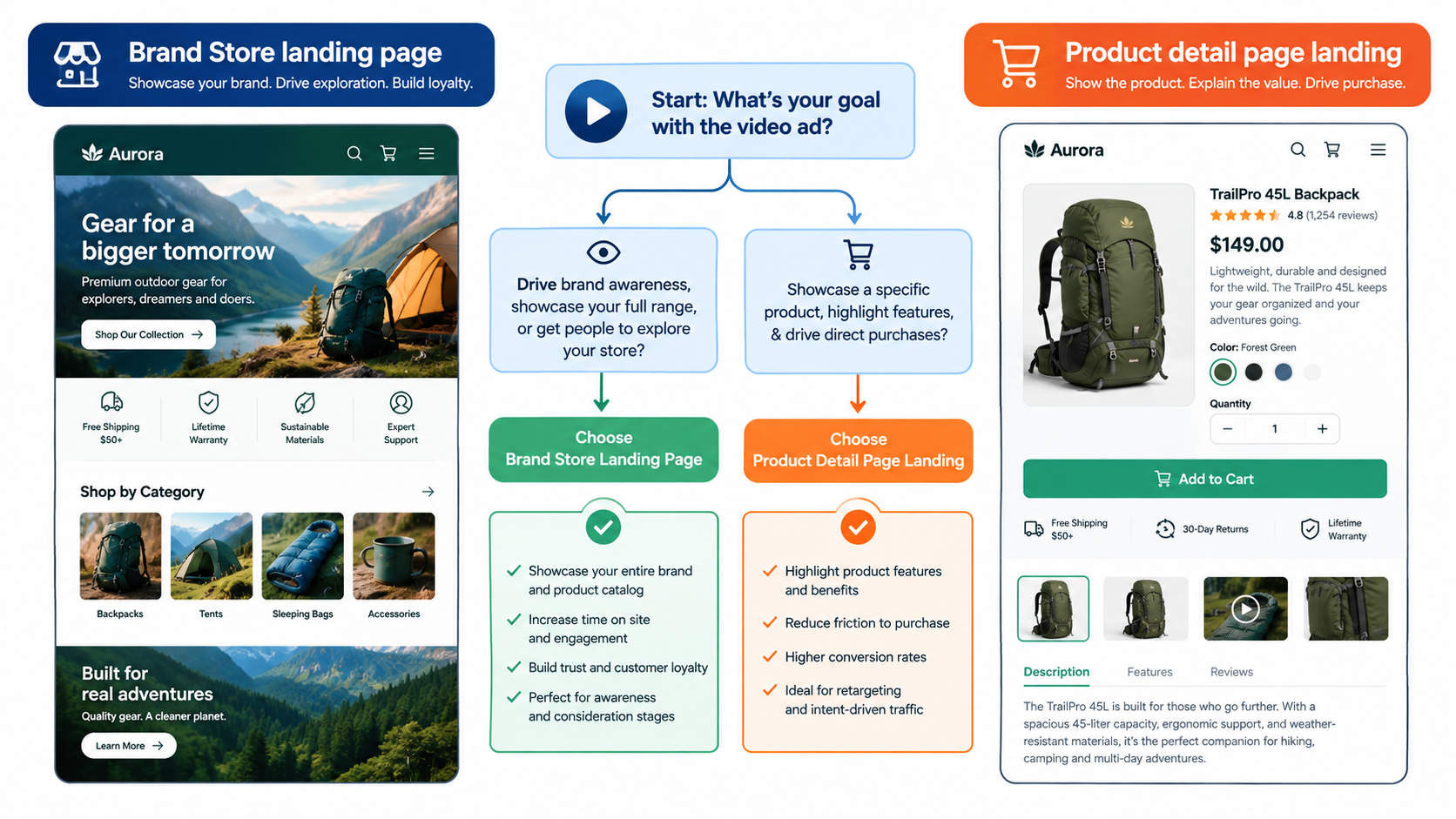
When a product detail page is the right destination
- The video demonstrates one product and one claim.
- The shopper’s query is specific, such as a product type or use case.
- You want to measure conversion cleanly against a single ASIN.
When a Brand Store is the right destination
- You sell a family of related products and the shopper is still comparing.
- Your video tells a brand or lifestyle story rather than one feature.
- You want shoppers to browse, and you value repeat discovery over a single sale.
A practical rule: if your video could be summarized in one sentence about one product, land on that product. If it needs “and also,” land on the Store.
Match the Video to the Shopper’s Stage
Shoppers arrive from top-of-search with different intent. A broad keyword like a category name signals discovery. A branded or specific long-tail term signals a nearly decided buyer.
Broad terms: show the category problem
Open on the problem or the result, not your logo. Someone browsing a category wants to know what separates options. Show the difference quickly.
Specific terms: show proof
For narrower queries, the video should confirm the choice: size, in-use footage, a before-and-after. The shopper needs reassurance, not an introduction.
Competitor and product targeting
Amazon notes targeting works by keyword and product. When you target a competitor’s product page, your video has to earn attention against a listing the shopper already trusts. A clear comparison point works better than a general brand story.
Creative Principles That Hold Up on Mobile
Amazon describes Sponsored Brands video as “rich autoplay video content” and a storytelling tool. Autoplay in a feed has consistent implications, whatever your category.
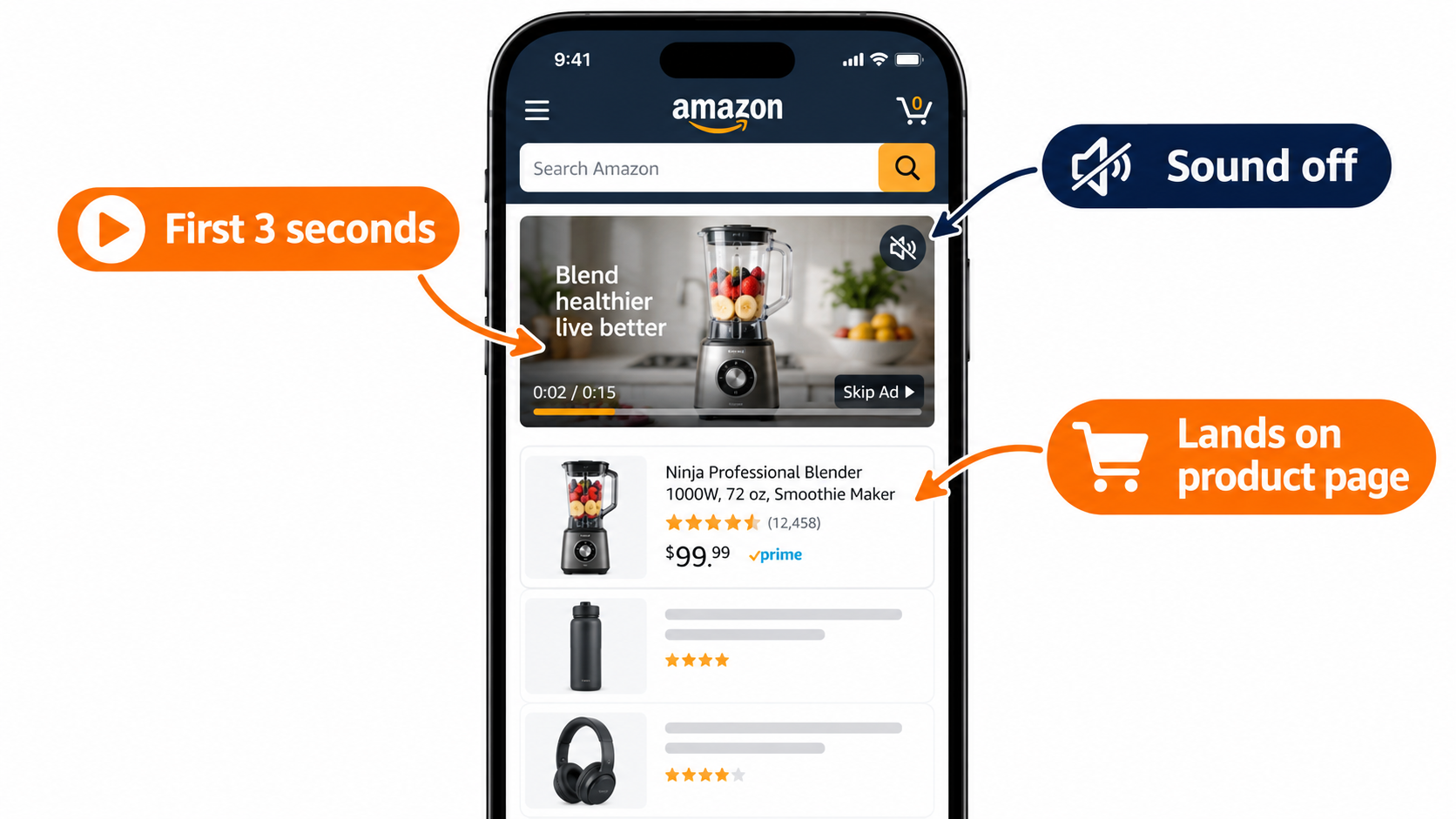
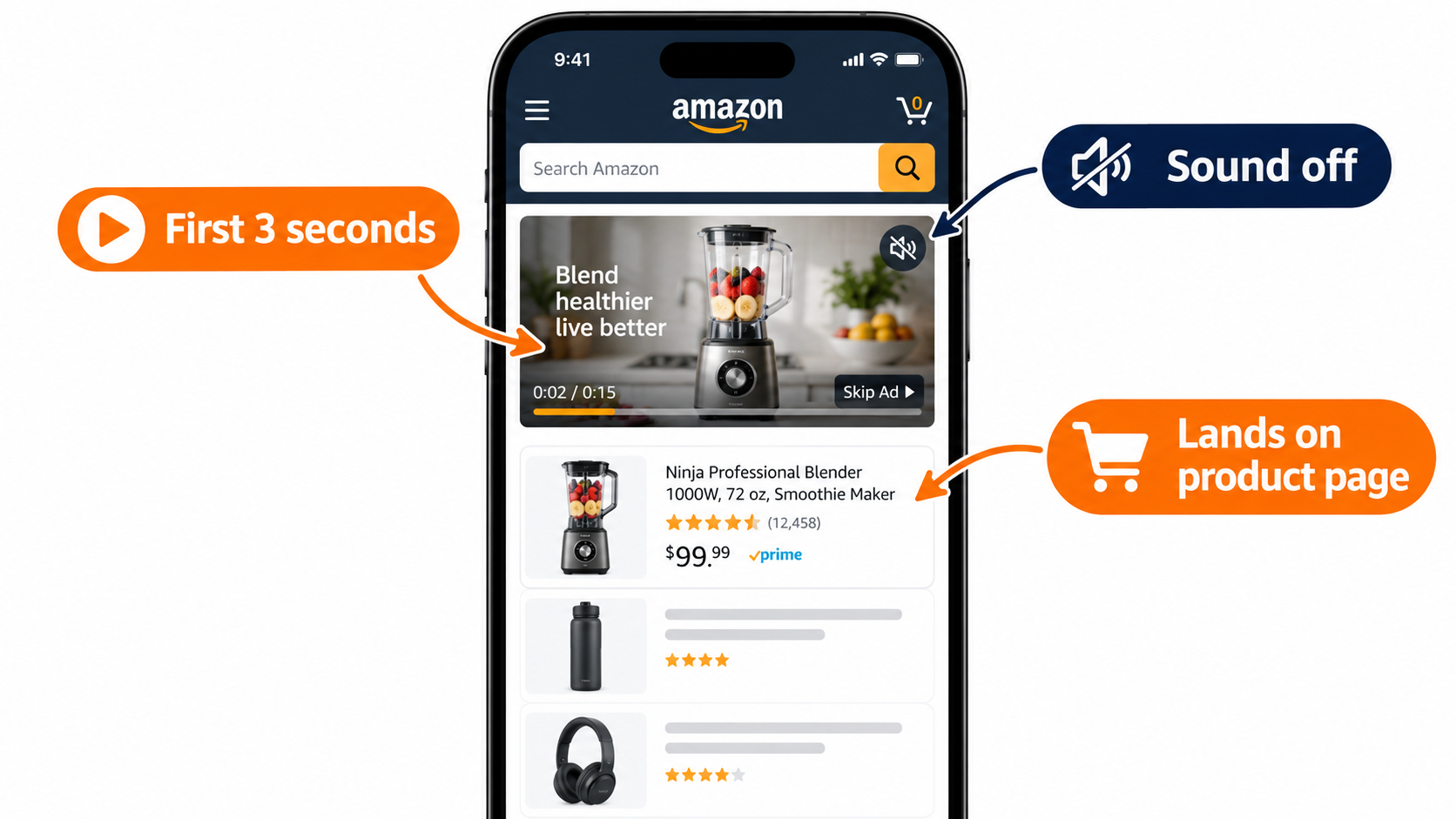
- Front-load the point. Autoplay gives you a short window before a thumb moves. Put the product and the benefit in the opening seconds.
- Design for sound off. Use on-screen text and visual demonstration so the message survives without audio.
- Show the product in use. Static product-on-white footage duplicates what your main image already does.
- One message per video. If you have three claims, make three videos and test them.
- Check the current specs in Campaign Manager. Length, aspect ratio, and file requirements change, so confirm them before production instead of relying on a blog post.
What Amazon’s Case Studies Do and Don’t Tell You
Amazon publishes several results on its Sponsored Brands page. They are worth reading carefully.
- HP: using Sponsored Brands video alongside Sponsored Brands, Sponsored Products, and display, impressions grew 224% year over year and clicks 142%. Amazon also cites a 42% increase in clicks for Sponsored Brands video placements.
- Loftie: a small business reported a ROAS of $5.66 and an ACOS of 17.68% on a 2022 campaign.
- NF Imports (Japan): Amazon reports 30% sales growth between December 2019 and November 2022 and that new customers drove 80% of sales over a stated period.
How to read them
These are vendor-selected successes, and several combine multiple ad types. HP’s figures describe a mixed program, not video alone. Treat them as proof that the format can work, not as targets. Your category, price, and review base will move your numbers a lot.
A Testing Framework: One Variable at a Time
Because I can’t give you a trustworthy universal benchmark, build your own baseline.
Step 1: Set a control
Run your best current Sponsored Brands campaign (image or collection) on a defined keyword set. Record click-through rate, conversion rate, and ACOS over a stable period.
Step 2: Add video to the same keywords
Change only the creative format. Keep bids and targeting comparable so the difference reflects the video.
Step 3: Test in this order
- Landing page (product vs. Store).
- Opening hook.
- Featured product or claim.
- Video length.
Step 4: Set a decision rule in advance
Decide your minimum click volume and your acceptable ACOS before launch. This stops you from calling winners early on thin data.
Measuring Beyond ACOS
Sponsored Brands is built for awareness and consideration, so ACOS alone can mislead. Amazon highlights insights into how and which shoppers engage with your ads, and mentions new-to-brand style reporting in its case studies, including NF Imports’ new-customer share.
- New-to-brand share: are you reaching people who haven’t bought from you?
- Halo effect: check whether sales of other ASINs rise when a campaign runs.
- Branded search lift: watch branded query volume over time.
- Click-to-purchase quality: compare conversion by landing page.
Amazon Ads Academy has a course on analyzing Sponsored Brands reporting, aimed at beginners, if you want a vendor-side walkthrough of the metrics.
Protecting Top-of-Search Visibility
Amazon also lists a guide to Sponsored Brands reserve share of voice, which it describes as a way to secure top-of-search visibility. If you defend a few high-value keywords, this is worth reading. Confirm eligibility and costs in your account before planning around it.
Also note that Amazon offers free AI-powered image generation for branded creatives. That helps with image formats and thumbnails, but your video still needs real product footage that proves the claim.
Common Mistakes
- Sending video traffic to a weak listing. A video raises attention. It cannot repair thin reviews, poor images, or a bad price.
- Launching one video and judging the format. One creative is a sample size of one.
- Using broad keywords with a narrow claim. The message and the intent don’t match.
- Ignoring the rest of the funnel. If Sponsored Products and your organic listings aren’t ready, video spend leaks.
Takeaways
- Pick the landing page before you write the script.
- Match the video’s job to the shopper’s search intent.
- Design for autoplay and silence.
- Treat Amazon case studies as proof of possibility, not benchmarks.
- Build your own control and change one variable at a time.
- Judge success on new customers and halo effects, not ACOS alone.
Note: This article draws on Amazon Ads’ public Sponsored Brands materials. Specs, features, and eligibility change often, so verify current details in Campaign Manager.
Leave a Reply